Introduction
Deal desk workflow tools help organizations manage complex commercial transactions involving pricing approvals, discount requests, contract negotiations, and sales exceptions. These platforms establish structured workflows that connect sales, finance, legal, and revenue operations departments.
Traditional deal management frequently relies on spreadsheets, email communication, and disconnected approval processes. These methods can create unnecessary delays, inconsistent commercial decisions, and limited visibility into transaction profitability.
Modern deal desk software combines quotation management, approval automation, commercial policy enforcement, contract collaboration, and transaction analytics. These capabilities help businesses process complex sales opportunities while maintaining appropriate financial and operational controls.
Advanced platforms also support subscription pricing, product configuration, revenue forecasting, and automated document generation. Integration with existing enterprise applications helps organizations maintain consistent commercial information throughout the sales lifecycle.
Different deal desk workflow platforms address the requirements of subscription software companies, manufacturers, professional service providers, and multinational enterprises. Selecting appropriate software requires evaluating commercial complexity, integration requirements, approval capabilities, and total ownership costs.
This guide examines ten deal desk workflow tools, including their features, benefits, limitations, and practical applications. It also provides comparison tables, implementation recommendations, financial examples, performance indicators, and frequently asked questions.
What Are Deal Desk Workflow Tools?
Deal desk workflow tools are software applications designed to coordinate the evaluation, approval, negotiation, and execution of commercial sales transactions. They help organizations manage deals that require collaboration between multiple departments or exceptions to established commercial policies.
A deal desk typically includes representatives from sales, finance, legal, pricing, and revenue operations teams. Its responsibilities may include reviewing nonstandard discounts, validating contract terms, evaluating transaction profitability, and approving specialized commercial arrangements.
Deal desk platforms frequently incorporate Configure, Price, Quote (CPQ), Customer Relationship Management (CRM), Contract Lifecycle Management (CLM), and revenue automation capabilities. These integrations help organizations maintain consistent information throughout quotation, negotiation, approval, and contract execution processes.
Effective deal desk management requires documented commercial policies and clearly defined approval responsibilities. Software can automate established procedures, but complex commercial decisions may still require professional judgment and authorized human review.
How Deal Desk Workflow Tools Work
- Opportunity identification: Retrieve relevant customer and sales opportunity information.
- Product configuration: Identify products, services, and subscription arrangements.
- Pricing calculation: Apply approved pricing rules and commercial discounts.
- Exception identification: Detect transactions requiring additional review.
- Approval routing: Assign commercial requests to responsible decision-makers.
- Financial evaluation: Review margins, payment terms, and transaction profitability.
- Contract collaboration: Coordinate legal review and commercial negotiations.
- Quotation generation: Produce approved commercial proposals.
- Agreement execution: Obtain required customer and organizational approvals.
- Transaction synchronization: Transfer approved commercial information into operational applications.
Common Applications
- Enterprise sales approval management.
- Nonstandard discount requests.
- Subscription pricing administration.
- Commercial quotation generation.
- Contract negotiation workflows.
- Sales exception management.
- Product configuration.
- Revenue operations automation.
- Complex payment term approvals.
- Multi-year agreement management.
- Commercial margin protection.
- Sales proposal administration.
- Cross-department deal collaboration.
- Renewal and expansion transactions.
Traditional Deal Desk Management vs Automated Deal Desk Workflows
| Factor | Traditional Deal Management | Automated Deal Desk Workflows |
|---|---|---|
| Discount approval | Manual email requests | Configurable approval routing |
| Quotation generation | Spreadsheet calculations | Automated pricing and quoting |
| Contract review | Disconnected documents | Structured collaboration |
| Pricing consistency | Individual interpretation | Configured pricing policies |
| Approval visibility | Limited tracking | Centralized workflow status |
| Financial review | Manual calculations | Configurable margin validation |
| Commercial exceptions | Informal escalation | Documented exception workflows |
| Audit records | Fragmented communication | Centralized transaction history |
| Sales reporting | Manual consolidation | Integrated commercial analytics |
| Scalability | Additional administration | Automated routine processes |
Essential Components of Deal Desk Workflow Tools
| Component | Purpose |
|---|---|
| Opportunity management | Maintains relevant commercial information |
| Pricing engine | Calculates approved commercial prices |
| Product configuration | Validates product and service combinations |
| Discount management | Controls commercial pricing exceptions |
| Approval workflows | Routes transactions to authorized reviewers |
| Contract management | Coordinates commercial agreement activities |
| Document generation | Produces quotations and proposals |
| Margin analysis | Evaluates transaction profitability |
| Collaboration tools | Connects commercial decision-makers |
| Audit logging | Records approvals and transaction changes |
| CRM integration | Connects customer and opportunity information |
| Billing integration | Transfers approved commercial arrangements |
| Analytics | Measures deal desk performance |
Top 10 Deal Desk Workflow Tools
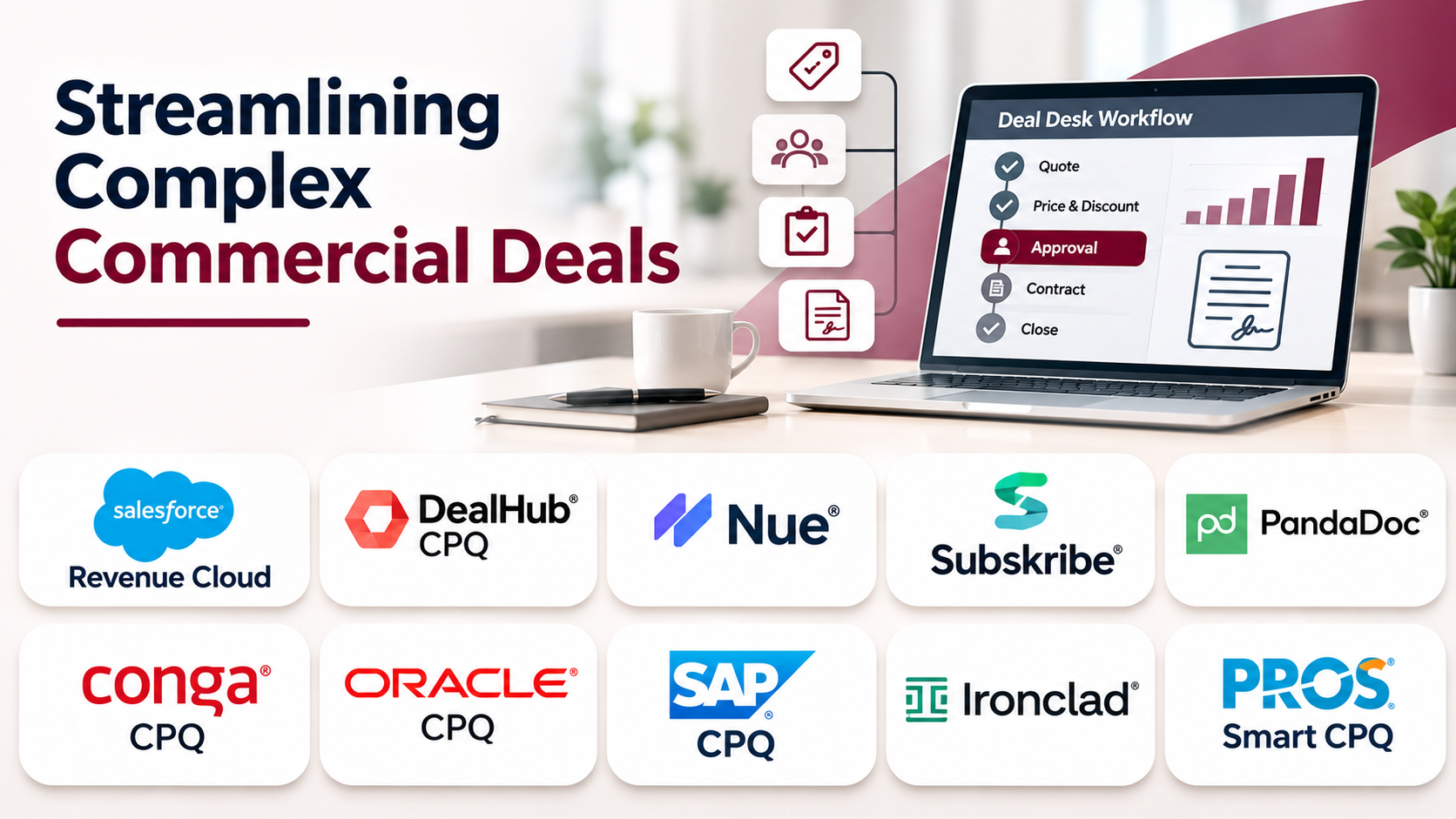
The following platforms provide different combinations of quotation management, commercial approval automation, contract collaboration, and revenue operations capabilities. Their numbering represents the order of presentation rather than an independently tested performance ranking.
1. Salesforce Revenue Cloud
Short Description
Salesforce Revenue Cloud provides revenue management capabilities designed to connect commercial product configuration, pricing, quoting, contracting, and related transaction processes. Its integration with the Salesforce ecosystem helps organizations coordinate deal desk activities with existing customer and opportunity information.
Sales teams can use configured pricing policies and approval workflows to prepare commercial proposals while maintaining appropriate organizational controls. Finance and revenue operations teams can evaluate transactions requiring specialized discounts or nonstandard commercial arrangements.
The platform is particularly relevant to enterprises managing complex product portfolios, subscription offerings, and multi-stage commercial processes. Buyers should distinguish newer Revenue Cloud offerings from legacy Salesforce CPQ implementations when evaluating functionality and licensing.
Key Features
- Product catalog management: Organizes commercial products and services.
- Product configuration: Supports valid commercial product combinations.
- Pricing management: Applies configured commercial pricing rules.
- Quotation generation: Produces structured sales proposals.
- Approval automation: Routes commercial exceptions to authorized reviewers.
- Revenue workflows: Coordinates relevant transaction lifecycle activities.
- Subscription management: Supports applicable recurring commercial arrangements.
- CRM integration: Connects opportunities and customer records.
- Commercial analytics: Provides visibility into revenue-related activities.
Benefits
- Improves pricing consistency.
- Connects deal desk and CRM information.
- Reduces repetitive quotation activities.
- Supports structured commercial approvals.
- Improves transaction visibility.
- Facilitates complex revenue workflows.
- Strengthens commercial governance.
Pros
- Established enterprise CRM ecosystem.
- Broad revenue management capabilities.
- Relevant complex pricing functionality.
- Extensive integration opportunities.
- Configurable commercial workflows.
- Suitable for enterprise transaction volumes.
Cons
- Implementation may require specialist expertise.
- Licensing arrangements can be complex.
- Custom configurations require continuing maintenance.
- Product migration requirements need evaluation.
- Comprehensive deployments can require substantial investment.
Use Cases
- Enterprise quotation management.
- Subscription deal approvals.
- Complex discount authorization.
- Revenue operations automation.
- Multi-product commercial proposals.
- CRM-connected deal desk workflows.
Best For
- Large enterprises.
- Salesforce customers.
- Subscription software companies.
- Enterprise revenue operations teams.
- Complex sales organizations.
- Businesses managing sophisticated pricing structures.
2. DealHub CPQ
Short Description
DealHub CPQ provides commercial quotation and revenue workflow technology designed to simplify complex sales transactions. Its capabilities support pricing configuration, quotation generation, approval management, and collaborative customer-facing sales experiences.
Deal desk teams can establish standardized commercial rules and route exceptions through configured approval processes. Sales representatives can prepare proposals using approved product information and pricing structures.
The platform is particularly relevant to business-to-business software companies and organizations managing recurring revenue arrangements. Integration suitability depends on existing CRM, billing, and operational applications.
Key Features
- Guided selling: Supports structured commercial product selection.
- Pricing configuration: Applies approved pricing policies.
- Discount management: Controls commercial pricing exceptions.
- Approval workflows: Routes transactions for authorized review.
- Quotation generation: Creates commercial proposals.
- DealRoom: Supports customer-facing commercial collaboration.
- Subscription quoting: Supports recurring commercial arrangements.
- Document generation: Produces relevant sales documents.
- CRM connectivity: Synchronizes commercial opportunity information.
Benefits
- Reduces quotation preparation workloads.
- Improves commercial pricing consistency.
- Supports structured deal approvals.
- Facilitates customer collaboration.
- Reduces fragmented sales communication.
- Improves commercial transaction visibility.
- Supports subscription sales operations.
Pros
- Dedicated commercial workflow orientation.
- Relevant subscription pricing capabilities.
- Integrated customer-facing deal collaboration.
- Configurable approval processes.
- Supports guided selling.
- Relevant CRM integration opportunities.
Cons
- Specialized configurations require implementation planning.
- Complex product catalogs may require preparation.
- Commercial pricing requires consultation.
- Integration requirements vary by architecture.
- Advanced manufacturing configuration needs evaluation.
Use Cases
- SaaS deal desk automation.
- Enterprise discount approvals.
- Multi-year subscription quotations.
- Commercial proposal generation.
- Customer-facing deal collaboration.
- Sales exception management.
Best For
- Software as a Service (SaaS) companies.
- Business-to-business sales organizations.
- Revenue operations professionals.
- Deal desk managers.
- Subscription sales teams.
- Growing enterprise software vendors.
3. Nue
Short Description
Nue provides revenue management technology designed to support modern subscription and usage-based commercial models. Its capabilities connect quotation processes, pricing configuration, billing-related activities, and customer lifecycle management.
Deal desk teams can use the platform to manage commercial arrangements involving recurring charges, usage-based pricing, and customer account changes. Configured workflows help organizations maintain consistency across new sales, renewals, and expansion transactions.
Nue is particularly relevant to technology businesses with evolving monetization strategies. Organizations should evaluate its supported pricing models, integration requirements, and financial workflow capabilities against their existing revenue architecture.
Key Features
- Product catalog: Organizes commercial offerings.
- Flexible pricing: Supports relevant recurring and usage-based models.
- Quotation management: Creates structured commercial proposals.
- Approval workflows: Coordinates commercial exception reviews.
- Subscription management: Supports recurring customer arrangements.
- Lifecycle transactions: Manages relevant amendments and renewals.
- Billing connectivity: Connects approved commercial information.
- Revenue visibility: Provides commercial transaction insights.
- CRM integration: Connects customer and sales records.
Benefits
- Supports flexible monetization strategies.
- Improves quotation consistency.
- Connects commercial and billing information.
- Facilitates subscription lifecycle management.
- Reduces repetitive deal administration.
- Supports complex recurring revenue arrangements.
- Improves commercial information visibility.
Pros
- Modern subscription revenue orientation.
- Relevant usage-based pricing capabilities.
- Supports customer lifecycle transactions.
- Connects quoting and revenue processes.
- Suitable for evolving software business models.
- Configurable commercial workflows.
Cons
- Specialized industrial configurations require evaluation.
- Implementation depends on pricing model complexity.
- Existing billing migrations may require planning.
- Commercial pricing requires consultation.
- Advanced legal workflows may require complementary software.
Use Cases
- Usage-based software pricing.
- Subscription quotation management.
- Customer expansion transactions.
- Renewal deal approvals.
- Hybrid pricing arrangements.
- Revenue workflow automation.
Best For
- SaaS businesses.
- Usage-based software vendors.
- Subscription revenue teams.
- Technology startups.
- Revenue operations managers.
- Businesses introducing flexible monetization models.
4. Subskribe
Short Description
Subskribe provides quote-to-revenue technology focused on subscription businesses and recurring commercial arrangements. Its capabilities support commercial quoting, subscription billing, and revenue-related transaction management.
Deal desk teams can coordinate complex commercial proposals involving subscription changes, multi-year agreements, and customer expansion opportunities. Connected quotation and billing workflows help reduce discrepancies between approved commercial terms and subsequent financial operations.
The platform is relevant to software businesses seeking greater consistency across commercial and financial processes. Buyers should evaluate integration requirements, supported transaction types, and current product packaging before implementation.
Key Features
- Subscription quoting: Creates recurring revenue proposals.
- Pricing configuration: Supports configured commercial pricing models.
- Approval workflows: Coordinates relevant commercial reviews.
- Billing management: Processes supported billing arrangements.
- Subscription amendments: Manages customer contract changes.
- Renewal management: Supports recurring commercial transactions.
- Revenue capabilities: Connects relevant financial workflows.
- Commercial reporting: Provides transaction visibility.
- CRM connectivity: Synchronizes sales opportunity information.
Benefits
- Connects quoting and billing processes.
- Supports complex subscription transactions.
- Reduces manual commercial reconciliation.
- Improves pricing consistency.
- Facilitates customer lifecycle management.
- Supports structured revenue workflows.
- Improves financial information accessibility.
Pros
- Dedicated subscription business orientation.
- Connected quote-to-revenue capabilities.
- Relevant recurring transaction functionality.
- Supports commercial amendments.
- Reduces some disconnected application requirements.
- Suitable for software revenue operations.
Cons
- Non-subscription requirements need evaluation.
- Financial migrations can require substantial preparation.
- Specialized legal workflows may require integrations.
- Commercial pricing requires consultation.
- Complex enterprise configurations require testing.
Use Cases
- Multi-year SaaS agreements.
- Subscription deal approvals.
- Customer expansion quotations.
- Recurring billing coordination.
- Renewal transaction management.
- Commercial revenue reconciliation.
Best For
- Subscription software companies.
- SaaS finance departments.
- Revenue operations teams.
- Deal desk professionals.
- Recurring revenue businesses.
- Organizations consolidating quotation and billing workflows.
5. PandaDoc
Short Description
PandaDoc provides document automation technology supporting commercial proposals, quotations, contracts, approval workflows, and electronic signatures. Its capabilities help sales organizations streamline document preparation and customer-facing agreement processes.
Deal desk teams can establish standardized proposal templates and configure approval requirements for relevant commercial documents. Pricing tables and applicable CPQ capabilities help organizations maintain consistency when preparing sales proposals.
PandaDoc is particularly relevant to businesses prioritizing document automation and commercial collaboration. Complex product configuration, revenue recognition, and subscription billing requirements may require complementary applications.
Key Features
- Proposal generation: Creates structured commercial documents.
- Document templates: Standardizes approved proposal formats.
- Pricing tables: Organizes commercial pricing information.
- Approval workflows: Routes documents for internal review.
- Electronic signatures: Supports digital agreement execution.
- Document collaboration: Coordinates commercial document preparation.
- Content libraries: Stores approved reusable materials.
- Document analytics: Provides visibility into document activities.
- CRM integrations: Connects relevant sales information.
Benefits
- Reduces manual proposal preparation.
- Improves document consistency.
- Supports structured approval processes.
- Facilitates electronic agreement execution.
- Improves commercial document visibility.
- Reduces fragmented document communication.
- Supports faster routine sales administration.
Pros
- Accessible document automation functionality.
- Relevant electronic signature capabilities.
- Configurable commercial templates.
- Supports customer-facing proposals.
- Broad CRM integration opportunities.
- Suitable for growing sales organizations.
Cons
- Advanced pricing capabilities depend on selected offerings.
- Complex manufacturing configuration may require separate tools.
- Subscription billing requires complementary applications.
- Specialized financial controls require integration.
- Advanced features may increase subscription costs.
Use Cases
- Commercial proposal approvals.
- Sales quotation generation.
- Professional service agreements.
- Electronic contract execution.
- Standardized sales documents.
- Internal document review workflows.
Best For
- Small and mid-sized businesses.
- Professional service providers.
- Commercial sales teams.
- Proposal management departments.
- Document-focused deal desks.
- Organizations prioritizing electronic signatures.
6. Conga CPQ
Short Description
Conga CPQ provides enterprise commercial configuration, pricing, and quotation technology designed to support complex sales transactions. Its capabilities help organizations manage product combinations, pricing policies, commercial proposals, and related approval processes.
Deal desk teams can use configurable commercial rules to evaluate pricing exceptions and coordinate structured quotation workflows. Integration with compatible Conga contract management and revenue applications can support broader commercial lifecycle requirements.
The platform is particularly relevant to organizations managing extensive product portfolios and complex sales arrangements. Implementation planning should account for product data quality, pricing rules, approval hierarchies, and enterprise integration requirements.
Key Features
- Product configuration: Supports complex product combinations.
- Pricing management: Applies configured commercial pricing rules.
- Quotation generation: Produces structured commercial proposals.
- Discount controls: Supports commercial pricing governance.
- Approval automation: Routes relevant transaction exceptions.
- Product catalogs: Maintains commercial offering information.
- Contract connectivity: Connects compatible contract workflows.
- Commercial reporting: Provides transaction visibility.
- Enterprise integrations: Connects relevant business applications.
Benefits
- Improves complex quotation accuracy.
- Supports standardized pricing policies.
- Reduces repetitive configuration activities.
- Facilitates structured commercial approvals.
- Connects relevant contract processes.
- Improves deal desk visibility.
- Supports enterprise commercial governance.
Pros
- Established enterprise CPQ capabilities.
- Supports complex commercial configurations.
- Relevant pricing management functionality.
- Compatible contract management offerings.
- Configurable approval workflows.
- Suitable for sophisticated product portfolios.
Cons
- Implementation can require specialist expertise.
- Complex configurations require maintenance.
- Commercial licensing requires evaluation.
- Enterprise integrations may increase costs.
- May exceed straightforward quotation requirements.
Use Cases
- Enterprise commercial quotations.
- Complex product configuration.
- Nonstandard pricing approvals.
- Contract-connected deal management.
- Multi-product sales proposals.
- Commercial exception administration.
Best For
- Large enterprises.
- Industrial manufacturers.
- Technology vendors.
- Enterprise deal desk departments.
- Complex sales organizations.
- Businesses requiring advanced CPQ functionality.
7. Oracle CPQ
Short Description
Oracle CPQ provides enterprise configuration, pricing, and quotation capabilities designed to support complex commercial sales environments. Its functionality helps organizations validate product configurations, calculate commercial prices, and prepare structured proposals.
Deal desk teams can establish configured pricing policies and approval processes for commercial transactions requiring additional review. Integration with compatible Oracle applications and external systems helps connect sales activities with broader enterprise operations.
The platform is particularly relevant to manufacturers and large organizations managing sophisticated product catalogs. Buyers should evaluate implementation complexity, technical resource requirements, and commercial licensing before selecting the software.
Key Features
- Product configuration: Validates commercial product combinations.
- Pricing engine: Applies configured pricing policies.
- Guided selling: Supports structured product selection.
- Quotation management: Creates commercial proposals.
- Approval workflows: Coordinates pricing exception reviews.
- Document generation: Produces relevant commercial documents.
- Commerce workflows: Supports structured sales transactions.
- Integration capabilities: Connects compatible enterprise systems.
- Commercial analytics: Supports transaction performance assessment.
Benefits
- Improves complex product quotation accuracy.
- Supports consistent commercial pricing.
- Reduces invalid product configurations.
- Facilitates structured deal approvals.
- Connects relevant enterprise information.
- Supports multinational commercial operations.
- Strengthens pricing governance.
Pros
- Established enterprise application ecosystem.
- Relevant complex configuration capabilities.
- Supports sophisticated pricing requirements.
- Broad enterprise integration opportunities.
- Suitable for industrial sales environments.
- Configurable commercial workflows.
Cons
- Implementation can be resource-intensive.
- Specialized technical expertise may be necessary.
- Complex product rules require continuing maintenance.
- Commercial pricing requires consultation.
- May be excessive for smaller deal desks.
Use Cases
- Industrial equipment quotations.
- Complex manufacturing sales.
- Enterprise pricing approvals.
- Multi-product commercial proposals.
- Configurable product sales.
- Oracle-connected commercial workflows.
Best For
- Large manufacturers.
- Oracle enterprise customers.
- Industrial equipment suppliers.
- Complex product sales teams.
- Multinational enterprises.
- Enterprise pricing departments.
8. SAP CPQ
Short Description
SAP CPQ provides commercial configuration, pricing, and quotation technology supporting enterprise sales processes. Its capabilities help organizations prepare structured proposals for complex products, services, and commercial arrangements.
Deal desk teams can establish pricing rules, discount controls, and approval workflows that reflect organizational commercial policies. Integration with compatible SAP applications helps connect quotation activities with enterprise product and operational information.
The platform is particularly relevant to manufacturers and enterprises operating within SAP environments. Organizations should evaluate integration compatibility, product configuration requirements, and implementation responsibilities before deployment.
Key Features
- Product configuration: Supports commercial product selection.
- Pricing management: Applies configured pricing policies.
- Quotation generation: Creates structured sales proposals.
- Discount controls: Supports commercial exception management.
- Approval workflows: Routes transactions for review.
- Product catalog management: Organizes commercial offerings.
- Document generation: Produces relevant quotation documents.
- Enterprise integrations: Connects compatible SAP applications.
- Commercial reporting: Provides quotation activity visibility.
Benefits
- Improves commercial pricing consistency.
- Supports complex product sales.
- Reduces repetitive quotation activities.
- Facilitates structured commercial approvals.
- Connects relevant enterprise information.
- Supports multinational sales operations.
- Strengthens commercial process governance.
Pros
- Established SAP enterprise ecosystem.
- Relevant product configuration capabilities.
- Supports complex commercial workflows.
- Strong SAP integration opportunities.
- Suitable for industrial organizations.
- Configurable quotation processes.
Cons
- Implementation may require specialist resources.
- Enterprise integrations require careful planning.
- Commercial licensing can be complex.
- Custom configurations require maintenance.
- Smaller businesses may require simpler alternatives.
Use Cases
- SAP-connected quotation management.
- Industrial manufacturing sales.
- Commercial discount approvals.
- Complex product configuration.
- Enterprise deal desk automation.
- Multi-region commercial transactions.
Best For
- SAP customers.
- Global manufacturers.
- Industrial distributors.
- Enterprise sales organizations.
- Complex product suppliers.
- Integrated commercial operations teams.
9. Ironclad
Short Description
Ironclad provides Contract Lifecycle Management software designed to coordinate agreement creation, negotiation, approval, execution, and repository management. Its capabilities help legal and commercial teams establish structured contract workflows.
Deal desk teams can use Ironclad to route nonstandard contract terms, legal exceptions, and commercial agreements through authorized review processes. Integration with compatible CRM applications helps connect contract activities with relevant customer opportunities.
Ironclad is particularly relevant to organizations where legal review and contract negotiations represent significant deal desk responsibilities. It is not a dedicated CPQ platform, so complex pricing and product configuration generally require complementary systems.
Key Features
- Contract workflows: Coordinates agreement preparation and review.
- Approval automation: Routes contracts to authorized reviewers.
- Contract templates: Standardizes approved agreement structures.
- Clause management: Supports controlled contractual language.
- Document collaboration: Facilitates agreement negotiations.
- Contract repository: Centralizes executed agreements.
- Electronic signature connectivity: Supports agreement execution.
- Contract analytics: Provides visibility into contractual activities.
- CRM integrations: Connects commercial and contract records.
Benefits
- Improves legal review coordination.
- Reduces fragmented contract communication.
- Supports standardized agreement workflows.
- Strengthens contractual governance.
- Improves contract information accessibility.
- Facilitates commercial exception review.
- Supports auditable agreement management.
Pros
- Dedicated contract lifecycle functionality.
- Relevant legal approval capabilities.
- Configurable contract workflows.
- Centralized contract repository.
- Supports cross-department collaboration.
- Relevant CRM integration opportunities.
Cons
- Does not replace comprehensive CPQ software.
- Complex pricing requires complementary systems.
- Implementation requires contract process planning.
- Commercial pricing requires consultation.
- Contract templates require continuing governance.
Use Cases
- Nonstandard contract approvals.
- Enterprise legal deal desk reviews.
- Commercial agreement negotiations.
- Contract exception management.
- Customer agreement execution.
- Contract repository administration.
Best For
- Enterprise legal departments.
- Commercial contract managers.
- Deal desks with complex legal requirements.
- Technology companies.
- Professional service organizations.
- Businesses prioritizing contract governance.
10. PROS Smart CPQ
Short Description
PROS Smart CPQ provides commercial configuration, pricing, and quotation technology with capabilities relevant to complex business-to-business sales environments. Its approach combines structured quotation workflows with pricing intelligence and commercial decision support.
Deal desk teams can evaluate commercial transactions using configured pricing policies and relevant pricing recommendations. Integration with compatible enterprise applications helps connect quotations with existing sales and operational processes.
The platform is particularly relevant to businesses managing extensive product catalogs, variable pricing conditions, and complex commercial transactions. Buyers should evaluate the availability of pricing optimization capabilities within their selected PROS offering.
Key Features
- Product configuration: Supports valid commercial product combinations.
- Pricing intelligence: Provides relevant pricing decision support.
- Quotation management: Creates structured commercial proposals.
- Guided selling: Supports commercial product selection.
- Discount management: Controls pricing exceptions.
- Approval workflows: Coordinates relevant commercial reviews.
- Product catalog management: Organizes commercial offerings.
- Commercial analytics: Supports pricing performance assessments.
- Enterprise integrations: Connects relevant business applications.
Benefits
- Supports informed commercial pricing decisions.
- Improves quotation consistency.
- Reduces repetitive product configuration.
- Facilitates pricing exception reviews.
- Supports complex commercial transactions.
- Improves commercial performance visibility.
- Strengthens pricing governance.
Pros
- Strong pricing intelligence orientation.
- Relevant enterprise CPQ capabilities.
- Supports complex product catalogs.
- Configurable commercial workflows.
- Suitable for sophisticated pricing environments.
- Relevant enterprise integration opportunities.
Cons
- Implementation requires pricing data preparation.
- Advanced functionality may require additional products.
- Commercial pricing requires consultation.
- Complex configurations require technical expertise.
- Pricing recommendations require appropriate oversight.
Use Cases
- Enterprise pricing optimization.
- Complex quotation management.
- Commercial margin protection.
- Discount exception reviews.
- Industrial product sales.
- Data-informed deal desk decisions.
Best For
- Enterprise pricing teams.
- Industrial manufacturers.
- Commercial distributors.
- Complex business-to-business sales organizations.
- Revenue optimization departments.
- Deal desks prioritizing pricing intelligence.
Comparison Table: Top 10 Deal Desk Workflow Tools
| Software | Primary Strength | Best For | Deployment | Pricing Approach |
|---|---|---|---|---|
| Salesforce Revenue Cloud | Connected revenue management | Salesforce enterprises | Cloud | Commercial licensing |
| DealHub CPQ | Commercial workflow automation | SaaS deal desks | Cloud | Vendor quotation |
| Nue | Flexible monetization | Usage-based software businesses | Cloud | Vendor quotation |
| Subskribe | Subscription quote-to-revenue | Recurring revenue teams | Cloud | Vendor quotation |
| PandaDoc | Proposal and document automation | Growing sales organizations | Cloud | Plan-dependent |
| Conga CPQ | Complex enterprise quoting | Large commercial teams | Cloud | Vendor quotation |
| Oracle CPQ | Advanced product configuration | Industrial manufacturers | Cloud | Commercial licensing |
| SAP CPQ | Integrated enterprise quoting | SAP customers | Cloud | Commercial licensing |
| Ironclad | Contract approval workflows | Legal-focused deal desks | Cloud | Vendor quotation |
| PROS Smart CPQ | Pricing intelligence | Enterprise pricing teams | Cloud | Vendor quotation |
Functional Comparison
| Platform | Quoting | Approval Workflows | Contract Management | Subscription Focus |
|---|---|---|---|---|
| Salesforce Revenue Cloud | Core focus | Available | Offering-dependent | Strong |
| DealHub CPQ | Core focus | Available | Document-oriented | Strong |
| Nue | Core focus | Configurable | Complementary | Strong |
| Subskribe | Core focus | Configurable | Complementary | Strong |
| PandaDoc | Available | Available | Document-oriented | Selected capabilities |
| Conga CPQ | Core focus | Available | Compatible CLM products | Configuration-dependent |
| Oracle CPQ | Core focus | Available | Integration-dependent | Configuration-dependent |
| SAP CPQ | Core focus | Available | Integration-dependent | Configuration-dependent |
| Ironclad | Complementary | Core focus | Core focus | Integration-dependent |
| PROS Smart CPQ | Core focus | Available | Integration-dependent | Configuration-dependent |
How to Choose the Best Deal Desk Workflow Tool
Evaluate Commercial Complexity
Identify product combinations, subscription arrangements, discount policies, and commercial exceptions that require deal desk involvement. Complex product portfolios may require advanced CPQ capabilities rather than straightforward document automation.
Review Approval Requirements
Determine which transactions require sales management, finance, legal, or executive approval. Configurable approval workflows should reflect documented commercial policies and authorized decision-making responsibilities.
Assess Pricing and Margin Controls
Evaluate support for pricing rules, volume discounts, customer-specific arrangements, and minimum margin requirements. Representative transaction testing helps determine whether configured controls operate correctly.
Examine Contract Management Requirements
Organizations with extensive legal review requirements should evaluate contract collaboration, clause management, and agreement approval capabilities. Dedicated CLM software may complement quotation-focused platforms.
Review Enterprise Integrations
Assess compatibility with CRM, billing, accounting, and Enterprise Resource Planning (ERP) applications. Reliable integrations help prevent inconsistencies between approved commercial terms and operational transactions.
Evaluate Subscription and Renewal Workflows
Subscription businesses should assess support for recurring charges, usage-based pricing, amendments, renewals, and expansion transactions. These capabilities can significantly influence deal desk effectiveness.
Assess User Experience
Review quotation preparation, approval navigation, collaboration features, and exception management processes. Representative sales and finance users should participate in software evaluation.
Calculate Total Cost of Ownership
Consider software licensing, implementation, integrations, customization, training, and continuing administration. Compare expected costs against measurable improvements in commercial efficiency and profitability.
Best Deal Desk Workflow Tools by User Type
| User Type | Relevant Platform |
|---|---|
| Enterprise Salesforce revenue operations manager | Salesforce Revenue Cloud |
| SaaS deal desk manager | DealHub CPQ |
| Usage-based pricing administrator | Nue |
| Subscription finance manager | Subskribe |
| Commercial proposal specialist | PandaDoc |
| Enterprise CPQ administrator | Conga CPQ |
| Industrial product configuration specialist | Oracle CPQ |
| SAP-connected sales operations manager | SAP CPQ |
| Commercial legal operations manager | Ironclad |
| Enterprise pricing optimization specialist | PROS Smart CPQ |
Industry Applications of Deal Desk Workflow Tools
Software as a Service
SaaS companies frequently manage subscription discounts, multi-year agreements, usage-based pricing, and customer expansion transactions. Deal desk software helps coordinate commercial approvals while maintaining consistency across recurring revenue arrangements.
Manufacturing
Manufacturers can use CPQ and deal desk technology to validate product configurations, calculate commercial prices, and manage nonstandard quotation requests. Integrated workflows help coordinate sales activities with product and operational information.
Telecommunications
Telecommunications providers frequently manage complex service packages, contractual commitments, and commercial discounts. Deal desk workflows help coordinate pricing approvals and specialized customer agreements.
Professional Services
Consulting and professional service businesses can use deal desk software to manage proposals, project pricing, and contractual exceptions. Document automation helps establish consistent commercial agreement processes.
Wholesale Distribution
Distributors can manage negotiated pricing, quantity discounts, customer-specific arrangements, and commercial margin requirements. Configurable approval workflows help prevent unauthorized pricing exceptions.
Financial Services
Financial organizations can use contract and commercial approval technology to coordinate business service agreements and authorized pricing arrangements. Applicable regulatory requirements and information security obligations require careful evaluation.
Practical Example: Implementing Deal Desk Workflow Software
Consider a hypothetical SaaS company processing 600 commercial quotations monthly across multiple sales regions. Its deal desk team currently reviews pricing exceptions, subscription arrangements, and contract requests through spreadsheets and email communication.
Management introduces deal desk workflow software to improve commercial approval efficiency, quotation accuracy, and pricing governance. The following implementation process and financial figures are illustrative rather than verified software outcomes.
Implementation Process
- Document existing commercial approval procedures.
- Identify common transaction exceptions.
- Consolidate product catalog information.
- Standardize approved pricing rules.
- Establish commercial discount thresholds.
- Define minimum margin requirements.
- Configure approval responsibilities.
- Integrate existing CRM applications.
- Establish quotation templates.
- Configure subscription pricing workflows.
- Connect relevant contract management applications.
- Integrate billing and financial systems.
- Establish commercial audit requirements.
- Configure deal desk performance dashboards.
- Conduct representative transaction testing.
- Train sales, finance, and legal employees.
- Launch a controlled commercial pilot.
- Monitor performance and improve workflows.
Illustrative Performance Improvements
| Performance Indicator | Before | After |
|---|---|---|
| Average quotation preparation | 45 minutes | 15 minutes |
| Discount approval processing | 30 hours | 6 hours |
| Quotation correction rate | 12% | 3% |
| Monthly deal desk administration | 450 hours | 210 hours |
| Average legal review turnaround | 5 days | 3 days |
| Pricing policy compliance | 78% | 96% |
| Average commercial sales cycle | 48 days | 38 days |
| Sales team satisfaction | 70% | 88% |
Time Savings and Financial Analysis
Assume monthly deal desk administration decreases from 450 employee hours to 210 hours following implementation. This improvement releases 240 employee hours monthly, equivalent to 2,880 hours annually.
At an illustrative labor cost of $40 per hour, the released capacity represents $115,200 in annual labor value. This amount does not automatically represent cash savings unless actual expenditure decreases or additional recruitment is avoided.
Suppose separately verified reductions in operating expenditure, unauthorized discount leakage, and additional contribution margin produce $210,000 in annual financial benefits. With recurring software and operating costs of $85,000, the annual net financial benefit would be $125,000.
An initial implementation investment of $150,000 would produce a simple payback period of approximately 14.4 months. Actual financial outcomes depend on commercial adoption, realized pricing improvements, implementation effectiveness, and continuing operating costs.
Important Deal Desk Performance Indicators
| Performance Indicator | Measurement Purpose |
|---|---|
| Average approval turnaround | Measures commercial review efficiency |
| Quotation preparation time | Evaluates sales administration efficiency |
| Deal exception rate | Tracks nonstandard commercial transactions |
| Pricing policy compliance | Measures adherence to approved policies |
| Average discount percentage | Evaluates commercial pricing behavior |
| Gross profit margin | Measures transaction profitability |
| Quotation correction rate | Evaluates commercial information accuracy |
| Contract review turnaround | Measures legal workflow efficiency |
| Deal conversion rate | Tracks commercial effectiveness |
| Average sales cycle | Evaluates transaction completion time |
| Revenue leakage | Identifies avoidable commercial losses |
| Approval escalation rate | Tracks complex review requirements |
| Cost per processed deal | Measures deal desk operating expenditure |
| Sales team satisfaction | Evaluates internal user experience |
Security and Governance Considerations
Deal desk workflow platforms contain confidential customer information, negotiated pricing, commercial agreements, and financial records. Organizations should implement appropriate authentication, encryption, role-based permissions, and audit logging.
Commercial approval permissions should reflect authorized organizational responsibilities and transaction thresholds. Sales representatives should not be able to bypass required financial or legal approvals through unauthorized workflow changes.
Pricing recommendations, contract exceptions, and commercial commitments should remain subject to appropriate review. Regular assessments help organizations maintain reliable approval policies and identify potential governance weaknesses.
Security and Governance Checklist
| Control | Recommended Consideration |
|---|---|
| Multi-factor authentication | Protect commercial user accounts |
| Role-based permissions | Restrict unauthorized activities |
| Segregation of duties | Separate transaction creation and approval |
| Pricing controls | Prevent unauthorized commercial discounts |
| Approval audit trails | Record commercial decisions |
| Encryption | Protect confidential transaction information |
| Contract access controls | Restrict sensitive agreement information |
| Integration monitoring | Identify commercial synchronization errors |
| Access reviews | Remove outdated user permissions |
| Backup procedures | Support information recovery |
Total Cost of Ownership
Deal desk workflow software costs extend beyond recurring platform subscriptions. Organizations should evaluate implementation expenses, product catalog preparation, integration requirements, and ongoing commercial administration.
Financial assessments should distinguish released employee capacity from realized expenditure reductions. Organizations should also avoid counting potential pipeline revenue as confirmed financial benefits.
| Cost Component | Description |
|---|---|
| Software licensing | Recurring platform access charges |
| Implementation | Configuration and deployment expenses |
| Product data preparation | Catalog and pricing rule standardization |
| Integration | Connections with existing business applications |
| Customization | Specialized commercial workflow development |
| Training | Employee education and process adoption |
| Administration | Continuing deal desk management |
| Maintenance | Technical support and configuration updates |
| Additional modules | Optional pricing, billing, or contract capabilities |
Challenges and Limitations
Deal desk implementation can become complex when organizations maintain inconsistent product information, historical pricing arrangements, and undocumented approval policies. Reliable information governance is essential before automating commercial transactions.
Excessive approval requirements can introduce unnecessary sales delays even when workflows are automated. Organizations should distinguish routine transactions from genuine commercial exceptions and configure appropriate review thresholds.
Integration difficulties may arise when sales, contract, billing, and financial applications use different product identifiers or transaction structures. Representative testing should include subscription amendments, discount exceptions, and failed synchronization scenarios.
Commercial automation also cannot replace professional judgment in every situation. Complex negotiations, legal exceptions, and strategically important transactions may require individualized review by authorized decision-makers.
Common Deal Desk Implementation Mistakes
- Selecting software without defining commercial objectives.
- Maintaining inaccurate product catalogs.
- Automating inconsistent pricing policies.
- Introducing unnecessary approval requirements.
- Failing to establish commercial discount thresholds.
- Overlooking transaction profitability.
- Underestimating enterprise integration requirements.
- Neglecting subscription amendment workflows.
- Failing to involve finance and legal departments.
- Maintaining outdated commercial templates.
- Ignoring sales representative feedback.
- Overlooking commercial licensing costs.
- Treating pipeline revenue as confirmed sales.
- Confusing released capacity with cash savings.
- Failing to establish continuing workflow ownership.
Best Practices for Deal Desk Workflow Management
- Establish measurable commercial objectives.
- Maintain accurate product and pricing information.
- Define transparent commercial approval policies.
- Configure appropriate discount thresholds.
- Establish documented margin requirements.
- Standardize commercial quotation templates.
- Integrate relevant CRM and financial applications.
- Provide clear exception escalation procedures.
- Maintain approved contractual language.
- Implement appropriate access controls.
- Monitor approval turnaround regularly.
- Evaluate transaction profitability.
- Conduct continuing commercial policy reviews.
- Train sales, finance, and legal employees.
- Improve workflows using verified performance information.
Future Trends in Deal Desk Workflow Tools
Artificial Intelligence in Commercial Approvals
Artificial Intelligence (AI) may increasingly support commercial exception classification, pricing recommendations, and quotation preparation. Organizations should maintain appropriate oversight when automated recommendations influence customer pricing or contractual commitments.
Automated Revenue Lifecycle Management
Deal desk platforms may provide stronger connections between quotation management, contracting, billing, and customer lifecycle activities. These connections can help reduce commercial information inconsistencies across revenue operations.
Advanced Pricing Intelligence
Predictive analytics may help organizations evaluate discount effectiveness, transaction profitability, and commercial pricing opportunities. Pricing recommendations should remain subject to validation and approved commercial policies.
Intelligent Contract Collaboration
Automated contract analysis may help commercial teams identify nonstandard clauses and agreement review requirements. Legal professionals should continue reviewing complex contractual risks and important commercial commitments.
Composable Commercial Architectures
Organizations may increasingly combine independently selected quotation, pricing, contract, and billing applications. Reliable integrations and consistent information governance will remain essential for maintaining effective commercial workflows.
Frequently Asked Questions
1. What are deal desk workflow tools?
Deal desk workflow tools help organizations coordinate commercial approvals, quotation management, contract reviews, and pricing exceptions. They support structured collaboration between sales, finance, legal, and revenue operations departments.
2. What is a deal desk?
A deal desk is a commercial function responsible for coordinating complex sales transactions and nonstandard commercial arrangements. Its responsibilities frequently include pricing approvals, contract reviews, and financial evaluation.
3. What is Salesforce Revenue Cloud?
Salesforce Revenue Cloud provides revenue management capabilities connected to the Salesforce ecosystem. Its functionality supports relevant product, pricing, quotation, and commercial lifecycle activities.
4. What is DealHub CPQ?
DealHub CPQ provides commercial quotation and revenue workflow technology. Its capabilities support guided selling, pricing configuration, approval workflows, and customer-facing deal collaboration.
5. What is Nue?
Nue provides revenue management technology designed for modern subscription and usage-based commercial models. It connects relevant quotation, pricing, billing, and customer lifecycle activities.
6. What is Subskribe?
Subskribe provides quote-to-revenue technology focused on subscription businesses. Its capabilities support recurring commercial quotations, billing, and revenue-related transactions.
7. What is PandaDoc?
PandaDoc provides document automation technology supporting proposals, quotations, approvals, and electronic signatures. Its capabilities are particularly relevant to document-focused commercial workflows.
8. What is Conga CPQ?
Conga CPQ provides enterprise product configuration, pricing, and quotation technology. It supports complex commercial transactions and configurable approval workflows.
9. What is Oracle CPQ?
Oracle CPQ provides enterprise commercial configuration, pricing, and quotation capabilities. It is particularly relevant to organizations managing complex product portfolios.
10. What is SAP CPQ?
SAP CPQ provides commercial configuration, pricing, and quotation technology. Its capabilities support enterprise sales workflows and integration with compatible SAP applications.
11. What is Ironclad?
Ironclad provides contract lifecycle management technology supporting agreement preparation, negotiation, approval, and execution. It can complement deal desk platforms requiring structured legal review.
12. What is PROS Smart CPQ?
PROS Smart CPQ provides commercial configuration, pricing, and quotation technology with relevant pricing intelligence capabilities. It supports complex business-to-business sales transactions.
13. What does CPQ stand for?
CPQ stands for Configure, Price, Quote. It describes software capabilities that help sales teams configure products, calculate commercial prices, and prepare quotations.
14. What is a commercial approval workflow?
A commercial approval workflow defines the review and authorization steps required for a sales transaction. It helps ensure that pricing exceptions and contractual commitments receive appropriate approval.
15. What is discount approval automation?
Discount approval automation routes commercial pricing exceptions to authorized decision-makers according to configured rules. It helps organizations maintain consistent pricing governance.
16. Can deal desk software improve profit margins?
Deal desk software can support margin protection through pricing controls and structured commercial approvals. Actual profitability improvements depend on commercial policies, customer behavior, and effective implementation.
17. What is the difference between CPQ and deal desk software?
CPQ focuses on product configuration, pricing, and quotation generation. Deal desk software addresses broader commercial coordination involving approvals, legal review, financial evaluation, and transaction exceptions.
18. Can deal desk software integrate with CRM systems?
Many deal desk platforms provide CRM integrations or application interfaces. Organizations should verify compatibility with their existing customer and opportunity management systems.
19. Are deal desk workflow tools suitable for small businesses?
Small businesses can use appropriately scoped deal desk software to standardize commercial approvals and proposal preparation. Simpler platforms may satisfy their requirements without extensive enterprise implementation.
20. Can deal desk tools manage subscription pricing?
Several platforms support recurring charges, subscription amendments, renewals, and related commercial arrangements. Available functionality depends on the selected software and configuration.
21. How much does deal desk workflow software cost?
Costs depend on functionality, user volumes, commercial transaction complexity, integrations, and implementation requirements. Organizations should request detailed commercial quotations before purchasing.
22. Can deal desk software automate contract approvals?
Contract-focused platforms and integrated commercial systems can support automated contract approval routing. Complex legal decisions may still require professional review.
23. What is revenue leakage?
Revenue leakage refers to avoidable losses arising from commercial pricing errors, unauthorized discounts, billing inconsistencies, or other transaction problems. Deal desk controls can help organizations identify and reduce certain sources of leakage.
24. What departments participate in deal desk workflows?
Deal desk workflows frequently involve sales, finance, legal, pricing, and revenue operations departments. Additional teams may participate depending on transaction complexity and organizational responsibilities.
25. Which deal desk workflow tool is best?
The appropriate platform depends on commercial complexity, pricing requirements, contract workflows, existing enterprise applications, and available resources. Organizations should evaluate representative transactions before selecting software.
Conclusion
Deal desk workflow tools help organizations coordinate complex commercial transactions, improve pricing consistency, and establish structured approval processes. These capabilities support effective collaboration between sales, finance, legal, and revenue operations departments.
Salesforce Revenue Cloud and DealHub CPQ provide relevant approaches to connected commercial workflow management. Nue and Subskribe offer specialized capabilities for businesses managing subscription and usage-based revenue arrangements.
Conga CPQ, Oracle CPQ, and SAP CPQ support enterprise quotation management and complex commercial product configurations. PROS Smart CPQ provides capabilities relevant to organizations prioritizing pricing intelligence and sophisticated commercial pricing.
PandaDoc supports document-focused commercial workflows, while Ironclad addresses contract management and legal approval requirements. Organizations should evaluate these complementary capabilities according to their specific deal desk responsibilities.
Successful implementation requires accurate product information, transparent pricing policies, reliable enterprise integrations, and appropriate approval controls. Buyers should evaluate total ownership costs and measurable operational improvements before selecting software.
An effective deal desk strategy combines suitable technology with standardized commercial processes, professional judgment, and continuing performance monitoring. These practices help organizations reduce administrative inefficiencies, strengthen commercial governance, and support sustainable revenue growth.
