Introduction
Web content filtering tools help organizations manage internet access, protect sensitive information, and reduce exposure to harmful online content. In 2026, these solutions remain important across education, healthcare, financial services, government, manufacturing, and other industries that depend on internet-connected infrastructure.
Traditional internet access management relies on manually maintained website blocklists, browser restrictions, and individual device configurations. These methods can create administrative overhead, inconsistent policy enforcement, and difficulties responding to newly emerging online threats.
Modern web content filtering platforms combine automated website classification, threat intelligence, identity-based access policies, traffic inspection, and centralized reporting. Advanced solutions also support remote workforce protection, cloud security integration, application controls, and information protection.
Selecting the appropriate web content filtering software requires understanding organizational security objectives and operational requirements. A suitable platform should protect users without unnecessarily restricting legitimate research, communication, and business activities.
Budget, deployment architecture, technical expertise, employee mobility, and regulatory requirements influence software selection. A small school may require straightforward age-appropriate content filtering, whereas a multinational enterprise may need advanced traffic inspection and identity-aware security policies.
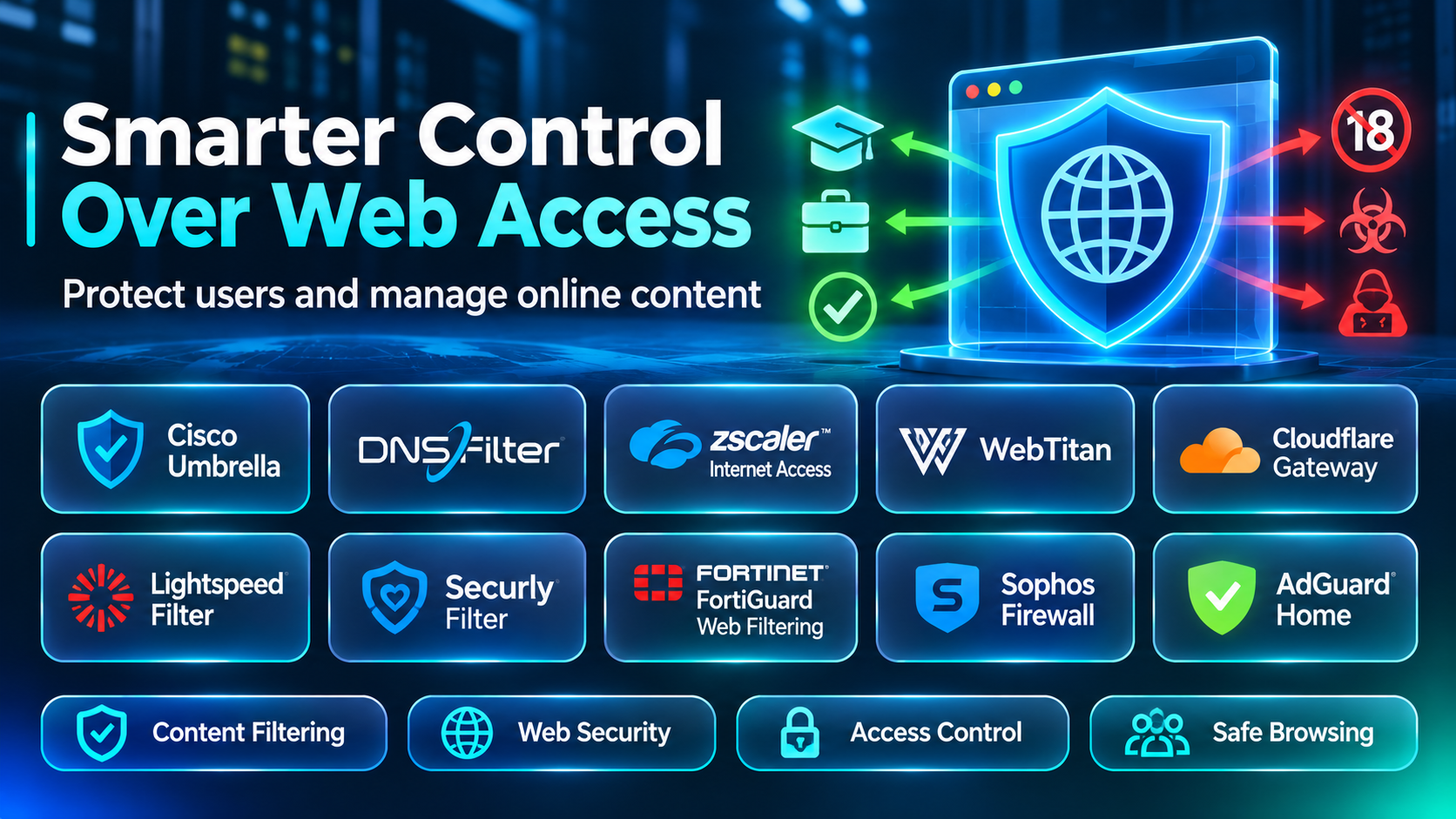
This guide examines ten web content filtering tools, their features, benefits, advantages, limitations, and practical applications. It also includes comparison tables, selection recommendations, a seven-step implementation workflow, and frequently asked questions.
What Are Web Content Filtering Tools?
Web content filtering tools are software applications and security services that control access to websites, online applications, and internet content according to predefined policies. They help organizations restrict harmful, inappropriate, unauthorized, or otherwise unwanted online resources.
These tools evaluate internet requests using mechanisms such as domain classification, Uniform Resource Locator (URL) filtering, threat intelligence, and traffic inspection. Depending on the architecture, filtering may occur at the Domain Name System (DNS) layer, through a network gateway, or directly on managed endpoints.
For example, a school administrator can configure separate internet access policies for students and teachers. When a student attempts to access a restricted website, the filtering platform evaluates the request and applies the appropriate policy while preserving access to approved educational resources.
Web content filtering improves operational efficiency by centralizing internet access management and automating repetitive security decisions. Reporting capabilities also help administrators identify policy violations, investigate suspicious activity, and improve filtering accuracy.
Common applications of web content filtering tools include:
- Education: Schools restrict inappropriate content and potentially harmful websites on student devices. Administrators can establish differentiated policies for students, teachers, and administrative personnel.
- Financial Services: Banks restrict access to phishing websites and unauthorized online applications. Filtering policies help reduce exposure to threats affecting sensitive financial information.
- Healthcare: Hospitals protect administrative and clinical workstations against malicious online content. Separate policies can accommodate medical research, operational applications, and guest internet access.
- Government: Public agencies enforce acceptable internet usage requirements across managed networks. Administrative reporting supports internal security investigations and policy reviews.
- Manufacturing: Manufacturers restrict unnecessary internet access from operational and administrative environments. Filtering helps reduce exposure to suspicious downloads and unauthorized online services.
- Retail: Retail organizations manage internet access across stores, warehouses, and corporate offices. Centralized policies support consistent protection across multiple locations.
- Managed IT Services: Managed service providers administer filtering policies for multiple customers. Centralized management reduces repetitive configuration and reporting activities.
- Remote Workforce Security: Organizations extend internet protection to employees working outside corporate offices. Supported endpoint and cloud configurations help maintain consistent policy enforcement.
Top 10 Web Content Filtering Tools in 2026
The following selection includes enterprise web gateways, DNS-based filtering platforms, educational filtering solutions, and open-source software. The numbering provides an organizational structure rather than an independently tested security performance ranking.
1. Cisco Umbrella
Short Description
Cisco Umbrella is a cloud-delivered cybersecurity platform developed by Cisco that includes DNS security and web filtering capabilities. It helps organizations restrict access to malicious domains, inappropriate websites, and unauthorized online resources.
The platform is suitable for enterprises, educational institutions, managed service providers, and distributed businesses. Administrators can configure internet access policies across supported networks and employee devices.
Its technical advantage is the combination of threat intelligence, DNS-layer enforcement, and Secure Web Gateway (SWG) capabilities in applicable packages. An SWG evaluates internet traffic and applies organizational security policies.
Cisco Umbrella integrates with compatible Cisco security technologies and identity management systems. Centralized administration supports consistent protection across multiple organizational locations.
Key Features
- DNS-Layer Filtering: Domain requests are evaluated against security classifications and organizational policies. Restricted domains can be blocked before a normal connection is established.
- URL Filtering: Supported gateway capabilities evaluate requested web addresses. Administrators can apply more detailed restrictions than domain-only filtering provides.
- Threat Intelligence: Cisco security intelligence contributes to identifying suspicious internet destinations. Updated classifications help address changing cybersecurity threats.
- Content Categories: Administrators restrict access to predefined website categories. Different policies can reflect departmental and organizational requirements.
- Roaming Protection: Supported endpoint configurations extend security beyond corporate networks. Employees can retain protection while working remotely.
- Identity-Based Policies: Compatible identity integrations associate filtering rules with users or groups. This supports differentiated internet access requirements.
- File Inspection: Applicable gateway packages provide inspection of selected downloaded files. These controls complement domain and website filtering.
- Security Reporting: Administrative reports summarize internet activity and filtering outcomes. Security teams can investigate suspicious access patterns.
- Cloud Administration: Centralized interfaces support configuration of filtering policies. Organizations can reduce dedicated security infrastructure requirements.
Benefits
- Reduces exposure to malicious websites.
- Supports distributed workforce protection.
- Simplifies centralized filtering administration.
- Combines filtering with threat intelligence.
- Helps enforce acceptable-use policies.
- Provides security activity visibility.
- Supports enterprise security integration.
Pros
- Established cybersecurity ecosystem.
- Cloud-managed deployment.
- Configurable filtering policies.
- Supported roaming-device protection.
- Enterprise integration capabilities.
- Comprehensive reporting options.
Cons
- Commercial licensing costs apply.
- Advanced features require appropriate packages.
- Product licensing can be complex.
- Identity integration requires configuration.
- Encrypted traffic inspection requires careful planning.
Use Cases
- Enterprise Internet Security: Restrict access to malicious and unauthorized websites.
- Remote Workforce Protection: Extend supported filtering policies to remote employees.
- Educational Filtering: Apply appropriate content restrictions to school networks.
- Threat Investigation: Review suspicious internet access records.
- Departmental Governance: Configure different policies for organizational teams.
- Security Consolidation: Integrate filtering with compatible Cisco security services.
Best For
- Large enterprises.
- Cisco security customers.
- Network administrators.
- Educational institutions.
- Security operations teams.
- Distributed workforce organizations.
2. Zscaler Internet Access
Short Description
Zscaler Internet Access (ZIA) is a cloud-delivered internet security platform developed by Zscaler. It provides web filtering, threat prevention, and access governance capabilities for organizational internet traffic.
The platform is suitable for enterprises managing distributed employees, cloud applications, and multiple business locations. Administrators can configure filtering policies according to user identities and organizational security requirements.
Its technical strength is its cloud proxy architecture, which supports detailed internet traffic inspection without requiring conventional security appliances at every office. Supported inspection capabilities help organizations evaluate website requests and file transfers.
Zscaler Internet Access integrates with compatible identity providers and broader Zscaler security services. Centralized policy administration supports large-scale organizational deployments.
Key Features
- URL Filtering: Administrators restrict access to selected websites and categories. Detailed policies help manage organizational internet usage.
- Cloud Proxy Architecture: Supported traffic is processed through cloud security infrastructure. This reduces dependence on individual office-based filtering appliances.
- Encrypted Traffic Inspection: Supported Transport Layer Security (TLS) inspection evaluates eligible encrypted traffic. Appropriate privacy policies and certificate configuration are necessary.
- Threat Prevention: Security intelligence and inspection capabilities identify suspicious online activity. Configured policies can restrict access to harmful resources.
- Application Control: Supported controls govern access to selected internet applications. Administrators can manage application usage according to business requirements.
- Identity Integration: Compatible identity systems support user-specific access decisions. Different employee groups can receive different filtering policies.
- Data Loss Prevention: Available Data Loss Prevention (DLP) capabilities help identify sensitive information transfers. These controls depend on licensing and configuration.
- Centralized Reporting: Administrative reports provide visibility into internet activity. Security teams can investigate relevant events and policy outcomes.
- Remote Workforce Support: Supported endpoint and traffic-forwarding configurations protect distributed employees. Centralized policies help maintain consistent security.
Benefits
- Supports enterprise-scale web filtering.
- Reduces exposure to internet threats.
- Enables identity-aware access policies.
- Helps govern sensitive information transfers.
- Simplifies distributed security administration.
- Provides detailed traffic visibility.
- Supports cloud security consolidation.
Pros
- Comprehensive cloud security architecture.
- Granular filtering policies.
- Supported encrypted traffic inspection.
- Distributed workforce suitability.
- Enterprise reporting capabilities.
- Broad security integrations.
Cons
- Commercial subscription costs apply.
- Configuration requires technical expertise.
- Advanced functionality may require additional licensing.
- Traffic inspection can affect application compatibility.
- Network conditions influence performance.
Use Cases
- Enterprise Web Governance: Enforce centralized internet access policies.
- Remote Employee Security: Protect supported devices outside corporate networks.
- Cloud Application Control: Restrict unauthorized application usage.
- Information Protection: Inspect eligible transfers for sensitive information.
- Threat Prevention: Block classified malicious websites and suspicious downloads.
- Security Monitoring: Investigate internet activity through administrative reports.
Best For
- Large enterprises.
- Cloud security architects.
- Network security engineers.
- Distributed businesses.
- Regulated organizations.
- Information security teams.
3. Cloudflare Gateway
Short Description
Cloudflare Gateway is a cloud-delivered security service within the Cloudflare One platform. It provides DNS filtering, network policies, and Hypertext Transfer Protocol (HTTP) filtering for supported organizational traffic.
The solution is suitable for small businesses, cloud-first organizations, technology companies, and distributed enterprises. Administrators can establish internet access rules based on supported identities, devices, and traffic characteristics.
Its technical advantage is the integration of multiple filtering layers within Cloudflare’s distributed network infrastructure. Organizations can combine DNS security with more detailed web traffic policies when required.
Cloudflare Gateway integrates with compatible identity providers and Cloudflare One security services. Available free and commercial plans support different organizational requirements.
Key Features
- DNS Filtering: Domain requests are evaluated against configured security policies. Known malicious or restricted domains can be blocked.
- HTTP Filtering: Supported web traffic policies evaluate eligible HTTP requests. Administrators can enforce restrictions beyond domain-level filtering.
- Content Classification: Available categories help classify websites and online resources. Administrators can configure restrictions according to organizational requirements.
- Identity-Based Policies: Compatible identity integrations support user-specific filtering. Different employee groups can receive appropriate access permissions.
- Encrypted Traffic Inspection: Supported configurations inspect eligible encrypted web traffic. Certificate deployment and privacy exceptions require careful planning.
- Application Controls: Available policies govern access to selected web applications. Organizations can restrict unauthorized services.
- Endpoint Connectivity: Cloudflare One Client supports compatible device connectivity. This extends protection to employees outside corporate networks.
- Activity Logging: Available logs record relevant traffic and policy decisions. Administrators can investigate suspicious activity and configuration problems.
- Security Integration: Compatible Cloudflare services extend filtering with additional access and security controls. Organizations can expand protection as requirements change.
Benefits
- Combines multiple internet filtering layers.
- Supports cloud-managed security administration.
- Reduces access to malicious websites.
- Enables identity-aware filtering.
- Helps protect distributed employees.
- Provides configurable application restrictions.
- Offers flexible deployment options.
Pros
- Distributed cloud infrastructure.
- Free and commercial plan options.
- Integrated DNS and HTTP filtering.
- Centralized management.
- Flexible policy configuration.
- Compatible Zero Trust services.
Cons
- Advanced capabilities depend on licensing.
- Complex policies require technical knowledge.
- Encrypted inspection requires certificate configuration.
- Logging retention varies by plan.
- Application compatibility requires testing.
Use Cases
- Cloud-First Internet Security: Establish filtering without dedicated office appliances.
- Remote Workforce Protection: Apply supported policies to roaming employee devices.
- Website Category Restrictions: Control access to selected online content.
- Application Governance: Restrict unauthorized web applications.
- Security Monitoring: Review relevant internet traffic and filtering decisions.
- Zero Trust Deployment: Coordinate web filtering with identity-based access controls.
Best For
- Cloudflare customers.
- Cloud security engineers.
- Technology businesses.
- Small and medium-sized organizations.
- Distributed enterprises.
- Zero Trust architects.
4. Fortinet FortiGuard Web Filtering
Short Description
FortiGuard Web Filtering is a security service developed by Fortinet for compatible Fortinet products, including FortiGate firewalls. It helps organizations classify websites and enforce internet access restrictions.
The solution is suitable for businesses operating Fortinet network security infrastructure. Administrators can configure web filtering profiles for different networks, users, and organizational requirements.
Its technical strength is integration with firewall-based security enforcement and FortiGuard threat intelligence. Organizations can coordinate web filtering with network access, application control, and other compatible security services.
Fortinet supports centralized administration through compatible management products. Deployment options depend on firewall models, software versions, and service subscriptions.
Key Features
- Website Categorization: FortiGuard classifies websites into supported content categories. Administrators can allow, monitor, or restrict selected categories.
- URL Filtering: Custom URL rules provide additional control over website access. These rules help address organization-specific requirements.
- Threat Intelligence: FortiGuard security intelligence contributes to identifying suspicious destinations. Updated classifications support preventive security decisions.
- Firewall Integration: Filtering operates through compatible Fortinet security infrastructure. Administrators can coordinate web policies with network firewall rules.
- Encrypted Traffic Inspection: Supported firewall configurations inspect eligible encrypted traffic. Appropriate certificates and privacy exceptions are required.
- User-Based Policies: Compatible authentication arrangements support differentiated filtering rules. Policies can reflect employee roles and responsibilities.
- Safe Search Controls: Supported configurations enforce search-related restrictions for compatible services. These controls can support educational and workplace policies.
- Logging and Reporting: Available security logs record relevant filtering decisions. Administrators can review activity through compatible reporting systems.
- Centralized Management: Compatible Fortinet management products support administration across multiple devices. This helps maintain consistent organizational policies.
Benefits
- Integrates filtering with network security.
- Supports granular website access controls.
- Reduces exposure to malicious destinations.
- Helps enforce organizational internet policies.
- Provides configurable security profiles.
- Supports multi-location administration.
- Improves network activity visibility.
Pros
- Strong Fortinet ecosystem integration.
- Flexible firewall-based policies.
- Enterprise deployment options.
- Supported encrypted traffic inspection.
- Configurable content categories.
- Centralized management capabilities.
Cons
- Requires compatible Fortinet infrastructure.
- Security subscriptions add costs.
- Inspection can increase resource consumption.
- Configuration requires networking expertise.
- Advanced reporting may require additional products.
Use Cases
- Corporate Network Filtering: Apply internet restrictions through compatible firewalls.
- Branch Office Security: Maintain consistent filtering across office locations.
- Educational Internet Governance: Restrict inappropriate website categories.
- Threat Prevention: Block classified malicious websites.
- Departmental Access Control: Apply different policies to organizational groups.
- Network Security Consolidation: Coordinate web filtering with firewall security.
Best For
- Fortinet customers.
- Network administrators.
- Enterprise infrastructure teams.
- Educational institutions.
- Managed security providers.
- Multi-location businesses.
5. Sophos Firewall Web Filtering
Short Description
Sophos Firewall provides integrated web filtering capabilities within Sophos network security infrastructure. It helps organizations control website access, inspect supported traffic, and enforce internet usage policies.
The solution is suitable for small businesses, medium-sized enterprises, educational institutions, and organizations using compatible Sophos products. Administrators can configure filtering policies according to user groups and network requirements.
Its technical strength is the combination of firewall security, web categorization, application controls, and supported threat inspection. These capabilities allow organizations to coordinate several internet security functions within compatible infrastructure.
Sophos Firewall supports centralized management through Sophos Central where applicable. Organizations can evaluate deployment options according to infrastructure capacity and security licensing.
Key Features
- Website Category Filtering: Administrators configure restrictions for supported website categories. Policies help manage access to inappropriate or unauthorized content.
- Custom Web Policies: Organizations create filtering rules according to business requirements. Different user groups can receive different access permissions.
- URL Exceptions: Administrators configure approved exceptions and restrictions. These controls help maintain access to legitimate business resources.
- Malware Inspection: Supported security subscriptions inspect eligible web traffic for malicious content. Inspection complements website reputation filtering.
- Encrypted Traffic Inspection: Compatible configurations inspect selected encrypted sessions. Administrators must address certificate deployment and privacy requirements.
- Application Control: Supported application policies restrict unauthorized online services. These controls help manage business internet usage.
- User Authentication: Compatible authentication systems associate policies with organizational users. This enables differentiated access decisions.
- Activity Reporting: Available reports summarize website access and security events. Administrators can review policy effectiveness and investigate incidents.
- Centralized Administration: Sophos Central supports management of compatible firewall deployments. This helps organizations coordinate security across locations.
Benefits
- Combines web filtering with firewall security.
- Supports configurable internet access policies.
- Helps restrict malicious online content.
- Enables differentiated user access.
- Provides centralized security administration.
- Improves visibility into browsing activity.
- Supports integrated threat prevention.
Pros
- Integrated firewall functionality.
- Configurable web filtering profiles.
- Compatible Sophos ecosystem.
- Supported application controls.
- Centralized management options.
- Suitable for varied business sizes.
Cons
- Advanced protection requires appropriate licensing.
- Hardware capacity affects inspection performance.
- Configuration requires technical expertise.
- Encrypted traffic inspection can disrupt applications.
- Complex deployments require additional planning.
Use Cases
- Small Business Web Security: Restrict harmful and unauthorized websites.
- Enterprise Internet Governance: Apply differentiated employee browsing policies.
- Educational Filtering: Manage access to inappropriate online content.
- Application Restrictions: Control selected unauthorized web services.
- Threat Inspection: Evaluate eligible traffic for malicious content.
- Multi-Office Management: Coordinate compatible firewall policies across locations.
Best For
- Sophos customers.
- Small businesses.
- Medium-sized enterprises.
- Firewall administrators.
- Educational organizations.
- Managed IT providers.
6. DNSFilter
Short Description
DNSFilter is a cloud-based DNS security and content filtering platform developed by DNSFilter. It restricts access to selected domains according to security intelligence and organizational content policies.
The platform is suitable for small businesses, enterprises, schools, and managed service providers. Administrators can configure filtering across supported networks and roaming employee devices.
Its technical advantage is automated domain classification combined with DNS-layer security enforcement. This allows the platform to restrict connections to classified destinations before normal website access occurs.
DNSFilter supports centralized administration and multi-tenant management for compatible service provider deployments. Its cloud architecture reduces the need to maintain dedicated filtering servers.
Key Features
- Domain Filtering: DNS requests are evaluated against configured policies. Restricted domains can be prevented from resolving normally.
- Automated Classification: Machine learning contributes to domain categorization. Automated classification helps address previously unclassified online destinations.
- Threat Protection: Security intelligence identifies domains associated with malicious activity. Filtering helps reduce exposure to phishing and malware websites.
- Content Categories: Administrators configure restrictions for supported categories. Policies can reflect workplace or educational requirements.
- Roaming Clients: Supported endpoint software extends protection beyond office networks. This helps maintain consistent filtering for mobile employees.
- Multi-Tenant Management: Compatible administration features support multiple customer organizations. Service providers can manage separate customer policies.
- Custom Domain Lists: Administrators maintain approved and restricted domain lists. Exceptions help preserve access to legitimate resources.
- DNS Reporting: Available reports summarize requested domains and filtering outcomes. Administrators can investigate suspicious activity.
- Cloud Administration: Centralized interfaces provide access to supported filtering configurations. This reduces dedicated infrastructure maintenance.
Benefits
- Simplifies domain-level content filtering.
- Reduces access to known malicious domains.
- Supports remote workforce protection.
- Enables centralized policy management.
- Helps automate domain classification.
- Supports managed service providers.
- Provides visibility into DNS activity.
Pros
- Straightforward cloud deployment.
- Automated domain classification.
- Configurable content categories.
- Multi-tenant administration.
- Supported roaming-device protection.
- Centralized reporting.
Cons
- Subscription costs increase with deployment size.
- Cannot inspect individual pages within allowed domains.
- Domain classifications may produce false positives.
- Roaming protection requires compatible configurations.
- Advanced functionality depends on licensing.
Use Cases
- Small Business Filtering: Establish centralized domain restrictions.
- Managed Customer Security: Administer filtering across multiple organizations.
- Educational Content Control: Restrict inappropriate website categories.
- Remote Workforce Security: Protect supported roaming devices.
- Phishing Prevention: Restrict access to known malicious domains.
- Internet Usage Monitoring: Review domain-level activity reports.
Best For
- Managed service providers.
- Small businesses.
- Medium-sized organizations.
- Educational institutions.
- Network administrators.
- Remote workforce teams.
7. WebTitan
Short Description
WebTitan is a DNS-based web content filtering solution developed by TitanHQ. It helps organizations manage internet access and restrict potentially harmful online destinations.
The platform is suitable for educational institutions, small businesses, managed service providers, and organizations with multiple locations. Administrators can establish filtering policies through centralized management interfaces.
Its technical strength is configurable domain-level content filtering combined with supported multi-tenant administration. These capabilities help service providers deliver internet protection to different customers.
WebTitan provides cloud-managed filtering and supported roaming-device protection. Organizations can evaluate available deployment options according to network architecture and administrative requirements.
Key Features
- DNS-Based Web Filtering: Domain requests are evaluated against security and content policies. Restricted domains can be blocked before normal connections occur.
- Content Categories: Administrators restrict access to supported website categories. Different policies can accommodate organizational requirements.
- Malicious Domain Protection: Available security intelligence identifies suspicious destinations. Filtering reduces exposure to known harmful websites.
- Custom Domain Rules: Organizations define approved and restricted domains. Custom exceptions support legitimate business activities.
- Multi-Tenant Administration: Supported management features separate customer environments. Service providers can administer multiple organizations centrally.
- Roaming Protection: Compatible endpoint configurations extend filtering beyond office networks. This supports mobile workforce requirements.
- Activity Reporting: Administrative reports summarize DNS activity and filtering outcomes. Organizations can review internet usage and security events.
- Policy Scheduling: Supported configurations apply selected restrictions according to schedules. This can accommodate different workplace and educational requirements.
- Cloud Management: Centralized interfaces support policy administration. Organizations can reduce local filtering infrastructure requirements.
Benefits
- Supports centralized web content filtering.
- Reduces access to malicious domains.
- Helps enforce acceptable-use policies.
- Simplifies multi-customer administration.
- Provides configurable content restrictions.
- Supports distributed network environments.
- Reduces dedicated infrastructure maintenance.
Pros
- Managed service provider suitability.
- Cloud-based administration.
- Configurable content categories.
- Supported roaming protection.
- Multi-location deployment options.
- Straightforward filtering architecture.
Cons
- Commercial subscriptions are required.
- Domain filtering lacks page-level inspection.
- Advanced reporting depends on licensing.
- Classification accuracy requires periodic review.
- Complex integrations may require technical assistance.
Use Cases
- Managed IT Services: Deliver filtering across multiple customer networks.
- School Internet Protection: Restrict inappropriate online destinations.
- Retail Network Security: Apply consistent filtering across store locations.
- Workplace Internet Governance: Enforce organizational browsing restrictions.
- Remote Employee Protection: Extend supported filtering outside office networks.
- Customer Reporting: Provide summaries of domain activity and filtering outcomes.
Best For
- Managed service providers.
- Small businesses.
- Educational institutions.
- Retail organizations.
- IT consultants.
- Multi-location businesses.
8. Lightspeed Filter
Short Description
Lightspeed Filter is an educational web filtering platform developed by Lightspeed Systems. It helps schools manage student internet access and protect learning environments against inappropriate or potentially harmful content.
The platform is suitable for primary schools, secondary schools, school districts, and educational technology administrators. It supports filtering policies across compatible school-managed devices and learning environments.
Its technical advantage is its education-focused filtering architecture and device-level protection capabilities. Schools can evaluate filtering policies designed around student access, learning requirements, and age-appropriate restrictions.
Lightspeed Filter integrates with compatible educational device management and identity systems. Centralized administration helps school districts manage filtering across multiple campuses and student groups.
Key Features
- Educational Content Filtering: Website categories support school-oriented internet restrictions. Administrators can configure policies according to educational requirements.
- Device-Level Filtering: Supported agents extend filtering to compatible managed devices. Protection can continue when students use devices outside school networks.
- Student Group Policies: Administrators establish differentiated filtering rules for student groups. Policies can reflect age, grade level, and learning requirements.
- Search Controls: Supported settings help enforce safer search experiences. These controls can reduce exposure to inappropriate search results.
- Video Content Controls: Available capabilities govern access to supported online video services. Administrators can preserve access to approved educational resources.
- Custom Exceptions: Schools define approved websites and restricted destinations. Exceptions help teachers maintain access to legitimate learning materials.
- Activity Reporting: Available reports provide visibility into relevant student browsing activity. Access to reports should follow established privacy policies.
- Identity Integration: Compatible identity and directory services support user-specific policies. Schools can coordinate filtering with existing account structures.
- Centralized Administration: District administrators manage supported filtering policies through centralized interfaces. This helps maintain consistency across campuses.
Benefits
- Supports age-appropriate internet access.
- Helps protect managed student devices.
- Enables differentiated educational policies.
- Preserves access to approved learning resources.
- Provides centralized school administration.
- Supports off-campus filtering.
- Improves visibility into filtering outcomes.
Pros
- Education-focused functionality.
- Supported device-level protection.
- Configurable student group policies.
- Centralized district administration.
- Educational ecosystem integrations.
- Supported search and video controls.
Cons
- Commercial licensing is required.
- Primarily designed for educational environments.
- Device compatibility requires verification.
- Privacy and monitoring policies require careful governance.
- Incorrect restrictions may disrupt learning activities.
Use Cases
- Student Internet Protection: Restrict inappropriate websites on managed devices.
- School District Administration: Coordinate filtering across multiple campuses.
- Remote Learning Security: Extend supported protection outside school networks.
- Educational Video Access: Manage access to approved online learning videos.
- Grade-Level Policies: Establish differentiated internet restrictions.
- Learning Resource Exceptions: Preserve access to approved academic materials.
Best For
- School districts.
- Primary schools.
- Secondary schools.
- Educational technology administrators.
- School network engineers.
- Student safety administrators.
9. Securly Filter
Short Description
Securly Filter is a cloud-based web filtering solution developed by Securly for educational environments. It helps schools manage student internet access and apply content restrictions across supported devices.
The platform is suitable for schools, school districts, and educational administrators managing connected learning environments. Administrators can configure filtering policies according to student groups and institutional requirements.
Its technical strength is its education-oriented cloud filtering approach and integration with compatible student device environments. Schools can evaluate protection across both campus and off-campus learning activities.
Securly Filter supports centralized management and compatible educational identity integrations. Its filtering functionality can complement separately licensed student safety and classroom management products.
Key Features
- Cloud-Based Filtering: Supported internet requests are evaluated through cloud filtering infrastructure. This reduces the need for dedicated school filtering appliances.
- Content Classification: Website categories help identify inappropriate or restricted online resources. Administrators configure restrictions according to school policies.
- Student Group Policies: Supported identity integrations enable differentiated filtering rules. Policies can reflect grade levels and educational responsibilities.
- Off-Campus Protection: Compatible device configurations extend filtering beyond school networks. This supports remote and hybrid learning.
- Safe Search Enforcement: Available controls support safer search experiences on compatible services. Schools can configure settings according to educational requirements.
- Video Access Management: Supported policies govern access to selected video platforms. Administrators can preserve legitimate educational content access.
- Custom Website Rules: Schools configure approved and restricted websites. These exceptions help address curriculum requirements.
- Activity Reporting: Available reports summarize relevant browsing and filtering activity. Schools should restrict access to authorized personnel.
- Educational Ecosystem Integration: Compatible identity and device management systems support filtering administration. Integration helps coordinate protection across managed learning environments.
Benefits
- Helps protect student internet access.
- Supports cloud-managed educational filtering.
- Enables differentiated student policies.
- Reduces dedicated infrastructure requirements.
- Supports remote learning protection.
- Provides configurable website restrictions.
- Simplifies centralized school administration.
Pros
- Education-specific filtering capabilities.
- Cloud-managed architecture.
- Supported off-campus protection.
- Configurable student policies.
- Educational identity integrations.
- Centralized reporting.
Cons
- Commercial licensing costs apply.
- Limited relevance to general enterprise security.
- Compatibility varies by device configuration.
- Student privacy requires careful administration.
- Additional safety products may require separate licensing.
Use Cases
- School Web Filtering: Restrict inappropriate online content.
- Remote Learning Protection: Apply supported filtering to off-campus devices.
- Student Group Governance: Establish differentiated grade-level policies.
- Educational Search Protection: Configure safer search settings.
- Learning Application Access: Maintain approved website exceptions.
- District Administration: Coordinate internet policies across multiple schools.
Best For
- Primary schools.
- Secondary schools.
- School districts.
- Educational IT teams.
- Learning technology administrators.
- School security coordinators.
10. AdGuard Home
Short Description
AdGuard Home is an open-source, self-hosted DNS filtering application developed by AdGuard. It helps administrators restrict selected advertising, tracking, malicious, and unwanted domains through locally managed filtering policies.
The software is suitable for households, technical enthusiasts, small offices, and administrators seeking direct control over filtering infrastructure. Users can configure domain restrictions, upstream resolvers, and client-specific settings.
Its technical advantage is the combination of locally managed DNS filtering with support for encrypted DNS configurations. Administrators retain control over filtering lists, local configuration, and selected logging settings.
AdGuard Home supports compatible operating systems, container environments, and network devices. Unlike fully managed enterprise platforms, infrastructure maintenance and availability remain the administrator’s responsibility.
Key Features
- Self-Hosted DNS Filtering: Domain requests are processed through locally managed infrastructure. Administrators retain direct control over filtering policies.
- Configurable Blocklists: Users select lists for restricting unwanted domains. Filtering effectiveness depends on list quality and maintenance.
- Custom Domain Rules: Administrators configure specific domain restrictions and exceptions. These rules help address application compatibility requirements.
- Encrypted DNS Support: Compatible configurations support encrypted DNS communication. Administrators can configure secure upstream and client-facing arrangements where supported.
- Client-Specific Settings: Supported controls apply different configurations to selected devices. This helps accommodate different network requirements.
- Parental Control Options: Available filtering settings restrict selected inappropriate domains. Administrators should evaluate their suitability for intended users.
- DNS Query Logging: Supported logs provide visibility into domain requests. Logging settings can be adjusted according to privacy requirements.
- DNS Rewrites: Administrators configure selected domain resolution overrides. This can support internal network resources and specialized configurations.
- Web Administration: A browser-based interface provides access to filtering settings and statistics. Administrators can manage common tasks without relying exclusively on command-line tools.
Benefits
- Provides open-source filtering functionality.
- Enables direct infrastructure control.
- Reduces selected advertising and tracking connections.
- Supports customized domain restrictions.
- Offers configurable DNS logging.
- Enables encrypted DNS configurations.
- Reduces proprietary software licensing expenses.
Pros
- Free open-source software.
- Self-hosted deployment flexibility.
- Configurable filtering rules.
- Browser-based administration.
- Encrypted DNS support.
- Client-specific configuration options.
Cons
- Requires technical administration.
- Infrastructure maintenance remains necessary.
- Filtering accuracy depends on configured lists.
- High availability requires additional planning.
- Does not provide comprehensive web gateway inspection.
Use Cases
- Home Network Filtering: Restrict selected unwanted domains across connected devices.
- Small Office Protection: Establish locally managed domain restrictions.
- Privacy-Oriented Networking: Reduce selected tracking connections.
- Open-Source Infrastructure: Deploy customizable DNS filtering services.
- Device-Specific Policies: Apply different filtering settings to selected devices.
- Supplementary Security: Combine local filtering with compatible security-focused upstream resolvers.
Best For
- Home network administrators.
- Open-source enthusiasts.
- Small office IT teams.
- Linux administrators.
- Privacy-conscious technical users.
- Self-hosted infrastructure engineers.
Comparison Table: Top 10 Web Content Filtering Tools
| Tool Name | Best For | Platform(s) | Standout Feature | Pricing |
|---|---|---|---|---|
| Cisco Umbrella | Enterprise web security | Cloud, supported endpoints | Integrated DNS and web security | Paid subscription |
| Zscaler Internet Access | Distributed enterprises | Cloud, supported endpoints | Cloud proxy traffic inspection | Paid subscription |
| Cloudflare Gateway | Cloud-first organizations | Cloudflare One, supported devices | Multi-layer internet filtering | Free and paid plans |
| FortiGuard Web Filtering | Fortinet environments | Compatible FortiGate infrastructure | Firewall-integrated filtering | Paid subscription |
| Sophos Firewall | Integrated network security | Physical, virtual, cloud firewall deployments | Web and application controls | Paid license or subscription |
| DNSFilter | Managed DNS protection | Cloud, supported endpoints | Automated domain classification | Paid subscription |
| WebTitan | Managed service providers | Cloud, supported networks and devices | Multi-tenant content filtering | Paid subscription |
| Lightspeed Filter | Educational institutions | Cloud, supported student devices | Education-focused filtering | Paid subscription |
| Securly Filter | Schools and school districts | Cloud, supported devices | Student-oriented cloud filtering | Paid subscription |
| AdGuard Home | Self-hosted filtering | Linux, Windows, macOS, containers and supported systems | Local DNS filtering control | Free and open-source |
Note: Pricing, licensing, supported platforms, and available features can change. Check the official vendor websites for current plans, educational access, and regional availability.
Which Web Content Filtering Tool Is Right for You?
Different organizations require different levels of internet filtering, security inspection, content classification, and administrative control. A school may prioritize age-appropriate internet access, whereas a financial institution may require detailed traffic inspection and sensitive information protection.
Selection should consider network architecture, device compatibility, employee mobility, privacy requirements, and administrative resources. Organizations should distinguish between domain-level filtering and full web gateway capabilities before making procurement decisions.
For Beginners: DNSFilter and AdGuard Home
DNSFilter provides cloud-managed domain filtering with centralized policy administration. Businesses can establish protection without maintaining dedicated filtering servers.
AdGuard Home provides locally managed filtering for users comfortable administering network software. Its browser-based interface simplifies common configuration tasks.
Choose DNSFilter if managed business protection is important. Choose AdGuard Home if you prefer open-source software and can maintain local infrastructure.
For Small Businesses: Cloudflare Gateway and Sophos Firewall
Cloudflare Gateway provides cloud-managed filtering with configurable DNS and web security policies. Its available plan options can accommodate different business requirements.
Sophos Firewall combines web filtering with compatible network security infrastructure. Businesses already operating Sophos products can evaluate integrated protection.
Choose Cloudflare Gateway if cloud-managed security is your priority. Choose Sophos Firewall if integrated firewall-based filtering better matches your infrastructure.
For Large Enterprises: Cisco Umbrella and Zscaler Internet Access
Cisco Umbrella combines DNS security with broader web protection capabilities in applicable packages. Its centralized administration supports distributed organizational environments.
Zscaler Internet Access provides cloud proxy-based web security and detailed traffic policies. Its architecture can suit organizations requiring advanced internet traffic inspection.
Choose Cisco Umbrella if integrated DNS-layer protection is important. Choose Zscaler if comprehensive cloud proxy security is your main requirement.
For Firewall-Based Security: FortiGuard and Sophos Firewall
FortiGuard Web Filtering integrates with compatible Fortinet security infrastructure. Organizations can coordinate web filtering with existing firewall policies.
Sophos Firewall provides integrated web and application controls within compatible deployments. Its management ecosystem can suit businesses already using Sophos products.
Choose FortiGuard if your organization operates compatible Fortinet infrastructure. Choose Sophos Firewall if its security ecosystem better matches your environment.
For Educational Institutions: Lightspeed Filter and Securly Filter
Lightspeed Filter provides education-oriented filtering and supported device-level protection. Its capabilities are relevant to schools managing student devices across multiple locations.
Securly Filter provides cloud-based educational filtering with configurable student policies. Its architecture can support school districts seeking centralized administration.
Choose Lightspeed Filter if device-level educational filtering is a priority. Choose Securly Filter if its cloud filtering and educational integrations better match your requirements.
For Managed Service Providers: WebTitan and DNSFilter
WebTitan provides multi-tenant DNS filtering capabilities for service providers managing multiple customer organizations. Its configurable content categories support differentiated customer policies.
DNSFilter combines automated domain classification with supported multi-customer administration. Its roaming-device capabilities can support customers with distributed employees.
Choose WebTitan if multi-customer content filtering is your primary objective. Choose DNSFilter if automated classification and roaming protection are more important.
For Remote Workforce Security: Zscaler and Cloudflare Gateway
Zscaler Internet Access provides cloud-delivered internet security for supported distributed employee environments. Its traffic inspection capabilities can support complex organizational security requirements.
Cloudflare Gateway provides configurable DNS and web policies through compatible endpoint connectivity. Its integrated cloud services can suit organizations adopting identity-aware security.
Choose Zscaler if advanced enterprise traffic inspection is essential. Choose Cloudflare Gateway if flexible cloud security deployment is your priority.
For Privacy and Local Infrastructure: AdGuard Home and Cloudflare Gateway
AdGuard Home provides locally managed DNS filtering and configurable logging settings. Administrators can retain direct control over selected filtering and infrastructure decisions.
Cloudflare Gateway provides managed filtering with supported administrative privacy and logging controls. Organizations can evaluate available settings against their information governance requirements.
Choose AdGuard Home if local infrastructure control is essential. Choose Cloudflare Gateway if managed cloud filtering better suits your operational resources.
Best Web Content Filtering Tools for Different Users
| User Type | Recommended Software | Why? |
|---|---|---|
| Enterprise security administrator | Cisco Umbrella | Integrated DNS and web protection |
| Cloud security architect | Zscaler Internet Access | Detailed cloud proxy security |
| Technology business administrator | Cloudflare Gateway | Flexible cloud filtering |
| Fortinet network engineer | FortiGuard Web Filtering | Compatible firewall integration |
| Small business IT manager | Sophos Firewall | Integrated network security |
| Managed security provider | DNSFilter | Automated domain classification |
| Multi-customer IT consultant | WebTitan | Multi-tenant administration |
| School district technology director | Lightspeed Filter | Educational device protection |
| School internet administrator | Securly Filter | Student-oriented cloud filtering |
| Self-hosted infrastructure engineer | AdGuard Home | Local DNS filtering control |
Practical Example: Implementing Web Content Filtering Across a Multi-Campus Educational Institution
Consider an educational institution operating three campuses with 2,500 students, 200 teachers, and administrative personnel. Students use managed laptops and tablets for classroom activities, research, and remote learning.
The institution wants to restrict inappropriate websites, reduce exposure to malicious online content, and maintain access to approved educational resources. Lightspeed Filter, Securly Filter, and DNSFilter are potential solutions depending on device compatibility and filtering requirements.
The technology department establishes a phased deployment process that prioritizes student privacy, educational accessibility, network performance, and consistent policy enforcement. Implementation includes requirements assessment, policy configuration, controlled testing, deployment, and ongoing review.
Step 1: Assess Existing Infrastructure and Filtering Requirements
Document network locations, managed devices, operating systems, identity providers, and educational applications. Identify which students and employees require internet protection outside campus networks.
Review existing internet usage policies, applicable privacy requirements, and previous security incidents. Establish baseline measurements for filtering accuracy, network performance, and technical support workload.
Assessment checklist:
- Campus network configurations.
- Managed student devices.
- Approved educational applications.
- Existing identity systems.
- Remote learning requirements.
- Student privacy obligations.
- Internet access policies.
Step 2: Select the Appropriate Filtering Platform
Compare shortlisted platforms according to device compatibility, educational content classification, reporting capabilities, and administrative requirements. Determine whether DNS-level filtering provides sufficient protection or whether more detailed controls are necessary.
Evaluate available licensing, implementation costs, support arrangements, and data retention settings. Confirm that the selected platform can accommodate different student and employee access requirements.
Step 3: Configure Administrative Access and Identity Integration
Integrate the selected filtering platform with compatible educational identity systems. Establish separate administrative roles for technical staff, authorized school administrators, and other approved personnel.
Enable Multi-Factor Authentication (MFA), which requires multiple verification factors, for administrative accounts where supported. Apply least-privilege permissions to limit access to sensitive student browsing information.
Configuration checks:
- Student account synchronization.
- Teacher account synchronization.
- Administrative role assignments.
- Authentication requirements.
- Approved device groups.
- Audit logging settings.
Step 4: Establish Content Filtering Policies
Create separate filtering policies for students, teachers, administrative personnel, and guest networks. Configure restrictions according to educational requirements and approved institutional policies.
Establish procedures for requesting website exceptions when legitimate learning resources are incorrectly blocked. Avoid unnecessary restrictions that could interfere with research, accessibility tools, or educational applications.
Example policy categories:
- Known malicious websites.
- Phishing-related destinations.
- Age-inappropriate content.
- Approved educational resources.
- Authorized video platforms.
- Guest network restrictions.
- Website exception procedures.
Step 5: Conduct Controlled Pilot Testing
Select representative student and teacher groups from different campuses and grade levels. Include participants using different managed devices and educational applications.
Test approved websites, authentication workflows, filtering decisions, and provider-supplied harmless security test resources. Record false positives, unexpected restrictions, performance issues, and accessibility problems.
Pilot acceptance criteria:
- Reliable educational application access.
- Correct content policy enforcement.
- Appropriate student group restrictions.
- Functional off-campus protection.
- Acceptable network performance.
- Appropriate privacy settings.
- Successful rollback procedures.
Step 6: Expand Filtering Across All Campuses
Extend validated policies to additional approved student devices, employee accounts, and campus networks. Use a phased deployment approach to identify operational problems before institution-wide enforcement.
Communicate filtering policies, exception procedures, and technical support arrangements to students and employees. Maintain documentation describing administrative responsibilities and approved access to filtering records.
Operational outputs:
- Filtering activity reports.
- Blocked website summaries.
- Application compatibility assessments.
- Policy configuration records.
- Technical support reports.
- Approved exception registers.
Step 7: Monitor and Improve Filtering Policies
Compare post-deployment measurements with the original baseline. Review filtering accuracy, educational application availability, network performance, and technical support requirements.
Periodically review content categories, administrative permissions, data retention settings, and approved exceptions. Update policies as educational requirements, student device environments, and security risks change.
This workflow establishes a structured and maintainable web content filtering environment across multiple campuses. Continuous monitoring helps protect students while preserving legitimate educational access and respecting applicable privacy requirements.
Frequently Asked Questions (FAQs)
1. What are web content filtering tools?
Web content filtering tools control access to websites, online applications, and internet resources according to predefined policies. They help organizations restrict malicious, inappropriate, or unauthorized content.
These solutions may operate through DNS filtering, network gateways, endpoint software, or cloud security services. Their capabilities depend on the selected architecture and configuration.
2. Which web content filtering tool is best for beginners?
DNSFilter provides cloud-managed domain filtering with centralized administration. It can suit businesses seeking straightforward internet protection without maintaining dedicated filtering infrastructure.
Cloudflare Gateway also provides accessible configuration options for organizations adopting cloud security. AdGuard Home is suitable for technically capable beginners interested in self-hosted filtering.
3. Are free or open-source web content filtering tools available?
AdGuard Home provides free, open-source DNS filtering software. It allows administrators to maintain custom domain restrictions and locally managed filtering infrastructure.
Cloudflare Gateway provides free and commercial service options subject to applicable limitations. Organizations should consider infrastructure, maintenance, reporting, and support requirements when evaluating free solutions.
4. How does web content filtering differ from manual website blocking?
Manual website blocking requires administrators to maintain individual lists of restricted websites. This approach can become difficult as online destinations and organizational requirements change.
Modern filtering platforms use automated classification, threat intelligence, and centralized policies. These capabilities help reduce repetitive administration and improve consistency across managed devices.
5. Which web content filtering tools are suitable for enterprises?
Cisco Umbrella, Zscaler Internet Access, Cloudflare Gateway, and FortiGuard Web Filtering provide capabilities relevant to enterprise internet security. Their suitability depends on infrastructure and security requirements.
Enterprises should evaluate traffic inspection, identity integration, information protection, performance, and administrative scalability. Controlled testing helps determine whether a platform meets operational requirements.
6. Which web content filtering tools are best for schools?
Lightspeed Filter and Securly Filter provide capabilities specifically designed for educational environments. Their supported student group policies and device protection features can help schools manage internet access.
DNSFilter and WebTitan are also relevant where domain-level content restrictions meet institutional requirements. Schools should evaluate privacy, accessibility, device compatibility, and legitimate educational resource access.
7. Can web content filtering integrate with existing security systems?
Many commercial filtering platforms integrate with compatible firewalls, identity providers, endpoint management systems, and security monitoring services. Available integration methods depend on the selected product and licensing.
Organizations should validate traffic routing, authentication, policy enforcement, and event logging. Integration testing helps prevent conflicts with existing infrastructure.
8. What is the difference between DNS filtering, URL filtering, and SWG?
DNS filtering evaluates domain resolution requests and can restrict access to entire domains. URL filtering evaluates web addresses and may provide more detailed restrictions depending on traffic visibility.
A Secure Web Gateway provides broader internet traffic inspection and policy enforcement capabilities. It may combine URL filtering, malware inspection, application controls, and information protection.
9. How does website content classification work?
Filtering platforms classify websites using available databases, automated analysis, threat intelligence, and other categorization methods. Administrators configure policies determining which categories should be allowed, monitored, or restricted.
When a user requests an online resource, the platform evaluates the applicable classification and policy. Classification errors can occur, making exception procedures and periodic reviews important.
10. What is the difference between cloud-based and on-premises web filtering?
Cloud-based filtering uses provider-managed infrastructure to evaluate supported internet requests. This can reduce dedicated appliance requirements and simplify protection for distributed employees.
On-premises filtering operates through infrastructure maintained within organizational environments. It can provide direct infrastructure control but requires capacity planning, maintenance, and technical administration.
11. Which filtering tools are suitable for managed service providers?
DNSFilter and WebTitan provide supported multi-tenant administration capabilities. These features help service providers maintain separate filtering policies across customer organizations.
Fortinet and Sophos solutions may also suit providers managing compatible customer firewall environments. Selection should consider tenant separation, reporting, licensing, and operational requirements.
12. Can web content filtering be used across different industries?
Web content filtering is applicable to education, financial services, healthcare, government, manufacturing, retail, and technology organizations. Any business relying on internet-connected systems can evaluate filtering as part of its security strategy.
Industry-specific requirements influence access policies, privacy controls, reporting, and deployment architecture. Filtering should support legitimate operational activities rather than unnecessarily restricting them.
13. What are the system requirements for web content filtering?
Cloud-based platforms generally require reliable internet connectivity and compatible network or endpoint configurations. Supported device-level protection may require dedicated software or managed operating system settings.
Firewall-based filtering requires appropriate hardware or virtual infrastructure capacity. Encrypted traffic inspection can increase processing requirements and may require certificate deployment.
14. How should organizations choose a web content filtering platform?
Begin by documenting security risks, content restrictions, device environments, privacy obligations, and available budget. Determine whether domain-level filtering or detailed web traffic inspection is necessary.
Shortlist compatible products and conduct a controlled pilot covering application access, filtering accuracy, performance, and administrative workload. Review licensing, support arrangements, and total operating costs before procurement.
15. What is the difference between web content filtering and antivirus software?
Web content filtering controls access to online destinations and supported internet traffic according to configured policies. It can prevent users from reaching selected malicious or inappropriate resources.
Antivirus software focuses on identifying and responding to malicious files, processes, and related endpoint threats. These technologies complement one another and should not be treated as interchangeable.
16. Which web content filtering tools are suitable for production-scale environments?
Cisco Umbrella, Zscaler Internet Access, Cloudflare Gateway, and compatible Fortinet and Sophos solutions provide capabilities relevant to production-scale organizational deployments. Their suitability depends on infrastructure, licensing, traffic volume, and security objectives.
Organizations should validate availability, inspection performance, application compatibility, reporting, and administrative scalability. Continuous monitoring and documented recovery procedures remain important for business-critical internet access.
Final Thoughts
Web content filtering tools help organizations protect users against malicious online destinations, manage internet usage, and maintain appropriate access to digital resources. Effective implementation requires accurate classification, well-designed policies, compatible infrastructure, and ongoing operational monitoring.
Cisco Umbrella provides integrated enterprise DNS and web security, Zscaler Internet Access supports detailed cloud proxy protection, and Cloudflare Gateway offers flexible cloud-managed filtering. FortiGuard Web Filtering provides integrated protection for compatible Fortinet infrastructure.
Sophos Firewall combines web filtering with network security, DNSFilter provides managed domain-level protection, and WebTitan supports multi-customer filtering administration. These solutions address different business infrastructure and management requirements.
Lightspeed Filter provides education-focused device protection, Securly Filter supports student-oriented cloud filtering, and AdGuard Home offers open-source self-hosted DNS filtering. Their suitability depends on organizational objectives, technical resources, and required filtering depth.
Before selecting a web content filtering tool, evaluate infrastructure compatibility, security requirements, privacy obligations, administrative expertise, and budget. Use available trials or controlled pilot deployments to validate filtering effectiveness and legitimate resource accessibility before making a long-term commitment.
