Introduction
Asset Lifecycle Management (ALM) tools help organizations manage physical and digital assets throughout their operational lifecycles, from initial procurement to final retirement. In 2026, these platforms are important for improving asset utilization, controlling operational expenses, maintaining equipment reliability, and supporting organizational sustainability objectives.
Traditional asset management frequently relies on spreadsheets, manual inventory inspections, disconnected maintenance applications, and paper-based documentation. These methods can create inaccurate asset records, unexpected equipment failures, unnecessary procurement expenses, and difficulties tracking ownership responsibilities.
Modern asset lifecycle management platforms combine centralized asset inventories, preventive maintenance scheduling, procurement management, condition monitoring, lifecycle analytics, and automated workflows. Advanced solutions also support predictive maintenance, mobile inspections, financial planning, and integration with enterprise management systems.
Selecting the appropriate asset lifecycle management software requires understanding organizational infrastructure, maintenance requirements, financial objectives, and regulatory responsibilities. An effective platform should provide accurate asset information while supporting reliable operational and financial decisions.
Budget, asset complexity, deployment architecture, integration requirements, and technical expertise influence software selection. A small business may require straightforward equipment tracking, whereas a multinational manufacturer may need comprehensive maintenance management and predictive asset performance analytics.
This guide examines ten asset lifecycle management tools, including their features, benefits, advantages, limitations, and practical applications. It also provides comparison tables, software selection recommendations, an implementation workflow, common mistakes, and frequently asked questions.
What Are Asset Lifecycle Management Tools?
Asset lifecycle management tools are software applications that help organizations plan, acquire, deploy, operate, maintain, and retire assets systematically. These assets may include industrial machinery, vehicles, buildings, computing equipment, medical devices, and other organizational resources.
The platforms maintain centralized records containing asset specifications, ownership information, purchase details, maintenance history, operating conditions, and financial information. Administrators use these records to evaluate asset performance, coordinate maintenance activities, and make informed replacement decisions.
For example, a manufacturing company operating hundreds of production machines can use asset lifecycle management software to track equipment conditions, schedule preventive maintenance, and evaluate replacement requirements. Maintenance teams can review historical performance information before deciding whether equipment should be repaired, upgraded, or retired.
Asset lifecycle management also supports financial planning by providing visibility into acquisition expenses, maintenance costs, operational utilization, and expected replacement requirements. Centralized information helps organizations evaluate the Total Cost of Ownership (TCO) associated with individual assets and asset groups.
Common applications of asset lifecycle management tools include:
- Manufacturing: Manufacturers track production machinery, maintenance schedules, and equipment performance. Lifecycle analytics help identify machinery requiring repair or replacement.
- Healthcare: Hospitals manage medical equipment, inspection records, and maintenance requirements. Accurate asset documentation supports equipment availability and applicable compliance obligations.
- Information Technology: Organizations track computers, servers, network equipment, and other technology assets. Lifecycle records support procurement, deployment, reassignment, and retirement decisions.
- Energy and Utilities: Utility providers manage electrical infrastructure, generation equipment, pipelines, and field assets. Condition monitoring supports maintenance planning and operational reliability.
- Transportation: Transportation companies track vehicles, maintenance histories, and equipment utilization. Lifecycle information supports fleet replacement and operational planning.
- Construction: Construction businesses manage machinery, tools, vehicles, and project equipment. Centralized asset tracking helps coordinate equipment allocation across project locations.
- Government: Public agencies maintain infrastructure inventories, maintenance records, and procurement documentation. Asset lifecycle management supports accountability and long-term infrastructure planning.
- Facilities Management: Facility operators manage building systems, cooling equipment, electrical infrastructure, and maintenance activities. Lifecycle planning helps maintain operational continuity and control infrastructure expenses.
Top 10 Asset Lifecycle Management Tools in 2026
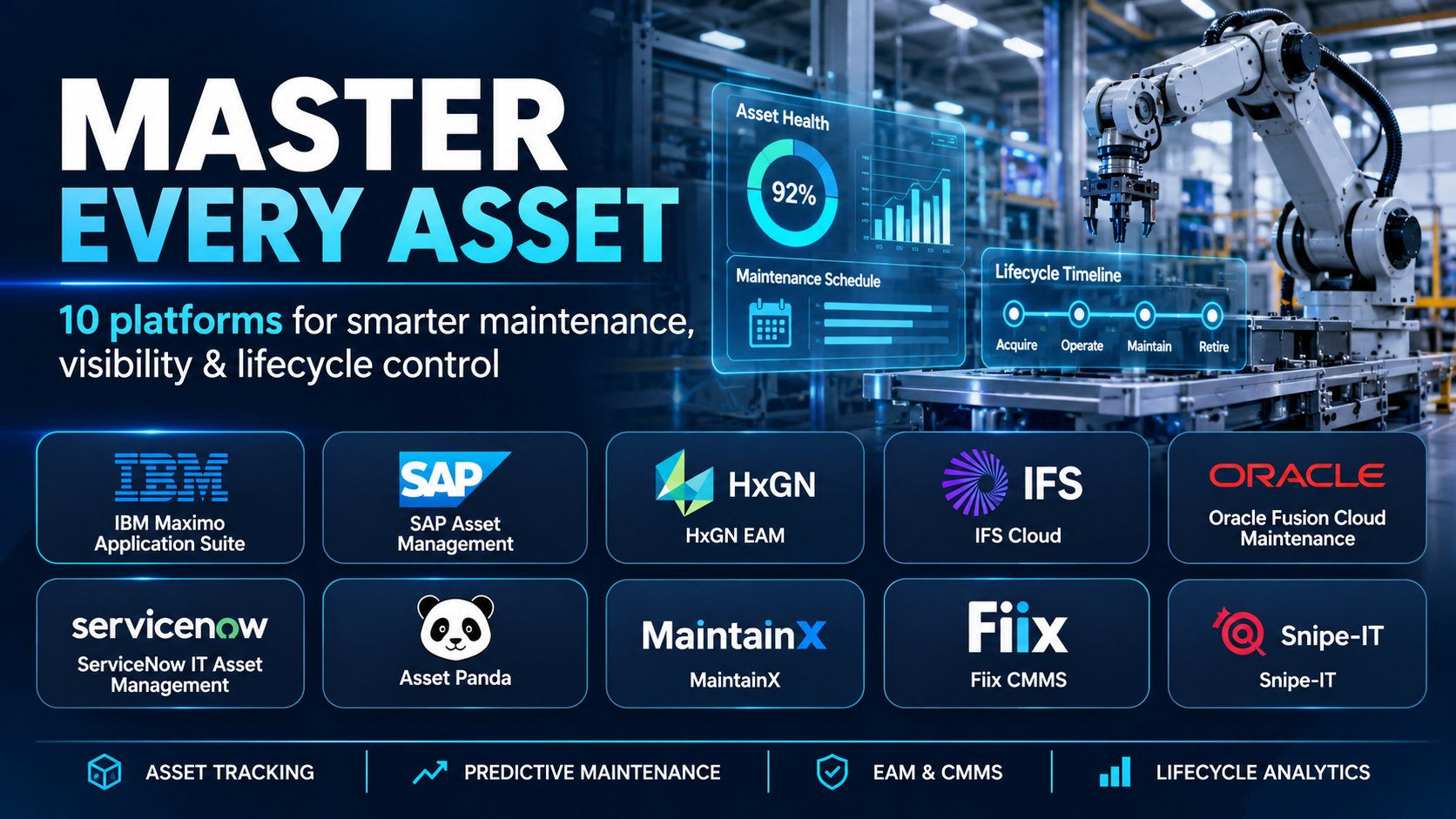
The following selection includes Enterprise Asset Management (EAM) platforms, maintenance management applications, and Information Technology Asset Management (ITAM) solutions. The numbering is intended for comparison rather than an independently tested performance ranking.
1. IBM Maximo Application Suite
Short Description
IBM Maximo Application Suite is an enterprise asset management and asset performance management platform developed by IBM. It supports the management of physical assets, maintenance activities, inspections, and operational performance.
The platform is suitable for large manufacturers, utility providers, transportation organizations, and infrastructure-intensive enterprises. Administrators can coordinate asset information and maintenance activities across multiple operational locations.
Its technical strength is the combination of enterprise maintenance management, condition monitoring, and supported predictive analytics. Organizations can use compatible operational data to evaluate asset reliability and maintenance requirements.
IBM Maximo supports integration with enterprise systems, industrial equipment, and compatible monitoring infrastructure. Its modular architecture allows organizations to evaluate different capabilities according to operational requirements.
Key Features
- Enterprise Asset Management: Centralized records document equipment specifications, locations, ownership, and operational status. Administrators can maintain structured information throughout asset lifecycles.
- Preventive Maintenance: Configurable maintenance schedules support recurring equipment servicing. Maintenance teams can establish activities based on time intervals or supported usage measurements.
- Predictive Maintenance: Applicable modules analyze operational information to identify potential equipment problems. Predictive capabilities depend on data quality and available integrations.
- Work Order Management: Maintenance personnel create, assign, and monitor equipment servicing activities. Work orders document responsibilities, resources, and completion information.
- Asset Condition Monitoring: Compatible sensors and monitoring systems provide operational measurements. Administrators can evaluate equipment conditions and investigate unusual patterns.
- Inventory Management: Supported capabilities track maintenance materials and spare parts. Inventory visibility helps coordinate maintenance requirements with available resources.
- Mobile Maintenance: Compatible mobile applications support field inspections and maintenance documentation. Technicians can access relevant equipment information during assigned activities.
- Lifecycle Analytics: Available analytical tools evaluate asset performance, maintenance history, and operating costs. These insights support long-term repair and replacement decisions.
- Enterprise Integration: Supported interfaces connect compatible financial, procurement, and operational systems. Integration helps coordinate asset information across organizational departments.
Benefits
- Improves enterprise asset visibility.
- Supports preventive and predictive maintenance.
- Helps reduce unexpected equipment downtime.
- Enables centralized maintenance coordination.
- Improves infrastructure lifecycle planning.
- Supports data-driven operational decisions.
- Enhances maintenance resource utilization.
Pros
- Comprehensive enterprise asset management.
- Supported predictive analytics capabilities.
- Industrial infrastructure relevance.
- Configurable maintenance workflows.
- Enterprise integration options.
- Scalable asset management architecture.
Cons
- Commercial implementation costs can be substantial.
- Configuration requires technical expertise.
- Advanced analytics require reliable operational data.
- Product licensing can be complex.
- Smaller businesses may find functionality excessive.
Use Cases
- Industrial Equipment Management: Maintain centralized records of manufacturing machinery and associated maintenance activities.
- Utility Infrastructure Management: Coordinate maintenance across electrical, water, and energy infrastructure.
- Predictive Maintenance: Evaluate supported equipment measurements to identify potential maintenance requirements.
- Transportation Asset Management: Track vehicle and infrastructure maintenance throughout operational lifecycles.
- Maintenance Resource Planning: Coordinate technicians, spare parts, and scheduled maintenance activities.
- Asset Replacement Planning: Evaluate historical equipment performance and maintenance costs before replacement decisions.
Best For
- Large manufacturers.
- Utility providers.
- Transportation organizations.
- Industrial maintenance teams.
- Enterprise infrastructure managers.
- Asset reliability engineers.
2. SAP Asset Management
Short Description
SAP Asset Management provides enterprise asset lifecycle and maintenance management capabilities within the SAP business software ecosystem. It helps organizations coordinate equipment information, maintenance operations, procurement, and financial processes.
The platform is suitable for large enterprises, manufacturing companies, energy providers, and organizations using compatible SAP Enterprise Resource Planning (ERP) systems. Administrators can manage physical assets alongside broader organizational operations.
Its technical advantage is the integration of asset management with procurement, inventory, financial accounting, and enterprise planning. This enables organizations to coordinate operational and financial asset information.
SAP provides asset management functionality through supported SAP S/4HANA deployments and complementary services. Organizations should evaluate the specific products and modules required for their maintenance and lifecycle objectives.
Key Features
- Asset Master Data: Centralized records document equipment characteristics, locations, and organizational relationships. Consistent information supports enterprise asset governance.
- Maintenance Planning: Administrators establish preventive and corrective maintenance activities. Planning tools help coordinate resources and operational schedules.
- Work Order Processing: Maintenance orders document assigned activities, materials, and completion information. Structured workflows support operational accountability.
- Procurement Integration: Compatible SAP procurement processes coordinate asset purchases and maintenance material requirements. Integration helps connect operational needs with purchasing activities.
- Financial Integration: Supported financial modules associate asset-related expenses with organizational accounting processes. This improves visibility into lifecycle costs.
- Inventory Coordination: Maintenance teams can evaluate available materials and spare parts through compatible inventory systems. This helps reduce maintenance delays caused by unavailable resources.
- Asset Performance Management: Complementary SAP services provide supported asset health and performance capabilities. Available functionality depends on product selection and integration.
- Mobile Maintenance: Compatible mobile solutions support field maintenance activities and equipment documentation. Technicians can access relevant operational information.
- Enterprise Reporting: Available reports summarize maintenance activities, asset costs, and operational performance. Management teams can evaluate asset-related business outcomes.
Benefits
- Integrates asset management with enterprise operations.
- Improves maintenance planning accuracy.
- Supports centralized asset governance.
- Enhances lifecycle cost visibility.
- Coordinates procurement and maintenance activities.
- Reduces fragmented operational records.
- Supports enterprise-wide reporting.
Pros
- Strong SAP ecosystem integration.
- Comprehensive enterprise process coordination.
- Financial and procurement connectivity.
- Configurable maintenance workflows.
- Suitable for complex organizations.
- Supported mobile maintenance capabilities.
Cons
- Implementation can require significant investment.
- Configuration requires SAP expertise.
- Product selection and licensing can be complex.
- Data migration may be time-consuming.
- Smaller organizations may not require its full functionality.
Use Cases
- Enterprise Asset Governance: Maintain standardized asset information across business departments.
- Manufacturing Maintenance: Coordinate equipment servicing with production requirements.
- Financial Lifecycle Planning: Evaluate acquisition, maintenance, and replacement expenses.
- Maintenance Procurement: Coordinate spare parts purchasing with maintenance requirements.
- Utility Asset Management: Manage infrastructure maintenance and operational records.
- Enterprise Reporting: Consolidate asset-related information across compatible SAP systems.
Best For
- SAP customers.
- Large enterprises.
- Manufacturing organizations.
- Financial planning teams.
- Industrial maintenance departments.
- Enterprise resource planning administrators.
3. HxGN EAM
Short Description
HxGN EAM is an enterprise asset management platform associated with Hexagon’s asset management software portfolio. It was previously known as Infor EAM and supports physical asset management, maintenance operations, and lifecycle planning.
The platform is suitable for manufacturing companies, transportation operators, utilities, government organizations, and infrastructure-intensive businesses. Administrators can coordinate equipment information and maintenance activities across multiple locations.
Its technical strength is the combination of comprehensive asset records, configurable maintenance workflows, and operational performance management. Organizations can evaluate asset reliability and maintenance resource requirements.
HxGN EAM supports compatible mobile applications and enterprise system integrations. Current product ownership, packaging, and deployment options should be verified during procurement.
Key Features
- Asset Hierarchy Management: Administrators organize equipment into structured asset hierarchies. These relationships help document complex operational environments.
- Preventive Maintenance: Configurable schedules coordinate recurring maintenance activities. Supported triggers include time-based and usage-based requirements.
- Work Order Management: Maintenance teams create, assign, and track servicing activities. Work orders document labor, materials, and completion details.
- Asset Performance Analysis: Available analytical capabilities evaluate equipment reliability and maintenance history. Organizations can identify recurring operational problems.
- Inventory Management: Supported functions track spare parts and maintenance materials. Inventory information helps coordinate servicing requirements.
- Inspection Management: Administrators establish inspection procedures and record equipment conditions. Inspection results support maintenance decisions.
- Mobile Access: Compatible mobile applications provide field access to asset records and work orders. Technicians can document assigned maintenance activities.
- Lifecycle Cost Tracking: Available records associate maintenance and operational expenses with assets. This supports repair and replacement evaluations.
- Enterprise Integration: Supported interfaces connect compatible organizational systems. Integration helps maintain consistent asset and operational information.
Benefits
- Improves physical asset management.
- Supports structured maintenance workflows.
- Helps reduce operational interruptions.
- Enables centralized inspection documentation.
- Improves maintenance inventory visibility.
- Supports lifecycle cost analysis.
- Enhances operational accountability.
Pros
- Comprehensive enterprise asset management.
- Flexible asset hierarchy configuration.
- Industrial maintenance relevance.
- Supported mobile functionality.
- Configurable operational workflows.
- Multi-location management capabilities.
Cons
- Commercial licensing costs apply.
- Implementation requires substantial planning.
- Advanced configuration requires training.
- Integration complexity varies by environment.
- Current product packaging requires verification.
Use Cases
- Industrial Asset Management: Maintain detailed equipment inventories across production facilities.
- Infrastructure Maintenance: Coordinate maintenance across geographically distributed infrastructure.
- Equipment Inspection: Document equipment conditions and inspection results.
- Maintenance Inventory Planning: Track spare parts and servicing materials.
- Lifecycle Cost Evaluation: Analyze historical maintenance expenses before replacement decisions.
- Public Infrastructure Governance: Maintain structured records of government-owned physical assets.
Best For
- Manufacturing enterprises.
- Transportation operators.
- Utility providers.
- Government organizations.
- Industrial maintenance managers.
- Infrastructure asset administrators.
4. IFS Cloud
Short Description
IFS Cloud is an enterprise software platform developed by IFS that combines asset management, enterprise resource planning, and service management capabilities. It supports organizations managing complex equipment and asset-intensive operations.
The platform is suitable for aerospace, manufacturing, energy, construction, utilities, and field service organizations. Administrators can coordinate asset lifecycle activities with broader operational and financial processes.
Its technical advantage is the integration of asset management with maintenance planning, service delivery, procurement, and enterprise operations. This supports organizations managing equipment across extended operational lifecycles.
IFS Cloud provides configurable workflows and supported mobile functionality for maintenance and field service teams. Organizations can evaluate available modules according to industry requirements and deployment objectives.
Key Features
- Enterprise Asset Management: Centralized records document equipment characteristics and lifecycle information. Administrators can manage assets across organizational locations.
- Maintenance Planning: Supported scheduling tools coordinate preventive and corrective maintenance. Planning helps align maintenance activities with operational requirements.
- Asset Performance Management: Available analytical capabilities evaluate asset health and performance information. Supported integrations contribute operational data for analysis.
- Field Service Management: Compatible service management functions coordinate technicians and assigned activities. Organizations can manage maintenance across distributed customer and infrastructure locations.
- Resource Scheduling: Supported planning tools allocate personnel and maintenance resources. Scheduling helps coordinate service commitments and equipment availability.
- Financial Integration: Compatible enterprise modules connect asset-related costs with financial processes. This improves visibility into operational and lifecycle expenses.
- Procurement Management: Integrated purchasing capabilities coordinate equipment and maintenance material requirements. Organizations can connect procurement activities with operational planning.
- Mobile Workflows: Supported mobile applications provide field access to maintenance information. Technicians can document completed activities and equipment conditions.
- Operational Analytics: Available reports summarize asset performance, maintenance activities, and resource utilization. Management teams can evaluate operational efficiency.
Benefits
- Integrates asset and enterprise operations.
- Supports complex equipment lifecycles.
- Improves maintenance resource planning.
- Enables coordinated field service activities.
- Enhances financial lifecycle visibility.
- Supports distributed asset management.
- Improves operational decision-making.
Pros
- Integrated enterprise software architecture.
- Strong asset-intensive industry relevance.
- Field service management capabilities.
- Configurable maintenance workflows.
- Supported mobile operations.
- Comprehensive enterprise integration.
Cons
- Commercial implementation costs can be substantial.
- Configuration requires specialized expertise.
- Advanced deployments require organizational planning.
- Licensing depends on selected capabilities.
- Smaller businesses may find implementation complex.
Use Cases
- Aerospace Asset Management: Coordinate equipment maintenance and operational documentation.
- Energy Infrastructure Management: Maintain asset records across distributed operational facilities.
- Field Maintenance Operations: Schedule technicians and document equipment servicing activities.
- Manufacturing Lifecycle Management: Coordinate production equipment maintenance with enterprise planning.
- Financial Asset Planning: Evaluate maintenance expenses and replacement requirements.
- Integrated Service Delivery: Connect equipment lifecycle activities with customer service operations.
Best For
- Asset-intensive enterprises.
- Aerospace organizations.
- Energy companies.
- Field service providers.
- Manufacturing businesses.
- Enterprise operations managers.
5. Oracle Fusion Cloud Maintenance
Short Description
Oracle Fusion Cloud Maintenance is an enterprise maintenance management application within Oracle’s cloud business software ecosystem. It supports physical asset maintenance, work execution, resource planning, and operational documentation.
The platform is suitable for enterprises using Oracle Fusion Cloud applications and organizations seeking integrated maintenance management. Administrators can coordinate maintenance activities with procurement, inventory, and financial processes.
Its technical strength is the integration of maintenance management with Oracle Supply Chain Management (SCM) and enterprise resource planning capabilities. This allows organizations to connect equipment servicing requirements with broader business operations.
Oracle Fusion Cloud Maintenance provides cloud-based administration and configurable operational workflows. Organizations should evaluate related Oracle modules required for comprehensive financial and asset lifecycle management.
Key Features
- Asset Information Management: Centralized records document equipment specifications and operational relationships. Administrators maintain consistent information across maintenance activities.
- Maintenance Programs: Configurable programs establish recurring equipment servicing requirements. Supported scheduling mechanisms help coordinate planned maintenance.
- Work Order Management: Maintenance personnel create and process equipment servicing orders. Work orders document required resources and completed activities.
- Maintenance Resource Planning: Supported planning tools coordinate labor, equipment, and materials. Organizations can evaluate resource availability before scheduling activities.
- Inventory Integration: Compatible inventory modules provide visibility into maintenance materials. This helps reduce delays associated with unavailable spare parts.
- Procurement Coordination: Supported purchasing processes connect maintenance requirements with procurement activities. Organizations can coordinate material acquisition and servicing schedules.
- Cost Management: Compatible financial and cost management capabilities track maintenance-related expenses. These records support operational cost analysis.
- Condition-Based Maintenance: Supported integrations and configurations enable maintenance decisions based on available equipment information. Capabilities depend on connected systems and data quality.
- Cloud Reporting: Available reports summarize maintenance performance and asset information. Management teams can evaluate operational outcomes.
Benefits
- Connects maintenance with enterprise operations.
- Improves maintenance resource coordination.
- Supports centralized asset documentation.
- Enhances maintenance cost visibility.
- Reduces fragmented procurement workflows.
- Supports cloud-managed administration.
- Enables structured maintenance planning.
Pros
- Strong Oracle ecosystem integration.
- Cloud-based deployment.
- Configurable maintenance programs.
- Procurement and inventory connectivity.
- Enterprise reporting capabilities.
- Suitable for complex organizations.
Cons
- Commercial subscription costs apply.
- Additional Oracle modules may be necessary.
- Implementation requires enterprise system expertise.
- Integration with non-Oracle systems requires evaluation.
- Complex workflows require configuration and training.
Use Cases
- Enterprise Maintenance Management: Coordinate equipment servicing across organizational facilities.
- Manufacturing Asset Maintenance: Schedule maintenance activities around production requirements.
- Maintenance Procurement: Connect spare parts purchasing with planned maintenance.
- Lifecycle Cost Analysis: Evaluate maintenance-related operational expenses.
- Resource Coordination: Allocate maintenance personnel and materials.
- Cloud Enterprise Integration: Connect asset maintenance with compatible Oracle business applications.
Best For
- Oracle customers.
- Large enterprises.
- Manufacturing companies.
- Supply chain administrators.
- Maintenance planning teams.
- Cloud enterprise software users.
6. ServiceNow IT Asset Management
Short Description
ServiceNow IT Asset Management is an enterprise technology asset management solution developed by ServiceNow. It provides capabilities for managing hardware, software, and associated technology lifecycle information.
The platform is suitable for enterprise IT departments, technology service providers, financial institutions, and organizations managing extensive digital infrastructure. Administrators can coordinate technology asset procurement, deployment, utilization, and retirement.
Its technical advantage is integration with ServiceNow’s service management workflows and Configuration Management Database (CMDB). This helps organizations connect asset information with operational service relationships.
ServiceNow IT Asset Management includes hardware and software asset management capabilities through applicable products and licensing arrangements. It focuses primarily on technology assets rather than comprehensive industrial machinery maintenance.
Key Features
- Hardware Asset Management: Centralized records document computers, servers, network equipment, and other technology hardware. Administrators can track ownership, location, and lifecycle status.
- Software Asset Management: Supported capabilities document software entitlements and usage information. Organizations can evaluate licensing compliance and optimization opportunities.
- Lifecycle Workflows: Configurable workflows coordinate asset acquisition, deployment, reassignment, and retirement. Automation helps maintain consistent operational processes.
- Procurement Integration: Compatible workflows connect technology asset requests with purchasing activities. Organizations can coordinate acquisition and inventory records.
- Inventory Management: Supported stockroom capabilities track available technology equipment. Administrators can allocate resources according to organizational requirements.
- CMDB Integration: Compatible configuration records connect assets with operational technology relationships. This supports infrastructure visibility and service impact analysis.
- Contract Management: Available capabilities document relevant technology agreements and renewal information. Administrators can review contractual obligations and lifecycle requirements.
- Compliance Reporting: Supported reports summarize asset and software licensing information. Organizations can investigate discrepancies and maintain governance records.
- Workflow Automation: Configurable automation coordinates asset-related tasks across organizational teams. Integration reduces repetitive administrative activities.
Benefits
- Improves technology asset visibility.
- Supports automated lifecycle workflows.
- Enhances software licensing governance.
- Reduces fragmented asset records.
- Improves technology procurement coordination.
- Supports infrastructure service relationships.
- Enables centralized compliance reporting.
Pros
- Integrated ServiceNow ecosystem.
- Comprehensive IT asset lifecycle functionality.
- Configurable workflow automation.
- Supported software licensing management.
- Enterprise reporting capabilities.
- CMDB integration.
Cons
- Commercial licensing can be expensive.
- Implementation requires platform expertise.
- Accurate discovery and inventory data are essential.
- Advanced capabilities may require separate products.
- Not designed as a complete industrial maintenance platform.
Use Cases
- Hardware Lifecycle Management: Track computers and servers from acquisition to retirement.
- Software License Management: Evaluate software entitlements and usage information.
- Technology Procurement: Coordinate approved equipment requests and purchasing workflows.
- Asset Reassignment: Document technology equipment transfers between employees.
- Infrastructure Governance: Connect technology asset records with configuration information.
- Asset Retirement: Coordinate equipment decommissioning and approved disposal activities.
Best For
- Enterprise IT departments.
- ServiceNow customers.
- Technology asset managers.
- Software licensing administrators.
- Financial institutions.
- IT governance teams.
7. Asset Panda
Short Description
Asset Panda is a cloud-based asset tracking and management platform developed by Asset Panda. It helps organizations maintain centralized asset inventories and coordinate equipment lifecycle activities.
The platform is suitable for small businesses, educational institutions, healthcare organizations, construction companies, and distributed teams. Administrators can configure asset records according to organizational requirements.
Its technical strength is flexible asset documentation combined with mobile scanning and configurable workflows. Organizations can track different asset categories without maintaining separate inventory applications.
Asset Panda provides cloud-based administration and compatible mobile applications. Its functionality is particularly relevant to organizations prioritizing equipment tracking and lifecycle documentation over advanced industrial analytics.
Key Features
- Centralized Asset Inventory: Administrators maintain structured records of organizational equipment. Records can include ownership, location, specifications, and lifecycle status.
- Barcode Scanning: Supported mobile applications scan compatible asset identifiers. Scanning helps simplify physical inventory verification.
- Custom Fields: Organizations configure asset records according to their information requirements. Flexible fields accommodate different equipment categories.
- Asset Check-In and Check-Out: Supported workflows document equipment assignment and return activities. Administrators can maintain accurate ownership records.
- Maintenance Tracking: Asset records document scheduled servicing and completed maintenance activities. This supports equipment lifecycle visibility.
- Mobile Access: Compatible mobile applications provide access to asset information in the field. Personnel can update records during inspections and equipment transfers.
- Audit History: Available records document supported changes to asset information. This helps administrators investigate discrepancies.
- Configurable Reporting: Organizations generate reports according to selected asset information. Reports support inventory reviews and management decisions.
- Workflow Configuration: Supported actions coordinate asset-related administrative processes. Organizations can customize workflows for different operational requirements.
Benefits
- Simplifies centralized asset tracking.
- Improves equipment inventory accuracy.
- Supports mobile asset verification.
- Reduces manual documentation activities.
- Enhances equipment ownership visibility.
- Supports configurable lifecycle records.
- Improves organizational asset accountability.
Pros
- Flexible asset configuration.
- Cloud-based administration.
- Supported mobile barcode scanning.
- Customizable asset records.
- Suitable for varied industries.
- Accessible asset tracking workflows.
Cons
- Commercial subscription costs apply.
- Advanced industrial analytics are limited.
- Configuration requires initial planning.
- Inventory accuracy depends on user updates.
- Comprehensive enterprise maintenance may require another platform.
Use Cases
- Equipment Inventory Management: Maintain centralized records of organizational assets.
- Employee Equipment Assignment: Document issued and returned equipment.
- Physical Asset Audits: Verify equipment locations using supported mobile scanning.
- Construction Equipment Tracking: Monitor equipment assignments across project locations.
- Educational Asset Management: Track classroom equipment and technology resources.
- Maintenance Documentation: Record equipment servicing and inspection information.
Best For
- Small businesses.
- Educational institutions.
- Construction companies.
- Healthcare administrators.
- Equipment inventory teams.
- Distributed organizations.
8. MaintainX
Short Description
MaintainX is a cloud-based maintenance and operations management platform developed by MaintainX. It helps organizations coordinate equipment maintenance, inspections, work orders, and operational procedures.
The platform is suitable for manufacturers, facilities management teams, maintenance contractors, and organizations operating physical equipment. Administrators can manage maintenance activities through centralized web and mobile interfaces.
Its technical advantage is its mobile-oriented maintenance workflow design combined with digital procedures and equipment records. Maintenance personnel can access relevant information while performing assigned operational activities.
MaintainX provides Computerized Maintenance Management System (CMMS) functionality alongside supported operational management capabilities. Organizations can evaluate available subscription plans according to maintenance complexity and reporting requirements.
Key Features
- Work Order Management: Maintenance teams create, assign, and monitor servicing activities. Work orders document equipment issues, responsibilities, and completion information.
- Preventive Maintenance: Configurable schedules establish recurring maintenance activities. Automated work order generation helps coordinate planned servicing.
- Asset Management: Centralized records document equipment specifications, locations, and maintenance history. Administrators can review equipment information throughout operational lifecycles.
- Digital Procedures: Organizations create standardized maintenance and inspection procedures. Personnel can follow documented instructions during assigned activities.
- Mobile Maintenance: Compatible mobile applications provide access to work orders and equipment records. Technicians can update information directly from operational locations.
- Parts Inventory: Supported inventory capabilities track maintenance materials and spare parts. This helps coordinate servicing requirements with available resources.
- Operational Communication: Available collaboration features support communication around maintenance activities. Teams can document equipment issues and coordinate responses.
- Maintenance Analytics: Supported reports summarize maintenance activities and operational performance. Administrators can evaluate recurring equipment problems.
- Integration Capabilities: Available interfaces connect compatible external systems. Integration can reduce repetitive information entry.
Benefits
- Simplifies maintenance work coordination.
- Supports mobile maintenance operations.
- Improves preventive maintenance scheduling.
- Reduces paper-based operational documentation.
- Enhances equipment maintenance visibility.
- Supports standardized maintenance procedures.
- Improves communication among maintenance teams.
Pros
- Mobile-oriented user experience.
- Configurable maintenance workflows.
- Digital procedure management.
- Cloud-based administration.
- Supported inventory management.
- Free and commercial plan options.
Cons
- Advanced functionality requires paid subscriptions.
- Comprehensive financial asset management is limited.
- Accurate equipment records require ongoing maintenance.
- Complex enterprise integrations require evaluation.
- Predictive analytics depend on available capabilities and data.
Use Cases
- Manufacturing Maintenance: Coordinate production equipment servicing.
- Facility Maintenance: Schedule maintenance for building infrastructure.
- Digital Inspections: Replace paper-based inspection documentation with digital procedures.
- Technician Coordination: Assign and monitor maintenance activities.
- Spare Parts Management: Track materials required for equipment servicing.
- Equipment Reliability Reviews: Evaluate maintenance history and recurring equipment issues.
Best For
- Manufacturing maintenance teams.
- Facility managers.
- Maintenance contractors.
- Small and medium-sized businesses.
- Field technicians.
- Organizations adopting digital maintenance workflows.
9. Fiix CMMS
Short Description
Fiix is a cloud-based computerized maintenance management platform associated with Rockwell Automation. It helps organizations manage equipment maintenance, work orders, spare parts, and asset performance information.
The platform is suitable for manufacturers, industrial businesses, facility operators, and maintenance departments. Administrators can coordinate preventive maintenance and equipment servicing across operational environments.
Its technical strength is maintenance management combined with supported analytical and industrial integration capabilities. Organizations can evaluate maintenance history and equipment performance to improve operational planning.
Fiix provides web-based administration and compatible mobile functionality. Available capabilities depend on subscription arrangements and connected operational systems.
Key Features
- Asset Management: Centralized records document equipment information and maintenance history. Administrators can organize assets into supported hierarchies.
- Preventive Maintenance: Configurable schedules establish recurring servicing activities. Supported triggers help coordinate maintenance according to operational requirements.
- Work Order Management: Maintenance personnel create and process equipment servicing tasks. Work orders document labor, materials, and completion information.
- Parts Inventory Management: Available capabilities track spare parts and maintenance materials. Inventory visibility helps reduce servicing delays.
- Maintenance Analytics: Supported reports summarize maintenance performance and equipment history. Administrators can evaluate recurring operational issues.
- Mobile Maintenance: Compatible mobile applications provide access to maintenance information. Technicians can document completed activities from operational locations.
- Maintenance Scheduling: Planning tools coordinate assigned maintenance activities and available resources. This helps maintenance teams organize operational workloads.
- Industrial Integration: Supported integrations connect compatible operational systems and equipment information sources. Integration capabilities depend on selected services.
- Multi-Site Management: Applicable subscription capabilities support maintenance across multiple locations. Centralized information helps maintain consistent operational practices.
Benefits
- Improves maintenance activity visibility.
- Supports preventive maintenance planning.
- Helps reduce unexpected equipment interruptions.
- Enhances spare parts management.
- Supports mobile maintenance documentation.
- Enables maintenance performance analysis.
- Improves multi-location coordination.
Pros
- Dedicated maintenance management functionality.
- Industrial ecosystem relevance.
- Cloud-based deployment.
- Configurable maintenance scheduling.
- Supported mobile applications.
- Free and commercial plan options.
Cons
- Advanced features require appropriate subscriptions.
- Comprehensive financial lifecycle management is limited.
- Industrial integrations require technical configuration.
- Accurate asset records require ongoing maintenance.
- Complex enterprise deployments require planning.
Use Cases
- Industrial Equipment Maintenance: Coordinate preventive and corrective servicing.
- Facility Asset Management: Maintain equipment records and maintenance schedules.
- Spare Parts Tracking: Monitor inventory required for equipment servicing.
- Maintenance Performance Analysis: Evaluate work order completion and equipment reliability.
- Multi-Site Maintenance: Coordinate activities across supported operational locations.
- Equipment Replacement Assessment: Review maintenance history when evaluating replacement requirements.
Best For
- Manufacturers.
- Industrial maintenance departments.
- Facility management teams.
- Rockwell Automation customers.
- Maintenance planners.
- Medium-sized industrial businesses.
10. Snipe-IT
Short Description
Snipe-IT is an open-source IT asset management application developed by Grokability. It helps organizations track technology hardware, software licenses, accessories, consumables, and equipment assignments.
The platform is suitable for small businesses, educational institutions, nonprofit organizations, and technically capable IT departments. Administrators can maintain centralized technology asset records throughout operational lifecycles.
Its technical strength is straightforward asset documentation combined with configurable assignment workflows and programmable interfaces. Organizations can manage technology equipment without purchasing comprehensive enterprise asset management suites.
Snipe-IT supports self-hosted deployment and commercial hosted services. It focuses on technology inventory and accountability rather than advanced industrial maintenance or predictive asset performance analytics.
Key Features
- Hardware Asset Tracking: Administrators maintain records of computers, servers, and other technology equipment. Asset records document ownership, location, and lifecycle status.
- Equipment Assignment: Supported check-in and check-out workflows document equipment allocation. Administrators can track assets assigned to employees and locations.
- Software License Tracking: Organizations document software license information and supported assignments. These records help maintain visibility into software ownership.
- Barcode and QR Code Labels: Supported labels identify individual assets. Quick Response (QR) codes and barcodes help simplify inventory verification.
- Custom Asset Fields: Administrators configure additional information fields for selected asset categories. This supports organization-specific documentation requirements.
- Maintenance Records: Available records document equipment servicing information. Administrators can review maintenance history when evaluating asset status.
- Audit Management: Supported audit workflows help verify physical equipment inventories. Administrators can identify missing or incorrectly documented assets.
- API Access: Available Application Programming Interfaces (APIs) support authorized integration and automation. Technical teams can connect asset records with compatible workflows.
- Self-Hosted Deployment: Organizations can operate the software through compatible infrastructure. Commercial hosting is also available for teams seeking managed deployment.
Benefits
- Provides open-source IT asset management.
- Improves technology inventory accuracy.
- Supports equipment ownership tracking.
- Reduces proprietary licensing expenses.
- Enables customizable asset documentation.
- Supports physical inventory audits.
- Provides flexible deployment options.
Pros
- Free open-source core software.
- Straightforward technology asset tracking.
- Configurable asset fields.
- Supported barcode and QR code labels.
- Programmable interfaces.
- Self-hosted and commercial hosting options.
Cons
- Self-hosting requires technical administration.
- Advanced industrial maintenance functionality is limited.
- Comprehensive financial analytics are unavailable.
- Inventory accuracy depends on record maintenance.
- Enterprise support and hosting may incur costs.
Use Cases
- IT Equipment Inventory: Maintain centralized technology hardware records.
- Employee Asset Assignment: Document laptops and other equipment issued to employees.
- Software License Documentation: Track software entitlements and assignments.
- Physical Inventory Audits: Verify equipment locations and ownership.
- Technology Retirement: Document decommissioned or disposed equipment.
- Open-Source Asset Management: Establish locally managed technology asset tracking.
Best For
- Small business IT teams.
- Educational institutions.
- Nonprofit organizations.
- Open-source administrators.
- Technology inventory managers.
- Budget-conscious organizations.
Comparison Table: Top 10 Asset Lifecycle Management Tools
| Tool Name | Best For | Platform(s) | Standout Feature | Pricing |
|---|---|---|---|---|
| IBM Maximo Application Suite | Industrial enterprise asset management | Cloud and supported enterprise deployments | Asset performance and predictive maintenance | Commercial licensing |
| SAP Asset Management | Integrated enterprise asset operations | SAP S/4HANA and compatible services | Financial and procurement integration | Commercial licensing |
| HxGN EAM | Complex physical asset management | Supported enterprise deployments | Comprehensive maintenance workflows | Commercial licensing |
| IFS Cloud | Asset-intensive enterprise operations | Cloud and supported deployments | Integrated asset and field service management | Commercial licensing |
| Oracle Fusion Cloud Maintenance | Enterprise maintenance management | Oracle Fusion Cloud | Integrated supply chain and maintenance processes | Paid subscription |
| ServiceNow IT Asset Management | Enterprise technology assets | ServiceNow cloud platform | Automated IT asset lifecycle workflows | Commercial licensing |
| Asset Panda | Flexible equipment tracking | Cloud, web, mobile | Customizable asset inventory and scanning | Paid subscription |
| MaintainX | Mobile maintenance operations | Cloud, web, mobile | Digital maintenance procedures | Free and paid plans |
| Fiix CMMS | Industrial maintenance management | Cloud, web, mobile | Preventive maintenance and industrial integrations | Free and paid plans |
| Snipe-IT | Open-source IT asset tracking | Self-hosted web application, managed hosting | Equipment assignment and inventory management | Free and paid hosting |
Note: Pricing, licensing, supported platforms, and available features can change. Check the official vendor websites for current plans, educational access, and regional availability.
Which Asset Lifecycle Management Tool Is Right for You?
Different organizations require different combinations of asset tracking, maintenance management, financial planning, condition monitoring, and operational automation. A small technology department may require equipment assignment tracking, whereas an industrial enterprise may need comprehensive asset performance management.
Selection should consider asset categories, operational complexity, integration requirements, maintenance resources, deployment preferences, and total operating costs. Organizations should distinguish between enterprise asset management, computerized maintenance management, and IT asset management before selecting software.
For Beginners: Asset Panda and Snipe-IT
Asset Panda provides configurable cloud-based asset tracking and supported mobile scanning. Its flexible records can accommodate different organizational equipment categories.
Snipe-IT provides straightforward technology asset tracking and equipment assignment management. Its open-source deployment model can suit technically capable administrators.
Choose Asset Panda if flexible managed equipment tracking is important. Choose Snipe-IT if open-source technology asset management is your priority.
For Large Enterprises: IBM Maximo and SAP Asset Management
IBM Maximo provides comprehensive physical asset management and supported asset performance analytics. Its capabilities are relevant to complex industrial maintenance environments.
SAP Asset Management connects maintenance activities with enterprise procurement, inventory, and financial processes. It can suit organizations already using compatible SAP infrastructure.
Choose IBM Maximo if equipment reliability and advanced maintenance are primary objectives. Choose SAP if integrated enterprise business processes are more important.
For Manufacturing: HxGN EAM and Fiix
HxGN EAM provides comprehensive physical asset management and configurable maintenance workflows. It is relevant to manufacturers operating complex production infrastructure.
Fiix provides focused maintenance management, work orders, and preventive servicing capabilities. Its cloud-based architecture can suit maintenance departments seeking dedicated operational software.
Choose HxGN EAM if comprehensive enterprise asset management is essential. Choose Fiix if focused industrial maintenance management better matches your requirements.
For Field Service Organizations: IFS Cloud and MaintainX
IFS Cloud integrates asset management with field service operations and enterprise planning. Its capabilities can support organizations coordinating complex distributed service activities.
MaintainX provides mobile-oriented maintenance workflows and digital operational procedures. Technicians can access assigned work orders and equipment information from supported devices.
Choose IFS Cloud if integrated enterprise field service management is required. Choose MaintainX if accessible mobile maintenance workflows are your priority.
For IT Departments: ServiceNow and Snipe-IT
ServiceNow IT Asset Management provides technology lifecycle workflows, software licensing management, and compatible service management integrations. It can suit organizations managing extensive enterprise technology infrastructure.
Snipe-IT provides open-source technology inventory and equipment assignment management. It is relevant to smaller organizations seeking locally managed asset documentation.
Choose ServiceNow if enterprise workflow automation and software governance are essential. Choose Snipe-IT if straightforward technology asset tracking is sufficient.
For Cloud Enterprise Environments: Oracle Fusion Cloud Maintenance and IFS Cloud
Oracle Fusion Cloud Maintenance connects equipment servicing with compatible Oracle procurement, inventory, and enterprise applications. Its capabilities support cloud-based maintenance administration.
IFS Cloud combines asset management with broader enterprise operations and service delivery. Organizations can evaluate integrated capabilities according to their operational requirements.
Choose Oracle if your organization uses compatible Oracle Fusion applications. Choose IFS Cloud if integrated asset and service management better matches your business model.
For Facilities Management: MaintainX and Asset Panda
MaintainX provides preventive maintenance scheduling, work orders, and digital inspection procedures. Facility managers can coordinate servicing activities across building infrastructure.
Asset Panda provides configurable asset records and mobile equipment tracking. Its capabilities can support organizations maintaining diverse facility equipment inventories.
Choose MaintainX if maintenance execution is your primary requirement. Choose Asset Panda if flexible equipment tracking and inventory accountability are more important.
For Asset Performance Optimization: IBM Maximo and HxGN EAM
IBM Maximo provides supported condition monitoring and predictive maintenance capabilities. Organizations can evaluate equipment performance using compatible operational information.
HxGN EAM provides structured maintenance workflows, asset histories, and operational performance management. Its capabilities support systematic physical asset governance.
Choose IBM Maximo if advanced asset performance analytics are essential. Choose HxGN EAM if comprehensive maintenance and lifecycle workflows are your priority.
Best Asset Lifecycle Management Tools for Different Users
| User Type | Recommended Software | Why? |
|---|---|---|
| Industrial reliability engineer | IBM Maximo | Asset performance and predictive maintenance |
| Enterprise resource planning administrator | SAP Asset Management | Integrated enterprise business processes |
| Infrastructure maintenance manager | HxGN EAM | Comprehensive physical asset management |
| Field service operations director | IFS Cloud | Integrated asset and service management |
| Oracle enterprise administrator | Oracle Fusion Cloud Maintenance | Supply chain and maintenance integration |
| Enterprise IT asset manager | ServiceNow IT Asset Management | Technology lifecycle automation |
| Equipment inventory administrator | Asset Panda | Flexible asset records and mobile scanning |
| Facility maintenance supervisor | MaintainX | Mobile maintenance and digital procedures |
| Manufacturing maintenance planner | Fiix CMMS | Preventive maintenance and work orders |
| Small business IT administrator | Snipe-IT | Open-source equipment tracking |
Practical Example: Implementing Asset Lifecycle Management Across a Manufacturing Enterprise
Consider a manufacturing company operating three production facilities with 1,200 physical assets, including production machinery, electrical equipment, material handling systems, and facility infrastructure. The organization currently maintains equipment inventories and maintenance records through disconnected spreadsheets and local applications.
Management wants to reduce unexpected equipment failures, improve maintenance coordination, and establish reliable equipment replacement plans. IBM Maximo, HxGN EAM, and MaintainX are potential solutions depending on maintenance complexity, integration requirements, and available resources.
The organization establishes a phased implementation workflow covering asset inventory assessment, software selection, data migration, maintenance configuration, pilot testing, deployment, and ongoing optimization. Implementation prioritizes operational continuity, information accuracy, and measurable maintenance improvements.
Step 1: Assess Existing Assets and Operational Requirements
Document equipment categories, physical locations, maintenance requirements, operational importance, and existing information sources. Identify critical assets whose failure could significantly affect production, safety, or business continuity.
Review historical maintenance expenses, equipment downtime, replacement activities, and inventory discrepancies. Establish baseline measurements for evaluating implementation outcomes.
Assessment checklist:
- Equipment inventory records.
- Asset ownership responsibilities.
- Existing maintenance schedules.
- Equipment failure history.
- Spare parts inventories.
- Procurement documentation.
- Operational risk classifications.
- Planned replacement requirements.
Step 2: Select the Asset Lifecycle Management Platform
Compare shortlisted platforms according to asset management functionality, maintenance scheduling, reporting, integration capabilities, and total operating costs. Determine whether predictive maintenance or comprehensive financial integration is necessary.
Establish administrative responsibilities and configure appropriate access controls. Enable Multi-Factor Authentication (MFA), which requires multiple verification factors, where supported.
Define standardized equipment classifications, naming conventions, and lifecycle status categories. Consistent information structures help maintain reliable asset records across production facilities.
Step 3: Create and Validate the Asset Inventory
Import existing asset records into the selected platform using supported data migration mechanisms. Standardize equipment identifiers, model information, physical locations, and ownership records.
Conduct physical inventory verification to identify missing equipment, duplicate records, and inaccurate information. Assign unique asset identifiers and supported barcode or QR code labels where appropriate.
Asset validation checklist:
- Unique asset identification.
- Verified equipment specifications.
- Accurate physical locations.
- Current ownership information.
- Maintenance history.
- Acquisition information.
- Operational status.
- Equipment criticality classification.
Step 4: Configure Maintenance and Lifecycle Workflows
Establish preventive maintenance schedules according to manufacturer recommendations, operating conditions, equipment history, and approved maintenance procedures. Configure work order workflows for planned and corrective maintenance activities.
Define lifecycle processes covering acquisition, commissioning, operation, maintenance, reassignment, and retirement. Assign responsibilities for each lifecycle stage and establish appropriate approval requirements.
Recommended workflow areas:
- Equipment procurement.
- Asset commissioning.
- Preventive maintenance.
- Corrective maintenance.
- Equipment inspections.
- Spare parts allocation.
- Asset reassignment.
- Equipment retirement.
Step 5: Integrate Monitoring and Enterprise Systems
Connect compatible operational monitoring systems, procurement applications, inventory platforms, and financial systems where required. Validate integration security, information accuracy, and data synchronization behavior.
For equipment supporting condition monitoring, establish appropriate measurement collection and analytical workflows. Maintenance engineers should validate monitoring thresholds and maintenance recommendations against equipment requirements.
Integration checks:
- Accurate equipment identifiers.
- Reliable data synchronization.
- Appropriate access permissions.
- Validated operational measurements.
- Correct financial information.
- Secure communication interfaces.
- Documented integration recovery procedures.
Step 6: Conduct Pilot Testing and Expand Deployment
Select a representative production area for controlled pilot testing. Validate asset records, maintenance schedules, work order processing, mobile functionality, and operational reporting.
Resolve identified discrepancies before extending the platform to additional production facilities. Train maintenance personnel, equipment operators, procurement teams, and authorized administrators.
Expected implementation outputs:
- Validated asset inventory.
- Preventive maintenance schedules.
- Digital work order records.
- Equipment inspection documentation.
- Spare parts reports.
- Maintenance performance dashboards.
- Asset lifecycle reports.
Step 7: Monitor and Optimize Asset Performance
Compare post-deployment measurements with the original operational baseline. Evaluate equipment downtime, maintenance completion rates, asset utilization, inventory accuracy, and maintenance expenses.
Review Mean Time Between Failures (MTBF), which measures average operating time between failures for repairable equipment, and Mean Time to Repair (MTTR), which measures average repair duration under a defined methodology. Use consistent calculation boundaries when comparing equipment performance.
Periodically review asset replacement requirements, maintenance procedures, equipment classifications, and administrative permissions. Update lifecycle plans as operational conditions and organizational requirements change.
This workflow establishes a structured approach to asset lifecycle management across manufacturing facilities. Accurate asset information and coordinated maintenance activities help organizations improve equipment reliability while supporting informed financial and operational decisions.
Eight Common Asset Lifecycle Management Implementation Mistakes
- Maintaining Inaccurate Asset Records: Outdated equipment information can undermine maintenance planning and financial analysis. Validate important records through physical inspections and supported discovery mechanisms.
- Ignoring Asset Criticality: Applying identical maintenance priorities to every asset can result in inefficient resource allocation. Classify equipment according to operational importance, safety requirements, and failure consequences.
- Selecting an Unsuitable Platform: Technology inventory applications may not provide advanced industrial maintenance capabilities. Match software functionality to documented asset categories and operational requirements.
- Neglecting Data Integration: Disconnected procurement, maintenance, and financial systems can create inconsistent information. Establish supported integrations and clearly defined data ownership responsibilities.
- Overlooking Employee Training: Maintenance personnel may struggle to adopt unfamiliar workflows without appropriate training. Provide role-specific instruction and accessible operational documentation.
- Using Unverified Predictive Analytics: Poor-quality operational data can produce unreliable maintenance recommendations. Validate analytical outputs against equipment history and qualified engineering assessments.
- Ignoring Asset Retirement: Organizations may continue maintaining records or licenses for equipment that is no longer operational. Establish documented retirement, disposal, and record closure procedures.
- Failing to Measure Performance: Implementing software without baseline measurements makes operational improvements difficult to evaluate. Define relevant performance indicators before deployment and review them consistently.
Frequently Asked Questions (FAQs)
1. What are asset lifecycle management tools?
Asset lifecycle management tools help organizations manage assets from initial planning and procurement through operation, maintenance, and retirement. They provide centralized asset information and support structured operational workflows.
Available capabilities vary according to asset categories and software architecture. Some platforms focus on industrial equipment, while others specialize in technology assets or maintenance management.
2. Which asset lifecycle management tool is best for beginners?
Asset Panda provides configurable cloud-based equipment tracking and supported mobile scanning. Its functionality can suit organizations seeking straightforward asset documentation.
Snipe-IT is another option for technically capable beginners managing technology equipment. Selection should reflect asset categories, available resources, and maintenance requirements.
3. Are free or open-source asset lifecycle management tools available?
Snipe-IT provides open-source IT asset management software. MaintainX and Fiix also provide free plan options subject to applicable feature and usage limitations.
Organizations should consider hosting, maintenance, support, and integration expenses when evaluating free software. Free licensing does not eliminate operational costs.
4. How does asset lifecycle management differ from spreadsheet-based tracking?
Spreadsheet-based tracking requires manual updates and may create inconsistent information across departments. It can become difficult to maintain as asset inventories and operational requirements expand.
Asset lifecycle management platforms provide structured records, configurable workflows, and supported automation. These capabilities improve consistency and operational visibility.
5. Which asset lifecycle management tools are suitable for large enterprises?
IBM Maximo, SAP Asset Management, HxGN EAM, and IFS Cloud provide capabilities relevant to large enterprise environments. Oracle Fusion Cloud Maintenance can also support organizations using compatible Oracle infrastructure.
Enterprises should evaluate scalability, integration requirements, operational workflows, and implementation costs. Controlled testing helps determine product suitability.
6. Which asset lifecycle management tools are suitable for manufacturing?
IBM Maximo, HxGN EAM, SAP Asset Management, MaintainX, and Fiix provide capabilities relevant to manufacturing equipment maintenance. Their suitability depends on production complexity and maintenance requirements.
Manufacturers should evaluate preventive maintenance, equipment monitoring, work order management, and spare parts coordination. Advanced industrial analytics may require additional capabilities.
7. Can asset lifecycle management tools integrate with existing enterprise systems?
Many commercial platforms integrate with compatible ERP, procurement, inventory, financial, and monitoring systems. Available integrations depend on product selection and deployment architecture.
Organizations should validate information synchronization, access permissions, and integration reliability. Accurate asset identifiers help maintain consistency across connected systems.
8. What is the difference between ALM, EAM, CMMS, and ITAM?
ALM covers the management of assets throughout their lifecycles. EAM focuses on enterprise physical asset management, while CMMS primarily supports maintenance activities.
ITAM focuses on managing technology hardware, software, and associated lifecycle information. Organizations should select software according to the asset categories and operational functions they require.
9. What are the main stages of the asset lifecycle?
Common lifecycle stages include planning, acquisition, deployment, operation, maintenance, and retirement. Organizations may also establish separate stages for commissioning, reassignment, refurbishment, and disposal.
Each stage requires appropriate documentation and ownership responsibilities. Structured lifecycle processes help maintain accurate asset information.
10. What is the difference between cloud-based and self-hosted asset management?
Cloud-based asset management uses provider-managed application infrastructure. This can reduce dedicated hosting and software maintenance requirements.
Self-hosted asset management operates through infrastructure maintained by the organization. It provides greater deployment control but requires technical administration and security maintenance.
11. Which asset management tools are suitable for IT departments?
ServiceNow IT Asset Management and Snipe-IT provide technology-focused asset lifecycle capabilities. Asset Panda can also support flexible technology equipment tracking.
IT departments should evaluate hardware assignments, software licensing, procurement workflows, inventory accuracy, and retirement procedures. Enterprise integration requirements may influence platform selection.
12. Can asset lifecycle management be used across different industries?
Asset lifecycle management is applicable to manufacturing, healthcare, transportation, energy, government, education, and technology organizations. Any organization maintaining significant equipment inventories can evaluate its benefits.
Industry-specific requirements influence maintenance schedules, reporting, compliance obligations, and operational workflows. Platform configuration should reflect these requirements.
13. What are the system requirements for asset lifecycle management software?
Cloud-based platforms generally require reliable internet connectivity and compatible web browsers or mobile applications. Additional equipment monitoring may require supported sensors and integration infrastructure.
Self-hosted platforms require suitable computing resources, database systems, and supported software environments. Capacity requirements depend on asset counts, user activity, and data retention.
14. How should organizations choose asset lifecycle management software?
Begin by documenting asset categories, operational requirements, maintenance processes, integration needs, and available budget. Identify the essential capabilities required to support organizational objectives.
Compare shortlisted platforms through representative operational scenarios and controlled pilots. Evaluate implementation effort, support arrangements, scalability, and total operating costs.
15. What is the difference between asset management and inventory management?
Asset management focuses on resources used throughout operational lifecycles, including ownership, maintenance, performance, and retirement. Assets may remain in service for extended periods.
Inventory management generally focuses on quantities, storage, movement, and availability of materials or products. Both functions can complement each other when managing equipment and maintenance supplies.
16. Which asset lifecycle management platforms are suitable for production-scale environments?
IBM Maximo, SAP Asset Management, HxGN EAM, and IFS Cloud provide capabilities relevant to production-scale enterprise operations. MaintainX and Fiix can address focused maintenance requirements.
Organizations should validate system availability, workflow scalability, integration reliability, and information accuracy. Software selection should reflect actual operational requirements.
17. What is preventive maintenance?
Preventive maintenance involves scheduled servicing activities intended to reduce equipment failure risks and maintain operational performance. Maintenance schedules may be based on time intervals, equipment usage, or approved operating requirements.
Asset management platforms help coordinate preventive maintenance through work orders, schedules, and equipment histories. Effective maintenance planning requires appropriate technical guidance.
18. What is predictive maintenance?
Predictive maintenance uses available equipment measurements and analytical methods to identify potential maintenance requirements. It may help organizations investigate developing equipment problems before operational failures occur.
Predictive accuracy depends on sensor quality, historical information, equipment characteristics, and analytical methods. Qualified personnel should validate recommendations before implementing maintenance decisions.
19. How does asset lifecycle management reduce operating costs?
Asset lifecycle management can help identify unnecessary maintenance expenses, underutilized equipment, duplicate purchases, and inefficient replacement practices. Centralized information supports better resource allocation.
Actual savings depend on implementation quality, organizational processes, and operational decisions. Software adoption alone does not guarantee cost reductions.
20. What is Total Cost of Ownership?
Total Cost of Ownership represents the relevant costs associated with acquiring, operating, maintaining, and retiring an asset. These costs may include purchase expenses, energy consumption, servicing, licensing, and disposal.
Lifecycle management platforms can provide information supporting TCO calculations. Organizations should use consistent financial assumptions when comparing assets.
21. How does asset management support sustainability?
Asset management helps organizations evaluate equipment utilization, maintenance requirements, energy consumption, and replacement decisions. Extending suitable equipment lifecycles can reduce unnecessary procurement and material waste.
Sustainability outcomes depend on asset efficiency, repair feasibility, and environmental considerations. Organizations should evaluate lifecycle decisions using appropriate operational and environmental measurements.
22. Can asset lifecycle management tools track equipment depreciation?
Some enterprise platforms integrate asset information with compatible financial accounting modules that support depreciation calculations. SAP and Oracle ecosystems provide relevant financial integration opportunities.
Dedicated maintenance and equipment tracking applications may offer limited depreciation functionality. Organizations should verify accounting requirements and supported integrations before procurement.
23. How long does asset lifecycle management implementation take?
Implementation duration depends on asset inventory size, information accuracy, integration complexity, and organizational requirements. Small equipment tracking deployments generally require less effort than enterprise-wide maintenance transformations.
Organizations should establish implementation milestones after assessing existing processes and data quality. Training, pilot testing, and inventory validation should be included in project planning.
24. What security controls should asset lifecycle management software include?
Organizations should evaluate authentication, role-based permissions, audit logging, encrypted communication, and secure integration capabilities. Appropriate controls depend on asset information sensitivity and deployment architecture.
Administrative access should follow the principle of least privilege. Connected industrial monitoring systems should also receive appropriate network protection.
25. Is asset lifecycle management software necessary for small businesses?
Small businesses can benefit from accurate equipment inventories, ownership records, maintenance schedules, and replacement planning. However, comprehensive enterprise platforms may exceed their operational requirements.
Focused maintenance applications or open-source asset tracking tools can provide suitable functionality. Selection should balance operational benefits against implementation and maintenance costs.
Final Thoughts
Asset lifecycle management tools help organizations improve equipment visibility, maintenance coordination, operational reliability, and financial planning. Effective implementation requires accurate asset records, appropriate lifecycle workflows, reliable integrations, and continuous operational review.
IBM Maximo provides comprehensive industrial asset management, SAP Asset Management connects asset operations with enterprise business processes, and HxGN EAM supports structured physical asset maintenance. IFS Cloud integrates asset management with enterprise operations and field service delivery.
Oracle Fusion Cloud Maintenance coordinates maintenance with compatible supply chain processes, ServiceNow IT Asset Management supports technology lifecycle automation, and Asset Panda provides flexible equipment tracking. These platforms address different organizational asset categories and management requirements.
MaintainX provides mobile-oriented maintenance workflows, Fiix supports industrial maintenance management, and Snipe-IT offers open-source technology asset tracking. Organizations can combine complementary solutions when a single platform does not address every operational requirement.
Before selecting asset lifecycle management software, evaluate asset categories, maintenance complexity, financial requirements, integration needs, technical expertise, and total operating costs. Use controlled pilot deployments and validated asset information to assess operational suitability before making a long-term commitment.
