Introduction
Secure browser isolation tools help organizations protect employees, business applications, and information systems against web-based cybersecurity threats. In 2026, these solutions remain relevant across financial services, healthcare, education, government, manufacturing, and technology industries.
Traditional browser security relies heavily on antivirus software, website blocklists, browser updates, and employee awareness. These controls remain important but may not prevent every threat associated with compromised websites, malicious scripts, and previously unidentified vulnerabilities.
Modern browser isolation platforms separate potentially dangerous web content from local devices through remote execution, isolated environments, and controlled content delivery. Many solutions also provide download inspection, information protection, centralized policy management, and cloud security integrations.
Choosing the right browser isolation tool matters because organizations have different security requirements and infrastructure capabilities. Smaller businesses may prefer managed cloud services, while enterprises may require granular isolation policies, private deployment options, and advanced data protection.
Budget, application compatibility, network performance, employee experience, and regulatory requirements influence software selection. A distributed consulting company may require clientless cloud isolation, whereas a government organization may prioritize controlled infrastructure and strict information handling.
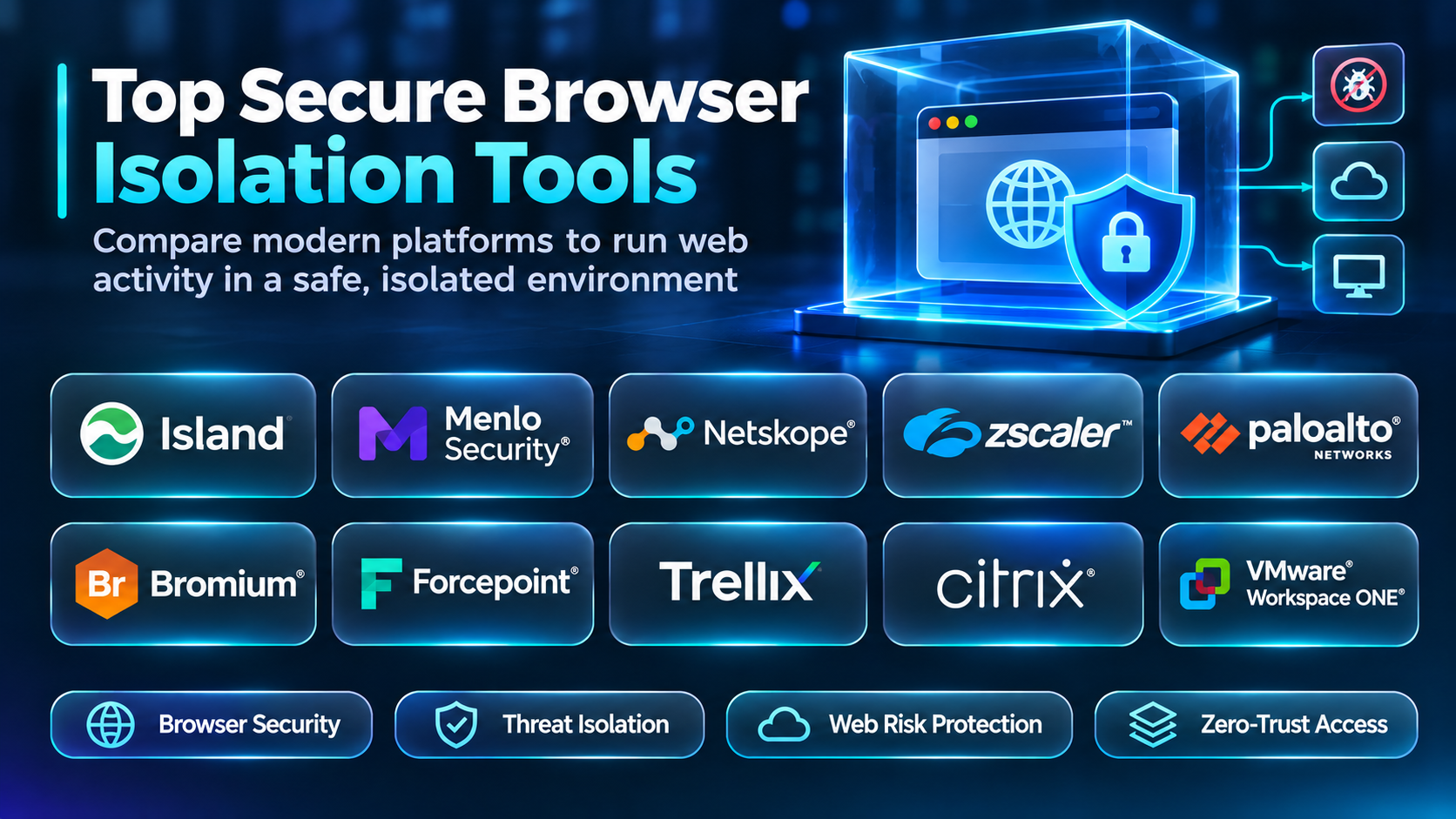
This guide examines ten secure browser isolation tools, their features, benefits, limitations, and practical applications. It also includes comparison tables, software selection recommendations, a seven-step implementation workflow, and frequently asked questions.
What Are Secure Browser Isolation Tools?
Secure browser isolation tools are cybersecurity solutions that separate web browsing activities from a user’s local device or trusted organizational environment. They help reduce exposure to potentially malicious website content by executing or containing that content within a separate environment.
Remote Browser Isolation (RBI) typically processes website content within remote infrastructure and delivers a controlled representation of the browsing session to the user. Other approaches use local isolation or specialized execution environments to separate untrusted activities from sensitive resources.
For example, a financial analyst can open an unfamiliar supplier website through an isolated browser session. The isolation platform processes the website remotely, applies download and information-sharing policies, and delivers an interactive browsing experience without directly executing the original website code on the analyst’s device.
Browser isolation improves security by reducing direct interaction between potentially dangerous web content and trusted endpoints. Centralized administration also helps organizations enforce consistent browsing policies and investigate security-related activity.
Common applications of secure browser isolation tools include:
- Financial Services: Banks isolate employee access to unfamiliar external websites and research resources. Information protection policies help reduce unauthorized movement of sensitive financial data.
- Healthcare: Hospitals protect administrative and clinical workstations against web-based threats. Isolation can support controlled access to external research and supplier websites.
- Government: Public agencies separate internet browsing from sensitive organizational systems. Centralized policies help enforce established information security requirements.
- Education: Universities provide controlled internet access for employees and students. Isolation can reduce exposure to potentially malicious web content during academic research.
- Manufacturing: Manufacturers protect procurement and engineering employees accessing external supplier websites. Download controls help reduce the introduction of suspicious files.
- Retail: Retail organizations protect customer service and administrative teams using external web applications. Centralized policies support consistent browsing security across locations.
- Professional Services: Consulting and legal firms isolate external browsing activities involving unfamiliar websites. Information-sharing controls help protect confidential client records.
- Technology: Software companies isolate selected research and development browsing activities. Security teams can enforce policies governing external websites, downloads, and application access.
Top 10 Secure Browser Isolation Tools in 2026
The following selection includes dedicated remote browser isolation products, integrated cloud security services, and locally isolated browsing solutions. The numbering is organizational rather than an independently measured security performance ranking.
1. Menlo Security
Short Description
Menlo Security provides cloud-based browser security and isolation capabilities designed to reduce exposure to web-based threats. Its platform separates potentially dangerous web content from employee devices through supported isolation mechanisms.
The solution is suitable for enterprises, financial institutions, government agencies, and organizations with distributed workforces. Administrators can apply isolation policies to selected websites, user groups, and browsing activities.
Its technical strength is its isolation-oriented web security architecture, which processes potentially unsafe website content within controlled environments. This approach reduces the need to rely exclusively on identifying malicious content before allowing access.
Menlo Security supports centralized administration and integration with compatible enterprise security infrastructure. Organizations can coordinate browser protection with broader web security and information protection policies.
Key Features
- Remote Browser Isolation: Website content is processed within a separate environment. This reduces direct exposure of employee devices to potentially malicious website code.
- Policy-Based Isolation: Administrators configure which browsing activities require isolation. Policies can reflect website categories, user groups, and organizational security requirements.
- Controlled Content Delivery: The platform delivers a controlled browsing representation to employee devices. This helps preserve interaction while limiting exposure to original web content.
- Download Protection: Supported controls inspect or restrict files transferred from isolated sessions. Administrators can apply different rules according to organizational risk.
- Credential Protection: Available policies can restrict sensitive information entry into selected websites. These controls help reduce exposure to deceptive login pages.
- Data Protection Controls: Administrators can configure supported restrictions on information movement. Policies may govern clipboard operations, uploads, and other browser interactions.
- Centralized Administration: Security teams manage browsing policies through supported administrative interfaces. Centralized management helps maintain consistent protection.
- Security Reporting: Available reports provide visibility into browsing activity and policy enforcement. Security teams can review relevant events and investigate operational issues.
- Enterprise Integration: Supported integrations connect browser protection with existing security infrastructure. Compatibility depends on the organization’s deployment architecture.
Benefits
- Reduces direct exposure to malicious web content.
- Supports centralized browsing security policies.
- Helps protect distributed employee devices.
- Provides configurable information protection.
- Enables controlled access to unfamiliar websites.
- Reduces dependence on static website blocklists.
- Supports enterprise security administration.
Pros
- Isolation-focused security architecture.
- Cloud-managed deployment options.
- Granular browsing policies.
- Configurable download controls.
- Enterprise-oriented management.
- Broad web security capabilities.
Cons
- Commercial subscription costs apply.
- Advanced functionality depends on licensing.
- Network latency can affect browsing performance.
- Application compatibility requires testing.
- Initial policy configuration requires planning.
Use Cases
- Enterprise Internet Access: Isolate employee browsing of potentially risky websites.
- Financial Research: Protect analysts accessing unfamiliar external information sources.
- Government Browsing: Separate selected internet activities from sensitive organizational resources.
- Remote Workforce Security: Apply consistent browsing protection to distributed employees.
- Download Governance: Restrict or inspect files transferred from isolated sessions.
- Credential Protection: Apply supported restrictions to suspicious website interactions.
Best For
- Large enterprises.
- Government agencies.
- Financial institutions.
- Security operations teams.
- Distributed workforce organizations.
- Information protection specialists.
2. Cloudflare Browser Isolation
Short Description
Cloudflare Browser Isolation is a remote browsing security capability within the Cloudflare One ecosystem. It processes website content within remote infrastructure to reduce direct exposure to potentially malicious web code.
The platform is suitable for organizations seeking cloud-managed browsing protection alongside broader network and application security capabilities. Administrators can configure isolation according to supported traffic and identity policies.
Its technical advantage is Cloudflare’s Network Vector Rendering approach, which delivers drawing instructions rather than simply streaming conventional video frames. This architecture aims to balance isolation security with interactive browsing performance.
Cloudflare Browser Isolation integrates with compatible Cloudflare Gateway and Zero Trust services. Centralized administration helps organizations coordinate browsing protection with identity-based access and network security policies.
Key Features
- Remote Website Execution: Website content executes within remote browsing infrastructure. Employee devices receive a controlled representation rather than directly processing the original content.
- Network Vector Rendering: Supported rendering technology transmits drawing instructions for browser presentation. This approach can reduce bandwidth requirements compared with some pixel-streaming methods.
- Gateway Policy Integration: Administrators configure isolation through compatible Cloudflare Gateway policies. This helps coordinate browsing protection with existing web access controls.
- Clientless Access: Supported deployment methods allow selected browsing sessions without dedicated endpoint software. Organizations should evaluate the limitations of each access method.
- Clipboard Controls: Administrators can restrict supported copy-and-paste operations. These policies help manage information movement between isolated sessions and local devices.
- File Transfer Controls: Supported settings govern downloads and uploads within isolated browsing sessions. Restrictions can reduce exposure to suspicious files and unauthorized transfers.
- Identity-Based Policies: Compatible identity integrations support user-specific access decisions. Organizations can apply different browsing controls to different employee groups.
- Cloud Infrastructure: Remote browsing operates through provider-managed infrastructure. This reduces the need to maintain dedicated isolation servers.
- Administrative Logging: Supported logs provide information about relevant browsing and policy activity. Administrators can use these records for monitoring and investigation.
Benefits
- Supports cloud-managed browser isolation.
- Reduces local execution of untrusted web content.
- Helps enforce identity-based browsing policies.
- Provides configurable file transfer restrictions.
- Supports distributed workforce environments.
- Reduces dedicated infrastructure requirements.
- Enables integration with broader Cloudflare security services.
Pros
- Integrated Cloudflare One ecosystem.
- Remote rendering architecture.
- Centralized cloud administration.
- Configurable isolation policies.
- Clientless access options.
- Suitable for distributed organizations.
Cons
- Isolation availability depends on licensing.
- Requires reliable internet connectivity.
- Some web applications may behave differently.
- Advanced configuration requires Cloudflare expertise.
- Performance varies by location and workload.
Use Cases
- Zero Trust Browsing: Apply identity-aware isolation policies to external websites.
- Remote Employee Protection: Secure browsing across distributed workforce locations.
- Contractor Access: Provide controlled browsing for authorized external workers.
- Sensitive Data Protection: Restrict supported clipboard and file transfer activities.
- Risk-Based Isolation: Apply isolation to selected website categories.
- Cloud Security Consolidation: Coordinate browsing protection with compatible Cloudflare services.
Best For
- Cloudflare One customers.
- Cloud-first businesses.
- Network security administrators.
- Remote workforce organizations.
- Zero Trust architects.
- Enterprise security teams.
3. Zscaler Cloud Browser Isolation
Short Description
Zscaler Cloud Browser Isolation is a remote browsing protection capability within Zscaler’s cloud security ecosystem. It helps organizations separate potentially risky website content from employee endpoints.
The solution is suitable for enterprises using cloud-delivered internet security and application access services. Administrators can apply isolation policies according to organizational security requirements.
Its technical strength is integration with compatible Zscaler Internet Access (ZIA) services, which provide cloud-based internet security controls. Isolation can complement existing web filtering and threat protection policies.
Centralized administration supports distributed organizations and enterprise security operations. Available deployment methods, policy controls, and integrations depend on the selected Zscaler services.
Key Features
- Remote Browser Execution: Selected websites are processed within isolated cloud infrastructure. This reduces direct exposure of local devices to potentially dangerous website content.
- Risk-Based Isolation: Administrators configure isolation according to supported risk and access policies. This helps balance protection with ordinary browsing usability.
- Internet Security Integration: Compatible Zscaler Internet Access services coordinate isolation with web security controls. Organizations can manage multiple protection mechanisms through related workflows.
- File Download Controls: Supported policies govern files transferred from isolated browsing sessions. Restrictions help reduce exposure to suspicious downloads.
- Clipboard Restrictions: Administrators can configure supported clipboard operations. These controls help manage movement of sensitive information.
- Identity-Aware Administration: Compatible identity services support user-specific browsing policies. This allows different protection levels for different organizational groups.
- Cloud-Based Infrastructure: Isolation sessions operate through managed cloud infrastructure. Organizations do not need to maintain the underlying remote browser servers.
- Policy Enforcement: Administrators define browsing restrictions according to organizational requirements. Centralized enforcement supports consistent security practices.
- Security Visibility: Available reporting provides information about browsing activity and policy decisions. Security teams can review relevant events during investigations.
Benefits
- Combines isolation with cloud internet security.
- Reduces endpoint exposure to risky websites.
- Supports distributed enterprise workforces.
- Helps enforce configurable browsing restrictions.
- Provides centralized security administration.
- Enables identity-aware protection.
- Supports broader Zero Trust security strategies.
Pros
- Integrated Zscaler security ecosystem.
- Enterprise-oriented cloud infrastructure.
- Risk-based isolation capabilities.
- Configurable information controls.
- Centralized policy management.
- Distributed workforce suitability.
Cons
- Commercial licensing is required.
- Advanced capabilities may require additional subscriptions.
- Configuration requires Zscaler expertise.
- Network conditions influence user experience.
- Specialized web applications require compatibility testing.
Use Cases
- Enterprise Web Security: Isolate selected employee browsing activities.
- Remote Workforce Protection: Apply consistent internet security policies across locations.
- High-Risk Website Access: Provide controlled access to unfamiliar external resources.
- Sensitive Information Protection: Restrict supported information transfer operations.
- Zero Trust Deployment: Coordinate browser isolation with identity-aware security policies.
- Security Administration: Monitor relevant browsing activity through centralized interfaces.
Best For
- Zscaler customers.
- Large enterprises.
- Cloud security architects.
- Network security teams.
- Distributed workforce organizations.
- Regulated businesses.
4. Netskope Remote Browser Isolation
Short Description
Netskope Remote Browser Isolation is a browser security capability within the Netskope cloud security ecosystem. It separates selected website activity from employee endpoints through remote execution.
The platform is suitable for organizations requiring integrated web security, cloud application protection, and information governance. Administrators can configure isolation according to supported user, application, and website policies.
Its technical advantage is integration with Netskope’s Security Service Edge (SSE) capabilities, which combine cloud-delivered security controls for internet and application access. Browser isolation can complement information protection and web security services.
Netskope supports centralized administration across distributed organizational environments. Available isolation, reporting, and integration capabilities depend on licensing and deployment configuration.
Key Features
- Remote Browser Isolation: Selected website content executes within remote infrastructure. This helps prevent direct execution of potentially harmful content on employee devices.
- Risk-Based Web Policies: Administrators apply isolation according to supported website and user conditions. Policies help provide appropriate protection for different browsing activities.
- SSE Integration: Isolation complements compatible cloud-delivered security services. Organizations can coordinate web access and information protection controls.
- Download Restrictions: Supported settings control files transferred from isolated sessions. Administrators can restrict downloads according to security requirements.
- Data Loss Prevention Integration: Compatible Data Loss Prevention (DLP) services help identify sensitive information risks. Available controls depend on deployment and licensing.
- Identity-Based Access: Supported identity integrations provide context for browsing policy decisions. Organizations can apply controls according to employee responsibilities.
- Centralized Policy Management: Administrators manage supported browsing and security rules through centralized interfaces. This reduces fragmented security administration.
- Cloud Security Reporting: Available reports provide visibility into relevant security activity. Administrators can review policy outcomes and investigate incidents.
- Distributed Workforce Support: Cloud-managed isolation supports employees working across multiple locations. Consistent policies can help reduce variations in browsing protection.
Benefits
- Supports integrated cloud security policies.
- Reduces exposure to untrusted web content.
- Helps protect sensitive organizational information.
- Provides configurable browsing restrictions.
- Supports distributed workforce security.
- Enables centralized security administration.
- Complements broader cloud application protection.
Pros
- Integrated SSE ecosystem.
- Information protection capabilities.
- Context-aware security policies.
- Cloud-managed deployment.
- Enterprise administration options.
- Broad security integration opportunities.
Cons
- Licensing can be complex.
- Advanced features may require additional subscriptions.
- Initial deployment requires planning.
- Application compatibility requires validation.
- Network latency can influence browsing performance.
Use Cases
- Cloud Application Security: Coordinate browsing isolation with compatible application protection policies.
- Sensitive Information Governance: Restrict selected information transfers during isolated browsing.
- Enterprise Web Access: Isolate employee access to potentially risky websites.
- Remote Workforce Protection: Apply consistent browsing controls across distributed locations.
- Regulated Industry Security: Support organizational information handling requirements.
- Security Consolidation: Integrate isolation with compatible Netskope security services.
Best For
- Netskope customers.
- Enterprise security teams.
- Information protection specialists.
- Cloud security architects.
- Financial institutions.
- Regulated organizations.
5. Palo Alto Networks Prisma Access Browser Isolation
Short Description
Palo Alto Networks provides remote browser isolation capabilities through compatible Prisma Access services. These capabilities help organizations reduce exposure to potentially dangerous website content.
The solution is suitable for enterprises seeking integrated internet security and controlled browsing within broader cloud-delivered security architectures. Administrators can evaluate isolation policies alongside existing threat prevention and access controls.
Its technical strength is its relationship with Palo Alto Networks’ broader Secure Access Service Edge (SASE) ecosystem. SASE combines networking and cloud-delivered security capabilities to support distributed organizational access.
Prisma Access supports centralized security administration across compatible environments. Isolation availability and supported integrations depend on the selected product configuration and licensing.
Key Features
- Remote Browsing Protection: Selected website content is processed within an isolated environment. This reduces direct exposure to potentially malicious browser content.
- Policy-Based Isolation: Administrators define supported conditions requiring isolated browsing. Policies can reflect organizational security requirements and website risk.
- Prisma Access Integration: Isolation can complement compatible cloud-delivered security services. This helps coordinate browsing protection with broader internet access policies.
- Threat Prevention Integration: Supported security capabilities provide additional protection against known and emerging threats. Available functionality depends on licensing.
- Download Controls: Administrators can configure supported file transfer restrictions. These controls help reduce exposure to suspicious downloaded content.
- Information Protection: Available policies can restrict selected data movement activities. Organizations should evaluate compatibility with their information governance requirements.
- Centralized Administration: Supported management interfaces provide access to security policy configuration. Centralized administration helps maintain consistent controls.
- Security Reporting: Available logs provide information about relevant security and policy activity. Analysts can use these records during investigations.
- Enterprise Scalability: Cloud-delivered security infrastructure supports distributed organizational environments. Capacity and performance depend on the selected service configuration.
Benefits
- Supports integrated enterprise browsing protection.
- Reduces exposure to potentially malicious websites.
- Complements cloud-delivered network security.
- Provides configurable access policies.
- Supports distributed workforce environments.
- Helps enforce information protection requirements.
- Enables centralized security administration.
Pros
- Integrated Palo Alto Networks ecosystem.
- Enterprise-oriented security architecture.
- Configurable isolation policies.
- Cloud-managed infrastructure.
- Broader threat prevention capabilities.
- Suitable for distributed organizations.
Cons
- Commercial licensing is required.
- Advanced features may require additional services.
- Configuration can be technically demanding.
- Existing application compatibility requires testing.
- Smaller organizations may find administration complex.
Use Cases
- Enterprise Internet Security: Isolate selected employee browsing activities.
- SASE Implementation: Coordinate browser protection with cloud-delivered security services.
- Remote Workforce Access: Apply consistent protection across distributed employees.
- High-Risk Website Protection: Provide controlled access to unfamiliar web resources.
- Information Governance: Restrict supported information transfer operations.
- Security Operations: Review browsing-related security events through compatible management services.
Best For
- Palo Alto Networks customers.
- Large enterprises.
- SASE architects.
- Network security engineers.
- Security operations teams.
- Distributed organizations.
6. Forcepoint Remote Browser Isolation
Short Description
Forcepoint Remote Browser Isolation provides browser protection capabilities designed to separate untrusted web content from employee endpoints. It can complement compatible Forcepoint web security and information protection services.
The solution is relevant to organizations requiring controlled internet access and protection against web-based threats. Administrators can configure isolation policies according to supported website and organizational risk conditions.
Its technical advantage is the relationship between browser isolation and Forcepoint’s broader data-centric security ecosystem. Organizations can evaluate isolation alongside information protection and web access controls.
Centralized administration supports enterprise security workflows and distributed employee environments. Available capabilities depend on the selected Forcepoint products and deployment configuration.
Key Features
- Remote Content Execution: Selected websites execute within an isolated environment. This reduces direct interaction between untrusted website code and employee devices.
- Risk-Based Isolation: Supported policies determine which browsing activities require isolation. Organizations can apply different controls according to security requirements.
- Web Security Integration: Compatible Forcepoint services coordinate isolation with internet access policies. This supports broader web security administration.
- Download Management: Supported controls inspect or restrict files transferred from isolated sessions. Administrators can configure handling according to organizational risk.
- Clipboard Restrictions: Available policies govern selected clipboard operations. These restrictions help manage movement of sensitive information.
- Information Protection Integration: Compatible Forcepoint data security capabilities can complement isolation policies. Available functionality depends on licensing.
- Centralized Policy Administration: Administrators configure supported browsing controls through management interfaces. Centralized administration helps maintain consistent protection.
- Security Reporting: Available reports provide visibility into relevant browsing and policy activity. Security teams can investigate operational issues.
- Distributed Workforce Support: Supported deployment arrangements protect employees accessing external web resources from multiple locations. Organizations can coordinate consistent security policies.
Benefits
- Reduces direct exposure to untrusted web content.
- Supports information protection objectives.
- Helps enforce configurable browsing policies.
- Provides controlled external website access.
- Complements broader Forcepoint security services.
- Supports centralized administration.
- Improves visibility into browsing-related risks.
Pros
- Data-centric security ecosystem.
- Configurable isolation policies.
- Enterprise-oriented administration.
- Supported file transfer restrictions.
- Web security integration opportunities.
- Suitable for regulated environments.
Cons
- Commercial licensing is required.
- Product packaging requires verification.
- Advanced integrations may require additional services.
- Browser performance depends on network conditions.
- Initial configuration requires technical planning.
Use Cases
- Sensitive Information Protection: Apply supported restrictions to information transfers during browsing.
- Enterprise Web Security: Isolate access to potentially risky websites.
- Government Internet Access: Support controlled browsing according to organizational policies.
- Financial Services Research: Protect employees accessing unfamiliar external resources.
- Remote Workforce Security: Apply consistent browsing protection across locations.
- Security Policy Integration: Coordinate isolation with compatible Forcepoint web security services.
Best For
- Forcepoint customers.
- Information security teams.
- Financial institutions.
- Government organizations.
- Data protection specialists.
- Regulated enterprises.
7. Broadcom Symantec Web Isolation
Short Description
Symantec Web Isolation is a browser isolation technology associated with Broadcom’s Symantec enterprise security portfolio. It helps organizations reduce exposure to potentially harmful website content through remote isolation.
The solution is suitable for enterprises seeking controlled access to unfamiliar or potentially risky web resources. Administrators can evaluate isolation alongside compatible web security infrastructure.
Its technical strength is integration with supported Symantec web security technologies and policy enforcement mechanisms. This allows organizations to complement conventional website filtering with isolated access.
Symantec Web Isolation supports enterprise-oriented deployment and management arrangements. Organizations should verify current product availability, support status, and licensing before procurement.
Key Features
- Remote Web Isolation: Selected web content executes within a separate environment. This reduces exposure of trusted endpoints to original website code.
- Risk-Based Access Policies: Supported configurations isolate websites according to organizational security rules. This helps provide controlled access instead of relying exclusively on blocking.
- Web Security Integration: Compatible Symantec web security products can coordinate filtering and isolation. Integration depends on the selected deployment.
- Controlled Browser Presentation: Users receive a controlled representation of isolated website activity. This helps maintain access while limiting direct content execution.
- File Transfer Restrictions: Supported policies govern downloads from isolated sessions. Administrators can apply restrictions according to security requirements.
- Credential Protection Controls: Available policies can restrict selected interactions with potentially risky websites. These controls help reduce exposure to deceptive login experiences.
- Enterprise Policy Management: Administrators configure supported browsing security rules through management interfaces. Centralized policies support consistent protection.
- Security Monitoring: Available logs provide information about isolation and policy activity. Administrators can use these records for operational review.
- Infrastructure Integration: Supported deployment options complement compatible enterprise web security environments. Organizations should validate infrastructure requirements.
Benefits
- Reduces direct exposure to malicious web content.
- Supports controlled access to unfamiliar websites.
- Complements existing web security infrastructure.
- Helps enforce consistent browsing policies.
- Provides configurable file transfer controls.
- Supports enterprise security administration.
- Reduces reliance on website blocking alone.
Pros
- Established enterprise security technology.
- Compatible Symantec ecosystem integration.
- Risk-based isolation capabilities.
- Configurable security policies.
- Enterprise-oriented deployment options.
- Controlled browsing functionality.
Cons
- Current commercial availability requires verification.
- Licensing arrangements may be complex.
- Integration requires technical expertise.
- Application compatibility varies.
- Infrastructure requirements depend on deployment.
Use Cases
- Enterprise Web Protection: Isolate selected external browsing activities.
- Existing Symantec Deployments: Complement compatible enterprise web security infrastructure.
- Uncategorized Website Access: Provide controlled access according to organizational policies.
- Financial Research: Protect employees accessing unfamiliar external resources.
- Download Governance: Apply supported restrictions to file transfers.
- Security Monitoring: Review relevant browsing and isolation activity.
Best For
- Existing Symantec enterprise customers.
- Large organizations.
- Web security administrators.
- Financial institutions.
- Network security engineers.
- Organizations evaluating established isolation technology.
8. Ericom Shield
Short Description
Ericom Shield is a remote browser isolation technology developed by Ericom, which became part of Cradlepoint and the broader Ericsson organization. It is designed to separate potentially dangerous website content from employee endpoints.
The solution is relevant to organizations requiring controlled internet browsing and remote execution of untrusted content. Its capabilities have historically supported cloud and privately managed deployment arrangements.
Its technical advantage is its remote isolation architecture, which processes browsing activity separately from trusted user devices. Supported policies can control selected interactions and file transfers.
Ericom Shield can complement broader organizational web security controls. Because product ownership and packaging have evolved, prospective customers should verify current availability, support, and commercial arrangements.
Key Features
- Remote Browser Isolation: Website content executes within a separate browsing environment. This reduces direct exposure of employee endpoints to potentially harmful content.
- Controlled Content Rendering: Isolated browsing activity is presented through a controlled rendering mechanism. Users can interact with supported websites without directly executing their original code locally.
- Policy-Based Browsing: Administrators configure supported conditions requiring isolation. Policies can reflect organizational security requirements.
- File Download Controls: Available capabilities govern files transferred from isolated browsing environments. Restrictions help reduce exposure to suspicious content.
- Clipboard Management: Supported controls restrict selected copy-and-paste operations. These controls help manage information movement.
- Clientless Browsing: Supported configurations provide isolated browsing through compatible standard browsers. This can reduce dedicated endpoint software requirements.
- Deployment Flexibility: Historically available deployment options include cloud and private infrastructure arrangements. Current supported options require confirmation.
- Administrative Reporting: Available management capabilities provide visibility into browsing activity. Administrators can review relevant events and policy outcomes.
- Security Integration: Compatible infrastructure can coordinate isolation with existing web security policies. Integration requirements depend on the supported deployment.
Benefits
- Separates untrusted browsing from employee endpoints.
- Supports controlled external website access.
- Helps reduce exposure to malicious scripts.
- Provides configurable information transfer restrictions.
- Supports browser-based access arrangements.
- Enables centralized policy administration.
- Offers isolation-oriented deployment flexibility.
Pros
- Dedicated browser isolation technology.
- Remote content execution.
- Supported clientless access.
- Configurable file transfer policies.
- Enterprise-oriented administration.
- Historically flexible deployment options.
Cons
- Current product availability requires verification.
- Commercial licensing arrangements may have changed.
- Advanced deployment requires technical expertise.
- Network performance influences user experience.
- Application compatibility requires testing.
Use Cases
- Controlled Internet Browsing: Isolate employee access to unfamiliar websites.
- Government Security: Evaluate isolated browsing for sensitive organizational environments.
- Remote Workforce Protection: Provide controlled external browsing for distributed employees.
- Information Transfer Governance: Restrict supported file and clipboard operations.
- Private Infrastructure Evaluation: Assess supported privately managed isolation options.
- Enterprise Web Security: Complement existing organizational browsing controls.
Best For
- Existing Ericom customers.
- Enterprise security administrators.
- Government organizations.
- Infrastructure engineers.
- Financial institutions.
- Organizations evaluating dedicated isolation technologies.
9. Authentic8 Silo for Research
Short Description
Authentic8 Silo for Research is a cloud-based isolated browsing platform designed for secure online research and investigations. It separates research activity from local devices and provides controlled browsing environments.
The platform is suitable for cybersecurity analysts, investigators, intelligence professionals, and organizations conducting sensitive online research. Its capabilities focus on protecting research environments and managing authorized investigation activities.
Its technical strength is the combination of remote browsing isolation with research-oriented administrative and session controls. Organizations can establish separate browsing environments for approved investigative workflows.
Authentic8 supports centralized management and controlled access to research resources. Available session management, information handling, and reporting capabilities depend on the selected subscription.
Key Features
- Isolated Research Browsing: Research activities execute within remote browsing infrastructure. This reduces direct exposure of local devices to potentially harmful website content.
- Session Separation: Supported controls separate research sessions from ordinary employee browsing. This helps maintain distinct operational environments.
- Research Workspace Management: Administrators organize authorized research activities through supported interfaces. Workspace management helps coordinate investigative responsibilities.
- Download Controls: Available policies govern files transferred from isolated research sessions. These restrictions help protect trusted organizational systems.
- Information Handling: Supported controls manage selected information transfers during research. Organizations can apply policies according to confidentiality requirements.
- Access Management: Administrators configure authorized user access to research environments. Appropriate permissions help protect sensitive investigative resources.
- Session Administration: Supported capabilities provide control over research session behavior. Administrators can configure settings according to approved procedures.
- Operational Reporting: Available reports provide visibility into relevant platform activity. Organizations can use these records to support internal governance.
- Cloud-Managed Infrastructure: Research browsing operates through provider-managed infrastructure. This reduces the need to maintain dedicated remote browser servers.
Benefits
- Supports isolated online research.
- Reduces exposure to potentially malicious research websites.
- Helps separate investigative and ordinary browsing.
- Provides controlled information transfer.
- Supports authorized research workflows.
- Reduces dedicated infrastructure requirements.
- Enables centralized research administration.
Pros
- Research-focused isolation capabilities.
- Cloud-managed browsing infrastructure.
- Controlled session environments.
- Configurable information handling.
- Suitable for sensitive investigations.
- Enterprise administration options.
Cons
- Commercial subscription costs apply.
- Specialized research features may exceed ordinary browsing needs.
- Requires reliable internet connectivity.
- Administrative policies require careful configuration.
- Research governance remains the organization’s responsibility.
Use Cases
- Threat Intelligence Research: Investigate suspicious online resources within authorized isolated environments.
- Fraud Investigation: Review relevant external information without directly exposing local devices to untrusted content.
- Cybersecurity Analysis: Separate approved security research from ordinary corporate browsing.
- Government Research: Support authorized investigative activities within controlled environments.
- Sensitive Online Research: Apply information handling controls to confidential research workflows.
- Research Administration: Manage authorized access and operational records.
Best For
- Threat intelligence analysts.
- Fraud investigators.
- Cybersecurity researchers.
- Government investigation teams.
- Corporate intelligence professionals.
- Security operations specialists.
10. Hysolate
Short Description
Hysolate is an endpoint isolation technology acquired by Perception Point in 2022. Its architecture has focused on separating potentially risky applications and browsing activities within isolated local operating environments.
Unlike conventional cloud-based remote browser isolation, Hysolate has used local virtualization to separate untrusted activity from trusted endpoint resources. This makes it relevant to organizations evaluating alternative isolation architectures.
Its technical strength is the separation of activities through isolated operating environments rather than remote website rendering alone. Supported configurations can restrict movement of information between isolated and trusted workspaces.
Hysolate is included as an architectural alternative rather than a conventional remote browser isolation service. Organizations should verify whether the original standalone product remains commercially available and supported before considering deployment.
Key Features
- Local Workspace Isolation: Potentially risky activities operate within a separate local environment. This helps reduce direct interaction with trusted endpoint resources.
- Virtualization-Based Separation: Supported architectures use virtualization to separate operating environments. This provides an additional boundary between different activity types.
- Application Isolation: Selected applications can operate within controlled environments. Organizations can evaluate isolation beyond conventional website browsing.
- Information Transfer Controls: Supported policies govern movement of information between isolated and trusted workspaces. These controls help protect sensitive organizational data.
- Endpoint Resource Separation: Isolated activities have restricted interaction with selected trusted resources. Appropriate configuration is essential for maintaining separation.
- Workspace Management: Administrators can manage supported isolated workspace configurations. Centralized administration helps maintain consistent deployment policies.
- Controlled External Browsing: Employees can access approved external resources within isolated environments. This reduces direct exposure of trusted workspaces to untrusted content.
- Endpoint Integration: Supported deployments integrate isolation with compatible endpoint infrastructure. Hardware and operating system compatibility require verification.
- Administrative Policies: Organizations can configure supported isolation and access rules. Current functionality depends on available product arrangements.
Benefits
- Separates risky activities from trusted endpoint resources.
- Supports isolation beyond conventional browser sessions.
- Helps manage information movement between workspaces.
- Provides an alternative to cloud-only isolation.
- Supports controlled application execution.
- Enables configurable endpoint security policies.
- Reduces direct interaction with untrusted content.
Pros
- Virtualization-based isolation architecture.
- Local execution approach.
- Application-level separation capabilities.
- Configurable workspace boundaries.
- Information transfer controls.
- Relevant to specialized endpoint security requirements.
Cons
- Current standalone product availability is uncertain.
- Local virtualization requires suitable hardware.
- Endpoint resource consumption can increase.
- Deployment requires specialized administration.
- Compatibility and commercial support require verification.
Use Cases
- Endpoint Workspace Separation: Separate selected external browsing activities from trusted workspaces.
- Sensitive Business Operations: Evaluate isolated environments for employees handling confidential information.
- Application Isolation: Contain selected applications within controlled local environments.
- Local Infrastructure Evaluation: Assess alternatives to cloud-based remote browsing.
- Information Transfer Governance: Restrict movement of information between isolated and trusted environments.
- Specialized Endpoint Security: Evaluate virtualization-based separation within authorized enterprise deployments.
Best For
- Endpoint security architects.
- Enterprise infrastructure engineers.
- Existing Hysolate customers.
- Specialized security teams.
- Organizations evaluating local isolation.
- Businesses with strict workspace separation requirements.
Comparison Table: Top 10 Secure Browser Isolation Tools
| Tool Name | Best For | Platform(s) | Standout Feature | Pricing |
|---|---|---|---|---|
| Menlo Security | Enterprise browser protection | Cloud, supported browsers | Isolation-oriented web security | Paid subscription |
| Cloudflare Browser Isolation | Cloud-first organizations | Cloudflare One, web | Network Vector Rendering | Paid subscription or add-on |
| Zscaler Cloud Browser Isolation | Distributed enterprises | Zscaler cloud services | Integrated internet security | Paid subscription |
| Netskope Remote Browser Isolation | Information protection | Netskope cloud platform | SSE and data security integration | Paid subscription |
| Prisma Access Browser Isolation | Enterprise SASE environments | Prisma Access, cloud | Integrated cloud security | Paid subscription or add-on |
| Forcepoint Remote Browser Isolation | Data-centric security | Supported Forcepoint environments | Information protection integration | Commercial licensing |
| Symantec Web Isolation | Existing enterprise deployments | Supported Symantec environments | Web security integration | Commercial availability requires verification |
| Ericom Shield | Dedicated remote isolation | Historically cloud and private infrastructure | Remote browser execution | Commercial availability requires verification |
| Authentic8 Silo for Research | Secure online investigations | Cloud, supported browsers | Research-oriented isolation | Paid subscription |
| Hysolate | Local workspace isolation | Supported Windows endpoints | Virtualization-based separation | Current availability requires verification |
Note: Pricing, licensing, supported platforms, and available features can change. Check the official vendor websites for current plans, educational access, and regional availability.
Which Secure Browser Isolation Tool Is Right for You?
Browser isolation requirements differ according to organizational security objectives, application compatibility, network infrastructure, and employee responsibilities. Some organizations need broad protection for everyday internet browsing, while others require specialized research or endpoint isolation environments.
Selection should consider browsing performance, deployment architecture, information protection controls, administrative complexity, and current commercial availability. Organizations should also determine whether remote execution or local virtualization better addresses their security requirements.
For Beginners: Cloudflare Browser Isolation and Menlo Security
Cloudflare Browser Isolation provides cloud-managed protection within the Cloudflare One ecosystem. Organizations already using compatible Cloudflare services may find integration relatively straightforward.
Menlo Security provides isolation-oriented browser protection designed for organizational web security requirements. Its centralized administration can support businesses seeking dedicated browsing protection.
Choose Cloudflare if you prefer integrated cloud security administration. Choose Menlo Security if dedicated browser isolation capabilities are your primary requirement.
For Large Enterprises: Zscaler and Netskope
Zscaler provides browser isolation within a broader cloud internet security ecosystem. Its capabilities are relevant to enterprises managing distributed employees and centralized web access policies.
Netskope combines isolation with compatible cloud application security and information protection services. This can suit enterprises requiring coordinated data governance and browsing controls.
Choose Zscaler if integrated internet security is your main priority. Choose Netskope if information protection and cloud application security are equally important.
For SASE Environments: Prisma Access and Zscaler
Prisma Access provides compatible browser isolation capabilities within Palo Alto Networks’ broader cloud security architecture. Existing customers can evaluate isolation alongside established network security policies.
Zscaler provides cloud-delivered internet security and supported isolation capabilities. Its architecture is relevant to organizations implementing distributed security services.
Choose Prisma Access if your organization already uses compatible Palo Alto Networks infrastructure. Choose Zscaler if its cloud internet security architecture better matches your deployment requirements.
For Information Protection: Netskope and Forcepoint
Netskope provides compatible information protection and browser isolation capabilities within its cloud security ecosystem. Organizations can evaluate browsing policies alongside broader cloud data governance.
Forcepoint offers data-centric security technologies that can complement supported isolation services. This makes it relevant to organizations with established Forcepoint information protection infrastructure.
Choose Netskope if cloud application and information protection integration is important. Choose Forcepoint if its existing data security ecosystem aligns with your requirements.
For Financial Institutions: Menlo Security and Netskope
Menlo Security provides isolation-oriented browsing protection relevant to employees accessing unfamiliar financial and research websites. Configurable policies can help manage risky external interactions.
Netskope provides integrated cloud security and information protection capabilities. Financial organizations can evaluate supported controls for sensitive information movement.
Choose Menlo Security if dedicated browsing isolation is your main priority. Choose Netskope if integrated information governance is more important.
For Existing Enterprise Security Infrastructure: Symantec Web Isolation and Ericom Shield
Symantec Web Isolation has historically complemented compatible Symantec enterprise web security environments. Existing customers should verify current support and product availability before planning upgrades.
Ericom Shield provides dedicated remote browser isolation technology with historically flexible deployment arrangements. Its current commercial status should also be confirmed.
Choose Symantec Web Isolation if a supported existing Symantec deployment makes integration practical. Choose Ericom Shield if its currently supported isolation architecture better matches your infrastructure requirements.
For Security Research: Authentic8 Silo and Menlo Security
Authentic8 Silo for Research provides isolated browsing environments specifically designed for authorized research and investigative activities. Its specialized controls can suit security analysts and investigators.
Menlo Security provides broader organizational browsing protection. It may be more appropriate when the requirement involves everyday employee internet access rather than specialized research.
Choose Authentic8 Silo if controlled research environments are your main requirement. Choose Menlo Security if enterprise-wide browsing protection is the priority.
For Local Endpoint Isolation: Hysolate and Cloudflare Browser Isolation
Hysolate represents a virtualization-based approach to separating risky endpoint activities from trusted workspaces. Current availability and hardware compatibility must be confirmed before procurement.
Cloudflare Browser Isolation provides remote execution through managed cloud infrastructure. This can reduce local computing requirements associated with virtualization-based isolation.
Choose Hysolate only if a supported offering is available and local workspace separation is essential. Choose Cloudflare if cloud-managed remote browser isolation better suits your infrastructure.
Best Secure Browser Isolation Tools for Different Users
| User Type | Recommended Software | Why? |
|---|---|---|
| Enterprise security administrator | Menlo Security | Dedicated browser protection |
| Cloud security engineer | Cloudflare Browser Isolation | Integrated cloud security |
| Distributed workforce manager | Zscaler | Cloud-delivered internet security |
| Information protection specialist | Netskope | Integrated data security |
| SASE architect | Prisma Access | Compatible enterprise security integration |
| Data governance administrator | Forcepoint | Data-centric security ecosystem |
| Existing Symantec administrator | Symantec Web Isolation | Potential existing infrastructure compatibility |
| Dedicated isolation engineer | Ericom Shield | Remote isolation architecture, subject to availability |
| Threat intelligence researcher | Authentic8 Silo | Specialized isolated research |
| Endpoint virtualization engineer | Hysolate | Local workspace separation, subject to availability |
Practical Example: Protecting a Financial Organization With Browser Isolation
Consider a financial services organization employing 800 people across customer support, financial analysis, administration, and technology departments. Employees regularly access external research websites, supplier portals, and cloud applications.
The organization wants to reduce exposure to malicious website content while maintaining access to legitimate business resources. Menlo Security, Cloudflare Browser Isolation, and Netskope Remote Browser Isolation are potential options depending on existing infrastructure and information protection requirements.
The security team establishes a controlled deployment process that prioritizes application compatibility, employee experience, and measurable protection improvements. Implementation includes infrastructure assessment, policy design, pilot testing, and ongoing operational monitoring.
Step 1: Assess Browsing Risks and Business Requirements
Document employee browsing patterns, critical web applications, existing security infrastructure, and information protection requirements. Identify departments that frequently access unfamiliar external websites or handle confidential information.
Review historical web security incidents and establish baseline measurements for browsing performance and security administration. These measurements help evaluate whether isolation improves protection without introducing unacceptable operational disruption.
Assessment checklist:
- Critical business websites.
- Employee browsing requirements.
- Existing web security services.
- Sensitive information categories.
- Network bandwidth and latency.
- Supported browsers and operating systems.
- Regulatory and privacy requirements.
Step 2: Select an Appropriate Isolation Architecture
Compare cloud-managed remote isolation with supported private or local isolation alternatives. Evaluate the organization’s infrastructure, network performance, application compatibility, and administrative resources.
Confirm whether the selected platform supports identity integration, information transfer restrictions, and required browser functionality. Review current licensing, service availability, and vendor support arrangements.
Step 3: Configure Identity and Administrative Access
Integrate the selected platform with compatible organizational identity services. Configure Single Sign-On (SSO), which allows employees to access supported services using an established identity system.
Enable Multi-Factor Authentication (MFA), which requires multiple verification factors, for administrative accounts. Apply role-based permissions so administrators receive only the access necessary for their responsibilities.
Configuration checks should include:
- Employee identity synchronization.
- Administrative role assignments.
- Authentication requirements.
- Approved user groups.
- Session access policies.
- Administrative audit records.
Step 4: Establish Browser Isolation Policies
Define which website categories, employee groups, and browsing activities require isolation. Apply more restrictive controls where employees handle confidential information or access unfamiliar external resources.
Configure supported file download, upload, clipboard, and printing policies according to organizational requirements. Ensure legitimate business activities remain possible through approved procedures.
Example policy categories include:
- Trusted business applications.
- Unfamiliar external websites.
- Approved research activities.
- Restricted file downloads.
- Sensitive information transfers.
- Administrative exceptions.
- Security event reporting.
Step 5: Conduct a Controlled Pilot
Select a representative group of employees from finance, customer support, administration, and IT. Include participants who use complex web applications and frequently exchange legitimate business documents.
Test website rendering, authentication, application functionality, approved downloads, and information transfer restrictions. Record browsing delays, compatibility problems, and employee feedback before expanding deployment.
Pilot acceptance criteria:
- Successful access to approved applications.
- Correct isolation policy enforcement.
- Acceptable browsing performance.
- Functional authentication workflows.
- Appropriate file transfer restrictions.
- Accurate administrative reporting.
- Accessible employee support procedures.
Step 6: Expand Browser Isolation Deployment
Extend validated policies across additional approved employee groups. Use a phased rollout to identify unexpected compatibility or performance issues before organization-wide enforcement.
Communicate browsing changes, approved file transfer procedures, and support contact information to employees. Monitor isolation activity and maintain documented rollback procedures for critical business applications.
Operational outputs may include:
- Browser isolation activity reports.
- Policy enforcement records.
- Application compatibility assessments.
- Employee support summaries.
- Security event records.
- Performance monitoring reports.
Step 7: Monitor and Optimize Protection
Compare post-deployment measurements with the original baseline. Evaluate security events, application compatibility, browsing performance, information transfer restrictions, and administrative workload.
Review policy exceptions and administrative permissions periodically. Update isolation policies as business applications, employee responsibilities, and organizational security requirements change.
This workflow transforms browser isolation into a controlled and measurable enterprise security capability. Continuous monitoring helps maintain effective protection while preserving access to legitimate business resources.
Frequently Asked Questions (FAQs)
1. What are secure browser isolation tools?
Secure browser isolation tools separate potentially risky web browsing activities from trusted devices or organizational environments. They help reduce exposure to malicious website code and other web-based threats.
These tools may use remote execution, controlled rendering, or local virtualization. Their capabilities and security boundaries depend on the selected architecture and configuration.
2. Which secure browser isolation tool is best for beginners?
Cloudflare Browser Isolation is a practical option for organizations already using compatible Cloudflare security services. Its cloud-managed architecture reduces the need to maintain dedicated isolation infrastructure.
Menlo Security is another relevant option for organizations seeking dedicated browsing protection. The appropriate choice depends on budget, existing infrastructure, and administrative expertise.
3. Are free or open-source browser isolation tools available?
Open-source projects such as Kasm Workspaces Community Edition and browser container technologies can provide isolated browsing environments for evaluation and selected workloads. However, these approaches may not provide the same security architecture, information protection controls, or commercial support as enterprise browser isolation platforms.
Organizations should evaluate isolation boundaries, software maintenance, access management, and licensing restrictions. Free software does not eliminate infrastructure or administrative costs.
4. How does browser isolation differ from traditional browser security?
Traditional browser security uses mechanisms such as website filtering, malware detection, browser updates, and security extensions. These controls attempt to prevent or identify unsafe browsing activities.
Browser isolation separates selected website execution from trusted resources. This reduces reliance on identifying every malicious website before allowing access.
5. Which browser isolation tools are suitable for enterprise security?
Menlo Security, Zscaler, Netskope, and compatible Prisma Access services provide capabilities relevant to enterprise browsing protection. Their suitability depends on organizational infrastructure and existing security investments.
Enterprises should evaluate application compatibility, information protection controls, performance, and administrative scalability. Controlled pilots help determine whether the selected platform meets operational requirements.
6. Which browser isolation tools are suitable for financial institutions?
Menlo Security and Netskope provide capabilities relevant to organizations handling sensitive financial information. Zscaler and Prisma Access may also suit financial institutions using compatible enterprise security infrastructure.
Financial organizations should evaluate information transfer restrictions, audit requirements, privacy controls, and application compatibility. Browser isolation complements rather than replaces established financial security procedures.
7. Can browser isolation integrate with existing security infrastructure?
Many commercial browser isolation platforms integrate with compatible web gateways, identity providers, and cloud security services. Available integration methods depend on the selected platform and licensing.
Organizations should verify authentication workflows, traffic routing, policy enforcement, and security logging. Integration testing is particularly important for complex enterprise environments.
8. What is the difference between RBI, SWG, SSE, and SASE?
Remote Browser Isolation (RBI) separates website execution from local devices through remote browsing infrastructure. A Secure Web Gateway (SWG) filters and inspects internet traffic according to organizational security policies.
Security Service Edge (SSE) combines cloud-delivered security services, while Secure Access Service Edge (SASE) combines networking and cloud security capabilities. Browser isolation may operate as one component within these broader architectures.
9. How does remote browser isolation work?
Remote browser isolation processes selected website content within separate infrastructure rather than directly executing the original content on the user’s endpoint. The platform delivers a controlled representation of the browsing session to the user.
Rendering methods vary across products and may include pixel streaming, drawing instructions, or other controlled content delivery techniques. Security effectiveness depends on implementation, policy configuration, and the isolation boundary.
10. What is the difference between remote and local browser isolation?
Remote browser isolation executes browsing activity within infrastructure separate from the user’s device. This can reduce local computing requirements and direct exposure to original website code.
Local isolation uses virtualization, containers, or other separation mechanisms on the endpoint itself. It may provide different performance and infrastructure characteristics but requires appropriate local resource management.
11. Which browser isolation tools are suitable for security researchers?
Authentic8 Silo for Research is specifically designed for controlled online research and investigative workflows. Its isolated environments can help separate approved research activities from ordinary corporate browsing.
Menlo Security may also suit organizations requiring broader browsing protection for security employees. Specialized research teams should evaluate information handling, session administration, and authorized investigation requirements.
12. Can browser isolation be used across different industries?
Browser isolation is applicable to financial services, healthcare, government, education, manufacturing, retail, and technology organizations. Any workplace that accesses external websites can evaluate isolation as part of its cybersecurity strategy.
Industry-specific requirements influence information protection, access policies, and deployment architecture. Organizations should configure isolation according to operational and regulatory obligations.
13. What are the system requirements for browser isolation tools?
Cloud-based browser isolation generally requires supported browsers, reliable internet connectivity, and compatible authentication arrangements. Network latency and bandwidth can influence browsing responsiveness.
Local virtualization-based isolation requires suitable processor capabilities, memory, storage, and operating system compatibility. Exact requirements depend on the selected product and deployment configuration.
14. How should organizations choose a browser isolation platform?
Begin by documenting browsing risks, business-critical applications, existing infrastructure, and information protection requirements. Shortlist currently supported platforms that match the organization’s preferred deployment architecture.
Conduct a controlled pilot to evaluate application compatibility, browsing performance, policy enforcement, and administrative workload. Review licensing, vendor support, privacy requirements, and total operating costs before procurement.
15. What is the difference between browser isolation and enterprise browsers?
Browser isolation primarily separates potentially risky website execution from trusted resources. Its objective is to reduce direct exposure to untrusted content through a separate execution environment.
Enterprise browsers provide managed browsing experiences with organizational security, access, and information protection controls. Some enterprise browsers integrate isolation capabilities, but a managed browser does not necessarily provide remote execution.
16. Which browser isolation tools are suitable for production-scale deployments?
Menlo Security, Cloudflare Browser Isolation, Zscaler, Netskope, and compatible Prisma Access services provide capabilities relevant to production-scale organizational deployments. Their suitability depends on service availability, licensing, and infrastructure compatibility.
Organizations should validate concurrent session capacity, network performance, application compatibility, and support arrangements. Availability planning and continuous monitoring remain essential for business-critical browsing environments.
Final Thoughts
Secure browser isolation tools help organizations reduce exposure to malicious web content while maintaining access to legitimate online resources. Effective implementation combines appropriate isolation architecture, configurable security policies, information protection, and continuous operational monitoring.
Menlo Security provides dedicated browsing protection, Cloudflare Browser Isolation offers integrated cloud security, and Zscaler supports enterprise internet security. Netskope combines isolation with compatible cloud application and information protection services.
Prisma Access provides isolation within a broader enterprise security ecosystem, while Forcepoint emphasizes complementary data-centric security capabilities. Symantec Web Isolation remains relevant to evaluations involving compatible existing infrastructure, subject to current support and availability.
Ericom Shield represents dedicated remote isolation technology, Authentic8 Silo provides specialized research environments, and Hysolate represents local virtualization-based separation. Organizations should verify current commercial availability before evaluating older or acquired product offerings.
Before selecting a browser isolation platform, assess security requirements, application compatibility, network performance, administrative expertise, and budget. Use available trials or controlled pilot deployments to validate security controls and employee experience before making a long-term commitment.
