Introduction
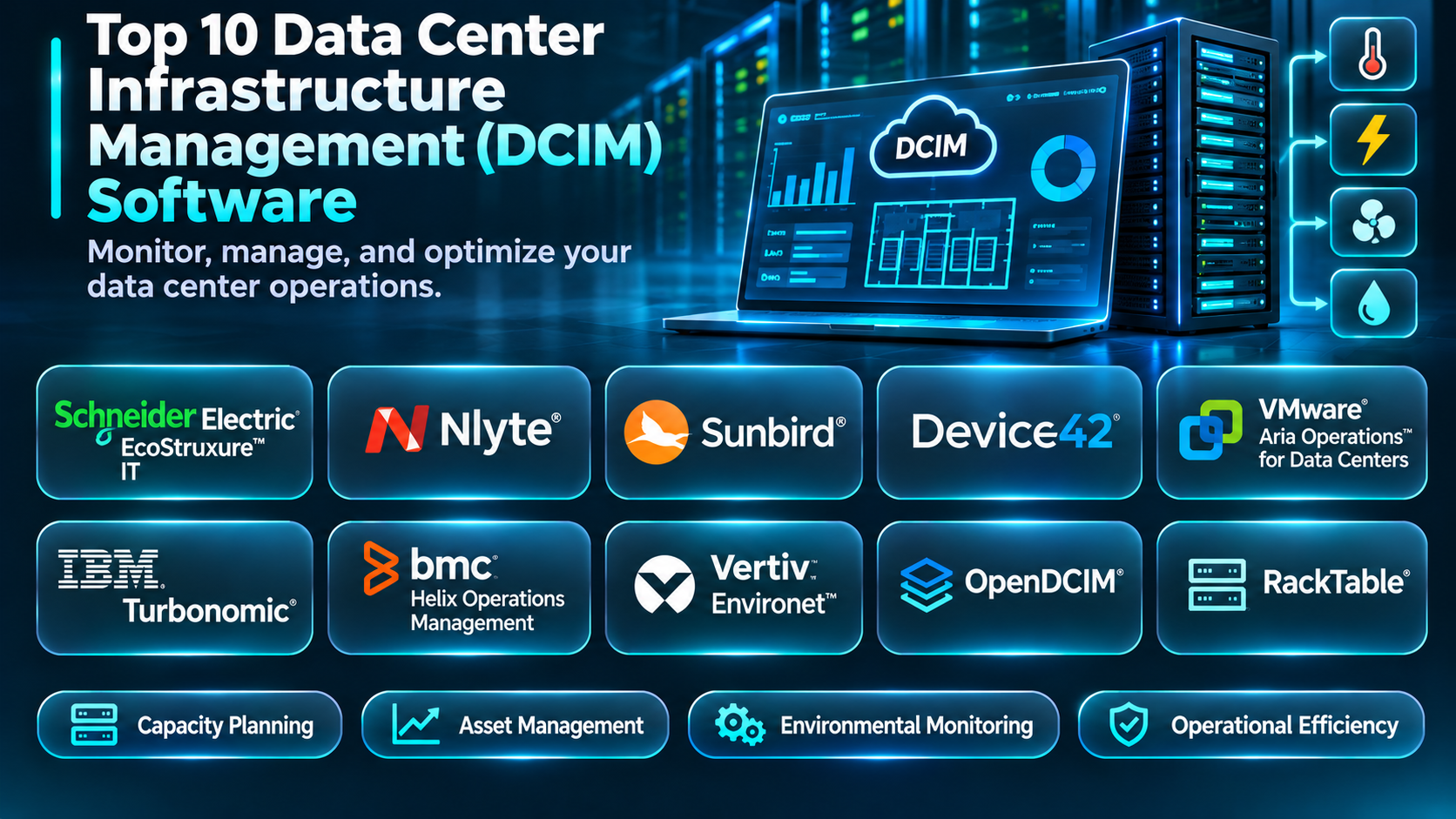
Data Center Infrastructure Management (DCIM) software helps organizations monitor, manage, and optimize the physical infrastructure supporting modern computing environments. In 2026, these platforms are particularly relevant to enterprises operating cloud infrastructure, colocation facilities, edge computing environments, and high-density computing systems.
Traditional data center management frequently relies on spreadsheets, manual equipment inventories, disconnected monitoring applications, and periodic infrastructure inspections. These methods can create inaccurate asset records, inefficient capacity allocation, excessive energy consumption, and operational difficulties.
Modern DCIM platforms combine infrastructure monitoring, asset lifecycle management, environmental monitoring, capacity planning, energy analytics, and centralized reporting. Advanced solutions also support automated equipment discovery, three-dimensional visualization, predictive analytics, and integration with enterprise management systems.
Selecting the appropriate DCIM software requires understanding infrastructure complexity, operational requirements, energy efficiency objectives, and organizational resources. An effective platform should provide accurate infrastructure visibility while supporting reliable operational decisions.
Budget, deployment architecture, equipment compatibility, facility size, and technical expertise influence software selection. A small enterprise server room may require straightforward equipment monitoring, whereas a hyperscale data center may need sophisticated capacity forecasting and infrastructure automation.
This guide examines ten DCIM software solutions, including their features, benefits, advantages, limitations, and practical applications. It also provides comparison tables, selection recommendations, a practical implementation workflow, and frequently asked questions.
What Is Data Center Infrastructure Management Software?
Data Center Infrastructure Management software provides centralized visibility and management capabilities for the physical infrastructure supporting data center operations. It helps organizations monitor computing equipment, electrical distribution systems, cooling infrastructure, environmental conditions, and available facility capacity.
DCIM platforms collect information from compatible sensors, intelligent equipment, management interfaces, and infrastructure databases. Administrators use this information to evaluate equipment performance, identify operational risks, and plan infrastructure changes.
For example, a data center administrator planning to install additional Artificial Intelligence (AI) computing servers must evaluate available rack space, electrical capacity, cooling requirements, and network connectivity. DCIM software helps determine whether existing infrastructure can accommodate the additional equipment safely.
DCIM software also supports energy efficiency and operational planning through centralized reporting and infrastructure analytics. Accurate asset records and monitoring information help organizations reduce unnecessary resource consumption and improve infrastructure utilization.
Common applications of DCIM software include:
- Enterprise Data Centers: Organizations monitor physical computing infrastructure and available resources. Centralized visibility supports maintenance planning and infrastructure expansion.
- Cloud Computing Facilities: Cloud providers evaluate power, cooling, and equipment capacity across large computing environments. Capacity analytics support infrastructure growth and resource allocation.
- Colocation Facilities: Service providers manage customer equipment, rack allocations, and electrical capacity. Infrastructure reporting supports customer service agreements and operational transparency.
- Financial Services: Financial institutions monitor infrastructure supporting critical banking and transaction processing applications. Environmental monitoring helps identify conditions that could affect service availability.
- Healthcare: Hospitals manage infrastructure supporting clinical applications, medical records, and administrative systems. Centralized monitoring helps identify equipment and environmental risks.
- Telecommunications: Telecommunications providers monitor distributed computing and network facilities. Remote infrastructure visibility reduces dependence on frequent physical inspections.
- High-Performance Computing: Research institutions manage infrastructure supporting computationally intensive workloads. Power and cooling analytics help accommodate high-density computing equipment.
- Edge Computing: Organizations monitor smaller distributed computing facilities located closer to users and operational systems. Centralized management supports consistent infrastructure oversight across geographically separated locations.
Top 10 Data Center Infrastructure Management Software in 2026
The following selection includes commercial enterprise DCIM suites, infrastructure monitoring platforms, and open-source asset management software. The numbering is intended for comparison rather than an independently tested performance ranking.
1. Schneider Electric EcoStruxure IT
Short Description
EcoStruxure IT is a data center infrastructure management portfolio developed by Schneider Electric. It provides monitoring, infrastructure management, and analytical capabilities for compatible critical computing environments.
The platform is suitable for enterprise data centers, colocation facilities, distributed infrastructure operators, and edge computing environments. Administrators can monitor compatible electrical equipment, cooling systems, and environmental sensors.
Its technical strength is the integration of physical infrastructure monitoring with Schneider Electric’s power and cooling management ecosystem. Available portfolio components support different monitoring, planning, and management requirements.
EcoStruxure IT includes cloud-based and other supported management arrangements depending on the selected product. Organizations should evaluate individual components according to infrastructure compatibility and operational objectives.
Key Features
- Infrastructure Monitoring: Compatible equipment provides operational measurements through supported communication interfaces. Administrators can monitor electrical systems, cooling equipment, and environmental conditions.
- Remote Monitoring: Supported cloud services provide visibility into geographically distributed infrastructure. Administrators can review equipment conditions without visiting every facility.
- Asset Management: Applicable portfolio components maintain information about physical infrastructure assets. Centralized records support maintenance and lifecycle planning.
- Energy Analytics: Available analytical capabilities summarize infrastructure energy consumption. Organizations can evaluate resource utilization and efficiency improvement opportunities.
- Capacity Planning: Supported management components help evaluate available rack, power, and cooling capacity. Administrators can assess proposed infrastructure changes.
- Environmental Monitoring: Compatible sensors provide temperature, humidity, and other environmental measurements. Monitoring helps identify conditions that may affect equipment reliability.
- Alarm Management: Configurable notifications alert administrators to supported equipment events. Escalation workflows help coordinate operational responses.
- Infrastructure Visualization: Applicable components provide visual representations of equipment and facility arrangements. These views support infrastructure planning and operational communication.
- Equipment Integration: Supported communication protocols connect compatible third-party infrastructure devices. Integration capabilities depend on equipment and selected software components.
Benefits
- Improves physical infrastructure visibility.
- Supports centralized equipment monitoring.
- Helps identify environmental risks.
- Enables infrastructure capacity planning.
- Supports energy efficiency analysis.
- Reduces manual monitoring activities.
- Improves maintenance coordination.
Pros
- Established critical infrastructure ecosystem.
- Broad power and cooling management relevance.
- Supported distributed infrastructure monitoring.
- Enterprise deployment capabilities.
- Configurable operational notifications.
- Multiple portfolio components.
Cons
- Commercial licensing costs apply.
- Product portfolio selection can be complex.
- Advanced planning may require separate components.
- Equipment compatibility requires verification.
- Implementation requires infrastructure expertise.
Use Cases
- Enterprise Infrastructure Monitoring: Monitor compatible power and cooling equipment across data center facilities.
- Edge Facility Management: Review operational conditions across distributed computing locations.
- Energy Optimization: Evaluate infrastructure consumption and efficiency opportunities.
- Capacity Assessment: Determine whether existing facilities can accommodate additional equipment.
- Environmental Protection: Identify temperature and humidity conditions requiring attention.
- Maintenance Coordination: Use equipment information to support planned maintenance activities.
Best For
- Large enterprises.
- Schneider Electric customers.
- Colocation providers.
- Critical infrastructure engineers.
- Edge computing operators.
- Data center facility managers.
2. Sunbird DCIM
Short Description
Sunbird DCIM is a data center management software portfolio developed by Sunbird Software. Its principal products include dcTrack for operations management and Power IQ for infrastructure monitoring.
The platform is suitable for enterprise data centers, colocation facilities, financial institutions, and organizations operating complex physical computing environments. Administrators can manage infrastructure assets, equipment relationships, and available facility resources.
Its technical strength is the combination of detailed infrastructure documentation, capacity planning, and power monitoring. Organizations can evaluate physical resource availability before implementing infrastructure changes.
Sunbird provides centralized management interfaces and supported integrations with compatible enterprise systems. Its modular product structure allows organizations to evaluate operational management and monitoring capabilities according to their requirements.
Key Features
- Asset Inventory: dcTrack maintains detailed records of physical infrastructure assets. Administrators can document equipment locations, specifications, and relationships.
- Rack Visualization: Visual rack representations show equipment placement and available rack space. These views help administrators evaluate installation requirements.
- Power Monitoring: Power IQ collects measurements from compatible intelligent electrical equipment. Administrators can review consumption and electrical capacity.
- Capacity Planning: Supported analytical capabilities evaluate available space, power, cooling, and connectivity resources. Planning helps identify infrastructure constraints.
- Connectivity Management: Administrators document physical network and electrical connections. Accurate connectivity records support troubleshooting and equipment changes.
- Environmental Monitoring: Compatible sensors provide temperature and humidity measurements. Administrators can identify environmental conditions requiring investigation.
- Change Management: Supported workflows document proposed infrastructure modifications. Teams can coordinate approvals, implementation activities, and asset updates.
- Infrastructure Reporting: Available reports summarize asset information and operational measurements. Reports support capacity reviews and management decisions.
- System Integration: Supported Application Programming Interfaces (APIs) enable integration with compatible external systems. Organizations can automate selected information exchange workflows.
Benefits
- Improves infrastructure asset accuracy.
- Supports detailed capacity planning.
- Enables centralized power monitoring.
- Simplifies equipment installation planning.
- Improves connectivity documentation.
- Supports coordinated infrastructure changes.
- Reduces dependence on spreadsheets.
Pros
- Dedicated DCIM functionality.
- Detailed rack and asset visualization.
- Comprehensive capacity management.
- Supported power monitoring.
- Configurable reporting capabilities.
- Enterprise integration options.
Cons
- Commercial licensing costs apply.
- Accurate initial inventory requires effort.
- Monitoring depends on compatible equipment.
- Advanced configuration requires training.
- Multiple products may be necessary.
Use Cases
- Data Center Asset Management: Maintain accurate records of physical infrastructure equipment.
- Rack Capacity Planning: Identify suitable installation locations for additional servers.
- Power Utilization Analysis: Evaluate electrical consumption across compatible equipment.
- Connectivity Documentation: Maintain records of network and power connections.
- Infrastructure Change Management: Coordinate equipment installation, relocation, and removal.
- Colocation Operations: Document customer equipment allocations and available resources.
Best For
- Enterprise data centers.
- Colocation providers.
- Infrastructure capacity planners.
- Data center operations teams.
- Financial institutions.
- Physical asset administrators.
3. Nlyte DCIM
Short Description
Nlyte DCIM is an enterprise data center infrastructure management solution associated with Nlyte Software, a Carrier company. It provides infrastructure asset management, operational planning, and supported monitoring capabilities.
The platform is suitable for large enterprises, government agencies, colocation providers, and organizations managing extensive physical computing infrastructure. Administrators can coordinate asset records and infrastructure lifecycle activities.
Its technical advantage is the combination of physical infrastructure management with structured operational workflows. Supported integrations help organizations coordinate infrastructure information with broader enterprise management processes.
Nlyte offers capabilities for infrastructure visualization, capacity analysis, and asset lifecycle management. Organizations should evaluate the relevant product modules and deployment arrangements before implementation.
Key Features
- Infrastructure Asset Management: Administrators maintain centralized records of data center equipment. These records support inventory accuracy and lifecycle management.
- Capacity Analysis: Available tools evaluate rack space, electrical resources, and other infrastructure constraints. Administrators can assess proposed equipment deployments.
- Infrastructure Visualization: Supported graphical views represent equipment locations and facility arrangements. Visualization helps communicate infrastructure relationships.
- Lifecycle Management: Asset records document equipment installation, relocation, maintenance, and retirement activities. Structured information supports long-term infrastructure planning.
- Workflow Automation: Configurable workflows coordinate selected infrastructure management activities. Teams can establish consistent approval and implementation processes.
- Energy Monitoring: Applicable components collect measurements from compatible infrastructure equipment. Administrators can evaluate operational consumption and efficiency.
- Connectivity Documentation: Supported records describe physical network and electrical relationships. Accurate documentation helps reduce troubleshooting difficulties.
- Enterprise Integration: Compatible integrations exchange information with enterprise management systems. Organizations can coordinate physical infrastructure and information technology records.
- Operational Reporting: Available reports summarize asset information and infrastructure capacity. Management teams can evaluate operational performance and resource availability.
Benefits
- Improves infrastructure lifecycle visibility.
- Supports enterprise asset management.
- Enables structured operational workflows.
- Helps evaluate available capacity.
- Reduces manual infrastructure documentation.
- Supports enterprise system integration.
- Improves equipment change coordination.
Pros
- Enterprise-oriented DCIM functionality.
- Detailed asset lifecycle management.
- Configurable operational workflows.
- Infrastructure visualization capabilities.
- Supported enterprise integrations.
- Capacity management functionality.
Cons
- Commercial implementation costs can be substantial.
- Initial configuration requires planning.
- Accurate inventory data is essential.
- Advanced functionality may require separate modules.
- Smaller facilities may not need its full capabilities.
Use Cases
- Enterprise Asset Governance: Maintain centralized infrastructure asset records.
- Equipment Lifecycle Management: Coordinate installation, maintenance, relocation, and retirement.
- Data Center Consolidation: Evaluate physical infrastructure during facility consolidation projects.
- Capacity Forecasting: Identify infrastructure constraints before equipment expansion.
- Operational Workflow Management: Standardize infrastructure change processes.
- Enterprise Integration: Coordinate physical asset information with compatible management systems.
Best For
- Large enterprises.
- Government data centers.
- Infrastructure governance teams.
- Asset lifecycle managers.
- Colocation operators.
- Enterprise architects.
4. Vertiv Environet Alert
Short Description
Vertiv Environet Alert is a critical infrastructure monitoring software solution developed by Vertiv. It provides centralized visibility into compatible power, cooling, environmental, and other infrastructure equipment.
The platform is suitable for enterprise server rooms, edge computing facilities, data centers, and organizations managing distributed critical infrastructure. Administrators can monitor operational measurements and respond to configured equipment alerts.
Its technical strength is infrastructure monitoring across compatible devices using supported communication protocols. It is primarily a monitoring-oriented solution rather than a complete replacement for every enterprise DCIM planning function.
Vertiv Environet Alert provides centralized management and configurable infrastructure views. Organizations can evaluate its compatibility with existing equipment and additional management requirements.
Key Features
- Equipment Monitoring: Supported devices provide operational measurements through compatible interfaces. Administrators can monitor critical infrastructure conditions centrally.
- Power Infrastructure Visibility: Compatible electrical equipment provides information about operational status and consumption. Monitoring helps identify electrical infrastructure concerns.
- Cooling System Monitoring: Supported cooling equipment provides relevant operational measurements. Administrators can review conditions affecting thermal management.
- Environmental Monitoring: Compatible sensors provide temperature, humidity, and other environmental information. Configurable thresholds help identify unusual conditions.
- Alarm Notifications: Supported notification mechanisms alert administrators to configured equipment events. Teams can respond according to operational procedures.
- Custom Dashboards: Administrators configure views of selected infrastructure measurements. These interfaces help prioritize operationally important information.
- Historical Trends: Available historical measurements support analysis of infrastructure conditions over time. Administrators can identify recurring operational patterns.
- Protocol Support: Compatible communication protocols connect supported infrastructure equipment. Organizations should verify device-specific integration requirements.
- Centralized Visibility: Administrators monitor multiple compatible infrastructure environments through centralized interfaces. This reduces dependence on separate equipment management consoles.
Benefits
- Improves critical infrastructure monitoring.
- Helps identify environmental risks.
- Supports centralized equipment visibility.
- Enables configurable operational notifications.
- Reduces repetitive physical inspections.
- Provides historical infrastructure measurements.
- Supports distributed facility management.
Pros
- Focused critical infrastructure monitoring.
- Compatible Vertiv equipment integration.
- Supported third-party device connectivity.
- Configurable monitoring dashboards.
- Environmental monitoring capabilities.
- Relevant to distributed infrastructure.
Cons
- Commercial licensing costs apply.
- Not a complete enterprise asset planning suite.
- Monitoring depends on compatible equipment.
- Advanced capacity planning may require another platform.
- Initial sensor and threshold configuration requires expertise.
Use Cases
- Server Room Monitoring: Track operational conditions across compatible critical equipment.
- Power Infrastructure Oversight: Monitor electrical equipment status and relevant measurements.
- Cooling System Management: Review cooling performance and environmental conditions.
- Edge Infrastructure Monitoring: Maintain visibility across distributed computing facilities.
- Alarm Coordination: Notify operational personnel about configured equipment events.
- Historical Analysis: Review infrastructure measurements to identify recurring operational issues.
Best For
- Vertiv customers.
- Critical infrastructure administrators.
- Edge computing operators.
- Server room managers.
- Facility monitoring teams.
- Organizations prioritizing infrastructure monitoring.
5. Device42
Short Description
Device42 is an infrastructure discovery and asset management platform associated with Freshworks. It provides capabilities for documenting information technology assets, infrastructure dependencies, and physical data center resources.
The platform is suitable for enterprise IT teams, infrastructure administrators, managed service providers, and organizations maintaining complex technology environments. Administrators can combine discovered infrastructure information with physical asset documentation.
Its technical advantage is automated infrastructure discovery and dependency mapping alongside data center asset management. These capabilities help organizations understand relationships between physical equipment, virtual resources, and business applications.
Device42 supports integrations with compatible enterprise service management and automation systems. Organizations should evaluate current packaging and monitoring capabilities against their physical infrastructure requirements.
Key Features
- Automated Asset Discovery: Supported discovery mechanisms identify compatible infrastructure resources. Discovered information helps reduce manual inventory maintenance.
- Physical Asset Management: Administrators document servers, network equipment, racks, and other infrastructure assets. Centralized records support operational planning.
- Rack Visualization: Available rack views represent equipment placement and physical capacity. Administrators can evaluate proposed equipment installations.
- Dependency Mapping: Supported discovery capabilities identify relationships between infrastructure components and applications. These relationships support impact assessment.
- IP Address Management: Internet Protocol (IP) address records help administrators document network resource allocation. Centralized information supports infrastructure governance.
- Connectivity Documentation: Administrators maintain supported physical and logical connection records. Documentation helps improve troubleshooting and change planning.
- Power Information: Supported configurations document and monitor selected electrical infrastructure information. Organizations should verify equipment compatibility and available functionality.
- Lifecycle Tracking: Asset records support equipment lifecycle documentation. Administrators can maintain information about installation, maintenance, and retirement.
- Enterprise Integration: Supported APIs and integrations connect compatible external systems. Organizations can coordinate asset information across operational workflows.
Benefits
- Reduces manual asset discovery activities.
- Improves infrastructure inventory accuracy.
- Supports physical and logical dependency mapping.
- Helps document equipment locations.
- Enables infrastructure impact assessments.
- Supports enterprise service management integration.
- Improves asset lifecycle visibility.
Pros
- Automated infrastructure discovery.
- Detailed asset documentation.
- Physical and virtual infrastructure visibility.
- Supported dependency mapping.
- Enterprise integration capabilities.
- Configurable infrastructure records.
Cons
- Commercial licensing costs apply.
- Discovery requires appropriate network permissions.
- Complex environments require configuration.
- Specialized cooling analytics may require another platform.
- Physical inventory accuracy still requires validation.
Use Cases
- Infrastructure Discovery: Identify supported computing and network resources automatically.
- Data Center Documentation: Maintain records of equipment locations and rack arrangements.
- Application Dependency Analysis: Understand infrastructure relationships affecting business applications.
- Migration Planning: Evaluate equipment and application dependencies before infrastructure migration.
- Asset Lifecycle Governance: Maintain equipment records throughout operational lifecycles.
- Service Management Integration: Coordinate infrastructure information with compatible enterprise systems.
Best For
- Enterprise IT teams.
- Infrastructure discovery specialists.
- Asset management administrators.
- Data center migration teams.
- Managed service providers.
- Enterprise service management professionals.
6. FNT Command Platform
Short Description
FNT Command Platform is an infrastructure management solution developed by FNT Software. It provides capabilities for documenting and managing data center, information technology, and telecommunications infrastructure.
The platform is suitable for enterprises, telecommunications providers, colocation operators, and organizations managing complex physical and logical infrastructure relationships. Administrators can maintain centralized information about equipment, connectivity, and available resources.
Its technical strength is comprehensive infrastructure modeling and connectivity documentation. Organizations can evaluate relationships between physical facilities, network resources, and technology services.
FNT Command supports modular infrastructure management capabilities and integration with compatible enterprise systems. Implementation can be tailored to organizational infrastructure complexity and operational requirements.
Key Features
- Infrastructure Documentation: Administrators maintain centralized records of physical and logical infrastructure. These records support consistent operational information.
- Data Center Asset Management: Supported modules document servers, racks, electrical equipment, and other physical assets. Administrators can maintain equipment specifications and locations.
- Connectivity Management: Detailed records describe physical and logical network connections. Accurate documentation supports troubleshooting and infrastructure planning.
- Capacity Management: Available capabilities evaluate infrastructure resource availability. Administrators can identify constraints affecting proposed equipment deployments.
- Infrastructure Visualization: Supported graphical views represent equipment and connectivity relationships. Visualization helps communicate complex infrastructure arrangements.
- Cable Management: Administrators document supported cabling infrastructure and connection paths. Detailed records help coordinate installation and maintenance activities.
- Service Relationship Modeling: Available models associate infrastructure resources with supported technology services. These relationships support operational impact assessments.
- Change Planning: Administrators document proposed infrastructure modifications. Structured planning helps coordinate implementation activities.
- System Integration: Supported interfaces connect compatible enterprise management systems. Organizations can exchange selected infrastructure information across operational platforms.
Benefits
- Improves infrastructure documentation accuracy.
- Supports complex connectivity management.
- Enables centralized asset information.
- Helps evaluate infrastructure capacity.
- Improves physical and logical resource visibility.
- Supports coordinated infrastructure changes.
- Reduces fragmented operational records.
Pros
- Comprehensive infrastructure modeling.
- Detailed connectivity documentation.
- Telecommunications and data center relevance.
- Modular management capabilities.
- Supported enterprise integrations.
- Infrastructure visualization functionality.
Cons
- Commercial licensing costs apply.
- Implementation can require substantial planning.
- Detailed infrastructure modeling requires expertise.
- Initial data collection may be time-consuming.
- Smaller organizations may find functionality excessive.
Use Cases
- Complex Data Center Documentation: Maintain detailed physical infrastructure records.
- Telecommunications Infrastructure Management: Document network equipment and connectivity relationships.
- Cable Infrastructure Planning: Coordinate physical network connection changes.
- Capacity Assessment: Evaluate available resources before infrastructure expansion.
- Service Impact Analysis: Identify infrastructure relationships affecting supported services.
- Enterprise Infrastructure Governance: Maintain consistent information across operational departments.
Best For
- Telecommunications providers.
- Large enterprises.
- Network infrastructure architects.
- Colocation facilities.
- Connectivity management teams.
- Complex infrastructure operators.
7. Hyperview DCIM
Short Description
Hyperview is a cloud-based data center infrastructure management platform developed by Hyperview. It provides centralized infrastructure monitoring, asset management, and capacity planning capabilities.
The platform is suitable for enterprise data centers, colocation facilities, managed infrastructure providers, and distributed computing environments. Administrators can manage infrastructure information through supported cloud-based interfaces.
Its technical advantage is its Software as a Service (SaaS) architecture combined with infrastructure monitoring and asset documentation. This approach reduces the need to maintain dedicated DCIM application servers.
Hyperview supports compatible infrastructure devices, discovery mechanisms, and external system integrations. Organizations can evaluate its deployment model according to connectivity, security, and information governance requirements.
Key Features
- Cloud-Based Management: Administrative interfaces provide centralized infrastructure visibility. Organizations can reduce dedicated application hosting requirements.
- Asset Discovery: Supported discovery mechanisms identify compatible infrastructure equipment. Automated discovery helps maintain asset records.
- Infrastructure Inventory: Administrators document equipment specifications, locations, and relationships. Centralized records support operational planning.
- Power Monitoring: Compatible devices provide electrical measurements and operational information. Administrators can evaluate power utilization.
- Environmental Monitoring: Supported sensors provide temperature and humidity measurements. Monitoring helps identify environmental risks.
- Capacity Planning: Available analytical capabilities evaluate infrastructure resource availability. Administrators can assess proposed equipment deployments.
- Rack Visualization: Graphical views represent equipment placement and available rack space. These views support installation planning.
- Alert Management: Configurable notifications identify supported infrastructure events. Administrators can coordinate responses according to operational procedures.
- API Integration: Supported interfaces enable information exchange with compatible external systems. Organizations can automate selected infrastructure management workflows.
Benefits
- Reduces dedicated application infrastructure requirements.
- Improves centralized asset visibility.
- Supports automated equipment discovery.
- Enables infrastructure capacity assessment.
- Provides compatible environmental monitoring.
- Supports distributed data center operations.
- Simplifies infrastructure reporting.
Pros
- Cloud-native deployment model.
- Centralized infrastructure management.
- Supported equipment discovery.
- Rack visualization capabilities.
- Configurable operational alerts.
- API integration options.
Cons
- Commercial subscription costs apply.
- Cloud connectivity is important.
- Device compatibility requires verification.
- Data residency requirements need evaluation.
- Advanced customization depends on available functionality.
Use Cases
- Cloud-Managed DCIM: Establish centralized infrastructure management without dedicated application servers.
- Distributed Facility Monitoring: Review equipment conditions across multiple locations.
- Asset Inventory Management: Maintain centralized physical equipment records.
- Power Capacity Assessment: Evaluate available electrical resources.
- Environmental Risk Monitoring: Identify conditions requiring operational attention.
- Infrastructure Reporting: Provide management teams with relevant operational information.
Best For
- Cloud-first enterprises.
- Distributed data center operators.
- Colocation providers.
- Infrastructure monitoring teams.
- Managed infrastructure providers.
- Organizations seeking SaaS-based DCIM.
8. EkkoSense
Short Description
EkkoSense provides data center thermal optimization and infrastructure analytics software. Its solutions help organizations evaluate cooling performance, environmental conditions, and opportunities to improve energy efficiency.
The platform is suitable for enterprise data centers, colocation facilities, and organizations operating energy-intensive computing environments. Administrators can evaluate thermal conditions using supported sensor measurements and analytical models.
Its technical strength is the application of detailed thermal monitoring and analytics to data center cooling optimization. It is particularly relevant where cooling efficiency and environmental visibility are primary operational objectives.
EkkoSense provides infrastructure visualization and analytical capabilities supporting operational decision-making. Organizations requiring comprehensive asset lifecycle management may need to integrate it with additional DCIM software.
Key Features
- Thermal Monitoring: Compatible sensors provide detailed environmental measurements. Administrators can evaluate temperature conditions across monitored infrastructure.
- Cooling Analytics: Analytical capabilities assess cooling performance and operational patterns. Organizations can identify potential efficiency improvement opportunities.
- Three-Dimensional Visualization: Supported visual models represent data center thermal conditions. These views help administrators understand environmental distribution.
- Energy Optimization Analysis: Available analytics evaluate cooling-related energy consumption and performance. Organizations can assess potential operational adjustments.
- Thermal Risk Identification: Monitoring information helps identify areas experiencing unfavorable temperature conditions. Administrators can investigate potential infrastructure risks.
- Capacity Insights: Supported analysis evaluates selected thermal and infrastructure constraints. These insights help inform equipment deployment decisions.
- Historical Analytics: Historical measurements reveal changes in thermal performance over time. Administrators can evaluate the effects of operational adjustments.
- Operational Recommendations: Available analytical outputs support cooling optimization decisions. Facility engineers should validate proposed changes against equipment requirements.
- Reporting: Management reports summarize relevant thermal and efficiency measurements. These reports support operational reviews and sustainability initiatives.
Benefits
- Improves thermal infrastructure visibility.
- Supports cooling efficiency analysis.
- Helps identify potential equipment hotspots.
- Enables informed environmental adjustments.
- Provides detailed operational analytics.
- Supports energy efficiency initiatives.
- Improves thermal capacity planning.
Pros
- Specialized cooling optimization capabilities.
- Detailed thermal visualization.
- Data-driven environmental analysis.
- Relevant to high-density computing.
- Supports efficiency improvement initiatives.
- Complements broader DCIM platforms.
Cons
- Not a complete asset lifecycle management suite.
- Commercial licensing costs apply.
- Accurate sensor deployment is necessary.
- Optimization requires engineering validation.
- Additional integrations may be required.
Use Cases
- Cooling Optimization: Evaluate cooling performance across monitored data center environments.
- Thermal Risk Assessment: Identify areas experiencing unfavorable temperature conditions.
- Energy Efficiency Projects: Assess opportunities to reduce cooling-related consumption.
- High-Density Computing: Evaluate environmental constraints associated with demanding computing workloads.
- Infrastructure Expansion: Assess thermal capacity before installing additional equipment.
- Sustainability Reporting: Provide relevant cooling efficiency measurements for operational reviews.
Best For
- Data center facility engineers.
- Cooling infrastructure specialists.
- Colocation operators.
- High-density computing facilities.
- Sustainability teams.
- Organizations prioritizing thermal optimization.
9. NetBox
Short Description
NetBox is an open-source infrastructure resource modeling and documentation platform originally developed at DigitalOcean. It combines DCIM-related physical infrastructure documentation with IP Address Management (IPAM).
The platform is suitable for network engineers, data center administrators, infrastructure automation teams, and organizations seeking an authoritative infrastructure inventory. Administrators can document equipment, racks, network connections, and address allocations.
Its technical advantage is its structured infrastructure data model and programmable interfaces. Organizations can use accurate infrastructure records as a source of truth for compatible automation workflows.
NetBox supports self-hosted deployment and has a commercial ecosystem offering additional services. It is primarily an infrastructure documentation and modeling platform rather than a native real-time power and cooling monitoring suite.
Key Features
- Device Inventory: Administrators maintain structured records of infrastructure devices. Records include supported equipment characteristics and relationships.
- Rack Management: Rack records document equipment placement and available physical space. Administrators can evaluate proposed installation arrangements.
- IP Address Management: NetBox maintains structured records of network addresses and address allocations. Centralized information supports network governance.
- Cable Documentation: Administrators document supported physical connections between infrastructure components. Accurate records help improve troubleshooting and installation planning.
- Site Management: Organizations model physical locations and infrastructure environments. Structured site records support distributed infrastructure documentation.
- Power Connectivity Modeling: Supported data models document electrical connections and associated infrastructure. This functionality provides documentation rather than native live electrical monitoring.
- Programmable Interfaces: APIs support authorized infrastructure data access and modification. Automation teams can integrate NetBox with compatible workflows.
- Plugin Ecosystem: Supported plugins extend selected platform capabilities. Administrators should evaluate plugin compatibility and maintenance requirements.
- Custom Fields: Organizations extend supported infrastructure records with additional information. Customization helps accommodate specialized documentation requirements.
Benefits
- Provides open-source infrastructure documentation.
- Improves network inventory accuracy.
- Supports infrastructure automation.
- Enables centralized equipment records.
- Improves physical connectivity documentation.
- Reduces fragmented infrastructure spreadsheets.
- Supports customizable resource modeling.
Pros
- Free open-source core software.
- Structured infrastructure data model.
- Comprehensive network documentation.
- Programmable interfaces.
- Extensible plugin ecosystem.
- Strong automation relevance.
Cons
- Requires technical administration when self-hosted.
- Does not provide native comprehensive environmental monitoring.
- Inventory accuracy depends on data maintenance.
- Advanced workflows require integration.
- Commercial hosting and support may incur costs.
Use Cases
- Data Center Documentation: Maintain structured records of physical infrastructure.
- Network Inventory Management: Document network devices and address allocations.
- Infrastructure Automation: Provide authoritative data for compatible automation workflows.
- Rack Planning: Evaluate physical equipment placement and available space.
- Cable Documentation: Maintain accurate records of physical network connections.
- Infrastructure Governance: Establish consistent resource documentation across multiple sites.
Best For
- Network engineers.
- Open-source infrastructure teams.
- Data center administrators.
- Infrastructure automation engineers.
- Technical organizations.
- Budget-conscious IT departments.
10. openDCIM
Short Description
openDCIM is an open-source data center infrastructure management application maintained by its development community. It provides capabilities for documenting physical infrastructure assets, equipment locations, electrical relationships, and facility resources.
The software is suitable for small data centers, enterprise server rooms, educational institutions, and technically capable organizations seeking locally managed DCIM functionality. Administrators can maintain centralized infrastructure records without proprietary software licensing.
Its technical strength is its focused approach to physical data center documentation and resource management. Supported integrations and monitoring arrangements depend on the software version and compatible infrastructure equipment.
openDCIM provides a web-based administrative interface and requires suitable self-hosted infrastructure. Organizations should evaluate project maintenance, security updates, and technical support arrangements before production deployment.
Key Features
- Asset Inventory: Administrators maintain records of physical infrastructure equipment. Centralized documentation supports equipment tracking and operational planning.
- Cabinet Management: Supported cabinet records document equipment placement and physical capacity. Administrators can evaluate available installation space.
- Power Documentation: Electrical infrastructure records describe supported power distribution relationships. Documentation helps administrators understand equipment dependencies.
- Capacity Management: Available reports summarize selected infrastructure resource utilization. Organizations can identify potential physical capacity constraints.
- Connectivity Records: Supported records document physical network and equipment connections. Accurate documentation helps coordinate infrastructure changes.
- Equipment Templates: Administrators define reusable equipment information. Templates help improve consistency across asset records.
- Infrastructure Visualization: Available graphical views represent selected equipment and facility arrangements. These views support operational communication.
- Supported Equipment Monitoring: Compatible configurations can collect selected equipment measurements through supported protocols. Monitoring capabilities require version-specific and device-specific validation.
- Web Administration: Browser-based interfaces provide access to infrastructure records and configuration settings. Administrators can manage common documentation activities centrally.
Benefits
- Provides open-source DCIM functionality.
- Reduces proprietary software licensing expenses.
- Supports centralized equipment documentation.
- Helps evaluate physical resource availability.
- Improves cabinet and connectivity records.
- Enables locally managed infrastructure information.
- Supports customizable operational documentation.
Pros
- Free open-source software.
- Focused physical infrastructure management.
- Self-hosted deployment control.
- Equipment template functionality.
- Browser-based administration.
- Suitable for technically capable smaller facilities.
Cons
- Requires technical administration.
- Infrastructure maintenance remains necessary.
- Advanced analytics are limited compared with commercial suites.
- Community support may not meet enterprise service requirements.
- Current project maintenance and compatibility require verification.
Use Cases
- Small Data Center Inventory: Maintain records of physical infrastructure equipment.
- Server Room Documentation: Track cabinet arrangements and equipment locations.
- Electrical Infrastructure Documentation: Record supported power distribution relationships.
- Equipment Installation Planning: Evaluate available physical resources.
- Educational Infrastructure Management: Document computing facilities in academic institutions.
- Open-Source DCIM Deployment: Establish locally managed infrastructure documentation.
Best For
- Small data centers.
- Educational institutions.
- Open-source administrators.
- Server room managers.
- Budget-conscious organizations.
- Self-hosted infrastructure teams.
Comparison Table: Top 10 Data Center Infrastructure Management Software
| Tool Name | Best For | Platform(s) | Standout Feature | Pricing |
|---|---|---|---|---|
| EcoStruxure IT | Enterprise critical infrastructure | Cloud and supported deployment options | Integrated power and cooling ecosystem | Commercial licensing |
| Sunbird DCIM | Comprehensive data center operations | Supported enterprise deployments | Detailed asset and capacity management | Commercial licensing |
| Nlyte DCIM | Enterprise lifecycle governance | Supported enterprise deployments | Infrastructure lifecycle workflows | Commercial licensing |
| Vertiv Environet Alert | Critical equipment monitoring | Supported monitoring deployments | Centralized infrastructure alerts | Commercial licensing |
| Device42 | Infrastructure discovery | Supported enterprise deployments | Automated discovery and dependency mapping | Commercial licensing |
| FNT Command Platform | Complex infrastructure documentation | Supported enterprise deployments | Physical and logical connectivity modeling | Commercial licensing |
| Hyperview DCIM | Cloud-managed infrastructure | SaaS, supported collectors | Cloud-native DCIM management | Paid subscription |
| EkkoSense | Thermal and cooling optimization | Supported analytics deployments | Detailed thermal analytics | Commercial licensing |
| NetBox | Infrastructure documentation and automation | Linux, containers, managed hosting options | Structured infrastructure source of truth | Open-source core and paid services |
| openDCIM | Small self-hosted facilities | Compatible web server environments | Open-source physical asset management | Free and open-source |
Note: Pricing, licensing, supported platforms, and available features can change. Check the official vendor websites for current plans, educational access, and regional availability.
Which DCIM Software Is Right for You?
Different data center environments require different combinations of physical asset management, environmental monitoring, capacity planning, infrastructure automation, and energy analytics. A small server room may require straightforward equipment documentation, whereas a large colocation facility may need comprehensive operational management.
Selection should consider facility size, infrastructure complexity, equipment compatibility, integration requirements, technical resources, and total operating costs. Organizations should distinguish between comprehensive DCIM suites and specialized infrastructure monitoring or documentation solutions.
For Beginners: openDCIM and Hyperview
openDCIM provides locally managed physical infrastructure documentation for technically capable administrators. Its open-source model can suit organizations with limited software licensing budgets.
Hyperview provides cloud-managed infrastructure administration and supported monitoring capabilities. Its SaaS architecture reduces dedicated application hosting requirements.
Choose openDCIM if local control and open-source licensing are important. Choose Hyperview if managed cloud infrastructure administration is your priority.
For Large Enterprises: EcoStruxure IT and Nlyte DCIM
EcoStruxure IT provides infrastructure management capabilities associated with power, cooling, and critical equipment monitoring. Its portfolio can suit enterprises requiring multiple infrastructure management functions.
Nlyte DCIM provides enterprise asset lifecycle management and structured operational workflows. Its capabilities are relevant to organizations coordinating infrastructure governance across complex environments.
Choose EcoStruxure IT if critical infrastructure monitoring is a primary objective. Choose Nlyte if asset lifecycle governance and structured workflows are more important.
For Colocation Providers: Sunbird DCIM and Hyperview
Sunbird DCIM provides detailed infrastructure asset management, capacity planning, and supported power monitoring. These capabilities help operators evaluate customer equipment allocations and available resources.
Hyperview provides cloud-managed infrastructure visibility across distributed facilities. Its deployment model can suit operators seeking centralized SaaS administration.
Choose Sunbird if comprehensive capacity and asset management are priorities. Choose Hyperview if cloud-managed operational simplicity is more important.
For Energy Efficiency: EkkoSense and EcoStruxure IT
EkkoSense specializes in thermal analytics and cooling optimization. Its capabilities help facility engineers evaluate environmental conditions and potential efficiency improvements.
EcoStruxure IT provides broader infrastructure monitoring and supported energy analytics. Organizations can evaluate electrical and cooling infrastructure within a wider management ecosystem.
Choose EkkoSense if detailed thermal optimization is essential. Choose EcoStruxure IT if integrated critical infrastructure monitoring is your main requirement.
For Infrastructure Discovery: Device42 and NetBox
Device42 provides automated discovery and dependency mapping across supported technology environments. These capabilities help organizations understand infrastructure relationships and maintain inventory information.
NetBox provides structured infrastructure documentation and programmable interfaces. Automation teams can maintain authoritative records through compatible integrations.
Choose Device42 if automated discovery and dependency analysis are important. Choose NetBox if infrastructure modeling and automation-oriented documentation are priorities.
For Telecommunications: FNT Command and NetBox
FNT Command provides comprehensive physical and logical infrastructure modeling. Its connectivity documentation capabilities are relevant to complex telecommunications environments.
NetBox provides structured network inventory, cabling documentation, and address management. Its open-source architecture supports customizable infrastructure workflows.
Choose FNT Command if complex enterprise connectivity modeling is essential. Choose NetBox if programmable infrastructure documentation better matches your requirements.
For Edge Computing: Vertiv Environet Alert and EcoStruxure IT
Vertiv Environet Alert provides centralized monitoring of compatible critical infrastructure equipment. Its capabilities can help operators maintain visibility across distributed computing facilities.
EcoStruxure IT provides supported remote monitoring and infrastructure management capabilities. Organizations can evaluate different portfolio components according to distributed facility requirements.
Choose Vertiv Environet Alert if focused equipment monitoring is your priority. Choose EcoStruxure IT if broader infrastructure management capabilities are required.
For Open-Source Environments: NetBox and openDCIM
NetBox provides structured infrastructure modeling, network documentation, and programmable interfaces. Its capabilities are particularly relevant to infrastructure automation teams.
openDCIM focuses on physical data center asset documentation and facility resource management. It can suit smaller organizations maintaining locally hosted infrastructure records.
Choose NetBox if network documentation and automation are essential. Choose openDCIM if traditional physical data center documentation is your main objective.
Best DCIM Software for Different Users
| User Type | Recommended Software | Why? |
|---|---|---|
| Enterprise facility manager | EcoStruxure IT | Integrated critical infrastructure management |
| Data center operations engineer | Sunbird DCIM | Detailed asset and capacity management |
| Infrastructure governance manager | Nlyte DCIM | Structured asset lifecycle workflows |
| Edge infrastructure administrator | Vertiv Environet Alert | Centralized equipment monitoring |
| Enterprise IT asset administrator | Device42 | Automated discovery and dependency mapping |
| Telecommunications architect | FNT Command | Complex connectivity documentation |
| Cloud-first infrastructure manager | Hyperview | SaaS-based infrastructure management |
| Cooling optimization engineer | EkkoSense | Specialized thermal analytics |
| Network automation engineer | NetBox | Programmable infrastructure source of truth |
| Small server room administrator | openDCIM | Open-source physical infrastructure documentation |
Practical Example: Implementing DCIM Software Across an Enterprise Data Center
Consider a technology company operating two data centers containing 250 equipment racks, multiple electrical distribution systems, and dedicated cooling infrastructure. The organization plans to introduce additional high-density computing equipment while improving operational visibility and energy efficiency.
The infrastructure team currently maintains equipment inventories through spreadsheets and monitors critical systems through separate equipment management interfaces. Sunbird DCIM, EcoStruxure IT, and EkkoSense are potential solutions for comprehensive asset management, critical infrastructure monitoring, and specialized thermal optimization respectively.
The organization establishes a phased implementation workflow to improve inventory accuracy, monitor physical resources, evaluate available capacity, and support reliable infrastructure expansion. Implementation prioritizes operational continuity, data quality, equipment compatibility, and engineering validation.
Step 1: Assess Existing Data Center Infrastructure
Document facility layouts, rack arrangements, computing equipment, electrical distribution systems, cooling equipment, and environmental sensors. Identify existing management interfaces and infrastructure information sources.
Review historical equipment incidents, energy consumption records, maintenance activities, and capacity constraints. Establish baseline measurements that can be compared with post-implementation operational performance.
Assessment checklist:
- Data center floor plans.
- Rack and cabinet inventories.
- Electrical distribution infrastructure.
- Cooling system specifications.
- Environmental sensor locations.
- Network connectivity records.
- Existing infrastructure management systems.
- Planned equipment expansion requirements.
Step 2: Select and Prepare the DCIM Platform
Compare shortlisted solutions according to asset management capabilities, monitoring compatibility, capacity analytics, deployment requirements, and total operating costs. Determine whether specialized thermal analytics or additional infrastructure integrations are necessary.
Establish administrative responsibilities and configure appropriate access controls. Enable Multi-Factor Authentication (MFA), which requires multiple verification factors, where supported.
Define infrastructure naming conventions, equipment classification standards, and data ownership responsibilities. Consistent documentation practices help maintain reliable infrastructure records.
Step 3: Build and Validate the Infrastructure Inventory
Import existing equipment records into the selected DCIM platform using supported mechanisms. Standardize equipment names, model information, physical locations, and asset identifiers.
Conduct physical verification of representative infrastructure records to identify discrepancies. Correct inaccurate equipment locations, duplicate records, and missing infrastructure relationships.
Inventory validation checklist:
- Unique asset identifiers.
- Accurate equipment specifications.
- Correct rack and cabinet locations.
- Verified electrical connections.
- Documented network connections.
- Appropriate equipment ownership.
- Current lifecycle status.
Step 4: Integrate Power, Cooling, and Environmental Monitoring
Connect compatible infrastructure equipment using supported communication interfaces. These may include Simple Network Management Protocol (SNMP), Modbus, or vendor-specific APIs, depending on equipment compatibility.
Configure appropriate monitoring permissions and network segmentation to protect critical infrastructure management interfaces. Validate collected measurements against trusted equipment readings.
Monitoring requirements:
- Electrical consumption measurements.
- Power distribution equipment status.
- Cooling equipment operating conditions.
- Temperature measurements.
- Humidity measurements.
- Equipment alarm conditions.
- Historical operational trends.
Step 5: Configure Capacity Planning and Operational Alerts
Establish infrastructure capacity records for rack space, electrical distribution, cooling availability, and connectivity resources. Validate these records against facility engineering specifications and approved operating limits.
Configure operational alerts according to equipment requirements and organizational response procedures. Avoid relying on generic thresholds that may not reflect actual infrastructure conditions.
Capacity planning checks:
- Available rack units.
- Electrical circuit capacity.
- Redundant power availability.
- Cooling capacity.
- Network port availability.
- Equipment weight limitations.
- Approved operating margins.
Step 6: Conduct Pilot Testing and Expand Deployment
Select a representative infrastructure area for controlled pilot testing. Validate equipment records, monitoring accuracy, alert delivery, and capacity calculations.
Expand the deployment gradually after resolving identified discrepancies and operational problems. Train infrastructure personnel to maintain asset records, review monitoring information, and follow documented change procedures.
Expected operational outputs:
- Validated infrastructure inventory.
- Rack utilization reports.
- Power consumption reports.
- Environmental monitoring dashboards.
- Capacity assessment records.
- Infrastructure change documentation.
- Equipment alert procedures.
Step 7: Monitor and Optimize Infrastructure Performance
Compare post-deployment measurements with the original operational baseline. Evaluate inventory accuracy, monitoring coverage, equipment utilization, energy consumption, and infrastructure planning efficiency.
Review Power Usage Effectiveness (PUE), which measures total data center energy consumption relative to information technology equipment energy consumption. Use consistent measurement boundaries and reporting periods when evaluating changes.
Periodically update infrastructure records, review operational thresholds, and validate capacity forecasts. Facility engineers should assess proposed electrical and cooling changes before implementation.
This workflow establishes a structured approach to physical infrastructure management and operational improvement. Continuous monitoring and accurate asset documentation help organizations make informed infrastructure decisions while maintaining service reliability.
Eight Common DCIM Implementation Mistakes
- Inaccurate Asset Inventories: Importing outdated equipment records can undermine capacity planning and operational reporting. Validate important infrastructure records through physical inspections and supported discovery mechanisms.
- Ignoring Equipment Compatibility: Not every infrastructure device supports the same monitoring interfaces. Confirm device models, communication protocols, and available measurements before purchasing software.
- Treating All DCIM Products as Equivalent: Specialized monitoring platforms may lack comprehensive asset management or capacity planning. Compare product capabilities against documented operational requirements.
- Neglecting Infrastructure Security: Monitoring interfaces may provide access to sensitive critical equipment information. Apply network segmentation, restricted administrative permissions, and appropriate authentication controls.
- Using Unverified Capacity Measurements: Incorrect electrical or cooling assumptions can lead to unsuitable equipment deployments. Validate infrastructure limits with qualified facility engineers.
- Configuring Excessive Alerts: Poorly designed notification policies can overwhelm operational personnel. Establish meaningful thresholds, escalation procedures, and periodic alert reviews.
- Overlooking Data Ownership: Infrastructure records become unreliable when maintenance responsibilities are unclear. Assign ownership for asset updates, monitoring configurations, and operational documentation.
- Failing to Measure Outcomes: Implementing software without baseline measurements makes improvement difficult to evaluate. Establish relevant operational metrics before deployment and review them regularly.
Frequently Asked Questions (FAQs)
1. What is Data Center Infrastructure Management software?
DCIM software helps organizations document, monitor, and manage physical data center infrastructure. It provides visibility into equipment, electrical resources, cooling systems, environmental conditions, and available capacity.
Different platforms emphasize different management functions. Organizations should evaluate whether comprehensive infrastructure management or specialized monitoring is required.
2. Which DCIM software is suitable for beginners?
Hyperview provides cloud-managed infrastructure administration that can reduce application hosting requirements. openDCIM provides an open-source alternative for administrators comfortable maintaining local software infrastructure.
The appropriate choice depends on technical expertise, facility size, monitoring requirements, and available budget. Controlled pilot deployments can help evaluate usability.
3. Are free and open-source DCIM tools available?
NetBox and openDCIM provide open-source software relevant to infrastructure documentation and physical resource management. Their capabilities differ from comprehensive commercial monitoring and analytics suites.
Organizations should consider hosting, administration, maintenance, security updates, and support costs. Free software does not eliminate infrastructure operating expenses.
4. How does DCIM differ from spreadsheet-based infrastructure management?
Spreadsheets provide flexible manual documentation but may become difficult to maintain across complex infrastructure environments. Separate records can create inconsistencies and limited operational visibility.
DCIM platforms provide structured infrastructure records, supported monitoring, visualization, and capacity management capabilities. These functions help improve operational coordination and information accuracy.
5. Which DCIM software is suitable for large enterprises?
EcoStruxure IT, Sunbird DCIM, Nlyte DCIM, and FNT Command provide capabilities relevant to complex enterprise infrastructure. Their suitability depends on operational requirements and infrastructure architecture.
Enterprises should evaluate scalability, integration compatibility, security controls, reporting, and support arrangements. A controlled pilot helps validate product suitability.
6. Which DCIM software is suitable for colocation facilities?
Sunbird DCIM, Nlyte DCIM, EcoStruxure IT, and Hyperview provide capabilities relevant to colocation infrastructure management. Operators can evaluate asset documentation, capacity planning, and compatible monitoring features.
Colocation providers should also assess customer-specific reporting, access permissions, electrical resource allocation, and operational workflows. Requirements vary according to service models and facility complexity.
7. Can DCIM integrate with existing infrastructure equipment?
Many DCIM platforms support compatible equipment through SNMP, Modbus, APIs, and other communication interfaces. Supported protocols and measurements vary by product and equipment model.
Organizations should validate device compatibility before implementation. Secure network configurations and appropriate monitoring permissions remain important.
8. What do DCIM, PUE, and IPAM mean?
DCIM stands for Data Center Infrastructure Management and refers to software supporting physical computing infrastructure management. PUE stands for Power Usage Effectiveness and measures total facility energy consumption relative to IT equipment energy consumption.
IPAM stands for IP Address Management and concerns the documentation and administration of network address resources. Some infrastructure platforms combine DCIM-related documentation with IPAM functionality.
9. How does DCIM software collect infrastructure information?
DCIM software collects information through supported equipment interfaces, sensors, discovery mechanisms, manual records, and external integrations. Available collection methods depend on the selected platform.
Administrators should validate collected information against trusted equipment measurements and physical records. Accurate information is essential for reliable operational decisions.
10. What is the difference between cloud-based and on-premises DCIM?
Cloud-based DCIM uses provider-managed application infrastructure and supported connectivity mechanisms. This can reduce application hosting and maintenance requirements.
On-premises DCIM operates through infrastructure maintained within organizational environments. It can provide greater deployment control but requires technical administration and maintenance.
11. Which DCIM tools are suitable for network automation teams?
NetBox provides structured infrastructure modeling and programmable interfaces relevant to automation workflows. Device42 provides supported infrastructure discovery and dependency mapping.
Automation teams should evaluate API functionality, data quality, access controls, and integration compatibility. Infrastructure records must remain accurate for automation to operate reliably.
12. Can DCIM software be used across different industries?
DCIM software is relevant to financial services, healthcare, telecommunications, education, government, cloud computing, and manufacturing organizations. Any organization operating significant physical computing infrastructure can evaluate its capabilities.
Industry-specific requirements influence operational reporting, availability objectives, information governance, and infrastructure security. Platform configuration should reflect these requirements.
13. What are the system requirements for DCIM software?
System requirements depend on deployment architecture, equipment count, monitoring frequency, and data retention requirements. Cloud-managed platforms generally require compatible connectivity and supported data collection arrangements.
Self-hosted platforms require suitable computing resources, database infrastructure, and supported operating environments. Organizations should evaluate capacity and availability requirements before deployment.
14. How should organizations select DCIM software?
Begin by documenting facility size, equipment inventory, monitoring requirements, capacity planning objectives, and available budget. Identify required integrations and operational reporting capabilities.
Compare shortlisted products using representative infrastructure scenarios. Evaluate implementation effort, support arrangements, scalability, and total operating costs.
15. What is the difference between DCIM and a Building Management System?
A Building Management System (BMS) monitors and controls supported building infrastructure, such as heating, ventilation, cooling, and electrical systems. Its scope may extend beyond data center facilities.
DCIM focuses on the physical infrastructure supporting computing environments, including equipment assets, rack capacity, electrical relationships, and operational planning. The two systems can complement each other through compatible integrations.
16. Which DCIM platforms are suitable for production-scale environments?
EcoStruxure IT, Sunbird DCIM, Nlyte DCIM, and FNT Command provide capabilities relevant to production-scale infrastructure management. Hyperview and Device42 can also address particular enterprise requirements.
Organizations should validate monitoring coverage, system availability, data accuracy, security controls, and operational scalability. Product selection should reflect actual facility requirements rather than software popularity alone.
17. Can DCIM software reduce data center energy consumption?
DCIM software can help identify inefficient resource utilization, excessive cooling consumption, and underutilized infrastructure. These insights support informed energy efficiency initiatives.
Actual energy savings depend on infrastructure conditions, operational adjustments, and engineering decisions. Installing monitoring software alone does not guarantee lower energy consumption.
18. How does DCIM support AI computing infrastructure?
AI computing equipment can create substantial electrical and cooling requirements. DCIM software helps administrators evaluate rack capacity, power availability, and environmental constraints before installing additional equipment.
Specialized thermal analytics may provide further insights into high-density computing environments. Facility engineers must validate proposed deployments against approved infrastructure limits.
19. What is rack capacity management?
Rack capacity management involves evaluating available physical equipment space and associated infrastructure resources. Relevant considerations include rack units, electrical capacity, cooling availability, connectivity, and equipment weight.
DCIM software helps document and assess these resources before equipment installation. Accurate records reduce the likelihood of unsuitable deployment decisions.
20. Can DCIM software predict infrastructure failures?
Some platforms provide historical analytics, anomaly identification, or predictive maintenance capabilities. These features can help identify operational patterns requiring investigation.
Predictive accuracy depends on measurement quality, equipment characteristics, and analytical methods. Such capabilities do not eliminate the need for maintenance procedures and engineering inspections.
21. Is NetBox a complete DCIM platform?
NetBox provides DCIM-related infrastructure modeling, equipment documentation, rack management, and connectivity records. It also provides comprehensive IP address management capabilities.
It does not natively replace a comprehensive real-time electrical and cooling monitoring suite. Organizations may integrate it with dedicated monitoring platforms when necessary.
22. How does DCIM support sustainability reporting?
DCIM platforms can provide information about energy consumption, equipment utilization, and infrastructure efficiency. These measurements can support organizational sustainability reporting when collected consistently.
Carbon emissions calculations may require additional information about electricity sources and applicable emission factors. Organizations should validate reporting boundaries and calculation methods.
23. How long does DCIM implementation take?
Implementation duration depends on facility complexity, inventory accuracy, equipment compatibility, and integration requirements. Smaller documentation-focused deployments may require less effort than enterprise-wide monitoring implementations.
Organizations should establish realistic implementation milestones based on infrastructure assessment and pilot testing. Data validation and staff training should be included in the implementation schedule.
24. What security controls should DCIM software include?
Organizations should evaluate authentication, role-based permissions, audit logging, encrypted communication, and secure integration capabilities. Appropriate controls depend on deployment architecture and operational requirements.
Critical infrastructure monitoring networks should be protected against unauthorized access. Administrative permissions and equipment connectivity should follow established security policies.
25. Is DCIM software necessary for small data centers?
Small data centers can benefit from accurate asset records, environmental monitoring, and basic capacity management. However, comprehensive enterprise software may exceed their operational requirements.
Open-source documentation platforms or focused monitoring solutions can provide appropriate functionality for smaller environments. Selection should balance operational benefits against implementation and maintenance costs.
Final Thoughts
Data Center Infrastructure Management software helps organizations improve physical infrastructure visibility, equipment documentation, capacity planning, and operational efficiency. Effective implementation requires accurate infrastructure information, compatible monitoring equipment, appropriate security controls, and continuous operational review.
Schneider Electric EcoStruxure IT provides critical infrastructure management capabilities, Sunbird DCIM supports comprehensive asset and capacity management, and Nlyte DCIM provides structured infrastructure lifecycle workflows. Vertiv Environet Alert focuses on compatible critical equipment monitoring.
Device42 supports infrastructure discovery and dependency mapping, FNT Command provides comprehensive infrastructure modeling, and Hyperview offers cloud-based DCIM management. These platforms address different infrastructure complexity and operational administration requirements.
EkkoSense provides specialized thermal optimization analytics, NetBox supports open-source infrastructure modeling and automation, and openDCIM offers locally managed physical infrastructure documentation. Organizations can combine complementary platforms when a single solution does not address every operational requirement.
Before selecting DCIM software, evaluate facility size, equipment compatibility, capacity requirements, monitoring objectives, technical resources, and total operating costs. Use controlled pilot deployments and validated infrastructure measurements to assess operational suitability before making a long-term commitment.
