Introduction
Phishing simulation tools help organizations evaluate employee awareness of deceptive emails, fraudulent requests, and social engineering threats. In 2026, these platforms remain relevant across financial services, healthcare, education, government, manufacturing, and technology industries.
Traditional cybersecurity awareness programs frequently rely on presentations, annual training sessions, and static questionnaires. Although these methods communicate security principles, they provide limited insight into how employees respond to suspicious communications during everyday work.
Modern phishing simulation platforms combine controlled email campaigns, behavioral analytics, automated training assignments, and employee reporting mechanisms. Many solutions also integrate with corporate directories, email security systems, and centralized learning environments.
Selecting an appropriate phishing simulation tool helps organizations establish realistic and measurable awareness programs. Beginners may prefer managed campaigns and predefined training materials, while experienced security teams may require extensive customization and detailed behavioral reporting.
Budget, employee population, regulatory requirements, technical expertise, and existing infrastructure influence software selection. A small business may benefit from an automated cloud service, whereas a multinational enterprise may require multilingual training, departmental reporting, and centralized governance.
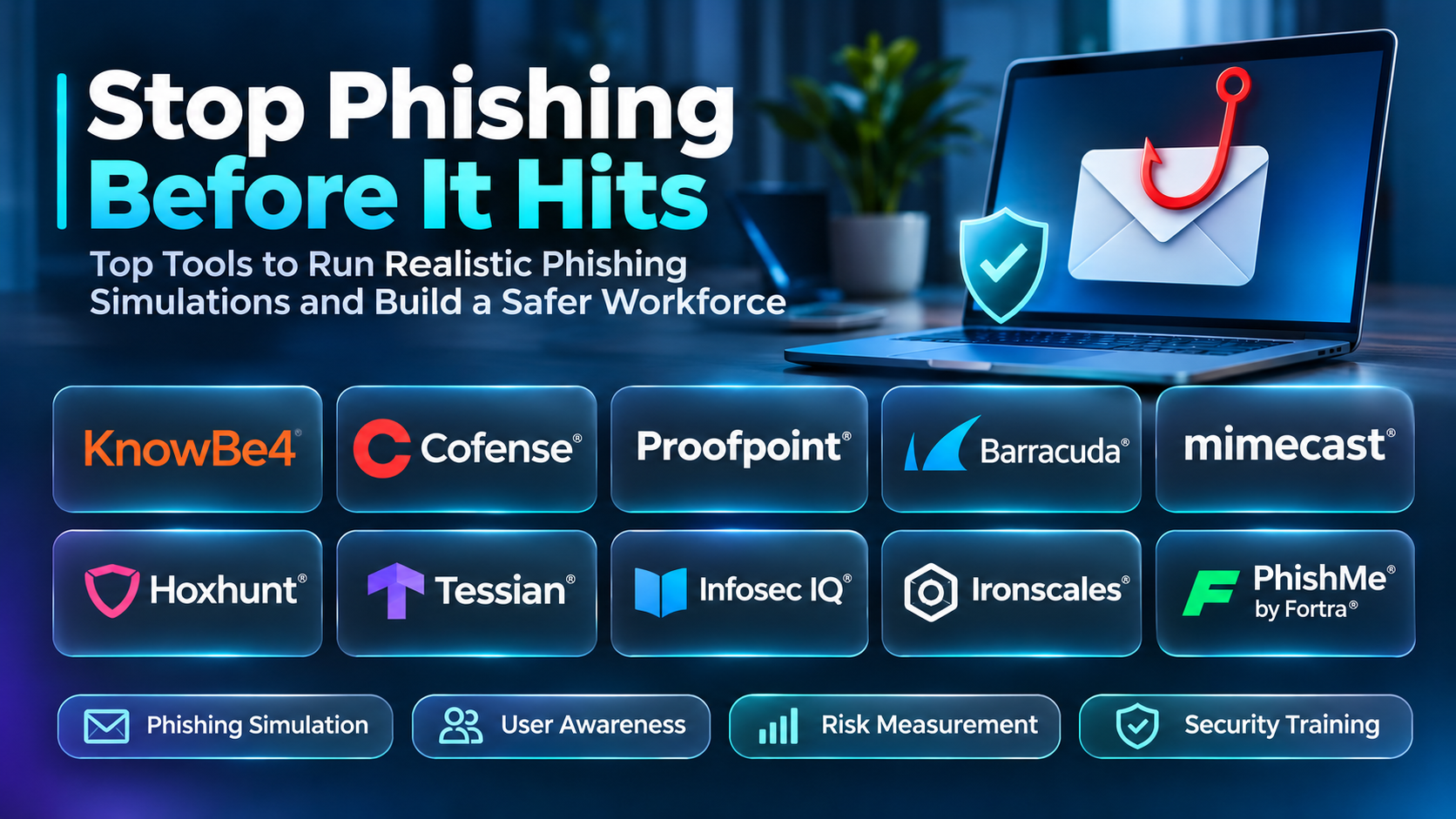
This guide examines ten phishing simulation tools, their features, benefits, limitations, and practical applications. It also provides comparison tables, software selection recommendations, a seven-step implementation workflow, and frequently asked questions.
What Are Phishing Simulation Tools?
Phishing simulation tools are cybersecurity applications designed to evaluate how employees recognize and respond to authorized, controlled simulations of deceptive communications. They help organizations identify awareness gaps without exposing participants to actual malicious software or collecting genuine credentials.
These platforms typically provide campaign management, approved training scenarios, employee grouping, reporting, and educational feedback. Administrators can measure outcomes such as suspicious message reporting, training completion, and changes in employee awareness over time.
For example, a healthcare organization can conduct an authorized awareness exercise involving a harmless simulated notification. Employees who report the message receive positive reinforcement, while participants requiring additional guidance receive relevant educational materials.
Phishing simulation tools improve awareness management by automating campaign administration and consolidating training results. Their effectiveness depends on responsible implementation, appropriate employee privacy safeguards, and constructive educational practices.
Common applications of phishing simulation tools include:
- Financial Services: Banks evaluate employee recognition of suspicious financial communications. Training programs reinforce payment verification and incident reporting procedures.
- Healthcare: Hospitals educate employees about deceptive communications involving administrative and clinical workflows. Awareness exercises reinforce the protection of confidential patient information.
- Education: Universities help faculty, administrative employees, and students recognize suspicious messages. Controlled exercises support account security and reporting awareness.
- Government: Public agencies evaluate cybersecurity awareness across departments. Administrators use aggregated results to improve organizational training programs.
- Retail: Retail businesses educate employees about fraudulent supplier communications and suspicious account notifications. Training supports safer customer service and procurement operations.
- Manufacturing: Manufacturers reinforce awareness of deceptive business communications affecting procurement and operational teams. Exercises help employees understand appropriate escalation procedures.
- Technology: Software companies evaluate awareness across engineering, administration, and customer-facing departments. Training results help security teams prioritize educational initiatives.
- Professional Services: Consulting, accounting, and legal firms reinforce safe handling of confidential communications. Awareness programs help employees recognize suspicious requests and report them appropriately.
Top 10 Phishing Simulation Tools in 2026
The following platforms represent enterprise awareness solutions, automated training services, and open-source simulation software. Their numbering is organizational and does not represent independently measured detection or training performance.
1. KnowBe4 Security Awareness Training
Short Description
KnowBe4 Security Awareness Training is a cybersecurity education platform developed by KnowBe4. It combines phishing simulations, employee training, awareness assessments, and administrative reporting.
The platform is suitable for organizations seeking structured and recurring cybersecurity awareness programs. Administrators can manage employee groups, schedule authorized exercises, and assign educational content.
Its technical strength is the combination of simulation management with an extensive security awareness content ecosystem. Organizations can use available behavioral measurements to identify training requirements and monitor improvement.
Centralized administration supports organizations with multiple departments and geographic locations. Available integrations and reporting capabilities depend on subscription level and deployment configuration.
Key Features
- Phishing Simulation Management: Administrators organize controlled awareness campaigns for approved employee groups. Campaign results provide insight into organizational awareness.
- Training Content Library: The platform provides educational modules covering cybersecurity and social engineering topics. Administrators select content appropriate to employee responsibilities.
- Employee Group Management: Users can be organized according to departments and training requirements. Grouping supports targeted educational programs.
- Automated Training Assignments: Supported workflows assign educational content based on defined conditions. Automation reduces repetitive administrative work.
- Behavioral Reporting: Administrators review employee interactions with authorized simulations. Aggregated measurements help identify recurring awareness gaps.
- Phishing Reporting Integration: Supported reporting tools help employees report suspicious communications. This reinforces constructive security behavior.
- Multilingual Training: Available content supports multiple languages. Organizations can accommodate geographically distributed workforces.
- Directory Integration: Compatible directory services help synchronize employee information. Integration simplifies user administration.
- Awareness Assessments: Organizations can evaluate cybersecurity knowledge through supported assessments. Results help guide future training priorities.
Benefits
- Combines simulation exercises with employee education.
- Reduces repetitive campaign administration.
- Supports recurring awareness programs.
- Provides measurable training outcomes.
- Helps identify organizational knowledge gaps.
- Enables departmental training management.
- Encourages suspicious message reporting.
Pros
- Extensive awareness content library.
- Centralized administrative controls.
- Enterprise-oriented reporting.
- Flexible campaign scheduling.
- Multilingual content options.
- Directory integration capabilities.
Cons
- Subscription costs depend on licensing.
- Advanced capabilities may require higher-tier plans.
- Initial configuration requires administrative effort.
- Extensive content libraries require careful selection.
- Metrics require contextual interpretation.
Use Cases
- Enterprise Awareness: Coordinate recurring cybersecurity training across business departments.
- Employee Onboarding: Introduce new employees to organizational reporting procedures.
- Financial Security Education: Reinforce safe handling of suspicious payment communications.
- Compliance Training: Maintain records of assigned and completed awareness activities.
- Departmental Assessment: Identify aggregated training needs across employee groups.
- Reporting Culture: Encourage employees to report suspicious communications promptly.
Best For
- Enterprise security teams.
- Human resources departments.
- Compliance managers.
- Financial institutions.
- Managed security providers.
- Multinational organizations.
2. Proofpoint Security Awareness Training
Short Description
Proofpoint Security Awareness Training is an employee cybersecurity education solution developed by Proofpoint. It combines controlled phishing simulations, educational content, and awareness reporting.
The platform is designed for organizations seeking to address human-related cybersecurity risks. Security teams can coordinate training activities and evaluate employee awareness across business functions.
Its technical advantage is its relationship with Proofpoint’s broader threat intelligence and email security ecosystem. Supported integrations can help organizations align educational priorities with observed security risks.
The platform provides centralized administration for enterprise awareness programs. Available training, integration, and reporting capabilities depend on the selected service configuration.
Key Features
- Controlled Phishing Simulations: Administrators conduct approved awareness exercises across selected employee populations. Results help identify educational requirements.
- Threat-Informed Education: Training content addresses relevant cybersecurity and social engineering risks. Organizations can prioritize topics according to their security environment.
- Employee Assessments: Knowledge assessments help evaluate employee understanding of security concepts. Results support targeted educational planning.
- Training Management: Administrators assign and monitor educational modules. Centralized management supports recurring awareness programs.
- Reporting Tools: Supported capabilities encourage employees to report suspicious messages. Reporting reinforces appropriate incident escalation behavior.
- Behavioral Analytics: Administrators review awareness measurements across employee groups. Analysis helps evaluate program effectiveness.
- Multilingual Content: Available training supports different language requirements. This helps multinational organizations provide accessible education.
- Security Ecosystem Integration: Compatible Proofpoint services can support coordinated security workflows. Integration depends on product licensing.
- Administrative Reporting: Reports summarize campaign and training outcomes. These records support management reviews and internal governance.
Benefits
- Connects employee education with cybersecurity risks.
- Supports structured enterprise awareness programs.
- Helps identify training requirements.
- Provides centralized reporting.
- Encourages suspicious communication reporting.
- Supports targeted educational assignments.
- Improves awareness program visibility.
Pros
- Enterprise-focused capabilities.
- Broad security awareness content.
- Threat intelligence ecosystem.
- Configurable training administration.
- Useful behavioral measurements.
- Multilingual training options.
Cons
- Commercial licensing is required.
- Advanced integrations may require additional services.
- Administration can require specialized expertise.
- Smaller businesses may need simpler functionality.
- Behavioral results require careful interpretation.
Use Cases
- Enterprise Security Awareness: Coordinate education across large employee populations.
- Threat-Informed Training: Address awareness topics relevant to organizational security risks.
- Financial Services Education: Reinforce safe communication and verification procedures.
- Employee Reporting: Improve understanding of suspicious message escalation.
- Compliance Documentation: Record training participation and completion.
- Risk Assessment: Evaluate aggregated awareness trends across departments.
Best For
- Large enterprises.
- Security awareness managers.
- Financial institutions.
- Healthcare networks.
- Proofpoint customers.
- Corporate compliance teams.
3. Microsoft Attack Simulation Training
Short Description
Microsoft Attack Simulation Training is an employee awareness capability available through eligible Microsoft Defender for Office 365 licensing. It supports authorized phishing simulations and associated educational activities within Microsoft 365 environments.
The platform is designed for organizations already using Microsoft’s cloud productivity and security services. Administrators can manage awareness exercises through supported Microsoft security administration interfaces.
Its technical advantage is native integration with Microsoft 365 identities and email infrastructure. This reduces the need for separate employee directory management in compatible deployments.
Centralized administration allows organizations to coordinate awareness activities alongside broader email security operations. Availability depends on Microsoft licensing and tenant configuration.
Key Features
- Simulation Campaigns: Administrators organize authorized phishing awareness exercises for selected employees. Campaign management supports structured educational activities.
- Training Assignments: Relevant educational content can be assigned to participants. Training reinforces appropriate cybersecurity behavior.
- Microsoft 365 Integration: The platform works within supported Microsoft cloud environments. Integration simplifies selected administrative workflows.
- Employee Target Groups: Administrators select approved users and organizational groups. This supports departmental awareness programs.
- Campaign Scheduling: Exercises can be organized according to defined training schedules. Scheduling supports recurring education initiatives.
- Behavioral Reporting: Administrators review simulation outcomes and participation information. Results help evaluate awareness improvements.
- Training Progress Monitoring: Available reports display educational completion information. Managers can identify outstanding training requirements.
- Administrative Permissions: Supported role-based controls restrict access to campaign management. Appropriate permissions help protect employee information.
- Security Administration Integration: Awareness activities can complement broader Microsoft security operations. Organizations can coordinate education with existing protection policies.
Benefits
- Supports native Microsoft 365 awareness programs.
- Reduces separate infrastructure requirements.
- Simplifies employee group administration.
- Provides centralized campaign reporting.
- Helps reinforce safe email behavior.
- Supports recurring training activities.
- Enables integration with Microsoft security workflows.
Pros
- Native Microsoft ecosystem integration.
- Centralized cloud administration.
- Employee training capabilities.
- Configurable campaign management.
- Integrated identity information.
- Suitable for enterprise deployments.
Cons
- Requires eligible Microsoft licensing.
- Primarily suited to Microsoft 365 environments.
- Administrative interfaces require familiarity.
- Training customization may have limitations.
- Reporting requires responsible interpretation.
Use Cases
- Microsoft 365 Awareness: Conduct approved educational exercises within corporate email environments.
- New Employee Training: Introduce staff to safe email practices.
- Departmental Education: Coordinate awareness activities for selected business groups.
- Security Policy Reinforcement: Educate employees about organizational reporting requirements.
- Training Monitoring: Review participation and completion records.
- Enterprise Governance: Coordinate awareness activities with existing Microsoft security administration.
Best For
- Microsoft 365 administrators.
- Microsoft Defender customers.
- Corporate security teams.
- Cloud-first organizations.
- Enterprise IT departments.
- Compliance administrators.
4. Hoxhunt
Short Description
Hoxhunt is a human risk management and cybersecurity awareness platform. It combines personalized educational activities, controlled phishing simulations, and employee reporting workflows.
The platform is suitable for organizations seeking continuous employee engagement rather than relying exclusively on annual training. Its educational approach emphasizes repeated learning and constructive reinforcement.
A technical strength is its adaptive training approach, which can tailor educational experiences according to available employee performance information. This helps organizations address different levels of cybersecurity awareness.
Hoxhunt supports integration with compatible corporate email environments and organizational reporting workflows. Centralized administration helps security teams coordinate awareness activities across distributed workforces.
Key Features
- Adaptive Training: Educational activities can be adjusted according to employee learning progress. Personalization helps accommodate different awareness levels.
- Controlled Simulations: Authorized exercises evaluate employee recognition of suspicious communications. Results support constructive educational feedback.
- Employee Reporting: Supported integrations help employees report suspicious messages. Reporting encourages active participation in organizational security.
- Gamified Learning: Educational experiences incorporate engagement-oriented learning mechanisms. These mechanisms can encourage recurring participation.
- Behavioral Analytics: Administrators review awareness trends and employee participation. Aggregated measurements support training program evaluation.
- Automated Campaign Management: Supported workflows reduce repetitive campaign administration. Automation helps maintain consistent educational activities.
- Multilingual Experiences: Available content supports employees with different language requirements. This improves accessibility across distributed organizations.
- Email Integration: Compatible email environments support reporting and training workflows. Integration reduces unnecessary changes to employee routines.
- Management Reporting: Administrators can review organizational awareness indicators. Reports help communicate program progress to stakeholders.
Benefits
- Encourages continuous employee learning.
- Supports personalized awareness education.
- Helps improve suspicious message reporting.
- Reduces repetitive administrative tasks.
- Provides behavioral trend visibility.
- Supports distributed workforces.
- Reinforces constructive security practices.
Pros
- Adaptive learning approach.
- Employee engagement features.
- Integrated reporting workflows.
- Automated educational administration.
- Enterprise-oriented analytics.
- Continuous awareness methodology.
Cons
- Commercial subscription costs apply.
- Integration requires administrative configuration.
- Gamification may not suit every workplace.
- Advanced reporting varies by service configuration.
- Long-term effectiveness requires employee participation.
Use Cases
- Continuous Awareness: Provide recurring educational activities throughout the year.
- Employee Engagement: Encourage constructive participation in cybersecurity learning.
- Personalized Education: Address different employee awareness levels.
- Suspicious Message Reporting: Reinforce appropriate reporting behavior.
- Distributed Workforce Training: Coordinate awareness across geographically separated teams.
- Management Reporting: Review aggregated human risk and training trends.
Best For
- Human risk management teams.
- Large enterprises.
- Remote workforce organizations.
- Security awareness specialists.
- Employee engagement managers.
- Multinational companies.
5. Cofense PhishMe
Short Description
Cofense PhishMe is a phishing awareness and simulation solution developed by Cofense. It helps organizations educate employees about suspicious communications and reinforce appropriate reporting practices.
The platform is particularly relevant to security teams that emphasize employee participation in threat identification. Administrators can conduct approved awareness exercises and evaluate educational outcomes.
Its technical advantage is its relationship with Cofense’s broader phishing detection and response ecosystem. Compatible services can help organizations connect employee reporting with established security investigation workflows.
Cofense supports centralized management for enterprise awareness programs. Organizations can coordinate educational campaigns across departments and employee populations.
Key Features
- Phishing Awareness Exercises: Administrators conduct controlled educational simulations. Exercises help employees practice recognizing suspicious communications.
- Campaign Management: Authorized awareness activities can be organized for selected employee groups. Centralized controls simplify program administration.
- Educational Feedback: Participants receive relevant guidance following simulation activities. Feedback reinforces appropriate security practices.
- Employee Reporting Integration: Compatible reporting tools help employees escalate suspicious communications. This supports organizational incident reporting.
- Behavioral Measurements: Administrators review simulation and reporting outcomes. Measurements help identify training priorities.
- Training Content: Available educational resources address phishing and social engineering awareness. Administrators can select relevant topics.
- Group Management: Employee populations can be organized according to organizational requirements. Grouping supports targeted education.
- Security Response Integration: Compatible Cofense services support broader phishing investigation workflows. Integration depends on selected products.
- Program Reporting: Administrators review awareness activity and performance trends. Reports support internal security governance.
Benefits
- Reinforces employee phishing awareness.
- Encourages suspicious communication reporting.
- Supports enterprise educational programs.
- Provides measurable awareness outcomes.
- Helps identify training priorities.
- Enables centralized campaign administration.
- Supports coordinated security response workflows.
Pros
- Focused phishing awareness capabilities.
- Enterprise campaign management.
- Reporting-oriented training approach.
- Relevant security ecosystem integrations.
- Configurable employee grouping.
- Useful awareness analytics.
Cons
- Commercial licensing is required.
- Additional security services may cost extra.
- Administrative configuration requires planning.
- Smaller organizations may need fewer capabilities.
- Effective training requires ongoing participation.
Use Cases
- Employee Reporting Programs: Reinforce appropriate suspicious message escalation.
- Enterprise Awareness: Coordinate approved educational exercises across departments.
- Security Operations Support: Connect awareness activities with established reporting procedures.
- Financial Fraud Education: Reinforce verification of unusual business communications.
- Departmental Assessment: Identify aggregated awareness improvement opportunities.
- Continuous Training: Maintain recurring phishing education activities.
Best For
- Security operations teams.
- Enterprise awareness managers.
- Financial organizations.
- Government agencies.
- Corporate security departments.
- Organizations prioritizing employee reporting.
6. Mimecast Awareness Training
Short Description
Mimecast Awareness Training is a cybersecurity education offering associated with Mimecast’s human risk management services. It combines employee awareness content, controlled simulations, and administrative reporting.
The platform is suitable for organizations seeking to coordinate email protection and employee cybersecurity education. Administrators can organize training activities around relevant workplace security topics.
Its technical strength is its relationship with Mimecast’s broader email security ecosystem. Supported integrations and related services can help organizations align technical protection with employee awareness.
Centralized management supports recurring education across different employee populations. Available features and product packaging depend on the organization’s subscription.
Key Features
- Security Awareness Content: Educational modules address cybersecurity risks and safe workplace behavior. Organizations can assign content according to training priorities.
- Phishing Simulations: Controlled exercises help evaluate recognition of suspicious communications. Administrators can review results for educational planning.
- Employee Risk Insights: Available measurements help identify awareness trends. Results should be interpreted alongside broader organizational context.
- Training Administration: Administrators manage assigned educational activities. Centralized management simplifies recurring training programs.
- Engagement-Oriented Learning: Educational content uses accessible presentation formats. These formats can support employee participation.
- Campaign Reporting: Administrators review awareness exercise outcomes. Reports help assess program progress.
- Email Security Ecosystem: Compatible Mimecast services can complement awareness activities. Integration depends on licensing and deployment.
- Employee Grouping: Administrators organize participants according to organizational needs. Grouping supports targeted education.
- Completion Tracking: Available reporting records educational participation and completion. These records help support internal governance requirements.
Benefits
- Combines awareness education with simulation activities.
- Supports recurring employee training.
- Helps reinforce safe communication practices.
- Provides centralized administrative reporting.
- Encourages employee engagement.
- Supports coordinated email security programs.
- Improves visibility into training completion.
Pros
- Established email security ecosystem.
- Accessible educational content.
- Centralized training administration.
- Configurable awareness campaigns.
- Useful management reporting.
- Enterprise deployment suitability.
Cons
- Subscription costs vary by service package.
- Advanced functionality may require additional licensing.
- Integration capabilities depend on deployment.
- Content suitability varies across organizations.
- Awareness measurements require contextual interpretation.
Use Cases
- Corporate Awareness: Coordinate cybersecurity education across business departments.
- Email Security Reinforcement: Educate employees about safe email handling.
- Employee Onboarding: Introduce new staff to cybersecurity responsibilities.
- Compliance Education: Track assigned training and participation.
- Management Assessment: Review aggregated awareness program outcomes.
- Recurring Education: Maintain regular employee security learning activities.
Best For
- Mimecast customers.
- Corporate security teams.
- Human resources departments.
- Mid-sized enterprises.
- Compliance administrators.
- Email security managers.
7. SoSafe
Short Description
SoSafe is a cybersecurity awareness and human risk management platform. It provides controlled phishing simulations, employee education, and behavioral reporting capabilities.
The platform is designed for organizations seeking to establish continuous security awareness programs. Its educational approach incorporates behavioral science and accessible learning experiences.
A technical advantage is the combination of personalized learning and organizational awareness measurements. These capabilities help administrators identify educational needs without relying exclusively on annual assessments.
SoSafe supports distributed organizations through centralized management and available multilingual content. Integration capabilities depend on the selected service configuration.
Key Features
- Phishing Awareness Simulations: Authorized exercises evaluate employee recognition of suspicious messages. Results support educational improvement.
- Behavioral Learning: Educational activities incorporate principles of human behavior and learning. This helps reinforce practical security habits.
- Personalized Training: Supported capabilities tailor educational experiences to participant requirements. Personalization helps address varying awareness levels.
- Microlearning: Short educational modules communicate specific cybersecurity concepts. Brief activities can fit into everyday work schedules.
- Awareness Analytics: Administrators review aggregated employee learning and simulation outcomes. Reports help evaluate program effectiveness.
- Multilingual Content: Available educational materials support multiple languages. This helps international organizations provide accessible training.
- Employee Reporting: Compatible reporting mechanisms reinforce appropriate suspicious message escalation. Reporting supports a constructive security culture.
- Campaign Automation: Supported workflows simplify recurring educational activities. Automation reduces manual administrative effort.
- Management Dashboard: Administrators review awareness program indicators through centralized interfaces. These indicators support organizational reporting.
Benefits
- Supports behavior-focused cybersecurity education.
- Encourages continuous learning.
- Helps personalize employee training.
- Reduces repetitive campaign administration.
- Supports multilingual workforces.
- Provides aggregated awareness measurements.
- Reinforces positive security habits.
Pros
- Behavioral science-oriented methodology.
- Short educational learning formats.
- Multilingual training options.
- Centralized reporting.
- Personalized education capabilities.
- Continuous awareness approach.
Cons
- Commercial licensing is required.
- Advanced features depend on service configuration.
- Integration requires administrative preparation.
- Training effectiveness varies by employee engagement.
- Behavioral metrics require privacy-conscious interpretation.
Use Cases
- International Workforce Education: Provide accessible awareness training across geographic locations.
- Behavioral Improvement: Reinforce practical cybersecurity habits through recurring education.
- Microlearning Programs: Deliver short educational activities during normal work routines.
- Departmental Training: Address awareness needs across organizational groups.
- Employee Reporting: Reinforce appropriate suspicious communication escalation.
- Human Risk Management: Review aggregated awareness trends and improvement opportunities.
Best For
- Multinational enterprises.
- Security awareness specialists.
- Human risk management teams.
- Human resources managers.
- Distributed organizations.
- European and international businesses.
8. usecure
Short Description
usecure is a human risk management platform offering cybersecurity awareness training, controlled phishing simulations, and policy-related educational capabilities. It is designed to help organizations manage recurring employee security education.
The platform is particularly relevant to small and medium-sized businesses and managed service providers (MSPs), which deliver outsourced technology services. Its automation capabilities can reduce the administrative workload associated with awareness programs.
A technical strength is the combination of awareness assessment, personalized training, and recurring educational exercises. Organizations can use these capabilities to address identified knowledge gaps.
Centralized management supports organizations and service providers administering multiple employee populations. Available integrations and management features depend on the selected subscription.
Key Features
- Automated Awareness Training: Supported workflows assign relevant educational activities to employees. Automation reduces repetitive training administration.
- Controlled Phishing Simulations: Authorized exercises evaluate awareness of suspicious communications. Results help identify educational priorities.
- Knowledge Assessments: Employee assessments evaluate understanding of cybersecurity concepts. Results can inform personalized training assignments.
- Personalized Learning: Training activities can reflect identified knowledge gaps. This helps organizations focus educational resources.
- Policy Awareness: Supported capabilities communicate organizational security policies to employees. Participation records help administrators monitor acknowledgment.
- Management Reporting: Administrators review educational participation and simulation outcomes. Reports support internal governance.
- Multi-Tenant Administration: Supported service provider capabilities help manage multiple customer organizations. Centralized management reduces administrative duplication.
- Directory Integration: Compatible integrations simplify employee account management. Synchronization supports recurring training administration.
- Recurring Campaign Scheduling: Awareness exercises can be organized on defined schedules. Scheduling supports continuous education.
Benefits
- Simplifies recurring cybersecurity education.
- Supports managed service providers.
- Reduces manual training administration.
- Helps identify employee knowledge gaps.
- Provides centralized awareness reporting.
- Supports personalized educational assignments.
- Reinforces organizational security policies.
Pros
- Suitable for smaller organizations.
- Automated training workflows.
- Managed service provider capabilities.
- Integrated knowledge assessments.
- Centralized administrative reporting.
- Recurring educational scheduling.
Cons
- Commercial subscription costs apply.
- Advanced integrations vary by plan.
- Large enterprises may require additional customization.
- Training content requires organizational review.
- Results depend on employee participation.
Use Cases
- Small Business Awareness: Establish recurring cybersecurity education with limited administrative resources.
- Managed Security Services: Coordinate awareness programs across customer organizations.
- Employee Knowledge Assessment: Identify topics requiring additional education.
- Policy Education: Communicate organizational cybersecurity expectations.
- New Employee Training: Introduce security awareness during onboarding.
- Recurring Simulations: Maintain regular authorized awareness exercises.
Best For
- Small businesses.
- Medium-sized enterprises.
- Managed service providers.
- IT consultants.
- Human resources teams.
- Organizations with limited security staffing.
9. Infosec IQ
Short Description
Infosec IQ is a cybersecurity awareness and employee training platform offered by Infosec, part of Cengage Group. It combines educational content, phishing simulations, and awareness program administration.
The platform is suitable for organizations requiring structured cybersecurity education across diverse employee populations. Administrators can assign learning materials and organize authorized awareness exercises.
Its technical strength is its educational content ecosystem and configurable learning programs. Organizations can select training activities appropriate to employee responsibilities and cybersecurity requirements.
Infosec IQ provides centralized administration and reporting for organizational training initiatives. Available integrations and content options depend on subscription configuration.
Key Features
- Security Awareness Training: Educational modules address cybersecurity concepts and workplace security responsibilities. Administrators can assign relevant content.
- Phishing Simulations: Controlled exercises help employees practice recognizing suspicious communications. Results support educational planning.
- Training Campaign Management: Administrators organize recurring learning activities. Centralized controls simplify program administration.
- Role-Based Education: Available content addresses different employee responsibilities. Targeted education helps improve relevance.
- Learning Assessments: Supported assessments evaluate cybersecurity knowledge. Results help identify topics requiring additional attention.
- Completion Tracking: Administrators monitor participation in assigned training activities. Records support internal compliance processes.
- Employee Reporting: Compatible reporting capabilities reinforce suspicious message escalation. This supports organizational security awareness.
- Multilingual Training: Available educational content accommodates different language requirements. This supports geographically distributed employees.
- Administrative Analytics: Reports summarize awareness and learning outcomes. Administrators can use these results to improve future training programs.
Benefits
- Provides structured cybersecurity education.
- Supports recurring awareness campaigns.
- Helps identify employee knowledge gaps.
- Enables role-relevant training assignments.
- Supports compliance documentation.
- Improves visibility into learning progress.
- Reinforces suspicious message reporting.
Pros
- Broad educational content selection.
- Configurable training programs.
- Centralized administration.
- Role-oriented learning options.
- Awareness assessment capabilities.
- Useful completion reporting.
Cons
- Commercial licensing is required.
- Advanced capabilities depend on subscription.
- Content selection requires administrative planning.
- Integration options vary by deployment.
- Training completion does not guarantee behavioral improvement.
Use Cases
- Corporate Cybersecurity Education: Deliver structured awareness training across employee groups.
- Compliance Training: Maintain participation records for assigned educational activities.
- Role-Based Learning: Address cybersecurity topics relevant to specific job responsibilities.
- Employee Onboarding: Introduce security responsibilities to new employees.
- Awareness Assessment: Identify areas requiring additional education.
- Continuous Training: Coordinate recurring learning and simulation activities.
Best For
- Corporate training departments.
- Security awareness managers.
- Educational institutions.
- Compliance teams.
- Mid-sized businesses.
- Enterprise learning administrators.
10. Gophish
Short Description
Gophish is an open-source phishing simulation framework intended for authorized security awareness assessments. It provides campaign administration and reporting capabilities for technically experienced users.
The software is suitable for internal security teams and educational environments that require self-managed simulation infrastructure. Organizations must establish explicit authorization, privacy safeguards, and controlled exercise boundaries before deployment.
Its technical advantage is the flexibility associated with self-hosted infrastructure and configurable campaign management. Unlike comprehensive commercial awareness suites, Gophish generally requires organizations to develop their own educational materials and governance processes.
The framework provides an administrative interface for managing approved exercises and reviewing results. Organizations remain responsible for infrastructure maintenance, secure configuration, and appropriate use.
Key Features
- Authorized Campaign Management: Administrators organize controlled awareness assessments within approved environments. Governance procedures should define permitted participants and exercise boundaries.
- Participant Group Management: Approved users can be organized into groups for educational assessments. Grouping supports structured internal awareness programs.
- Administrative Dashboard: The framework provides interfaces for reviewing campaign activity. Administrators can use results to evaluate training requirements.
- Self-Hosted Deployment: Organizations can operate the software within controlled infrastructure. This provides greater responsibility for security and data management.
- Campaign Reporting: Available reporting records selected simulation interactions. Results should be interpreted constructively and with appropriate privacy safeguards.
- Data Export: Supported export capabilities help administrators review awareness measurements. Exported information must be protected according to organizational policy.
- Open-Source Architecture: The software can be reviewed and adapted by technically qualified teams. Organizations must maintain their own approved configuration.
- Educational Flexibility: Teams can coordinate exercises with separately developed training materials. This allows awareness education to reflect organizational requirements.
- Infrastructure Control: Self-managed deployment allows organizations to define hosting and access arrangements. Secure administration remains the operator’s responsibility.
Benefits
- Provides open-source simulation capabilities.
- Reduces proprietary licensing expenses.
- Supports controlled internal awareness assessments.
- Enables self-managed infrastructure.
- Provides configurable administrative workflows.
- Supports customized educational programs.
- Offers visibility into simulation outcomes.
Pros
- Free open-source software.
- Self-hosted deployment flexibility.
- Administrative campaign interface.
- Configurable assessment management.
- Suitable for controlled educational environments.
- Accessible source code.
Cons
- Requires technical expertise.
- Does not provide a comprehensive native training library.
- Infrastructure maintenance remains the operator’s responsibility.
- Enterprise governance features may require additional systems.
- Explicit authorization and strict operational safeguards are essential.
Use Cases
- Internal Awareness Assessments: Conduct approved educational exercises within an organization.
- Cybersecurity Education: Demonstrate phishing awareness concepts in controlled learning environments.
- Self-Hosted Training Programs: Coordinate simulations with separately developed educational materials.
- Budget-Constrained Assessments: Evaluate awareness without proprietary simulation licensing.
- Security Research Education: Study aggregated awareness outcomes in authorized environments.
- Customized Training Governance: Integrate controlled assessments with established internal educational procedures.
Best For
- Experienced security administrators.
- Internal cybersecurity teams.
- Cybersecurity educators.
- Open-source software users.
- Research institutions.
- Organizations requiring self-hosted assessments.
Comparison Table: Top 10 Phishing Simulation Tools
| Tool Name | Best For | Platform(s) | Standout Feature | Pricing |
|---|---|---|---|---|
| KnowBe4 | Enterprise awareness programs | Cloud, web | Extensive training content ecosystem | Paid subscription |
| Proofpoint Security Awareness Training | Threat-informed education | Cloud, web | Enterprise security ecosystem integration | Paid subscription |
| Microsoft Attack Simulation Training | Microsoft 365 organizations | Microsoft 365, cloud | Native Microsoft security integration | Eligible paid license |
| Hoxhunt | Continuous employee learning | Cloud, web | Adaptive awareness training | Paid subscription |
| Cofense PhishMe | Employee reporting programs | Cloud, web | Reporting-focused awareness education | Paid subscription |
| Mimecast Awareness Training | Integrated email security education | Cloud, web | Email security ecosystem alignment | Paid subscription |
| SoSafe | Behavior-focused awareness | Cloud, web | Personalized behavioral learning | Paid subscription |
| usecure | Small businesses and service providers | Cloud, web | Automated training management | Paid subscription |
| Infosec IQ | Structured cybersecurity education | Cloud, web | Educational content and assessments | Paid subscription |
| Gophish | Self-hosted authorized assessments | Linux, Windows, macOS | Open-source simulation management | Free, open source |
Note: Pricing, licensing, supported platforms, and available features can change. Check the official vendor websites for current plans, educational access, and regional availability.
Which Phishing Simulation Tool Is Right for You?
Different organizations require different approaches to phishing awareness and employee education. Factors such as workforce size, technical expertise, existing security infrastructure, and available training resources influence platform suitability.
Organizations should prioritize constructive educational outcomes rather than focusing exclusively on employee failure rates. Privacy protection, accessibility, authorized exercise management, and meaningful improvement measurements are important selection criteria.
For Beginners: usecure and KnowBe4
usecure provides automated educational workflows that can reduce administrative complexity. It is particularly relevant to smaller organizations establishing their first recurring awareness program.
KnowBe4 provides extensive educational resources and centralized campaign administration. Its content ecosystem supports organizations requiring a broader selection of cybersecurity topics.
Choose usecure if simplified automation is your primary requirement. Choose KnowBe4 if you need a larger educational content ecosystem.
For Microsoft 365 Users: Microsoft Attack Simulation Training and Hoxhunt
Microsoft Attack Simulation Training provides native integration with eligible Microsoft 365 security environments. This can simplify identity management and awareness administration.
Hoxhunt provides adaptive learning and employee engagement capabilities through compatible email integrations. It is relevant to organizations prioritizing continuous educational experiences.
Choose Microsoft Attack Simulation Training if native Microsoft integration is important. Choose Hoxhunt if personalized continuous learning is your primary objective.
For Enterprise Security Teams: Proofpoint and KnowBe4
Proofpoint provides threat-informed awareness education within a broader enterprise security ecosystem. Organizations can coordinate educational priorities with relevant security risks.
KnowBe4 provides configurable awareness programs and extensive training resources. Its centralized administration supports large employee populations.
Choose Proofpoint if security ecosystem alignment is a priority. Choose KnowBe4 if broad educational content and configurable awareness programs are more important.
For Employee Reporting Programs: Cofense PhishMe and Hoxhunt
Cofense PhishMe emphasizes employee recognition and reporting of suspicious communications. Compatible Cofense services can support established investigation workflows.
Hoxhunt reinforces reporting behavior through recurring learning and engagement-oriented educational activities. Its approach can help organizations establish continuous participation.
Choose Cofense PhishMe if reporting integration with security operations is important. Choose Hoxhunt if adaptive employee engagement is the primary requirement.
For International Organizations: SoSafe and KnowBe4
SoSafe provides behavior-focused educational experiences and available multilingual content. Its approach supports organizations operating across different cultural and geographic environments.
KnowBe4 provides an extensive awareness content ecosystem with multiple language options. Administrators can select materials appropriate to different employee groups.
Choose SoSafe if behavioral learning and personalized education are priorities. Choose KnowBe4 if educational content breadth is more important.
For Small Businesses and Managed Service Providers: usecure and Infosec IQ
usecure provides automation and supported multi-tenant management capabilities. These features are useful for organizations with limited administrative resources.
Infosec IQ provides structured educational content and assessment capabilities. It may suit businesses requiring more formal learning programs.
Choose usecure if automation and service provider administration are priorities. Choose Infosec IQ if structured educational content and assessment management are more important.
For Integrated Email Security Education: Mimecast and Proofpoint
Mimecast Awareness Training can complement compatible Mimecast email security services. Organizations can coordinate technical protection and employee education within related administrative environments.
Proofpoint provides awareness capabilities associated with its broader security ecosystem. Threat-informed education helps organizations prioritize relevant cybersecurity topics.
Choose Mimecast if your organization already uses compatible Mimecast services. Choose Proofpoint if enterprise threat-informed education is your main requirement.
For Self-Hosted and Customized Programs: Gophish and KnowBe4
Gophish provides open-source simulation management for technically experienced teams. Organizations must independently establish educational content, secure infrastructure, and responsible governance.
KnowBe4 provides commercially managed simulation and training capabilities. It reduces the need to maintain separate simulation infrastructure.
Choose Gophish if self-hosted control is essential and qualified administrators are available. Choose KnowBe4 if you prefer a managed educational platform with comprehensive training resources.
Best Phishing Simulation Tools for Different Users
| User Type | Recommended Software | Why? |
|---|---|---|
| Beginner security administrator | usecure | Automated awareness workflows |
| Enterprise awareness manager | KnowBe4 | Extensive educational content |
| Enterprise security analyst | Proofpoint | Threat-informed education |
| Microsoft 365 administrator | Microsoft Attack Simulation Training | Native Microsoft integration |
| Employee engagement specialist | Hoxhunt | Adaptive learning experiences |
| Security operations manager | Cofense PhishMe | Reporting-focused awareness |
| Mimecast administrator | Mimecast Awareness Training | Email security ecosystem alignment |
| International training manager | SoSafe | Behavioral and multilingual learning |
| Corporate learning administrator | Infosec IQ | Structured education and assessments |
| Experienced open-source administrator | Gophish | Self-managed authorized assessments |
Practical Example: Building a Responsible Employee Phishing Awareness Program
Consider a professional services company employing 300 people across finance, administration, customer support, and technology departments. The organization wants to improve recognition and reporting of suspicious email communications.
Its security team evaluates KnowBe4, Microsoft Attack Simulation Training, and Hoxhunt as potential platforms. The final selection depends on existing email infrastructure, training requirements, employee accessibility, and available administrative resources.
The organization establishes a constructive awareness program that avoids collecting genuine passwords or publicly identifying employees who make mistakes. Management defines success through improved reporting behavior, educational participation, and sustained awareness improvements.
Step 1: Establish Authorization and Program Governance
Obtain written approval from organizational leadership and relevant security, privacy, legal, and human resources representatives. Define the educational objectives, approved employee population, data handling requirements, and administrative responsibilities.
Establish safeguards preventing exercises from collecting genuine credentials or exposing employees to harmful content. Ensure that training outcomes are used constructively rather than as a mechanism for public embarrassment.
Governance documentation should include:
- Written organizational authorization.
- Approved employee participation scope.
- Educational objectives.
- Employee privacy requirements.
- Data retention limits.
- Escalation and support procedures.
- Accessibility requirements.
Step 2: Assess Current Employee Awareness
Review existing cybersecurity training records, aggregated suspicious message reports, and employee feedback. Identify areas where employees may need additional education, such as verifying unusual requests or recognizing suspicious communications.
Use approved knowledge assessments to establish baseline awareness measurements. Avoid treating isolated assessment results as definitive indicators of individual security competence.
Step 3: Select the Awareness Platform
Compare shortlisted platforms according to existing email infrastructure, available educational content, administrative usability, and privacy controls. Confirm that the selected solution supports safe, authorized awareness exercises without collecting real authentication information.
Evaluate administrative permissions and employee data management capabilities before deployment. Establish appropriate access restrictions for campaign results and training records.
Selection criteria should include:
- Email infrastructure compatibility.
- Educational content quality.
- Accessibility and language support.
- Employee privacy safeguards.
- Reporting functionality.
- Administrative workload.
- Subscription and operating costs.
Step 4: Prepare Educational Materials and Reporting Procedures
Develop educational materials explaining common warning signs, safe communication practices, and organizational reporting procedures. Ensure employees understand how to seek assistance when they receive suspicious communications.
Coordinate the program with the organization’s existing security reporting process. Provide clear guidance on what employees should report and how security teams will respond.
Step 5: Conduct an Authorized Pilot
Select an approved, representative employee group for a limited awareness pilot. Use harmless, provider-supported training exercises within the organization’s established governance requirements.
Evaluate whether participants understand the educational feedback and can access the reporting mechanisms. Address accessibility, privacy, communication, and administrative issues before expanding the program.
Pilot evaluation should consider:
- Employee understanding of reporting procedures.
- Accessibility of training content.
- Administrative reporting accuracy.
- Employee feedback.
- Educational completion.
- Compliance with approved safeguards.
Step 6: Expand the Training Program
Extend the validated educational program across approved organizational departments. Provide recurring training activities that address relevant security concepts without overwhelming employees.
Assign additional educational materials where aggregated results indicate knowledge gaps. Encourage employees to ask questions and report suspicious communications without fear of embarrassment or unfair punishment.
Program records may include:
- Training completion summaries.
- Aggregated reporting measurements.
- Educational assessment results.
- Departmental awareness trends.
- Employee feedback summaries.
- Program governance documentation.
Step 7: Measure Improvement and Refine the Program
Compare aggregated awareness measurements with the initial baseline over multiple training cycles. Review reporting participation, educational completion, employee feedback, and changes in knowledge assessment results.
Refine educational content and administrative processes according to observed improvement opportunities. Periodically review authorization, data retention, accessibility, and employee privacy safeguards.
This workflow transforms phishing awareness into a structured, responsible, and measurable educational program. Continuous improvement helps employees develop safer communication habits while supporting the organization’s broader cybersecurity objectives.
Frequently Asked Questions (FAQs)
1. What are phishing simulation tools?
Phishing simulation tools help organizations conduct authorized educational exercises involving harmless simulations of suspicious communications. They evaluate employee awareness and reinforce appropriate cybersecurity behavior.
These platforms typically provide campaign management, educational feedback, training assignments, and reporting. Their purpose is to improve organizational awareness rather than expose employees to genuine threats.
2. Which phishing simulation tool is best for beginners?
usecure is a practical option for smaller organizations seeking automated awareness administration. Its recurring educational workflows can reduce the need for extensive manual coordination.
KnowBe4 is another suitable option for organizations requiring a broad selection of educational resources. The appropriate choice depends on budget, administrative experience, and training requirements.
3. Are free or open-source phishing simulation tools available?
Gophish is an open-source framework available without proprietary software licensing fees. It is intended for authorized assessments managed by technically experienced users.
Organizations must account for infrastructure, administration, educational content, and governance costs. Open-source software does not eliminate the need for explicit authorization and responsible privacy safeguards.
4. How do phishing simulation tools differ from traditional cybersecurity training?
Traditional training often relies on presentations, videos, and periodic knowledge assessments. These methods communicate important security concepts but may provide limited information about practical awareness.
Simulation platforms combine controlled exercises with educational feedback and behavioral measurements. This helps organizations evaluate awareness through recurring learning activities.
5. Which phishing simulation platform is suitable for enterprise security teams?
KnowBe4 and Proofpoint provide capabilities relevant to enterprise awareness programs. Both support centralized administration, educational content, and organizational reporting.
Microsoft Attack Simulation Training may also suit enterprises using eligible Microsoft 365 services. Organizations should evaluate integration, accessibility, privacy controls, and training quality before selection.
6. Which phishing simulation tools are suitable for financial institutions?
Proofpoint, KnowBe4, and Cofense PhishMe provide enterprise-oriented awareness capabilities relevant to financial organizations. These platforms can support education about suspicious payment requests and communication verification procedures.
Financial institutions should integrate awareness activities with established fraud prevention and security reporting processes. Simulation outcomes alone do not establish regulatory compliance or guarantee fraud prevention.
7. Can phishing simulation tools integrate with existing email and learning systems?
Many commercial platforms support integration with compatible email services, employee directories, and organizational learning environments. Integration capabilities depend on the selected product and subscription.
Organizations using a Learning Management System (LMS), which administers and tracks educational activities, should evaluate available content and reporting compatibility. Administrative permissions and employee privacy requirements must also be reviewed.
8. What is the difference between phishing, spear phishing, and business email compromise?
Phishing involves deceptive communications intended to manipulate recipients into unsafe actions. Spear phishing refers to more specifically targeted deceptive communications.
Business Email Compromise (BEC) involves fraudulent business communications that may seek unauthorized payments or sensitive information. Awareness training should emphasize verification, reporting, and established organizational approval procedures.
9. What is the main methodology behind phishing simulation training?
The primary methodology is experiential learning, which reinforces knowledge through controlled practical experiences. Employees encounter approved educational exercises and receive relevant feedback.
Repeated learning activities help organizations assess whether awareness improves over time. Effective programs combine simulations with constructive education, accessible reporting, and privacy-conscious measurements.
10. What is the difference between scheduled and adaptive awareness training?
Scheduled training delivers educational activities according to predefined intervals. This approach provides predictable administration and consistent organization-wide participation.
Adaptive training adjusts supported educational activities according to available learning or performance information. Its suitability depends on training objectives, employee privacy requirements, and platform capabilities.
11. Which phishing simulation tools are suitable for employee engagement teams?
Hoxhunt and SoSafe emphasize continuous learning and behavior-focused educational experiences. Their approaches may suit organizations seeking to improve employee participation.
KnowBe4 and Infosec IQ also provide educational resources relevant to employee engagement programs. Organizations should evaluate accessibility, content relevance, and employee feedback before selecting a platform.
12. Can phishing simulation tools be used across different industries?
These tools are applicable to financial services, healthcare, education, manufacturing, government, retail, and technology organizations. Any workplace using digital communications can benefit from appropriate cybersecurity awareness education.
Industry-specific requirements influence training topics, privacy controls, and governance procedures. Exercises should reflect organizational responsibilities without exposing confidential information or disrupting critical operations.
13. What are the system requirements for phishing simulation platforms?
Cloud-based platforms generally require supported browsers, internet connectivity, compatible email infrastructure, and appropriate administrative permissions. Employee participation may occur through existing workplace communication and learning environments.
Self-hosted frameworks require suitable computing infrastructure and experienced administrators. Organizations must also establish secure access, maintenance procedures, and privacy-conscious data management.
14. How should organizations choose a phishing simulation tool?
Begin by defining educational objectives, workforce requirements, existing infrastructure, and available budget. Shortlist platforms that provide appropriate training content, accessibility, administrative controls, and privacy safeguards.
Conduct a limited authorized pilot and evaluate educational outcomes, employee feedback, and administrative workload. Select the platform that best supports sustainable awareness improvement rather than merely generating large quantities of simulation data.
15. What is the difference between phishing simulation tools and email security gateways?
Phishing simulation tools primarily support employee education and awareness assessment. They help organizations reinforce recognition and reporting of suspicious communications.
A Secure Email Gateway (SEG) inspects email traffic to identify and manage potentially harmful messages. Organizations can use both categories together because technical email protection and employee education address different aspects of cybersecurity.
16. Which phishing simulation tools are suitable for production-scale enterprise programs?
KnowBe4, Proofpoint, Hoxhunt, and SoSafe provide capabilities relevant to large organizational awareness programs. Microsoft Attack Simulation Training is another option for eligible Microsoft 365 environments.
Enterprise selection should consider administrative scalability, multilingual education, data protection, accessibility, and centralized reporting. Organizations should validate these capabilities through authorized pilots and formal procurement evaluations.
Final Thoughts
Phishing simulation tools help organizations establish structured cybersecurity awareness programs and reinforce appropriate employee reporting behavior. Their value depends on responsible implementation, constructive educational feedback, and meaningful long-term improvement measurements.
KnowBe4 supports comprehensive awareness programs, Proofpoint provides threat-informed education, and Microsoft Attack Simulation Training integrates with eligible Microsoft 365 environments. Hoxhunt emphasizes adaptive employee learning, while Cofense PhishMe focuses on phishing awareness and reporting behavior.
Mimecast Awareness Training complements compatible email security services, while SoSafe provides behavior-focused educational experiences. Both can support organizations seeking continuous employee cybersecurity education.
usecure is relevant to smaller businesses and managed service providers, Infosec IQ supports structured learning and assessment programs, and Gophish provides open-source capabilities for authorized self-managed assessments. These options address different administrative, educational, and infrastructure requirements.
Before selecting a platform, evaluate organizational objectives, employee privacy requirements, technical expertise, budget, and available educational resources. Use authorized pilots or available trials to assess training quality and operational suitability before committing to a long-term awareness program.
