Introduction
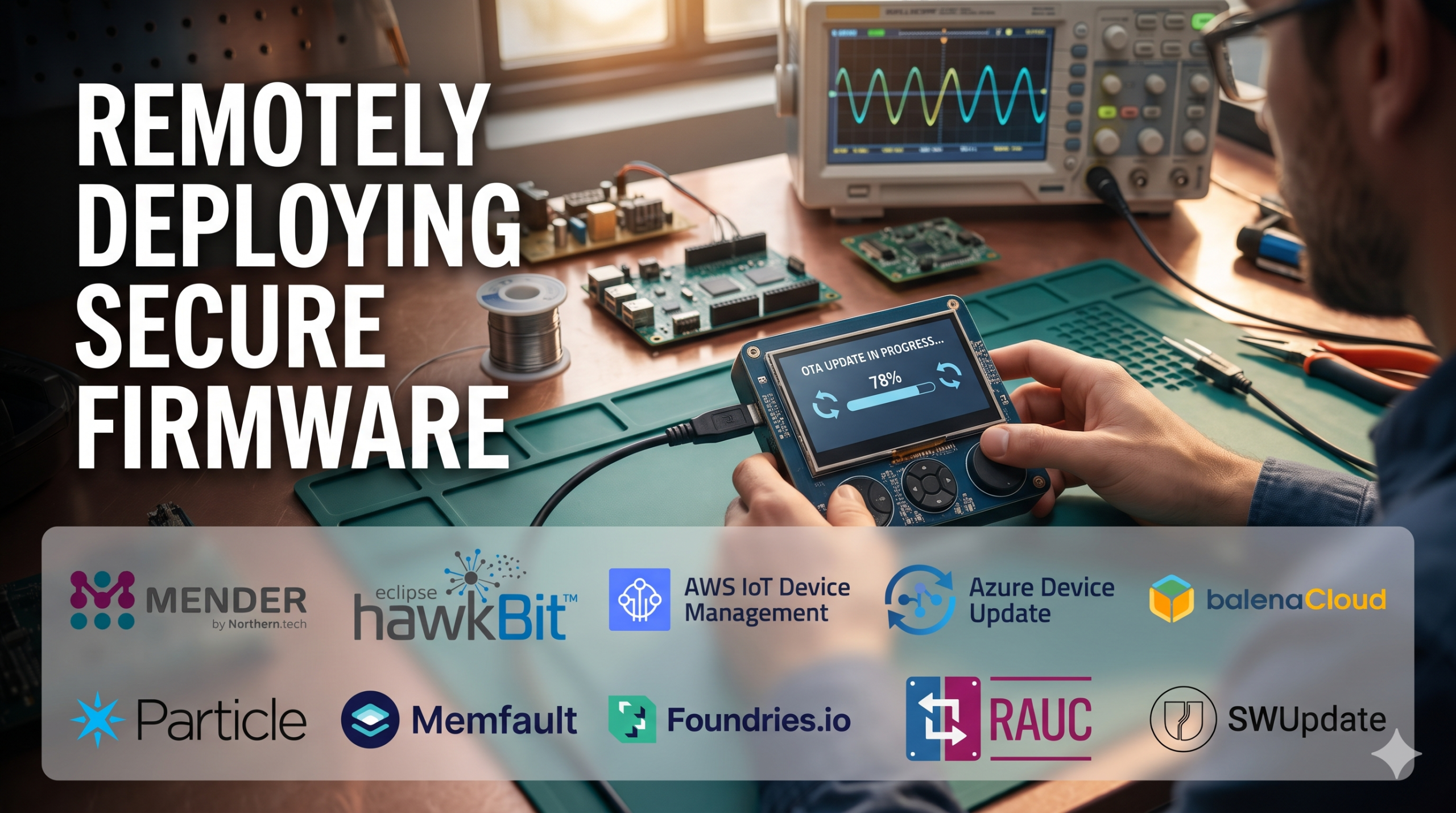
Over-the-air (OTA) firmware update platforms help organizations remotely distribute, install, and manage software updates across connected devices. These platforms support efficient device maintenance without requiring technicians to physically access individual pieces of equipment.
Modern connected products frequently require security patches, performance improvements, configuration changes, and functional enhancements throughout their operational lifecycles. Traditional manual update procedures become increasingly expensive and time-consuming as device populations expand across multiple geographical locations.
OTA firmware update platforms combine centralized software distribution, device targeting, deployment scheduling, update verification, and installation monitoring. These capabilities help organizations maintain consistent software versions while reducing operational disruptions and maintenance requirements.
Advanced platforms support staged deployments, cryptographic signature verification, differential updates, automated recovery mechanisms, and integration with software development workflows. These features help engineering teams manage firmware releases while addressing operational reliability and cybersecurity requirements.
Different OTA firmware update platforms address varying hardware architectures, embedded operating systems, communication protocols, and industry requirements. Selecting appropriate software requires evaluating device compatibility, update reliability, security capabilities, scalability, and total ownership expenses.
This guide examines ten OTA firmware update platforms, including their features, benefits, advantages, limitations, and practical applications. It also provides comparison tables, implementation recommendations, security considerations, performance indicators, and frequently asked questions.
What Are OTA Firmware Update Platforms?
OTA firmware update platforms are software systems designed to remotely distribute and install approved firmware or software packages across compatible connected devices. They eliminate the need for direct physical access during many routine software maintenance activities.
These platforms frequently support Internet of Things (IoT) devices, embedded Linux systems, microcontrollers, industrial gateways, connected vehicles, and intelligent consumer products. Their capabilities depend on hardware resources, operating system compatibility, connectivity conditions, and device-side update mechanisms.
OTA update systems typically combine centralized deployment infrastructure with device-side software responsible for downloading, validating, and installing approved updates. Some platforms also support automatic rollback when an installation fails or a newly installed software version cannot operate correctly.
Effective OTA firmware management requires secure device identities, authenticated software packages, reliable communication channels, and documented release procedures. Management platforms support these requirements through controlled deployment workflows, centralized monitoring, and integration with development environments.
How OTA Firmware Update Platforms Work
- Develop and test the firmware update.
- Package approved software artifacts.
- Digitally sign supported update packages.
- Upload firmware to centralized distribution infrastructure.
- Identify compatible target devices.
- Establish deployment schedules and rollout groups.
- Distribute update packages through secure connections.
- Validate and install updates on target devices.
- Monitor installation outcomes and device health.
- Initiate supported recovery procedures when necessary.
Common Applications
- Industrial IoT firmware maintenance.
- Connected consumer product updates.
- Embedded Linux software administration.
- Automotive software maintenance.
- Smart home device updates.
- Agricultural sensor maintenance.
- Connected medical equipment administration.
- Industrial gateway software updates.
- Telecommunications equipment maintenance.
- Smart energy infrastructure updates.
- Remote security patch distribution.
- Distributed edge computing maintenance.
Essential Components of OTA Firmware Update Platforms
| Component | Purpose |
|---|---|
| Firmware repository | Stores approved software artifacts |
| Device registry | Maintains connected device identities |
| Deployment engine | Coordinates software distribution |
| Device update agent | Downloads and installs compatible updates |
| Signature verification | Validates software authenticity |
| Version management | Tracks installed and available software |
| Rollout management | Controls deployment groups and schedules |
| Recovery mechanism | Supports recovery from unsuccessful updates |
| Monitoring system | Tracks deployment progress and outcomes |
| Integration interface | Connects development and management workflows |
Top 10 OTA Firmware Update Platforms
The following platforms include dedicated firmware update products, embedded software management solutions, cloud-based deployment services, and open-source update frameworks. Their numbering represents presentation order rather than an independently tested performance ranking.
1. Mender
Short Description
Mender provides remote software update and device management capabilities for supported embedded Linux systems and connected equipment. It helps organizations coordinate controlled software deployments across distributed device fleets.
The platform supports system-level and application-level updates through compatible update mechanisms. Its supported rollback architecture helps reduce the risk of devices becoming unavailable following unsuccessful software installations.
Key Features
- Centralized OTA software deployments.
- Embedded Linux device management.
- Supported A/B system updates.
- Automatic rollback capabilities.
- Device grouping and targeting.
- Deployment status monitoring.
- Software artifact management.
- Application Programming Interface (API) integrations.
Benefits: Improves update reliability, reduces physical maintenance requirements, supports controlled software releases, and strengthens deployment visibility.
Pros
- Dedicated embedded update capabilities.
- Open-source components available.
- Supports reliable recovery mechanisms.
- Flexible deployment architecture.
Cons
- Device integration requires engineering expertise.
- Advanced capabilities depend on edition.
- Hardware storage requirements must be evaluated.
Use Cases: Industrial gateway updates, embedded Linux maintenance, connected product releases, and remote security patch distribution.
Best For: Embedded systems engineers, industrial manufacturers, connected product developers, and distributed device administrators.
2. Eclipse hawkBit
Short Description
Eclipse hawkBit is an open-source framework designed to distribute software updates across compatible connected devices. It provides centralized infrastructure for managing software artifacts, target devices, and deployment campaigns.
Organizations can integrate hawkBit with compatible device-side update clients and existing development pipelines. Its extensible architecture supports customized software distribution environments.
Key Features
- Centralized update distribution.
- Software artifact administration.
- Target device management.
- Deployment campaign coordination.
- Staged rollout capabilities.
- Installation status reporting.
- Device integration interfaces.
- Open-source deployment architecture.
Benefits: Supports customized update infrastructure, improves deployment visibility, facilitates controlled rollouts, and reduces dependence on proprietary distribution services.
Pros
- Open-source framework.
- Flexible integration architecture.
- Relevant deployment management functionality.
- Supports customized enterprise implementations.
Cons
- Requires device-side update integration.
- Self-hosted infrastructure requires maintenance.
- Complete recovery mechanisms depend on device implementations.
Use Cases: Industrial firmware distribution, customized IoT update infrastructure, embedded software releases, and connected equipment maintenance.
Best For: Open-source development teams, industrial manufacturers, embedded engineers, and organizations building customized update systems.
3. AWS IoT Device Management
Short Description
AWS IoT Device Management provides cloud-based administration and remote operation capabilities for connected device fleets. Its IoT Jobs functionality allows organizations to coordinate supported firmware updates and other remote device operations.
Administrators can target device groups, define deployment conditions, and monitor job execution outcomes. Actual firmware installation and recovery behavior depend on compatible device-side implementations.
Key Features
- Remote device jobs.
- Fleet-based deployment targeting.
- Device grouping.
- Job execution monitoring.
- Deployment rollout controls.
- Job cancellation conditions.
- AWS IoT Core integration.
- Supported secure software distribution workflows.
Benefits: Supports large-scale update coordination, improves fleet visibility, facilitates cloud integration, and reduces repetitive maintenance activities.
Pros
- Extensive cloud infrastructure ecosystem.
- Scalable deployment administration.
- Flexible device targeting.
- Strong integration opportunities.
Cons
- Device-side update mechanisms require development.
- Cloud consumption expenses require monitoring.
- Implementation requires AWS expertise.
Use Cases: Connected consumer products, industrial device fleets, smart infrastructure, and large-scale remote software distribution.
Best For: AWS customers, enterprise IoT teams, cloud developers, and large connected product manufacturers.
4. Azure Device Update for IoT Hub
Short Description
Azure Device Update for IoT Hub provides managed software update capabilities for compatible IoT devices connected to Microsoft Azure. It helps organizations distribute approved updates and monitor installation outcomes through centralized cloud infrastructure.
The service supports compatible package-based and image-based update workflows. Organizations can integrate device update administration with Azure IoT Hub and related operational services.
Key Features
- Centralized device update administration.
- Azure IoT Hub integration.
- Supported image-based updates.
- Supported package-based updates.
- Device group targeting.
- Update compliance monitoring.
- Deployment status reporting.
- Compatible update agent integration.
Benefits: Simplifies cloud-connected firmware administration, improves update visibility, supports enterprise integrations, and facilitates controlled software maintenance.
Pros
- Strong Microsoft Azure integration.
- Supports multiple update approaches.
- Centralized compliance visibility.
- Relevant enterprise cloud capabilities.
Cons
- Requires compatible device update agents.
- Azure service expenses require evaluation.
- Device integration requires technical expertise.
Use Cases: Industrial IoT maintenance, connected building equipment, enterprise embedded devices, and cloud-managed firmware distribution.
Best For: Microsoft-focused enterprises, Azure developers, industrial IoT teams, and connected infrastructure administrators.
5. balenaCloud
Short Description
balenaCloud provides centralized software deployment and fleet administration for supported embedded Linux devices. Its container-based architecture helps developers distribute application updates across geographically distributed computing equipment.
The platform also supports compatible host operating system update workflows. Organizations can manage application releases and device-specific configurations through centralized administration interfaces.
Key Features
- Remote containerized application deployment.
- Embedded Linux fleet management.
- Application release administration.
- Supported host operating system updates.
- Device grouping and release targeting.
- Deployment status visibility.
- Device configuration management.
- Remote diagnostics.
Benefits: Simplifies embedded software deployment, improves application consistency, supports remote maintenance, and reduces physical servicing requirements.
Pros
- Strong container-based update workflows.
- Developer-oriented management environment.
- Supports multiple embedded hardware platforms.
- Integrated fleet administration capabilities.
Cons
- Requires compatible embedded Linux devices.
- Not suitable for every microcontroller environment.
- Subscription expenses depend on fleet requirements.
Use Cases: Intelligent kiosks, industrial gateways, digital signage equipment, and containerized embedded applications.
Best For: Embedded Linux developers, edge computing teams, IoT product manufacturers, and development operations engineers.
6. Particle
Short Description
Particle provides an integrated IoT development platform combining compatible hardware, connectivity, cloud services, and remote firmware management. Its OTA update capabilities help organizations maintain connected products throughout their operational lifecycles.
Developers can distribute firmware releases to supported device populations and monitor deployment outcomes. The integrated ecosystem simplifies many development and maintenance activities for compatible Particle hardware.
Key Features
- Remote firmware distribution.
- Product firmware release management.
- Device fleet administration.
- Device group targeting.
- Connectivity monitoring.
- Firmware version visibility.
- Device diagnostics.
- Cloud integration capabilities.
Benefits: Simplifies connected product maintenance, reduces integration complexity, supports remote security updates, and improves firmware deployment visibility.
Pros
- Integrated hardware and cloud ecosystem.
- Developer-friendly firmware workflows.
- Relevant connected product management capabilities.
- Supports distributed device fleets.
Cons
- Dependence on compatible Particle components.
- Connectivity and service expenses require evaluation.
- Specialized hardware requirements may limit suitability.
Use Cases: Connected commercial products, environmental monitoring devices, industrial sensors, and intelligent consumer equipment.
Best For: IoT product developers, hardware startups, embedded engineers, and connected equipment manufacturers.
7. Memfault
Short Description
Memfault provides embedded device observability, diagnostics, and software update management capabilities. It helps engineering teams monitor connected products and coordinate firmware maintenance using operational device information.
Its supported OTA functionality enables organizations to distribute software releases and evaluate device behavior following deployment. Diagnostic capabilities help developers investigate software faults and identify recurring reliability problems.
Key Features
- OTA release management.
- Firmware version tracking.
- Device fleet monitoring.
- Deployment targeting.
- Embedded device diagnostics.
- Crash reporting.
- Device performance metrics.
- Development workflow integrations.
Benefits: Connects software deployment with device observability, improves fault investigation, supports controlled releases, and strengthens product reliability monitoring.
Pros
- Strong embedded observability capabilities.
- Integrated firmware release monitoring.
- Supports multiple embedded environments.
- Relevant diagnostic and debugging functionality.
Cons
- Requires compatible software development kit integration.
- Commercial licensing requires evaluation.
- Installation and recovery capabilities depend on device architecture.
Use Cases: Embedded product maintenance, firmware reliability monitoring, connected device diagnostics, and controlled software releases.
Best For: Embedded software engineers, connected product manufacturers, firmware development teams, and device reliability specialists.
8. FoundriesFactory
Short Description
FoundriesFactory provides a cloud-based development and lifecycle management environment for supported Linux-based connected products. It combines software build workflows, device administration, and remote update capabilities.
Organizations can use its development infrastructure to create and distribute approved operating system and application releases. Its architecture emphasizes secure software maintenance throughout connected product lifecycles.
Key Features
- Embedded Linux software lifecycle management.
- Remote software updates.
- Continuous software build workflows.
- Supported secure update mechanisms.
- Device fleet administration.
- Software release management.
- Containerized application support.
- Security-oriented development workflows.
Benefits: Connects development and deployment activities, improves software maintenance consistency, supports secure releases, and simplifies distributed device administration.
Pros
- Integrated embedded development workflows.
- Strong software lifecycle orientation.
- Relevant secure update architecture.
- Supports compatible containerized applications.
Cons
- Requires compatible Linux-based infrastructure.
- Commercial packaging requires consultation.
- Implementation requires embedded development expertise.
Use Cases: Industrial embedded products, connected Linux equipment, secure gateway maintenance, and long-term software lifecycle management.
Best For: Embedded Linux manufacturers, industrial engineering teams, connected product developers, and software security specialists.
9. RAUC
Short Description
RAUC is an open-source update framework designed for reliable software installation on embedded Linux systems. It provides device-side mechanisms for installing authenticated update bundles and managing compatible redundant system configurations.
Developers can integrate RAUC with centralized distribution platforms and supported bootloaders. Its architecture is particularly relevant to systems requiring dependable installation and recovery procedures.
Key Features
- Signed software update bundles.
- Embedded Linux system updates.
- Supported redundant partition configurations.
- Bootloader integration.
- Update integrity verification.
- System slot management.
- Supported recovery workflows.
- Open-source extensibility.
Benefits: Supports reliable embedded software installation, strengthens update authenticity verification, facilitates recovery planning, and enables customized update architectures.
Pros
- Open-source update framework.
- Strong signed-bundle architecture.
- Relevant embedded Linux integrations.
- Flexible device-side implementation.
Cons
- Not a complete centralized fleet management platform.
- Requires bootloader and storage integration.
- Distribution infrastructure must be implemented separately.
Use Cases: Embedded Linux system updates, industrial equipment maintenance, secure firmware installation, and customized OTA architectures.
Best For: Embedded Linux engineers, industrial manufacturers, open-source developers, and organizations building specialized update systems.
10. SWUpdate
Short Description
SWUpdate is an open-source software update framework for embedded systems, particularly Linux-based devices. It supports flexible installation workflows involving firmware images, software packages, and other compatible update artifacts.
Developers can integrate SWUpdate with device-specific installation mechanisms and centralized distribution infrastructure. Its configurable architecture supports specialized embedded update requirements.
Key Features
- Embedded software update installation.
- Configurable update handlers.
- Supported image-based updates.
- Software package installation.
- Cryptographic verification capabilities.
- Bootloader integration.
- Remote distribution integrations.
- Open-source customization.
Benefits: Supports flexible software installation workflows, facilitates customized embedded updates, improves deployment consistency, and reduces dependence on proprietary device-side frameworks.
Pros
- Open-source architecture.
- Flexible update configuration.
- Supports diverse embedded installation requirements.
- Relevant integration capabilities.
Cons
- Requires substantial embedded engineering expertise.
- Centralized fleet management requires additional infrastructure.
- Recovery behavior depends on system design.
Use Cases: Industrial embedded updates, customized firmware installation, Linux device maintenance, and specialized software distribution architectures.
Best For: Embedded systems engineers, industrial equipment manufacturers, open-source development teams, and customized firmware administrators.
Comparison Table: Top 10 OTA Firmware Update Platforms
| Platform | Primary Strength | Best For | Pricing Approach |
|---|---|---|---|
| Mender | Reliable embedded software updates | Embedded Linux fleets | Open-source and commercial |
| Eclipse hawkBit | Centralized update distribution | Customized OTA infrastructure | Open-source |
| AWS IoT Device Management | Large-scale deployment coordination | AWS-connected devices | Usage-based |
| Azure Device Update | Cloud-managed software updates | Microsoft IoT environments | Service-based |
| balenaCloud | Containerized software deployment | Embedded Linux applications | Plan-based |
| Particle | Integrated product firmware management | Connected product developers | Plan and usage-based |
| Memfault | Firmware updates and diagnostics | Embedded product reliability | Commercial offerings |
| FoundriesFactory | Secure software lifecycle management | Connected Linux products | Commercial offerings |
| RAUC | Reliable device-side installation | Embedded Linux systems | Open-source |
| SWUpdate | Flexible embedded update installation | Customized embedded systems | Open-source |
Functional Comparison
| Platform | Primary Environment | Update Management Focus |
|---|---|---|
| Mender | Embedded Linux | System and application updates |
| Eclipse hawkBit | Compatible connected devices | Centralized distribution |
| AWS IoT Device Management | AWS-connected devices | Remote job coordination |
| Azure Device Update | Azure-connected devices | Managed software deployments |
| balenaCloud | Embedded Linux | Container and host OS updates |
| Particle | Compatible Particle devices | Product firmware releases |
| Memfault | Supported embedded devices | Updates and observability |
| FoundriesFactory | Connected Linux products | Secure software lifecycle |
| RAUC | Embedded Linux | Device-side update installation |
| SWUpdate | Embedded systems | Configurable installation workflows |
How to Choose the Best OTA Firmware Update Platform
Evaluate Device Compatibility
Identify hardware architectures, operating systems, available storage, bootloaders, and communication protocols. Verify that the selected platform supports actual device configurations and resource limitations.
Assess Update Reliability
Review installation verification, recovery procedures, redundant system configurations, and supported rollback capabilities. Devices operating in remote locations require particularly dependable recovery mechanisms.
Examine Security Capabilities
Evaluate digital signatures, secure communications, software integrity verification, and administrative access controls. Update infrastructure should prevent unauthorized software distribution and protect approved signing credentials.
Review Deployment Scalability
Assess anticipated device volumes, update package sizes, deployment frequency, and geographical distribution. Large-scale deployments require appropriate bandwidth management and controlled rollout procedures.
Consider Development Integrations
Determine whether the platform integrates with existing software repositories, automated build systems, and testing environments. Effective integration can reduce repetitive release preparation activities and improve software traceability.
Evaluate Total Ownership Costs
Consider licensing, cloud infrastructure, bandwidth consumption, integration development, and continuing maintenance expenses. Open-source frameworks may reduce licensing costs while requiring additional internal engineering resources.
Best OTA Firmware Update Platforms by User Type
| User Type | Relevant Platform |
|---|---|
| Embedded Linux firmware engineer | Mender |
| Open-source infrastructure developer | Eclipse hawkBit |
| AWS IoT administrator | AWS IoT Device Management |
| Microsoft cloud engineer | Azure Device Update |
| Containerized application developer | balenaCloud |
| Connected product manufacturer | Particle |
| Embedded device reliability engineer | Memfault |
| Secure product lifecycle specialist | FoundriesFactory |
| Embedded Linux system developer | RAUC |
| Customized firmware engineer | SWUpdate |
Practical Example: Implementing an OTA Firmware Update Platform
Consider a hypothetical industrial equipment manufacturer operating 8,000 connected devices across multiple geographical locations. Its engineering department relies heavily on physical maintenance visits to distribute firmware improvements and security patches.
Management introduces centralized OTA firmware administration to improve software consistency and reduce maintenance requirements. The following outcomes represent illustrative assumptions rather than verified vendor performance.
Implementation Steps
- Inventory connected devices and existing firmware versions.
- Evaluate hardware compatibility and update recovery requirements.
- Establish secure software signing and approval procedures.
- Integrate compatible device-side update mechanisms.
- Conduct representative installation and recovery testing.
- Implement staged firmware deployment campaigns.
- Monitor installation outcomes and refine release procedures.
Illustrative Performance Improvements
| Performance Indicator | Before | After |
|---|---|---|
| OTA-enabled device coverage | 35% | 98% |
| Firmware version compliance | 58% | 97% |
| Successful update installations | 80% | 99% |
| Average firmware deployment cycle | 30 days | 5 days |
| Monthly physical maintenance visits | 300 | 90 |
| Monthly administrative workload | 800 hours | 260 hours |
| Average security patch deployment time | 21 days | 3 days |
| Update-related device downtime | 120 minutes | 25 minutes |
Financial Analysis
Reducing monthly administrative workloads by 540 hours releases 6,480 employee hours annually. At an illustrative labor cost of $40 per hour, this represents $259,200 in released annual labor capacity rather than guaranteed cash savings.
Suppose separately realized annual operating savings equal $420,000 and recurring platform expenses equal $120,000. An initial implementation investment of $375,000 would produce a simple payback period of 15 months.
Important OTA Firmware Update Performance Indicators
| Indicator | Measurement Purpose |
|---|---|
| Update success rate | Measures successful software installations |
| Firmware compliance | Tracks adoption of approved software versions |
| Deployment duration | Measures time required to complete update campaigns |
| Rollback rate | Tracks deployments requiring software recovery |
| Device coverage | Evaluates devices supporting remote updates |
| Security patch latency | Measures time between patch availability and installation |
| Update-related downtime | Tracks operational interruptions during updates |
| Bandwidth consumption | Measures network resources used for distribution |
| Recovery success rate | Evaluates successful restoration after failures |
| Maintenance visit frequency | Tracks physical servicing requirements |
| Administrative workload | Measures continuing release management effort |
Security and Governance Considerations
OTA firmware update platforms possess significant control over connected equipment and distributed software environments. Organizations should protect administrative accounts, software signing keys, update repositories, and device authentication credentials.
Firmware packages should undergo appropriate authenticity and integrity verification before installation. Secure boot and compatible anti-rollback protections can provide additional safeguards against unauthorized or vulnerable software versions.
Administrators should establish documented release approval procedures and maintain audit records of software distribution activities. High-risk deployments should require appropriate technical validation and authorized approval before widespread implementation.
Organizations operating medical, automotive, or industrial safety-critical equipment must evaluate applicable regulatory and functional safety requirements. Remote update capabilities should not bypass mandatory testing, certification, or operational change control procedures.
Challenges and Limitations
Connected devices frequently operate with limited storage, processing capacity, battery resources, and network bandwidth. These constraints can complicate software downloads, installation verification, and redundant system recovery mechanisms.
Unreliable connectivity can interrupt firmware distribution or delay installation activities. Update architectures should accommodate interrupted downloads, appropriate retry behavior, and device-specific recovery requirements.
Legacy devices may lack secure boot, cryptographic verification, or compatible remote update mechanisms. Organizations should document these limitations and establish appropriate isolation, replacement, or alternative maintenance procedures.
Firmware updates can introduce compatibility problems or unexpected operational behavior. Representative testing and staged deployment campaigns help reduce the potential impact of unsuccessful releases.
Best Practices for OTA Firmware Update Management
- Maintain accurate device and firmware inventories.
- Establish secure software signing procedures.
- Protect private signing credentials.
- Verify update authenticity and integrity.
- Test firmware on representative hardware.
- Use staged deployment campaigns.
- Maintain compatible rollback and recovery mechanisms.
- Monitor device health after installation.
- Establish documented release approval workflows.
- Plan for intermittent network connectivity.
- Evaluate storage and battery requirements.
- Schedule updates around operational requirements.
- Maintain complete software version records.
- Review unsupported device hardware regularly.
- Measure deployment outcomes continuously.
Future Trends in OTA Firmware Update Platforms
Differential Firmware Updates
Differential update technologies may become increasingly important for devices operating with limited network bandwidth. These approaches distribute selected software changes rather than requiring complete firmware images when compatible update architectures support them.
AI-Assisted Release Monitoring
Artificial Intelligence (AI) may help engineering teams identify unusual deployment outcomes and recurring firmware reliability problems. Qualified personnel should validate consequential recommendations before modifying release policies or device configurations.
Automated Software Supply Chain Security
OTA platforms may increasingly integrate software provenance verification, vulnerability assessment, and automated security checks. These capabilities can strengthen visibility into the components included in distributed firmware releases.
Standardized Update Frameworks
Organizations may increasingly adopt interoperable update architectures and standardized software distribution mechanisms. These approaches can reduce integration complexity across heterogeneous connected device environments.
Extended Product Lifecycle Support
Manufacturers may place greater emphasis on maintaining connected products through dependable long-term software updates. Reliable firmware maintenance can extend equipment usefulness while supporting cybersecurity and operational requirements.
Frequently Asked Questions
1. What are OTA firmware update platforms?
OTA firmware update platforms remotely distribute and manage software updates across compatible connected devices. They help organizations maintain equipment without requiring physical access during routine update activities.
2. What does OTA stand for?
OTA stands for over-the-air. It describes software distribution through supported network connections rather than direct physical installation.
3. Why are OTA firmware updates important?
OTA updates help organizations distribute security patches, performance improvements, and functional enhancements efficiently. They can reduce physical maintenance requirements and improve software version consistency.
4. What is Mender?
Mender provides remote software update and device management capabilities for supported embedded systems. It supports controlled deployments and compatible recovery mechanisms.
5. What is Eclipse hawkBit?
Eclipse hawkBit is an open-source software update distribution framework. It helps organizations coordinate deployment campaigns across compatible connected devices.
6. Can AWS IoT Device Management distribute firmware updates?
AWS IoT Device Management supports firmware deployment coordination through IoT Jobs. Actual installation and recovery require compatible device-side implementations.
7. What is Azure Device Update for IoT Hub?
Azure Device Update provides managed software update capabilities for compatible Azure-connected devices. It supports centralized deployment administration and update compliance monitoring.
8. What is balenaCloud?
balenaCloud provides centralized fleet administration and software deployment for supported embedded Linux devices. It supports containerized application releases and compatible operating system updates.
9. What is Particle?
Particle provides integrated hardware, connectivity, and cloud infrastructure for connected product development. Its OTA capabilities support remote firmware distribution to compatible devices.
10. What is Memfault?
Memfault provides embedded device diagnostics, observability, and OTA release management capabilities. It helps engineering teams evaluate device reliability and firmware deployment outcomes.
11. What is FoundriesFactory?
FoundriesFactory provides embedded software development and lifecycle management capabilities for compatible Linux-based products. It supports secure software maintenance and remote update workflows.
12. What is RAUC?
RAUC is an open-source device-side update framework for embedded Linux systems. It supports authenticated software bundles and compatible redundant system configurations.
13. What is SWUpdate?
SWUpdate is an open-source framework for installing software updates on embedded systems. Its configurable architecture supports customized firmware installation workflows.
14. What is an A/B firmware update?
An A/B update architecture maintains two compatible system slots or partitions. Updates can be installed into an inactive slot while preserving a previously functioning system for supported recovery procedures.
15. What is firmware rollback?
Firmware rollback restores a previously functioning software version when an update fails or introduces operational problems. Its availability depends on device architecture and update system design.
16. What is a differential firmware update?
A differential update distributes selected differences between software versions rather than a complete firmware image. This approach can reduce bandwidth consumption when compatible update mechanisms are available.
17. Are OTA firmware updates secure?
OTA updates can be secure when supported by authenticated software packages, protected credentials, encrypted communications, and appropriate device-side verification. Security also depends on implementation quality and operational governance.
18. Can OTA updates work without internet connectivity?
Devices can receive updates through compatible local networks or private communication infrastructure without public internet access. Completely disconnected devices require alternative update delivery methods.
19. What happens when an OTA update fails?
The outcome depends on the device’s update architecture and recovery capabilities. Well-designed systems can preserve or restore a functioning software version under supported failure conditions.
20. Can OTA platforms update microcontrollers?
Some platforms support compatible microcontroller-based devices and embedded operating systems. Hardware resources, bootloader capabilities, and update agent compatibility must be evaluated.
21. Can OTA firmware updates reduce maintenance costs?
Remote updates may reduce physical servicing requirements and repetitive maintenance activities. Actual savings depend on device compatibility, platform expenses, connectivity, and operational conditions.
22. What is a staged firmware rollout?
A staged rollout distributes updates to selected device groups before expanding deployment to larger populations. This approach helps engineering teams identify problems before they affect the entire fleet.
23. Are open-source OTA firmware update platforms available?
Mender components, Eclipse hawkBit, RAUC, and SWUpdate provide relevant open-source update capabilities. Complete implementations may require additional infrastructure and engineering resources.
24. How much do OTA firmware update platforms cost?
Costs depend on device volumes, software licensing, update frequency, bandwidth consumption, and integration requirements. Organizations should evaluate complete ownership expenses.
25. Which OTA firmware update platform is best?
The appropriate platform depends on hardware architecture, operating systems, security requirements, deployment scale, and recovery capabilities. Representative device testing helps organizations identify suitable update solutions.
Conclusion
OTA firmware update platforms help organizations maintain reliable, secure, and consistently updated connected equipment. Their capabilities support remote software distribution, deployment coordination, installation monitoring, and device lifecycle administration.
Mender and Eclipse hawkBit provide capabilities relevant to embedded software maintenance and centralized update distribution. AWS IoT Device Management and Azure Device Update support cloud-connected deployment workflows across compatible device environments.
balenaCloud, Particle, Memfault, and FoundriesFactory address specialized connected product development, software maintenance, and operational monitoring requirements. RAUC and SWUpdate provide flexible device-side installation frameworks for customized embedded update architectures.
Successful implementation requires compatible hardware, secure software signing, reliable installation mechanisms, documented release procedures, and tested recovery capabilities. Organizations should evaluate deployment effectiveness alongside device availability, cybersecurity requirements, and total ownership expenses.
An effective OTA firmware management strategy combines appropriate technology with responsible engineering practices and continuous improvement. These practices help organizations reduce maintenance workloads, strengthen connected device security, and maintain dependable software throughout product lifecycles.
