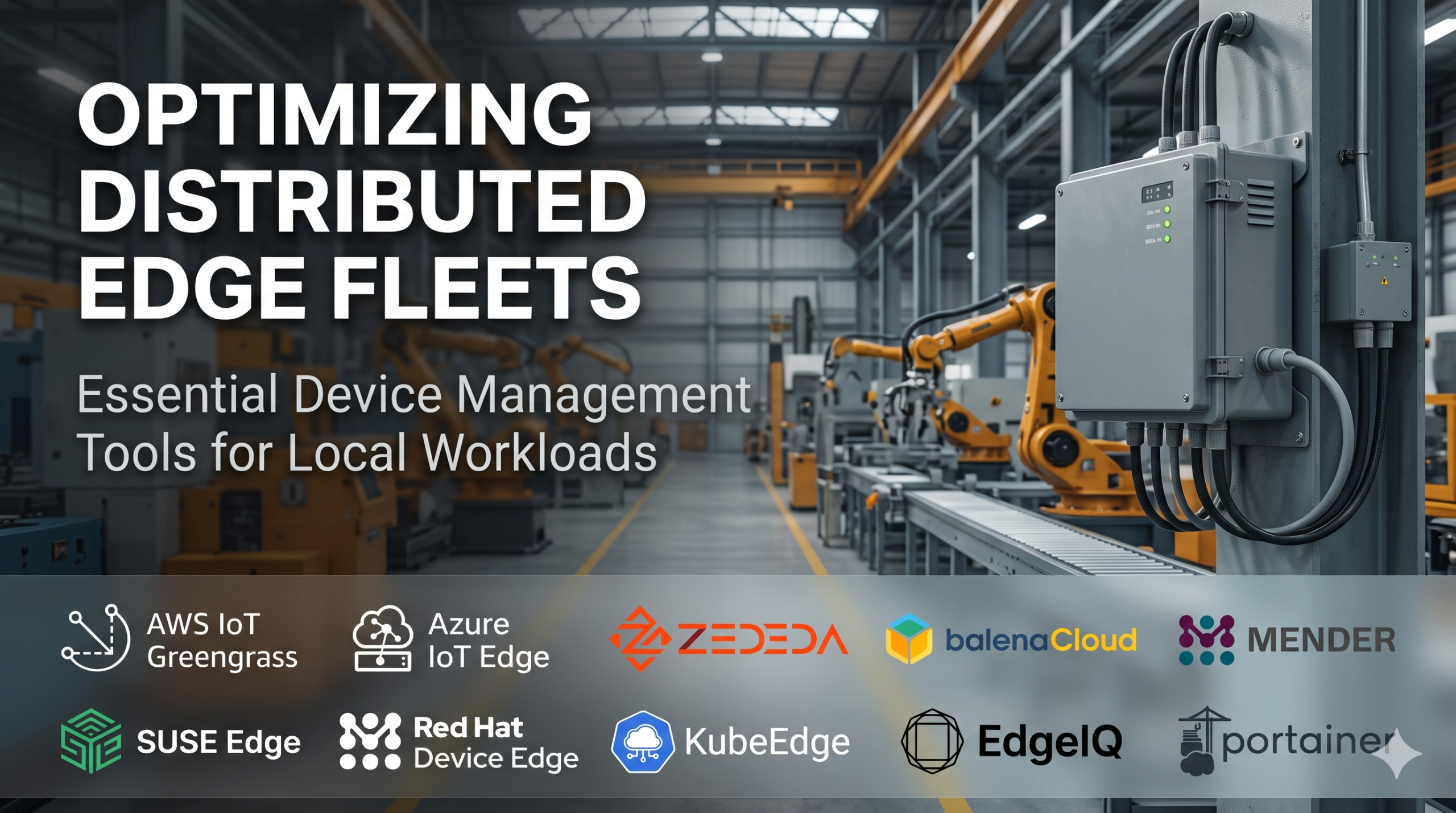
Introduction
Edge device management tools help organizations centrally administer, configure, monitor, and maintain computing devices operating near data sources and operational environments. These platforms support distributed infrastructure across manufacturing facilities, retail stores, transportation networks, telecommunications systems, and smart buildings.
Traditional cloud computing environments process information primarily through centralized infrastructure, while edge computing enables selected workloads to operate closer to connected equipment. This architecture can reduce communication delays, improve local processing capabilities, and support applications requiring immediate operational responses.
Modern edge device management platforms combine automated provisioning, remote configuration, application deployment, software updates, and device health monitoring. These capabilities help organizations maintain consistent computing environments across geographically distributed locations.
Advanced management solutions provide container orchestration, workload scheduling, remote troubleshooting, security policy administration, and integration with cloud infrastructure. These capabilities allow technical teams to coordinate distributed computing resources while maintaining operational visibility.
Different edge device management tools address varying hardware architectures, operating systems, application requirements, and connectivity conditions. Selecting appropriate software requires evaluating scalability, security, deployment flexibility, workload compatibility, and total ownership expenses.
This guide examines ten edge device management tools, including their features, benefits, advantages, limitations, and practical applications. It also provides comparison tables, implementation recommendations, security considerations, performance indicators, and frequently asked questions.
What Are Edge Device Management Tools?
Edge device management tools are software platforms and frameworks designed to centrally administer computing devices operating outside traditional centralized data centers. They help organizations deploy applications, configure infrastructure, monitor operational conditions, and maintain distributed computing resources.
These platforms frequently support embedded Linux systems, industrial gateways, edge servers, and containerized computing environments. Their capabilities depend on hardware compatibility, operating system requirements, connectivity architecture, and supported workload technologies.
Edge device management software can integrate with cloud computing services, Internet of Things (IoT) platforms, cybersecurity applications, and infrastructure automation frameworks. These integrations help organizations coordinate local computing activities with centralized operational requirements.
Effective edge device management requires reliable device identities, secure communications, appropriate workload configurations, and documented maintenance procedures. Management platforms support these requirements through centralized visibility, repeatable automation, and remote administrative capabilities.
How Edge Device Management Tools Work
- Identify compatible edge computing devices.
- Establish unique device identities and authentication credentials.
- Register devices with centralized management infrastructure.
- Assign devices to operational groups.
- Define approved application and configuration requirements.
- Deploy software packages or containerized workloads.
- Monitor device health and application performance.
- Distribute approved software and operating system updates.
- Execute authorized remote troubleshooting activities.
- Review device lifecycle requirements and operational outcomes.
Common Applications
- Industrial edge computing administration.
- Smart manufacturing infrastructure.
- Distributed retail computing systems.
- Telecommunications edge infrastructure.
- Intelligent transportation systems.
- Remote industrial gateway management.
- Edge Artificial Intelligence (AI) applications.
- Connected healthcare infrastructure.
- Smart city computing environments.
- Distributed video processing systems.
- Local application hosting.
- Remote equipment maintenance.
Essential Components of Edge Device Management Tools
| Component | Purpose |
|---|---|
| Device registry | Maintains edge device identities and records |
| Provisioning engine | Registers and configures new devices |
| Workload management | Coordinates distributed application deployment |
| Configuration management | Establishes approved infrastructure settings |
| Update management | Distributes software and operating system updates |
| Device monitoring | Tracks equipment health and availability |
| Remote diagnostics | Supports technical troubleshooting |
| Security administration | Protects device access and communication |
| Orchestration engine | Coordinates distributed computing workloads |
| Integration framework | Connects edge infrastructure with external applications |
Top 10 Edge Device Management Tools
The following platforms include dedicated edge fleet management products, cloud-connected edge frameworks, embedded device management solutions, and distributed workload orchestration systems. Their numbering represents presentation order rather than an independently tested performance ranking.
1. AWS IoT Greengrass
Short Description
AWS IoT Greengrass provides an edge runtime and cloud-connected management capabilities for compatible distributed computing devices. It allows organizations to execute applications locally while integrating selected operations with Amazon Web Services (AWS).
Developers can package application functionality into components and deploy them across supported edge infrastructure. Local execution can support selected operational workflows when continuous cloud connectivity is unavailable.
Key Features
- Edge application component deployment.
- Local application execution.
- Device fleet integration.
- Component lifecycle management.
- Local messaging capabilities.
- Cloud service integration.
- Supported machine learning inference.
- Secure device communication.
Benefits: Supports distributed application execution, improves cloud integration, facilitates local processing, and simplifies edge workload deployment.
Pros
- Extensive AWS ecosystem integration.
- Flexible component-based architecture.
- Supports local application processing.
- Relevant industrial IoT capabilities.
Cons
- Requires AWS technical expertise.
- Cloud consumption expenses require monitoring.
- Hardware and runtime compatibility require verification.
Use Cases: Industrial gateways, local data processing, distributed monitoring, edge inference, and connected manufacturing.
Best For: AWS customers, cloud engineers, industrial IoT developers, and distributed application teams.
2. Azure IoT Edge
Short Description
Microsoft Azure IoT Edge provides a managed runtime for deploying supported containerized workloads to edge computing devices. It integrates with Azure IoT Hub to coordinate device communication, application deployment, and operational administration.
Organizations can execute selected analytics and application services locally rather than transferring all information to centralized infrastructure. Deployment manifests define the modules and configurations assigned to compatible edge devices.
Key Features
- Containerized edge application deployment.
- Azure IoT Hub integration.
- Edge runtime management.
- Module configuration administration.
- Local data processing.
- Supported offline operation.
- Secure device communication.
- Remote deployment management.
Benefits: Supports local application processing, improves cloud-connected administration, facilitates distributed deployments, and reduces unnecessary data transmission.
Pros
- Strong Microsoft Azure integration.
- Flexible containerized application architecture.
- Relevant enterprise security capabilities.
- Supports selected offline workloads.
Cons
- Requires compatible edge runtime environments.
- Cloud service expenses require evaluation.
- Implementation requires Azure and container expertise.
Use Cases: Industrial monitoring, smart buildings, local analytics, connected equipment, and distributed enterprise applications.
Best For: Microsoft-focused organizations, Azure developers, industrial enterprises, and edge application engineers.
3. ZEDEDA
Short Description
ZEDEDA provides distributed edge infrastructure management and orchestration capabilities for enterprise computing environments. Its platform helps organizations administer edge devices and application workloads across geographically distributed locations.
The platform uses the open-source EVE operating system as part of its edge infrastructure architecture. Administrators can manage supported virtual machines and containerized workloads through centralized management workflows.
Key Features
- Centralized edge infrastructure administration.
- Automated device onboarding.
- Virtual machine workload management.
- Containerized application support.
- Remote configuration management.
- Edge device monitoring.
- Security policy administration.
- Distributed workload orchestration.
Benefits: Simplifies distributed infrastructure administration, supports heterogeneous workloads, improves operational visibility, and reduces physical maintenance requirements.
Pros
- Dedicated enterprise edge management capabilities.
- Supports multiple workload types.
- Open-source technology foundation.
- Relevant distributed infrastructure security features.
Cons
- Commercial licensing requires consultation.
- Hardware compatibility requires assessment.
- Complex deployments require specialist expertise.
Use Cases: Industrial edge infrastructure, distributed retail computing, energy facilities, and enterprise edge applications.
Best For: Large enterprises, industrial organizations, infrastructure administrators, and distributed computing teams.
4. balenaCloud
Short Description
balenaCloud provides centralized fleet management for supported embedded Linux devices running containerized applications. It helps developers deploy, monitor, update, and maintain applications across distributed edge infrastructure.
The platform supports application release management and device-specific configuration through centralized workflows. Its developer-oriented architecture is particularly relevant to connected products and embedded computing environments.
Key Features
- Embedded Linux device provisioning.
- Containerized application deployment.
- Centralized fleet administration.
- Remote application updates.
- Device health monitoring.
- Environment variable management.
- Supported remote device access.
- Application release management.
Benefits: Simplifies distributed software deployment, improves application consistency, supports remote maintenance, and facilitates embedded development workflows.
Pros
- Strong container-based deployment capabilities.
- Developer-friendly management environment.
- Supports multiple embedded hardware platforms.
- Relevant connected product management features.
Cons
- Requires compatible Linux hardware.
- Not designed for every constrained device.
- Subscription expenses depend on fleet requirements.
Use Cases: Intelligent kiosks, industrial gateways, digital signage infrastructure, and embedded edge applications.
Best For: Embedded developers, IoT product manufacturers, edge computing startups, and DevOps teams.
5. Mender
Short Description
Mender provides remote software update and device management capabilities for compatible embedded Linux and distributed computing systems. It focuses on maintaining reliable software deployments across connected device fleets.
The platform supports over-the-air (OTA) software updates, deployment administration, and compatible rollback mechanisms. Organizations can use Mender to coordinate controlled releases without physically accessing every edge device.
Key Features
- OTA software update administration.
- Centralized device inventory.
- Device grouping.
- Deployment campaign management.
- Supported rollback mechanisms.
- Software update reporting.
- Remote maintenance capabilities.
- Application Programming Interface (API) integrations.
Benefits: Improves software maintenance reliability, supports controlled deployments, reduces physical servicing, and facilitates distributed device lifecycle management.
Pros
- Dedicated remote update functionality.
- Open-source components available.
- Relevant embedded Linux integrations.
- Supports staged software deployment workflows.
Cons
- Device integration requires technical expertise.
- Advanced functionality depends on edition.
- General workload orchestration may require additional tools.
Use Cases: Embedded Linux updates, industrial gateway maintenance, connected product software deployment, and remote device servicing.
Best For: Embedded systems engineers, firmware administrators, industrial equipment manufacturers, and connected product developers.
6. SUSE Edge
Short Description
SUSE Edge provides an enterprise technology portfolio for deploying and managing distributed computing infrastructure. Its architecture combines supported Linux operating systems, Kubernetes technologies, and centralized management components.
Organizations can use compatible SUSE Edge components to administer containerized applications across geographically distributed environments. The platform addresses infrastructure standardization, workload deployment, and lifecycle management requirements.
Key Features
- Edge infrastructure provisioning.
- Lightweight Kubernetes deployment.
- Distributed cluster administration.
- Linux operating system management.
- Containerized workload deployment.
- Infrastructure configuration automation.
- Centralized monitoring integrations.
- Enterprise security capabilities.
Benefits: Supports standardized edge infrastructure, simplifies distributed container management, improves deployment consistency, and facilitates enterprise integration.
Pros
- Strong Linux and Kubernetes ecosystem.
- Relevant enterprise edge capabilities.
- Flexible infrastructure deployment.
- Open-source technology foundation.
Cons
- Implementation requires Kubernetes expertise.
- Commercial packaging requires evaluation.
- Smaller devices may have insufficient resources.
Use Cases: Industrial edge clusters, telecommunications infrastructure, distributed retail systems, and enterprise container deployments.
Best For: Kubernetes administrators, large enterprises, industrial infrastructure teams, and platform engineers.
7. Red Hat Device Edge
Short Description
Red Hat Device Edge provides technologies for deploying applications on resource-constrained and distributed computing infrastructure. Its architecture combines supported enterprise Linux capabilities with lightweight Kubernetes functionality through MicroShift.
Organizations can establish standardized operating system and application configurations for compatible edge environments. Centralized fleet management and broader automation may involve complementary Red Hat products.
Key Features
- Enterprise Linux edge infrastructure.
- Lightweight Kubernetes capabilities.
- Containerized application execution.
- Supported operating system updates.
- Infrastructure configuration automation.
- Local application processing.
- Enterprise security functionality.
- Red Hat ecosystem integrations.
Benefits: Supports consistent edge infrastructure, facilitates lightweight application deployment, improves enterprise integration, and enables standardized operating environments.
Pros
- Strong enterprise Linux foundation.
- Relevant resource-constrained deployment capabilities.
- Extensive automation ecosystem.
- Supports containerized edge workloads.
Cons
- Complete fleet management may require additional products.
- Commercial licensing requires evaluation.
- Linux and Kubernetes expertise is necessary.
Use Cases: Industrial edge applications, remote enterprise infrastructure, distributed container deployments, and telecommunications systems.
Best For: Red Hat customers, enterprise platform engineers, industrial organizations, and Kubernetes infrastructure teams.
8. KubeEdge
Short Description
KubeEdge is an open-source framework extending Kubernetes capabilities to distributed edge computing environments. It helps developers coordinate containerized applications across cloud infrastructure and compatible edge nodes.
Its architecture separates cloud-side management components from edge-side execution components. Supported workloads can continue operating locally during certain network interruptions, depending on application requirements.
Key Features
- Kubernetes-based edge orchestration.
- Cloud-to-edge communication.
- Distributed application deployment.
- Edge node administration.
- Device integration capabilities.
- Local workload execution.
- Supported offline operation.
- Open-source extensibility.
Benefits: Extends Kubernetes workflows to edge infrastructure, supports distributed applications, facilitates customization, and reduces dependence on proprietary orchestration platforms.
Pros
- Open-source framework.
- Kubernetes-compatible architecture.
- Flexible distributed deployment capabilities.
- Relevant cloud-edge coordination features.
Cons
- Requires substantial Kubernetes expertise.
- Self-managed infrastructure requires maintenance.
- Complete device lifecycle administration may require additional components.
Use Cases: Distributed container applications, smart manufacturing, edge analytics, and customized cloud-edge infrastructure.
Best For: Kubernetes developers, open-source organizations, platform engineers, and distributed computing specialists.
9. EdgeIQ
Short Description
EdgeIQ provides connected device management and orchestration capabilities for distributed IoT and edge computing environments. Its platform helps organizations administer device configurations, software deployments, operational workflows, and connected product lifecycles.
Organizations can integrate device information with external applications and business processes through supported interfaces. Its management approach is relevant to connected product manufacturers operating heterogeneous device populations.
Key Features
- Centralized device lifecycle administration.
- Automated device provisioning.
- Remote configuration management.
- Supported software updates.
- Device monitoring.
- Workflow automation.
- Device grouping.
- Enterprise application integrations.
Benefits: Improves connected device visibility, supports remote maintenance, simplifies operational workflows, and facilitates heterogeneous fleet administration.
Pros
- Dedicated connected device management orientation.
- Flexible integration capabilities.
- Relevant workflow automation features.
- Supports distributed device environments.
Cons
- Commercial pricing requires consultation.
- Device compatibility requires technical assessment.
- Specialized workload orchestration may require complementary tools.
Use Cases: Connected commercial products, distributed equipment, industrial gateways, and remote device administration.
Best For: Connected product manufacturers, IoT engineering teams, industrial organizations, and distributed device operators.
10. Portainer
Short Description
Portainer provides centralized administration for supported container environments, including Docker and Kubernetes infrastructure. Its edge management capabilities help organizations administer distributed container deployments from centralized management interfaces.
Administrators can deploy applications, organize environments, and monitor supported container resources across multiple locations. Portainer primarily addresses container administration rather than complete hardware or firmware lifecycle management.
Key Features
- Centralized container administration.
- Distributed edge environment management.
- Docker and Kubernetes support.
- Container application deployment.
- Edge agent connectivity.
- Environment grouping.
- Role-based administration.
- Container resource visibility.
Benefits: Simplifies distributed container administration, improves application visibility, supports centralized deployments, and reduces repetitive configuration activities.
Pros
- Accessible graphical management interface.
- Supports multiple container environments.
- Relevant distributed deployment capabilities.
- Community and commercial offerings available.
Cons
- Does not provide complete firmware lifecycle management.
- Advanced edge capabilities depend on edition.
- Requires compatible container infrastructure.
Use Cases: Distributed Docker environments, edge application deployment, containerized retail infrastructure, and remote Kubernetes administration.
Best For: Container administrators, DevOps engineers, small infrastructure teams, and distributed application operators.
Comparison Table: Top 10 Edge Device Management Tools
| Platform | Primary Strength | Best For | Pricing Approach |
|---|---|---|---|
| AWS IoT Greengrass | Cloud-connected edge applications | AWS environments | Usage-based |
| Azure IoT Edge | Containerized edge workloads | Microsoft enterprises | Associated cloud service charges |
| ZEDEDA | Enterprise edge orchestration | Distributed infrastructure | Commercial licensing |
| balenaCloud | Embedded Linux fleet management | Connected product developers | Plan-based |
| Mender | Reliable remote software updates | Embedded device fleets | Open-source and commercial |
| SUSE Edge | Distributed Kubernetes infrastructure | Enterprise platform teams | Commercial offerings |
| Red Hat Device Edge | Lightweight enterprise edge computing | Red Hat environments | Commercial subscription |
| KubeEdge | Open-source edge orchestration | Kubernetes developers | Open-source |
| EdgeIQ | Connected device lifecycle management | IoT product manufacturers | Commercial licensing |
| Portainer | Distributed container administration | Docker and Kubernetes teams | Community and commercial |
Functional Comparison
| Platform | Primary Infrastructure | Management Focus |
|---|---|---|
| AWS IoT Greengrass | AWS-connected edge devices | Component deployment |
| Azure IoT Edge | Azure-connected container devices | Edge module administration |
| ZEDEDA | Distributed enterprise edge nodes | Infrastructure and workloads |
| balenaCloud | Embedded Linux systems | Containerized applications |
| Mender | Compatible embedded systems | Software update lifecycle |
| SUSE Edge | Linux and Kubernetes infrastructure | Cluster administration |
| Red Hat Device Edge | Enterprise Linux and MicroShift | Lightweight edge workloads |
| KubeEdge | Kubernetes edge nodes | Cloud-edge orchestration |
| EdgeIQ | Connected devices and gateways | Device lifecycle administration |
| Portainer | Docker and Kubernetes environments | Container management |
How to Choose the Best Edge Device Management Tool
Evaluate Hardware Compatibility
Identify device architectures, available memory, processing capacity, storage resources, and supported operating systems. Edge management platforms should operate reliably within actual hardware limitations.
Assess Workload Requirements
Determine whether edge infrastructure will execute containerized applications, virtual machines, analytics workloads, or specialized embedded software. Different platforms address different application deployment and orchestration requirements.
Review Connectivity Conditions
Evaluate network availability, bandwidth limitations, geographical distribution, and expected connectivity interruptions. Organizations operating remote infrastructure should prioritize suitable offline operation and reliable synchronization mechanisms.
Examine Security Capabilities
Review device authentication, encrypted communication, access controls, software update verification, and administrative audit logging. Security requirements should reflect the operational risks associated with distributed infrastructure.
Consider Management Architecture
Compare cloud-connected management, self-hosted infrastructure, and hybrid deployment approaches. Each architecture introduces different maintenance responsibilities, data governance requirements, and connectivity dependencies.
Evaluate Total Ownership Costs
Consider software licensing, cloud consumption, hardware expenses, connectivity, integration development, and continuing infrastructure administration. Open-source frameworks may reduce licensing expenses while increasing internal engineering requirements.
Best Edge Device Management Tools by User Type
| User Type | Relevant Platform |
|---|---|
| AWS edge application developer | AWS IoT Greengrass |
| Microsoft cloud engineer | Azure IoT Edge |
| Enterprise edge infrastructure administrator | ZEDEDA |
| Embedded Linux developer | balenaCloud |
| Firmware maintenance engineer | Mender |
| Distributed Kubernetes administrator | SUSE Edge |
| Enterprise Linux infrastructure engineer | Red Hat Device Edge |
| Open-source orchestration developer | KubeEdge |
| Connected product manufacturer | EdgeIQ |
| Container infrastructure administrator | Portainer |
Practical Example: Implementing Edge Device Management
Consider a hypothetical retail organization operating 2,500 edge computing devices across 500 stores. These devices support local inventory processing, digital signage, equipment monitoring, and selected business applications.
The organization experiences inconsistent application versions, delayed software updates, and excessive physical maintenance visits. Management introduces centralized edge administration to improve infrastructure consistency and operational reliability.
Implementation Steps
- Inventory edge devices, operating systems, and deployed applications.
- Identify hardware compatibility and connectivity limitations.
- Establish secure device identities and management access.
- Select compatible workload deployment and device management platforms.
- Conduct representative application deployment and recovery testing.
- Implement approved configurations across distributed locations.
- Monitor device health, application performance, and maintenance outcomes.
Illustrative Performance Improvements
| Performance Indicator | Before | After |
|---|---|---|
| Managed edge device coverage | 58% | 99% |
| Software version compliance | 64% | 97% |
| Successful application deployments | 76% | 98% |
| Average device provisioning time | 120 minutes | 20 minutes |
| Monthly physical maintenance visits | 220 | 80 |
| Monthly administrative workload | 700 hours | 280 hours |
| Average fault resolution time | 12 hours | 4 hours |
| Edge application availability | 96% | 99.5% |
These figures represent hypothetical implementation outcomes rather than independently verified product performance. Actual improvements depend on infrastructure conditions, application architecture, management processes, and operational requirements.
Financial Analysis
Reducing monthly administrative workloads by 420 hours releases 5,040 employee hours annually. At an illustrative labor cost of $35 per hour, this represents $176,400 in released annual labor capacity rather than guaranteed cash savings.
Suppose separately realized annual operating savings equal $300,000 and recurring management expenses equal $100,000. An initial implementation investment of $250,000 would produce a simple payback period of 15 months.
Important Edge Device Management Performance Indicators
| Indicator | Measurement Purpose |
|---|---|
| Managed device coverage | Measures registered devices against intended scope |
| Device availability | Evaluates infrastructure operational reliability |
| Application availability | Tracks successful application operation |
| Deployment success rate | Measures successful software deployments |
| Software compliance | Evaluates approved software version adoption |
| Provisioning time | Measures new device preparation efficiency |
| Configuration compliance | Tracks adherence to infrastructure policies |
| Fault resolution time | Measures technical remediation efficiency |
| Physical maintenance visits | Tracks on-site servicing requirements |
| Administrative workload | Measures continuing management effort |
| Resource utilization | Evaluates processing, memory, and storage consumption |
| Network consumption | Tracks communication and data transfer requirements |
Security and Governance Considerations
Edge devices frequently operate outside physically controlled enterprise data centers. Organizations should implement secure device identities, appropriate physical protections, encrypted communications, and restricted administrative access.
Software updates should originate from trusted sources and undergo signature verification where supported. Administrators should establish controlled deployment procedures and maintain tested recovery mechanisms for unsuccessful software changes.
Edge infrastructure should use appropriate network segmentation and least-privilege access controls. Organizations should also establish documented device retirement procedures that revoke credentials and remove sensitive information.
Applications processing sensitive information locally require appropriate data protection and retention policies. Security controls should address both centralized management infrastructure and the distributed devices receiving administrative instructions.
Challenges and Limitations
Edge computing environments frequently contain heterogeneous hardware, operating systems, and application architectures. Organizations may require multiple management components to administer all distributed infrastructure effectively.
Intermittent connectivity can interrupt application deployments, monitoring activities, and remote configuration workflows. Management procedures should accommodate delayed communication, constrained bandwidth, and device-specific recovery requirements.
Resource-constrained devices may have insufficient processing capacity or storage for complex management agents and container orchestration frameworks. Organizations should conduct representative resource utilization testing before deploying additional management components.
Physical access limitations can complicate recovery when remote software updates fail. Reliable recovery mechanisms, staged deployments, and documented maintenance procedures help reduce these operational risks.
Best Practices for Edge Device Management
- Maintain accurate edge device inventories.
- Establish unique device identities.
- Use secure automated provisioning.
- Standardize supported operating systems.
- Maintain approved application configurations.
- Protect privileged administrative credentials.
- Encrypt supported communication channels.
- Test software updates before widespread deployment.
- Use staged application deployment campaigns.
- Monitor device resource utilization.
- Maintain reliable recovery procedures.
- Plan for intermittent network connectivity.
- Review unsupported device hardware regularly.
- Securely deactivate retired infrastructure.
- Measure operational improvements continuously.
Future Trends in Edge Device Management Tools
AI-Enabled Edge Operations
Artificial Intelligence may increasingly support local analytics, automated equipment monitoring, and intelligent application processing. Management platforms will need to coordinate model deployment, resource allocation, and application maintenance across compatible edge infrastructure.
Lightweight Kubernetes Adoption
Lightweight Kubernetes technologies may become increasingly relevant to organizations deploying containerized applications outside traditional data centers. These technologies can support standardized application management while addressing selected resource limitations.
Autonomous Infrastructure Maintenance
Edge management platforms may increasingly incorporate automated health assessments and controlled remediation workflows. Qualified administrators should retain appropriate oversight of consequential infrastructure changes.
Cloud-Edge Integration
Organizations may increasingly require consistent application deployment across centralized cloud infrastructure and distributed edge devices. Improved integration can help technical teams coordinate workloads while maintaining local operational capabilities.
Sustainable Edge Infrastructure
Organizations may place greater emphasis on extending equipment lifecycles, reducing energy consumption, and improving computing resource utilization. Effective software maintenance can help reduce unnecessary hardware replacement when security and performance requirements remain satisfied.
Frequently Asked Questions
1. What are edge device management tools?
Edge device management tools centrally administer distributed computing devices operating near data sources and operational environments. They support application deployment, configuration management, software updates, and infrastructure monitoring.
2. Why is edge device management important?
Centralized management helps organizations maintain consistent and reliable distributed infrastructure. It also reduces repetitive maintenance activities and improves operational visibility.
3. What is AWS IoT Greengrass?
AWS IoT Greengrass provides an edge runtime and cloud-connected application management capabilities. It supports local application execution and integration with AWS services.
4. What is Azure IoT Edge?
Azure IoT Edge provides a managed runtime for supported containerized edge applications. It integrates with Azure IoT Hub for device communication and deployment administration.
5. What is ZEDEDA?
ZEDEDA provides centralized edge infrastructure management and workload orchestration capabilities. It supports compatible distributed computing environments and multiple workload types.
6. What is balenaCloud?
balenaCloud provides fleet management for supported embedded Linux devices. It helps developers deploy, update, and maintain containerized applications remotely.
7. What is Mender?
Mender provides remote software update and device management capabilities for compatible embedded systems. It supports controlled software deployments and compatible recovery mechanisms.
8. What is SUSE Edge?
SUSE Edge provides enterprise technologies for distributed Linux and Kubernetes infrastructure. Its components support edge application deployment and infrastructure administration.
9. What is Red Hat Device Edge?
Red Hat Device Edge provides enterprise Linux and lightweight Kubernetes technologies for compatible distributed computing environments. Broader fleet management may require complementary Red Hat products.
10. What is KubeEdge?
KubeEdge is an open-source framework extending Kubernetes capabilities to distributed edge infrastructure. It supports cloud-edge communication and containerized workload orchestration.
11. What is EdgeIQ?
EdgeIQ provides connected device lifecycle management and operational workflow capabilities. It supports distributed device provisioning, configuration, monitoring, and maintenance.
12. What is Portainer?
Portainer provides centralized administration for supported container environments. Its edge capabilities help organizations manage distributed Docker and Kubernetes infrastructure.
13. What is the difference between edge computing and cloud computing?
Edge computing processes selected information closer to its source or operational environment. Cloud computing generally relies on centralized or regionally distributed computing infrastructure.
14. What is the difference between IoT and edge device management?
IoT device management focuses on connected equipment identities, configurations, connectivity, and software lifecycles. Edge device management frequently emphasizes distributed computing infrastructure and application workloads.
15. Can edge devices operate without internet connectivity?
Compatible edge devices can execute certain applications locally without continuous internet access. Remote management and cloud-dependent workflows may remain unavailable until connectivity returns.
16. What is edge workload orchestration?
Edge workload orchestration coordinates application deployment and execution across distributed computing resources. It helps organizations maintain consistent application configurations across multiple locations.
17. What is an edge gateway?
An edge gateway connects local equipment with computing infrastructure or external networks. It may also perform local data processing, protocol translation, and application execution.
18. Can edge management tools deploy containerized applications?
Several edge management platforms support containerized application deployment. Compatibility depends on operating systems, container runtimes, hardware resources, and platform architecture.
19. What is an OTA software update?
An over-the-air software update distributes approved software through supported network connections. It enables compatible devices to receive updates without physical servicing.
20. Are open-source edge device management tools available?
KubeEdge and open-source components associated with Mender and other platforms provide relevant management capabilities. Self-managed deployments still require infrastructure, maintenance, and technical expertise.
21. Can edge device management improve cybersecurity?
These platforms can support secure device identities, controlled software updates, configuration administration, and operational monitoring. Effective cybersecurity also requires network protection, physical security, and appropriate organizational governance.
22. Can edge computing reduce network costs?
Local processing may reduce the volume of information transferred to centralized infrastructure. Actual savings depend on application architecture, communication requirements, and connectivity pricing.
23. Can edge management tools support industrial environments?
Many platforms support compatible industrial gateways, edge servers, and distributed computing equipment. Organizations should verify hardware compatibility, operational safety, and environmental requirements.
24. How much do edge device management tools cost?
Costs depend on device volumes, software licensing, cloud consumption, infrastructure expenses, and implementation requirements. Organizations should evaluate complete ownership expenses rather than subscription costs alone.
25. Which edge device management tool is best?
The appropriate platform depends on hardware architecture, application workloads, connectivity conditions, security requirements, and available technical resources. Representative testing helps organizations identify suitable management solutions.
Conclusion
Edge device management tools help organizations maintain reliable, secure, and consistently configured distributed computing infrastructure. Their capabilities support remote provisioning, application deployment, software maintenance, infrastructure monitoring, and operational administration.
AWS IoT Greengrass and Azure IoT Edge provide cloud-connected edge application management capabilities. ZEDEDA, SUSE Edge, and Red Hat Device Edge address enterprise distributed infrastructure and workload deployment requirements.
balenaCloud and Mender provide capabilities relevant to embedded Linux fleets and remote software maintenance. KubeEdge supports open-source edge orchestration, while EdgeIQ and Portainer address connected device lifecycles and distributed container administration respectively.
Successful implementation requires accurate device inventories, compatible hardware, secure communications, documented configuration standards, and reliable maintenance procedures. Organizations should evaluate operational improvements alongside application availability, cybersecurity requirements, and total ownership expenses.
An effective edge device management strategy combines appropriate technology with responsible governance and continuous improvement. These practices help organizations reduce administrative workloads, strengthen distributed infrastructure security, and maintain dependable edge computing environments.
