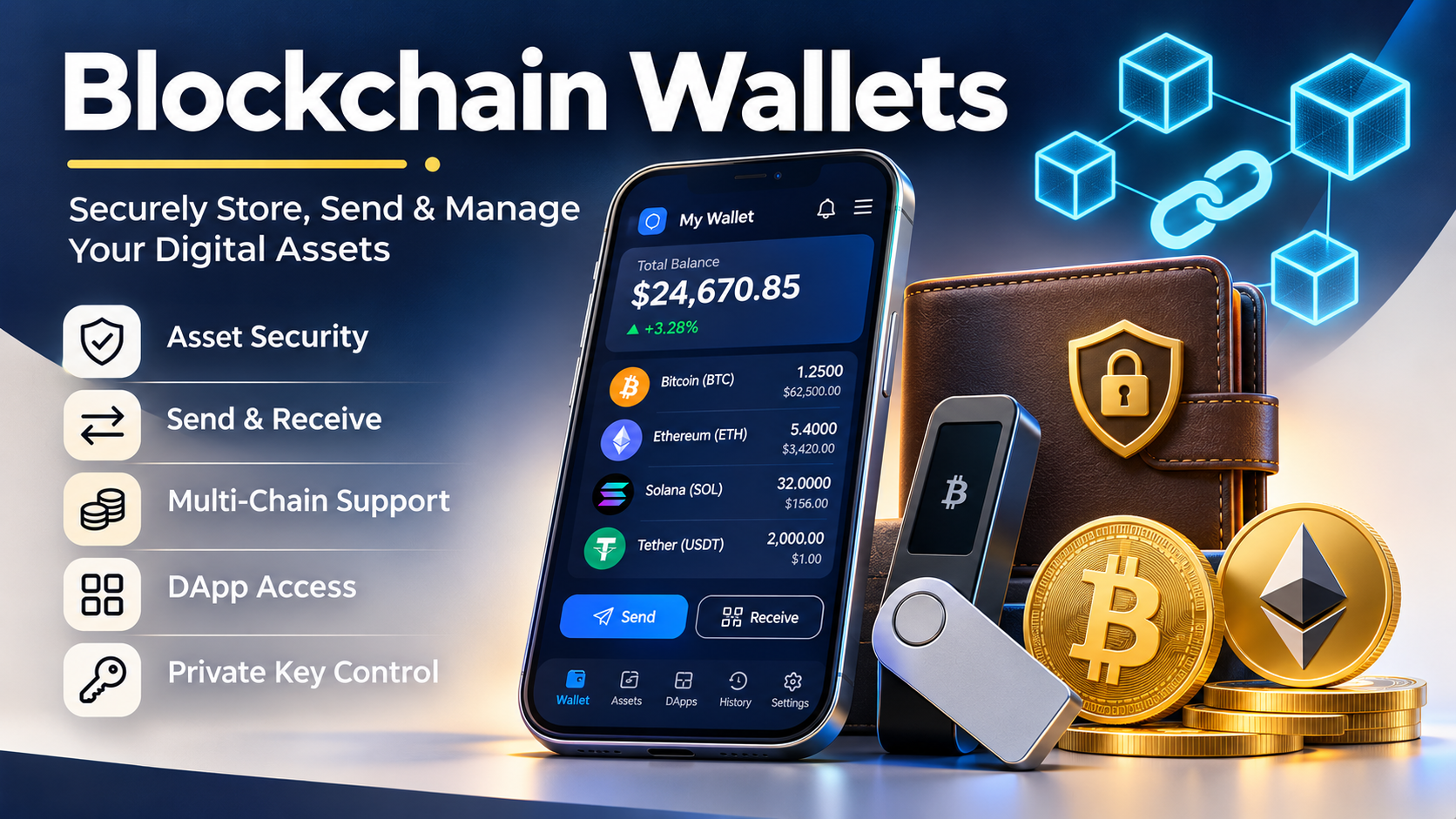
Introduction
Blockchain wallets are essential applications for managing digital assets, interacting with decentralized networks, and authorizing blockchain transactions. They provide individuals, developers, and organizations with interfaces for controlling cryptographic accounts.
Unlike conventional financial applications, blockchain wallets generally manage the cryptographic credentials associated with digital assets rather than storing the assets themselves. Ownership records and transaction histories remain on their respective blockchain networks.
Modern blockchain wallets support various capabilities, including cryptocurrency transfers, decentralized application connectivity, hardware-based signing, transaction simulation, and digital asset portfolio management. Some solutions also provide access to multiple blockchain ecosystems through a unified interface.
Selecting an appropriate blockchain wallet requires careful consideration of security, recovery mechanisms, supported networks, transaction transparency, and usability. Different wallets serve different requirements, ranging from individual asset management to organizational treasury operations.
Businesses increasingly use blockchain wallets to support decentralized finance applications, digital asset custody workflows, blockchain development, and tokenized asset management. However, organizations must establish appropriate governance and authorization policies before adopting these technologies.
This guide examines ten blockchain wallets, their features, benefits, limitations, technical capabilities, and practical applications. It also provides comparison tables, implementation guidance, security recommendations, and frequently asked questions to support informed software selection.
What Are Blockchain Wallets?
Blockchain wallets are software applications, hardware devices, or smart contract accounts that enable users to interact with blockchain networks. They facilitate account management, transaction signing, balance monitoring, and digital asset transfers.
A blockchain wallet typically uses public and private cryptographic keys to establish account ownership and authorize transactions. Public addresses can receive assets, while private keys or equivalent authorization mechanisms enable users to approve transactions.
Self-custodial wallets allow users to retain responsibility for their cryptographic credentials. Custodial services instead manage credentials on behalf of customers, introducing different operational responsibilities and counterparty risks.
Hardware wallets provide isolated transaction-signing environments that can reduce exposure to compromised computers. However, they cannot prevent every form of transaction fraud or user-authorized malicious activity.
Smart contract wallets introduce programmable authorization mechanisms, including multiple approvals, spending restrictions, and configurable account policies. These capabilities can be particularly useful for organizations managing shared digital assets.
Blockchain wallets differ considerably in network compatibility, security architecture, recovery procedures, and application integrations. Selecting a wallet therefore requires evaluating the specific blockchain ecosystem and intended operational requirements.
How Blockchain Wallets Work
Blockchain wallets communicate with blockchain infrastructure to retrieve account information and submit authorized transactions. Their operational architecture depends on whether they use conventional cryptographic accounts, hardware-backed signing, or smart contract accounts.
A typical wallet workflow includes:
- Wallet initialization: Creates or imports an account using supported cryptographic mechanisms.
- Credential management: Stores or accesses the information required to authorize transactions.
- Address generation: Produces public addresses associated with supported accounts.
- Network connectivity: Connects to blockchain nodes or infrastructure providers.
- Balance retrieval: Reads account balances and relevant blockchain records.
- Transaction preparation: Constructs transactions using recipient, asset, and network information.
- Transaction validation: Displays available transaction details and estimated network fees.
- Digital signing: Authorizes transactions through the applicable signing mechanism.
- Transaction broadcasting: Submits signed transactions to the blockchain network.
- Confirmation monitoring: Tracks transaction inclusion and confirmation status.
- Activity recording: Presents available transaction history and account activity.
- Recovery management: Supports account restoration through the applicable recovery architecture.
Traditional Financial Accounts vs Blockchain Wallets
| Comparison Factor | Traditional Financial Accounts | Blockchain Wallets |
|---|---|---|
| Account ownership | Institution-managed records | Blockchain-based account records |
| Authorization | Passwords and institutional controls | Cryptographic signatures or account policies |
| Transaction processing | Financial intermediaries | Blockchain network infrastructure |
| Asset accessibility | Institution-dependent | Network and credential-dependent |
| Transaction reversibility | Sometimes possible | Generally difficult after confirmation |
| Recovery | Institutional verification | Wallet-specific recovery mechanisms |
| Operating hours | Service-dependent | Networks generally operate continuously |
| Transparency | Restricted financial records | Public or permissioned ledger records |
| Fees | Institutional charges | Network and service charges |
| Governance | Institution-defined | User-defined or programmable controls |
| Security responsibility | Shared with institutions | Depends on custody architecture |
| Interoperability | Financial network integrations | Blockchain and application integrations |
Common Applications of Blockchain Wallets
- Cryptocurrency account management.
- Digital asset transfers.
- Decentralized finance participation.
- Non-fungible token management.
- Blockchain application development.
- Organizational treasury management.
- Tokenized asset administration.
- Hardware-backed transaction signing.
- Smart contract interaction.
- Blockchain-based payment workflows.
- Digital identity authentication.
- Multi-signature authorization.
Key Components of Blockchain Wallets
| Component | Function |
|---|---|
| Private key | Authorizes conventional cryptographic account transactions |
| Public key | Supports cryptographic verification |
| Public address | Identifies an account or destination |
| Recovery phrase | Enables restoration in compatible wallet architectures |
| Signing engine | Produces transaction signatures |
| Network connector | Communicates with blockchain infrastructure |
| Account manager | Organizes wallet accounts |
| Asset interface | Displays supported digital assets |
| Transaction builder | Constructs blockchain transactions |
| Fee estimator | Estimates applicable network charges |
| Security module | Protects wallet access or signing operations |
| Application connector | Connects compatible decentralized applications |
| Hardware integration | Supports external signing devices |
| Activity monitor | Displays account and transaction activity |
| Recovery system | Supports restoration or alternative authorization |
Types of Blockchain Wallets
Software Wallets
Software wallets operate through mobile applications, desktop programs, or browser extensions. They offer convenient access but depend on the security of their operating environment.
Hardware Wallets
Hardware wallets use dedicated devices to isolate sensitive signing operations. They can reduce certain credential exposure risks when used with verified software and appropriate security practices.
Smart Contract Wallets
Smart contract wallets use programmable blockchain accounts to implement configurable authorization rules. They may support multiple owners, transaction thresholds, and additional governance mechanisms.
Custodial Wallets
Custodial wallets rely on service providers to manage account credentials and transaction authorization. Users must evaluate provider security, contractual protections, withdrawal policies, and regulatory obligations.
Self-Custodial Wallets
Self-custodial wallets give users direct responsibility for account authorization and recovery. Losing the required credentials can result in permanent loss of access.
Multi-Chain Wallets
Multi-chain wallets provide interfaces for managing accounts across multiple blockchain networks. Supported assets, signing standards, and application integrations vary by platform.
Essential Blockchain Wallet Capabilities
- Secure credential management.
- Account recovery support.
- Blockchain network compatibility.
- Transaction signing.
- Network fee estimation.
- Transaction history monitoring.
- Digital asset discovery.
- Decentralized application connectivity.
- Hardware wallet compatibility.
- Transaction security warnings.
- Account organization.
- Privacy and access controls.
Blockchain Wallet Architecture and Integrations
| Integration Layer | Purpose |
|---|---|
| User interface | Account and transaction management |
| Cryptographic library | Key generation and signing |
| Blockchain node | Network communication |
| Remote Procedure Call (RPC) interface | Blockchain data access |
| Hardware signer | Isolated transaction authorization |
| Smart contract | Programmable account functionality |
| WalletConnect | Compatible application connectivity |
| Blockchain explorer | Independent transaction verification |
| Security service | Transaction or application risk analysis |
| Portfolio service | Asset visibility and reporting |
Top 10 Blockchain Wallets
The following tools represent different blockchain wallet architectures and operational requirements. Their ordering is not a verified market ranking, and their features should be evaluated against specific network, security, and deployment requirements.
1. MetaMask
Short Description
MetaMask is a widely used self-custodial blockchain wallet associated with Ethereum and compatible blockchain ecosystems. It provides interfaces for managing accounts and interacting with decentralized applications.
The wallet is available through browser extensions and mobile applications. Users can manage supported digital assets and authorize transactions without relying on a conventional custodial account.
MetaMask is commonly used with Ethereum Virtual Machine (EVM) compatible networks. Its ecosystem also includes extensibility mechanisms that can introduce additional functionality.
Developers frequently use MetaMask to test blockchain applications and smart contract integrations. Its browser-based connectivity makes it useful for decentralized application development.
The wallet requires users to understand transaction permissions, account recovery, and malicious application risks. Hardware wallet integration can provide additional signing isolation where supported.
How MetaMask Works
- Initialize or import a wallet.
- Configure supported blockchain networks.
- Create or select an account.
- Connect to a verified decentralized application.
- Review requested transaction details.
- Authorize transactions using the configured signer.
- Monitor blockchain confirmation.
Key Features
- Self-custodial accounts: Provides user-controlled account authorization.
- Browser extension: Enables browser-based blockchain interactions.
- Mobile application: Supports portable account management.
- EVM compatibility: Connects to supported compatible networks.
- Custom networks: Allows compatible network configuration.
- Account organization: Supports multiple wallet accounts.
- Token management: Displays supported blockchain tokens.
- Application connectivity: Connects compatible decentralized applications.
- Hardware integration: Supports selected external signing devices.
- Transaction previews: Displays available authorization information.
- MetaMask Snaps: Extends supported wallet functionality.
- Recovery support: Supports compatible account restoration procedures.
Benefits
- Simplifies Ethereum application access.
- Supports blockchain development.
- Provides direct account control.
- Enables multiple account workflows.
- Supports compatible network expansion.
- Facilitates smart contract interaction.
- Offers portable wallet access.
- Provides established ecosystem integrations.
- Supports hardware-backed authorization.
- Reduces dependence on custodial intermediaries.
Pros
- Extensive Ethereum ecosystem compatibility.
- Familiar browser interface.
- Mobile availability.
- Established developer adoption.
- Configurable network support.
- Hardware wallet compatibility.
- Extensible architecture.
- Multiple account management.
Cons
- Recovery responsibility remains with users.
- Browser environments introduce security risks.
- Malicious application approvals remain possible.
- Network fees can fluctuate.
- Advanced permissions may confuse beginners.
- Network compatibility requires verification.
- Integrated services may introduce additional charges.
Use Cases
- Ethereum account management.
- Smart contract testing.
- Decentralized exchange connectivity.
- Token transfers.
- Blockchain application authentication.
- Hardware-backed signing.
- Digital collectible management.
- Multi-network development.
Industry Applications
- Financial technology.
- Blockchain software development.
- Digital gaming.
- Tokenized asset services.
- Web3 application development.
Integration and Deployment
MetaMask can be deployed through supported browsers and mobile operating systems. Developers can integrate compatible applications using established blockchain connectivity interfaces.
Organizations should define approved extensions, verified application destinations, and signing policies. Browser isolation and hardware-backed signing may provide additional protection for sensitive workflows.
Pricing
Core wallet software is generally available without a purchase fee. Network charges and optional integrated service fees may apply.
Best For
- Ethereum users.
- Web3 developers.
- Decentralized application users.
- Smart contract testers.
- Multi-network users.
- Hardware wallet owners.
- Digital collectible users.
- Blockchain educators.
Overall Assessment
MetaMask is a practical option for Ethereum-oriented application connectivity and blockchain development. Its established ecosystem makes it particularly useful for compatible decentralized applications.
Its suitability depends on secure account management and careful transaction review. Organizations should avoid treating browser-based wallet access as a complete enterprise custody solution.
2. Trust Wallet
Short Description
Trust Wallet is a self-custodial wallet designed for managing digital assets across supported blockchain networks. It provides mobile and browser-based wallet experiences.
The platform focuses on accessible digital asset management through a unified interface. Users can monitor supported balances and interact with compatible blockchain applications.
Trust Wallet supports numerous blockchain ecosystems, although specific asset and network availability can vary. Its multi-chain architecture makes it useful for users managing diverse accounts.
The wallet also provides access to selected third-party services and blockchain functionality. Availability depends on network support, geographic restrictions, and service conditions.
Users retain responsibility for recovery credentials and transaction approvals. Appropriate security practices remain necessary even when using integrated risk warnings.
How Trust Wallet Works
- Create or import a compatible wallet.
- Enable supported blockchain assets.
- Retrieve account balances.
- Select a transaction or application.
- Review network and transaction information.
- Authorize the requested operation.
- Monitor transaction status.
Key Features
- Multi-chain support: Manages assets across supported networks.
- Mobile wallet: Provides smartphone-based account access.
- Browser extension: Enables compatible browser interactions.
- Self-custody: Gives users control over account credentials.
- Token discovery: Identifies supported digital assets.
- Application connectivity: Supports compatible decentralized applications.
- Transaction management: Facilitates blockchain transfers.
- Collectible support: Displays supported digital collectibles.
- Staking access: Provides selected network-dependent functionality.
- Swap integrations: Connects supported asset exchange services.
- Security warnings: Provides available transaction risk information.
- Recovery mechanisms: Supports compatible wallet restoration.
Benefits
- Consolidates multiple blockchain accounts.
- Simplifies mobile asset management.
- Reduces application switching.
- Supports diverse blockchain ecosystems.
- Provides direct account ownership.
- Enables decentralized application access.
- Improves portfolio visibility.
- Supports portable transaction workflows.
- Offers accessible wallet initialization.
- Facilitates compatible account restoration.
Pros
- Broad network coverage.
- Mobile-friendly interface.
- Browser extension availability.
- Multiple asset categories.
- Self-custodial architecture.
- Integrated application connectivity.
- Accessible account management.
- Established consumer adoption.
Cons
- Mobile device compromise remains a risk.
- Network support varies.
- Third-party services introduce dependencies.
- Recovery credentials require protection.
- Transaction fees are variable.
- Not a comprehensive enterprise custody platform.
- Application permissions require careful review.
Use Cases
- Multi-chain asset management.
- Mobile cryptocurrency transfers.
- Decentralized application connectivity.
- Token monitoring.
- Digital collectible management.
- Supported staking participation.
- Blockchain education.
- Personal portfolio administration.
Industry Applications
- Consumer financial technology.
- Blockchain payments.
- Digital entertainment.
- Web3 commerce.
- Digital asset education.
Integration and Deployment
Trust Wallet operates through supported mobile devices and browsers. Compatible decentralized applications can connect through supported wallet connection mechanisms.
Deployment should include device security controls and documented recovery procedures. Users should independently verify third-party applications before authorizing transactions.
Pricing
The core wallet is generally free to install. Blockchain fees and third-party service charges may apply.
Best For
- Mobile wallet users.
- Multi-chain users.
- Individual asset holders.
- Blockchain beginners.
- Digital collectible users.
- Decentralized application participants.
- Portable account management.
- Consumer Web3 workflows.
Overall Assessment
Trust Wallet offers a convenient interface for managing supported assets across multiple networks. Its accessibility makes it suitable for individual users seeking consolidated wallet functionality.
The platform does not eliminate risks associated with self-custody or third-party applications. Users should prioritize secure recovery and verified transaction destinations.
3. Coinbase Wallet / Base App
Short Description
Coinbase Wallet is a self-custodial wallet product associated with the Coinbase ecosystem. Its evolution toward the Base App introduces a broader on-chain application experience, with branding and availability potentially varying by release.
The wallet is distinct from a conventional custodial Coinbase exchange account. Its self-custodial functionality enables users to interact with supported blockchain accounts and applications.
The platform supports compatible digital assets, blockchain transactions, and decentralized application connectivity. Its ecosystem is particularly relevant to Ethereum and Base-oriented workflows.
Supported versions may provide different onboarding and account recovery mechanisms. Users should confirm the exact account architecture before transferring assets.
The platform can simplify access to blockchain applications for users familiar with the broader Coinbase ecosystem. However, integrated services should be evaluated separately from core wallet functionality.
How Coinbase Wallet / Base App Works
- Install the applicable wallet application.
- Initialize a supported account.
- Configure account security and recovery.
- Select a supported blockchain network.
- Connect to an application or prepare a transfer.
- Review and authorize the transaction.
- Monitor account activity.
Key Features
- Self-custodial functionality: Supports user-controlled blockchain accounts.
- Mobile accessibility: Provides supported smartphone experiences.
- Ethereum compatibility: Supports relevant Ethereum-based workflows.
- Base ecosystem access: Connects supported Base applications.
- Token management: Displays compatible digital assets.
- Application discovery: Supports access to available on-chain services.
- Account connectivity: Connects compatible blockchain applications.
- Transaction authorization: Facilitates approved blockchain operations.
- Collectible management: Supports compatible digital collectibles.
- Recovery options: Provides account-specific restoration mechanisms.
- Ecosystem integrations: Connects supported Coinbase-related services.
- Transaction visibility: Presents available account activity information.
Benefits
- Simplifies blockchain onboarding.
- Supports Base ecosystem participation.
- Provides self-custodial account access.
- Enables mobile transaction management.
- Facilitates decentralized application connectivity.
- Supports compatible asset monitoring.
- Reduces onboarding complexity.
- Offers familiar ecosystem integration.
- Enables blockchain-based commerce.
- Supports digital collectible workflows.
Pros
- Established ecosystem association.
- Accessible interface.
- Ethereum-oriented functionality.
- Base application compatibility.
- Mobile accessibility.
- Self-custodial options.
- Integrated on-chain experiences.
- Consumer-focused onboarding.
Cons
- Product branding and features can change.
- Regional availability may differ.
- Account recovery architecture requires verification.
- Third-party services introduce risk.
- Network fees remain applicable.
- Not equivalent to institutional custody.
- Supported networks and assets may vary.
Use Cases
- Base application connectivity.
- Ethereum asset management.
- Consumer Web3 onboarding.
- Digital collectible management.
- Blockchain transfers.
- On-chain commerce.
- Decentralized application authentication.
- Supported ecosystem participation.
Industry Applications
- Consumer financial services.
- Digital commerce.
- Blockchain application development.
- Digital media.
- Web3 entertainment.
Integration and Deployment
Deployment depends on the applicable wallet or Base App release and supported operating system. Developers should verify current connectivity standards and account compatibility.
Organizations should distinguish self-custodial wallet functionality from custodial exchange services. Account recovery and authorization procedures should be tested before production use.
Pricing
Core wallet access is generally available without an upfront software purchase. Network fees and optional service charges may apply.
Best For
- Base ecosystem users.
- Ethereum users.
- Consumer Web3 participants.
- Mobile application users.
- Blockchain beginners.
- Digital collectible owners.
- On-chain commerce users.
- Coinbase ecosystem users seeking self-custody.
Overall Assessment
Coinbase Wallet and its evolving Base App experience provide accessible entry points into supported blockchain ecosystems. They are particularly relevant for users interested in Base-oriented applications.
Product evolution makes current documentation important during selection. Users should verify supported networks, recovery architecture, and applicable service terms.
4. Phantom
Short Description
Phantom is a self-custodial blockchain wallet originally associated with the Solana ecosystem. It has expanded to support additional blockchain networks and digital asset categories.
The wallet provides browser and mobile interfaces for managing compatible accounts. Its design emphasizes accessible transaction management and decentralized application connectivity.
Phantom supports digital collectibles, token management, and selected blockchain services. Its supported features depend on the relevant network and software release.
The platform incorporates security-oriented functionality such as transaction previews and available malicious application warnings. These mechanisms can help users identify certain risks but cannot guarantee transaction safety.
Phantom is particularly relevant for Solana-based application users and developers. Its expanding network support also makes it suitable for selected multi-chain workflows.
How Phantom Works
- Install the verified wallet application.
- Initialize or import an account.
- Select a supported network.
- Connect to a compatible application.
- Review the requested transaction.
- Authorize the operation.
- Monitor account activity.
Key Features
- Solana compatibility: Supports Solana-based accounts and applications.
- Multi-chain support: Connects additional supported blockchain networks.
- Browser extension: Enables browser-based account management.
- Mobile application: Provides portable wallet access.
- Token management: Displays compatible digital assets.
- Collectible interface: Organizes supported digital collectibles.
- Application connectivity: Connects compatible blockchain applications.
- Transaction previews: Displays available transaction information.
- Security warnings: Identifies selected suspicious activities.
- Swap functionality: Connects supported exchange mechanisms.
- Hardware integration: Supports selected external signing devices.
- Account recovery: Supports compatible restoration workflows.
Benefits
- Simplifies Solana account management.
- Provides accessible blockchain connectivity.
- Supports multiple compatible networks.
- Improves digital collectible visibility.
- Facilitates application authentication.
- Enables mobile transaction workflows.
- Provides transaction review information.
- Supports hardware-backed signing.
- Reduces application switching.
- Offers convenient account organization.
Pros
- Strong Solana ecosystem relevance.
- User-friendly interface.
- Browser and mobile availability.
- Digital collectible support.
- Multi-chain expansion.
- Transaction preview functionality.
- Application connectivity.
- Hardware wallet compatibility.
Cons
- Network coverage is not universal.
- Recovery credentials require protection.
- Application permissions introduce risk.
- Integrated services may incur fees.
- Transaction previews have limitations.
- Browser compromise remains possible.
- Enterprise governance features are limited.
Use Cases
- Solana application connectivity.
- Token management.
- Digital collectible administration.
- Blockchain gaming.
- Smart contract interaction.
- Mobile transfers.
- Supported multi-chain management.
- Hardware-backed account access.
Industry Applications
- Blockchain gaming.
- Digital collectibles.
- Consumer financial technology.
- Web3 application development.
- Digital entertainment.
Integration and Deployment
Phantom can be deployed through supported browsers and mobile devices. Developers can integrate compatible applications using applicable wallet connectivity standards.
Organizations should verify supported network functionality and external signer compatibility. Transaction approval procedures should include independent destination and permission verification.
Pricing
Core wallet software is generally free. Blockchain transaction fees and optional service charges may apply.
Best For
- Solana users.
- Blockchain gamers.
- Digital collectible users.
- Web3 developers.
- Mobile wallet users.
- Supported multi-chain users.
- Consumer blockchain applications.
- Hardware wallet users.
Overall Assessment
Phantom provides an accessible wallet experience for Solana and other supported blockchain ecosystems. Its interface and application connectivity make it useful for consumer-facing Web3 workflows.
Users should verify network compatibility and avoid relying exclusively on automated security warnings. Secure credential management remains essential.
5. Rabby Wallet
Short Description
Rabby Wallet is a self-custodial wallet focused on Ethereum-compatible blockchain ecosystems. It emphasizes transaction transparency and decentralized application usability.
The platform is designed to help users understand the potential effects of blockchain transactions before authorization. Its simulation-oriented functionality can improve visibility into supported operations.
Rabby Wallet supports multiple compatible EVM networks and can simplify network selection for decentralized applications. This approach is useful for users interacting with several Ethereum-based ecosystems.
The wallet also supports selected hardware signing devices and external account architectures. These integrations can help separate application connectivity from sensitive signing operations.
Rabby Wallet is particularly relevant for experienced decentralized application users who prioritize transaction review. Simulation results must still be treated as estimates rather than guarantees.
How Rabby Wallet Works
- Install the verified wallet software.
- Import or connect a supported account.
- Open a compatible decentralized application.
- Identify the relevant blockchain network.
- Review available transaction simulation results.
- Authorize the transaction.
- Monitor execution and confirmation.
Key Features
- EVM compatibility: Supports compatible Ethereum-based networks.
- Transaction simulation: Estimates supported transaction effects.
- Balance change previews: Displays expected asset changes.
- Network switching: Simplifies compatible network selection.
- Risk warnings: Highlights selected transaction concerns.
- Hardware connectivity: Supports compatible external signers.
- Account management: Organizes multiple supported accounts.
- Application connectivity: Connects compatible decentralized applications.
- Token visibility: Displays supported account assets.
- Transaction history: Presents available account activity.
- Fee information: Displays applicable transaction estimates.
- Open-source components: Supports technical inspection of published code.
Benefits
- Improves transaction transparency.
- Simplifies EVM network management.
- Supports informed transaction approval.
- Reduces manual network switching.
- Enables hardware-backed signing.
- Improves decentralized application usability.
- Supports multi-account workflows.
- Highlights selected transaction risks.
- Facilitates asset change verification.
- Provides technical transparency.
Pros
- Transaction simulation capabilities.
- Strong EVM focus.
- Convenient network switching.
- Hardware wallet integrations.
- Detailed transaction information.
- Multiple account support.
- Security-oriented interface.
- Published source code.
Cons
- Limited non-EVM applicability.
- Simulation cannot guarantee execution outcomes.
- Advanced information may overwhelm beginners.
- Browser-related risks remain.
- External infrastructure dependencies exist.
- Recovery remains user-managed.
- Not a complete institutional custody platform.
Use Cases
- EVM application connectivity.
- Transaction simulation.
- Decentralized finance workflows.
- Hardware wallet access.
- Multi-network account management.
- Smart contract interaction.
- Transaction permission review.
- Blockchain security testing.
Industry Applications
- Decentralized finance.
- Blockchain security.
- Web3 development.
- Digital asset services.
- Tokenized financial applications.
Integration and Deployment
Rabby Wallet integrates with supported EVM applications and compatible signing devices. Its transaction review capabilities depend on available simulation and network infrastructure.
Organizations should test simulation accuracy for representative transactions. Independent verification remains necessary for high-value or sensitive operations.
Pricing
Core wallet functionality is generally available without an upfront purchase fee. Network charges and optional service fees may apply.
Best For
- Experienced EVM users.
- Decentralized finance participants.
- Transaction security reviewers.
- Hardware wallet users.
- Multi-network developers.
- Smart contract testers.
- Blockchain analysts.
- Users prioritizing transaction transparency.
Overall Assessment
Rabby Wallet is a strong candidate for EVM-oriented workflows that require detailed transaction visibility. Its simulation functionality can support more informed authorization decisions.
It is not a substitute for independent smart contract security assessment. Users should combine transaction previews with verified application destinations and appropriate signing controls.
6. Exodus
Short Description
Exodus is a self-custodial digital asset wallet that provides desktop, mobile, and supported browser experiences. It focuses on accessible portfolio management across compatible blockchain networks.
The platform offers a unified interface for viewing supported digital assets and account activity. Its visual presentation is designed to simplify individual portfolio administration.
Exodus supports selected asset exchange integrations and network-dependent blockchain functionality. These services may involve third-party providers and additional charges.
The wallet also supports selected hardware wallet integrations. This allows compatible users to combine portfolio visibility with external signing mechanisms.
Exodus is suitable for individuals seeking a consolidated wallet interface rather than specialized enterprise governance. Its recovery and security architecture still requires responsible credential management.
How Exodus Works
- Install the supported application.
- Initialize or restore a wallet.
- Enable compatible assets.
- Review portfolio balances.
- Prepare a transaction.
- Authorize the operation.
- Monitor transaction history.
Key Features
- Desktop application: Supports computer-based wallet management.
- Mobile application: Enables portable account access.
- Multi-asset support: Manages compatible digital assets.
- Portfolio interface: Presents consolidated asset information.
- Self-custody: Supports user-controlled credentials.
- Transaction history: Displays available blockchain activity.
- Exchange integrations: Connects selected third-party services.
- Hardware support: Integrates with selected signing devices.
- Staking functionality: Supports eligible network-dependent services.
- Account recovery: Enables compatible wallet restoration.
- Asset monitoring: Displays supported balances and valuations.
- Web3 connectivity: Supports applicable decentralized application workflows.
Benefits
- Simplifies portfolio monitoring.
- Consolidates compatible assets.
- Supports desktop and mobile access.
- Reduces account management complexity.
- Enables external signing options.
- Provides accessible transaction workflows.
- Supports individual asset administration.
- Facilitates compatible blockchain interactions.
- Improves balance visibility.
- Offers a familiar graphical interface.
Pros
- Accessible visual design.
- Desktop availability.
- Mobile compatibility.
- Multiple asset support.
- Portfolio monitoring.
- Selected hardware integrations.
- Self-custodial architecture.
- Integrated services.
Cons
- Not all components are open source.
- Third-party exchange charges may apply.
- Network support varies.
- Advanced governance is limited.
- Recovery remains user-managed.
- Software environments introduce security risks.
- Asset valuations depend on external data.
Use Cases
- Personal portfolio monitoring.
- Desktop asset management.
- Mobile blockchain transfers.
- Supported hardware wallet access.
- Multi-asset administration.
- Blockchain education.
- Compatible staking participation.
- Transaction history monitoring.
Industry Applications
- Consumer financial technology.
- Digital asset education.
- Blockchain payments.
- Personal financial software.
- Web3 consumer services.
Integration and Deployment
Exodus can be deployed through supported desktop and mobile environments. Selected hardware devices and third-party services provide additional integration options.
Users should verify device compatibility and applicable network functionality. Optional exchange and staking services require separate risk and fee assessment.
Pricing
Core wallet software is generally free to install. Network charges and third-party service fees may apply.
Best For
- Individual asset holders.
- Desktop wallet users.
- Mobile wallet users.
- Multi-asset users.
- Portfolio-focused users.
- Blockchain beginners.
- Compatible hardware wallet owners.
- Users preferring graphical interfaces.
Overall Assessment
Exodus provides a convenient approach to managing compatible digital assets through an accessible interface. Its portfolio-oriented design is useful for individual account administration.
Organizations requiring sophisticated approval workflows should evaluate additional governance tools. Users should also assess the costs and dependencies of integrated third-party services.
7. Electrum
Short Description
Electrum is an established open-source Bitcoin wallet designed for managing Bitcoin accounts and transactions. It emphasizes lightweight operation and specialized Bitcoin functionality.
Unlike general-purpose multi-chain wallets, Electrum focuses on the Bitcoin network. This specialization provides access to Bitcoin-specific transaction management capabilities.
The wallet communicates with compatible Electrum servers instead of requiring users to download the complete blockchain. Users can configure server connectivity according to their technical and privacy requirements.
Electrum supports advanced functionality such as multi-signature accounts, hardware wallet integration, and offline signing workflows. These capabilities make it useful for technically experienced Bitcoin users.
The wallet’s specialized interface may require more technical knowledge than consumer-oriented multi-asset applications. Recovery compatibility and transaction configuration should be understood before deployment.
How Electrum Works
- Install the verified wallet software.
- Create or restore a Bitcoin wallet.
- Configure server connectivity.
- Retrieve account information.
- Construct a Bitcoin transaction.
- Sign using the configured authorization mechanism.
- Broadcast and monitor the transaction.
Key Features
- Bitcoin specialization: Focuses on Bitcoin account management.
- Lightweight architecture: Avoids requiring a full local blockchain download.
- Open-source software: Provides publicly inspectable code.
- Multi-signature support: Enables compatible shared authorization.
- Hardware integration: Supports selected external signing devices.
- Offline signing: Supports separated transaction authorization.
- Fee configuration: Provides Bitcoin transaction fee controls.
- Coin control: Enables selected transaction input management.
- Watch-only wallets: Supports monitoring without spending credentials.
- Server configuration: Allows compatible server selection.
- Transaction history: Displays Bitcoin account activity.
- Recovery support: Provides Electrum-compatible restoration mechanisms.
Benefits
- Supports specialized Bitcoin workflows.
- Reduces local storage requirements.
- Enables advanced transaction configuration.
- Supports isolated signing.
- Provides technical transparency.
- Facilitates multi-signature authorization.
- Supports independent server selection.
- Enables watch-only monitoring.
- Improves transaction input control.
- Offers flexible Bitcoin account management.
Pros
- Established Bitcoin wallet.
- Open-source architecture.
- Lightweight operation.
- Advanced transaction controls.
- Multi-signature capabilities.
- Hardware wallet compatibility.
- Offline signing support.
- Configurable infrastructure.
Cons
- Bitcoin-focused rather than multi-chain.
- Interface requires technical familiarity.
- Recovery formats require compatibility checks.
- External servers may introduce privacy concerns.
- Advanced configuration increases complexity.
- No comprehensive enterprise administration.
- Users must verify software authenticity.
Use Cases
- Bitcoin account management.
- Offline transaction signing.
- Multi-signature Bitcoin accounts.
- Watch-only balance monitoring.
- Hardware wallet integration.
- Bitcoin development.
- Transaction input management.
- Independent server connectivity.
Industry Applications
- Bitcoin infrastructure.
- Blockchain research.
- Digital asset security.
- Bitcoin payment services.
- Cryptocurrency education.
Integration and Deployment
Electrum operates through supported desktop environments and other available releases. It can connect to compatible servers and hardware signing devices.
Organizations seeking greater infrastructure control can evaluate independently managed Electrum-compatible servers. Recovery and multi-signature configurations should be documented and tested.
Pricing
Electrum is open-source software available without a software licensing charge. Network fees and independently selected infrastructure costs remain applicable.
Best For
- Bitcoin-focused users.
- Technical wallet operators.
- Multi-signature users.
- Hardware wallet owners.
- Bitcoin developers.
- Privacy-conscious operators.
- Offline signing workflows.
- Advanced transaction management.
Overall Assessment
Electrum provides specialized functionality for Bitcoin account administration. Its lightweight architecture and advanced signing options make it useful for technically demanding workflows.
It is not intended as a universal multi-chain wallet. Users should understand its recovery formats, server architecture, and transaction controls before adopting it.
8. Ledger Wallet (Ledger Live)
Short Description
Ledger Wallet, historically known as Ledger Live, is a software interface associated with Ledger hardware signing devices. It enables users to manage compatible blockchain accounts and authorize transactions through supported devices.
The architecture separates the software interface from sensitive hardware-based signing operations. This can reduce certain private key exposure risks associated with general-purpose computers.
The application supports account monitoring, digital asset transfers, and selected third-party services. Available assets and functions depend on device compatibility and software versions.
Ledger hardware devices allow users to review supported transaction information on a dedicated device. Users must verify displayed information rather than blindly approving requests.
The platform is relevant for individuals seeking hardware-backed asset management. It does not automatically provide the organizational governance capabilities of institutional custody systems.
How Ledger Wallet Works
- Obtain a verified compatible hardware device.
- Initialize the device securely.
- Install the applicable wallet software.
- Configure supported blockchain applications.
- Add compatible accounts.
- Review and authorize transactions on the device.
- Monitor blockchain activity.
Key Features
- Hardware-backed signing: Isolates supported signing operations.
- Account management: Organizes compatible blockchain accounts.
- Multi-asset support: Supports numerous compatible assets.
- Desktop interface: Provides computer-based account management.
- Mobile interface: Supports compatible mobile workflows.
- Device management: Facilitates supported device updates.
- Transaction verification: Displays applicable signing information.
- Portfolio monitoring: Presents supported asset balances.
- Third-party integrations: Connects selected blockchain services.
- Staking access: Supports eligible network-dependent functionality.
- Recovery mechanisms: Supports compatible account restoration.
- Application management: Installs supported device applications.
Benefits
- Reduces direct key exposure to computers.
- Supports isolated signing.
- Provides consolidated asset visibility.
- Facilitates compatible multi-chain management.
- Enables dedicated device verification.
- Supports portable hardware configurations.
- Provides established hardware integration.
- Separates monitoring from authorization.
- Supports compatible recovery workflows.
- Facilitates long-term account administration.
Pros
- Dedicated hardware signing.
- Broad compatible asset coverage.
- Established device ecosystem.
- Desktop and mobile interfaces.
- Device-based transaction review.
- Portfolio management.
- External application compatibility.
- Multiple hardware device options.
Cons
- Hardware purchase costs apply.
- Physical device management is required.
- Recovery credentials remain sensitive.
- Device and application compatibility varies.
- Blind signing can introduce risks.
- Optional services may incur charges.
- Firmware and vendor trust require evaluation.
Use Cases
- Hardware-backed asset management.
- Long-term account administration.
- Multi-chain account monitoring.
- External wallet connectivity.
- Isolated transaction signing.
- Individual digital asset security.
- Compatible staking workflows.
- Recovery procedure testing.
Industry Applications
- Digital asset security.
- Blockchain financial services.
- Cryptocurrency education.
- Tokenized asset administration.
- Web3 infrastructure.
Integration and Deployment
Ledger Wallet integrates with supported Ledger devices and compatible blockchain applications. Deployment requires verified hardware, authentic software, and secure initialization.
Users should establish recovery procedures before transferring significant assets. Organizations should evaluate separate multi-approval and audit requirements.
Pricing
The wallet application is generally available without a separate purchase fee. Compatible hardware devices require purchase, while network fees and optional service charges may apply.
Best For
- Hardware wallet users.
- Security-conscious individuals.
- Multi-asset account holders.
- Long-term account management.
- External signing workflows.
- Supported decentralized application users.
- Users requiring device-based verification.
- Blockchain security education.
Overall Assessment
Ledger Wallet provides a hardware-integrated interface for compatible blockchain accounts. Its signing architecture can reduce exposure to certain software-based credential risks.
Hardware security does not eliminate malicious transactions, recovery theft, or supply-chain concerns. Appropriate verification and recovery controls remain necessary.
9. Trezor Suite
Short Description
Trezor Suite is a wallet management application designed for compatible Trezor hardware devices. It provides account visibility, transaction management, and device configuration functionality.
The platform emphasizes hardware-backed authorization and publicly inspectable software components. Its architecture helps separate sensitive signing operations from general-purpose computer environments.
Trezor Suite supports Bitcoin and additional compatible digital assets. Network availability depends on the selected hardware model and software release.
The application provides transaction management, account organization, and selected privacy-oriented functionality. Some capabilities depend on the relevant blockchain network and device configuration.
Trezor Suite is particularly useful for individuals seeking hardware-based wallet management. Users must still protect recovery credentials and verify transaction details.
How Trezor Suite Works
- Obtain a verified compatible Trezor device.
- Install authentic wallet software.
- Initialize the device.
- Establish secure recovery procedures.
- Add compatible blockchain accounts.
- Verify and authorize transactions.
- Monitor account activity.
Key Features
- Hardware signing: Supports isolated transaction authorization.
- Desktop application: Provides account management interfaces.
- Device configuration: Manages supported hardware settings.
- Multi-asset compatibility: Supports selected blockchain assets.
- Bitcoin functionality: Provides Bitcoin account management.
- Open-source components: Enables inspection of published software.
- Transaction verification: Displays applicable device-side information.
- Passphrase support: Provides optional compatible wallet protection.
- Account organization: Manages multiple supported accounts.
- Recovery workflows: Supports device-compatible account restoration.
- Privacy options: Provides selected network-related privacy controls.
- Firmware management: Supports verified device update procedures.
Benefits
- Reduces direct software key exposure.
- Supports isolated transaction signing.
- Provides accessible hardware management.
- Improves account visibility.
- Enables configurable wallet protection.
- Supports technical transparency.
- Facilitates Bitcoin management.
- Supports compatible digital assets.
- Enables recovery planning.
- Provides device-based transaction verification.
Pros
- Dedicated hardware security.
- Open-source software components.
- Established Bitcoin support.
- Device-based authorization.
- Passphrase functionality.
- Account management interface.
- Multiple device options.
- Selected privacy controls.
Cons
- Hardware purchase is required.
- Asset support varies by device.
- Passphrase loss can prevent recovery.
- Physical security remains necessary.
- Device compatibility requires verification.
- Advanced settings may confuse beginners.
- Enterprise approval workflows require additional tools.
Use Cases
- Hardware-backed Bitcoin management.
- Compatible multi-asset management.
- Long-term account administration.
- Isolated signing.
- Privacy-oriented account configuration.
- Recovery testing.
- External application connectivity.
- Individual digital asset protection.
Industry Applications
- Blockchain security.
- Digital asset administration.
- Bitcoin services.
- Financial technology education.
- Cryptocurrency infrastructure.
Integration and Deployment
Trezor Suite integrates with compatible Trezor hardware devices and selected external wallet applications. Users should install software through verified distribution channels.
Deployment should include secure device initialization and offline recovery procedures. Organizations should independently assess multi-user authorization requirements.
Pricing
Trezor Suite is generally available without a separate software purchase. Compatible hardware devices, blockchain fees, and optional services introduce additional costs.
Best For
- Hardware wallet owners.
- Bitcoin users.
- Security-conscious individuals.
- Open-source-oriented users.
- Long-term account management.
- Isolated signing workflows.
- Privacy-conscious operators.
- Users requiring device-based verification.
Overall Assessment
Trezor Suite provides a dedicated management environment for compatible hardware-backed blockchain accounts. Its device integration and published software components make it relevant for security-conscious users.
The platform requires careful recovery management and verified transaction approval. Hardware-backed signing should form part of a broader security strategy.
10. Safe
Short Description
Safe is a smart account infrastructure platform designed for programmable blockchain account management. It is particularly associated with multi-signature authorization and organizational digital asset workflows.
Unlike conventional single-key wallets, Safe accounts can require multiple owners to approve transactions. This architecture can reduce dependence on a single account credential.
Safe supports compatible EVM networks and provides interfaces for managing smart accounts. Organizations can configure authorization thresholds according to operational requirements.
The ecosystem also includes developer tools and integrations for programmable account functionality. Additional modules and extensions require independent security assessment.
Safe is particularly relevant for decentralized organizations, blockchain project treasuries, and shared digital asset management. Its governance capabilities must be configured carefully to avoid authorization failures or unintended access.
How Safe Works
- Select a supported blockchain network.
- Create a compatible smart account.
- Configure authorized owners.
- Establish a transaction approval threshold.
- Prepare a proposed transaction.
- Collect required owner approvals.
- Execute and monitor the transaction.
Key Features
- Smart contract accounts: Supports programmable blockchain accounts.
- Multi-signature authorization: Requires configured owner approvals.
- Threshold configuration: Defines required approval counts.
- Owner management: Supports authorized signer administration.
- Transaction proposals: Enables shared transaction preparation.
- Multi-network compatibility: Supports selected EVM networks.
- Application integrations: Connects compatible blockchain applications.
- Developer interfaces: Supports programmable account integration.
- Transaction history: Presents available smart account activity.
- Modular architecture: Enables compatible account extensions.
- Hardware signer compatibility: Supports compatible external owner wallets.
- Governance workflows: Facilitates shared account authorization.
Benefits
- Reduces single-key dependency.
- Supports organizational account management.
- Enables shared transaction approvals.
- Improves authorization accountability.
- Supports configurable governance.
- Facilitates treasury operations.
- Enables compatible hardware signing.
- Supports programmable account workflows.
- Improves separation of responsibilities.
- Provides blockchain-based transaction records.
Pros
- Multi-signature authorization.
- Configurable approval thresholds.
- Organizational treasury relevance.
- Established EVM ecosystem.
- Programmable account architecture.
- Multiple owner support.
- Developer integration options.
- Hardware signer compatibility.
Cons
- Smart contract vulnerabilities remain possible.
- Configuration requires technical understanding.
- Network fees apply.
- Owner unavailability can delay transactions.
- Incorrect thresholds can prevent access.
- Modules introduce additional security dependencies.
- Not a universal multi-chain custody solution.
Use Cases
- Organizational treasury management.
- Shared digital asset accounts.
- Multi-owner transaction authorization.
- Blockchain project governance.
- Decentralized organization operations.
- Tokenized asset administration.
- Smart account development.
- Hardware-backed multi-signature workflows.
Industry Applications
- Decentralized finance.
- Blockchain infrastructure.
- Digital asset treasury operations.
- Tokenized financial services.
- Decentralized autonomous organizations.
Integration and Deployment
Safe integrates with supported blockchain networks, compatible owner wallets, and selected decentralized applications. Developers can use available smart account infrastructure to implement programmable authorization.
Organizations should define signer responsibilities, recovery procedures, and approval thresholds before deployment. Smart account modules and contract versions require independent security review.
Pricing
Core Safe account functionality is available through its ecosystem, with blockchain deployment and transaction fees applicable. Additional infrastructure, integrations, and service providers may introduce costs.
Best For
- Blockchain project teams.
- Organizational treasury managers.
- Multi-signature users.
- Decentralized organizations.
- Smart account developers.
- Shared asset management.
- Governance-focused teams.
- Organizations requiring multiple approvals.
Overall Assessment
Safe provides programmable account functionality suited to shared authorization and organizational digital asset workflows. Its configurable approval architecture distinguishes it from conventional single-user wallets.
Its effectiveness depends on secure owner selection, appropriate thresholds, and tested recovery procedures. Organizations should supplement blockchain authorization with documented operational governance.
Blockchain Wallets Comparison Table
| Wallet | Primary Focus | Deployment | Standout Capability | Cost Model |
|---|---|---|---|---|
| MetaMask | Ethereum and EVM | Browser, mobile | Application ecosystem | Free core software |
| Trust Wallet | Multi-chain | Mobile, browser | Broad asset coverage | Free core software |
| Coinbase Wallet / Base App | Consumer on-chain access | Supported apps | Base ecosystem | Free core access |
| Phantom | Solana and multi-chain | Browser, mobile | Solana application connectivity | Free core software |
| Rabby Wallet | EVM transactions | Supported software clients | Transaction simulation | Free core software |
| Exodus | Portfolio management | Desktop, mobile, browser | Consolidated asset interface | Free core software |
| Electrum | Bitcoin | Software client | Advanced Bitcoin controls | Open source |
| Ledger Wallet | Hardware-backed accounts | Desktop, mobile, hardware | Isolated signing | Hardware purchase |
| Trezor Suite | Hardware-backed accounts | Software and hardware | Device-based authorization | Hardware purchase |
| Safe | Smart accounts | Web and blockchain | Multi-owner approval | Network and service costs |
Functional Comparison
| Wallet | Multi-Chain | Application Connectivity | Portfolio Management | Shared Approval |
|---|---|---|---|---|
| MetaMask | Supported | Strong | Supported | External solutions |
| Trust Wallet | Supported | Supported | Supported | Limited |
| Coinbase Wallet / Base App | Version-dependent | Supported | Supported | Architecture-dependent |
| Phantom | Supported | Strong | Supported | External solutions |
| Rabby Wallet | EVM networks | Strong | Supported | External solutions |
| Exodus | Supported | Supported | Strong | Limited |
| Electrum | Bitcoin only | Specialized | Bitcoin-focused | Supported |
| Ledger Wallet | Supported | Compatible integrations | Supported | External solutions |
| Trezor Suite | Supported | Compatible integrations | Supported | External solutions |
| Safe | Supported EVM networks | Supported | Smart account-focused | Strong |
Technical Comparison
| Wallet | Authorization Architecture | Hardware Integration | Technical Complexity |
|---|---|---|---|
| MetaMask | Cryptographic accounts | Supported | Medium |
| Trust Wallet | Cryptographic accounts | Verify compatibility | Low–medium |
| Coinbase Wallet / Base App | Account-dependent | Verify compatibility | Low–medium |
| Phantom | Cryptographic accounts | Supported | Low–medium |
| Rabby Wallet | Cryptographic accounts | Supported | Medium |
| Exodus | Cryptographic accounts | Selected devices | Low–medium |
| Electrum | Bitcoin signing and multi-signature | Supported | High |
| Ledger Wallet | Hardware-backed signing | Native | Medium |
| Trezor Suite | Hardware-backed signing | Native | Medium |
| Safe | Smart contract authorization | Through owner wallets | Medium–high |
Business Suitability Comparison
| Wallet | Individual Users | Developers | Organizational Treasury |
|---|---|---|---|
| MetaMask | Suitable | Strong fit | Requires additional controls |
| Trust Wallet | Strong fit | Suitable | Limited |
| Coinbase Wallet / Base App | Strong fit | Suitable | Limited |
| Phantom | Strong fit | Strong for Solana | Requires additional controls |
| Rabby Wallet | Suitable | Strong for EVM | Requires additional controls |
| Exodus | Strong fit | Limited | Limited |
| Electrum | Technical users | Bitcoin-focused | Multi-signature Bitcoin workflows |
| Ledger Wallet | Strong fit | Suitable | External governance required |
| Trezor Suite | Strong fit | Suitable | External governance required |
| Safe | Suitable | Strong fit | Strong fit for supported networks |
Pricing and Ownership Comparison
| Wallet | Software Cost | Hardware Requirement | Additional Cost Considerations |
|---|---|---|---|
| MetaMask | Free core | Optional | Network and service fees |
| Trust Wallet | Free core | Not mandatory | Network and service fees |
| Coinbase Wallet / Base App | Free core access | Account-dependent | Network and service fees |
| Phantom | Free core | Optional | Network and service fees |
| Rabby Wallet | Free core | Optional | Network and service fees |
| Exodus | Free core | Optional | Integrated service charges |
| Electrum | Open source | Optional | Infrastructure and network fees |
| Ledger Wallet | Free application | Required for native hardware signing | Device purchase |
| Trezor Suite | Free application | Required for native hardware signing | Device purchase |
| Safe | Core ecosystem access | Optional | Deployment, execution, and infrastructure |
Best Blockchain Wallets by User Type
Different wallet architectures address different operational requirements. The following recommendations are suitability-based examples rather than independently benchmarked rankings.
| User Type | Suggested Wallet | Reason |
|---|---|---|
| Ethereum developers | MetaMask | Established EVM connectivity |
| Mobile multi-chain users | Trust Wallet | Portable asset management |
| Base ecosystem users | Coinbase Wallet / Base App | Ecosystem integration |
| Solana developers | Phantom | Solana-oriented functionality |
| Transaction security reviewers | Rabby Wallet | Simulation and previews |
| Portfolio-focused users | Exodus | Consolidated asset visibility |
| Bitcoin specialists | Electrum | Advanced Bitcoin functionality |
| Hardware wallet users | Ledger Wallet | Dedicated signing ecosystem |
| Open-source-oriented hardware users | Trezor Suite | Published software components |
| Organizational treasury teams | Safe | Multi-owner authorization |
| Blockchain educators | MetaMask or Electrum | Ecosystem-specific demonstrations |
| Shared Bitcoin account operators | Electrum | Compatible multi-signature support |
How to Choose the Best Blockchain Wallet
1. Blockchain Compatibility
Identify the blockchain networks required for your operations. Confirm that the wallet supports the relevant assets, transaction standards, and account types.
2. Custody Architecture
Determine who controls account authorization and recovery credentials. Self-custody and third-party custody introduce substantially different responsibilities.
3. Security Architecture
Evaluate how credentials are generated, stored, and accessed. Consider whether hardware-backed signing or programmable authorization is appropriate.
4. Recovery Mechanisms
Understand how accounts can be restored after device loss or failure. Test recovery using an appropriate low-risk environment before relying on the wallet.
5. Transaction Transparency
Assess the information displayed before transaction authorization. Detailed previews and simulations may improve visibility into complex blockchain operations.
6. Hardware Compatibility
Verify whether the wallet supports the required external signing devices. Compatibility should be confirmed for specific device models, networks, and transaction types.
7. Application Connectivity
Identify the decentralized applications required by users. Confirm that the wallet supports the applicable connection standards and account architecture.
8. Governance Requirements
Organizations should evaluate shared approval and signer administration capabilities. Single-user wallets may require complementary governance systems.
9. User Experience
Consider the technical knowledge of intended users. A complicated interface can increase operational mistakes and support requirements.
10. Privacy
Evaluate the wallet’s external infrastructure dependencies and data collection practices. Public blockchain activity can remain visible regardless of wallet privacy settings.
11. Cost Structure
Assess hardware purchase costs, transaction fees, service charges, and infrastructure expenses. Free software does not necessarily mean cost-free operation.
12. Software Transparency
Review published source code, security assessments, and development practices where available. Open-source availability alone does not guarantee security.
13. Vendor Reliability
Evaluate maintenance practices, software updates, and incident response processes. Unsupported software can introduce operational and security risks.
14. Scalability
Determine whether the wallet can support expected account numbers and transaction volumes. Organizational growth may require additional automation and approval infrastructure.
15. Regulatory Requirements
Assess applicable digital asset, accounting, reporting, and compliance obligations. Wallet software does not automatically ensure legal or regulatory compliance.
Weighted Wallet Evaluation Scorecard
| Evaluation Criterion | Weight |
|---|---|
| Security architecture | 20% |
| Recovery reliability | 15% |
| Network compatibility | 15% |
| Transaction transparency | 10% |
| Governance capabilities | 10% |
| Hardware compatibility | 8% |
| Usability | 7% |
| Integration capabilities | 5% |
| Privacy controls | 5% |
| Total ownership cost | 5% |
| Total | 100% |
Questions to Ask Before Selecting a Blockchain Wallet
- Who controls the private keys or account authorization?
- Which blockchain networks are supported?
- How are recovery credentials protected?
- What happens if the primary device fails?
- Are hardware signing devices supported?
- Can multiple owners approve transactions?
- How are software updates distributed?
- Are security assessments publicly available?
- What transaction information is displayed?
- Which external infrastructure providers are used?
- What data is collected?
- Are transaction simulations available?
- What additional service fees apply?
- How can compromised signers be replaced?
- What technical support and documentation are available?
Industry Applications of Blockchain Wallets
Financial Technology
Financial technology organizations may use blockchain wallets to support digital asset transfers and tokenized financial services. Appropriate custody, compliance, and transaction monitoring controls are necessary.
Blockchain Development
Developers use wallets to test decentralized applications and smart contract functionality. Dedicated test accounts should remain separate from production accounts.
Digital Gaming
Blockchain-based games may use wallets to manage compatible digital items and application identities. Users should understand asset ownership, transaction permissions, and platform dependencies.
Enterprise Treasury
Organizations can use smart accounts and compatible signing infrastructure to manage shared digital assets. Multi-approval policies can help establish separation of responsibilities.
Digital Commerce
Blockchain wallets may support compatible payment and settlement workflows. Businesses must evaluate network fees, settlement finality, accounting, and applicable legal obligations.
Education and Research
Educational institutions can use wallets to demonstrate blockchain transactions and cryptographic authorization. Test networks and simulated assets can reduce unnecessary financial exposure.
Blockchain Wallet Security and Governance
Blockchain wallet security requires more than choosing a reputable application. Effective protection depends on credential management, transaction verification, device security, and recovery planning.
Organizations should establish policies defining authorized signers, approved applications, transaction limits, and escalation procedures. Sensitive operations should require appropriate independent verification.
Security Checklist
- Obtain software from verified distribution channels.
- Verify hardware authenticity before initialization.
- Protect recovery credentials from unauthorized access.
- Never disclose private keys or recovery phrases.
- Use hardware-backed signing where appropriate.
- Review transaction destinations independently.
- Confirm the correct blockchain network.
- Avoid unnecessary application permissions.
- Separate testing and production accounts.
- Maintain supported software versions.
- Establish multi-approval controls for shared assets.
- Test recovery procedures securely.
- Monitor account activity.
- Document incident response procedures.
- Review smart account modules before installation.
Blockchain Wallet Implementation Roadmap
| Stage | Activity | Expected Outcome |
|---|---|---|
| 1 | Define requirements | Documented wallet objectives |
| 2 | Identify networks | Confirmed compatibility |
| 3 | Evaluate custody | Selected authorization architecture |
| 4 | Assess risks | Documented security requirements |
| 5 | Compare tools | Qualified wallet shortlist |
| 6 | Verify software | Trusted installation sources |
| 7 | Configure devices | Protected operating environment |
| 8 | Initialize accounts | Secure account configuration |
| 9 | Establish recovery | Documented restoration procedures |
| 10 | Configure governance | Defined signer responsibilities |
| 11 | Test transactions | Validated operational workflows |
| 12 | Train users | Improved operational readiness |
| 13 | Launch controlled operations | Limited production deployment |
| 14 | Monitor activity | Ongoing security visibility |
| 15 | Review controls | Continuous improvement |
Practical Example: Implementing Blockchain Wallets for a Digital Asset Treasury
Consider a hypothetical blockchain development company managing digital assets for project operations. The organization currently relies on a single software wallet controlled by one employee, creating authorization and continuity risks.
The company decides to implement Safe for shared treasury authorization, Ledger hardware devices for selected signers, and Rabby Wallet for compatible transaction review. The objective is to improve accountability and reduce dependence on a single credential.
Implementation Steps
- Document existing blockchain accounts.
- Identify supported treasury assets.
- Establish the required blockchain networks.
- Conduct a custody risk assessment.
- Define authorized treasury responsibilities.
- Select compatible hardware signing devices.
- Verify software distribution sources.
- Initialize signer accounts securely.
- Establish separate recovery procedures.
- Create a Safe smart account.
- Configure three independent owners.
- Establish a two-of-three approval threshold.
- Define transaction review responsibilities.
- Test owner availability and recovery scenarios.
- Validate representative transactions in a controlled environment.
- Configure compatible transaction review tools.
- Document approval and accounting procedures.
- Train authorized personnel.
- Introduce limited production transactions.
- Monitor performance and periodically review signer access.
Illustrative Before-and-After Results
The following figures are hypothetical examples rather than measured product performance. Actual outcomes depend on transaction complexity, implementation quality, and organizational controls.
| Metric | Before | Illustrative After |
|---|---|---|
| Required approvals | 1 | 2 |
| Authorized independent signers | 1 | 3 |
| Hardware-backed signers | 0% | 100% |
| Documented transaction reviews | 35% | 100% |
| Tested recovery procedures | 0 | 3 |
| Treasury accounts with shared approval | 0% | 100% |
| Monthly reconciliation time | 12 hours | 5 hours |
| Documented signer access reviews | 0 | 1 per month |
Illustrative Return on Investment
Assume the organization spends $2,400 on implementation, hardware, training, and configuration. If improved reconciliation saves seven staff hours monthly at an assumed cost of $50 per hour, annual labor savings would equal $4,200.
Ignoring recurring expenses, the illustrative first-year net benefit would be $1,800, producing a return on investment of 75% and a payback period of approximately 6.9 months. These figures exclude potential security losses, network fees, maintenance expenses, and other uncertain costs.
Key Performance Indicators for Blockchain Wallet Management
| KPI | Measurement |
|---|---|
| Transaction approval compliance | Percentage meeting required approval policies |
| Transaction success rate | Successful transactions divided by submitted transactions |
| Unauthorized activity | Number of detected unauthorized operations |
| Recovery test success | Percentage of completed recovery exercises |
| Signer availability | Availability of required authorized signers |
| Hardware signing adoption | Percentage of eligible hardware-backed transactions |
| Transaction review coverage | Percentage reviewed before authorization |
| Reconciliation time | Time required to reconcile account activity |
| Network fee expenditure | Total blockchain transaction charges |
| Permission review coverage | Percentage of relevant permissions reviewed |
| Incident response time | Time required to respond to identified incidents |
| Software update compliance | Percentage of supported installations updated |
| Account inventory accuracy | Percentage of accounts correctly documented |
| Governance exceptions | Number of approved or unapproved policy deviations |
Total Cost of Ownership
| Cost Category | Description |
|---|---|
| Software licensing | Applicable wallet or service charges |
| Hardware devices | Dedicated signing device purchases |
| Network fees | Blockchain deployment and transaction costs |
| Infrastructure | Nodes, servers, and connectivity services |
| Integration | Application and accounting integrations |
| Training | User and administrator education |
| Security assessment | Independent architecture and application reviews |
| Maintenance | Software updates and device replacement |
| Compliance | Reporting and regulatory activities |
| Incident response | Investigation and recovery resources |
Common Blockchain Wallet Challenges
- Recovery credential loss.
- Malicious decentralized applications.
- Incorrect transaction destinations.
- Unsupported blockchain networks.
- Variable transaction fees.
- Compromised operating environments.
- Insufficient transaction transparency.
- Smart contract vulnerabilities.
- Inadequate organizational governance.
- Dependence on external infrastructure.
Common Mistakes to Avoid
- Downloading wallet software from unverified websites.
- Sharing recovery phrases with other people.
- Entering private keys into unfamiliar applications.
- Approving transactions without reviewing their effects.
- Using incorrect blockchain networks.
- Assuming all assets are supported.
- Storing recovery credentials in insecure online locations.
- Using one signer for critical organizational assets.
- Neglecting recovery testing.
- Ignoring software updates.
- Granting unnecessary token permissions.
- Assuming hardware wallets prevent every attack.
- Mixing production and development accounts.
- Installing unverified smart account modules.
- Ignoring transaction fees and regulatory requirements.
Blockchain Wallet Troubleshooting Guide
| Problem | Possible Cause | Recommended Action |
|---|---|---|
| Balance not displayed | Incorrect network or synchronization issue | Verify network and independent blockchain records |
| Transaction pending | Network congestion or fee conditions | Review transaction status using trusted infrastructure |
| Hardware device unavailable | Connection or compatibility issue | Consult verified device documentation |
| Application connection failure | Unsupported wallet interface | Confirm application compatibility |
| Token not visible | Unsupported or undiscovered asset | Verify the asset contract and network |
| Recovery failure | Incorrect format or missing credentials | Follow verified wallet-specific recovery documentation |
| Multi-signature delay | Insufficient owner approvals | Contact authorized signers through established procedures |
| Transaction simulation failure | Infrastructure or contract complexity | Avoid approval until transaction effects are understood |
| Unexpected permission request | Malicious or incompatible application | Reject the request and investigate |
| Incorrect destination | Address entry or clipboard issue | Verify the complete destination before signing |
Blockchain Wallet Best Practices
- Maintain secure offline recovery arrangements.
- Verify software and hardware authenticity.
- Separate operational and testing accounts.
- Use appropriate signing isolation.
- Establish shared approval for sensitive organizational assets.
- Independently verify transaction destinations.
- Review application permissions regularly.
- Keep wallet software supported and updated.
- Maintain documented account inventories.
- Conduct periodic recovery exercises.
- Monitor transaction activity.
- Review external infrastructure and service dependencies.
Future Trends in Blockchain Wallet Technology
Account Abstraction
Account abstraction enables more flexible blockchain account functionality and authorization mechanisms. Future implementations may simplify user experiences while introducing additional security considerations.
Passkey-Based Authentication
Passkeys can support alternative account authentication and authorization architectures. Their effectiveness depends on device security, recovery design, and blockchain compatibility.
Programmable Spending Controls
Smart accounts may increasingly support configurable spending policies and transaction restrictions. Organizations could use these capabilities to strengthen operational governance.
Improved Transaction Simulation
Wallets are likely to provide more detailed transaction effect previews. These improvements may help users identify unexpected permissions and asset movements.
Cross-Chain Interoperability
Wallet developers continue exploring interfaces that simplify access to multiple blockchain ecosystems. Cross-chain operations nevertheless introduce additional infrastructure and security dependencies.
Privacy-Enhancing Wallet Features
Privacy-oriented technologies may improve protection against unnecessary account activity exposure. Their applicability depends on blockchain architecture and regulatory requirements.
Institutional Wallet Integration
Organizations may increasingly connect blockchain wallets with accounting, compliance, and treasury systems. These integrations can improve operational visibility and reporting.
Post-Quantum Cryptographic Research
Researchers are investigating cryptographic mechanisms intended to resist future quantum computing threats. Blockchain wallet adoption will depend on network-level compatibility, standardization, and implementation maturity.
Frequently Asked Questions
1. What is a blockchain wallet?
A blockchain wallet is an application, device, or account interface used to manage blockchain authorization and transactions. It provides access to digital assets recorded on compatible blockchain networks.
2. Does a blockchain wallet physically store cryptocurrency?
No, cryptocurrency ownership is recorded on the blockchain. Wallets manage the credentials and mechanisms required to access or authorize account activity.
3. What is a private key?
A private key is sensitive cryptographic information used to authorize transactions in conventional blockchain accounts. Unauthorized access to it can allow another party to control associated assets.
4. What is a public address?
A public address identifies a blockchain account or transaction destination. It can generally be shared for receiving compatible assets.
5. What is a recovery phrase?
A recovery phrase is a sequence of words used to restore certain wallet architectures. It must be protected because possession may enable account access.
6. What is a self-custodial wallet?
A self-custodial wallet gives users responsibility for account authorization and recovery. It does not depend on a conventional custodian to approve ordinary transactions.
7. What is a custodial wallet?
A custodial wallet relies on a service provider to manage account credentials or authorization. Users must evaluate the provider’s security and contractual obligations.
8. What is a hardware wallet?
A hardware wallet uses a dedicated device to perform supported cryptographic signing operations. It can reduce exposure of sensitive credentials to general-purpose computers.
9. What is a hot wallet?
A hot wallet operates in an environment connected to online infrastructure. Its convenience introduces exposure to certain online security threats.
10. What is a cold wallet?
A cold wallet generally keeps sensitive signing credentials isolated from internet-connected environments. Transaction preparation and broadcasting may still involve separate online systems.
11. Is MetaMask suitable for Ethereum?
Yes, MetaMask is widely used for Ethereum and compatible EVM applications. Users should verify supported networks and application permissions.
12. What is Trust Wallet used for?
Trust Wallet provides self-custodial management of supported digital assets across multiple blockchain networks. It is commonly used for mobile account management and compatible application connectivity.
13. Is Coinbase Wallet the same as a Coinbase exchange account?
No, self-custodial Coinbase Wallet functionality differs from a custodial exchange account. Users should verify the account architecture available in the applicable Coinbase Wallet or Base App release.
14. Is Phantom only for Solana?
No, Phantom has expanded beyond its original Solana focus. Users should confirm the networks and assets supported by their current application version.
15. What makes Rabby Wallet useful?
Rabby Wallet emphasizes EVM transaction visibility, including supported simulation and balance change previews. These features can help users review transactions before authorization.
16. Is Exodus suitable for beginners?
Exodus provides an accessible graphical interface for supported digital asset management. Beginners must still understand recovery credentials and blockchain transaction risks.
17. Does Electrum support multiple cryptocurrencies?
The original Electrum wallet focuses on Bitcoin. Other projects using related software should be evaluated separately.
18. Does Ledger Wallet require hardware?
Native hardware-backed signing requires a compatible Ledger device. Some account monitoring functions may be accessible without connecting the device for every operation.
19. What is Trezor Suite?
Trezor Suite is a management application for compatible Trezor hardware wallets. It supports account visibility, device configuration, and blockchain transaction workflows.
20. What is Safe used for?
Safe provides programmable smart accounts and configurable multi-owner authorization. It is commonly used for shared digital asset and organizational treasury workflows.
21. What is a multi-signature wallet?
A multi-signature wallet requires multiple authorized signatures or approvals according to its architecture. This can reduce dependence on a single credential.
22. Can blockchain wallets be hacked?
Wallets can be compromised through software vulnerabilities, credential theft, malicious applications, and other security failures. Hardware and governance controls can reduce certain risks but cannot eliminate them.
23. Are blockchain wallets free?
Many software wallets are available without an upfront purchase fee. Network fees, hardware purchases, and optional service charges may still apply.
24. What are blockchain transaction fees?
Transaction fees are charges associated with submitting or executing blockchain operations. Their amount depends on the network, transaction complexity, and current conditions.
25. Can a blockchain transaction be reversed?
Confirmed blockchain transactions are generally difficult or impossible to reverse unilaterally. Certain applications or asset issuers may have separate administrative mechanisms.
26. What happens if a recovery phrase is lost?
Losing the required recovery information can prevent account restoration after device failure. Alternative recovery options depend on the wallet architecture.
27. Can one wallet support multiple blockchains?
Yes, multi-chain wallets support accounts across selected blockchain networks. Compatibility must be verified for each required asset and transaction type.
28. What is WalletConnect?
WalletConnect is a connectivity ecosystem that enables compatible wallets and decentralized applications to communicate. It does not remove the need to verify transaction requests.
29. What is transaction simulation?
Transaction simulation estimates the potential effects of a proposed blockchain transaction. Results may differ from actual execution because blockchain conditions can change.
30. What is an EVM-compatible wallet?
An EVM-compatible wallet supports blockchain networks implementing relevant Ethereum Virtual Machine standards. Network-specific functionality and compatibility can still differ.
31. Can wallets manage digital collectibles?
Many wallets support compatible non-fungible tokens and digital collectibles. Display functionality depends on supported networks and asset standards.
32. What is a smart contract wallet?
A smart contract wallet uses programmable blockchain logic to implement account authorization and functionality. It may support multiple owners, spending policies, or other configurable controls.
33. Are hardware wallets completely safe?
No, hardware wallets reduce certain credential exposure risks but cannot prevent all attacks. Users can still authorize malicious transactions or expose recovery credentials.
34. What is blind signing?
Blind signing involves approving a transaction without fully readable or understandable transaction details on the signing device. It introduces significant verification risks.
35. Can organizations use consumer wallets?
Organizations can use compatible consumer wallets as components of broader blockchain workflows. Sensitive operations generally require additional governance, security, and accounting controls.
36. What is a watch-only wallet?
A watch-only wallet monitors compatible account activity without possessing the credentials needed to spend assets. It can support reporting and operational separation.
37. What is a blockchain wallet address format?
An address format defines how blockchain account identifiers are represented. Users must verify compatibility with the intended blockchain network.
38. Can a wallet be restored on another device?
Many wallets support restoration using compatible recovery mechanisms. Compatibility depends on account architecture, recovery format, and supported blockchain networks.
39. Should recovery phrases be stored online?
Ordinary online storage can expose recovery phrases to unauthorized access and account compromise. Secure offline arrangements or carefully evaluated recovery architectures are generally preferable.
40. What are token approvals?
Token approvals grant compatible smart contracts permission to access specified assets under defined conditions. Excessive or malicious approvals can introduce significant security risks.
41. Can token permissions be revoked?
Many compatible blockchain networks support transactions that modify or revoke token permissions. Revocation does not automatically recover assets already transferred.
42. What is a blockchain node?
A blockchain node participates in network communication and provides access to blockchain data. Wallets may connect to independently managed nodes or third-party infrastructure.
43. What is a blockchain explorer?
A blockchain explorer provides interfaces for viewing publicly available transaction and account information. It can help users independently verify blockchain activity.
44. Are blockchain wallets anonymous?
Blockchain wallets do not automatically provide anonymity. Public transaction records may be associated with individuals or organizations through additional information.
45. Can wallet software guarantee regulatory compliance?
No, regulatory compliance depends on applicable laws, organizational processes, and operational activities. Wallet software may support certain controls but cannot guarantee compliance.
46. What is a wallet signing threshold?
A signing threshold specifies how many authorized approvals are required for a transaction. The appropriate threshold depends on security and operational availability requirements.
47. How should organizations replace compromised signers?
Organizations should follow documented incident response and account-specific authorization procedures. Smart account owner replacement may require approvals from remaining authorized owners.
48. Can blockchain wallets work without internet access?
Certain wallets support offline transaction signing. Network connectivity is generally required elsewhere in the workflow to retrieve current information and broadcast transactions.
49. How often should wallet security be reviewed?
Security reviews should occur periodically and after significant software, device, personnel, or governance changes. The appropriate frequency depends on asset sensitivity and operational risk.
50. Which blockchain wallet is best overall?
There is no universally best blockchain wallet because different architectures serve different requirements. Users should compare network compatibility, security, recovery, usability, and governance before selecting a solution.
Conclusion
Blockchain wallets provide essential functionality for managing digital assets and interacting with blockchain networks. Their security architecture, supported networks, and authorization mechanisms significantly influence operational suitability.
MetaMask, Trust Wallet, Coinbase Wallet or Base App, Phantom, Rabby Wallet, and Exodus address different software-based account management requirements. Their capabilities range from decentralized application connectivity to transaction simulation and portfolio monitoring.
Electrum provides specialized Bitcoin functionality, while Ledger Wallet and Trezor Suite support hardware-backed signing workflows. These platforms are particularly relevant when users require specialized transaction controls or isolated signing operations.
Safe introduces programmable smart account functionality for shared authorization and organizational treasury management. Its multi-owner architecture can support stronger separation of responsibilities when configured appropriately.
Selecting a blockchain wallet requires evaluating security architecture, recovery procedures, network compatibility, transaction transparency, and total ownership costs. Organizations must also establish documented governance, compliance, and incident response procedures.
The most appropriate blockchain wallet is one that aligns with specific operational requirements while maintaining manageable security responsibilities. Combining suitable wallet technology with verified software, secure signing practices, and tested recovery procedures can support more reliable blockchain account management.
