Introduction
AI usage control tools help organizations regulate how employees, applications, and automated systems access artificial intelligence services. These solutions provide security controls, usage monitoring, policy enforcement, and information protection capabilities that support responsible enterprise AI adoption.
The increasing availability of generative artificial intelligence has created new opportunities for productivity, automation, research, and software development. However, unrestricted adoption can introduce risks involving confidential information, unauthorized applications, regulatory obligations, and unexpected operational expenses.
Organizations require mechanisms to distinguish approved AI services from unauthorized applications and establish appropriate usage boundaries. AI usage control software helps security administrators implement these requirements across supported enterprise environments.
Modern AI usage control platforms can combine application discovery, Data Loss Prevention (DLP), identity-based access management, activity monitoring, and configurable security policies. These capabilities help organizations balance employee productivity with information security and organizational accountability.
Financial institutions, healthcare providers, technology companies, government agencies, and educational institutions can benefit from structured AI usage management. Each organization must establish controls according to its information sensitivity, operational requirements, and applicable regulations.
This guide examines ten AI usage control tools, their features, benefits, advantages, limitations, and practical applications. It also provides comparison tables, software selection recommendations, implementation guidance, security considerations, and frequently asked questions.
What Are AI Usage Control Tools?
AI usage control tools are software solutions designed to help organizations manage access to artificial intelligence applications and regulate associated activities. They provide mechanisms for establishing approved usage policies, identifying unauthorized services, and protecting organizational information.
These tools can help administrators discover employees’ interactions with supported generative AI applications. Discovery capabilities provide visibility into potentially unmanaged services, commonly described as shadow AI.
AI usage control platforms may enforce restrictions based on user identity, application category, information sensitivity, device posture, and organizational policies. Enforcement mechanisms depend on the platform’s architecture and supported communication channels.
Some solutions operate through secure web gateways, browser controls, or cloud access security infrastructure. Others provide dedicated AI governance capabilities or integrate directly with generative AI application interfaces.
Usage control differs from conventional AI model monitoring because it focuses primarily on how people and applications access and use AI services. Model monitoring typically examines prediction quality, reliability, drift, and other characteristics of deployed models.
Effective AI usage management requires clear organizational policies, appropriate technical controls, employee education, and ongoing review. Software alone cannot establish responsible AI adoption without supporting governance practices.
How Do AI Usage Control Tools Work?
- Discover AI applications used within the organization.
- Identify approved and unauthorized AI services.
- Classify applications according to organizational risk.
- Establish user identities and access requirements.
- Configure acceptable AI usage policies.
- Identify sensitive information requiring protection.
- Apply appropriate access and information controls.
- Monitor supported AI application interactions.
- Generate alerts for relevant policy violations.
- Review usage patterns and security incidents.
- Document governance and compliance activities.
- Update policies as organizational requirements evolve.
Traditional AI Usage Management vs. Modern AI Usage Control
| Evaluation Area | Traditional Approach | Modern AI Usage Control |
|---|---|---|
| Application discovery | Manual employee reporting | Automated discovery where supported |
| Access management | General internet restrictions | Application-specific policies |
| Information protection | Conventional security controls | AI-aware data protection |
| Usage monitoring | Limited visibility | Centralized activity reporting |
| Policy enforcement | Written instructions | Configurable technical controls |
| Shadow AI detection | Manual investigation | Supported application discovery |
| Incident response | Reactive investigation | Policy alerts and workflows |
| Governance reporting | Spreadsheet documentation | Centralized evidence management |
| Employee guidance | Periodic training | Contextual guidance where supported |
| Risk assessment | Occasional reviews | Ongoing risk evaluation |
Common Applications of AI Usage Control Tools
- Enterprise AI access management: Regulating employee access to approved AI services.
- Shadow AI discovery: Identifying potentially unauthorized AI applications.
- Sensitive information protection: Reducing inappropriate disclosure of confidential data.
- Generative AI governance: Supporting organizational AI policies.
- Department-level access: Establishing different permissions according to business responsibilities.
- Third-party AI risk management: Evaluating externally provided AI services.
- Employee productivity management: Supporting approved AI-assisted workflows.
- Compliance reporting: Maintaining relevant usage and policy evidence.
- Cloud application security: Integrating AI controls with broader cloud security.
- AI application monitoring: Investigating supported usage activities.
- Security incident management: Reviewing potential policy violations.
- Responsible AI adoption: Establishing appropriate operational boundaries.
Key Components of AI Usage Control Tools
| Component | Primary Function |
|---|---|
| AI application discovery | Identifies supported AI services |
| Application inventory | Maintains records of discovered applications |
| Identity integration | Connects organizational user identities |
| Policy engine | Defines and evaluates usage restrictions |
| Data classification | Identifies information sensitivity |
| Data loss prevention | Helps prevent inappropriate information transfers |
| Access enforcement | Applies approved access decisions |
| Activity monitoring | Records supported usage events |
| Risk assessment | Evaluates relevant application risks |
| Alerting engine | Communicates potential policy violations |
| Reporting dashboard | Summarizes usage and security information |
| Audit repository | Preserves relevant governance evidence |
| Integration interfaces | Connects compatible enterprise systems |
| Administration console | Coordinates configuration and management |
Key Features of AI Usage Control Tools
- AI application discovery and classification.
- Shadow AI identification.
- Approved application management.
- Identity-based access policies.
- Sensitive information detection.
- Data loss prevention controls.
- Configurable security restrictions.
- Generative AI interaction monitoring.
- Application risk assessment.
- Security incident alerting.
- Governance and compliance reporting.
- Enterprise security integration.
Top 10 AI Usage Control Tools
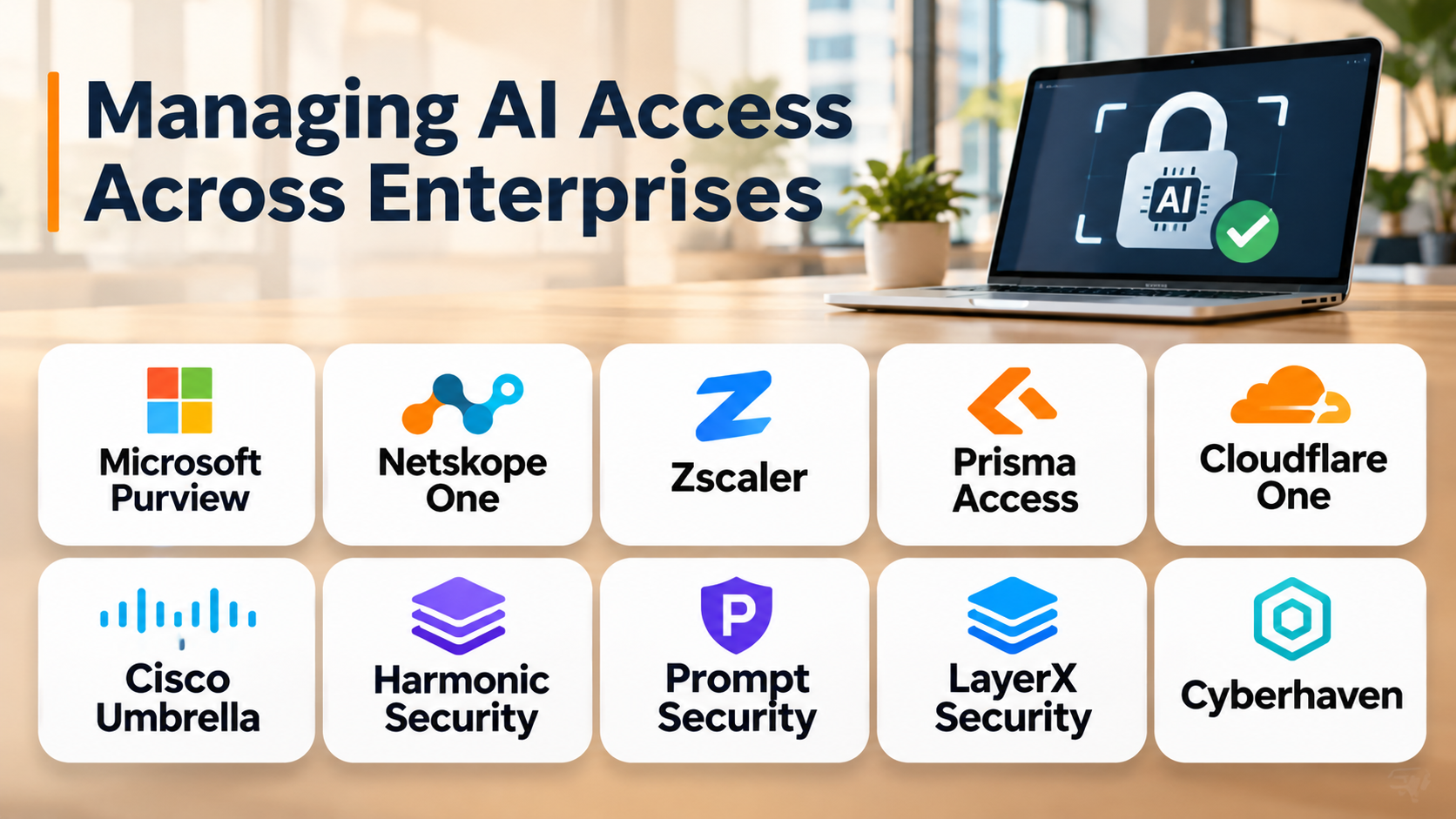
The following selection includes dedicated AI security platforms, enterprise data protection solutions, cloud access security products, and AI governance tools. Their numbering organizes the comparison rather than representing an independently benchmarked ranking.
1. Microsoft Purview
Short Description
Microsoft Purview provides enterprise data security, information governance, and compliance capabilities. Its AI-related data protection functionality helps organizations manage information risks associated with supported artificial intelligence applications.
The platform includes Data Security Posture Management (DSPM) for AI capabilities that can help administrators understand relevant AI usage and information exposure risks. Its integration with the Microsoft ecosystem makes it particularly relevant to organizations using Microsoft 365 Copilot.
Microsoft Purview can apply supported data loss prevention policies, sensitivity classifications, and information governance controls. These capabilities help organizations protect confidential information while enabling approved AI-assisted workflows.
The platform is particularly suitable for enterprises requiring coordinated data security and compliance management. Available AI usage controls depend on licensing, supported applications, endpoint configurations, and deployment requirements.
How Microsoft Purview Works
- Connect supported organizational data sources.
- Identify relevant AI usage activities.
- Classify sensitive organizational information.
- Configure data protection and governance policies.
- Review supported policy events.
- Investigate and remediate identified risks.
Key Features
- DSPM for AI: Provides visibility into supported AI-related information risks.
- Data loss prevention: Applies configured information protection policies.
- Sensitivity labels: Classifies and protects organizational information.
- Activity monitoring: Provides visibility into supported AI interactions.
- Insider risk management: Supports investigation of relevant internal risks.
- Audit capabilities: Preserves supported activity records.
- Compliance management: Coordinates relevant compliance activities.
- Microsoft 365 integration: Connects compatible productivity environments.
- Information governance: Supports organizational data management requirements.
Benefits
- Improves visibility into AI-related information risks.
- Supports confidential data protection.
- Facilitates enterprise AI governance.
- Encourages consistent security policies.
- Supports compliance documentation.
- Integrates with Microsoft productivity applications.
- Reduces fragmented information security management.
Pros
- Broad enterprise data security capabilities.
- Microsoft ecosystem integration.
- Configurable data protection policies.
- Centralized administration.
- Enterprise compliance functionality.
- Commercial support options.
Cons
- Licensing can be complex.
- Some capabilities require premium subscriptions.
- Non-Microsoft application coverage varies.
- Implementation requires specialist expertise.
- Policy configuration can require significant effort.
Use Cases
- Microsoft 365 Copilot governance.
- Sensitive information protection.
- Enterprise AI usage monitoring.
- Information classification.
- AI-related compliance reporting.
- Internal security risk investigation.
Best For
- Microsoft 365 enterprises.
- Compliance departments.
- Data security teams.
- Financial institutions.
- Healthcare organizations.
- Enterprise AI governance specialists.
Pricing and Deployment
Microsoft Purview licensing depends on the selected Microsoft subscriptions and security capabilities. Organizations should verify current licensing requirements and supported AI application controls before procurement.
2. Netskope One
Short Description
Netskope One is a cloud security platform that provides capabilities associated with Security Service Edge (SSE), secure web access, cloud application protection, and information security. Its AI-related controls help organizations manage risks associated with supported generative AI applications.
The platform can provide visibility into cloud application usage and support granular security policies. Organizations can use compatible controls to distinguish approved AI applications from services requiring restrictions.
Netskope’s data protection capabilities can help identify sensitive information within supported communication channels. This functionality is relevant to organizations seeking to reduce inappropriate transfers of confidential data to external AI services.
Netskope One is particularly suitable for enterprises requiring integrated cloud security and AI usage management. Actual enforcement coverage depends on traffic routing, deployment architecture, application compatibility, and licensing.
How Netskope One Works
- Connect supported users and enterprise traffic.
- Discover relevant cloud and AI applications.
- Evaluate application risk information.
- Configure access and data protection policies.
- Apply controls to supported interactions.
- Monitor security events and usage patterns.
Key Features
- AI application discovery: Identifies supported generative AI services.
- Cloud application visibility: Provides information about cloud service usage.
- Data loss prevention: Supports sensitive information protection.
- Granular access policies: Applies configured application restrictions.
- Secure web gateway: Controls supported web traffic.
- Cloud access security: Protects compatible cloud application interactions.
- Risk assessment: Provides relevant application risk information.
- Activity monitoring: Records supported security events.
- Centralized administration: Coordinates enterprise security policies.
Benefits
- Improves visibility into AI adoption.
- Helps identify shadow AI usage.
- Supports sensitive data protection.
- Enables granular application controls.
- Integrates AI management with cloud security.
- Facilitates security investigations.
- Supports consistent enterprise policies.
Pros
- Comprehensive cloud security orientation.
- Granular application controls.
- Integrated data protection capabilities.
- Enterprise-scale deployment options.
- Centralized policy management.
- Relevant generative AI security functionality.
Cons
- Commercial licensing requires evaluation.
- Deployment can require network changes.
- Policy configuration may be complex.
- Coverage depends on supported traffic paths.
- Specialist administration may be necessary.
Use Cases
- Enterprise AI application discovery.
- Generative AI access management.
- Confidential information protection.
- Shadow AI investigation.
- Secure cloud application usage.
- Enterprise security policy enforcement.
Best For
- Large enterprises.
- Cloud security teams.
- Distributed organizations.
- Financial services companies.
- Security architects.
- Organizations adopting SSE infrastructure.
Pricing and Deployment
Netskope One uses commercial enterprise licensing arrangements. Costs depend on selected security services, user coverage, deployment requirements, and contractual terms.
3. Zscaler Zero Trust Exchange
Short Description
Zscaler Zero Trust Exchange is a cloud-delivered security platform designed to provide secure access to applications and internet services. Its AI-related security capabilities can help organizations regulate supported generative AI interactions.
The platform provides visibility into relevant web and cloud application activities. Administrators can establish policies governing access to approved services and restricting activities associated with organizational risks.
Zscaler’s information protection functionality can support sensitive data detection and policy enforcement across compatible traffic channels. These capabilities are relevant to enterprises managing employee access to public AI services.
The platform is particularly useful for organizations implementing zero-trust security architectures. AI usage control functionality depends on the selected services, licensing, traffic inspection configuration, and supported applications.
How Zscaler Works
- Connect users through supported security services.
- Identify relevant internet and cloud applications.
- Evaluate organizational access requirements.
- Configure AI usage and information protection policies.
- Enforce supported security decisions.
- Review security analytics and policy events.
Key Features
- AI application visibility: Identifies supported AI-related web activities.
- Zero-trust access: Applies configured access requirements.
- Data loss prevention: Supports sensitive information protection.
- Secure internet access: Protects compatible internet traffic.
- Application control: Regulates supported application activities.
- Identity integration: Connects compatible enterprise identities.
- Threat protection: Provides relevant security inspection capabilities.
- Security analytics: Summarizes supported security events.
- Centralized management: Coordinates enterprise security configuration.
Benefits
- Supports controlled AI application access.
- Improves organizational security visibility.
- Helps protect sensitive information.
- Facilitates distributed workforce security.
- Encourages consistent access policies.
- Integrates AI usage management with zero-trust security.
- Supports security incident investigation.
Pros
- Cloud-delivered security architecture.
- Enterprise-scale security functionality.
- Integrated access and data protection.
- Centralized administration.
- Distributed workforce relevance.
- Broad enterprise integration capabilities.
Cons
- Commercial subscription costs apply.
- Deployment may require architectural changes.
- Advanced controls require configuration.
- Application coverage varies.
- Specialist security expertise is necessary.
Use Cases
- Enterprise AI access management.
- Secure internet usage.
- Generative AI information protection.
- Distributed employee security.
- Unauthorized application investigation.
- Zero-trust policy enforcement.
Best For
- Large enterprises.
- Distributed workforces.
- Cloud security departments.
- Zero-trust architecture teams.
- Regulated organizations.
- Enterprise network security specialists.
Pricing and Deployment
Zscaler offers commercial cloud security subscriptions. Organizations should confirm current AI-related capabilities, required licenses, deployment architecture, and user-based costs.
4. Palo Alto Networks Prisma Access
Short Description
Prisma Access is a cloud-delivered security service from Palo Alto Networks designed to protect users, applications, and network communications. Its broader cloud application security and data protection capabilities can support AI usage control.
The platform helps organizations apply consistent security policies across supported remote and distributed environments. Relevant application controls can help regulate employee access to generative AI services.
Prisma Access can work with compatible enterprise data loss prevention and cloud application security capabilities. These integrations help organizations address information exposure risks associated with approved and unauthorized AI applications.
The platform is particularly relevant to organizations already using Palo Alto Networks security infrastructure. AI-specific controls may require additional products, subscriptions, or compatible configurations.
How Prisma Access Works
- Connect supported enterprise users and locations.
- Inspect authorized application traffic.
- Identify relevant application categories.
- Configure access and information protection policies.
- Apply supported security controls.
- Monitor policy events and investigate risks.
Key Features
- Cloud-delivered security: Protects supported distributed environments.
- Application visibility: Identifies compatible application traffic.
- Application control: Supports configurable access restrictions.
- Enterprise data protection: Integrates with supported DLP capabilities.
- Secure web access: Regulates compatible internet interactions.
- Identity-aware policies: Supports relevant user-based restrictions.
- Threat prevention: Provides configured security inspection.
- Security reporting: Communicates supported security events.
- Centralized administration: Coordinates compatible security services.
Benefits
- Supports secure enterprise AI adoption.
- Improves application visibility.
- Helps protect confidential information.
- Enables consistent distributed security policies.
- Facilitates security infrastructure consolidation.
- Supports unauthorized application investigation.
- Complements enterprise AI governance.
Pros
- Broad enterprise cybersecurity capabilities.
- Cloud-delivered architecture.
- Application-aware security policies.
- Integration with compatible Palo Alto Networks products.
- Distributed workforce support.
- Commercial enterprise support.
Cons
- AI-specific functionality may require additional subscriptions.
- Deployment can be complex.
- Commercial pricing requires confirmation.
- Inspection coverage depends on configuration.
- Specialist administration is necessary.
Use Cases
- Enterprise generative AI access control.
- Remote workforce security.
- Confidential information protection.
- Cloud application governance.
- Security policy enforcement.
- Shadow AI risk management.
Best For
- Palo Alto Networks customers.
- Enterprise security architects.
- Network security teams.
- Distributed organizations.
- Regulated enterprises.
- Cloud security administrators.
Pricing and Deployment
Prisma Access uses commercial licensing arrangements based on selected services and organizational requirements. Additional AI security and data protection functionality may require separate licensing.
5. Cloudflare One
Short Description
Cloudflare One is a cloud-delivered security and connectivity platform that combines zero-trust access, secure web gateway, and related information protection capabilities. It can help organizations regulate access to supported AI applications.
The platform provides application visibility and configurable policies through compatible Cloudflare Gateway and Cloud Access Security Broker (CASB) functionality. These capabilities can support discovery and management of relevant cloud service activities.
Cloudflare’s data loss prevention functionality can help organizations identify sensitive information in supported traffic. Administrators can establish appropriate restrictions according to organizational security requirements.
Cloudflare One is particularly relevant to organizations seeking integrated connectivity and cloud security capabilities. Specific AI usage control features depend on the selected plan, supported application integrations, and deployment configuration.
How Cloudflare One Works
- Connect supported users and devices.
- Route relevant traffic through security services.
- Identify supported applications and activities.
- Configure access and data protection policies.
- Enforce applicable security restrictions.
- Review activity logs and security findings.
Key Features
- Secure web gateway: Controls supported internet traffic.
- Zero-trust access: Establishes configured access requirements.
- Cloud application visibility: Supports relevant application discovery.
- Data loss prevention: Helps protect sensitive information.
- Identity integration: Connects supported identity providers.
- Application policies: Regulates compatible application access.
- Security logging: Records supported security activities.
- Remote workforce protection: Supports distributed user environments.
- Centralized management: Coordinates security configurations.
Benefits
- Supports controlled AI application access.
- Improves cloud security visibility.
- Helps protect organizational information.
- Facilitates distributed workforce management.
- Integrates security and connectivity services.
- Supports centralized policy enforcement.
- Encourages consistent security administration.
Pros
- Integrated cloud security architecture.
- Flexible access policies.
- Distributed network infrastructure.
- Multiple enterprise security capabilities.
- Centralized management interface.
- Relevant data protection functionality.
Cons
- AI-specific coverage varies.
- Advanced capabilities may require paid plans.
- Traffic routing requires configuration.
- Not a dedicated AI governance platform.
- Application-level enforcement has limitations.
Use Cases
- Generative AI website access management.
- Cloud application security.
- Sensitive information protection.
- Remote employee security.
- Unauthorized AI application restrictions.
- Enterprise zero-trust implementation.
Best For
- Cloud-first organizations.
- Distributed businesses.
- Network security teams.
- Technology companies.
- Zero-trust administrators.
- Organizations consolidating security services.
Pricing and Deployment
Cloudflare offers different security service plans and commercial enterprise arrangements. Organizations should verify current plan limits, DLP capabilities, AI application coverage, and deployment requirements.
6. Cisco Umbrella
Short Description
Cisco Umbrella is a cloud-delivered security solution that provides Domain Name System (DNS) security, secure web gateway capabilities, and related cloud application controls. These capabilities can support management of employee access to artificial intelligence services.
The platform enables organizations to identify and regulate supported internet destinations and cloud applications. Administrators can establish policies restricting unauthorized or inappropriate AI services.
Compatible Cisco Umbrella security packages may provide additional application visibility and information protection functionality. These capabilities can help organizations integrate AI access management into broader internet security programs.
Cisco Umbrella is particularly relevant to organizations requiring cloud-delivered internet protection and application access controls. Its ability to inspect individual AI interactions depends on the selected service and configuration.
How Cisco Umbrella Works
- Connect supported networks and user devices.
- Identify relevant internet destinations.
- Classify supported applications.
- Configure approved access policies.
- Apply compatible security restrictions.
- Review security events and application activity.
Key Features
- DNS security: Controls access to relevant internet destinations.
- Secure web gateway: Provides supported web traffic inspection.
- Application visibility: Identifies compatible cloud applications.
- Application control: Applies configured access restrictions.
- Cloud-delivered protection: Supports distributed security environments.
- Threat intelligence: Provides relevant security information.
- Data protection: Supports applicable information security capabilities.
- Security reporting: Summarizes supported security events.
- Centralized administration: Coordinates organizational policies.
Benefits
- Helps restrict unauthorized AI services.
- Supports enterprise internet security.
- Improves visibility into application usage.
- Facilitates distributed workforce protection.
- Enables centralized access policies.
- Supports broader cybersecurity operations.
- Complements organizational AI usage policies.
Pros
- Established cloud security solution.
- DNS-level protection.
- Compatible secure web gateway capabilities.
- Centralized policy management.
- Cisco ecosystem integration.
- Distributed deployment options.
Cons
- DNS controls cannot inspect individual prompts.
- Advanced functionality requires suitable subscriptions.
- Dedicated AI governance capabilities are limited.
- Application visibility depends on configuration.
- Current product packaging requires verification.
Use Cases
- Unauthorized AI website restrictions.
- Enterprise internet access management.
- Cloud application discovery.
- Remote employee security.
- AI application category controls.
- Organizational acceptable-use enforcement.
Best For
- Cisco security customers.
- Network administrators.
- Distributed organizations.
- Educational institutions.
- Enterprise IT departments.
- Organizations requiring internet-level AI controls.
Pricing and Deployment
Cisco Umbrella uses commercial licensing arrangements. Organizations should confirm current package availability, supported application controls, data protection capabilities, and integration with Cisco Secure Access offerings.
7. Harmonic Security
Short Description
Harmonic Security provides data protection solutions focused on information risks associated with employee use of artificial intelligence and cloud applications. Its approach emphasizes enabling approved AI adoption while protecting sensitive organizational information.
The platform can help organizations investigate how employees interact with supported AI services. Its information detection capabilities are designed to identify relevant confidential or sensitive content within compatible workflows.
Harmonic Security supports organizational efforts to manage shadow AI and establish appropriate information handling policies. Its dedicated focus on AI-related data exposure distinguishes it from broader network security platforms.
Organizations should evaluate supported applications, browser or endpoint coverage, deployment requirements, and policy enforcement capabilities before adoption. Commercial functionality may vary according to the selected offering.
How Harmonic Security Works
- Connect supported employee environments.
- Identify relevant AI application activities.
- Evaluate information exposure risks.
- Configure organizational data protection policies.
- Apply supported controls and employee guidance.
- Review relevant security findings.
Key Features
- AI usage visibility: Identifies supported employee AI activities.
- Shadow AI discovery: Helps investigate unmanaged AI services.
- Sensitive data detection: Identifies relevant confidential information.
- Data protection policies: Supports configured information controls.
- Contextual analysis: Evaluates supported information handling activities.
- Employee guidance: Supports appropriate usage interventions.
- Security reporting: Communicates relevant information risks.
- Application monitoring: Tracks compatible AI interactions.
- Enterprise integration: Connects supported security environments.
Benefits
- Supports responsible employee AI adoption.
- Improves visibility into information exposure.
- Helps identify unauthorized AI applications.
- Facilitates targeted data protection.
- Reduces dependence on blanket AI restrictions.
- Supports security policy enforcement.
- Encourages informed employee behavior.
Pros
- Dedicated AI-related data protection orientation.
- Employee usage visibility.
- Contextual information analysis.
- Relevant shadow AI functionality.
- Enterprise-focused security capabilities.
- Supports controlled AI adoption.
Cons
- Commercial pricing requires confirmation.
- Coverage depends on supported environments.
- Integration may require technical resources.
- Not a complete enterprise governance suite.
- Detection effectiveness requires independent evaluation.
Use Cases
- Employee generative AI usage management.
- Confidential information protection.
- Shadow AI discovery.
- AI-related data exposure assessment.
- Contextual employee guidance.
- Enterprise AI security monitoring.
Best For
- Data security teams.
- Enterprise AI adoption programs.
- Financial services organizations.
- Technology companies.
- Security-conscious enterprises.
- Information protection specialists.
Pricing and Deployment
Harmonic Security provides commercial enterprise offerings. Organizations should obtain current pricing and confirm supported applications, deployment methods, and information protection functionality.
8. Prompt Security
Short Description
Prompt Security provides generative AI security solutions designed to help organizations protect employee and application interactions with AI services. Its capabilities address AI usage visibility, information exposure, and application-level security risks.
The platform can help enterprises discover supported AI tools used by employees and establish appropriate security policies. These capabilities are relevant to organizations managing both approved AI services and shadow AI adoption.
Prompt Security also provides functionality relevant to protecting generative AI applications developed within organizations. Employee AI usage controls and application runtime security should be evaluated according to their respective deployment requirements.
Prompt Security became part of SentinelOne, making current product packaging and availability important procurement considerations. Organizations should verify which capabilities are available independently or through the broader SentinelOne portfolio.
How Prompt Security Works
- Connect supported employee and application environments.
- Discover relevant generative AI services.
- Evaluate information and application security risks.
- Configure organizational security policies.
- Apply compatible usage and protection controls.
- Review relevant security events.
Key Features
- Generative AI discovery: Identifies supported AI applications.
- Shadow AI visibility: Helps investigate unauthorized services.
- Sensitive information protection: Addresses selected disclosure risks.
- Usage policy enforcement: Applies configured security requirements.
- Employee AI protection: Supports relevant workforce controls.
- Application security: Protects compatible internally developed AI applications.
- Activity monitoring: Records supported interactions.
- Security reporting: Communicates relevant risks.
- Enterprise integration: Connects compatible security systems.
Benefits
- Improves visibility into enterprise AI usage.
- Supports controlled generative AI adoption.
- Helps protect confidential information.
- Facilitates AI security policy enforcement.
- Connects employee and application security requirements.
- Supports investigation of shadow AI.
- Encourages consistent organizational oversight.
Pros
- Dedicated generative AI security orientation.
- Employee and application security relevance.
- AI usage discovery capabilities.
- Configurable protection policies.
- Enterprise-focused functionality.
- Broader security ecosystem potential.
Cons
- Current product packaging requires verification.
- Commercial pricing may vary.
- Supported environments require confirmation.
- Implementation requires organizational coordination.
- Independent security validation remains necessary.
Use Cases
- Enterprise AI usage monitoring.
- Shadow AI investigation.
- Employee information protection.
- Generative AI application security.
- AI acceptable-use enforcement.
- Organizational AI risk management.
Best For
- Enterprise AI security teams.
- Data protection departments.
- Generative AI developers.
- Security operations teams.
- Regulated organizations.
- Enterprises managing multiple AI applications.
Pricing and Deployment
Prompt Security is associated with commercial enterprise security offerings. Organizations should verify current SentinelOne product packaging, licensing, deployment requirements, and supported functionality.
9. LayerX Security
Short Description
LayerX Security provides enterprise browser security capabilities designed to protect employee interactions with web applications. Its browser-oriented approach can support management of generative AI usage within compatible browser environments.
The platform provides visibility into relevant web application activities and supports configurable security policies. These capabilities can help organizations identify and regulate employee interactions with AI services.
LayerX can support information protection through browser-level controls that address selected data handling activities. This approach is relevant to organizations whose employees primarily access AI services through web browsers.
Browser-based enforcement does not automatically cover native applications, unmanaged devices, or direct Application Programming Interface (API) traffic. Organizations should evaluate coverage limitations and complementary security requirements before implementation.
How LayerX Security Works
- Deploy supported browser security components.
- Connect organizational user identities.
- Identify relevant web and AI applications.
- Configure browser-level security policies.
- Apply supported activity restrictions.
- Monitor policy events and information risks.
Key Features
- Browser security: Protects supported enterprise browser environments.
- AI application visibility: Identifies compatible AI web services.
- Shadow AI discovery: Supports investigation of unmanaged applications.
- Data protection: Regulates supported sensitive information activities.
- Browser-level policies: Applies configured security restrictions.
- Identity integration: Connects supported organizational identities.
- Activity monitoring: Provides visibility into compatible browser events.
- Contextual controls: Supports application-specific security decisions.
- Centralized management: Coordinates browser security policies.
Benefits
- Improves visibility into browser-based AI usage.
- Helps protect confidential information.
- Supports granular employee activity controls.
- Facilitates approved AI application adoption.
- Reduces dependence on blanket website blocking.
- Supports browser security consolidation.
- Encourages consistent policy enforcement.
Pros
- Dedicated browser security approach.
- Granular activity controls.
- Relevant generative AI security functionality.
- Centralized administration.
- Compatible enterprise browser integration.
- Supports contextual information protection.
Cons
- Coverage is primarily browser-oriented.
- Native application usage may require additional controls.
- Commercial pricing requires confirmation.
- Deployment depends on browser compatibility.
- Policy configuration requires ongoing management.
Use Cases
- Browser-based AI usage control.
- Confidential information protection.
- Unauthorized AI website discovery.
- Employee web application security.
- Browser activity monitoring.
- Enterprise AI acceptable-use enforcement.
Best For
- Browser-centric organizations.
- Enterprise endpoint security teams.
- Data protection specialists.
- Distributed workforces.
- Technology companies.
- Organizations requiring granular web application controls.
Pricing and Deployment
LayerX Security provides commercial enterprise licensing. Organizations should confirm supported browsers, deployment methods, policy enforcement capabilities, and subscription costs.
10. Cyberhaven
Short Description
Cyberhaven provides enterprise data security capabilities focused on understanding and protecting organizational information. Its data lineage and information protection functionality can support management of risks associated with employee AI usage.
The platform helps organizations investigate how sensitive information moves through supported enterprise environments. This context can assist security teams in identifying inappropriate information transfers involving generative AI services.
Cyberhaven’s data protection capabilities are relevant to organizations managing intellectual property, confidential business records, and sensitive customer information. Its approach can complement application discovery and identity-based access management solutions.
The platform is particularly suitable for enterprises requiring contextual information security rather than exclusively AI application blocking. Supported AI services, endpoints, and enforcement actions should be verified before procurement.
How Cyberhaven Works
- Connect supported enterprise environments.
- Identify and classify organizational information.
- Analyze relevant information movement.
- Configure data protection policies.
- Apply supported security interventions.
- Investigate and document potential information exposure.
Key Features
- Data lineage: Provides context about supported information movement.
- Sensitive data identification: Helps classify confidential information.
- Data loss prevention: Supports configured information protection.
- AI-related data security: Addresses supported generative AI exposure risks.
- Activity monitoring: Records relevant information handling events.
- Contextual risk analysis: Evaluates supported data movement.
- Incident investigation: Supports security analysis workflows.
- Policy enforcement: Applies compatible information restrictions.
- Enterprise reporting: Communicates relevant security findings.
Benefits
- Improves understanding of sensitive information movement.
- Supports protection of intellectual property.
- Helps identify AI-related information exposure.
- Facilitates contextual security investigations.
- Enables targeted information protection policies.
- Supports enterprise data governance.
- Complements broader AI usage management.
Pros
- Contextual data security orientation.
- Data lineage capabilities.
- Enterprise information protection functionality.
- Relevant AI data security use cases.
- Security investigation support.
- Commercial enterprise support.
Cons
- Commercial pricing requires evaluation.
- Deployment may require endpoint integration.
- Application access controls are not its sole focus.
- Supported information channels vary.
- Policy effectiveness requires ongoing validation.
Use Cases
- Intellectual property protection.
- AI-related data exposure prevention.
- Confidential document security.
- Employee information handling assessment.
- Enterprise DLP modernization.
- Security incident investigation.
Best For
- Enterprise data security teams.
- Intellectual property-intensive organizations.
- Financial institutions.
- Technology companies.
- Security operations departments.
- Organizations requiring contextual information protection.
Pricing and Deployment
Cyberhaven uses commercial enterprise pricing arrangements. Organizations should obtain current quotations and confirm supported deployment environments, AI-related controls, and implementation requirements.
Comparison Table: Top 10 AI Usage Control Tools
| Tool | Primary Capability | Best For | Deployment | Pricing |
|---|---|---|---|---|
| Microsoft Purview | AI-related data security and governance | Microsoft enterprises | Cloud/integrated | Commercial |
| Netskope One | Cloud application and AI security | Large enterprises | Cloud | Commercial |
| Zscaler Zero Trust Exchange | Zero-trust AI access management | Distributed organizations | Cloud | Commercial |
| Prisma Access | Integrated cloud security | Enterprise security teams | Cloud | Commercial |
| Cloudflare One | Secure access and web controls | Cloud-first organizations | Cloud | Tiered/commercial |
| Cisco Umbrella | Internet and application security | Network security teams | Cloud | Commercial |
| Harmonic Security | AI-related information protection | Data security teams | Offering-dependent | Commercial |
| Prompt Security | Employee and application AI security | Enterprise AI teams | Offering-dependent | Commercial |
| LayerX Security | Browser-based AI usage control | Browser-centric organizations | Browser-integrated | Commercial |
| Cyberhaven | Contextual information protection | Data security departments | Offering-dependent | Commercial |
Functional Comparison
| Tool | AI Discovery | Access Control | Data Protection | Primary Enforcement Environment |
|---|---|---|---|---|
| Microsoft Purview | Supported | Configuration-dependent | Specialized | Microsoft and supported endpoints |
| Netskope One | Supported | Supported | Specialized | Cloud security infrastructure |
| Zscaler | Supported | Supported | Supported | Secure internet access |
| Prisma Access | Supported workflows | Supported | Integration-dependent | Cloud network security |
| Cloudflare One | Supported | Supported | Plan-dependent | Gateway and zero-trust services |
| Cisco Umbrella | Package-dependent | Supported | Package-dependent | DNS and web security |
| Harmonic Security | Specialized | Offering-dependent | Specialized | Supported employee environments |
| Prompt Security | Specialized | Supported | Supported | Employee and AI application environments |
| LayerX Security | Supported | Supported | Supported | Enterprise browsers |
| Cyberhaven | Data-centric visibility | Complementary | Specialized | Supported data and endpoint environments |
Business Suitability Comparison
| Tool | Small Business | Midmarket | Large Enterprise | Regulated Industry |
|---|---|---|---|---|
| Microsoft Purview | License-dependent | Suitable | Suitable | Suitable |
| Netskope One | Evaluate costs | Suitable | Suitable | Suitable |
| Zscaler | Evaluate costs | Suitable | Suitable | Suitable |
| Prisma Access | Evaluate costs | Suitable | Suitable | Suitable |
| Cloudflare One | Potentially suitable | Suitable | Suitable | Configuration-dependent |
| Cisco Umbrella | Package-dependent | Suitable | Suitable | Configuration-dependent |
| Harmonic Security | Evaluate offering | Suitable | Suitable | Configuration-dependent |
| Prompt Security | Evaluate offering | Suitable | Suitable | Configuration-dependent |
| LayerX Security | Evaluate offering | Suitable | Suitable | Configuration-dependent |
| Cyberhaven | Evaluate costs | Suitable | Suitable | Suitable |
Suitability assessments are qualitative and should not be interpreted as verified product performance ratings. Organizations should conduct representative pilots before selecting enterprise security software.
How to Choose the Best AI Usage Control Tool
1. Identify Existing AI Usage
Determine which AI services employees and applications currently use. Establish whether these services are approved, unauthorized, or subject to further risk assessment.
2. Define Acceptable AI Usage Policies
Establish clear rules describing permitted applications, information handling requirements, and employee responsibilities. Technical controls should reflect documented organizational policies.
3. Evaluate Application Discovery
Select software capable of identifying relevant AI applications within the organization’s actual operating environment. Discovery coverage should include appropriate browsers, endpoints, networks, and application interfaces.
4. Assess Data Protection Capabilities
Determine whether the platform can identify and protect sensitive information within supported AI interactions. Evaluate representative confidential documents and synthetic information during controlled testing.
5. Review Access Enforcement
Different platforms enforce policies at network, browser, endpoint, identity, or application levels. Select an enforcement architecture that addresses the organization’s actual AI usage patterns.
6. Evaluate Identity Integration
Identity-based controls help organizations establish different AI access requirements for employees, contractors, and service accounts. Confirm compatibility with existing identity providers and organizational access policies.
7. Consider Employee Experience
Excessively restrictive controls can interfere with legitimate business activities. Evaluate whether the platform supports proportionate restrictions, understandable guidance, and approved exception procedures.
8. Assess Monitoring and Reporting
Organizations should select tools that provide relevant usage information and actionable security findings. Monitoring should respect applicable privacy requirements and avoid unnecessary employee surveillance.
9. Review Deployment Requirements
Determine whether the solution requires browser components, endpoint agents, traffic routing, or application integrations. Evaluate compatibility with existing enterprise infrastructure.
10. Compare Total Ownership Costs
Commercial licensing represents only one component of implementation expenditure. Organizations should account for integration, administration, employee training, maintenance, and incident management.
11. Evaluate Regulatory Requirements
Information protection and employee monitoring requirements vary across jurisdictions and industries. Qualified legal and privacy specialists should review proposed usage controls.
12. Conduct a Representative Pilot
Test shortlisted solutions using approved AI applications and representative workflows. Compare discovery coverage, enforcement reliability, employee experience, and operational costs.
Best AI Usage Control Tools by User Type
| User Type | Recommended Tools | Primary Reason |
|---|---|---|
| Microsoft 365 administrators | Microsoft Purview | Integrated data security |
| Cloud security teams | Netskope One | Granular cloud application controls |
| Distributed organizations | Zscaler | Cloud-delivered zero-trust security |
| Palo Alto Networks customers | Prisma Access | Compatible enterprise security infrastructure |
| Cloud-first businesses | Cloudflare One | Integrated access and connectivity |
| Network administrators | Cisco Umbrella | Internet-level access controls |
| AI data protection teams | Harmonic Security | Dedicated AI information security |
| Enterprise AI security teams | Prompt Security | Employee and application AI protection |
| Browser security teams | LayerX Security | Browser-level controls |
| Intellectual property-intensive businesses | Cyberhaven | Contextual data protection |
Weighted AI Usage Control Selection Scorecard
| Evaluation Criterion | Weight |
|---|---|
| AI application discovery | 15% |
| Data protection capabilities | 20% |
| Policy enforcement | 15% |
| Enterprise integration | 10% |
| Application coverage | 10% |
| Employee experience | 10% |
| Reporting and governance | 8% |
| Total ownership costs | 7% |
| Maintenance and support | 5% |
| Total | 100% |
Organizations can assign consistent scores to shortlisted platforms and calculate weighted results. The scorecard should complement technical validation rather than replace it.
Practical Example: Controlling AI Usage in a Financial Services Organization
Consider a hypothetical financial services company with 1,000 employees using generative AI applications for research, document preparation, customer service, and software development. The organization wants to support legitimate AI adoption while reducing inappropriate disclosure of confidential information.
The company selects Microsoft Purview for information governance and Netskope One for compatible cloud application discovery and access controls. Security administrators coordinate implementation with privacy specialists, business departments, and employee representatives where appropriate.
Step 1: Discover Existing AI Applications
Review supported application activity to identify AI services currently used by employees. Document approved services and applications requiring additional assessment.
Step 2: Classify Organizational Information
Identify confidential financial records, customer information, intellectual property, and internal business documents. Establish appropriate information classifications and handling requirements.
Step 3: Establish Approved AI Services
Evaluate relevant AI providers according to contractual, security, privacy, and business requirements. Maintain an approved application inventory that employees can access.
Step 4: Configure Access Policies
Establish proportionate restrictions for approved and unauthorized AI applications. Apply identity-based controls where different departments require different levels of access.
Step 5: Configure Information Protection
Use compatible data protection functionality to address inappropriate transfers of sensitive information. Validate detection and enforcement using approved synthetic test data.
Step 6: Educate Employees
Communicate acceptable AI usage requirements and explain how employees can access approved alternatives. Establish a clear process for requesting exceptions and reporting security concerns.
Step 7: Establish Monitoring
Configure relevant usage reports and security alerts. Ensure monitoring practices comply with applicable privacy requirements and organizational policies.
Step 8: Review Security Findings
Investigate potential policy violations and distinguish genuine security incidents from legitimate business activities. Refine policies when unnecessary restrictions or inaccurate alerts are identified.
Step 9: Measure Adoption and Effectiveness
Track approved AI usage, relevant information protection events, policy exceptions, and employee feedback. Use these measurements to guide continuous improvement.
Illustrative Implementation Results
| Performance Indicator | Before Implementation | After Implementation |
|---|---|---|
| Identified AI applications | 8 | 32 |
| Approved AI usage share | 45% | 88% |
| AI usage visibility coverage | 30% | 90% |
| Validated sensitive data exposure events per month | 24 | 6 |
| Employee policy awareness | 50% | 95% |
| Average incident investigation time | 8 hours | 3 hours |
| Managed application coverage | 35% | 85% |
| Documented policy exceptions | 20% | 95% |
These figures are hypothetical and do not represent verified results from Microsoft Purview, Netskope, or any other vendor. Actual outcomes depend on organizational policies, deployment coverage, employee behavior, and implementation quality.
The illustrative reduction in validated sensitive information exposure events is 75%. Organizations should also investigate whether changes in monitoring coverage or reporting methodology influence observed results.
Important AI Usage Control Performance Metrics
| Metric | Purpose |
|---|---|
| AI application discovery coverage | Measures visibility into relevant services |
| Approved AI usage share | Tracks adoption of authorized applications |
| Shadow AI application count | Identifies unmanaged services |
| Policy violation rate | Measures relevant policy events |
| Validated information exposure events | Tracks confirmed data security incidents |
| Data protection coverage | Measures protected communication channels |
| False-positive rate | Evaluates detection reliability |
| Policy exception volume | Identifies legitimate access requirements |
| Incident investigation time | Measures security operational efficiency |
| Employee policy awareness | Evaluates training effectiveness |
| Enforcement latency | Measures impact on supported workflows |
| Governance evidence completeness | Supports audit preparation |
Industry Applications of AI Usage Control Tools
Financial Services
Financial institutions can use AI usage controls to protect customer information, financial records, and confidential research. Approved application management helps organizations support AI-assisted productivity while maintaining information security requirements.
Healthcare
Healthcare organizations can establish appropriate restrictions on the transfer of sensitive patient information to external AI services. Technical controls should be aligned with privacy requirements, contractual obligations, and approved clinical or administrative workflows.
Education
Educational institutions can manage access to AI applications according to academic policies and information protection requirements. Usage controls should support legitimate educational activities while respecting student and employee privacy.
Government and Public Administration
Public organizations can regulate AI service access and protect confidential government information. Governance processes should establish clear accountability, authorized usage requirements, and appropriate review procedures.
Manufacturing
Manufacturers can use AI usage controls to protect product designs, engineering documentation, and proprietary operational information. Approved AI applications can support productivity without unnecessarily exposing sensitive intellectual property.
Technology and Software Development
Technology companies can manage employee interactions with coding assistants, generative AI platforms, and external development services. Information protection policies should address proprietary source code, credentials, and confidential technical documentation.
AI Usage Control Implementation Roadmap
| Stage | Implementation Activity | Expected Deliverable |
|---|---|---|
| 1 | Establish governance ownership | Responsible stakeholder group |
| 2 | Discover AI applications | Initial application inventory |
| 3 | Assess application risks | Risk classification |
| 4 | Define acceptable usage | Approved AI usage policy |
| 5 | Classify organizational data | Information classification framework |
| 6 | Select suitable software | Approved platform shortlist |
| 7 | Conduct pilot deployment | Validated implementation approach |
| 8 | Configure access policies | Application control framework |
| 9 | Configure data protection | Information protection policies |
| 10 | Educate employees | Training and guidance materials |
| 11 | Establish monitoring | Usage and security reporting |
| 12 | Review and optimize | Continuous improvement process |
Security and Governance Considerations
AI usage control tools can process sensitive information about employee activities, application interactions, and organizational data. Organizations should establish proportionate monitoring practices and clearly communicate relevant policies.
Security administrators should avoid unnecessary collection or retention of personal information. Access to usage records and security findings should be restricted to appropriately authorized personnel.
Security and Governance Checklist
- Maintain an approved AI application inventory.
- Define organizational acceptable-use policies.
- Establish appropriate employee transparency.
- Classify sensitive organizational information.
- Configure proportionate access restrictions.
- Protect security logs and monitoring records.
- Restrict administrative privileges.
- Establish approved data retention schedules.
- Validate automated security findings.
- Maintain an employee exception process.
- Review third-party AI contractual requirements.
- Reassess policies periodically.
Understanding the Total Cost of Ownership
AI usage control software can introduce expenses beyond commercial subscription charges. Organizations should consider deployment infrastructure, technical integration, policy administration, employee training, and ongoing security operations.
Platforms with broad security functionality may reduce the need for separate tools but can require more complex implementation. Dedicated AI security solutions may provide specialized capabilities while requiring complementary enterprise infrastructure.
| Cost Category | Main Consideration |
|---|---|
| Software licensing | User-based or enterprise subscriptions |
| Deployment | Browser, endpoint, or network configuration |
| Identity integration | Existing access management compatibility |
| Data classification | Information discovery and labeling |
| Policy administration | Configuration and maintenance |
| Employee training | Acceptable-use education |
| Monitoring | Security operations resources |
| Incident investigation | Qualified security personnel |
| Compliance review | Legal and privacy assessment |
| Technical maintenance | Software updates and integrations |
Common Challenges in AI Usage Control
- Rapidly changing AI application availability.
- Incomplete visibility into unmanaged devices.
- Complex enterprise application environments.
- Inconsistent information classification.
- Employee resistance to unnecessary restrictions.
- False-positive information security alerts.
- Limited visibility into encrypted or unsupported traffic.
- Differences between regional privacy requirements.
- Integration with existing security infrastructure.
- Balancing security with legitimate AI productivity.
Common Mistakes to Avoid
1. Blocking Every AI Application
Blanket restrictions can prevent legitimate business activities and encourage employees to seek unmanaged alternatives. Establish approved services and proportionate access policies.
2. Ignoring Shadow AI
Employees may adopt AI services without formal organizational approval. Implement appropriate discovery capabilities and provide clear guidance about authorized alternatives.
3. Neglecting Data Classification
Information protection policies depend on understanding which organizational information requires protection. Establish reliable classification procedures before implementing extensive restrictions.
4. Assuming One Enforcement Channel Covers Everything
Browser-based controls may not cover native applications or direct API traffic. Evaluate actual usage patterns and establish complementary controls where necessary.
5. Ignoring Employee Privacy
Usage monitoring can introduce privacy and employment-related concerns. Apply proportionate monitoring, communicate relevant policies, and obtain qualified legal guidance.
6. Overlooking False Positives
Inaccurate security alerts can interrupt legitimate work and increase administrative effort. Validate findings and refine policies according to representative usage patterns.
7. Neglecting Employee Education
Technical restrictions cannot replace employee understanding of responsible AI usage. Provide practical training, approved alternatives, and accessible support procedures.
8. Assuming AI Usage Control Guarantees Compliance
Security platforms can support governance and information protection but cannot guarantee regulatory compliance. Organizations must maintain appropriate policies, contractual reviews, and qualified oversight.
Best Practices for AI Usage Control
- Establish clear organizational AI usage policies.
- Maintain an accurate application inventory.
- Provide approved AI alternatives.
- Apply risk-based access restrictions.
- Protect sensitive organizational information.
- Integrate identity-based security controls.
- Validate enforcement across relevant channels.
- Maintain appropriate employee transparency.
- Minimize unnecessary monitoring data.
- Establish approved exception procedures.
- Train employees on responsible AI usage.
- Investigate validated security findings.
- Review third-party AI provider requirements.
- Measure security and productivity outcomes.
- Update policies as AI services evolve.
Future Trends in AI Usage Control Tools
AI Agent Usage Governance
Organizations are increasingly adopting AI agents capable of interacting with external applications and executing delegated tasks. Usage control platforms may expand to address agent identities, permissions, and operational boundaries.
Contextual Information Protection
Future data security solutions may provide more detailed understanding of information sensitivity and business context. Improved contextual analysis could help organizations establish more precise controls without unnecessary restrictions.
Unified AI Security Platforms
Enterprise security providers are integrating AI application discovery, information protection, runtime security, and governance capabilities. Organizations should evaluate whether integrated platforms provide sufficient coverage for their actual AI environments.
Real-Time Employee Guidance
Usage control tools may increasingly provide contextual guidance when employees encounter information handling restrictions. These interventions can help employees understand organizational policies and identify approved alternatives.
Browser-Centric Security
As employees increasingly access AI services through web applications, browser-level security controls may become more important. Organizations should also account for native applications and other communication channels.
AI Usage Analytics
Organizations may expand their use of AI adoption analytics to understand productivity, security risks, and application demand. Analytics programs should maintain appropriate privacy protections and avoid unnecessary surveillance.
Automated Governance Reporting
AI usage control platforms may increasingly automate the collection of relevant policy and security evidence. Automated reporting should preserve accuracy and support independent review.
Identity-Aware AI Access
Identity-based controls may become more granular as organizations manage employees, contractors, service accounts, and intelligent agents. Appropriate authorization and least-privilege principles will remain important.
Frequently Asked Questions (FAQs)
1. What are AI usage control tools?
AI usage control tools help organizations manage access to artificial intelligence applications and regulate associated activities. They provide application discovery, security policies, monitoring, and information protection capabilities.
2. Why is AI usage control important?
Unmanaged AI adoption can introduce information security, privacy, and governance risks. Usage controls help organizations support legitimate AI adoption while establishing appropriate security boundaries.
3. What is shadow AI?
Shadow AI refers to artificial intelligence applications or services used without appropriate organizational authorization or oversight. Discovery capabilities can help organizations identify these services and evaluate associated risks.
4. What is Microsoft Purview?
Microsoft Purview provides enterprise data security, governance, and compliance capabilities. Its supported AI-related functionality can help organizations investigate information risks and establish appropriate data protection policies.
5. What is Netskope One?
Netskope One is a cloud security platform providing application visibility, secure access, and data protection capabilities. Its supported AI-related controls can help organizations regulate generative AI usage.
6. What is Zscaler Zero Trust Exchange?
Zscaler Zero Trust Exchange is a cloud-delivered security platform supporting secure application and internet access. Its compatible security capabilities can contribute to enterprise AI usage management.
7. What is Prisma Access?
Prisma Access is a cloud-delivered security service from Palo Alto Networks. Its application security and compatible data protection capabilities can support AI access management.
8. What is Cloudflare One?
Cloudflare One combines zero-trust access, secure web gateway, and related cloud security services. Its supported application controls can help organizations manage access to AI services.
9. What is Cisco Umbrella?
Cisco Umbrella provides cloud-delivered internet security, DNS protection, and compatible application controls. It can support restrictions on unauthorized AI websites and related services.
10. What is Harmonic Security?
Harmonic Security provides information protection capabilities focused on risks associated with employee AI and cloud application usage. Its functionality can help organizations identify and address selected data exposure concerns.
11. What is Prompt Security?
Prompt Security provides generative AI security capabilities for supported employee and application environments. Current availability and packaging should be verified through its broader commercial security portfolio.
12. What is LayerX Security?
LayerX Security provides enterprise browser security capabilities that can support AI application visibility and browser-level information protection. Its coverage depends on supported browser environments and configurations.
13. What is Cyberhaven?
Cyberhaven provides enterprise data security and contextual information protection capabilities. Its functionality can help organizations investigate and manage sensitive information movement involving supported AI services.
14. Can AI usage control tools prevent confidential data exposure?
These tools can help detect and restrict selected inappropriate information transfers within supported environments. Their effectiveness depends on configuration, detection quality, and enforcement coverage.
15. Can organizations block unauthorized AI applications?
Compatible access control platforms can restrict supported unauthorized AI services. Organizations should also provide approved alternatives and establish clear exception procedures.
16. What is AI data loss prevention?
AI-related data loss prevention involves identifying and restricting inappropriate transfers of sensitive information associated with artificial intelligence applications. Its coverage depends on the selected software and supported communication channels.
17. Can AI usage control tools monitor employee prompts?
Some platforms can inspect or record supported AI interactions according to their deployment configuration. Organizations must establish appropriate privacy protections, transparency, and lawful monitoring practices.
18. What is the difference between AI usage control and AI governance?
AI usage control focuses on managing access, activities, and information handling. AI governance addresses broader organizational responsibilities, risk management, policies, and lifecycle oversight.
19. Can AI usage control tools manage Microsoft 365 Copilot?
Microsoft Purview provides capabilities relevant to Microsoft 365 Copilot information security and governance. Specific controls depend on licensing, configuration, and supported functionality.
20. Are browser-based AI controls sufficient?
Browser-based controls can protect supported web application interactions but may not cover native applications or direct API usage. Organizations should evaluate their actual communication channels and complementary security requirements.
21. Can AI usage control tools manage AI agents?
Some platforms may support selected AI agent-related controls through compatible integrations. Comprehensive agent governance may require additional identity, permission, and application security capabilities.
22. Are AI usage control tools suitable for small businesses?
Some cloud security offerings may be suitable for smaller organizations depending on their requirements and available resources. Businesses should evaluate implementation complexity, licensing, and necessary security coverage.
23. Can AI usage control improve employee productivity?
Appropriately designed controls can support productivity by enabling approved AI services and providing clear usage guidance. Excessive restrictions may have the opposite effect.
24. Can AI usage control guarantee regulatory compliance?
No software can independently guarantee regulatory compliance. Organizations should combine technical controls with appropriate policies, contractual reviews, qualified legal guidance, and ongoing governance.
25. Which AI usage control tool is best?
The most suitable tool depends on existing security infrastructure, AI application usage, information protection requirements, and organizational resources. Representative pilot deployments can help identify the most appropriate solution.
Conclusion
AI usage control tools help organizations manage artificial intelligence adoption while addressing information security, privacy, and governance requirements. Their capabilities support application discovery, access management, sensitive information protection, and organizational accountability.
Microsoft Purview provides AI-related data security and governance capabilities within compatible enterprise environments. Netskope One, Zscaler, Prisma Access, Cloudflare One, and Cisco Umbrella offer complementary approaches through broader cloud and internet security infrastructure.
Harmonic Security and Prompt Security provide specialized capabilities relevant to employee AI usage and generative AI information protection. LayerX Security focuses on browser-level controls, while Cyberhaven provides contextual information security capabilities.
Organizations should select software according to actual AI usage patterns, information sensitivity, enforcement requirements, existing infrastructure, and total ownership costs. Current licensing, application compatibility, and product functionality should be verified before procurement.
Successful AI usage management requires clear organizational policies, proportionate technical controls, employee education, appropriate privacy protections, and ongoing review. Security administrators should balance legitimate AI productivity with information protection requirements.
By combining suitable AI usage control tools with responsible organizational governance, enterprises can establish more secure and accountable AI adoption practices. Continuous assessment remains necessary as artificial intelligence applications, employee workflows, and security requirements evolve.
