Introduction
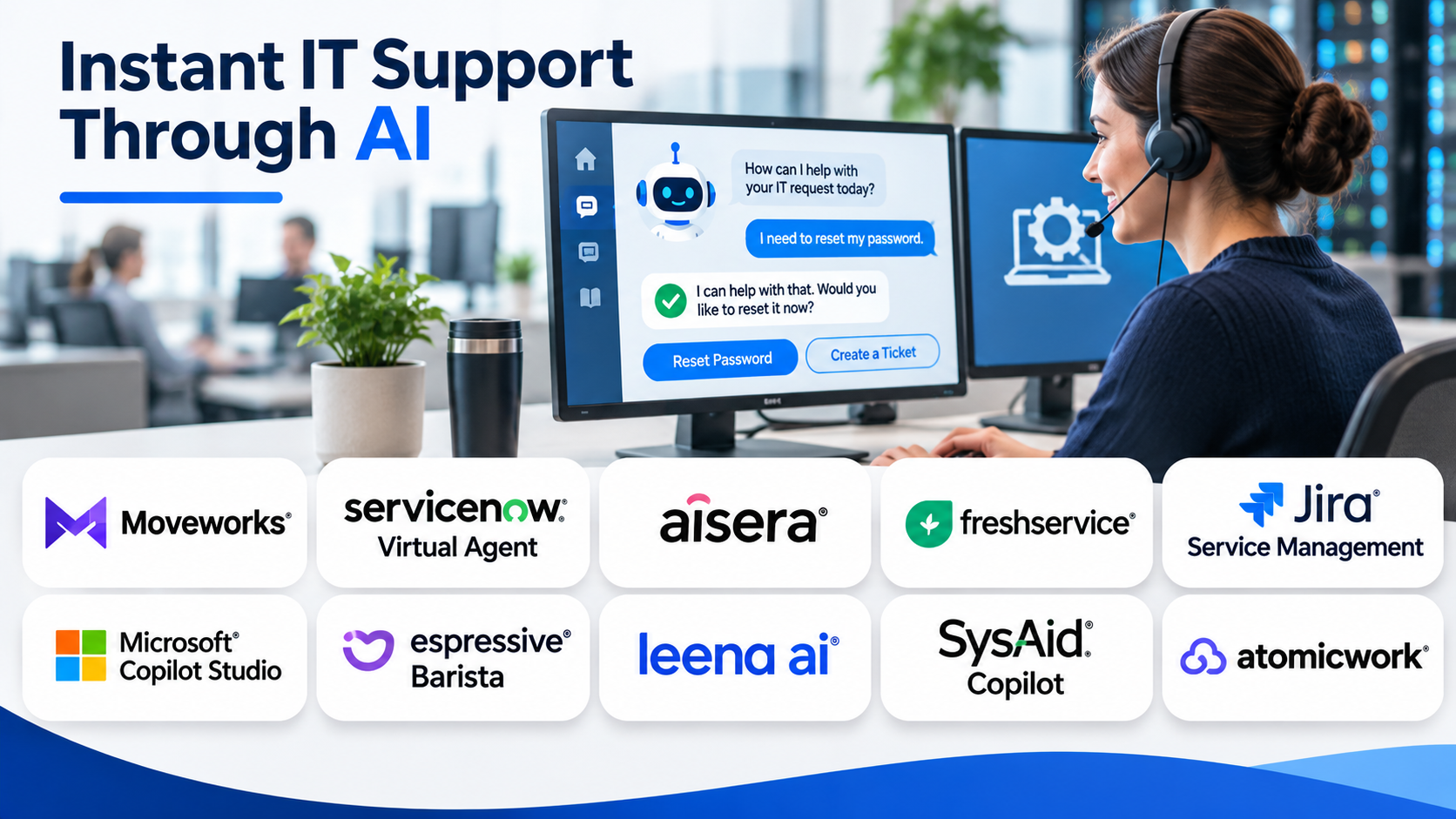
Information Technology (IT) helpdesk chatbots help organizations automate technical support, employee assistance, service requests, and routine troubleshooting activities. These conversational applications provide employees with convenient access to technical information and support services.
Traditional IT helpdesks frequently depend on telephone calls, email requests, manual ticket creation, and direct communication with technical specialists. These methods can contribute to extended waiting times, repetitive administrative activities, and inconsistent support experiences.
Modern IT helpdesk chatbots use Artificial Intelligence (AI), Natural Language Processing (NLP), knowledge retrieval, and workflow automation to understand employee requests. They can provide troubleshooting instructions, initiate approved service workflows, and escalate complex problems to technical professionals.
Integration with Information Technology Service Management (ITSM) platforms allows chatbots to connect conversational assistance with established service processes. These integrations support automated ticket creation, incident tracking, service request management, and employee communication.
Different IT helpdesk chatbot platforms address the requirements of small businesses, educational institutions, technology companies, and multinational enterprises. Selecting appropriate software requires evaluating technical complexity, employee requirements, security controls, integrations, and operating costs.
This guide examines ten IT helpdesk chatbot platforms, including their features, benefits, advantages, limitations, and practical applications. It also provides comparison tables, implementation recommendations, performance indicators, security considerations, and frequently asked questions.
What Are IT Helpdesk Chatbots?
IT helpdesk chatbots are conversational software applications designed to assist employees and authorized users with technical support requests. They provide interactive access to troubleshooting information, service catalogs, knowledge articles, and approved automated workflows.
These chatbots interpret user questions through predefined conversation rules, language models, or other language processing technologies. Depending on their configuration, they can retrieve relevant information, initiate service requests, and transfer unresolved problems to support employees.
IT helpdesk chatbots frequently integrate with ticketing systems, identity management applications, endpoint management platforms, and enterprise communication tools. These integrations allow organizations to connect conversational support with existing technical infrastructure.
Effective implementation requires reliable knowledge resources, appropriate authentication, documented support procedures, and human escalation mechanisms. Chatbots should operate within clearly defined authorization boundaries when performing technical actions.
How IT Helpdesk Chatbots Work
- Receive employee questions through supported communication channels.
- Identify the user’s technical support requirements.
- Retrieve relevant information from approved knowledge sources.
- Provide troubleshooting instructions or request additional details.
- Verify identity before performing sensitive operations.
- Execute authorized service workflows.
- Create support tickets for unresolved problems.
- Transfer complex issues to technical specialists.
- Provide service request status updates.
- Analyze support performance and recurring technical problems.
Common Applications
- Password reset assistance.
- Employee account access requests.
- Software installation requests.
- Network connectivity troubleshooting.
- IT incident reporting.
- Service ticket creation.
- Hardware support assistance.
- Employee onboarding support.
- Knowledge base information retrieval.
- Technical service status updates.
- Software access management.
- Routine IT troubleshooting.
Essential Components of IT Helpdesk Chatbots
| Component | Purpose |
|---|---|
| Conversational interface | Receives employee support requests |
| Language processing | Interprets questions and user intentions |
| Knowledge retrieval | Identifies relevant troubleshooting information |
| Workflow automation | Executes approved technical processes |
| ITSM integration | Connects chatbot activities with service management |
| Identity verification | Authenticates users before sensitive operations |
| Human escalation | Transfers unresolved issues to technical specialists |
| Analytics | Measures chatbot performance |
| Security controls | Protects enterprise information |
| Audit logging | Records important chatbot activities |
Top 10 IT Helpdesk Chatbots
The following platforms include dedicated IT service assistants, enterprise conversational AI applications, and chatbot development tools. Their numbering represents presentation order rather than an independently tested performance ranking.
1. Moveworks
Short Description
Moveworks provides enterprise AI assistance for employee support, knowledge discovery, and workflow automation. Its conversational capabilities help employees obtain technical assistance through connected enterprise applications.
The platform supports knowledge retrieval and approved service actions through integrations with ITSM and identity management systems. Organizations should confirm current ServiceNow-related product packaging and integration requirements.
Key Features
- Conversational employee assistance.
- Enterprise knowledge retrieval.
- Automated service workflows.
- ITSM integrations.
- Multilingual assistance.
- Employee request classification.
- Support analytics.
- Enterprise communication integrations.
Benefits: Reduces repetitive inquiries, improves knowledge accessibility, supports employee productivity, and facilitates service request automation.
Pros
- Dedicated enterprise employee support capabilities.
- Broad integration opportunities.
- Relevant conversational AI functionality.
- Supports complex organizational environments.
Cons
- Enterprise implementation requires planning.
- Commercial pricing requires consultation.
- Automated actions require authorization controls.
Use Cases: Password assistance, software access requests, employee knowledge discovery, and IT ticket automation.
Best For: Large enterprises, distributed workforces, enterprise service desks, and organizations modernizing employee support.
2. ServiceNow Virtual Agent
Short Description
ServiceNow Virtual Agent provides conversational assistance within the ServiceNow enterprise workflow ecosystem. It helps organizations automate routine employee inquiries and connect chatbot interactions with service management processes.
Employees can access knowledge articles, submit service requests, and initiate configured workflows through conversational interfaces. Organizations can extend chatbot functionality using compatible ServiceNow products and approved integrations.
Key Features
- Conversational IT support.
- Service catalog integration.
- Automated ticket creation.
- Configurable conversation topics.
- Knowledge management integration.
- Human agent escalation.
- Workflow automation.
- Service performance analytics.
Benefits: Improves service accessibility, reduces manual ticket processing, supports standardized workflows, and strengthens operational visibility.
Pros
- Strong ServiceNow integration.
- Comprehensive enterprise workflow capabilities.
- Configurable service processes.
- Relevant enterprise governance functionality.
Cons
- Implementation can be resource-intensive.
- Licensing depends on selected products.
- Specialist configuration may be necessary.
Use Cases: IT incident reporting, employee self-service, service catalog requests, and technical support automation.
Best For: ServiceNow customers, multinational enterprises, shared service centers, and complex IT departments.
3. Aisera
Short Description
Aisera provides enterprise AI service automation supporting IT helpdesks, employee assistance, and customer service workflows. Its capabilities combine conversational assistance, knowledge retrieval, and automated service actions.
Organizations can integrate relevant Aisera solutions with existing service management applications and enterprise information sources. Appropriate configuration helps ensure that automated actions follow organizational security policies.
Key Features
- Conversational AI assistance.
- IT service automation.
- Knowledge discovery.
- Automated incident classification.
- Employee self-service.
- Enterprise workflow integration.
- Human escalation.
- Support performance analytics.
Benefits: Reduces routine support workloads, improves information accessibility, facilitates incident management, and supports faster employee assistance.
Pros
- Dedicated enterprise service automation.
- Relevant AI-assisted support capabilities.
- Broad integration opportunities.
- Supports multiple service functions.
Cons
- Commercial pricing requires consultation.
- Knowledge quality affects response accuracy.
- Complex workflows require configuration.
Use Cases: Technical troubleshooting, service request automation, account assistance, and enterprise knowledge retrieval.
Best For: Enterprise IT departments, shared service organizations, technology companies, and large employee support teams.
4. Freshservice
Short Description
Freshservice, developed by Freshworks, provides cloud-based IT service management with AI-assisted employee support capabilities. Its Freddy AI offerings can support conversational assistance and routine service request handling.
Organizations can connect employee inquiries with knowledge resources, incident records, and service catalog workflows. Available chatbot functionality depends on selected products, subscription tiers, and integrations.
Key Features
- AI-assisted employee support.
- Incident management.
- Service request automation.
- Knowledge base integration.
- Employee self-service.
- Ticket classification.
- Service catalog management.
- Service performance reporting.
Benefits: Simplifies employee assistance, reduces repetitive ticket handling, improves service coordination, and supports structured IT operations.
Pros
- Connected ITSM functionality.
- Accessible service management interface.
- Relevant workflow automation.
- Suitable for growing organizations.
Cons
- Advanced AI features may require additional licensing.
- Communication channel availability varies.
- Complex enterprise requirements need evaluation.
Use Cases: Employee technical support, incident reporting, service requests, and knowledge base assistance.
Best For: Small and mid-sized IT departments, growing enterprises, Freshworks customers, and internal service desks.
5. Jira Service Management Virtual Service Agent
Short Description
Atlassian’s Jira Service Management Virtual Service Agent provides conversational assistance for employee service requests and technical support. It connects chatbot interactions with Jira Service Management workflows and relevant knowledge resources.
Organizations can configure automated conversations and provide answers based on approved support information. Unresolved requests can be transferred into service management workflows for technical investigation.
Key Features
- Conversational service assistance.
- Knowledge-based answers.
- Configurable request workflows.
- Automated ticket creation.
- Employee support integrations.
- Intent-based conversations.
- Human escalation.
- Service analytics.
Benefits: Reduces repetitive technical inquiries, connects support and engineering teams, improves request visibility, and facilitates employee self-service.
Pros
- Strong Atlassian ecosystem integration.
- Relevant technical support workflows.
- Configurable service management.
- Supports engineering collaboration.
Cons
- Availability depends on selected plans.
- Usage limits and charges require evaluation.
- Knowledge configuration requires maintenance.
Use Cases: Technical troubleshooting, software access requests, employee incident reporting, and engineering support coordination.
Best For: Atlassian customers, software development companies, technical support teams, and engineering-focused organizations.
6. Microsoft Copilot Studio
Short Description
Microsoft Copilot Studio provides a low-code environment for developing conversational agents and automated business workflows. Organizations can use it to create customized IT helpdesk chatbots connected to approved enterprise information and services.
Relevant Microsoft integrations allow developers to connect agents with Teams, Power Platform workflows, and supported external applications. Unlike dedicated helpdesk products, Copilot Studio requires organizations to design their own support experiences.
Key Features
- Low-code agent development.
- Generative conversational assistance.
- Enterprise knowledge connections.
- Microsoft Teams integration.
- Workflow automation.
- Configurable authentication.
- External application connectors.
- Agent analytics.
Benefits: Supports customized employee assistance, facilitates Microsoft ecosystem integration, reduces repetitive requests, and enables flexible workflow development.
Pros
- Extensive customization opportunities.
- Strong Microsoft ecosystem connectivity.
- Low-code development environment.
- Configurable enterprise governance.
Cons
- Requires chatbot design and maintenance.
- Usage-based expenses require monitoring.
- ITSM functionality requires integrations.
Use Cases: Custom IT assistants, employee knowledge retrieval, software access workflows, and Microsoft Teams helpdesks.
Best For: Microsoft 365 customers, enterprise developers, Power Platform teams, and organizations requiring customized chatbots.
7. Espressive Barista
Short Description
Espressive Barista provides conversational employee assistance for IT support and other internal service functions. Its capabilities help employees access organizational knowledge and initiate relevant service requests.
The platform can connect with existing service management applications and enterprise communication environments. Organizations should verify available integrations and supported automated actions before deployment.
Key Features
- Conversational employee assistance.
- IT helpdesk automation.
- Enterprise knowledge retrieval.
- Service request management.
- Multilingual support capabilities.
- Employee communication integrations.
- Automated workflows.
- Support analytics.
Benefits: Improves employee access to assistance, reduces repetitive support requests, facilitates service coordination, and supports consistent responses.
Pros
- Dedicated employee support orientation.
- Relevant enterprise self-service functionality.
- Supports multiple internal service departments.
- Integration opportunities with existing helpdesks.
Cons
- Commercial pricing requires consultation.
- Implementation depends on knowledge quality.
- Specialized technical actions require configuration.
Use Cases: Employee technical assistance, routine troubleshooting, internal knowledge discovery, and service request submission.
Best For: Large organizations, enterprise service desks, distributed workforces, and shared service departments.
8. Leena AI
Short Description
Leena AI provides enterprise employee assistance and service automation technology covering internal support functions. Its conversational capabilities can help employees obtain technical information and interact with approved service workflows.
Organizations can connect relevant enterprise applications and knowledge sources to support employee self-service. Buyers should evaluate the specific IT support functionality rather than assume every employee service feature is included.
Key Features
- Conversational employee support.
- Enterprise knowledge assistance.
- Automated service workflows.
- Employee request management.
- Application integrations.
- Multilingual capabilities.
- Human escalation.
- Service analytics.
Benefits: Centralizes employee assistance, improves knowledge accessibility, reduces repetitive inquiries, and supports cross-departmental coordination.
Pros
- Broad employee service orientation.
- Relevant conversational AI functionality.
- Supports multiple internal departments.
- Configurable workflow capabilities.
Cons
- IT-specific functionality requires evaluation.
- Commercial pricing requires consultation.
- Integration and knowledge preparation require planning.
Use Cases: Employee IT inquiries, internal service requests, onboarding assistance, and enterprise knowledge retrieval.
Best For: Distributed enterprises, employee experience teams, shared service centers, and organizations combining IT and human resources support.
9. SysAid Copilot
Short Description
SysAid Copilot provides AI-assisted service management capabilities within the SysAid ITSM platform. Its conversational functionality supports employee assistance, knowledge retrieval, and routine technical support activities.
Organizations can connect AI assistance with service records, knowledge resources, and configured support processes. Technical teams should establish appropriate escalation and authorization policies before enabling automated workflows.
Key Features
- AI-assisted employee self-service.
- Conversational technical assistance.
- Knowledge retrieval.
- ITSM integration.
- Ticket management.
- Workflow automation.
- Support agent assistance.
- Service performance reporting.
Benefits: Reduces repetitive helpdesk activities, improves employee self-service, supports structured incident management, and facilitates technical team productivity.
Pros
- Integrated ITSM environment.
- Dedicated technical support orientation.
- Relevant employee assistance capabilities.
- Supports configurable service workflows.
Cons
- Advanced AI capabilities may require additional licensing.
- Integration availability requires verification.
- Automated responses require quality monitoring.
Use Cases: Routine troubleshooting, technical ticket creation, employee knowledge assistance, and IT service automation.
Best For: SysAid customers, mid-sized IT departments, enterprise helpdesks, and organizations seeking integrated AI assistance.
10. Atomicwork
Short Description
Atomicwork provides AI-powered enterprise service management and employee assistance technology. Its conversational capabilities connect employee questions with knowledge resources, technical support workflows, and internal service processes.
Organizations can provide assistance through supported workplace communication applications and connected service management capabilities. Buyers should evaluate integration coverage, workflow requirements, and enterprise security arrangements.
Key Features
- Conversational employee assistance.
- AI-powered knowledge retrieval.
- IT service management.
- Automated service requests.
- Workplace communication integrations.
- Incident management.
- Configurable workflows.
- Service analytics.
Benefits: Improves employee support accessibility, reduces repetitive administrative activities, supports connected service workflows, and facilitates operational visibility.
Pros
- Modern conversational service management approach.
- Relevant employee support automation.
- Connected IT service capabilities.
- Supports workplace communication channels.
Cons
- Specialized integrations require evaluation.
- Commercial pricing requires verification.
- Complex enterprise migrations require planning.
Use Cases: Employee IT assistance, workplace chatbot support, incident management, and automated service requests.
Best For: Growing technology companies, modern IT departments, distributed workforces, and organizations replacing traditional helpdesk processes.
Comparison Table: Top 10 IT Helpdesk Chatbots
| Platform | Primary Strength | Best For | Pricing Approach |
|---|---|---|---|
| Moveworks | Enterprise AI assistance | Large enterprises | Commercial quotation |
| ServiceNow Virtual Agent | Enterprise service workflows | ServiceNow customers | Product-dependent |
| Aisera | AI service automation | Enterprise IT departments | Commercial quotation |
| Freshservice | Integrated ITSM assistance | Growing businesses | Subscription and add-ons |
| Jira Virtual Service Agent | Technical service workflows | Atlassian customers | Plan and usage-dependent |
| Microsoft Copilot Studio | Custom agent development | Microsoft customers | Capacity and usage-dependent |
| Espressive Barista | Employee self-service | Enterprise helpdesks | Commercial quotation |
| Leena AI | Cross-functional employee assistance | Shared service centers | Commercial quotation |
| SysAid Copilot | Integrated AI helpdesk support | IT service departments | Product-dependent |
| Atomicwork | Conversational service management | Modern IT teams | Commercial pricing |
How to Choose the Best IT Helpdesk Chatbot
Evaluate Existing Infrastructure
Review current ITSM, identity management, communication, and knowledge management applications. Compatible integrations can reduce implementation complexity and unnecessary software duplication.
Assess Automation Requirements
Identify routine technical requests suitable for automation and sensitive activities requiring employee approval. Password resets, permission changes, and software installations require appropriate authorization safeguards.
Examine Knowledge Management
Evaluate how each chatbot retrieves information from approved organizational resources. Reliable knowledge content and appropriate access restrictions are essential for accurate technical assistance.
Review Security and Costs
Assess authentication, data retention, audit logging, usage charges, and continuing administration expenses. Representative testing should verify that the chatbot cannot access information or perform actions beyond its assigned permissions.
Best IT Helpdesk Chatbots by User Type
| User Type | Relevant Platform |
|---|---|
| Enterprise employee support director | Moveworks |
| ServiceNow administrator | ServiceNow Virtual Agent |
| AI service automation manager | Aisera |
| Growing IT department | Freshservice |
| Engineering support manager | Jira Virtual Service Agent |
| Microsoft platform developer | Microsoft Copilot Studio |
| Employee self-service manager | Espressive Barista |
| Shared service center manager | Leena AI |
| ITSM administrator | SysAid Copilot |
| Modern workplace technology manager | Atomicwork |
Practical Example: Implementing an IT Helpdesk Chatbot
Consider a hypothetical organization with 5,000 employees receiving 8,000 technical support requests monthly. Its IT department spends substantial time addressing repetitive password, connectivity, and software access inquiries.
Management introduces an IT helpdesk chatbot connected to approved knowledge resources and service management applications. The following results represent illustrative assumptions rather than verified vendor outcomes.
Implementation Steps
- Identify frequently reported technical problems.
- Prepare and validate troubleshooting knowledge articles.
- Connect ITSM and identity management applications.
- Configure approved chatbot conversations and automated actions.
- Establish authentication and human escalation procedures.
- Conduct a controlled employee pilot.
- Monitor performance and improve support workflows.
Illustrative Performance Improvements
| Performance Indicator | Before | After |
|---|---|---|
| Average first response time | 6 hours | 15 minutes |
| Monthly administrative workload | 900 hours | 400 hours |
| Routine requests resolved through self-service | 10% | 45% |
| Average resolution time | 18 hours | 9 hours |
| Employee satisfaction | 74% | 88% |
| SLA compliance | 75% | 93% |
Financial Analysis
Reducing monthly administrative workload by 500 hours releases 6,000 employee hours annually. At an illustrative labor cost of $30 per hour, this represents $180,000 in annual released labor capacity rather than guaranteed cash savings.
Assume separately verified annual operating savings of $120,000 and recurring software expenses of $60,000. An initial implementation investment of $90,000 would produce a simple payback period of 18 months.
Important Performance Indicators
| Indicator | Measurement Purpose |
|---|---|
| Automated resolution rate | Measures successfully resolved chatbot requests |
| Escalation rate | Tracks requests requiring human assistance |
| Response accuracy | Evaluates correctness of chatbot answers |
| First response time | Measures support responsiveness |
| Average resolution time | Evaluates technical support efficiency |
| Employee satisfaction | Measures employee support experience |
| Cost per request | Evaluates support expenditure |
| Knowledge coverage | Identifies supported technical topics |
| Repeat contact rate | Detects incomplete issue resolution |
| Unauthorized action attempts | Monitors security-related events |
Security and Governance Considerations
IT helpdesk chatbots may access confidential employee information, technical documentation, and enterprise service applications. Organizations should implement authentication, encryption, role-based access, and comprehensive audit logging.
Sensitive actions must require appropriate identity verification and authorization. Chatbots should never bypass established access controls or independently grant unauthorized administrative privileges.
Organizations should also evaluate prompt injection risks, inappropriate information disclosure, and inaccurate AI-generated troubleshooting instructions. Human escalation and controlled execution environments help reduce these risks.
Challenges and Limitations
Outdated knowledge articles can cause chatbots to provide inaccurate troubleshooting instructions. Organizations should establish content ownership and regularly review technical support information.
Complex technical problems may require diagnostic investigation beyond conversational assistance. Chatbots should recognize their limitations and transfer unresolved requests to qualified specialists.
Integration failures can prevent automated service requests from completing successfully. Monitoring and clear failure notifications help employees avoid assuming that incomplete actions have been performed.
Best Practices
- Maintain accurate technical knowledge articles.
- Authenticate users before sensitive actions.
- Apply least-privilege access controls.
- Establish clear human escalation procedures.
- Test chatbot responses with representative requests.
- Monitor automated workflow failures.
- Protect confidential employee information.
- Validate AI-generated troubleshooting instructions.
- Collect employee feedback regularly.
- Measure successful resolution rather than conversation volume.
Future Trends in IT Helpdesk Chatbots
Agentic Service Automation
AI agents may increasingly coordinate multiple approved technical workflows within a single employee conversation. Organizations will need reliable authorization controls and transparent execution records.
Proactive Technical Assistance
Connected monitoring applications may help chatbots identify emerging technical problems and provide relevant employee notifications. Effective implementation will depend on reliable operational information and appropriate privacy safeguards.
Context-Aware Support
Future conversational assistants may provide more relevant troubleshooting information based on authorized device, application, and service context. Organizations should ensure that contextual information remains protected by appropriate access policies.
Frequently Asked Questions
1. What are IT helpdesk chatbots?
IT helpdesk chatbots provide conversational assistance for technical support requests. They can retrieve troubleshooting information and initiate approved service workflows.
2. How do IT helpdesk chatbots work?
They interpret employee questions and identify relevant information or automated actions. Complex requests can be transferred to human support employees.
3. What is Moveworks?
Moveworks provides enterprise AI assistance for employee support and workflow automation. It connects conversational interactions with relevant enterprise applications.
4. What is ServiceNow Virtual Agent?
ServiceNow Virtual Agent provides conversational assistance within the ServiceNow platform. It supports configured service requests and employee self-service workflows.
5. What is Aisera?
Aisera provides AI-powered enterprise service automation. Its capabilities include conversational assistance and IT support workflows.
6. Does Freshservice provide AI assistance?
Freshservice provides AI-assisted service management capabilities through relevant Freddy AI offerings. Availability depends on selected products and licensing arrangements.
7. What is Jira Virtual Service Agent?
It provides conversational assistance within Jira Service Management. Its capabilities support technical requests and knowledge-based employee assistance.
8. Can Microsoft Copilot Studio create helpdesk chatbots?
Microsoft Copilot Studio supports customized conversational agent development. Organizations can connect these agents with approved IT support information and workflows.
9. What is Espressive Barista?
Espressive Barista provides conversational employee support technology. It helps organizations automate routine internal service requests.
10. What is Leena AI?
Leena AI provides enterprise employee assistance and service automation. Its capabilities can support multiple internal service departments.
11. What is SysAid Copilot?
SysAid Copilot provides AI-assisted functionality within the SysAid service management environment. It supports employee assistance and technical support workflows.
12. What is Atomicwork?
Atomicwork provides AI-powered enterprise service management and employee assistance. Its capabilities combine conversational support with technical service workflows.
13. Can chatbots reset passwords?
Some chatbots can initiate password reset workflows through supported identity management integrations. Appropriate identity verification is essential before performing these actions.
14. Can chatbots create IT support tickets?
Many platforms support automated ticket creation through ITSM integrations. Relevant conversation details can be included in the resulting support records.
15. What is ITSM?
ITSM stands for Information Technology Service Management. It describes structured practices for delivering and managing technology services.
16. Can chatbots replace IT support employees?
Chatbots can automate routine inquiries and approved service workflows. Complex technical problems still require qualified human support.
17. Are IT helpdesk chatbots suitable for small businesses?
Appropriately scoped chatbot solutions can support small-business technical assistance. Comprehensive enterprise platforms may exceed smaller organizations’ requirements.
18. How much do IT helpdesk chatbots cost?
Costs depend on licensing, employee numbers, integrations, and AI usage. Organizations should evaluate implementation and continuing operating expenses.
19. Can chatbots integrate with Microsoft Teams?
Several enterprise chatbot platforms support Microsoft Teams integration. Buyers should verify compatibility and available functionality.
20. What is chatbot containment rate?
Containment rate measures conversations completed without human transfer. Organizations should also measure actual resolution quality to avoid misleading results.
21. Can chatbots support multiple languages?
Many enterprise platforms provide multilingual assistance. Supported languages and response accuracy vary between products.
22. Are IT helpdesk chatbots secure?
Security depends on platform capabilities, configuration, and organizational practices. Authentication, access controls, and audit logging remain essential.
23. What is knowledge grounding?
Knowledge grounding connects chatbot responses with approved information sources. It can improve answer relevance but does not eliminate inaccuracies.
24. Can chatbots troubleshoot network problems?
Chatbots can provide approved troubleshooting instructions and collect diagnostic information. Complex network problems may require specialist investigation.
25. Which IT helpdesk chatbot is best?
The appropriate platform depends on existing infrastructure, employee requirements, security controls, and available resources. Representative workflow testing helps organizations evaluate suitability.
Conclusion
IT helpdesk chatbots help organizations provide accessible technical assistance and automate repetitive service activities. Their capabilities support employee self-service, knowledge retrieval, and structured technical workflows.
Moveworks, Aisera, and Espressive Barista provide specialized enterprise employee assistance capabilities. ServiceNow Virtual Agent, Freshservice, and Jira Service Management offer chatbot functionality connected to established service management environments.
Microsoft Copilot Studio supports customized conversational agent development, while Leena AI addresses broader employee assistance requirements. SysAid Copilot and Atomicwork provide relevant integrated AI service management capabilities.
Successful implementation requires reliable knowledge resources, appropriate authentication, secure integrations, and clearly defined human escalation procedures. Organizations should evaluate response accuracy and successful issue resolution alongside operational efficiency.
An effective IT helpdesk chatbot strategy combines suitable conversational technology with professional technical oversight. These practices help organizations improve employee support experiences while maintaining secure and reliable IT operations.
