Introduction
Collections automation tools help businesses manage outstanding customer invoices, overdue payments, and accounts receivable activities through structured digital workflows. These applications reduce repetitive financial administration while helping organizations maintain consistent customer communication.
Traditional collections processes frequently depend on spreadsheets, manual payment reminders, telephone conversations, and disconnected accounting applications. These methods can contribute to delayed payments, inconsistent follow-ups, inaccurate financial records, and increased administrative workloads.
Modern collections automation software provides configurable payment reminders, customer account monitoring, collections prioritization, payment portals, and financial reporting. These capabilities help financial departments organize collection activities according to customer payment behavior and outstanding financial obligations.
Advanced platforms incorporate Artificial Intelligence (AI), predictive payment analytics, automated task assignment, and dispute management capabilities. These technologies can support informed financial decisions while preserving appropriate human oversight of sensitive customer interactions.
Different collections automation tools address the requirements of small businesses, subscription companies, manufacturers, distributors, and multinational enterprises. Selecting appropriate software requires evaluating customer volumes, financial complexity, communication requirements, integration capabilities, and total ownership costs.
This guide examines ten collections automation tools, including their features, benefits, advantages, limitations, and practical applications. It also provides comparison tables, implementation recommendations, financial examples, security considerations, and frequently asked questions.
What Are Collections Automation Tools?
Collections automation tools are software applications designed to streamline the management and recovery of outstanding customer payments. They help organizations monitor unpaid invoices, prioritize collection activities, communicate with customers, and track financial commitments.
These platforms typically connect with accounting applications, Enterprise Resource Planning (ERP) systems, billing platforms, and payment providers. Integrated financial information helps collections teams maintain accurate records and avoid unnecessary customer follow-ups.
Collections automation differs from traditional debt collection because its primary business application involves managing outstanding commercial receivables through configurable workflows. Organizations pursuing regulated consumer debt collection must evaluate additional legal requirements and specialized software capabilities.
Effective collections automation combines reliable financial information, appropriate communication policies, customer segmentation, and professional oversight. Automation should support constructive customer relationships rather than introduce excessive or inappropriate payment demands.
How Collections Automation Tools Work
- Financial data synchronization: Import customer records and outstanding invoices.
- Receivables monitoring: Identify approaching and overdue payment deadlines.
- Customer segmentation: Organize accounts according to relevant financial characteristics.
- Collections prioritization: Identify invoices requiring immediate attention.
- Payment reminders: Deliver approved communications through supported channels.
- Task assignment: Allocate collection activities to responsible employees.
- Dispute management: Investigate customer concerns and invoice discrepancies.
- Payment coordination: Provide supported payment methods and account information.
- Payment reconciliation: Synchronize received payments with financial records.
- Performance reporting: Evaluate collections effectiveness and outstanding balances.
Common Applications of Collections Automation Tools
- Automated invoice payment reminders.
- Overdue receivables monitoring.
- Customer credit control.
- Collections task management.
- Customer payment prioritization.
- Payment commitment tracking.
- Invoice dispute resolution.
- Customer payment portals.
- Accounts receivable reporting.
- Cash flow forecasting.
- Commercial credit risk monitoring.
- Financial workflow standardization.
Traditional Collections vs Automated Collections
| Factor | Traditional Collections | Automated Collections |
|---|---|---|
| Invoice monitoring | Manual spreadsheet reviews | Centralized receivables monitoring |
| Customer reminders | Individually prepared emails | Configurable reminder sequences |
| Account prioritization | Manual judgment | Rules and analytical insights |
| Task management | Disconnected records | Structured employee assignments |
| Customer communication | Inconsistent follow-ups | Standardized communication workflows |
| Payment tracking | Manual account reviews | Integrated payment information |
| Dispute resolution | Email-based investigation | Structured exception management |
| Financial reporting | Periodic manual preparation | Centralized financial dashboards |
| Scalability | Additional administrative resources | Automated routine activities |
Essential Components of Collections Automation Tools
| Component | Purpose |
|---|---|
| Receivables dashboard | Displays outstanding customer balances |
| Reminder engine | Coordinates scheduled payment communications |
| Customer segmentation | Groups accounts by relevant characteristics |
| Collections prioritization | Identifies accounts requiring attention |
| Task management | Assigns financial follow-up responsibilities |
| Dispute management | Tracks customer invoice disagreements |
| Payment portal | Provides supported customer payment options |
| Promise-to-pay tracking | Records customer payment commitments |
| Financial integration | Synchronizes accounting information |
| Reporting and analytics | Measures collections performance |
| Audit logging | Records important financial activities |
Top 10 Collections Automation Tools
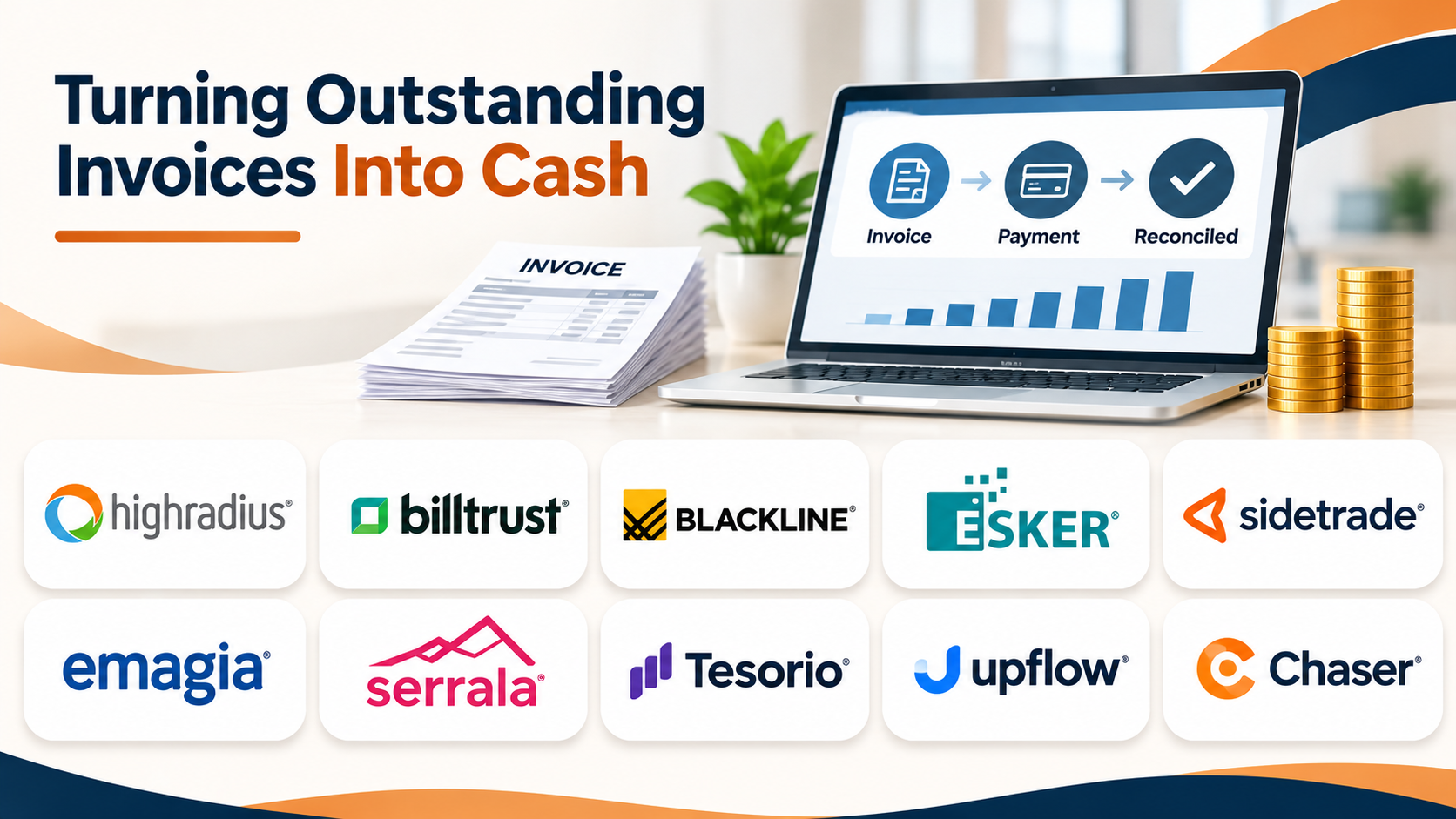
The following tools provide different combinations of collections management, credit control, payment reminders, customer communication, and receivables analytics. Their numbering represents presentation order rather than an independently tested performance ranking.
1. HighRadius
Short Description
HighRadius provides autonomous finance technology specializing in accounts receivable automation, collections management, credit assessment, and cash application. Its collections capabilities help enterprises coordinate financial activities across substantial customer receivables portfolios.
Financial teams can use configurable workflows to prioritize outstanding invoices, organize collection tasks, and monitor customer payment commitments. Predictive analytics can support the identification of accounts requiring additional attention.
HighRadius is particularly relevant to large organizations operating complex financial environments. Implementation requires reliable customer records, appropriate collection policies, and integration with existing enterprise applications.
Key Features
- Intelligent collections prioritization.
- Automated customer correspondence.
- Collections task management.
- Customer payment behavior analytics.
- Promise-to-pay tracking.
- Dispute management capabilities.
- Receivables performance dashboards.
- Credit management integration.
- ERP connectivity.
Benefits
- Reduces repetitive collections administration.
- Improves outstanding balance visibility.
- Supports structured customer communication.
- Facilitates collections prioritization.
- Improves financial team coordination.
- Supports working capital management.
- Strengthens receivables reporting.
Pros
- Comprehensive enterprise receivables functionality.
- Relevant predictive analytics capabilities.
- Supports large transaction volumes.
- Configurable financial workflows.
- Broad enterprise integration opportunities.
- Connected credit and cash application capabilities.
Cons
- Implementation requires substantial preparation.
- Commercial pricing requires consultation.
- Smaller businesses may need simpler alternatives.
- Complex integrations require specialist expertise.
- Automated recommendations require validation.
Use Cases
- Enterprise collections automation.
- Customer payment prioritization.
- Overdue receivables management.
- Payment commitment monitoring.
- Commercial credit assessment.
- Shared financial service operations.
Best For
- Large enterprises.
- Global manufacturers.
- Accounts receivable departments.
- Enterprise collections managers.
- Shared service centers.
- Commercial credit teams.
2. Sidetrade
Short Description
Sidetrade provides AI-enabled financial automation technology focusing on customer payment behavior, collections, receivables management, and cash application. Its capabilities help organizations identify financial priorities across complex customer portfolios.
Collections employees can use analytical insights and configurable workflows to organize payment follow-ups and monitor outstanding balances. Financial managers can evaluate collection performance and customer payment patterns through centralized reporting.
Sidetrade is particularly relevant to multinational organizations managing substantial commercial receivables. Buyers should evaluate predictive accuracy, communication controls, and integration requirements before implementation.
Key Features
- Predictive collections analytics.
- Automated customer communication.
- Customer payment behavior insights.
- Collections prioritization.
- Receivables portfolio monitoring.
- Dispute-related workflows.
- Financial performance dashboards.
- Cash application capabilities.
- Enterprise application integrations.
Benefits
- Improves collections prioritization.
- Supports informed financial decisions.
- Reduces repetitive customer follow-ups.
- Improves payment behavior visibility.
- Facilitates receivables forecasting.
- Supports working capital improvement.
- Strengthens financial coordination.
Pros
- Strong predictive analytics orientation.
- Relevant enterprise collections capabilities.
- Configurable financial workflows.
- Supports complex receivables portfolios.
- Centralized financial reporting.
- Enterprise integration opportunities.
Cons
- Predictive accuracy depends on information quality.
- Commercial pricing requires consultation.
- Implementation requires financial process planning.
- Automated communications require oversight.
- Smaller organizations may need simpler solutions.
Use Cases
- Enterprise collections management.
- Predictive payment analysis.
- Customer account prioritization.
- Receivables portfolio monitoring.
- Financial risk assessment.
- Working capital optimization.
Best For
- Multinational enterprises.
- Collections directors.
- Enterprise finance departments.
- Credit risk professionals.
- Shared financial service centers.
- High-volume commercial organizations.
3. Chaser
Short Description
Chaser provides accounts receivable automation technology focused on payment reminders, credit control, customer communication, and collections management. Its capabilities help businesses establish consistent procedures for managing outstanding invoices.
Organizations can connect supported accounting applications and configure reminder schedules according to customer requirements. Centralized financial information helps employees monitor overdue balances and organize collection activities.
Chaser is particularly relevant to small and mid-sized businesses seeking dedicated receivables automation without implementing comprehensive enterprise financial software. Buyers should evaluate supported integrations, payment services, and regional availability.
Key Features
- Automated invoice reminders.
- Configurable communication schedules.
- Accounts receivable monitoring.
- Collections task management.
- Customer communication history.
- Credit control capabilities.
- Payment portal functionality.
- Financial performance reporting.
- Accounting software integrations.
Benefits
- Reduces manual payment follow-ups.
- Improves overdue invoice visibility.
- Supports consistent communication.
- Facilitates customer payments.
- Improves collections organization.
- Reduces administrative workloads.
- Supports financial process standardization.
Pros
- Dedicated collections automation.
- Relevant small-business functionality.
- Configurable reminder schedules.
- Accessible financial dashboards.
- Accounting integration capabilities.
- Suitable for growing finance teams.
Cons
- Advanced enterprise workflows may require complementary tools.
- Complex cash application requires evaluation.
- Integration availability varies.
- Additional payment services may involve fees.
- Sophisticated deduction management may require separate software.
Use Cases
- Small-business invoice collections.
- Automated customer reminders.
- Credit control administration.
- Overdue invoice monitoring.
- Customer communication management.
- Receivables reporting.
Best For
- Small businesses.
- Mid-sized organizations.
- Accounting practices.
- Credit controllers.
- Professional service providers.
- Growing finance departments.
4. Upflow
Short Description
Upflow provides accounts receivable management technology designed to help businesses monitor unpaid invoices, automate collections workflows, and improve customer payment experiences. Its capabilities focus on commercial receivables visibility and structured financial follow-ups.
Finance teams can organize customer accounts, configure payment reminder sequences, and monitor outstanding balances through centralized financial information. Customer-facing capabilities support convenient access to relevant invoices and payment options.
Upflow is particularly relevant to growing business-to-business (B2B) companies and subscription software organizations. Advanced enterprise credit assessment and complex deduction management may require complementary applications.
Key Features
- Receivables monitoring.
- Automated payment reminders.
- Configurable collections workflows.
- Customer payment portals.
- Invoice status tracking.
- Customer account visibility.
- Collections analytics.
- Financial performance reporting.
- Billing and accounting integrations.
Benefits
- Reduces manual payment reminders.
- Improves outstanding invoice visibility.
- Supports consistent customer communication.
- Facilitates customer payments.
- Improves collections coordination.
- Supports financial reporting.
- Reduces repetitive administration.
Pros
- Focused receivables management functionality.
- Relevant customer payment experience.
- Configurable collection workflows.
- Suitable for growing businesses.
- Centralized financial dashboards.
- Relevant billing integration capabilities.
Cons
- Does not replace comprehensive accounting software.
- Advanced credit management requires evaluation.
- Complex deduction workflows may need complementary tools.
- Commercial pricing depends on selected arrangements.
- Payment availability may vary by region.
Use Cases
- B2B collections automation.
- Customer payment reminders.
- Outstanding invoice monitoring.
- Customer payment portals.
- Receivables reporting.
- Financial workflow standardization.
Best For
- Growing B2B companies.
- Software as a Service (SaaS) businesses.
- Small and mid-sized finance teams.
- Accounts receivable professionals.
- Subscription service providers.
- Organizations replacing spreadsheet-based collections.
5. Tesorio
Short Description
Tesorio provides cash flow and accounts receivable management technology supporting collections automation, financial forecasting, and customer payment monitoring. Its capabilities help finance teams connect outstanding receivables with broader cash planning activities.
Organizations can use centralized financial information to prioritize collection activities, monitor payment commitments, and establish automated communication workflows. Forecasting capabilities support the assessment of expected customer payments.
Tesorio is particularly relevant to growing businesses seeking better coordination between collections management and financial planning. Organizations should evaluate accounting integrations and forecasting requirements before implementation.
Key Features
- Accounts receivable management.
- Automated collections workflows.
- Cash flow forecasting.
- Customer payment monitoring.
- Configurable payment reminders.
- Collections task management.
- Customer payment insights.
- Financial performance dashboards.
- ERP and accounting integrations.
Benefits
- Improves cash flow visibility.
- Reduces repetitive collections activities.
- Supports financial forecasting.
- Facilitates customer account management.
- Improves collections prioritization.
- Supports working capital planning.
- Centralizes receivables information.
Pros
- Strong cash flow management orientation.
- Relevant collections automation capabilities.
- Centralized financial dashboards.
- Suitable for growing finance departments.
- Configurable financial workflows.
- Relevant accounting integration capabilities.
Cons
- Advanced enterprise credit requirements need evaluation.
- Comprehensive billing requires complementary applications.
- Commercial pricing requires consultation.
- Forecasting depends on reliable financial information.
- Specialized payment workflows require verification.
Use Cases
- Cash flow forecasting.
- Automated customer reminders.
- Receivables portfolio monitoring.
- Collections task management.
- Customer payment tracking.
- Financial planning.
Best For
- Growing technology companies.
- Mid-market finance departments.
- Accounts receivable managers.
- Financial planning teams.
- Subscription businesses.
- Organizations prioritizing cash visibility.
6. Billtrust
Short Description
Billtrust provides B2B accounts receivable automation technology covering collections, electronic invoicing, payments, credit management, and cash application. Its connected capabilities help organizations coordinate customer financial activities throughout the receivables lifecycle.
Collections teams can monitor outstanding invoices, establish customer communication workflows, and provide supported digital payment options. Integrated financial information helps employees identify accounts requiring additional follow-up.
Billtrust is particularly relevant to distributors and commercial organizations processing substantial invoice and payment volumes. Buyers should evaluate payment fees, available financial integrations, and regional service coverage.
Key Features
- Collections workflow automation.
- Automated customer reminders.
- Customer account monitoring.
- Electronic invoice delivery.
- Digital payment processing.
- Customer payment portals.
- Credit management capabilities.
- Automated cash application.
- Receivables reporting.
Benefits
- Improves customer payment accessibility.
- Reduces manual collections activities.
- Supports consistent financial communication.
- Facilitates payment reconciliation.
- Improves receivables visibility.
- Supports customer self-service.
- Reduces fragmented financial workflows.
Pros
- Dedicated B2B financial automation.
- Comprehensive receivables capabilities.
- Relevant payment processing functionality.
- Supports substantial invoice volumes.
- Customer-facing payment capabilities.
- Broad enterprise integration opportunities.
Cons
- Payment processing fees require evaluation.
- Regional availability may vary.
- Commercial pricing depends on selected services.
- Integration complexity varies.
- Specialized collections workflows require configuration.
Use Cases
- Wholesale distributor collections.
- Commercial payment processing.
- Customer payment portals.
- Automated invoice reminders.
- Enterprise receivables administration.
- Customer credit management.
Best For
- Wholesale distributors.
- B2B enterprises.
- Accounts receivable departments.
- Commercial payment administrators.
- High-volume invoicing teams.
- Financial operations managers.
7. Esker
Short Description
Esker provides business process automation technology supporting collections management, accounts receivable, electronic invoicing, and cash application. Its broader portfolio also addresses operational document processing and procurement workflows.
Organizations can use relevant Esker solutions to automate customer reminders, organize collections tasks, and monitor outstanding invoices. Configurable exception workflows support the investigation of disputed invoices and customer payment discrepancies.
Esker is particularly relevant to organizations seeking connected financial document automation alongside established enterprise applications. Buyers should evaluate module requirements, integration capabilities, and electronic invoicing compliance needs.
Key Features
- Automated collections workflows.
- Customer payment reminders.
- Accounts receivable monitoring.
- Collections task prioritization.
- Customer self-service portals.
- Financial exception management.
- Electronic invoicing capabilities.
- Receivables performance reporting.
- Enterprise integrations.
Benefits
- Reduces manual financial administration.
- Improves customer communication.
- Supports structured collections.
- Facilitates financial exception management.
- Improves receivables visibility.
- Reduces document processing workloads.
- Supports connected financial automation.
Pros
- Broad business process automation portfolio.
- Relevant financial document capabilities.
- Supports enterprise collections workflows.
- Configurable exception management.
- Integrates with existing enterprise systems.
- Suitable for document-intensive operations.
Cons
- Multiple modules may be necessary.
- Implementation requires process standardization.
- ERP integration requires planning.
- Commercial pricing requires consultation.
- Regional invoicing requirements need verification.
Use Cases
- Enterprise collections automation.
- Electronic invoice distribution.
- Customer payment reminders.
- Receivables administration.
- Invoice dispute management.
- Financial document automation.
Best For
- Manufacturers.
- Wholesale distributors.
- Shared service centers.
- Financial operations teams.
- Accounts receivable departments.
- Document-intensive organizations.
8. Emagia
Short Description
Emagia provides digital financial automation technology supporting collections, credit management, cash application, deductions, and accounts receivable operations. Its capabilities combine financial workflow automation with analytical and AI-assisted functionality.
Collections teams can organize customer account information, prioritize overdue invoices, and automate routine payment follow-ups. Relevant analytical capabilities help financial managers assess customer payment patterns and outstanding receivables exposure.
Emagia is particularly relevant to enterprises modernizing financial processes alongside existing ERP applications. Organizations should evaluate automation accuracy, supported integrations, and financial governance controls.
Key Features
- Intelligent collections management.
- Automated customer correspondence.
- Customer payment prioritization.
- Receivables analytics.
- Digital credit management.
- Customer deduction workflows.
- Payment commitment tracking.
- Customer payment portals.
- AI-assisted financial workflows.
Benefits
- Reduces repetitive collections administration.
- Improves outstanding balance visibility.
- Supports structured customer communication.
- Facilitates credit assessment.
- Improves financial process coordination.
- Supports working capital management.
- Strengthens receivables reporting.
Pros
- Dedicated financial automation orientation.
- Broad receivables functionality.
- Relevant intelligent automation capabilities.
- Supports complex financial workflows.
- Customer self-service functionality.
- Enterprise integration opportunities.
Cons
- Automation depends on information quality.
- Commercial pricing requires consultation.
- AI-generated outputs require validation.
- Complex integrations require planning.
- Implementation may require specialist resources.
Use Cases
- Enterprise collections management.
- Digital credit assessment.
- Customer payment prioritization.
- Receivables automation.
- Deduction investigation.
- Financial performance analytics.
Best For
- Enterprise finance departments.
- Accounts receivable teams.
- Credit managers.
- Shared financial service centers.
- Global commercial organizations.
- Businesses modernizing financial workflows.
9. Kolleno
Short Description
Kolleno provides financial operations technology focused on accounts receivable, collections management, payment reconciliation, and customer financial communication. Its capabilities help organizations centralize activities associated with outstanding customer payments.
Finance teams can configure collection workflows, organize customer communications, and monitor outstanding invoices through connected financial information. Relevant reconciliation capabilities help coordinate payment records with existing accounting applications.
Kolleno is particularly relevant to growing and mid-sized organizations seeking to consolidate receivables management activities. Buyers should evaluate supported integrations, regional payment capabilities, and advanced financial workflow requirements.
Key Features
- Accounts receivable management.
- Automated collections workflows.
- Customer communication management.
- Payment reminder automation.
- Collections task management.
- Payment reconciliation capabilities.
- Customer account monitoring.
- Financial reporting.
- Accounting and ERP integrations.
Benefits
- Centralizes customer financial information.
- Reduces repetitive collections activities.
- Improves payment follow-up consistency.
- Supports financial reconciliation.
- Facilitates customer account management.
- Improves receivables visibility.
- Supports financial team coordination.
Pros
- Connected financial operations orientation.
- Relevant collections automation.
- Configurable customer communication.
- Centralized receivables information.
- Supports growing finance teams.
- Relevant financial integration capabilities.
Cons
- Advanced enterprise requirements need evaluation.
- Commercial pricing requires verification.
- Integration availability varies.
- Complex configurations require preparation.
- Specialized credit risk requirements may need complementary tools.
Use Cases
- Automated payment reminders.
- Customer communication management.
- Receivables portfolio monitoring.
- Collections task coordination.
- Payment reconciliation.
- Financial workflow consolidation.
Best For
- Growing B2B organizations.
- Mid-sized enterprises.
- Accounts receivable managers.
- Financial operations teams.
- Commercial service providers.
- Businesses consolidating collections workflows.
10. Invoiced
Short Description
Invoiced provides accounts receivable automation technology supporting invoice management, collections, customer payments, and related financial workflows. Its capabilities help businesses coordinate customer billing information with structured payment recovery activities.
Organizations can establish automated payment reminders, monitor outstanding invoices, and provide customers with supported self-service payment options. Financial integrations help maintain consistency between collections activities and accounting records.
Invoiced is particularly relevant to businesses seeking connected invoicing and collections capabilities. Buyers should confirm current product packaging, supported payment services, and integration requirements before implementation.
Key Features
- Accounts receivable automation.
- Automated payment reminders.
- Customer payment portals.
- Invoice management.
- Collections workflow configuration.
- Customer account monitoring.
- Payment processing integrations.
- Receivables reporting.
- Accounting application connectivity.
Benefits
- Reduces manual invoice follow-ups.
- Improves customer payment accessibility.
- Supports consistent collections communication.
- Centralizes outstanding invoice information.
- Facilitates financial reporting.
- Reduces repetitive administration.
- Supports connected billing workflows.
Pros
- Relevant invoicing and collections functionality.
- Customer-facing payment capabilities.
- Configurable reminder workflows.
- Supports growing commercial organizations.
- Accounting integration opportunities.
- Centralized receivables management.
Cons
- Current product packaging requires verification.
- Payment processing costs require evaluation.
- Advanced enterprise credit workflows may need additional tools.
- Regional payment availability may vary.
- Complex deduction management requires evaluation.
Use Cases
- Automated invoice collections.
- Customer payment reminders.
- Electronic invoice administration.
- Customer payment portals.
- Outstanding balance monitoring.
- Receivables reporting.
Best For
- Small and mid-sized businesses.
- B2B service providers.
- Subscription businesses.
- Accounts receivable departments.
- Financial administrators.
- Organizations connecting billing and collections.
Comparison Table: Top 10 Collections Automation Tools
| Tool | Primary Strength | Best For | Deployment | Pricing Approach |
|---|---|---|---|---|
| HighRadius | Enterprise receivables automation | Large enterprises | Cloud | Vendor quotation |
| Sidetrade | Predictive collections analytics | Multinational organizations | Cloud | Vendor quotation |
| Chaser | Credit control and reminders | Small and mid-sized businesses | Cloud | Plan-dependent |
| Upflow | Collections and customer payments | Growing B2B companies | Cloud | Commercial pricing |
| Tesorio | Collections and cash forecasting | Growing finance teams | Cloud | Vendor quotation |
| Billtrust | Commercial payments and receivables | B2B distributors | Cloud | Commercial pricing |
| Esker | Financial document automation | Document-intensive businesses | Cloud | Modular licensing |
| Emagia | Intelligent collections workflows | Enterprise finance departments | Cloud | Vendor quotation |
| Kolleno | Connected financial operations | Mid-market organizations | Cloud | Commercial pricing |
| Invoiced | Integrated invoicing and collections | Growing businesses | Cloud | Offering-dependent |
Functional Comparison
| Tool | Automated Reminders | Predictive Analytics | Credit Management | Cash Application |
|---|---|---|---|---|
| HighRadius | Available | Core focus | Available | Available |
| Sidetrade | Available | Core focus | Relevant capabilities | Available |
| Chaser | Core focus | Offering-dependent | Relevant capabilities | Integration-dependent |
| Upflow | Core focus | Receivables analytics | Limited scope | Integration-dependent |
| Tesorio | Available | Cash forecasting focus | Complementary | Offering-dependent |
| Billtrust | Available | Offering-dependent | Available | Available |
| Esker | Available | Offering-dependent | Module-dependent | Available |
| Emagia | Available | Core focus | Available | Available |
| Kolleno | Available | Offering-dependent | Complementary | Relevant capabilities |
| Invoiced | Available | Offering-dependent | Complementary | Configuration-dependent |
How to Choose the Best Collections Automation Tool
Evaluate Customer Account Volumes
Determine the number of active customer accounts, outstanding invoices, and monthly payment transactions. Organizations managing substantial receivables portfolios may require advanced prioritization and automated task assignment capabilities.
Assess Communication Requirements
Identify preferred communication channels, reminder schedules, escalation procedures, and customer-specific requirements. Collections software should support respectful and consistent communication while preventing unnecessary or duplicate reminders.
Review Accounting Integrations
Evaluate compatibility with existing accounting, ERP, billing, and payment applications. Reliable integrations help prevent payment reminders from being sent for invoices that have already been settled.
Examine Collections Prioritization
Assess customer segmentation, payment behavior analytics, risk indicators, and collections task management capabilities. Organizations should validate automated recommendations using representative financial records.
Evaluate Dispute Management
Determine whether the platform supports invoice disputes, customer deductions, payment commitments, and communication exceptions. Collection activities should be appropriately suspended or modified when legitimate billing disagreements require investigation.
Consider Customer Payment Experience
Review supported payment methods, invoice accessibility, customer portals, and payment confirmation capabilities. Convenient customer-facing workflows can reduce administrative communication and support timely payments.
Review Security and Compliance
Evaluate access permissions, audit records, information protection, and customer communication controls. Organizations should ensure that collections workflows comply with applicable commercial and consumer protection requirements.
Calculate Total Ownership Costs
Consider software subscriptions, implementation, integrations, payment processing charges, training, and continuing administration. Compare these expenses against measurable financial improvements and realized operational savings.
Best Collections Automation Tools by User Type
| User Type | Relevant Tool |
|---|---|
| Enterprise accounts receivable director | HighRadius |
| Predictive collections manager | Sidetrade |
| Small-business credit controller | Chaser |
| Growing SaaS finance manager | Upflow |
| Cash flow forecasting specialist | Tesorio |
| Commercial payment administrator | Billtrust |
| Financial document automation manager | Esker |
| Digital finance transformation director | Emagia |
| Mid-market financial operations manager | Kolleno |
| Billing and collections administrator | Invoiced |
Industry Applications of Collections Automation Tools
Manufacturing
Manufacturers frequently manage commercial customers with negotiated payment terms, substantial invoice balances, and complex deductions. Collections automation helps financial teams prioritize outstanding accounts and coordinate payment follow-ups.
Wholesale Distribution
Distributors can use collections software to monitor customer credit exposure and outstanding invoices across extensive commercial networks. Integrated payment information helps employees maintain accurate account records.
Subscription Software
Subscription businesses frequently manage recurring invoices, failed payments, and customer account changes. Collections automation supports structured payment reminders and coordination with subscription billing applications.
Professional Services
Consulting and professional service organizations can use collections tools to monitor project invoices and milestone payments. Automated reminders help employees maintain consistent communication without repeatedly preparing individual payment requests.
Logistics and Transportation
Logistics providers can use collections automation to manage customer invoices, payment discrepancies, and commercial disputes. Structured financial workflows help employees investigate outstanding charges and monitor payment commitments.
Practical Example: Implementing Collections Automation Software
Consider a hypothetical wholesale distributor managing 6,000 active customer accounts and approximately 12,000 monthly invoices. Its collections department currently relies on spreadsheets, manual email reminders, and disconnected payment records.
Management introduces collections automation to improve receivables visibility, reduce repetitive follow-ups, and strengthen customer communication. The following implementation process and financial results are illustrative rather than verified vendor outcomes.
Implementation Steps
- Document existing collections procedures and payment policies.
- Consolidate customer account records and outstanding invoice information.
- Integrate accounting, billing, and payment applications.
- Segment customers according to approved financial characteristics.
- Configure reminder schedules, escalation rules, and dispute exceptions.
- Establish collections task assignments and financial approval controls.
- Conduct a controlled pilot using representative customer accounts.
- Train collections employees and monitor financial performance.
Illustrative Performance Improvements
| Performance Indicator | Before | After |
|---|---|---|
| Days Sales Outstanding | 64 days | 47 days |
| Monthly collections administration | 800 hours | 350 hours |
| Overdue receivables percentage | 32% | 19% |
| Automated routine reminders | 15% | 85% |
| Average dispute resolution time | 13 days | 6 days |
| Payment commitment tracking coverage | 45% | 95% |
| Average customer follow-up delay | 5 days | 1 day |
Time Savings and Financial Analysis
Assume monthly collections administration decreases from 800 employee hours to 350 hours following implementation. This improvement releases 450 employee hours monthly, equivalent to 5,400 hours annually.
At an illustrative labor cost of $32 per hour, the released capacity represents $172,800 in annual labor value. This amount does not automatically represent cash savings unless actual expenditure decreases or additional recruitment is avoided.
Suppose separately verified reductions in operating expenditure and credit losses produce $210,000 in annual financial benefits. With recurring software and operating costs of $70,000, the annual net financial benefit would equal $140,000.
An initial implementation investment of $140,000 would produce a simple payback period of approximately 12 months. Actual financial outcomes depend on customer payment behavior, implementation effectiveness, financial controls, and continuing software expenses.
Working Capital Improvement
Days Sales Outstanding (DSO) measures the average time required to collect customer receivables. Reducing DSO can improve working capital availability without necessarily increasing accounting profit.
Assuming annual credit sales of $20 million, a reduction of 17 days in DSO represents approximately $931,507 in potentially released working capital under stable sales conditions. This amount should remain separate from recurring operating savings and annual profit improvements.
Important Collections Automation Performance Indicators
| Performance Indicator | Measurement Purpose |
|---|---|
| Days Sales Outstanding | Measures receivables collection efficiency |
| Collection Effectiveness Index | Evaluates collection performance |
| Overdue receivables percentage | Measures outstanding payment exposure |
| Average payment delay | Evaluates customer payment behavior |
| Promise-to-pay fulfillment rate | Measures completed customer commitments |
| Bad debt expense | Measures uncollectible financial obligations |
| Collections cost per account | Evaluates administrative expenditure |
| Dispute resolution time | Measures financial exception efficiency |
| Automated reminder coverage | Evaluates communication automation |
| Customer response rate | Measures communication engagement |
| Aging balance distribution | Identifies outstanding receivables by age |
| Cash forecast accuracy | Measures expected payment reliability |
Security and Governance Considerations
Collections automation tools contain confidential customer information, commercial invoices, payment records, and financial communication histories. Organizations should implement appropriate authentication, encryption, role-based permissions, and transaction audit logging.
Financial responsibilities should be separated to prevent unauthorized account adjustments, credit decisions, payment arrangements, and receivables write-offs. Significant financial exceptions should receive appropriate approval from authorized employees.
Automated customer communication must comply with applicable legal requirements and organizational policies. Businesses should configure reasonable communication frequencies, dispute exceptions, and appropriate escalation procedures.
Organizations handling payment card information should evaluate applicable Payment Card Industry Data Security Standard (PCI DSS) responsibilities. Regulated consumer debt collection activities may require additional jurisdiction-specific compliance controls.
Security and Governance Checklist
| Control | Recommended Consideration |
|---|---|
| Multi-factor authentication | Protect financial user accounts |
| Role-based access | Restrict unauthorized financial activities |
| Encryption | Protect confidential customer information |
| Audit logging | Record important collections activities |
| Communication controls | Prevent excessive or inappropriate reminders |
| Dispute exceptions | Suspend inappropriate collection activities |
| Approval workflows | Control financial adjustments and write-offs |
| Payment security | Address applicable payment protection requirements |
| Data retention policies | Manage financial information appropriately |
| Integration monitoring | Identify inaccurate payment synchronization |
Total Cost of Ownership
Collections automation software expenses extend beyond recurring subscription charges. Organizations should evaluate implementation costs, accounting integrations, customer data preparation, communication services, and continuing operational responsibilities.
A comprehensive financial assessment should distinguish realized operating savings from released employee capacity and working capital improvements. Maintaining separate financial benefit categories helps prevent inaccurate investment calculations.
| Cost Component | Description |
|---|---|
| Software licensing | Recurring platform access charges |
| Implementation | Configuration and deployment expenses |
| Integration | Connections with financial applications |
| Data migration | Customer and invoice record preparation |
| Communication services | Applicable messaging and telephone expenses |
| Payment processing | Relevant transaction charges |
| Customization | Specialized workflow development |
| Training | Employee education and adoption |
| Maintenance | Continuing technical support |
Challenges and Limitations
Collections automation can become ineffective when customer records, invoice information, and payment statuses are inaccurate. Reliable financial data governance is essential before introducing extensive customer communication automation.
Automated reminders may create customer dissatisfaction when they ignore recent payments, legitimate disputes, or negotiated payment arrangements. Organizations should establish appropriate suppression rules and human review procedures.
Predictive collections analytics may produce inaccurate recommendations when historical financial information is incomplete or unrepresentative. Financial managers should validate automated outputs before using them for significant credit or collections decisions.
Integration failures can create discrepancies between accounting records and collections platforms. Continuous synchronization monitoring and documented reconciliation procedures help identify and resolve these problems.
Common Collections Automation Implementation Mistakes
- Automating inaccurate customer records.
- Sending reminders without verifying payment status.
- Ignoring legitimate invoice disputes.
- Applying identical communication schedules to every customer.
- Introducing excessive payment reminder frequencies.
- Overlooking customer communication preferences.
- Failing to document escalation responsibilities.
- Relying exclusively on predictive recommendations.
- Underestimating accounting integration requirements.
- Neglecting financial approval controls.
- Confusing working capital improvements with recurring profit.
- Failing to measure collections performance.
Best Practices for Collections Automation
- Maintain accurate customer and invoice records.
- Establish documented collections policies.
- Segment customers using appropriate financial criteria.
- Configure reasonable payment reminder schedules.
- Respect customer communication preferences.
- Synchronize payment information regularly.
- Suspend inappropriate reminders for disputed invoices.
- Track customer payment commitments.
- Provide accessible customer payment options.
- Establish appropriate financial approval workflows.
- Maintain professional customer communication.
- Validate predictive financial recommendations.
- Conduct regular security assessments.
- Train collections and financial employees.
- Improve workflows using verified performance information.
Future Trends in Collections Automation Tools
Artificial Intelligence in Collections Management
AI may increasingly support customer account prioritization, payment behavior analysis, communication preparation, and financial exception classification. Appropriate human oversight will remain important when automated recommendations influence sensitive customer interactions.
Predictive Payment Forecasting
Advanced analytical capabilities may help organizations estimate expected payment dates and identify emerging receivables risks. These insights can support financial planning when validated against reliable transaction information.
Personalized Customer Communication
Collections platforms may provide more sophisticated communication workflows based on customer preferences, invoice characteristics, and payment histories. Organizations should maintain appropriate privacy protections and avoid intrusive communication practices.
Connected Financial Automation
Collections tools may become more closely integrated with electronic invoicing, payment processing, credit management, and accounting applications. These connections can improve financial information consistency and reduce repetitive administrative activities.
Customer Self-Service Portals
Customer-facing financial portals may provide more comprehensive access to invoices, payment histories, account statements, and dispute resolution capabilities. Accessible self-service workflows can reduce routine communication between customers and collections departments.
Frequently Asked Questions
1. What are collections automation tools?
Collections automation tools help businesses manage outstanding invoices, payment reminders, customer communication, and receivables workflows. They reduce repetitive financial administration and support consistent collection procedures.
2. How does collections automation work?
Collections software imports relevant financial information and identifies invoices requiring follow-up. Configurable workflows then coordinate customer reminders, employee tasks, payment monitoring, and financial reporting.
3. What is HighRadius?
HighRadius provides financial automation technology specializing in enterprise accounts receivable management. Its capabilities support collections, credit management, cash application, and financial analytics.
4. What is Sidetrade?
Sidetrade provides financial automation technology focusing on collections and customer payment behavior. Its analytical capabilities support receivables prioritization and financial decision-making.
5. What is Chaser?
Chaser provides accounts receivable automation technology supporting payment reminders and credit control. Its capabilities are particularly relevant to small and mid-sized businesses.
6. What is Upflow?
Upflow provides receivables management technology focused on collections automation and customer payment experiences. It helps businesses monitor outstanding invoices and coordinate financial follow-ups.
7. What is Tesorio?
Tesorio provides cash flow and accounts receivable management technology. Its capabilities support collections workflows, payment monitoring, and financial forecasting.
8. What is Billtrust?
Billtrust provides B2B financial automation technology covering invoicing, payments, collections, and cash application. Its capabilities are relevant to organizations managing substantial commercial receivables.
9. What is Esker?
Esker provides business process automation technology supporting financial and operational workflows. Its relevant solutions include collections management, electronic invoicing, and accounts receivable automation.
10. What is Emagia?
Emagia provides digital financial automation technology supporting collections, credit management, and cash application. Its capabilities include intelligent financial workflows and receivables analytics.
11. What is Kolleno?
Kolleno provides financial operations technology focusing on receivables management, collections, and payment reconciliation. It helps organizations coordinate customer financial activities through connected workflows.
12. What is Invoiced?
Invoiced provides accounts receivable automation technology supporting invoice management, collections, and customer payments. Its capabilities help businesses connect billing information with payment recovery activities.
13. What is the difference between collections automation and accounts receivable automation?
Collections automation focuses primarily on managing outstanding payments and customer follow-ups. Accounts receivable automation covers broader financial activities, including invoicing, cash application, and reconciliation.
14. Can collections software reduce late payments?
Automated reminders and structured collection workflows can support timely customer payments. Actual improvements depend on customer behavior, invoice accuracy, and implementation effectiveness.
15. What is Days Sales Outstanding?
Days Sales Outstanding measures the average time required to collect customer receivables. Lower DSO can improve working capital availability under comparable business conditions.
16. What is a promise to pay?
A promise to pay is a customer commitment to settle an outstanding financial obligation by an agreed date. Collections platforms can help employees record and monitor these commitments.
17. Can collections tools integrate with accounting software?
Many collections automation tools provide integrations with accounting and ERP applications. Organizations should verify compatibility with their existing financial systems.
18. Are collections automation tools suitable for small businesses?
Small businesses can use appropriately scoped collections tools to automate payment reminders and monitor outstanding invoices. Dedicated applications may provide sufficient functionality without comprehensive enterprise software.
19. How much does collections automation software cost?
Costs depend on customer volumes, selected functionality, integrations, licensing arrangements, and implementation complexity. Organizations should obtain detailed commercial quotations before purchasing.
20. Can collections software manage invoice disputes?
Some collections platforms provide structured dispute management or integrate with dedicated financial exception applications. Businesses should verify whether disputed invoices can be excluded from automated reminders.
21. Can collections automation improve cash flow?
Effective collections automation can support faster payment recovery and improved receivables visibility. Actual cash flow improvements depend on customer behavior and operational effectiveness.
22. What is predictive collections analytics?
Predictive collections analytics uses historical financial information to estimate customer payment behavior and identify collection priorities. Automated predictions should remain subject to appropriate professional oversight.
23. Can collections automation replace collections employees?
Collections automation can reduce repetitive administrative activities and support employee productivity. Complex disputes, sensitive customer interactions, and significant financial decisions still require professional judgment.
24. Is collections automation suitable for consumer debt collection?
Some specialized platforms support regulated consumer debt collection activities. Businesses must verify applicable licensing, communication restrictions, consumer protection requirements, and software compliance capabilities.
25. Which collections automation tool is best?
The appropriate tool depends on customer volumes, financial complexity, communication requirements, existing accounting applications, and available resources. Representative workflow testing helps organizations identify suitable solutions.
Conclusion
Collections automation tools help organizations coordinate outstanding invoice monitoring, customer communication, payment reminders, and financial follow-up activities. These capabilities support consistent collections procedures and improved receivables visibility.
HighRadius, Sidetrade, and Emagia provide capabilities relevant to enterprise collections management and intelligent financial automation. Billtrust and Esker offer broader financial workflow capabilities supporting collections, invoicing, and receivables administration.
Chaser and Upflow address the requirements of growing businesses seeking dedicated collections automation. Tesorio supports cash flow forecasting, while Kolleno and Invoiced provide relevant connected financial operations capabilities.
Successful implementation requires accurate customer information, reliable accounting integrations, documented communication policies, and appropriate financial controls. Organizations should evaluate total ownership costs and measurable operational improvements before selecting software.
An effective collections automation strategy combines suitable technology with professional financial oversight and respectful customer communication. These practices help businesses strengthen receivables management, improve working capital visibility, and support sustainable commercial relationships.
