Introduction
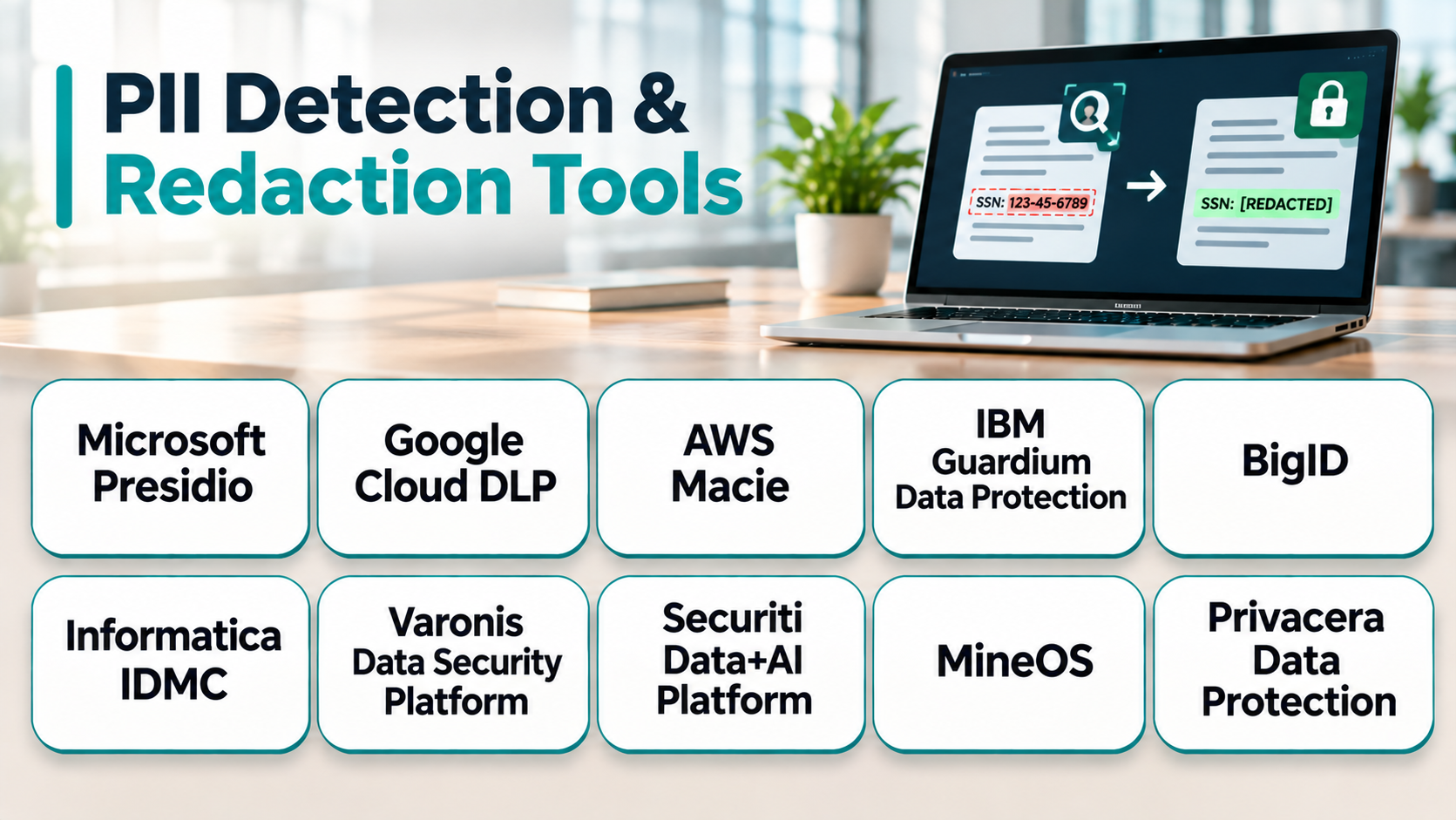
Personally Identifiable Information (PII) detection and redaction tools help organizations identify and protect information that can directly or indirectly identify individuals. These solutions support automated information discovery, sensitive data classification, redaction, masking, and privacy-oriented information processing.
Organizations increasingly process personal information through customer databases, business documents, application logs, cloud storage, and artificial intelligence (AI) applications. Uncontrolled information exposure can create privacy risks, cybersecurity incidents, and regulatory compliance challenges.
Traditional manual identification and removal of sensitive information can become inefficient when organizations manage large information volumes. Automated PII detection tools help identify supported sensitive information categories and apply configurable protection mechanisms.
Modern redaction solutions use techniques such as pattern matching, Natural Language Processing (NLP), Named Entity Recognition (NER), and contextual classification. These technologies can identify information such as names, email addresses, telephone numbers, identification numbers, and financial details.
Healthcare providers, financial institutions, government agencies, software companies, and research organizations can benefit from appropriate PII protection tools. Implementation requirements depend on information sensitivity, supported formats, operational architecture, and applicable privacy regulations.
This guide examines ten PII detection and redaction tools, including their features, benefits, advantages, limitations, and practical applications. It also provides comparison tables, software selection guidance, implementation recommendations, security considerations, and frequently asked questions.
What Are PII Detection & Redaction Tools?
PII detection and redaction tools are software solutions designed to identify and protect information associated with identifiable individuals. They help organizations reduce unnecessary exposure of sensitive information within supported documents, applications, databases, and communication workflows.
PII detection involves locating and classifying information according to predefined or customized sensitive data categories. Detection mechanisms may use pattern matching, dictionaries, contextual analysis, and machine learning models.
Redaction involves removing or obscuring sensitive information from an output intended for authorized distribution or processing. Effective permanent redaction must prevent recovery of the original information from the released artifact.
Some tools provide additional information transformation mechanisms such as masking, replacement, hashing, and tokenization. These techniques serve different privacy and operational objectives and should not automatically be treated as equivalent to permanent redaction.
PII protection tools can operate within cloud environments, document processing workflows, application programming interfaces (APIs), and self-managed infrastructure. Organizations can select deployment approaches according to information sensitivity and operational requirements.
Automated detection is not universally accurate, particularly when sensitive information appears in unfamiliar formats or ambiguous contexts. Organizations should combine appropriate automation with representative evaluation, qualified review, and broader information governance.
How Do PII Detection & Redaction Tools Work?
- Identify approved information sources.
- Establish sensitive information categories.
- Collect or connect supported content.
- Extract relevant text and metadata.
- Apply pattern-based detection mechanisms.
- Perform contextual entity recognition.
- Generate sensitive information classifications.
- Evaluate configured confidence thresholds.
- Apply approved redaction or transformation policies.
- Route uncertain findings for qualified review.
- Validate protected output before distribution.
- Record relevant processing and audit information.
- Monitor detection quality and update configurations.
Traditional PII Protection vs. Automated PII Detection
| Evaluation Area | Traditional Approach | Automated Approach |
|---|---|---|
| Information discovery | Manual inspection | Automated scanning |
| Entity identification | Human recognition | Pattern and model-based detection |
| Processing capacity | Staff-dependent | Scalable processing |
| Document review | Manual examination | Automated prioritization |
| Redaction | Manual removal | Configurable transformations |
| Consistency | Reviewer-dependent | Policy and model-dependent |
| Multilingual detection | Staff language skills | Supported language models |
| Cloud integration | Manual information handling | Supported service connectors |
| Application integration | Limited automation | API-based processing |
| Audit documentation | Manual records | Configurable processing logs |
| Processing speed | Workload-dependent | Potentially near real time |
| Contextual accuracy | Human interpretation | Automated analysis with review |
Common Applications of PII Detection & Redaction Tools
- Customer information protection.
- Healthcare record de-identification.
- Financial document redaction.
- Sensitive application log sanitization.
- Legal document preparation.
- Government record disclosure.
- AI prompt and response sanitization.
- Research dataset preparation.
- Cloud storage information discovery.
- Customer support transcript protection.
- Sensitive email content classification.
- Privacy-oriented data sharing.
Key Components of PII Detection & Redaction Tools
| Component | Primary Function |
|---|---|
| Data connector | Connects approved information sources |
| Content extraction engine | Extracts supported document content |
| Optical Character Recognition (OCR) | Converts supported scanned images into text |
| Pattern recognizer | Identifies structured sensitive information |
| Entity recognition model | Identifies contextual information entities |
| Custom dictionary | Maintains organization-specific terms |
| Classification engine | Categorizes sensitive information |
| Confidence scoring | Communicates detection confidence |
| Policy engine | Applies configured protection requirements |
| Redaction engine | Removes or obscures selected information |
| Masking engine | Applies configured replacement patterns |
| Tokenization service | Replaces information with managed tokens |
| Review interface | Supports qualified validation |
| Audit repository | Records authorized processing evidence |
| Integration interface | Connects external applications |
| Reporting dashboard | Summarizes processing outcomes |
Types of PII Detection & Redaction Tools
Cloud-Based Sensitive Data Protection Services
Cloud-based services provide managed information discovery, classification, and supported transformation capabilities. They are particularly relevant to organizations operating cloud-native applications and information processing workflows.
Open-Source PII Detection Frameworks
Open-source frameworks provide configurable detection and transformation components that organizations can deploy within compatible infrastructure. They are suitable for technical teams requiring customization and control over information processing.
Document Redaction Software
Document redaction tools focus on identifying and removing sensitive information from files intended for authorized distribution. Effective implementations must also address hidden text, metadata, annotations, and other recoverable document elements.
Enterprise Data Privacy Platforms
Enterprise privacy platforms provide broader information discovery, classification, governance, and protection capabilities. Redaction and masking functionality may be available through specific modules or complementary integrations.
AI Application Privacy Tools
AI application privacy tools help identify and protect sensitive information within prompts, generated responses, and other application interactions. These solutions can complement broader AI security and governance architectures.
Key Features of PII Detection & Redaction Tools
- Automated sensitive information discovery.
- Named entity recognition.
- Pattern-based PII detection.
- Configurable information classification.
- Custom sensitive information recognizers.
- Text and document redaction.
- Data masking and replacement.
- Multilingual information analysis.
- Batch information processing.
- Application integration capabilities.
- Privacy policy configuration.
- Processing and audit reporting.
Top 10 PII Detection & Redaction Tools
The following selection includes dedicated PII detection frameworks, managed cloud privacy services, document redaction software, and complementary enterprise data protection platforms. The numbering organizes the comparison rather than representing an independently benchmarked ranking.
1. Microsoft Presidio
Short Description
Microsoft Presidio is an open-source framework designed to identify and protect sensitive information within supported text and image processing workflows. Its modular architecture enables developers to configure PII detection and anonymization according to application requirements.
The framework provides separate components for information analysis and transformation. These components can identify supported entities and apply configured operations such as redaction, masking, replacement, and hashing.
Presidio supports custom recognizers that enable organizations to address domain-specific information categories. Developers can combine pattern-based recognition with compatible natural language processing models.
The framework is particularly suitable for organizations requiring self-managed information protection capabilities. Effective deployment requires technical expertise, representative detection evaluation, and appropriate information security controls.
How Microsoft Presidio Works
- Configure supported language processing models.
- Define relevant sensitive information entities.
- Add custom recognizers where required.
- Analyze approved input content.
- Apply configured anonymization operators.
- Validate protected output.
Key Features
- PII analyzer: Identifies supported sensitive information entities.
- Anonymization engine: Applies configurable information transformations.
- Custom recognizers: Supports organization-specific detection requirements.
- Pattern matching: Identifies structured information formats.
- Contextual recognition: Uses relevant surrounding information.
- Image redaction: Supports compatible OCR-based workflows.
- Language model integration: Connects supported NLP components.
- Python integration: Enables application-level development.
- Self-managed deployment: Supports compatible private infrastructure.
Benefits
- Supports customizable PII detection.
- Reduces unnecessary sensitive information exposure.
- Enables self-managed privacy processing.
- Facilitates application-level integration.
- Supports multiple transformation mechanisms.
- Reduces custom detector development requirements.
- Encourages reusable privacy configurations.
Pros
- Open-source availability.
- Modular detection architecture.
- Extensive customization capabilities.
- Multiple anonymization operators.
- Python-based integration.
- Private deployment possibilities.
Cons
- Requires technical expertise.
- Detection accuracy varies by configuration.
- Infrastructure maintenance remains necessary.
- Multilingual support requires appropriate models.
- Enterprise reporting requires complementary systems.
Use Cases
- AI prompt sanitization.
- Application log redaction.
- Customer communication protection.
- Research dataset preparation.
- Custom PII detection services.
- Privacy-oriented document processing.
Best For
- Python developers.
- Data engineering teams.
- Privacy engineers.
- AI application developers.
- Research organizations.
- Enterprises requiring self-managed PII protection.
Pricing and Deployment
Microsoft Presidio is available as open-source software. Organizations should account for infrastructure, language models, integration, maintenance, and independent privacy evaluation expenses.
2. Google Cloud Sensitive Data Protection
Short Description
Google Cloud Sensitive Data Protection provides managed services for discovering, classifying, and transforming sensitive information. Its capabilities include inspection and de-identification functionality historically associated with the Cloud Data Loss Prevention (DLP) API.
The service supports predefined information types and customizable detection configurations. Organizations can use these capabilities to identify supported personal information, financial details, credentials, and other sensitive data categories.
Sensitive Data Protection provides transformation mechanisms relevant to masking, replacement, redaction, and supported pseudonymization workflows. These operations can help organizations prepare information for approved processing and distribution.
The platform is particularly suitable for organizations using Google Cloud infrastructure and large-scale information processing services. Current connector coverage, regional availability, pricing, and transformation limitations should be verified.
How Google Cloud Sensitive Data Protection Works
- Identify approved information sources.
- Configure relevant information types.
- Establish inspection templates.
- Evaluate supported information.
- Apply approved transformation configurations.
- Review inspection and processing results.
Key Features
- Sensitive data inspection: Identifies supported protected information.
- Information types: Provides predefined sensitive data categories.
- Custom detectors: Supports organization-specific detection requirements.
- De-identification: Applies configured information transformations.
- Data masking: Obscures selected sensitive values.
- Redaction: Removes identified information from supported output.
- Inspection templates: Maintains reusable detection configurations.
- Data profiling: Supports applicable sensitive data discovery.
- Google Cloud integration: Connects compatible cloud environments.
Benefits
- Supports scalable sensitive data inspection.
- Reduces custom detection infrastructure.
- Facilitates reusable privacy policies.
- Supports multiple information transformations.
- Improves visibility into sensitive data.
- Enables managed cloud processing.
- Complements enterprise information governance.
Pros
- Managed cloud architecture.
- Extensive predefined information types.
- Custom detection capabilities.
- Multiple transformation options.
- Google Cloud ecosystem integration.
- Suitable for large-scale information processing.
Cons
- Usage-based costs require monitoring.
- Supported regions and connectors vary.
- Configuration requires privacy expertise.
- Detection errors remain possible.
- Third-party processing arrangements require review.
Use Cases
- Cloud storage sensitive data discovery.
- Database information classification.
- Customer record de-identification.
- AI dataset preparation.
- Application-level PII protection.
- Enterprise information governance.
Best For
- Google Cloud customers.
- Enterprise data engineering teams.
- Cloud security architects.
- Privacy engineering departments.
- Data analytics organizations.
- Businesses processing large information volumes.
Pricing and Deployment
Google Cloud Sensitive Data Protection uses managed service pricing based on applicable inspection, transformation, and discovery activities. Organizations should verify current rates, service limits, regional availability, and associated infrastructure expenses.
3. Amazon Comprehend
Short Description
Amazon Comprehend is a managed natural language processing service from Amazon Web Services (AWS). Its PII detection capabilities enable applications to identify supported personal information entities within text.
The service provides information about detected entity categories and their locations within supported content. Developers can use these results to implement appropriate application-level redaction and information handling procedures.
Amazon Comprehend also supports applicable asynchronous processing workflows for sensitive information detection and redaction. These capabilities are relevant to organizations processing large collections of supported text documents.
The service is particularly suitable for AWS-based applications requiring managed text analysis. Supported languages, entity categories, processing modes, and service limitations should be independently evaluated.
How Amazon Comprehend Works
- Identify supported text sources.
- Establish sensitive information requirements.
- Configure a compatible processing workflow.
- Detect supported PII entities.
- Apply configured redaction procedures.
- Validate and review protected output.
Key Features
- PII entity detection: Identifies supported personal information.
- Entity offsets: Provides locations of detected information.
- Confidence scores: Communicates classification confidence.
- Asynchronous processing: Supports applicable batch workloads.
- PII redaction: Provides supported text redaction workflows.
- Natural language processing: Evaluates supported text content.
- API integration: Connects compatible applications.
- AWS integration: Supports relevant cloud infrastructure.
- Configurable processing: Enables application-specific information handling.
Benefits
- Supports managed PII detection.
- Reduces custom NLP infrastructure.
- Facilitates automated text processing.
- Supports application-level redaction.
- Enables scalable information evaluation.
- Complements AWS data processing services.
- Encourages consistent sensitive information handling.
Pros
- Managed cloud service.
- Dedicated PII detection capabilities.
- Developer-oriented interfaces.
- AWS ecosystem integration.
- Supported batch processing.
- Relevant text redaction functionality.
Cons
- Supported PII languages are limited.
- Visual document processing requires additional tools.
- Usage-based expenses may accumulate.
- Contextual detection errors remain possible.
- Enterprise privacy workflows require complementary systems.
Use Cases
- Customer support transcript redaction.
- Application text sanitization.
- Customer record protection.
- Document collection processing.
- AWS-based privacy applications.
- Sensitive information classification.
Best For
- AWS customers.
- Cloud application developers.
- Data engineering teams.
- Enterprise privacy departments.
- Customer support technology teams.
- Organizations requiring managed text analysis.
Pricing and Deployment
Amazon Comprehend uses managed service pricing based on applicable text processing activities. Organizations should verify current PII detection rates, supported languages, processing limits, and associated cloud infrastructure expenses.
4. Azure AI Language
Short Description
Azure AI Language provides managed natural language processing capabilities within Microsoft Azure. Its PII detection functionality helps organizations identify and redact supported sensitive information within text.
The service can return detected entities, relevant categories, confidence scores, and redacted text for supported processing scenarios. These capabilities help developers incorporate sensitive information protection into application workflows.
Azure AI Language provides applicable PII detection functionality for general text and supported conversational processing. Available features depend on the selected service interface, model version, and supported language.
The platform is particularly relevant to enterprises using Microsoft Azure applications and information processing infrastructure. Organizations should verify supported entity categories, regional availability, and privacy requirements.
How Azure AI Language Works
- Configure an appropriate Azure resource.
- Establish PII detection requirements.
- Submit supported text for analysis.
- Receive detected entity information.
- Apply or retrieve supported redacted output.
- Validate results against approved privacy policies.
Key Features
- PII recognition: Identifies supported personal information entities.
- Text redaction: Provides supported redacted text output.
- Entity classification: Categorizes detected information.
- Confidence scoring: Communicates relevant detection confidence.
- Conversation PII detection: Supports applicable conversational workflows.
- Language processing: Evaluates supported languages.
- API integration: Connects compatible applications.
- Azure integration: Supports relevant Microsoft cloud environments.
- Batch processing: Supports applicable document processing workloads.
Benefits
- Supports automated sensitive information detection.
- Facilitates managed text redaction.
- Reduces custom language model development.
- Enables application-level privacy integration.
- Supports customer communication protection.
- Complements Azure data processing services.
- Encourages consistent information handling.
Pros
- Managed cloud infrastructure.
- PII-specific detection functionality.
- Supported redacted text output.
- Microsoft Azure integration.
- Developer-oriented interfaces.
- Conversational privacy relevance.
Cons
- Usage-based costs require evaluation.
- Supported languages and categories vary.
- Scanned documents require complementary extraction.
- Detection errors remain possible.
- Current feature availability requires verification.
Use Cases
- Customer communication redaction.
- Contact center transcript protection.
- Enterprise document processing.
- AI application privacy controls.
- Customer record classification.
- Azure-based sensitive data processing.
Best For
- Microsoft Azure customers.
- Enterprise application developers.
- Cloud privacy engineers.
- Contact center technology teams.
- Data engineering departments.
- Organizations requiring managed PII recognition.
Pricing and Deployment
Azure AI Language uses managed cloud service pricing arrangements. Organizations should confirm current text processing rates, service tiers, supported regions, and applicable information processing requirements.
5. Private AI
Short Description
Private AI provides privacy-focused software designed to identify and protect sensitive information within supported unstructured data. Its capabilities are relevant to organizations requiring automated de-identification and application-level privacy controls.
The platform uses machine learning-based entity recognition to identify supported personal information categories. It can apply configurable information replacement and redaction mechanisms according to organizational requirements.
Private AI provides deployment options relevant to organizations seeking greater control over sensitive information processing. Compatible private deployment arrangements can help reduce unnecessary transmission of confidential information to external services.
The platform is particularly suitable for enterprises processing sensitive communications, documents, and AI application content. Supported formats, languages, deployment options, and commercial terms should be verified.
How Private AI Works
- Define sensitive information requirements.
- Configure a compatible processing environment.
- Select relevant entity categories.
- Evaluate approved input content.
- Apply configured redaction or replacement.
- Validate protected information before further processing.
Key Features
- PII detection: Identifies supported sensitive information entities.
- Contextual recognition: Evaluates relevant language context.
- Information redaction: Removes or replaces identified information.
- Multilingual processing: Supports compatible language models.
- Entity replacement: Applies configured information substitutions.
- Private deployment: Supports applicable controlled environments.
- API integration: Connects compatible applications.
- Unstructured data processing: Evaluates supported content formats.
- AI privacy integration: Supports relevant generative AI workflows.
Benefits
- Supports privacy-oriented information processing.
- Reduces unnecessary sensitive information exposure.
- Facilitates AI application sanitization.
- Supports configurable information transformations.
- Enables controlled deployment options.
- Reduces custom entity recognition development.
- Complements enterprise privacy programs.
Pros
- Dedicated privacy technology focus.
- Contextual PII detection.
- Multilingual capabilities.
- Private deployment relevance.
- Application integration functionality.
- Suitable for sensitive information environments.
Cons
- Commercial pricing requires confirmation.
- Supported formats vary by offering.
- Deployment may require technical resources.
- Detection accuracy depends on content characteristics.
- Independent privacy validation remains necessary.
Use Cases
- Generative AI prompt sanitization.
- Healthcare text de-identification.
- Customer communication protection.
- Enterprise document redaction.
- Research dataset preparation.
- Privacy-preserving application workflows.
Best For
- Enterprise privacy engineers.
- Healthcare technology organizations.
- Generative AI developers.
- Financial institutions.
- Research teams.
- Organizations requiring controlled PII processing.
Pricing and Deployment
Private AI provides commercial privacy software offerings. Organizations should verify current licensing, supported deployment arrangements, processing limits, and integration expenses.
6. Nightfall AI
Short Description
Nightfall AI provides cloud-oriented data security capabilities designed to identify and protect sensitive information across supported applications. Its functionality includes sensitive data detection and Data Loss Prevention (DLP) workflows.
The platform uses configurable detection mechanisms to identify selected personal information, credentials, financial information, and other sensitive data categories. Organizations can apply relevant policies according to supported application integrations.
Nightfall AI provides capabilities relevant to Software as a Service (SaaS) environments and generative AI application security. Its detection APIs can support compatible custom information protection workflows.
The platform is particularly suitable for organizations requiring centralized sensitive data protection across cloud applications. Redaction and remediation functionality varies according to the selected integration and commercial offering.
How Nightfall AI Works
- Connect supported cloud applications.
- Establish sensitive information categories.
- Configure relevant detection policies.
- Scan supported content and activities.
- Apply compatible remediation mechanisms.
- Review sensitive information findings.
Key Features
- Sensitive data detection: Identifies supported protected information.
- Cloud DLP: Supports relevant information exposure controls.
- Custom detection policies: Enables organizational requirements.
- SaaS integrations: Connects compatible cloud applications.
- Detection APIs: Supports custom application workflows.
- AI data protection: Addresses relevant generative AI exposure risks.
- Remediation workflows: Supports applicable corrective actions.
- Security alerting: Communicates relevant information findings.
- Centralized administration: Coordinates supported protection policies.
Benefits
- Improves sensitive information visibility.
- Supports cloud application privacy controls.
- Helps identify selected information exposure risks.
- Facilitates centralized policy administration.
- Supports custom application integration.
- Reduces repetitive sensitive data screening.
- Complements enterprise cybersecurity programs.
Pros
- Dedicated data security orientation.
- Cloud application integration relevance.
- Configurable sensitive data detectors.
- API-based protection capabilities.
- Generative AI security relevance.
- Centralized policy management.
Cons
- Commercial pricing requires evaluation.
- Remediation varies by integration.
- Supported application coverage requires verification.
- False-positive findings remain possible.
- Not primarily a permanent document redaction tool.
Use Cases
- SaaS sensitive data discovery.
- Enterprise communication protection.
- AI application information security.
- Credential exposure detection.
- Cloud DLP enforcement.
- Sensitive information incident investigation.
Best For
- Cloud security departments.
- Enterprise privacy teams.
- SaaS-intensive organizations.
- Generative AI application developers.
- Security operations teams.
- Organizations requiring centralized data protection.
Pricing and Deployment
Nightfall AI provides commercial data security offerings. Organizations should confirm current licensing, supported integrations, detection API availability, remediation functionality, and operational expenses.
7. Securiti
Short Description
Securiti provides enterprise data security, privacy, governance, and compliance capabilities. Its sensitive data discovery and classification functionality is relevant to organizations managing personal information across distributed environments.
The platform can help organizations identify supported sensitive information within compatible data sources. These capabilities support broader privacy governance and information protection requirements.
Securiti provides functionality relevant to data intelligence, privacy operations, and AI governance. Information masking and remediation capabilities depend on selected product components and supported integrations.
The platform is particularly suitable for enterprises requiring comprehensive information governance rather than standalone text redaction. Organizations should verify specific transformation capabilities and current commercial packaging before procurement.
How Securiti Works
- Identify approved enterprise data sources.
- Connect compatible information environments.
- Configure sensitive data classifications.
- Discover and classify supported information.
- Apply relevant governance and protection workflows.
- Review information risks and operational findings.
Key Features
- Sensitive data discovery: Identifies supported information assets.
- Data classification: Categorizes personal and confidential information.
- Data intelligence: Provides relevant information context.
- Privacy operations: Supports organizational privacy workflows.
- Data governance: Coordinates applicable information requirements.
- AI governance: Supports relevant AI data oversight.
- Policy management: Establishes configurable protection requirements.
- Remediation integration: Connects supported corrective workflows.
- Enterprise reporting: Summarizes relevant privacy findings.
Benefits
- Improves enterprise sensitive data visibility.
- Supports centralized privacy governance.
- Facilitates information classification.
- Helps identify selected data exposure risks.
- Supports privacy-related operational workflows.
- Complements enterprise compliance programs.
- Encourages coordinated information management.
Pros
- Comprehensive enterprise privacy orientation.
- Broad data governance capabilities.
- Sensitive information discovery functionality.
- Centralized administration.
- AI governance relevance.
- Suitable for distributed enterprise environments.
Cons
- Commercial licensing requires evaluation.
- Deployment may require specialist resources.
- Direct redaction capabilities vary by offering.
- Integration can introduce architectural complexity.
- Not primarily a standalone text redaction tool.
Use Cases
- Enterprise sensitive data discovery.
- Privacy risk assessment.
- Personal information inventory management.
- Cloud data governance.
- AI data privacy oversight.
- Sensitive information remediation coordination.
Best For
- Large enterprises.
- Privacy governance departments.
- Data security architects.
- Compliance teams.
- Regulated organizations.
- Businesses managing distributed data environments.
Pricing and Deployment
Securiti provides commercial enterprise software offerings. Organizations should verify current licensing, connector availability, supported remediation capabilities, and deployment requirements.
8. BigID
Short Description
BigID provides enterprise data discovery, classification, privacy, and security capabilities. Its sensitive information identification functionality is relevant to organizations managing personal information across structured and unstructured data sources.
The platform can help organizations locate supported personal information and classify data according to relevant business and security requirements. These capabilities provide visibility into information assets that may require protection.
BigID supports broader data governance and remediation workflows through applicable product components and integrations. Direct masking or redaction functionality should be evaluated separately according to the selected offering.
The platform is particularly suitable for organizations requiring enterprise-scale sensitive data discovery. Its primary role is information intelligence and governance rather than lightweight application-level redaction.
How BigID Works
- Identify approved organizational data sources.
- Configure supported data connectors.
- Establish sensitive information classifications.
- Scan compatible information environments.
- Identify relevant privacy and security findings.
- Coordinate appropriate protection or remediation workflows.
Key Features
- Data discovery: Identifies supported information assets.
- Sensitive data classification: Categorizes personal information.
- Unstructured data analysis: Evaluates compatible document environments.
- Structured data scanning: Supports relevant database sources.
- Custom classification: Enables organization-specific requirements.
- Privacy management: Supports applicable privacy workflows.
- Data security intelligence: Identifies relevant information risks.
- Remediation coordination: Supports compatible corrective processes.
- Enterprise reporting: Communicates information governance findings.
Benefits
- Improves visibility into sensitive information.
- Supports enterprise privacy programs.
- Facilitates information classification.
- Helps prioritize selected data protection risks.
- Supports distributed data environments.
- Complements information governance workflows.
- Encourages consistent privacy administration.
Pros
- Enterprise data discovery specialization.
- Structured and unstructured data relevance.
- Configurable classification capabilities.
- Broad governance functionality.
- Centralized information visibility.
- Suitable for complex data environments.
Cons
- Commercial pricing requires confirmation.
- Deployment can require significant planning.
- Direct redaction may require additional tools.
- Supported connectors vary.
- Classification effectiveness requires independent evaluation.
Use Cases
- Enterprise PII discovery.
- Sensitive data inventory management.
- Cloud information classification.
- Privacy risk assessment.
- Data governance modernization.
- Information protection prioritization.
Best For
- Enterprise data governance teams.
- Privacy officers.
- Data security departments.
- Financial institutions.
- Large healthcare organizations.
- Businesses managing extensive information repositories.
Pricing and Deployment
BigID provides commercial enterprise offerings. Organizations should confirm current licensing, supported data connectors, available protection modules, and implementation expenses.
9. Adobe Acrobat Pro
Short Description
Adobe Acrobat Pro provides professional Portable Document Format (PDF) editing and document management capabilities. Its redaction functionality enables authorized users to remove selected sensitive information from supported PDF documents.
The software supports manual redaction and applicable search-based workflows for locating information that requires removal. Users can review selected redaction areas before applying permanent document changes.
Acrobat Pro also provides document sanitization functionality that can help remove selected hidden information. This capability is important because sensitive content may remain within metadata, annotations, attachments, or other document elements.
The software is particularly suitable for legal, administrative, and compliance teams preparing documents for authorized distribution. It is primarily a document redaction solution rather than a comprehensive automated enterprise PII discovery platform.
How Adobe Acrobat Pro Works
- Open an authorized PDF document.
- Identify sensitive information requiring removal.
- Search for supported terms or patterns.
- Mark relevant text and visual areas.
- Apply permanent redactions and appropriate sanitization.
- Validate the final document before distribution.
Key Features
- PDF redaction: Removes selected document information.
- Search-based redaction: Locates supported terms and patterns.
- Manual redaction marking: Supports reviewer-selected content removal.
- Visual redaction: Removes selected document image regions.
- Document sanitization: Addresses supported hidden information.
- OCR: Extracts text from compatible scanned documents.
- Redaction appearance: Configures visible redaction markings.
- Document review: Supports inspection before final processing.
- PDF management: Provides complementary document processing capabilities.
Benefits
- Supports permanent document redaction.
- Reduces unauthorized information disclosure.
- Facilitates controlled document preparation.
- Supports manual contextual review.
- Helps address hidden document information.
- Complements legal disclosure workflows.
- Enables professional PDF processing.
Pros
- Established PDF redaction functionality.
- User-oriented document interface.
- Manual and search-based redaction.
- Document sanitization capabilities.
- OCR functionality.
- Suitable for legal and administrative teams.
Cons
- Commercial subscription costs apply.
- Large-scale automated processing may require additional tools.
- Contextual PII discovery is limited compared with specialized models.
- Human review remains necessary.
- Incorrect application of redaction procedures can create disclosure risks.
Use Cases
- Legal document redaction.
- Government record disclosure.
- Financial statement preparation.
- Contract information protection.
- Personnel record redaction.
- Sensitive PDF document distribution.
Best For
- Legal professionals.
- Government administrators.
- Compliance departments.
- Human resources teams.
- Document management specialists.
- Organizations requiring controlled PDF redaction.
Pricing and Deployment
Adobe Acrobat Pro is available through commercial subscription arrangements. Organizations should verify current individual and enterprise licensing, supported desktop features, and document processing requirements.
10. Reducto
Short Description
Reducto provides document processing technology designed to extract structured information from complex documents. Its document understanding capabilities can complement PII detection and redaction architectures.
The platform supports applicable document parsing, OCR, layout recognition, and structured extraction workflows. These capabilities can help organizations prepare document content for downstream sensitive information detection.
Reducto is particularly relevant when personal information appears within scanned documents, tables, forms, or complex document layouts. Extracted information can be passed to compatible privacy classification and transformation components.
The platform should be evaluated as a complementary document processing tool rather than assumed to provide comprehensive permanent PII redaction independently. Organizations should verify current native privacy features and integrate appropriate redaction mechanisms where required.
How Reducto Works
- Identify approved document processing requirements.
- Submit supported documents through compatible interfaces.
- Extract relevant text and document structure.
- Identify document elements requiring privacy evaluation.
- Connect appropriate PII detection and redaction components.
- Validate protected downstream output.
Key Features
- Document parsing: Extracts supported document content.
- OCR: Recognizes text within compatible scanned documents.
- Layout analysis: Identifies relevant document structures.
- Table extraction: Processes supported tabular information.
- Structured extraction: Produces configured information outputs.
- API integration: Connects compatible processing workflows.
- Document understanding: Supports complex document analysis.
- Batch processing: Supports applicable document workloads.
- Privacy workflow integration: Enables connection with complementary PII tools.
Benefits
- Supports sensitive information discovery in complex documents.
- Improves downstream text extraction quality.
- Facilitates structured information processing.
- Reduces manual document preparation.
- Supports privacy-oriented application architectures.
- Complements specialized PII detection frameworks.
- Enables configurable document workflows.
Pros
- Specialized document processing orientation.
- Complex layout extraction capabilities.
- OCR relevance.
- Developer-oriented interfaces.
- Structured information extraction.
- Suitable for document-intensive workflows.
Cons
- Not primarily a dedicated PII redaction platform.
- Permanent redaction requires appropriate additional components.
- Commercial pricing requires confirmation.
- Extraction errors can affect downstream detection.
- Sensitive document processing arrangements require review.
Use Cases
- Scanned document privacy workflows.
- Form information extraction.
- Financial document processing.
- Healthcare document preparation.
- Complex PDF information discovery.
- PII detection pipeline preparation.
Best For
- Document processing engineers.
- Enterprise automation teams.
- Privacy application developers.
- Financial technology companies.
- Legal technology teams.
- Organizations processing complex scanned documents.
Pricing and Deployment
Reducto provides commercial document processing offerings. Organizations should verify current processing rates, supported deployment options, privacy features, and integration requirements.
Comparison Table: Top 10 PII Detection & Redaction Tools
| Tool | Primary Capability | Best For | Deployment | Pricing Model |
|---|---|---|---|---|
| Microsoft Presidio | Configurable PII detection and anonymization | Technical privacy teams | Self-managed | Open source |
| Google Cloud Sensitive Data Protection | Sensitive data inspection and transformation | Cloud data processing | Managed cloud | Usage-based |
| Amazon Comprehend | Text PII detection | AWS applications | Managed cloud | Usage-based |
| Azure AI Language | Text PII recognition and redaction | Azure applications | Managed cloud | Usage-based |
| Private AI | Privacy-focused entity recognition | Sensitive AI workflows | Offering-dependent | Commercial |
| Nightfall AI | Cloud DLP and sensitive data detection | Cloud application security | Offering-dependent | Commercial |
| Securiti | Enterprise privacy governance | Large enterprises | Offering-dependent | Commercial |
| BigID | Sensitive data discovery | Enterprise data governance | Offering-dependent | Commercial |
| Adobe Acrobat Pro | Permanent PDF redaction | Document professionals | Desktop and associated services | Subscription |
| Reducto | Document extraction for privacy workflows | Complex document processing | Offering-dependent | Commercial |
Functional Comparison
| Tool | PII Detection | Text Redaction | Document Redaction | Data Discovery |
|---|---|---|---|---|
| Microsoft Presidio | Supported | Supported | Integration-dependent | Application-dependent |
| Google Cloud Sensitive Data Protection | Supported | Supported | Format-dependent | Supported |
| Amazon Comprehend | Supported | Supported workflows | Integration-dependent | Not primary |
| Azure AI Language | Supported | Supported | Integration-dependent | Not primary |
| Private AI | Supported | Supported | Offering-dependent | Application-dependent |
| Nightfall AI | Supported | Integration-dependent | Not primary | Supported |
| Securiti | Supported | Offering-dependent | Not primary | Specialized |
| BigID | Supported | Integration-dependent | Not primary | Specialized |
| Adobe Acrobat Pro | Search and review-based | Supported in PDFs | Specialized | Document-level |
| Reducto | Complementary | External integration | External integration | Document extraction |
Technical Comparison
| Tool | Main Integration | Customization | Infrastructure Management |
|---|---|---|---|
| Microsoft Presidio | Python and APIs | Extensive | Customer-managed |
| Google Cloud Sensitive Data Protection | Google Cloud API | Template-based | Provider-managed |
| Amazon Comprehend | AWS API | Configuration-based | Provider-managed |
| Azure AI Language | Azure API | Configuration-based | Provider-managed |
| Private AI | API and deployment integrations | Offering-dependent | Offering-dependent |
| Nightfall AI | SaaS connectors and APIs | Policy-based | Offering-dependent |
| Securiti | Enterprise data connectors | Policy-based | Offering-dependent |
| BigID | Enterprise data connectors | Classification-based | Offering-dependent |
| Adobe Acrobat Pro | Desktop document interface | Review-based | Application-managed |
| Reducto | Document processing API | Extraction-based | Offering-dependent |
Pricing and Ownership Comparison
| Tool | Direct Licensing | Main Additional Costs |
|---|---|---|
| Microsoft Presidio | Open source | Hosting, models, engineering |
| Google Cloud Sensitive Data Protection | Usage-based | Storage, inspection, transformations |
| Amazon Comprehend | Usage-based | Text processing and infrastructure |
| Azure AI Language | Usage-based | Service usage and integration |
| Private AI | Commercial | Deployment and processing |
| Nightfall AI | Commercial | Integrations and protection coverage |
| Securiti | Commercial | Enterprise implementation |
| BigID | Commercial | Connectors and administration |
| Adobe Acrobat Pro | Subscription | Reviewer time and document workflows |
| Reducto | Commercial | Document processing and external PII controls |
These comparisons describe general product positioning rather than independently measured detection accuracy. Reducto, BigID, and Securiti should be evaluated according to their complementary roles instead of assuming that all ten tools provide equivalent native redaction functionality.
How to Choose the Best PII Detection & Redaction Tool
1. Identify Sensitive Information Categories
Determine which personal information categories require detection and protection. Requirements may include names, contact information, identification numbers, financial details, and organization-specific identifiers.
2. Evaluate Supported Information Formats
Identify whether sensitive information appears within text, PDFs, scanned images, databases, or application logs. Select tools that support actual information formats or appropriate complementary processing components.
3. Assess Detection Accuracy
Evaluate shortlisted tools using representative information and independently validated reference labels. Measure precision, recall, false positives, and missed sensitive information across relevant categories.
4. Review Redaction Mechanisms
Determine whether the tool provides permanent removal, masking, replacement, or another transformation. Select mechanisms according to the intended information use and required privacy protection.
5. Evaluate Contextual Recognition
Personal information may appear in ambiguous or unfamiliar contexts. Contextual recognition capabilities can complement pattern matching but require representative evaluation.
6. Consider Multilingual Requirements
Organizations may process sensitive information across multiple languages and regional formats. Evaluate detection performance for each relevant language rather than assuming uniform accuracy.
7. Assess Deployment Requirements
Determine whether sensitive information can be processed through managed cloud services or requires controlled private infrastructure. Deployment decisions should reflect contractual, regulatory, and security requirements.
8. Review Document Sanitization
Documents may retain hidden text, metadata, annotations, or embedded information after superficial redaction. Select document processing tools that support appropriate sanitization and independent output verification.
9. Evaluate Integration Capabilities
Assess compatibility with existing applications, document repositories, databases, and privacy workflows. Integration complexity can influence implementation expenses and ongoing maintenance requirements.
10. Assess Custom Detection
Standard PII categories may not cover internal customer identifiers or industry-specific information. Evaluate whether custom recognizers, dictionaries, or classification policies can address these requirements.
11. Consider Processing Performance
Large information processing workloads may require batch or near-real-time detection. Measure throughput, response latency, and infrastructure consumption using representative workloads.
12. Review Information Security
PII detection services necessarily process potentially sensitive information. Evaluate encryption, access management, retention policies, processing locations, and third-party contractual arrangements.
13. Evaluate Human Review Requirements
Consequential document releases and high-risk information transformations may require qualified review. Establish appropriate review workflows and escalation procedures for uncertain detections.
14. Compare Total Ownership Costs
Evaluate software licensing, processing charges, infrastructure, integration, human review, and maintenance expenses. Open-source availability does not eliminate operational costs.
15. Conduct Independent Privacy Evaluation
Test shortlisted tools using representative information and approved privacy requirements. Validate the final protected output rather than relying exclusively on detection results.
Best PII Detection & Redaction Tools by User Type
| User Type | Recommended Tool | Primary Reason |
|---|---|---|
| Python privacy developers | Microsoft Presidio | Customizable detection and transformation |
| Google Cloud data teams | Google Cloud Sensitive Data Protection | Managed inspection and de-identification |
| AWS application developers | Amazon Comprehend | Managed text PII detection |
| Microsoft Azure developers | Azure AI Language | Text recognition and redaction |
| Generative AI privacy teams | Private AI | Privacy-focused entity recognition |
| Cloud security departments | Nightfall AI | Cloud DLP and sensitive data protection |
| Enterprise privacy officers | Securiti | Comprehensive privacy governance |
| Data governance departments | BigID | Enterprise sensitive data discovery |
| Legal document professionals | Adobe Acrobat Pro | Permanent PDF redaction |
| Document automation engineers | Reducto | Complex document extraction |
Weighted Software Selection Scorecard
| Selection Criterion | Weight |
|---|---|
| PII detection accuracy | 20% |
| Redaction effectiveness | 15% |
| Supported information formats | 15% |
| Privacy and deployment controls | 15% |
| Customization capabilities | 10% |
| Integration and scalability | 8% |
| Multilingual coverage | 7% |
| Total ownership costs | 5% |
| Reporting and maintenance | 5% |
| Total | 100% |
Organizations can assign consistent scores to shortlisted tools according to representative privacy requirements. Weighted results should complement independent evaluation and qualified information governance review.
Practical Example: Protecting Customer Support Transcripts
Consider a hypothetical financial technology company processing approximately 100,000 customer support transcripts each month. The company wants to prepare approved transcripts for internal analytics while reducing unnecessary exposure of personal information.
The organization selects Microsoft Presidio for configurable PII detection and transformation. It also uses controlled infrastructure, independent access management, and qualified privacy review procedures.
Step 1: Define Information Protection Requirements
Identify personal information categories that must be removed or transformed before analytics processing. Establish approved exceptions and document the intended use of protected transcripts.
Step 2: Inventory Information Sources
Identify customer support chats, email communications, and relevant transcript repositories. Confirm that information processing is authorized and appropriate for the intended purpose.
Step 3: Establish Representative Evaluation Data
Prepare an appropriately controlled evaluation dataset containing representative personal information categories. Qualified reviewers establish reference labels for measuring detection effectiveness.
Step 4: Configure PII Recognizers
Configure Microsoft Presidio to identify supported names, contact information, and financial identifiers. Add custom recognizers for internal customer reference numbers where necessary.
Step 5: Establish Transformation Policies
Define whether each information category requires permanent removal, replacement, or another approved transformation. Avoid retaining unnecessary personal information in downstream analytics datasets.
Step 6: Deploy Controlled Processing Infrastructure
Deploy the detection and transformation pipeline within an approved environment. Establish appropriate encryption, access restrictions, and operational monitoring.
Step 7: Conduct Independent Evaluation
Measure detection precision, recall, and missed information across representative transcript categories. Refine recognizers and processing configurations according to validated findings.
Step 8: Implement Risk-Based Human Review
Route uncertain or high-risk outputs for qualified privacy review. Establish appropriate release restrictions for information that has not passed required validation.
Step 9: Validate Downstream Information
Inspect protected transcripts before distributing them to approved analytics systems. Ensure that downstream metadata and processing logs do not unnecessarily retain original sensitive information.
Step 10: Maintain Continuous Monitoring
Monitor detection performance, processing costs, information exposure findings, and review workloads. Repeat relevant evaluations when communication formats or privacy requirements change.
Illustrative Implementation Results
| Performance Indicator | Before Implementation | After Implementation |
|---|---|---|
| Monthly transcript processing volume | 100,000 | 100,000 |
| Automated PII screening coverage | 15% | 98% |
| PII detection recall on evaluation data | 76% | 95% |
| PII detection precision on evaluation data | 81% | 96% |
| Manual review workload | 1,200 hours/month | 450 hours/month |
| Average processing turnaround | 24 hours | 4 hours |
| Monthly privacy processing cost | $35,000 | $20,000 |
| Documented processing coverage | 40% | 97% |
| Missed PII entities per 1,000 evaluated entities | 240 | 50 |
These figures are hypothetical and do not represent independently verified Microsoft Presidio performance. Actual outcomes depend on information characteristics, recognition models, transformation policies, and evaluation methodology.
The illustrative implementation reduces monthly processing costs by approximately 42.9% and manual review workload by 62.5%. A recall of 95% still indicates missed sensitive information within the evaluation dataset, demonstrating the importance of additional privacy controls.
Illustrative Return on Investment
| Financial Measure | Amount |
|---|---|
| Initial implementation investment | $75,000 |
| Previous monthly operating cost | $35,000 |
| New monthly operating cost | $20,000 |
| Net monthly savings | $15,000 |
| Annual operating savings | $180,000 |
| First-year net benefit | $105,000 |
| First-year return on investment | 140% |
| Estimated payback period | 5 months |
The calculation assumes consistent monthly processing volumes and operating expenses throughout the first year. It excludes taxes, potential incident avoidance benefits, and changes in information processing demand.
Important PII Detection Performance Metrics
| Metric | Purpose |
|---|---|
| Detection precision | Measures correctly identified entities among flagged entities |
| Detection recall | Measures identified entities among actual sensitive entities |
| False-positive rate | Tracks legitimate information incorrectly classified |
| False-negative rate | Tracks missed sensitive information |
| Redaction success rate | Measures correctly transformed target entities |
| Residual PII rate | Measures sensitive information remaining after processing |
| Processing throughput | Tracks information processing capacity |
| Average processing latency | Measures processing performance |
| Human review rate | Tracks information requiring manual evaluation |
| Cost per processed record | Measures operational expenditure |
| Entity-specific accuracy | Evaluates individual information categories |
| Language-specific accuracy | Measures performance across supported languages |
| Information source coverage | Tracks approved sources included in detection |
| Audit documentation coverage | Measures recorded processing evidence |
| Re-identification risk | Evaluates potential identification from remaining information |
Industry Applications of PII Detection & Redaction Tools
Healthcare
Healthcare organizations can use PII detection tools to prepare appropriately authorized records for research, analytics, and information sharing. Health information may require additional protection beyond conventional PII detection, including applicable Protected Health Information (PHI) requirements.
Financial Services
Financial institutions can identify and protect sensitive customer information within documents, communications, and application logs. Appropriate controls should address account information, financial identifiers, and confidential transaction records.
Legal Services
Legal professionals can use document redaction software to prepare records for authorized disclosure. Qualified review is particularly important when documents contain privileged communications or information subject to disclosure restrictions.
Government
Government organizations can use PII detection and redaction tools to prepare public records and manage sensitive administrative information. Redaction requirements should reflect applicable disclosure obligations and privacy protections.
Retail and E-commerce
Retailers can protect customer contact details, order information, and support communications through appropriate sensitive data detection workflows. Information minimization can help reduce unnecessary exposure within analytics and operational systems.
Artificial Intelligence
AI application developers can integrate PII detection into prompt processing, retrieval workflows, and generated response validation. These controls should complement independent authorization, secure information retrieval, and broader AI privacy governance.
PII Detection & Redaction Implementation Roadmap
| Stage | Implementation Activity | Expected Deliverable |
|---|---|---|
| 1 | Identify information sources | Approved data inventory |
| 2 | Assess privacy risks | Risk classification |
| 3 | Define sensitive entities | PII classification framework |
| 4 | Establish protection requirements | Approved transformation policies |
| 5 | Select suitable tools | Software shortlist |
| 6 | Prepare evaluation information | Validated reference dataset |
| 7 | Deploy pilot infrastructure | Controlled processing environment |
| 8 | Configure entity recognition | Detection policies |
| 9 | Configure information transformations | Redaction procedures |
| 10 | Establish human review | Validation workflows |
| 11 | Conduct independent evaluation | Detection performance findings |
| 12 | Validate protected outputs | Release approval procedures |
| 13 | Configure operational monitoring | Privacy reporting |
| 14 | Review and optimize | Continuous improvement program |
Security and Governance Considerations
PII detection tools process information that may itself require significant protection. Organizations should restrict access to original content, detection findings, processing logs, and transformation configurations.
Redaction must be distinguished from reversible masking and pseudonymization because these techniques provide different levels of information protection. Removing direct identifiers does not necessarily prevent identification through remaining contextual or combined information.
Applicable privacy requirements may include the General Data Protection Regulation (GDPR), the California Consumer Privacy Act (CCPA), the Health Insurance Portability and Accountability Act (HIPAA), and India’s Digital Personal Data Protection (DPDP) Act. Organizations should obtain qualified guidance regarding the requirements applicable to their information processing activities.
Security and Governance Checklist
- Maintain an approved sensitive information inventory.
- Define authorized information processing purposes.
- Restrict access to original personal information.
- Establish appropriate encryption requirements.
- Minimize unnecessary processing log retention.
- Validate detection accuracy independently.
- Document approved transformation mechanisms.
- Verify permanent document redaction where required.
- Review third-party information processing arrangements.
- Establish qualified human review procedures.
- Evaluate residual re-identification risks.
- Maintain appropriate incident response procedures.
- Reassess privacy controls after significant application changes.
Understanding the Total Cost of Ownership
PII detection and redaction expenses extend beyond software licensing and processing charges. Organizations should account for information extraction, infrastructure, application integration, human review, security evaluation, and ongoing privacy administration.
Managed services can reduce infrastructure maintenance while introducing recurring usage expenses. Self-managed frameworks may provide greater control but require technical expertise and operational resources.
| Cost Category | Main Consideration |
|---|---|
| Software licensing | Commercial subscriptions |
| Detection processing | Text and document evaluation |
| Information transformation | Redaction and masking workloads |
| Infrastructure | Computing and storage resources |
| OCR processing | Scanned document extraction |
| Technical integration | Application development |
| Human review | Qualified validation personnel |
| Privacy assessment | Independent evaluation |
| Information governance | Policy administration |
| Maintenance | Model and configuration updates |
| Employee training | Technical and privacy skills |
| Security monitoring | Operational protection controls |
Common Challenges in PII Detection & Redaction
- Ambiguous personal information entities.
- Inconsistent information formats.
- Limited multilingual detection coverage.
- Missed sensitive information.
- Incorrect classification of legitimate content.
- Complex scanned document layouts.
- Hidden document information.
- Residual re-identification risks.
- Sensitive information exposure through logs.
- High-volume processing requirements.
- Integration with existing information systems.
- Maintaining organization-specific recognizers.
Common Mistakes to Avoid
1. Treating Masking as Permanent Redaction
Masking may visually obscure information without permanently removing the original value. Select appropriate transformation mechanisms and verify that released information meets the required protection standard.
2. Relying Exclusively on Regular Expressions
Pattern matching can identify structured information but may miss contextual personal information. Combine appropriate patterns with contextual recognition and qualified review.
3. Ignoring Hidden Document Information
Sensitive information may remain within document metadata, hidden text, attachments, and annotations. Apply appropriate document sanitization and validate the final released artifact.
4. Assuming Every Detected Entity Is Sensitive
Automated recognition can incorrectly classify legitimate content as personal information. Evaluate false-positive cases and establish appropriate contextual review procedures.
5. Ignoring Residual Re-identification Risks
Removing names and contact details does not necessarily make information anonymous. Evaluate whether remaining attributes or external information could enable identification.
6. Retaining Original PII in Processing Logs
Privacy processing systems may unintentionally create additional copies of sensitive information. Establish appropriate logging restrictions, access management, and retention requirements.
7. Applying Identical Detection Policies Across Languages
Personal information formats and naming conventions vary across regions and languages. Evaluate relevant language-specific performance and configure appropriate recognition mechanisms.
8. Failing to Validate Final Outputs
Successful detection does not guarantee that every sensitive entity has been correctly removed. Independently inspect protected outputs before consequential distribution or downstream processing.
Troubleshooting Common PII Detection Problems
| Problem | Possible Cause | Recommended Action |
|---|---|---|
| Sensitive names missed | Inadequate contextual recognition | Evaluate suitable entity recognition models |
| Identification numbers missed | Unsupported regional formats | Configure approved custom recognizers |
| Excessive false positives | Broad detection patterns | Refine patterns and confidence thresholds |
| Scanned text not detected | Poor OCR quality | Review document extraction performance |
| Hidden information remains | Incomplete document sanitization | Apply appropriate sanitization and validation |
| Slow processing | Resource-intensive recognition models | Evaluate processing architecture |
| Sensitive information in logs | Inappropriate logging configuration | Apply approved information minimization controls |
| Inconsistent multilingual results | Limited language model coverage | Evaluate language-specific recognition |
| Redacted text remains recoverable | Superficial visual masking | Apply permanent redaction and verify output |
| High review workload | Inadequate detection precision | Reevaluate detection configurations |
Best Practices for PII Detection & Redaction
- Establish clear sensitive information classifications.
- Use representative evaluation datasets.
- Combine contextual and pattern-based detection.
- Configure organization-specific recognizers.
- Apply purpose-appropriate information transformations.
- Verify permanent redaction where required.
- Protect original sensitive information.
- Minimize unnecessary processing logs.
- Evaluate multilingual detection performance.
- Maintain qualified human review procedures.
- Monitor detection precision and recall.
- Evaluate residual re-identification risks.
- Establish versioned privacy configurations.
- Review third-party processing arrangements.
- Reassess detection effectiveness after significant changes.
Future Trends in PII Detection & Redaction
Context-Aware Sensitive Information Detection
Future detection systems may increasingly use contextual information to identify personal data appearing in ambiguous formats. These capabilities could improve detection performance when supported by representative evaluation.
Multimodal PII Protection
Privacy tools may expand their capabilities across text, images, audio, video, and complex documents. Multimodal protection can help organizations address sensitive information appearing outside conventional text repositories.
Real-Time AI Application Privacy
Generative AI applications may increasingly incorporate sensitive information detection directly into prompt and response processing. Appropriate runtime privacy controls can complement broader AI application security.
Privacy-Preserving Processing Architectures
Organizations may adopt controlled deployment and privacy-preserving computation techniques to reduce unnecessary information exposure. These architectures must balance detection effectiveness, operational performance, and information protection.
Advanced Multilingual Recognition
Improvements in multilingual language models may expand sensitive information detection across regional formats and languages. Organizations should continue to evaluate performance independently for their relevant user populations.
Automated Document Sanitization
Document protection tools may increasingly combine contextual PII detection with layout-aware redaction and hidden information inspection. Effective permanent redaction will continue to require verification of released document artifacts.
Integrated Enterprise Privacy Governance
Sensitive information detection may become more closely integrated with enterprise data catalogs, governance systems, and information protection platforms. This integration can help organizations coordinate discovery and remediation across distributed environments.
Continuous Privacy Risk Evaluation
Organizations may increasingly evaluate detection quality and residual identification risks throughout information processing workflows. Continuous evaluation can help identify changes in protection effectiveness following model, application, or policy updates.
Frequently Asked Questions (FAQs)
1. What are PII detection and redaction tools?
PII detection and redaction tools identify and protect information that can directly or indirectly identify individuals. They provide capabilities such as sensitive entity recognition, information classification, and configurable transformations.
2. What is Personally Identifiable Information?
Personally Identifiable Information includes information that identifies an individual or can reasonably be associated with an identifiable individual. Examples include names, contact details, identification numbers, and certain combinations of personal attributes.
3. What is Microsoft Presidio?
Microsoft Presidio is an open-source framework for sensitive information detection and anonymization. It supports configurable recognizers, language processing models, and multiple information transformation operators.
4. What is Google Cloud Sensitive Data Protection?
Google Cloud Sensitive Data Protection provides managed sensitive information discovery, inspection, and transformation capabilities. It supports predefined information types, custom detectors, and configurable de-identification workflows.
5. What is Amazon Comprehend?
Amazon Comprehend is a managed AWS natural language processing service with supported PII detection functionality. Applications can use its entity detection results and applicable redaction workflows to protect sensitive text.
6. What is Azure AI Language?
Azure AI Language provides managed natural language processing capabilities, including supported PII recognition and text redaction. It is particularly relevant to applications operating within Microsoft Azure environments.
7. What is Private AI?
Private AI provides privacy-focused technology for identifying and transforming supported sensitive information entities. Its capabilities are relevant to controlled information processing and generative AI privacy workflows.
8. What is Nightfall AI?
Nightfall AI provides cloud-oriented sensitive data detection and data loss prevention capabilities. It supports relevant application integrations and configurable information protection policies.
9. What is Securiti?
Securiti provides enterprise data security, privacy, governance, and compliance capabilities. Its sensitive data discovery functionality supports broader organizational privacy programs.
10. What is BigID?
BigID provides enterprise information discovery, classification, privacy, and security capabilities. It helps organizations identify sensitive information across supported structured and unstructured data environments.
11. What is Adobe Acrobat Pro redaction?
Adobe Acrobat Pro provides functionality for permanently removing selected information from supported PDF documents. Appropriate sanitization and output verification help address additional hidden information risks.
12. What is Reducto?
Reducto provides document parsing and structured information extraction capabilities. It can complement PII protection workflows by preparing complex document content for specialized detection and redaction components.
13. What is the difference between redaction and masking?
Redaction removes selected information from a protected output, while masking obscures or replaces information according to configured requirements. Masking may be reversible or may leave the original information available elsewhere.
14. What is the difference between anonymization and pseudonymization?
Anonymization aims to prevent identification according to the applicable privacy standard. Pseudonymization replaces identifying information with alternative values while potentially allowing identification through additional information.
15. Can PII detection tools identify every personal information entity?
No automated detection tool can guarantee identification of every possible personal information entity. Detection effectiveness depends on supported categories, information context, language coverage, and configuration quality.
16. Can PII tools protect scanned documents?
Some tools support OCR-based detection and redaction workflows for scanned documents. Organizations should evaluate extraction quality and verify that sensitive visual information has been appropriately removed.
17. Can PII detection tools protect generative AI applications?
Compatible tools can identify and transform selected sensitive information within prompts and generated responses. These controls should complement independent authorization and secure information handling.
18. Are open-source PII detection tools free?
Open-source tools such as Microsoft Presidio are available without conventional commercial software subscription charges. Infrastructure, integration, maintenance, and evaluation expenses may still apply.
19. What is a PII detection false positive?
A false positive occurs when information is incorrectly classified as personally identifiable or otherwise sensitive. Excessive false positives can remove useful information and increase manual review workloads.
20. What is a PII detection false negative?
A false negative occurs when sensitive information is not correctly identified. Missed entities can create information exposure risks and should be monitored through representative evaluation.
21. Does removing names make a dataset anonymous?
Removing names alone does not necessarily prevent identification. Remaining attributes, contextual details, and external information may still enable re-identification.
22. Can PII detection tools support multiple languages?
Many PII detection tools support multiple languages, although actual coverage and accuracy vary. Organizations should independently evaluate the languages and regional information formats relevant to their operations.
23. How much do PII detection and redaction tools cost?
Costs depend on software licensing, information processing volumes, supported formats, infrastructure, and human review requirements. Organizations should compare total ownership costs rather than direct licensing expenses alone.
24. Can PII redaction tools guarantee privacy compliance?
No PII redaction tool can independently guarantee compliance with applicable privacy regulations. Organizations must maintain appropriate governance, qualified oversight, information security, and legal assessments.
25. Which PII detection and redaction tool is best?
The most suitable tool depends on information formats, detection requirements, transformation objectives, deployment restrictions, and operational resources. Representative pilot deployments and independent privacy evaluations can help identify an appropriate solution.
Conclusion
PII detection and redaction tools help organizations identify and protect personal information across supported digital environments. Their capabilities include sensitive entity recognition, information classification, configurable transformations, document protection, and privacy-oriented processing.
Microsoft Presidio and Private AI provide approaches relevant to configurable sensitive information detection and controlled application privacy workflows. Google Cloud Sensitive Data Protection, Amazon Comprehend, and Azure AI Language provide managed capabilities for compatible cloud information processing environments.
Nightfall AI provides cloud-oriented sensitive data protection, while Securiti and BigID support broader enterprise information discovery and privacy governance. These platforms can complement organizational information security and privacy administration programs.
Adobe Acrobat Pro provides dedicated PDF redaction capabilities, while Reducto offers complementary document extraction functionality for complex information processing workflows. Organizations should distinguish native permanent redaction from document extraction and general sensitive data discovery.
Successful PII protection requires representative evaluation, appropriate transformation policies, secure information handling, qualified human review, and independent validation of protected outputs. Organizations must also consider residual re-identification risks and applicable privacy obligations.
By combining suitable PII detection and redaction tools with responsible information governance, organizations can reduce unnecessary sensitive information exposure and improve privacy-oriented operational workflows. Continuous evaluation remains essential as information formats, applications, and privacy requirements evolve.
