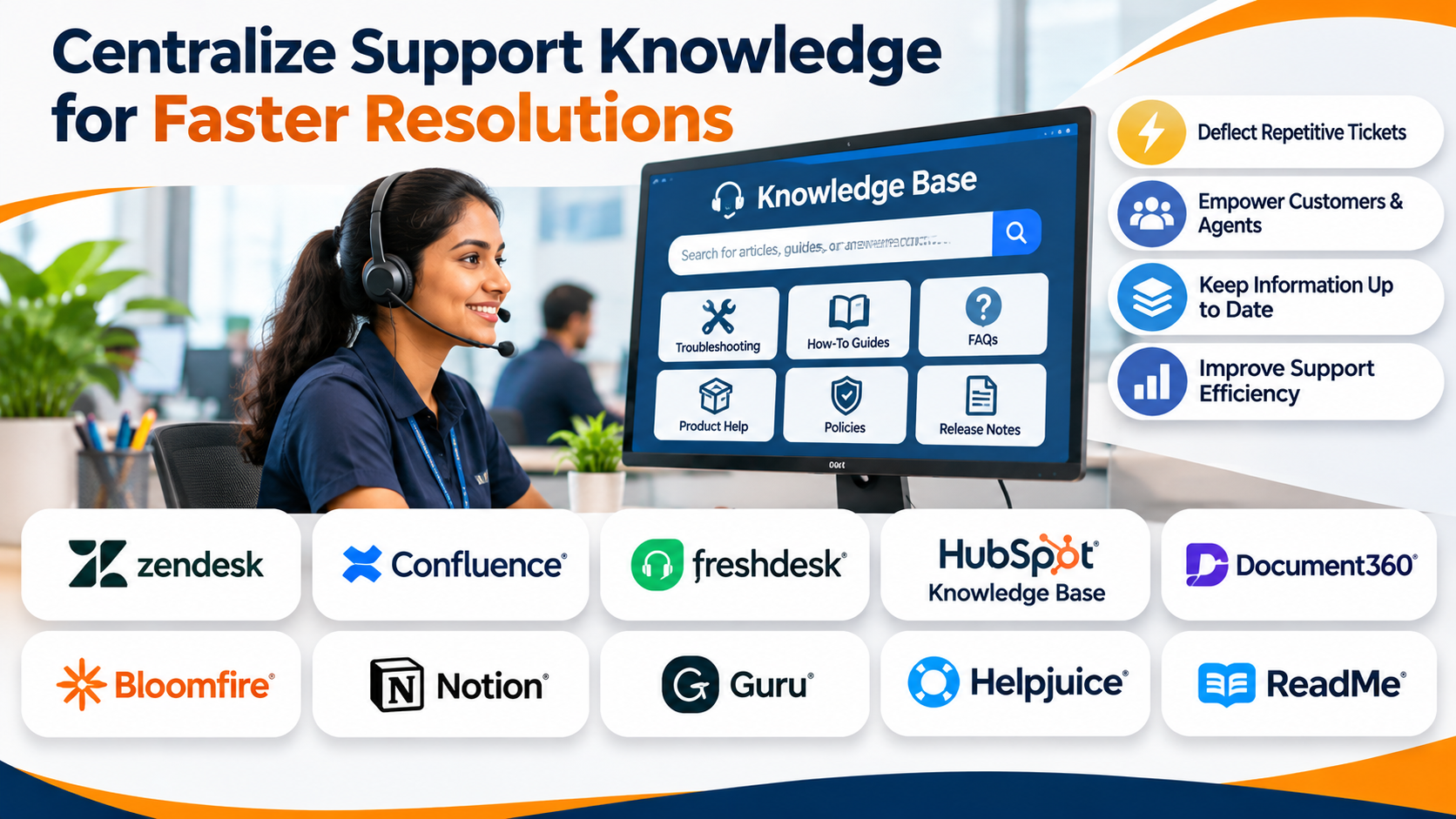
Introduction
Customer support knowledge management platforms help organizations collect, organize, maintain, and distribute information used to resolve customer inquiries. These applications provide centralized resources containing troubleshooting instructions, product documentation, service procedures, and answers to frequently asked questions.
Traditional customer support knowledge management frequently depends on disconnected documents, spreadsheets, email conversations, and individual employee experience. These methods can contribute to inconsistent responses, outdated information, extended resolution times, and unnecessary administrative workloads.
Modern knowledge management platforms provide searchable knowledge bases, content authoring tools, publishing workflows, access controls, and customer self-service capabilities. These features help organizations deliver consistent information across customer support channels.
Advanced platforms incorporate Artificial Intelligence (AI), semantic search, automated content recommendations, and conversational knowledge retrieval. These technologies can help customers and support employees discover relevant information more efficiently.
Different knowledge management platforms address the requirements of small businesses, technology companies, e-commerce organizations, and multinational enterprises. Selecting appropriate software requires evaluating content complexity, publishing requirements, integration capabilities, security controls, and available resources.
This guide examines ten customer support knowledge management platforms, including their features, benefits, advantages, limitations, and practical applications. It also provides comparison tables, implementation guidance, performance indicators, financial examples, and frequently asked questions.
What Are Customer Support Knowledge Management Platforms?
Customer support knowledge management platforms are software applications designed to create, organize, maintain, and distribute information supporting customer service operations. They provide structured resources that help customers and support employees resolve questions and technical problems.
These platforms typically include knowledge article editors, search engines, content categories, publishing controls, and performance analytics. Organizations can maintain public help centers alongside restricted internal resources containing confidential operational procedures.
Knowledge management platforms frequently integrate with Customer Relationship Management (CRM), helpdesk ticketing, live chat, and conversational support applications. These integrations allow support employees to retrieve relevant information while investigating customer requests.
Effective knowledge management requires accurate documentation, clearly defined content ownership, regular information reviews, and appropriate access controls. Technology supports these practices but cannot independently guarantee information accuracy.
How Customer Support Knowledge Management Platforms Work
- Identify frequently reported customer problems.
- Collect information from qualified subject matter experts.
- Create structured knowledge articles and troubleshooting guides.
- Categorize content using consistent organizational standards.
- Review information for accuracy and completeness.
- Publish approved content to authorized audiences.
- Enable information retrieval through search and navigation.
- Integrate knowledge resources with customer support applications.
- Monitor article performance and customer feedback.
- Update outdated information and address knowledge gaps.
Common Applications
- Customer self-service help centers.
- Technical troubleshooting documentation.
- Frequently Asked Questions (FAQs).
- Product installation guides.
- Internal support employee knowledge bases.
- Customer onboarding resources.
- Service policy documentation.
- AI chatbot knowledge retrieval.
- Support employee training.
- Multilingual customer documentation.
- Product release information.
- Standard Operating Procedures (SOPs).
Traditional Knowledge Management vs Modern Knowledge Platforms
| Factor | Traditional Knowledge Management | Modern Knowledge Platforms |
|---|---|---|
| Information storage | Disconnected documents | Centralized repositories |
| Search | Manual document discovery | Integrated search engines |
| Content updates | Informal editing | Controlled publishing workflows |
| Customer access | Employee-dependent assistance | Self-service help centers |
| Version management | Manual file tracking | Document revision history |
| Content governance | Inconsistent ownership | Defined approval responsibilities |
| Support integration | Separate applications | Connected support workflows |
| Performance measurement | Limited visibility | Knowledge analytics |
Essential Components
| Component | Purpose |
|---|---|
| Knowledge repository | Stores organized support information |
| Content editor | Supports article creation and maintenance |
| Search engine | Helps users discover relevant information |
| Content taxonomy | Organizes articles into meaningful categories |
| Publishing workflow | Controls information approval and release |
| Version management | Tracks article revisions |
| Customer help center | Provides external self-service resources |
| Access management | Restricts confidential information |
| AI knowledge retrieval | Supports contextual information discovery |
| Analytics | Measures content usage and effectiveness |
Top 10 Customer Support Knowledge Management Platforms
The following platforms provide different combinations of customer documentation, internal knowledge management, self-service publishing, and support employee assistance. Their numbering represents presentation order rather than an independently tested performance ranking.
1. Zendesk Guide
Short Description
Zendesk Guide provides knowledge management capabilities within the Zendesk customer service ecosystem. It helps organizations create customer-facing help centers and internal knowledge resources connected to support ticket workflows.
Support employees can retrieve relevant articles while responding to customer inquiries, while customers can independently search published documentation. Advanced publishing, localization, and AI-assisted capabilities depend on selected Zendesk offerings.
Key Features
- Customer self-service help centers.
- Knowledge article authoring.
- Content categorization.
- Integrated article search.
- Publishing permissions.
- Multilingual content capabilities.
- Knowledge performance analytics.
- Zendesk ticketing integration.
Benefits: Improves response consistency, supports customer self-service, reduces repetitive inquiries, and connects documentation with customer support workflows.
Pros
- Strong Zendesk ecosystem integration.
- Relevant customer-facing publishing capabilities.
- Configurable help center experiences.
- Supports growing knowledge repositories.
Cons
- Advanced capabilities depend on licensing.
- Custom help center designs may require development.
- Complex content governance requires configuration.
Use Cases: Customer help centers, troubleshooting documentation, internal support resources, and ticket-connected knowledge retrieval.
Best For: Zendesk customers, enterprise support departments, e-commerce companies, and multichannel service organizations.
2. Document360
Short Description
Document360 provides dedicated knowledge base software for creating customer documentation, internal knowledge resources, and technical information portals. Its capabilities support structured article authoring and controlled information publishing.
Organizations can maintain product documentation, troubleshooting guides, and customer help centers within organized knowledge projects. Content analytics and search information help administrators identify documentation gaps and improvement opportunities.
Key Features
- Public and private knowledge bases.
- Structured article authoring.
- Content categorization.
- Version management.
- Publishing workflows.
- Knowledge search.
- Content performance analytics.
- AI-assisted knowledge capabilities.
Benefits: Improves documentation organization, supports controlled publishing, facilitates customer self-service, and strengthens content governance.
Pros
- Dedicated knowledge management functionality.
- Strong technical documentation orientation.
- Configurable content organization.
- Relevant publishing and revision controls.
Cons
- Advanced features depend on subscription tiers.
- Extensive documentation migration requires planning.
- Helpdesk workflows require integrations.
Use Cases: Product documentation, technical knowledge bases, customer support portals, and internal operational guides.
Best For: Software companies, technical writers, customer support departments, and documentation-focused organizations.
3. Guru
Short Description
Guru provides enterprise knowledge management technology focused on delivering reliable information within employee workflows. Its capabilities help support professionals discover organizational knowledge without repeatedly searching disconnected applications.
Content verification workflows allow organizations to assign ownership and review responsibilities to knowledge resources. AI-assisted search and connected application capabilities support contextual information retrieval.
Key Features
- Centralized internal knowledge resources.
- Content verification workflows.
- Knowledge ownership management.
- AI-assisted enterprise search.
- Browser-based knowledge access.
- Employee workflow integrations.
- Access permissions.
- Knowledge usage analytics.
Benefits: Improves employee access to information, supports knowledge accuracy, reduces search time, and facilitates consistent support responses.
Pros
- Strong internal knowledge management orientation.
- Relevant content verification capabilities.
- Supports knowledge access within employee workflows.
- Broad enterprise integration opportunities.
Cons
- Public customer help centers may require complementary tools.
- Verification processes require employee participation.
- Advanced functionality depends on commercial arrangements.
Use Cases: Support employee assistance, internal troubleshooting resources, onboarding documentation, and enterprise knowledge discovery.
Best For: Customer support agents, distributed teams, enterprise knowledge managers, and organizations prioritizing verified internal information.
4. Helpjuice
Short Description
Helpjuice provides dedicated knowledge base software supporting customer self-service and internal organizational documentation. Its capabilities help businesses organize support information and publish searchable knowledge resources.
Organizations can customize knowledge base presentation, manage article access, and monitor information usage. Collaborative editing capabilities support knowledge maintenance across multiple contributors.
Key Features
- Public and internal knowledge bases.
- Article authoring and editing.
- Customizable knowledge portals.
- Search functionality.
- Content categorization.
- Access permissions.
- Collaborative content management.
- Knowledge analytics.
Benefits: Centralizes support documentation, improves information accessibility, facilitates customer self-service, and supports collaborative knowledge maintenance.
Pros
- Dedicated knowledge base functionality.
- Configurable portal appearance.
- Relevant search and reporting capabilities.
- Supports internal and external documentation.
Cons
- Specialized helpdesk workflows require integrations.
- Extensive customization may require technical assistance.
- Buyers should evaluate current pricing arrangements.
Use Cases: Customer FAQs, product support documentation, employee knowledge bases, and troubleshooting portals.
Best For: Growing businesses, customer service departments, technical documentation teams, and organizations seeking standalone knowledge software.
5. Confluence
Short Description
Confluence, developed by Atlassian, provides collaborative documentation and enterprise knowledge management capabilities. Organizations can create structured information spaces containing support procedures, troubleshooting instructions, and technical documentation.
Integration with Jira Service Management allows technical support teams to connect relevant knowledge articles with service request workflows. Confluence is particularly useful for organizations requiring collaboration between support, engineering, and product development departments.
Key Features
- Collaborative knowledge pages.
- Structured information spaces.
- Document templates.
- Revision history.
- Content permissions.
- Enterprise search.
- Jira Service Management integration.
- AI-assisted knowledge capabilities in eligible offerings.
Benefits: Improves departmental collaboration, centralizes technical documentation, supports structured knowledge maintenance, and connects support with engineering workflows.
Pros
- Established collaborative documentation ecosystem.
- Strong Atlassian integrations.
- Flexible information organization.
- Supports complex technical documentation.
Cons
- Public customer help centers require appropriate configuration or integrations.
- Uncontrolled content growth can reduce search effectiveness.
- Advanced permissions require careful administration.
Use Cases: Technical troubleshooting guides, internal support documentation, engineering knowledge sharing, and service desk knowledge bases.
Best For: Atlassian customers, software development companies, technical support departments, and collaborative documentation teams.
6. Freshdesk Knowledge Base
Short Description
Freshdesk Knowledge Base provides customer documentation and self-service capabilities within the Freshworks customer support ecosystem. Organizations can create solution articles, troubleshooting instructions, and customer-facing support resources.
Integration with Freshdesk ticket management allows employees to reference relevant knowledge while responding to customer inquiries. Available localization, customization, and AI functionality depends on selected products and subscription tiers.
Key Features
- Customer-facing knowledge bases.
- Solution article authoring.
- Content folders and categories.
- Customer self-service portals.
- Article visibility controls.
- Multilingual content capabilities.
- Knowledge feedback and analytics.
- Freshdesk ticketing integration.
Benefits: Reduces repetitive support requests, improves response consistency, supports customer self-service, and simplifies documentation access.
Pros
- Integrated customer support functionality.
- Accessible knowledge authoring.
- Relevant small-business capabilities.
- Connected ticket management workflows.
Cons
- Advanced features depend on subscription tiers.
- Complex documentation requirements may need specialized software.
- Portal customization capabilities vary.
Use Cases: Customer FAQs, product support articles, troubleshooting guides, and helpdesk knowledge management.
Best For: Freshdesk customers, small businesses, growing support departments, and technology service providers.
7. Help Scout Docs
Short Description
Help Scout Docs provides customer-facing knowledge base functionality within the Help Scout customer support environment. Organizations can publish searchable help articles that allow customers to resolve common problems independently.
Its integration with Help Scout’s support workspace and Beacon customer assistance capabilities connects documentation with customer communication. The platform emphasizes accessible knowledge publishing and straightforward customer support experiences.
Key Features
- Customer-facing help centers.
- Knowledge article authoring.
- Searchable documentation.
- Content categories.
- Customizable knowledge base appearance.
- Article performance reporting.
- Beacon integration.
- Help Scout support integration.
Benefits: Simplifies knowledge publishing, improves customer access to information, reduces routine inquiries, and supports personalized customer assistance.
Pros
- Accessible content management interface.
- Strong integration with Help Scout.
- Suitable for smaller support teams.
- Relevant customer self-service functionality.
Cons
- Complex enterprise governance may require alternatives.
- Advanced technical documentation capabilities need evaluation.
- Extensive customization may be limited.
Use Cases: Customer help centers, product FAQs, onboarding documentation, and email-based support assistance.
Best For: Small businesses, online service providers, SaaS companies, and customer support teams prioritizing simplicity.
8. Intercom Articles
Short Description
Intercom Articles provides knowledge management capabilities connected to Intercom’s conversational customer support environment. Organizations can publish help content and make relevant information available during digital customer interactions.
Approved knowledge articles can support AI-assisted customer service through compatible Intercom capabilities, including Fin. Organizations should maintain accurate documentation and review automated answers before relying on AI-driven customer assistance.
Key Features
- Customer help center publishing.
- Knowledge article creation.
- Content organization.
- Searchable customer documentation.
- Conversational support integration.
- AI knowledge retrieval.
- Article performance insights.
- Customer messaging integration.
Benefits: Connects documentation with customer conversations, supports automated assistance, improves information accessibility, and reduces repetitive support requests.
Pros
- Strong conversational support integration.
- Relevant AI knowledge capabilities.
- Accessible customer help centers.
- Suitable for digital customer experiences.
Cons
- AI usage may increase operating expenses.
- Advanced content governance requires evaluation.
- Specialized technical documentation may require complementary tools.
Use Cases: In-application help, conversational customer assistance, AI chatbot knowledge, and SaaS product documentation.
Best For: Digital businesses, SaaS companies, conversational support teams, and organizations using Intercom.
9. Salesforce Knowledge
Short Description
Salesforce Knowledge provides enterprise knowledge management capabilities within the Salesforce customer service ecosystem. It allows organizations to create, categorize, approve, and distribute support information across relevant customer service channels.
Support employees can retrieve knowledge articles while investigating customer cases through compatible Salesforce applications. Configurable permissions and publishing processes support organizations managing complex documentation requirements.
Key Features
- Enterprise knowledge article management.
- Content categorization.
- Configurable article workflows.
- Publishing and approval controls.
- Role-based permissions.
- Multilingual knowledge capabilities.
- Customer case integration.
- Salesforce ecosystem connectivity.
Benefits: Connects knowledge with customer records, improves enterprise information governance, supports consistent responses, and facilitates scalable customer support.
Pros
- Strong Salesforce ecosystem integration.
- Relevant enterprise governance capabilities.
- Configurable knowledge workflows.
- Supports complex organizational requirements.
Cons
- Licensing arrangements require evaluation.
- Specialist configuration may be necessary.
- Implementation can be resource-intensive.
Use Cases: Enterprise customer knowledge bases, case-connected troubleshooting, multilingual support documentation, and controlled information publishing.
Best For: Salesforce customers, large enterprises, regulated organizations, and complex customer service departments.
10. Zoho Desk Knowledge Base
Short Description
Zoho Desk Knowledge Base provides customer self-service and knowledge management functionality within the Zoho customer support ecosystem. Organizations can publish support articles, product information, and troubleshooting instructions through configurable help centers.
Integration with Zoho Desk ticket management helps support employees retrieve relevant information during customer interactions. Organizations can also evaluate compatible Zoho applications for broader customer information and business workflow integration.
Key Features
- Customer self-service portals.
- Knowledge article authoring.
- Content categorization.
- Searchable support documentation.
- Article access controls.
- Customer feedback capabilities.
- Knowledge performance reporting.
- Zoho Desk integration.
Benefits: Improves documentation accessibility, supports consistent customer responses, reduces repetitive inquiries, and connects knowledge with ticket management.
Pros
- Integrated helpdesk functionality.
- Relevant small-business capabilities.
- Connected Zoho application ecosystem.
- Configurable customer help centers.
Cons
- Advanced features depend on selected plans.
- Complex technical documentation may require additional software.
- Extensive customization requires configuration.
Use Cases: Customer support articles, product FAQs, internal knowledge resources, and self-service help centers.
Best For: Zoho customers, small and mid-sized businesses, professional service providers, and growing customer support teams.
Comparison Table: Top 10 Customer Support Knowledge Management Platforms
| Platform | Primary Strength | Best For | Pricing Approach |
|---|---|---|---|
| Zendesk Guide | Integrated customer support knowledge | Enterprise support teams | Zendesk plan-dependent |
| Document360 | Dedicated product documentation | Technical documentation teams | Subscription-based |
| Guru | Verified internal knowledge | Support employees | Commercial licensing |
| Helpjuice | Standalone knowledge bases | Growing businesses | Subscription-based |
| Confluence | Collaborative technical documentation | Engineering and support teams | User and plan-based |
| Freshdesk Knowledge Base | Integrated helpdesk documentation | Small and mid-sized businesses | Freshdesk plan-dependent |
| Help Scout Docs | Accessible customer help centers | Smaller support teams | Plan-dependent |
| Intercom Articles | Conversational knowledge retrieval | Digital businesses | Subscription and usage-related |
| Salesforce Knowledge | Enterprise knowledge governance | Large organizations | Product-dependent |
| Zoho Desk Knowledge Base | Connected customer self-service | Zoho customers | Tier-based subscriptions |
Functional Comparison
| Platform | Customer Self-Service | Internal Knowledge | Support Integration |
|---|---|---|---|
| Zendesk Guide | Core focus | Available | Zendesk |
| Document360 | Core focus | Available | External integrations |
| Guru | Complementary tools may be needed | Core focus | Enterprise integrations |
| Helpjuice | Available | Available | External integrations |
| Confluence | Configuration-dependent | Core focus | Jira Service Management |
| Freshdesk Knowledge Base | Core focus | Available | Freshdesk |
| Help Scout Docs | Core focus | Offering-dependent | Help Scout |
| Intercom Articles | Core focus | Offering-dependent | Intercom |
| Salesforce Knowledge | Available | Available | Salesforce Service Cloud |
| Zoho Desk Knowledge Base | Core focus | Available | Zoho Desk |
How to Choose the Best Customer Support Knowledge Management Platform
Evaluate Knowledge Requirements
Determine whether the organization requires public customer documentation, confidential employee resources, or both. Different platforms emphasize customer self-service, enterprise knowledge discovery, or technical documentation.
Assess Search Capabilities
Evaluate search relevance, content filtering, language support, and AI-assisted information retrieval. Representative testing should confirm that customers and employees can discover accurate answers efficiently.
Review Content Governance
Assess publishing permissions, approval workflows, revision history, and content ownership capabilities. Structured governance helps prevent outdated or unauthorized information from reaching customers.
Consider Integration Requirements
Review compatibility with existing helpdesk, CRM, live chat, and customer service applications. Connected knowledge resources can reduce application switching and improve support employee productivity.
Evaluate Scalability and Costs
Consider article volumes, employee numbers, customer traffic, localization requirements, and AI usage. Total ownership costs should include implementation, content migration, training, and continuing documentation maintenance.
Best Platforms by User Type
| User Type | Relevant Platform |
|---|---|
| Enterprise customer support manager | Zendesk Guide |
| Technical documentation specialist | Document360 |
| Internal knowledge manager | Guru |
| Standalone knowledge base administrator | Helpjuice |
| Engineering documentation manager | Confluence |
| Small-business helpdesk manager | Freshdesk Knowledge Base |
| Customer experience specialist | Help Scout Docs |
| Conversational support manager | Intercom Articles |
| Enterprise knowledge governance director | Salesforce Knowledge |
| Growing business support manager | Zoho Desk Knowledge Base |
Practical Example: Implementing Customer Support Knowledge Management Software
Consider a hypothetical software company receiving 12,000 customer support inquiries monthly. Its employees currently retrieve troubleshooting information from disconnected documents and previous customer conversations.
Management introduces a centralized knowledge management platform connected to its customer support system. The following implementation process and results are illustrative rather than verified vendor outcomes.
Implementation Steps
- Analyze historical support tickets and recurring customer questions.
- Identify outdated documentation and missing knowledge resources.
- Establish article categories, templates, and content ownership.
- Create and review high-priority support articles.
- Integrate the knowledge base with customer support applications.
- Publish approved documentation and train support employees.
- Monitor search performance, customer feedback, and resolution outcomes.
Illustrative Performance Improvements
| Performance Indicator | Before | After |
|---|---|---|
| Average information search time | 8 minutes | 3 minutes |
| Monthly repetitive support tickets | 5,000 | 3,000 |
| Customer self-service resolution rate | 20% | 45% |
| Average ticket resolution time | 16 hours | 10 hours |
| Knowledge article accuracy | 70% | 95% |
| Customer satisfaction | 78% | 89% |
Financial Analysis
Assume the platform releases 400 employee hours monthly by reducing information search and repetitive support activities. At an illustrative labor cost of $25 per hour, this represents $120,000 in annual released labor capacity rather than guaranteed cash savings.
Suppose independently measured operating savings equal $90,000 annually, while recurring software and documentation expenses equal $36,000. An initial implementation investment of $45,000 would produce a simple payback period of 10 months.
Important Knowledge Management Performance Indicators
| Indicator | Measurement Purpose |
|---|---|
| Knowledge article views | Measures content usage |
| Search success rate | Evaluates information discovery |
| Zero-result searches | Identifies potential knowledge gaps |
| Self-service resolution rate | Measures independently resolved customer issues |
| Article helpfulness | Evaluates customer feedback |
| Content accuracy | Measures verified information quality |
| Article freshness | Identifies outdated documentation |
| Agent knowledge usage | Evaluates employee adoption |
| Average search time | Measures information retrieval efficiency |
| Repeat contact rate | Detects incomplete problem resolution |
| Content coverage | Evaluates documentation of recurring issues |
Security and Governance Considerations
Knowledge management platforms may contain confidential troubleshooting procedures, internal service policies, customer information, and technical infrastructure documentation. Organizations should implement appropriate authentication, role-based permissions, encryption, and audit logging.
Public customer documentation should remain separate from restricted internal knowledge resources. Publishing workflows should prevent confidential information from appearing in public articles or unauthorized AI-generated responses.
AI-assisted knowledge retrieval requires appropriate information access restrictions and response validation. Organizations should test whether automated assistants respect source permissions and correctly distinguish approved information from outdated documentation.
Challenges and Limitations
Outdated documentation can cause customers and employees to follow incorrect troubleshooting instructions. Assigning content ownership and scheduled review responsibilities helps organizations maintain reliable information.
Poorly organized knowledge repositories can make relevant articles difficult to discover. Consistent categorization, descriptive titles, and search analytics help improve information accessibility.
AI-generated answers may misinterpret documentation or combine information incorrectly. Human escalation and appropriate source references remain important for complex customer problems.
Best Practices
- Establish consistent knowledge article templates.
- Assign clear content ownership responsibilities.
- Review technical documentation regularly.
- Maintain separate public and internal knowledge resources.
- Use descriptive article titles and relevant search terms.
- Monitor unsuccessful customer searches.
- Collect article helpfulness feedback.
- Integrate knowledge resources with support workflows.
- Validate AI-generated customer responses.
- Maintain appropriate publishing permissions.
- Measure successful customer resolutions.
- Update documentation following product changes.
Future Trends in Customer Support Knowledge Management
AI-Powered Knowledge Discovery
AI-assisted search may increasingly help customers discover relevant information using natural-language questions. Organizations should maintain reliable source documentation and appropriate response validation procedures.
Automated Knowledge Gap Identification
Advanced analytics may help organizations identify recurring customer questions without corresponding support articles. These insights can support more informed documentation priorities.
Contextual Employee Assistance
Knowledge management platforms may increasingly deliver relevant articles based on authorized customer and support ticket context. Appropriate information access restrictions will remain essential.
Multilingual Knowledge Management
AI-assisted translation may help organizations maintain customer documentation across multiple languages. Technical terminology and translated instructions should remain subject to qualified review.
Frequently Asked Questions
1. What are customer support knowledge management platforms?
These platforms help organizations create, maintain, and distribute customer support information. They provide searchable resources for customers and support employees.
2. What is a customer support knowledge base?
A knowledge base is an organized collection of support articles, troubleshooting instructions, and product documentation. It helps users discover consistent information.
3. What is Zendesk Guide?
Zendesk Guide provides knowledge management and customer help center capabilities. It integrates with the Zendesk customer service ecosystem.
4. What is Document360?
Document360 provides dedicated knowledge base and technical documentation software. It supports structured content authoring and controlled publishing.
5. What is Guru?
Guru provides enterprise knowledge management and information discovery capabilities. It emphasizes verified internal knowledge and employee workflow integration.
6. What is Helpjuice?
Helpjuice provides standalone knowledge base software for internal and external documentation. Its capabilities include searchable knowledge portals and content management.
7. What is Confluence?
Confluence provides collaborative documentation and enterprise knowledge management technology. It integrates with relevant Atlassian service management applications.
8. What is Freshdesk Knowledge Base?
Freshdesk Knowledge Base provides customer self-service documentation within Freshdesk. It connects knowledge resources with customer support workflows.
9. What is Help Scout Docs?
Help Scout Docs provides customer-facing knowledge base functionality. It supports accessible help centers and customer self-service.
10. What is Intercom Articles?
Intercom Articles provides customer knowledge management within Intercom. Its capabilities connect documentation with conversational customer support.
11. What is Salesforce Knowledge?
Salesforce Knowledge provides enterprise knowledge article management and publishing capabilities. It integrates with compatible Salesforce customer service applications.
12. What is Zoho Desk Knowledge Base?
Zoho Desk Knowledge Base provides searchable support documentation within Zoho Desk. It helps organizations establish customer self-service resources.
13. What is the difference between a knowledge base and a helpdesk?
A knowledge base stores reusable information and troubleshooting resources. A helpdesk manages customer requests and communication workflows.
14. Can knowledge management software reduce support tickets?
Accurate and accessible documentation can help customers resolve routine problems independently. Actual ticket reductions depend on content quality and customer adoption.
15. What is knowledge-centered service?
Knowledge-Centered Service (KCS) is a methodology that incorporates knowledge creation and improvement into service workflows. It encourages support employees to capture and reuse relevant information.
16. Can knowledge bases support AI chatbots?
Many knowledge platforms provide integrations with conversational AI applications. Approved articles can serve as information sources for automated customer responses.
17. How often should knowledge articles be updated?
Review frequency depends on information sensitivity, product changes, and operational requirements. High-risk or frequently changing content requires more frequent review.
18. What is knowledge base taxonomy?
Taxonomy describes the structured categories and relationships used to organize information. Effective taxonomy improves navigation and information discovery.
19. Can knowledge management platforms support multiple languages?
Many platforms provide multilingual publishing capabilities. Organizations should verify language coverage and translation management features.
20. Are knowledge management platforms suitable for small businesses?
Small businesses can use appropriately scoped knowledge platforms to organize documentation and reduce repetitive inquiries. Comprehensive enterprise solutions may exceed their requirements.
21. How much does knowledge management software cost?
Costs depend on licensing, employee numbers, article volumes, integrations, and AI usage. Organizations should evaluate complete implementation and maintenance expenses.
22. What is knowledge article version control?
Version control records changes made to knowledge articles over time. It supports revision tracking and controlled content maintenance.
23. What is customer self-service?
Customer self-service allows customers to obtain information or resolve problems without direct employee assistance. Knowledge bases provide an important foundation for self-service support.
24. How can organizations measure knowledge base effectiveness?
Organizations can monitor search success, article helpfulness, self-service resolution, and support employee usage. These indicators should be evaluated alongside customer satisfaction and resolution quality.
25. Which customer support knowledge management platform is best?
The appropriate platform depends on documentation requirements, existing support applications, security controls, and available resources. Representative testing helps organizations identify suitable solutions.
Conclusion
Customer support knowledge management platforms help organizations maintain reliable documentation and provide accessible information to customers and support employees. These capabilities support consistent customer service, improved information discovery, and reduced repetitive support activities.
Zendesk Guide, Freshdesk Knowledge Base, and Zoho Desk Knowledge Base provide knowledge management capabilities connected to established customer support applications. Document360 and Helpjuice offer dedicated knowledge base functionality for organizations prioritizing structured documentation.
Guru and Confluence provide relevant internal knowledge management and collaborative documentation capabilities. Help Scout Docs, Intercom Articles, and Salesforce Knowledge address different customer self-service, conversational support, and enterprise governance requirements.
Successful implementation requires accurate information, defined content ownership, reliable integrations, and appropriate publishing controls. Organizations should evaluate knowledge effectiveness using customer feedback, search performance, and successful resolution outcomes.
An effective customer support knowledge management strategy combines suitable technology with professional documentation practices and continuous content improvement. These practices help organizations deliver reliable customer assistance while supporting efficient and scalable service operations.
