Introduction
Risk Management Information Systems (RMIS) help organizations collect, organize, analyze, and manage information associated with operational risks, insurance policies, claims, incidents, and financial exposures. These systems provide a centralized environment for coordinating risk management activities across departments and business locations.
Organizations frequently encounter challenges when managing insurance records, incident reports, claims documentation, and risk assessments through spreadsheets and disconnected applications. Fragmented information can increase administrative workloads, reduce reporting accuracy, and make identifying emerging risks more difficult.
Modern RMIS platforms combine configurable workflows, centralized databases, analytical reporting, and integration capabilities. These features help risk managers understand organizational exposures and coordinate appropriate risk mitigation activities.
Insurance professionals use RMIS platforms to monitor claims, manage policy information, assess insurance costs, and evaluate loss trends. Enterprise risk managers also use these systems to improve organizational accountability and support informed financial decisions.
Different RMIS solutions specialize in insurance administration, claims management, environmental and occupational safety, enterprise risk management, or integrated operational risk. Organizations must evaluate their specific requirements before selecting an appropriate platform.
This guide examines ten relevant risk management information systems, their features, advantages, limitations, and practical applications. It also explains software selection, implementation, governance, financial evaluation, and important risk management practices.
What Are Risk Management Information Systems?
A Risk Management Information System is a centralized technology solution for managing organizational risk information and associated operational processes. It helps businesses maintain consistent records of incidents, insurance arrangements, claims, exposures, and mitigation activities.
Traditional risk management processes often require employees to collect information from multiple departments manually. An RMIS reduces fragmentation by establishing standardized information collection and reporting procedures.
Insurance-focused platforms provide capabilities for managing policy details, claims records, loss histories, insurance certificates, and financial information. These capabilities support insurance renewal preparation and evaluation of organizational risk financing arrangements.
Operational risk management platforms may incorporate incident reporting, workplace safety assessments, corrective actions, inspections, and regulatory documentation. These capabilities help organizations coordinate preventive activities and monitor identified risks.
Enterprise-level platforms may integrate insurance and operational information with broader risk management, compliance, and governance processes. Integration enables management teams to examine relationships between operational events and financial consequences.
An RMIS does not eliminate organizational risk or guarantee regulatory compliance. Its effectiveness depends on accurate information, suitable workflows, employee participation, and appropriate professional oversight.
How Do Risk Management Information Systems Work?
- Information collection: Gather risk, insurance, incident, claims, and exposure information from relevant sources.
- Record standardization: Organize information according to consistent organizational definitions.
- Risk identification: Document operational hazards, financial exposures, and emerging concerns.
- Risk assessment: Evaluate identified risks according to approved assessment methodologies.
- Claims administration: Maintain claims records and monitor relevant financial developments.
- Insurance management: Organize policy details, coverage periods, limits, and related documentation.
- Corrective action management: Assign responsibilities for addressing identified risks.
- Reporting and analytics: Generate operational and financial reports for relevant stakeholders.
- Continuous monitoring: Review changing exposures and outstanding risk management activities.
- Governance: Maintain appropriate access controls, documentation, and management oversight.
Traditional Risk Management vs Modern RMIS
| Criteria | Traditional Approach | Modern RMIS |
|---|---|---|
| Information storage | Separate files | Centralized records |
| Incident reporting | Paper or email | Configurable digital forms |
| Claims tracking | Manual spreadsheets | Structured claims records |
| Insurance documentation | Separate folders | Centralized policy information |
| Reporting | Manual preparation | Configurable reporting |
| Risk assessment | Periodic reviews | Coordinated assessment workflows |
| Corrective actions | Email follow-up | Assigned and tracked activities |
| Audit preparation | Manual collection | Organized documentation |
| Access management | File permissions | Role-based access |
| Data integration | Manual transfers | Supported interfaces |
| Financial analysis | Separate calculations | Integrated analytical capabilities |
| Accountability | Informal responsibilities | Documented ownership |
Common Applications
- Insurance policy management.
- Claims administration.
- Workplace incident reporting.
- Operational risk assessment.
- Loss prevention management.
- Insurance renewal preparation.
- Risk financing analysis.
- Corrective action tracking.
- Insurance certificate management.
- Enterprise risk reporting.
- Regulatory documentation.
- Occupational health and safety management.
Essential Components of RMIS Platforms
| Component | Purpose |
|---|---|
| Risk register | Records identified organizational risks |
| Claims database | Maintains claims information |
| Policy repository | Stores insurance documentation |
| Incident reporting | Captures operational events |
| Exposure database | Records relevant organizational exposures |
| Workflow engine | Coordinates assigned activities |
| Financial analytics | Examines risk-related expenditure |
| Reporting dashboard | Communicates operational information |
| Document management | Maintains supporting records |
| Corrective action tracking | Monitors mitigation activities |
| Notification system | Communicates relevant deadlines |
| Access management | Restricts information access |
| Integration interfaces | Connects compatible applications |
| Audit records | Supports accountability |
| Assessment tools | Evaluates identified risks |
Types of Risk Management Information Systems
Insurance and Claims RMIS
Insurance-focused systems manage claims, insurance policies, loss information, and associated financial records. They are particularly relevant to insurance departments, self-insured organizations, and claims administrators.
Integrated Risk Management Platforms
Integrated Risk Management (IRM) platforms coordinate risk management across multiple organizational functions. They may incorporate enterprise risks, compliance activities, operational incidents, and insurance-related processes.
Environmental, Health, and Safety Platforms
Environmental, Health, and Safety (EHS) platforms focus on workplace incidents, environmental obligations, safety assessments, and corrective actions. They can complement insurance-focused RMIS products by supplying operational loss prevention information.
Enterprise Risk Management Platforms
Enterprise Risk Management (ERM) platforms help organizations identify and evaluate risks affecting strategic and operational objectives. They typically emphasize risk registers, assessments, accountability, and management reporting.
Cloud-Based RMIS
Cloud-based platforms provide hosted access to risk management applications and information. Organizations should verify security arrangements, information residency, availability commitments, and integration requirements.
Key Capabilities of Risk Management Information Systems
- Centralized risk records: Maintains consistent information across organizational departments.
- Claims management: Supports administration and monitoring of insurance claims.
- Insurance policy management: Organizes coverage information and supporting documents.
- Incident reporting: Captures relevant operational events through standardized procedures.
- Risk assessments: Evaluates identified exposures according to approved methodologies.
- Corrective actions: Assigns and monitors risk mitigation responsibilities.
- Financial analysis: Examines claims expenditure and insurance-related costs.
- Loss trend analysis: Identifies relevant patterns in historical incident information.
- Document management: Organizes supporting evidence and insurance documentation.
- Workflow automation: Coordinates repetitive administrative activities.
- Executive reporting: Communicates risk information to management.
- System integration: Supports information exchange with compatible enterprise applications.
Technical Architecture
| Architecture Layer | Function |
|---|---|
| Information collection | Receives incident, claims, and insurance records |
| Validation | Checks information completeness |
| Central database | Maintains standardized records |
| Workflow management | Coordinates operational activities |
| Analytical processing | Examines relevant risk information |
| Reporting | Presents operational and financial results |
| Integration | Connects external applications |
| Security | Controls access and information protection |
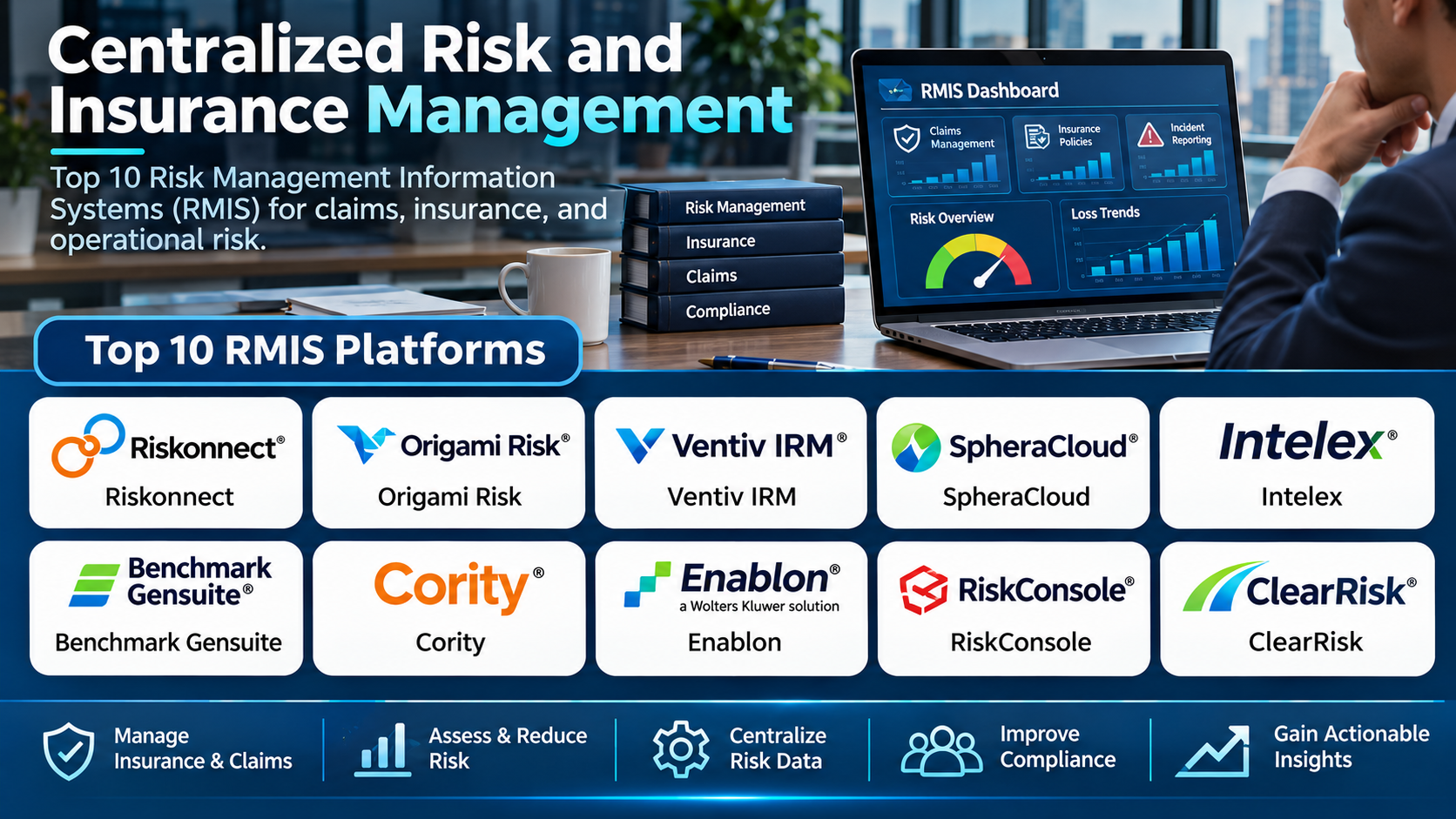
Top 10 Risk Management Information Systems
The following comparison includes dedicated RMIS products and complementary integrated risk and EHS platforms. Their numbering organizes the guide rather than representing an independently tested performance ranking.
1. Riskonnect
Short Description
Riskonnect provides integrated risk management technology that supports insurance, claims, enterprise risk, compliance, and related operational activities. Its RMIS capabilities help organizations consolidate risk information across multiple business functions.
The platform is particularly relevant to organizations managing complex insurance programs and substantial claims volumes. Centralized records can help risk professionals examine financial exposures and coordinate insurance-related activities.
Riskonnect offers a broader portfolio of integrated risk management applications. Organizations can evaluate relevant modules according to their insurance, operational, and governance requirements.
Configurable workflows and reporting capabilities support coordination between risk managers, claims professionals, finance departments, and organizational leadership. Appropriate implementation can reduce dependence on disconnected spreadsheets and manual reporting.
Organizations should evaluate available modules, integration interfaces, reporting requirements, and information migration procedures. Larger implementations may require substantial configuration and coordination between departments.
How the Software Works
- Collect insurance, claims, incident, and exposure information.
- Configure organizational structures and risk management workflows.
- Import and validate relevant historical records.
- Assign operational responsibilities and review requirements.
- Generate financial and operational reports.
- Monitor claims developments and risk mitigation activities.
Key Features
- Insurance management: Maintains policy and coverage information.
- Claims administration: Organizes claims records and related activities.
- Risk assessment: Supports structured evaluation of organizational risks.
- Incident reporting: Captures operational loss events.
- Exposure management: Maintains relevant organizational exposure information.
- Financial analytics: Examines insurance and claims expenditure.
- Workflow configuration: Supports organization-specific processes.
- Enterprise risk management: Coordinates broader risk activities through relevant modules.
- Compliance management: Supports applicable governance workflows.
- Reporting dashboards: Presents operational and financial information.
- Document management: Maintains supporting documentation.
- System integration: Connects compatible enterprise applications.
Benefits
- Centralizes organizational risk information.
- Improves claims visibility.
- Supports insurance renewal preparation.
- Reduces fragmented reporting.
- Improves departmental coordination.
- Supports financial risk analysis.
- Strengthens operational accountability.
- Facilitates risk trend identification.
- Supports configurable workflows.
- Improves management reporting.
Pros
- Comprehensive integrated risk portfolio.
- Dedicated RMIS capabilities.
- Suitable for complex organizations.
- Strong insurance management orientation.
- Configurable reporting.
- Supports multiple risk functions.
- Relevant claims administration capabilities.
- Scalable enterprise approach.
Cons
- Enterprise implementation may be complex.
- Commercial pricing requires consultation.
- Configuration requires planning.
- Information migration can be demanding.
- Employee training is necessary.
- Advanced functionality may require additional modules.
- Integration requirements vary.
Use Cases
- Insurance administration: Maintain centralized policy information.
- Claims monitoring: Review claims developments and financial exposure.
- Loss analysis: Examine historical incident patterns.
- Enterprise risk reporting: Communicate organizational exposures.
- Insurance renewal: Prepare consolidated insurance information.
- Corrective actions: Coordinate relevant mitigation activities.
- Risk financing: Evaluate insurance-related expenditure.
- Governance: Maintain documented risk management responsibilities.
Industry Applications
- Insurance.
- Manufacturing.
- Healthcare.
- Retail.
- Financial services.
Integration and Deployment Considerations
Organizations should identify existing claims systems, insurance databases, financial applications, and operational reporting requirements. Integration planning should establish consistent identifiers for policies, claims, incidents, and organizational locations.
Implementation should include representative workflow testing and historical information reconciliation. Buyers should confirm the availability of specific modules and supported connections.
Pricing and Cost Considerations
Riskonnect generally requires a commercial quotation based on selected modules and organizational requirements. Ownership costs may include licensing, implementation, integration, migration, training, and continuing administration.
Best For
- Large enterprises.
- Corporate insurance departments.
- Claims management teams.
- Enterprise risk managers.
- Self-insured organizations.
- Multinational businesses.
- Insurance portfolio administrators.
- Integrated risk management programs.
Overall Assessment
Riskonnect is a relevant candidate for organizations seeking comprehensive insurance and integrated risk management capabilities. Its breadth can support coordination across multiple risk-related functions.
Organizations should evaluate whether the proposed configuration matches their operational requirements without introducing unnecessary complexity. Representative testing and clearly defined governance are important selection considerations.
2. Origami Risk
Short Description
Origami Risk provides cloud-based risk, insurance, claims, and safety management technology. Its platform supports organizations seeking centralized administration of insurance-related and operational risk information.
The solution is relevant to corporate risk departments, insurance organizations, claims administrators, and self-insured businesses. Configurable workflows help organizations adapt risk management processes to their operational requirements.
Origami Risk supports multiple risk management functions through its broader product portfolio. Available capabilities may include claims administration, insurance management, incident reporting, safety management, and analytical reporting.
Its centralized approach can help organizations coordinate information from different business locations and external service providers. Risk professionals can use consolidated records to support insurance renewal preparation and financial analysis.
Implementation requires careful workflow design, information validation, and integration planning. Organizations should confirm the specific applications included in proposed commercial arrangements.
How the Software Works
- Configure organizational and insurance information.
- Import relevant claims and exposure records.
- Establish standardized incident reporting workflows.
- Assign operational responsibilities.
- Analyze risk and claims information.
- Generate reports and monitor continuing activities.
Key Features
- Claims management: Maintains claims records and associated workflows.
- Insurance administration: Organizes relevant policy information.
- Incident reporting: Supports standardized event collection.
- Safety management: Coordinates applicable workplace safety processes.
- Exposure tracking: Maintains organizational risk information.
- Financial reporting: Examines claims and insurance costs.
- Configurable workflows: Adapts processes to organizational requirements.
- Document management: Organizes supporting records.
- Risk analytics: Examines relevant operational patterns.
- Dashboard reporting: Presents information to stakeholders.
- Information integration: Supports compatible external connections.
- Access management: Restricts information according to responsibilities.
Benefits
- Improves claims administration.
- Centralizes risk records.
- Supports insurance management.
- Reduces administrative duplication.
- Improves incident visibility.
- Facilitates financial reporting.
- Supports safety coordination.
- Improves workflow consistency.
- Supports management oversight.
- Encourages documented accountability.
Pros
- Established cloud-based risk technology.
- Dedicated RMIS capabilities.
- Broad insurance functionality.
- Configurable workflows.
- Relevant claims management tools.
- Supports safety management.
- Suitable for multiple industries.
- Centralized reporting approach.
Cons
- Implementation requires preparation.
- Commercial pricing varies.
- Configuration may require specialists.
- Historical migration can be complex.
- Training requirements depend on scope.
- Integrations require verification.
- Advanced modules may increase costs.
Use Cases
- Claims administration: Coordinate insurance claims records.
- Incident reporting: Capture workplace events.
- Insurance renewal: Prepare relevant coverage information.
- Loss analysis: Examine historical financial exposures.
- Safety monitoring: Track relevant operational activities.
- Exposure reporting: Maintain consistent risk information.
- Workflow coordination: Assign responsibilities across departments.
- Executive reporting: Communicate organizational risk trends.
Industry Applications
- Healthcare.
- Retail.
- Insurance.
- Public administration.
- Manufacturing.
Integration and Deployment Considerations
Origami Risk deployment should establish consistent organizational structures, information definitions, and claims reporting procedures. Historical records should be reconciled with existing insurance and financial systems.
Organizations should test configurable workflows with representative employees before wider deployment. Available integration capabilities and commercial modules require confirmation.
Pricing and Cost Considerations
Origami Risk pricing depends on the selected products and implementation scope. Buyers should evaluate recurring licensing, configuration, information migration, integration, and support costs.
Best For
- Corporate risk managers.
- Claims administrators.
- Self-insured organizations.
- Insurance carriers.
- Healthcare enterprises.
- Public sector organizations.
- Safety management teams.
- Businesses requiring configurable RMIS workflows.
Overall Assessment
Origami Risk is particularly relevant to organizations requiring centralized insurance, claims, and operational risk management. Its configurable approach supports diverse organizational workflows.
Buyers should establish clear requirements and evaluate representative configurations. Appropriate information preparation is essential for reliable reporting and operational adoption.
3. Ventiv IRM
Short Description
Ventiv IRM is an integrated risk management solution associated with Ventiv Technology’s insurance and risk management software portfolio. It addresses organizational requirements involving claims, insurance information, exposure management, and risk reporting.
The platform is relevant to corporate risk departments and organizations managing substantial insurance programs. Centralized information can help risk professionals examine claims developments and insurance-related financial exposure.
Ventiv’s broader technology portfolio includes risk and claims management capabilities. Organizations should distinguish the functionality included in specific products and commercial arrangements.
Configurable reporting and operational workflows can support collaboration between internal risk teams and external insurance service providers. These capabilities may reduce manual information consolidation.
Buyers should confirm current product availability, branding, support arrangements, and deployment options. Vendor portfolio changes can affect procurement and implementation decisions.
How the Software Works
- Establish organizational risk management structures.
- Import relevant insurance and claims records.
- Configure information collection procedures.
- Monitor financial and operational exposures.
- Generate relevant risk reports.
- Coordinate continuing risk management activities.
Key Features
- Risk information management: Centralizes relevant organizational records.
- Insurance policy tracking: Maintains insurance documentation.
- Claims monitoring: Supports examination of claims information.
- Exposure management: Organizes business exposure records.
- Financial analytics: Examines relevant risk expenditure.
- Loss reporting: Communicates historical loss information.
- Workflow management: Coordinates assigned activities.
- Document storage: Maintains supporting records.
- Risk assessment: Supports relevant evaluation procedures.
- Dashboard reporting: Presents organizational information.
- Integration capabilities: Connects compatible systems.
- Access controls: Supports appropriate information permissions.
Benefits
- Improves insurance visibility.
- Supports claims monitoring.
- Reduces fragmented information.
- Facilitates loss analysis.
- Supports insurance renewal.
- Improves financial reporting.
- Coordinates risk responsibilities.
- Supports consistent documentation.
- Improves organizational accountability.
- Facilitates enterprise risk oversight.
Pros
- Established RMIS heritage.
- Insurance-focused capabilities.
- Relevant claims information management.
- Configurable reporting.
- Suitable for corporate risk departments.
- Supports exposure analysis.
- Centralized information approach.
- Relevant enterprise functionality.
Cons
- Current product packaging requires verification.
- Pricing requires consultation.
- Migration may require substantial effort.
- Configuration needs specialist planning.
- Integration scope varies.
- Employee training is necessary.
- Commercial support arrangements require review.
Use Cases
- Insurance portfolio management: Organize policy information.
- Claims monitoring: Review financial developments.
- Loss history analysis: Examine historical incident information.
- Renewal preparation: Consolidate insurance records.
- Exposure management: Maintain relevant business information.
- Financial reporting: Analyze risk-related expenditure.
- Risk assessment: Coordinate organizational evaluations.
- Management reporting: Communicate risk information.
Industry Applications
- Manufacturing.
- Transportation.
- Insurance.
- Healthcare.
- Retail.
Integration and Deployment Considerations
Organizations should review the compatibility of Ventiv-related products with existing insurance and claims systems. Current vendor support and migration arrangements should be confirmed during procurement.
Implementation should include reconciliation of financial records and consistent organizational identifiers. Reporting requirements should be tested against representative historical information.
Pricing and Cost Considerations
Commercial pricing requires direct confirmation based on the proposed product and deployment. Buyers should account for migration, integration, licensing, training, and continuing support.
Best For
- Corporate risk departments.
- Insurance administrators.
- Self-insured enterprises.
- Claims monitoring teams.
- Multinational businesses.
- Financial risk analysts.
- Insurance renewal teams.
- Organizations managing complex insurance records.
Overall Assessment
Ventiv IRM represents an established approach to insurance-related risk information management. Its suitability depends on the current availability and functionality of the proposed product.
Organizations should verify current commercial arrangements and product development plans. This is particularly important when evaluating long-term enterprise technology investments.
4. SpheraCloud
Short Description
SpheraCloud provides technology for environmental, health, safety, sustainability, and operational risk management. It is relevant to organizations seeking to coordinate operational risks and loss prevention activities.
The platform supports risk assessment, incident management, and other operational processes through applicable products. Its broader capabilities address complex industrial and environmental management requirements.
SpheraCloud can complement insurance-focused RMIS technology by supplying operational risk and incident information. This information may help insurance professionals understand relevant organizational exposures.
The platform is particularly relevant to industrial businesses managing complex operational environments. Manufacturing, chemical processing, energy, and other asset-intensive industries may benefit from coordinated risk management.
Organizations should confirm the functionality included in selected SpheraCloud modules. Dedicated insurance claims and policy administration requirements may need complementary technology.
How the Software Works
- Establish operational risk management requirements.
- Configure organizational locations and reporting structures.
- Capture relevant incidents and assessment information.
- Evaluate identified operational risks.
- Assign corrective and preventive activities.
- Monitor performance through relevant reports.
Key Features
- Operational risk assessment: Evaluates relevant industrial risks.
- Incident management: Captures operational events.
- Safety management: Supports workplace safety processes.
- Environmental management: Coordinates applicable environmental activities.
- Corrective actions: Tracks assigned improvements.
- Compliance workflows: Supports relevant regulatory documentation.
- Risk registers: Maintains identified risk information.
- Inspection management: Coordinates applicable inspections.
- Performance reporting: Examines operational indicators.
- Sustainability capabilities: Supports relevant environmental information.
- Document management: Organizes supporting records.
- Integration interfaces: Supports compatible enterprise connections.
Benefits
- Improves operational risk visibility.
- Supports incident prevention.
- Coordinates safety management.
- Strengthens corrective action tracking.
- Improves environmental reporting.
- Supports industrial risk assessments.
- Centralizes operational information.
- Facilitates management oversight.
- Supports regulatory documentation.
- Complements insurance loss prevention.
Pros
- Strong industrial risk orientation.
- Broad EHS capabilities.
- Relevant operational risk tools.
- Supports complex organizations.
- Configurable reporting.
- Supports corrective actions.
- Relevant sustainability functionality.
- Complements insurance risk management.
Cons
- Not primarily a dedicated insurance RMIS.
- Insurance policy functionality requires verification.
- Enterprise implementation may be complex.
- Commercial pricing requires consultation.
- Training requirements can be substantial.
- Integration needs vary.
- Additional claims software may be necessary.
Use Cases
- Industrial risk assessment: Evaluate operational exposures.
- Incident management: Record workplace events.
- Safety improvement: Coordinate preventive activities.
- Environmental monitoring: Manage relevant environmental information.
- Compliance reporting: Maintain supporting documentation.
- Inspection coordination: Track operational inspections.
- Loss prevention: Identify relevant risk mitigation priorities.
- Management reporting: Communicate operational risk performance.
Industry Applications
- Chemical processing.
- Manufacturing.
- Energy.
- Mining.
- Industrial services.
Integration and Deployment Considerations
SpheraCloud implementation should establish consistent operational risk classifications and incident reporting procedures. Integration with insurance systems may help connect operational events with financial loss information.
Organizations should evaluate selected modules and confirm supported interfaces. Industrial deployment should reflect site-specific operational requirements and applicable regulatory obligations.
Pricing and Cost Considerations
Pricing depends on selected applications, organizational size, and implementation scope. Buyers should consider configuration, integration, employee training, and continuing support expenses.
Best For
- Industrial enterprises.
- EHS departments.
- Operational risk managers.
- Chemical manufacturers.
- Energy organizations.
- Environmental compliance teams.
- Loss prevention specialists.
- Businesses requiring industrial risk intelligence.
Overall Assessment
SpheraCloud is relevant to organizations prioritizing operational risk, safety, and environmental management. Its capabilities can strengthen the operational information available to insurance risk professionals.
Organizations requiring dedicated insurance administration should evaluate complementary RMIS products. Selection should reflect the distinction between operational risk management and insurance financial administration.
5. Intelex
Short Description
Intelex provides EHS and quality management software designed to support organizational safety, environmental, and operational processes. Its capabilities can contribute to broader risk management information requirements.
The platform helps organizations capture incidents, coordinate corrective actions, and maintain relevant compliance documentation. Standardized reporting can improve visibility across multiple business locations.
Intelex is particularly relevant to organizations seeking to reduce operational information fragmentation. Its configurable applications support different workplace safety and quality management requirements.
Insurance departments may benefit from access to structured incident and loss prevention information generated through applicable Intelex workflows. Integration with dedicated insurance systems may provide additional financial context.
Organizations should confirm selected applications and deployment requirements before procurement. Insurance claims administration and policy management should not be assumed to be standard EHS functionality.
How the Software Works
- Configure organizational structures.
- Establish incident reporting procedures.
- Collect relevant safety and quality information.
- Evaluate operational risks.
- Assign corrective actions.
- Monitor performance and reporting.
Key Features
- Incident reporting: Captures workplace events.
- Risk assessments: Evaluates relevant operational exposures.
- Safety management: Supports workplace safety activities.
- Environmental management: Coordinates environmental information.
- Quality management: Supports applicable quality processes.
- Corrective actions: Tracks improvement responsibilities.
- Audit management: Coordinates relevant assessments.
- Inspection management: Supports operational inspections.
- Compliance tracking: Maintains applicable obligations.
- Workflow configuration: Adapts processes to requirements.
- Analytical reporting: Communicates operational performance.
- Document management: Organizes supporting evidence.
Benefits
- Improves incident reporting.
- Supports workplace safety.
- Centralizes operational records.
- Facilitates corrective actions.
- Improves compliance documentation.
- Supports quality management.
- Reduces manual reporting.
- Improves departmental coordination.
- Supports operational accountability.
- Complements insurance loss analysis.
Pros
- Established EHS technology.
- Configurable applications.
- Broad operational functionality.
- Relevant quality management tools.
- Supports multiple locations.
- Structured incident reporting.
- Corrective action capabilities.
- Relevant compliance workflows.
Cons
- Not primarily an insurance RMIS.
- Commercial pricing varies.
- Configuration requires planning.
- Training may be substantial.
- Insurance integration requires evaluation.
- Advanced applications may increase costs.
- Information quality affects reporting.
Use Cases
- Workplace incidents: Record and investigate events.
- Safety assessments: Evaluate occupational exposures.
- Quality improvement: Coordinate corrective actions.
- Environmental compliance: Maintain relevant documentation.
- Operational inspections: Monitor inspection activities.
- Audit coordination: Organize assessment records.
- Loss prevention: Identify relevant incident patterns.
- Executive reporting: Communicate safety performance.
Industry Applications
- Manufacturing.
- Construction.
- Energy.
- Transportation.
- Healthcare.
Integration and Deployment Considerations
Intelex implementation should establish standardized incident classifications and organizational reporting requirements. Employees should receive training on accurate event reporting and corrective action responsibilities.
Integration with insurance and financial applications may require separate configuration. Organizations should validate information exchanges before using operational records for insurance reporting.
Pricing and Cost Considerations
Commercial pricing depends on selected applications and organizational requirements. Ownership costs may include licensing, implementation, configuration, integration, and training.
Best For
- EHS professionals.
- Manufacturing organizations.
- Safety managers.
- Quality management teams.
- Operational risk departments.
- Compliance specialists.
- Multisite enterprises.
- Loss prevention programs.
Overall Assessment
Intelex is a relevant platform for organizations seeking structured operational risk and EHS information management. It can provide valuable incident and safety information for broader risk management programs.
Dedicated insurance policy and claims management requirements may require complementary software. Buyers should evaluate the complete technology architecture rather than assuming one platform addresses every risk function.
6. Benchmark Gensuite
Short Description
Benchmark Gensuite provides digital solutions for EHS, sustainability, operational risk, and related enterprise management activities. Its platform supports organizations seeking consistent information collection and operational accountability.
The software offers applicable capabilities for incident management, safety assessments, compliance activities, and corrective action tracking. These functions can help businesses coordinate risk mitigation across different locations.
Benchmark Gensuite is relevant to organizations managing substantial operational and environmental responsibilities. Its broader product portfolio supports multiple enterprise information management requirements.
Risk and insurance professionals may use operational information from the platform to support loss prevention and exposure assessment. Dedicated financial insurance analysis may require additional technology.
Organizations should confirm current applications, integration capabilities, and commercial arrangements. Implementation requirements depend on the selected functionality and operational complexity.
How the Software Works
- Configure organizational locations and responsibilities.
- Collect relevant operational risk information.
- Record incidents and identified concerns.
- Evaluate risks and assign actions.
- Monitor completion and operational performance.
- Generate relevant management reports.
Key Features
- Incident management: Captures operational events.
- Safety reporting: Supports workplace safety information.
- Risk assessment: Evaluates relevant exposures.
- Corrective action tracking: Coordinates assigned improvements.
- Environmental management: Maintains applicable environmental records.
- Compliance management: Supports regulatory documentation.
- Audit coordination: Organizes relevant assessments.
- Inspection workflows: Supports operational inspections.
- Sustainability reporting: Manages relevant performance information.
- Analytics: Examines operational patterns.
- Workflow configuration: Supports organization-specific processes.
- Integration capabilities: Connects compatible applications.
Benefits
- Improves operational visibility.
- Supports incident prevention.
- Strengthens safety coordination.
- Improves corrective action management.
- Facilitates environmental reporting.
- Supports compliance documentation.
- Reduces fragmented information.
- Improves organizational accountability.
- Supports management reporting.
- Complements insurance risk assessment.
Pros
- Broad enterprise EHS portfolio.
- Relevant operational risk functionality.
- Supports multiple locations.
- Configurable workflows.
- Sustainability-related capabilities.
- Structured corrective actions.
- Relevant analytical reporting.
- Supports cross-functional coordination.
Cons
- Not primarily an insurance administration system.
- Commercial pricing requires confirmation.
- Multiple applications may increase complexity.
- Integration requirements vary.
- Employee training is necessary.
- Configuration requires governance.
- Dedicated claims software may be required.
Use Cases
- Incident reporting: Capture workplace events.
- Risk assessments: Evaluate operational concerns.
- Safety management: Coordinate preventive activities.
- Environmental reporting: Maintain relevant records.
- Compliance monitoring: Track applicable requirements.
- Corrective actions: Assign improvement responsibilities.
- Audit preparation: Organize supporting documentation.
- Loss prevention analysis: Examine relevant operational trends.
Industry Applications
- Manufacturing.
- Energy.
- Industrial services.
- Consumer goods.
- Logistics.
Integration and Deployment Considerations
Deployment should begin with consistent organizational structures and approved operational reporting definitions. Existing safety and compliance records should be reviewed before migration.
Organizations should determine how operational information will connect with insurance and claims processes. Supported integration arrangements require confirmation.
Pricing and Cost Considerations
Benchmark Gensuite pricing depends on selected applications and enterprise requirements. Buyers should evaluate software subscriptions, configuration, integration, training, and continuing administration.
Best For
- Global enterprises.
- EHS departments.
- Sustainability teams.
- Industrial risk managers.
- Safety professionals.
- Environmental compliance teams.
- Operational improvement programs.
- Multisite organizations.
Overall Assessment
Benchmark Gensuite is relevant to organizations seeking coordinated operational risk and EHS management. Its information can complement broader insurance and enterprise risk programs.
Organizations requiring dedicated claims administration should evaluate appropriate complementary products. Selection should focus on the actual operational capabilities included in the proposed implementation.
7. Cority
Short Description
Cority provides enterprise EHS and sustainability management technology. Its platform supports occupational health, workplace safety, environmental management, and related risk processes.
The software helps organizations collect and analyze relevant incident, exposure, and compliance information. Centralized records support coordination across departments and operational locations.
Cority is particularly relevant to organizations managing occupational health and safety requirements. Its broader applications can contribute to operational risk assessment and loss prevention.
Insurance professionals may benefit from structured information concerning workplace incidents and organizational exposures. Dedicated claims and insurance financial administration requirements should be assessed separately.
Implementation requires careful information governance because occupational health records may contain sensitive personal information. Organizations should verify selected modules, access controls, and applicable regulatory requirements.
How the Software Works
- Establish organizational reporting structures.
- Configure applicable health and safety workflows.
- Capture relevant incidents and exposure information.
- Evaluate identified operational risks.
- Assign preventive and corrective activities.
- Monitor performance through relevant reports.
Key Features
- Occupational health management: Supports applicable workplace health processes.
- Safety management: Coordinates relevant safety activities.
- Incident reporting: Captures workplace events.
- Exposure assessment: Maintains relevant occupational information.
- Environmental management: Supports environmental workflows.
- Risk assessment: Evaluates operational concerns.
- Corrective actions: Tracks improvement activities.
- Compliance documentation: Maintains supporting records.
- Audit management: Coordinates relevant assessments.
- Performance analytics: Examines operational indicators.
- Workflow configuration: Supports organizational processes.
- Access management: Protects sensitive information through applicable controls.
Benefits
- Improves occupational risk visibility.
- Supports workplace safety.
- Coordinates incident management.
- Improves exposure documentation.
- Facilitates corrective actions.
- Supports environmental management.
- Strengthens reporting consistency.
- Supports organizational accountability.
- Improves management oversight.
- Complements insurance loss prevention.
Pros
- Strong occupational health orientation.
- Broad EHS functionality.
- Relevant exposure management capabilities.
- Suitable for complex enterprises.
- Supports structured reporting.
- Configurable operational workflows.
- Relevant environmental applications.
- Supports cross-functional risk management.
Cons
- Dedicated insurance functionality requires verification.
- Sensitive information requires strong governance.
- Commercial pricing varies.
- Implementation may be complex.
- Training requirements can be significant.
- Integration needs differ by organization.
- Additional claims systems may be necessary.
Use Cases
- Occupational health: Manage relevant workplace health information.
- Incident reporting: Record workplace events.
- Exposure management: Monitor occupational exposures.
- Safety assessments: Evaluate operational risks.
- Corrective actions: Coordinate improvement activities.
- Environmental compliance: Maintain relevant records.
- Loss prevention: Analyze incident patterns.
- Executive reporting: Communicate operational performance.
Industry Applications
- Healthcare.
- Manufacturing.
- Mining.
- Energy.
- Transportation.
Integration and Deployment Considerations
Cority implementation should establish appropriate information access and privacy procedures. Occupational health information should only be available to authorized personnel with legitimate responsibilities.
Integration with insurance applications should transfer only necessary and authorized information. Organizations should confirm applicable data protection obligations and technical capabilities.
Pricing and Cost Considerations
Cority pricing requires consultation based on selected applications and deployment requirements. Buyers should consider implementation, information protection, integration, training, and continuing support.
Best For
- Occupational health departments.
- EHS professionals.
- Industrial enterprises.
- Healthcare organizations.
- Workplace safety managers.
- Environmental compliance teams.
- Exposure assessment specialists.
- Enterprise loss prevention programs.
Overall Assessment
Cority is particularly relevant to organizations requiring coordinated occupational health, safety, and environmental risk information. Its capabilities can strengthen operational risk assessment and prevention programs.
Organizations seeking comprehensive insurance policy and claims administration may need complementary RMIS technology. Information protection should remain a central implementation consideration.
8. Enablon
Short Description
Enablon, part of Wolters Kluwer, provides enterprise software for EHS, operational risk, sustainability, and related management requirements. Its platform supports complex organizations seeking coordinated risk and compliance processes.
The software addresses relevant operational activities through configurable applications and structured information management. Organizations can evaluate applicable capabilities for incidents, assessments, compliance, and corrective actions.
Enablon is particularly relevant to multinational and asset-intensive enterprises. Its broader functionality can help coordinate risk management across operational locations and organizational departments.
Insurance professionals may use relevant operational information to support exposure analysis and loss prevention. Insurance financial administration should be evaluated separately from operational risk functionality.
Implementation may require substantial coordination among operational, compliance, and technology stakeholders. Buyers should verify the specific applications and integration arrangements included in proposed contracts.
How the Software Works
- Configure organizational structures and risk requirements.
- Collect relevant operational information.
- Record incidents and assessment results.
- Evaluate identified exposures.
- Assign mitigation responsibilities.
- Monitor performance and generate reports.
Key Features
- Operational risk management: Coordinates relevant risk assessments.
- Incident management: Captures operational events.
- EHS management: Supports safety and environmental processes.
- Compliance management: Maintains applicable obligations.
- Corrective actions: Tracks assigned improvements.
- Audit management: Coordinates relevant assessments.
- Inspection management: Supports operational inspections.
- Risk registers: Maintains identified risk records.
- Sustainability reporting: Supports relevant environmental information.
- Performance analytics: Examines organizational indicators.
- Workflow configuration: Adapts processes to requirements.
- Integration capabilities: Supports compatible enterprise applications.
Benefits
- Improves enterprise risk visibility.
- Supports operational consistency.
- Coordinates compliance activities.
- Strengthens incident management.
- Facilitates corrective actions.
- Supports sustainability reporting.
- Improves management oversight.
- Centralizes relevant records.
- Supports organizational accountability.
- Complements insurance risk programs.
Pros
- Broad enterprise risk functionality.
- Relevant industrial applications.
- Supports multinational organizations.
- Configurable workflows.
- Established EHS capabilities.
- Supports compliance processes.
- Relevant analytical reporting.
- Suitable for complex operational environments.
Cons
- Enterprise implementation may be demanding.
- Pricing requires consultation.
- Dedicated insurance administration requires verification.
- Configuration can be complex.
- Employee training is necessary.
- Integration scope varies.
- Smaller organizations may not require its breadth.
Use Cases
- Enterprise operational risk: Coordinate risk assessments.
- Incident management: Record and investigate events.
- Compliance monitoring: Track applicable obligations.
- Industrial safety: Support preventive activities.
- Environmental management: Maintain relevant information.
- Audit coordination: Organize assessment documentation.
- Corrective actions: Monitor assigned improvements.
- Executive reporting: Communicate risk performance.
Industry Applications
- Energy.
- Manufacturing.
- Chemical processing.
- Mining.
- Infrastructure.
Integration and Deployment Considerations
Enablon implementation should establish consistent operational risk definitions across business locations. Existing environmental, safety, and compliance systems should be reviewed before integration.
Organizations should determine which operational information is relevant to insurance risk management. Appropriate interfaces and information-sharing procedures should be validated.
Pricing and Cost Considerations
Commercial pricing depends on selected modules, organizational requirements, and deployment scope. Ownership costs may include configuration, migration, integration, training, and continuing administration.
Best For
- Multinational enterprises.
- Industrial risk departments.
- EHS professionals.
- Compliance managers.
- Sustainability teams.
- Energy organizations.
- Operational governance programs.
- Complex multisite businesses.
Overall Assessment
Enablon is relevant to large organizations seeking comprehensive operational risk and EHS management. Its capabilities can contribute to broader enterprise risk information strategies.
Organizations requiring dedicated insurance administration should assess complementary RMIS products. Implementation should be proportionate to actual business requirements.
9. RiskConsole
Short Description
RiskConsole is an established insurance and risk information management product historically associated with Aon’s risk technology offerings. Its RMIS heritage addresses insurance, claims, exposure information, and organizational reporting.
The product has been used to support corporate insurance departments and risk professionals managing information across complex organizations. Centralized records can help coordinate insurance renewal and loss analysis activities.
RiskConsole represents a traditional enterprise RMIS approach rather than an exclusively operational safety management platform. Its relevance depends on the current product availability and support arrangements.
Organizations evaluating RiskConsole should carefully distinguish historical product descriptions from currently available commercial offerings. Changes in vendor portfolios may affect procurement, branding, and migration options.
Existing users may need to evaluate continuing support or transition requirements. New buyers should confirm that the specific product remains available for their intended implementation.
How the Software Works
- Establish organizational and insurance records.
- Collect relevant claims and exposure information.
- Standardize risk reporting procedures.
- Review insurance-related financial information.
- Generate relevant management reports.
- Maintain continuing risk information updates.
Key Features
The following capabilities describe its established RMIS orientation and require current commercial verification.
- Insurance records: Organizes relevant policy information.
- Claims information: Maintains claims-related records.
- Exposure management: Supports organizational exposure documentation.
- Loss analysis: Examines historical loss information.
- Risk reporting: Communicates relevant organizational exposures.
- Financial reporting: Supports insurance expenditure analysis.
- Document management: Maintains supporting records.
- Information consolidation: Combines relevant organizational information.
- Workflow support: Coordinates applicable administrative activities.
- Organizational reporting: Supports multiple business locations.
- Renewal preparation: Organizes relevant insurance information.
- Integration support: Requires confirmation for current environments.
Benefits
- Supports centralized insurance information.
- Improves claims visibility.
- Facilitates loss reporting.
- Supports renewal preparation.
- Reduces fragmented records.
- Improves organizational reporting.
- Supports exposure management.
- Facilitates financial analysis.
- Encourages consistent documentation.
- Supports insurance department coordination.
Pros
- Established RMIS heritage.
- Insurance-oriented functionality.
- Relevant claims information capabilities.
- Supports corporate risk departments.
- Centralized information approach.
- Relevant exposure reporting.
- Supports historical loss analysis.
- Familiarity for existing users.
Cons
- Current commercial availability is uncertain.
- Product support requires verification.
- Historical functionality may differ from current offerings.
- Integration compatibility requires assessment.
- Pricing is not established here.
- Migration requirements may be significant.
- Long-term product plans require confirmation.
Use Cases
- Insurance records: Maintain relevant policy information.
- Claims monitoring: Review claims developments.
- Exposure reporting: Organize organizational exposure records.
- Loss analysis: Examine historical losses.
- Insurance renewal: Prepare relevant documentation.
- Financial reporting: Review insurance expenditure.
- Legacy system assessment: Evaluate continuing technology requirements.
- Migration planning: Identify information needed for transition.
Industry Applications
- Corporate insurance departments.
- Manufacturing.
- Retail.
- Transportation.
- Financial services.
Integration and Deployment Considerations
Existing RiskConsole users should establish current support arrangements and assess the portability of historical records. New deployments should not proceed without confirmation of product availability and technical compatibility.
Organizations considering migration should preserve claims histories, policy records, and relevant audit documentation. Financial reconciliation should form part of the transition process.
Pricing and Cost Considerations
Current pricing and licensing availability require direct provider confirmation. Existing customers should also consider maintenance, migration, support, and potential replacement expenses.
Best For
- Existing RiskConsole customers.
- Corporate insurance departments.
- Legacy RMIS administrators.
- Claims information teams.
- Insurance renewal specialists.
- Risk technology migration teams.
- Historical loss analysts.
- Organizations evaluating established RMIS environments.
Overall Assessment
RiskConsole has an established place in the history of insurance risk information management. However, its current availability and support status should be verified before treating it as a new procurement candidate.
Existing users may benefit from reviewing their continuing requirements and migration options. Organizations should not rely exclusively on historical product descriptions when making long-term purchasing decisions.
10. ClearRisk
Short Description
ClearRisk provides cloud-based risk and claims management technology for organizations seeking centralized insurance and operational risk information. Its capabilities address incident reporting, claims tracking, and risk management administration.
The platform is particularly relevant to organizations seeking an alternative to spreadsheet-based risk information management. Structured records can help risk professionals monitor relevant events and prepare organizational reports.
ClearRisk supports insurance and claims-related workflows alongside broader risk information requirements. Its applicability extends to organizations managing multiple locations and operational responsibilities.
The platform may be suitable for organizations that do not require the full breadth of a large integrated enterprise risk suite. Buyers should nevertheless assess configuration, reporting, and integration requirements.
Implementation should establish consistent incident classifications, claims information, and organizational responsibilities. Available modules and commercial arrangements require direct confirmation.
How the Software Works
- Configure organizational risk management structures.
- Import relevant insurance and claims records.
- Establish incident reporting workflows.
- Track claims and associated activities.
- Review operational and financial information.
- Generate reports and monitor risk responsibilities.
Key Features
- Claims tracking: Maintains relevant claims records.
- Incident reporting: Captures operational events.
- Risk management: Organizes identified risks.
- Insurance information: Supports relevant insurance administration.
- Exposure tracking: Maintains organizational exposure records.
- Loss reporting: Examines historical loss information.
- Workflow management: Coordinates assigned activities.
- Document management: Organizes supporting records.
- Reporting dashboards: Presents operational information.
- Corrective action tracking: Supports applicable mitigation activities.
- Cloud access: Provides hosted application access.
- Integration capabilities: Requires confirmation for selected systems.
Benefits
- Centralizes risk records.
- Improves claims visibility.
- Reduces spreadsheet dependence.
- Supports incident reporting.
- Facilitates loss analysis.
- Improves insurance information management.
- Supports consistent workflows.
- Strengthens accountability.
- Improves management reporting.
- Facilitates risk administration.
Pros
- Dedicated risk and claims orientation.
- Cloud-based approach.
- Relevant insurance management capabilities.
- Suitable for organizations modernizing manual processes.
- Centralized reporting.
- Structured incident records.
- Supports organizational coordination.
- Relevant to public and private organizations.
Cons
- Commercial pricing requires confirmation.
- Advanced enterprise requirements need evaluation.
- Integration scope varies.
- Configuration requires planning.
- Historical migration may be demanding.
- Employee training is necessary.
- Specialized operational modules may require additional tools.
Use Cases
- Claims management: Track relevant claims information.
- Incident reporting: Record operational events.
- Insurance administration: Maintain insurance records.
- Loss analysis: Examine historical loss patterns.
- Risk reporting: Communicate organizational exposures.
- Renewal preparation: Organize supporting information.
- Workflow coordination: Assign administrative responsibilities.
- Spreadsheet replacement: Centralize fragmented risk records.
Industry Applications
- Municipal government.
- Education.
- Healthcare.
- Property management.
- Commercial enterprises.
Integration and Deployment Considerations
ClearRisk deployment should begin with a review of existing spreadsheets, insurance documents, and claims records. Information should be standardized before migration to reduce duplicate and inconsistent records.
Organizations should test reporting requirements and confirm supported connections with financial and insurance applications. Employee training should emphasize accurate information collection.
Pricing and Cost Considerations
ClearRisk pricing depends on selected capabilities and organizational requirements. Buyers should evaluate licensing, configuration, migration, integration, and support expenses.
Best For
- Municipal organizations.
- Corporate risk departments.
- Claims management teams.
- Educational institutions.
- Property managers.
- Mid-sized enterprises.
- Organizations replacing spreadsheets.
- Insurance administration teams.
Overall Assessment
ClearRisk is a relevant candidate for organizations seeking centralized risk and claims information management. Its dedicated orientation can support modernization of fragmented administrative processes.
Organizations should evaluate reporting depth, integration requirements, and available commercial modules. Representative testing can establish whether the platform meets their actual operational needs.
Comparison Table: Top 10 Risk Management Information Systems
| Platform | Primary Function | Best For | Standout Capability | Pricing |
|---|---|---|---|---|
| Riskonnect | Integrated RMIS | Large enterprises | Broad risk and insurance functionality | Custom quotation |
| Origami Risk | Risk and claims management | Corporate risk teams | Configurable workflows | Custom quotation |
| Ventiv IRM | Insurance risk information | Insurance departments | RMIS heritage | Verify current terms |
| SpheraCloud | Operational risk and EHS | Industrial enterprises | Industrial risk management | Custom quotation |
| Intelex | EHS and quality | Safety departments | Incident and quality workflows | Custom quotation |
| Benchmark Gensuite | EHS and sustainability | Multisite enterprises | Operational coordination | Custom quotation |
| Cority | Occupational health and EHS | Health and safety teams | Occupational exposure management | Custom quotation |
| Enablon | Enterprise operational risk | Multinational organizations | Broad operational risk capabilities | Custom quotation |
| RiskConsole | Established insurance RMIS | Existing customers | Historical insurance information management | Verify availability |
| ClearRisk | Risk and claims information | Mid-sized organizations | Centralized risk administration | Custom quotation |
Functional Comparison
| Platform | Insurance Orientation | Claims Orientation | EHS Orientation | Operational Risk |
|---|---|---|---|---|
| Riskonnect | Strong | Strong | Module-dependent | Strong |
| Origami Risk | Strong | Strong | Module-dependent | Strong |
| Ventiv IRM | Strong | Strong | Verify scope | Relevant |
| SpheraCloud | Complementary | Complementary | Strong | Strong |
| Intelex | Complementary | Complementary | Strong | Strong |
| Benchmark Gensuite | Complementary | Complementary | Strong | Strong |
| Cority | Complementary | Complementary | Strong | Strong |
| Enablon | Complementary | Complementary | Strong | Strong |
| RiskConsole | Historical strength | Historical strength | Verify scope | Verify scope |
| ClearRisk | Strong | Strong | Verify scope | Relevant |
Technical Comparison
| Platform | Deployment Focus | Integration Priority | Main Information Requirement |
|---|---|---|---|
| Riskonnect | Enterprise | Insurance and risk systems | Claims and policy records |
| Origami Risk | Cloud | Claims and enterprise systems | Risk and insurance records |
| Ventiv IRM | Verify current offering | Insurance systems | Policy and exposure records |
| SpheraCloud | Enterprise cloud | Industrial systems | Operational information |
| Intelex | Cloud | EHS and enterprise systems | Incident and quality records |
| Benchmark Gensuite | Cloud | Operational applications | Safety and compliance information |
| Cority | Enterprise cloud | Occupational health systems | Health and exposure information |
| Enablon | Enterprise | Operational applications | Risk and compliance records |
| RiskConsole | Verify current environment | Legacy insurance systems | Historical insurance records |
| ClearRisk | Cloud | Insurance and financial systems | Claims and incident records |
Business Suitability Comparison
| Platform | Primary User | Organizational Fit |
|---|---|---|
| Riskonnect | Enterprise risk manager | Complex enterprises |
| Origami Risk | Insurance administrator | Diverse corporate organizations |
| Ventiv IRM | Corporate risk manager | Existing and prospective users subject to availability |
| SpheraCloud | Industrial risk specialist | Asset-intensive industries |
| Intelex | Safety manager | Operational businesses |
| Benchmark Gensuite | EHS director | Multisite organizations |
| Cority | Occupational health manager | Health and safety programs |
| Enablon | Operational risk director | Large enterprises |
| RiskConsole | Legacy RMIS administrator | Existing installations |
| ClearRisk | Risk and claims manager | Organizations modernizing administration |
Pricing and Ownership Comparison
| Platform | Commercial Approach | Major Cost Consideration |
|---|---|---|
| Riskonnect | Enterprise quotation | Module configuration |
| Origami Risk | Commercial quotation | Workflow implementation |
| Ventiv IRM | Verify current terms | Migration and support |
| SpheraCloud | Enterprise quotation | Industrial integration |
| Intelex | Commercial quotation | Application configuration |
| Benchmark Gensuite | Commercial quotation | Selected applications |
| Cority | Commercial quotation | Information governance |
| Enablon | Enterprise quotation | Complex deployment |
| RiskConsole | Verify availability | Continuing support or migration |
| ClearRisk | Commercial quotation | Information migration |
Which Risk Management Information System Is Right for You?
For Large Enterprises
Riskonnect and Origami Risk are relevant candidates for organizations requiring centralized insurance and claims information. Their suitability depends on selected functionality and implementation requirements.
For Industrial Risk Management
SpheraCloud and Enablon are relevant to organizations managing complex industrial operations. Dedicated insurance functionality may require complementary applications.
For Occupational Health Management
Cority is particularly relevant to organizations managing occupational health and exposure information. Appropriate privacy and information protection controls are essential.
For Workplace Safety
Intelex and Benchmark Gensuite offer relevant safety and incident management capabilities. Organizations should evaluate workflows against their operational requirements.
For Mid-Sized Organizations
ClearRisk may be appropriate for organizations seeking centralized claims and insurance information. Buyers should assess reporting depth and integration requirements.
For Existing Ventiv Customers
Ventiv IRM users should evaluate current product support and available development options. Continuing suitability depends on commercial arrangements and operational requirements.
For Existing RiskConsole Customers
RiskConsole users should review continuing support, information portability, and potential migration requirements. Current product availability should be confirmed directly.
For Insurance Renewal Management
Riskonnect, Origami Risk, and ClearRisk offer relevant insurance information management approaches. Accurate policy and exposure records remain essential.
For Sustainability and Environmental Risk
SpheraCloud, Benchmark Gensuite, and Enablon provide relevant capabilities through applicable modules. Organizations should verify reporting and regulatory requirements.
For Claims Administration
Riskonnect and Origami Risk are relevant candidates for substantial claims management requirements. ClearRisk may also suit appropriately scoped claims administration programs.
For Integrated Risk Programs
Riskonnect offers a broad integrated risk management portfolio. Organizations should evaluate whether combining relevant modules provides sufficient operational and financial value.
For Multisite Operations
Benchmark Gensuite, Enablon, and Intelex can support coordinated operational information across locations. Standardized reporting definitions are important for meaningful comparisons.
Best RMIS by User Type
| User Type | Relevant Platform |
|---|---|
| Corporate insurance manager | Riskonnect |
| Claims administrator | Origami Risk |
| Existing Ventiv administrator | Ventiv IRM |
| Industrial risk manager | SpheraCloud |
| Workplace safety specialist | Intelex |
| Sustainability manager | Benchmark Gensuite |
| Occupational health specialist | Cority |
| Operational risk director | Enablon |
| Legacy RMIS administrator | RiskConsole |
| Municipal risk manager | ClearRisk |
| Insurance renewal specialist | Riskonnect |
| Self-insured organization | Origami Risk |
How to Choose the Best RMIS
1. Define Business Objectives
Determine whether insurance administration, claims management, operational risk, or workplace safety represents the primary requirement. Clear objectives help distinguish dedicated RMIS products from complementary risk platforms.
Document measurable outcomes before evaluating vendors. These outcomes should reflect operational improvements and information reliability.
2. Evaluate Claims Management Requirements
Organizations should identify the claims information and workflows necessary for their operations. Different products support different levels of claims administration.
Request demonstrations using representative claims scenarios. Verify financial reporting and documentation requirements.
3. Assess Insurance Management Capabilities
Insurance departments should evaluate policy records, coverage information, renewal workflows, and relevant documentation. Appropriate functionality depends on the complexity of existing insurance programs.
Test representative insurance arrangements during evaluation. Confirm whether specialized requirements need additional modules.
4. Review Incident Reporting
Incident reporting should support accurate and consistent information collection. Employees should be able to document relevant events through appropriate procedures.
Evaluate reporting accessibility and information validation. Poorly designed forms can reduce employee participation.
5. Assess Reporting Functionality
Risk professionals require operational and financial reports appropriate to their responsibilities. Reporting should support reliable examination of relevant information.
Request examples using representative organizational records. Verify whether reports can be configured without substantial technical intervention.
6. Evaluate Information Migration
Historical claims and insurance records may contain duplicates, incomplete fields, and inconsistent classifications. Migration planning should address these issues before production deployment.
Review information portability and reconciliation requirements. Historical financial records should remain traceable.
7. Review Integration Requirements
RMIS platforms may need connections with insurance administrators, financial applications, and enterprise systems. Unsupported integrations can increase administrative workloads.
Evaluate available interfaces and technical support. Test representative information exchanges before implementation.
8. Assess Security and Privacy
Risk systems may contain confidential insurance information and sensitive personal records. Appropriate security controls are necessary.
Review access management, encryption, information retention, and incident response arrangements. Obtain current security documentation.
9. Evaluate Workflow Configuration
Organizations have different claims approval and risk assessment procedures. Configurable workflows should support approved operational responsibilities.
Test representative approval and escalation processes. Avoid unnecessary customization that increases maintenance complexity.
10. Assess Scalability
The selected platform should support expected organizational growth and information volumes. Large enterprises may require extensive multisite reporting.
Review performance under representative workloads. Consider future licensing and infrastructure requirements.
11. Examine Employee Usability
Risk management platforms require participation from employees with different technical skills. Complex interfaces may reduce reporting quality.
Conduct practical usability testing with relevant employees. Include incident reporters, claims specialists, and managers.
12. Review Regulatory Requirements
Applicable obligations vary by industry and jurisdiction. Software functionality should support organizational compliance procedures.
Obtain appropriate legal and compliance guidance. Technology alone cannot guarantee regulatory compliance.
13. Assess Vendor Support
Continuing support is important for enterprise risk management applications. Organizations should review service commitments and escalation procedures.
Confirm product availability and development plans. This is especially important for established products with changing commercial portfolios.
14. Conduct a Proof of Concept
Representative testing helps organizations evaluate actual software suitability. Include realistic claims, insurance, and operational records.
Document limitations and employee feedback. Use results to inform procurement decisions.
15. Calculate Total Cost of Ownership
Software costs extend beyond subscription fees. Implementation, migration, integration, training, and administration can materially affect ownership expenses.
Compare realistic cost scenarios over an appropriate planning period. Avoid relying on unsupported savings estimates.
Illustrative Software Evaluation Scorecard
| Criteria | Weight |
|---|---|
| Core RMIS functionality | 20% |
| Information quality and reporting | 15% |
| Integration | 12% |
| Security and privacy | 12% |
| Total ownership cost | 10% |
| Workflow configuration | 8% |
| Employee usability | 8% |
| Scalability | 5% |
| Vendor support | 5% |
| Implementation requirements | 5% |
| Total | 100% |
Questions to Ask RMIS Vendors
- Which insurance management capabilities are included?
- Which claims workflows are supported?
- Can historical claims records be imported?
- How are financial records reconciled?
- Which incident reporting options are available?
- Can workflows be configured?
- Which enterprise applications support integration?
- What information protection controls are available?
- How are employee permissions managed?
- What reporting functionality is included?
- Which capabilities require additional modules?
- What are the implementation requirements?
- What training services are available?
- How are software updates managed?
- What continuing support arrangements apply?
- Can information be exported at contract termination?
- What commercial charges apply?
- Is the proposed product currently available for new customers?
Industry Applications
Insurance and Financial Services
Insurance organizations use RMIS platforms to manage claims, policy information, and financial exposures. Centralized information supports coordination between insurance professionals and organizational stakeholders.
Financial institutions may also use integrated risk platforms to manage operational exposures. Appropriate governance helps protect confidential information and maintain reliable reporting.
Manufacturing
Manufacturers encounter workplace safety risks, equipment-related incidents, and operational interruptions. RMIS and EHS platforms help coordinate incident reporting and loss prevention activities.
Operational information can support insurance assessments when integrated with relevant financial records. Manufacturers should establish consistent reporting procedures across production locations.
Healthcare
Healthcare organizations manage occupational health, workplace incidents, property risks, and insurance claims. Appropriate systems help coordinate these activities while protecting sensitive information.
Information access should reflect applicable privacy obligations. Occupational health records require particularly careful governance.
Construction
Construction organizations operate across changing project locations and subcontractor environments. Risk platforms can support incident reporting, insurance documentation, and corrective action management.
Standardized project identifiers improve reporting consistency. Organizations should verify whether mobile information collection meets field requirements.
Transportation and Logistics
Transportation businesses manage vehicle incidents, property exposures, operational disruptions, and insurance claims. Centralized records support analysis of relevant loss patterns.
Risk information can help organizations prioritize preventive activities. Integration with existing fleet and financial systems may provide additional value.
Public Sector
Municipalities and public organizations manage property, liability, workplace safety, and other organizational risks. RMIS platforms help coordinate insurance records and claims information.
Public organizations should consider procurement requirements, information retention, and appropriate accountability. Reporting should support transparent management oversight.
Security, Compliance, and Governance
Risk management platforms may contain confidential financial information, employee records, incident documentation, and insurance claims details. Organizations should establish appropriate procedures for protecting and managing these records.
Role-Based Access Control (RBAC) restricts access according to approved responsibilities. Claims specialists, safety managers, finance employees, and external administrators may require different permissions.
Organizations should establish information retention and deletion procedures consistent with applicable obligations. Audit records can help document important changes and operational decisions.
Security and Governance Checklist
| Control | Recommended Practice |
|---|---|
| Authentication | Apply appropriate strong authentication |
| Authorization | Restrict access according to responsibilities |
| Encryption | Protect sensitive information |
| Audit logging | Maintain relevant activity records |
| Information retention | Apply documented retention schedules |
| Backup | Establish appropriate recovery procedures |
| Vendor assessment | Review security commitments |
| Privacy | Restrict unnecessary personal information |
| Change management | Approve material workflow changes |
| Incident response | Establish escalation procedures |
| Information validation | Verify important financial records |
| Business continuity | Maintain alternative operational procedures |
RMIS Implementation Roadmap
- Define objectives: Establish the business requirements and expected outcomes.
- Identify stakeholders: Include insurance, risk, finance, technology, and compliance teams.
- Review existing systems: Document current applications and information sources.
- Establish information standards: Define consistent records and classifications.
- Evaluate vendors: Compare relevant products using representative scenarios.
- Establish governance: Approve security and operational responsibilities.
- Prepare historical information: Resolve duplicates and incomplete records.
- Configure workflows: Establish reporting and approval procedures.
- Integrate applications: Connect supported insurance and financial systems.
- Validate information: Reconcile important financial and operational records.
- Train employees: Provide role-specific instruction.
- Conduct pilot deployment: Evaluate a representative operational group.
- Expand production access: Introduce approved workflows across the organization.
- Monitor performance: Review operational results and continuing improvements.
| Phase | Primary Activity | Expected Outcome |
|---|---|---|
| Discovery | Requirements analysis | Defined objectives |
| Evaluation | Vendor testing | Appropriate selection |
| Governance | Control design | Approved procedures |
| Preparation | Information cleansing | Reliable records |
| Configuration | Workflow setup | Operational readiness |
| Integration | System connections | Information exchange |
| Validation | Representative testing | Verified functionality |
| Training | Employee preparation | User competency |
| Pilot | Limited deployment | Performance evidence |
| Production | Wider implementation | Operational adoption |
| Improvement | Continuing review | Sustained reliability |
Practical Example: Implementing RMIS in a Manufacturing Enterprise
Consider a hypothetical manufacturing organization operating 20 facilities and employing 6,000 workers. Its insurance department manages claims, policies, and incident records through disconnected spreadsheets.
Management wants to centralize information and reduce repetitive administrative activities. All financial and operational figures in this example are illustrative assumptions rather than verified software outcomes.
Step 1: Identify Existing Challenges
The organization experiences inconsistent incident reporting and delays in preparing insurance renewal information. Risk managers also spend considerable time consolidating claims records.
Step 2: Establish Baseline Metrics
| Metric | Baseline |
|---|---|
| Facilities | 20 |
| Employees | 6,000 |
| Annual incident records | 2,400 |
| Annual claims records | 800 |
| Administrative hours | 10,000 |
| Monthly reporting preparation | 80 hours |
| Average incident reporting delay | 5 days |
| Annual overtime expenditure | $100,000 |
| External reporting expenditure | $120,000 |
Step 3: Define Objectives
Management establishes objectives to improve reporting consistency and reduce administrative workloads. Financial benefits must be supported by reliable operational and accounting information.
Step 4: Evaluate Platforms
The organization evaluates Riskonnect, Origami Risk, and ClearRisk for insurance and claims requirements. It also considers EHS platforms where additional operational safety functionality is necessary.
Step 5: Establish Project Governance
A project committee includes risk, finance, safety, and technology representatives. The committee approves information standards and operational responsibilities.
Step 6: Prepare Historical Records
Information specialists review existing claims, incidents, and insurance documents. Duplicate records and inconsistent organizational identifiers are corrected.
Step 7: Configure Organizational Structures
The platform is configured to represent all 20 facilities. Consistent location identifiers support consolidated reporting.
Step 8: Configure Incident Reporting
Employees receive standardized reporting procedures for relevant workplace events. Required information fields improve record completeness.
Step 9: Configure Claims Workflows
Claims specialists establish appropriate review and documentation processes. Financial records are reconciled with existing insurance information.
Step 10: Import Insurance Policies
Relevant insurance policy information is transferred into the selected platform. Coverage dates and financial limits are verified.
Step 11: Integrate Financial Applications
Supported interfaces connect relevant claims and financial information. Integration testing examines missing records and duplicate transactions.
Step 12: Establish Security Controls
Employee access is restricted according to approved responsibilities. Sensitive records receive appropriate protection.
Step 13: Train Employees
Employees receive instruction on reporting incidents and managing assigned activities. Risk specialists receive additional training on financial reporting.
Step 14: Conduct Pilot Deployment
Three representative facilities participate in the initial implementation. Management reviews information accuracy and employee feedback.
Step 15: Expand Implementation
The organization introduces approved workflows across all facilities. Technical support remains available during the transition.
Step 16: Measure Operational Improvements
Suppose annual administrative requirements decrease from 10,000 hours to 6,000 hours. This releases 4,000 employee hours annually without automatically establishing a cash saving.
Step 17: Calculate Implementation Costs
| Cost Category | Illustrative Cost |
|---|---|
| Configuration | $45,000 |
| Integration | $55,000 |
| Information migration | $30,000 |
| Training | $20,000 |
| Project management | $20,000 |
| Contingency | $10,000 |
| Total | $180,000 |
Step 18: Calculate Annual Financial Benefits
| Benefit | Annual Value |
|---|---|
| Reduced overtime | $60,000 |
| Reduced external reporting expenditure | $80,000 |
| Verified avoided recruitment expenditure | $70,000 |
| Gross annual benefit | $210,000 |
| Incremental annual operating cost | $90,000 |
| Net annual benefit | $120,000 |
Avoided recruitment expenditure is included only under the assumption that a documented staffing requirement can genuinely be avoided. Released employee capacity is not separately monetized.
Step 19: Calculate ROI and Payback
Three-year net operating benefits equal $120,000 multiplied by three, or $360,000. Simplified three-year Return on Investment (ROI) equals ($360,000 − $180,000) divided by $180,000, resulting in 100%.
Simple payback equals $180,000 divided by $120,000, or 18 months. These calculations exclude discounting, financing, taxes, and implementation ramp-up effects.
Step 20: Compare Before-and-After Performance
| Metric | Before | Illustrative After |
|---|---|---|
| Administrative hours | 10,000 | 6,000 |
| Monthly reporting preparation | 80 hours | 25 hours |
| Incident reporting delay | 5 days | 2 days |
| Annual overtime | $100,000 | $40,000 |
| External reporting expenditure | $120,000 | $40,000 |
| Annual net financial benefit | — | $120,000 |
| Simple payback | — | 18 months |
Step 21: Establish Continuous Improvement
Management reviews reporting accuracy, employee participation, and financial outcomes at defined intervals. Workflow changes follow documented approval procedures.
Important RMIS Performance Indicators
| KPI | Measurement |
|---|---|
| Incident reporting time | Average time between incident and report |
| Claims processing time | Average recorded processing duration |
| Claims record completeness | Complete records divided by total records |
| Reporting accuracy | Verified reports divided by reviewed reports |
| Corrective action completion | Completed actions divided by assigned actions |
| Overdue actions | Outstanding actions beyond approved deadlines |
| Insurance record completeness | Complete policy records divided by total policies |
| Administrative workload | Recorded employee hours |
| Claims expenditure | Recorded claims-related financial costs |
| Insurance expenditure | Recorded insurance-related costs |
| Integration reliability | Successful exchanges divided by attempted exchanges |
| Employee adoption | Active eligible users divided by eligible users |
| Risk assessment coverage | Assessed areas divided by eligible areas |
| Verified financial benefits | Documented incremental financial improvements |
Total Cost of Ownership
Total Cost of Ownership (TCO) includes the resources required to acquire, implement, operate, maintain, and eventually replace a risk management platform. Organizations should evaluate both initial and continuing expenses.
| Cost Category | Cost Type |
|---|---|
| Software licensing | Recurring |
| Implementation | Initial |
| Workflow configuration | Initial and periodic |
| Information migration | Initial |
| System integration | Initial and recurring |
| Employee training | Initial and recurring |
| Technical support | Recurring |
| Security governance | Recurring |
| System administration | Recurring |
| Additional modules | Variable |
| Information storage | Variable |
| Vendor transition | Event-based |
Challenges and Limitations
1. Inconsistent Information
Historical records may contain missing fields and inconsistent classifications. Information preparation is essential before migration.
2. Complex Integrations
Existing insurance and financial applications may require specialized connections. Representative technical testing reduces implementation uncertainty.
3. Employee Resistance
Employees may be unfamiliar with standardized digital workflows. Appropriate training and practical support can improve adoption.
4. Implementation Costs
Configuration and migration may require substantial resources. Organizations should prepare realistic project budgets.
5. Information Privacy
Risk platforms may contain sensitive personal information. Appropriate access restrictions and retention procedures are necessary.
6. Reporting Complexity
Poorly defined reporting requirements can produce confusing results. Organizations should establish consistent performance definitions.
7. Excessive Customization
Unnecessary customization can increase maintenance costs. Standard functionality should be evaluated before developing specialized workflows.
8. Vendor Dependency
Organizations may become dependent on proprietary applications and commercial services. Information portability and transition arrangements should be reviewed.
9. Incomplete Risk Coverage
No platform necessarily addresses every insurance and operational requirement. Complementary technology may be necessary.
10. Changing Commercial Offerings
Vendor acquisitions and product changes can affect support and availability. Buyers should verify current commercial arrangements before procurement.
Common Mistakes to Avoid
1. Purchasing Without Defined Requirements
Organizations should establish operational objectives before selecting software. Broad functionality does not automatically establish suitability.
2. Ignoring Historical Information Quality
Migrating inaccurate records can undermine reporting reliability. Important records should be validated.
3. Confusing EHS With Insurance Administration
Operational safety platforms do not necessarily provide comprehensive insurance claims management. Buyers should evaluate these requirements separately.
4. Underestimating Integration
Enterprise connections may require substantial technical work. Implementation budgets should reflect realistic integration requirements.
5. Neglecting Employee Training
Employees need to understand approved reporting procedures. Training should address operational responsibilities as well as software navigation.
6. Ignoring Information Security
Claims and incident records may contain sensitive information. Appropriate security controls are essential.
7. Overcomplicating Workflows
Unnecessary approval stages can delay operational activities. Workflow design should reflect legitimate organizational requirements.
8. Failing to Establish Accountability
Risk management activities require clear ownership. Assigned responsibilities should be documented.
9. Ignoring Financial Reconciliation
Claims and insurance records should correspond with relevant financial information. Discrepancies require investigation.
10. Selecting Based Only on Price
Low licensing costs may conceal substantial implementation expenses. Total ownership costs provide a more meaningful comparison.
11. Assuming Compliance Is Automatic
Software supports compliance processes but does not guarantee compliance. Organizations remain responsible for applicable obligations.
12. Overestimating Savings
Released employee capacity does not automatically represent cash savings. Financial benefits should be independently supported.
13. Neglecting Pilot Testing
Wider deployment without representative testing can introduce avoidable problems. Pilot results should inform implementation decisions.
14. Ignoring Product Availability
Historical product descriptions may not reflect current commercial offerings. Buyers should verify availability and support.
15. Failing to Plan for Continuing Improvement
Risk management requirements evolve over time. Organizations should regularly review platform performance and operational procedures.
Troubleshooting Common RMIS Problems
| Problem | Possible Cause | Recommended Resolution |
|---|---|---|
| Duplicate claims | Inconsistent identifiers | Reconcile and standardize records |
| Missing incidents | Reporting or integration failure | Review collection procedures |
| Incorrect financial totals | Incomplete information | Reconcile financial records |
| Delayed notifications | Workflow configuration | Review approved notification settings |
| Unauthorized access | Incorrect permissions | Correct access assignments |
| Slow reporting | Large queries or configuration | Review reporting performance |
| Missing insurance records | Migration errors | Validate source documentation |
| Inconsistent assessments | Different definitions | Standardize assessment criteria |
| Low employee adoption | Training or usability concerns | Improve instruction and workflows |
| Failed integration | Interface or authentication issue | Review technical connection records |
Best Practices
- Establish consistent risk information definitions.
- Validate historical claims and insurance records.
- Maintain clear operational responsibilities.
- Apply appropriate information access restrictions.
- Configure workflows according to approved requirements.
- Conduct representative pilot testing.
- Train employees according to their responsibilities.
- Reconcile important financial information.
- Monitor operational performance indicators.
- Review insurance records regularly.
- Coordinate risk and safety departments.
- Establish information retention procedures.
- Evaluate financial benefits conservatively.
- Maintain documented vendor transition arrangements.
Future Trends in Risk Management Information Systems
1. Artificial Intelligence
Artificial Intelligence (AI) may increasingly support information classification and reporting. Organizations should validate automated outputs before relying on them.
2. Predictive Risk Analytics
Predictive analytics may help organizations identify relevant patterns in historical incidents. Model limitations should remain clearly documented.
3. Integrated Risk Platforms
Organizations may continue combining insurance, operational risk, and governance information. Integration should preserve appropriate information access restrictions.
4. Mobile Incident Reporting
Mobile applications can improve information collection across operational locations. Organizations should assess accessibility and security requirements.
5. Automated Insurance Workflows
Automation may reduce repetitive insurance administration activities. Professional review remains necessary for consequential decisions.
6. Advanced Financial Reporting
Improved analytical capabilities may help risk managers communicate financial exposures. Reliable underlying information remains essential.
7. Stronger Information Governance
Organizations may increase oversight of sensitive risk and claims records. Documented access and retention controls will remain important.
8. Improved Interoperability
Standardized interfaces may improve information exchange between insurance and enterprise applications. Organizations should evaluate supported connections and information quality.
Frequently Asked Questions
1. What is an RMIS?
An RMIS is a Risk Management Information System used to manage organizational risk, insurance, claims, and related information. It supports centralized administration and reporting.
2. Why is RMIS software important?
RMIS software reduces fragmented risk information and supports consistent reporting. It helps organizations coordinate relevant operational activities.
3. What is Riskonnect?
Riskonnect provides integrated risk management and RMIS technology. Its capabilities include relevant insurance, claims, and enterprise risk applications.
4. What is Origami Risk?
Origami Risk provides cloud-based risk, insurance, and claims management technology. It supports configurable organizational workflows.
5. What is Ventiv IRM?
Ventiv IRM is an established integrated risk management product associated with insurance risk information management. Current availability and commercial arrangements require confirmation.
6. What is SpheraCloud?
SpheraCloud provides operational risk, EHS, and sustainability management technology. It is particularly relevant to industrial organizations.
7. What is Intelex?
Intelex provides EHS and quality management applications. Its capabilities support operational risk information and workplace safety activities.
8. What is Benchmark Gensuite?
Benchmark Gensuite provides digital solutions for EHS, sustainability, and operational management. Its applications support coordinated risk-related activities.
9. What is Cority?
Cority provides occupational health, safety, environmental, and sustainability technology. It supports relevant operational risk management processes.
10. What is Enablon?
Enablon provides enterprise operational risk, EHS, and sustainability management software. It is relevant to complex organizational environments.
11. What is RiskConsole?
RiskConsole is an established insurance risk information management product. Its current availability and support should be verified before procurement.
12. What is ClearRisk?
ClearRisk provides cloud-based risk and claims management technology. It supports centralized risk information administration.
13. What is claims management?
Claims management involves recording, reviewing, and administering insurance claims. Appropriate systems help maintain relevant documentation and financial information.
14. What is insurance policy management?
Insurance policy management involves maintaining coverage records and supporting documentation. It helps organizations monitor insurance arrangements and renewal requirements.
15. What is operational risk?
Operational risk concerns potential losses arising from inadequate or failed processes, people, systems, or external events. Organizations manage these risks through appropriate controls and assessments.
16. What is a risk register?
A risk register is a structured record of identified organizational risks. It typically includes assessments, ownership, and mitigation information.
17. What is an incident report?
An incident report documents a relevant operational event. It supports investigation, reporting, and appropriate follow-up.
18. What is corrective action management?
Corrective action management coordinates activities intended to address identified problems. It includes assignment, monitoring, and completion verification.
19. Can RMIS platforms manage insurance renewals?
Insurance-focused RMIS products can help organize relevant renewal information. Actual functionality depends on selected applications.
20. Can RMIS software prevent losses?
RMIS software can support loss prevention through improved information and coordination. It cannot guarantee that losses will not occur.
21. What is loss analysis?
Loss analysis examines historical incident and claims information. It helps identify relevant patterns and potential mitigation priorities.
22. What is risk exposure?
Risk exposure represents the potential consequences associated with an identified risk. Its assessment depends on relevant organizational circumstances.
23. What is self-insurance?
Self-insurance involves retaining specified financial risks rather than transferring all exposure to an insurer. Organizations should evaluate applicable legal and financial requirements.
24. Can small businesses use RMIS software?
Smaller organizations can benefit from appropriately scoped risk information systems. Selection should reflect operational requirements and available resources.
25. Are RMIS platforms cloud-based?
Many RMIS providers offer cloud-based applications. Deployment options and information residency arrangements vary.
26. How much does RMIS software cost?
Costs depend on functionality, implementation, integration, and commercial arrangements. Organizations should obtain written quotations.
27. What is the difference between RMIS and ERM?
RMIS commonly emphasizes insurance, claims, incidents, and risk information administration. ERM focuses more broadly on risks affecting organizational objectives.
28. What is the difference between RMIS and EHS?
RMIS commonly addresses insurance and claims information alongside broader risks. EHS focuses primarily on environmental, health, and safety management.
29. Can RMIS integrate with financial software?
Many products support compatible financial system connections. Buyers should verify actual interfaces and integration requirements.
30. What is information migration?
Information migration transfers records from existing systems into a new environment. Validation helps preserve information accuracy and completeness.
31. What is a claims reserve?
A claims reserve represents an estimated financial obligation associated with claims. Its calculation and management depend on applicable accounting and insurance practices.
32. What is insurance exposure management?
Insurance exposure management involves maintaining information relevant to potential insured losses. Accurate records support appropriate insurance assessment.
33. Can RMIS support workplace safety?
Some platforms include workplace safety and incident management functionality. Dedicated EHS products may provide additional specialized capabilities.
34. What is risk mitigation?
Risk mitigation involves actions intended to reduce the likelihood or consequences of identified risks. Appropriate measures depend on organizational circumstances.
35. What is risk financing?
Risk financing concerns arrangements for managing the financial consequences of organizational risks. It may include insurance, retained risk, and other financial mechanisms.
36. What is an insurance deductible?
A deductible is an amount of covered loss generally retained by the insured. Specific arrangements depend on applicable policy terms.
37. What is an insurance coverage limit?
A coverage limit specifies the maximum amount payable under applicable insurance conditions. Actual coverage depends on the policy and circumstances.
38. Can RMIS software generate dashboards?
Many platforms provide configurable reporting and dashboards. Available capabilities depend on the selected product.
39. How long does RMIS implementation take?
Implementation duration depends on organizational complexity, information quality, and integration requirements. Representative planning is necessary for realistic estimates.
40. Why is employee training important?
Training helps employees follow approved reporting and risk management procedures. Appropriate instruction can improve information quality and operational adoption.
41. What is risk governance?
Risk governance establishes responsibilities and oversight for organizational risk management. It supports accountability and consistent decision-making.
42. Can RMIS improve compliance?
RMIS platforms can support documentation and compliance workflows. They do not independently guarantee compliance with applicable obligations.
43. What is an insurance certificate?
An insurance certificate provides evidence of specified insurance arrangements. It should not be treated as a substitute for reviewing actual policy terms.
44. Can multiple risk platforms work together?
Organizations may combine dedicated RMIS and EHS applications. Appropriate integration helps coordinate complementary information.
45. What is total cost of ownership?
Total cost of ownership includes initial and continuing technology expenses. It provides a broader financial perspective than licensing costs alone.
46. How should RMIS performance be measured?
Organizations should evaluate information accuracy, operational efficiency, adoption, and verified financial benefits. Performance indicators should reflect actual business objectives.
47. Can RMIS software replace spreadsheets?
An appropriately configured RMIS can replace many fragmented spreadsheet-based processes. Historical information should be validated before migration.
48. Why is product availability important?
Vendor portfolios and support arrangements can change. Buyers should verify that proposed products remain commercially available and supported.
49. Can AI improve RMIS functionality?
AI may support information classification and analytical activities. Automated outputs require appropriate validation and professional oversight.
50. Which RMIS platform is best?
The appropriate platform depends on insurance, claims, operational risk, and organizational requirements. Dedicated products such as Riskonnect and Origami Risk address different needs from complementary EHS platforms.
Conclusion
Risk Management Information Systems help organizations centralize insurance, claims, incident, and risk information. Appropriate implementation supports consistent reporting, operational accountability, and informed financial decisions.
Riskonnect, Origami Risk, and ClearRisk represent relevant approaches to dedicated insurance and claims information management. Organizations should evaluate their functionality against actual operational requirements.
SpheraCloud, Intelex, Benchmark Gensuite, Cority, and Enablon provide complementary operational risk and EHS capabilities. Their suitability depends on the organization’s safety, environmental, and broader risk management objectives.
Ventiv IRM and RiskConsole have established RMIS histories, although current product availability and support arrangements require confirmation. Buyers should distinguish historical capabilities from currently available commercial products.
Successful RMIS implementation requires accurate information, appropriate governance, suitable integrations, employee training, and realistic financial planning. Representative testing helps organizations identify limitations before wider deployment.
An effective risk management strategy combines appropriate technology with professional expertise, preventive activities, and continuing organizational oversight. Regular evaluation helps ensure that risk information remains reliable and relevant to changing business requirements.
