Introduction
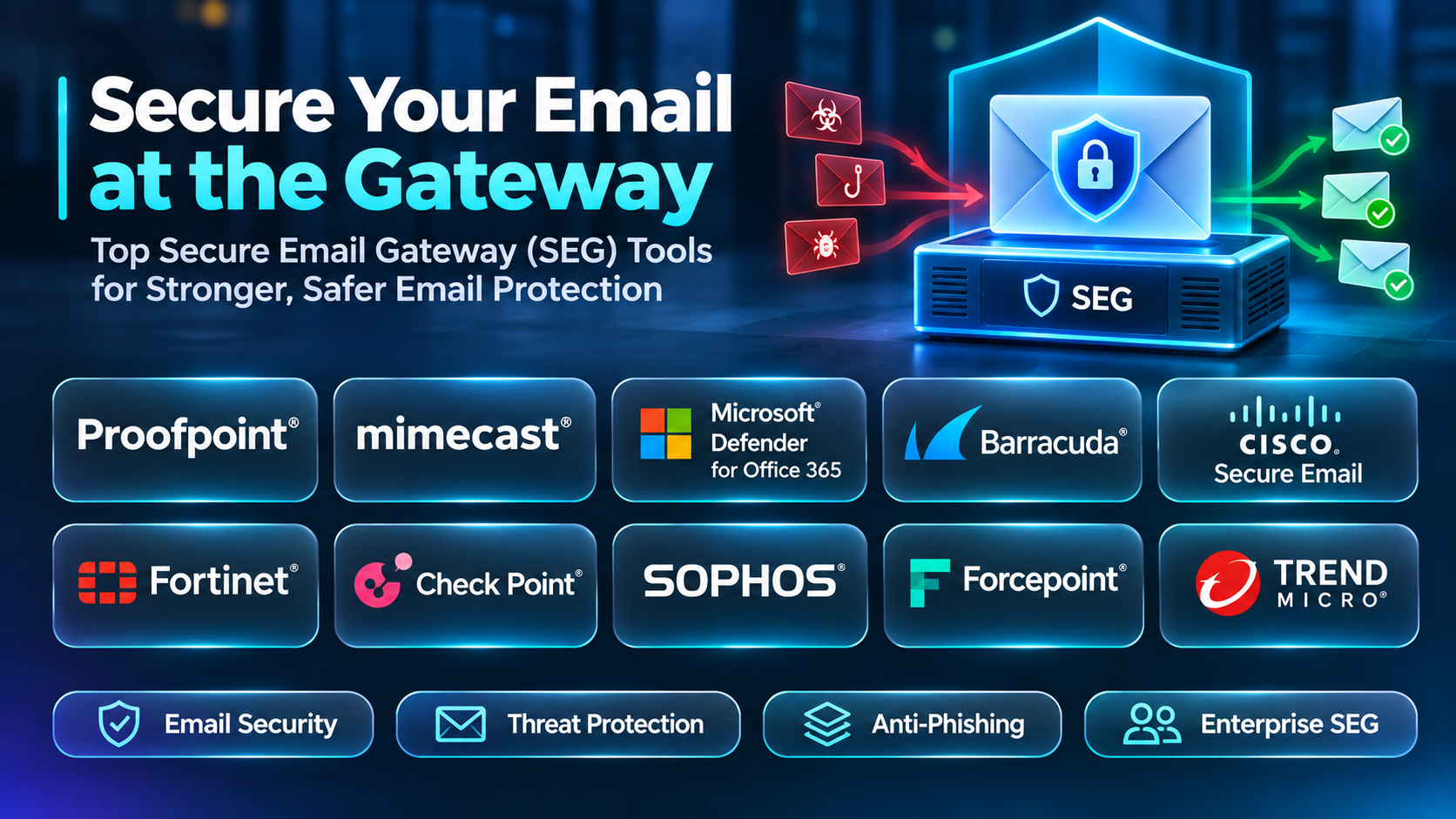
Secure Email Gateway (SEG) tools play an important role in protecting organizational communications across financial services, healthcare, education, manufacturing, government, and technology industries in 2026. These platforms help organizations identify malicious messages, prevent unauthorized information disclosure, and maintain secure email communication.
Traditional email security approaches frequently depend on basic spam filters, manually maintained sender blocklists, and employee awareness. These methods may struggle to address sophisticated impersonation attacks, malicious attachments, compromised accounts, and emerging email threats.
Modern secure email gateways combine threat intelligence, machine learning, attachment analysis, sender authentication, and automated security policy enforcement. Many solutions also provide encryption, outbound content inspection, centralized reporting, and integration with cloud security environments.
Selecting the right secure email gateway is important for both smaller organizations and experienced enterprise security teams. An appropriate platform should provide effective protection without introducing unnecessary administrative complexity or disrupting legitimate communications.
Budget, email infrastructure, regulatory obligations, organizational size, and technical expertise influence software selection. A small business may prefer a managed cloud gateway, whereas a multinational enterprise may require advanced threat investigation, encryption, and granular policy controls.
This guide examines ten secure email gateway tools, including their features, benefits, advantages, limitations, and practical applications. It also includes comparison tables, software selection recommendations, an implementation workflow, and frequently asked questions.
What Is a Secure Email Gateway (SEG)?
A Secure Email Gateway is a security platform that inspects incoming and outgoing email communications to identify threats and enforce organizational security policies. It typically operates between external email infrastructure and an organization’s internal or cloud-hosted mail system.
Secure email gateways analyze sender reputation, message content, attachments, embedded links, and authentication information. Based on configured policies, messages can be delivered, rejected, quarantined, encrypted, or subjected to additional inspection.
For example, a financial organization can route incoming email through a secure gateway before delivering messages to employee mailboxes. The gateway examines suspicious attachments, identifies potentially fraudulent communications, and isolates messages requiring administrative review.
Automated email inspection reduces the administrative effort associated with manual message analysis and security enforcement. Centralized reporting also helps security teams investigate incidents, evaluate protection effectiveness, and maintain consistent communication policies.
Common applications of secure email gateway tools include:
- Financial Services: Banks inspect incoming communications for fraudulent invoices, impersonation attempts, and malicious attachments. Outbound security policies help protect confidential financial information.
- Healthcare: Hospitals use email gateways to reduce exposure to malware and unauthorized information disclosure. Encryption and content inspection can support established patient information protection procedures.
- Education: Universities protect student, faculty, and administrative email accounts against suspicious communications. Centralized policies help manage security across large and diverse user populations.
- Government: Public agencies inspect incoming and outgoing communications according to organizational security requirements. Administrative reporting supports incident investigation and internal governance.
- Manufacturing: Manufacturers protect procurement, engineering, and operational communications against email-based threats. Content inspection helps reduce unauthorized disclosure of sensitive business documents.
- Retail: Retailers inspect supplier communications, customer inquiries, and financial correspondence. Gateway protection helps reduce exposure to fraudulent payment requests and malicious files.
- Professional Services: Legal, accounting, and consulting firms protect confidential client communications. Encryption and outbound filtering support secure document exchange.
- Technology: Software companies integrate email security with broader cybersecurity operations. Threat reporting helps analysts investigate suspicious communications and coordinate incident response.
Top 10 Secure Email Gateway (SEG) Tools in 2026
The following selection includes cloud-managed gateways, enterprise email security platforms, and self-hosted gateway software. The numbering is organizational rather than an independently measured security performance ranking.
1. Proofpoint Email Protection
Short Description
Proofpoint Email Protection is an enterprise email security platform developed by Proofpoint. It helps organizations identify spam, phishing, malicious attachments, impersonation attempts, and other email-based threats.
The platform is suitable for enterprises requiring advanced protection for business-critical communications. Security teams can manage message filtering, investigate suspicious communications, and configure organizational security policies.
Its technical strength is the combination of threat intelligence, message classification, and advanced threat analysis. Additional protection capabilities are available through compatible Proofpoint products and subscriptions.
Centralized administration supports organizations operating across multiple departments and geographic regions. Integration with broader security workflows helps analysts coordinate email threat investigations.
Key Features
- Inbound Threat Filtering: Incoming messages are evaluated for suspicious content and known threats. Filtering policies determine whether messages are delivered, rejected, or quarantined.
- Sender Reputation Analysis: The platform evaluates reputation information associated with sending infrastructure. This helps identify recurring sources of malicious or unwanted communications.
- Phishing Protection: Detection capabilities examine suspicious communication patterns and sender behavior. These mechanisms help identify deceptive messages that may bypass conventional spam filters.
- Attachment Analysis: Supported services inspect potentially harmful files using multiple analysis techniques. Additional inspection can help identify unfamiliar threats.
- Link Protection: Available modules evaluate Uniform Resource Locators (URLs), which identify online destinations. Link inspection helps reduce exposure to malicious websites.
- Impersonation Detection: Supported capabilities analyze communications that may imitate trusted individuals or organizations. Administrators can apply additional protection to sensitive employee accounts.
- Outbound Content Controls: Available services inspect outgoing communications for sensitive information and policy violations. Organizations can configure rules according to data protection requirements.
- Quarantine Management: Suspicious messages can be isolated for authorized review. Administrative permissions help control message release decisions.
- Threat Reporting: Security teams review message activity and detection trends. Reports support incident investigation and security policy improvement.
Benefits
- Combines multiple email threat detection mechanisms.
- Reduces exposure to malicious communications.
- Supports centralized enterprise security administration.
- Helps identify impersonation attempts.
- Provides detailed security investigation information.
- Supports organizational data protection policies.
- Improves visibility into email-based threats.
Pros
- Advanced threat intelligence capabilities.
- Enterprise-oriented security policies.
- Comprehensive message inspection.
- Detailed administrative reporting.
- Broad security ecosystem.
- Suitable for large organizational deployments.
Cons
- Commercial licensing can be expensive.
- Advanced modules may require separate subscriptions.
- Configuration requires experienced administrators.
- Smaller organizations may find functionality excessive.
- Ongoing policy tuning remains necessary.
Use Cases
- Enterprise Email Security: Inspect incoming communications across large employee populations.
- Executive Protection: Apply additional security controls to high-risk leadership accounts.
- Financial Fraud Prevention: Investigate suspicious payment requests and supplier communications.
- Attachment Security: Analyze potentially malicious files before delivery.
- Data Protection: Apply supported outbound content inspection policies.
- Security Investigations: Examine email activity associated with reported cybersecurity incidents.
Best For
- Large enterprises.
- Financial institutions.
- Security operations teams.
- Healthcare networks.
- Government organizations.
- Regulated businesses.
2. Mimecast Email Security
Short Description
Mimecast Email Security is a cloud-based platform designed to protect organizational email communications. It provides filtering, threat detection, and configurable security policies for compatible business email environments.
The platform is suitable for organizations seeking centralized protection across multiple departments and domains. Administrators can manage inbound and outbound communication policies through supported interfaces.
Its technical advantage is the combination of email threat protection with a broader email management ecosystem. Complementary products can provide continuity, archiving, and other communication management capabilities.
Mimecast supports centralized administration for distributed organizations and enterprise environments. Available integrations and additional services depend on the selected subscription.
Key Features
- Inbound Email Filtering: Incoming communications are inspected for spam, malicious content, and suspicious characteristics. Administrators configure appropriate message handling actions.
- Impersonation Protection: Supported capabilities evaluate messages that may imitate trusted senders. This helps reduce exposure to fraudulent business communications.
- Attachment Inspection: Available services analyze potentially dangerous email attachments. Additional inspection helps identify suspicious files before employee interaction.
- URL Protection: Supported configurations evaluate links contained in email messages. This helps reduce exposure to harmful online destinations.
- Outbound Security Policies: Administrators configure rules governing outgoing communications. These policies can support organizational information protection requirements.
- Message Tracking: Administrative tools provide visibility into email processing and delivery. Tracking helps investigate missing, delayed, or quarantined messages.
- Quarantine Administration: Suspicious communications can be isolated for authorized review. Release permissions help maintain appropriate security controls.
- Centralized Reporting: Administrators review filtering activity and security events. Reports support operational monitoring and policy evaluation.
- Continuity Integration: Separately available continuity services can support communication during selected email disruptions. Organizations should verify licensing and deployment requirements.
Benefits
- Reduces exposure to unwanted email communications.
- Supports centralized email security management.
- Helps identify suspicious sender activity.
- Provides configurable communication policies.
- Improves message delivery visibility.
- Supports complementary continuity capabilities.
- Enables coordinated organizational security administration.
Pros
- Comprehensive email security ecosystem.
- Cloud-managed infrastructure.
- Flexible policy configuration.
- Detailed message tracking.
- Enterprise deployment support.
- Additional email management options.
Cons
- Subscription costs vary by service package.
- Additional services may require separate licensing.
- Initial deployment requires routing knowledge.
- Administrative configuration can be complex.
- Filtering exceptions require ongoing review.
Use Cases
- Corporate Email Protection: Inspect employee communications for suspicious content.
- Business Continuity: Combine gateway protection with separately available continuity services.
- Supplier Fraud Prevention: Identify potentially deceptive supplier communications.
- Data Governance: Configure outbound email policies for sensitive business information.
- Message Troubleshooting: Investigate delayed or quarantined communications.
- Enterprise Administration: Apply consistent email security policies across departments.
Best For
- Mid-sized businesses.
- Large enterprises.
- Corporate email administrators.
- Professional services firms.
- Healthcare organizations.
- Distributed workforce companies.
3. Barracuda Email Gateway Defense
Short Description
Barracuda Email Gateway Defense is a cloud-based email security gateway developed by Barracuda Networks. It helps organizations protect business communications against spam, malware, phishing, and other email-based threats.
The platform is particularly relevant to small and medium-sized businesses seeking managed email security. It can also support organizations using compatible hosted email infrastructure and outsourced technology services.
Its technical strength is the combination of cloud gateway inspection with configurable email security policies. Additional Barracuda products can extend protection to account compromise detection, incident response, and other security requirements.
Centralized management helps administrators review filtering activity and maintain organizational policies. Managed service providers can evaluate supported administration options for customer deployments.
Key Features
- Cloud Email Gateway: Incoming email is processed through provider-managed security infrastructure. This reduces the need to maintain dedicated filtering servers.
- Spam Filtering: Messages are evaluated for unwanted content and suspicious characteristics. Filtering reduces unnecessary inbox traffic.
- Malware Protection: Attachments and message content are inspected for potentially harmful material. Detection helps reduce exposure to common email-based threats.
- Sender Reputation: Reputation information contributes to message classification. Suspicious sending infrastructure can receive additional scrutiny.
- Phishing Protection: Detection capabilities evaluate potentially deceptive communications. These controls help identify suspicious email activity.
- Outbound Filtering: Supported policies inspect outgoing messages according to configured requirements. Organizations can manage selected communication risks.
- Email Encryption: Available encryption capabilities help protect sensitive communications. Administrators should verify applicable licensing and recipient workflows.
- Quarantine Management: Suspicious messages can be isolated for authorized review. Administrative controls support appropriate release decisions.
- Security Reporting: Dashboards and reports provide visibility into filtering activity. Administrators can investigate recurring communication problems.
Benefits
- Simplifies cloud email gateway administration.
- Reduces unwanted and suspicious communications.
- Supports managed email protection.
- Helps detect malicious attachments.
- Provides configurable filtering policies.
- Supports sensitive communication protection.
- Improves visibility into message activity.
Pros
- Cloud-managed deployment.
- Suitable for smaller IT departments.
- Broad email filtering functionality.
- Centralized administration.
- Configurable security policies.
- Complementary Barracuda security services.
Cons
- Advanced protection may require additional products.
- Subscription expenses increase with deployment size.
- Routing changes require administrative planning.
- False positives require periodic review.
- Enterprise customization requirements may vary.
Use Cases
- Small Business Protection: Implement managed email filtering without dedicated gateway hardware.
- Hosted Email Security: Protect compatible cloud-hosted business email systems.
- Attachment Inspection: Identify suspicious files entering employee mailboxes.
- Sensitive Communication: Apply supported encryption policies to confidential messages.
- Managed IT Services: Provide gateway protection to customer organizations.
- Administrative Monitoring: Review message filtering and quarantine activity.
Best For
- Small businesses.
- Medium-sized enterprises.
- Managed service providers.
- Cloud email administrators.
- IT consultants.
- Organizations with limited security staffing.
4. Cisco Secure Email Gateway
Short Description
Cisco Secure Email Gateway is an enterprise email security offering developed by Cisco. It provides message inspection, spam filtering, malware detection, and configurable communication security policies.
The platform is suitable for organizations operating complex email infrastructure and requiring detailed administrative control. Deployment options depend on the selected Cisco products and service arrangements.
Its technical advantage is the combination of Cisco threat intelligence with multiple message inspection mechanisms. These capabilities help organizations evaluate suspicious communications using more than basic content rules.
Cisco Secure Email Gateway can complement compatible Cisco security products and enterprise security workflows. Centralized management options support organizations operating multiple email security components.
Key Features
- Email Reputation Filtering: Incoming connections and sending infrastructure are evaluated using reputation information. This helps identify suspicious sources before further message processing.
- Anti-Spam Protection: Messages are analyzed for unwanted content and suspicious patterns. Administrators configure appropriate handling actions.
- Malware Inspection: Supported mechanisms examine attachments and message content for harmful characteristics. Additional protection depends on selected subscriptions.
- Threat Intelligence: Cisco security intelligence contributes to classification and inspection decisions. Updated intelligence helps address changing email threats.
- Content Filtering: Administrators define rules based on message characteristics and organizational requirements. These rules support security and communication policies.
- URL Analysis: Available capabilities evaluate links contained in email communications. This helps reduce exposure to potentially malicious destinations.
- Data Loss Prevention: Supported Data Loss Prevention (DLP) capabilities inspect communications for sensitive information. Organizations can apply appropriate outbound security policies.
- Message Tracking: Administrators investigate message processing and delivery activity. Tracking helps troubleshoot filtering decisions.
- Security Integration: Compatible Cisco security products can support coordinated investigation workflows. Integration capabilities depend on deployment configuration.
Benefits
- Supports complex enterprise email environments.
- Reduces exposure to malicious communications.
- Provides granular security policy controls.
- Helps protect sensitive outbound information.
- Enables detailed message investigations.
- Supports enterprise security integrations.
- Improves visibility into email processing.
Pros
- Enterprise-oriented configuration capabilities.
- Established threat intelligence ecosystem.
- Detailed content filtering.
- Flexible deployment considerations.
- Comprehensive message tracking.
- Broad security integration opportunities.
Cons
- Administration requires specialized expertise.
- Licensing arrangements can be complex.
- Advanced services may require additional subscriptions.
- Initial implementation requires careful planning.
- Smaller organizations may need simpler alternatives.
Use Cases
- Enterprise Gateway Deployment: Inspect email traffic across complex organizational environments.
- Government Security: Apply configurable communication policies across public agencies.
- Sensitive Information Protection: Inspect outbound communications using supported DLP capabilities.
- Malware Prevention: Analyze suspicious email attachments.
- Security Investigations: Examine message activity associated with reported incidents.
- Infrastructure Integration: Coordinate gateway protection with compatible Cisco security products.
Best For
- Large enterprises.
- Network security administrators.
- Cisco security customers.
- Government agencies.
- Security operations centers.
- Complex IT environments.
5. Fortinet FortiMail
Short Description
FortiMail is an email security gateway developed by Fortinet. It provides capabilities for spam filtering, malware inspection, phishing protection, and organizational email policy enforcement.
The platform is suitable for organizations requiring flexible email security deployment options. Administrators can evaluate supported hardware, virtual, and cloud-based offerings according to infrastructure requirements.
Its technical strength is integration with Fortinet’s broader security ecosystem and threat intelligence services. Supported configurations provide multiple inspection techniques for identifying suspicious email content.
FortiMail supports centralized administration and integration with compatible Fortinet security products. Organizations can coordinate email protection with broader network and security operations.
Key Features
- Anti-Spam Filtering: Incoming messages are evaluated for unwanted content and suspicious characteristics. Filtering policies determine appropriate message handling actions.
- Malware Detection: Supported inspection mechanisms analyze potentially harmful attachments and message content. Detection helps reduce exposure to email-based malware.
- Threat Intelligence: Fortinet security intelligence contributes to email classification. Updated intelligence helps identify known and emerging threats.
- Phishing Protection: Available capabilities evaluate suspicious links and deceptive communication patterns. This supports protection against email-based social engineering.
- Flexible Deployment: FortiMail is available through multiple supported deployment models. Organizations can select infrastructure appropriate to their operational requirements.
- Data Loss Prevention: Supported content inspection capabilities help identify sensitive information in outgoing messages. Policies can reduce unauthorized information disclosure.
- Email Encryption: Available encryption features help protect selected confidential communications. Configuration should reflect organizational requirements.
- Sandbox Integration: Compatible sandbox services can analyze suspicious files within isolated environments. Additional analysis helps identify potentially harmful behavior.
- Centralized Reporting: Administrators review email security activity and filtering outcomes. Reports support investigations and operational monitoring.
Benefits
- Combines multiple email security capabilities.
- Supports flexible infrastructure deployment.
- Helps identify malicious attachments.
- Provides configurable data protection controls.
- Supports Fortinet security integration.
- Improves email threat visibility.
- Enables centralized security administration.
Pros
- Multiple deployment options.
- Established security intelligence ecosystem.
- Granular policy configuration.
- Broad email protection functionality.
- Integration with compatible Fortinet products.
- Suitable for enterprise environments.
Cons
- Advanced services may require subscriptions.
- Configuration requires technical expertise.
- Hardware deployments involve maintenance costs.
- Integration benefits depend on existing infrastructure.
- Complex policies require ongoing administration.
Use Cases
- Enterprise Email Protection: Inspect organizational communications for suspicious content.
- Hybrid Infrastructure: Deploy compatible gateway configurations across different infrastructure environments.
- Data Protection: Apply supported outbound information security policies.
- Malware Analysis: Integrate email inspection with compatible sandbox services.
- Network Security Integration: Coordinate gateway protection with existing Fortinet security products.
- Regulated Communications: Enforce configurable email policies for sensitive business environments.
Best For
- Fortinet customers.
- Enterprise security teams.
- Network security engineers.
- Government organizations.
- Financial institutions.
- Hybrid infrastructure environments.
6. Sophos Email
Short Description
Sophos Email is a cloud-managed email security solution developed by Sophos. Its capabilities include spam filtering, phishing protection, malware inspection, and configurable security policies.
The platform is suitable for businesses seeking centralized email protection alongside other Sophos security products. Supported gateway and integration-based deployment options depend on the selected offering.
Its technical advantage is management through the Sophos Central security ecosystem. Organizations using compatible Sophos products can coordinate selected security administration and investigation activities.
Sophos Email provides cloud-based management suitable for distributed businesses and managed service providers. Available advanced protection and remediation capabilities depend on subscription and configuration.
Key Features
- Spam Protection: Incoming messages are evaluated for unwanted content and suspicious characteristics. Filtering helps reduce unnecessary inbox traffic.
- Phishing Detection: Supported capabilities examine potentially deceptive communications. Detection helps identify suspicious sender activity.
- Attachment Analysis: Available protection mechanisms inspect email attachments for malicious characteristics. Additional analysis depends on service configuration.
- Link Protection: Supported services evaluate links contained in email communications. This helps reduce exposure to harmful destinations.
- Impersonation Protection: Available capabilities examine messages that may imitate trusted individuals. Organizations can apply protection according to communication risks.
- Centralized Administration: Sophos Central provides management interfaces for supported email security services. Administrators can coordinate policies alongside compatible security products.
- Outbound Security: Supported configurations inspect outgoing messages according to organizational requirements. This helps manage selected information protection risks.
- Post-Delivery Remediation: Eligible configurations support investigation and removal of identified malicious messages. These capabilities help address threats discovered after delivery.
- Security Reporting: Administrative reports provide visibility into email threats and filtering activity. Security teams can use this information to improve policies.
Benefits
- Simplifies centralized email security management.
- Supports cloud-hosted business environments.
- Helps identify phishing communications.
- Reduces exposure to malicious attachments.
- Provides configurable protection policies.
- Supports compatible Sophos security integrations.
- Improves visibility into email security incidents.
Pros
- Cloud-based administration.
- Sophos Central integration.
- Broad email protection capabilities.
- Suitable for smaller security teams.
- Managed service provider relevance.
- Configurable deployment options.
Cons
- Advanced capabilities depend on licensing.
- Integration benefits vary by existing infrastructure.
- Initial configuration requires administrative access.
- Some environments may need additional customization.
- Policy tuning remains necessary.
Use Cases
- Small Business Email Security: Implement managed protection for business communications.
- Sophos Ecosystem Integration: Coordinate email security with compatible Sophos products.
- Phishing Prevention: Identify potentially deceptive employee communications.
- Malware Inspection: Analyze suspicious attachments entering organizational mailboxes.
- Incident Remediation: Address identified malicious messages using supported capabilities.
- Managed Security Services: Provide email protection to customer organizations.
Best For
- Sophos customers.
- Small businesses.
- Medium-sized enterprises.
- Managed service providers.
- Cloud security administrators.
- Organizations seeking centralized security management.
7. Trend Micro Email Security
Short Description
Trend Micro Email Security is a cloud-based email protection solution developed by Trend Micro. It helps organizations identify spam, phishing, malware, and suspicious communications.
The platform is suitable for businesses requiring managed gateway protection for compatible email environments. Administrators can configure filtering policies and review security activity through centralized interfaces.
Its technical strength is the combination of threat intelligence, reputation analysis, and advanced inspection capabilities. Supported services can provide additional protection against suspicious files and embedded links.
Trend Micro Email Security can complement compatible products within the vendor’s broader security ecosystem. Integration and investigation capabilities depend on the selected services and licensing.
Key Features
- Cloud Gateway Protection: Email communications are inspected through managed security infrastructure. This reduces the need to maintain dedicated gateway servers.
- Spam Filtering: Incoming messages are evaluated for unwanted content and suspicious characteristics. Administrators configure appropriate handling policies.
- Malware Inspection: Supported mechanisms analyze potentially harmful attachments and message content. Detection helps reduce exposure to malicious email.
- Phishing Detection: The platform evaluates suspicious communication characteristics. This helps identify potentially deceptive messages.
- Reputation Services: Sender and link reputation information contributes to classification decisions. Updated intelligence helps address changing threat patterns.
- Attachment Analysis: Available advanced inspection capabilities examine suspicious files. Additional analysis depends on the selected service package.
- Outbound Content Inspection: Supported policies evaluate outgoing communications for selected information protection requirements. Organizations can configure appropriate security rules.
- Quarantine Management: Suspicious messages can be isolated for authorized review. Release controls support organizational security policies.
- Administrative Reporting: Reports summarize message activity and security detections. Administrators can review trends and investigate suspicious communications.
Benefits
- Supports managed cloud email security.
- Reduces unwanted communication volume.
- Helps identify malicious attachments.
- Provides configurable filtering policies.
- Supports threat intelligence-based detection.
- Improves visibility into suspicious messages.
- Reduces dedicated infrastructure requirements.
Pros
- Cloud-managed deployment.
- Established threat intelligence capabilities.
- Broad email protection functionality.
- Centralized administrative reporting.
- Configurable security policies.
- Compatible security ecosystem integrations.
Cons
- Advanced functionality depends on licensing.
- Cloud connectivity is required.
- Initial routing configuration requires planning.
- Policy customization may require training.
- Detection effectiveness varies by threat characteristics.
Use Cases
- Cloud Email Protection: Inspect communications before delivery to compatible business mailboxes.
- Malware Prevention: Analyze suspicious email attachments.
- Phishing Protection: Identify potentially deceptive communications.
- Information Protection: Apply supported outbound content inspection policies.
- Threat Monitoring: Review email security detections and suspicious message trends.
- Enterprise Security Integration: Coordinate email protection with compatible Trend Micro products.
Best For
- Cloud-first businesses.
- Enterprise IT departments.
- Trend Micro customers.
- Security administrators.
- Medium-sized enterprises.
- Organizations requiring managed gateway protection.
8. Check Point Harmony Email & Collaboration
Short Description
Check Point Harmony Email & Collaboration is an email and collaboration security platform developed by Check Point, incorporating technology from Avanan. It protects compatible cloud email and collaboration environments against phishing, malicious files, and other threats.
The platform is suitable for organizations seeking cloud-native protection without necessarily deploying a traditional external email gateway. Its architecture differs from conventional Mail Exchange (MX) record-based gateway deployments.
Its technical advantage is integration through supported Application Programming Interfaces (APIs), which allow software systems to exchange information and perform authorized operations. Compatible configurations can provide inline protection and investigation capabilities within cloud email environments.
Centralized administration supports organizations using Microsoft 365 and Google Workspace. The platform is included here as a modern gateway alternative rather than a conventional standalone SEG.
Key Features
- API-Based Integration: Supported integrations connect the platform to cloud email services. This can reduce the need for traditional external gateway routing changes.
- Phishing Protection: Detection capabilities evaluate suspicious communications and sender behavior. These mechanisms help identify deceptive messages.
- Malware Inspection: Supported services analyze attachments and message content for potentially harmful characteristics. Inspection helps reduce email-based malware exposure.
- Impersonation Detection: Available capabilities examine communications that may imitate trusted individuals. This supports protection against fraudulent business messages.
- Inline Email Protection: Compatible configurations can inspect messages before they reach user inboxes. Deployment behavior depends on the email provider and selected configuration.
- Post-Delivery Investigation: Supported capabilities help administrators investigate threats identified after message delivery. Remediation options depend on integration and licensing.
- Collaboration Security: Available services extend protection to supported collaboration applications. This helps address communication risks beyond email.
- Data Protection: Supported content inspection capabilities help identify selected sensitive information risks. Administrators can configure policies according to organizational requirements.
- Centralized Reporting: Security teams review detections and investigation information. Reports help evaluate protection effectiveness.
Benefits
- Supports cloud-native email protection.
- Reduces reliance on traditional gateway infrastructure.
- Helps identify sophisticated phishing communications.
- Provides integrated investigation capabilities.
- Supports compatible collaboration environments.
- Improves visibility into cloud communication threats.
- Enables centralized security administration.
Pros
- API-based deployment options.
- Microsoft 365 and Google Workspace relevance.
- Email and collaboration protection.
- Supported inline inspection capabilities.
- Post-delivery investigation options.
- Cloud-managed administration.
Cons
- Not a conventional standalone email gateway.
- Requires compatible cloud email services.
- Administrative permissions require careful review.
- Advanced functionality depends on licensing.
- Less suitable for unsupported self-hosted mail environments.
Use Cases
- Microsoft 365 Security: Add compatible protection to cloud-hosted organizational email.
- Google Workspace Security: Inspect supported Gmail communications for suspicious content.
- Collaboration Protection: Extend security to compatible workplace collaboration applications.
- Phishing Investigation: Examine suspicious messages and related security activity.
- Post-Delivery Remediation: Address identified threats using supported response capabilities.
- Cloud Security Modernization: Evaluate alternatives to traditional external gateway architecture.
Best For
- Microsoft 365 customers.
- Google Workspace organizations.
- Cloud security teams.
- Distributed businesses.
- Check Point customers.
- Organizations seeking gateway alternatives.
9. SpamTitan
Short Description
SpamTitan is an email security gateway solution developed by TitanHQ. It provides spam filtering, malware inspection, and configurable email protection for compatible business environments.
The platform is particularly suitable for small and medium-sized organizations and managed service providers. Its centralized administration helps operators manage filtering across protected domains.
Its technical advantage is the combination of dedicated email filtering with configurable security policies and supported multi-tenant administration. These capabilities help service providers coordinate protection across customer environments.
SpamTitan provides deployment and management options appropriate to different organizational requirements. Available advanced protection capabilities depend on the selected product configuration.
Key Features
- Inbound Email Filtering: Incoming communications are evaluated for spam and suspicious content. Detected messages can be rejected or quarantined according to policy.
- Malware Protection: Email attachments are inspected for potentially harmful characteristics. Detection helps reduce exposure to common email threats.
- Sender Reputation Analysis: Reputation information contributes to message classification. This helps identify recurring suspicious communication sources.
- Domain-Level Policies: Administrators configure filtering settings for protected domains. Policies can reflect different customer and organizational requirements.
- Quarantine Management: Suspicious messages can be isolated for authorized review. Release controls support safe administrative decisions.
- Email Authentication Checks: Supported authentication mechanisms help evaluate sender legitimacy. Results contribute to filtering decisions.
- Outbound Filtering: Available capabilities inspect outgoing communications according to configured policies. This helps manage selected email security risks.
- Multi-Tenant Administration: Supported configurations allow service providers to manage multiple customer environments. Centralized administration reduces repetitive configuration work.
- Security Reporting: Administrators review filtering statistics and message activity. Reports help evaluate protection and investigate communication problems.
Benefits
- Reduces unwanted business communications.
- Supports managed service providers.
- Simplifies centralized filtering administration.
- Helps identify suspicious attachments.
- Provides configurable domain-level policies.
- Supports multiple customer environments.
- Improves visibility into email activity.
Pros
- Focused email gateway functionality.
- Suitable for smaller organizations.
- Multi-tenant management capabilities.
- Configurable filtering policies.
- Centralized quarantine administration.
- Dedicated email security reporting.
Cons
- Advanced functionality varies by subscription.
- Initial deployment may require routing changes.
- Broader security integrations may be limited.
- Filtering exceptions require maintenance.
- Subscription costs depend on deployment size.
Use Cases
- Managed Email Security: Protect multiple customer organizations through supported centralized administration.
- Small Business Gateway: Filter incoming business communications.
- Domain Protection: Apply different security policies across protected domains.
- Attachment Inspection: Identify potentially harmful files.
- Quarantine Administration: Review messages incorrectly classified as suspicious.
- Email Monitoring: Evaluate filtering activity and communication trends.
Best For
- Managed service providers.
- Small businesses.
- Medium-sized organizations.
- Email hosting providers.
- IT consultants.
- Multi-domain businesses.
10. Proxmox Mail Gateway
Short Description
Proxmox Mail Gateway is an open-source email security gateway developed by Proxmox Server Solutions. It provides spam filtering, malware inspection, configurable mail processing rules, and administrative monitoring.
The platform is suitable for organizations operating their own email infrastructure and requiring self-managed gateway protection. Experienced administrators can deploy it within supported physical or virtual environments.
Its technical strength is the integration of established open-source email filtering components within a dedicated gateway management platform. Administrators can configure message handling rules without developing an entire filtering system independently.
Proxmox Mail Gateway provides a web-based administrative interface and supported clustering capabilities. Optional commercial subscriptions provide access to additional support and enterprise repository arrangements.
Key Features
- Open-Source Gateway: The software provides email security functionality without mandatory proprietary licensing. Organizations remain responsible for infrastructure and administration.
- Spam Filtering: Integrated filtering mechanisms evaluate messages for unwanted content. Administrators configure classification and handling policies.
- Virus Scanning: Integrated malware inspection helps identify potentially harmful attachments. Detection depends on available signatures and configured scanning components.
- Rule-Based Mail Filtering: Administrators define message processing rules using supported conditions and actions. This enables organization-specific communication policies.
- Quarantine Management: Suspicious messages can be isolated for authorized review. Administrative and user access depends on configuration.
- Message Tracking: Administrators can investigate message processing and delivery activity. Tracking helps identify filtering and routing problems.
- Web Administration: A browser-based interface provides access to gateway configuration and monitoring. Administrative access should be appropriately secured.
- Clustering Support: Supported clustering capabilities help coordinate multiple gateway instances. Organizations must design appropriate availability and routing arrangements.
- Reporting and Statistics: Administrative reports summarize filtering activity and message processing. These measurements support capacity planning and policy evaluation.
Benefits
- Provides open-source gateway protection.
- Reduces proprietary licensing expenses.
- Supports self-managed email infrastructure.
- Enables configurable message filtering.
- Provides centralized administrative interfaces.
- Supports flexible deployment planning.
- Improves visibility into message processing.
Pros
- Free open-source software availability.
- Web-based management.
- Customizable filtering rules.
- Self-hosted infrastructure control.
- Supported clustering capabilities.
- Optional commercial support subscriptions.
Cons
- Requires experienced system administrators.
- Infrastructure maintenance remains necessary.
- Advanced commercial threat intelligence capabilities may differ.
- High-availability deployment requires planning.
- Support and operational costs still apply.
Use Cases
- Self-Hosted Email Security: Protect privately managed organizational mail infrastructure.
- Open-Source Gateway Deployment: Implement configurable filtering without mandatory proprietary licensing.
- Email Hosting Services: Inspect communications across hosted customer domains.
- Custom Security Policies: Configure organization-specific message handling rules.
- Infrastructure Control: Maintain direct responsibility for gateway hosting and administration.
- Operational Monitoring: Investigate filtering decisions and email delivery activity.
Best For
- Linux system administrators.
- Open-source security teams.
- Email hosting providers.
- Infrastructure engineers.
- Budget-conscious organizations.
- Self-hosted email environments.
Comparison Table: Top 10 Secure Email Gateway Tools
| Tool Name | Best For | Platform(s) | Standout Feature | Pricing |
|---|---|---|---|---|
| Proofpoint Email Protection | Enterprise threat protection | Cloud, supported enterprise deployments | Advanced threat intelligence | Paid subscription |
| Mimecast Email Security | Corporate email security | Cloud, compatible email systems | Comprehensive email security ecosystem | Paid subscription |
| Barracuda Email Gateway Defense | Small and medium businesses | Cloud | Managed gateway protection | Paid subscription |
| Cisco Secure Email Gateway | Complex enterprise environments | Cloud, supported gateway deployments | Granular security policies | Paid license or subscription |
| Fortinet FortiMail | Flexible enterprise deployment | Hardware, virtual, cloud | Fortinet security integration | Paid license or subscription |
| Sophos Email | Centralized security management | Cloud, supported email systems | Sophos Central integration | Paid subscription |
| Trend Micro Email Security | Managed cloud protection | Cloud | Threat intelligence-based inspection | Paid subscription |
| Check Point Harmony Email & Collaboration | Cloud-native gateway alternatives | Microsoft 365, Google Workspace | API-based protection | Paid subscription |
| SpamTitan | Managed service providers | Cloud, supported deployments | Multi-tenant email filtering | Paid subscription |
| Proxmox Mail Gateway | Self-hosted email security | Linux, physical and virtual infrastructure | Open-source gateway management | Free and paid support subscriptions |
Note: Pricing, licensing, supported platforms, and available features can change. Check the official vendor websites for current plans, educational access, and regional availability.
Which Secure Email Gateway Tool Is Right for You?
Different organizations require different email security architectures, inspection capabilities, and administrative workflows. Selecting a gateway should involve evaluating actual communication risks rather than simply comparing the number of advertised features.
Infrastructure compatibility, threat detection requirements, data protection obligations, operational costs, and available security expertise are important considerations. Organizations should also determine whether a traditional gateway or a cloud-native integrated security platform is more appropriate.
For Beginners: Barracuda Email Gateway Defense and Sophos Email
Barracuda provides managed cloud gateway protection suitable for organizations with limited internal security resources. Its centralized administration can reduce the complexity of maintaining dedicated filtering infrastructure.
Sophos Email provides cloud-based administration through the Sophos Central ecosystem. Organizations already using compatible Sophos products may benefit from consolidated security management.
Choose Barracuda if dedicated managed gateway protection is your primary requirement. Choose Sophos Email if centralized administration alongside compatible Sophos security products is more important.
For Large Enterprises: Proofpoint and Cisco Secure Email Gateway
Proofpoint provides advanced email threat protection and investigation capabilities. Its enterprise-oriented security ecosystem supports organizations with substantial communication security requirements.
Cisco Secure Email Gateway provides granular policy configuration and integration opportunities within compatible enterprise infrastructure. It is relevant to organizations requiring detailed control over message processing.
Choose Proofpoint if advanced email threat intelligence and investigation are priorities. Choose Cisco Secure Email Gateway if infrastructure integration and granular gateway administration are more important.
For Small Businesses: SpamTitan and Barracuda Email Gateway Defense
SpamTitan provides dedicated filtering capabilities suitable for organizations seeking manageable email security administration. Its configurable policies support businesses with multiple protected domains.
Barracuda offers managed gateway protection with complementary security services available through relevant products. This can suit organizations requiring broader email protection over time.
Choose SpamTitan if focused email filtering and domain-level administration are priorities. Choose Barracuda if you prefer a broader managed email security ecosystem.
For Hybrid Infrastructure: FortiMail and Cisco Secure Email Gateway
FortiMail provides multiple supported deployment options, including hardware, virtual, and cloud configurations. This flexibility can suit organizations operating varied infrastructure environments.
Cisco Secure Email Gateway provides enterprise-oriented deployment and security policy capabilities. Organizations using compatible Cisco infrastructure may benefit from relevant integration opportunities.
Choose FortiMail if flexible deployment and Fortinet integration are priorities. Choose Cisco Secure Email Gateway if your organization requires Cisco-oriented enterprise security administration.
For Cloud-Native Organizations: Check Point Harmony and Trend Micro Email Security
Check Point Harmony Email & Collaboration provides API-based protection for compatible cloud email services. This architecture can suit organizations seeking alternatives to traditional external gateway routing.
Trend Micro Email Security provides managed cloud gateway protection using threat intelligence and message inspection. It is relevant to organizations preferring conventional gateway-based filtering.
Choose Check Point Harmony if cloud-native integration and collaboration protection are priorities. Choose Trend Micro Email Security if a managed cloud gateway is more appropriate.
For Managed Service Providers: SpamTitan and Sophos Email
SpamTitan offers supported multi-tenant administration for organizations managing multiple customer environments. Its dedicated filtering capabilities help service providers coordinate domain-level protection.
Sophos Email provides centralized administration within the Sophos security ecosystem. Compatible management arrangements can support providers delivering broader security services.
Choose SpamTitan if dedicated multi-customer email gateway management is important. Choose Sophos Email if you deliver multiple compatible Sophos security services.
For Regulated Industries: Mimecast and Proofpoint
Mimecast provides configurable email protection and complementary email management services. Separately available continuity and archiving capabilities may support formal communication governance requirements.
Proofpoint provides advanced threat investigation and supported information protection capabilities. These features can help organizations implement established security and data protection procedures.
Choose Mimecast if consolidated email management is a priority. Choose Proofpoint if advanced threat analysis and information protection are more important.
For Open-Source and Self-Hosted Environments: Proxmox Mail Gateway and FortiMail
Proxmox Mail Gateway provides open-source filtering and configurable self-managed infrastructure. It is suitable for experienced administrators seeking direct control over gateway operations.
FortiMail provides commercially supported gateway deployment options, including configurations suitable for privately managed infrastructure. Its broader security ecosystem can suit organizations requiring commercial threat protection services.
Choose Proxmox Mail Gateway if open-source software and infrastructure control are priorities. Choose FortiMail if commercial security services and vendor-supported integration are more important.
Best Secure Email Gateway Tools for Different Users
| User Type | Recommended Software | Why? |
|---|---|---|
| Enterprise security analyst | Proofpoint | Advanced threat investigation |
| Corporate email administrator | Mimecast | Comprehensive email security management |
| Small business IT manager | Barracuda | Managed gateway protection |
| Network security engineer | Cisco Secure Email Gateway | Granular security configuration |
| Hybrid infrastructure administrator | FortiMail | Flexible deployment options |
| Sophos security administrator | Sophos Email | Centralized ecosystem management |
| Cloud gateway administrator | Trend Micro Email Security | Managed threat inspection |
| Microsoft 365 security specialist | Check Point Harmony | Cloud-native integration |
| Managed service provider | SpamTitan | Multi-tenant filtering |
| Linux infrastructure engineer | Proxmox Mail Gateway | Open-source gateway control |
Practical Example: Deploying a Secure Email Gateway for a Financial Services Company
Consider a financial services company employing 500 people across finance, customer support, administration, and technology departments. The organization processes sensitive customer information and receives substantial volumes of external email.
The security team wants to reduce exposure to malicious attachments, fraudulent payment requests, and unauthorized information disclosure. Proofpoint Email Protection, FortiMail, and Mimecast Email Security are potential platforms depending on infrastructure and licensing requirements.
The organization establishes a controlled implementation process that prioritizes communication reliability, data protection, and measurable security improvements. Deployment includes infrastructure assessment, policy configuration, pilot testing, monitoring, and ongoing optimization.
Step 1: Assess Email Infrastructure and Security Requirements
Document existing email domains, mailbox providers, mail routing arrangements, and security services. Identify critical communication workflows involving customer records, financial transactions, supplier invoices, and automated notifications.
Review historical email security incidents, existing filtering performance, and information protection requirements. Establish baseline measurements for suspicious message volume, legitimate delivery delays, and administrative workload.
The assessment should include:
- Protected email domains.
- Number of employee and shared mailboxes.
- Daily incoming and outgoing message volume.
- Existing authentication configuration.
- Sensitive information categories.
- Critical business communication sources.
- Regulatory and organizational security requirements.
Step 2: Select and Prepare the Gateway Platform
Compare shortlisted platforms against existing infrastructure, deployment preferences, licensing costs, and administrative capabilities. Determine whether the organization requires a managed cloud gateway, self-hosted infrastructure, or a hybrid deployment.
Establish administrative access using Multi-Factor Authentication (MFA), which requires multiple verification factors during authentication. Assign permissions according to the principle of least privilege, meaning administrators receive only the access necessary for their responsibilities.
Step 3: Configure Email Routing and Authentication
Review existing Mail Exchange (MX) records, which specify the systems responsible for receiving email for a domain. Configure approved gateway routing according to the selected provider’s documented deployment requirements and establish a rollback procedure.
Validate Sender Policy Framework (SPF), DomainKeys Identified Mail (DKIM), and Domain-based Message Authentication, Reporting and Conformance (DMARC). These mechanisms help receiving systems evaluate authorized sending infrastructure, cryptographic message signatures, and sender domain alignment.
Configuration checks should include:
- Inbound email routing.
- Outbound email routing.
- Sender authentication results.
- Transport Layer Security (TLS) settings.
- Authorized mail server connections.
- Delivery failure handling.
- Documented rollback procedures.
TLS is a cryptographic protocol used to protect information transmitted between compatible systems. Administrators should validate encryption requirements and certificate configuration before production deployment.
Step 4: Establish Threat Protection and Data Security Policies
Configure appropriate handling actions for spam, suspected phishing, malicious attachments, and other suspicious communications. Establish quarantine and administrative review procedures for messages requiring additional investigation.
Define outbound content inspection and encryption policies according to organizational information protection requirements. Avoid overly broad filtering exceptions that could unintentionally weaken important security controls.
Recommended policy areas include:
- Spam and malware filtering.
- Suspicious attachment inspection.
- Link protection.
- Sender impersonation protection.
- Sensitive information inspection.
- Quarantine access permissions.
- Encryption requirements.
- Administrative audit records.
Step 5: Conduct Controlled Pilot Testing
Select a representative group of approved employees from finance, administration, customer support, and technology departments. Include participants who regularly exchange legitimate business documents and communicate with external organizations.
Validate normal email delivery, approved harmless security test messages, expected attachment formats, and authorized outbound communication workflows. Review quarantine outcomes and adjust policies where legitimate communications are unnecessarily affected.
Pilot acceptance criteria should include:
- Reliable inbound message delivery.
- Reliable outbound message delivery.
- Appropriate handling of approved security tests.
- Acceptable false-positive rates.
- Functional quarantine procedures.
- Correct authentication results.
- Successful administrative reporting.
Step 6: Deploy Organization-Wide Protection
Extend validated gateway policies across the remaining approved organizational domains and employee mailboxes. Communicate security reporting procedures, quarantine review instructions, and support contact information to employees.
Monitor message queues, delivery errors, security detections, and administrative alerts during deployment. Maintain appropriate support coverage and a documented rollback process in case significant communication disruption occurs.
Operational outputs may include:
- Email security activity reports.
- Quarantine review records.
- Message delivery summaries.
- Outbound policy violation reports.
- Security incident records.
- Administrative configuration logs.
- Authentication monitoring reports.
Step 7: Monitor and Optimize Gateway Performance
Compare post-deployment measurements with the original baseline to evaluate security and communication improvements. Review detection trends, legitimate delivery performance, false positives, and administrative workload.
Periodically update security policies, review administrative permissions, and remove unnecessary exceptions. Evaluate whether additional protection capabilities are required as organizational communication patterns and security risks change.
This workflow transforms an email security requirement into a controlled, measurable, and maintainable gateway deployment. Continuous monitoring helps organizations balance effective threat protection with reliable business communication.
Frequently Asked Questions (FAQs)
1. What is a Secure Email Gateway?
A Secure Email Gateway is a security platform that inspects email communications for suspicious content, malicious attachments, spam, and policy violations. It can apply configured actions before messages reach organizational mailboxes or leave the organization.
Traditional gateways typically operate within the email delivery path, while modern alternatives may integrate directly with cloud email services. Both approaches aim to reduce communication security risks.
2. Which secure email gateway is best for beginners?
Barracuda Email Gateway Defense is a practical option for smaller organizations seeking managed gateway protection. Its cloud-based infrastructure reduces the need to maintain dedicated email filtering servers.
Sophos Email is another relevant option for organizations already using compatible Sophos products. The appropriate choice depends on existing infrastructure, budget, and administrative experience.
3. Are free or open-source secure email gateways available?
Proxmox Mail Gateway provides open-source email gateway functionality without mandatory proprietary licensing. It includes spam filtering, malware inspection, message processing rules, and administrative interfaces.
Organizations must still account for infrastructure, technical administration, maintenance, and optional commercial support costs. Open-source deployment is generally more suitable for teams with relevant email infrastructure expertise.
4. How does a secure email gateway differ from a traditional spam filter?
Traditional spam filters primarily identify unwanted messages based on content, reputation, and other classification signals. Their primary objective is to reduce unsolicited communications.
A secure email gateway generally provides broader protection, including malware inspection, phishing detection, encryption, and outbound content controls. Available functionality depends on the selected product and licensing.
5. Which secure email gateway is suitable for enterprise organizations?
Proofpoint, Mimecast, Cisco Secure Email Gateway, and FortiMail provide capabilities relevant to enterprise email security. These platforms support different combinations of threat intelligence, administrative control, and deployment flexibility.
Organizations should evaluate compatibility with existing infrastructure and security operations. Controlled testing is necessary to determine which platform provides appropriate protection and operational reliability.
6. Which secure email gateways are suitable for financial institutions?
Proofpoint, Mimecast, and FortiMail provide configurable protection capabilities relevant to financial organizations. Supported information protection, encryption, and threat investigation features can help address sensitive communication requirements.
Financial institutions must also maintain appropriate access controls, employee training, fraud prevention procedures, and regulatory governance. A secure email gateway alone does not establish compliance or eliminate financial fraud risks.
7. Can secure email gateways integrate with Microsoft 365 and Google Workspace?
Many commercial gateways support compatible Microsoft 365 and Google Workspace deployments through email routing, administrative integrations, or other supported mechanisms. Exact compatibility depends on the selected platform and service configuration.
Check Point Harmony Email & Collaboration provides an alternative approach using supported cloud email integrations. Organizations should evaluate architecture, administrative permissions, and message handling behavior before deployment.
8. What is the difference between SPF, DKIM, and DMARC?
SPF helps identify mail servers authorized to send email for a domain. DKIM uses cryptographic signatures to help receiving systems verify signed message content and associated domain information.
DMARC evaluates alignment between authenticated domains and the visible sender domain while providing policy and reporting mechanisms. These technologies complement gateway protection but cannot independently establish that every authenticated message is safe.
9. How does email gateway threat inspection work?
Email gateway inspection evaluates multiple message characteristics, including sender reputation, authentication results, message content, attachments, and embedded links. Detection mechanisms classify communications according to available security intelligence and configured policies.
Messages identified as suspicious may be rejected, quarantined, or subjected to additional inspection. Administrators review filtering outcomes to maintain effective protection while minimizing disruption to legitimate communications.
10. What is the difference between gateway-based and API-based email security?
Gateway-based security typically inspects communications within the email delivery path. Deployment commonly involves configuring email routing so messages pass through the security service.
API-based protection integrates directly with compatible cloud email environments through authorized software interfaces. Supported configurations may provide inline inspection, post-delivery investigation, or both, depending on the platform.
11. Which secure email gateways are suitable for managed service providers?
SpamTitan provides multi-tenant administration capabilities relevant to managed service providers. Barracuda and Sophos also offer services that can support outsourced email security operations.
Service providers should evaluate tenant separation, delegated administration, licensing, customer reporting, and integration requirements. The most suitable platform depends on the infrastructure and security needs of their customer portfolio.
12. Can secure email gateways be used across different industries?
Secure email gateways are applicable to financial services, healthcare, education, manufacturing, retail, government, and professional services. Organizations in these industries rely on email for business-critical communication.
Industry-specific requirements influence encryption, information inspection, retention, and incident investigation policies. Gateway configuration should reflect applicable organizational and regulatory obligations.
13. What are the system requirements for secure email gateways?
Cloud-based gateways generally require compatible email infrastructure, internet connectivity, administrative access, and appropriate routing configuration. Organizations do not normally need to maintain the provider’s underlying filtering infrastructure.
Self-hosted gateways require suitable computing resources, supported operating environments, storage, and network connectivity. Capacity requirements depend on message volume, attachment sizes, enabled inspection mechanisms, and availability objectives.
14. How should an organization choose a secure email gateway?
Begin by documenting existing email infrastructure, security risks, communication volume, and available budget. Shortlist platforms that support the required deployment architecture, inspection capabilities, and administrative controls.
Conduct a controlled pilot using representative legitimate communications and approved harmless security tests. Evaluate detection effectiveness, false positives, message delivery reliability, integration requirements, support arrangements, and total operating costs.
15. What is the difference between a secure email gateway and email security posture management?
A secure email gateway primarily inspects email communications and enforces message security policies. Its focus is identifying suspicious content and managing communication risks.
Email Security Posture Management evaluates configuration weaknesses, security policy gaps, and exposure within email environments. These categories can complement each other by addressing message-level threats and infrastructure-level security weaknesses.
16. Which secure email gateways are suitable for production-scale deployments?
Proofpoint, Mimecast, Cisco Secure Email Gateway, and FortiMail provide enterprise-oriented capabilities relevant to production-scale email environments. Managed cloud services can reduce infrastructure administration, while supported private deployments offer greater infrastructure control.
Proxmox Mail Gateway may also suit substantial self-managed environments when appropriately configured and provisioned. Organizations should validate processing capacity, availability, support arrangements, and operational monitoring before production deployment.
Final Thoughts
Secure email gateway tools help organizations protect business communications against spam, phishing, malicious attachments, and unauthorized information disclosure. Effective implementation combines automated message inspection, appropriate security policies, employee awareness, and continuous operational monitoring.
Proofpoint supports advanced enterprise threat protection, Mimecast provides comprehensive email security management, and Barracuda offers managed cloud gateway protection. Cisco Secure Email Gateway is suitable for complex environments requiring granular security configuration.
FortiMail provides flexible deployment options, Sophos Email supports centralized security administration, and Trend Micro Email Security offers managed cloud-based threat inspection. These platforms address different infrastructure and operational requirements.
Check Point Harmony Email & Collaboration provides a cloud-native gateway alternative, SpamTitan supports dedicated filtering and managed service providers, and Proxmox Mail Gateway offers open-source self-hosted protection. Their suitability depends on existing infrastructure, administrative expertise, and security objectives.
Before selecting a secure email gateway, evaluate organizational communication requirements, security risks, regulatory obligations, budget, and technical resources. Use available trials or controlled pilot deployments to verify protection effectiveness and reliable message delivery before making a long-term commitment.
