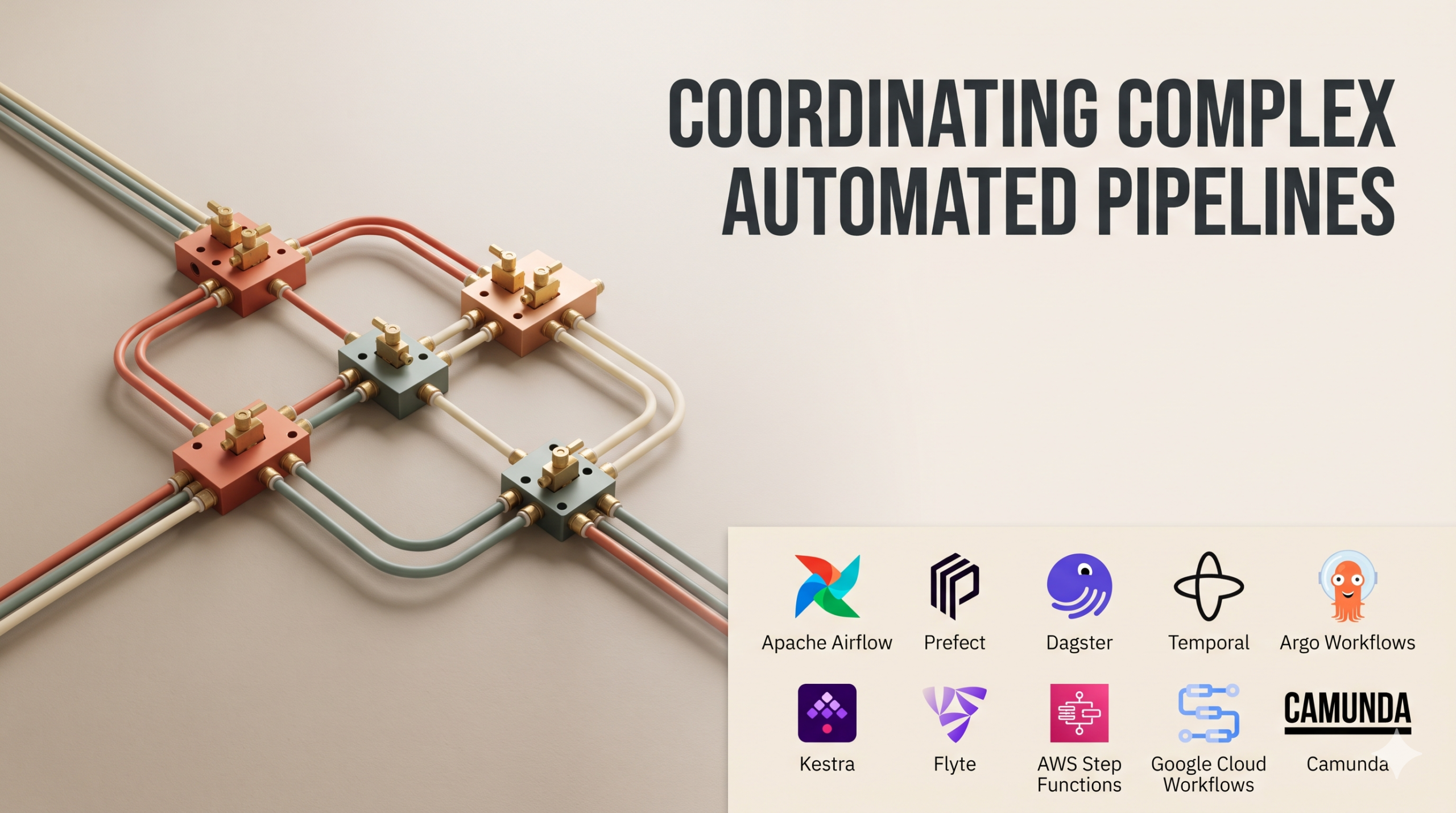
Introduction
Workflow orchestration tools help organizations coordinate, automate, schedule, and monitor interconnected computational tasks across distributed applications and infrastructure. These tools support reliable execution of complex workflows involving data processing, software development, business operations, and artificial intelligence applications.
Modern organizations frequently depend on interconnected systems that exchange information and execute tasks according to specific dependencies. Managing these activities manually can introduce operational delays, inconsistent execution, resource inefficiencies, and difficulties identifying workflow failures.
Workflow orchestration tools combine task scheduling, dependency management, execution monitoring, error handling, and automated recovery mechanisms. These capabilities help organizations establish repeatable operational processes while reducing unnecessary manual coordination.
Advanced orchestration platforms support event-driven execution, dynamic workflow generation, distributed processing, containerized workloads, and scalable infrastructure integration. These capabilities allow organizations to coordinate complex applications across cloud, on-premises, and hybrid computing environments.
Different workflow orchestration tools address varying application architectures, programming languages, infrastructure requirements, and operational objectives. Selecting appropriate software requires evaluating execution reliability, integration flexibility, scalability, observability, security, and total ownership expenses.
This guide examines ten workflow orchestration tools, including their features, benefits, advantages, limitations, and practical applications. It also provides comparison tables, implementation recommendations, performance indicators, security considerations, and frequently asked questions.
What Are Workflow Orchestration Tools?
Workflow orchestration tools are software systems designed to coordinate multiple interconnected tasks within structured execution processes. They manage task dependencies, execution conditions, scheduling requirements, resource allocation, and operational monitoring.
These platforms frequently support data pipelines, machine learning workflows, distributed applications, software deployment processes, and enterprise automation. Their capabilities depend on supported programming languages, execution architectures, integration interfaces, and infrastructure environments.
Workflow orchestration platforms can integrate with databases, cloud computing services, container orchestration systems, Application Programming Interfaces (APIs), and enterprise applications. These integrations help organizations coordinate activities across heterogeneous technology environments.
Effective workflow orchestration requires clearly defined task dependencies, reliable execution environments, appropriate error handling, and continuous operational monitoring. Orchestration platforms support these requirements through centralized workflow administration, automated execution, and configurable recovery mechanisms.
How Workflow Orchestration Tools Work
- Define workflow objectives and operational requirements.
- Identify individual tasks and execution dependencies.
- Configure workflow definitions using supported interfaces.
- Establish scheduling conditions or event-based triggers.
- Allocate appropriate computing resources.
- Execute tasks according to dependency requirements.
- Monitor workflow execution and intermediate results.
- Apply configured retry and recovery policies.
- Record execution outcomes and operational information.
- Generate notifications and release allocated resources.
Common Applications
- Data pipeline orchestration.
- Extract, Transform, Load (ETL) workflows.
- Extract, Load, Transform (ELT) processes.
- Machine learning model training.
- Artificial intelligence application workflows.
- Distributed computational processing.
- Cloud infrastructure automation.
- Software development workflows.
- Scientific computing pipelines.
- Enterprise application integration.
- Automated reporting processes.
- Containerized batch processing.
- Event-driven application coordination.
- Financial data processing.
- Business process automation.
- Scheduled operational maintenance.
Essential Components of Workflow Orchestration Tools
| Component | Purpose |
|---|---|
| Workflow definition | Describes tasks and execution requirements |
| Scheduling engine | Determines when workflows should execute |
| Dependency manager | Coordinates relationships between tasks |
| Execution engine | Runs workflow tasks |
| Event management | Initiates workflows from supported events |
| State management | Maintains workflow execution information |
| Retry mechanism | Reattempts eligible failed tasks |
| Monitoring system | Tracks workflow conditions and outcomes |
| Resource management | Coordinates execution infrastructure |
| Notification system | Communicates operational events |
| Security administration | Protects workflow resources and information |
| Integration framework | Connects external applications and services |
Top 10 Workflow Orchestration Tools
The following tools include data workflow orchestrators, distributed application execution frameworks, Kubernetes-native workflow engines, and managed cloud orchestration services. Their numbering represents presentation order rather than an independently tested performance ranking.
1. Apache Airflow
Short Description
Apache Airflow is an open-source workflow orchestration platform designed to author, schedule, and monitor computational workflows. It is widely used for data engineering, analytical processing, and scheduled operational automation.
Developers define workflows using Python-based Directed Acyclic Graphs (DAGs), which describe tasks and their dependencies. Airflow provides configurable execution environments and extensive integrations with databases, cloud services, and data processing technologies.
Key Features
- Python-based workflow definitions.
- Directed Acyclic Graph management.
- Scheduled workflow execution.
- Task dependency management.
- Configurable retry policies.
- Distributed execution capabilities.
- Web-based monitoring interface.
- Extensive provider integrations.
- Workflow execution history.
Benefits
- Improves data pipeline reliability.
- Supports repeatable computational workflows.
- Reduces manual task coordination.
- Facilitates centralized workflow monitoring.
- Enables flexible application integrations.
- Supports reusable workflow definitions.
- Improves operational troubleshooting.
Pros
- Open-source orchestration platform.
- Extensive data engineering ecosystem.
- Flexible Python-based development.
- Broad third-party integrations.
- Established scheduling capabilities.
- Strong community resources.
Cons
- Infrastructure administration requires expertise.
- Complex workflows can become difficult to maintain.
- Not primarily designed for continuous stream processing.
- Scheduler performance requires monitoring.
- Production deployments require careful configuration.
Use Cases: Data pipeline automation, ETL processing, scheduled analytics, machine learning workflows, financial reporting, and enterprise data integration.
Best For: Data engineers, Python developers, analytical infrastructure teams, enterprise data departments, cloud engineers, and open-source technology organizations.
2. Prefect
Short Description
Prefect provides workflow orchestration capabilities for Python-based applications and distributed computational processes. It helps developers coordinate tasks, monitor execution states, and manage workflow deployments using flexible programming approaches.
The platform allows developers to define workflows using Python functions and supported orchestration constructs. Its execution architecture supports configurable work pools, event-based automation, scheduling, and operational monitoring.
Key Features
- Python-native workflow development.
- Dynamic task execution.
- Workflow state management.
- Configurable task retries.
- Event-driven automation.
- Deployment scheduling.
- Distributed execution support.
- Work pool management.
- Centralized workflow observability.
Benefits
- Simplifies Python workflow development.
- Supports dynamic execution requirements.
- Improves workflow reliability.
- Reduces repetitive orchestration activities.
- Facilitates operational troubleshooting.
- Enables flexible deployment environments.
- Supports centralized workflow administration.
Pros
- Developer-friendly Python architecture.
- Flexible workflow execution patterns.
- Open-source orchestration components.
- Relevant monitoring capabilities.
- Supports dynamic computational workflows.
- Managed cloud options are available.
Cons
- Primarily oriented toward Python workflows.
- Advanced cloud functionality depends on subscription.
- Self-hosted infrastructure requires maintenance.
- Enterprise integrations require evaluation.
- Distributed execution requires configuration.
Use Cases: Data engineering pipelines, machine learning workflows, automated reporting, computational research, cloud automation, and dynamic data processing.
Best For: Python developers, data engineers, machine learning teams, research organizations, data scientists, and modern analytical infrastructure teams.
3. Dagster
Short Description
Dagster is an open-source data orchestration platform focused on managing data assets, computational dependencies, and analytical workflows. It helps organizations coordinate data processing while maintaining visibility into how information assets are produced.
Its asset-oriented architecture allows developers to define relationships between datasets, transformations, and computational processes. Integrated metadata, testing, and observability capabilities support maintainable data engineering environments.
Key Features
- Software-defined data assets.
- Data dependency management.
- Asset lineage visualization.
- Workflow scheduling.
- Sensor-based execution triggers.
- Partitioned data processing.
- Asset quality checks.
- Configurable execution resources.
- Development and monitoring interfaces.
Benefits
- Improves data asset visibility.
- Strengthens pipeline maintainability.
- Supports data quality management.
- Facilitates dependency troubleshooting.
- Enables reusable data processing components.
- Improves analytical workflow governance.
- Supports structured data engineering development.
Pros
- Strong asset-oriented architecture.
- Open-source deployment options.
- Relevant data lineage capabilities.
- Flexible Python development environment.
- Integrated testing and observability.
- Suitable for modern data platforms.
Cons
- Asset-oriented concepts require familiarization.
- Primarily focused on data orchestration.
- Complex deployments require technical expertise.
- Commercial capabilities depend on packaging.
- Migration from existing workflows requires planning.
Use Cases: Analytical data pipelines, data warehouse transformations, machine learning feature pipelines, data quality workflows, partitioned processing, and enterprise data asset management.
Best For: Data engineers, analytics engineers, data platform architects, machine learning teams, data governance specialists, and modern data infrastructure organizations.
4. Temporal
Short Description
Temporal provides durable workflow execution capabilities for distributed applications and long-running computational processes. It helps developers coordinate application logic while preserving workflow progress across supported infrastructure interruptions.
The platform maintains workflow execution history and supports deterministic replay mechanisms to reconstruct workflow state. Developers can use compatible Software Development Kits (SDKs) to build reliable distributed applications without manually implementing every recovery mechanism.
Key Features
- Durable workflow execution.
- Persistent workflow event history.
- Automatic workflow state recovery.
- Configurable activity retries.
- Long-running workflow support.
- Workflow signals and queries.
- Multiple programming language SDKs.
- Distributed worker architecture.
- Workflow execution monitoring.
Benefits
- Improves distributed application reliability.
- Supports long-running operational processes.
- Reduces custom recovery implementation.
- Facilitates complex application coordination.
- Preserves workflow execution progress.
- Supports asynchronous application architectures.
- Enables maintainable distributed workflows.
Pros
- Strong durable execution architecture.
- Open-source server availability.
- Supports multiple programming languages.
- Relevant distributed application capabilities.
- Flexible retry and recovery mechanisms.
- Managed cloud deployment options.
Cons
- Workflow determinism requires development discipline.
- Existing applications may require architectural changes.
- Self-hosted deployments require infrastructure expertise.
- Workflow history management requires planning.
- Not primarily designed as a visual business process editor.
Use Cases: Distributed application coordination, payment processing workflows, order fulfillment, asynchronous microservices, infrastructure provisioning, and long-running operational processes.
Best For: Backend developers, distributed systems engineers, enterprise software architects, fintech developers, platform engineers, and reliability-focused application teams.
5. Argo Workflows
Short Description
Argo Workflows is an open-source workflow engine designed to execute containerized computational tasks within Kubernetes environments. It helps organizations coordinate distributed processing through declarative workflow definitions.
Developers can define workflows using sequential steps or Directed Acyclic Graph structures. Its Kubernetes-native architecture allows individual tasks to execute as containers while using compatible cluster resource management capabilities.
Key Features
- Kubernetes-native workflow execution.
- Containerized task processing.
- Declarative workflow definitions.
- Directed Acyclic Graph execution.
- Sequential and parallel task coordination.
- Workflow templates.
- Artifact management integrations.
- Configurable retry mechanisms.
- Scheduled workflow execution.
Benefits
- Supports containerized computational workflows.
- Improves infrastructure portability.
- Facilitates distributed task execution.
- Reduces manual container coordination.
- Enables reusable workflow templates.
- Supports scalable processing environments.
- Integrates with Kubernetes infrastructure.
Pros
- Open-source workflow engine.
- Strong Kubernetes integration.
- Flexible container-based execution.
- Supports parallel computational workflows.
- Relevant scientific and AI applications.
- Declarative workflow configuration.
Cons
- Requires Kubernetes administration expertise.
- Workflow definitions can become complex.
- Infrastructure expenses require monitoring.
- Artifact storage requires configuration.
- Non-containerized applications may require adaptation.
Use Cases: Machine learning pipelines, scientific simulations, containerized data processing, batch computing, software testing workflows, and distributed artificial intelligence workloads.
Best For: Kubernetes administrators, platform engineers, machine learning infrastructure teams, cloud-native developers, scientific computing teams, and container-focused organizations.
6. Kestra
Short Description
Kestra provides declarative workflow orchestration capabilities for data processing, infrastructure automation, and application integration. It helps organizations coordinate scheduled and event-driven tasks through centralized workflow definitions.
The platform uses YAML-based configuration to describe workflow tasks, dependencies, triggers, and execution conditions. Its plugin ecosystem supports integrations with databases, cloud infrastructure, messaging systems, and programming environments.
Key Features
- Declarative YAML workflow definitions.
- Scheduled workflow execution.
- Event-driven triggers.
- Extensive plugin architecture.
- Dynamic workflow execution.
- Configurable retry policies.
- Centralized execution monitoring.
- Supported distributed task execution.
- Workflow version management capabilities.
Benefits
- Simplifies declarative workflow administration.
- Supports heterogeneous technology environments.
- Reduces repetitive integration development.
- Improves centralized execution visibility.
- Facilitates event-driven automation.
- Enables reusable workflow configurations.
- Supports cross-department orchestration.
Pros
- Open-source orchestration components.
- Flexible declarative architecture.
- Extensive integration opportunities.
- Supports scheduled and event-driven workflows.
- Accessible operational monitoring interface.
- Relevant infrastructure and data automation capabilities.
Cons
- YAML configurations require familiarization.
- Enterprise functionality depends on selected edition.
- Self-hosted deployments require maintenance.
- Specialized integrations may require development.
- Large-scale implementations require planning.
Use Cases: Data pipeline orchestration, infrastructure automation, cloud operations, application integration, scheduled reporting, and event-driven computational workflows.
Best For: Data engineers, platform engineers, cloud administrators, automation specialists, enterprise integration teams, and declarative workflow developers.
7. Flyte
Short Description
Flyte is an open-source workflow orchestration platform designed for scalable data processing and machine learning applications. It helps organizations define reproducible computational workflows using strongly typed tasks and configurable execution environments.
The platform uses Kubernetes-based infrastructure to coordinate distributed computational tasks. Its workflow architecture supports reusable components, execution metadata, task caching, and resource requirements for computationally intensive applications.
Key Features
- Strongly typed workflow definitions.
- Python-based workflow development.
- Kubernetes-native execution.
- Distributed computational task management.
- Task caching.
- Configurable resource requirements.
- Dynamic workflow capabilities.
- Workflow execution metadata.
- Supported GPU workload execution.
Benefits
- Improves computational reproducibility.
- Supports scalable machine learning workflows.
- Reduces unnecessary repeated computation.
- Facilitates reusable workflow development.
- Enables explicit resource configuration.
- Improves execution traceability.
- Supports complex analytical applications.
Pros
- Open-source orchestration architecture.
- Strong machine learning orientation.
- Relevant reproducibility capabilities.
- Flexible Kubernetes-based execution.
- Supports resource-intensive computational tasks.
- Useful workflow type validation.
Cons
- Requires technical infrastructure expertise.
- Kubernetes deployment introduces complexity.
- Strongly typed workflows require development discipline.
- Smaller teams may face implementation overhead.
- Specialized integrations require evaluation.
Use Cases: Machine learning model training, feature engineering, scientific data processing, distributed AI workloads, computational experiments, and reproducible analytical pipelines.
Best For: Machine learning engineers, data scientists, AI infrastructure teams, computational researchers, Kubernetes developers, and enterprise data platform organizations.
8. AWS Step Functions
Short Description
AWS Step Functions provides managed workflow orchestration capabilities within Amazon Web Services (AWS). It helps organizations coordinate distributed applications, cloud services, and automated business processes through state machine definitions.
Developers can define sequential tasks, parallel execution branches, conditional decisions, and error-handling policies. Its integrations with compatible AWS services support serverless applications, data processing, and cloud infrastructure automation.
Key Features
- Managed state machine execution.
- Visual workflow development interface.
- Conditional workflow branching.
- Parallel task execution.
- Configurable error handling.
- Automated retry mechanisms.
- AWS service integrations.
- Standard and Express workflow options.
- Workflow execution monitoring.
Benefits
- Reduces orchestration infrastructure maintenance.
- Supports serverless application architectures.
- Facilitates AWS service coordination.
- Improves workflow execution visibility.
- Enables configurable error recovery.
- Supports scalable cloud applications.
- Reduces custom orchestration development.
Pros
- Managed cloud orchestration service.
- Extensive AWS ecosystem integrations.
- Visual workflow configuration capabilities.
- Relevant distributed application support.
- Flexible execution models.
- Integrated cloud monitoring opportunities.
Cons
- Dependent on AWS infrastructure.
- Execution costs require monitoring.
- Workflow limits vary by execution type.
- Cross-cloud portability requires planning.
- Complex state machines require careful maintenance.
Use Cases: Serverless applications, cloud data processing, order management, infrastructure automation, distributed application coordination, and machine learning workflows.
Best For: AWS customers, cloud architects, serverless developers, enterprise application teams, data engineers, and organizations seeking managed orchestration services.
9. Google Cloud Workflows
Short Description
Google Cloud Workflows provides managed orchestration capabilities for coordinating Google Cloud services and supported external APIs. It helps organizations establish structured execution processes without independently maintaining workflow scheduling infrastructure.
Developers can define workflows using supported YAML or JSON configurations. The service supports conditional execution, parallel processing, error handling, and authenticated interactions with compatible cloud services.
Key Features
- Managed cloud workflow execution.
- YAML and JSON workflow definitions.
- HTTP-based service integration.
- Google Cloud service connectors.
- Conditional workflow execution.
- Parallel processing capabilities.
- Configurable retry policies.
- Execution history monitoring.
- Event-based integrations.
Benefits
- Simplifies cloud application coordination.
- Reduces orchestration infrastructure maintenance.
- Supports API-based automation.
- Improves workflow execution visibility.
- Facilitates Google Cloud service integration.
- Enables scalable distributed applications.
- Supports event-driven operational processes.
Pros
- Managed orchestration infrastructure.
- Strong Google Cloud integration.
- Flexible API-based workflow coordination.
- Supports declarative workflow definitions.
- Relevant serverless application capabilities.
- Integrated authentication opportunities.
Cons
- Primarily oriented toward Google Cloud environments.
- Execution expenses require evaluation.
- Workflow limits require consideration.
- Complex application logic can become difficult to maintain.
- Cross-platform migration requires planning.
Use Cases: Cloud service automation, API orchestration, serverless applications, event-driven workflows, data processing coordination, and infrastructure management.
Best For: Google Cloud customers, cloud developers, enterprise integration teams, serverless application engineers, infrastructure administrators, and managed cloud service organizations.
10. Camunda
Short Description
Camunda provides process orchestration capabilities for coordinating enterprise applications, human tasks, and automated business processes. It helps organizations establish structured workflows involving multiple systems and operational participants.
Camunda 8 uses the Zeebe workflow engine to support distributed process execution and scalable orchestration. Its standards-based modeling capabilities allow organizations to describe business processes using Business Process Model and Notation (BPMN).
Key Features
- BPMN-based process modeling.
- Distributed workflow execution.
- Human task coordination.
- Automated service task execution.
- Event-driven process management.
- Decision Model and Notation (DMN) support.
- Process monitoring capabilities.
- External application integrations.
- Configurable workflow error handling.
Benefits
- Improves enterprise process coordination.
- Supports human and automated workflows.
- Facilitates standardized process modeling.
- Strengthens operational visibility.
- Reduces fragmented business automation.
- Enables reusable process definitions.
- Supports complex enterprise application integration.
Pros
- Strong business process orchestration orientation.
- Standards-based workflow modeling.
- Supports distributed process execution.
- Relevant human task management.
- Flexible enterprise integration opportunities.
- Suitable for complex operational processes.
Cons
- Commercial licensing requires evaluation.
- BPMN modeling requires appropriate training.
- Enterprise deployment requires planning.
- Specialized integrations may require development.
- Not primarily focused on analytical data pipelines.
Use Cases: Order fulfillment, insurance claims processing, customer onboarding, financial approval workflows, enterprise application coordination, and business process automation.
Best For: Enterprise architects, business process analysts, application developers, financial institutions, operational automation teams, and large enterprise organizations.
Comparison Table: Top 10 Workflow Orchestration Tools
| Platform | Primary Strength | Best For | Pricing Approach |
|---|---|---|---|
| Apache Airflow | Scheduled data workflow orchestration | Data engineering | Open-source |
| Prefect | Flexible Python workflows | Dynamic computational processes | Open-source and commercial |
| Dagster | Data asset orchestration | Modern data platforms | Open-source and commercial |
| Temporal | Durable application execution | Distributed applications | Open-source and managed cloud |
| Argo Workflows | Containerized workflow execution | Kubernetes environments | Open-source |
| Kestra | Declarative workflow automation | Cross-system orchestration | Open-source and commercial |
| Flyte | Reproducible computational workflows | Machine learning infrastructure | Open-source |
| AWS Step Functions | Managed state machine orchestration | AWS applications | Usage-based |
| Google Cloud Workflows | Cloud service coordination | Google Cloud applications | Usage-based |
| Camunda | Enterprise process orchestration | Business process automation | Commercial and deployment-dependent |
Functional Comparison
| Platform | Primary Workflow Definition | Orchestration Focus |
|---|---|---|
| Apache Airflow | Python DAGs | Scheduled data pipelines |
| Prefect | Python functions | Dynamic computational workflows |
| Dagster | Python assets and jobs | Data asset dependencies |
| Temporal | Programming language SDKs | Durable distributed applications |
| Argo Workflows | YAML | Containerized task execution |
| Kestra | YAML | Data and infrastructure automation |
| Flyte | Typed Python workflows | Machine learning and scientific computing |
| AWS Step Functions | Amazon States Language | Cloud application coordination |
| Google Cloud Workflows | YAML or JSON | Cloud services and APIs |
| Camunda | BPMN | Enterprise business processes |
How to Choose the Best Workflow Orchestration Tool
Evaluate Workflow Requirements
Identify the processes requiring orchestration, including data pipelines, distributed applications, machine learning workloads, and enterprise business operations. Different orchestration tools specialize in different execution architectures and operational requirements.
Assess Development Preferences
Determine whether development teams prefer Python-based workflow definitions, declarative configuration, visual process modeling, or programming language SDKs. Selecting a compatible development approach can improve maintainability and reduce implementation complexity.
Review Execution Reliability
Evaluate task retry mechanisms, persistent execution states, failure recovery, timeout management, and workflow restart capabilities. Long-running distributed applications may require stronger durability guarantees than conventional scheduled data processing workflows.
Examine Integration Capabilities
Review compatibility with databases, cloud infrastructure, container runtimes, enterprise applications, and external APIs. Effective integration helps organizations coordinate existing technologies without introducing unnecessary custom development.
Consider Deployment Architecture
Compare self-hosted orchestration infrastructure, managed cloud services, and hybrid deployment options. Each architecture introduces different maintenance, scalability, security, and cost management requirements.
Evaluate Monitoring and Governance
Determine whether the platform provides appropriate execution histories, operational dashboards, audit records, and access controls. Centralized observability helps organizations identify workflow failures and maintain operational accountability.
Assess Total Ownership Costs
Consider software licensing, computing infrastructure, execution charges, integration development, and administrative staffing. Open-source platforms can reduce licensing expenses while still requiring substantial implementation and maintenance resources.
Best Workflow Orchestration Tools by User Type
| User Type | Relevant Platform |
|---|---|
| Data pipeline engineer | Apache Airflow |
| Python automation developer | Prefect |
| Data asset architect | Dagster |
| Distributed application engineer | Temporal |
| Kubernetes platform engineer | Argo Workflows |
| Enterprise automation specialist | Kestra |
| Machine learning infrastructure engineer | Flyte |
| AWS serverless developer | AWS Step Functions |
| Google Cloud developer | Google Cloud Workflows |
| Business process architect | Camunda |
Practical Example: Implementing Workflow Orchestration
Consider a hypothetical enterprise operating 450 automated data processing and application integration workflows across multiple departments. Its existing scheduling procedures depend on independent scripts, manual coordination, and fragmented monitoring systems.
Management introduces centralized workflow orchestration to improve execution reliability, reduce operational delays, and strengthen process visibility. The following outcomes represent illustrative assumptions rather than verified vendor performance.
Implementation Steps
- Inventory existing workflows, scripts, and application dependencies.
- Identify critical processes and establish measurable improvement objectives.
- Select an orchestration platform compatible with existing infrastructure.
- Convert representative workflows into structured orchestration definitions.
- Configure execution schedules, retry policies, and failure notifications.
- Integrate operational monitoring and approved security controls.
- Expand successful implementations and evaluate workflow performance.
Illustrative Performance Improvements
| Performance Indicator | Before | After |
|---|---|---|
| Successful workflow execution rate | 83% | 98% |
| Average workflow completion time | 120 minutes | 65 minutes |
| Monthly failed workflow executions | 340 | 75 |
| Average failure detection time | 90 minutes | 5 minutes |
| Average recovery time | 180 minutes | 35 minutes |
| Monthly manual coordination workload | 900 hours | 300 hours |
| Centralized workflow visibility | 40% | 100% |
| Automated retry coverage | 25% | 95% |
| On-time workflow completion rate | 72% | 96% |
| Monthly duplicate processing incidents | 65 | 8 |
Financial Analysis
Reducing monthly manual coordination workloads by 600 hours releases 7,200 employee hours annually. At an illustrative labor cost of $40 per hour, this represents $288,000 in released annual labor capacity rather than guaranteed cash savings.
Suppose separately realized annual operating savings from reduced processing failures, unnecessary computing expenses, and avoidable external support costs equal $420,000. After recurring orchestration platform and maintenance expenses of $120,000, annual net cash savings would equal $300,000.
An initial implementation investment of $375,000 would therefore produce a simple payback period of 15 months. This calculation excludes financing costs, taxes, discounting, and the separately estimated value of released employee capacity.
Important Workflow Orchestration Performance Indicators
| Indicator | Measurement Purpose |
|---|---|
| Workflow success rate | Measures successfully completed workflows |
| Workflow execution duration | Tracks total workflow processing time |
| Task execution duration | Evaluates individual task processing performance |
| Scheduling latency | Measures delays between eligibility and execution |
| Workflow throughput | Tracks completed workflows within a defined period |
| Task failure rate | Measures unsuccessful task executions |
| Retry frequency | Tracks repeated task execution attempts |
| Mean Time to Detect (MTTD) | Measures average failure detection duration |
| Mean Time to Recover (MTTR) | Measures average operational recovery duration |
| On-time completion rate | Evaluates adherence to workflow deadlines |
| Resource utilization | Measures computing infrastructure usage |
| Cost per workflow execution | Evaluates operational processing expenses |
| Duplicate execution rate | Tracks unintended repeated processing |
| Workflow availability | Measures orchestration infrastructure readiness |
| Dependency failure rate | Tracks failures associated with upstream tasks |
| Administrative workload | Measures continuing manual orchestration effort |
Security and Governance Considerations
Workflow orchestration platforms frequently manage sensitive information, application credentials, operational configurations, and enterprise processing activities. Organizations should implement appropriate access controls, encryption, credential management, and administrative audit logging.
Workflow tasks should operate using least-privilege permissions and approved execution environments. Sensitive credentials should be retrieved through compatible secrets management mechanisms rather than embedded directly within workflow definitions.
Organizations should establish documented responsibilities for workflow ownership, configuration approval, execution monitoring, and incident response. Version-controlled workflow definitions can improve change traceability and support controlled deployment procedures.
Automated retries and recovery mechanisms should account for the potential consequences of repeated operations. Workflows involving payments, database modifications, or external service requests should use appropriate idempotency mechanisms and transaction safeguards.
Challenges and Limitations
Complex workflows can contain numerous dependencies, conditional branches, and external service integrations. Inadequately structured workflow definitions can become difficult to maintain and troubleshoot as operational requirements evolve.
External applications may experience temporary outages, authentication failures, or changes to supported interfaces. Orchestration platforms should incorporate appropriate timeout policies, retry mechanisms, and failure escalation procedures.
Distributed workflow execution can introduce resource contention, communication delays, and inconsistent task completion conditions. Organizations should evaluate infrastructure capacity and execution concurrency under representative operational workloads.
Automated retries can produce unintended duplicate operations when workflow tasks are not designed for safe repeated execution. Developers should establish idempotent processing mechanisms and appropriate safeguards for consequential operations.
Centralized orchestration infrastructure can become an operational dependency for numerous enterprise applications. Organizations should establish appropriate availability architectures, backup procedures, and recovery mechanisms to reduce the impact of infrastructure failures.
Best Practices for Workflow Orchestration
- Establish clearly defined workflow objectives.
- Document task dependencies and execution conditions.
- Design reusable workflow components.
- Maintain workflow definitions under version control.
- Configure appropriate task timeout policies.
- Implement controlled retry mechanisms.
- Design idempotent tasks where practical.
- Establish appropriate resource allocation limits.
- Monitor workflow execution continuously.
- Protect application credentials and sensitive information.
- Implement least-privilege execution permissions.
- Maintain representative workflow testing environments.
- Establish failure notification and escalation procedures.
- Document workflow ownership responsibilities.
- Monitor execution costs and resource utilization.
- Validate workflow changes before production deployment.
- Maintain infrastructure recovery procedures.
- Review workflow performance and reliability regularly.
Future Trends in Workflow Orchestration Tools
AI-Assisted Workflow Development
Artificial Intelligence may increasingly help developers generate workflow definitions, identify dependency problems, and investigate execution failures. Generated configurations should undergo appropriate technical review and representative testing before production deployment.
Event-Driven Orchestration
Organizations may increasingly adopt workflows initiated by application events, incoming information, and changing operational conditions. Event-driven architectures can reduce unnecessary scheduled processing while improving responsiveness to relevant activities.
Durable Distributed Execution
Workflow orchestration platforms may increasingly incorporate persistent execution states and advanced recovery mechanisms. These capabilities can help distributed applications maintain progress during infrastructure interruptions and temporary external service failures.
Unified Data and AI Orchestration
Organizations may increasingly coordinate data preparation, model training, evaluation, deployment, and inference activities within integrated workflow environments. These architectures can improve operational visibility throughout artificial intelligence development lifecycles.
Multi-Cloud Workflow Coordination
Orchestration platforms may increasingly support workflows spanning multiple cloud providers and locally managed infrastructure. These capabilities can improve deployment flexibility while introducing additional security, networking, and governance requirements.
Intelligent Resource Optimization
Workflow orchestration tools may increasingly incorporate workload characteristics, execution costs, and resource availability into scheduling decisions. Organizations should evaluate these capabilities alongside execution reliability, operational deadlines, and infrastructure expenses.
Frequently Asked Questions
1. What are workflow orchestration tools?
Workflow orchestration tools coordinate interconnected tasks across applications and computing infrastructure. They support dependency management, scheduling, execution monitoring, and automated recovery.
2. Why is workflow orchestration important?
Workflow orchestration helps organizations manage complex operational processes consistently and reliably. It can reduce manual coordination, improve execution visibility, and support repeatable automation.
3. What is Apache Airflow?
Apache Airflow is an open-source workflow orchestration platform commonly used for scheduled data processing. It uses Python-based workflow definitions to coordinate tasks and dependencies.
4. What is Prefect?
Prefect provides Python-based workflow orchestration capabilities for dynamic computational processes. It supports task execution, state management, scheduling, and operational monitoring.
5. What is Dagster?
Dagster is a data orchestration platform focused on managing data assets and computational dependencies. It supports asset lineage, data quality checks, and structured analytical workflows.
6. What is Temporal?
Temporal provides durable workflow execution capabilities for distributed applications. It helps developers preserve workflow progress and coordinate long-running operational processes.
7. What is Argo Workflows?
Argo Workflows is a Kubernetes-native workflow engine for containerized computational tasks. It supports sequential and parallel execution through declarative workflow definitions.
8. What is Kestra?
Kestra provides declarative workflow orchestration capabilities for data processing and infrastructure automation. It uses YAML-based workflow definitions and supports extensive application integrations.
9. What is Flyte?
Flyte is an open-source orchestration platform designed for scalable machine learning and data processing workflows. It supports typed workflow definitions, task caching, and distributed execution.
10. What is AWS Step Functions?
AWS Step Functions provides managed workflow orchestration within Amazon Web Services. It uses state machines to coordinate compatible cloud services and distributed applications.
11. What is Google Cloud Workflows?
Google Cloud Workflows provides managed orchestration capabilities for cloud services and external APIs. It supports declarative workflow definitions, conditional execution, and error handling.
12. What is Camunda?
Camunda provides enterprise process orchestration capabilities for automated and human-operated workflows. It supports standards-based business process modeling and distributed process execution.
13. What is a Directed Acyclic Graph?
A Directed Acyclic Graph represents tasks and directional dependencies without circular dependency paths. Workflow orchestration tools frequently use DAGs to determine eligible task execution sequences.
14. What is the difference between workflow automation and orchestration?
Workflow automation executes individual tasks or predefined processes automatically. Workflow orchestration coordinates multiple automated tasks, dependencies, applications, and execution conditions within broader operational processes.
15. What is event-driven workflow orchestration?
Event-driven workflow orchestration initiates or advances workflows in response to defined application events. Examples include incoming messages, completed tasks, and newly available information.
16. What is durable workflow execution?
Durable workflow execution preserves sufficient workflow state or history to support continued processing after certain infrastructure interruptions. It is particularly useful for long-running distributed applications.
17. What is workflow idempotency?
Workflow idempotency refers to designing operations so repeated execution does not produce unintended additional effects. It helps reduce duplicate processing risks when workflows retry failed or uncertain operations.
18. What is a workflow dependency?
A workflow dependency defines a relationship in which one task requires another task or condition to complete before execution. Dependency management helps maintain appropriate processing sequences.
19. What is workflow observability?
Workflow observability provides visibility into task execution, workflow states, operational events, and performance information. It helps administrators investigate failures and understand workflow behavior.
20. Can workflow orchestration tools support machine learning?
Many orchestration platforms support machine learning workflows involving data preparation, model training, evaluation, and deployment. Effective implementation requires compatible computing resources and appropriate model lifecycle management.
21. Can workflow orchestration tools integrate with Kubernetes?
Several orchestration platforms support Kubernetes-native execution or compatible Kubernetes integrations. These capabilities help organizations coordinate containerized computational workloads.
22. Can workflow orchestration tools reduce operational costs?
Workflow orchestration can reduce repetitive administrative activities and avoid certain unnecessary processing expenses. Actual financial savings depend on implementation quality, workload characteristics, and realized operational improvements.
23. Are open-source workflow orchestration tools available?
Apache Airflow, Prefect, Dagster, Temporal, Argo Workflows, Kestra, and Flyte provide relevant open-source orchestration components. Production deployments still require infrastructure, integration development, and continuing technical support.
24. How much do workflow orchestration tools cost?
Costs depend on software licensing, workflow execution volumes, computing infrastructure, integration requirements, and administrative resources. Organizations should evaluate complete ownership expenses rather than subscription prices alone.
25. Which workflow orchestration tool is best?
The appropriate tool depends on workflow characteristics, programming preferences, infrastructure architecture, reliability requirements, and available technical expertise. Representative implementation testing helps organizations identify suitable orchestration technologies.
Conclusion
Workflow orchestration tools help organizations coordinate interconnected computational tasks across applications, infrastructure, and operational environments. Their capabilities support automated scheduling, dependency management, execution monitoring, error recovery, and centralized workflow administration.
Apache Airflow, Prefect, and Dagster provide capabilities relevant to data engineering and analytical workflow orchestration. These platforms address different combinations of scheduled processing, dynamic execution, and data asset management requirements.
Temporal, Argo Workflows, Kestra, and Flyte support durable application execution, containerized processing, declarative automation, and scalable machine learning workflows. AWS Step Functions and Google Cloud Workflows provide managed cloud orchestration capabilities, while Camunda addresses enterprise business process coordination.
Successful implementation requires clearly defined workflow dependencies, compatible execution infrastructure, appropriate error-handling mechanisms, secure configurations, and continuous operational monitoring. Organizations should evaluate execution reliability alongside processing performance, resource utilization, maintainability, and total ownership expenses.
An effective workflow orchestration strategy combines appropriate technology with responsible operational governance and continuous improvement. These practices help organizations reduce manual coordination, strengthen application reliability, improve computational efficiency, and maintain dependable automated processes across complex technology environments.
