Introduction
Graphics Processing Unit (GPU) cluster scheduling tools help organizations allocate accelerated computing resources across distributed infrastructure, artificial intelligence workloads, and scientific computing applications. These tools coordinate workload execution while improving resource utilization and operational efficiency.
Modern organizations increasingly depend on GPU clusters for Artificial Intelligence (AI), Machine Learning (ML), deep learning, scientific simulations, and large-scale data processing. Managing these computational workloads manually becomes increasingly difficult as infrastructure expands and resource requirements become more complex.
GPU cluster scheduling tools combine workload queuing, resource allocation, priority management, distributed job execution, and infrastructure monitoring. These capabilities help organizations distribute expensive computing resources among competing workloads according to established operational policies.
Advanced scheduling platforms support topology-aware placement, gang scheduling, workload preemption, GPU sharing, elastic resource allocation, and distributed training coordination. These technologies can improve computing efficiency while addressing the requirements of complex accelerated workloads.
Different GPU cluster scheduling tools address varying infrastructure architectures, container environments, workload requirements, and organizational priorities. Selecting appropriate software requires evaluating scheduling capabilities, hardware compatibility, scalability, resource isolation, operational flexibility, and total ownership expenses.
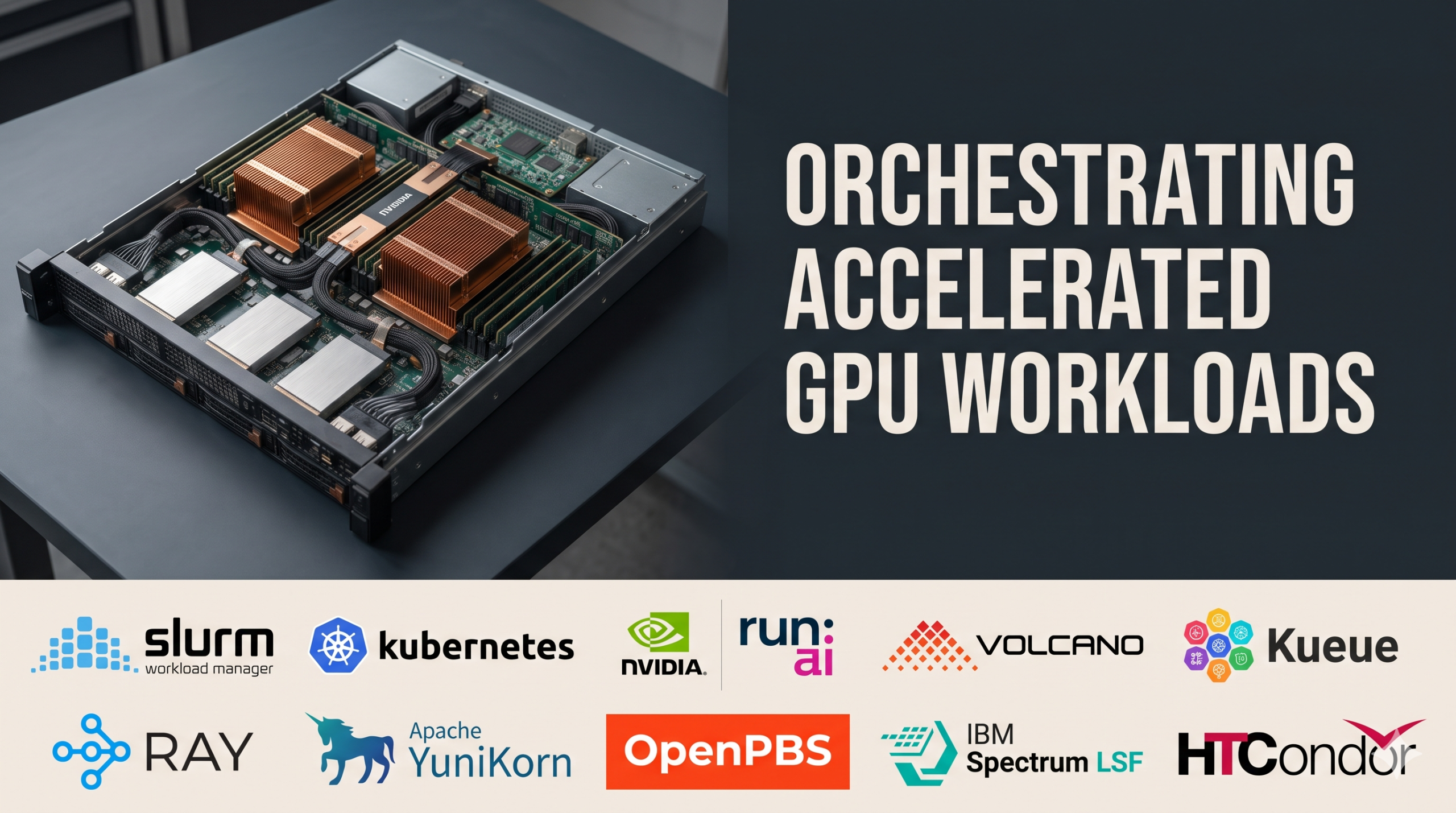
This guide examines ten GPU cluster scheduling tools, including their features, benefits, advantages, limitations, and practical applications. It also provides comparison tables, implementation recommendations, performance indicators, security considerations, and frequently asked questions.
What Are GPU Cluster Scheduling Tools?
GPU cluster scheduling tools are software systems designed to coordinate computational workloads across multiple GPU-equipped computing nodes. They determine when and where workloads should execute according to available resources, workload requirements, scheduling policies, and infrastructure conditions.
These tools frequently support distributed AI training, machine learning inference, High-Performance Computing (HPC), scientific research, and accelerated data processing. Their capabilities depend on supported hardware architectures, operating systems, container technologies, and resource management mechanisms.
GPU scheduling platforms can integrate with Kubernetes, container runtimes, machine learning frameworks, monitoring systems, and cloud infrastructure services. These integrations help organizations coordinate computational workloads across shared accelerated computing environments.
Effective GPU cluster scheduling requires accurate resource inventories, appropriate workload priorities, reliable infrastructure monitoring, and documented resource allocation policies. Scheduling platforms support these requirements through automated placement, workload coordination, resource tracking, and administrative controls.
How GPU Cluster Scheduling Tools Work
- Register available GPU-equipped computing nodes.
- Identify hardware capabilities and resource availability.
- Receive workload submissions from authorized users.
- Evaluate GPU, memory, processor, and networking requirements.
- Assign workloads to appropriate scheduling queues.
- Apply workload priorities and resource allocation policies.
- Identify compatible computing nodes.
- Coordinate workload placement and execution.
- Monitor resource utilization and job execution outcomes.
- Release computing resources when workloads finish.
Common Applications
- Distributed deep learning model training.
- Large Language Model (LLM) development.
- Accelerated machine learning inference.
- Scientific computing workloads.
- High-performance computational simulations.
- Computer vision model development.
- Generative AI infrastructure management.
- GPU-based data processing.
- Academic research computing.
- Financial risk modeling.
- Molecular simulation workloads.
- Autonomous vehicle model development.
- Enterprise AI infrastructure management.
- Shared GPU resource administration.
- Cloud-based accelerated computing.
Essential Components of GPU Cluster Scheduling Tools
| Component | Purpose |
|---|---|
| Resource inventory | Tracks available GPU computing resources |
| Workload scheduler | Determines appropriate workload placement |
| Job queue | Organizes pending computational workloads |
| Priority management | Establishes workload execution order |
| Resource quotas | Controls computing resource allocation |
| Gang scheduling | Coordinates workloads requiring simultaneous resources |
| Topology awareness | Considers hardware and network relationships |
| Preemption management | Reallocates resources according to approved policies |
| Monitoring system | Tracks workload and infrastructure performance |
| Resource accounting | Records computing resource consumption |
| Security administration | Protects shared infrastructure and workloads |
| Integration framework | Connects scheduling with external applications |
Top 10 GPU Cluster Scheduling Tools
The following tools include dedicated GPU scheduling platforms, general-purpose workload managers, Kubernetes scheduling extensions, and distributed computing frameworks. Their numbering represents presentation order rather than an independently tested performance ranking.
1. Slurm Workload Manager
Short Description
Slurm Workload Manager is an open-source workload scheduling and resource management system widely used in high-performance computing environments. It helps organizations allocate computing nodes, GPUs, memory, and other resources across shared computational infrastructure.
Administrators can establish partitions, workload priorities, resource limits, and scheduling policies according to organizational requirements. Its Generic Resource (GRES) management capabilities support GPU allocation across compatible computing nodes.
Key Features
- Distributed workload scheduling.
- GPU resource allocation.
- Priority-based job queuing.
- Resource partition management.
- Fair-share scheduling.
- Job dependency management.
- Workload preemption policies.
- Resource accounting.
- Multi-node workload execution.
Benefits
- Improves shared GPU resource utilization.
- Supports large-scale scientific computing.
- Facilitates fair resource distribution.
- Reduces manual workload coordination.
- Supports complex distributed jobs.
- Improves computational resource visibility.
- Enables configurable scheduling policies.
Pros
- Open-source architecture.
- Established HPC scheduling ecosystem.
- Supports large computing clusters.
- Flexible resource allocation policies.
- Strong GPU scheduling capabilities.
- Extensive research computing adoption.
Cons
- Administration requires HPC expertise.
- Configuration can become complex.
- Graphical administration may require additional tools.
- Cloud integration requires planning.
- Container-oriented workflows require compatible integrations.
Use Cases: Scientific simulations, distributed AI training, university research computing, molecular modeling, GPU-based data processing, and supercomputing infrastructure.
Best For: Research institutions, supercomputing centers, universities, HPC administrators, scientific computing teams, and large AI research organizations.
2. Kubernetes
Short Description
Kubernetes is an open-source container orchestration platform that supports scheduling workloads across distributed computing infrastructure. Through compatible device plugins and hardware integrations, it can allocate GPUs to containerized artificial intelligence applications.
Its default scheduler evaluates workload resource requirements and available computing nodes before determining placement. Additional scheduling extensions can provide advanced capabilities for distributed training, resource sharing, and specialized GPU workloads.
Key Features
- Containerized workload scheduling.
- GPU allocation through compatible device plugins.
- Resource requests and limits.
- Node affinity and anti-affinity.
- Workload priority management.
- Supported preemption policies.
- Namespace-based resource quotas.
- Extensible scheduling architecture.
- Automated workload lifecycle management.
Benefits
- Supports standardized AI infrastructure.
- Improves containerized workload coordination.
- Facilitates scalable GPU deployments.
- Enables integration with cloud infrastructure.
- Supports heterogeneous computing environments.
- Reduces manual application administration.
- Provides flexible scheduling extensibility.
Pros
- Open-source orchestration ecosystem.
- Extensive cloud and enterprise adoption.
- Flexible hardware integration architecture.
- Strong container management capabilities.
- Broad monitoring and automation integrations.
- Supports distributed application environments.
Cons
- Native scheduling lacks certain advanced AI job features.
- GPU sharing requires compatible extensions.
- Cluster administration requires technical expertise.
- Distributed training may require additional operators.
- Infrastructure configuration can become complex.
Use Cases: Containerized AI training, machine learning inference, enterprise GPU infrastructure, cloud-native applications, distributed analytics, and AI application deployment.
Best For: Platform engineers, Kubernetes administrators, cloud architects, machine learning infrastructure teams, enterprise developers, and container-focused organizations.
3. NVIDIA Run:ai
Short Description
NVIDIA Run:ai provides GPU workload orchestration and resource management capabilities for artificial intelligence infrastructure. It helps organizations coordinate shared accelerated computing resources across AI development and production workloads.
The platform builds on Kubernetes-based infrastructure and supports advanced scheduling policies for compatible GPU environments. Its resource allocation capabilities help organizations manage competing workloads and improve accelerator utilization.
Key Features
- GPU workload orchestration.
- Centralized GPU resource management.
- Supported fractional GPU allocation.
- Dynamic resource allocation.
- Workload priority management.
- Resource quota administration.
- Distributed training coordination.
- GPU utilization monitoring.
- Kubernetes-based infrastructure integration.
Benefits
- Improves shared GPU resource utilization.
- Supports AI workload prioritization.
- Reduces resource allocation complexity.
- Facilitates distributed model training.
- Strengthens infrastructure visibility.
- Supports multi-team AI environments.
- Enables more flexible resource administration.
Pros
- Dedicated AI infrastructure orientation.
- Advanced GPU resource management capabilities.
- Strong Kubernetes integration.
- Supports enterprise AI workloads.
- Relevant GPU sharing functionality.
- Centralized administrative visibility.
Cons
- Commercial licensing requires evaluation.
- Requires compatible Kubernetes infrastructure.
- Advanced deployment requires specialist expertise.
- Hardware sharing capabilities vary by configuration.
- Enterprise implementation requires planning.
Use Cases: Enterprise AI infrastructure, distributed deep learning, generative AI development, shared GPU environments, model experimentation, and accelerated research computing.
Best For: Enterprise AI teams, GPU infrastructure administrators, machine learning engineers, research organizations, data science departments, and large model development teams.
4. Volcano
Short Description
Volcano is an open-source Kubernetes-native batch scheduling system designed for computationally intensive workloads. It provides scheduling capabilities relevant to artificial intelligence, machine learning, scientific computing, and distributed data processing.
The platform extends Kubernetes scheduling through job-oriented resource management and specialized scheduling policies. Its gang scheduling capabilities help coordinate distributed workloads that require multiple computing resources to become available together.
Key Features
- Kubernetes-native batch scheduling.
- Gang scheduling.
- Job queue management.
- Priority-based workload allocation.
- Resource fairness policies.
- Supported workload preemption.
- Distributed job execution.
- GPU resource scheduling.
- Extensible scheduling plugins.
Benefits
- Improves distributed workload coordination.
- Supports multi-node AI training.
- Reduces partial resource allocation problems.
- Facilitates shared computing environments.
- Enables configurable scheduling policies.
- Supports computationally intensive applications.
- Extends Kubernetes batch processing capabilities.
Pros
- Open-source architecture.
- Strong Kubernetes-native integration.
- Relevant distributed job scheduling capabilities.
- Flexible scheduling plugin system.
- Supports AI and HPC workloads.
- Useful gang scheduling functionality.
Cons
- Requires Kubernetes administration expertise.
- Advanced policies require configuration.
- Monitoring may require complementary software.
- Enterprise support arrangements require evaluation.
- Integration complexity depends on workload architecture.
Use Cases: Distributed model training, Kubernetes batch processing, scientific computing, GPU cluster administration, large-scale data analytics, and research computing.
Best For: Kubernetes administrators, AI platform engineers, HPC developers, research institutions, cloud-native infrastructure teams, and open-source computing organizations.
5. Kueue
Short Description
Kueue is an open-source Kubernetes-native job queuing and workload admission system. It helps organizations manage when computational workloads can begin according to available resources, quotas, and organizational scheduling policies.
The platform coordinates resource admission while relying on Kubernetes and compatible workload controllers for subsequent execution. Its queue management capabilities are particularly relevant to shared GPU clusters and distributed machine learning infrastructure.
Key Features
- Kubernetes workload admission control.
- Centralized job queue management.
- Cluster-wide resource quotas.
- Resource flavor management.
- Workload priority policies.
- Supported preemption mechanisms.
- Fair-sharing capabilities.
- Distributed workload admission.
- Supported multi-cluster workload coordination.
Benefits
- Improves GPU workload admission management.
- Supports fair resource allocation.
- Reduces resource contention.
- Facilitates shared AI infrastructure.
- Enables centralized quota administration.
- Supports Kubernetes-native batch workloads.
- Improves organizational scheduling governance.
Pros
- Open-source Kubernetes project.
- Strong integration with Kubernetes workload APIs.
- Flexible resource quota management.
- Relevant distributed AI workload support.
- Supports multiple workload frameworks.
- Complements existing Kubernetes scheduling.
Cons
- Not a standalone node-level scheduler.
- Requires compatible workload controllers.
- Advanced configurations require Kubernetes expertise.
- GPU sharing requires complementary mechanisms.
- Monitoring and reporting may require additional tools.
Use Cases: Shared GPU clusters, machine learning training queues, Kubernetes batch workloads, research computing, resource quota administration, and multi-team AI environments.
Best For: Kubernetes platform engineers, AI infrastructure administrators, research organizations, enterprise cloud teams, machine learning developers, and shared computing operators.
6. Ray
Short Description
Ray is an open-source distributed computing framework designed to execute scalable Python applications across computing clusters. It provides resource-aware task and actor scheduling for machine learning, distributed data processing, and artificial intelligence applications.
Ray allows developers to specify GPU requirements for individual tasks, actors, and distributed workloads. Its placement group capabilities help coordinate resource reservations for applications requiring multiple computing resources.
Key Features
- Distributed task scheduling.
- GPU-aware resource allocation.
- Actor-based computing architecture.
- Placement group management.
- Distributed machine learning training.
- Supported cluster autoscaling.
- Distributed inference capabilities.
- Resource monitoring.
- Kubernetes integration through KubeRay.
Benefits
- Simplifies distributed AI application development.
- Supports scalable computational workloads.
- Improves application-level resource coordination.
- Facilitates distributed model training.
- Enables flexible GPU task allocation.
- Supports heterogeneous computing environments.
- Integrates training, tuning, and inference workflows.
Pros
- Open-source distributed computing framework.
- Strong Python development ecosystem.
- Relevant AI and machine learning integrations.
- Flexible application-level scheduling.
- Supports distributed inference applications.
- Useful resource placement capabilities.
Cons
- Not a complete enterprise infrastructure scheduler.
- Application architecture may require adaptation.
- Large deployments require specialist expertise.
- Resource declarations do not guarantee hardware isolation.
- Multi-tenant governance requires complementary infrastructure.
Use Cases: Distributed AI training, hyperparameter optimization, reinforcement learning, parallel data processing, scalable inference, and generative AI applications.
Best For: Machine learning engineers, Python developers, AI researchers, distributed computing teams, data scientists, and enterprise AI application developers.
7. Apache YuniKorn
Short Description
Apache YuniKorn is an open-source resource scheduling system supporting Kubernetes-based computing environments. It provides hierarchical queue management and resource allocation capabilities for shared computational infrastructure.
The scheduler helps organizations coordinate workloads according to resource requirements, queue policies, and organizational priorities. Its flexible scheduling architecture can support GPU resources exposed through compatible Kubernetes device integrations.
Key Features
- Kubernetes workload scheduling.
- Hierarchical queue management.
- Resource quota administration.
- Fair resource allocation.
- Supported gang scheduling.
- Workload priority management.
- GPU resource scheduling.
- Application-aware resource management.
- Extensible scheduling policies.
Benefits
- Improves shared infrastructure utilization.
- Supports organizational resource hierarchies.
- Facilitates fair workload allocation.
- Reduces scheduling conflicts.
- Enables configurable queue policies.
- Supports distributed computational applications.
- Strengthens resource governance.
Pros
- Open-source scheduling architecture.
- Strong hierarchical queue capabilities.
- Supports heterogeneous workloads.
- Relevant Kubernetes integration.
- Flexible resource management policies.
- Suitable for shared computing environments.
Cons
- Requires technical configuration expertise.
- GPU-specific capabilities depend on integrations.
- Enterprise deployment requires planning.
- Advanced monitoring may require complementary tools.
- Specialized AI workflows require additional components.
Use Cases: Shared Kubernetes GPU clusters, enterprise batch computing, distributed data processing, AI workload scheduling, research computing, and multi-department resource allocation.
Best For: Kubernetes administrators, enterprise platform teams, distributed computing engineers, research institutions, data infrastructure teams, and shared resource administrators.
8. OpenPBS
Short Description
OpenPBS is an open-source workload management and job scheduling system designed for high-performance computing infrastructure. It helps organizations coordinate computational workloads across distributed computing resources.
Administrators can define resource requirements, execution queues, scheduling priorities, and allocation policies. GPU-equipped computing nodes can be incorporated into compatible resource configurations to support accelerated computational workloads.
Key Features
- HPC workload scheduling.
- Distributed job execution.
- Configurable job queues.
- GPU resource allocation.
- Resource reservation capabilities.
- Job dependency management.
- Scheduling policy administration.
- Resource usage accounting.
- Multi-node workload coordination.
Benefits
- Supports large-scale computational workloads.
- Improves shared computing resource utilization.
- Facilitates scientific research infrastructure.
- Reduces manual job administration.
- Enables configurable resource allocation.
- Supports accelerated computing applications.
- Improves workload execution visibility.
Pros
- Open-source workload management system.
- Established HPC scheduling capabilities.
- Flexible resource configuration.
- Supports distributed computing environments.
- Relevant scientific computing applications.
- Useful resource reservation functionality.
Cons
- Administration requires HPC expertise.
- GPU configuration requires technical planning.
- Container-native workflows require integrations.
- Advanced reporting may require additional tools.
- Infrastructure maintenance requires continuing resources.
Use Cases: Scientific simulations, engineering analysis, GPU-accelerated research, university computing, distributed AI training, and high-performance computational workloads.
Best For: HPC administrators, universities, scientific research organizations, engineering companies, supercomputing facilities, and computational science teams.
9. IBM Spectrum LSF
Short Description
IBM Spectrum LSF provides enterprise workload scheduling and resource management capabilities for distributed computing environments. It helps organizations allocate computational resources across high-performance computing, engineering, and accelerated workloads.
The platform supports configurable workload queues, resource requirements, scheduling policies, and compatible GPU resource management. Its enterprise-oriented architecture addresses complex computing environments containing multiple departments and competing workload priorities.
Key Features
- Enterprise workload scheduling.
- GPU resource management.
- Distributed job execution.
- Priority-based workload queues.
- Fair-share scheduling.
- Resource reservation capabilities.
- Supported workload preemption.
- Resource accounting and reporting.
- Hybrid computing integrations.
Benefits
- Improves enterprise computing resource utilization.
- Supports complex workload scheduling policies.
- Facilitates shared GPU infrastructure.
- Reduces manual workload coordination.
- Enables centralized resource administration.
- Supports engineering and research workloads.
- Improves computational resource visibility.
Pros
- Established enterprise workload management capabilities.
- Strong HPC scheduling orientation.
- Flexible resource allocation policies.
- Supports complex computing environments.
- Relevant enterprise governance features.
- Suitable for large-scale computational workloads.
Cons
- Commercial licensing requires consultation.
- Implementation requires specialist expertise.
- Configuration can become complex.
- Enterprise infrastructure maintenance requires resources.
- May be excessive for smaller GPU clusters.
Use Cases: Enterprise HPC, engineering simulations, AI model training, financial modeling, scientific research, and shared accelerated computing infrastructure.
Best For: Large enterprises, engineering organizations, HPC administrators, financial institutions, scientific research teams, and enterprise AI infrastructure departments.
10. HTCondor
Short Description
HTCondor is an open-source workload management system designed for distributed high-throughput computing. It helps organizations execute computational jobs across available computing resources while managing workload requirements and execution policies.
The platform uses resource discovery and matchmaking mechanisms to identify suitable execution environments. Compatible GPU discovery and resource configuration capabilities allow accelerated workloads to participate in distributed computing pools.
Key Features
- Distributed workload scheduling.
- GPU resource discovery.
- Resource matchmaking.
- High-throughput job execution.
- Configurable workload priorities.
- Job dependency workflows.
- Resource usage monitoring.
- Distributed computing pool management.
- Supported workload recovery mechanisms.
Benefits
- Improves distributed computing utilization.
- Supports large computational job populations.
- Facilitates opportunistic resource usage.
- Reduces manual job coordination.
- Enables flexible workload requirements.
- Supports accelerated research applications.
- Improves computational throughput.
Pros
- Open-source architecture.
- Strong high-throughput computing orientation.
- Flexible resource matchmaking capabilities.
- Supports heterogeneous computing environments.
- Relevant academic research applications.
- Useful distributed workload management.
Cons
- Administration requires technical expertise.
- Tightly coupled distributed training requires careful configuration.
- GPU support depends on compatible execution environments.
- Enterprise graphical administration may require additional tools.
- Complex workload policies require planning.
Use Cases: Distributed scientific research, independent GPU experiments, computational simulations, batch machine learning workloads, parameter exploration, and academic computing.
Best For: Universities, research institutions, scientific computing teams, distributed computing administrators, computational researchers, and high-throughput workload operators.
Comparison Table: Top 10 GPU Cluster Scheduling Tools
| Platform | Primary Strength | Best For | Pricing Approach |
|---|---|---|---|
| Slurm | Large-scale HPC scheduling | Supercomputing and AI research | Open-source |
| Kubernetes | Containerized resource orchestration | Cloud-native GPU infrastructure | Open-source |
| NVIDIA Run:ai | Advanced GPU orchestration | Enterprise AI infrastructure | Commercial offerings |
| Volcano | Distributed batch scheduling | Kubernetes AI workloads | Open-source |
| Kueue | Workload admission and resource quotas | Shared Kubernetes GPU clusters | Open-source |
| Ray | Application-level distributed computing | Machine learning applications | Open-source |
| Apache YuniKorn | Hierarchical resource scheduling | Shared enterprise clusters | Open-source |
| OpenPBS | HPC workload management | Scientific computing | Open-source |
| IBM Spectrum LSF | Enterprise workload scheduling | Large computational environments | Commercial licensing |
| HTCondor | High-throughput distributed computing | Research and batch workloads | Open-source |
Functional Comparison
| Platform | Primary Environment | Scheduling Focus |
|---|---|---|
| Slurm | HPC and accelerated computing clusters | Resource and job scheduling |
| Kubernetes | Containerized infrastructure | Pod placement and orchestration |
| NVIDIA Run:ai | Kubernetes-based AI infrastructure | GPU allocation and orchestration |
| Volcano | Kubernetes batch computing | Gang and distributed job scheduling |
| Kueue | Kubernetes workload environments | Queue admission and resource quotas |
| Ray | Distributed Python applications | Task and actor scheduling |
| Apache YuniKorn | Shared Kubernetes clusters | Hierarchical resource allocation |
| OpenPBS | HPC infrastructure | Distributed workload scheduling |
| IBM Spectrum LSF | Enterprise computing clusters | Policy-based resource management |
| HTCondor | Distributed computing pools | High-throughput job execution |
How to Choose the Best GPU Cluster Scheduling Tool
Evaluate Infrastructure Architecture
Identify existing computing nodes, GPU models, operating systems, networking technologies, and container infrastructure. The selected scheduling platform should integrate with the organization’s actual computational environment.
Assess Workload Requirements
Determine whether the organization primarily executes distributed AI training, machine learning inference, scientific simulations, independent batch jobs, or containerized applications. Different scheduling tools specialize in different workload execution patterns.
Review GPU Allocation Capabilities
Evaluate support for exclusive GPU allocation, compatible GPU sharing mechanisms, resource quotas, and hardware-specific scheduling requirements. Organizations should distinguish between logical resource allocation and actual hardware-enforced isolation.
Examine Distributed Scheduling Features
Distributed training applications may require simultaneous allocation of multiple GPUs across one or more computing nodes. Gang scheduling and topology-aware placement can help address these requirements when supported by the selected infrastructure.
Consider Resource Fairness
Shared computing environments frequently contain competing workloads from different departments and research teams. Fair-share scheduling, priority policies, and resource quotas help organizations distribute computing resources according to established objectives.
Evaluate Scalability and Monitoring
Assess anticipated workload volumes, cluster expansion requirements, scheduling overhead, and infrastructure monitoring capabilities. Representative testing helps organizations evaluate scheduling performance under realistic resource contention.
Assess Total Ownership Costs
Consider software licensing, GPU hardware expenses, infrastructure maintenance, cloud consumption, integration development, and administrative staffing. Open-source scheduling tools can reduce licensing expenses while requiring substantial internal engineering resources.
Best GPU Cluster Scheduling Tools by User Type
| User Type | Relevant Platform |
|---|---|
| Supercomputing administrator | Slurm |
| Kubernetes infrastructure engineer | Kubernetes |
| Enterprise AI infrastructure manager | NVIDIA Run:ai |
| Distributed AI training engineer | Volcano |
| Shared Kubernetes resource administrator | Kueue |
| Machine learning application developer | Ray |
| Enterprise resource scheduling engineer | Apache YuniKorn |
| Scientific computing administrator | OpenPBS |
| Enterprise HPC infrastructure manager | IBM Spectrum LSF |
| High-throughput research computing specialist | HTCondor |
Practical Example: Implementing GPU Cluster Scheduling
Consider a hypothetical enterprise AI research organization operating 256 GPUs across 32 computing nodes. Its existing resource allocation procedures result in excessive idle computing capacity, inconsistent workload priorities, and long job waiting periods.
Management introduces centralized GPU scheduling to improve resource allocation, coordinate distributed training, and increase computational throughput. The following outcomes represent illustrative assumptions rather than verified vendor performance.
Implementation Steps
- Inventory GPU hardware, computing nodes, and network infrastructure.
- Establish workload categories and organizational resource allocation policies.
- Select a compatible GPU scheduling platform.
- Configure resource queues, quotas, and workload priorities.
- Test distributed training and representative inference workloads.
- Integrate scheduling with monitoring and resource accounting systems.
- Monitor utilization, job waiting periods, and operational outcomes.
Illustrative Performance Improvements
| Performance Indicator | Before | After |
|---|---|---|
| Average GPU utilization | 45% | 78% |
| Average workload waiting time | 180 minutes | 45 minutes |
| Daily completed computational jobs | 120 | 210 |
| Idle GPU capacity | 55% | 22% |
| Distributed training job completion rate | 82% | 97% |
| Monthly administrative workload | 600 hours | 220 hours |
| Resource allocation policy compliance | 68% | 98% |
| Average workload scheduling time | 90 seconds | 20 seconds |
| Monthly workload execution failures | 85 | 25 |
| GPU infrastructure visibility | 60% | 100% |
Financial Analysis
Increasing average GPU utilization from 45% to 78% represents an improvement of 33 percentage points. Across 256 GPUs operating throughout a 365-day year, this represents approximately 740,045 additional utilized GPU-hours annually.
At an illustrative internal resource valuation of $1.50 per GPU-hour, the additional utilization represents approximately $1.11 million in productive computing capacity. This figure does not represent guaranteed cash savings because the underlying infrastructure may already be owned or contractually committed.
Reducing monthly administrative workloads by 380 hours releases 4,560 employee hours annually. At an illustrative labor cost of $50 per hour, this represents $228,000 in released annual labor capacity rather than guaranteed cash savings.
Suppose separately realized annual operating savings from reduced external GPU rentals and infrastructure expenses equal $540,000. After recurring scheduling platform and maintenance expenses of $180,000, annual net cash savings would equal $360,000.
An initial implementation investment of $450,000 would therefore produce a simple payback period of 15 months. This calculation excludes financing costs, taxes, discounting, and the separately estimated value of released computing and employee capacity.
Important GPU Cluster Scheduling Performance Indicators
| Indicator | Measurement Purpose |
|---|---|
| GPU utilization | Measures active accelerator resource usage |
| GPU allocation rate | Tracks allocated GPU resources |
| Job waiting time | Measures time spent in scheduling queues |
| Scheduling latency | Evaluates workload placement processing time |
| Job completion rate | Tracks successfully completed workloads |
| Computational throughput | Measures completed workloads within a defined period |
| Resource fragmentation | Evaluates unusable gaps in available resources |
| GPU memory utilization | Measures accelerator memory consumption |
| Workload failure rate | Tracks unsuccessful computational jobs |
| Queue fairness | Evaluates resource distribution across users |
| Preemption frequency | Tracks workloads interrupted by scheduling policies |
| Energy consumption | Measures computing infrastructure electricity usage |
| Resource quota compliance | Evaluates adherence to allocation policies |
| Cost per completed workload | Measures computational execution expenses |
| Cluster availability | Evaluates infrastructure operational readiness |
| Administrative workload | Measures continuing resource management effort |
Security and Governance Considerations
GPU cluster scheduling platforms frequently manage computational workloads containing proprietary models, sensitive datasets, and valuable research information. Organizations should establish appropriate access controls, workload isolation mechanisms, encryption policies, and administrative audit procedures.
Shared GPU environments require careful evaluation of resource isolation capabilities. Logical GPU sharing does not necessarily provide the same security guarantees as supported hardware partitioning or dedicated accelerator allocation.
Administrators should establish documented resource allocation policies addressing workload priorities, departmental quotas, authorized users, and exceptional resource requests. Transparent scheduling governance helps organizations manage competing computational requirements fairly.
GPU infrastructure should incorporate secure software supply chain practices, approved container images, protected credentials, and controlled administrative access. Organizations should also maintain documented incident response and infrastructure recovery procedures.
Challenges and Limitations
GPU clusters frequently contain expensive computing resources with varying memory capacities, processing capabilities, and interconnection technologies. Scheduling workloads across heterogeneous hardware requires accurate resource information and appropriate placement policies.
Distributed AI training workloads may require multiple GPUs to become available simultaneously. Inadequate scheduling coordination can leave computing resources partially allocated while workloads remain unable to begin execution.
Resource fragmentation can reduce effective GPU availability even when total unused computing capacity appears sufficient. Scheduling policies should account for workload size, hardware compatibility, and resource placement requirements.
Aggressive workload preemption can interrupt long-running computational jobs and increase wasted processing time. Organizations should establish appropriate checkpointing practices and evaluate preemption costs before implementing automated resource reallocation.
Increasing GPU utilization does not automatically improve application performance or reduce operating expenses. Organizations should evaluate useful computational output, workload completion times, energy consumption, and realized financial benefits together.
Best Practices for GPU Cluster Scheduling
- Maintain accurate GPU hardware inventories.
- Establish documented workload priority policies.
- Define appropriate resource requests and limits.
- Implement departmental resource quotas.
- Monitor GPU utilization continuously.
- Distinguish resource allocation from active utilization.
- Use gang scheduling where distributed workloads require it.
- Evaluate topology-aware workload placement.
- Implement compatible workload checkpointing mechanisms.
- Review resource fragmentation regularly.
- Protect shared computing infrastructure.
- Validate GPU isolation capabilities.
- Use approved container images and software environments.
- Establish transparent resource accounting procedures.
- Monitor workload waiting and completion times.
- Test scheduling policies before production implementation.
- Evaluate energy consumption and infrastructure expenses.
- Review resource allocation effectiveness regularly.
Future Trends in GPU Cluster Scheduling Tools
AI-Assisted Workload Scheduling
Artificial Intelligence may increasingly help scheduling platforms predict workload resource requirements and identify efficient placement opportunities. Automated recommendations should remain subject to appropriate operational policies and representative performance evaluation.
Advanced GPU Sharing
Compatible GPU partitioning and sharing technologies may increasingly help organizations allocate accelerator resources more precisely. These capabilities can improve utilization when workloads do not require exclusive access to complete physical GPUs.
Topology-Aware Distributed Training
Scheduling platforms may increasingly consider GPU interconnection bandwidth, network latency, and computing node relationships when placing distributed workloads. These capabilities can improve communication efficiency for certain large-scale model training applications.
Multi-Cluster GPU Orchestration
Organizations may increasingly coordinate accelerated workloads across multiple computing clusters and cloud environments. Multi-cluster scheduling can support flexible resource allocation while introducing additional networking, security, and governance requirements.
Energy-Aware Scheduling
GPU scheduling tools may increasingly incorporate electricity consumption, thermal conditions, and infrastructure energy efficiency into resource allocation decisions. Organizations can evaluate these capabilities alongside workload deadlines and operational performance requirements.
Integrated AI Infrastructure Management
GPU scheduling platforms may increasingly integrate with model development, experiment tracking, inference deployment, and infrastructure cost management systems. These integrations can help organizations coordinate computational resource allocation throughout artificial intelligence development lifecycles.
Frequently Asked Questions
1. What are GPU cluster scheduling tools?
GPU cluster scheduling tools coordinate computational workloads across GPU-equipped computing infrastructure. They support resource allocation, job queuing, workload prioritization, and distributed execution.
2. Why are GPU cluster scheduling tools important?
GPU scheduling tools help organizations distribute expensive accelerator resources efficiently among competing workloads. They can improve computational throughput, resource visibility, and operational coordination.
3. What is Slurm Workload Manager?
Slurm is an open-source workload scheduling and resource management system used in high-performance computing environments. It supports GPU allocation, job queues, distributed execution, and configurable scheduling policies.
4. Can Kubernetes schedule GPU workloads?
Kubernetes can schedule GPU workloads through compatible hardware device plugins and resource configurations. Advanced distributed training and GPU sharing capabilities may require additional scheduling extensions.
5. What is NVIDIA Run:ai?
NVIDIA Run:ai provides GPU workload orchestration and resource management capabilities for AI infrastructure. It supports compatible Kubernetes-based environments and advanced resource allocation workflows.
6. What is Volcano?
Volcano is an open-source Kubernetes-native batch scheduling system. It provides capabilities such as gang scheduling, workload queues, and distributed resource allocation.
7. What is Kueue?
Kueue is a Kubernetes-native workload admission and job queuing system. It helps organizations coordinate resource quotas and determine when workloads can begin execution.
8. What is Ray?
Ray is an open-source distributed computing framework supporting scalable Python applications. It provides GPU-aware task scheduling and distributed machine learning execution capabilities.
9. What is Apache YuniKorn?
Apache YuniKorn is an open-source resource scheduling system supporting Kubernetes environments. It provides hierarchical queue management and configurable resource allocation policies.
10. What is OpenPBS?
OpenPBS is an open-source workload management and job scheduling system for high-performance computing infrastructure. It supports configurable computing resources and distributed computational workloads.
11. What is IBM Spectrum LSF?
IBM Spectrum LSF provides enterprise workload scheduling and resource management capabilities. It supports high-performance computing, GPU workloads, and complex resource allocation policies.
12. What is HTCondor?
HTCondor is an open-source workload management system designed for high-throughput distributed computing. It supports resource matchmaking and compatible GPU-based computational workloads.
13. What is gang scheduling?
Gang scheduling coordinates the allocation of resources required by a group of related computational tasks. It helps distributed workloads begin execution when their required resource group becomes available.
14. What is GPU resource fragmentation?
GPU resource fragmentation occurs when available accelerator resources are distributed in ways that prevent certain workloads from being scheduled. Appropriate placement policies can help reduce this problem.
15. What is GPU sharing?
GPU sharing allows multiple compatible workloads to use resources associated with a physical GPU. Sharing mechanisms differ in performance guarantees, memory allocation, and isolation capabilities.
16. What is Multi-Instance GPU?
Multi-Instance GPU (MIG) is a hardware partitioning technology available on certain NVIDIA accelerators. It allows compatible GPUs to be divided into isolated instances with defined computing and memory resources.
17. What is workload preemption?
Workload preemption interrupts or removes a lower-priority workload to make resources available for a higher-priority workload. Its effectiveness depends on scheduling policies and application recovery capabilities.
18. What is fair-share scheduling?
Fair-share scheduling distributes computational resources according to configured allocation policies and historical or current resource usage. It helps organizations manage competing workloads across shared infrastructure.
19. What is topology-aware GPU scheduling?
Topology-aware scheduling considers relationships between GPUs, computing nodes, and network infrastructure when placing workloads. It can improve communication efficiency for certain distributed computational applications.
20. Can GPU scheduling tools support large language model training?
Several GPU scheduling tools support distributed large language model training across compatible computing clusters. Effective implementation requires appropriate networking, training frameworks, memory capacity, and resource coordination.
21. Can GPU scheduling tools reduce infrastructure costs?
GPU scheduling tools may improve resource utilization and reduce unnecessary external computing expenses. Actual financial savings depend on workload demand, infrastructure commitments, scheduling effectiveness, and operational expenses.
22. What is the difference between GPU allocation and utilization?
GPU allocation measures resources assigned to computational workloads. GPU utilization measures active processing activity, which may remain low even when resources are fully allocated.
23. Are open-source GPU cluster scheduling tools available?
Slurm, Kubernetes, Volcano, Kueue, Ray, Apache YuniKorn, OpenPBS, and HTCondor provide relevant open-source scheduling or distributed computing capabilities. Production implementations still require infrastructure and technical support.
24. How much do GPU cluster scheduling tools cost?
Costs depend on software licensing, GPU hardware, cloud consumption, integration requirements, and continuing infrastructure administration. Organizations should evaluate complete ownership expenses rather than scheduling software licensing alone.
25. Which GPU cluster scheduling tool is best?
The appropriate tool depends on computing infrastructure, workload requirements, scheduling policies, scalability objectives, and available technical expertise. Representative benchmarking helps organizations identify suitable scheduling technologies.
Conclusion
GPU cluster scheduling tools help organizations coordinate accelerated computational workloads across distributed computing infrastructure. Their capabilities support resource allocation, workload prioritization, distributed execution, resource accounting, and infrastructure utilization management.
Slurm, OpenPBS, IBM Spectrum LSF, and HTCondor provide capabilities relevant to high-performance and distributed computational environments. These tools address different combinations of scientific computing, enterprise workload management, and high-throughput job execution requirements.
Kubernetes, NVIDIA Run:ai, Volcano, Kueue, and Apache YuniKorn support containerized infrastructure and specialized workload coordination. Ray provides complementary application-level distributed computing capabilities for machine learning and scalable Python applications.
Successful implementation requires accurate hardware inventories, appropriate scheduling policies, compatible workload frameworks, secure infrastructure, and continuous performance monitoring. Organizations should evaluate GPU utilization alongside workload completion times, computational throughput, energy consumption, and total ownership expenses.
An effective GPU cluster scheduling strategy combines appropriate technology with responsible resource governance and continuous improvement. These practices help organizations maximize productive computing capacity, reduce operational inefficiencies, and maintain dependable infrastructure for artificial intelligence, scientific research, and accelerated computational applications.
