Introduction
Thin client management tools help organizations centrally configure, monitor, secure, and maintain lightweight computing devices connected to remote applications and virtual desktop environments. These platforms simplify endpoint administration while supporting consistent workplace computing experiences.
Organizations frequently deploy thin clients in healthcare facilities, educational institutions, financial organizations, manufacturing plants, and customer service centers. These devices typically rely on centralized computing infrastructure rather than performing all application processing locally.
Modern thin client management platforms combine device provisioning, firmware updates, configuration management, remote diagnostics, and security policy administration. These capabilities help Information Technology (IT) departments maintain reliable and standardized endpoint environments.
Advanced management solutions support automated deployment, device grouping, virtual desktop connectivity configuration, and centralized compliance reporting. Organizations can use these capabilities to reduce administrative workloads and improve operational visibility.
Different thin client management tools address varying hardware platforms, operating systems, virtual desktop technologies, and organizational requirements. Selecting appropriate software requires evaluating compatibility, deployment architecture, security capabilities, scalability, and ownership expenses.
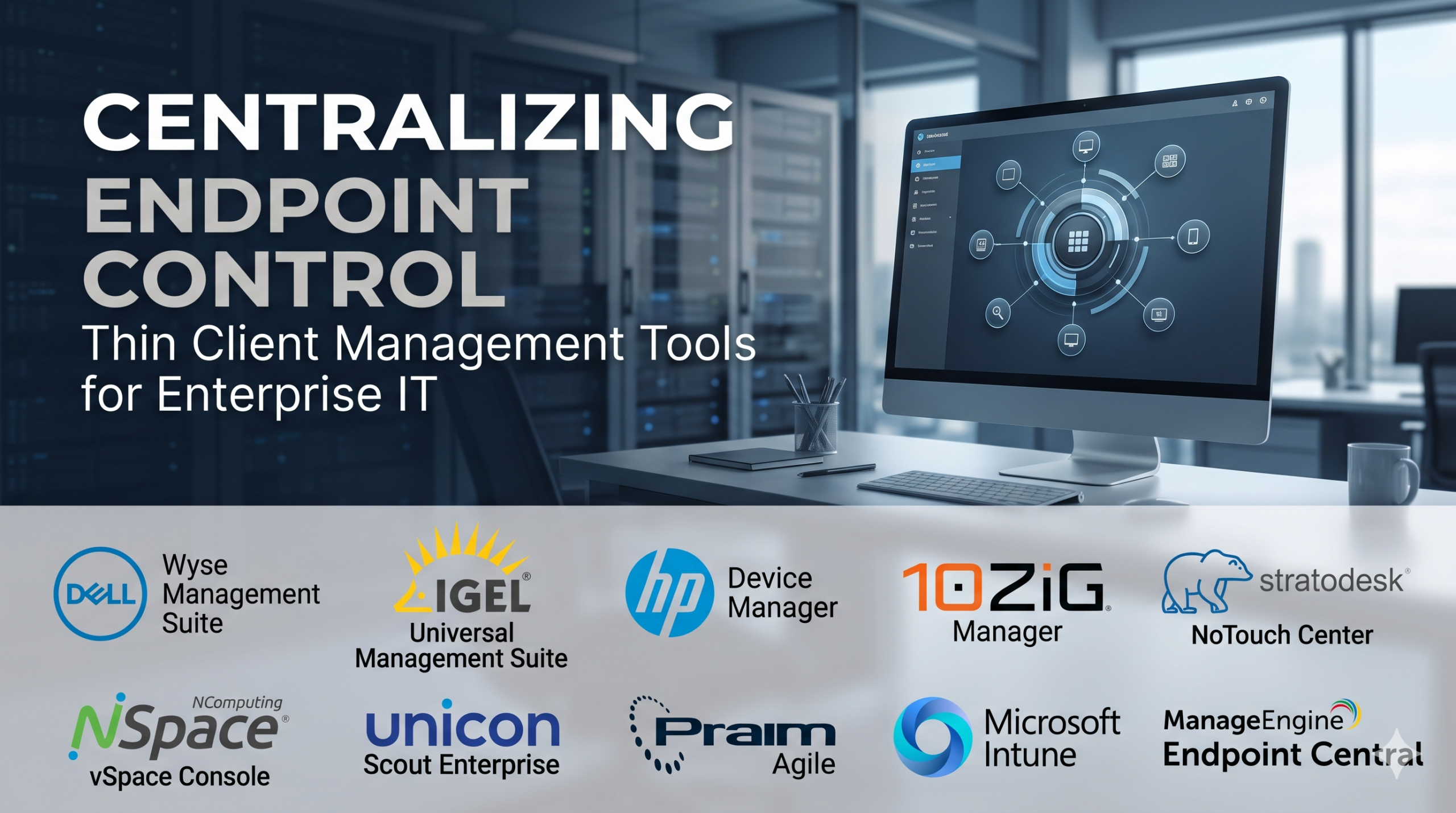
This guide examines ten thin client management tools, including their features, benefits, advantages, limitations, and practical applications. It also provides comparison tables, implementation guidance, performance indicators, financial examples, and frequently asked questions.
What Are Thin Client Management Tools?
Thin client management tools are software platforms designed to centrally administer lightweight endpoint devices that access remotely hosted desktops and applications. They help organizations configure devices, distribute updates, enforce security requirements, and monitor endpoint conditions.
These platforms frequently integrate with Virtual Desktop Infrastructure (VDI), Desktop as a Service (DaaS), and Remote Desktop Services (RDS) environments. Their capabilities depend on supported hardware, operating systems, connection protocols, and deployment architectures.
Thin client management software can support dedicated thin client devices, converted personal computers, and specialized endpoint operating systems. Administrators can establish standardized configurations without manually accessing every individual device.
Effective thin client management requires reliable network connectivity, compatible virtual desktop infrastructure, documented security policies, and accurate device inventories. Centralized management platforms support these requirements through automation and operational visibility.
How Thin Client Management Tools Work
- Identify compatible thin client hardware and operating systems.
- Register devices with centralized management infrastructure.
- Collect device inventory and configuration information.
- Assign organizational device groups and policies.
- Configure remote desktop and application connections.
- Deploy approved firmware and operating system updates.
- Monitor device availability and operational conditions.
- Perform authorized remote troubleshooting activities.
- Generate administrative and compliance reports.
- Review endpoint performance and lifecycle requirements.
Common Applications
- Virtual desktop endpoint administration.
- Centralized thin client configuration.
- Remote application access management.
- Healthcare workstation administration.
- Educational computer laboratory management.
- Contact center endpoint standardization.
- Financial services workstation security.
- Thin client firmware management.
- Converted personal computer administration.
- Distributed office endpoint management.
- Industrial workstation administration.
- Secure shared computing environments.
Essential Components of Thin Client Management Tools
| Component | Purpose |
|---|---|
| Management console | Centralizes endpoint administration |
| Device enrollment | Registers compatible thin clients |
| Configuration profiles | Establishes standardized endpoint settings |
| Firmware management | Coordinates approved device updates |
| Connection management | Configures remote desktop access |
| Device inventory | Maintains hardware and software records |
| Remote diagnostics | Supports technical troubleshooting |
| Security policies | Enforces supported endpoint restrictions |
| Device grouping | Organizes endpoints by operational requirements |
| Reporting system | Provides administrative and compliance visibility |
Top 10 Thin Client Management Tools
The following platforms include dedicated thin client management products, endpoint operating systems with centralized administration, and broader endpoint management solutions supporting relevant thin client environments. Their numbering represents presentation order rather than an independently tested performance ranking.
1. Dell Wyse Management Suite
Short Description
Dell Wyse Management Suite provides centralized administration for supported Dell thin clients and compatible endpoint environments. It helps organizations configure devices, deploy operating system updates, and maintain standardized endpoint configurations.
Administrators can organize devices into groups and assign policies according to location, department, or operational requirements. Available cloud and on-premises deployment capabilities depend on the selected edition.
Key Features
- Centralized Dell thin client administration.
- Automated device registration.
- Operating system and firmware deployment.
- Device configuration policies.
- Hardware and software inventory.
- Group-based administration.
- Supported remote troubleshooting.
- Cloud and on-premises management options.
Benefits: Simplifies Dell endpoint administration, improves configuration consistency, reduces manual maintenance, and supports distributed workplaces.
Pros
- Strong Dell thin client integration.
- Comprehensive centralized management.
- Flexible device grouping.
- Relevant enterprise deployment capabilities.
Cons
- Primarily focused on supported Dell environments.
- Advanced functionality depends on licensing.
- Hardware compatibility requires verification.
Use Cases: Dell thin client deployment, virtual desktop endpoint administration, firmware maintenance, and distributed workstation management.
Best For: Dell customers, large enterprises, healthcare organizations, educational institutions, and VDI administrators.
2. IGEL Universal Management Suite
Short Description
IGEL Universal Management Suite (UMS) provides centralized administration for endpoints running supported IGEL operating systems. It helps organizations configure secure access to virtual desktops, cloud applications, and remotely hosted computing environments.
Administrators can assign configuration profiles, manage device groups, and coordinate approved endpoint updates. IGEL’s endpoint operating system can also support the repurposing of compatible existing computers.
Key Features
- Centralized IGEL endpoint administration.
- Configuration profile management.
- Automated device enrollment.
- Endpoint operating system updates.
- Virtual desktop connection configuration.
- Device inventory management.
- Certificate administration.
- Remote management capabilities.
Benefits: Simplifies virtual desktop endpoint management, supports hardware reuse, improves security consistency, and reduces administrative complexity.
Pros
- Dedicated virtual desktop endpoint orientation.
- Broad virtual desktop ecosystem integration.
- Granular configuration management.
- Supports compatible converted computers.
Cons
- Requires compatible IGEL operating systems.
- Commercial licensing requires evaluation.
- Advanced configurations require specialist expertise.
Use Cases: Virtual desktop access, secure healthcare endpoints, converted computer management, and distributed workplace administration.
Best For: Enterprise VDI teams, healthcare institutions, financial organizations, and large distributed workforces.
3. HP Device Manager
Short Description
HP Device Manager provides centralized administration for supported HP thin client devices. It helps administrators configure endpoints, distribute software, deploy operating system images, and monitor device conditions.
The platform supports task-based management workflows that can simplify maintenance across large device populations. Organizations should verify current hardware and operating system compatibility before implementation.
Key Features
- HP thin client discovery.
- Centralized device configuration.
- Operating system image deployment.
- Firmware update administration.
- Task-based management.
- Device inventory collection.
- Supported remote control.
- Device grouping and reporting.
Benefits: Reduces repetitive administration, improves HP endpoint visibility, supports standardized configurations, and simplifies device maintenance.
Pros
- Dedicated HP thin client integration.
- Relevant operating system deployment capabilities.
- Centralized administrative workflows.
- Supports enterprise device populations.
Cons
- Primarily focused on HP hardware.
- Current support lifecycle requires verification.
- Management infrastructure requires maintenance.
Use Cases: HP thin client administration, operating system deployment, firmware maintenance, and corporate workstation configuration.
Best For: HP customers, enterprise desktop administrators, educational institutions, and infrastructure departments.
4. 10ZiG Manager
Short Description
10ZiG Manager provides centralized administration for supported 10ZiG thin clients and zero client devices. It helps organizations configure endpoints, coordinate firmware updates, and maintain consistent virtual desktop connection settings.
The platform supports remote management across distributed endpoint environments. Administrators can organize devices and perform supported maintenance activities without visiting individual workstations.
Key Features
- Centralized 10ZiG device administration.
- Automated endpoint discovery.
- Firmware update management.
- Remote device configuration.
- Device grouping.
- Virtual desktop connection settings.
- Supported remote troubleshooting.
- Cloud-based management capabilities.
Benefits: Simplifies distributed endpoint administration, reduces manual maintenance, improves configuration consistency, and supports virtual desktop environments.
Pros
- Dedicated 10ZiG endpoint integration.
- Relevant remote administration capabilities.
- Centralized configuration management.
- Management software available without a separate license for eligible customers.
Cons
- Primarily supports 10ZiG environments.
- Hardware compatibility requires verification.
- Advanced infrastructure integration requires planning.
Use Cases: Thin client firmware management, contact center endpoints, remote office administration, and virtual desktop connectivity.
Best For: 10ZiG customers, contact centers, financial institutions, and enterprise VDI administrators.
5. Stratodesk NoTouch Center
Short Description
Stratodesk NoTouch Center provides centralized management for compatible endpoints running NoTouch OS. It helps organizations transform supported computers into centrally managed virtual desktop and cloud application endpoints.
Administrators can establish standardized configurations, distribute updates, and manage remote connection settings. The platform is relevant to organizations seeking to reuse existing hardware while modernizing workplace computing.
Key Features
- Centralized NoTouch OS administration.
- Automated device registration.
- Configuration policy management.
- Operating system update deployment.
- Virtual desktop connection administration.
- Device inventory reporting.
- Group-based endpoint management.
- Remote configuration capabilities.
Benefits: Supports hardware reuse, simplifies endpoint standardization, improves administrative efficiency, and facilitates virtual desktop deployments.
Pros
- Supports compatible repurposed computers.
- Relevant virtual desktop integrations.
- Flexible configuration management.
- Centralized endpoint administration.
Cons
- Requires compatible NoTouch OS deployments.
- Commercial licensing requires evaluation.
- Current product availability and support arrangements require verification.
Use Cases: Computer repurposing, virtual desktop endpoint deployment, remote workstation administration, and shared computing environments.
Best For: Enterprise VDI teams, cost-conscious organizations, educational institutions, and distributed businesses.
6. NComputing vSpace Console
Short Description
NComputing vSpace Console provides centralized administrative capabilities within supported NComputing vSpace environments. It helps organizations manage compatible shared computing infrastructure, endpoint connections, and operational settings.
The platform is particularly relevant to organizations delivering multiple user sessions through centralized computing resources. Its management capabilities should be evaluated alongside NComputing hardware and server software requirements.
Key Features
- Centralized vSpace environment administration.
- Compatible endpoint visibility.
- User session monitoring.
- Server configuration management.
- Device registration visibility.
- Operational status monitoring.
- Supported device configuration.
- Shared computing administration.
Benefits: Simplifies shared computing administration, supports centralized resource utilization, improves operational visibility, and facilitates compatible endpoint deployments.
Pros
- Strong NComputing ecosystem integration.
- Relevant shared computing capabilities.
- Suitable for compatible educational deployments.
- Centralized administrative visibility.
Cons
- Dependent on supported vSpace infrastructure.
- Not a general-purpose multi-vendor thin client manager.
- Licensing and device compatibility require verification.
Use Cases: Educational computer laboratories, shared office computing, training facilities, and centralized desktop environments.
Best For: Schools, training institutions, NComputing customers, and shared computing administrators.
7. Unicon Scout Enterprise Management Suite
Short Description
Unicon Scout Enterprise Management Suite provides centralized endpoint administration for compatible devices running eLux operating systems. It supports configuration management, operating system maintenance, and virtual desktop connectivity administration.
Organizations can use Scout to establish standardized endpoint configurations across distributed workplace environments. Its capabilities are particularly relevant to enterprises using eLux-based thin clients.
Key Features
- Centralized eLux endpoint management.
- Device configuration profiles.
- Operating system update administration.
- Endpoint inventory management.
- Group-based configuration.
- Virtual desktop connection settings.
- Supported remote administration.
- Administrative reporting.
Benefits: Improves endpoint configuration consistency, simplifies distributed administration, supports virtual desktop access, and reduces repetitive maintenance.
Pros
- Dedicated eLux management capabilities.
- Relevant enterprise endpoint administration.
- Flexible configuration policies.
- Supports distributed virtual desktop environments.
Cons
- Requires compatible eLux endpoints.
- Commercial licensing requires evaluation.
- Current packaging and vendor support arrangements require confirmation.
Use Cases: Enterprise virtual desktop access, eLux endpoint administration, distributed workstation management, and standardized application access.
Best For: eLux customers, enterprise infrastructure teams, financial organizations, and virtual desktop administrators.
8. Praim Agile
Short Description
Praim Agile provides endpoint management and workspace administration capabilities for supported computing environments. Its offerings help organizations transform compatible devices into centrally managed endpoints for virtual desktops and remote applications.
Praim’s management ecosystem includes ThinMan for centralized device administration. Organizations should evaluate Agile and ThinMan together when selecting capabilities for thin client management.
Key Features
- Managed endpoint configuration.
- Virtual desktop connection administration.
- Supported computer repurposing.
- Centralized management through ThinMan.
- Device policy administration.
- Software configuration management.
- Supported remote maintenance.
- Workspace access configuration.
Benefits: Supports hardware reuse, simplifies workspace administration, improves configuration consistency, and facilitates centralized endpoint management.
Pros
- Relevant virtual workspace capabilities.
- Supports compatible existing computers.
- Centralized administration ecosystem.
- Flexible endpoint configuration options.
Cons
- Requires compatible Praim components.
- Product licensing requires consultation.
- Hardware and connection protocol support require testing.
Use Cases: Virtual workspace access, converted endpoint management, shared computing environments, and distributed office administration.
Best For: Praim customers, virtual desktop administrators, enterprise workplace teams, and organizations repurposing computers.
9. Microsoft Intune
Short Description
Microsoft Intune provides cloud-based endpoint management for supported Windows computing environments, including eligible Windows IoT Enterprise devices. It helps organizations administer device configurations, applications, and supported security policies.
Its thin client relevance depends on the endpoint operating system and hardware manufacturer’s support arrangements. It does not provide universal management for proprietary thin client firmware or unsupported zero client devices.
Key Features
- Supported Windows endpoint enrollment.
- Device configuration profiles.
- Application deployment.
- Compliance policy administration.
- Supported Windows update management.
- Microsoft Entra integration.
- Endpoint inventory.
- Centralized security configuration.
Benefits: Connects supported Windows thin client administration with enterprise endpoint management, improves compliance visibility, and supports centralized workplace policies.
Pros
- Strong Microsoft ecosystem integration.
- Cloud-based administration.
- Relevant identity and security integrations.
- Supports eligible Windows-based endpoints.
Cons
- Does not support every thin client operating system.
- Firmware management may require vendor tools.
- Windows IoT compatibility and licensing require verification.
Use Cases: Supported Windows-based thin client administration, enterprise security configuration, application deployment, and mixed-device management.
Best For: Microsoft-focused enterprises, Windows IoT administrators, endpoint management teams, and mixed computing environments.
10. ManageEngine Endpoint Central
Short Description
ManageEngine Endpoint Central provides centralized endpoint administration across supported Windows, Linux, and macOS environments. It can support eligible thin client or repurposed computer deployments where the operating system and management agent are compatible.
Administrators can coordinate supported software deployment, patch management, inventory collection, and remote maintenance. Dedicated thin client firmware administration may require complementary manufacturer-specific software.
Key Features
- Supported Windows and Linux administration.
- Software deployment.
- Patch management.
- Hardware and software inventory.
- Configuration management.
- Remote troubleshooting.
- Automated maintenance scheduling.
- Centralized operational reporting.
Benefits: Consolidates compatible endpoint administration, improves inventory visibility, reduces repetitive maintenance, and supports mixed computing environments.
Pros
- Broad endpoint management functionality.
- Relevant software maintenance capabilities.
- Flexible deployment options.
- Integrated enterprise administration tools.
Cons
- Not a universal dedicated thin client manager.
- Proprietary endpoint operating systems may be unsupported.
- Agent compatibility requires verification.
Use Cases: Supported Windows and Linux thin client administration, converted computer management, endpoint inventory, and centralized software maintenance.
Best For: Mixed-device organizations, internal IT departments, managed service providers, and compatible endpoint administrators.
Comparison Table: Top 10 Thin Client Management Tools
| Platform | Primary Strength | Best For | Pricing Approach |
|---|---|---|---|
| Dell Wyse Management Suite | Dell endpoint administration | Dell thin client fleets | Edition-dependent |
| IGEL UMS | Virtual desktop endpoint management | Enterprise VDI environments | Commercial licensing |
| HP Device Manager | HP thin client administration | HP customers | Vendor-provided |
| 10ZiG Manager | Dedicated thin client management | 10ZiG environments | Vendor-provided |
| Stratodesk NoTouch Center | Converted endpoint management | Hardware reuse projects | Commercial licensing |
| NComputing vSpace Console | Shared computing administration | Educational institutions | Ecosystem-dependent |
| Unicon Scout | eLux endpoint administration | Enterprise virtual workplaces | Commercial licensing |
| Praim Agile | Managed virtual workspace access | Compatible converted endpoints | Commercial licensing |
| Microsoft Intune | Supported Windows endpoint management | Microsoft enterprises | Subscription-based |
| Endpoint Central | Cross-platform administration | Compatible mixed-device fleets | Edition-based |
Functional Comparison
| Platform | Endpoint Environment | Management Focus |
|---|---|---|
| Wyse Management Suite | Supported Dell devices | Configuration and firmware |
| IGEL UMS | IGEL OS | Virtual desktop endpoints |
| HP Device Manager | Supported HP devices | Device maintenance |
| 10ZiG Manager | Supported 10ZiG devices | Remote administration |
| NoTouch Center | NoTouch OS | Endpoint conversion and management |
| vSpace Console | NComputing ecosystem | Shared computing |
| Unicon Scout | eLux OS | Enterprise endpoint configuration |
| Praim Agile | Supported Praim environments | Virtual workspace administration |
| Microsoft Intune | Eligible Windows endpoints | Configuration and compliance |
| Endpoint Central | Compatible Windows and Linux systems | Software and patch management |
How to Choose the Best Thin Client Management Tool
Evaluate Hardware Compatibility
Identify existing thin client models, endpoint operating systems, and hardware lifecycle requirements. Verify that the selected management platform supports the organization’s actual device population.
Review Virtual Desktop Integration
Assess compatibility with existing virtual desktop infrastructure, remote application platforms, and connection protocols. Representative testing should include authentication, peripheral devices, multimedia performance, and application accessibility.
Assess Management Capabilities
Determine whether the organization requires firmware deployment, remote configuration, device inventory, automated provisioning, or security compliance monitoring. Dedicated management platforms may provide capabilities unavailable through general endpoint administration tools.
Examine Deployment Architecture
Compare cloud-based administration, on-premises management infrastructure, and hybrid deployment approaches. Consider connectivity requirements, network segmentation, administrative permissions, and infrastructure maintenance.
Evaluate Total Ownership Costs
Review hardware expenses, software licensing, virtual desktop infrastructure, implementation costs, and continuing administration. Hardware reuse may reduce acquisition expenses but requires compatibility and lifecycle assessments.
Best Thin Client Management Tools by User Type
| User Type | Relevant Platform |
|---|---|
| Dell thin client administrator | Wyse Management Suite |
| Enterprise VDI engineer | IGEL UMS |
| HP endpoint administrator | HP Device Manager |
| Contact center infrastructure manager | 10ZiG Manager |
| Hardware repurposing specialist | NoTouch Center |
| Educational computing administrator | NComputing vSpace Console |
| eLux infrastructure administrator | Unicon Scout |
| Virtual workspace administrator | Praim Agile |
| Microsoft endpoint administrator | Microsoft Intune |
| Mixed-device IT administrator | Endpoint Central |
Practical Example: Implementing Thin Client Management Software
Consider a hypothetical healthcare organization operating 1,200 thin client workstations across ten medical facilities. Its technology department experiences inconsistent connection settings, delayed firmware updates, and lengthy workstation provisioning procedures.
Management introduces centralized thin client administration to improve endpoint consistency and operational reliability. The following outcomes represent illustrative assumptions rather than verified vendor performance.
Implementation Steps
- Inventory existing thin client hardware and operating systems.
- Evaluate compatibility with virtual desktop infrastructure.
- Establish standardized device configuration policies.
- Deploy centralized management infrastructure.
- Conduct controlled testing across representative clinical workstations.
- Implement approved firmware updates and connection configurations.
- Monitor device performance and refine administrative procedures.
Illustrative Performance Improvements
| Performance Indicator | Before | After |
|---|---|---|
| Managed device coverage | 70% | 99% |
| Firmware compliance | 62% | 97% |
| Configuration compliance | 68% | 98% |
| Average device provisioning time | 90 minutes | 15 minutes |
| Monthly administrative workload | 350 hours | 120 hours |
| Monthly endpoint support tickets | 400 | 170 |
| Successful remote desktop connections | 91% | 98% |
Financial Analysis
Reducing monthly administrative workloads by 230 hours releases 2,760 employee hours annually. At an illustrative labor cost of $30 per hour, this represents $82,800 in released annual labor capacity rather than guaranteed cash savings.
Suppose separately realized annual operating savings equal $120,000 and recurring management expenses equal $48,000. An initial implementation investment of $90,000 would produce a simple payback period of 15 months.
Important Thin Client Management Performance Indicators
| Indicator | Measurement Purpose |
|---|---|
| Managed device coverage | Measures registered endpoints against intended scope |
| Firmware compliance | Evaluates approved firmware version adoption |
| Configuration compliance | Tracks adherence to endpoint policies |
| Provisioning time | Measures new endpoint preparation efficiency |
| Connection success rate | Evaluates successful virtual desktop connections |
| Endpoint availability | Measures device operational reliability |
| Remote remediation success | Tracks successful remote maintenance activities |
| Inventory accuracy | Evaluates correctness of device records |
| Support ticket volume | Measures technical assistance requirements |
| Administrative workload | Tracks continuing management effort |
Security and Governance Considerations
Thin client management platforms frequently possess administrative control over endpoint configurations and remote application access settings. Organizations should implement multifactor authentication, role-based permissions, secure communication channels, and appropriate audit logging.
Administrators should restrict unauthorized local applications, removable storage access, and unnecessary device services where supported. Security policies should reflect legitimate operational requirements and the capabilities of individual endpoint operating systems.
Firmware updates should originate from trusted sources and undergo representative testing before widespread deployment. Organizations should maintain documented recovery procedures for unsuccessful updates and endpoint configuration failures.
Challenges and Limitations
Thin client environments depend heavily on network connectivity and centralized application infrastructure. Network interruptions or virtual desktop service failures can prevent employees from accessing essential applications.
Different thin client manufacturers use distinct operating systems, firmware formats, and management mechanisms. Organizations operating heterogeneous device fleets may require multiple management platforms.
Specialized peripherals, multimedia applications, and accessibility requirements can introduce compatibility challenges. Representative testing should include actual employee workflows rather than relying exclusively on technical specifications.
Best Practices for Thin Client Management
- Maintain accurate endpoint inventories.
- Standardize approved thin client configurations.
- Verify virtual desktop connection compatibility.
- Test firmware updates before deployment.
- Protect privileged administrative accounts.
- Establish documented maintenance schedules.
- Monitor endpoint availability regularly.
- Restrict unnecessary local device functionality.
- Maintain secure remote access configurations.
- Review hardware lifecycle requirements.
- Establish tested recovery procedures.
- Measure operational improvements continuously.
Future Trends in Thin Client Management Tools
Cloud-Native Endpoint Administration
Cloud-based management may become increasingly important as organizations support distributed workplaces. These architectures can simplify administration across multiple locations while reducing dependence on dedicated management infrastructure.
Hardware Repurposing and Sustainability
Organizations may increasingly convert compatible existing computers into managed virtual desktop endpoints. This approach can extend hardware usefulness and reduce replacement requirements when operational performance remains acceptable.
Zero Trust Endpoint Access
Zero Trust security approaches may increasingly connect endpoint conditions, user identities, and application access policies. Thin client management platforms can support these initiatives through compatible security configurations and integrations.
AI-Assisted Endpoint Maintenance
Artificial Intelligence (AI) may help administrators identify recurring endpoint problems and recommend corrective activities. Qualified personnel should validate consequential recommendations before executing configuration changes.
Frequently Asked Questions
1. What are thin client management tools?
Thin client management tools centrally administer lightweight computing devices accessing remotely hosted desktops and applications. They support configuration, firmware updates, inventory management, and remote maintenance.
2. What is a thin client?
A thin client is a computing device designed primarily to access remotely hosted applications or desktops. Its local processing requirements are generally lower than those of conventional workstations.
3. Why is thin client management important?
Centralized management helps organizations maintain consistent endpoint configurations and reliable remote application access. It also reduces repetitive administrative activities.
4. What is Dell Wyse Management Suite?
Dell Wyse Management Suite provides centralized administration for supported Dell thin clients. It supports device configuration, operating system updates, inventory, and remote maintenance.
5. What is IGEL Universal Management Suite?
IGEL UMS provides centralized administration for compatible IGEL endpoints. It supports configuration profiles, operating system maintenance, and virtual desktop connection settings.
6. What is HP Device Manager?
HP Device Manager provides administration capabilities for supported HP thin client devices. Its functionality includes device configuration, operating system deployment, and maintenance tasks.
7. What is 10ZiG Manager?
10ZiG Manager provides centralized administration for compatible 10ZiG endpoints. It supports firmware updates, device configuration, and remote maintenance.
8. What is Stratodesk NoTouch Center?
NoTouch Center provides centralized management for compatible devices running NoTouch OS. It supports virtual desktop endpoint administration and computer repurposing.
9. What is NComputing vSpace Console?
NComputing vSpace Console provides administration capabilities within supported shared computing environments. It helps organizations manage compatible infrastructure and monitor operational conditions.
10. What is Unicon Scout?
Unicon Scout provides centralized management for compatible eLux endpoints. Its capabilities include configuration management, operating system maintenance, and endpoint administration.
11. What is Praim Agile?
Praim Agile provides managed workspace capabilities for supported computing environments. Praim ThinMan complements these capabilities through centralized endpoint administration.
12. Can Microsoft Intune manage thin clients?
Microsoft Intune can administer eligible Windows-based endpoints under supported configurations. It does not provide universal management for proprietary thin client operating systems.
13. Can Endpoint Central manage thin clients?
Endpoint Central can manage compatible Windows and Linux endpoints when operating system and agent requirements are satisfied. Manufacturer-specific firmware administration may require separate software.
14. What is Virtual Desktop Infrastructure?
Virtual Desktop Infrastructure delivers remotely hosted desktop environments to authorized users. Thin clients frequently serve as access devices for these environments.
15. What is the difference between thin clients and zero clients?
Thin clients generally use a lightweight operating system and support multiple computing functions. Zero clients typically provide more specialized access to compatible remote desktop environments.
16. Can old computers become thin clients?
Compatible existing computers can sometimes be converted into managed virtual desktop endpoints. Organizations should evaluate hardware performance, operating system compatibility, and security support.
17. Are thin clients more secure than conventional computers?
Thin clients can reduce certain local information storage and application management risks. Overall security depends on endpoint configuration, centralized infrastructure, authentication, and network protection.
18. Can thin clients work without internet access?
Thin clients may access locally hosted virtual desktop infrastructure without public internet connectivity. They still generally require suitable network access to their remote computing resources.
19. Can thin client management tools deploy firmware updates?
Dedicated management platforms frequently support firmware or operating system updates for compatible devices. Administrators should verify hardware compatibility and test updates before deployment.
20. Are thin clients suitable for healthcare organizations?
Thin clients can support centralized clinical application access and shared workstation environments. Healthcare organizations must evaluate privacy, security, accessibility, and application compatibility requirements.
21. Can thin clients reduce IT costs?
Thin clients may reduce certain hardware acquisition and endpoint maintenance expenses. Centralized computing infrastructure, licensing, networking, and support costs must also be considered.
22. Can thin client management tools support remote offices?
Many platforms support distributed endpoint administration across multiple locations. Appropriate connectivity and compatible management infrastructure remain necessary.
23. Do thin clients support multiple monitors?
Many modern thin client devices support multiple displays. Actual capabilities depend on hardware specifications, connection protocols, and virtual desktop configurations.
24. How much does thin client management software cost?
Costs depend on hardware vendors, device volumes, software licensing, and deployment architecture. Organizations should evaluate complete ownership expenses.
25. Which thin client management tool is best?
The appropriate platform depends on endpoint hardware, operating systems, virtual desktop infrastructure, and administrative requirements. Representative testing helps organizations identify suitable solutions.
Conclusion
Thin client management tools help organizations maintain reliable, secure, and consistently configured virtual desktop endpoints. Their capabilities support centralized device provisioning, firmware maintenance, configuration administration, and operational monitoring.
Dell Wyse Management Suite, HP Device Manager, and 10ZiG Manager provide dedicated management capabilities for compatible manufacturer-specific environments. These platforms help organizations maintain standardized endpoint configurations across distributed locations.
IGEL UMS, Stratodesk NoTouch Center, Unicon Scout, and Praim provide capabilities relevant to specialized virtual desktop and managed workspace environments. NComputing addresses compatible shared computing requirements, while Microsoft Intune and Endpoint Central support eligible general-purpose operating systems.
Successful implementation requires accurate device inventories, appropriate hardware compatibility, reliable network connectivity, and documented security policies. Organizations should evaluate operational improvements alongside endpoint availability and virtual desktop connection performance.
An effective thin client management strategy combines suitable technology with responsible administration and continuous improvement. These practices help organizations reduce administrative workloads, strengthen endpoint consistency, and maintain reliable access to centralized computing resources.
