Introduction
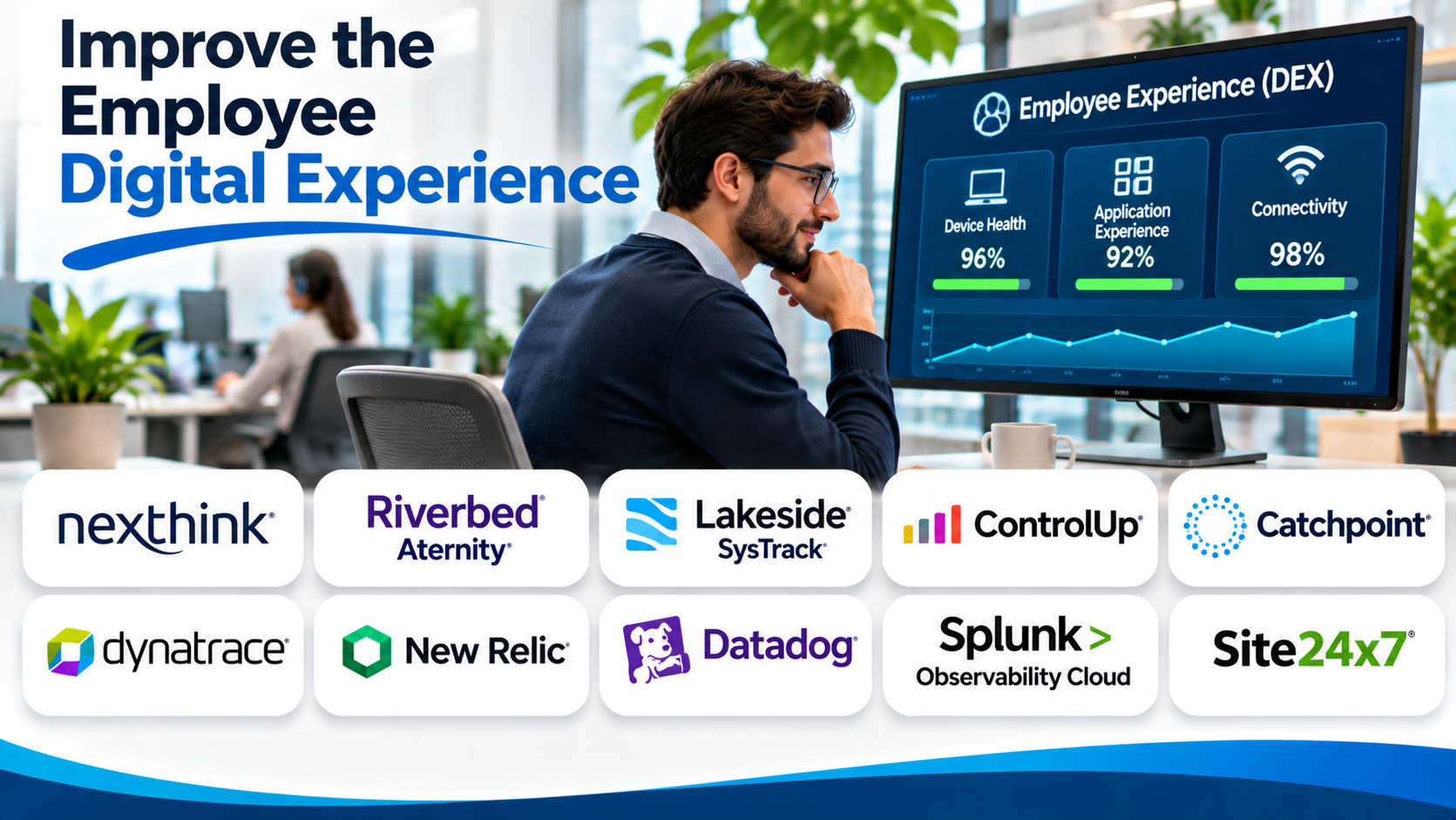
Digital Employee Experience (DEX) platforms help organizations understand and improve how employees interact with workplace technology. These applications provide visibility into device performance, software reliability, connectivity, technical support, and employee satisfaction.
Traditional workplace technology management frequently depends on employee complaints, manual investigations, and disconnected monitoring applications. These methods can contribute to delayed problem resolution, reduced productivity, recurring technical difficulties, and increased support expenses.
Modern digital employee experience platforms combine endpoint telemetry, application performance monitoring, employee feedback, and automated remediation. These capabilities help organizations identify workplace technology problems before they significantly affect business operations.
Advanced platforms incorporate Artificial Intelligence (AI), behavioral analytics, intelligent diagnostics, and automated support workflows. These technologies can help Information Technology (IT) departments prioritize technical problems and coordinate appropriate corrective activities.
Different DEX platforms address the requirements of enterprise technology departments, remote workforce managers, digital workplace specialists, and managed service providers. Selecting appropriate software requires evaluating device coverage, analytical capabilities, employee privacy, integration requirements, and implementation expenses.
This guide examines ten digital employee experience platforms, including their features, benefits, advantages, limitations, and practical applications. It also provides comparison tables, implementation recommendations, financial examples, performance indicators, and frequently asked questions.
What Are Digital Employee Experience Platforms?
Digital employee experience platforms are software applications designed to measure and improve employee interactions with workplace technology. They help organizations understand how computing devices, business applications, connectivity, and technical support affect daily work.
These platforms collect operational information through endpoint agents, application integrations, performance monitoring, and employee feedback mechanisms. Collected information supports investigations into device reliability, application responsiveness, and recurring technology problems.
DEX platforms frequently integrate with Information Technology Service Management (ITSM), Unified Endpoint Management (UEM), collaboration, and enterprise observability applications. These integrations help organizations coordinate technical support and workplace technology improvement activities.
Effective digital employee experience management requires meaningful performance indicators, representative device coverage, responsible information collection, and employee participation. Technology monitoring should support workplace improvements rather than unnecessary employee surveillance.
How Digital Employee Experience Platforms Work
- Identify workplace technology requirements.
- Establish approved monitoring and privacy policies.
- Deploy supported endpoint collection mechanisms.
- Collect device and application performance information.
- Analyze technology-related experience indicators.
- Identify recurring technical problems.
- Gather relevant employee feedback.
- Prioritize problems according to operational impact.
- Coordinate approved remediation activities.
- Measure improvements in workplace technology experiences.
Common Applications
- Employee device performance monitoring.
- Digital workplace optimization.
- Remote workforce technology support.
- Application reliability assessment.
- Proactive IT troubleshooting.
- Hardware refresh planning.
- Employee technology satisfaction measurement.
- Virtual desktop performance monitoring.
- Workplace connectivity analysis.
- Automated technical remediation.
- Software adoption assessments.
- Technology support workload reduction.
Essential Components of DEX Platforms
| Component | Purpose |
|---|---|
| Endpoint telemetry | Collects device performance information |
| Application monitoring | Evaluates workplace software reliability |
| Experience scoring | Summarizes defined technology experience indicators |
| Employee feedback | Collects employee-reported technology experiences |
| Analytics engine | Identifies recurring performance problems |
| Remote diagnostics | Supports technical investigations |
| Remediation automation | Coordinates approved corrective activities |
| Integration framework | Connects workplace technology applications |
| Reporting dashboards | Visualizes experience trends |
| Governance controls | Protects collected information and employee privacy |
Top 10 Digital Employee Experience Platforms
The following platforms provide different combinations of workplace technology analytics, endpoint monitoring, employee feedback, and proactive technical support. Their numbering represents presentation order rather than an independently tested performance ranking.
1. Nexthink
Short Description
Nexthink provides enterprise digital employee experience management capabilities supported by endpoint telemetry and employee feedback. Its platform helps organizations understand how workplace technology conditions affect employee experiences.
Technical teams can investigate device health, application reliability, connectivity problems, and recurring support issues. Relevant automation capabilities help organizations coordinate proactive support and approved remediation activities.
Key Features
- Digital employee experience scoring.
- Endpoint performance monitoring.
- Application reliability analytics.
- Employee feedback campaigns.
- Remote technical investigations.
- Automated remediation workflows.
- Workplace technology dashboards.
- ITSM integrations.
Benefits: Improves workplace technology visibility, supports proactive troubleshooting, reduces repetitive support activities, and facilitates employee experience improvement.
Pros
- Dedicated digital employee experience functionality.
- Strong endpoint analytics capabilities.
- Integrated employee feedback mechanisms.
- Relevant enterprise remediation workflows.
Cons
- Commercial licensing requires consultation.
- Implementation requires technical preparation.
- Employee information collection requires privacy controls.
Use Cases: Proactive employee support, application troubleshooting, workplace technology assessments, and endpoint reliability improvement.
Best For: Large enterprises, digital workplace teams, employee experience managers, and enterprise IT support departments.
2. Riverbed Aternity
Short Description
Riverbed Aternity provides digital employee experience monitoring through endpoint and application performance analytics. It helps organizations evaluate how workplace technology affects employee productivity and operational efficiency.
The platform collects relevant device and application measurements from supported computing environments. Historical analytics help technical teams investigate recurring problems and assess workplace modernization initiatives.
Key Features
- Endpoint performance monitoring.
- Application response time analytics.
- Employee experience measurements.
- Device health assessments.
- Workplace performance diagnostics.
- Historical experience analysis.
- Operational dashboards.
- Remediation capabilities in relevant offerings.
Benefits: Improves application performance visibility, supports technical investigations, facilitates infrastructure planning, and strengthens workplace technology management.
Pros
- Strong workplace application monitoring.
- Relevant endpoint performance analytics.
- Supports enterprise technology environments.
- Provides detailed operational context.
Cons
- Commercial pricing requires evaluation.
- Extensive deployments require planning.
- Advanced configurations may require specialist expertise.
Use Cases: Workplace application monitoring, device troubleshooting, infrastructure modernization, and employee technology experience assessments.
Best For: Enterprise IT departments, workplace technology managers, desktop engineering teams, and application administrators.
3. Lakeside SysTrack
Short Description
Lakeside SysTrack provides digital employee experience analytics and detailed endpoint performance monitoring. Its capabilities help organizations understand resource utilization, device reliability, application behavior, and technology-related operational problems.
The platform collects historical and current operational observations from supported devices. Organizations can use this information to investigate recurring issues and make informed infrastructure investment decisions.
Key Features
- Detailed endpoint telemetry.
- Device health monitoring.
- Application usage analytics.
- Resource utilization tracking.
- Historical performance analysis.
- Digital experience scoring.
- Hardware refresh assessment.
- Infrastructure planning insights.
Benefits: Improves endpoint visibility, supports technology investment planning, reduces troubleshooting uncertainty, and facilitates workplace performance optimization.
Pros
- Detailed operational analytics.
- Relevant historical device information.
- Strong infrastructure assessment capabilities.
- Supports enterprise workplace environments.
Cons
- Commercial licensing requires consultation.
- Extensive telemetry requires retention planning.
- Advanced analysis requires technical expertise.
Use Cases: Hardware refresh planning, endpoint performance investigations, virtual desktop assessments, and workplace technology optimization.
Best For: Enterprise infrastructure departments, desktop engineering specialists, technology planners, and digital workplace teams.
4. ControlUp
Short Description
ControlUp provides digital employee experience management and operational monitoring across supported physical and virtual computing environments. It helps organizations identify performance problems affecting employee devices, applications, and virtual desktops.
Its monitoring capabilities provide visibility into device conditions, resource utilization, and application responsiveness. Relevant ControlUp products support remote troubleshooting and approved automated remediation activities.
Key Features
- Physical endpoint monitoring.
- Virtual desktop performance analytics.
- Device health assessments.
- Application responsiveness monitoring.
- Remote troubleshooting capabilities.
- Configurable operational alerts.
- Automated remediation workflows.
- Digital experience dashboards.
Benefits: Improves troubleshooting efficiency, supports distributed workforce management, strengthens device reliability, and facilitates proactive technical support.
Pros
- Strong virtual desktop monitoring capabilities.
- Supports physical endpoint environments.
- Relevant operational diagnostics.
- Integrated troubleshooting functionality.
Cons
- Functionality varies by product offering.
- Commercial licensing requires evaluation.
- Complex deployments require configuration.
Use Cases: Virtual desktop monitoring, remote employee support, endpoint troubleshooting, and application performance investigations.
Best For: Virtual desktop administrators, digital workplace teams, enterprise helpdesks, and infrastructure support specialists.
5. 1E
Short Description
1E provides digital employee experience management capabilities focused on endpoint visibility, workplace technology performance, and automated remediation. Its platform helps organizations investigate technical problems affecting distributed employee devices.
Relevant capabilities support endpoint querying, experience analytics, and corrective actions across supported computing environments. Organizations can establish automated workflows for recurring technology problems while maintaining appropriate authorization controls.
Key Features
- Digital employee experience monitoring.
- Endpoint information collection.
- Device performance analytics.
- Remote endpoint diagnostics.
- Automated remediation.
- Configurable endpoint queries.
- Workplace technology reporting.
- Service management integrations.
Benefits: Reduces repetitive support activities, improves endpoint visibility, supports proactive problem resolution, and strengthens workplace technology reliability.
Pros
- Strong endpoint remediation orientation.
- Relevant distributed device management capabilities.
- Supports proactive IT operations.
- Integrated experience analytics.
Cons
- Commercial pricing requires consultation.
- Automation policies require careful testing.
- Available functionality depends on product configuration.
Use Cases: Automated endpoint remediation, employee device troubleshooting, proactive technical support, and workplace experience management.
Best For: Large enterprises, endpoint management teams, digital workplace specialists, and enterprise support departments.
6. Omnissa Workspace ONE Experience Management
Short Description
Omnissa Workspace ONE Experience Management provides digital workplace analytics within the broader Workspace ONE ecosystem. Its capabilities help organizations evaluate device conditions, application experiences, and employee technology performance.
Integration with supported Workspace ONE management functionality helps administrators connect experience observations with endpoint administration. Organizations should evaluate available experience monitoring and automation capabilities according to their selected products.
Key Features
- Digital experience analytics.
- Endpoint health monitoring.
- Application experience measurements.
- Device performance insights.
- Experience scoring capabilities.
- Workplace technology dashboards.
- Endpoint management integration.
- Automated workflows through relevant capabilities.
Benefits: Improves workplace visibility, connects experience analytics with endpoint management, supports distributed employees, and facilitates technology optimization.
Pros
- Strong Workspace ONE ecosystem integration.
- Relevant enterprise device management capabilities.
- Supports distributed workplace environments.
- Integrated operational analytics.
Cons
- Functionality depends on product licensing.
- Implementation requires ecosystem configuration.
- Organizations using unrelated management platforms should evaluate integration requirements.
Use Cases: Enterprise device monitoring, workplace application assessments, remote workforce management, and unified endpoint experience optimization.
Best For: Workspace ONE customers, enterprise endpoint administrators, digital workplace departments, and distributed organizations.
7. Microsoft Intune Endpoint Analytics
Short Description
Microsoft Intune Endpoint Analytics provides device performance and workplace technology insights within the Microsoft endpoint management ecosystem. It helps administrators identify performance conditions affecting supported Windows devices.
Its capabilities provide visibility into startup performance, application reliability, and other relevant endpoint experience indicators. Additional analytical and remediation functionality depends on applicable Microsoft licensing and configuration.
Key Features
- Endpoint performance analytics.
- Startup performance measurements.
- Application reliability reporting.
- Device experience insights.
- Hardware performance assessments.
- Endpoint reporting dashboards.
- Microsoft Intune integration.
- Advanced analytics through applicable licensing.
Benefits: Improves Windows device visibility, supports hardware planning, facilitates application reliability investigations, and strengthens endpoint administration.
Pros
- Strong Microsoft ecosystem integration.
- Relevant Windows performance analytics.
- Supports centralized endpoint management.
- Useful for hardware lifecycle assessments.
Cons
- Primarily focused on supported Windows devices.
- Advanced functionality requires appropriate licensing.
- Broader employee feedback capabilities may require additional applications.
Use Cases: Windows startup optimization, application reliability monitoring, device replacement planning, and enterprise endpoint assessments.
Best For: Microsoft Intune customers, Windows administrators, enterprise IT departments, and endpoint management teams.
8. Cisco ThousandEyes Endpoint Experience
Short Description
Cisco ThousandEyes Endpoint Experience provides visibility into network and application connectivity from supported employee devices. It helps organizations investigate how local networks, internet services, and external dependencies affect workplace technology experiences.
Endpoint monitoring capabilities collect relevant connectivity and performance observations. Network path analysis helps technical teams distinguish local connectivity problems from issues involving external infrastructure.
Key Features
- Endpoint connectivity monitoring.
- Network performance analytics.
- Internet dependency visibility.
- Application connectivity measurements.
- Wireless network diagnostics.
- Network path visualization.
- Distributed employee experience monitoring.
- Configurable operational alerts.
Benefits: Improves connectivity visibility, supports remote workforce troubleshooting, reduces network investigation uncertainty, and strengthens cloud application accessibility monitoring.
Pros
- Strong network experience analytics.
- Relevant internet dependency visibility.
- Supports distributed workplace investigations.
- Integrated Cisco monitoring ecosystem.
Cons
- Commercial licensing requires evaluation.
- Broader endpoint remediation requires complementary tools.
- Detailed device resource analytics may require additional platforms.
Use Cases: Remote employee connectivity investigations, cloud application accessibility monitoring, wireless troubleshooting, and network experience assessments.
Best For: Network operations teams, distributed enterprises, Cisco customers, and organizations experiencing connectivity-related workplace problems.
9. Ivanti Neurons for Digital Experience
Short Description
Ivanti Neurons for Digital Experience provides workplace technology visibility and experience management capabilities within the Ivanti ecosystem. It helps organizations evaluate endpoint conditions and identify technology problems affecting employees.
Relevant Ivanti capabilities connect experience analytics with endpoint management, service management, and automated remediation. Organizations should evaluate individual modules according to their monitoring and operational requirements.
Key Features
- Digital employee experience analytics.
- Endpoint health assessments.
- Device performance visibility.
- Experience scoring.
- Proactive issue identification.
- Automated remediation capabilities.
- Service management integrations.
- Workplace technology reporting.
Benefits: Improves endpoint visibility, supports proactive support operations, connects experience management with technical workflows, and facilitates workplace reliability improvement.
Pros
- Integrated enterprise technology ecosystem.
- Relevant endpoint management capabilities.
- Supports automated operational workflows.
- Strong service management integration opportunities.
Cons
- Commercial licensing requires consultation.
- Functionality depends on selected modules.
- Complex implementations require technical preparation.
Use Cases: Employee device monitoring, proactive IT support, service management coordination, and workplace technology improvement.
Best For: Ivanti customers, enterprise service management departments, endpoint administrators, and digital workplace teams.
10. TeamViewer DEX
Short Description
TeamViewer DEX provides digital employee experience management capabilities focused on workplace technology visibility and proactive technical support. Its offering incorporates capabilities associated with TeamViewer’s acquisition of 1E.
Organizations can use relevant endpoint analytics, diagnostics, and remediation functionality to investigate employee technology problems. Because TeamViewer DEX and 1E share underlying technology, buyers should evaluate their current commercial packaging rather than treating them as entirely independent alternatives.
Key Features
- Digital workplace experience monitoring.
- Endpoint performance insights.
- Device health analytics.
- Proactive issue identification.
- Remote technical support integration.
- Automated remediation capabilities.
- Operational reporting.
- Distributed workforce support.
Benefits: Improves employee technology visibility, supports remote troubleshooting, reduces repetitive technical activities, and facilitates proactive workplace support.
Pros
- Relevant remote support ecosystem.
- Strong endpoint remediation orientation.
- Supports distributed computing environments.
- Integrated experience management opportunities.
Cons
- Product packaging requires current verification.
- Significant technology overlap exists with 1E.
- Advanced workflows require configuration.
Use Cases: Remote workforce support, proactive device troubleshooting, workplace experience management, and endpoint remediation.
Best For: TeamViewer customers, distributed enterprises, technical support teams, and organizations evaluating integrated remote support and DEX capabilities.
Comparison Table: Top 10 Digital Employee Experience Platforms
| Platform | Primary Strength | Best For | Pricing Approach |
|---|---|---|---|
| Nexthink | Comprehensive DEX management | Enterprise workplace teams | Commercial quotation |
| Riverbed Aternity | Workplace application performance | Enterprise IT departments | Commercial licensing |
| Lakeside SysTrack | Detailed endpoint analytics | Infrastructure specialists | Commercial quotation |
| ControlUp | Physical and virtual desktop experience | Desktop administrators | Product-based licensing |
| 1E | Automated endpoint remediation | Enterprise support teams | Commercial licensing |
| Omnissa Workspace ONE | Integrated workplace management | Workspace ONE customers | Subscription-dependent |
| Microsoft Intune Endpoint Analytics | Windows endpoint performance | Microsoft customers | Plan-dependent |
| Cisco ThousandEyes | Employee connectivity experience | Network operations teams | Commercial licensing |
| Ivanti Neurons | Integrated experience and service management | Enterprise IT teams | Module-based licensing |
| TeamViewer DEX | Remote support and experience management | Distributed organizations | Commercial quotation |
TeamViewer DEX and 1E represent overlapping offerings rather than ten completely independent vendor ecosystems. Organizations should confirm current product availability and consolidation arrangements before procurement.
Functional Comparison
| Platform | Primary Monitoring Focus | Operational Application |
|---|---|---|
| Nexthink | Device, application, and employee experience | Proactive workplace support |
| Riverbed Aternity | Application and endpoint performance | Workplace diagnostics |
| Lakeside SysTrack | Detailed device resource analytics | Infrastructure optimization |
| ControlUp | Physical and virtual endpoint performance | Desktop troubleshooting |
| 1E | Endpoint visibility and remediation | Automated technical support |
| Omnissa Workspace ONE | Managed device experience | Unified workplace management |
| Microsoft Intune | Windows device performance | Endpoint administration |
| Cisco ThousandEyes | Network and internet connectivity | Remote connectivity support |
| Ivanti Neurons | Device health and experience | Integrated IT operations |
| TeamViewer DEX | Endpoint experience and remote support | Distributed employee assistance |
How to Choose the Best Digital Employee Experience Platform
Evaluate Workplace Technology Requirements
Identify the computing devices, business applications, collaboration tools, and virtual environments employees use. Select a platform that supports the organization’s actual workplace technology environment.
Assess Experience Monitoring Capabilities
Evaluate device health analytics, application reliability measurements, employee feedback, and experience scoring. Organizations should understand how experience scores are calculated before using them to evaluate workplace performance.
Examine Remediation Functionality
Review remote diagnostics, automated corrective actions, and integration with technical support workflows. Automated remediation should include appropriate testing, authorization, and recovery procedures.
Review Integration Requirements
Assess compatibility with existing endpoint management, service management, identity management, and collaboration applications. Reliable integrations help technical teams coordinate workplace improvement activities.
Consider Privacy and Ownership Costs
Evaluate licensing, implementation expenses, telemetry retention, employee privacy safeguards, and continuing administration requirements. Representative pilot deployments should measure practical support improvements and endpoint resource consumption.
Best DEX Platforms by User Type
| User Type | Relevant Platform |
|---|---|
| Digital workplace director | Nexthink |
| Workplace application administrator | Riverbed Aternity |
| Infrastructure planning specialist | Lakeside SysTrack |
| Virtual desktop administrator | ControlUp |
| Endpoint automation specialist | 1E |
| Workspace ONE administrator | Omnissa Workspace ONE |
| Windows endpoint administrator | Microsoft Intune Endpoint Analytics |
| Network operations specialist | Cisco ThousandEyes |
| Enterprise service management manager | Ivanti Neurons |
| Remote technical support manager | TeamViewer DEX |
Practical Example: Implementing a Digital Employee Experience Platform
Consider a hypothetical enterprise employing 5,000 people across offices, remote locations, and hybrid working environments. Its employees experience recurring application failures, slow devices, connectivity problems, and delayed technical support.
Management introduces digital employee experience monitoring to identify recurring problems and improve workplace technology reliability. The following operational and financial outcomes represent illustrative assumptions rather than verified vendor results.
Implementation Steps
- Establish employee technology experience objectives.
- Define monitoring boundaries and employee privacy policies.
- Collect baseline device performance and satisfaction measurements.
- Conduct a controlled deployment across representative employee groups.
- Integrate experience analytics with existing technical support applications.
- Introduce approved remediation workflows for recurring problems.
- Evaluate workplace technology improvements and employee feedback.
Illustrative Performance Improvements
| Performance Indicator | Before | After |
|---|---|---|
| Digital experience score | 62/100 | 88/100 |
| Average device startup time | 150 seconds | 65 seconds |
| Monthly technology support tickets | 2,500 | 1,500 |
| Average technical resolution time | 8 hours | 3 hours |
| Monthly diagnostic workload | 900 hours | 400 hours |
| Employee technology satisfaction | 65% | 89% |
| Monthly recurring application incidents | 800 | 300 |
Financial Analysis
Reducing monthly diagnostic workload by 500 hours releases 6,000 employee hours annually. At an illustrative labor cost of $35 per hour, this represents $210,000 in released annual labor capacity rather than guaranteed cash savings.
Suppose separately verified annual operating savings equal $240,000 and recurring platform expenses equal $100,000. An initial implementation investment of $175,000 would produce a simple payback period of 15 months.
Important Digital Employee Experience Performance Indicators
| Indicator | Measurement Purpose |
|---|---|
| Digital experience score | Summarizes defined workplace technology indicators |
| Device startup time | Measures computing device startup duration |
| Application reliability | Tracks application stability and failures |
| Employee technology satisfaction | Measures employee-reported technology experiences |
| Endpoint health | Evaluates defined device operating conditions |
| Support ticket volume | Tracks technical assistance requirements |
| Mean Time to Resolve (MTTR) | Measures average technical issue resolution duration |
| Proactive remediation rate | Tracks problems resolved through proactive workflows |
| Network connectivity quality | Evaluates workplace network performance |
| Monitoring coverage | Measures monitored devices against intended scope |
| Recurring incident rate | Tracks repeated workplace technology problems |
| Automation success rate | Measures successful automated corrective actions |
Security and Governance Considerations
Digital employee experience platforms may collect device information, application usage observations, connectivity measurements, and employee feedback. Organizations should implement appropriate authentication, encryption, access permissions, and audit logging.
Monitoring policies should focus on legitimate workplace technology improvement objectives rather than unnecessary surveillance. Employees should receive appropriate information about monitoring practices, collection purposes, and applicable privacy protections.
Organizations should establish documented information retention policies and limit collection to necessary operational requirements. Experience analytics should not automatically become employee performance ratings without appropriate justification and safeguards.
Automated remediation activities should operate within approved technical and organizational boundaries. Consequential device modifications require appropriate authorization, testing, and recovery mechanisms.
Challenges and Limitations
Experience scores may combine multiple measurements using vendor-specific calculation methods. Organizations should validate these measurements against employee feedback and operational outcomes.
Endpoint monitoring agents can introduce additional resource consumption on employee devices. Representative testing helps organizations assess performance overhead before widespread deployment.
Employee technology problems may involve external networks, unsupported applications, organizational processes, or other conditions outside the monitoring platform’s visibility. Technical teams should investigate relevant evidence before attributing problems to particular infrastructure components.
Best Practices for Digital Employee Experience Management
- Define measurable workplace experience objectives.
- Establish transparent monitoring policies.
- Protect employee privacy.
- Collect representative endpoint performance information.
- Combine technical measurements with employee feedback.
- Prioritize problems according to business impact.
- Integrate experience analytics with technical support.
- Test automated remediation workflows.
- Monitor endpoint agent resource consumption.
- Review recurring technology problems.
- Validate experience improvements continuously.
- Measure operational outcomes alongside experience scores.
Future Trends in Digital Employee Experience Platforms
AI-Assisted Workplace Diagnostics
AI technologies may increasingly help technical teams summarize workplace performance problems and identify relevant relationships between operational observations. Qualified personnel should validate automated recommendations before implementing consequential changes.
Predictive Device Maintenance
Historical endpoint information may help organizations identify devices experiencing deteriorating performance before significant failures occur. Predictive effectiveness will depend on information quality and representative operating conditions.
Unified Workplace Technology Analytics
DEX platforms may increasingly combine endpoint performance, application reliability, connectivity, and employee feedback within centralized analytical environments. These integrations can help organizations understand complex workplace technology dependencies.
Intelligent Remediation Automation
Advanced automation may help technical departments resolve recurring device problems with reduced manual intervention. Appropriate authorization, testing, and recovery controls will remain essential.
Frequently Asked Questions
1. What are digital employee experience platforms?
Digital employee experience platforms measure and improve employee interactions with workplace technology. They support endpoint monitoring, technical troubleshooting, and workplace experience management.
2. What does DEX stand for?
DEX stands for Digital Employee Experience. It describes employee interactions with the digital tools and technology required to perform workplace activities.
3. What is Nexthink?
Nexthink provides digital employee experience management supported by endpoint analytics and employee feedback. It helps organizations identify and investigate workplace technology problems.
4. What is Riverbed Aternity?
Riverbed Aternity provides workplace application and endpoint performance monitoring. Its capabilities support digital employee experience assessments and technical investigations.
5. What is Lakeside SysTrack?
Lakeside SysTrack provides detailed endpoint performance analytics and digital experience monitoring. It supports infrastructure planning, device troubleshooting, and workplace technology assessments.
6. What is ControlUp?
ControlUp provides digital employee experience management across supported physical and virtual computing environments. It helps technical teams investigate device and application performance problems.
7. What is 1E?
1E provides digital employee experience capabilities focused on endpoint visibility and automated remediation. Its technology forms part of the TeamViewer DEX ecosystem.
8. What is Omnissa Workspace ONE Experience Management?
Omnissa Workspace ONE Experience Management provides workplace technology analytics within the Workspace ONE ecosystem. It helps organizations connect experience monitoring with endpoint administration.
9. What is Microsoft Intune Endpoint Analytics?
Microsoft Intune Endpoint Analytics provides performance and reliability insights for supported Windows devices. It helps administrators evaluate workplace endpoint conditions.
10. What is Cisco ThousandEyes Endpoint Experience?
Cisco ThousandEyes Endpoint Experience provides network and application connectivity monitoring from supported employee devices. It helps technical teams investigate distributed workplace connectivity problems.
11. What is Ivanti Neurons for Digital Experience?
Ivanti Neurons for Digital Experience provides workplace technology visibility and experience analytics. Its capabilities connect with relevant Ivanti endpoint and service management products.
12. What is TeamViewer DEX?
TeamViewer DEX provides workplace technology monitoring and proactive technical support capabilities. Its offering incorporates technology associated with the acquisition of 1E.
13. What is a digital employee experience score?
A digital employee experience score summarizes defined workplace technology measurements. Calculation methods vary between platforms and should be interpreted alongside employee feedback.
14. What is the difference between DEX and DEM?
DEX focuses specifically on employee interactions with workplace technology. Digital Experience Monitoring (DEM) addresses a broader range of digital service experiences, including customer-facing applications.
15. What is the difference between DEX and UEM?
Digital Employee Experience platforms evaluate workplace technology experiences. Unified Endpoint Management platforms primarily administer devices, applications, configurations, and management policies.
16. Can DEX platforms improve employee productivity?
DEX platforms can help identify technology problems that interrupt employee activities. Actual productivity improvements depend on effective corrective actions and broader workplace conditions.
17. Can DEX platforms support remote employees?
Many DEX platforms provide monitoring and troubleshooting capabilities for supported remote devices. Organizations should verify connectivity requirements and operating system coverage.
18. What is proactive IT support?
Proactive IT support involves identifying and addressing technology problems before employees need to report them. DEX analytics can help organizations prioritize these activities.
19. Can DEX platforms automate technical remediation?
Several DEX platforms provide automated remediation capabilities. Organizations should configure appropriate authorization, testing, and recovery procedures.
20. Do DEX platforms collect employee information?
DEX platforms may collect device information, application observations, and employee feedback. Organizations should restrict collection to legitimate purposes and implement appropriate privacy safeguards.
21. Can DEX platforms integrate with ITSM software?
Many DEX platforms provide integrations with Information Technology Service Management applications. These connections support incident management, technical investigations, and remediation workflows.
22. Can DEX platforms monitor virtual desktops?
Several platforms provide monitoring capabilities for supported virtual desktop environments. Organizations should verify compatibility with their virtualization infrastructure.
23. How should organizations measure DEX success?
Organizations should evaluate device reliability, employee technology satisfaction, support workload, and issue resolution performance. Experience scores should complement rather than replace these operational measurements.
24. How much do digital employee experience platforms cost?
Costs depend on endpoint volumes, licensing, analytical capabilities, integrations, and implementation requirements. Organizations should evaluate complete ownership expenses.
25. Which digital employee experience platform is best?
The appropriate platform depends on workplace technology requirements, monitoring objectives, existing applications, and available resources. Representative testing helps organizations identify suitable solutions.
Conclusion
Digital employee experience platforms help organizations understand how workplace technology affects employees. Their capabilities support endpoint monitoring, application reliability assessments, proactive troubleshooting, and technology experience improvement.
Nexthink, Riverbed Aternity, Lakeside SysTrack, and ControlUp provide relevant combinations of workplace analytics and operational monitoring. These platforms address different requirements involving endpoint performance, application reliability, and virtual computing environments.
Omnissa Workspace ONE, Microsoft Intune Endpoint Analytics, Cisco ThousandEyes, and Ivanti Neurons provide specialized or ecosystem-integrated experience management capabilities. TeamViewer DEX and 1E offer overlapping endpoint remediation and workplace experience functionality.
Successful implementation requires meaningful experience indicators, appropriate privacy safeguards, representative monitoring, and effective technical support procedures. Organizations should evaluate actual workplace improvements rather than relying exclusively on vendor-generated experience scores.
An effective digital employee experience strategy combines suitable technology with employee feedback and continuous operational improvement. These practices help organizations strengthen workplace technology reliability, reduce avoidable technical disruptions, and support productive employee experiences.
