Introduction
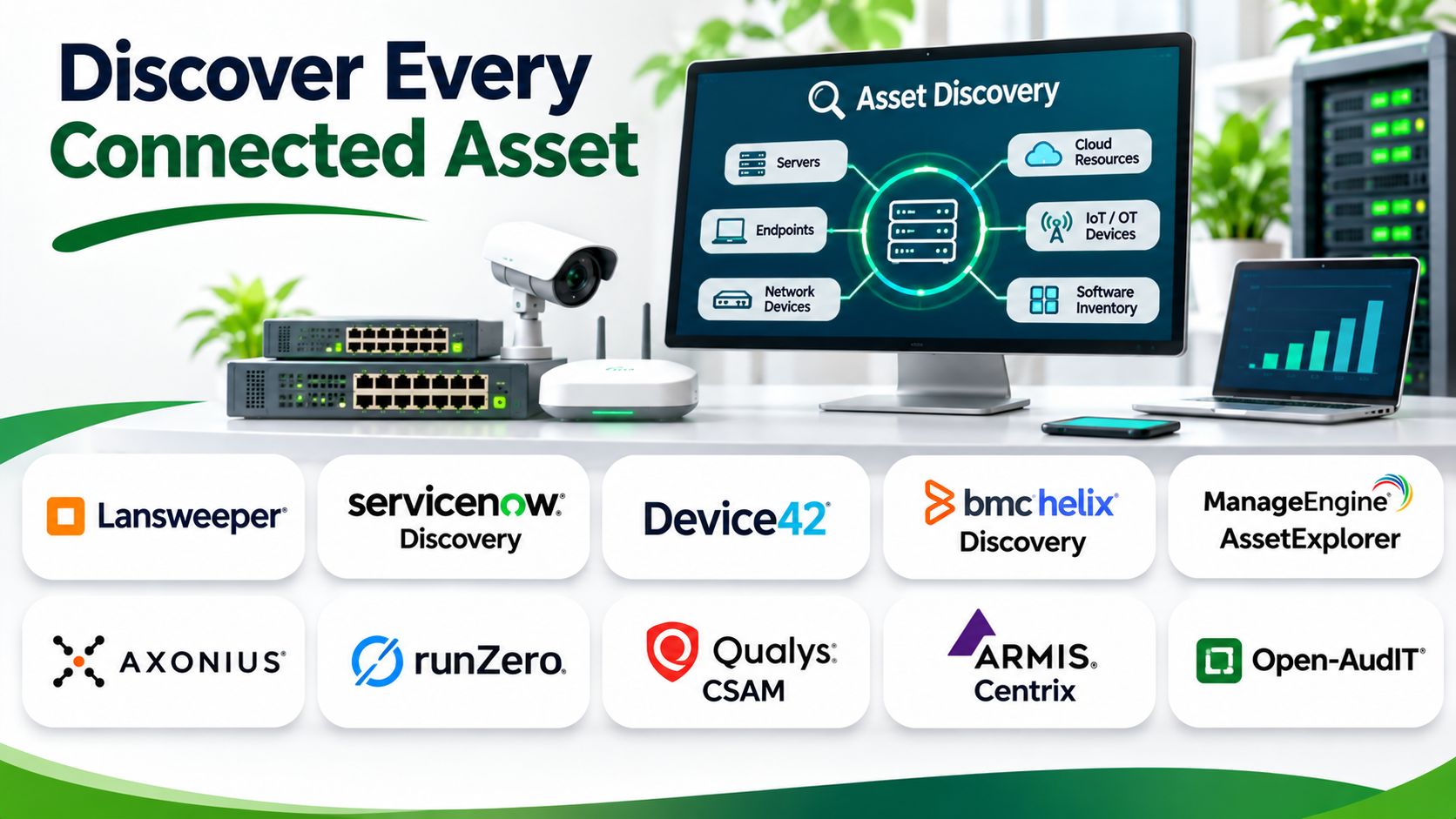
Network inventory tools help organizations discover, classify, document, and monitor devices connected to their technology networks. These applications provide centralized visibility into routers, switches, firewalls, servers, wireless access points, and other network resources.
Traditional network inventory management frequently depends on spreadsheets, manual inspections, and disconnected infrastructure records. These methods can contribute to inaccurate documentation, unidentified devices, inefficient troubleshooting, and unnecessary maintenance expenses.
Modern network inventory software provides automated device discovery, hardware identification, network topology mapping, configuration information, and centralized reporting. These capabilities help administrators maintain reliable infrastructure records and understand network relationships.
Advanced platforms combine automated discovery with performance monitoring, intelligent classification, and security-related asset visibility. These capabilities can help organizations identify infrastructure changes and investigate potentially unauthorized network connections.
Different network inventory tools address the requirements of small businesses, enterprise technology departments, managed service providers, and data center operators. Selecting appropriate software requires evaluating network complexity, discovery coverage, integration requirements, and available resources.
This guide examines ten network inventory tools, including their features, benefits, advantages, limitations, and practical applications. It also provides comparison tables, implementation recommendations, financial examples, performance indicators, and frequently asked questions.
What Are Network Inventory Tools?
Network inventory tools are software applications designed to identify and maintain information about devices connected to organizational networks. They collect technical details such as device names, network addresses, hardware models, operating systems, and interface information.
These platforms commonly use Simple Network Management Protocol (SNMP), Internet Control Message Protocol (ICMP), authenticated queries, and Application Programming Interface (API) integrations. Available discovery methods depend on device compatibility, network accessibility, and organizational security policies.
Network inventory software frequently integrates with network monitoring, Information Technology Asset Management (ITAM), and Information Technology Service Management (ITSM) applications. These integrations help administrators connect infrastructure documentation with operational performance and maintenance activities.
Effective network inventory management requires authorized discovery boundaries, reliable identification methods, accurate device ownership information, and regular inventory updates. Software supports these practices but cannot independently guarantee complete infrastructure visibility.
How Network Inventory Tools Work
- Define authorized network discovery boundaries.
- Configure approved network ranges and credentials.
- Discover connected infrastructure devices.
- Collect hardware and configuration information.
- Classify devices according to their characteristics.
- Identify network interfaces and relationships.
- Reconcile discovered devices with existing records.
- Generate inventory reports and network maps.
- Identify changes and potentially unmanaged devices.
- Repeat discovery according to operational requirements.
Common Applications
- Enterprise network device inventory.
- Router and switch documentation.
- Wireless infrastructure management.
- Data center network inventory.
- Internet Protocol (IP) address management.
- Network topology documentation.
- Infrastructure audit preparation.
- Hardware lifecycle management.
- Network troubleshooting.
- Unauthorized device identification.
- Capacity planning.
- Infrastructure modernization projects.
Essential Components of Network Inventory Tools
| Component | Purpose |
|---|---|
| Discovery engine | Identifies connected network devices |
| Device repository | Stores centralized inventory records |
| SNMP integration | Collects supported device information |
| IP address tracking | Documents network addressing information |
| Topology mapping | Visualizes network relationships |
| Hardware inventory | Records device models and technical details |
| Configuration information | Documents relevant device settings |
| Change detection | Identifies infrastructure modifications |
| Reporting engine | Generates inventory and audit reports |
| Integration framework | Connects inventory with other applications |
Top 10 Network Inventory Tools
The following platforms provide different combinations of network discovery, device inventory, infrastructure documentation, and operational monitoring. Their numbering represents presentation order rather than an independently tested performance ranking.
1. SolarWinds Network Performance Monitor
Short Description
SolarWinds Network Performance Monitor (NPM) provides network discovery and infrastructure monitoring capabilities for enterprise environments. It helps administrators identify supported network devices and monitor their operational performance.
The platform collects device and interface information through supported monitoring protocols. Integration with other SolarWinds products can extend inventory, configuration management, and infrastructure documentation capabilities.
Key Features
- Automated network discovery.
- SNMP-based device monitoring.
- Network device inventory.
- Interface information collection.
- Network topology visualization.
- Hardware health monitoring.
- Performance dashboards.
- Configurable operational alerts.
Benefits: Improves infrastructure visibility, supports troubleshooting, strengthens network documentation, and reduces manual monitoring activities.
Pros
- Comprehensive network monitoring capabilities.
- Broad network device support.
- Relevant topology visualization.
- Integrated operational reporting.
Cons
- Commercial licensing can be substantial.
- Large deployments require infrastructure planning.
- Advanced configuration management may require additional products.
Use Cases: Enterprise network inventories, infrastructure monitoring, device health assessments, and network troubleshooting.
Best For: Enterprise network administrators, infrastructure departments, data center operators, and SolarWinds customers.
2. ManageEngine OpManager
Short Description
ManageEngine OpManager provides network monitoring and infrastructure discovery capabilities for routers, switches, servers, and other supported devices. Organizations can maintain device inventories while monitoring network availability and performance.
Its discovery functionality collects device information and supports infrastructure visualization. Additional ManageEngine products can extend network configuration management and IP address administration.
Key Features
- Automated device discovery.
- Network infrastructure inventory.
- SNMP monitoring.
- Device classification.
- Network topology maps.
- Interface performance monitoring.
- Hardware health information.
- Operational reporting.
Benefits: Improves device visibility, simplifies network administration, supports infrastructure troubleshooting, and strengthens operational coordination.
Pros
- Integrated network monitoring functionality.
- Broad infrastructure device support.
- Configurable dashboards.
- Relevant ManageEngine ecosystem integrations.
Cons
- Advanced features vary by edition.
- Complex environments require configuration.
- Additional modules may increase ownership costs.
Use Cases: Corporate network inventories, router and switch monitoring, infrastructure audits, and device performance management.
Best For: Mid-sized enterprises, network operations teams, internal IT departments, and ManageEngine customers.
3. Lansweeper
Short Description
Lansweeper provides automated technology asset discovery and inventory management across enterprise environments. Its capabilities help organizations identify network devices, endpoints, servers, and installed software.
The platform combines multiple discovery methods to maintain centralized technology inventory records. Relevant integrations allow organizations to connect network asset information with security and service management applications.
Key Features
- Automated network asset discovery.
- Hardware inventory collection.
- Network device identification.
- Software inventory.
- Agentless discovery capabilities.
- Asset classification.
- Centralized inventory reporting.
- Enterprise application integrations.
Benefits: Improves inventory accuracy, identifies unmanaged resources, reduces manual documentation, and supports technology lifecycle management.
Pros
- Dedicated asset discovery orientation.
- Broad hardware and software visibility.
- Relevant inventory reporting.
- Supports heterogeneous infrastructure.
Cons
- Advanced functionality depends on licensing.
- Authenticated discovery requires appropriate credentials.
- Detailed network performance monitoring requires complementary tools.
Use Cases: Network device inventories, hardware audits, unmanaged device discovery, and technology asset management.
Best For: IT asset managers, network administrators, cybersecurity teams, and enterprise technology departments.
4. PRTG Network Monitor
Short Description
PRTG Network Monitor, developed by Paessler, provides infrastructure discovery and network monitoring through configurable sensors. Its automatic discovery capabilities help administrators identify supported devices and establish monitoring configurations.
The platform collects operational information using supported protocols and monitoring methods. Device trees, dashboards, and maps provide visibility into monitored network resources.
Key Features
- Automatic network discovery.
- SNMP-based monitoring.
- Device and sensor organization.
- Network infrastructure visualization.
- Bandwidth monitoring.
- Device availability tracking.
- Configurable notifications.
- Performance reporting.
Benefits: Improves network visibility, supports operational monitoring, reduces repetitive discovery activities, and facilitates infrastructure troubleshooting.
Pros
- Broad monitoring protocol support.
- Configurable sensor architecture.
- Relevant network visualization.
- Integrated availability monitoring.
Cons
- Sensor requirements affect licensing.
- Large deployments require planning.
- Dedicated asset lifecycle management requires other applications.
Use Cases: Network device discovery, bandwidth monitoring, infrastructure inventories, and network availability management.
Best For: Small and mid-sized IT departments, network administrators, infrastructure monitoring teams, and growing enterprises.
5. Device42
Short Description
Device42 provides infrastructure discovery, technology inventory, and application dependency mapping capabilities. It helps organizations document physical devices, virtual infrastructure, network equipment, and cloud resources.
Its discovery capabilities support detailed infrastructure relationships and data center documentation. Organizations can use collected information to support migration planning and configuration management.
Key Features
- Automated infrastructure discovery.
- Network device inventory.
- IP address management.
- Hardware information collection.
- Data center documentation.
- Application dependency mapping.
- Configuration relationship tracking.
- Enterprise application integrations.
Benefits: Improves infrastructure documentation, supports migration planning, strengthens dependency visibility, and reduces manual inventory workloads.
Pros
- Comprehensive infrastructure discovery.
- Relevant data center documentation.
- Integrated IP address management.
- Strong dependency mapping orientation.
Cons
- Commercial licensing requires evaluation.
- Complex deployments require preparation.
- Discovery accuracy depends on infrastructure accessibility.
Use Cases: Data center inventory, network documentation, infrastructure migration, and configuration management.
Best For: Data center administrators, enterprise architects, infrastructure managers, and cloud migration teams.
6. Auvik
Short Description
Auvik provides cloud-based network management and monitoring capabilities for distributed technology environments. Its automated discovery functionality identifies supported network devices and generates network topology information.
The platform helps administrators understand device relationships, monitor infrastructure performance, and manage supported network configurations. Its centralized architecture is particularly relevant to organizations managing multiple customer or office networks.
Key Features
- Automated network discovery.
- Network device inventory.
- Dynamic topology mapping.
- Network interface monitoring.
- Configuration backup for supported devices.
- Infrastructure change visibility.
- Centralized alerts.
- Multi-site network management.
Benefits: Simplifies distributed network administration, improves device visibility, supports troubleshooting, and reduces manual documentation.
Pros
- Strong automated topology mapping.
- Relevant multi-site management.
- Integrated network monitoring.
- Suitable for managed service operations.
Cons
- Commercial pricing requires evaluation.
- Cloud connectivity is an operational consideration.
- Device compatibility affects available functionality.
Use Cases: Distributed network inventories, managed service operations, infrastructure troubleshooting, and network configuration documentation.
Best For: Managed Service Providers (MSPs), distributed enterprises, network administrators, and outsourced technology service teams.
7. Open-AudIT
Short Description
Open-AudIT provides network discovery and inventory management functionality for documenting connected technology resources. It helps administrators collect hardware, software, and network device information.
Different editions provide varying combinations of discovery, reporting, and enterprise management capabilities. Organizations can evaluate deployment options according to infrastructure requirements and available technical expertise.
Key Features
- Automated network discovery.
- Hardware inventory.
- Software inventory.
- Network device classification.
- Configurable discovery activities.
- Device information reporting.
- Inventory change visibility.
- Centralized asset records.
Benefits: Reduces manual inventory administration, improves device documentation, supports infrastructure audits, and facilitates centralized reporting.
Pros
- Dedicated network inventory functionality.
- Multiple edition options.
- Relevant hardware and software discovery.
- Supports technical inventory workflows.
Cons
- Advanced functionality varies by edition.
- Configuration requires technical knowledge.
- Specialized enterprise integrations need evaluation.
Use Cases: Network inventory audits, hardware discovery, software documentation, and infrastructure administration.
Best For: Network administrators, smaller IT departments, technical consultants, and organizations seeking dedicated inventory software.
8. NetBox
Short Description
NetBox provides open-source network infrastructure documentation and modeling capabilities. It functions primarily as a network source of truth rather than an independent automated network discovery engine.
Organizations can document devices, interfaces, network connections, IP addresses, and physical infrastructure relationships. External discovery tools, scripts, and integrations can synchronize observed network information with NetBox records.
Key Features
- Network device documentation.
- IP Address Management (IPAM).
- Data Center Infrastructure Management (DCIM).
- Network interface modeling.
- Rack and site documentation.
- Cable connection records.
- API-based integrations.
- Configurable data models.
Benefits: Establishes authoritative infrastructure records, supports network automation, improves documentation consistency, and strengthens capacity planning.
Pros
- Open-source core platform.
- Comprehensive network data modeling.
- Strong automation integration opportunities.
- Relevant infrastructure documentation capabilities.
Cons
- Native functionality does not replace automated discovery.
- Self-hosting requires administrative resources.
- Synchronization workflows require implementation.
Use Cases: Network source-of-truth management, infrastructure documentation, IP address administration, and network automation.
Best For: Network engineers, infrastructure architects, data center operators, and network automation teams.
9. LibreNMS
Short Description
LibreNMS provides open-source network monitoring with automated device discovery capabilities. It supports numerous network equipment vendors through SNMP-based monitoring and device-specific integrations.
The platform collects information about supported devices, interfaces, hardware sensors, and operational performance. Organizations can use its inventory information and monitoring capabilities to maintain visibility across network infrastructure.
Key Features
- Automatic network discovery.
- SNMP-based device monitoring.
- Network hardware information.
- Interface inventory.
- Device availability monitoring.
- Network mapping capabilities.
- Configurable alerts.
- API access.
Benefits: Improves network visibility, supports infrastructure troubleshooting, reduces repetitive discovery activities, and provides flexible monitoring capabilities.
Pros
- Open-source software.
- Broad network device support.
- Automated discovery functionality.
- Active community ecosystem.
Cons
- Self-hosting requires technical expertise.
- Enterprise support arrangements need evaluation.
- Advanced lifecycle management requires complementary tools.
Use Cases: Network infrastructure discovery, device monitoring, interface inventory, and open-source network administration.
Best For: Technical IT teams, network engineers, educational institutions, and organizations preferring open-source monitoring.
10. runZero
Short Description
runZero provides cyber asset discovery and exposure management capabilities for enterprise networks. Its discovery methods help organizations identify managed and unmanaged devices across authorized infrastructure environments.
The platform combines active discovery, passive visibility, and supported third-party integrations. Device fingerprinting helps administrators classify unfamiliar resources and investigate relevant network exposures.
Key Features
- Active network discovery.
- Passive device discovery.
- Agentless asset identification.
- Device fingerprinting.
- Network service identification.
- Unmanaged device detection.
- Third-party integrations.
- Cyber asset reporting.
Benefits: Identifies network inventory gaps, strengthens cybersecurity visibility, supports device classification, and reduces manual discovery activities.
Pros
- Dedicated cyber asset discovery orientation.
- Strong unmanaged device visibility.
- Multiple discovery approaches.
- Relevant security-focused inventory capabilities.
Cons
- Active discovery requires explicit authorization.
- Network accessibility affects coverage.
- Dedicated network performance monitoring requires complementary tools.
Use Cases: Unknown device discovery, cybersecurity inventory assessments, network exposure analysis, and unmanaged infrastructure identification.
Best For: Cybersecurity teams, network security administrators, security consultants, and enterprise discovery specialists.
Comparison Table: Top 10 Network Inventory Tools
| Platform | Primary Strength | Best For | Pricing Approach |
|---|---|---|---|
| SolarWinds NPM | Enterprise network monitoring | Large enterprises | Commercial licensing |
| ManageEngine OpManager | Integrated infrastructure monitoring | Mid-sized enterprises | Edition-based licensing |
| Lansweeper | Automated technology inventory | Asset management teams | Commercial subscription |
| PRTG Network Monitor | Sensor-based network monitoring | Growing IT departments | Capacity-based licensing |
| Device42 | Infrastructure documentation | Data center teams | Commercial licensing |
| Auvik | Automated network mapping | Managed service providers | Commercial subscription |
| Open-AudIT | Dedicated network inventory | Technical administrators | Edition-dependent |
| NetBox | Network source of truth | Network engineering teams | Open-source and commercial options |
| LibreNMS | Open-source network monitoring | Technical IT departments | Open-source core |
| runZero | Unmanaged device discovery | Cybersecurity teams | Commercial licensing |
Functional Comparison
| Platform | Main Approach | Primary Focus |
|---|---|---|
| SolarWinds NPM | Automated monitoring discovery | Network performance |
| ManageEngine OpManager | Protocol-based discovery | Infrastructure monitoring |
| Lansweeper | Hybrid asset discovery | Technology inventory |
| PRTG Network Monitor | Sensor-based discovery | Network monitoring |
| Device42 | Infrastructure discovery | Configuration documentation |
| Auvik | Automated network discovery | Distributed networks |
| Open-AudIT | Network discovery and auditing | Device inventory |
| NetBox | Data modeling and integrations | Authoritative documentation |
| LibreNMS | SNMP-based discovery | Open-source monitoring |
| runZero | Active and passive discovery | Cybersecurity visibility |
How to Choose the Best Network Inventory Tool
Evaluate Network Coverage
Identify the routers, switches, firewalls, access points, servers, and other resources requiring inventory management. Ensure the selected platform supports relevant manufacturers, device categories, and communication protocols.
Assess Discovery Capabilities
Compare automated discovery, authenticated collection, passive monitoring, and external integrations. Organizations should distinguish tools that discover observed infrastructure from systems that maintain intended network configurations.
Examine Documentation Requirements
Determine whether the organization requires basic device inventories, detailed topology maps, IP address records, or physical infrastructure documentation. Complex environments may benefit from combining automated discovery with an authoritative network source of truth.
Review Integration Requirements
Evaluate compatibility with existing monitoring, cybersecurity, asset management, and service management applications. Reliable integrations help organizations maintain consistent infrastructure records across operational systems.
Consider Security and Ownership Costs
Assess credential protection, access permissions, licensing expenses, infrastructure requirements, and continuing administration costs. Representative testing should include different device manufacturers, network segments, and discovery conditions.
Best Network Inventory Tools by User Type
| User Type | Relevant Platform |
|---|---|
| Enterprise network administrator | SolarWinds NPM |
| Infrastructure operations manager | ManageEngine OpManager |
| IT asset manager | Lansweeper |
| Network monitoring specialist | PRTG Network Monitor |
| Data center administrator | Device42 |
| Managed service provider | Auvik |
| Technical inventory administrator | Open-AudIT |
| Network automation engineer | NetBox |
| Open-source network administrator | LibreNMS |
| Cybersecurity discovery specialist | runZero |
Practical Example: Implementing Network Inventory Software
Consider a hypothetical enterprise managing 5,000 network-connected infrastructure devices across 30 operational locations. Its administrators maintain separate spreadsheets containing incomplete hardware information and outdated network documentation.
Management introduces an automated network inventory platform to improve device identification and infrastructure visibility. The following operational and financial outcomes represent illustrative assumptions rather than verified vendor results.
Implementation Steps
- Define authorized network discovery boundaries.
- Review existing infrastructure inventory records.
- Configure approved discovery protocols and permissions.
- Conduct a controlled pilot across representative locations.
- Reconcile discovered devices with existing records.
- Integrate inventory information with monitoring and service management applications.
- Establish recurring discovery schedules and inventory quality reviews.
Illustrative Performance Improvements
| Performance Indicator | Before | After |
|---|---|---|
| Verified device coverage | 68% | 97% |
| Inventory accuracy | 72% | 96% |
| Monthly inventory administration | 500 hours | 180 hours |
| Duplicate device records | 12% | 2% |
| Average device identification time | 6 hours | 30 minutes |
| Audit preparation time | 15 days | 4 days |
| Undocumented devices | 1,600 | 150 |
Financial Analysis
Reducing monthly inventory administration by 320 hours releases 3,840 employee hours annually. At an illustrative labor cost of $30 per hour, this represents $115,200 in released annual labor capacity rather than guaranteed cash savings.
Suppose separately realized annual operating savings equal $110,000 and recurring software and operating expenses equal $40,000. An initial implementation investment of $105,000 would produce a simple payback period of 18 months.
Important Network Inventory Performance Indicators
| Indicator | Measurement Purpose |
|---|---|
| Device discovery coverage | Measures identified devices against a validated population |
| Inventory accuracy | Evaluates correctness of device records |
| Inventory freshness | Measures how recently records were updated |
| Undocumented device count | Identifies inventory coverage gaps |
| Duplicate record rate | Measures inventory reconciliation quality |
| Discovery failure rate | Tracks unsuccessful discovery activities |
| Topology accuracy | Evaluates documented network relationships |
| Device classification accuracy | Measures correct device categorization |
| Configuration backup coverage | Tracks supported devices with available backups |
| Inventory administration time | Evaluates operational workload |
Security and Governance Considerations
Network inventory platforms may collect confidential infrastructure details, network addresses, device configurations, and connectivity information. Organizations should implement appropriate encryption, authentication, role-based permissions, and audit logging.
Discovery credentials should receive only the permissions necessary for approved inventory activities. Secure credential storage and controlled access help reduce the risk of unauthorized infrastructure access.
Active discovery should operate within explicitly authorized network boundaries and approved operational conditions. Sensitive industrial equipment and legacy infrastructure may require additional safeguards or passive discovery methods.
Challenges and Limitations
Network segmentation, restrictive firewalls, and unsupported device protocols can prevent inventory platforms from collecting complete information. Organizations should establish appropriate discovery mechanisms without unnecessarily weakening security controls.
Changing network addresses and inconsistent device identifiers can produce duplicate or inaccurate inventory records. Reliable reconciliation procedures help organizations distinguish individual devices from changing network characteristics.
Automated discovery does not necessarily establish device ownership, procurement history, or business importance. Organizations should supplement technical discovery with authoritative administrative and asset management information.
Best Practices for Network Inventory Management
- Define authorized discovery boundaries.
- Maintain documented network device ownership.
- Use appropriate discovery protocols.
- Protect network discovery credentials.
- Establish recurring inventory updates.
- Validate device classifications.
- Reconcile duplicate inventory records.
- Maintain accurate topology documentation.
- Integrate inventory with monitoring applications.
- Review unidentified network devices.
- Track hardware lifecycle information.
- Measure inventory accuracy and completeness.
Future Trends in Network Inventory Tools
AI-Assisted Device Classification
Artificial Intelligence (AI) may increasingly help organizations classify unfamiliar network devices using observed technical characteristics. Administrators should validate automated classifications before making consequential operational decisions.
Continuous Network Discovery
Event-driven discovery and passive monitoring may improve visibility into rapidly changing network environments. These capabilities can help organizations identify new devices without relying exclusively on periodic scans.
Network Digital Twins
Advanced infrastructure modeling may help organizations maintain more detailed representations of network devices and their relationships. Accurate inventory information will remain essential for reliable network simulations and planning.
Integrated Network Security Visibility
Network inventory platforms may increasingly connect device information with vulnerability assessments, security policies, and operational telemetry. These integrations can support more informed infrastructure risk management.
Frequently Asked Questions
1. What are network inventory tools?
Network inventory tools identify and document devices connected to organizational networks. They support infrastructure administration, monitoring, and technology inventory management.
2. How does network inventory software work?
Network inventory software uses supported discovery protocols, authenticated queries, and application integrations to collect device information. Collected records are organized into centralized inventories.
3. What is SolarWinds Network Performance Monitor?
SolarWinds NPM provides network discovery and infrastructure performance monitoring. It helps administrators maintain visibility into supported network devices.
4. What is ManageEngine OpManager?
ManageEngine OpManager provides network monitoring and automated infrastructure discovery capabilities. It supports device inventory, availability monitoring, and performance reporting.
5. Can Lansweeper discover network devices?
Lansweeper provides network asset discovery and technology inventory capabilities. Its functionality supports identification of hardware, software, and connected infrastructure resources.
6. What is PRTG Network Monitor?
PRTG provides sensor-based infrastructure monitoring and automatic device discovery. Organizations can use it to monitor network availability and performance.
7. What is Device42?
Device42 provides infrastructure discovery, technology inventory, and dependency mapping capabilities. It supports data center documentation and configuration management.
8. What is Auvik?
Auvik provides cloud-based network management, automated discovery, and topology mapping. Its capabilities are particularly relevant to distributed network environments.
9. What is Open-AudIT?
Open-AudIT provides network discovery and technology inventory functionality. It supports hardware documentation, software inventory, and infrastructure reporting.
10. Is NetBox a network discovery tool?
NetBox primarily provides authoritative network infrastructure documentation and modeling. Automated discovery generally requires external tools or integrations.
11. What is LibreNMS?
LibreNMS is an open-source network monitoring platform with automated discovery capabilities. It supports numerous network equipment manufacturers.
12. What is runZero?
runZero provides cyber asset discovery and exposure management capabilities. It helps organizations identify managed and unmanaged network devices.
13. What is SNMP?
Simple Network Management Protocol enables supported network devices to exchange management information with monitoring applications. It is commonly used for device discovery and performance monitoring.
14. What is network topology mapping?
Network topology mapping represents relationships between network devices and connections. It helps administrators understand infrastructure organization and investigate connectivity problems.
15. What is IP address management?
IP address management involves documenting, allocating, and administering network addresses. It helps organizations maintain consistent addressing records and reduce conflicts.
16. What is a network source of truth?
A network source of truth maintains authoritative information about intended network infrastructure and configurations. It can support automation, documentation, and configuration validation.
17. What is automated network discovery?
Automated network discovery identifies devices through approved technical collection methods. It reduces dependence on manual infrastructure inspections.
18. What is agentless network discovery?
Agentless discovery collects information without installing dedicated software on every target device. It may use network protocols, authenticated queries, or passive monitoring.
19. Can network inventory tools identify unauthorized devices?
Discovery platforms can help identify previously unknown or undocumented devices. Administrators must investigate whether those devices are actually unauthorized.
20. What is the difference between network inventory and network monitoring?
Network inventory documents infrastructure devices and their characteristics. Network monitoring evaluates operational availability, performance, and related conditions.
21. Are open-source network inventory tools available?
Platforms such as LibreNMS and NetBox provide open-source capabilities relevant to network inventory and documentation. Organizations should consider implementation and maintenance requirements.
22. Can network inventory tools discover cloud infrastructure?
Some platforms provide cloud discovery capabilities through supported integrations. Traditional network discovery alone may not identify every cloud resource.
23. How often should network inventory be updated?
Update frequency depends on infrastructure changes and operational requirements. Dynamic networks may require continuous discovery or frequent scheduled updates.
24. How much does network inventory software cost?
Costs depend on device volumes, licensing, monitoring requirements, integrations, and implementation complexity. Organizations should evaluate complete ownership expenses.
25. Which network inventory tool is best?
The appropriate platform depends on network complexity, discovery requirements, documentation needs, and available resources. Representative testing helps organizations identify suitable solutions.
Conclusion
Network inventory tools help organizations identify connected devices and maintain accurate infrastructure documentation. Their capabilities support network administration, operational monitoring, cybersecurity visibility, and technology lifecycle management.
SolarWinds NPM, ManageEngine OpManager, PRTG Network Monitor, and Auvik provide relevant combinations of infrastructure discovery and network monitoring. Lansweeper, Device42, and Open-AudIT address broader technology inventory and documentation requirements.
NetBox provides authoritative network infrastructure modeling, while LibreNMS offers open-source discovery and monitoring capabilities. runZero addresses security-oriented discovery requirements, particularly the identification of previously unknown network assets.
Successful implementation requires authorized discovery activities, reliable device identification, accurate inventory reconciliation, and appropriate security controls. Organizations should evaluate documentation quality and operational visibility alongside discovered device counts.
An effective network inventory strategy combines suitable technology with documented infrastructure ownership and continuous inventory improvement. These practices help organizations reduce network blind spots, simplify troubleshooting, and maintain reliable infrastructure operations.
