Introduction
Cloud spend governance tools help organizations establish financial policies, monitor infrastructure expenditure, enforce spending controls, and maintain accountability across cloud environments. These platforms are particularly important for enterprises managing multiple cloud providers, distributed engineering teams, and rapidly changing infrastructure requirements.
Traditional cloud expenditure management frequently relies on manual financial reporting, spreadsheets, periodic budget reviews, and disconnected monitoring systems. These approaches can create delayed responses to unexpected expenditure, inconsistent financial policies, and limited visibility into resource consumption.
Modern cloud spend governance platforms combine financial monitoring, budget management, resource classification, policy enforcement, expenditure forecasting, and optimization recommendations. Advanced solutions also support automated remediation, commitment management, cost anomaly detection, and business-oriented financial reporting.
Cloud spend governance represents an important component of Financial Operations (FinOps), which connects technology consumption with financial accountability and business value. Effective governance helps organizations balance infrastructure performance, operational requirements, financial efficiency, and business objectives.
Selecting the appropriate cloud spend governance software requires understanding infrastructure architecture, cloud provider coverage, organizational financial policies, and automation requirements. Organizations should also evaluate security controls, integration compatibility, implementation complexity, and total operating costs.
This guide examines ten cloud spend governance tools, including their features, benefits, advantages, limitations, and practical applications. It also provides comparison tables, software selection recommendations, a practical implementation example, common mistakes, and frequently asked questions.
What Are Cloud Spend Governance Tools?
Cloud spend governance tools are software applications that help organizations monitor, regulate, and optimize technology expenditure across cloud infrastructure and associated services. They support financial accountability through configurable budgets, cost allocation, spending policies, and operational oversight.
These platforms collect information from cloud billing systems, resource inventories, monitoring services, and compatible financial applications. Administrators use this information to identify expenditure patterns, evaluate policy compliance, and establish financial management workflows.
For example, an enterprise operating multiple cloud environments may establish policies requiring resource ownership tags, approved instance configurations, departmental budgets, and scheduled reviews of unused infrastructure. Cloud spend governance tools help monitor these requirements and initiate supported corrective workflows.
Cloud spend governance differs from basic cloud cost monitoring because it emphasizes organizational policies, financial responsibilities, and operational controls rather than expenditure visibility alone. Effective implementation requires collaboration among finance departments, engineering teams, procurement specialists, and organizational leadership.
Common applications of cloud spend governance tools include:
- Multi-Cloud Financial Governance: Organizations establish consistent expenditure policies across supported cloud providers. Centralized reporting helps improve financial accountability.
- Departmental Budget Management: Financial teams monitor infrastructure expenses against approved departmental budgets. Notifications help stakeholders investigate potential deviations.
- Resource Tagging Governance: Organizations establish standardized resource ownership classifications. Consistent metadata supports accurate cost allocation.
- Cloud Resource Optimization: Engineering teams investigate idle infrastructure, oversized resources, and unnecessary service consumption. Approved optimization workflows can improve financial efficiency.
- Kubernetes Financial Governance: Platform teams monitor container infrastructure expenditure and workload resource allocation. Detailed reporting supports application-level financial accountability.
- Cloud Procurement Management: Organizations evaluate pricing commitments, discounts, and infrastructure purchasing arrangements. Financial governance supports informed procurement decisions.
- Artificial Intelligence Infrastructure Governance: Organizations monitor expenditure associated with Artificial Intelligence (AI) models, computing accelerators, and development environments. Financial controls help manage rapidly changing resource consumption.
- Enterprise Financial Compliance: Organizations document financial policies, approval responsibilities, and expenditure exceptions. Structured governance supports internal audits and financial reviews.
Top 10 Cloud Spend Governance Tools in 2026
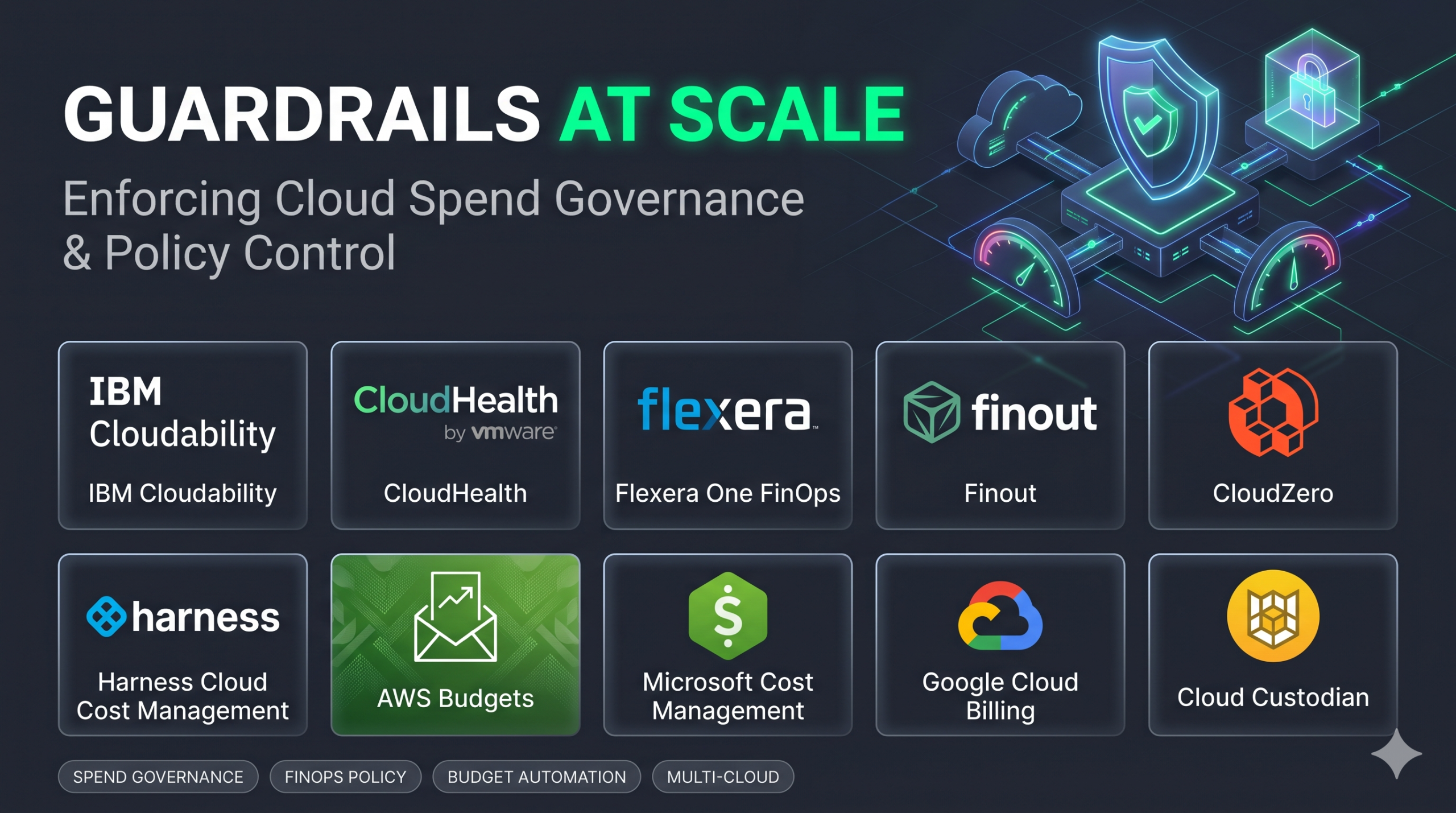
The following selection includes commercial FinOps platforms, cloud management solutions, native cloud financial management services, and open-source policy automation software. The numbering is intended for comparison rather than an independently tested performance ranking.
1. IBM Cloudability
Short Description
IBM Cloudability is a cloud financial management platform within the IBM Apptio portfolio. It helps organizations analyze cloud expenditure, allocate infrastructure costs, and establish financial accountability.
The platform is suitable for large enterprises, multi-cloud organizations, technology finance departments, and dedicated FinOps teams. Administrators can organize financial information according to business units, applications, projects, and organizational cost centers.
Its technical strength is configurable business mapping combined with cloud expenditure forecasting, optimization analysis, and financial reporting. These capabilities support enterprise cloud spend governance and budget management.
IBM Cloudability integrates with supported cloud billing environments and complementary enterprise financial systems. Organizations requiring automated infrastructure policy enforcement may need additional governance or cloud management tools.
Key Features
- Multi-Cloud Cost Visibility: Centralized reports summarize expenditure across supported cloud environments. Administrators can investigate spending across accounts, services, and business dimensions.
- Business Mapping: Configurable mappings associate infrastructure expenditure with organizational ownership. This supports departmental financial accountability.
- Budget Management: Financial teams establish budgets and monitor cloud expenditure. Budget comparisons help identify potential financial deviations.
- Financial Forecasting: Available forecasting capabilities estimate future infrastructure expenditure. Organizations can incorporate forecasts into financial planning.
- Cost Allocation: Supported allocation mechanisms distribute selected direct and shared infrastructure expenses. Administrators can establish approved financial methodologies.
- Commitment Analysis: Applicable capabilities evaluate cloud pricing commitments and discounts. Financial teams can investigate utilization and coverage.
- Optimization Recommendations: Supported analytical capabilities identify potential infrastructure efficiency opportunities. Engineering teams should validate recommendations before implementation.
- Container Cost Visibility: Compatible integrations provide information about selected container infrastructure expenses. This supports application-level financial analysis.
- Enterprise Reporting: Configurable dashboards communicate financial performance to organizational stakeholders. Reports support financial reviews and governance activities.
Benefits
- Improves enterprise cloud expenditure visibility.
- Supports departmental financial accountability.
- Enables structured cloud budget management.
- Enhances financial forecasting.
- Helps identify optimization opportunities.
- Supports multi-cloud financial governance.
- Reduces manual reporting activities.
Pros
- Comprehensive cloud financial management.
- Configurable business mapping.
- Supported multi-cloud integrations.
- Detailed financial reporting.
- Enterprise forecasting capabilities.
- Integration with the broader Apptio ecosystem.
Cons
- Commercial licensing costs apply.
- Implementation requires financial configuration.
- Accurate billing information is essential.
- Advanced financial models require maintenance.
- Direct infrastructure policy enforcement may require complementary tools.
Use Cases
- Enterprise Spend Governance: Establish consistent cloud financial management procedures.
- Departmental Budget Monitoring: Investigate expenditure against approved financial plans.
- Multi-Cloud Financial Reporting: Consolidate supported cloud provider expenses.
- Cloud Commitment Reviews: Evaluate pricing commitment utilization.
- Application Cost Governance: Associate infrastructure expenditure with business applications.
- Executive Financial Reporting: Communicate cloud spending performance to leadership.
Best For
- Enterprise FinOps teams.
- Multi-cloud organizations.
- Technology finance departments.
- Cloud infrastructure managers.
- Financial institutions.
- Cloud financial governance specialists.
2. CloudHealth
Short Description
CloudHealth is a cloud financial management and governance platform historically associated with VMware and Broadcom. It helps organizations understand infrastructure expenditure, establish business-oriented financial views, and evaluate governance policies.
The platform is suitable for enterprises, managed service providers, cloud administrators, and organizations operating multiple cloud environments. Administrators can establish resource groupings reflecting financial ownership and operational responsibilities.
Its technical advantage is configurable business perspectives combined with cloud financial reporting and policy-based governance capabilities. Organizations can monitor selected financial and infrastructure conditions through centralized management workflows.
CloudHealth supports compatible cloud providers and enterprise reporting processes. Current ownership, branding, licensing, and available automation capabilities should be verified during procurement.
Key Features
- Cloud Cost Analysis: Centralized reports summarize supported cloud expenditure. Administrators can investigate spending across services and accounts.
- Business Perspectives: Configurable perspectives group resources according to organizational dimensions. These groupings support financial governance and cost allocation.
- Governance Policies: Supported policies evaluate selected financial and operational conditions. Organizations can establish consistent management procedures.
- Budget Monitoring: Available capabilities compare expenditure against approved budgets. Financial teams can investigate significant deviations.
- Resource Optimization: Supported recommendations identify potential infrastructure efficiency opportunities. Engineering teams should evaluate proposed changes.
- Commitment Management: Available analytics evaluate selected cloud pricing commitments. Administrators can investigate utilization and coverage.
- Policy Notifications: Supported workflows communicate selected governance conditions to stakeholders. Notifications help teams investigate potential violations.
- Historical Financial Reporting: Reports summarize expenditure patterns over time. Organizations can evaluate changes in cloud consumption.
- Financial Data Integration: Supported interfaces exchange information with compatible systems. Financial outputs can support enterprise reporting workflows.
Benefits
- Improves cloud financial transparency.
- Supports policy-based governance.
- Enables business-oriented resource classification.
- Enhances departmental budget monitoring.
- Helps identify infrastructure inefficiencies.
- Supports multi-cloud financial accountability.
- Improves operational governance consistency.
Pros
- Established cloud financial management capabilities.
- Configurable business perspectives.
- Policy-based governance functionality.
- Supported multi-cloud visibility.
- Resource optimization insights.
- Managed service provider relevance.
Cons
- Commercial licensing costs apply.
- Current product arrangements require verification.
- Governance policies require careful configuration.
- Automation coverage varies by provider.
- Broader technology accounting may require additional software.
Use Cases
- Cloud Policy Governance: Monitor selected financial and resource conditions.
- Multi-Cloud Spend Management: Consolidate supported infrastructure expenditure.
- Departmental Financial Reporting: Associate cloud expenses with business ownership.
- Managed Service Governance: Evaluate customer-related infrastructure consumption.
- Cloud Budget Monitoring: Investigate potential financial deviations.
- Resource Optimization Reviews: Identify potential infrastructure efficiency improvements.
Best For
- Enterprise cloud administrators.
- Cloud governance managers.
- Managed service providers.
- Multi-cloud organizations.
- FinOps practitioners.
- Infrastructure financial analysts.
3. Flexera One FinOps
Short Description
Flexera One FinOps provides cloud financial management capabilities within the broader Flexera technology management ecosystem. It helps organizations analyze cloud expenditure, establish financial governance, and investigate resource optimization opportunities.
The platform is suitable for large enterprises, hybrid infrastructure operators, technology asset managers, and organizations maintaining complex technology portfolios. Administrators can evaluate expenditure across supported cloud environments.
Its technical strength is cloud financial intelligence combined with complementary technology asset management and policy automation capabilities. Organizations can investigate relationships between infrastructure expenditure, software licensing, and technology ownership.
Flexera One FinOps supports compatible cloud billing integrations and enterprise financial workflows. Broader technology governance functionality may require additional products within the Flexera portfolio.
Key Features
- Cloud Cost Visibility: Supported billing integrations provide centralized expenditure information. Administrators can evaluate costs across organizational dimensions.
- Cost Allocation: Configurable mappings associate selected expenses with business ownership. This supports departmental financial accountability.
- Budget Management: Available capabilities monitor expenditure against financial plans. Organizations can investigate potential deviations.
- Policy Automation: Supported policy capabilities evaluate selected financial and operational conditions. Administrators can configure appropriate governance workflows.
- Cloud Optimization: Available recommendations identify potential resource efficiency opportunities. Technical teams should validate proposed infrastructure adjustments.
- Technology Asset Intelligence: Applicable Flexera products provide complementary technology inventory information. Organizations can evaluate infrastructure expenses alongside software costs.
- Commitment Analysis: Supported capabilities analyze selected cloud pricing commitments. Financial teams can investigate potential savings opportunities.
- Financial Reporting: Configurable reports summarize expenditure and financial allocation information. Stakeholders can evaluate technology spending performance.
- Enterprise Integration: Supported interfaces exchange information with compatible systems. Integration helps coordinate financial and operational governance.
Benefits
- Improves enterprise technology cost visibility.
- Supports cloud financial governance.
- Enables configurable spending policies.
- Enhances technology asset accountability.
- Helps identify optimization opportunities.
- Supports centralized financial reporting.
- Improves hybrid technology financial management.
Pros
- Broad technology management ecosystem.
- Supported cloud cost allocation.
- Policy automation capabilities.
- Technology asset management relevance.
- Enterprise reporting functionality.
- Hybrid infrastructure applicability.
Cons
- Commercial licensing costs apply.
- Product packaging can be complex.
- Advanced configuration requires expertise.
- Accurate technology inventory information is necessary.
- Some governance capabilities require complementary products.
Use Cases
- Enterprise Cloud Governance: Establish financial and operational management policies.
- Hybrid Infrastructure Management: Evaluate supported technology expenditure categories.
- Software and Cloud Optimization: Investigate technology spending efficiency.
- Departmental Budget Governance: Monitor cloud expenses against financial plans.
- Technology Asset Financial Analysis: Evaluate infrastructure and software expenditure.
- Automated Policy Monitoring: Investigate selected resource and financial conditions.
Best For
- Large enterprises.
- Technology asset managers.
- Hybrid infrastructure operators.
- Enterprise FinOps teams.
- Software licensing specialists.
- Technology governance departments.
4. Finout
Short Description
Finout is a FinOps platform that consolidates technology expenditure across supported cloud providers, container environments, and additional technology services. It helps organizations establish financial transparency and business-oriented spending accountability.
The platform is suitable for SaaS companies, multi-cloud enterprises, Kubernetes operators, and technology finance departments. Software as a Service (SaaS) organizations can use configurable financial dimensions to evaluate infrastructure expenses associated with products and customers.
Its technical advantage is consolidated cost intelligence combined with virtual tagging, shared cost allocation, and anomaly detection. These capabilities support financial governance across complex technology environments.
Finout provides configurable financial reporting and supported optimization insights. Organizations requiring preventive infrastructure policy enforcement may need complementary cloud governance software.
Key Features
- Consolidated Cost Visibility: Supported billing sources are combined within centralized financial views. Administrators can investigate expenditure across technology environments.
- Virtual Tagging: Configurable classifications associate expenses with business ownership. These classifications can supplement native resource tags.
- Shared Cost Allocation: Supported allocation mechanisms distribute selected common infrastructure expenses. Financial teams can establish approved methodologies.
- Budget Monitoring: Available capabilities track expenditure against defined financial plans. Administrators can investigate potential budget deviations.
- Cost Anomaly Detection: Supported analytics identify unusual expenditure patterns. Teams can investigate unexpected spending changes.
- Kubernetes Cost Analysis: Compatible integrations provide container infrastructure cost information. Organizations can evaluate supported workload dimensions.
- Unit Economics: Configurable dimensions connect technology expenditure with business activities. This supports product profitability analysis.
- Optimization Insights: Available recommendations identify potential infrastructure efficiency opportunities. Engineering teams should validate proposed changes.
- Financial Reporting: Configurable reports communicate allocated expenditure to stakeholders. Reports support financial governance and accountability.
Benefits
- Consolidates technology expenditure information.
- Supports flexible financial governance.
- Improves departmental cost accountability.
- Helps identify unexpected expenditure.
- Enables shared infrastructure cost allocation.
- Supports Kubernetes financial management.
- Reduces fragmented financial reporting.
Pros
- Broad technology cost visibility.
- Configurable virtual tagging.
- Shared cost allocation capabilities.
- Supported anomaly detection.
- Kubernetes financial management relevance.
- Flexible business-oriented reporting.
Cons
- Commercial subscription costs apply.
- Allocation rules require ongoing maintenance.
- Provider coverage varies.
- Initial financial configuration can be complex.
- Preventive infrastructure enforcement requires additional tools.
Use Cases
- Multi-Source Spend Governance: Monitor expenditure across supported technology services.
- Departmental Financial Accountability: Associate costs with organizational ownership.
- Kubernetes Budget Management: Evaluate container infrastructure expenditure.
- Shared Infrastructure Governance: Allocate common technology expenses.
- Anomaly Investigation: Review unexpected spending changes.
- Product Financial Analysis: Evaluate technology expenditure associated with business products.
Best For
- Enterprise FinOps teams.
- SaaS businesses.
- Multi-cloud organizations.
- Kubernetes operators.
- Technology finance analysts.
- Shared infrastructure managers.
5. CloudZero
Short Description
CloudZero is a cloud cost intelligence platform that helps organizations understand technology expenditure according to business and engineering activities. It connects infrastructure expenses with products, customers, applications, and development teams.
The platform is suitable for SaaS companies, cloud-native organizations, product engineering departments, and businesses prioritizing financial efficiency. Administrators can establish configurable financial dimensions reflecting operational ownership.
Its technical strength is flexible cost allocation combined with business-oriented financial intelligence and unit economics analysis. Organizations can evaluate infrastructure expenditure relative to measurable business activities.
CloudZero supports compatible cloud billing integrations and additional technology cost sources. Its financial governance capabilities emphasize visibility, accountability, and investigation rather than comprehensive infrastructure policy enforcement.
Key Features
- Business Cost Intelligence: Centralized analytical capabilities summarize technology expenditure. Administrators can evaluate costs according to business dimensions.
- Flexible Cost Allocation: Configurable rules associate infrastructure expenses with organizational ownership. This supports engineering financial accountability.
- Unit Economics: Available analytics evaluate technology costs relative to business activity. Organizations can calculate cost per customer or transaction.
- Product Cost Analysis: Supported financial dimensions associate infrastructure expenses with products and features. Product managers can investigate operating costs.
- Cost Anomaly Detection: Available analytics identify unusual expenditure patterns. Engineering teams can investigate unexpected consumption changes.
- Budget Monitoring: Supported capabilities help teams evaluate expenditure against financial expectations. Organizations can establish financial review workflows.
- Container Cost Visibility: Compatible integrations provide selected container infrastructure expense information. This supports workload financial analysis.
- Shared Cost Distribution: Supported allocation mechanisms distribute selected common infrastructure expenses. Administrators can document approved allocation assumptions.
- Financial Reporting: Configurable reports communicate technology expenditure to stakeholders. Reports support collaboration between engineering and finance departments.
Benefits
- Improves product-level financial visibility.
- Supports engineering spending accountability.
- Enables business-oriented cost allocation.
- Enhances unit economics analysis.
- Helps identify unexpected expenditure.
- Supports technology profitability reviews.
- Improves financial decision-making.
Pros
- Flexible business cost dimensions.
- Strong product cost intelligence.
- Unit economics relevance.
- Engineering-oriented financial reporting.
- Supported anomaly detection.
- Configurable shared cost allocation.
Cons
- Commercial subscription costs apply.
- Accurate business metadata remains important.
- Allocation rules require configuration.
- Comprehensive financial accounting requires external systems.
- Infrastructure enforcement requires complementary tools.
Use Cases
- Product Spend Governance: Monitor infrastructure expenditure associated with products.
- Customer Profitability Analysis: Evaluate technology costs attributable to customer activity.
- Engineering Financial Accountability: Associate cloud expenditure with development teams.
- Anomaly Investigation: Analyze unexpected infrastructure spending changes.
- Unit Economics Governance: Evaluate technology expenses relative to business activity.
- Shared Service Allocation: Distribute selected common infrastructure costs.
Best For
- SaaS companies.
- Cloud-native businesses.
- Product managers.
- Engineering finance teams.
- FinOps practitioners.
- Technology profitability analysts.
6. Harness Cloud Cost Management
Short Description
Harness Cloud Cost Management is a cloud financial management solution within the Harness software delivery platform. It helps organizations monitor cloud expenditure, establish financial accountability, and investigate infrastructure optimization opportunities.
The platform is suitable for software engineering departments, platform engineering teams, Kubernetes administrators, and cloud-native enterprises. Administrators can evaluate expenditure across supported cloud environments and application workloads.
Its technical advantage is cloud cost intelligence combined with engineering-oriented optimization and supported governance automation. Available capabilities can help organizations reduce unnecessary expenditure associated with idle or underutilized resources.
Harness Cloud Cost Management supports compatible cloud providers and infrastructure integrations. Organizations should verify current governance functionality, automated action coverage, and licensing arrangements before implementation.
Key Features
- Cloud Cost Visibility: Supported integrations provide centralized expenditure information. Administrators can investigate costs across cloud environments.
- Cost Perspectives: Configurable perspectives organize expenditure according to business and engineering dimensions. These classifications support financial accountability.
- Budget Monitoring: Available capabilities compare infrastructure expenditure with defined financial plans. Teams can investigate potential deviations.
- Cost Anomaly Detection: Supported analytics identify unusual expenditure patterns. Administrators can review unexpected changes.
- Kubernetes Cost Management: Compatible integrations provide workload-level financial information. Platform teams can investigate container infrastructure expenditure.
- AutoStopping: Supported automation can manage eligible idle resources according to configured conditions. Organizations should validate application availability requirements.
- Governance Rules: Applicable governance capabilities evaluate selected cloud resource conditions. Administrators can establish controlled remediation workflows.
- Resource Optimization: Available recommendations identify potential infrastructure efficiency opportunities. Engineering teams should validate proposed adjustments.
- Engineering Integration: Compatible Harness workflows connect financial management with software delivery activities. This supports engineering ownership of cloud expenditure.
Benefits
- Improves engineering financial accountability.
- Supports automated infrastructure governance.
- Helps identify unnecessary resource expenditure.
- Enables container financial management.
- Enhances cloud budget monitoring.
- Supports controlled optimization workflows.
- Improves collaboration between engineering and finance.
Pros
- Engineering-oriented financial management.
- Supported governance automation.
- Kubernetes cost visibility.
- Applicable idle resource management.
- Integration with the Harness ecosystem.
- Configurable financial perspectives.
Cons
- Commercial licensing costs apply.
- Automation requires careful configuration.
- Supported actions vary by provider and resource type.
- Incorrect optimization policies can affect availability.
- Enterprise accounting requires additional integrations.
Use Cases
- Development Environment Governance: Manage expenditure associated with eligible nonproduction resources.
- Kubernetes Spend Management: Monitor workload-level infrastructure expenses.
- Automated Resource Optimization: Apply approved optimization workflows to supported resources.
- Engineering Budget Monitoring: Evaluate infrastructure expenditure against financial plans.
- Cloud Policy Monitoring: Investigate selected resource governance conditions.
- Software Delivery Financial Analysis: Associate infrastructure expenditure with engineering activities.
Best For
- Platform engineering teams.
- Cloud-native enterprises.
- Kubernetes administrators.
- Software engineering departments.
- Development and operations teams.
- Engineering-oriented FinOps practitioners.
7. AWS Budgets
Short Description
AWS Budgets is a native cloud financial management service provided by Amazon Web Services (AWS). It helps organizations establish expenditure thresholds, monitor cloud consumption, and configure supported budget notifications and actions.
The service is suitable for AWS customers, cloud administrators, financial departments, and organizations managing multiple AWS accounts. Administrators can create budgets reflecting supported services, accounts, resource tags, and financial dimensions.
Its technical strength is direct integration with AWS billing information and selected automated budget actions. Organizations can use these capabilities to establish financial monitoring and controlled responses to defined spending conditions.
AWS Budgets operates alongside complementary AWS financial management and infrastructure governance services. Budget notifications and actions should not be treated as guaranteed real-time spending limits.
Key Features
- Cost Budgets: Administrators establish financial thresholds for supported AWS expenditure. Budget monitoring helps identify potential overspending.
- Usage Budgets: Supported budgets monitor selected resource consumption quantities. Organizations can investigate changes in infrastructure usage.
- Forecast Notifications: Available alerts communicate forecasted expenditure against defined thresholds. Financial teams can investigate potential budget deviations.
- Actual Cost Notifications: Configurable notifications communicate actual expenditure conditions. Administrators can establish multiple financial thresholds.
- Budget Actions: Supported actions can apply selected permissions or resource controls when configured conditions occur. Organizations should validate operational consequences.
- Account-Level Budgeting: Applicable billing scopes support budgets for linked AWS accounts. This helps establish departmental financial accountability.
- Tag-Based Filtering: Supported cost allocation tags provide business ownership dimensions. Administrators can configure budgets for eligible expense categories.
- Commitment Monitoring: Supported budget types evaluate selected pricing commitment utilization or coverage. Financial teams can investigate commitment performance.
- Notification Integration: Compatible notification services communicate budget conditions to stakeholders. Organizations can establish appropriate escalation workflows.
Benefits
- Supports native AWS financial governance.
- Enables configurable spending thresholds.
- Improves departmental budget accountability.
- Helps identify forecasted overspending.
- Supports selected automated budget actions.
- Reduces external integration requirements.
- Improves AWS financial monitoring.
Pros
- Native AWS billing integration.
- Configurable budget notifications.
- Supported automated budget actions.
- Account-level financial monitoring.
- Applicable commitment budget types.
- Accessible starting point for AWS customers.
Cons
- Limited to AWS environments.
- Billing information is not always immediate.
- Budget thresholds are not guaranteed hard spending caps.
- Automated actions have limited resource coverage.
- Advanced multi-cloud governance requires additional software.
Use Cases
- AWS Budget Governance: Monitor infrastructure expenditure against approved budgets.
- Departmental Financial Monitoring: Establish budgets for linked AWS accounts.
- Forecast-Based Notifications: Investigate anticipated expenditure increases.
- Automated Budget Responses: Apply supported actions under approved conditions.
- Cloud Commitment Monitoring: Evaluate selected pricing commitment metrics.
- Development Account Governance: Monitor expenditure associated with development environments.
Best For
- AWS customers.
- AWS cloud administrators.
- Small cloud-based businesses.
- Cloud finance teams.
- FinOps beginners.
- AWS infrastructure governance specialists.
8. Microsoft Cost Management
Short Description
Microsoft Cost Management is a native cloud financial management service within the Microsoft Azure ecosystem. It helps organizations analyze expenditure, monitor budgets, allocate supported costs, and establish financial accountability.
The service is suitable for Azure customers, enterprise cloud administrators, technology finance departments, and organizations operating multiple subscriptions. Administrators can evaluate expenditure across supported billing scopes and resource dimensions.
Its technical advantage is native integration with Azure billing information and complementary governance services. Organizations can combine Microsoft Cost Management with Azure Policy and other management capabilities to establish broader financial governance workflows.
Microsoft Cost Management provides financial monitoring rather than a universal hard spending limit. Available allocation, reporting, and integration capabilities depend on billing arrangements and account configuration.
Key Features
- Azure Cost Analysis: Native reports summarize supported cloud expenditure. Administrators can investigate spending across subscriptions and services.
- Budget Management: Configurable budgets monitor expenditure against financial thresholds. Financial teams can receive notifications about selected conditions.
- Cost Forecasting: Available forecasts estimate future infrastructure expenditure. Organizations can investigate potential financial deviations.
- Resource Tag Reporting: Supported tags provide business ownership dimensions. Administrators can establish departmental financial classifications.
- Cost Allocation Rules: Applicable billing arrangements support distribution of selected shared expenses. Organizations can configure approved allocation methodologies.
- Financial Data Exports: Supported export mechanisms provide financial information for external analysis. Teams can integrate cost outputs with enterprise reporting systems.
- Access Management: Supported permissions control access to financial information. Organizations can assign responsibilities according to billing scopes.
- Optimization Integration: Compatible Azure services provide resource optimization recommendations. Engineering teams can investigate potential efficiency improvements.
- Governance Integration: Complementary Azure Policy and automation services support broader infrastructure controls. Organizations can combine these services with financial monitoring workflows.
Benefits
- Improves native Azure financial visibility.
- Supports subscription-level budget governance.
- Enables configurable financial notifications.
- Enhances departmental financial accountability.
- Supports applicable shared cost allocation.
- Improves integration with Azure governance services.
- Reduces external billing integration requirements.
Pros
- Native Azure billing integration.
- Configurable budget monitoring.
- Supported financial data exports.
- Applicable cost allocation functionality.
- Integration with Azure management services.
- Subscription-level financial reporting.
Cons
- Primarily focused on supported Microsoft cloud costs.
- Allocation features depend on billing arrangements.
- Budgets do not automatically stop all expenditure.
- Broader enforcement requires complementary Azure services.
- Advanced multi-cloud governance may require another platform.
Use Cases
- Azure Budget Governance: Monitor subscription expenditure against financial plans.
- Departmental Financial Reporting: Associate Azure expenses with business ownership.
- Cloud Policy Integration: Combine financial monitoring with supported Azure governance controls.
- Shared Cost Allocation: Distribute selected common expenses where supported.
- Financial Forecasting: Estimate future Azure infrastructure expenditure.
- Resource Optimization Reviews: Investigate potential infrastructure efficiency opportunities.
Best For
- Microsoft Azure customers.
- Azure infrastructure administrators.
- Enterprise cloud finance teams.
- Microsoft-focused organizations.
- Cloud governance managers.
- Technology financial controllers.
9. Google Cloud Billing
Short Description
Google Cloud Billing provides native financial management capabilities for Google Cloud customers. It helps organizations analyze infrastructure expenditure, establish budgets, monitor consumption, and export financial information.
The service is suitable for businesses operating Google Cloud infrastructure, cloud administrators, financial departments, and organizations managing multiple projects. Administrators can evaluate expenditure according to supported billing accounts, projects, services, and resource classifications.
Its technical strength is direct integration with Google Cloud billing information and complementary analytical services. Organizations can use billing exports and supported notification mechanisms to establish customized financial governance workflows.
Google Cloud Billing can be combined with Organization Policy, quotas, and other infrastructure management services. Budgets provide financial monitoring and notifications but do not automatically cap all cloud expenditure.
Key Features
- Cloud Billing Reports: Native reports summarize supported Google Cloud expenditure. Administrators can investigate costs across projects and services.
- Budget Management: Configurable budgets monitor expenditure against defined financial thresholds. Organizations can establish appropriate financial review processes.
- Budget Notifications: Supported notifications communicate selected actual or forecasted spending conditions. Financial teams can investigate potential deviations.
- BigQuery Billing Exports: Supported billing exports provide detailed financial information for analytical processing. Organizations can establish custom financial reporting workflows.
- Project-Level Cost Analysis: Available financial dimensions associate expenditure with Google Cloud projects. This supports departmental financial accountability.
- Label-Based Reporting: Supported resource labels provide business ownership classifications. Administrators can use these dimensions where available.
- Programmatic Notifications: Compatible Pub/Sub integrations communicate budget conditions to external workflows. Organizations can develop controlled automation processes.
- Commitment Analysis: Supported financial reports provide information about selected pricing commitments and discounts. Financial teams can evaluate commitment performance.
- Governance Integration: Complementary organization policies and quota controls support infrastructure governance. Administrators can combine these controls with financial monitoring.
Benefits
- Improves native Google Cloud financial visibility.
- Supports project-level budget governance.
- Enables customizable financial analytics.
- Enhances departmental cost accountability.
- Supports programmable notification workflows.
- Improves cloud financial reporting.
- Reduces external billing integration requirements.
Pros
- Native Google Cloud billing integration.
- Configurable budget notifications.
- Detailed billing export capabilities.
- Project-oriented financial reporting.
- Supported programmatic notifications.
- Integration with Google Cloud governance services.
Cons
- Primarily limited to Google Cloud expenditure.
- Budget notifications may be delayed.
- Budgets are not automatic hard spending caps.
- Custom automation requires technical development.
- Analytical processing and storage can create additional costs.
Use Cases
- Google Cloud Budget Governance: Monitor expenditure against approved financial plans.
- Project Financial Accountability: Associate infrastructure expenses with business projects.
- Custom Financial Analytics: Analyze detailed billing information using BigQuery.
- Programmatic Budget Responses: Establish approved workflows for selected financial conditions.
- Cloud Commitment Reviews: Investigate pricing commitment performance.
- Enterprise Cloud Governance: Combine financial monitoring with complementary infrastructure controls.
Best For
- Google Cloud customers.
- Google Cloud administrators.
- Data engineering departments.
- Cloud finance teams.
- Google Cloud governance specialists.
- Organizations requiring custom financial analytics.
10. Cloud Custodian
Short Description
Cloud Custodian is an open-source cloud governance and policy automation tool associated with the Cloud Native Computing Foundation (CNCF) ecosystem. It helps organizations evaluate cloud resources against configurable policies and execute supported actions.
The platform is suitable for cloud infrastructure engineers, security teams, platform engineering departments, and organizations requiring policy-based resource governance. Administrators can establish policies reflecting financial, operational, and security requirements.
Its technical advantage is declarative cloud policy management using human-readable YAML configuration files. YAML is a structured data serialization format commonly used for infrastructure configuration and automation.
Cloud Custodian is not a comprehensive financial reporting or billing analytics platform. Organizations can combine it with native cloud financial management services or commercial FinOps platforms to establish broader spend governance.
Key Features
- Policy-Based Governance: Declarative policies define resource conditions and supported actions. Administrators can establish standardized infrastructure governance requirements.
- Multi-Cloud Resource Support: Supported providers include AWS, Microsoft Azure, and Google Cloud. Resource and action coverage varies by provider.
- **
