Introduction
GitOps tools help organizations manage infrastructure configurations and application deployments through version-controlled repositories and automated reconciliation workflows. These platforms are particularly important for cloud-native applications, Kubernetes environments, distributed infrastructure, and modern software delivery operations.
Traditional deployment management frequently depends on manual commands, administrative consoles, deployment scripts, and disconnected configuration processes. These approaches can introduce configuration inconsistencies, operational delays, unauthorized changes, and difficulties tracking deployment history.
Modern GitOps platforms combine declarative configuration management, repository synchronization, continuous reconciliation, deployment monitoring, and automated application delivery. Advanced solutions also support progressive delivery, multi-cluster management, policy enforcement, and enterprise governance.
GitOps represents an important component of Development and Operations (DevOps) practices and platform engineering. It enables development, infrastructure, security, and operations teams to collaborate through standardized repository-based deployment workflows.
Selecting the appropriate GitOps tool requires evaluating Kubernetes compatibility, reconciliation architecture, repository integration, deployment strategies, security controls, and operational complexity. Organizations should also consider scalability, administrative requirements, licensing arrangements, and integration compatibility.
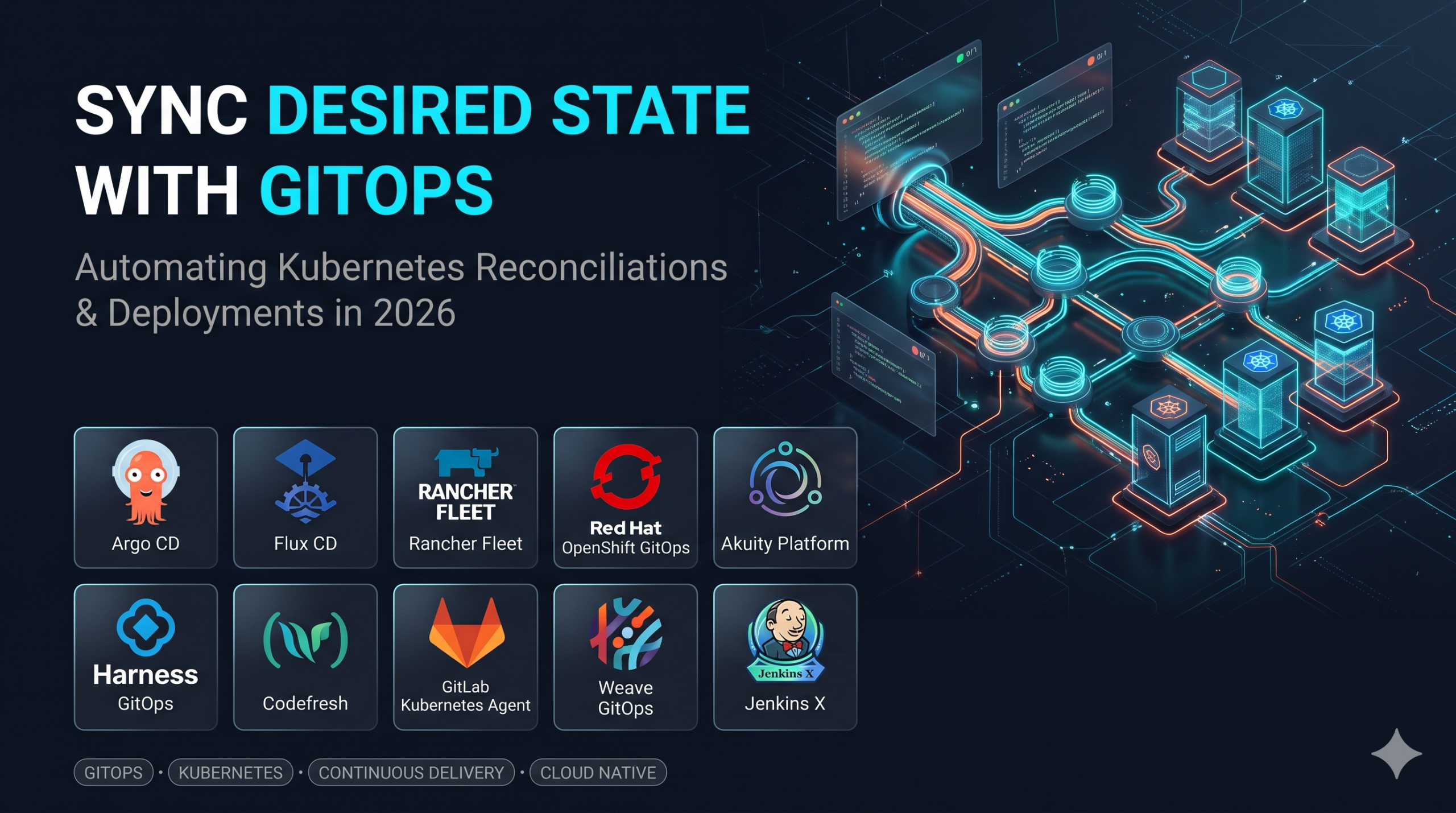
This guide examines ten GitOps tools, including their features, benefits, advantages, limitations, and practical applications. It also provides comparison tables, software selection recommendations, a practical implementation example, common mistakes, and frequently asked questions.
What Are GitOps Tools?
GitOps tools are software applications that enable organizations to manage infrastructure and application configurations using version-controlled repositories as authoritative sources of desired state. Automated controllers or deployment workflows apply approved configurations to compatible infrastructure environments.
These platforms monitor configuration definitions stored in Git repositories or other supported artifact sources. They compare intended configurations with actual infrastructure conditions and initiate supported synchronization or reconciliation operations.
For example, an organization operating Kubernetes applications can maintain deployment manifests, service definitions, configuration files, and environment-specific settings in Git repositories. When authorized configuration changes are merged, a GitOps controller can synchronize the approved changes with the target environment.
GitOps emphasizes declarative configurations, version-controlled changes, automated delivery, and continuous reconciliation. Effective implementation requires appropriate repository security, deployment permissions, secrets management, monitoring, and exception handling.
Common applications of GitOps tools include:
- Kubernetes Application Deployment: Organizations maintain application configurations in version-controlled repositories. GitOps controllers synchronize approved configurations with Kubernetes clusters.
- Multi-Cluster Management: Platform teams manage applications across multiple Kubernetes environments. Standardized deployment definitions improve operational consistency.
- Infrastructure Configuration Management: Organizations maintain compatible infrastructure definitions through repository-based workflows. Continuous reconciliation helps maintain approved configurations.
- Progressive Application Delivery: Engineering teams introduce application updates through controlled rollout strategies. Supported integrations enable canary and blue-green deployments.
- Configuration Drift Management: GitOps controllers identify differences between intended and actual resource configurations. Supported reconciliation mechanisms help address unauthorized changes.
- Enterprise Deployment Governance: Organizations establish repository approval requirements and controlled deployment permissions. Version history supports operational accountability.
- Disaster Recovery: Version-controlled configurations support reconstruction of compatible application environments. Separate backup procedures remain necessary for application data.
- Internal Developer Platforms: Platform engineering teams provide standardized application deployment workflows. Developers can request approved infrastructure and application configurations through repositories.
Top 10 GitOps Tools in 2026
The following selection includes dedicated GitOps controllers, enterprise GitOps distributions, deployment orchestration platforms, and complementary repository-driven infrastructure tools. The numbering is intended for comparison rather than an independently tested performance ranking.
1. Argo CD
Short Description
Argo CD is an open-source declarative continuous delivery tool designed for Kubernetes environments. It is part of the Argo project within the Cloud Native Computing Foundation (CNCF) ecosystem.
The platform is suitable for Kubernetes administrators, DevOps engineers, platform engineering departments, and organizations implementing repository-driven application deployments. It supports multiple application configuration formats and Kubernetes environments.
Its technical strength is continuous application reconciliation combined with visual deployment monitoring and configurable synchronization policies. Administrators can compare desired application configurations with actual cluster resources.
Argo CD integrates with Git repositories, Helm charts, Kustomize configurations, and compatible deployment workflows. Organizations can combine it with Argo Rollouts for progressive application delivery.
Key Features
- Declarative Application Management: Application definitions describe desired Kubernetes resources and deployment sources. Controllers evaluate actual resources against these definitions.
- Git Repository Integration: Argo CD retrieves configurations from supported repositories. Approved repository changes can initiate application synchronization.
- Continuous Reconciliation: Controllers identify differences between desired and actual application states. Configurable policies determine whether differences are corrected automatically.
- Visual Application Dashboard: The web interface displays application resources, synchronization status, and health information. Administrators can investigate deployment conditions.
- Multi-Cluster Management: Supported configurations manage applications across multiple Kubernetes clusters. Teams can establish centralized deployment oversight.
- Helm and Kustomize Support: Compatible rendering mechanisms process application configuration packages. Organizations can maintain reusable deployment definitions.
- Synchronization Policies: Configurable policies control automated synchronization, pruning, and self-healing. Administrators should validate destructive operations before enabling them.
- ApplicationSet Controller: Supported generators create application definitions from configurable sources. This helps manage applications across multiple environments.
- Role-Based Access Control: Configurable permissions regulate application and administrative operations. Organizations can establish appropriate deployment responsibilities.
Benefits
- Automates Kubernetes application delivery.
- Improves deployment configuration consistency.
- Enables continuous application reconciliation.
- Enhances application deployment visibility.
- Supports multi-cluster management.
- Facilitates repository-based governance.
- Reduces repetitive deployment administration.
Pros
- Free and open-source software.
- Comprehensive visual interface.
- Established Kubernetes GitOps ecosystem.
- Multiple configuration format integrations.
- Flexible synchronization policies.
- Multi-cluster deployment support.
Cons
- Requires Kubernetes expertise.
- Large deployments require capacity planning.
- Repository credentials require protection.
- Incorrect pruning policies can remove resources.
- Progressive delivery requires complementary functionality.
Use Cases
- Kubernetes Continuous Delivery: Synchronize approved application configurations with Kubernetes clusters.
- Multi-Environment Deployment: Maintain separate development, testing, and production configurations.
- Configuration Drift Detection: Identify differences between repository definitions and deployed resources.
- Multi-Cluster GitOps: Manage applications across compatible Kubernetes environments.
- Application Deployment Monitoring: Investigate synchronization and application health conditions.
- Enterprise Deployment Governance: Establish controlled repository-based deployment workflows.
Best For
- Kubernetes administrators.
- DevOps engineers.
- Platform engineering teams.
- Cloud-native enterprises.
- Application delivery specialists.
- Organizations requiring visual GitOps management.
2. Flux CD
Short Description
Flux CD is an open-source continuous delivery and GitOps toolkit associated with the CNCF ecosystem. It enables organizations to synchronize declarative application and infrastructure configurations with Kubernetes environments.
The platform is suitable for Kubernetes operators, infrastructure engineers, platform engineering departments, and organizations prioritizing Kubernetes-native automation. Its architecture consists of specialized controllers.
Flux uses source, Kustomize, Helm, notification, and optional image automation controllers to implement repository-driven deployment workflows. These components support modular GitOps architecture.
Flux integrates with compatible Git repositories, artifact registries, Helm repositories, and Kubernetes management systems. Organizations can manage its configurations using Kubernetes-native interfaces.
Key Features
- Source Controller: Retrieves supported configuration sources and deployment artifacts. Applications can reference approved source definitions.
- Kustomize Controller: Applies and reconciles compatible Kubernetes configurations. Teams can establish declarative deployment workflows.
- Helm Controller: Manages supported Helm releases through Kubernetes resources. Organizations can automate chart deployment and upgrades.
- Continuous Reconciliation: Controllers evaluate deployed resources against intended configurations. Supported differences can be corrected automatically.
- Image Automation: Optional controllers monitor container image metadata and update approved configuration repositories. Teams can establish controlled image update policies.
- Notification Controller: Supported integrations communicate deployment events and reconciliation conditions. Administrators can establish operational notification workflows.
- Multi-Tenancy Support: Kubernetes-native permissions and configuration boundaries support shared environments. Appropriate security configuration remains essential.
- Artifact Source Support: Compatible sources include Git repositories and Open Container Initiative (OCI) artifacts. Organizations can select appropriate configuration distribution mechanisms.
- Secrets Integration: Supported decryption workflows enable encrypted secrets management. Organizations must protect encryption keys and deployment credentials.
Benefits
- Automates Kubernetes configuration synchronization.
- Supports modular GitOps architecture.
- Improves infrastructure configuration consistency.
- Enables Kubernetes-native deployment management.
- Supports automated container image updates.
- Facilitates repository-driven operations.
- Reduces manual deployment activities.
Pros
- Free and open-source software.
- Modular controller architecture.
- Kubernetes-native configuration model.
- Strong Helm and Kustomize integration.
- Supported image automation.
- Flexible configuration source support.
Cons
- Requires Kubernetes knowledge.
- Core functionality lacks an Argo CD-style graphical interface.
- Troubleshooting may involve multiple controllers.
- Advanced multi-cluster workflows require planning.
- Configuration and secrets management require ongoing maintenance.
Use Cases
- Kubernetes GitOps Automation: Synchronize approved configurations with target clusters.
- Helm Release Management: Automate compatible Helm deployments.
- Container Image Updates: Apply controlled repository-based image update workflows.
- Multi-Tenant Kubernetes Management: Establish appropriate deployment boundaries.
- Infrastructure Configuration Reconciliation: Maintain supported declarative infrastructure resources.
- Platform Engineering Automation: Build reusable Kubernetes-native deployment workflows.
Best For
- Kubernetes operators.
- Platform engineering departments.
- Open-source infrastructure teams.
- Helm users.
- Cloud-native development teams.
- Organizations prioritizing modular GitOps architecture.
3. Rancher Fleet
Short Description
Rancher Fleet is an open-source GitOps-based continuous delivery tool associated with the SUSE Rancher ecosystem. It helps organizations deploy and manage Kubernetes applications across distributed clusters.
The platform is suitable for enterprises operating multiple Kubernetes environments, edge infrastructure, and distributed application platforms. Its architecture supports centralized configuration management.
Fleet organizes deployment configurations into bundles and distributes them to selected Kubernetes clusters. Administrators can establish deployment targets according to cluster characteristics and organizational requirements.
Fleet integrates with Rancher management workflows and can also operate in compatible standalone environments. Organizations should evaluate cluster connectivity, deployment scale, and management architecture.
Key Features
- Multi-Cluster Deployment: Fleet distributes approved application configurations across selected Kubernetes clusters. Administrators can establish centralized deployment workflows.
- Git Repository Synchronization: Supported repositories provide application configuration definitions. Repository changes can initiate deployment updates.
- Bundle Management: Configuration resources are organized into deployment bundles. This supports coordinated application distribution.
- Cluster Targeting: Labels and supported selectors determine deployment destinations. Teams can establish environment-specific targeting.
- Helm Integration: Compatible Helm configurations support packaged application deployments. Administrators can customize deployment values.
- Kustomize Support: Supported configurations provide environment-specific customization. Organizations can reuse common application definitions.
- Deployment Monitoring: Fleet reports deployment conditions across managed clusters. Teams can investigate failed or inconsistent deployments.
- Rollout Controls: Supported configurations regulate deployment progression across clusters. Organizations can introduce updates in controlled stages.
- Rancher Integration: Compatible Rancher environments provide centralized management capabilities. This supports enterprise Kubernetes administration.
Benefits
- Simplifies distributed Kubernetes deployment.
- Supports centralized multi-cluster management.
- Improves application configuration consistency.
- Enables targeted deployment distribution.
- Facilitates edge infrastructure management.
- Supports controlled cluster rollout workflows.
- Reduces repetitive cluster administration.
Pros
- Open-source GitOps technology.
- Multi-cluster deployment specialization.
- Flexible cluster targeting.
- Rancher ecosystem integration.
- Helm and Kustomize compatibility.
- Distributed infrastructure relevance.
Cons
- Requires Kubernetes administration expertise.
- Distributed deployment architecture requires planning.
- Cluster connectivity issues can delay synchronization.
- Advanced customization requires technical knowledge.
- Enterprise support arrangements may involve commercial licensing.
Use Cases
- Distributed Kubernetes Management: Deploy applications across multiple clusters.
- Edge Computing Deployments: Distribute approved configurations to compatible edge environments.
- Enterprise Cluster Standardization: Maintain consistent application deployment definitions.
- Regional Application Distribution: Target deployments according to cluster location labels.
- Multi-Environment Management: Separate development and production deployment targets.
- Centralized Application Delivery: Coordinate repository-driven deployments across managed infrastructure.
Best For
- Rancher administrators.
- Multi-cluster enterprises.
- Edge computing operators.
- Kubernetes infrastructure teams.
- Platform engineering departments.
- Distributed application delivery specialists.
4. Red Hat OpenShift GitOps
Short Description
Red Hat OpenShift GitOps is an enterprise GitOps solution based on Argo CD and integrated with Red Hat OpenShift. It supports declarative application deployment and Kubernetes configuration management.
The platform is suitable for enterprises operating OpenShift clusters, regulated technology environments, and organizations requiring supported GitOps deployment workflows. Administrators can manage GitOps components through compatible OpenShift operators.
Its technical strength is integration between Argo CD capabilities and the OpenShift enterprise management ecosystem. Organizations can establish repository-driven deployment processes within existing OpenShift infrastructure.
OpenShift GitOps supports compatible authentication, application management, and cluster deployment workflows. Available features and support arrangements depend on the installed versions and applicable subscriptions.
Key Features
- Argo CD Integration: Provides supported Argo CD-based application delivery capabilities. Organizations can establish declarative deployment workflows.
- Operator-Based Installation: Compatible OpenShift operators manage GitOps component installation and lifecycle operations. Administrators can simplify supported platform maintenance.
- Repository Synchronization: Application definitions reference approved configuration repositories. Changes can be synchronized with target clusters.
- Application Health Monitoring: Supported interfaces display synchronization and resource health information. Teams can investigate deployment issues.
- OpenShift Authentication Integration: Compatible identity mechanisms support controlled platform access. Organizations can establish administrative responsibilities.
- Multi-Cluster Deployment: Supported configurations manage applications across compatible Kubernetes environments. Cluster access requires appropriate permissions.
- Declarative Cluster Configuration: Organizations can maintain supported cluster resources through version-controlled definitions. This improves configuration accountability.
- Helm and Kustomize Integration: Compatible rendering tools support reusable application configurations. Teams can establish environment-specific deployments.
- Enterprise Support: Applicable Red Hat subscriptions provide supported operational assistance. Organizations should verify entitlement requirements.
Benefits
- Integrates GitOps with OpenShift environments.
- Supports enterprise application delivery.
- Improves deployment configuration consistency.
- Enhances operational visibility.
- Facilitates controlled access management.
- Supports declarative cluster administration.
- Reduces GitOps component management effort.
Pros
- Native OpenShift ecosystem integration.
- Established Argo CD functionality.
- Operator-managed deployment architecture.
- Enterprise support options.
- Compatible authentication integrations.
- Multi-cluster application management.
Cons
- Primarily oriented toward OpenShift environments.
- Commercial subscription requirements may apply.
- Requires OpenShift administration expertise.
- Platform resource requirements need evaluation.
- Supported feature availability depends on product versions.
Use Cases
- OpenShift Application Delivery: Synchronize approved application configurations.
- Enterprise Kubernetes Governance: Establish controlled repository-based deployment processes.
- Cluster Configuration Management: Maintain supported OpenShift resource definitions.
- Regulated Application Deployment: Document approved changes and deployment responsibilities.
- Multi-Cluster Application Management: Coordinate deployments across compatible clusters.
- Internal Developer Platforms: Provide standardized OpenShift deployment workflows.
Best For
- OpenShift administrators.
- Enterprise DevOps departments.
- Regulated technology organizations.
- Red Hat customers.
- Platform engineering teams.
- Enterprise Kubernetes application managers.
5. Akuity Platform
Short Description
Akuity Platform is a commercial GitOps management platform built around the Argo ecosystem. It helps organizations operate application delivery workflows across distributed Kubernetes environments.
The platform is suitable for enterprises, platform engineering departments, and organizations requiring centralized Argo CD management. It provides managed capabilities designed to reduce GitOps operational complexity.
Its technical advantage is managed Argo CD architecture combined with centralized application delivery visibility and enterprise-oriented operational controls. Organizations can manage distributed application deployment environments through compatible platform integrations.
Akuity supports repository-driven application delivery and associated Argo workflows. Organizations should evaluate current deployment models, feature availability, security requirements, and commercial arrangements.
Key Features
- Managed Argo CD: Supported platform capabilities reduce self-managed Argo CD administration. Organizations can focus on application delivery workflows.
- Centralized Application Management: Management interfaces provide visibility into compatible application deployments. Teams can investigate deployment conditions.
- Multi-Cluster Connectivity: Supported architecture connects distributed Kubernetes environments. Organizations can establish centralized delivery management.
- GitOps Synchronization: Application configurations are reconciled against approved sources. Administrators can configure synchronization behavior.
- Enterprise Access Management: Applicable identity and permission capabilities regulate administrative operations. Organizations can establish deployment responsibilities.
- Deployment Monitoring: Supported dashboards communicate application synchronization and health information. Teams can investigate operational exceptions.
- Argo Ecosystem Integration: Compatible Argo technologies support additional delivery workflows. Available integrations depend on platform configuration.
- Operational Management: Managed components reduce selected maintenance responsibilities. Organizations should evaluate shared operational ownership.
- Enterprise Governance: Supported controls help establish standardized deployment procedures. Governance capabilities depend on the selected subscription.
Benefits
- Reduces Argo CD operational maintenance.
- Supports centralized application delivery management.
- Improves multi-cluster deployment visibility.
- Facilitates enterprise GitOps adoption.
- Enables standardized deployment workflows.
- Supports distributed infrastructure management.
- Enhances application delivery accountability.
Pros
- Argo ecosystem specialization.
- Managed GitOps architecture.
- Centralized deployment visibility.
- Multi-cluster management relevance.
- Enterprise-oriented access controls.
- Reduced self-managed controller administration.
Cons
- Commercial subscription costs apply.
- Platform dependency requires evaluation.
- Advanced features may vary by subscription.
- Kubernetes knowledge remains necessary.
- Integration and connectivity requirements require validation.
Use Cases
- Managed Enterprise GitOps: Reduce operational responsibilities associated with Argo CD.
- Multi-Cluster Application Delivery: Manage deployments across distributed Kubernetes environments.
- Centralized Deployment Monitoring: Investigate application synchronization and health conditions.
- Enterprise GitOps Standardization: Establish common application delivery workflows.
- Platform Engineering Enablement: Provide controlled deployment capabilities to development teams.
- Distributed Infrastructure Management: Coordinate application deployments across compatible environments.
Best For
- Enterprise Argo CD users.
- Platform engineering departments.
- Multi-cluster organizations.
- Cloud-native enterprises.
- Application delivery managers.
- Teams requiring managed GitOps operations.
6. Harness GitOps
Short Description
Harness GitOps provides repository-driven application deployment capabilities within the Harness software delivery platform. Its GitOps architecture incorporates Argo CD-based functionality.
The platform is suitable for enterprise software engineering departments, DevOps teams, and organizations requiring integrated application delivery governance. It combines GitOps workflows with complementary software delivery capabilities.
Its technical strength is application synchronization combined with supported pipeline orchestration, deployment approvals, and enterprise delivery management. Organizations can coordinate GitOps deployments with broader software release processes.
Harness GitOps supports compatible Kubernetes environments and repository integrations. Advanced governance and orchestration capabilities depend on the selected products and subscription arrangements.
Key Features
- Argo CD-Based Delivery: Supported GitOps components synchronize Kubernetes applications. Organizations can establish declarative deployment workflows.
- Repository Integration: Compatible repositories provide approved application configurations. Teams can maintain deployment definitions through version control.
- GitOps Agents: Supported agents connect target environments with platform management workflows. Connectivity and permissions require appropriate configuration.
- Application Monitoring: Available interfaces display synchronization and application health information. Administrators can investigate deployment issues.
- Pipeline Integration: Complementary Harness workflows coordinate GitOps deployments with broader delivery processes. Organizations can establish controlled release procedures.
- Approval Workflows: Applicable capabilities introduce approval requirements into supported deployment processes. Teams can document release authorization.
- Multi-Cluster Management: Supported configurations manage applications across multiple Kubernetes environments. Organizations can establish centralized delivery oversight.
- Access Governance: Configurable permissions regulate platform and deployment operations. Administrators can establish appropriate responsibilities.
- Deployment Verification Integration: Complementary capabilities evaluate selected deployment outcomes. Availability depends on product configuration and licensing.
Benefits
- Integrates GitOps with software delivery workflows.
- Supports enterprise deployment governance.
- Improves application release visibility.
- Enables controlled deployment approvals.
- Facilitates multi-cluster application management.
- Reduces fragmented delivery administration.
- Supports collaboration between development and operations teams.
Pros
- Argo CD-based GitOps capabilities.
- Integrated software delivery ecosystem.
- Supported enterprise approval workflows.
- Multi-cluster deployment management.
- Configurable access controls.
- Application deployment monitoring.
Cons
- Commercial licensing costs may apply.
- Platform configuration can be complex.
- Advanced features require appropriate subscriptions.
- Integration requirements vary by environment.
- Teams may need training across multiple platform components.
Use Cases
- Enterprise GitOps Delivery: Manage repository-driven Kubernetes application deployments.
- Release Approval Management: Coordinate authorized deployment changes.
- Multi-Cluster Application Delivery: Synchronize applications across supported environments.
- Software Delivery Governance: Combine GitOps with broader release management processes.
- Deployment Monitoring: Investigate application delivery and synchronization conditions.
- Platform Engineering Workflows: Provide standardized deployment capabilities.
Best For
- Enterprise DevOps teams.
- Harness customers.
- Software delivery managers.
- Platform engineering departments.
- Multi-cluster enterprises.
- Organizations requiring integrated deployment governance.
7. Codefresh
Short Description
Codefresh provides cloud-native software delivery and GitOps capabilities associated with the Octopus Deploy portfolio. Its GitOps functionality builds on the Argo ecosystem.
The platform is suitable for Kubernetes application teams, enterprise software delivery departments, and organizations implementing repository-driven deployment workflows. It provides capabilities for managing application delivery and deployment visibility.
Its technical advantage is integration of Argo-based GitOps workflows with software delivery information and supported release management capabilities. Organizations can investigate relationships between application changes and deployment outcomes.
Codefresh supports compatible Kubernetes environments, configuration repositories, and software delivery integrations. Current product packaging and commercial arrangements should be verified before procurement.
Key Features
- Argo-Based GitOps: Supported components enable declarative Kubernetes application delivery. Organizations can synchronize approved application configurations.
- Application Deployment Visibility: Management interfaces communicate application deployment information. Teams can investigate synchronization conditions.
- Repository Integration: Compatible Git repositories provide version-controlled configuration definitions. Developers can manage deployment changes through approved workflows.
- Multi-Cluster Management: Supported architecture manages applications across Kubernetes environments. Administrators can establish centralized oversight.
- Software Delivery Integration: Compatible integrations connect deployment information with software delivery processes. This supports release accountability.
- Progressive Delivery Integration: Applicable Argo Rollouts integrations support controlled application updates. Teams should validate rollout requirements.
- Deployment History: Supported records provide information about application deployment changes. Organizations can investigate release outcomes.
- Access Management: Applicable permissions regulate deployment and administrative operations. Organizations can establish controlled responsibilities.
- Enterprise Management: Commercial capabilities support centralized application delivery administration. Availability depends on product packaging.
Benefits
- Supports repository-driven application delivery.
- Improves software deployment visibility.
- Facilitates Argo ecosystem adoption.
- Enables centralized application management.
- Supports controlled progressive delivery.
- Enhances software release accountability.
- Reduces fragmented deployment workflows.
Pros
- Argo ecosystem integration.
- Kubernetes-oriented application delivery.
- Deployment visibility capabilities.
- Supported multi-cluster management.
- Progressive delivery integration potential.
- Enterprise software delivery relevance.
Cons
- Commercial subscription costs may apply.
- Current product packaging requires verification.
- Kubernetes expertise remains necessary.
- Advanced integrations require configuration.
- Platform capabilities may overlap with existing delivery systems.
Use Cases
- Cloud-Native Application Delivery: Synchronize approved Kubernetes application configurations.
- Enterprise GitOps Management: Establish centralized deployment workflows.
- Progressive Application Rollouts: Coordinate compatible controlled deployment strategies.
- Deployment History Analysis: Investigate application release changes.
- Multi-Cluster Application Delivery: Manage applications across supported clusters.
- Software Release Governance: Connect deployment information with approved release processes.
Best For
- Kubernetes application developers.
- Enterprise software delivery teams.
- Argo CD users.
- Platform engineering departments.
- DevOps managers.
- Organizations requiring centralized GitOps visibility.
8. GitLab Kubernetes Agent
Short Description
GitLab Kubernetes Agent provides connectivity and management capabilities between GitLab and compatible Kubernetes environments. It supports repository-driven deployment workflows through integrations with GitOps controllers such as Flux.
The platform is suitable for organizations using GitLab for source code management, software delivery, and infrastructure collaboration. Administrators can establish controlled connections between GitLab projects and Kubernetes clusters.
Its technical strength is integration between GitLab repository workflows, Kubernetes connectivity, and compatible deployment automation. Organizations can combine repository approvals and software delivery pipelines with GitOps reconciliation.
The Kubernetes Agent is not independently a complete GitOps reconciliation engine. A compatible controller such as Flux is required for continuous pull-based reconciliation workflows.
Key Features
- Kubernetes Connectivity: The agent establishes supported communication between GitLab and Kubernetes clusters. Organizations can manage compatible deployment interactions.
- Flux Integration: Compatible Flux controllers provide continuous GitOps reconciliation. Teams can establish repository-driven application delivery.
- Repository-Based Configuration: GitLab repositories store approved infrastructure and application definitions. Version control supports deployment accountability.
- Pipeline Integration: Continuous Integration and Continuous Delivery (CI/CD) workflows support application and configuration validation. Organizations can coordinate build and deployment processes.
- Merge Request Workflows: Repository changes can undergo review and approval before merging. This supports controlled configuration management.
- Access Configuration: Supported mechanisms regulate project and cluster interactions. Administrators can establish appropriate access boundaries.
- Multi-Cluster Connectivity: Organizations can configure agents for multiple compatible clusters. This supports distributed infrastructure workflows.
- Deployment Visibility: Applicable GitLab capabilities communicate deployment and environment information. Available visibility depends on integration configuration.
- Security Integration: Complementary GitLab capabilities support configuration scanning and software delivery governance. Licensing and feature requirements vary.
Benefits
- Connects GitLab workflows with Kubernetes environments.
- Supports repository-based deployment governance.
- Facilitates Flux-based GitOps adoption.
- Improves configuration change accountability.
- Enables integrated software delivery workflows.
- Supports controlled cluster connectivity.
- Reduces fragmented repository and deployment management.
Pros
- Native GitLab ecosystem integration.
- Compatible Flux GitOps workflows.
- Repository review and approval capabilities.
- Integrated CI/CD functionality.
- Multi-cluster connectivity potential.
- Supported access management mechanisms.
Cons
- Requires a complementary GitOps controller for reconciliation.
- Advanced features may require paid GitLab plans.
- Agent connectivity requires configuration.
- Kubernetes expertise remains necessary.
- Organizations outside GitLab may prefer independent tools.
Use Cases
- GitLab-Based GitOps: Connect repository workflows with Flux-managed deployments.
- Kubernetes Deployment Connectivity: Establish controlled cluster access.
- Infrastructure Configuration Reviews: Review deployment changes through merge requests.
- Automated Configuration Validation: Integrate policy and security checks into pipelines.
- Multi-Cluster Deployment Workflows: Connect multiple Kubernetes environments.
- Enterprise Repository Governance: Establish controlled infrastructure change procedures.
Best For
- GitLab customers.
- DevOps engineers.
- Kubernetes administrators.
- Flux users.
- Software delivery teams.
- Organizations prioritizing integrated repository governance.
9. Weave GitOps
Short Description
Weave GitOps is a GitOps management technology built around Flux-based Kubernetes continuous delivery workflows. Its open-source components provide application management and operational visibility capabilities.
The platform is suitable for Kubernetes operators, platform engineers, and organizations evaluating graphical management interfaces for Flux environments. It complements Flux reconciliation rather than replacing its underlying controllers.
Its technical strength is visual GitOps management combined with Kubernetes-native deployment workflows. Administrators can investigate application reconciliation conditions through compatible interfaces.
Following changes to Weaveworks business operations, organizations should carefully evaluate project maintenance, security updates, community activity, and support availability before adopting Weave GitOps.
Key Features
- Flux Integration: Compatible Flux controllers provide application and configuration reconciliation. Weave GitOps provides complementary management functionality.
- Graphical Management Interface: Supported interfaces display GitOps resource information. Administrators can investigate deployment conditions.
- Application Visibility: Available views communicate application and reconciliation status. Teams can identify selected operational exceptions.
- Kubernetes-Native Architecture: The platform operates with compatible Kubernetes resources. Administrators can integrate existing cluster workflows.
- Repository-Driven Management: Application configurations remain associated with approved repositories. Version control supports configuration accountability.
- Helm Release Visibility: Compatible Flux-managed Helm releases can be inspected through supported interfaces. Teams can investigate deployment conditions.
- Kustomization Visibility: Supported views display reconciliation information for compatible Kustomize resources. This improves operational awareness.
- Access Integration: Applicable authentication and authorization mechanisms regulate management access. Compatibility should be verified.
- Open-Source Extensibility: Available source code enables technical evaluation and customization under applicable licensing terms. Maintenance responsibilities require consideration.
Benefits
- Improves visibility into Flux-managed applications.
- Supports graphical GitOps administration.
- Facilitates Kubernetes-native deployment management.
- Enhances reconciliation troubleshooting.
- Supports repository-driven operational workflows.
- Provides open-source management capabilities.
- Reduces reliance on command-line inspection for selected tasks.
Pros
- Flux-oriented management functionality.
- Open-source components.
- Graphical application visibility.
- Kubernetes-native architecture.
- Compatible Helm and Kustomize workflows.
- Useful for evaluating existing Flux deployments.
Cons
- Current project maintenance requires careful verification.
- Commercial support availability may be limited.
- Depends on compatible Flux controllers.
- Version compatibility may become a concern.
- Enterprise adoption requires additional lifecycle assessment.
Use Cases
- Flux Application Monitoring: Inspect reconciliation and deployment conditions.
- GitOps Learning Environments: Explore graphical Kubernetes GitOps management.
- Helm Release Inspection: Investigate compatible Flux-managed Helm deployments.
- Kubernetes Configuration Visibility: Review supported GitOps resources.
- Existing Flux Environment Management: Provide complementary operational interfaces.
- Open-Source Platform Evaluation: Assess available GitOps management capabilities.
Best For
- Existing Flux users.
- Kubernetes operators.
- Open-source evaluators.
- GitOps learning environments.
- Platform engineering researchers.
- Teams capable of independently maintaining software.
10. Jenkins X
Short Description
Jenkins X is an open-source cloud-native software delivery project designed around Kubernetes and automated development workflows. It combines repository-driven configuration management with application build and deployment automation.
The platform is suitable for cloud-native development teams, Kubernetes engineers, and organizations evaluating automated software delivery pipelines. Its architecture incorporates GitOps principles into application promotion workflows.
Its technical strength is integration of automated software delivery with version-controlled environment configurations. Teams can promote application changes through repository-based processes.
Jenkins X differs from dedicated reconciliation controllers such as Argo CD and Flux because it provides a broader development and delivery workflow. Organizations should verify current project maintenance, compatibility, and support availability.
Key Features
- GitOps Environment Management: Environment configurations are maintained through version-controlled repositories. Approved changes support application promotion.
- Automated Software Delivery: Compatible workflows coordinate application build, testing, and deployment operations. Organizations can establish repeatable delivery procedures.
- Kubernetes Integration: Jenkins X operates within supported Kubernetes environments. Deployment requirements depend on the selected architecture.
- Pipeline Automation: Compatible pipeline components automate software delivery tasks. Teams can define application-specific workflows.
- Application Promotion: Repository-based processes move approved application versions between environments. This supports deployment accountability.
- Preview Environments: Supported workflows create temporary application environments for reviewing changes. Infrastructure consumption requires appropriate management.
- Helm Integration: Compatible application packaging workflows use Helm configurations. Teams can establish reusable deployment definitions.
- Version Management: Supported workflows coordinate application versioning and release activities. Organizations can document release changes.
- Developer Workflow Automation: Compatible development tools streamline application onboarding and delivery tasks. Teams should validate current integration support.
Benefits
- Connects application development with GitOps workflows.
- Supports automated software delivery.
- Enables repository-based application promotion.
- Facilitates Kubernetes application deployment.
- Supports temporary review environments.
- Improves software release consistency.
- Reduces repetitive development workflow activities.
Pros
- Open-source software delivery technology.
- GitOps-oriented environment management.
- Kubernetes-native workflow relevance.
- Automated application promotion.
- Supported preview environment capabilities.
- Integrated development and delivery approach.
Cons
- Current project maintenance requires verification.
- Installation and configuration can be complex.
- Requires Kubernetes and pipeline expertise.
- Compatibility depends on supporting components.
- Dedicated reconciliation requirements may need additional tools.
Use Cases
- Cloud-Native Software Delivery: Automate application build and deployment workflows.
- GitOps Application Promotion: Manage approved environment changes through repositories.
- Preview Environment Management: Create compatible temporary application environments.
- Kubernetes Development Automation: Standardize application delivery procedures.
- Software Release Management: Coordinate application versions and environment configurations.
- Developer Platform Evaluation: Assess integrated GitOps-oriented development workflows.
Best For
- Cloud-native developers.
- Kubernetes engineering teams.
- Open-source delivery specialists.
- DevOps researchers.
- Application release engineers.
- Teams evaluating integrated GitOps development workflows.
Comparison Table: Top 10 GitOps Tools
| Tool Name | Best For | Platform(s) | Standout Feature | Pricing |
|---|---|---|---|---|
| Argo CD | Visual Kubernetes GitOps | Kubernetes | Application dashboard and continuous reconciliation | Free and open-source |
| Flux CD | Modular Kubernetes GitOps | Kubernetes | Kubernetes-native reconciliation controllers | Free and open-source |
| Rancher Fleet | Distributed cluster deployments | Kubernetes, Rancher | Multi-cluster deployment targeting | Open-source and related commercial support |
| Red Hat OpenShift GitOps | Enterprise OpenShift delivery | OpenShift, compatible Kubernetes | Supported Argo CD integration | Applicable OpenShift subscription |
| Akuity Platform | Managed enterprise GitOps | Kubernetes, cloud | Managed Argo CD operations | Commercial subscription |
| Harness GitOps | Integrated software delivery governance | Kubernetes, cloud | GitOps and delivery pipeline integration | Commercial options |
| Codefresh | Enterprise cloud-native delivery | Kubernetes, cloud | Argo-based deployment management | Commercial options |
| GitLab Kubernetes Agent | GitLab-integrated GitOps | GitLab, Kubernetes | Repository workflows and Flux integration | Free and paid GitLab options |
| Weave GitOps | Flux management visibility | Kubernetes | Graphical Flux management | Open-source components |
| Jenkins X | GitOps-oriented development automation | Kubernetes | Repository-based application promotion | Free and open-source |
Note: Pricing, licensing, supported platforms, and available features can change. Check the official vendor websites for current plans, educational access, and regional availability.
Which GitOps Tool Is Right for You?
Organizations require different combinations of continuous reconciliation, application deployment monitoring, multi-cluster management, progressive delivery, and enterprise governance. A small Kubernetes development team may require a dedicated open-source controller, whereas a large enterprise may need managed GitOps infrastructure and centralized deployment controls.
Selection should consider Kubernetes architecture, repository platforms, configuration formats, deployment scale, security requirements, and available technical expertise. Organizations should distinguish between dedicated reconciliation engines and complementary software delivery platforms.
For Beginners: Argo CD and Flux CD
Argo CD provides a graphical interface that helps users understand application synchronization, resource relationships, and deployment health. Its visual architecture can simplify initial GitOps learning.
Flux CD provides Kubernetes-native configuration management through specialized controllers. It is suitable for teams comfortable working with Kubernetes resources and command-line workflows.
Choose Argo CD if visual application management is important. Choose Flux CD if modular Kubernetes-native automation is your priority.
For Large Enterprises: Akuity Platform and Harness GitOps
Akuity Platform provides managed Argo CD capabilities and centralized deployment management. It can reduce operational responsibilities associated with maintaining GitOps infrastructure.
Harness GitOps combines Argo CD-based application delivery with complementary enterprise software delivery workflows. Organizations can coordinate deployment approvals and broader release management activities.
Choose Akuity if managed Argo CD operations are essential. Choose Harness if integrated enterprise software delivery governance is your priority.
For Multi-Cluster Environments: Rancher Fleet and Argo CD
Rancher Fleet specializes in distributing application configurations across multiple Kubernetes clusters. Its cluster targeting architecture supports distributed infrastructure management.
Argo CD provides multi-cluster application delivery combined with graphical application monitoring. ApplicationSet generators support scalable application configuration management.
Choose Rancher Fleet if distributed cluster deployment targeting is essential. Choose Argo CD if application-oriented visibility and flexible synchronization are priorities.
For OpenShift Organizations: OpenShift GitOps and Argo CD
Red Hat OpenShift GitOps integrates supported Argo CD functionality with the OpenShift enterprise ecosystem. Operator-based management can simplify supported installation and maintenance activities.
Argo CD provides an independent open-source deployment management option. Organizations can manage its lifecycle directly when appropriate.
Choose OpenShift GitOps if supported OpenShift integration is required. Choose Argo CD if independent controller management and open-source flexibility are priorities.
For GitLab Users: GitLab Kubernetes Agent and Flux CD
GitLab Kubernetes Agent provides controlled connectivity between GitLab and compatible Kubernetes clusters. It supports repository governance and integration with Flux-based deployment workflows.
Flux CD provides the continuous reconciliation functionality required for pull-based GitOps. Organizations can use it independently of GitLab when supported configuration sources are available.
Choose GitLab Kubernetes Agent if GitLab connectivity and repository integration are required. Choose Flux CD if the primary requirement is continuous reconciliation, or combine both for an integrated workflow.
For Software Delivery Teams: Codefresh and Harness GitOps
Codefresh provides Argo-oriented application delivery capabilities and software deployment visibility. Supported integrations help connect application changes with deployment outcomes.
Harness GitOps combines repository-driven deployments with complementary software delivery orchestration and governance. Its broader ecosystem supports enterprise release management requirements.
Choose Codefresh if Argo-oriented deployment visibility is important. Choose Harness if integrated pipelines and approval workflows are priorities.
For Flux Management: Flux CD and Weave GitOps
Flux CD provides modular Kubernetes-native reconciliation capabilities. Its controllers support Git repositories, Helm releases, Kustomize configurations, and other compatible sources.
Weave GitOps provides complementary graphical visibility for compatible Flux environments. Current maintenance and security support require careful assessment.
Choose Flux CD if a maintained core reconciliation engine is required. Consider Weave GitOps only if graphical visibility is necessary and its maintenance status meets organizational requirements.
For Developer Workflow Automation: Jenkins X and GitLab
Jenkins X provides GitOps-oriented development workflows, application promotion, and compatible preview environment capabilities. Its suitability depends on current project maintenance and integration compatibility.
GitLab provides repository management, software delivery pipelines, and Kubernetes Agent integration. Combined with Flux, it supports repository-driven application delivery.
Choose Jenkins X if its integrated development workflow meets validated technical requirements. Choose GitLab with Flux if repository governance and integrated software delivery are priorities.
Best GitOps Tools for Different Users
| User Type | Recommended Software | Why? |
|---|---|---|
| Kubernetes administrator | Argo CD | Visual application synchronization and health monitoring |
| Open-source platform engineer | Flux CD | Modular Kubernetes-native reconciliation |
| Distributed infrastructure manager | Rancher Fleet | Multi-cluster deployment targeting |
| OpenShift administrator | Red Hat OpenShift GitOps | Supported OpenShift integration |
| Enterprise GitOps manager | Akuity Platform | Managed Argo CD operations |
| Software delivery manager | Harness GitOps | Integrated delivery governance |
| Cloud-native release engineer | Codefresh | Argo-based application delivery visibility |
| GitLab administrator | GitLab Kubernetes Agent | Repository and Kubernetes integration |
| Flux interface evaluator | Weave GitOps | Complementary graphical management |
| Developer workflow specialist | Jenkins X | GitOps-oriented application promotion |
Practical Example: Implementing GitOps Across an Enterprise Kubernetes Environment
Consider a technology enterprise operating separate development, testing, and production Kubernetes clusters. Its application teams currently deploy software through manual commands and independent deployment scripts.
The organization experiences configuration drift, inconsistent application releases, and limited visibility into infrastructure changes. Argo CD, Flux CD, and Rancher Fleet represent potential solutions for application reconciliation, modular GitOps automation, and distributed cluster management.
The organization selects Argo CD for its initial application delivery workflow and evaluates the other tools for separate infrastructure requirements. Implementation prioritizes repository security, controlled deployment permissions, configuration consistency, and application availability.
Step 1: Assess Existing Deployment Workflows
Document Kubernetes clusters, application workloads, deployment repositories, configuration files, and existing software delivery processes. Identify applications managed manually or through undocumented deployment procedures.
Review historical deployment failures and configuration inconsistencies. Establish baseline measurements for deployment duration, change failure rates, configuration drift, and administrative effort.
Assessment checklist:
- Kubernetes cluster inventory.
- Application deployment definitions.
- Existing Git repositories.
- Helm chart dependencies.
- Configuration management requirements.
- Deployment credentials.
- Application ownership records.
- Backup and recovery procedures.
Step 2: Select the GitOps Architecture
Compare shortlisted platforms according to reconciliation capabilities, configuration format support, deployment scale, security controls, and operational complexity. Determine whether centralized or distributed GitOps management best meets infrastructure requirements.
Assign clear ownership boundaries to prevent multiple controllers from independently managing the same Kubernetes resources. Establish administrative responsibilities and appropriate access permissions.
Enable Multi-Factor Authentication (MFA), which requires multiple verification factors, for supported repository and administrative accounts. Define approval requirements for production configuration changes.
Step 3: Establish Version-Controlled Configuration Repositories
Create repositories containing approved Kubernetes manifests, Helm values, Kustomize configurations, and environment-specific settings. Organize application configurations according to organizational ownership and deployment requirements.
Separate application source code from deployment configuration where appropriate. Establish repository protection, mandatory reviews, and controlled merge permissions.
A representative repository structure could include:
- Shared application configurations.
- Development environment definitions.
- Testing environment definitions.
- Production environment definitions.
- Kubernetes policy configurations.
- GitOps application definitions.
- Encrypted secrets references.
- Deployment documentation.
Step 4: Deploy and Configure the GitOps Controller
Install Argo CD within an approved Kubernetes management environment. Configure repository connectivity, target cluster access, authentication, and application management permissions.
Create application definitions referencing approved configuration sources and target namespaces. Initially use controlled synchronization settings while validating deployment behavior.
Controller configuration checklist:
- Supported Kubernetes version.
- Repository authentication.
- Restricted cluster credentials.
- Application project boundaries.
- Synchronization settings.
- Resource health monitoring.
- Administrative access controls.
- Controller availability monitoring.
Step 5: Integrate Application Build and Deployment Workflows
Configure existing CI/CD pipelines to build application artifacts, execute automated tests, and publish approved container images. Update deployment configuration repositories through controlled changes referencing approved image versions.
Require appropriate reviews before merging production configuration changes. Allow the GitOps controller to synchronize approved configurations with the target environment.
An illustrative deployment workflow is shown below.
| Deployment Stage | Activity | Expected Output |
|---|---|---|
| Source development | Submit application code changes | Reviewed source changes |
| Build | Compile and package application | Versioned application artifact |
| Testing | Execute automated validation | Approved test results |
| Security scanning | Evaluate selected application risks | Security assessment findings |
| Artifact publishing | Publish approved container image | Versioned image |
| Configuration update | Update deployment repository | Reviewed configuration change |
| GitOps reconciliation | Synchronize approved desired state | Updated Kubernetes resources |
| Verification | Monitor application health | Validated deployment |
This workflow separates artifact creation from deployment reconciliation. Organizations should adapt the stages to their software delivery architecture and security requirements.
Step 6: Introduce Controlled Reconciliation and Progressive Delivery
Enable automatic synchronization for representative nonproduction applications after validating controller behavior. Evaluate self-healing and pruning policies carefully before enabling them.
For applications requiring progressive delivery, integrate compatible rollout technologies such as Argo Rollouts. Establish health checks, rollout thresholds, and authorized recovery procedures.
An illustrative environment policy is shown below.
| Environment | Synchronization | Self-Healing | Pruning | Approval |
|---|---|---|---|---|
| Development | Automatic | Enabled where appropriate | Controlled | Standard review |
| Testing | Automatic | Enabled where appropriate | Controlled | Test validation |
| Staging | Automatic or controlled | Policy-dependent | Restricted | Release approval |
| Production | Policy-dependent | Carefully scoped | Explicitly reviewed | Authorized approval |
These settings are illustrative rather than universal recommendations. Production policies should reflect application criticality, resource ownership, and operational recovery requirements.
Step 7: Monitor and Improve GitOps Operations
Compare post-deployment measurements with the original operational baseline. Evaluate deployment frequency, configuration drift, reconciliation failures, application availability, and recovery duration.
Review GitOps controller permissions, repository access, configuration dependencies, and operational alerts regularly. Test controller upgrades and configuration changes before introducing them into production environments.
Periodically validate disaster recovery procedures and application configuration restoration. Confirm that GitOps automation remains aligned with approved security and operational requirements.
This workflow establishes a structured approach to repository-driven application delivery. Version-controlled configurations, controlled reconciliation, and continuous operational monitoring help organizations improve deployment consistency and accountability.
Eight Common GitOps Implementation Mistakes
- Storing Unencrypted Secrets in Git: Repository history can retain sensitive credentials even after files are removed. Use approved secrets management or encrypted configuration mechanisms.
- Allowing Multiple Controllers to Manage the Same Resources: Conflicting reconciliation operations can create unstable infrastructure configurations. Establish clear application and resource ownership boundaries.
- Enabling Automatic Pruning Without Testing: Incorrect pruning settings can delete important Kubernetes resources. Validate resource lifecycle behavior in controlled environments.
- Ignoring Repository Security: Unauthorized repository changes can affect deployed infrastructure. Establish protected branches, restricted access, and appropriate approval requirements.
- Using Mutable Container Image Tags: Reusing image tags can reduce deployment reproducibility. Prefer immutable image references or approved versioning strategies.
- Neglecting Controller Monitoring: Reconciliation failures can prevent approved configuration changes from reaching target environments. Monitor controller health, synchronization conditions, and operational alerts.
- Treating GitOps as a Complete Backup Solution: Configuration repositories do not automatically protect application data or external dependencies. Maintain separate backup and recovery procedures.
- Introducing Excessive Configuration Complexity: Large and inconsistent repository structures can increase operational maintenance. Use documented configuration standards and reusable deployment components.
Frequently Asked Questions (FAQs)
1. What are GitOps tools?
GitOps tools help organizations manage application and infrastructure configurations through version-controlled repositories and automated deployment workflows. Dedicated controllers continuously reconcile supported infrastructure against approved desired-state definitions.
These tools improve deployment consistency, configuration accountability, and operational visibility. Their capabilities vary according to architecture and integration support.
2. Which GitOps tools are suitable for beginners?
Argo CD is suitable for beginners who prefer graphical application management and visual deployment monitoring. Flux CD is appropriate for users familiar with Kubernetes-native configuration workflows.
Beginners should start with representative nonproduction applications. Automatic pruning and advanced reconciliation settings should be introduced after testing.
3. Are free GitOps tools available?
Argo CD, Flux CD, Rancher Fleet, and Jenkins X provide open-source software options. Weave GitOps also has open-source components, although current maintenance requires verification.
Hosting, administration, integration, and technical support can still create expenses. Organizations should evaluate total operating costs.
4. How does GitOps differ from manual application deployment?
Manual deployment relies on administrators or scripts directly applying infrastructure changes. These processes can create inconsistencies and limited configuration accountability.
GitOps establishes version-controlled desired-state definitions and automated synchronization workflows. This improves repeatability while preserving documented configuration history.
5. Which GitOps tools are suitable for large enterprises?
Argo CD, Flux CD, Rancher Fleet, Red Hat OpenShift GitOps, Akuity Platform, and Harness GitOps address different enterprise requirements. Organizations may select managed or self-managed deployment architectures.
Enterprise selection should consider scalability, security controls, operational support, and multi-cluster management. Controlled pilot deployments help establish suitability.
6. Which GitOps tools support Kubernetes?
Argo CD, Flux CD, Rancher Fleet, OpenShift GitOps, and several commercial GitOps platforms support Kubernetes environments. GitLab Kubernetes Agent provides complementary connectivity and integration capabilities.
Organizations should verify supported Kubernetes versions and deployment requirements. Compatibility varies according to software releases and infrastructure architecture.
7. Can GitOps tools integrate with CI/CD pipelines?
GitOps tools can integrate with software delivery pipelines that build artifacts, execute tests, and update approved deployment configurations. GitOps controllers subsequently reconcile target environments with the approved desired state.
Organizations should separate build permissions from production deployment permissions where appropriate. Repository reviews and automated validation improve deployment governance.
8. What does GitOps mean?
GitOps describes operational practices that use version-controlled declarative configurations and automated reconciliation to manage infrastructure and applications. Git commonly provides the authoritative configuration history.
GitOps is associated with cloud-native infrastructure, Kubernetes, DevOps, and platform engineering. Its principles can also apply to compatible non-Kubernetes infrastructure.
9. How does GitOps work?
Engineering teams maintain desired application or infrastructure configurations in approved repositories. A compatible controller retrieves these configurations and compares them with actual infrastructure conditions.
Supported reconciliation operations synchronize infrastructure with the desired state. Administrators configure permissions, synchronization behavior, and exception handling.
10. What is the difference between Argo CD and Flux CD?
Argo CD provides application-oriented continuous delivery with graphical monitoring and configurable synchronization policies. Flux CD provides modular Kubernetes-native reconciliation through specialized controllers.
Both support GitOps workflows and compatible configuration sources. Selection depends on operational preferences, integration requirements, and deployment architecture.
11. Which GitOps tools support multi-cluster management?
Argo CD, Rancher Fleet, Akuity Platform, Harness GitOps, and supported OpenShift GitOps configurations provide multi-cluster management capabilities. Flux can also support distributed environments through appropriate deployment architecture.
Organizations should evaluate cluster connectivity, permissions, deployment targeting, and scalability. Multi-cluster management requires clear operational ownership.
12. Can GitOps be used across different industries?
GitOps is applicable to financial services, healthcare, manufacturing, telecommunications, education, government, and technology organizations. It supports repeatable infrastructure and application delivery workflows.
Industry-specific requirements influence repository security, approval procedures, and operational controls. GitOps does not independently establish complete regulatory compliance.
13. What are the system requirements for GitOps tools?
Kubernetes-oriented GitOps tools generally require compatible Kubernetes clusters, network connectivity, configuration repositories, and appropriate deployment permissions. Controller resource requirements depend on application count and reconciliation workloads.
Managed platforms may reduce some operational infrastructure requirements. Organizations should verify compatibility and deployment prerequisites.
14. How should organizations select a GitOps tool?
Begin by documenting infrastructure architecture, application deployment requirements, repository platforms, and governance requirements. Identify whether dedicated reconciliation, managed operations, or multi-cluster distribution is necessary.
Compare shortlisted tools using representative deployment scenarios. Evaluate security controls, operational complexity, integration compatibility, and total operating costs.
15. What is the difference between GitOps and DevOps?
DevOps describes collaborative practices connecting software development and technology operations. It encompasses software delivery, automation, monitoring, and operational improvement.
GitOps is a specific approach to infrastructure and application management using declarative configurations, version control, and automated reconciliation. It can operate as part of broader DevOps practices.
16. Which GitOps tools are suitable for production environments?
Argo CD, Flux CD, Rancher Fleet, OpenShift GitOps, and supported commercial GitOps platforms can manage production environments when appropriately configured. Suitability depends on infrastructure architecture and operational requirements.
Organizations should validate controller availability, access controls, reconciliation behavior, monitoring, and recovery procedures. Production changes require appropriate authorization.
17. What is continuous reconciliation?
Continuous reconciliation is the process of repeatedly comparing actual infrastructure conditions with approved desired-state configurations. Compatible controllers initiate supported corrective operations when differences are identified.
Reconciliation helps maintain configuration consistency. Its effectiveness depends on resource ownership, controller permissions, and supported configuration behavior.
18. What is configuration drift in GitOps?
Configuration drift occurs when deployed resources differ from their approved desired-state definitions. Manual changes, external controllers, and infrastructure behavior can contribute to drift.
GitOps controllers can identify and correct supported differences according to configured policies. Organizations should investigate legitimate exceptions before enforcing corrective changes.
19. What is self-healing in GitOps?
Self-healing refers to automated reconciliation that restores supported resources to their approved desired state after unexpected changes. Argo CD and other controllers provide configurable reconciliation behavior.
Self-healing should be applied within clearly defined resource ownership boundaries. Incorrect configurations can otherwise create conflicts with legitimate operational processes.
20. What is automatic pruning?
Automatic pruning removes supported resources that are no longer included in the desired-state configuration. This helps maintain consistency between configuration repositories and deployed resources.
Pruning can also remove important resources if configurations are incorrect. Organizations should test pruning behavior and establish appropriate safeguards.
21. What is progressive delivery in GitOps?
Progressive delivery introduces application changes gradually using controlled rollout strategies. Common approaches include canary deployments and blue-green deployments.
GitOps controllers can work with compatible progressive delivery tools such as Argo Rollouts and Flagger. Appropriate monitoring and recovery conditions remain necessary.
22. How are secrets managed in GitOps?
Organizations can use encrypted configuration files, external secrets management systems, or compatible secret synchronization controllers. Sensitive credentials should not be committed to repositories as unencrypted values.
Encryption keys and secret access permissions require separate protection. Organizations should establish credential rotation and audit procedures.
23. How long does GitOps implementation take?
Implementation duration depends on infrastructure complexity, application count, repository organization, and governance requirements. A small nonproduction deployment may require considerably less effort than an enterprise-wide migration.
Organizations should establish realistic milestones following an infrastructure assessment. Configuration development, testing, training, and controlled rollout should be included.
24. What security controls should GitOps platforms include?
Organizations should evaluate authentication, role-based access, repository protection, encrypted communications, audit logging, and restricted deployment credentials. GitOps controllers should operate with appropriately scoped permissions.
Configuration changes should undergo authorized reviews and applicable security validation. Production repositories require particularly careful access management.
25. Are GitOps tools necessary for small businesses?
Small businesses operating Kubernetes applications can benefit from repeatable deployments, configuration history, and automated reconciliation. Lightweight open-source tools may provide sufficient functionality.
Organizations without complex deployment requirements may not need a dedicated GitOps platform. Additional capabilities can be introduced as application and infrastructure complexity increases.
Final Thoughts
GitOps tools help organizations automate application delivery, maintain consistent infrastructure configurations, and improve deployment accountability. Effective implementation requires secure repositories, declarative configurations, controlled reconciliation, and continuous operational monitoring.
Argo CD provides visual Kubernetes application management, Flux CD supports modular Kubernetes-native reconciliation, and Rancher Fleet specializes in distributed cluster deployments. These tools address different requirements within open-source GitOps environments.
Red Hat OpenShift GitOps provides supported enterprise OpenShift integration, Akuity Platform offers managed Argo CD capabilities, and Harness GitOps connects repository-driven deployments with broader software delivery workflows. Codefresh provides additional Argo-oriented application delivery and deployment visibility capabilities.
GitLab Kubernetes Agent supports repository and Kubernetes connectivity, Weave GitOps provides complementary Flux management visibility, and Jenkins X addresses GitOps-oriented development automation. Organizations should carefully evaluate the current maintenance status of older projects before adopting them for production infrastructure.
Before selecting GitOps software, evaluate reconciliation capabilities, Kubernetes compatibility, repository integration, deployment governance, security controls, operational support, and total operating costs. Use representative pilot deployments and controlled configuration testing to establish suitability before expanding GitOps across production environments.
