Introduction
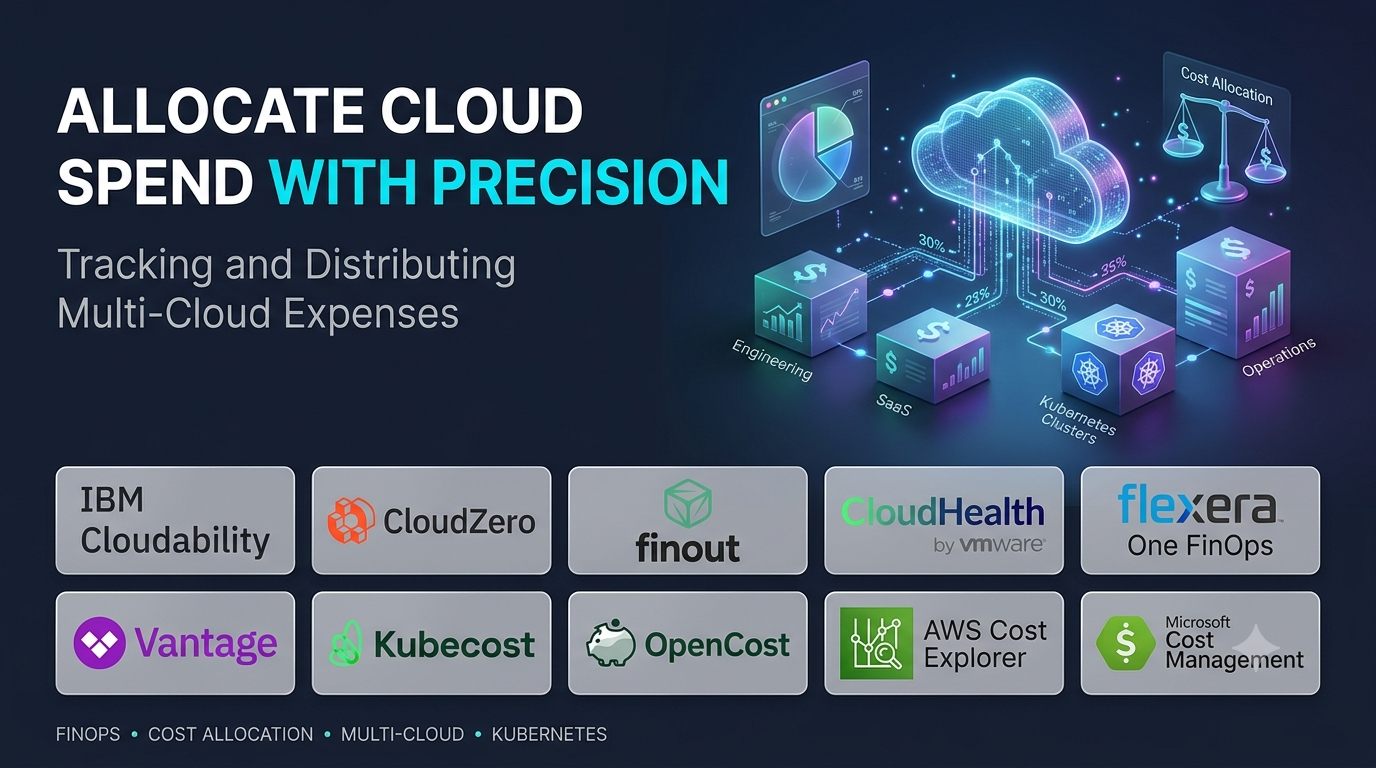
Cloud cost allocation tools help organizations distribute cloud infrastructure expenses among business departments, applications, projects, customers, and development teams. These platforms establish financial transparency by connecting technology expenditure with identifiable resource ownership and consumption.
Traditional cloud cost allocation frequently relies on spreadsheets, manual billing exports, and inconsistent resource tagging practices. These approaches become increasingly difficult to maintain as organizations expand their infrastructure across multiple cloud providers and shared computing environments.
Modern cloud cost allocation platforms combine billing information, resource metadata, configurable allocation rules, financial dashboards, and automated reporting. Advanced solutions also support Kubernetes cost allocation, virtual tagging, shared infrastructure distribution, and business-oriented financial analysis.
Cloud cost allocation represents an important component of Financial Operations (FinOps), a collaborative discipline connecting technology consumption with financial accountability and business value. Accurate allocation enables organizations to understand spending patterns, evaluate resource efficiency, and establish informed financial policies.
Selecting the appropriate software requires understanding cloud provider coverage, infrastructure architecture, organizational ownership structures, and financial reporting requirements. Organizations should also consider implementation complexity, integration compatibility, allocation accuracy, and total operating costs.
This guide examines ten cloud cost allocation tools, including their features, benefits, advantages, limitations, and practical applications. It also provides comparison tables, selection recommendations, a practical implementation example, common mistakes, and frequently asked questions.
What Are Cloud Cost Allocation Tools?
Cloud cost allocation tools are software applications that help organizations classify, calculate, and distribute cloud infrastructure expenditure according to defined business dimensions. These dimensions may include departments, applications, products, customers, environments, projects, and organizational cost centers.
The platforms collect information from cloud billing services, resource inventories, monitoring systems, container infrastructure, and compatible financial applications. Administrators use configurable rules to associate expenditure with responsible business owners and distribute shared infrastructure expenses.
For example, an enterprise operating a shared Kubernetes cluster may host applications belonging to several business departments. Cloud cost allocation software helps calculate each department’s infrastructure expenses using resource consumption, workload ownership, and approved shared cost methodologies.
Cloud cost allocation supports both showback and chargeback processes. Showback communicates allocated expenses to stakeholders, while chargeback uses approved allocation information to assign actual financial responsibility through organizational accounting processes.
Common applications of cloud cost allocation tools include:
- Departmental Cost Allocation: Organizations associate cloud expenditure with individual business departments. This improves financial accountability and departmental budget planning.
- Application Cost Management: Infrastructure expenses are assigned to specific applications and services. Development teams can evaluate application operating costs.
- Multi-Cloud Financial Management: Organizations consolidate expenditure across supported cloud providers. Consistent allocation methodologies improve cross-platform financial reporting.
- Kubernetes Cost Allocation: Shared container infrastructure expenses are distributed among workloads and namespaces. Engineering teams gain detailed visibility into resource consumption.
- Customer Profitability Analysis: Software providers calculate infrastructure expenditure associated with customer activity. These calculations support profitability and pricing decisions.
- Shared Infrastructure Distribution: Organizations allocate common networking, storage, monitoring, and computing expenses. Documented methodologies improve financial transparency.
- Cloud Budget Management: Financial teams compare allocated expenditure against departmental budgets. Budget monitoring helps identify unexpected consumption patterns.
- Artificial Intelligence Cost Management: Organizations associate Artificial Intelligence (AI) infrastructure expenses with models, applications, and development teams. Detailed allocation helps evaluate expensive computing resource consumption.
Top 10 Cloud Cost Allocation Tools in 2026
The following selection includes commercial FinOps platforms, specialized cloud cost intelligence solutions, native cloud financial management services, and open-source Kubernetes cost allocation software. The numbering is intended for comparison rather than an independently tested performance ranking.
1. IBM Cloudability
Short Description
IBM Cloudability is a cloud financial management platform within the IBM Apptio portfolio. It helps organizations analyze cloud expenditure, establish business-oriented cost allocations, and improve financial accountability.
The platform is suitable for large enterprises, multi-cloud organizations, financial institutions, and dedicated FinOps departments. Administrators can organize supported cloud expenses according to business units, applications, projects, and other financial dimensions.
Its technical strength is configurable business mapping combined with detailed cloud financial analysis. Organizations can establish allocation methodologies that reflect their operational structures and financial policies.
IBM Cloudability supports compatible cloud billing integrations and enterprise financial reporting workflows. Available functionality depends on product licensing, supported providers, and implementation configuration.
Key Features
- Multi-Cloud Cost Visibility: Centralized reports summarize expenditure across supported cloud environments. Administrators can investigate spending across accounts and services.
- Business Mapping: Configurable mappings associate infrastructure expenses with organizational ownership. This supports consistent departmental cost allocation.
- Shared Cost Allocation: Supported allocation mechanisms distribute selected common infrastructure expenses. Financial teams can establish approved distribution methodologies.
- Budget Management: Administrators establish cloud expenditure budgets across business dimensions. Budget comparisons help identify financial deviations.
- Cost Forecasting: Available forecasting capabilities estimate future cloud expenditure. Organizations can incorporate forecasts into financial planning.
- Container Cost Analysis: Supported integrations provide visibility into selected container infrastructure expenses. This helps evaluate workload-related costs.
- Commitment Analysis: Applicable capabilities analyze cloud pricing commitments and discounts. Financial teams can investigate their effects on allocated expenditure.
- Financial Dashboards: Configurable reports communicate cloud financial information to stakeholders. Business units can review relevant expenditure categories.
- Data Integration: Supported interfaces exchange financial information with compatible systems. Organizations can incorporate allocation outputs into enterprise reporting workflows.
Benefits
- Improves multi-cloud expenditure transparency.
- Supports departmental financial accountability.
- Enables configurable business cost allocation.
- Enhances financial forecasting.
- Reduces manual billing analysis.
- Supports shared infrastructure distribution.
- Improves cloud financial governance.
Pros
- Comprehensive cloud financial management capabilities.
- Configurable business mapping.
- Enterprise reporting functionality.
- Supported multi-cloud integrations.
- Detailed financial forecasting.
- Integration with the broader Apptio ecosystem.
Cons
- Commercial licensing costs apply.
- Implementation requires financial configuration.
- Accurate billing information is essential.
- Advanced allocation models require ongoing maintenance.
- Smaller organizations may require simpler functionality.
Use Cases
- Departmental Allocation: Associate cloud expenses with business departments.
- Multi-Cloud Reporting: Consolidate supported provider expenditure.
- Shared Service Distribution: Allocate common infrastructure costs.
- Cloud Financial Forecasting: Estimate future departmental expenditure.
- Application Cost Analysis: Evaluate infrastructure expenses associated with applications.
- Enterprise FinOps Governance: Establish standardized financial allocation processes.
Best For
- Enterprise FinOps teams.
- Multi-cloud organizations.
- Technology finance departments.
- Cloud infrastructure managers.
- Financial institutions.
- Cloud financial governance specialists.
2. CloudZero
Short Description
CloudZero is a cloud cost intelligence platform designed to connect technology expenditure with business and engineering activities. It helps organizations understand infrastructure expenses associated with products, customers, applications, and development teams.
The platform is suitable for Software as a Service (SaaS) companies, cloud-native businesses, product engineering departments, and organizations prioritizing technology profitability. Administrators can establish financial dimensions reflecting business ownership.
Its technical advantage is flexible cost allocation combined with unit economics analysis. Organizations can evaluate infrastructure expenditure relative to measurable business activities rather than relying exclusively on cloud account structures.
CloudZero supports compatible cloud billing sources and additional technology cost integrations. Allocation accuracy depends on available metadata, financial information, and configured business rules.
Key Features
- Business-Oriented Allocation: Configurable cost dimensions associate expenditure with business activities. Organizations can evaluate costs according to operational ownership.
- Unit Economics: Available analytics calculate technology expenses relative to business metrics. Teams can evaluate cost per customer, transaction, or product.
- Product Cost Analysis: Supported dimensions associate infrastructure expenses with products and features. Product managers gain visibility into operating costs.
- Flexible Cost Modeling: Configurable rules organize expenditure using available billing information and metadata. This supports complex allocation requirements.
- Shared Cost Distribution: Supported mechanisms allocate selected common infrastructure expenses. Organizations can document financial distribution assumptions.
- Kubernetes Cost Visibility: Compatible integrations provide container infrastructure cost information. Administrators can investigate application-level expenditure.
- Anomaly Detection: Available analytical capabilities identify unusual spending patterns. Teams can investigate unexpected cost increases.
- Financial Reporting: Configurable reports communicate allocated expenses to stakeholders. Reports support engineering and financial collaboration.
- Multi-Source Integration: Supported connectors import compatible technology cost information. Organizations can establish consolidated financial views.
Benefits
- Improves product-level cost transparency.
- Supports customer profitability analysis.
- Enables flexible business cost allocation.
- Enhances engineering financial accountability.
- Helps identify unexpected expenditure.
- Supports unit economics analysis.
- Improves technology investment decisions.
Pros
- Flexible business cost dimensions.
- Strong product cost intelligence.
- Unit economics capabilities.
- Engineering-oriented financial reporting.
- Supported multi-source integrations.
- Configurable shared cost allocation.
Cons
- Commercial subscription costs apply.
- Allocation rules require configuration.
- Accurate business metadata remains necessary.
- Complex cost models require maintenance.
- Comprehensive accounting functionality requires complementary systems.
Use Cases
- Customer Cost Analysis: Calculate infrastructure expenses associated with customer activity.
- Product Profitability: Evaluate technology expenditure associated with products.
- Engineering Team Allocation: Associate infrastructure costs with development teams.
- Feature Cost Analysis: Investigate expenditure attributable to supported product features.
- Shared Infrastructure Allocation: Distribute common technology expenses.
- Unit Economics Reporting: Calculate technology cost per measurable business unit.
Best For
- SaaS companies.
- Cloud-native businesses.
- Product managers.
- Engineering finance teams.
- FinOps practitioners.
- Technology profitability analysts.
3. Finout
Short Description
Finout is a FinOps platform that consolidates technology expenditure across supported cloud providers, container environments, and additional service sources. It helps organizations establish financial visibility and configurable business cost allocation.
The platform is suitable for enterprises operating multiple technology environments, SaaS businesses, Kubernetes operators, and cloud finance departments. Administrators can organize expenditure according to organizational ownership and business requirements.
Its technical strength is consolidated cost intelligence combined with virtual tagging and shared cost distribution. These capabilities help organizations establish financial classifications beyond native provider resource tags.
Finout provides configurable reporting and supported integrations for financial management workflows. Organizations should evaluate current provider coverage and licensing before implementation.
Key Features
- Consolidated Cost Visibility: Supported billing sources are combined within centralized financial views. Administrators can investigate expenditure across technology environments.
- Virtual Tagging: Configurable classifications associate costs with business dimensions. These classifications can complement native resource tags.
- Shared Cost Allocation: Supported allocation rules distribute selected common infrastructure expenses. Financial teams can define approved methodologies.
- Kubernetes Cost Management: Compatible integrations provide visibility into container infrastructure expenditure. Organizations can analyze supported workload dimensions.
- Budget Monitoring: Available capabilities track expenditure against defined financial plans. Administrators can investigate budget deviations.
- Unit Economics: Configurable financial dimensions connect technology costs with business activity. This supports profitability analysis.
- Anomaly Detection: Supported analytics identify unusual expenditure patterns. Teams can investigate unexpected consumption changes.
- Optimization Insights: Available recommendations identify potential resource efficiency opportunities. Engineering teams should validate proposed changes.
- Financial Reporting: Configurable reports summarize allocated technology expenditure. Stakeholders can review costs according to business ownership.
Benefits
- Consolidates technology expenditure information.
- Improves shared infrastructure cost visibility.
- Supports flexible financial classifications.
- Enables multi-source cost allocation.
- Enhances departmental financial accountability.
- Reduces manual reporting activities.
- Supports container financial management.
Pros
- Configurable virtual tagging.
- Broad technology cost visibility.
- Shared cost distribution capabilities.
- Kubernetes financial management relevance.
- Flexible reporting dimensions.
- Supported anomaly detection.
Cons
- Commercial subscription costs apply.
- Allocation rules require ongoing governance.
- Supported integrations vary.
- Initial configuration can be complex.
- Formal accounting processes require additional integration.
Use Cases
- Multi-Cloud Allocation: Distribute expenditure across business dimensions.
- Virtual Cost Classification: Organize costs beyond native resource tags.
- Shared Platform Costing: Allocate common infrastructure expenses.
- Kubernetes Financial Reporting: Evaluate container infrastructure expenditure.
- Departmental Budget Monitoring: Investigate financial deviations.
- Product Cost Analysis: Associate technology expenditure with products and services.
Best For
- Enterprise FinOps departments.
- Multi-cloud organizations.
- SaaS businesses.
- Kubernetes administrators.
- Technology finance analysts.
- Shared infrastructure managers.
4. CloudHealth
Short Description
CloudHealth is a cloud financial management and governance platform historically associated with VMware and Broadcom. It provides capabilities for analyzing cloud expenditure, organizing resource consumption, and identifying optimization opportunities.
The platform is suitable for enterprises, managed service providers, cloud administrators, and organizations operating multiple cloud environments. Administrators can establish business-oriented resource groupings for financial analysis.
Its technical advantage is configurable business perspectives combined with cloud financial reporting and governance policies. Organizations can associate infrastructure expenditure with departments, projects, and operational responsibilities.
CloudHealth supports financial management across compatible cloud providers. Current ownership, product branding, licensing, and provider coverage should be verified during procurement.
Key Features
- Cloud Cost Analysis: Centralized reports summarize supported infrastructure expenditure. Administrators can investigate costs across services and accounts.
- Business Perspectives: Configurable perspectives group resources according to organizational dimensions. These groupings support business-oriented cost allocation.
- Departmental Reporting: Supported reports communicate cloud expenditure to business departments. Financial teams can review resource consumption.
- Budget Monitoring: Available capabilities compare cloud expenses against financial plans. Administrators can investigate significant deviations.
- Governance Policies: Configurable policies evaluate selected resource and financial conditions. Organizations can establish consistent governance workflows.
- Commitment Analysis: Supported analytics evaluate cloud pricing commitments. Financial teams can investigate utilization and coverage.
- Resource Optimization: Available recommendations identify potential infrastructure efficiency opportunities. Technical teams should validate proposed adjustments.
- Historical Cost Reporting: Reports summarize expenditure trends over time. Organizations can evaluate changes in resource consumption.
- Financial Exports: Supported interfaces provide financial information for external analysis. Allocation outputs can support enterprise financial processes.
Benefits
- Improves cloud expenditure transparency.
- Supports business-oriented resource classification.
- Enables departmental financial reporting.
- Enhances cloud governance.
- Helps identify resource inefficiencies.
- Supports financial budget monitoring.
- Improves multi-cloud financial accountability.
Pros
- Established cloud financial management functionality.
- Configurable business perspectives.
- Supported multi-cloud visibility.
- Cloud governance capabilities.
- Resource optimization insights.
- Managed service provider applicability.
Cons
- Commercial licensing costs apply.
- Current product arrangements require verification.
- Resource classification requires configuration.
- Advanced financial allocation may require additional workflows.
- Primarily focused on cloud infrastructure expenditure.
Use Cases
- Departmental Cloud Allocation: Associate infrastructure expenditure with departments.
- Multi-Cloud Governance: Establish consistent financial management policies.
- Managed Service Reporting: Evaluate customer-related infrastructure expenditure.
- Cloud Budget Analysis: Investigate financial deviations.
- Resource Optimization: Identify potential infrastructure efficiency opportunities.
- Business Cost Reporting: Communicate expenditure to organizational stakeholders.
Best For
- Enterprise cloud finance teams.
- Managed service providers.
- Multi-cloud organizations.
- Cloud governance specialists.
- Infrastructure administrators.
- FinOps practitioners.
5. Flexera One FinOps
Short Description
Flexera One FinOps provides cloud financial management capabilities within the broader Flexera technology management portfolio. It helps organizations understand cloud expenditure, allocate costs, and identify resource optimization opportunities.
The platform is suitable for large enterprises, hybrid infrastructure operators, technology asset management departments, and organizations maintaining complex cloud portfolios. Administrators can evaluate expenditure across supported technology environments.
Its technical strength is cloud financial intelligence combined with complementary technology asset management capabilities. Organizations can investigate relationships between infrastructure expenditure, software licensing, and resource ownership.
Flexera One FinOps supports compatible cloud billing integrations and configurable financial reporting. Comprehensive technology financial management may require additional Flexera products or enterprise financial systems.
Key Features
- Cloud Cost Visibility: Supported billing integrations provide centralized expenditure information. Administrators can investigate costs across organizational dimensions.
- Cost Allocation: Configurable mappings associate selected cloud expenses with business ownership. This supports departmental financial accountability.
- Budget Monitoring: Available capabilities compare expenditure with approved financial plans. Organizations can investigate significant deviations.
- Resource Optimization: Supported recommendations identify potential cloud efficiency opportunities. Engineering teams should validate proposed changes.
- Technology Asset Intelligence: Applicable Flexera products provide complementary technology inventory information. Organizations can evaluate infrastructure expenditure alongside software costs.
- Commitment Management: Supported capabilities analyze selected cloud pricing commitments. Financial teams can investigate potential savings.
- Financial Reporting: Configurable reports summarize cloud expenditure and allocation information. Business stakeholders can review financial performance.
- Governance Policies: Available capabilities support selected financial and operational governance processes. Administrators can establish consistent management procedures.
- Enterprise Integration: Supported interfaces exchange information with compatible systems. Integration helps coordinate financial reporting activities.
Benefits
- Improves enterprise cloud financial visibility.
- Supports configurable business cost allocation.
- Enhances technology expenditure governance.
- Helps identify optimization opportunities.
- Supports software and cloud financial analysis.
- Enables centralized reporting.
- Improves financial accountability.
Pros
- Broad technology management ecosystem.
- Supported cloud cost allocation.
- Enterprise reporting functionality.
- Cloud optimization capabilities.
- Technology asset management relevance.
- Hybrid infrastructure applicability.
Cons
- Commercial licensing costs apply.
- Product packaging can be complex.
- Accurate resource information is necessary.
- Advanced configurations require expertise.
- Comprehensive financial accounting requires external systems.
Use Cases
- Enterprise Cloud Allocation: Distribute expenditure across business departments.
- Hybrid Financial Analysis: Evaluate supported technology expense categories.
- Software and Cloud Optimization: Investigate potential expenditure efficiencies.
- Departmental Budget Monitoring: Compare allocated expenses with financial plans.
- Technology Governance: Establish consistent financial management policies.
- Enterprise Reporting: Communicate technology expenditure to stakeholders.
Best For
- Large enterprises.
- Technology asset managers.
- Hybrid infrastructure operators.
- Enterprise FinOps teams.
- Software licensing specialists.
- Technology financial controllers.
6. Vantage
Short Description
Vantage is a cloud cost management platform that helps organizations analyze infrastructure expenditure across supported cloud providers and technology services. It provides centralized cost reporting, financial monitoring, and configurable business cost classifications.
The platform is suitable for startups, SaaS companies, engineering departments, and enterprises requiring consolidated cloud financial visibility. Administrators can establish financial views reflecting business ownership and operational requirements.
Its technical advantage is accessible multi-provider cost reporting combined with configurable cost allocation and virtual tagging capabilities. Organizations can analyze technology expenditure without maintaining separate reporting workflows for every supported provider.
Vantage supports compatible billing integrations and programmable financial information. Available features, provider coverage, and pricing depend on the selected plan and current product configuration.
Key Features
- Multi-Provider Cost Reporting: Supported billing integrations consolidate technology expenditure. Administrators can investigate costs across compatible services.
- Cost Reports: Configurable reports organize expenditure according to selected financial dimensions. Teams can create business-oriented financial views.
- Virtual Tagging: Supported classifications associate expenses with organizational ownership. These classifications can supplement native provider metadata.
- Cost Allocation: Available allocation capabilities help distribute technology expenses across defined business dimensions. Organizations should validate shared cost methodologies.
- Budget Management: Configurable budgets track expenditure against financial targets. Administrators can investigate potential deviations.
- Cost Anomaly Monitoring: Supported analytics identify unusual spending patterns. Teams can review unexpected changes in infrastructure expenditure.
- Kubernetes Cost Reporting: Compatible integrations provide selected container infrastructure cost information. Administrators can investigate workload expenses.
- Financial Forecasting: Available forecasting capabilities estimate future technology expenditure. Financial teams can use forecasts for budget planning.
- Programmable Integration: Supported Application Programming Interfaces (APIs) provide access to financial information. Organizations can automate selected reporting workflows.
Benefits
- Simplifies multi-provider financial reporting.
- Improves cloud expenditure visibility.
- Supports configurable cost classifications.
- Enables departmental financial monitoring.
- Helps identify unexpected spending.
- Reduces fragmented billing analysis.
- Supports engineering financial accountability.
Pros
- Accessible financial reporting interface.
- Supported multi-provider integrations.
- Configurable cost reports.
- Virtual tagging capabilities.
- Budget monitoring functionality.
- Programmable financial information.
Cons
- Advanced functionality may require paid plans.
- Provider coverage varies.
- Complex allocation rules require configuration.
- Accurate billing metadata remains important.
- Enterprise accounting requires additional integrations.
Use Cases
- Startup Cloud Financial Management: Monitor infrastructure expenditure across supported providers.
- Departmental Cost Reporting: Associate cloud expenses with business ownership.
- Virtual Cost Classification: Supplement inconsistent native resource tagging.
- Budget Monitoring: Investigate unexpected expenditure.
- Multi-Provider Financial Analysis: Consolidate compatible technology costs.
- Automated Reporting: Integrate financial information into internal workflows.
Best For
- Startups.
- SaaS companies.
- Cloud engineering teams.
- Small and medium-sized businesses.
- FinOps practitioners.
- Multi-provider technology organizations.
7. Kubecost
Short Description
Kubecost is a Kubernetes cost monitoring and allocation platform associated with IBM. It helps organizations calculate infrastructure expenditure associated with containerized applications, namespaces, and workloads.
The platform is suitable for Kubernetes administrators, platform engineering teams, cloud-native enterprises, and organizations operating shared container infrastructure. Administrators can investigate resource expenses across supported workload dimensions.
Its technical strength is granular Kubernetes cost allocation using infrastructure pricing and resource measurements. Organizations can evaluate computing, memory, storage, and selected shared infrastructure expenses.
Kubecost provides open-source components and commercial capabilities depending on the selected distribution. Advanced functionality and current licensing arrangements should be evaluated during procurement.
Key Features
- Kubernetes Cost Allocation: Supported calculations associate infrastructure expenditure with container workloads. Administrators can evaluate costs across applications and namespaces.
- Resource Consumption Analysis: Available metrics describe computing and memory allocation or usage. These measurements support workload financial analysis.
- Namespace Reporting: Configurable reports summarize expenses associated with Kubernetes namespaces. Teams can evaluate departmental infrastructure consumption.
- Shared Cost Distribution: Supported allocation capabilities distribute selected common cluster expenses. Organizations can establish approved financial methodologies.
- Idle Cost Visibility: Available reporting identifies infrastructure expenses not attributed to active workload allocations. Engineering teams can investigate unused capacity.
- Cloud Billing Integration: Compatible billing information improves infrastructure cost calculations. Administrators should reconcile allocation outputs with actual expenditure.
- Multi-Cluster Reporting: Applicable capabilities consolidate costs across Kubernetes clusters. Organizations can evaluate distributed container infrastructure.
- Optimization Recommendations: Supported analytics identify potential workload efficiency opportunities. Technical teams should validate proposed resource changes.
- API Access: Programmable interfaces provide access to allocation information. Organizations can integrate financial outputs with external systems.
Benefits
- Improves container infrastructure cost visibility.
- Supports granular workload allocation.
- Enables namespace-level financial reporting.
- Helps identify idle infrastructure expenses.
- Enhances engineering financial accountability.
- Supports shared cluster cost distribution.
- Improves Kubernetes resource optimization.
Pros
- Specialized Kubernetes financial management.
- Detailed workload cost visibility.
- Supported shared cost allocation.
- Open-source ecosystem relevance.
- Programmable reporting capabilities.
- Applicable multi-cluster functionality.
Cons
- Primarily focused on Kubernetes.
- Accurate pricing information is necessary.
- Deployment requires technical expertise.
- Advanced features may require commercial licensing.
- Broader cloud financial management may require complementary tools.
Use Cases
- Namespace Cost Allocation: Calculate infrastructure expenses associated with namespaces.
- Application Cost Analysis: Evaluate container workload expenditure.
- Shared Cluster Distribution: Allocate common Kubernetes infrastructure expenses.
- Idle Capacity Analysis: Investigate unused infrastructure expenditure.
- Engineering Financial Reporting: Communicate workload costs to development teams.
- Container Resource Optimization: Evaluate potential resource efficiency improvements.
Best For
- Kubernetes administrators.
- Platform engineering teams.
- Cloud-native enterprises.
- Container infrastructure operators.
- Development and operations teams.
- Kubernetes FinOps specialists.
8. OpenCost
Short Description
OpenCost is an open-source Kubernetes cost monitoring and allocation project within the Cloud Native Computing Foundation (CNCF) ecosystem. It provides standardized approaches to calculating and distributing container infrastructure expenditure.
The platform is suitable for technical FinOps teams, Kubernetes engineers, infrastructure automation developers, and organizations requiring customizable cost allocation capabilities. Administrators can calculate workload expenses using supported resource measurements and pricing information.
Its technical advantage is an open cost allocation specification combined with programmable financial information. Organizations can integrate cost calculations with custom dashboards, reporting systems, and financial workflows.
OpenCost supports self-managed deployment within compatible Kubernetes environments. Comprehensive enterprise financial planning and accounting functionality require additional software or custom integrations.
Key Features
- Open Allocation Specification: Standardized cost models support consistent Kubernetes expenditure calculations. Organizations can evaluate and customize allocation methodologies.
- Workload Cost Analysis: Supported calculations associate infrastructure expenses with container workloads. Administrators can evaluate costs across Kubernetes dimensions.
- Namespace Allocation: Financial information can be grouped according to namespaces. This supports team-level cost reporting.
- Infrastructure Pricing: Supported pricing information contributes to resource cost calculations. Organizations should validate pricing assumptions.
- Prometheus Integration: Compatible monitoring metrics support Kubernetes resource analysis. Accurate measurements improve allocation reliability.
- Idle Cost Reporting: Available outputs identify selected expenses associated with unused infrastructure capacity. Engineering teams can investigate resource efficiency.
- API Access: Programmable interfaces provide access to allocation information. Developers can establish custom financial reporting workflows.
- Self-Hosted Deployment: Organizations can operate OpenCost within compatible infrastructure. This provides control over deployment and information processing.
- Extensible Architecture: Open-source components support compatible custom integrations. Organizations can connect allocation information with external financial systems.
Benefits
- Provides open-source cost allocation.
- Improves Kubernetes financial transparency.
- Supports customizable reporting.
- Enables namespace-level financial analysis.
- Reduces proprietary licensing expenses.
- Supports infrastructure automation.
- Improves workload cost accountability.
Pros
- Free and open-source software.
- Open cost allocation methodology.
- Programmable financial information.
- Kubernetes-native deployment.
- Customizable integration capabilities.
- Suitable for technical FinOps teams.
Cons
- Requires technical deployment and maintenance.
- Advanced financial dashboards may require additional tools.
- Enterprise financial integration requires development.
- Pricing accuracy depends on configuration.
- Commercial support arrangements vary.
Use Cases
- Open-Source Kubernetes Allocation: Calculate container infrastructure expenditure.
- Namespace Financial Reporting: Communicate workload costs to development teams.
- Custom FinOps Dashboards: Integrate financial information with visualization systems.
- Infrastructure Automation: Incorporate cost information into operational workflows.
- Container Cost Research: Evaluate standardized allocation methodologies.
- Budget-Conscious Financial Management: Establish Kubernetes cost visibility without proprietary software licensing.
Best For
- Open-source infrastructure teams.
- Kubernetes engineers.
- Technical FinOps practitioners.
- Platform automation developers.
- Budget-conscious organizations.
- Custom reporting teams.
9. AWS Cost Explorer
Short Description
AWS Cost Explorer is a native cloud financial analysis service provided by Amazon Web Services (AWS). It helps organizations understand AWS expenditure and usage patterns across supported billing dimensions.
The service is suitable for AWS customers, cloud infrastructure administrators, financial departments, and organizations managing multiple AWS accounts. Administrators can analyze expenditure using account structures, activated resource tags, and supported cost categories.
Its technical strength is direct integration with AWS billing information and complementary native financial management services. Organizations can establish cost allocation workflows using Cost Explorer alongside applicable AWS billing capabilities.
AWS Cost Explorer primarily provides financial analysis rather than a complete enterprise cost allocation platform. Advanced shared cost distribution and accounting integration may require AWS Cost Categories, billing data exports, and custom financial processes.
Key Features
- Native AWS Cost Analysis: Financial reports summarize supported AWS expenditure. Administrators can investigate costs across services and accounts.
- Cost Allocation Tags: Activated tags provide supported business ownership dimensions. Organizations can use these classifications for departmental reporting.
- Cost Categories: Complementary AWS billing capabilities organize expenses into business-oriented groups. Administrators can establish classification rules.
- Account-Level Reporting: Supported reports summarize expenditure across linked AWS accounts. Financial teams can evaluate departmental consumption.
- Cost Forecasting: Available forecasts estimate future AWS expenditure. Organizations can investigate potential budget requirements.
- Historical Reporting: Reports summarize expenditure patterns over supported historical periods. Administrators can evaluate changing consumption trends.
- Commitment Analysis: Supported reports evaluate selected Reserved Instance and Savings Plans information. Financial teams can investigate commitment utilization.
- API Access: Programmable interfaces provide access to supported cost information. Technical teams can automate financial reporting.
- Billing Integration: Compatible AWS billing services provide additional financial export and allocation capabilities. Organizations can establish customized cost management workflows.
Benefits
- Provides native AWS financial visibility.
- Supports account-level cost allocation.
- Enables tag-based financial reporting.
- Improves AWS expenditure forecasting.
- Reduces external billing integration requirements.
- Supports programmable cost analysis.
- Helps evaluate cloud pricing commitments.
Pros
- Native AWS billing integration.
- Accessible cost analysis interface.
- Supported cost allocation dimensions.
- Financial forecasting capabilities.
- Programmable reporting.
- Suitable for AWS-focused organizations.
Cons
- Limited to AWS expenditure.
- Advanced allocation requires additional configuration.
- Accurate tagging remains important.
- Applicable API and advanced data charges may apply.
- Multi-cloud reporting requires complementary tools.
Use Cases
- AWS Account Allocation: Calculate expenditure associated with linked accounts.
- Departmental Cost Reporting: Analyze expenses using activated cost allocation tags.
- AWS Financial Forecasting: Estimate future infrastructure expenditure.
- Service Cost Analysis: Evaluate expenses associated with individual AWS services.
- Commitment Analysis: Investigate supported cloud pricing commitments.
- Custom Financial Reporting: Export supported cost information for external analysis.
Best For
- AWS customers.
- AWS infrastructure administrators.
- Cloud finance teams.
- Small cloud-based businesses.
- FinOps beginners.
- Organizations requiring native AWS financial analysis.
10. Microsoft Cost Management
Short Description
Microsoft Cost Management is a native cloud financial management service within the Microsoft Azure ecosystem. It helps organizations analyze supported cloud expenditure, monitor financial budgets, and establish cost accountability.
The service is suitable for Azure customers, enterprise cloud administrators, technology finance departments, and organizations operating multiple Azure subscriptions. Administrators can investigate expenditure across supported billing scopes and resource dimensions.
Its technical advantage is native integration with Azure billing information, subscriptions, resource groups, and applicable cost allocation capabilities. Organizations can use these structures to establish business-oriented financial reporting.
Microsoft Cost Management provides financial analysis, budgeting, and selected allocation rules depending on billing arrangements. Organizations should verify eligibility for advanced allocation capabilities before implementation.
Key Features
- Azure Cost Analysis: Native reports summarize supported cloud expenditure. Administrators can investigate costs across subscriptions and services.
- Resource Tag Reporting: Supported resource tags provide business ownership dimensions. Organizations can establish departmental financial classifications.
- Cost Allocation Rules: Applicable billing arrangements support distribution of selected shared costs. Administrators can configure allocation methodologies where available.
- Budget Management: Configurable budgets monitor expenditure across supported scopes. Financial teams can receive notifications about defined spending conditions.
- Cost Forecasting: Available forecasts estimate future cloud expenditure. Administrators can investigate potential financial deviations.
- Financial Data Exports: Supported export mechanisms provide cost information for external analysis. Organizations can integrate financial outputs with internal systems.
- Reservation Analysis: Compatible reporting capabilities provide information about supported Azure pricing commitments. Financial teams can investigate utilization and coverage.
- Access Management: Supported permissions control access to financial information. Organizations can assign responsibilities according to billing scopes.
- Optimization Integration: Compatible Azure services provide resource optimization recommendations. Engineering teams can evaluate potential efficiency opportunities.
Benefits
- Improves native Azure cost visibility.
- Supports departmental financial allocation.
- Enables applicable shared cost distribution.
- Enhances cloud budget monitoring.
- Supports financial data integration.
- Improves Azure financial accountability.
- Reduces external billing integration requirements.
Pros
- Native Azure billing integration.
- Subscription-level financial analysis.
- Configurable budget monitoring.
- Applicable shared cost allocation functionality.
- Supported financial data exports.
- Integration with the Azure management ecosystem.
Cons
- Primarily focused on supported Microsoft cloud costs.
- Allocation features depend on billing arrangements.
- Accurate resource classification is necessary.
- Advanced financial workflows require configuration.
- Comprehensive multi-cloud reporting may require another platform.
Use Cases
- Azure Subscription Allocation: Calculate expenditure associated with organizational subscriptions.
- Resource Group Costing: Analyze expenses across supported resource groups.
- Departmental Financial Reporting: Communicate Azure expenditure to business stakeholders.
- Shared Infrastructure Allocation: Distribute selected common expenses where supported.
- Cloud Budget Monitoring: Investigate potential financial deviations.
- Financial Data Integration: Export supported cost information for enterprise analysis.
Best For
- Microsoft Azure customers.
- Azure infrastructure administrators.
- Enterprise cloud finance departments.
- Microsoft-focused organizations.
- FinOps beginners.
- Technology financial controllers.
Comparison Table: Top 10 Cloud Cost Allocation Tools
| Tool Name | Best For | Platform(s) | Standout Feature | Pricing |
|---|---|---|---|---|
| IBM Cloudability | Enterprise multi-cloud allocation | Cloud, web | Configurable business mapping | Commercial licensing |
| CloudZero | Product and customer cost analysis | Cloud, web | Business-oriented unit economics | Commercial subscription |
| Finout | Multi-source cost allocation | Cloud, web | Virtual tagging and shared cost distribution | Commercial subscription |
| CloudHealth | Cloud financial governance | Cloud, web | Configurable business perspectives | Commercial licensing |
| Flexera One FinOps | Enterprise technology cost governance | Cloud, supported integrations | Cloud and technology asset intelligence | Commercial licensing |
| Vantage | Accessible multi-provider reporting | Cloud, web | Configurable cost reports and virtual tagging | Free and paid options |
| Kubecost | Kubernetes workload allocation | Kubernetes | Granular container cost analysis | Open-source components and commercial options |
| OpenCost | Open-source Kubernetes allocation | Kubernetes | Open cost allocation specification | Free and open-source |
| AWS Cost Explorer | Native AWS cost analysis | AWS cloud | Account and tag-based cost reporting | Basic console access and applicable usage charges |
| Microsoft Cost Management | Native Azure cost allocation | Microsoft Azure | Applicable shared cost allocation rules | Core functionality generally included, with applicable additional service costs |
Note: Pricing, licensing, supported platforms, and available features can change. Check the official vendor websites for current plans, educational access, and regional availability.
Which Cloud Cost Allocation Tool Is Right for You?
Different organizations require different combinations of financial visibility, business cost classification, shared infrastructure allocation, reporting automation, and cloud provider integration. A startup operating a single cloud environment may require native billing analysis, whereas a multinational enterprise may need comprehensive multi-cloud financial management.
Selection should consider infrastructure complexity, organizational ownership structures, financial policies, integration requirements, and available technical expertise. Organizations should distinguish between general cloud financial management platforms and specialized container or product cost intelligence solutions.
For Beginners: AWS Cost Explorer and Microsoft Cost Management
AWS Cost Explorer provides native financial analysis for organizations operating AWS infrastructure. Supported account structures and activated resource tags help establish basic cost allocation.
Microsoft Cost Management provides native Azure financial reporting, budget monitoring, and applicable allocation capabilities. Organizations can use existing subscription and resource group structures.
Choose AWS Cost Explorer if AWS is your primary cloud provider. Choose Microsoft Cost Management if your infrastructure primarily operates within Azure.
For Large Enterprises: IBM Cloudability and Flexera One FinOps
IBM Cloudability provides detailed cloud financial management and configurable business cost allocation. Its capabilities are relevant to complex enterprise cloud environments.
Flexera One FinOps provides cloud financial intelligence alongside complementary technology asset management capabilities. Organizations can evaluate expenditure across broader technology portfolios.
Choose IBM Cloudability if detailed cloud financial allocation is essential. Choose Flexera One FinOps if broader technology cost governance is particularly important.
For SaaS Companies: CloudZero and Finout
CloudZero provides business-oriented cost intelligence and unit economics analysis. Organizations can evaluate infrastructure expenditure associated with products, customers, and features.
Finout provides consolidated technology expenditure visibility and configurable allocation dimensions. Its capabilities support organizations managing multiple technology cost sources.
Choose CloudZero if product profitability and customer cost analysis are your priorities. Choose Finout if consolidated multi-source allocation is more important.
For Kubernetes Environments: Kubecost and OpenCost
Kubecost provides specialized Kubernetes financial reporting and supported shared cost allocation. Its capabilities help organizations evaluate expenses across container workloads.
OpenCost provides open-source Kubernetes cost calculations and programmable financial information. Technical teams can establish customized reporting workflows.
Choose Kubecost if packaged container financial management capabilities are important. Choose OpenCost if open-source flexibility and custom integration are essential.
For Startups: Vantage and AWS Cost Explorer
Vantage provides accessible cost reporting across supported cloud providers and technology services. Its configurable financial views help organizations establish centralized expenditure visibility.
AWS Cost Explorer provides native financial analysis for AWS infrastructure. Organizations operating primarily within AWS can establish cost reporting without adopting a separate commercial FinOps platform.
Choose Vantage if multi-provider reporting is required. Choose AWS Cost Explorer if native AWS financial analysis meets your requirements.
For Cloud Governance Teams: CloudHealth and Flexera One FinOps
CloudHealth provides cloud financial reporting, business perspectives, and configurable governance policies. Its capabilities support organizations requiring structured financial oversight.
Flexera One FinOps provides cloud financial management alongside complementary technology asset intelligence. Organizations can investigate broader technology expenditure and optimization opportunities.
Choose CloudHealth if cloud-specific governance and business perspectives are essential. Choose Flexera One FinOps if integrated technology cost governance is your priority.
For Shared Infrastructure Allocation: Finout and IBM Cloudability
Finout provides configurable virtual tagging and supported shared cost allocation. Organizations can establish financial classifications across compatible technology sources.
IBM Cloudability provides business mapping and enterprise cloud financial allocation capabilities. Its functionality supports complex organizational ownership structures.
Choose Finout if flexible multi-source cost classification is important. Choose IBM Cloudability if enterprise cloud financial modeling is your primary requirement.
For Engineering Financial Accountability: CloudZero and Kubecost
CloudZero provides product-oriented cost intelligence and configurable engineering cost dimensions. Organizations can evaluate infrastructure expenses relative to business activities.
Kubecost provides granular Kubernetes workload cost allocation. Platform engineering teams can investigate container infrastructure consumption and idle capacity.
Choose CloudZero if product and engineering cost intelligence is essential. Choose Kubecost if container workload financial visibility is your priority.
Best Cloud Cost Allocation Tools for Different Users
| User Type | Recommended Software | Why? |
|---|---|---|
| Enterprise FinOps manager | IBM Cloudability | Configurable enterprise cloud allocation |
| SaaS product manager | CloudZero | Product and customer cost intelligence |
| Multi-source financial analyst | Finout | Virtual tagging and consolidated allocation |
| Cloud governance manager | CloudHealth | Business perspectives and financial governance |
| Technology asset manager | Flexera One FinOps | Cloud and technology asset intelligence |
| Startup founder | Vantage | Accessible multi-provider cost reporting |
| Kubernetes administrator | Kubecost | Granular workload financial visibility |
| Open-source infrastructure developer | OpenCost | Programmable cost allocation |
| AWS cloud administrator | AWS Cost Explorer | Native AWS financial analysis |
| Azure financial controller | Microsoft Cost Management | Native Azure cost reporting and allocation |
Practical Example: Implementing Cloud Cost Allocation Across a Multi-Cloud Enterprise
Consider a SaaS organization operating AWS infrastructure, Microsoft Azure services, and shared Kubernetes clusters. Its monthly infrastructure expenditure includes computing, storage, networking, databases, monitoring services, and shared platform resources.
The organization wants to understand infrastructure expenses associated with individual products, engineering departments, and shared services. IBM Cloudability, Finout, and Kubecost are potential solutions depending on enterprise allocation, multi-source reporting, and container financial management requirements.
The organization establishes a phased implementation workflow covering financial assessment, platform selection, billing integration, resource classification, allocation modeling, pilot testing, and continuous financial optimization. Implementation prioritizes accurate calculations, transparent methodologies, and consistent financial reporting.
Step 1: Assess Existing Cloud Expenditure
Document cloud accounts, subscriptions, resource inventories, Kubernetes clusters, and existing financial reporting arrangements. Identify expenses directly attributable to business owners and costs associated with shared infrastructure.
Review historical provider invoices and resource ownership records. Establish baseline measurements for allocated expenditure, unallocated expenses, reporting effort, and financial visibility.
Assessment checklist:
- Cloud provider billing accounts.
- Infrastructure resource inventories.
- Existing resource tags.
- Kubernetes namespaces.
- Shared platform services.
- Business cost centers.
- Cloud pricing commitments.
- Historical expenditure reports.
Step 2: Select the Cloud Cost Allocation Platform
Compare shortlisted platforms according to cloud provider coverage, allocation functionality, container visibility, financial reporting, and integration requirements. Determine whether complementary financial planning or accounting software is necessary.
Establish administrative responsibilities and appropriate access controls. Enable Multi-Factor Authentication (MFA), which requires multiple verification factors, where supported.
Define standardized organizational classifications for business units, applications, environments, and cost centers. Consistent naming conventions improve allocation reliability.
Step 3: Integrate Billing and Resource Information
Connect compatible cloud billing systems, resource inventory services, and Kubernetes monitoring platforms. Import historical expenditure information using supported integration mechanisms.
Reconcile imported information against actual provider invoices and approved financial records. Investigate duplicate expenses, missing billing records, inconsistent currency conversions, and incomplete resource metadata.
Integration checklist:
- AWS billing information.
- Azure expenditure information.
- Kubernetes resource metrics.
- Cloud pricing commitments.
- Resource ownership tags.
- Business unit classifications.
- Financial accounting records.
- Historical cost reports.
Step 4: Establish Direct and Shared Cost Allocation Rules
Assign directly attributable cloud expenditure to responsible business departments. Establish approved methodologies for distributing shared infrastructure expenses according to measurable consumption or other appropriate financial drivers.
For example, the organization incurs $30,000 in monthly shared infrastructure expenses and $90,000 in directly attributable costs. The shared expenses are distributed using approved departmental consumption percentages.
| Business Unit | Direct Costs | Shared Cost Percentage | Allocated Shared Costs | Total Allocated Cost |
|---|---|---|---|---|
| Product Engineering | $40,000 | 40% | $12,000 | $52,000 |
| Customer Services | $25,000 | 30% | $9,000 | $34,000 |
| Data Analytics | $15,000 | 20% | $6,000 | $21,000 |
| Corporate Operations | $10,000 | 10% | $3,000 | $13,000 |
| Total | $90,000 | 100% | $30,000 | $120,000 |
This illustrative allocation distributes the entire $120,000 monthly expenditure across four business units. Actual allocation methodologies should reflect approved financial policies, applicable discounts, credits, and reliable resource consumption information.
Step 5: Configure Financial Reporting and Budget Monitoring
Create business-oriented financial reports showing direct expenses, allocated shared costs, unallocated expenditure, and historical consumption trends. Establish financial dashboards appropriate for engineering teams, finance departments, and organizational leadership.
Configure departmental budgets and supported financial notifications. Establish procedures for investigating unexpected expenditure and resolving allocation discrepancies.
Recommended reporting areas:
- Departmental allocated costs.
- Application infrastructure expenses.
- Shared service expenditure.
- Unallocated cloud costs.
- Monthly budget variance.
- Cloud pricing commitment benefits.
- Historical consumption trends.
- Product unit economics.
Step 6: Conduct Pilot Testing and Expand Deployment
Select representative business departments and infrastructure environments for controlled pilot testing. Validate allocation calculations, financial reports, integration reliability, and billing reconciliation.
Resolve identified discrepancies before expanding financial reporting across the organization. Train engineering managers, financial administrators, and authorized business stakeholders.
Expected implementation outputs:
- Consolidated cloud expenditure records.
- Validated resource ownership classifications.
- Approved allocation methodologies.
- Departmental financial dashboards.
- Shared infrastructure cost reports.
- Budget monitoring workflows.
- Financial reconciliation documentation.
Step 7: Monitor and Optimize Cost Allocation
Compare post-deployment financial measurements with the original operational baseline. Evaluate allocation coverage, reconciliation accuracy, reporting efficiency, budget variance, and stakeholder satisfaction.
Investigate unallocated expenses, inconsistent resource tags, and changes in infrastructure consumption. Update allocation rules when business ownership or approved financial policies change.
Periodically review cloud optimization opportunities involving idle infrastructure, underutilized resources, and unnecessary service consumption. Validate proposed changes with engineering and financial stakeholders.
This workflow establishes a structured approach to cloud cost allocation and financial accountability. Accurate billing information, consistent ownership classifications, and transparent allocation methodologies help organizations improve cloud financial governance.
Eight Common Cloud Cost Allocation Implementation Mistakes
- Inconsistent Resource Tagging: Missing or inaccurate tags can prevent reliable cost allocation. Establish standardized ownership classifications and regularly validate resource metadata.
- Ignoring Shared Infrastructure Expenses: Common platform services can represent substantial cloud expenditure. Establish documented methodologies for distributing these expenses.
- Overlooking Discounts and Credits: Allocations based solely on public list prices may differ from actual financial obligations. Incorporate approved discounts, credits, and pricing commitments.
- Selecting an Unsuitable Allocation Tool: A Kubernetes-specific platform may not provide comprehensive multi-cloud financial management. Match software functionality to documented infrastructure requirements.
- Failing to Reconcile Cloud Invoices: Allocation calculations may become inaccurate when billing information is incomplete. Reconcile financial outputs against approved provider invoices.
- Creating Excessively Complex Allocation Rules: Unnecessary financial dimensions can increase administrative effort and reduce reporting clarity. Use practical allocation methodologies supported by reliable information.
- Ignoring Unallocated Expenditure: Unassigned cloud expenses can weaken financial accountability. Establish procedures for investigating and resolving significant allocation gaps.
- Neglecting Continuous Governance: Infrastructure ownership and consumption patterns change over time. Review allocation rules, resource classifications, and financial reports regularly.
Frequently Asked Questions (FAQs)
1. What are cloud cost allocation tools?
Cloud cost allocation tools help organizations classify and distribute cloud infrastructure expenditure according to business ownership and resource consumption. They support financial transparency across departments, applications, products, and projects.
Available functionality varies by platform and infrastructure architecture. Some solutions specialize in Kubernetes, while others provide comprehensive multi-cloud financial management.
2. Which cloud cost allocation tools are suitable for beginners?
AWS Cost Explorer and Microsoft Cost Management provide native financial analysis for their respective cloud environments. Vantage can provide accessible reporting across multiple supported technology sources.
The appropriate choice depends on cloud provider usage and allocation complexity. Organizations should evaluate representative financial reporting scenarios before selecting software.
3. Are free cloud cost allocation tools available?
OpenCost provides free and open-source Kubernetes cost allocation capabilities. Native cloud financial management services also provide selected functionality without separate commercial FinOps software licensing.
Organizations should consider infrastructure, administration, integration, and applicable service usage costs. Free software does not eliminate operational expenses.
4. How does cloud cost allocation differ from manual spreadsheet reporting?
Spreadsheet-based allocation requires manual billing consolidation, classification, and calculation maintenance. Complex infrastructure environments can create inconsistent financial records.
Cloud cost allocation platforms provide structured financial information, configurable allocation rules, and supported reporting automation. These capabilities improve financial consistency and reporting efficiency.
5. Which cloud cost allocation tools are suitable for large enterprises?
IBM Cloudability, Finout, CloudHealth, and Flexera One FinOps provide capabilities relevant to enterprise cloud financial management. Their suitability depends on provider coverage and allocation requirements.
Organizations should evaluate scalability, integration compatibility, security controls, and financial reporting capabilities. Controlled pilot testing helps establish product suitability.
6. Which tools support Kubernetes cost allocation?
Kubecost and OpenCost provide specialized Kubernetes cost allocation capabilities. They help organizations calculate infrastructure expenses associated with workloads and namespaces.
CloudZero, Finout, and other commercial platforms also provide supported container cost visibility. Organizations should evaluate allocation granularity and integration requirements.
7. Can cloud cost allocation tools integrate with accounting systems?
Many commercial platforms provide supported financial exports, APIs, or enterprise integrations. These capabilities can help organizations transfer approved allocation information into accounting workflows.
Integration compatibility depends on the selected software and financial system architecture. Organizations should validate financial reconciliation and access controls.
8. What is FinOps?
Financial Operations is a collaborative discipline that connects technology consumption with financial accountability and business value. It involves coordination among engineering, finance, procurement, and business teams.
Cloud cost allocation represents an important component of FinOps. Accurate allocation helps organizations understand who consumes technology resources and how those resources contribute to business expenses.
9. How does cloud cost allocation work?
Cloud cost allocation collects billing information, identifies resource ownership, and distributes expenditure using approved financial rules. Direct expenses are assigned to identifiable owners, while shared expenses require documented allocation methodologies.
Allocation outputs can support financial reporting, budgeting, showback, and chargeback. Accurate results depend on reliable financial information and ownership classifications.
10. What is the difference between cost allocation and chargeback?
Cost allocation associates technology expenditure with business departments, applications, or other financial dimensions. It establishes visibility into resource consumption and financial responsibility.
Chargeback uses approved allocation information to assign actual financial charges. Cost allocation does not automatically create accounting transactions.
11. Which tools support product-level cost allocation?
CloudZero and Finout provide configurable business-oriented cost allocation capabilities relevant to products and applications. Organizations can establish financial dimensions reflecting product ownership.
Accurate product allocation depends on reliable infrastructure metadata and business information. Shared infrastructure expenses require appropriate distribution methodologies.
12. Can cloud cost allocation be used across different industries?
Cloud cost allocation is applicable to financial services, healthcare, manufacturing, telecommunications, education, government, and technology organizations. Any organization consuming shared cloud resources can evaluate its benefits.
Industry-specific requirements influence financial governance, reporting, and information security. Allocation methodologies should reflect approved organizational policies.
13. What are the system requirements for cloud cost allocation software?
Cloud-based platforms generally require compatible browsers, supported billing integrations, and appropriate access permissions. Additional infrastructure monitoring may require compatible data collection components.
Self-hosted Kubernetes tools require supported cluster environments and monitoring infrastructure. Requirements depend on workload counts, data volumes, and reporting complexity.
14. How should organizations select cloud cost allocation software?
Begin by documenting cloud providers, infrastructure environments, business ownership structures, and financial reporting requirements. Identify essential allocation and integration capabilities.
Compare shortlisted platforms using representative financial scenarios. Evaluate implementation complexity, support arrangements, scalability, and total operating costs.
15. What is the difference between cloud cost allocation and cloud cost optimization?
Cloud cost allocation distributes infrastructure expenses according to organizational ownership and resource consumption. It establishes financial transparency and accountability.
Cloud cost optimization identifies opportunities to improve resource efficiency and reduce unnecessary expenditure. Accurate allocation can support optimization by identifying responsible resource owners.
16. Which cloud cost allocation tools are suitable for production environments?
IBM Cloudability, CloudZero, Finout, CloudHealth, and Flexera One FinOps provide capabilities relevant to production-scale cloud financial management. Kubecost and OpenCost address specialized container allocation requirements.
Organizations should validate calculation accuracy, reporting performance, integration reliability, and security controls. Product selection should reflect actual infrastructure requirements.
17. What are cloud cost allocation tags?
Cloud cost allocation tags are resource metadata labels used to associate infrastructure expenditure with business dimensions. Common examples include department, project, application, environment, and cost center.
Cloud providers differ in how tags become available within billing systems. Organizations should establish consistent tagging standards and verify supported resource coverage.
18. What is virtual tagging in cloud financial management?
Virtual tagging creates financial classifications within a cost management platform without necessarily modifying underlying cloud resource tags. It can help organizations address inconsistent metadata and complex ownership requirements.
Platforms such as Finout and Vantage provide relevant virtual classification capabilities. Organizations should validate how these classifications affect reporting and allocation calculations.
19. How should shared cloud infrastructure costs be allocated?
Shared cloud expenses can be distributed using measurable consumption, resource allocation, transaction volumes, or other approved financial drivers. The selected methodology should reflect organizational financial policies and available information.
Organizations should document allocation assumptions and reconcile distributed expenses against actual financial obligations. Stakeholders should understand how shared costs are calculated.
20. What is unit economics in cloud cost allocation?
Unit economics measures technology expenditure relative to a defined business unit, such as a customer, transaction, application request, or product subscription. These measurements help organizations evaluate financial efficiency.
Cloud cost intelligence platforms can support unit economics through configurable allocation dimensions. Accurate calculations require consistent business definitions and reliable financial information.
21. How should cloud pricing commitments be allocated?
Organizations should establish approved methodologies for distributing benefits and costs associated with cloud pricing commitments. Allocation approaches may consider eligible resource consumption, commitment ownership, and contractual arrangements.
Financial teams should reconcile allocated amounts against actual billing information. Unused commitment expenses should also be assigned according to documented financial policies.
22. What are unallocated cloud costs?
Unallocated cloud costs are expenses that have not been assigned to an approved business owner or financial category. They may result from missing metadata, shared infrastructure, or incomplete allocation rules.
Organizations should investigate significant unallocated expenditure and establish appropriate classification procedures. Some expenses may remain within a designated central cost center under approved policies.
23. How long does cloud cost allocation implementation take?
Implementation duration depends on infrastructure complexity, billing information quality, allocation methodologies, and integration requirements. Native cloud reporting may require less effort than enterprise-wide multi-cloud financial management.
Organizations should establish realistic milestones after assessing existing financial processes. Billing reconciliation, pilot testing, and stakeholder training should be included in implementation plans.
24. What security controls should cloud cost allocation tools include?
Organizations should evaluate authentication, role-based access, audit logging, encrypted communication, and secure billing integrations. Appropriate controls depend on financial information sensitivity and deployment architecture.
Access to departmental financial information should reflect organizational responsibilities. Administrative permissions should follow the principle of least privilege.
25. Are cloud cost allocation tools necessary for small businesses?
Small businesses can benefit from cloud expenditure visibility, resource ownership tracking, and straightforward financial reporting. Comprehensive enterprise platforms may exceed their operational requirements.
Native cloud cost management services and accessible multi-provider reporting tools can provide suitable starting points. Organizations can introduce more advanced allocation capabilities as infrastructure complexity increases.
Final Thoughts
Cloud cost allocation tools help organizations establish financial transparency, departmental accountability, application cost visibility, and shared infrastructure governance. Effective implementation requires accurate billing information, consistent ownership classifications, approved allocation methodologies, and continuous financial reconciliation.
IBM Cloudability provides detailed enterprise cloud financial allocation, CloudZero supports product-oriented cost intelligence, and Finout offers consolidated multi-source financial visibility. These platforms address complex business allocation and financial reporting requirements.
CloudHealth supports cloud financial governance, Flexera One FinOps combines cloud cost management with broader technology intelligence, and Vantage provides accessible multi-provider financial reporting. Their suitability depends on organizational infrastructure, financial requirements, and available expertise.
Kubecost provides specialized Kubernetes cost allocation, OpenCost supports open-source container financial calculations, AWS Cost Explorer provides native AWS expenditure analysis, and Microsoft Cost Management supports Azure financial reporting. Organizations can combine complementary solutions when a single platform does not address every allocation requirement.
Before selecting cloud cost allocation software, evaluate provider coverage, infrastructure complexity, business ownership structures, financial policies, integration compatibility, and total operating costs. Use controlled pilot deployments and reconciled financial information to assess allocation accuracy and operational suitability before making a long-term commitment.
