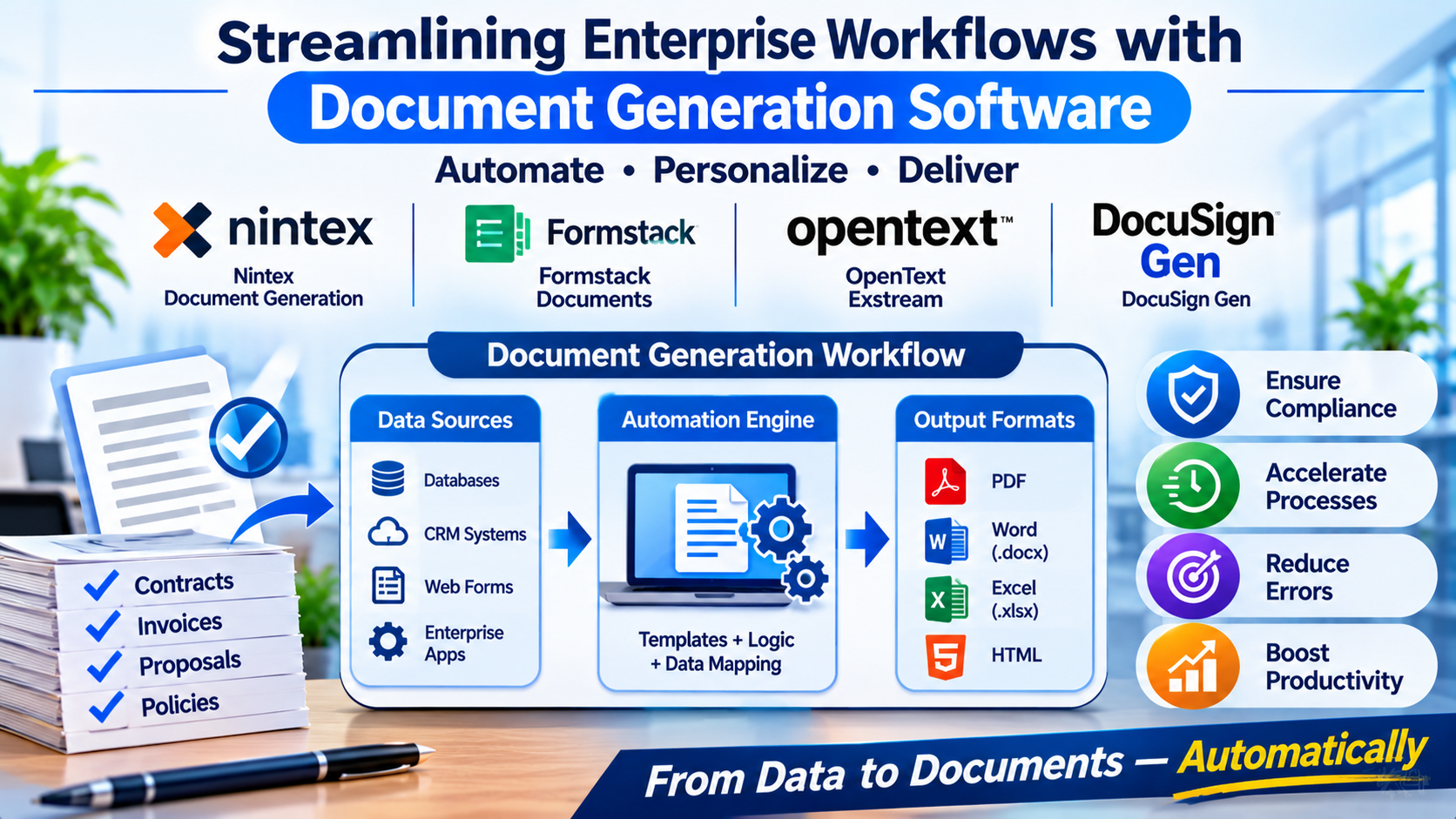
Generating thousands of customized invoices, insurance policies, and legal agreements manually introduces significant human error, slows down deal cycles, and drains valuable operational resources. When an enterprise relies on static word processor templates and manual copy-pasting, scaling operations becomes an administrative bottleneck.
Implementing document generation software automates this cycle by extracting structured data from databases, CRMs, or web forms and programmatically assembling polished, compliant documents in seconds. Choosing the right platform requires evaluating data integration depth, template authoring flexibility, and enterprise security compliance.
The Core Architecture of Document Generation Engines
Modern document generation software has moved beyond basic mail-merge functionality into sophisticated data-processing pipelines. Understanding how these platforms process information helps distinguish between lightweight form fillers and enterprise-grade publishing engines:
- Data-Binding and API Pipelines: Enterprise engines pull live records from databases, APIs, or enterprise resource planning (ERP) systems, mapping complex data structures directly into designated document variables.
- Conditional Logic and Rule Engines: Advanced platforms utilize conditional statements (IF/THEN/ELSE rules) to dynamically include or exclude clauses, tables, and sections based on specific data inputs.
- Output Formatting and Rendering: Professional engines compile data into immutable formats—predominantly high-fidelity PDF, Word (.docx), or HTML outputs—while maintaining precise styling and typography guidelines.
Leading Document Generation Platforms Compared
1. Nintex Document Generation (formerly Drawloop)
Nintex provides robust, enterprise-grade document automation heavily optimized for complex Salesforce environments and multi-step business workflows.
- Primary Use Case: Salesforce-driven contract generation, automated proposal packages, and complex enterprise quote-to-cash workflows.
- Key Differentiators: Deep native integration with Salesforce data objects, advanced batch document generation, and seamless handoff to electronic signature routing.
- Limitations: Complex template authoring requires specialized administrative knowledge; higher cost structure tailored primarily for large enterprises.
- Best Suited For: Enterprise sales organizations and operations teams deeply entrenched in the Salesforce ecosystem.
2. Formstack Documents (formerly WebMerge)
Formstack Documents offers a flexible, cloud-native document assembly engine that integrates with hundreds of web apps and form builders to automate everyday paperwork.
- Primary Use Case: Automated onboarding packets, client intake forms, and multi-app workflow triggers.
- Key Differentiators: Highly accessible template builder supporting standard PDF, Word, and Excel files; extensive web-hook and Zapier integration catalog.
- Limitations: Less naturally suited for massive, multi-tiered legal document generation compared to heavy enterprise engines.
- Best Suited For: Small-to-midsize businesses and operational teams looking to connect web forms directly to automated document output.
3. OpenText Exstream
OpenText Exstream stands as a heavy-duty, industrial customer communications management (CCM) platform built for high-volume, highly regulated enterprise publishing.
- Primary Use Case: High-volume customer billing statements, insurance policy documents, and regulatory correspondence.
- Key Differentiators: Unmatched scalability for millions of daily documents; advanced multichannel delivery (print, email, SMS, portal); and rigorous regulatory compliance controls.
- Limitations: High implementation complexity and steep total cost of ownership requiring dedicated IT infrastructure.
- Best Suited For: Banks, insurance carriers, and telecommunications giants managing massive customer communication volumes.
4. DocuSign Gen
DocuSign Gen streamlines agreement generation directly from CRM data, pairing automated document assembly with the industry’s leading e-signature platform.
- Primary Use Case: Sales contracts, vendor agreements, and streamlined digital closing workflows.
- Key Differentiators: Instantaneous transition from document creation to legally binding e-signature; streamlined user interface; robust CRM data mapping.
- Limitations: Tightly coupled with the DocuSign ecosystem for signing workflows; less customizable for non-agreement publishing.
- Best Suited For: Sales and legal operations teams prioritizing fast document execution and digital signatures.
Feature Comparison Matrix
| Product | Primary Focus | Deployment Model | Integration Specialization | Significant Advantage | Important Limitation |
|---|---|---|---|---|---|
| Nintex | Salesforce & Enterprise Workflows | Cloud (SaaS) | Salesforce & Enterprise Apps | Advanced batch generation and CRM mapping | Higher cost and complex template setup |
| Formstack Documents | Flexible Web Form Automation | Cloud (SaaS) | Broad Web Form & Zapier Ecosystem | Quick deployment across hundreds of apps | Less suited for massive industrial-scale batch runs |
| OpenText Exstream | High-Volume CCM & Statements | On-Premises / Hybrid | Core Enterprise ERP Systems | Unmatched scale for millions of dynamic statements | High implementation complexity and cost |
| DocuSign Gen | Sales Agreements & E-Signature | Cloud (SaaS) | CRM & DocuSign Ecosystem | Frictionless transition from data to signed contract | Tied closely to DocuSign signing workflows |
Evaluating Technical and Operational Trade-Offs
When selecting a document generation platform, evaluate these critical operational factors before committing your templates:
- Template Maintenance and Version Control: When legal regulations or corporate branding guidelines change, templates must be updated. If your templates require complex coding changes for minor text adjustments, administrative overhead will spike. Choose platforms that allow template editing in familiar applications like Microsoft Word.
- Data Cleansing and Source Quality: Automated documents are only as accurate as the underlying data source. If your CRM or database contains messy, unstandardized inputs, your generated documents will reflect those errors. Establish strict data hygiene protocols before implementing automation.
- Security and Compliance Standards: Ensure your chosen platform complies with relevant data privacy regulations (such as GDPR, HIPAA, or SOC 2) in your operating jurisdictions, particularly when handling sensitive financial or healthcare records.
Making Your Decision
The optimal document generation software depends directly on your transactional volume and system architecture. If your operations revolve around heavy CRM data mapping and enterprise sales execution, a dedicated CRM-integrated document engine delivers maximum efficiency. For organizations needing to connect everyday web forms to automated document outputs across diverse apps, a flexible cloud assembly tool is ideal. Enterprises managing millions of complex customer billing statements or insurance policies require industrial-grade customer communications management suites. Evaluate your data sources, template complexity, and output volume before finalizing your automation strategy.
