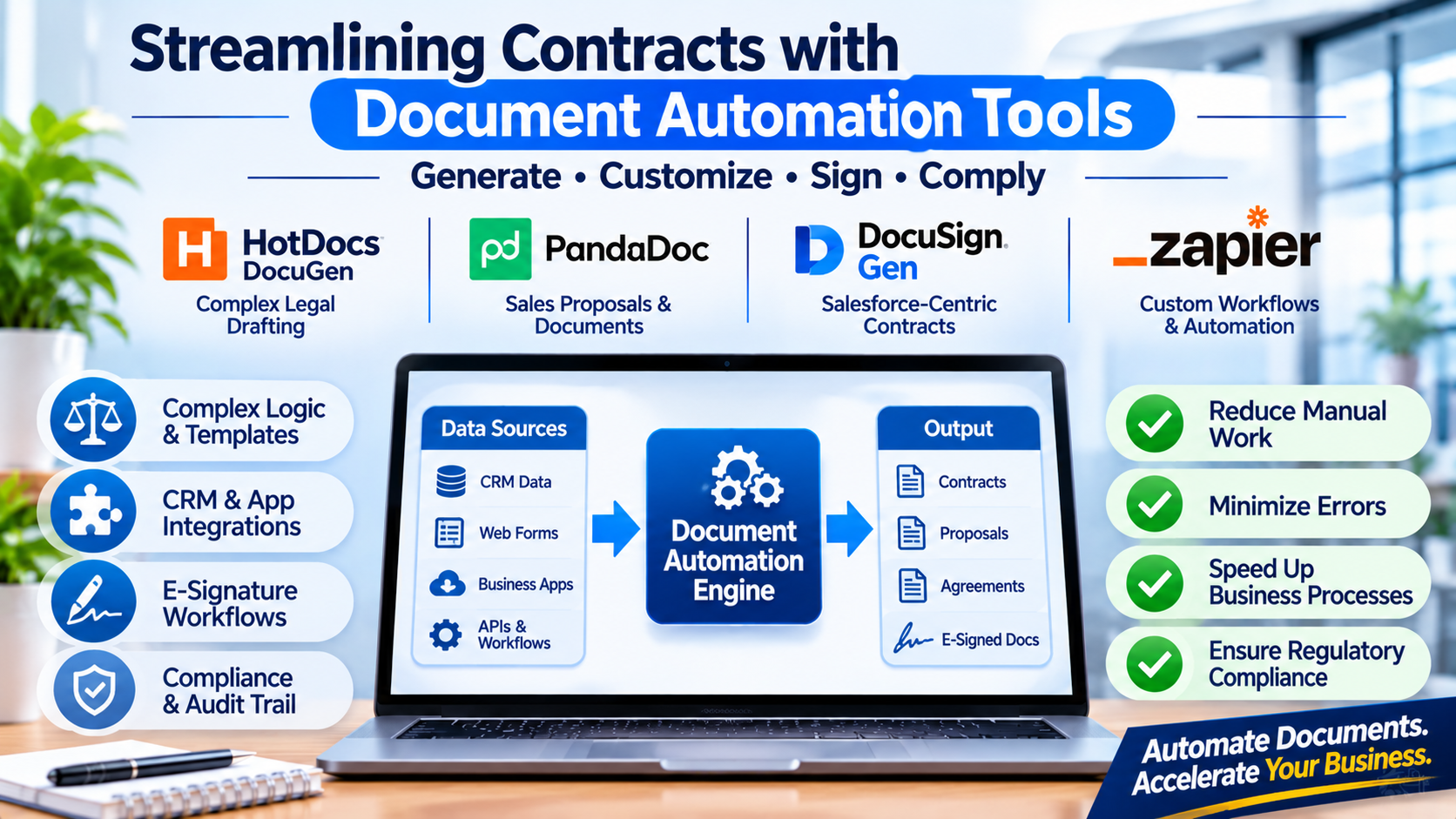
High-volume contract generation and customer onboarding frequently bog down legal, sales, and human resources teams not because of complex negotiations, but due to manual document assembly. Manually copying data from a CRM, pasting it into a word processor template, adjusting conditional clauses, and double-checking formatting introduces human error and consumes valuable operational hours.
Deploying document automation tools eliminates this administrative friction by pulling structured data from databases, CRM systems, or intake forms to dynamically generate error-free legal contracts, proposals, and invoices in seconds. Choosing the right platform requires balancing template complexity, data integration capabilities, and e-signature workflows.
The Divergence in Modern Document Automation Architectures
The document automation software market spans several distinct operational paradigms, each tailored to specific organizational needs:
- Template-Centric Add-Ins: Built directly into standard word processors, these tools allow legal professionals and writers to manage complex conditional logic and clause libraries natively inside familiar editing environments.
- No-Code Web Intake Portals: Tailored for sales and customer-facing operations, these platforms replace traditional templates with dynamic web questionnaires that non-technical users fill out to generate polished outputs.
- API-Driven Generation Engines: Built for software engineers and high-volume enterprise systems, these platforms provide robust APIs and SDKs to programmatically compile documents from microservices or CRM event triggers.
Understanding where your team’s technical expertise and workflow requirements intersect with these architectures prevents adopting a system that is too rigid for legal drafting or too complex for sales teams.
Leading Document Automation Platforms Compared
1. DocuGen (formerly HotDocs)
HotDocs serves as the gold standard for complex, logic-heavy legal document automation, capable of generating intricate multi-page contracts and court filings from rigorous rulesets.
- Primary Use Case: Enterprise legal drafting, compliance document generation, and highly conditional multi-document assembly.
- Key Differentiators: Advanced variable logic engine supporting nested conditions, computations, and repeating structures; robust developer integration options.
- Limitations: Steeper learning curve for template authoring; user interface feels more technical compared to modern consumer-facing cloud tools.
- Best Suited For: Law firms, insurance enterprises, and legal operations teams managing highly complex, compliance-heavy contracts.
2. PandaDoc
PandaDoc combines document automation with robust sales proposal design and integrated payment processing, focusing heavily on closing business deals faster.
- Primary Use Case: Sales proposals, quotes, commercial contracts, and client-facing digital closing workflows.
- Key Differentiators: Intuitive drag-and-drop proposal builder, built-in e-signature capabilities, real-time document analytics (tracking recipient viewing time), and native CRM integrations.
- Limitations: Less suited for ultra-complex legal drafting that requires intricate conditional logic trees across hundreds of pages.
- Best Suited For: Sales teams, marketing agencies, and B2B enterprises looking to accelerate proposal turnaround times.
3. DocuSign Gen for Salesforce
DocuSign Gen leverages the power of the Salesforce ecosystem to automatically generate polished agreements directly from CRM object data.
- Primary Use Case: Salesforce-centric contract generation, automated quote-to-cash workflows, and enterprise sales agreements.
- Key Differentiators: Direct native integration with Salesforce data objects, seamless handoff to DocuSign e-signature workflows, and automated document storage.
- Limitations: Tightly bound to the Salesforce ecosystem; costly deployment model if utilized outside existing Salesforce enterprise agreements.
- Best Suited For: Large enterprise sales organizations heavily standardized on Salesforce for customer relationship management.
4. Zapier Interfaces / Make-Driven Document Generation
For organizations seeking lightweight automation without heavy enterprise software contracts, combining form builders with document generation APIs offers high flexibility.
- Primary Use Case: Small-to-midsize business automation, lightweight onboarding packets, and custom internal request forms.
- Key Differentiators: Maximum flexibility across hundreds of SaaS apps; low barrier to entry; cost-effective for low-to-moderate document volumes.
- Limitations: Requires manual maintenance of webhook connections and multi-app workflows; lacks dedicated legal clause libraries.
- Best Suited For: Agile startups and operations teams needing custom document workflows without dedicated enterprise software budgets.
Feature Comparison Matrix
| Product | Primary Focus | Deployment Model | Data Integration Style | Significant Advantage | Important Limitation |
| HotDocs | Complex Legal Drafting | On-Premises / Cloud | Database & Form Inputs | Unmatched conditional logic and variable handling | Steep learning curve for template creation |
| PandaDoc | Sales Proposals & Closing | Cloud (SaaS) | CRM & Form Integrations | Polished design builder and view analytics | Less optimized for complex multi-jurisdictional legal drafting |
| DocuSign Gen | Salesforce-Centric Contracts | Cloud (SaaS) | Native Salesforce Objects | Seamless CRM data mapping and e-signature handoff | Requires Salesforce infrastructure investment |
| API & Workflow Combinations | Custom Lightweight Automation | Cloud (API / iPaaS) | Webhooks & Custom Connectors | High flexibility and low initial cost | Requires technical maintenance of multi-app links |
Evaluating Technical and Operational Trade-Offs
When implementing a document automation solution, evaluate these core operational factors before committing your templates:
- Template Maintenance Overhead: As legal regulations or company pricing models change, templates must be updated. If your templates require complex coding to update, you risk introducing errors into generated contracts. Choose platforms where template maintenance matches your team’s technical capability.
- Data Integrity and Source Mapping: Automated documents are only as accurate as the data fed into them. If your CRM data is messy or unstandardized, your generated contracts will contain errors. Establish clean data entry protocols before automating downstream document generation.
- E-Signature and Audit Compliance: Verify whether your chosen tool meets legal electronic signature standards (such as ESIGN, UETA, or eIDAS) in your operating jurisdictions, particularly for binding financial or legal agreements.
Making Your Decision
The optimal document automation tool depends directly on the complexity of your documents and your team’s operational focus. If your work involves drafting intricate, highly conditional legal agreements and compliance filings, a dedicated legal automation engine is essential. For sales teams and customer-facing departments focused on rapid proposal creation, interactive design, and integrated closing tracking, a proposal-centric cloud platform delivers maximum velocity. Evaluate your CRM integration requirements and template complexity before standardizing your document generation pipeline.
