Introduction
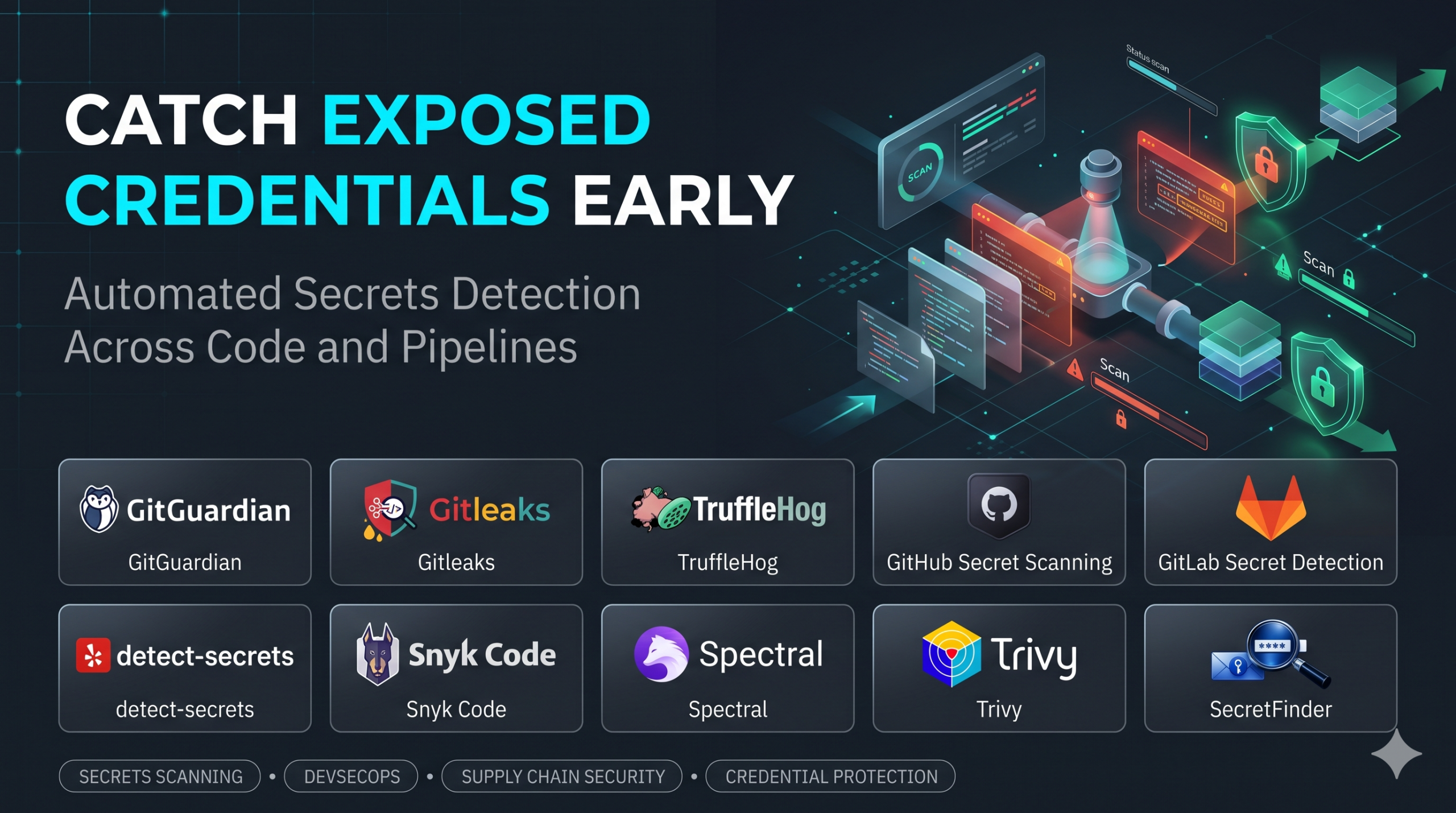
Secrets scanning tools help organizations identify exposed credentials, authentication tokens, private keys, passwords, and other sensitive information within software development environments. These solutions are particularly important for organizations managing source code repositories, cloud infrastructure, automated delivery pipelines, and distributed applications.
Traditional credential protection frequently depends on manual code reviews, developer awareness, and periodic security assessments. These approaches can overlook accidentally committed secrets, historical credential exposures, and sensitive information distributed across multiple repositories.
Modern secrets scanning tools combine automated pattern detection, entropy analysis, repository monitoring, credential validation, and security reporting. Advanced platforms also support push protection, developer notifications, remediation workflows, and enterprise-wide exposure management.
Secrets scanning represents an important component of Development, Security, and Operations (DevSecOps) practices and software supply chain security. It enables developers, security engineers, infrastructure administrators, and compliance teams to identify and address credential exposures throughout the software development lifecycle.
Selecting the appropriate secrets scanning tool requires evaluating detection accuracy, repository compatibility, historical scanning capabilities, automation features, and remediation support. Organizations should also consider false-positive management, deployment architecture, licensing arrangements, and sensitive data handling.
This guide examines ten secrets scanning tools, including their features, benefits, advantages, limitations, and practical applications. It also provides comparison tables, software selection recommendations, a practical implementation example, common mistakes, and frequently asked questions.
What Are Secrets Scanning Tools?
Secrets scanning tools are software applications designed to identify sensitive authentication information accidentally stored in source code, configuration files, repositories, and other supported development resources. Common examples include passwords, Application Programming Interface (API) keys, database credentials, authentication tokens, and cryptographic private keys.
These tools analyze supported content using predefined detection patterns, configurable rules, entropy measurements, and contextual analysis. Some platforms also support credential verification through authorized interactions with relevant service providers.
For example, a developer may accidentally commit a cloud access credential into an application configuration file. A secrets scanning tool can identify the suspicious credential, notify responsible personnel, and initiate an approved remediation workflow.
Secrets scanning complements secrets management, identity governance, access control, and software security testing. Detecting a credential does not automatically revoke it, and organizations must establish appropriate procedures for credential rotation and incident investigation.
Common applications of secrets scanning tools include:
- Source Code Security: Organizations scan application repositories for accidentally committed credentials. Automated detection helps identify exposures before application deployment.
- Git History Analysis: Security teams examine historical commits for previously exposed authentication information. This helps identify credentials that remain accessible through repository history.
- Continuous Integration Security: Automated pipelines evaluate proposed code changes for sensitive information. Selected findings can prevent noncompliant changes from progressing.
- Cloud Credential Protection: Organizations identify exposed cloud access keys and authentication tokens. Security teams can coordinate credential revocation and replacement.
- Container Image Security: Compatible scanners examine container image contents for embedded credentials. This helps prevent sensitive information from being distributed through application artifacts.
- Developer Security Enablement: Local scanning workflows identify potential exposures before repository submission. Developers receive earlier feedback about insecure credential handling.
- Enterprise Exposure Management: Centralized platforms monitor supported repositories and collaboration environments. Security teams can prioritize findings and coordinate remediation.
- Compliance and Security Auditing: Organizations document credential exposure findings and remediation activities. These records support selected security governance and audit requirements.
Top 10 Secrets Scanning Tools in 2026
The following selection includes dedicated secrets detection tools, repository-native security capabilities, and broader application security platforms with secrets scanning functionality. The numbering represents a comparative selection rather than an independently tested performance ranking.
1. GitGuardian
Short Description
GitGuardian is a security platform specializing in secrets detection and non-human identity security. It helps organizations identify exposed credentials across supported software development environments.
The platform is suitable for enterprise security departments, application security engineers, DevSecOps teams, and organizations managing numerous source code repositories. Its architecture supports centralized monitoring and remediation coordination.
GitGuardian combines credential detection rules, contextual analysis, supported validity checks, and incident management capabilities. Security teams can investigate findings and establish appropriate remediation priorities.
The platform also provides command-line tooling through ggshield for local and automated scanning workflows. Available enterprise integrations and deployment options depend on product configuration and licensing.
Key Features
- Automated Secrets Detection: GitGuardian identifies supported credential patterns across connected development resources. Detection capabilities cover numerous authentication technologies.
- Repository Monitoring: Supported integrations monitor source code changes for potential credential exposures. Security teams can receive findings when suspicious content is detected.
- Historical Scanning: Compatible workflows examine existing repository history. Organizations can investigate exposures originating from earlier development activities.
- Credential Validity Checks: Supported detectors can assess whether selected credentials remain valid. These checks require appropriate authorization and service compatibility.
- Incident Management: Centralized workflows organize findings and remediation activities. Teams can assign ownership and document investigation outcomes.
- Developer Notifications: Supported integrations notify developers about detected exposures. Earlier feedback can reduce remediation delays.
- Command-Line Scanning: ggshield supports local and pipeline-based detection workflows. Organizations can introduce preventative scanning before repository submission.
- Custom Detection Rules: Applicable capabilities support organization-specific credential patterns. Customization helps address internal authentication formats.
- Enterprise Reporting: Supported dashboards communicate exposure trends and remediation progress. Security managers can evaluate operational performance.
Benefits
- Improves enterprise credential exposure visibility.
- Identifies secrets across supported repositories.
- Accelerates credential remediation coordination.
- Supports preventative development workflows.
- Reduces repetitive manual security reviews.
- Enhances collaboration between security and development teams.
- Facilitates centralized security reporting.
Pros
- Specialized secrets detection capabilities.
- Extensive credential detector coverage.
- Historical repository scanning.
- Centralized incident management.
- Developer-oriented command-line tooling.
- Enterprise integration options.
Cons
- Advanced functionality may require commercial subscriptions.
- Large repository environments require careful onboarding.
- Detection findings require contextual investigation.
- Credential verification has service-specific limitations.
- Remediation still requires appropriate credential management procedures.
Use Cases
- Enterprise Repository Monitoring: Identify exposed credentials across connected development repositories.
- Historical Exposure Assessment: Investigate previously committed authentication information.
- Developer Credential Protection: Introduce local scanning before code submission.
- Security Incident Coordination: Assign detected exposures to responsible teams.
- Cloud Credential Monitoring: Identify supported cloud authentication secrets.
- Enterprise Security Reporting: Track exposure and remediation trends.
Best For
- Enterprise application security teams.
- DevSecOps departments.
- Organizations managing numerous repositories.
- Cloud security engineers.
- Security incident managers.
- Enterprises requiring centralized secrets monitoring.
2. Gitleaks
Short Description
Gitleaks is an open-source secrets scanning tool designed to detect sensitive information within Git repositories and other supported content. It provides lightweight scanning capabilities suitable for automated development workflows.
The platform is suitable for developers, security engineers, open-source projects, and organizations requiring configurable credential detection. Its command-line architecture supports local and automated execution.
Gitleaks uses detection rules, regular expressions, entropy thresholds, and configurable allowlists to identify potential secrets. Organizations can customize scanning behavior according to their development environments.
The tool supports repository history scanning and compatible pre-commit and pipeline integrations. Teams requiring centralized incident management generally need complementary reporting or security platforms.
Key Features
- Git Repository Scanning: Gitleaks examines supported repository content and commit history. Developers can identify credentials introduced through historical changes.
- Pattern-Based Detection: Configurable rules identify known credential formats. Organizations can develop additional rules for internal authentication systems.
- Entropy Analysis: Supported detection rules evaluate characteristics associated with randomly generated secrets. Entropy thresholds can improve selected detection scenarios.
- Custom Configuration: Teams can maintain scanning rules through configuration files. This supports organization-specific security requirements.
- Allowlist Management: Supported allowlists exclude approved test values and known false positives. Exceptions should be reviewed carefully.
- Pre-Commit Integration: Compatible hooks evaluate changes before local commits. Developers can address selected exposures earlier.
- Pipeline Integration: Command-line execution supports automated software delivery checks. Organizations can configure appropriate failure conditions.
- Report Generation: Supported reporting formats communicate scanning results. Teams can integrate findings into compatible security workflows.
- Directory and Content Scanning: Gitleaks supports scanning beyond traditional Git history. Available modes depend on the installed version.
Benefits
- Identifies exposed credentials during development.
- Supports lightweight automated scanning.
- Improves repository security visibility.
- Enables customized detection rules.
- Reduces dependence on manual code reviews.
- Facilitates preventative security controls.
- Supports cost-effective secrets detection.
Pros
- Free and open-source software.
- Lightweight command-line architecture.
- Configurable detection rules.
- Git history scanning capabilities.
- Straightforward pipeline integration.
- Suitable for local developer workflows.
Cons
- Centralized incident management requires integrations.
- Pattern-based findings can include false positives.
- Credential validation capabilities are limited.
- Custom rules require ongoing maintenance.
- Enterprise reporting requires additional configuration.
Use Cases
- Git History Scanning: Identify credentials within historical repository commits.
- Pre-Commit Security Checks: Detect potential secrets before committing changes.
- Pipeline Credential Validation: Evaluate proposed changes for sensitive information.
- Configuration File Scanning: Identify embedded authentication information.
- Custom Secret Detection: Implement rules for internal credential formats.
- Open-Source Repository Security: Establish lightweight credential scanning workflows.
Best For
- Individual developers.
- Open-source projects.
- Small DevSecOps teams.
- Git repository administrators.
- Security automation engineers.
- Organizations requiring lightweight scanning.
3. TruffleHog
Short Description
TruffleHog is a secrets detection tool developed by Truffle Security. It identifies exposed authentication credentials across Git repositories and other supported data sources.
The platform is suitable for application security engineers, cloud security teams, incident responders, and organizations investigating credential exposures. Its architecture supports multiple scanning environments.
TruffleHog combines specialized credential detectors with supported verification mechanisms. Verification can help distinguish selected active credentials from inactive or unconfirmed findings.
The tool provides open-source scanning functionality alongside commercial security offerings. Organizations should evaluate supported sources, verification behavior, and enterprise feature availability before implementation.
Key Features
- Specialized Credential Detectors: TruffleHog identifies numerous supported authentication formats. Detector coverage varies according to software releases.
- Credential Verification: Supported detectors can verify selected credentials against relevant services. Verification should operate within authorized security assessment boundaries.
- Git History Analysis: Repository scanning identifies secrets across historical commits. Security teams can investigate previously exposed authentication information.
- Multiple Data Sources: Compatible integrations support scanning across repositories, files, and selected storage environments. Organizations can extend exposure assessments beyond source code.
- Structured Output: Machine-readable results support automated processing. Teams can integrate findings into security reporting workflows.
- Custom Detectors: Supported configuration mechanisms enable additional detection patterns. Organizations can address internal credential formats.
- Pipeline Integration: Command-line execution supports automated secrets scanning. Developers can evaluate changes during software delivery.
- Finding Classification: Results distinguish verified and unverified findings where applicable. This helps security teams establish investigation priorities.
- Enterprise Integrations: Commercial offerings provide additional monitoring and management capabilities. Availability depends on product packaging.
Benefits
- Identifies exposed authentication credentials.
- Improves credential exposure prioritization.
- Supports historical security investigations.
- Extends scanning across multiple supported sources.
- Reduces selected false-positive investigation workloads.
- Facilitates automated security workflows.
- Supports credential incident response.
Pros
- Extensive specialized detector coverage.
- Supported credential verification.
- Open-source scanning options.
- Multiple scanning source integrations.
- Historical repository analysis.
- Machine-readable reporting.
Cons
- Verification requires appropriate network access.
- Not every credential type supports verification.
- Large scans may consume substantial resources.
- Commercial management capabilities may require licensing.
- Findings require secure handling and authorized remediation.
Use Cases
- Credential Exposure Investigations: Identify potentially active exposed credentials.
- Historical Repository Assessment: Examine previous code changes for authentication secrets.
- Cloud Security Reviews: Detect supported cloud access credentials.
- Storage Security Assessment: Scan compatible storage environments for sensitive information.
- Pipeline Secrets Detection: Evaluate application changes before deployment.
- Incident Response: Support authorized investigations into credential exposure events.
Best For
- Application security engineers.
- Cloud security departments.
- Security incident responders.
- Enterprise security assessment teams.
- DevSecOps specialists.
- Organizations requiring credential verification.
4. GitHub Secret Scanning
Short Description
GitHub Secret Scanning is a repository-native security capability designed to identify exposed credentials within supported GitHub environments. It integrates secrets detection directly into software development workflows.
The platform is suitable for GitHub users, enterprise development departments, repository administrators, and application security teams. It supports automated detection and repository-level security alerts.
Its technical strength is native repository integration combined with supported credential patterns, partner notifications, and push protection. These capabilities help organizations detect and prevent selected credential exposures.
Feature availability varies according to repository visibility, account configuration, and applicable GitHub security subscriptions. Organizations should verify current entitlement requirements.
Key Features
- Native Repository Scanning: GitHub evaluates supported repository content for recognized secrets. Security alerts are integrated into repository workflows.
- Historical Detection: Supported scanning capabilities examine existing repository history. Teams can investigate previously committed credentials.
- Push Protection: Applicable controls identify selected secrets before accepting repository pushes. Authorized bypass procedures may be available.
- Partner Pattern Detection: GitHub supports credential patterns associated with participating service providers. Selected exposures may trigger provider notifications.
- Custom Patterns: Eligible organizations can configure additional detection patterns. This supports internal credential formats.
- Security Alerts: Repository security interfaces communicate detected exposures. Administrators can review and manage findings.
- Validity Checks: Supported credential types may receive validity information. Availability depends on provider and product support.
- Organization-Level Visibility: Applicable enterprise capabilities provide centralized exposure information. Security teams can monitor multiple repositories.
- Security Workflow Integration: Supported APIs and notifications connect findings with existing security processes. Organizations can coordinate remediation activities.
Benefits
- Integrates secrets detection into GitHub workflows.
- Supports preventative credential protection.
- Improves repository security visibility.
- Reduces manual credential reviews.
- Facilitates developer remediation.
- Enables centralized repository governance.
- Supports enterprise security reporting.
Pros
- Native GitHub integration.
- Supported push protection.
- Historical repository scanning.
- Partner credential pattern coverage.
- Integrated security alerts.
- Enterprise governance options.
Cons
- Primarily focused on GitHub environments.
- Private repository features may require paid subscriptions.
- Custom patterns require configuration.
- Push protection does not detect every possible secret.
- Credential rotation remains a separate responsibility.
Use Cases
- GitHub Repository Security: Monitor supported repositories for exposed credentials.
- Push-Time Prevention: Prevent selected secrets from entering repository history.
- Enterprise Security Governance: Review findings across eligible repositories.
- Historical Exposure Investigation: Identify previously committed credentials.
- Developer Remediation: Coordinate credential removal and replacement.
- Custom Credential Detection: Identify organization-specific authentication patterns.
Best For
- GitHub administrators.
- Enterprise development departments.
- Application security teams.
- Open-source maintainers.
- GitHub-based DevSecOps teams.
- Organizations requiring native repository protection.
5. GitLab Secret Detection
Short Description
GitLab Secret Detection provides credential scanning capabilities within the GitLab software development and security ecosystem. It supports identifying sensitive information within supported repositories and delivery workflows.
The platform is suitable for GitLab customers, DevSecOps departments, software engineering teams, and organizations requiring integrated application security controls. Its capabilities can operate within compatible pipeline and repository workflows.
GitLab Secret Detection uses supported analyzers and credential detection rules to identify potential exposures. Applicable security interfaces provide findings and remediation information.
GitLab also offers preventative secret push protection capabilities in eligible configurations. Feature availability depends on the GitLab edition, deployment model, and subscription.
Key Features
- Pipeline Secret Detection: Supported analyzers evaluate repository content during automated pipelines. Developers can identify selected credential exposures.
- Historical Scanning: Configurable workflows examine existing repository history. Organizations can investigate previously committed secrets.
- Secret Push Protection: Eligible configurations provide preventative scanning during repository pushes. Teams can reduce selected new credential exposures.
- Detection Rules: Built-in patterns identify supported authentication formats. Coverage depends on analyzer versions and configuration.
- Custom Rulesets: Applicable capabilities support customized detection requirements. Organizations can address internal credential formats.
- Merge Request Integration: Supported interfaces communicate security findings during development reviews. Developers can investigate issues before merging changes.
- Security Reporting: Eligible security dashboards organize detected exposures. Security managers can review findings and remediation progress.
- Pipeline Configuration: Teams can configure scanning execution through GitLab pipeline definitions. This supports standardized security workflows.
- Enterprise Governance: Applicable controls support centralized security configuration. Organizations can establish consistent scanning requirements.
Benefits
- Integrates secrets detection with software delivery.
- Improves credential exposure visibility.
- Supports automated repository scanning.
- Enables preventative security controls.
- Facilitates developer remediation workflows.
- Reduces fragmented security administration.
- Supports enterprise application security governance.
Pros
- Native GitLab ecosystem integration.
- Pipeline-based scanning.
- Historical detection capabilities.
- Supported preventative push protection.
- Integrated development workflows.
- Enterprise reporting options.
Cons
- Advanced features may require paid GitLab tiers.
- Pipeline scanning can increase execution time.
- Configuration varies by deployment model.
- Primarily oriented toward GitLab environments.
- Findings require contextual review and remediation.
Use Cases
- GitLab Repository Monitoring: Identify exposed credentials in supported projects.
- Pipeline Security Validation: Evaluate code changes for sensitive information.
- Merge Request Reviews: Communicate detected exposures during development.
- Historical Credential Assessment: Scan previous repository commits.
- Enterprise Security Standardization: Establish consistent scanning configurations.
- Developer Security Enablement: Provide credential exposure feedback within existing workflows.
Best For
- GitLab customers.
- Enterprise DevSecOps departments.
- Software development managers.
- Application security engineers.
- Self-managed GitLab administrators.
- Organizations requiring integrated pipeline security.
6. detect-secrets
Short Description
detect-secrets is an open-source secrets detection utility originally developed by Yelp. It focuses on preventing new sensitive information from entering source code repositories.
The platform is suitable for developers, small engineering teams, security automation specialists, and organizations requiring lightweight local scanning. Its baseline-oriented architecture supports gradual adoption in existing repositories.
Its technical strength is combining configurable detection plugins, entropy analysis, filters, and baseline management. Teams can distinguish previously reviewed findings from newly introduced potential exposures.
detect-secrets is particularly useful within pre-commit workflows and automated repository checks. It does not independently provide comprehensive enterprise incident management or credential rotation.
Key Features
- Plugin-Based Detection: Detection plugins identify supported credential formats. Organizations can configure relevant plugins.
- Entropy Analysis: Supported plugins identify strings with characteristics associated with generated secrets. Thresholds can be adjusted according to requirements.
- Baseline Management: Baseline files record previously identified findings. Teams can focus preventative controls on newly introduced exposures.
- Pre-Commit Integration: Compatible hooks evaluate proposed changes before commits. Developers receive early security feedback.
- Finding Auditing: Supported audit workflows help users classify detected values. Organizations can review suspected false positives.
- Configurable Filters: Filters exclude selected irrelevant findings. Security teams should validate exclusions before adoption.
- Custom Plugin Support: Developers can extend detection functionality through compatible plugins. This supports organization-specific requirements.
- Command-Line Execution: Local scanning supports developer and automation workflows. Teams can integrate checks into delivery pipelines.
- Repository Compatibility: The tool evaluates supported source files and configuration content. Scanning scope can be customized.
Benefits
- Prevents selected new credential exposures.
- Supports gradual security adoption.
- Improves local developer security workflows.
- Reduces repeated investigation of reviewed findings.
- Enables configurable detection behavior.
- Supports low-cost security automation.
- Facilitates consistent repository checks.
Pros
- Free and open-source software.
- Lightweight installation.
- Baseline-oriented detection workflows.
- Configurable detection plugins.
- Pre-commit integration.
- Useful for existing repositories.
Cons
- Centralized reporting requires additional tools.
- Baselines can conceal unresolved historical risks if misused.
- Limited native credential verification.
- Custom plugins require technical maintenance.
- Historical exposure assessment requires complementary workflows.
Use Cases
- Pre-Commit Credential Protection: Identify suspicious values before committing changes.
- Legacy Repository Adoption: Introduce scanning while managing previously reviewed findings.
- Local Developer Security: Evaluate supported source and configuration files.
- Custom Credential Detection: Extend plugins for internal authentication formats.
- Pipeline Validation: Prevent selected newly introduced secrets.
- Security Baseline Management: Maintain reviewed detection findings.
Best For
- Individual developers.
- Small software teams.
- Python-oriented automation environments.
- Open-source maintainers.
- Security automation engineers.
- Organizations adopting preventative repository scanning.
7. Snyk Code
Short Description
Snyk Code is a Static Application Security Testing (SAST) solution that identifies security issues within supported application source code. Its capabilities include detection of selected hardcoded credential and sensitive information patterns.
The platform is suitable for application developers, DevSecOps teams, enterprise security departments, and organizations implementing developer-oriented application security testing. It provides broader source code security assessment beyond dedicated secrets scanning.
Its technical strength is semantic source code analysis combined with developer-focused security findings. Organizations can investigate hardcoded credentials alongside other supported application security weaknesses.
Snyk Code should be evaluated as a complementary application security solution rather than a complete replacement for dedicated repository-history secrets scanners. Supported languages and detection coverage depend on current product capabilities.
Key Features
- Static Source Code Analysis: Snyk Code evaluates supported application source code. Developers can identify selected security weaknesses before deployment.
- Hardcoded Credential Detection: Supported security rules identify selected embedded authentication information. Coverage varies by programming language and rule availability.
- Semantic Analysis: Code analysis considers supported relationships and application behavior. This can provide additional context for security findings.
- Repository Integration: Compatible integrations connect application repositories with scanning workflows. Organizations can establish automated security assessments.
- Developer Environment Integration: Supported development environment extensions communicate findings during coding. Developers can investigate issues earlier.
- Pipeline Integration: Compatible command-line and automation workflows support security validation. Teams can establish appropriate failure conditions.
- Remediation Guidance: Findings provide contextual information about detected weaknesses. Developers can evaluate recommended corrective actions.
- Centralized Reporting: Applicable platform interfaces organize security findings. Security teams can monitor application risk trends.
- Broader Security Integration: Complementary Snyk products address dependencies, containers, and infrastructure configurations. Licensing varies by product.
Benefits
- Identifies selected hardcoded credentials.
- Supports broader application security testing.
- Improves developer security awareness.
- Enables earlier vulnerability detection.
- Facilitates integrated security reporting.
- Reduces fragmented source code assessments.
- Supports automated development workflows.
Pros
- Developer-oriented security platform.
- Semantic source code analysis.
- Supported hardcoded credential detection.
- Repository and pipeline integrations.
- Contextual remediation guidance.
- Broader application security ecosystem.
Cons
- Not primarily a dedicated secrets scanning platform.
- Historical repository scanning is not its principal function.
- Advanced functionality may require commercial subscriptions.
- Detection coverage varies by language.
- Credential-specific remediation requires additional workflows.
Use Cases
- Hardcoded Credential Detection: Identify supported embedded authentication values.
- Application Security Reviews: Evaluate source code for multiple security weaknesses.
- Developer Security Feedback: Communicate findings within supported development environments.
- Pipeline Security Testing: Assess application code before deployment.
- Enterprise Application Security: Centralize supported source code findings.
- Complementary Secrets Protection: Combine source code analysis with dedicated secrets scanners.
Best For
- Application developers.
- Enterprise application security departments.
- Existing Snyk customers.
- DevSecOps teams.
- Software security engineers.
- Organizations requiring broader source code security testing.
8. Spectral
Short Description
Spectral is a developer-oriented security scanning technology acquired by Check Point Software Technologies. Its capabilities address secrets detection and selected source code and configuration security risks.
The platform is suitable for application security engineers, DevSecOps departments, and organizations evaluating integrated development security workflows. It supports detecting sensitive information within compatible software development resources.
Its technical strength is combining credential detection with broader configuration and development security assessment capabilities. Organizations can integrate supported scanning workflows into software delivery processes.
Spectral’s current availability, product naming, and integration within the Check Point portfolio require verification. Historical standalone functionality should not be assumed to remain commercially available without confirmation.
Key Features
- Secrets Detection: Supported scanning capabilities identify selected exposed authentication information. Detection coverage depends on the available product version.
- Source Code Scanning: Compatible workflows evaluate application repositories for supported security risks. Developers can investigate detected findings.
- Configuration Assessment: Supported checks identify selected insecure configuration patterns. Organizations can establish preventative security workflows.
- Custom Detection Rules: Applicable capabilities support organization-specific detection requirements. Current configuration options require verification.
- Pipeline Integration: Compatible automation workflows evaluate development resources. Teams can introduce security checks before deployment.
- Developer Notifications: Supported integrations communicate findings to responsible personnel. Earlier feedback can accelerate investigation.
- Security Reporting: Applicable management interfaces organize detected risks. Organizations can review findings and remediation activities.
- Enterprise Security Integration: Compatible Check Point offerings may provide broader security management capabilities. Current packaging should be confirmed.
- Automated Scanning: Supported workflows reduce dependence on manual security reviews. Scanning frequency and scope depend on configuration.
Benefits
- Identifies selected exposed credentials.
- Supports integrated development security.
- Improves source code risk visibility.
- Facilitates automated scanning workflows.
- Enables earlier security feedback.
- Reduces repetitive manual assessments.
- Supports enterprise security coordination.
Pros
- Secrets detection specialization.
- Developer-oriented security approach.
- Broader configuration scanning capabilities.
- Supported automation workflows.
- Enterprise security ecosystem relevance.
- Potential centralized security visibility.
Cons
- Current standalone availability requires verification.
- Commercial product packaging may have changed.
- Supported integrations require confirmation.
- Detection findings require contextual investigation.
- Credential rotation requires complementary processes.
Use Cases
- Development Secrets Detection: Identify supported exposed authentication information.
- Repository Security Assessment: Evaluate source code for selected security risks.
- Configuration Security: Detect supported insecure configuration patterns.
- Pipeline Security Integration: Introduce automated development security checks.
- Enterprise Security Evaluation: Assess compatible Check Point development security capabilities.
- Developer Remediation: Communicate detected risks to responsible teams.
Best For
- Existing Check Point customers.
- Application security engineers.
- DevSecOps departments.
- Enterprise security platform evaluators.
- Development security specialists.
- Organizations validating integrated security offerings.
9. Trivy
Short Description
Trivy is an open-source security scanner developed by Aqua Security. It supports vulnerability detection, configuration assessment, and secrets scanning across compatible software artifacts and infrastructure resources.
The platform is suitable for container security engineers, DevSecOps teams, cloud-native developers, and organizations requiring integrated security scanning. Its architecture supports multiple scanning targets.
Trivy combines credential pattern detection with broader software supply chain security assessment capabilities. Organizations can identify embedded secrets alongside supported vulnerabilities and configuration issues.
The tool supports command-line execution and automated pipeline integration. Secrets detection coverage depends on scanning targets, enabled scanners, and configured detection rules.
Key Features
- Secrets Scanning: Trivy identifies supported sensitive credential patterns. Organizations can configure relevant detection behavior.
- Container Image Assessment: Compatible scanning workflows examine container image contents. Teams can identify embedded credentials within supported image layers and files.
- Filesystem Scanning: Trivy evaluates supported local directories and files. Developers can assess application workspaces before deployment.
- Repository Scanning: Compatible repository targets support security assessment workflows. Scanning scope depends on target configuration.
- Custom Secret Rules: Organizations can configure additional credential detection patterns. This supports internal authentication formats.
- Vulnerability Detection: Complementary scanners identify supported software dependency vulnerabilities. Teams can combine multiple security assessments.
- Configuration Scanning: Supported checks identify selected infrastructure misconfigurations. Organizations can evaluate broader deployment risks.
- Pipeline Integration: Command-line execution supports automated security checks. Teams can configure appropriate reporting and failure behavior.
- Structured Reporting: Supported output formats communicate findings to compatible systems. Organizations can integrate results into security workflows.
Benefits
- Identifies credentials within supported artifacts.
- Supports container security assessments.
- Combines multiple security scanning capabilities.
- Improves software supply chain visibility.
- Enables automated pipeline validation.
- Reduces fragmented scanning workflows.
- Supports cost-effective security automation.
Pros
- Free and open-source software.
- Multiple supported scanning targets.
- Container image scanning capabilities.
- Customizable secret detection rules.
- Broader vulnerability and configuration assessment.
- Straightforward automation integration.
Cons
- Not primarily a dedicated historical Git secrets scanner.
- Large artifact scans may require substantial resources.
- Detection findings can include false positives.
- Centralized remediation requires additional integrations.
- Credential verification capabilities are limited.
Use Cases
- Container Image Secrets Detection: Identify embedded credentials within supported images.
- Filesystem Security Assessment: Scan application files for sensitive information.
- Software Supply Chain Security: Combine credential and vulnerability assessments.
- Pipeline Security Gates: Evaluate artifacts before deployment.
- Configuration Security Reviews: Identify supported insecure configuration patterns.
- Cloud-Native Application Security: Establish integrated scanning workflows.
Best For
- Container security engineers.
- Kubernetes development teams.
- DevSecOps departments.
- Cloud-native organizations.
- Software supply chain security specialists.
- Teams requiring integrated artifact scanning.
10. SecretFinder
Short Description
SecretFinder is an open-source security assessment utility designed to identify potentially sensitive information within JavaScript files. It focuses on detecting exposed authentication values and related sensitive patterns in supported web application resources.
The platform is suitable for authorized security testers, web application security engineers, and developers reviewing client-side application assets. Its scope is narrower than enterprise repository monitoring platforms.
Its technical strength is pattern-based analysis of JavaScript content. This can help organizations investigate credentials accidentally included in publicly delivered application files.
SecretFinder should be used only within authorized assessment environments. Organizations should evaluate current project maintenance, detection accuracy, and compatibility before relying on it for operational security workflows.
Key Features
- JavaScript Content Analysis: SecretFinder examines supported JavaScript files for sensitive patterns. Security teams can review client-side application assets.
- Pattern-Based Detection: Built-in expressions identify selected credential formats. Coverage depends on available detection rules.
- Local File Assessment: Compatible workflows evaluate locally available JavaScript content. Developers can review generated application assets.
- Supported URL Assessment: The tool can retrieve compatible JavaScript resources within authorized assessment scopes. Network access and target permissions require consideration.
- Customizable Patterns: Source-level customization can extend detection coverage. Changes require appropriate testing and maintenance.
- Command-Line Execution: The utility supports terminal-based assessment workflows. Teams can incorporate it into compatible automation processes.
- Finding Presentation: Supported output modes communicate identified patterns. Security personnel can investigate relevant findings.
- Lightweight Architecture: The tool focuses on targeted JavaScript analysis. This makes it useful for specialized assessment requirements.
- Open-Source Extensibility: Available source code supports technical inspection and modification. Organizations should evaluate applicable licensing and maintenance requirements.
Benefits
- Identifies selected client-side credential exposures.
- Supports targeted web application security reviews.
- Improves visibility into generated JavaScript assets.
- Enables lightweight security assessment workflows.
- Facilitates developer investigation.
- Supports customized detection patterns.
- Complements broader secrets scanning platforms.
Pros
- Free and open-source utility.
- Specialized JavaScript analysis.
- Lightweight assessment architecture.
- Customizable detection patterns.
- Useful for client-side security reviews.
- Compatible with authorized security testing workflows.
Cons
- Limited scope compared with enterprise scanners.
- Current project maintenance requires verification.
- Pattern-based findings can include false positives.
- No comprehensive centralized incident management.
- Limited credential verification and remediation capabilities.
Use Cases
- Client-Side Security Reviews: Identify sensitive values in authorized JavaScript assets.
- Application Build Assessment: Review generated frontend files before publication.
- Web Application Security Testing: Investigate potential credential exposure within approved assessment scopes.
- Frontend Credential Protection: Identify accidentally embedded authentication information.
- Custom Pattern Assessment: Evaluate organization-specific sensitive value patterns.
- Complementary Security Scanning: Extend repository scanning with targeted client-side analysis.
Best For
- Web application security engineers.
- Frontend developers.
- Authorized penetration testers.
- Security researchers.
- Small development teams.
- Organizations requiring targeted JavaScript assessment.
Comparison Table: Top 10 Secrets Scanning Tools
| Tool Name | Best For | Platform(s) | Standout Feature | Pricing |
|---|---|---|---|---|
| GitGuardian | Enterprise secrets management and detection | Git repositories, supported development platforms | Centralized exposure monitoring and incident management | Free and commercial options |
| Gitleaks | Lightweight repository scanning | Git, CLI, CI/CD | Configurable Git history detection | Free and open-source |
| TruffleHog | Credential exposure verification | Git, files, supported storage platforms | Specialized detectors and supported credential verification | Open-source and commercial options |
| GitHub Secret Scanning | Native GitHub credential protection | GitHub | Repository alerts and push protection | Free and paid features depending on eligibility |
| GitLab Secret Detection | Integrated GitLab security | GitLab, CI/CD | Pipeline-based detection and supported push protection | Free and paid features depending on eligibility |
| detect-secrets | Preventative local scanning | Git, CLI, pre-commit | Baseline-oriented credential detection | Free and open-source |
| Snyk Code | Broader source code security | Supported languages, repositories, development environments | Semantic source code analysis | Free and commercial options |
| Spectral | Integrated development security | Supported development environments | Credential and configuration security scanning | Commercial availability requires verification |
| Trivy | Container and artifact security | Containers, filesystems, repositories | Combined secrets and vulnerability scanning | Free and open-source |
| SecretFinder | JavaScript credential assessment | JavaScript files, CLI | Targeted client-side secrets detection | Free and open-source |
Note: Pricing, licensing, supported platforms, and available features can change. Check the official vendor websites for current plans, educational access, and regional availability.
Which Secrets Scanning Tool Is Right for You?
Organizations require different combinations of repository monitoring, historical scanning, credential verification, developer protection, and remediation management. A small development team may require lightweight pre-commit scanning, whereas an enterprise may need centralized exposure monitoring across numerous repositories.
Selection should consider repository platforms, programming languages, credential formats, artifact types, security requirements, and available technical expertise. Organizations should distinguish between dedicated secrets detection platforms and broader application security tools.
For Beginners: Gitleaks and detect-secrets
Gitleaks provides accessible command-line scanning and configurable credential detection rules. Developers can introduce local repository assessments without deploying complex security infrastructure.
detect-secrets provides baseline-oriented scanning that is particularly useful when introducing preventative controls into existing repositories. Its plugin architecture supports configurable detection behavior.
Choose Gitleaks if historical repository scanning is important. Choose detect-secrets if preventing newly introduced secrets through local workflows is your priority.
For Large Enterprises: GitGuardian and TruffleHog
GitGuardian provides centralized exposure monitoring, incident management, and enterprise security integrations. It is suitable for organizations managing numerous repositories and development teams.
TruffleHog provides specialized credential detection and supported verification capabilities. These features can help security teams prioritize selected potentially active exposures.
Choose GitGuardian if centralized enterprise remediation coordination is essential. Choose TruffleHog if credential verification and flexible scanning sources are priorities.
For GitHub Users: GitHub Secret Scanning and Gitleaks
GitHub Secret Scanning integrates credential detection directly into supported GitHub repository workflows. Push protection and security alerts can reduce selected new exposures.
Gitleaks provides independent scanning capabilities that can operate locally or within automated pipelines. Organizations can customize detection rules without relying exclusively on repository-native functionality.
Choose GitHub Secret Scanning if native repository integration is essential. Choose Gitleaks if independent and customizable scanning is more important.
For GitLab Users: GitLab Secret Detection and TruffleHog
GitLab Secret Detection integrates credential scanning with supported GitLab development and pipeline workflows. Applicable enterprise interfaces provide centralized security visibility.
TruffleHog provides independent credential detection across multiple supported sources. Its verification capabilities can complement repository-native scanning.
Choose GitLab Secret Detection if integrated GitLab security workflows are required. Choose TruffleHog if specialized credential verification is your priority.
For Container Security Teams: Trivy and GitGuardian
Trivy evaluates supported container images, filesystems, and other artifacts for credential exposures and broader security issues. Its integrated scanning architecture supports cloud-native security workflows.
GitGuardian specializes in credential exposure monitoring across supported development environments. It can complement artifact scanning through repository monitoring and incident management.
Choose Trivy if container and artifact scanning is essential. Choose GitGuardian if centralized repository exposure management is more important.
For Application Security Teams: Snyk Code and GitGuardian
Snyk Code provides broader static application security analysis, including detection of selected hardcoded credential weaknesses. Its developer-oriented architecture supports integrated security feedback.
GitGuardian provides dedicated credential exposure monitoring and remediation coordination. It addresses secrets-specific requirements beyond general source code security assessment.
Choose Snyk Code if broader application security testing is required. Choose GitGuardian if specialized secrets detection and incident management are priorities.
For Web Application Security: SecretFinder and Trivy
SecretFinder provides targeted analysis of JavaScript assets for selected sensitive information patterns. It can support authorized client-side application security reviews.
Trivy provides broader filesystem and artifact scanning capabilities. Organizations can evaluate application builds and container images alongside other supported security risks.
Choose SecretFinder if specialized JavaScript assessment is necessary and its maintenance status is acceptable. Choose Trivy if broader artifact security scanning is your priority.
For Integrated Enterprise Security: Spectral and Snyk Code
Spectral historically provided credential detection and configuration security capabilities within developer-oriented workflows. Its current product availability and Check Point integration require verification.
Snyk Code provides broader application security analysis and developer integrations. Dedicated secrets scanning may still be necessary for comprehensive exposure monitoring.
Choose Spectral if its currently available capabilities meet validated organizational requirements. Choose Snyk Code if broader source code security testing is the primary objective.
Best Secrets Scanning Tools for Different Users
| User Type | Recommended Software | Why? |
|---|---|---|
| Individual developer | Gitleaks | Lightweight and configurable repository scanning |
| Enterprise security manager | GitGuardian | Centralized exposure monitoring and incident management |
| Security incident responder | TruffleHog | Supported credential verification and historical analysis |
| GitHub administrator | GitHub Secret Scanning | Native repository security and push protection |
| GitLab administrator | GitLab Secret Detection | Integrated pipeline and repository scanning |
| Small development team | detect-secrets | Baseline-oriented preventative scanning |
| Application security engineer | Snyk Code | Broader source code security assessment |
| Check Point customer | Spectral | Potential integrated development security capabilities |
| Container security engineer | Trivy | Container and artifact credential scanning |
| Frontend security specialist | SecretFinder | Targeted JavaScript secrets assessment |
Practical Example: Implementing Secrets Scanning Across an Enterprise Development Environment
Consider a technology enterprise operating multiple application repositories, cloud infrastructure environments, and automated software delivery pipelines. Developers currently rely on manual reviews to identify accidentally committed credentials.
The organization experiences recurring credential exposures, inconsistent remediation procedures, and limited visibility into historical repository content. GitGuardian, Gitleaks, and Trivy represent complementary solutions for centralized monitoring, preventative repository scanning, and container artifact assessment.
The organization establishes a phased implementation workflow covering exposure assessment, tool selection, developer protection, historical scanning, remediation, and continuous improvement. Implementation prioritizes secure handling of detected credentials and minimal disruption to development activities.
Step 1: Assess Existing Credential Exposure Risks
Document source code repositories, application environments, container registries, configuration files, and existing credential management systems. Identify development workflows where authentication information may be accidentally introduced.
Review previous security incidents and credential exposure findings. Establish baseline measurements for detected exposures, remediation duration, repository coverage, and recurring credential handling problems.
Assessment checklist:
- Source code repository inventory.
- Cloud authentication mechanisms.
- Application configuration files.
- Container image registries.
- Software delivery pipelines.
- Existing secrets management systems.
- Credential rotation procedures.
- Security incident ownership records.
Step 2: Select Appropriate Secrets Scanning Tools
Compare shortlisted tools according to credential detection coverage, historical scanning, integration compatibility, reporting capabilities, and operational requirements. Determine whether local scanning, centralized monitoring, or artifact scanning is required.
Select GitGuardian for centralized repository monitoring, Gitleaks for preventative development checks, and Trivy for supported container and filesystem assessments. Assign clear responsibilities to avoid unnecessary duplication.
Establish administrative access controls and secure finding-handling requirements. Ensure detected credential values are not unnecessarily reproduced in notifications, logs, or issue tracking systems.
Step 3: Establish Preventative Developer Controls
Configure approved pre-commit scanning workflows using Gitleaks. Developers should receive actionable feedback when potential credentials are detected within proposed changes.
Integrate automated scanning into protected repository pipelines to provide an additional control beyond local hooks. Local hooks alone should not be treated as a complete enforcement mechanism.
Developer protection checklist:
- Approved scanning configuration.
- Maintained detection rules.
- Reviewed false-positive exceptions.
- Local pre-commit integration.
- Server-side or pipeline validation.
- Developer training.
- Secure credential storage guidance.
- Documented remediation procedures.
Step 4: Conduct Historical Repository Assessments
Scan approved repositories and their accessible commit history using compatible historical scanning capabilities. Prioritize repositories containing infrastructure configurations, application deployment definitions, and sensitive operational integrations.
Review detected findings to determine whether they represent actual credentials, approved test values, or false positives. Use authorized credential verification mechanisms where appropriate.
An illustrative prioritization framework is shown below.
| Finding Type | Illustrative Priority | Recommended Response |
|---|---|---|
| Confirmed active production credential | Critical | Revoke or rotate promptly and investigate |
| Privileged cloud credential | Critical | Contain exposure and review authorized activity |
| Active development credential | High | Rotate and assess affected systems |
| Unverified authentication token | Medium to high | Investigate through approved procedures |
| Confirmed inactive credential | Context-dependent | Document and review historical exposure |
| Approved synthetic test value | Informational | Record a narrowly scoped exception |
Actual severity should reflect credential privileges, accessibility, validity, affected systems, and evidence of misuse. Organizations should avoid relying exclusively on automated scanner classifications.
Step 5: Integrate Artifact and Pipeline Scanning
Configure Trivy to evaluate supported container images and application files before publication or deployment. Ensure security reports communicate findings without exposing raw credentials to unauthorized personnel.
Establish appropriate pipeline failure conditions for confirmed or high-confidence credential exposures. Introduce exception workflows for legitimate test values and approved non-sensitive content.
An illustrative security workflow includes:
| Development Stage | Security Control | Expected Output |
|---|---|---|
| Local development | Gitleaks pre-commit scanning | Early detection feedback |
| Repository submission | Protected scanning workflow | Reviewed code changes |
| Continuous monitoring | GitGuardian | Credential exposure alerts |
| Application build | Automated security validation | Reviewed build artifacts |
| Container publication | Trivy | Artifact security findings |
| Incident response | Approved remediation process | Revoked or rotated credentials |
| Security reporting | Centralized tracking | Documented remediation progress |
This architecture establishes complementary detection controls throughout software delivery. Each stage should have documented ownership and appropriate access permissions.
Step 6: Establish Credential Remediation Procedures
Create an approved incident response process for confirmed credential exposures. Prioritize credential revocation or rotation rather than relying exclusively on removing sensitive values from source code.
Investigate affected systems, relevant access logs, credential privileges, and potential unauthorized activity. Coordinate remediation with responsible application owners and security administrators.
Remediation checklist:
- Confirm the finding through authorized procedures.
- Identify the affected credential owner.
- Determine credential privileges and affected systems.
- Revoke or rotate the exposed credential.
- Update dependent applications securely.
- Review relevant access activity.
- Remove sensitive content where appropriate.
- Document incident resolution and preventative improvements.
Repository history cleanup may be appropriate in selected circumstances, but it does not guarantee removal from existing clones, caches, or backups. Credential invalidation remains essential.
Step 7: Monitor and Improve Secrets Protection
Compare post-implementation measurements with the original security baseline. Evaluate repository coverage, newly detected exposures, remediation duration, recurring findings, and false-positive rates.
Review detection rules and scanning integrations whenever application architecture or authentication technologies change. Maintain developer training and update credential handling standards.
Periodically assess secrets management adoption, scanning coverage, and incident response effectiveness. Confirm that credential detection remains integrated with broader identity and application security practices.
This workflow establishes a layered approach to credential exposure management. Combining preventative scanning, historical assessment, artifact protection, and secure remediation helps organizations reduce credential-related security risks.
Eight Common Secrets Scanning Implementation Mistakes
- Scanning Only Current Repository Content: Previously committed credentials may remain accessible through repository history. Include authorized historical scanning when establishing exposure assessments.
- Removing Secrets Without Rotating Credentials: Deleting a credential from source code does not invalidate it. Revoke or rotate exposed credentials and investigate potential misuse.
- Relying Exclusively on Pre-Commit Hooks: Local hooks can be bypassed or omitted. Combine local checks with protected repository or pipeline controls.
- Using Excessively Broad Allowlists: Broad exclusions can suppress legitimate credential findings. Maintain narrowly scoped, documented, and reviewed exceptions.
- Ignoring Container Images and Build Artifacts: Sensitive information can be embedded within generated application resources. Include compatible artifact scanning where relevant.
- Exposing Credentials Through Security Reports: Raw secrets reproduced in logs or issue trackers can create additional exposure. Use redaction and restricted access for sensitive findings.
- Treating Every Finding as a Confirmed Incident: Pattern-based scanners can identify non-sensitive values. Investigate findings using appropriate context and authorized verification procedures.
- Neglecting Secrets Management: Detection alone does not prevent developers from storing credentials insecurely. Introduce approved secrets storage, short-lived credentials, and secure application authentication workflows.
Frequently Asked Questions (FAQs)
1. What are secrets scanning tools?
Secrets scanning tools identify potentially sensitive authentication information within source code, repositories, configuration files, and other supported resources. Examples include passwords, API keys, private keys, and access tokens.
These tools support credential exposure prevention and security investigation. Their detection coverage depends on supported patterns, scanning targets, and configuration.
2. Which secrets scanning tools are suitable for beginners?
Gitleaks and detect-secrets provide accessible command-line scanning capabilities. Both can support local developer workflows without requiring extensive infrastructure.
Beginners should start with representative repositories and predefined detection rules. Custom rules and advanced automation can be introduced gradually.
3. Are free secrets scanning tools available?
Gitleaks, TruffleHog, detect-secrets, Trivy, and SecretFinder provide open-source scanning options. GitHub and GitLab also offer selected secrets detection capabilities under applicable account and repository conditions.
Organizations should consider hosting, integration, administration, and technical support costs. Free software does not necessarily eliminate operational expenses.
4. How do secrets scanning tools differ from manual code reviews?
Manual code reviews depend on developers identifying sensitive information within proposed changes. Reviewers may overlook unfamiliar credential formats or historical exposures.
Automated scanners evaluate supported content using configurable detection mechanisms. Manual investigation remains important for contextual validation and remediation.
5. Which secrets scanning tools are suitable for enterprises?
GitGuardian, TruffleHog, GitHub Secret Scanning, and GitLab Secret Detection provide capabilities relevant to enterprise environments. Organizations may also combine these platforms with Gitleaks and Trivy.
Enterprise selection should consider repository coverage, access controls, centralized reporting, and incident management. Commercial feature availability requires verification.
6. Which secrets scanning tools support Git repositories?
Gitleaks, TruffleHog, GitGuardian, GitHub Secret Scanning, and GitLab Secret Detection support compatible Git repository workflows. detect-secrets also supports preventative repository scanning.
Historical scanning capabilities differ between products. Organizations should verify whether the selected tool examines current files, proposed changes, or complete accessible commit history.
7. Can secrets scanning tools integrate with CI/CD pipelines?
Many secrets scanning tools support Continuous Integration and Continuous Delivery (CI/CD) workflows through command-line execution or native integrations. Automated checks can identify selected exposures before application deployment.
Pipeline failure conditions should reflect finding confidence and security requirements. Teams should avoid exposing detected credential values through pipeline logs.
8. What is a hardcoded secret?
A hardcoded secret is sensitive authentication information directly embedded within source code or configuration content. Examples include database passwords and private API credentials.
Hardcoded secrets can become accessible through repositories, build artifacts, or deployed applications. Approved secrets management systems provide safer storage and retrieval mechanisms.
9. How does secrets scanning work?
Secrets scanners evaluate supported content using credential patterns, entropy analysis, contextual rules, or other detection mechanisms. Potential matches are reported for investigation.
Some platforms support authorized verification of selected credentials. Detection and verification capabilities vary by credential type and scanning architecture.
10. What is the difference between Gitleaks and TruffleHog?
Gitleaks provides lightweight configurable secrets detection with Git history scanning and automation support. It is particularly useful for local development and pipeline validation.
TruffleHog provides specialized credential detectors and supported verification capabilities across multiple data sources. Selection depends on scanning scope and investigation requirements.
11. Which secrets scanning tools support container images?
Trivy supports secrets scanning across compatible container image contents and other artifact types. TruffleHog also supports selected container-related scanning workflows depending on the available version.
Organizations should verify whether scanning covers image layers, files, and relevant build artifacts. Container scanning should complement source repository protection.
12. Can secrets scanning be used across different industries?
Secrets scanning is applicable to financial services, healthcare, manufacturing, telecommunications, government, education, and technology organizations. Any organization developing software or managing authentication credentials can benefit from appropriate exposure controls.
Industry-specific obligations influence credential handling and incident response procedures. Automated scanning does not independently establish complete regulatory compliance.
13. What are the system requirements for secrets scanning tools?
Command-line scanners generally require a compatible operating system, access to relevant files, and sufficient computing resources. Repository scanning may also require Git and appropriate repository permissions.
Enterprise platforms require supported integrations and network connectivity. Credential verification may introduce additional authorized network access requirements.
14. How should organizations select a secrets scanning tool?
Begin by documenting repository platforms, credential formats, artifact types, and existing security workflows. Determine whether historical scanning, preventative protection, verification, or centralized incident management is required.
Evaluate shortlisted tools using representative repositories and synthetic test credentials. Compare detection coverage, false-positive rates, integration complexity, and operational costs.
15. What is the difference between secrets scanning and secrets management?
Secrets scanning identifies authentication information that may have been exposed or stored insecurely. It supports detection and investigation.
Secrets management provides controlled storage, retrieval, rotation, and access management for sensitive credentials. Both practices are complementary components of credential security.
16. Which secrets scanning tools are suitable for production environments?
GitGuardian, Gitleaks, TruffleHog, GitHub Secret Scanning, GitLab Secret Detection, and Trivy can support production software development workflows when appropriately configured. Suitability depends on security requirements and integration compatibility.
Organizations should validate scanning behavior, access permissions, reporting controls, and remediation procedures. Production credentials require particularly careful handling.
17. What is entropy-based secrets detection?
Entropy-based detection evaluates characteristics associated with randomness or unpredictability in text strings. Generated authentication tokens frequently contain patterns that can be identified using these measurements.
Entropy alone cannot reliably distinguish every secret from ordinary application data. Effective scanners combine entropy with additional detection rules and contextual information.
18. What is credential verification?
Credential verification attempts to determine whether a detected authentication value remains valid through supported mechanisms. This can help prioritize selected exposures.
Verification must occur within authorized security boundaries and applicable provider requirements. Not every credential supports safe or reliable verification.
19. What is secret push protection?
Secret push protection evaluates supported repository submissions before accepting selected changes. It can block pushes containing recognized credential patterns.
This preventative mechanism helps reduce newly introduced exposures. It does not replace historical scanning, secure credential storage, or incident response.
20. What is a false positive in secrets scanning?
A false positive occurs when a scanner identifies non-sensitive content as a potential credential. Examples may include synthetic test values, random identifiers, and placeholder configuration strings.
Organizations should investigate findings before creating exceptions. Allowlists should remain narrowly scoped and periodically reviewed.
21. Why is Git history scanning important?
Git repositories preserve historical changes, including content removed from current files. A previously committed credential may remain accessible through older commits.
Historical scanning helps organizations identify these exposures. Credential rotation remains necessary when sensitive authentication information has been compromised.
22. Can secrets scanning tools automatically rotate credentials?
Some commercial platforms provide remediation integrations that can assist with credential rotation. However, rotation depends on the affected service, available permissions, and supported integration capabilities.
Organizations should establish approved credential management workflows. Automated rotation must account for dependent applications and operational availability.
23. How long does secrets scanning implementation take?
Implementation duration depends on repository count, integration requirements, existing exposure volume, and available security expertise. A local scanning workflow may require considerably less effort than enterprise-wide monitoring.
Organizations should establish phased milestones covering assessment, integration, historical scanning, remediation, and developer training. Ongoing maintenance should also be included.
24. What security controls should secrets scanning platforms include?
Organizations should evaluate access restrictions, encrypted communications, finding redaction, secure storage, and administrative audit capabilities. Raw credential values should be accessible only to authorized personnel when necessary.
Scanning integrations should operate with appropriately scoped permissions. Security teams should also establish controlled retention and deletion procedures for sensitive findings.
25. Are secrets scanning tools necessary for small businesses?
Small businesses developing software or managing cloud infrastructure can benefit from automated credential detection. Lightweight open-source tools may provide sufficient initial functionality.
Organizations should combine scanning with secure credential storage and appropriate access controls. More advanced monitoring can be introduced as development environments expand.
Final Thoughts
Secrets scanning tools help organizations identify exposed authentication information, improve software development security, and establish repeatable credential protection workflows. Effective implementation requires appropriate detection coverage, secure finding management, authorized investigation, and timely credential remediation.
GitGuardian provides centralized enterprise exposure monitoring, Gitleaks supports lightweight configurable repository scanning, and TruffleHog offers specialized credential detection and supported verification. These platforms address different requirements within dedicated secrets scanning environments.
GitHub Secret Scanning and GitLab Secret Detection provide repository-native security capabilities, while detect-secrets supports preventative local scanning and baseline management. These tools help organizations introduce credential protection directly into development workflows.
Snyk Code provides broader source code security assessment, Spectral represents integrated development security technology, Trivy supports container and artifact scanning, and SecretFinder provides targeted JavaScript analysis. Organizations should evaluate the current maintenance and commercial availability of specialized or historically acquired products before adoption.
Before selecting secrets scanning software, evaluate detection accuracy, repository compatibility, historical scanning, credential verification, integration requirements, sensitive data handling, and total operating costs. Combine automated detection with approved secrets management, credential rotation, developer training, and security incident response procedures to establish comprehensive credential protection.
