Introduction
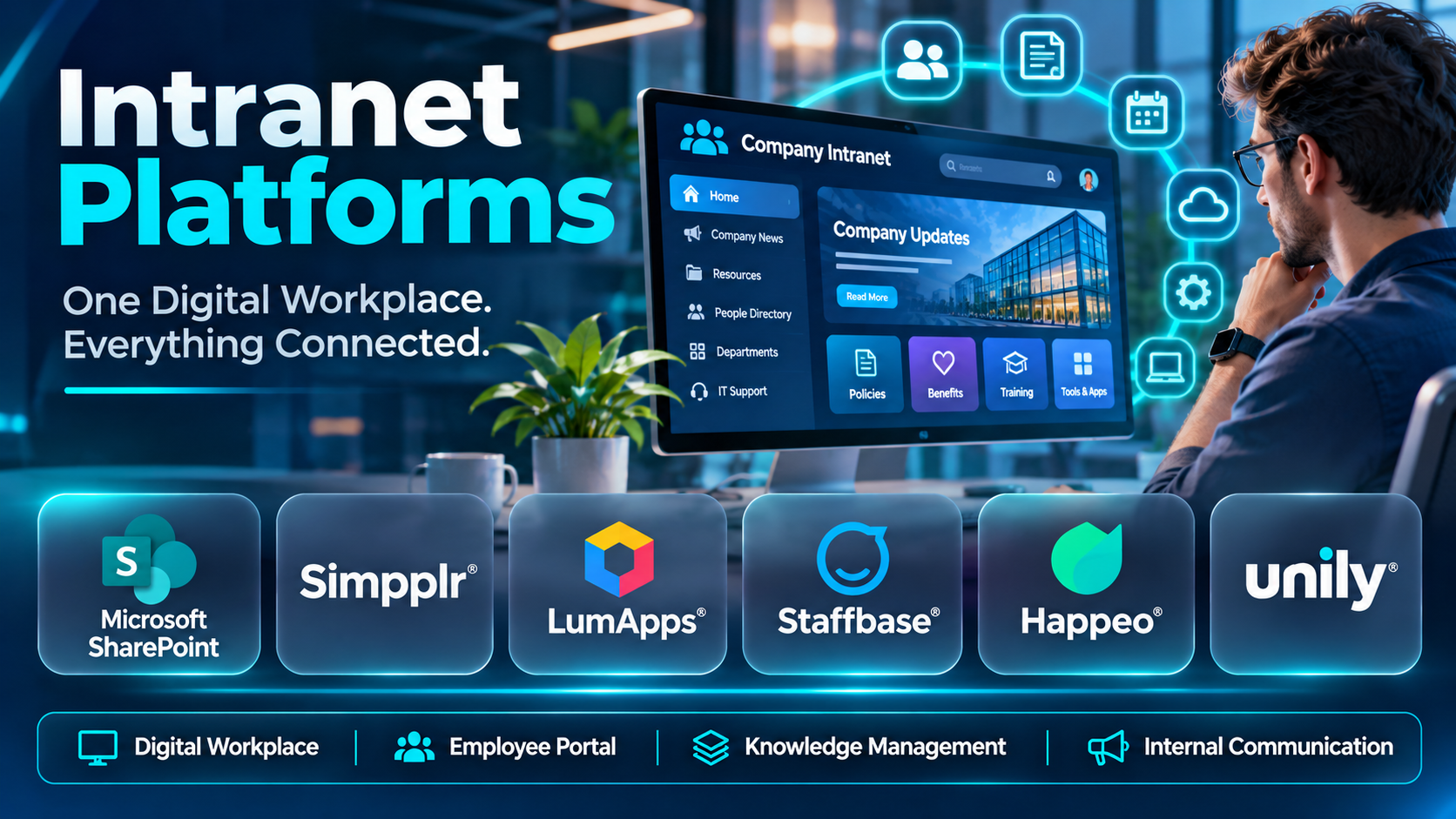
An intranet platform is more than an internal website. It is a digital workplace where employees can access company information, discover important resources, communicate with colleagues, and complete everyday business activities.
As organizations grow, information often becomes scattered across emails, shared drives, messaging applications, document repositories, and departmental systems. Employees may spend considerable time searching for policies, locating forms, identifying subject-matter experts, or determining which information is current.
Modern intranet platforms help address these challenges by creating a centralized employee experience. They combine content management, enterprise search, internal communication, employee directories, collaboration features, and integrations with existing business applications.
For example, a manufacturing company may use an intranet to distribute safety procedures, operational announcements, and training materials across multiple facilities. A professional services firm may use one to organize internal knowledge, client delivery templates, and departmental resources.
Intranet platforms have also evolved to support hybrid and remote workplaces. Employees increasingly expect personalized information, mobile access, searchable knowledge, and convenient connections to the tools they use throughout the working day.
However, an intranet implementation can fail when organizations focus primarily on visual design while overlooking content ownership, search quality, employee adoption, accessibility, and information governance.
Selecting the right platform requires understanding how employees work, what information they need, and which existing systems must connect to the intranet.
This guide examines ten intranet platforms, compares their capabilities and limitations, and explains how organizations can select and implement a digital workplace that improves communication and productivity.
What Are Intranet Platforms?
Intranet platforms are internal digital environments that provide employees with controlled access to organizational information, resources, communication, and workplace services.
Unlike public websites, intranets are intended primarily for authorized employees and other approved organizational users.
A traditional intranet may contain company news, policies, forms, employee directories, and departmental pages.
Modern intranet platforms extend these capabilities through personalized dashboards, enterprise search, mobile applications, social interaction, workflow integration, and analytics.
Some intranet solutions are standalone products, while others are built on broader content management or collaboration ecosystems.
How Intranet Platforms Work
1. Centralized Content Management
Authorized employees publish and maintain internal pages, documents, announcements, and resources.
Content owners can organize information by department, location, topic, or employee audience.
2. Identity and Access Management
The intranet connects with supported identity systems to authenticate users and enforce access permissions.
Employees see information appropriate to their organizational roles and access rights.
3. Employee Personalization
Platforms may tailor news, resources, and navigation based on departments, locations, roles, or preferences.
Personalization helps employees focus on relevant information.
4. Enterprise Search
Search functionality helps employees locate pages, documents, people, and connected resources.
Search quality depends on indexing, permissions, metadata, content structure, and available integrations.
5. Internal Communication
Organizations distribute announcements, leadership messages, operational updates, and company news.
Some platforms also support comments, reactions, discussions, and employee communities.
6. Workplace Integration
Intranets may connect with Microsoft 365, Google Workspace, HR systems, service management platforms, and other business applications.
These integrations can provide convenient access to existing workflows.
7. Analytics and Governance
Administrators monitor content performance, maintain publishing permissions, and manage information lifecycles.
Common Applications
- Company announcements and leadership communication.
- Employee onboarding and orientation.
- HR policies and employee benefits.
- Internal knowledge management.
- Departmental information portals.
- Employee directories.
- IT support and service requests.
- Document and template distribution.
- Frontline workforce communication.
- Organizational collaboration.
Key Benefits of Intranet Platforms
A well-managed intranet can reduce information fragmentation, improve employee access to resources, and strengthen internal communication.
It can also help organizations establish consistent information governance and reduce dependence on outdated documents.
However, these benefits depend on content quality, search effectiveness, clear ownership, and sustained employee adoption.
Top 10 Intranet Platforms
1. Microsoft SharePoint
Short Description
Microsoft SharePoint is a content management and collaboration platform widely used to build organizational intranets.
It is particularly relevant to organizations using Microsoft 365 because it integrates with Microsoft Teams, OneDrive, and other Microsoft productivity services.
SharePoint supports communication sites, team sites, document libraries, structured pages, permissions, and information management.
Organizations can use these capabilities to create departmental portals, company news sites, employee resource centers, and knowledge repositories.
For example, a financial services company may build a SharePoint intranet containing HR policies, operational procedures, compliance resources, and department-specific information.
Employees can access relevant documents and collaborate through supported Microsoft applications.
SharePoint also provides substantial flexibility through customization, web parts, integrations, and related Microsoft technologies.
However, this flexibility introduces governance responsibilities.
Poor information architecture, inconsistent permissions, and uncontrolled site creation can make SharePoint environments difficult to navigate.
Key Features
- Communication Sites: Supports internal publishing, announcements, and organizational information.
- Document Libraries: Provides structured storage and management for business documents.
- Microsoft 365 Integration: Connects with Teams, OneDrive, and supported Microsoft applications.
- Permission Management: Controls access to sites, pages, and documents.
- Enterprise Search: Supports information discovery across relevant Microsoft environments.
- Content Publishing: Enables employees to create and maintain intranet pages.
- Workflow Integration: Connects with supported Power Automate workflows.
- Customization: Supports web parts, site templates, and relevant extensions.
- Information Governance: Provides capabilities for managing content and permissions.
Benefits
- Centralizes organizational information.
- Integrates with Microsoft productivity tools.
- Supports document collaboration.
- Enables departmental intranets.
- Provides flexible site structures.
- Supports enterprise administration.
- Helps establish content governance.
Pros
- Strong Microsoft 365 integration.
- Extensive document management capabilities.
- Flexible customization.
- Enterprise security controls.
- Large implementation ecosystem.
- Suitable for organizations of different sizes.
Cons
- Information architecture can become complex.
- Governance requires ongoing attention.
- Customization may require technical expertise.
- User experience depends on implementation quality.
- Some capabilities require additional Microsoft products or licenses.
Use Cases
Corporate Intranet: Publish company news, policies, and resources.
Department Portals: Organize information for HR, finance, and operations.
Document Management: Maintain controlled business documents.
Microsoft 365 Collaboration: Connect intranet content with productivity workflows.
Best For
Microsoft 365 organizations, enterprises, and businesses seeking flexible content management and intranet capabilities.
2. Simpplr
Short Description
Simpplr is an employee experience and intranet platform designed to simplify internal communication and information discovery.
It focuses on helping employees find relevant content, access workplace resources, and stay connected with organizational developments.
Simpplr is particularly relevant to companies seeking a dedicated employee-facing intranet experience.
For example, a professional services organization may use Simpplr to publish leadership announcements, maintain employee resources, and organize departmental knowledge.
Its personalized content experiences can help employees receive information relevant to their roles and locations.
The platform also provides search, communication, and analytics capabilities.
Organizations may find Simpplr attractive when they want a managed intranet product rather than building extensive custom experiences.
However, buyers should evaluate integration requirements, content migration, and administrative flexibility.
A successful deployment still requires clear content ownership and governance.
Key Features
- Employee Intranet: Provides centralized workplace information.
- Personalized Content: Delivers relevant resources to employee audiences.
- Internal Communications: Supports company announcements and updates.
- Enterprise Search: Helps employees locate internal information.
- Employee Engagement: Supports relevant interactive experiences.
- Content Management: Enables structured publishing and maintenance.
- Analytics: Provides insights into content usage and communication performance.
- Mobile Access: Supports distributed employees.
- Business Integrations: Connects with supported workplace applications.
Benefits
- Improves employee information access.
- Supports personalized communication.
- Reduces information fragmentation.
- Simplifies internal publishing.
- Supports workplace engagement.
- Provides content performance insights.
- Helps employees discover relevant resources.
Pros
- Employee experience focus.
- Dedicated intranet functionality.
- Personalization capabilities.
- Search and discovery features.
- Communication analytics.
- Enterprise-oriented design.
Cons
- Commercial pricing requires evaluation.
- Integration requirements vary.
- Content migration needs planning.
- Customization flexibility should be assessed.
- Employee adoption requires active management.
Use Cases
Employee Resource Center: Centralize policies and workplace information.
Internal Communication: Distribute organizational updates.
Knowledge Discovery: Help employees find relevant information.
Employee Experience: Provide personalized workplace resources.
Best For
Mid-sized and large organizations seeking a dedicated employee experience intranet.
3. LumApps
Short Description
LumApps is an employee experience and intranet platform that helps organizations connect employees with internal information, communication, and workplace resources.
It supports digital workplace environments where employees need personalized access to content and business applications.
LumApps is relevant to enterprises using supported Microsoft and Google productivity environments.
For example, a multinational technology company may use LumApps to distribute regional announcements, maintain corporate resources, and connect employees across departments.
The platform supports content publishing, personalization, search, and employee engagement capabilities.
Its broader employee experience approach can help organizations combine intranet information with interactive workplace communication.
However, enterprise implementations require careful planning.
Organizations should evaluate content architecture, localization needs, integrations, and long-term administration before deployment.
Key Features
- Digital Intranet: Provides centralized employee information.
- Personalized Experiences: Supports audience-relevant content.
- Internal Communication: Enables company news and announcements.
- Employee Communities: Supports relevant workplace interaction.
- Enterprise Search: Helps employees discover information.
- Productivity Integrations: Connects with supported Microsoft and Google applications.
- Mobile Access: Supports distributed workforces.
- Content Analytics: Provides relevant performance insights.
- Administrative Governance: Supports organizational content management.
Benefits
- Connects employees across locations.
- Supports personalized communication.
- Improves content discovery.
- Integrates with productivity environments.
- Encourages workplace participation.
- Supports global information distribution.
- Reduces disconnected employee experiences.
Pros
- Enterprise employee experience capabilities.
- Personalization.
- Microsoft and Google ecosystem relevance.
- Community features.
- Mobile accessibility.
- Content management functionality.
Cons
- Implementation can be extensive.
- Commercial costs require evaluation.
- Configuration may be complex.
- Content governance requires resources.
- Smaller organizations may not need its breadth.
Use Cases
Global Intranet: Connect employees across regions.
Employee Communication: Deliver relevant company updates.
Digital Workplace: Integrate information and productivity resources.
Employee Communities: Support organizational participation.
Best For
Large enterprises seeking personalized intranet and employee experience capabilities.
4. Staffbase
Short Description
Staffbase is an employee communication platform with intranet capabilities designed to reach employees across locations and job roles.
It is particularly relevant to organizations with large frontline workforces.
Many frontline employees do not regularly use corporate computers or email accounts.
Staffbase addresses relevant communication requirements through employee-facing digital channels.
For example, a manufacturing company may use Staffbase to distribute operational updates, workplace policies, and company announcements across multiple facilities.
The platform supports content publishing, audience targeting, mobile access, and communication analytics.
Its communication-oriented approach makes it suitable for organizations where employee reach is a primary concern.
However, buyers should distinguish employee communication requirements from more extensive document collaboration or knowledge management needs.
Key Features
- Employee Intranet: Provides access to organizational information.
- Internal Communications: Supports company announcements.
- Mobile Employee Access: Helps reach frontline workers.
- Audience Targeting: Delivers relevant updates to employee groups.
- Content Publishing: Supports organizational information distribution.
- Employee Engagement: Enables relevant interactive communication.
- Analytics: Provides communication performance insights.
- Administrative Controls: Supports organizational governance.
- Integration Options: Connects with supported workplace systems.
Benefits
- Reaches frontline employees.
- Supports consistent communication.
- Improves access to company information.
- Enables targeted announcements.
- Supports mobile participation.
- Provides communication insights.
- Connects distributed workplaces.
Pros
- Frontline workforce focus.
- Mobile communication capabilities.
- Audience targeting.
- Enterprise communication tools.
- Intranet functionality.
- Analytics.
Cons
- Broader communication platform scope.
- Commercial pricing varies.
- Knowledge management requirements need evaluation.
- Implementation requires communication planning.
- Advanced integrations may increase complexity.
Use Cases
Manufacturing: Distribute safety and operational information.
Retail: Connect employees across store locations.
Hospitality: Share workplace updates with distributed staff.
Corporate Communication: Publish organizational announcements.
Best For
Frontline-heavy enterprises and organizations prioritizing employee communication.
5. Happeo
Short Description
Happeo is a digital workplace and intranet platform that combines structured internal content with employee communication.
It is particularly relevant to organizations using Google Workspace.
Happeo supports intranet pages, communication channels, search, and integrations with Google productivity applications.
For example, a digital agency may use Happeo to organize company policies, onboarding materials, project resources, and employee announcements.
Employees can access structured information while participating in relevant workplace discussions.
The combination of pages and channels helps organizations connect formal knowledge with ongoing communication.
However, buyers should evaluate how Happeo fits their existing technology environment.
Its strongest value may be realized by organizations seeking close alignment with Google-based workflows.
Key Features
- Intranet Pages: Organizes company resources and knowledge.
- Communication Channels: Supports employee discussions.
- Google Workspace Integration: Connects with supported Google applications.
- Enterprise Search: Helps locate workplace information.
- Content Management: Supports internal publishing.
- Employee Communication: Enables company updates.
- Mobile Accessibility: Supports employees across devices.
- Analytics: Provides relevant content insights.
- Administrative Controls: Supports organizational management.
Benefits
- Centralizes workplace knowledge.
- Integrates with Google Workspace.
- Supports employee communication.
- Connects structured content and discussions.
- Improves information discovery.
- Reduces fragmented resources.
- Supports distributed teams.
Pros
- Google Workspace alignment.
- Pages and channels.
- Knowledge sharing.
- Search capabilities.
- Employee communication features.
- Accessible digital workplace experience.
Cons
- Ecosystem fit should be evaluated.
- Commercial pricing requires consultation.
- Content migration requires planning.
- Advanced enterprise requirements may need integrations.
- Information architecture remains important.
Use Cases
Google Workspace Intranet: Organize internal resources.
Employee Onboarding: Provide structured company information.
Agency Communication: Connect distributed employees.
Knowledge Management: Maintain searchable internal content.
Best For
Google Workspace organizations and businesses seeking combined intranet and communication capabilities.
6. Unily
Short Description
Unily is an enterprise intranet and employee experience platform designed for organizations requiring sophisticated internal communication and digital workplace capabilities.
It is particularly relevant to large enterprises with complex organizational structures.
Unily supports content publishing, personalization, employee engagement, and integration with workplace systems.
For example, a multinational organization may use Unily to provide localized information to employees across several countries.
Different employee groups can receive relevant news, resources, and communication experiences.
Its enterprise-oriented capabilities can help organizations maintain a consistent digital workplace across departments and regions.
However, complex deployments require careful implementation planning.
Organizations should evaluate governance, content migration, integrations, and administrative responsibilities.
Key Features
- Enterprise Intranet: Supports large-scale internal information environments.
- Personalization: Delivers audience-relevant experiences.
- Internal Communication: Enables organizational announcements.
- Content Management: Supports structured publishing.
- Employee Engagement: Provides relevant interactive features.
- Enterprise Search: Helps employees discover information.
- Multilingual Communication: Supports relevant international workplace needs.
- Integration Capabilities: Connects with supported enterprise applications.
- Analytics and Governance: Provides relevant administrative insights.
Benefits
- Supports global organizations.
- Enables personalized communication.
- Centralizes enterprise information.
- Improves content discovery.
- Supports multilingual workforces.
- Connects business applications.
- Provides enterprise governance capabilities.
Pros
- Enterprise-focused functionality.
- Personalization.
- Global communication relevance.
- Content management.
- Integration capabilities.
- Suitable for complex organizations.
Cons
- Implementation may be resource-intensive.
- Commercial pricing requires consultation.
- Advanced configuration needs planning.
- Smaller organizations may not require its capabilities.
- Content governance remains an ongoing responsibility.
Use Cases
Global Enterprise Intranet: Connect international employees.
Corporate Communication: Publish company-wide information.
Employee Experience: Deliver personalized workplace resources.
Digital Workplace Integration: Connect enterprise applications.
Best For
Large multinational enterprises and organizations with complex intranet requirements.
7. Interact
Short Description
Interact is an intranet platform focused on internal communication, employee engagement, and workplace information access.
It is relevant to organizations seeking a dedicated intranet environment with communication and content management capabilities.
Interact supports employee-facing content, organizational updates, search, and relevant personalization features.
For example, a healthcare organization may use Interact to maintain policies, distribute announcements, and connect employees across departments.
The platform can help employees locate important resources while supporting organizational communication.
Its dedicated intranet approach may appeal to businesses seeking a structured employee information environment.
However, organizations should assess content migration, integrations, and administrative workflows before deployment.
The platform’s effectiveness depends on maintaining accurate and relevant information.
Key Features
- Employee Intranet: Provides centralized workplace information.
- Content Publishing: Supports organizational pages and updates.
- Internal Communication: Enables announcements and employee news.
- Enterprise Search: Helps employees locate relevant resources.
- Personalization: Supports targeted employee experiences.
- Employee Engagement: Provides relevant interactive capabilities.
- Mobile Access: Supports distributed employees.
- Analytics: Provides content and communication insights.
- Administrative Governance: Supports organizational content management.
Benefits
- Centralizes company information.
- Improves employee communication.
- Supports knowledge discovery.
- Enables relevant personalization.
- Encourages employee engagement.
- Supports distributed workforces.
- Provides content performance visibility.
Pros
- Dedicated intranet focus.
- Employee communication features.
- Search and discovery.
- Personalization.
- Content management.
- Enterprise relevance.
Cons
- Commercial pricing requires evaluation.
- Integration requirements vary.
- Content migration can be significant.
- Governance requires planning.
- Customization needs should be assessed.
Use Cases
Healthcare Intranet: Organize policies and internal resources.
Corporate Communication: Share company announcements.
Knowledge Management: Maintain searchable information.
Employee Engagement: Support workplace participation.
Best For
Mid-sized and large organizations seeking a dedicated intranet and internal communication platform.
8. Jostle
Short Description
Jostle is an employee communication and intranet platform designed to help organizations connect employees and distribute internal information.
Its approach emphasizes accessibility, workplace connection, and straightforward communication.
Jostle supports company updates, employee information, and relevant collaboration features.
For example, a growing professional services company may use Jostle to introduce new employees, share announcements, and maintain important workplace resources.
Its employee-centered design can help organizations establish a consistent internal communication environment.
Jostle may be particularly relevant to businesses that want an accessible intranet without extensive custom development.
However, organizations should evaluate the depth of its document management, integrations, and enterprise governance capabilities.
Key Features
- Employee Communication: Supports organizational updates.
- Intranet Information: Provides access to company resources.
- People Directory: Helps employees discover colleagues.
- Employee Engagement: Supports relevant workplace interaction.
- Content Publishing: Enables internal information distribution.
- Mobile Accessibility: Supports distributed employees.
- Organizational Navigation: Helps employees find workplace information.
- Administrative Controls: Supports relevant management.
- Workplace Connection: Encourages employee participation.
Benefits
- Simplifies internal communication.
- Connects employees across departments.
- Improves access to workplace information.
- Supports organizational culture.
- Helps employees discover colleagues.
- Provides accessible employee experiences.
- Reduces reliance on fragmented announcements.
Pros
- Employee-centered design.
- Internal communication focus.
- People directory.
- Engagement capabilities.
- Accessible interface.
- Suitable for growing organizations.
Cons
- Advanced enterprise requirements need evaluation.
- Integration capabilities vary.
- Document management depth may differ from SharePoint.
- Commercial pricing requires review.
- Larger organizations may need additional systems.
Use Cases
Employee Communication: Publish company updates.
Growing Businesses: Establish a central employee information environment.
People Discovery: Help employees identify colleagues.
Workplace Culture: Encourage organizational connection.
Best For
Small and mid-sized organizations prioritizing employee communication and ease of use.
9. MangoApps
Short Description
MangoApps is a digital workplace platform combining intranet, communication, collaboration, and employee engagement capabilities.
It is relevant to organizations seeking a broad employee-facing platform.
MangoApps supports internal content, workplace communities, knowledge sharing, and selected operational workflows.
For example, a retail organization may use MangoApps to provide store employees with company information, training resources, and communication channels.
Its broad functionality can help organizations reduce the number of disconnected workplace applications.
However, extensive capabilities can introduce configuration complexity.
Businesses should identify which modules and workflows are necessary before deployment.
A focused implementation can provide a clearer employee experience than activating every available feature.
Key Features
- Employee Intranet: Centralizes workplace resources.
- Internal Communication: Supports company updates.
- Employee Communities: Enables relevant discussions.
- Knowledge Management: Supports information sharing.
- Collaboration Tools: Provides workplace communication capabilities.
- Mobile Access: Supports distributed and frontline employees.
- Employee Engagement: Encourages organizational participation.
- Administrative Controls: Supports organizational management.
- Business Integrations: Connects with supported workplace applications.
Benefits
- Combines multiple workplace functions.
- Centralizes employee information.
- Supports knowledge sharing.
- Connects frontline workers.
- Encourages employee participation.
- Reduces disconnected applications.
- Supports organizational collaboration.
Pros
- Broad digital workplace functionality.
- Intranet and collaboration capabilities.
- Employee communities.
- Mobile access.
- Knowledge sharing.
- Flexible organizational applications.
Cons
- Broad functionality can increase complexity.
- Configuration requires planning.
- Commercial pricing depends on requirements.
- Organizations may not need every feature.
- Adoption requires training.
Use Cases
Retail Intranet: Connect store employees.
Knowledge Sharing: Maintain internal resources.
Employee Communities: Support workplace discussions.
Digital Workplace Consolidation: Combine selected employee applications.
Best For
Organizations seeking integrated intranet, communication, and collaboration capabilities.
10. Guru
Short Description
Guru is an enterprise knowledge management and search platform that can complement or support selected intranet functions.
Unlike traditional intranet platforms, Guru focuses primarily on helping employees access trusted organizational knowledge.
It is particularly relevant to organizations where employees frequently need accurate answers while working in other applications.
For example, a customer support team may use Guru to access approved product information and internal procedures.
Sales employees may use it to locate relevant messaging, policies, and process documentation.
Guru’s knowledge-oriented approach can reduce the need to navigate multiple disconnected information sources.
However, it should not be considered a complete replacement for every intranet platform.
Organizations requiring extensive corporate publishing, employee communities, and sophisticated intranet navigation may need additional capabilities.
Key Features
- Knowledge Management: Organizes internal information.
- Enterprise Search: Helps employees discover relevant knowledge.
- Knowledge Verification: Supports processes for maintaining information accuracy.
- AI-Assisted Knowledge Access: Provides relevant intelligent retrieval capabilities.
- Workflow Integration: Connects knowledge with supported workplace tools.
- Content Organization: Structures information for employee access.
- Access Controls: Supports relevant information permissions.
- Knowledge Analytics: Provides applicable usage insights.
- Collaboration Features: Supports relevant knowledge maintenance workflows.
Benefits
- Improves access to organizational knowledge.
- Reduces repeated information requests.
- Supports accurate internal answers.
- Helps employees work across applications.
- Encourages knowledge maintenance.
- Reduces information fragmentation.
- Supports operational productivity.
Pros
- Knowledge management specialization.
- Search capabilities.
- AI-assisted information access.
- Knowledge verification.
- Workflow integration.
- Useful for support and sales teams.
Cons
- Not a complete traditional intranet.
- Corporate publishing features are less central.
- Employee community capabilities are limited.
- Content quality requires maintenance.
- Some organizations need a separate intranet platform.
Use Cases
Customer Support Knowledge: Provide approved answers.
Sales Enablement: Maintain internal product information.
Operational Documentation: Organize procedures.
Knowledge Discovery: Help employees locate trusted information.
Best For
Knowledge-intensive teams seeking an intranet complement or a knowledge-first internal information platform.
Comparison Table: Top 10 Intranet Platforms
| Platform | Primary Strength | Best For | Main Consideration |
|---|---|---|---|
| Microsoft SharePoint | Microsoft 365 content management | Microsoft enterprises | Governance complexity |
| Simpplr | Employee experience intranet | Mid-sized and large businesses | Integration requirements |
| LumApps | Personalized digital workplace | Global enterprises | Implementation scope |
| Staffbase | Employee communication | Frontline organizations | Knowledge management depth |
| Happeo | Google Workspace intranet | Google-based teams | Ecosystem fit |
| Unily | Enterprise intranet | Multinational organizations | Implementation resources |
| Interact | Internal communication and content | Corporate intranets | Migration and governance |
| Jostle | Employee connection | Small and mid-sized businesses | Advanced requirements |
| MangoApps | Integrated digital workplace | Multi-functional organizations | Configuration complexity |
| Guru | Knowledge-first internal information | Support and sales teams | Not a full intranet replacement |
How to Choose the Best Intranet Platform
1. Identify the Primary Business Problem
Begin by understanding why employees need a new intranet.
Common problems include fragmented information, poor search, inconsistent announcements, outdated policies, and difficulty finding internal resources.
Different platforms address these problems with different strengths.
2. Evaluate Existing Technology
Review the organization’s productivity environment.
Microsoft 365 customers may benefit from SharePoint.
Google Workspace organizations may find Happeo relevant.
Organizations requiring a dedicated employee experience may prefer other platforms.
3. Assess Content Management
Evaluate how employees create, review, approve, publish, update, and archive content.
A successful intranet requires reliable content lifecycle management.
4. Examine Enterprise Search
Search should return relevant information while respecting access permissions.
Test realistic employee questions and document searches.
5. Review Personalization
Determine whether the intranet can provide relevant content based on employee roles, departments, and locations.
Personalization should improve relevance without hiding essential company information.
6. Evaluate Mobile Accessibility
Frontline and distributed employees may depend on mobile devices.
Test usability on the devices employees actually use.
7. Examine Security and Governance
Review authentication, authorization, permissions, content ownership, retention, and administrative controls.
8. Assess Integration Requirements
Identify required connections to HR, IT, collaboration, and document management systems.
Avoid unnecessary integrations that increase complexity without improving employee workflows.
9. Evaluate Analytics
Review whether administrators can measure content reach, search effectiveness, and employee usage.
10. Calculate Total Cost of Ownership
Include licensing, implementation, migration, customization, training, integrations, and ongoing maintenance.
The least expensive subscription is not always the least expensive solution to operate.
Best Intranet Platforms by User Type
Microsoft 365 Organizations
SharePoint is often a practical starting point for organizations already using Microsoft 365.
It provides content management and collaboration capabilities that can support a broad intranet.
However, organizations should establish information architecture and governance before expanding.
Google Workspace Organizations
Happeo is relevant to businesses seeking intranet functionality integrated with Google productivity workflows.
Its pages and communication features can support a connected digital workplace.
Large Global Enterprises
LumApps and Unily are relevant to multinational organizations requiring personalization, enterprise integrations, and sophisticated communication experiences.
These implementations benefit from clear governance and dedicated administrative resources.
Frontline Organizations
Staffbase is relevant when employee communication and mobile access are primary requirements.
MangoApps may also be considered when organizations require a broader combination of communication and workplace capabilities.
Knowledge-Intensive Teams
Guru can help employees locate trusted internal knowledge.
However, businesses requiring comprehensive intranet publishing may need Guru alongside another platform.
| User Type | Recommended Platform | Main Reason |
|---|---|---|
| Microsoft 365 enterprise | SharePoint | Microsoft integration |
| Employee experience team | Simpplr | Dedicated intranet experience |
| Global organization | LumApps | Personalization and communication |
| Frontline enterprise | Staffbase | Employee reach |
| Google Workspace business | Happeo | Google integration |
| Multinational corporation | Unily | Enterprise intranet capabilities |
| Corporate communications team | Interact | Internal content and engagement |
| Growing business | Jostle | Employee-centered communication |
| Multi-functional workplace | MangoApps | Broad digital workplace features |
| Knowledge-intensive team | Guru | Knowledge discovery |
Practical Example: Implementing an Intranet for a Growing Organization
Consider a company with 800 employees across five offices.
The organization currently stores policies in shared drives, publishes announcements through email, and maintains department-specific documents in disconnected systems.
Employees frequently struggle to locate current information.
Step 1: Conduct an Information Audit
Identify existing documents, policies, announcements, and employee resources.
Determine which information is accurate, duplicated, outdated, or missing.
Step 2: Interview Employees
Ask employees which information they need most frequently.
Review common search problems and recurring requests.
Step 3: Define Intranet Objectives
Establish measurable goals.
Examples include improving information discovery, reducing repeated HR questions, and increasing access to company announcements.
Step 4: Select a Suitable Platform
Compare relevant platforms based on the organization’s technology environment.
Evaluate SharePoint, Simpplr, LumApps, and other appropriate solutions.
Step 5: Design Information Architecture
Create a clear navigation structure.
Organize information into logical areas such as Company, People, HR, IT, Departments, and Knowledge.
Avoid copying the existing folder structure without reviewing employee needs.
Step 6: Establish Content Ownership
Assign responsible owners to each major content area.
Define review schedules and publishing responsibilities.
Step 7: Configure Identity and Permissions
Integrate supported authentication systems.
Ensure employees can access appropriate information without exposing restricted resources.
Step 8: Migrate and Improve Content
Move relevant content into the new environment.
Update outdated information and eliminate unnecessary duplicates.
Step 9: Launch a Pilot
Test the intranet with selected departments.
Evaluate search, navigation, mobile access, and content relevance.
Step 10: Train Employees and Content Owners
Explain how to locate resources, publish updates, and report outdated information.
Provide additional training for administrators and publishers.
Step 11: Launch Organization-Wide
Introduce the intranet through internal communication campaigns.
Encourage leadership participation and demonstrate useful employee workflows.
Step 12: Measure and Improve
Review search results, content usage, employee feedback, and support requests.
Update navigation and content based on actual employee behavior.
Common Mistakes to Avoid
1. Migrating Every Existing Document
Moving outdated or duplicated information into a new intranet creates the same problems in a different interface.
2. Ignoring Information Architecture
Poor navigation makes even valuable content difficult to discover.
3. Failing to Assign Content Owners
Without clear ownership, information becomes outdated.
4. Over-Customizing the Platform
Excessive customization can increase maintenance costs and complicate upgrades.
5. Neglecting Search Quality
Employees may abandon an intranet if search results are consistently irrelevant.
6. Ignoring Mobile Employees
An intranet designed only for desktop users may exclude frontline workers.
7. Treating Launch as Project Completion
An intranet requires ongoing content maintenance and improvement.
8. Measuring Only Page Views
Organizations should also evaluate information discovery, employee satisfaction, and operational outcomes.
9. Duplicating Existing Tools
An intranet should connect employees with existing systems rather than unnecessarily replacing every application.
10. Overlooking Accessibility
Intranet content and navigation should support employees with different accessibility needs.
Frequently Asked Questions
1. What is an intranet platform?
An intranet platform is an internal digital environment that provides employees with organizational information, communication, and workplace resources.
2. What is the purpose of an intranet?
Its purpose is to make internal information accessible and support organizational communication and productivity.
3. What is the difference between an intranet and the internet?
The internet is a global public network, while an organizational intranet provides controlled access to internal resources.
4. What is a modern intranet?
A modern intranet combines internal content, search, communication, personalization, and workplace integrations.
5. What is the difference between an intranet and team messaging?
An intranet emphasizes structured information and employee resources, while team messaging emphasizes conversations and coordination.
6. Is SharePoint an intranet platform?
Yes. SharePoint can be used to build and manage organizational intranets.
7. Is Microsoft Teams an intranet?
Microsoft Teams is primarily a collaboration platform, although it can provide access to intranet resources.
8. What is the best intranet platform for Microsoft 365?
SharePoint is a common choice because of its integration with Microsoft productivity services.
9. What is the best intranet platform for Google Workspace?
Happeo is a relevant option for organizations seeking integration with Google-based workflows.
10. Can small businesses use intranet software?
Yes. Small businesses can use intranets to organize policies, announcements, and employee resources.
11. What is an employee experience intranet?
It is an intranet designed around employee information needs, communication, and workplace usability.
12. Can intranet platforms support remote employees?
Yes. Many provide web and mobile access for distributed workforces.
13. Can intranet platforms support frontline workers?
Yes. Mobile-oriented solutions can help employees who do not regularly use corporate computers.
14. What is enterprise intranet search?
It helps employees locate relevant internal information across supported content sources.
15. Can intranet platforms integrate with HR systems?
Many provide relevant integrations, depending on the platform and HR system.
16. What is intranet personalization?
It involves presenting relevant information based on employee attributes or preferences.
17. Are intranet platforms secure?
Security depends on platform capabilities, configuration, access controls, and operational practices.
18. What is intranet content governance?
It is the process of managing content ownership, publishing permissions, review schedules, and information quality.
19. Can employees publish intranet content?
Many platforms support employee publishing subject to appropriate permissions.
20. What is the difference between an intranet and a knowledge base?
An intranet provides a broad employee information environment, while a knowledge base focuses on structured knowledge and answers.
21. Is Guru a complete intranet platform?
Guru is primarily a knowledge management and search platform rather than a comprehensive traditional intranet.
22. Can intranets replace shared drives?
They can improve access to information, but document storage requirements may still involve separate systems.
23. Can an intranet improve employee onboarding?
Yes. It can provide new employees with policies, training resources, and organizational information.
24. What is an intranet employee directory?
It is a searchable resource containing relevant employee and organizational information.
25. How do organizations measure intranet success?
They can evaluate search effectiveness, content usage, employee feedback, information accuracy, and operational outcomes.
26. How much do intranet platforms cost?
Pricing varies by vendor, user count, features, implementation requirements, and commercial agreements.
27. How long does intranet implementation take?
Implementation time depends on organizational complexity, integrations, content migration, and customization.
28. What should companies test before choosing an intranet?
They should test navigation, search, content publishing, permissions, mobile access, and integrations.
29. Can intranet platforms support multiple languages?
Some enterprise platforms provide multilingual content and localization capabilities.
30. Which intranet platform is best?
The best choice depends on existing technology, workforce requirements, content management needs, integrations, governance, and budget.
Final Thoughts
Intranet platforms help organizations establish centralized digital workplaces where employees can access information, communicate, and complete everyday activities.
Microsoft SharePoint is particularly relevant to Microsoft 365 organizations requiring flexible content management.
Simpplr and LumApps emphasize employee experience and information discovery, while Staffbase focuses on communication with distributed and frontline employees.
Happeo is relevant to Google Workspace environments, and Unily supports complex enterprise intranet requirements.
Interact provides dedicated intranet capabilities, while Jostle emphasizes employee connection and straightforward communication.
MangoApps combines intranet functionality with broader digital workplace tools.
Guru offers a knowledge-first approach that can complement a comprehensive intranet.
The best intranet platform is not simply the solution with the largest feature set.
Organizations should prioritize employee needs, content quality, search effectiveness, accessibility, integration requirements, and long-term governance.
Successful intranets require ongoing investment in information accuracy, content ownership, employee training, and continuous improvement.
When implemented effectively, an intranet can become a reliable starting point for organizational information, strengthen internal communication, and help employees spend less time searching and more time completing meaningful work.
