Introduction
Organizations regularly handle documents containing confidential, personal, financial, legal, and commercially sensitive information. Sharing these documents without appropriate safeguards can expose information that recipients should not be allowed to see.
Legal teams may need to disclose evidence while protecting privileged communications. Government agencies may respond to public records requests while withholding information covered by applicable exemptions. Healthcare organizations may need to share records without exposing unnecessary patient identifiers.
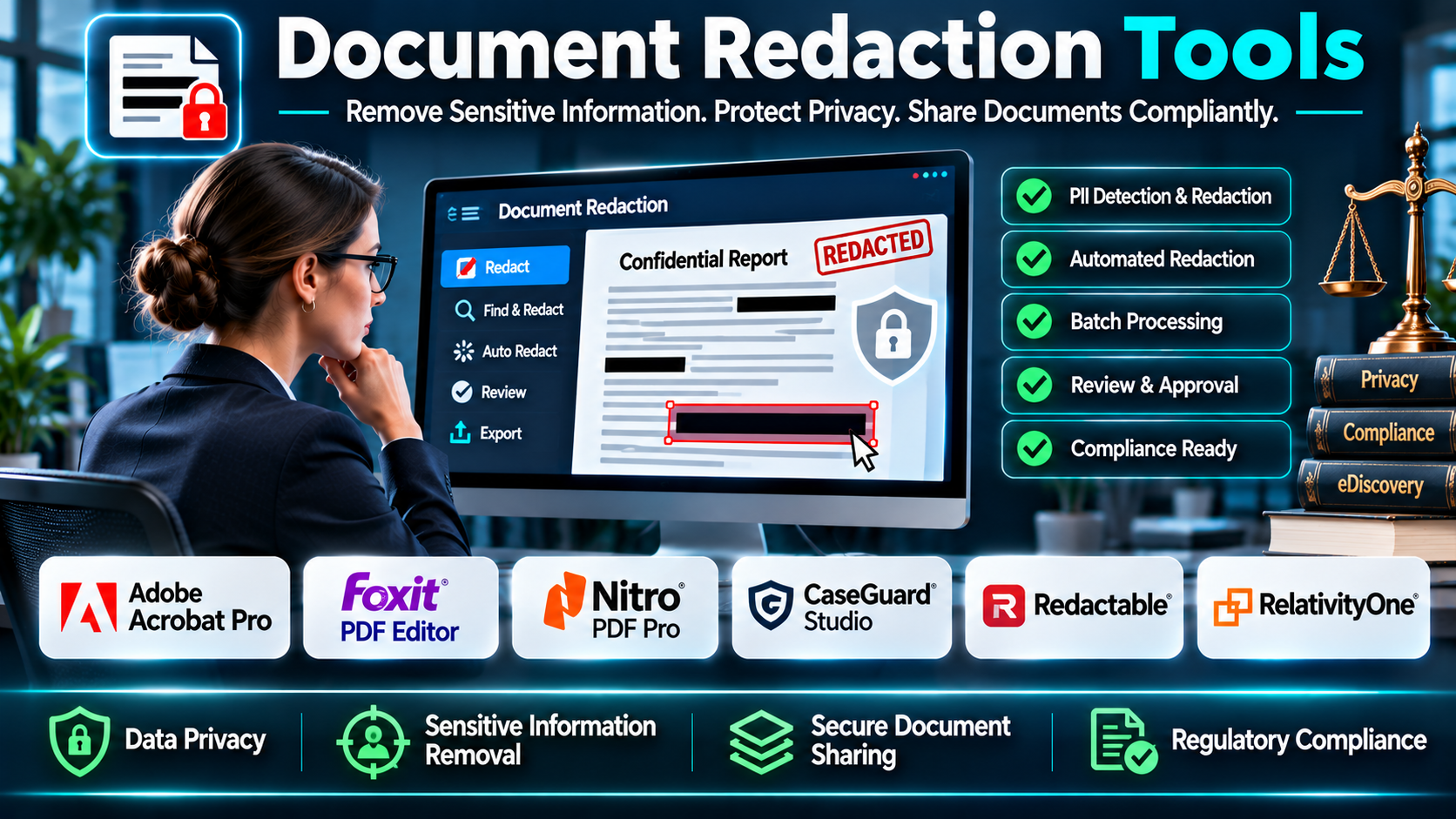
Document redaction tools help organizations remove or permanently obscure selected information before documents are distributed. They can replace manual editing processes with searchable text identification, pattern matching, review workflows, and controlled document production.
However, redaction is not simply placing a black rectangle over sensitive text. If the underlying text remains in the file, recipients may still be able to extract it, search for it, or recover it using document-processing software.
A reliable redaction workflow must remove the underlying sensitive content and address associated information such as comments, hidden layers, annotations, metadata, and embedded objects where applicable.
For example, a legal department preparing documents for discovery may need to remove privileged passages from hundreds of PDFs. A document redaction platform can help identify relevant material, apply consistent redaction rules, and produce reviewable outputs.
An organization responding to a data access request may need to remove information relating to other individuals. The redaction process must preserve relevant content while protecting information that should not be disclosed.
Modern tools range from general-purpose PDF editors to specialized eDiscovery and automated redaction platforms. Some provide manual redaction, while others support batch processing, optical character recognition, pattern detection, and artificial intelligence.
Each approach has advantages and limitations. Automated detection can accelerate review, but it may miss sensitive information or incorrectly flag harmless content.
The best document redaction tool depends on document volume, file formats, regulatory obligations, security requirements, review procedures, and available technical expertise.
This guide compares ten document redaction tools and explains their features, benefits, limitations, selection criteria, and practical applications.
What Are Document Redaction Tools?
Document redaction tools are software applications designed to permanently remove or conceal selected information from documents before those documents are shared.
They are commonly used to protect personally identifiable information, financial data, confidential business information, legal privileges, and other restricted content.
A typical redaction process involves identifying sensitive information, selecting the material to remove, applying redactions, and verifying the resulting document.
Unlike simple highlighting or visual masking, proper digital redaction removes sensitive content from the delivered file.
Some applications work primarily with PDFs. Others support Microsoft Office documents, scanned images, email records, and large collections of electronically stored information.
How Document Redaction Works
1. Document Collection: Gather the files requiring review and determine their sources.
2. Classification: Identify the types of information that must be protected.
3. Text Recognition: Use available text extraction or OCR for scanned documents.
4. Sensitive Information Detection: Locate relevant names, identifiers, account numbers, or confidential passages.
5. Redaction Selection: Mark the material that must be removed.
6. Review and Approval: Confirm that proposed redactions are necessary and appropriately scoped.
7. Permanent Application: Apply redactions using the software’s supported removal process.
8. Metadata Inspection: Review hidden information, annotations, attachments, and document properties.
9. Output Verification: Confirm that redacted information cannot be extracted from the produced file.
10. Secure Distribution: Share the final document through an approved channel.
Common Applications
- Legal discovery and document production.
- Public records and freedom of information requests.
- Personally identifiable information protection.
- Healthcare document disclosure.
- Financial document sharing.
- Contract review.
- Human resources records.
- Regulatory investigations.
- Court filings.
- Insurance claim documentation.
- Internal audit reports.
- Corporate due diligence.
- Government records processing.
- Privacy request responses.
- Research data sharing.
- Confidential business reporting.
Benefits of Document Redaction Software
Improved Confidentiality: Proper redaction helps prevent unauthorized disclosure of protected information.
Faster Document Preparation: Search and batch workflows can reduce repetitive manual work.
Consistent Processing: Rules and review procedures can improve consistency across document collections.
Reduced Disclosure Risk: Verification and permanent removal help prevent accidental exposure.
Better Accountability: Some platforms maintain reviewer activity, redaction reasons, and production histories.
Support for Large Collections: Specialized platforms can handle substantial document volumes.
Improved Collaboration: Review workflows can coordinate legal, compliance, and administrative teams.
More Reliable Output: Proper document processing helps avoid the risks associated with visual masking alone.
Top 10 Document Redaction Tools
1. Adobe Acrobat Pro
Short Description
Adobe Acrobat Pro is a comprehensive PDF editing platform that includes dedicated redaction functionality.
It is suitable for organizations that regularly work with PDF documents and need both general document editing and sensitive information removal.
Acrobat provides tools for marking content for redaction, searching for text, applying redactions, and sanitizing selected hidden information.
For example, a legal assistant may receive a contract containing personal addresses and financial identifiers. Acrobat can be used to identify the relevant passages, apply permanent redactions, and prepare a clean PDF for external sharing.
The platform is also useful for document review, comments, forms, signatures, and general PDF administration.
However, organizations must distinguish between drawing shapes over text and using Acrobat’s actual redaction functions.
Scanned documents may also require text recognition and additional visual inspection.
Key Features
- PDF Redaction: Marks and permanently removes selected PDF content.
- Search-Based Redaction: Locates specified words or text patterns.
- Redaction Preview: Allows users to inspect selected areas before applying changes.
- Sanitization Tools: Helps remove selected hidden document information.
- OCR: Converts supported scanned documents into searchable text.
- PDF Editing: Provides broader document editing capabilities.
- Document Organization: Supports combining and managing PDF files.
- Review and Comments: Enables relevant collaboration workflows.
- PDF Security: Provides document protection and permission features.
Benefits
- Combines PDF editing and redaction.
- Supports permanent information removal.
- Helps prepare legal and business documents.
- Provides searchable text workflows.
- Supports scanned documents.
- Reduces dependence on separate PDF utilities.
- Offers familiar document interfaces.
Pros
- Established PDF platform.
- Dedicated redaction functionality.
- Search-based redaction.
- OCR support.
- Broad PDF capabilities.
- Suitable for many departments.
Cons
- Primarily PDF-focused.
- Subscription costs.
- Large-scale productions may need specialized software.
- Manual review remains necessary.
- Incorrect use of visual annotations can create disclosure risks.
Use Cases
Legal Departments: Redact privileged passages.
Human Resources: Remove employee identifiers.
Finance Teams: Protect financial account details.
Government Offices: Prepare selected records for disclosure.
Best For
Organizations needing reliable PDF redaction alongside comprehensive document editing.
2. Foxit PDF Editor
Short Description
Foxit PDF Editor is a PDF productivity application with editing, document security, and redaction capabilities.
It provides an alternative to other full-featured PDF editing platforms for organizations seeking controlled document preparation.
Foxit supports marking sensitive content and applying redactions through its relevant PDF tools.
For example, an insurance company may need to share claim documentation with external reviewers while withholding unrelated personal information.
Staff can identify sensitive passages, apply redactions, and review the final PDF before distribution.
Foxit also provides document editing, annotation, and related PDF management capabilities.
Organizations should confirm which redaction and sanitization features are available in their selected edition and deployment model.
Key Features
- PDF Redaction: Supports permanent removal of selected information.
- Text Search: Helps identify sensitive passages.
- Area Redaction: Supports marking relevant document regions.
- PDF Editing: Modifies text and other supported content.
- OCR: Supports searchable scanned documents in applicable editions.
- Document Security: Provides relevant protection features.
- Annotations: Supports review and collaboration.
- PDF Conversion: Converts supported file formats.
- Administrative Deployment: Supports relevant organizational configurations.
Benefits
- Helps protect confidential PDF information.
- Combines editing and redaction.
- Supports common business workflows.
- Improves document preparation efficiency.
- Provides review tools.
- Supports scanned PDF processing.
- Reduces manual document handling.
Pros
- Dedicated PDF editing platform.
- Redaction tools.
- OCR capabilities.
- Document conversion.
- Business deployment options.
- Broad PDF functionality.
Cons
- Feature availability varies by edition.
- Requires appropriate user training.
- Batch processing needs verification.
- Manual quality checks remain essential.
- Specialized eDiscovery workflows may need additional software.
Use Cases
Insurance: Prepare claim documents.
Corporate Administration: Remove confidential details.
Legal Operations: Redact PDF evidence.
Professional Services: Share sanitized client records.
Best For
Businesses seeking PDF editing and redaction in one application.
3. Nitro PDF Pro
Short Description
Nitro PDF Pro provides PDF editing, conversion, review, and redaction capabilities for business users.
It is relevant to organizations seeking a general-purpose document productivity platform with sensitive information removal.
Nitro can support the preparation of PDFs for controlled external disclosure.
For example, a procurement team may need to share vendor evaluation documents while removing confidential pricing or internal comments.
Users can review the files, mark appropriate information, and apply supported redaction functions.
The platform also includes PDF editing and document conversion workflows.
Organizations should verify feature availability across supported operating systems and product editions.
Key Features
- PDF Redaction: Supports removing selected sensitive information.
- PDF Editing: Modifies supported document content.
- Text Search: Helps locate information requiring review.
- Document Conversion: Converts common office formats.
- OCR: Supports relevant scanned document workflows.
- Annotations: Enables document review.
- Page Management: Organizes PDF pages.
- Document Security: Provides applicable protection functions.
- Business Deployment: Supports organizational licensing options.
Benefits
- Combines editing and redaction.
- Simplifies PDF preparation.
- Supports common business formats.
- Helps protect confidential content.
- Provides document review tools.
- Supports scanned files.
- Reduces reliance on multiple utilities.
Pros
- Broad PDF productivity features.
- Redaction support.
- Conversion tools.
- OCR functionality.
- Business-oriented workflows.
- Document review capabilities.
Cons
- Redaction workflows vary by edition and platform.
- Advanced automation may be limited.
- Requires final output verification.
- Subscription or licensing costs apply.
- Not primarily an enterprise eDiscovery platform.
Use Cases
Procurement: Remove confidential pricing.
Finance: Prepare external reports.
Legal Teams: Review and redact PDFs.
Administration: Protect internal information.
Best For
Business teams needing general PDF productivity and document redaction.
4. CaseGuard Studio
Short Description
CaseGuard Studio is a specialized redaction platform designed for sensitive information removal across several media types.
Unlike conventional PDF editors, it focuses on redaction workflows involving documents, images, audio, and video.
This makes it relevant to law enforcement, government agencies, legal teams, and organizations handling multimedia evidence.
For example, a public agency may need to redact names from documents, faces from video recordings, and spoken identifiers from audio files.
CaseGuard provides specialized tools to support these different media requirements.
Its automation capabilities can help accelerate repetitive detection and redaction tasks.
However, automated results still require human review, particularly when legal or privacy obligations are involved.
Key Features
- Document Redaction: Removes selected sensitive document information.
- Video Redaction: Supports obscuring relevant visual content.
- Audio Redaction: Supports removal or masking of selected audio information.
- Image Redaction: Protects sensitive visual information.
- Automated Detection: Assists with identifying selected sensitive elements.
- OCR: Supports text recognition in relevant files.
- Batch Workflows: Helps process multiple items.
- Review Controls: Supports inspection of redaction results.
- Export Options: Produces redacted outputs in supported formats.
Benefits
- Supports multiple media types.
- Reduces repetitive redaction work.
- Helps agencies manage sensitive evidence.
- Supports document and multimedia review.
- Improves workflow consistency.
- Provides specialized redaction capabilities.
- Helps process larger collections.
Pros
- Specialized redaction focus.
- Document, audio, video, and image support.
- Automation capabilities.
- Relevant to government and legal workflows.
- Batch processing options.
- Multimedia evidence handling.
Cons
- More specialized than a general PDF editor.
- Requires training.
- Automated detection needs validation.
- Licensing and hardware requirements require review.
- May be excessive for occasional PDF redaction.
Use Cases
Law Enforcement: Prepare evidence for authorized disclosure.
Government Agencies: Redact public records and multimedia files.
Legal Teams: Process sensitive evidence.
Investigations: Protect identities in recorded material.
Best For
Organizations requiring document redaction alongside audio, video, and image redaction.
5. Redactable
Short Description
Redactable is a document redaction platform focused on simplifying the identification and removal of sensitive information.
It is relevant to teams seeking a dedicated redaction workflow rather than a general-purpose PDF editor.
The platform emphasizes automation and collaboration for document review.
For example, a legal team preparing contracts for external review may need to remove names, account information, and privileged passages.
Redactable can assist with identifying sensitive content and organizing redaction work.
Its focused interface may reduce the number of manual steps required for recurring document preparation.
However, organizations should evaluate supported file types, automated detection accuracy, export security, and available collaboration features.
Key Features
- Document Redaction: Supports removal of selected sensitive content.
- Automated Identification: Helps locate potential confidential information.
- Search Workflows: Supports finding relevant text.
- Redaction Review: Allows users to inspect proposed removals.
- Collaboration: Supports applicable team workflows.
- Document Processing: Handles supported uploaded documents.
- Batch Capabilities: Supports relevant multi-document workflows.
- Output Generation: Produces redacted files.
- Workflow Management: Helps coordinate document review tasks.
Benefits
- Simplifies repetitive redaction.
- Helps identify sensitive information.
- Supports team review.
- Reduces manual document preparation.
- Provides focused redaction workflows.
- Improves consistency.
- Supports controlled sharing.
Pros
- Dedicated redaction platform.
- Automation-oriented features.
- Collaboration capabilities.
- Search and review workflows.
- Suitable for legal and business documents.
- Focused user experience.
Cons
- File compatibility must be verified.
- Automated detection can miss information.
- Subscription requirements vary.
- Cloud processing may require security review.
- Final human verification remains necessary.
Use Cases
Legal Operations: Prepare documents for disclosure.
Human Resources: Remove employee identifiers.
Financial Services: Protect account information.
Business Administration: Sanitize documents before sharing.
Best For
Teams seeking a dedicated, automation-oriented document redaction workflow.
6. RelativityOne
Short Description
RelativityOne is a cloud-based eDiscovery platform designed for managing substantial collections of electronically stored information.
Its document review and production capabilities include workflows relevant to redaction.
RelativityOne is particularly useful for litigation, investigations, and complex legal disclosure projects.
For example, a legal team may need to review thousands of documents and remove privileged information before producing evidence.
Reviewers can classify documents, apply appropriate redactions, and prepare production outputs through supported workflows.
The platform’s strengths extend beyond redaction to include data processing, document review, analytics, and production management.
However, organizations seeking occasional PDF redaction may find its scope unnecessarily broad.
Key Features
- Document Review: Supports large-scale legal review.
- Redaction Workflows: Helps manage sensitive content removal.
- Production Management: Supports legal document production.
- Review Permissions: Controls access to relevant information.
- Search and Filtering: Helps identify documents and content.
- Analytics: Supports review prioritization and analysis.
- Audit Records: Maintains relevant activity information.
- Collaboration: Coordinates legal review teams.
- Cloud Infrastructure: Supports hosted eDiscovery operations.
Benefits
- Supports large legal matters.
- Coordinates multiple reviewers.
- Provides structured document production.
- Improves review consistency.
- Supports defensible workflows.
- Maintains relevant activity records.
- Handles complex document collections.
Pros
- Comprehensive eDiscovery platform.
- Redaction and production workflows.
- Large-scale review capabilities.
- Collaboration.
- Auditability.
- Legal workflow integration.
Cons
- Significant implementation complexity.
- Commercial costs.
- Requires specialist training.
- Not intended for simple everyday PDF editing.
- Project administration can be substantial.
Use Cases
Litigation: Prepare evidence productions.
Internal Investigations: Review sensitive records.
Regulatory Matters: Manage large disclosure collections.
Legal Service Providers: Coordinate complex review projects.
Best For
Legal teams and service providers managing large-scale eDiscovery redaction.
7. Everlaw
Short Description
Everlaw is a cloud-based litigation and eDiscovery platform that includes document review and redaction workflows.
It is relevant to law firms, corporate legal departments, government agencies, and investigation teams.
Everlaw provides tools for reviewing large document collections and preparing relevant materials for production.
For example, a litigation team may identify privileged communications and redact selected passages before disclosing documents to opposing counsel.
The platform can help coordinate reviewer decisions and maintain consistent production workflows.
Its broader eDiscovery capabilities include document organization, search, analytics, and collaboration.
However, organizations should assess its full legal technology requirements before selecting it solely for redaction.
Key Features
- Document Redaction: Supports relevant review and production workflows.
- eDiscovery Review: Organizes large document collections.
- Search: Helps identify relevant material.
- Document Analytics: Supports review prioritization.
- Production Tools: Prepares documents for disclosure.
- Collaboration: Coordinates review teams.
- Review Permissions: Controls access to documents.
- Audit History: Supports relevant activity tracking.
- Cloud Administration: Provides centralized project access.
Benefits
- Supports legal review at scale.
- Helps coordinate redaction decisions.
- Improves document organization.
- Supports structured productions.
- Provides collaboration tools.
- Helps maintain review accountability.
- Reduces fragmented legal workflows.
Pros
- Integrated eDiscovery platform.
- Redaction capabilities.
- Search and analytics.
- Collaborative review.
- Production management.
- Suitable for complex legal matters.
Cons
- Broader than a standalone redaction tool.
- Commercial pricing.
- Requires training.
- May be excessive for small document collections.
- Legal workflow configuration requires planning.
Use Cases
Law Firms: Prepare litigation productions.
Corporate Legal Teams: Review investigation documents.
Government Agencies: Process complex legal matters.
eDiscovery Providers: Coordinate document review.
Best For
Legal organizations needing redaction integrated with cloud-based eDiscovery.
8. DISCO
Short Description
DISCO is a legal technology platform providing eDiscovery and document review capabilities.
Its review environment supports workflows for identifying and protecting sensitive information during legal productions.
DISCO is relevant to organizations managing litigation, investigations, and substantial collections of electronic evidence.
For example, a corporate legal department may need to review communications and documents related to a regulatory investigation.
Reviewers can identify privileged material, apply relevant redactions, and prepare documents for production using supported processes.
The platform’s broader capabilities can help reduce fragmentation between discovery, review, and production activities.
However, it is designed for legal workflows rather than general office PDF editing.
Key Features
- eDiscovery Review: Supports legal document review.
- Redaction Workflows: Protects selected information during production.
- Document Search: Helps locate relevant evidence.
- Review Organization: Supports document classification.
- Production Management: Prepares legal disclosure outputs.
- Analytics: Provides relevant review assistance.
- Team Collaboration: Supports coordinated review.
- Access Controls: Restricts document access.
- Activity Records: Supports relevant workflow accountability.
Benefits
- Supports structured legal review.
- Improves redaction coordination.
- Helps manage substantial collections.
- Reduces disconnected workflows.
- Supports document production.
- Provides review visibility.
- Improves collaboration.
Pros
- Legal workflow specialization.
- Redaction and production capabilities.
- Document review tools.
- Search functionality.
- Collaboration.
- eDiscovery integration.
Cons
- Not intended for occasional office redaction.
- Requires legal workflow expertise.
- Commercial pricing.
- Implementation and onboarding requirements.
- Advanced capabilities depend on the selected offering.
Use Cases
Litigation: Redact sensitive evidence.
Investigations: Review confidential records.
Corporate Legal Departments: Manage productions.
Legal Service Providers: Support discovery projects.
Best For
Organizations seeking redaction within integrated legal review and eDiscovery workflows.
9. Tungsten Power PDF
Short Description
Tungsten Power PDF is a PDF editing and document productivity platform that includes redaction capabilities.
It is relevant to businesses and professional teams seeking a full-featured PDF application.
The product has historical associations with the Kofax Power PDF brand, so buyers should confirm current branding and editions.
For example, an accounting firm may need to remove client account numbers from documents shared with external consultants.
Power PDF can support document editing, redaction, and other relevant PDF preparation tasks.
The platform also provides document conversion and review capabilities.
Organizations should verify the availability of specific redaction, search, and automation functions in their selected edition.
Key Features
- PDF Redaction: Removes selected sensitive information.
- Document Editing: Modifies supported PDF content.
- Text Search: Helps locate information.
- OCR: Supports scanned document processing.
- PDF Conversion: Converts supported formats.
- Document Review: Provides annotation capabilities.
- Page Organization: Supports document assembly.
- Security Controls: Provides relevant PDF protection features.
- Business Deployment: Supports organizational licensing.
Benefits
- Supports confidential document preparation.
- Combines editing and redaction.
- Reduces repetitive PDF tasks.
- Provides OCR capabilities.
- Supports common business workflows.
- Improves document review.
- Helps prepare shareable outputs.
Pros
- Broad PDF functionality.
- Redaction support.
- OCR.
- Document conversion.
- Business-oriented features.
- Familiar PDF workflows.
Cons
- Feature differences between editions.
- Advanced batch redaction may require additional tools.
- User training is necessary.
- Manual verification remains important.
- Not a complete eDiscovery platform.
Use Cases
Accounting: Remove financial identifiers.
Corporate Administration: Prepare external documents.
Legal Support: Redact PDF files.
Professional Services: Share sanitized records.
Best For
Business teams needing PDF redaction and general document productivity.
10. Objective Redact
Short Description
Objective Redact is a specialized redaction solution associated with government, legal, and information disclosure workflows.
It is designed to support organizations that need to remove sensitive information from documents before release.
The platform is particularly relevant to public sector information management and formal disclosure processes.
For example, a government agency responding to an information request may need to remove personal details and information covered by applicable disclosure exemptions.
Objective Redact can support structured document redaction and preparation.
Its specialized focus may be valuable where redaction forms part of a regulated administrative process.
However, buyers should verify current product availability, supported document formats, deployment options, and workflow capabilities.
Key Features
- Document Redaction: Supports removal of selected sensitive information.
- Disclosure Preparation: Helps prepare records for authorized release.
- Text Identification: Supports relevant content selection.
- Document Review: Enables inspection of proposed redactions.
- Redaction Application: Produces appropriately processed outputs.
- Workflow Consistency: Supports standardized document handling.
- File Processing: Handles supported document formats.
- Administrative Controls: Provides relevant management functions.
- Government Workflow Relevance: Supports formal information disclosure processes.
Benefits
- Supports public sector redaction.
- Helps protect personal information.
- Improves disclosure preparation.
- Reduces manual document editing.
- Supports consistent procedures.
- Helps organize review work.
- Provides specialized redaction capabilities.
Pros
- Dedicated redaction focus.
- Government relevance.
- Disclosure workflow support.
- Document review capabilities.
- Sensitive information protection.
- Specialized use cases.
Cons
- Current product availability requires verification.
- Feature scope should be confirmed.
- May not suit general office productivity needs.
- Integration requirements vary.
- Human legal review remains essential.
Use Cases
Government Agencies: Prepare public records.
Information Access Teams: Process disclosure requests.
Legal Departments: Protect restricted content.
Regulated Organizations: Support formal redaction procedures.
Best For
Public sector and regulated organizations seeking specialized document disclosure redaction.
Comparison Table: Top 10 Document Redaction Tools
| Tool | Primary Strength | Best For | Main Consideration |
|---|---|---|---|
| Adobe Acrobat Pro | Comprehensive PDF redaction | Business and legal teams | PDF-focused workflows |
| Foxit PDF Editor | PDF editing and redaction | Professional offices | Edition differences |
| Nitro PDF Pro | Business PDF productivity | Corporate departments | Platform compatibility |
| CaseGuard Studio | Multimedia redaction | Government and investigations | Specialist requirements |
| Redactable | Automated document redaction | Legal and business teams | Detection accuracy |
| RelativityOne | Large-scale eDiscovery | Litigation teams | Complexity and cost |
| Everlaw | Cloud legal review | Law firms and legal departments | Broader platform scope |
| DISCO | Integrated legal discovery | Legal organizations | Specialist workflow |
| Tungsten Power PDF | PDF productivity and redaction | Business users | Edition differences |
| Objective Redact | Formal disclosure redaction | Government agencies | Current product verification |
How to Choose the Best Document Redaction Tool
1. Identify the Information Being Protected
Determine whether documents contain personal identifiers, financial information, privileged communications, confidential business records, or other restricted material.
Different information categories may require different review procedures.
2. Determine Document Volume
Occasional redaction of individual PDFs may be handled effectively by a general-purpose PDF editor.
Large document collections may require automation, batch processing, and structured review workflows.
3. Review Supported File Formats
Confirm whether the platform supports PDFs, Office documents, scanned images, email records, or multimedia evidence.
4. Evaluate Permanent Removal
Test whether redacted text and associated content are genuinely removed from the output.
Visual masking alone is insufficient.
5. Assess OCR
Scanned documents require careful text recognition and visual review.
Poor OCR can cause sensitive information to be missed.
6. Examine Automated Detection
Evaluate whether the software can identify relevant names, account numbers, addresses, or other patterns.
Test both missed detections and incorrect matches.
7. Review Batch Processing
Organizations processing large volumes may need consistent redaction rules across many files.
8. Evaluate Collaboration
Legal and compliance teams may require multiple reviewers, approvals, and access permissions.
9. Assess Security and Privacy
Review storage, encryption, access controls, data retention, audit capabilities, and deployment options.
10. Examine Metadata Handling
Ensure that document properties, comments, hidden objects, and other associated information are appropriately reviewed.
11. Consider Integration Requirements
Specialized legal teams may need redaction connected to eDiscovery, records management, or document production systems.
12. Calculate Total Cost
Include licenses, processing volume, implementation, training, storage, support, and specialist review.
13. Conduct a Practical Test
Use representative documents containing known sensitive information.
Apply redactions and inspect the final output using independent text extraction and document review methods.
Best Document Redaction Tools by User Type
1. Small Businesses
Adobe Acrobat Pro is relevant to organizations that need occasional PDF redaction alongside general document editing.
2. Professional Services Firms
Foxit PDF Editor offers relevant PDF editing and redaction capabilities for business document preparation.
3. Corporate Administration Teams
Nitro PDF Pro can support general PDF productivity and confidential information removal.
4. Law Enforcement and Investigations
CaseGuard Studio is relevant when redaction involves documents, images, audio, and video.
5. Teams Seeking Redaction Automation
Redactable provides a focused platform for sensitive information identification and document redaction.
6. Large Litigation Teams
RelativityOne supports complex eDiscovery review and production workflows.
7. Cloud-Based Legal Review Teams
Everlaw provides integrated document review and redaction capabilities.
8. Legal Departments Managing Discovery
DISCO is relevant to organizations seeking redaction within broader eDiscovery operations.
9. Business PDF Users
Tungsten Power PDF provides document editing and redaction capabilities.
10. Public Sector Disclosure Teams
Objective Redact is relevant to specialized information disclosure workflows, subject to current product verification.
| User Type | Recommended Tool | Primary Reason |
|---|---|---|
| Small business | Adobe Acrobat Pro | General PDF redaction |
| Professional services | Foxit PDF Editor | Editing and redaction |
| Corporate administration | Nitro PDF Pro | PDF productivity |
| Law enforcement | CaseGuard Studio | Multimedia redaction |
| Automation-focused team | Redactable | Dedicated redaction workflows |
| Large litigation matter | RelativityOne | eDiscovery scale |
| Cloud legal review | Everlaw | Collaborative review |
| Legal discovery operations | DISCO | Integrated legal workflow |
| Business PDF users | Tungsten Power PDF | PDF editing and redaction |
| Public sector disclosure | Objective Redact | Specialized records redaction |
Practical Example: Implementing a Document Redaction Workflow
Consider a legal department preparing 2,000 documents for external disclosure.
The collection contains contracts, correspondence, financial records, and scanned documents.
Some files include personal identifiers and privileged communications.
The department needs a repeatable process that protects restricted information while preserving material that must be disclosed.
Step 1: Define Disclosure Requirements
Legal counsel identifies the information that must be removed and the applicable reasons for withholding it.
Step 2: Collect and Preserve Originals
The team stores original files in a controlled location.
Redaction work takes place on authorized working copies.
Step 3: Classify the Documents
Files are grouped by format, sensitivity, and review priority.
Step 4: Select Appropriate Software
The team compares Adobe Acrobat Pro, Redactable, Everlaw, and RelativityOne based on volume and workflow requirements.
Step 5: Prepare Scanned Files
OCR is applied where appropriate.
Reviewers check recognition quality before relying on search results.
Step 6: Identify Sensitive Information
The team uses searches, patterns, and manual review to locate relevant content.
Step 7: Apply Review Rules
Reviewers determine whether each proposed redaction is necessary and appropriately limited.
Step 8: Apply Permanent Redactions
The selected software removes approved content from the working documents.
Step 9: Inspect Hidden Information
The team reviews metadata, comments, attachments, and other associated content.
Step 10: Verify the Output
Reviewers search and extract text from final documents to confirm that restricted information is not recoverable.
Step 11: Conduct Quality Assurance
A second reviewer checks a risk-based selection of documents, with additional scrutiny for high-risk records.
Step 12: Produce the Final Collection
Approved files are exported and distributed through authorized channels.
Step 13: Retain Appropriate Records
The organization preserves required review and production information according to its policies.
Common Mistakes to Avoid
1. Drawing Black Boxes Over Text
A visual overlay may leave the underlying text recoverable.
Always use proper redaction functions.
2. Failing to Apply Redactions
Some tools separate marking content from permanently applying the removal.
3. Ignoring Metadata
Sensitive information may remain in document properties, comments, or attachments.
4. Relying Entirely on Automated Detection
Automation may miss unusual identifiers or context-dependent confidential information.
5. Skipping OCR Quality Checks
Poor text recognition can cause sensitive content in scanned documents to remain visible.
6. Redacting Too Much Information
Over-redaction can unnecessarily remove material that should remain available.
7. Modifying Original Evidence
Organizations should preserve originals when required by legal or operational procedures.
8. Failing to Verify Exported Files
The final delivered document must be inspected, not merely the editing preview.
9. Using Unapproved Cloud Services
Sensitive documents should be processed only through services that meet organizational security and privacy requirements.
10. Ignoring Reviewer Training
Employees need clear instructions about permanent removal, approval procedures, and quality assurance.
Frequently Asked Questions
1. What are document redaction tools?
Document redaction tools permanently remove or conceal selected sensitive information before documents are shared.
2. Is redaction the same as highlighting text in black?
No. Proper redaction removes the underlying information rather than merely covering it visually.
3. Can Adobe Acrobat Pro redact PDFs?
Yes. Acrobat Pro includes dedicated PDF redaction functionality.
4. Does Foxit PDF Editor support redaction?
Yes. Foxit provides redaction capabilities in applicable PDF Editor editions.
5. Can Nitro PDF Pro redact documents?
Nitro PDF Pro provides relevant PDF redaction functionality, subject to edition and platform.
6. What is CaseGuard Studio used for?
CaseGuard Studio supports sensitive information redaction across documents and multimedia.
7. What is Redactable?
Redactable is a dedicated document redaction platform with automation-oriented workflows.
8. Can RelativityOne perform redactions?
Yes. RelativityOne supports redaction within legal review and production workflows.
9. Does Everlaw support document redaction?
Yes. Everlaw provides redaction capabilities within its eDiscovery platform.
10. Can DISCO be used for redaction?
Yes. DISCO supports relevant legal review and document production workflows.
11. What is Tungsten Power PDF?
Tungsten Power PDF is a PDF productivity application with editing and redaction capabilities.
12. What is Objective Redact?
Objective Redact is a specialized redaction solution associated with information disclosure workflows.
13. Can document redaction software remove personal information?
Yes. Properly configured tools can help remove selected personal information.
14. Can redacted text be recovered?
Correctly applied permanent redactions should prevent recovery of the removed content from the delivered file.
15. What is automated redaction?
Automated redaction uses software to help identify and remove information matching specified criteria.
16. Can AI identify sensitive information?
Some tools use automated or AI-assisted detection, but results require appropriate review.
17. Can scanned PDFs be redacted?
Yes. Many platforms support scanned files, although OCR and visual verification may be necessary.
18. What is OCR in document redaction?
OCR converts text in images or scans into machine-readable text.
19. Can redaction tools process multiple documents?
Some platforms support batch redaction or large-scale document processing.
20. Can metadata contain sensitive information?
Yes. Metadata and associated document content may contain information that requires separate inspection.
21. What is legal document redaction?
It is the removal of selected protected information from documents used in legal proceedings or disclosures.
22. What is eDiscovery redaction?
It is redaction performed within the review and production of electronically stored information.
23. Are document redaction tools useful for government agencies?
Yes. They can support public records disclosure and related administrative processes.
24. Can document redaction tools support healthcare organizations?
Yes. They can help prepare records for authorized sharing while protecting information that should not be disclosed.
25. Do redaction tools provide audit trails?
Some specialized platforms provide reviewer activity records and workflow histories.
26. Is cloud-based redaction secure?
Security depends on the vendor, deployment configuration, data handling, access controls, and organizational requirements.
27. How much does document redaction software cost?
Costs vary by product type, licensing, processing volume, users, and enterprise requirements.
28. What is the difference between PDF redaction and eDiscovery redaction?
PDF redaction focuses on individual document preparation, while eDiscovery platforms manage review and production across larger collections.
29. How should organizations verify redacted documents?
They should inspect the final file, test text extraction, review metadata, and confirm that sensitive content is not recoverable.
30. Which document redaction tool is best?
The best choice depends on document types, volume, security requirements, automation needs, and review complexity.
Final Thoughts
Document redaction tools help organizations protect confidential information while preparing records for authorized disclosure.
Adobe Acrobat Pro, Foxit PDF Editor, Nitro PDF Pro, and Tungsten Power PDF provide redaction alongside general PDF productivity.
CaseGuard Studio supports specialized document and multimedia redaction, while Redactable focuses on dedicated document redaction workflows.
RelativityOne, Everlaw, and DISCO integrate redaction into broader legal review and eDiscovery operations.
Objective Redact is relevant to specialized public sector disclosure processes.
Organizations should select tools based on document volume, file formats, automation requirements, collaboration needs, and security obligations.
Most importantly, they should establish a repeatable verification process.
Effective redaction is not complete when sensitive information appears hidden. It is complete when the information has been appropriately removed from the final deliverable and the document has passed the necessary review checks.
