Introduction
Organizations generate enormous volumes of business information every day. Emails, chat messages, documents, spreadsheets, cloud files, collaboration records, and employee communications may all become relevant during litigation, regulatory investigations, or internal disputes.
When an organization reasonably anticipates litigation or becomes involved in a legal matter, it may need to preserve relevant information. Routine deletion policies, employee departures, device replacements, and cloud retention settings can create significant risks if potentially relevant evidence is lost.
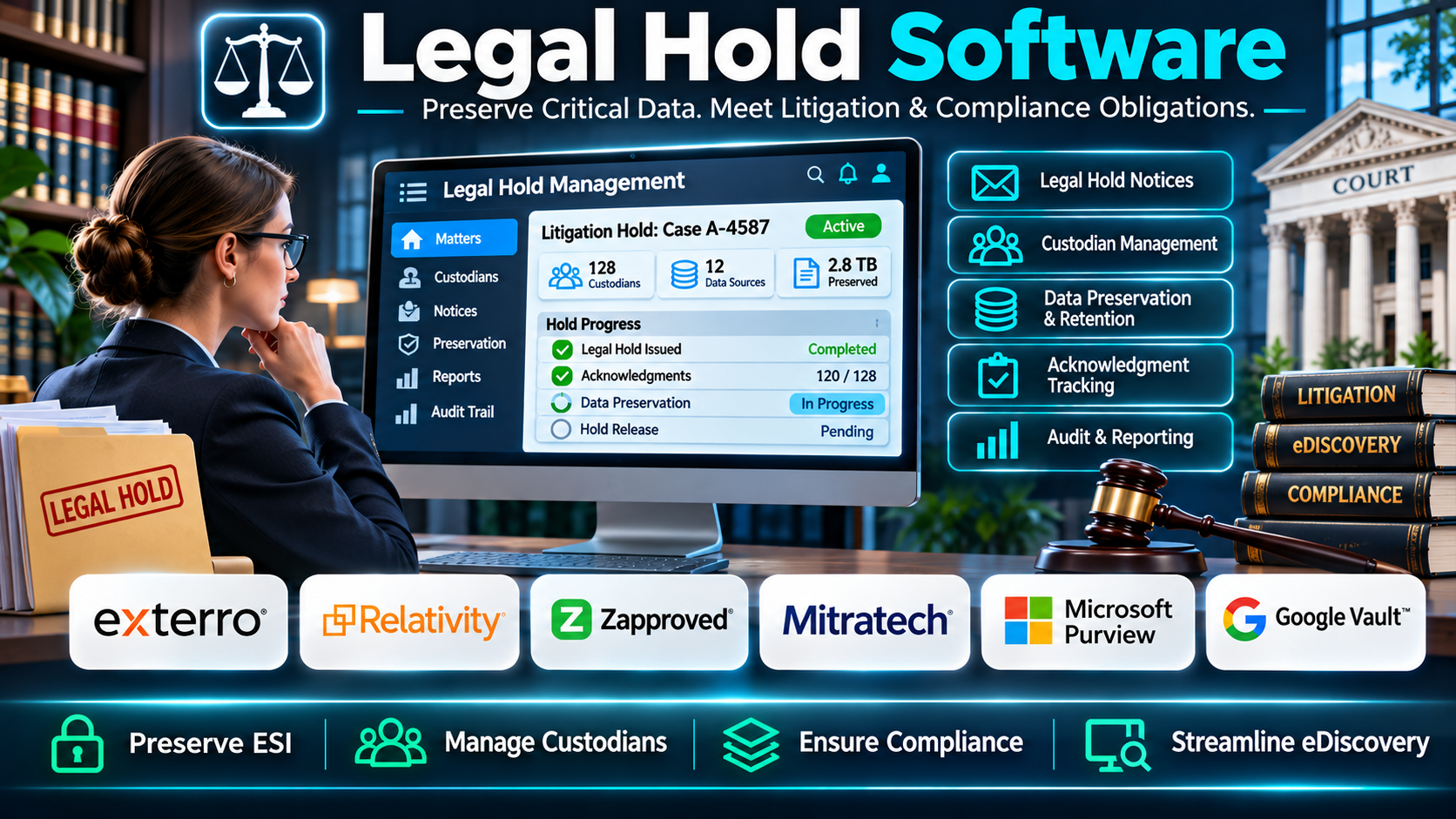
Legal hold software helps legal departments establish structured preservation processes. These platforms support the identification of relevant custodians, distribution of preservation notices, tracking of acknowledgments, and coordination with IT teams responsible for preserving information.
Without a reliable system, organizations may rely on spreadsheets, email templates, and manual follow-ups. These methods can become difficult to maintain when legal matters involve hundreds of employees, multiple jurisdictions, or large volumes of electronically stored information.
For example, a multinational company facing a contractual dispute may need to preserve communications involving employees across several departments. Its legal team must identify relevant custodians, notify them of their responsibilities, monitor compliance, and coordinate preservation across supported systems.
A legal hold platform can centralize these activities and maintain records showing when notices were issued, which employees acknowledged them, and what follow-up actions occurred. Some products also integrate with eDiscovery, information governance, and data preservation technologies.
Modern legal hold software may include automated reminders, custodian questionnaires, matter management, employee directory synchronization, preservation workflows, reporting, and defensible audit histories.
However, issuing a legal hold notice does not automatically preserve every relevant data source. Organizations must still assess applicable legal duties, configure technical preservation measures, and verify that relevant information is protected.
Different platforms serve different organizational requirements. Some specialize in legal hold administration, while others combine legal holds with enterprise eDiscovery, investigations, data collection, and information governance.
This guide examines ten legal hold software options, explains their practical strengths and limitations, and provides a structured approach to selecting and implementing an effective legal hold process.
What Is Legal Hold Software?
Legal hold software is technology that helps organizations manage the preservation of information potentially relevant to litigation, investigations, audits, or regulatory proceedings.
A legal hold, sometimes called a litigation hold, is a preservation instruction requiring relevant information to be retained rather than destroyed through normal business processes.
Legal hold software helps organizations document and administer these obligations.
A typical platform maintains records of legal matters, custodians, preservation notices, acknowledgments, reminders, and release decisions.
More comprehensive platforms may also connect legal hold administration with electronic discovery, data collection, and technical preservation.
How Legal Hold Software Works
1. Matter Creation: A legal professional creates a record for a dispute, investigation, or anticipated legal proceeding.
2. Preservation Scope: The legal team identifies relevant information categories, time periods, systems, and custodians.
3. Custodian Identification: Employees and other relevant individuals are associated with the matter.
4. Legal Hold Notice: A preservation instruction is distributed to appropriate recipients.
5. Acknowledgment Tracking: The system records whether recipients confirm receipt and understanding.
6. Automated Reminders: Unresponsive custodians receive follow-up communications.
7. Data Preservation Coordination: Legal and IT teams implement applicable technical preservation measures.
8. Ongoing Monitoring: Custodian changes, employee departures, new information sources, and changes in matter scope are reviewed.
9. Audit Documentation: Relevant communications and actions are recorded.
10. Hold Release: When preservation obligations end, authorized personnel release the hold and coordinate appropriate retention decisions.
Common Applications
- Civil litigation and commercial disputes.
- Regulatory investigations.
- Employment litigation.
- Internal investigations.
- Government inquiries.
- Intellectual property disputes.
- Antitrust matters.
- Financial services investigations.
- Corporate compliance reviews.
- Cross-border litigation.
- Data preservation for eDiscovery.
- Employee departure management.
- Multi-matter custodian coordination.
- Preservation notice administration.
- Legal risk management.
- Audit-ready preservation documentation.
Benefits of Legal Hold Software
Centralized Administration: Legal teams can manage multiple holds from one system.
Reduced Manual Work: Templates, reminders, and recipient tracking reduce repetitive administration.
Improved Custodian Visibility: Administrators can identify individuals associated with each matter.
More Consistent Communication: Standardized notices help communicate preservation responsibilities.
Better Accountability: Acknowledgment records and audit histories provide evidence of administrative actions.
Improved Coordination: Legal, compliance, records, and IT teams can collaborate on preservation responsibilities.
Support for Complex Matters: Larger platforms help organizations manage multiple matters and overlapping custodians.
More Controlled Hold Releases: Formal approval processes can reduce the risk of premature release.
Stronger Reporting: Dashboards can identify outstanding acknowledgments and unresolved preservation tasks.
Legal hold software supports defensible processes, but it does not guarantee legal compliance or eliminate the need for legal judgment.
Top 10 Legal Hold Software
1. Exterro Legal Hold
Short Description
Exterro Legal Hold is a legal hold management solution within Exterro’s broader legal governance and eDiscovery technology portfolio.
It is designed to help corporate legal departments manage preservation obligations through structured matter administration, custodian identification, notifications, and reporting.
For example, a large company facing several employment disputes may have overlapping custodians across different matters. Exterro can help administrators coordinate notices and track the preservation responsibilities associated with those matters.
The platform is especially relevant to organizations seeking connections between legal hold processes, eDiscovery, data management, and related legal operations.
Its automation capabilities can reduce repetitive tasks and provide greater visibility into the status of active holds.
However, organizations should assess implementation complexity, integration requirements, and which capabilities are included in their selected Exterro products.
Key Features
- Legal Hold Management: Centralizes active preservation matters.
- Custodian Administration: Maintains information about individuals associated with holds.
- Notice Distribution: Supports structured preservation communications.
- Acknowledgment Tracking: Records recipient responses.
- Automated Reminders: Helps follow up with outstanding recipients.
- Questionnaires: Supports relevant custodian information gathering.
- Matter Reporting: Provides visibility into hold activity.
- Workflow Automation: Reduces repetitive administrative steps.
- eDiscovery Integration: Connects preservation administration with supported discovery processes.
Benefits
- Reduces manual legal hold administration.
- Improves custodian coordination.
- Supports multiple legal matters.
- Provides centralized tracking.
- Helps maintain preservation records.
- Supports legal and IT collaboration.
- Connects with broader eDiscovery workflows.
Pros
- Dedicated legal hold functionality.
- Enterprise-oriented workflows.
- Automation capabilities.
- Custodian tracking.
- Reporting and audit support.
- Broader legal technology ecosystem.
Cons
- Implementation may require specialized resources.
- Licensing costs need evaluation.
- Integrations may require configuration.
- Training is important for complex workflows.
- Smaller organizations may not need the full platform.
Use Cases
Corporate Litigation: Coordinate preservation notices across departments.
Employment Disputes: Track employees involved in active matters.
Regulatory Investigations: Maintain preservation records.
Enterprise Legal Operations: Standardize legal hold procedures.
Best For
Large organizations seeking structured legal hold administration integrated with broader legal governance and eDiscovery workflows.
2. Relativity Legal Hold
Short Description
Relativity Legal Hold provides legal hold administration capabilities within the Relativity legal technology ecosystem.
It helps legal teams coordinate preservation notices, manage custodians, and maintain records associated with legal matters.
The platform is relevant to organizations already using Relativity for eDiscovery or considering an integrated legal workflow.
For example, a litigation team may identify relevant employees during early case assessment. It can establish hold communications and track recipient responses before proceeding with document collection and review.
Relativity’s broader technology environment can support the progression from preservation administration into discovery workflows.
However, organizations should distinguish between administrative hold management and the technical preservation of data stored in external systems.
They should also verify the current availability and licensing of the legal hold capabilities they require.
Key Features
- Matter Management: Organizes legal hold matters.
- Custodian Tracking: Associates individuals with preservation obligations.
- Hold Notices: Supports communication of preservation instructions.
- Acknowledgment Monitoring: Tracks responses.
- Reminder Workflows: Helps follow up with recipients.
- Custodian Information: Maintains relevant recipient records.
- Audit Documentation: Records selected legal hold activities.
- Reporting: Provides administrative status information.
- eDiscovery Alignment: Supports coordination with Relativity workflows.
Benefits
- Centralizes hold administration.
- Supports consistent communications.
- Improves response tracking.
- Helps manage overlapping matters.
- Provides preservation activity records.
- Supports legal team collaboration.
- Aligns with broader discovery operations.
Pros
- Legal hold specialization.
- Custodian management.
- Structured notice workflows.
- Reporting capabilities.
- Relativity ecosystem alignment.
- Suitable for litigation-focused teams.
Cons
- Product availability and packaging require confirmation.
- Integration setup may be necessary.
- Technical preservation still needs separate assessment.
- Training requirements can be substantial.
- Costs may exceed simple standalone solutions.
Use Cases
Litigation Teams: Coordinate legal hold notices.
Corporate Legal Departments: Track custodians across matters.
eDiscovery Operations: Connect hold administration with discovery.
Investigations: Document preservation communications.
Best For
Legal departments seeking legal hold workflows connected to the Relativity ecosystem.
3. Zapproved Legal Hold Pro
Short Description
Zapproved Legal Hold Pro is a legal hold management product associated with the Zapproved eDiscovery technology portfolio, now part of Exterro.
It has focused on helping in-house legal teams automate preservation notices, custodian tracking, and acknowledgment management.
For example, a company handling recurring employment claims may need to notify different groups of employees whenever a new dispute arises.
Legal Hold Pro’s established approach emphasizes repeatable administrative workflows that reduce reliance on spreadsheets and individual email records.
Its historical specialization makes it relevant when evaluating existing Zapproved deployments or comparing legal hold management approaches.
Because Zapproved became part of Exterro, prospective buyers should confirm current product branding, availability, support arrangements, and migration options rather than assuming that it is offered as an independent new product.
Key Features
- Legal Hold Notices: Supports preservation communications.
- Custodian Lists: Maintains relevant recipient information.
- Acknowledgment Tracking: Records recipient responses.
- Automated Reminders: Reduces manual follow-up.
- Matter Records: Organizes hold information.
- Notice Templates: Supports consistent communication.
- Custodian Questionnaires: Collects relevant preservation information.
- Reporting: Provides visibility into administrative status.
- Audit Histories: Documents relevant hold actions.
Benefits
- Reduces spreadsheet-based administration.
- Supports repeatable hold processes.
- Improves acknowledgment visibility.
- Helps coordinate custodians.
- Reduces repetitive notices.
- Maintains administrative records.
- Supports in-house legal teams.
Pros
- Established legal hold specialization.
- Notice automation.
- Custodian tracking.
- Reminder workflows.
- Matter administration.
- Reporting capabilities.
Cons
- No longer an independent vendor offering.
- Current availability must be confirmed with Exterro.
- Product migration may be relevant.
- Integration requirements vary.
- Technical preservation is a separate consideration.
Use Cases
Existing Zapproved Customers: Evaluate continued support or migration.
Corporate Legal Teams: Coordinate hold administration.
Employment Litigation: Track recurring preservation notices.
Legal Operations: Standardize custodian communication.
Best For
Organizations evaluating existing Legal Hold Pro deployments or the corresponding capabilities available through Exterro.
4. Mitratech LegalHold
Short Description
Mitratech LegalHold is a legal hold management solution designed to support corporate legal departments with preservation administration.
It focuses on the workflows required to identify custodians, issue notices, track acknowledgments, and maintain records.
The solution is relevant to organizations seeking legal hold processes connected to broader enterprise legal management.
For example, a financial services company may need to coordinate preservation obligations across compliance, legal, human resources, and IT departments.
Mitratech LegalHold can help formalize the administrative side of those responsibilities.
Its value is particularly relevant when organizations need consistent procedures across multiple matters and legal teams.
Buyers should verify available integrations, reporting capabilities, and current product packaging within Mitratech’s portfolio.
Key Features
- Matter Administration: Organizes legal hold matters.
- Custodian Management: Tracks relevant individuals.
- Notice Automation: Supports standardized communications.
- Acknowledgment Tracking: Monitors responses.
- Reminder Scheduling: Supports recurring follow-up.
- Questionnaires: Helps collect custodian information.
- Audit Records: Documents relevant activity.
- Reporting: Provides matter and compliance visibility.
- Legal Workflow Integration: Supports applicable enterprise legal processes.
Benefits
- Improves hold process consistency.
- Reduces manual follow-up.
- Helps manage overlapping custodians.
- Supports centralized administration.
- Provides activity documentation.
- Improves cross-functional coordination.
- Supports corporate legal operations.
Pros
- Dedicated legal hold workflows.
- Enterprise legal focus.
- Custodian administration.
- Automated notices.
- Reporting.
- Relevant to complex organizations.
Cons
- Integration capabilities need verification.
- Implementation planning may be necessary.
- Pricing depends on requirements.
- Specialized training may be needed.
- Technical data preservation requires coordination.
Use Cases
Corporate Legal Departments: Standardize preservation processes.
Financial Services: Manage regulatory and litigation holds.
Large Enterprises: Coordinate multiple legal matters.
Legal Operations: Improve reporting and accountability.
Best For
Corporate legal teams seeking formalized preservation administration within an enterprise legal technology environment.
5. Onna
Short Description
Onna is a data management and eDiscovery technology platform focused on collecting and managing information from modern workplace applications.
It is particularly relevant to organizations that use collaboration tools and cloud-based communication systems.
Unlike software centered primarily on sending legal hold notices, Onna’s value is associated with identifying, collecting, retaining, and managing relevant information from supported data sources.
For example, a legal department may need to preserve relevant collaboration records from Slack or other workplace platforms during an investigation.
Onna can support applicable data management and discovery workflows, depending on the connectors and capabilities available.
Organizations should not assume that every legal hold administration function is included.
They should verify current product availability, preservation capabilities, supported integrations, and any changes to the vendor’s product portfolio.
Key Features
- Workplace Data Connectors: Connects with supported collaboration systems.
- Data Collection: Supports gathering relevant information.
- Information Management: Organizes collected data.
- Search: Helps locate relevant records.
- Preservation Support: Supports applicable retention and discovery workflows.
- Data Export: Provides relevant information for downstream review.
- Cloud Data Handling: Focuses on modern application environments.
- Access Controls: Supports authorized data management.
- eDiscovery Workflows: Helps prepare relevant information for legal review.
Benefits
- Supports modern collaboration data.
- Helps identify relevant records.
- Reduces fragmented collection processes.
- Supports cloud-based information management.
- Improves discovery preparation.
- Helps coordinate data access.
- Complements legal preservation processes.
Pros
- Modern workplace data focus.
- Collaboration application integrations.
- Search capabilities.
- Data collection workflows.
- Cloud-oriented architecture.
- Relevant to investigations.
Cons
- Not equivalent to a dedicated notice-management platform.
- Connector coverage must be verified.
- Current product packaging requires confirmation.
- Data preservation depends on supported capabilities.
- Legal hold administration may require complementary tools.
Use Cases
Collaboration Investigations: Collect relevant workplace records.
Corporate Legal Teams: Support preservation and discovery.
Compliance Teams: Manage relevant communication data.
Cloud-First Organizations: Coordinate information from multiple applications.
Best For
Organizations needing workplace data preservation and discovery capabilities alongside legal hold administration.
6. Microsoft Purview eDiscovery
Short Description
Microsoft Purview eDiscovery provides legal and investigation workflows for information stored in supported Microsoft 365 services.
Its capabilities include case management, data identification, preservation, search, and review, depending on licensing and configuration.
For example, an organization facing an employment dispute may need to preserve relevant Exchange Online mailboxes and other supported Microsoft 365 information.
Purview can help authorized administrators establish holds on supported data locations and manage related discovery activities.
Its close relationship with Microsoft 365 makes it particularly relevant to organizations already using Microsoft cloud services.
However, Microsoft Purview eDiscovery should not be treated as a complete substitute for every legal hold notice and custodian acknowledgment platform.
Organizations must evaluate licensing, supported data sources, hold behavior, retention interactions, and the available case management features.
Key Features
- eDiscovery Cases: Organizes investigation and litigation matters.
- Data Preservation: Supports holds on applicable Microsoft 365 content.
- Content Search: Locates relevant information.
- Custodian Workflows: Supports applicable custodian management features.
- Data Collection: Collects supported information for review.
- Review Capabilities: Supports relevant discovery analysis.
- Export: Produces supported discovery outputs.
- Microsoft 365 Integration: Works with supported Microsoft services.
- Role-Based Access: Controls administrative permissions.
Benefits
- Supports Microsoft 365 preservation.
- Reduces dependence on unrelated data collection tools.
- Provides case-based discovery workflows.
- Helps coordinate legal and IT teams.
- Supports search and collection.
- Uses Microsoft identity and administration controls.
- Aligns with existing cloud infrastructure.
Pros
- Microsoft 365 integration.
- Technical preservation capabilities.
- Search and collection.
- Case management.
- Enterprise access controls.
- Suitable for Microsoft-centric organizations.
Cons
- Licensing and feature entitlements vary.
- External data sources may require other tools.
- Notice acknowledgment workflows may be limited.
- Complex configurations require specialist knowledge.
- Preservation behavior must be tested carefully.
Use Cases
Microsoft 365 Litigation: Preserve relevant cloud content.
Internal Investigations: Search supported communications.
Regulatory Responses: Collect applicable records.
Corporate IT: Implement technical holds under legal direction.
Best For
Microsoft 365 organizations requiring technical preservation and eDiscovery workflows.
7. Google Vault
Short Description
Google Vault is an information governance and eDiscovery service for supported Google Workspace data.
It provides capabilities for retaining, searching, holding, and exporting relevant information.
For example, an organization using Gmail and Google Drive may need to preserve communications and documents related to an anticipated legal dispute.
Authorized administrators can create matters and establish applicable holds on supported information.
Google Vault can help ensure that relevant Workspace content is preserved according to configured requirements.
However, it is not a comprehensive legal hold notice management system.
Organizations may still need separate processes to communicate preservation instructions, obtain acknowledgments, and coordinate data held outside Google Workspace.
Key Features
- Matter Management: Organizes legal and investigation matters.
- Data Holds: Preserves applicable Workspace information.
- Retention Rules: Supports configured information retention.
- Search: Locates relevant content.
- Export: Provides supported data exports.
- Gmail Support: Covers applicable email information.
- Google Drive Support: Covers supported files and records.
- Administrative Permissions: Controls authorized access.
- Workspace Integration: Operates within supported Google services.
Benefits
- Supports Google Workspace preservation.
- Provides centralized matter administration.
- Helps prevent deletion of held information.
- Supports legal searches.
- Provides export workflows.
- Integrates with Google Workspace.
- Reduces reliance on manual data collection.
Pros
- Native Workspace integration.
- Technical hold capabilities.
- Search and export.
- Retention controls.
- Matter administration.
- Suitable for Google-centric organizations.
Cons
- Not a dedicated notice acknowledgment platform.
- Coverage depends on supported services and editions.
- External systems require separate preservation.
- Administrative expertise is needed.
- Hold configuration must be verified.
Use Cases
Google Workspace Litigation: Preserve relevant emails and files.
Internal Investigations: Search supported records.
Compliance Teams: Coordinate retention and discovery.
Legal Departments: Support technical preservation.
Best For
Google Workspace organizations requiring native data holds and eDiscovery support.
8. OpenText Axcelerate
Short Description
OpenText Axcelerate is an enterprise eDiscovery and legal review platform relevant to complex litigation and investigations.
Its capabilities focus on identifying, processing, analyzing, reviewing, and producing electronically stored information.
Within a broader legal preservation strategy, it can support downstream discovery activities involving information subject to legal holds.
For example, a large corporation may preserve relevant records from several enterprise systems and then use Axcelerate to analyze and review collected information.
Its analytics and review capabilities are valuable when legal matters involve large data volumes.
However, buyers should not assume that Axcelerate alone provides every dedicated legal hold notice and custodian acknowledgment feature.
They should evaluate OpenText’s current legal technology portfolio and determine which products cover preservation administration, collection, and review.
Key Features
- eDiscovery Processing: Prepares relevant electronic information.
- Document Review: Supports legal review workflows.
- Search: Helps locate responsive information.
- Analytics: Supports review prioritization.
- Data Organization: Structures discovery collections.
- Production: Supports legal document disclosure.
- Review Management: Coordinates relevant legal teams.
- Enterprise Workflows: Supports complex legal matters.
- Information Governance Alignment: Complements broader preservation strategies.
Benefits
- Supports complex discovery matters.
- Helps manage substantial data volumes.
- Improves review efficiency.
- Supports legal analytics.
- Coordinates production workflows.
- Provides structured document review.
- Complements enterprise preservation programs.
Pros
- Enterprise eDiscovery capabilities.
- Analytics.
- Large-scale review.
- Search and filtering.
- Production support.
- Relevant to complex litigation.
Cons
- Not primarily a standalone legal hold notice tool.
- Dedicated hold administration may require other products.
- Implementation can be complex.
- Specialist training is necessary.
- Enterprise costs require evaluation.
Use Cases
Complex Litigation: Review preserved information.
Regulatory Investigations: Analyze collected records.
Corporate Legal Teams: Coordinate large discovery matters.
Legal Service Providers: Manage review and production.
Best For
Enterprises seeking advanced eDiscovery review as part of a broader legal hold and preservation program.
9. Hanzo
Short Description
Hanzo provides legal technology focused on preserving, collecting, and investigating data from modern collaboration environments.
It is particularly relevant to organizations managing information from cloud communication and workplace applications.
For example, a corporate investigation may involve conversations from supported collaboration platforms that are difficult to preserve through traditional email-centric processes.
Hanzo’s technology can support applicable data preservation, collection, and investigation workflows.
Its strengths are associated with modern digital evidence rather than conventional legal hold notice administration alone.
Organizations should evaluate supported connectors, preservation methods, export formats, and current product capabilities.
They should also determine whether separate notice management software is necessary for custodian acknowledgments and ongoing communication.
Key Features
- Collaboration Data Collection: Supports relevant modern communication sources.
- Preservation Workflows: Helps retain applicable digital evidence.
- Data Search: Supports investigation and discovery.
- Cloud Application Support: Connects with supported services.
- Evidence Organization: Structures collected information.
- Investigation Workflows: Supports relevant legal review.
- Data Export: Provides applicable discovery outputs.
- Information Context: Helps preserve relevant communication context.
- Legal Technology Integration: Supports broader discovery processes.
Benefits
- Addresses modern collaboration evidence.
- Helps coordinate cloud data collection.
- Supports investigation workflows.
- Reduces fragmented evidence handling.
- Improves access to relevant records.
- Supports preservation planning.
- Complements traditional legal hold systems.
Pros
- Modern collaboration focus.
- Preservation and collection capabilities.
- Investigation relevance.
- Cloud application support.
- Evidence search.
- Useful for complex communication data.
Cons
- Not necessarily a complete notice management system.
- Connector coverage varies.
- Technical setup may require expertise.
- Product capabilities should be verified.
- Costs depend on deployment requirements.
Use Cases
Workplace Investigations: Preserve relevant collaboration records.
Corporate Litigation: Collect cloud communications.
Compliance Reviews: Examine supported workplace information.
Legal Operations: Coordinate modern evidence handling.
Best For
Organizations requiring preservation and collection of modern collaboration data.
10. Nuix Legal Hold
Short Description
Nuix provides legal technology for information discovery, investigations, data processing, and related legal workflows.
Nuix’s broader portfolio has included capabilities and solutions relevant to legal hold and preservation processes.
The technology is relevant to organizations managing complex electronic evidence across multiple information sources.
For example, a government investigation may require identifying and processing relevant records from numerous systems and custodians.
Nuix technologies can help organizations discover, process, and analyze information that forms part of the preservation and discovery lifecycle.
However, the exact availability of a standalone product marketed as Nuix Legal Hold should be verified.
Organizations should request a current product demonstration and confirm which specific Nuix components support notice administration, preservation, custodian tracking, and audit records.
Key Features
- Information Discovery: Helps identify relevant electronic information.
- Data Processing: Prepares information for investigation or review.
- Evidence Analysis: Supports examination of relevant records.
- Search: Helps locate potentially responsive content.
- Custodian-Related Workflows: Supports applicable information organization.
- Data Collection Support: Coordinates relevant evidence handling.
- Investigation Capabilities: Supports complex matters.
- Reporting: Provides relevant operational visibility.
- Enterprise Integration: Supports applicable legal technology workflows.
Benefits
- Supports complex information discovery.
- Helps process large data collections.
- Provides investigation capabilities.
- Supports legal review preparation.
- Helps coordinate electronic evidence.
- Provides search and analysis.
- Complements preservation programs.
Pros
- Strong information processing capabilities.
- Investigation relevance.
- Large-data handling.
- Search and analysis.
- Enterprise legal technology focus.
- Supports complex evidence workflows.
Cons
- Standalone legal hold product availability is uncertain.
- Dedicated notice workflows must be confirmed.
- Implementation may be complex.
- Specialist expertise is often required.
- Commercial costs need evaluation.
Use Cases
Government Investigations: Analyze relevant evidence.
Complex Litigation: Process preserved data.
Enterprise Legal Teams: Support discovery operations.
Regulatory Matters: Coordinate information analysis.
Best For
Organizations evaluating Nuix’s broader discovery technology as part of a legal preservation program.
Comparison Table: Top 10 Legal Hold Software
The products below are not identical. Dedicated legal hold management platforms focus on notices and custodian administration, while preservation and eDiscovery tools provide complementary capabilities.
| Software | Primary Strength | Best For | Important Consideration |
|---|---|---|---|
| Exterro Legal Hold | Enterprise hold administration | Large legal departments | Implementation complexity |
| Relativity Legal Hold | Hold and discovery coordination | Relativity users | Current packaging |
| Zapproved Legal Hold Pro | Established hold workflows | Existing Zapproved customers | Exterro ownership and availability |
| Mitratech LegalHold | Corporate hold administration | Enterprise legal teams | Integration requirements |
| Onna | Workplace data management | Cloud collaboration environments | Notice workflows may need separate tools |
| Microsoft Purview eDiscovery | Microsoft 365 preservation | Microsoft-centric organizations | Licensing and data coverage |
| Google Vault | Google Workspace holds | Workspace organizations | Limited notice administration |
| OpenText Axcelerate | Advanced eDiscovery review | Complex litigation | Not a standalone hold notice platform |
| Hanzo | Collaboration data preservation | Modern workplace investigations | Connector coverage |
| Nuix | Evidence processing and discovery | Complex investigations | Dedicated hold capabilities require verification |
How to Choose the Best Legal Hold Software
1. Identify the Organization’s Preservation Obligations
Start by understanding the types of legal matters the organization faces.
Consider litigation, regulatory investigations, employment disputes, internal investigations, and applicable information preservation requirements.
Legal counsel should determine when preservation obligations arise and what information falls within their scope.
2. Separate Hold Administration From Technical Preservation
This distinction is fundamental.
Legal hold administration includes identifying custodians, issuing notices, tracking acknowledgments, and documenting compliance.
Technical preservation involves protecting relevant information from deletion or alteration within the systems where it resides.
A platform may provide one or both capabilities.
3. Evaluate Custodian Management
Determine how employees are identified, assigned to matters, and removed from active custodian lists.
Organizations with frequent employee changes may benefit from directory synchronization and automated departure alerts.
4. Assess Notice Automation
Review templates, communication channels, reminders, and acknowledgment workflows.
Notices should be understandable and specific enough to communicate relevant responsibilities.
5. Examine Data Source Coverage
Identify where potentially relevant information resides.
Common sources include email, cloud storage, collaboration platforms, mobile devices, file servers, and business applications.
Verify the technical preservation options available for each source.
6. Review Audit Capabilities
The platform should provide appropriate records of notices, acknowledgments, changes, reminders, and hold releases.
7. Evaluate Overlapping Legal Holds
A custodian or data source may be associated with multiple matters.
The system should help administrators avoid releasing preservation measures while another valid hold remains active.
8. Assess Integration Requirements
Consider employee directories, human resources systems, Microsoft 365, Google Workspace, eDiscovery platforms, and information governance tools.
9. Review Security
Legal hold records can reveal sensitive investigations and employee information.
Evaluate access permissions, encryption, administrative logging, and data retention.
10. Evaluate Reporting
Dashboards should help legal teams identify outstanding acknowledgments, unresolved tasks, and matter status.
11. Assess Scalability
Consider the number of active matters, custodians, data sources, and jurisdictions.
12. Calculate Total Cost
Include software licensing, implementation, integrations, training, support, storage, and associated eDiscovery expenses.
13. Test the Complete Lifecycle
A pilot should include matter creation, notice distribution, acknowledgment, preservation coordination, custodian changes, reporting, and release.
Best Legal Hold Software by User Type
1. Large Corporate Legal Departments
Exterro Legal Hold is relevant to organizations seeking structured preservation administration across numerous matters.
Its broader legal technology ecosystem can support coordination between hold management and discovery.
2. Relativity-Based Legal Teams
Relativity Legal Hold may be appropriate for organizations seeking alignment with Relativity workflows, subject to current product availability.
3. Existing Zapproved Customers
Organizations using Legal Hold Pro should review the product’s current position within Exterro’s portfolio.
The evaluation should include support, migration, and functional continuity.
4. Enterprise Legal Operations
Mitratech LegalHold is relevant to organizations formalizing preservation administration and reporting.
5. Cloud Collaboration Environments
Onna may support the management of relevant workplace application data.
It should be evaluated alongside dedicated hold notice processes.
6. Microsoft 365 Organizations
Microsoft Purview eDiscovery is relevant when technical preservation of supported Microsoft data is a central requirement.
7. Google Workspace Organizations
Google Vault supports holds and searches across applicable Workspace services.
8. Complex Litigation Teams
OpenText Axcelerate supports advanced discovery review after relevant information has been preserved and collected.
9. Modern Workplace Investigations
Hanzo is relevant to preserving and investigating supported collaboration information.
10. Data-Intensive Investigations
Nuix provides discovery and processing technologies that can complement preservation programs.
| User Type | Relevant Platform | Primary Reason |
|---|---|---|
| Large corporate legal team | Exterro Legal Hold | Enterprise hold workflows |
| Relativity-based team | Relativity Legal Hold | Discovery alignment |
| Existing Zapproved customer | Legal Hold Pro | Established hold processes |
| Enterprise legal operations | Mitratech LegalHold | Administrative consistency |
| Collaboration data team | Onna | Workplace information management |
| Microsoft 365 organization | Microsoft Purview | Technical data holds |
| Google Workspace organization | Google Vault | Native Workspace preservation |
| Complex litigation team | OpenText Axcelerate | Advanced discovery review |
| Collaboration investigation team | Hanzo | Modern communication evidence |
| Large investigation team | Nuix | Evidence processing and analysis |
Practical Example: Implementing a Legal Hold Workflow
Consider a multinational technology company with 4,500 employees.
The company receives notice of a contractual dispute involving a former business partner.
Relevant information may exist in employee email accounts, shared documents, collaboration channels, and archived project files.
The legal department must coordinate preservation across multiple teams and information systems.
Step 1: Assess the Preservation Trigger
Legal counsel evaluates the dispute and determines the appropriate preservation scope.
The team records the relevant legal matter and responsible personnel.
Step 2: Identify Relevant Information
The legal department determines the relevant time period, projects, departments, document categories, and communication channels.
Step 3: Identify Custodians
The company creates an initial list of employees who may possess relevant information.
Human resources and IT assist with accurate employee information.
Step 4: Select the Administrative Platform
The legal team evaluates Exterro Legal Hold, Mitratech LegalHold, and other suitable products.
It prioritizes notice automation, acknowledgment tracking, reporting, and integration.
Step 5: Prepare the Legal Hold Notice
Legal counsel drafts clear preservation instructions.
The notice explains which information must be retained and whom custodians should contact with questions.
Step 6: Distribute Notices
The platform sends notices to identified custodians.
Delivery status and responses are recorded.
Step 7: Monitor Acknowledgments
Administrators review outstanding responses.
Automated reminders are sent according to the organization’s procedures.
Step 8: Implement Technical Preservation
IT applies appropriate preservation measures in supported email, cloud storage, and collaboration systems.
The team verifies that the measures cover relevant accounts and information.
Step 9: Document Preservation Actions
Legal and IT record the systems involved, responsible personnel, dates, and verification results.
Step 10: Review Custodian Changes
The company monitors employee departures, role changes, and newly identified custodians.
Relevant preservation actions are updated.
Step 11: Monitor the Matter
Legal counsel periodically reviews whether the hold remains appropriately scoped.
The team assesses new information sources and preservation risks.
Step 12: Coordinate Discovery
When required, authorized personnel collect and process relevant information for legal review.
Step 13: Approve Hold Release
After the applicable preservation obligation ends, legal counsel authorizes the release.
Step 14: Check for Overlapping Holds
Before changing technical preservation settings, administrators verify that no other active matter requires the information.
Step 15: Retain Appropriate Records
The organization maintains required legal hold documentation according to its policies.
Common Mistakes to Avoid
1. Treating a Hold Notice as Complete Preservation
Sending an email does not automatically prevent relevant information from being deleted.
Organizations must evaluate technical preservation requirements.
2. Identifying Too Few Custodians
An incomplete custodian list may leave important information outside the preservation process.
3. Ignoring Collaboration Applications
Relevant information may exist outside traditional email and file servers.
4. Failing to Track Acknowledgments
Without response tracking, legal teams may not know whether custodians received or understood instructions.
5. Relying Entirely on Spreadsheets
Manual tracking can become difficult when matters overlap or involve large numbers of custodians.
6. Overlooking Departing Employees
Employee departures can create preservation risks involving accounts, devices, and stored information.
7. Ignoring Overlapping Holds
Releasing one matter must not inadvertently remove preservation required by another.
8. Failing to Document Actions
Incomplete records can make it difficult to explain what preservation measures were implemented.
9. Assuming Every Integration Preserves All Data
Connectors and preservation functions may cover only certain data types or services.
10. Neglecting Hold Release Procedures
Organizations should establish controlled processes for ending holds when legally appropriate.
Frequently Asked Questions
1. What is legal hold software?
Legal hold software helps organizations administer preservation obligations associated with litigation, investigations, and regulatory matters.
2. What is a litigation hold?
A litigation hold is a preservation instruction requiring relevant information to be retained when applicable legal obligations arise.
3. What is the purpose of legal hold management?
Its purpose is to coordinate preservation communications, custodians, actions, and documentation.
4. What is a legal hold notice?
A legal hold notice informs relevant individuals about information they must preserve.
5. What is a custodian?
A custodian is a person or other relevant holder associated with potentially responsive information.
6. What is Exterro Legal Hold?
It is a legal hold management solution within Exterro’s legal technology portfolio.
7. What is Relativity Legal Hold?
It is a legal hold management offering associated with the Relativity ecosystem.
8. What happened to Zapproved Legal Hold Pro?
Zapproved became part of Exterro. Organizations should verify current product availability and support.
9. What is Mitratech LegalHold?
It is a legal hold management solution focused on preservation administration.
10. Can Microsoft Purview preserve information?
Yes. Microsoft Purview eDiscovery supports holds on applicable Microsoft 365 data, subject to configuration and licensing.
11. Does Google Vault support legal holds?
Yes. Google Vault supports holds on applicable Google Workspace information.
12. Is Google Vault a complete legal hold management platform?
It supports technical holds and eDiscovery, but dedicated notice acknowledgment workflows may require other processes or tools.
13. What is the difference between legal hold and eDiscovery?
Legal hold focuses on preserving potentially relevant information, while eDiscovery encompasses identification, collection, processing, review, and production.
14. Does legal hold software automatically preserve all data?
No. Technical preservation depends on supported systems, configuration, and appropriate implementation.
15. Can legal hold software send automated reminders?
Many dedicated legal hold platforms support reminder workflows.
16. Can employees acknowledge legal hold notices?
Dedicated platforms commonly provide acknowledgment tracking.
17. What is a custodian questionnaire?
It is a structured set of questions used to identify relevant information sources and preservation responsibilities.
18. Can one employee be subject to multiple legal holds?
Yes. A custodian may be associated with several matters.
19. Can legal hold software manage employee departures?
Some platforms support workflows that help legal and IT teams identify preservation issues when employees leave.
20. Can legal holds apply to chat messages?
Yes. Relevant communications may require preservation, depending on applicable obligations and the systems involved.
21. Can legal holds apply to cloud documents?
Yes. Relevant cloud-stored information may fall within preservation obligations.
22. What is technical preservation?
Technical preservation involves configuring systems or processes to prevent relevant information from being improperly deleted or altered.
23. What is an audit trail in legal hold software?
It is a record of relevant administrative actions, communications, responses, and changes.
24. How long should a legal hold remain active?
Its duration depends on applicable legal obligations and the circumstances of the matter.
25. Who is responsible for legal holds?
Legal counsel typically directs preservation decisions, while IT, compliance, records, and business personnel may carry out relevant tasks.
26. Can legal hold software integrate with HR systems?
Some platforms support employee information integrations that help maintain custodian records.
27. How much does legal hold software cost?
Costs depend on the platform, number of users or matters, integrations, deployment, and enterprise requirements.
28. Is legal hold software necessary for small businesses?
Not every organization needs a dedicated platform, but preservation obligations can apply regardless of company size.
29. What should organizations test before deployment?
They should test notice delivery, acknowledgments, custodian changes, preservation coordination, reporting, and release workflows.
30. Which legal hold software is best?
The best option depends on the organization’s legal matters, data sources, preservation needs, existing systems, and administrative complexity.
Final Thoughts
Legal hold software helps organizations establish consistent and documented information preservation processes.
Exterro Legal Hold, Relativity Legal Hold, and Mitratech LegalHold focus on legal hold administration and related workflows.
Zapproved Legal Hold Pro remains relevant to existing customers, although its current status must be evaluated within Exterro’s portfolio.
Microsoft Purview eDiscovery and Google Vault provide technical preservation capabilities for supported cloud information.
Onna and Hanzo are relevant to modern workplace data, while OpenText Axcelerate and Nuix provide broader discovery and investigation capabilities.
These solutions serve overlapping but different purposes.
Organizations should distinguish legal hold notice administration from technical data preservation and downstream eDiscovery.
They should also evaluate custodian management, supported data sources, integrations, reporting, security, and hold release procedures.
A reliable legal hold program combines appropriate software with legal oversight, technical verification, clear responsibilities, and ongoing monitoring.
The result is a more organized, accountable, and defensible approach to preserving information when legal obligations arise.
