Introduction
Physical mail remains an important communication channel for businesses, government agencies, financial institutions, healthcare organizations, and professional service providers. Despite the growth of email, messaging applications, and digital customer portals, many organizations still send printed letters, statements, notices, invoices, and promotional postcards.
Traditional postal mail processes require several manual steps. Employees must prepare documents, print them, select envelopes, verify addresses, apply postage, and arrange delivery. These activities consume time and create operational challenges when mailing volumes increase.
Postal mail automation tools help organizations manage these tasks through software. Instead of preparing every letter manually, users can upload documents, import recipient lists, create mailing campaigns, or connect business applications to automated print-and-mail services.
For example, a property management company may need to send monthly notices to thousands of tenants. A postal mail automation platform can generate personalized letters, process mailing addresses, and coordinate printing and delivery through supported fulfillment networks.
An insurance company may need to mail policy documents, renewal reminders, and claim-related correspondence. A healthcare organization may need to send administrative notices to patients who prefer or require physical communication.
Some platforms focus on transactional mail, such as invoices and account notifications. Others specialize in direct mail marketing, personalized postcards, address verification, or enterprise customer communications.
Modern postal mail automation software can include application programming interfaces, document templates, CRM integrations, bulk mailing, print production, postal tracking, campaign reporting, and address data processing.
However, the available capabilities differ significantly between providers. A platform designed for marketing postcards may not be suitable for regulated correspondence requiring strict document controls and retention procedures.
Organizations should also distinguish between mailing status and confirmed recipient delivery. Postal tracking visibility depends on the carrier, mail class, destination, and provider.
This guide compares ten postal mail automation tools and explains their features, benefits, limitations, use cases, and selection criteria.
It also provides a practical implementation example for organizations seeking to replace manual mailing processes with more reliable digital workflows.
What Are Postal Mail Automation Tools?
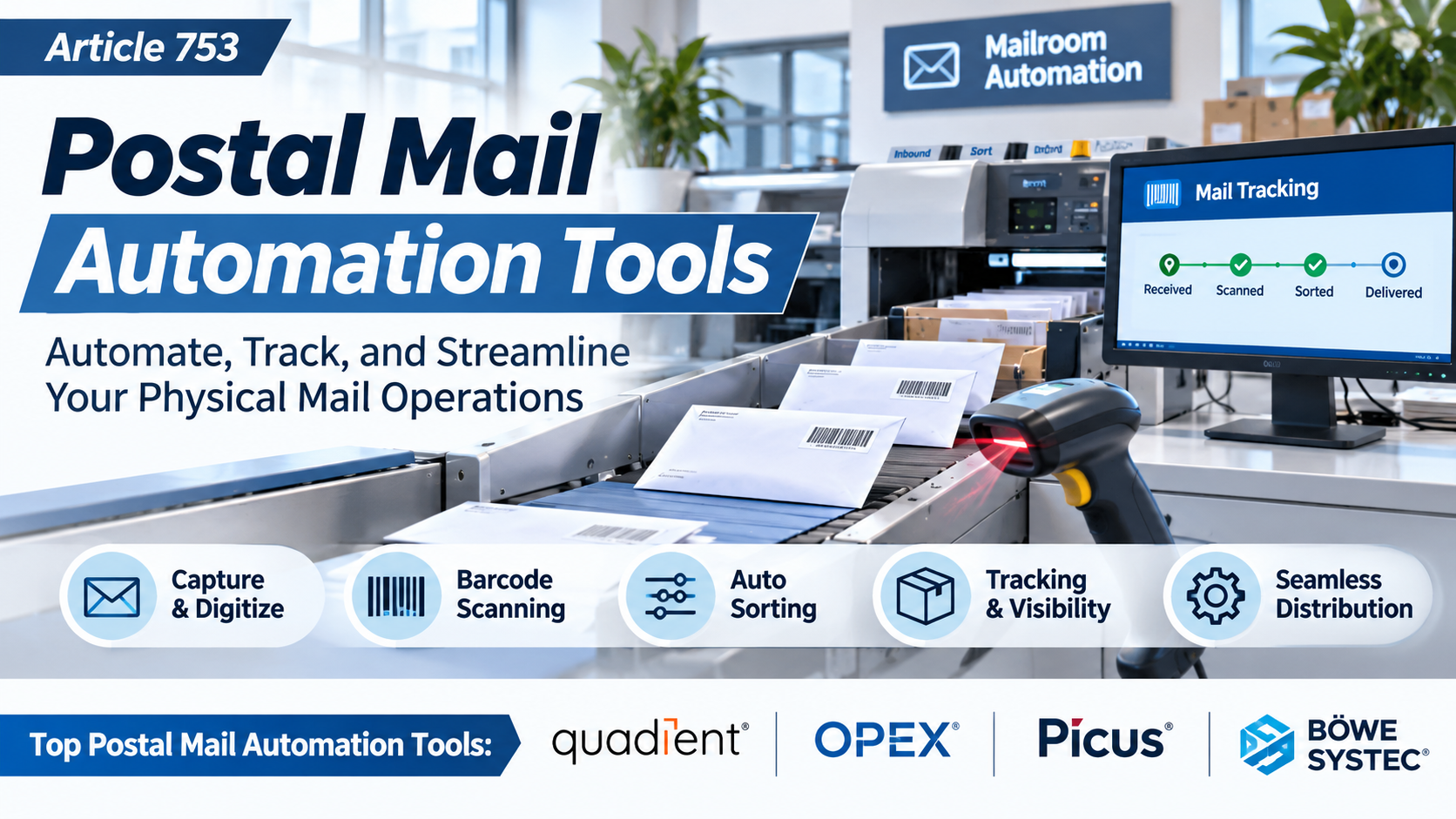
Postal mail automation tools are software platforms that simplify or automate the preparation, printing, addressing, fulfillment, and distribution of physical mail.
They connect digital business processes with postal delivery services.
A typical platform accepts electronic documents or mailing instructions, processes recipient information, and coordinates physical mail production through a printing and fulfillment operation.
Some solutions provide fully managed print-and-mail services. Others offer APIs that allow developers to trigger physical mail from business applications.
Direct mail platforms may also provide campaign design, audience segmentation, personalization, and marketing analytics.
How Postal Mail Automation Works
- Document Creation: The organization prepares a letter, postcard, statement, or other mailing document.
- Recipient Selection: Mailing addresses are imported from a database, CRM, spreadsheet, or business application.
- Address Processing: The platform validates or standardizes addresses where supported.
- Template Personalization: Recipient names, account details, and other approved fields are inserted.
- Mailing Submission: The organization uploads the campaign or submits instructions through an API.
- Document Processing: The provider prepares files for production.
- Printing: Documents are printed according to the selected specifications.
- Mail Assembly: Letters are folded, inserted, and prepared for postal distribution.
- Postal Handoff: Mailpieces enter the relevant postal network.
- Tracking and Reporting: The platform provides available production, mailing, and delivery-related status information.
Common Applications
- Transactional customer letters.
- Invoices and billing statements.
- Insurance correspondence.
- Healthcare administrative notices.
- Government communications.
- Property management notices.
- Customer onboarding letters.
- Direct mail marketing.
- Personalized postcards.
- Renewal reminders.
- Debt collection correspondence.
- Utility notifications.
- Legal and compliance-related mail.
- Membership communications.
- Nonprofit fundraising campaigns.
- Customer retention programs.
Benefits of Postal Mail Automation
Reduced Manual Work: Employees spend less time printing, folding, stuffing, and preparing envelopes.
Improved Scalability: Organizations can send hundreds or thousands of mailpieces without expanding internal mailing operations.
Better Personalization: Templates can include recipient-specific information.
Workflow Integration: APIs and integrations connect physical mail with digital business processes.
Improved Address Quality: Address verification and standardization can reduce certain mailing errors.
Centralized Administration: Teams can coordinate mailing activity through a shared platform.
Operational Visibility: Reporting helps users monitor submitted, processed, and mailed items.
Potential Cost Efficiency: Outsourced production can reduce equipment and labor requirements, depending on volume and provider pricing.
Top 10 Postal Mail Automation Tools
1. Lob
Short Description
Lob is a direct mail automation platform that helps organizations generate and send physical mail through software-driven workflows.
It is particularly relevant to businesses that want to integrate letters, postcards, and other supported mail formats into customer communication systems.
Lob provides API capabilities that allow developers to trigger mailpieces from applications. It also supports business-oriented direct mail workflows.
For example, a financial technology company may need to send account-related notices when particular events occur. Its software can submit the appropriate document and recipient information through a supported integration.
Marketing teams can also use physical mail as part of coordinated customer engagement programs.
Lob is especially relevant to organizations seeking programmable mail production rather than manually operating office printing equipment.
However, businesses should evaluate supported mail types, production locations, geographic coverage, security arrangements, and tracking limitations.
Key Features
- Direct Mail API: Enables applications to create physical mail through programmable requests.
- Letter Automation: Supports sending printed letters.
- Postcard Automation: Supports personalized postcard workflows.
- Address Verification: Provides relevant address data processing.
- Template Personalization: Supports recipient-specific document content.
- Mail Tracking: Provides available production and postal status information.
- Campaign Management: Supports coordinated direct mail activities.
- Application Integration: Connects with supported business systems.
- Reporting: Provides operational and campaign visibility.
Benefits
- Automates physical mail generation.
- Reduces manual document handling.
- Supports transactional communications.
- Enables personalized customer mail.
- Integrates with business applications.
- Improves mailing workflow visibility.
- Supports larger mailing volumes.
Pros
- Strong API orientation.
- Automated letter and postcard production.
- Address verification capabilities.
- Business workflow integration.
- Personalization.
- Scalable mailing operations.
Cons
- Developer resources may be required for custom integrations.
- Mailing availability varies by destination.
- Production and postage costs apply.
- Tracking does not always confirm individual receipt.
- Complex compliance requirements need additional evaluation.
Use Cases
Financial Services: Send account notices.
Insurance: Automate customer correspondence.
Marketing: Deliver personalized direct mail.
Software Platforms: Add physical mail functionality through APIs.
Best For
Organizations seeking programmable physical mail automation and application integration.
2. PostGrid
Short Description
PostGrid provides print-and-mail automation and address verification services for businesses.
Its platform is designed to help organizations generate and send physical correspondence through digital interfaces and APIs.
For example, an insurance provider may need to mail policy renewal notices to customers across different regions.
PostGrid can support document submission, recipient data processing, and outsourced mail production.
The platform is relevant to businesses seeking to reduce manual mailing operations while retaining control over the documents they send.
Its API capabilities can also connect physical correspondence with existing enterprise applications.
Organizations should verify geographic coverage, mailpiece specifications, security commitments, and available service levels.
Key Features
- Print-and-Mail API: Automates physical document production.
- Letter Mailing: Supports business correspondence.
- Postcard Mailing: Supports relevant marketing workflows.
- Address Verification: Helps process mailing address information.
- Document Personalization: Supports variable recipient content.
- Bulk Mailing: Processes multiple mailpieces.
- Mailing Status: Provides available operational updates.
- Application Integration: Connects with business systems.
- Automated Workflows: Supports recurring document delivery.
Benefits
- Reduces manual mail preparation.
- Supports recurring correspondence.
- Improves mailing scalability.
- Connects with existing applications.
- Supports personalized documents.
- Helps improve address data quality.
- Reduces dependence on internal printing equipment.
Pros
- Print-and-mail specialization.
- API capabilities.
- Address verification.
- Bulk mailing.
- Personalized letters.
- Business-oriented workflows.
Cons
- Pricing depends on volume and specifications.
- Geographic coverage requires verification.
- Custom integrations need technical resources.
- Delivery tracking varies.
- Compliance suitability depends on contractual arrangements.
Use Cases
Insurance: Mail policy documents.
Financial Services: Send account correspondence.
Healthcare Administration: Send authorized notices.
Enterprise Operations: Automate recurring letters.
Best For
Businesses seeking API-driven print-and-mail automation.
3. Click2Mail
Short Description
Click2Mail is an online mailing service that helps organizations prepare and send physical mail without managing every production step internally.
The platform supports various mailing workflows, including letters and postcards.
For example, a local government office may need to send informational notices to residents.
Staff can prepare documents electronically and submit them for printing and mailing through supported workflows.
Click2Mail is relevant to organizations that want online mailing services without necessarily developing custom software.
It also provides automation capabilities for businesses with recurring mailing requirements.
Organizations should confirm current mailpiece options, postal services, integration features, and pricing.
Key Features
- Online Mail Submission: Allows users to submit mailing jobs digitally.
- Letter Printing: Supports physical letter production.
- Postcard Mailing: Supports promotional and informational postcards.
- Mailing List Processing: Handles recipient information.
- Document Upload: Accepts supported electronic files.
- Mail Automation: Supports recurring mailing workflows.
- API Options: Provides relevant integration capabilities.
- Mailing Status: Provides available processing information.
- Postal Fulfillment: Coordinates printing and mailing.
Benefits
- Simplifies physical mail submission.
- Reduces office printing work.
- Supports bulk correspondence.
- Provides online access.
- Helps manage recurring mailing tasks.
- Reduces envelope preparation.
- Supports businesses without internal mailrooms.
Pros
- Online mailing specialization.
- Letter and postcard options.
- Document upload workflows.
- Bulk mailing support.
- Automation capabilities.
- Suitable for small and midsize organizations.
Cons
- Mail formats and service options vary.
- Custom workflows may require integration.
- Postage and printing costs apply.
- Delivery visibility depends on postal services.
- International coverage requires confirmation.
Use Cases
Government Offices: Mail public notices.
Small Businesses: Send customer letters.
Nonprofits: Distribute fundraising mail.
Professional Services: Send recurring correspondence.
Best For
Organizations seeking accessible online print-and-mail services.
4. Postalytics
Short Description
Postalytics is a direct mail automation platform focused on connecting physical mail with marketing technology.
It is relevant to businesses that want to incorporate postcards and letters into automated customer journeys.
For example, a marketing team may want to send a personalized postcard after a customer completes a particular CRM workflow.
Postalytics can support automated campaign triggers and relevant integrations.
Its marketing orientation makes it useful for customer acquisition, retention, and reactivation campaigns.
The platform also provides campaign tracking and reporting capabilities.
However, organizations should evaluate whether its features meet transactional or regulated mailing requirements before using it for sensitive correspondence.
Key Features
- Direct Mail Automation: Triggers physical mail through configured workflows.
- CRM Integration: Connects with supported customer systems.
- Personalized Mail: Uses recipient-specific content.
- Campaign Management: Organizes mailing activities.
- Postcard Workflows: Supports marketing postcards.
- Letter Campaigns: Supports relevant physical letters.
- Tracking: Provides available mailing and response information.
- Marketing Analytics: Supports campaign evaluation.
- Workflow Triggers: Connects mail activity with customer events.
Benefits
- Connects direct mail with digital marketing.
- Supports personalized campaigns.
- Reduces manual campaign preparation.
- Helps coordinate customer journeys.
- Provides reporting.
- Supports repeatable outreach.
- Improves marketing workflow integration.
Pros
- Marketing automation focus.
- CRM connectivity.
- Personalized direct mail.
- Campaign reporting.
- Workflow triggers.
- Useful for multichannel campaigns.
Cons
- Primarily marketing-oriented.
- Not a universal transactional mail platform.
- Integration availability varies.
- Mailing costs depend on volume.
- Attribution results require careful interpretation.
Use Cases
Customer Acquisition: Send targeted postcards.
Customer Retention: Mail renewal offers.
CRM Automation: Trigger mail from customer activity.
Reactivation Campaigns: Contact inactive customers.
Best For
Marketing teams seeking automated direct mail connected to CRM workflows.
5. PostPilot
Short Description
PostPilot is a direct mail marketing platform focused on customer acquisition, retention, and lifecycle communication.
It is particularly associated with ecommerce and direct-to-consumer marketing workflows.
For example, an online retailer may want to send personalized postcards to previous customers who have not purchased recently.
PostPilot can help coordinate direct mail campaigns based on relevant customer information.
Its capabilities emphasize marketing performance and customer engagement rather than general administrative correspondence.
The platform may be useful to brands seeking to combine digital customer data with physical mail.
Organizations should evaluate supported integrations, campaign management services, pricing, and available attribution methods.
Key Features
- Direct Mail Campaigns: Supports physical marketing outreach.
- Customer Segmentation: Targets relevant audience groups.
- Personalized Postcards: Supports recipient-specific creative.
- Ecommerce Integration: Connects with supported commerce platforms.
- Campaign Automation: Supports recurring marketing workflows.
- Customer Lifecycle Targeting: Coordinates retention campaigns.
- Performance Reporting: Provides campaign insights.
- Audience Management: Organizes mailing recipients.
- Campaign Services: Provides relevant marketing support.
Benefits
- Supports ecommerce retention.
- Adds physical mail to customer journeys.
- Reduces manual campaign work.
- Enables personalization.
- Supports audience targeting.
- Provides marketing reporting.
- Helps coordinate repeat-purchase campaigns.
Pros
- Ecommerce marketing specialization.
- Personalized postcards.
- Customer segmentation.
- Campaign automation.
- Performance tracking.
- Retention-focused workflows.
Cons
- Not designed primarily for legal or billing mail.
- Ecommerce orientation may limit other use cases.
- Pricing requires evaluation.
- Attribution depends on measurement design.
- Geographic coverage should be confirmed.
Use Cases
Ecommerce: Encourage repeat purchases.
Retail Marketing: Send personalized offers.
Customer Retention: Reengage inactive buyers.
Brand Marketing: Coordinate physical campaigns.
Best For
Ecommerce and consumer brands seeking direct mail marketing automation.
6. Thanks.io
Short Description
Thanks.io is a direct mail automation platform that supports personalized physical mail campaigns.
It is relevant to businesses seeking to send postcards, letters, and other supported mailpieces through digital workflows.
For example, a real estate professional may want to send personalized follow-up postcards to prospective customers.
Thanks.io can support mailing automation through applicable integrations and campaign tools.
The platform is particularly useful for relationship marketing and recurring outreach.
Its API and automation options can also support application-driven mail workflows.
Organizations should verify current product formats, geographic availability, integration capabilities, and pricing.
Key Features
- Direct Mail Automation: Supports automated mailing.
- Personalized Postcards: Creates recipient-specific mail.
- Letter Mailing: Supports relevant correspondence.
- API Integration: Connects with custom applications.
- Automation Integrations: Supports compatible workflow tools.
- Recipient Management: Processes mailing lists.
- Campaign Scheduling: Coordinates outreach timing.
- Mailing Status: Provides available processing information.
- Marketing Personalization: Supports variable campaign content.
Benefits
- Simplifies personalized outreach.
- Reduces manual postcard preparation.
- Supports recurring campaigns.
- Connects with automation tools.
- Helps businesses maintain customer relationships.
- Supports targeted communication.
- Provides scalable mailing workflows.
Pros
- Personalization focus.
- API capabilities.
- Automated mailing.
- Campaign scheduling.
- Marketing use cases.
- Suitable for smaller teams.
Cons
- Marketing-oriented feature set.
- Delivery status depends on postal visibility.
- Integration setup may be required.
- Mailing costs vary.
- Enterprise compliance needs require review.
Use Cases
Real Estate: Send customer follow-ups.
Professional Services: Mail appreciation notes.
Local Businesses: Run neighborhood campaigns.
Marketing Automation: Trigger personalized mail.
Best For
Small businesses and marketers seeking personalized direct mail automation.
7. Inkit
Short Description
Inkit is a document automation and delivery platform associated with secure document generation and physical mail workflows.
It is relevant to organizations that need to generate, distribute, and manage business documents through controlled processes.
For example, a financial services company may need to create personalized account notices and send them through approved communication channels.
Inkit can support document workflow automation and relevant delivery processes.
Its orientation toward business documents distinguishes it from platforms focused primarily on promotional postcards.
Organizations should verify current physical mail capabilities, supported integrations, security controls, and product packaging.
Key Features
- Document Generation: Supports automated creation of business documents.
- Template Management: Maintains reusable document formats.
- Workflow Automation: Coordinates document processes.
- Physical Mail Delivery: Supports applicable print-and-mail workflows.
- Personalization: Inserts recipient-specific information.
- Application Integration: Connects with supported business systems.
- Document Tracking: Provides relevant workflow visibility.
- Administrative Controls: Supports document process management.
- Digital Delivery Options: Supports applicable multichannel workflows.
Benefits
- Reduces repetitive document preparation.
- Supports standardized correspondence.
- Connects generation and delivery.
- Improves workflow consistency.
- Supports business personalization.
- Reduces manual handling.
- Helps coordinate document operations.
Pros
- Document automation focus.
- Template capabilities.
- Business workflow relevance.
- Integration options.
- Physical and digital delivery orientation.
- Centralized document processes.
Cons
- Current product capabilities need verification.
- Implementation may require integration.
- Pricing depends on enterprise requirements.
- Not primarily a direct mail marketing platform.
- Physical mail coverage varies.
Use Cases
Financial Services: Generate account notices.
Insurance: Automate policy correspondence.
Enterprise Operations: Standardize document delivery.
Customer Communications: Coordinate recurring notices.
Best For
Organizations seeking document generation and physical mail automation within broader business workflows.
8. LetterStream
Short Description
LetterStream provides online printing and mailing services for organizations that need to send physical letters and related correspondence.
It is relevant to businesses that want to outsource document printing, envelope preparation, and postal submission.
For example, a property management company may need to send hundreds of monthly statements and notices.
LetterStream can help the organization submit mailing jobs electronically rather than preparing each envelope internally.
The service is useful for recurring business correspondence and bulk mailing.
Organizations should evaluate supported document types, production options, turnaround expectations, and pricing.
Key Features
- Online Letter Mailing: Accepts electronic mailing jobs.
- Document Upload: Processes supported files.
- Bulk Mailing: Supports multiple recipients.
- Print Fulfillment: Coordinates physical document production.
- Envelope Processing: Handles mailing preparation.
- Recipient Lists: Supports address data submission.
- Mailing Options: Provides relevant postal service choices.
- Order Tracking: Offers available processing information.
- Recurring Workflows: Supports repeated business mailing tasks.
Benefits
- Reduces office printing work.
- Simplifies recurring correspondence.
- Supports bulk mail.
- Reduces envelope preparation.
- Helps small teams manage larger volumes.
- Provides online submission.
- Outsources production logistics.
Pros
- Dedicated print-and-mail service.
- Online document submission.
- Bulk mailing.
- Business correspondence focus.
- Reduced internal equipment needs.
- Useful for recurring letters.
Cons
- Automation capabilities may be narrower than API-first platforms.
- Postal delivery times vary.
- Printing and postage costs apply.
- International support needs verification.
- Specialized integrations may require additional development.
Use Cases
Property Management: Send notices.
Accounting Firms: Mail statements.
Professional Services: Send customer correspondence.
Administrative Teams: Outsource routine letters.
Best For
Organizations seeking practical online printing and mailing services.
9. DocuPost
Short Description
DocuPost is an online document printing and mailing service designed to simplify physical correspondence.
It allows users to submit documents electronically for printing and mailing.
For example, a small business may need to mail formal letters to customers but lack dedicated printing and mailing equipment.
DocuPost can support a digital submission workflow that reduces manual preparation.
Its value lies in simplifying the process of turning electronic documents into physical mail.
Organizations should verify current service coverage, mail options, file requirements, and available automation features.
Key Features
- Online Document Submission: Uploads documents for mailing.
- Letter Printing: Supports physical letter production.
- Postal Fulfillment: Coordinates mailing.
- Recipient Addressing: Processes mailing information.
- Document Formatting: Supports applicable print requirements.
- Mailing Options: Provides available service selections.
- Order Management: Tracks submitted jobs.
- Digital Workflow: Reduces manual printing tasks.
- Business Correspondence: Supports routine letters.
Benefits
- Simplifies physical mail preparation.
- Reduces equipment requirements.
- Supports remote submission.
- Outsources printing.
- Reduces manual envelope handling.
- Helps smaller organizations.
- Provides convenient document delivery.
Pros
- Simple online workflow.
- Document upload.
- Printing and mailing.
- Suitable for occasional business letters.
- Reduced office handling.
- Accessible service model.
Cons
- Advanced API capabilities require verification.
- May be less suitable for complex enterprise automation.
- Geographic coverage varies.
- Postal tracking may be limited.
- Per-mailpiece costs apply.
Use Cases
Small Businesses: Mail customer letters.
Remote Professionals: Send physical documents.
Administrative Offices: Outsource printing.
Individual Users: Mail documents without a printer.
Best For
Individuals and small organizations seeking straightforward online document mailing.
10. Postal
Short Description
Postal is a direct mail and gifting platform focused on business engagement, particularly within sales and marketing workflows.
It enables organizations to coordinate physical outreach as part of broader customer and prospect engagement activities.
For example, a business-to-business sales team may want to send personalized physical materials to selected prospects after a digital engagement.
Postal can support relevant physical outreach campaigns and associated workflow coordination.
Its strengths are associated with sales engagement and marketing rather than routine transactional mail.
Organizations should evaluate its current product portfolio, supported mailing formats, integrations, fulfillment capabilities, and pricing.
Key Features
- Physical Outreach: Coordinates relevant mail and gifting activities.
- Campaign Management: Organizes business engagement programs.
- Recipient Targeting: Supports selected audience groups.
- Personalization: Provides relevant recipient-specific experiences.
- Sales Integration: Connects with supported sales tools.
- Marketing Integration: Supports applicable campaign workflows.
- Fulfillment Coordination: Manages physical outreach processes.
- Reporting: Provides campaign activity information.
- Team Administration: Supports coordinated business outreach.
Benefits
- Connects physical outreach with sales workflows.
- Reduces manual fulfillment coordination.
- Supports targeted engagement.
- Helps personalize customer communication.
- Provides campaign visibility.
- Supports account-based marketing.
- Coordinates outreach across teams.
Pros
- Sales and marketing orientation.
- Physical outreach coordination.
- Integration potential.
- Campaign administration.
- Personalization.
- Business engagement focus.
Cons
- Not primarily a transactional postal mail platform.
- Product scope differs from print-and-mail APIs.
- Costs depend on campaign requirements.
- Current mail formats need verification.
- May be unsuitable for regulated correspondence.
Use Cases
B2B Sales: Send personalized prospect outreach.
Account-Based Marketing: Coordinate physical campaigns.
Customer Engagement: Support relationship-building programs.
Marketing Operations: Manage physical outreach fulfillment.
Best For
Sales and marketing organizations seeking physical outreach within broader engagement workflows.
Comparison Table: Top 10 Postal Mail Automation Tools
| Platform | Primary Strength | Best For | Main Consideration |
|---|---|---|---|
| Lob | Programmable direct mail | Developers and enterprises | API implementation |
| PostGrid | Print-and-mail APIs | Transactional correspondence | Coverage and pricing |
| Click2Mail | Online mail fulfillment | Small and midsize organizations | Service options |
| Postalytics | CRM-driven direct mail | Marketing automation | Marketing focus |
| PostPilot | Ecommerce direct mail | Consumer brands | Ecommerce specialization |
| Thanks.io | Personalized mail automation | Small business marketing | Campaign-oriented features |
| Inkit | Document workflow automation | Enterprise correspondence | Product configuration |
| LetterStream | Online letter mailing | Administrative teams | Integration scope |
| DocuPost | Simple document mailing | Individuals and small businesses | Advanced automation limitations |
| Postal | Sales-oriented physical outreach | B2B marketing teams | Not a general transactional mail service |
How to Choose the Best Postal Mail Automation Tool
1. Identify the Mailing Purpose
Determine whether the organization sends transactional letters, invoices, marketing postcards, legal notices, or other correspondence.
Different platforms specialize in different mail types.
2. Estimate Monthly Volume
Calculate the number of mailpieces sent each month.
Include peak periods and projected growth.
3. Review Geographic Coverage
Confirm where mail can be printed and delivered.
Domestic and international services may differ significantly.
4. Evaluate Supported Mail Formats
Check whether the platform supports letters, postcards, statements, envelopes, and other required formats.
5. Assess Address Verification
Poor address quality can increase returned mail and delivery problems.
Evaluate address validation and standardization capabilities.
6. Examine Personalization
Determine whether templates can include names, account information, variable images, and other approved data.
7. Review API Capabilities
Organizations automating mail from software should evaluate API documentation, authentication, status updates, and error handling.
8. Evaluate Business Integrations
Consider CRM, ERP, billing, document management, and marketing automation systems.
9. Assess Security
Review how the provider handles recipient information and document content.
10. Examine Production and Delivery Timing
Different mail classes and production schedules affect expected delivery.
11. Review Tracking Limitations
Determine whether status information indicates production, postal acceptance, delivery progress, or confirmed receipt.
12. Calculate Total Cost
Include printing, postage, envelopes, personalization, integrations, storage, and support.
13. Run a Pilot
Test document quality, address processing, personalization, submission, and postal delivery.
Best Postal Mail Automation Tools by User Type
1. Software Developers
Lob is relevant to teams building physical mail directly into applications.
2. Transactional Mail Teams
PostGrid provides API-oriented print-and-mail workflows.
3. Small and Midsize Businesses
Click2Mail supports online document submission and postal fulfillment.
4. CRM-Driven Marketing Teams
Postalytics connects physical mail with automated customer engagement.
5. Ecommerce Brands
PostPilot is relevant to customer retention and lifecycle marketing.
6. Local Business Marketers
Thanks.io supports personalized physical outreach.
7. Enterprise Document Teams
Inkit is relevant to automated document generation and delivery.
8. Administrative Departments
LetterStream supports recurring physical correspondence.
9. Occasional Mail Users
DocuPost provides a straightforward online mailing workflow.
10. B2B Sales Teams
Postal supports physical outreach within business engagement programs.
| User Type | Relevant Platform | Primary Reason |
|---|---|---|
| Developers | Lob | Programmable mail |
| Transactional mail teams | PostGrid | Print-and-mail API |
| Small businesses | Click2Mail | Online mailing |
| CRM marketers | Postalytics | Campaign automation |
| Ecommerce brands | PostPilot | Customer retention |
| Local marketers | Thanks.io | Personalized postcards |
| Enterprise document teams | Inkit | Document automation |
| Administrative teams | LetterStream | Recurring correspondence |
| Occasional mail users | DocuPost | Simple mail submission |
| B2B sales teams | Postal | Physical outreach |
Practical Example: Automating Customer Notices
Consider a property management company responsible for 8,000 residential units.
The company sends recurring statements, maintenance notifications, policy updates, and other administrative letters.
Employees currently prepare documents manually and coordinate printing through several offices.
Management decides to centralize the process.
Step 1: Audit Existing Mail
The team identifies mailing categories, volumes, destinations, and current costs.
Step 2: Classify Correspondence
Documents are separated into routine statements, informational letters, and communications requiring special handling.
Step 3: Define Data Requirements
The organization identifies which recipient information and document fields must be included.
Step 4: Evaluate Providers
The company compares Lob, PostGrid, Click2Mail, and LetterStream.
Step 5: Review Security and Legal Requirements
Legal and IT teams evaluate sensitive information handling and any applicable notice requirements.
Step 6: Prepare Templates
The team creates standardized letter formats with approved variable fields.
Step 7: Clean Mailing Addresses
Address records are reviewed and corrected where necessary.
Step 8: Configure Integrations
The selected platform connects with the property management system through supported methods.
Step 9: Test Personalization
Staff confirm that each letter contains the correct recipient and account information.
Step 10: Validate Print Output
The team reviews printed samples for readability, formatting, and envelope compatibility.
Step 11: Submit a Pilot Mailing
A limited set of routine correspondence is sent through the new process.
Step 12: Monitor Processing
Administrators review submission, production, and available postal status information.
Step 13: Investigate Exceptions
Returned mail, invalid addresses, and failed jobs are reviewed.
Step 14: Expand Automation
Additional correspondence categories are introduced gradually.
Step 15: Measure Performance
The organization tracks manual effort, cost per mailpiece, processing errors, and operational turnaround.
Common Mistakes to Avoid
1. Choosing a Marketing Platform for Regulated Notices
Marketing-focused direct mail tools may not meet specialized transactional or legal requirements.
2. Ignoring Address Quality
Incorrect recipient data can cause returned or misdirected mail.
3. Assuming Mailing Status Confirms Receipt
Production or postal processing status does not necessarily prove delivery to the intended individual.
4. Underestimating Postage Costs
Printing prices alone do not represent the complete mailing cost.
5. Skipping Template Testing
Variable data errors can produce incorrect personalized documents.
6. Ignoring Geographic Restrictions
Providers may have limited coverage outside their primary markets.
7. Failing to Review Security
Sensitive customer information should be processed only through appropriately assessed services.
8. Automating Incorrect Data
Automation can multiply mistakes when source records are inaccurate.
9. Neglecting Exception Handling
Organizations need procedures for invalid addresses, failed jobs, and returned mail.
10. Overlooking Legal Delivery Requirements
Certain notices may require specific mailing methods, documentation, or proof of service.
Frequently Asked Questions
1. What are postal mail automation tools?
They are software platforms that automate or simplify physical mail preparation and fulfillment.
2. How does postal mail automation work?
Software submits documents and recipient information to a service that coordinates printing and mailing.
3. What is a print-and-mail API?
It is an interface that allows applications to request physical mail production programmatically.
4. What is Lob?
Lob is a direct mail automation platform with API and business workflow capabilities.
5. What is PostGrid?
PostGrid provides print-and-mail automation and address verification services.
6. What is Click2Mail?
Click2Mail is an online printing and mailing service.
7. What is Postalytics?
Postalytics is a direct mail automation platform focused on marketing workflows.
8. What is PostPilot?
PostPilot is a direct mail marketing platform associated with ecommerce customer engagement.
9. What is Thanks.io?
Thanks.io provides personalized direct mail automation.
10. What is Inkit?
Inkit provides document automation and delivery capabilities.
11. What is LetterStream?
LetterStream is an online printing and mailing service for business correspondence.
12. What is DocuPost?
DocuPost is an online document printing and mailing service.
13. What is Postal used for?
Postal supports physical outreach and gifting within business engagement workflows.
14. Can postal mail automation send letters?
Yes. Many platforms support printed letter mailing.
15. Can these platforms send postcards?
Many direct mail platforms support postcards.
16. Can postal mail be triggered automatically?
Yes. API-oriented platforms can trigger mailing from supported business events.
17. Can postal mail automation integrate with CRM software?
Some platforms provide CRM integrations or API-based connectivity.
18. What is address verification?
It is the process of checking and standardizing mailing address information.
19. Can businesses personalize physical mail?
Yes. Supported templates can include recipient-specific text and other variable content.
20. Is postal mail automation suitable for invoices?
Yes. Transactional print-and-mail platforms can support invoice mailing.
21. Can postal mail automation support marketing campaigns?
Yes. Several platforms specialize in direct mail marketing.
22. Can organizations send international mail?
Some providers support international destinations, subject to geographic and service limitations.
23. Can postal mail automation reduce costs?
It may reduce manual labor and equipment costs, depending on mailing volume and provider pricing.
24. Is postal mail automation secure?
Security depends on the provider, document handling, access controls, and contractual arrangements.
25. Can mailing status prove delivery?
Not necessarily. Available tracking may show processing or postal events rather than confirmed recipient receipt.
26. What is bulk mail automation?
It is the automated preparation and submission of large numbers of physical mailpieces.
27. Can small businesses use postal mail automation?
Yes. Several services provide accessible online mailing workflows.
28. What should developers look for in a postal mail API?
They should evaluate documentation, authentication, supported mail formats, status callbacks, and error handling.
29. How much does postal mail automation cost?
Costs depend on mailpiece format, printing, postage, destination, volume, integrations, and provider pricing.
30. Which postal mail automation tool is best?
The best choice depends on mailing purpose, volume, geographic coverage, automation requirements, and budget.
Final Thoughts
Postal mail automation tools connect digital business processes with physical mail delivery.
Lob and PostGrid provide programmable print-and-mail workflows suited to transactional correspondence and application integration.
Click2Mail, LetterStream, and DocuPost simplify online document printing and mailing.
Postalytics, PostPilot, and Thanks.io focus on marketing-oriented direct mail automation.
Inkit supports broader document generation and delivery workflows, while Postal is relevant to physical outreach within sales and marketing programs.
Organizations should distinguish between transactional correspondence, promotional mail, and specialized communications with legal delivery requirements.
They should also evaluate address quality, personalization, geographic coverage, production timing, tracking, security, and total cost.
A successful implementation begins with accurate recipient data, approved templates, and clearly defined mailing workflows.
With appropriate controls and reliable fulfillment partners, postal mail automation can reduce repetitive administrative work and make physical correspondence easier to manage at scale.
