Introduction
Organizations generate large amounts of information about how employees work, collaborate, communicate, and contribute to business outcomes. However, collecting this information is not the same as understanding it.
Human resources departments often rely on employee records, engagement surveys, performance reports, and workforce dashboards. While these sources provide valuable insights, they may not fully explain how organizational structures, collaboration patterns, work environments, and employee experiences influence business performance.
Workplace people analytics tools help organizations investigate these relationships using workforce data, collaboration information, organizational metrics, and analytical methods.
For example, a multinational company may want to understand whether excessive meetings are reducing employees’ available focus time. A professional services firm may examine collaboration patterns between departments to identify communication barriers. A growing technology company may analyze workforce composition, internal mobility, and organizational changes to support future planning.
These questions require more than traditional headcount reporting. Organizations need tools that can connect relevant information, identify meaningful patterns, and present findings in ways that business leaders can understand.
Modern workplace people analytics tools provide capabilities such as organizational network analysis, collaboration analytics, workforce intelligence, employee experience measurement, productivity insights, and strategic workforce planning.
Some platforms specialize in employee collaboration and digital workplace behavior. Others focus on workforce data, organizational structures, skills, employee engagement, or HR decision-making.
However, workplace people analytics also creates significant responsibilities. Information about employee communication, digital activity, relationships, and working patterns can be sensitive.
Organizations must avoid treating digital activity as a direct measure of individual productivity. More meetings, longer working hours, or greater application usage do not necessarily indicate better performance.
Responsible workplace analytics requires clear objectives, proportionate data collection, privacy safeguards, transparent communication, and careful interpretation.
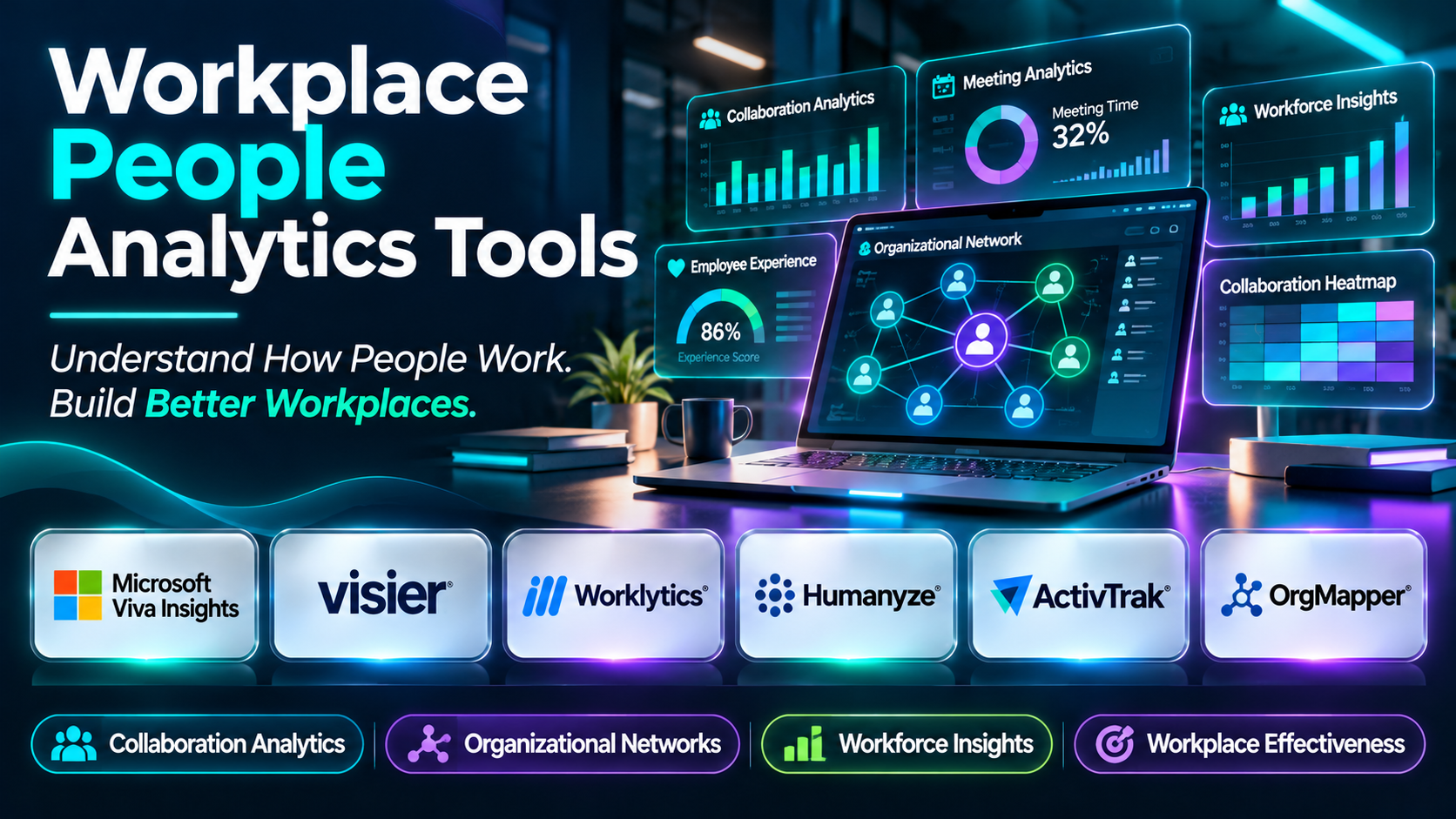
This guide compares ten workplace people analytics tools, explains their strengths and limitations, and provides practical guidance for choosing and implementing an effective workplace analytics program.
What Are Workplace People Analytics Tools?
Workplace people analytics tools are software solutions that help organizations understand workforce patterns, employee experiences, collaboration, organizational structures, and workplace effectiveness through data analysis.
These tools combine relevant workforce information with analytical methods to support organizational decisions.
Traditional HR analytics often emphasizes recruitment, compensation, headcount, employee turnover, and other human resources metrics.
Workplace people analytics can extend this analysis to questions about how employees interact with workplace systems, collaborate across departments, experience organizational structures, and allocate working time.
For example, a workplace analytics program may examine whether employees have sufficient uninterrupted time for complex tasks.
Another program may investigate whether teams collaborate effectively across organizational boundaries.
A third may analyze workforce skills and internal mobility to support organizational planning.
These activities require different data sources and analytical approaches.
Consequently, workplace people analytics is not a single standardized software category. The platforms in this guide represent several complementary approaches to understanding people and work.
How Workplace People Analytics Tools Work
1. Define the Analytical Objective
Organizations identify a specific workforce or workplace question.
Examples include improving collaboration, reducing unnecessary meetings, understanding employee experiences, or planning workforce capacity.
2. Identify Appropriate Data Sources
Relevant information may come from HR systems, employee surveys, collaboration platforms, organizational directories, or authorized workplace applications.
3. Establish Privacy and Governance
Organizations define legitimate analytical purposes, access permissions, retention periods, and employee transparency requirements.
4. Integrate and Prepare Data
The platform combines relevant information and standardizes organizational attributes.
5. Calculate Workplace Metrics
Metrics may include collaboration patterns, meeting hours, focus time, workforce composition, employee mobility, or engagement indicators.
6. Analyze Patterns
Analytical tools identify trends, relationships, and organizational differences.
7. Present Findings
Dashboards and reports help authorized users understand relevant results.
8. Develop Improvement Actions
Organizations use findings to guide workplace policies, organizational design, management practices, or technology decisions.
9. Monitor Outcomes
Follow-up analysis helps determine whether workplace conditions have changed.
Common Applications
- Collaboration pattern analysis.
- Organizational network analysis.
- Meeting effectiveness research.
- Employee focus-time assessment.
- Hybrid workplace analysis.
- Workforce composition reporting.
- Organizational design evaluation.
- Employee experience measurement.
- Digital workplace analytics.
- Workforce productivity research.
- Skills and internal mobility analysis.
- Employee retention analysis.
- Cross-functional collaboration assessment.
- Organizational change monitoring.
- Strategic workforce planning.
Benefits of Workplace People Analytics Tools
Workplace people analytics can help organizations understand how work happens and identify opportunities to improve employee experiences and operational effectiveness.
It can also support better organizational planning and evidence-informed management decisions.
However, analytical findings should not be interpreted without context.
For example, an increase in collaboration activity may reflect productive teamwork, excessive coordination requirements, or organizational disruption.
The same metric can have different meanings in different environments.
Organizations should therefore combine quantitative analytics with employee feedback, operational information, and appropriate professional judgment.
Top 10 Workplace People Analytics Tools
1. Microsoft Viva Insights
Short Description
Microsoft Viva Insights is a workplace analytics and employee experience solution within the Microsoft ecosystem.
It provides insights related to work patterns, collaboration, meeting habits, and employee well-being.
Viva Insights is particularly relevant to organizations using Microsoft 365 applications such as Teams and Outlook.
For example, a professional services company may use Viva Insights to understand aggregate meeting patterns and evaluate whether employees have sufficient time for focused work.
Business leaders can examine appropriate organizational insights while employees may receive personal work habit recommendations.
The platform can support discussions about meeting practices, collaboration, and workplace effectiveness.
However, organizations should carefully distinguish personal insights from organizational reporting.
Microsoft’s privacy protections, reporting thresholds, licensing, and available capabilities should be reviewed for the specific deployment.
Viva Insights should not be used to assume that communication volume or digital activity directly measures employee performance.
Key Features
- Workplace Analytics: Examines relevant work and collaboration patterns.
- Meeting Insights: Supports analysis of meeting-related activity.
- Focus Time Analysis: Helps evaluate uninterrupted working time.
- Collaboration Patterns: Provides insights into workplace communication.
- Personal Insights: Offers eligible employees relevant work habit information.
- Organizational Insights: Supports aggregate workplace analysis.
- Microsoft 365 Integration: Connects with supported Microsoft applications.
- Workplace Well-Being Insights: Supports analysis of selected work habit indicators.
- Privacy Controls: Provides relevant safeguards and administrative configuration.
Benefits
- Improves visibility into workplace collaboration.
- Helps identify meeting overload.
- Supports focus-time discussions.
- Connects with Microsoft 365.
- Provides organizational work pattern insights.
- Supports workplace improvement initiatives.
- Helps leaders evaluate collaboration practices.
Pros
- Microsoft ecosystem integration.
- Meeting and collaboration analytics.
- Focus-time insights.
- Personal and organizational experiences.
- Enterprise relevance.
- Workplace improvement focus.
Cons
- Most relevant to Microsoft 365 environments.
- Licensing and capabilities vary.
- Privacy configuration requires attention.
- Digital activity is not equivalent to productivity.
- Organizational interpretation requires context.
Use Cases
Meeting Effectiveness: Evaluate meeting patterns.
Hybrid Work Analysis: Understand collaboration across work arrangements.
Focus Time Improvement: Examine uninterrupted work availability.
Organizational Collaboration: Review aggregate communication patterns.
Best For
Microsoft 365 organizations seeking collaboration and workplace effectiveness insights.
2. Visier
Short Description
Visier is a people analytics and workforce intelligence platform designed to help organizations understand workforce patterns and support people-related decisions.
It provides analytical capabilities across relevant HR and workforce domains.
Visier is particularly relevant to organizations seeking a dedicated people analytics environment.
For example, a multinational company may use Visier to examine employee mobility, workforce composition, and retention patterns.
HR teams can explore workforce information and provide relevant insights to business leaders.
The platform also supports analytical workflows that connect workforce trends with organizational planning.
Its strength lies in structured workforce intelligence rather than exclusively analyzing digital collaboration activity.
However, organizations should evaluate which products and capabilities are relevant to their workplace analytics objectives.
Key Features
- People Analytics: Supports workforce intelligence.
- Workforce Dashboards: Presents relevant organizational metrics.
- Employee Movement Analysis: Helps examine workforce changes.
- Retention Analytics: Supports analysis of employee departure patterns.
- Workforce Segmentation: Enables appropriate organizational comparisons.
- Predictive Analytics: Provides selected workforce modeling capabilities.
- Workforce Planning: Supports staffing and organizational planning.
- Data Integration: Connects with supported HR systems.
- Governance Controls: Supports appropriate access to workforce information.
Benefits
- Provides structured workforce intelligence.
- Supports strategic people decisions.
- Improves organizational visibility.
- Helps identify retention patterns.
- Enables workforce comparisons.
- Supports planning.
- Reduces manual analytical reporting.
Pros
- Dedicated people analytics.
- Advanced workforce reporting.
- Organizational insights.
- Planning capabilities.
- Enterprise integrations.
- Suitable for complex workforces.
Cons
- Data preparation can be extensive.
- Commercial pricing requires evaluation.
- Specialist skills may be necessary.
- Not primarily a collaboration analytics platform.
- Privacy and governance remain essential.
Use Cases
Workforce Planning: Evaluate future staffing needs.
Employee Mobility: Analyze internal workforce movement.
Organizational Reporting: Present people metrics.
Retention Research: Examine workforce departure trends.
Best For
Large organizations seeking comprehensive workforce intelligence.
3. Worklytics
Short Description
Worklytics is a workplace analytics platform focused on collaboration patterns, organizational effectiveness, and digital work experiences.
It is relevant to organizations seeking to understand how teams collaborate across workplace applications.
Worklytics can help organizations analyze work patterns using information from supported collaboration systems.
For example, a distributed technology company may use Worklytics to examine meeting loads, collaboration patterns, and available focus time.
Leaders can use aggregate insights to identify opportunities for improving team practices.
The platform’s workplace analytics orientation makes it relevant to organizations studying digital collaboration.
However, organizations should verify supported integrations, privacy safeguards, and current analytical capabilities.
Workplace communication data should be used for proportionate organizational analysis rather than unnecessary individual surveillance.
Key Features
- Collaboration Analytics: Examines workplace interaction patterns.
- Meeting Analysis: Supports evaluation of meeting activity.
- Focus Time Insights: Helps examine uninterrupted work availability.
- Work Pattern Reporting: Provides relevant digital workplace information.
- Organizational Analytics: Supports group-level analysis.
- Workplace Integrations: Connects with supported collaboration applications.
- Privacy-Oriented Reporting: Supports relevant analytical safeguards.
- Workforce Dashboards: Presents collaboration insights.
- Trend Analysis: Helps monitor workplace changes.
Benefits
- Improves understanding of collaboration.
- Helps identify meeting overload.
- Supports hybrid workplace analysis.
- Provides digital work insights.
- Helps evaluate workplace initiatives.
- Supports organizational improvement.
- Encourages evidence-informed collaboration practices.
Pros
- Collaboration analytics specialization.
- Digital workplace insights.
- Meeting analysis.
- Focus-time reporting.
- Multi-application relevance.
- Organizational effectiveness focus.
Cons
- Integration support requires verification.
- Not a full HR analytics replacement.
- Privacy governance is essential.
- Collaboration metrics require careful interpretation.
- Commercial pricing requires evaluation.
Use Cases
Hybrid Collaboration: Examine team interaction patterns.
Meeting Optimization: Evaluate meeting demands.
Workplace Effectiveness: Identify workflow improvement opportunities.
Organizational Change: Monitor collaboration patterns.
Best For
Distributed and hybrid organizations seeking collaboration analytics.
4. Humanyze
Short Description
Humanyze is a workplace analytics company focused on organizational collaboration, employee interactions, and workplace effectiveness.
Its analytical approach is relevant to organizations seeking to understand how teams work together.
Humanyze has been associated with organizational network and workplace behavior analysis.
For example, an enterprise may use workplace collaboration analysis to understand how information moves between departments.
Such insights can help identify organizational silos and opportunities to improve communication.
The platform’s approach can be relevant to organizational design and workplace research.
However, buyers should verify current product availability, data sources, supported analytical capabilities, and implementation requirements.
Workplace interaction data can be sensitive, making employee transparency and privacy governance particularly important.
Key Features
- Workplace Analytics: Supports relevant organizational research.
- Collaboration Analysis: Examines interaction patterns.
- Organizational Network Insights: Helps understand connections between teams.
- Workplace Effectiveness Research: Supports analysis of working environments.
- Team Interaction Analysis: Examines relevant collaboration patterns.
- Organizational Reporting: Presents workplace findings.
- Data Integration: Supports applicable workplace data sources.
- Trend Analysis: Helps evaluate organizational changes.
- Analytical Governance: Requires appropriate privacy and access controls.
Benefits
- Supports organizational collaboration research.
- Helps identify communication barriers.
- Provides workplace interaction insights.
- Supports organizational design discussions.
- Encourages evidence-informed improvement.
- Helps examine team relationships.
- Supports workplace effectiveness initiatives.
Pros
- Organizational collaboration focus.
- Network analysis relevance.
- Workplace research orientation.
- Organizational design applications.
- Team interaction insights.
- Enterprise applicability.
Cons
- Current product capabilities require verification.
- Implementation can be specialized.
- Privacy requirements may be substantial.
- Not a comprehensive HR analytics replacement.
- Findings require careful interpretation.
Use Cases
Organizational Network Analysis: Examine team connections.
Cross-Department Collaboration: Identify communication barriers.
Workplace Research: Evaluate organizational interactions.
Organizational Design: Support structural improvement decisions.
Best For
Organizations conducting specialized workplace collaboration and organizational network research.
5. ActivTrak
Short Description
ActivTrak is a workforce analytics platform focused on digital activity, work patterns, and workplace productivity insights.
It is particularly relevant to organizations seeking visibility into how digital applications are used during work.
For example, a distributed operations team may use ActivTrak to evaluate application usage patterns and identify workflow inefficiencies.
Aggregated information may help managers understand where employees encounter excessive application switching or other digital work challenges.
ActivTrak’s focus differs from traditional HR analytics.
It primarily examines digital work activity rather than providing a complete view of employee experience, skills, or organizational relationships.
Organizations must therefore avoid equating recorded activity with individual performance.
Employee monitoring requirements, legal obligations, privacy safeguards, and workplace trust should be carefully considered before deployment.
Key Features
- Digital Activity Analytics: Examines relevant computer-based work patterns.
- Application Usage: Reports software utilization.
- Work Pattern Insights: Supports analysis of digital workflows.
- Productivity Indicators: Provides selected activity-based metrics.
- Workforce Dashboards: Presents relevant operational information.
- Trend Analysis: Monitors changes in digital activity.
- Workload Insights: Supports selected work pattern observations.
- Administrative Controls: Provides relevant configuration options.
- Reporting: Supports operational workplace analysis.
Benefits
- Provides digital work visibility.
- Helps evaluate application usage.
- Supports workflow improvement.
- Identifies potential operational inefficiencies.
- Provides work pattern trends.
- Supports technology utilization analysis.
- Helps organizations examine digital processes.
Pros
- Digital workforce specialization.
- Application analytics.
- Work pattern reporting.
- Operational dashboards.
- Trend analysis.
- Relevant to distributed digital work.
Cons
- Employee privacy concerns require careful management.
- Activity metrics do not directly measure work quality.
- Not a complete people analytics platform.
- Monitoring may reduce trust if implemented poorly.
- Legal requirements vary across jurisdictions.
Use Cases
Application Utilization: Evaluate software usage.
Digital Workflow Research: Identify operational inefficiencies.
Work Pattern Analysis: Examine aggregate activity trends.
Technology Planning: Support software investment decisions.
Best For
Organizations studying digital work patterns with appropriate governance and transparency.
6. OrgMapper
Short Description
OrgMapper is an organizational network analysis platform designed to help organizations understand relationships, collaboration, and information flows.
It focuses on mapping organizational connections that may not be visible in formal reporting structures.
For example, a company may have an organizational chart showing departmental reporting relationships.
However, actual knowledge sharing and collaboration may occur through informal employee networks.
OrgMapper can help organizations investigate these networks using relevant analytical methods.
A consulting firm may use organizational network analysis to identify knowledge-sharing patterns and understand collaboration across business units.
The findings can support organizational development and change initiatives.
However, organizational network analysis requires carefully designed research questions and appropriate privacy safeguards.
Key Features
- Organizational Network Analysis: Examines workplace relationships.
- Network Visualization: Presents organizational connections.
- Collaboration Mapping: Supports analysis of employee interactions.
- Information Flow Analysis: Helps identify communication patterns.
- Organizational Research: Supports workplace network studies.
- Relationship Insights: Helps examine collaboration structures.
- Network Metrics: Provides relevant analytical indicators.
- Organizational Reporting: Presents research findings.
- Change Analysis: Supports relevant organizational improvement initiatives.
Benefits
- Reveals informal organizational networks.
- Helps identify collaboration barriers.
- Supports knowledge-sharing analysis.
- Provides organizational relationship insights.
- Supports change management.
- Helps understand information flow.
- Complements formal organizational charts.
Pros
- Dedicated network analysis focus.
- Collaboration mapping.
- Organizational research applications.
- Information flow insights.
- Visual network reporting.
- Change management relevance.
Cons
- Specialized analytical scope.
- Not a full HR analytics system.
- Research design requires expertise.
- Privacy considerations are important.
- Product capabilities and pricing require evaluation.
Use Cases
Organizational Network Research: Examine employee relationships.
Knowledge Sharing: Understand information flows.
Change Management: Evaluate organizational connections.
Cross-Functional Collaboration: Identify collaboration opportunities.
Best For
Organizations seeking specialized organizational network analysis.
7. Polinode
Short Description
Polinode is an organizational network analysis platform used to understand relationships, collaboration, and networks within organizations.
It supports network surveys and analytical visualization.
Polinode is particularly relevant to organizational development teams, researchers, and consultants studying how employees connect.
For example, a multinational company may use Polinode to investigate which teams frequently exchange knowledge and where communication barriers exist.
Network analysis can reveal relationships that traditional organizational charts do not capture.
The platform’s focus on organizational networks makes it useful for specialized research.
However, organizations should carefully manage survey design, employee privacy, and interpretation.
Network centrality or visibility should not automatically be treated as an individual performance score.
Key Features
- Organizational Network Analysis: Supports workplace relationship research.
- Network Surveys: Collects relevant organizational relationship information.
- Network Visualization: Displays organizational connections.
- Network Metrics: Supports analytical examination of relationships.
- Collaboration Mapping: Helps identify interaction patterns.
- Organizational Research: Supports network-based studies.
- Data Analysis: Provides relevant network analytical capabilities.
- Reporting: Supports communication of findings.
- Research Configuration: Enables relevant organizational studies.
Benefits
- Reveals informal collaboration networks.
- Supports organizational research.
- Helps identify knowledge-sharing patterns.
- Provides network visualizations.
- Supports change management.
- Helps examine communication structures.
- Complements traditional HR data.
Pros
- Network analysis specialization.
- Network survey capabilities.
- Relationship visualization.
- Organizational research relevance.
- Collaboration insights.
- Suitable for consultants and researchers.
Cons
- Specialized rather than general-purpose analytics.
- Research expertise may be required.
- Privacy safeguards are essential.
- Network data can be misinterpreted.
- Current pricing and functionality require verification.
Use Cases
Organizational Network Surveys: Examine employee relationships.
Collaboration Research: Identify workplace connections.
Knowledge Networks: Understand expertise sharing.
Organizational Change: Monitor network structures.
Best For
Organizational development professionals and researchers requiring network analysis.
8. ChartHop
Short Description
ChartHop is a people operations platform focused on organizational visibility, workforce planning, and relevant people analytics.
It combines employee information with organizational structure visualizations.
ChartHop is particularly relevant to growing organizations seeking to understand workforce composition and reporting relationships.
For example, a technology company expanding into new markets may use ChartHop to review team structures, departmental headcount, and planned organizational changes.
HR leaders can use organizational views to support staffing decisions.
Its focus is different from collaboration network analysis.
ChartHop primarily helps organizations understand formal workforce structures and relevant employee data.
However, organizations should evaluate whether they need organizational planning, workforce analytics, or more specialized workplace collaboration analysis.
Key Features
- Organizational Charts: Visualizes reporting relationships.
- People Analytics: Supports relevant workforce reporting.
- Headcount Planning: Helps manage staffing requirements.
- Organizational Data: Centralizes relevant employee information.
- Workforce Visualization: Presents organizational structures.
- HR Integrations: Connects with supported HR systems.
- Planning Workflows: Supports relevant organizational decisions.
- Access Controls: Helps protect employee information.
- Reporting: Provides workforce insights.
Benefits
- Improves organizational visibility.
- Supports workforce planning.
- Helps leaders understand team structures.
- Centralizes relevant people information.
- Supports staffing decisions.
- Reduces manual organizational reporting.
- Provides visual workforce insights.
Pros
- Organizational planning capabilities.
- Workforce visualization.
- Headcount management.
- HR integration.
- People analytics functionality.
- Suitable for growing organizations.
Cons
- Not primarily a collaboration analytics platform.
- Advanced analytical requirements need evaluation.
- Commercial pricing varies.
- Organizational data requires maintenance.
- Implementation depends on HR system integration.
Use Cases
Organizational Planning: Review team structures.
Headcount Management: Monitor staffing.
Workforce Visualization: Present reporting relationships.
People Operations: Support organizational decisions.
Best For
Growing organizations seeking organizational structure analytics and headcount planning.
9. Culture Amp
Short Description
Culture Amp is an employee experience platform that supports engagement measurement, employee feedback, and related people development initiatives.
Its workplace analytics relevance comes primarily from employee experience and organizational sentiment data.
Unlike platforms that analyze digital collaboration activity, Culture Amp focuses on understanding employee perceptions.
For example, a professional services organization may use Culture Amp to examine employee experiences related to leadership, workload, recognition, and workplace culture.
HR teams can identify relevant themes and support improvement planning.
Employee feedback can provide important context that digital activity metrics cannot capture.
However, survey findings should be interpreted carefully.
Low participation, small employee groups, and questionnaire design can affect the reliability of results.
Key Features
- Employee Engagement Surveys: Collects workplace feedback.
- Pulse Surveys: Supports recurring listening programs.
- Employee Experience Analytics: Examines relevant perceptions.
- Benchmarking: Supports appropriate comparisons.
- Organizational Segmentation: Enables group-level analysis.
- Feedback Trends: Monitors changes over time.
- Action Planning: Supports improvement initiatives.
- Text Feedback Analysis: Helps interpret written responses.
- HR Integrations: Connects with supported employee systems.
Benefits
- Provides employee experience insights.
- Supports workplace culture research.
- Helps identify engagement concerns.
- Encourages employee feedback.
- Supports organizational improvement.
- Provides relevant benchmarking.
- Complements quantitative workplace analytics.
Pros
- Employee experience specialization.
- Engagement measurement.
- Pulse surveys.
- Benchmarking.
- Action planning.
- Suitable for growing enterprises.
Cons
- Not a digital collaboration analytics platform.
- Survey participation affects results.
- Commercial pricing requires evaluation.
- Confidentiality needs careful configuration.
- Findings require contextual interpretation.
Use Cases
Employee Experience Research: Understand workplace perceptions.
Engagement Monitoring: Track employee sentiment.
Culture Assessment: Evaluate organizational conditions.
Workplace Improvement: Support action planning.
Best For
Organizations seeking employee experience analytics alongside workplace improvement initiatives.
10. Workday People Analytics
Short Description
Workday People Analytics provides workforce analytical capabilities within the Workday human capital management ecosystem.
It is relevant to organizations seeking to understand workforce patterns using existing HR data.
Workday’s analytical environment supports relevant employee reporting and workforce insights.
For example, a global enterprise may use Workday analytics to examine employee movement, workforce composition, and organizational trends.
HR teams can use these findings to support staffing and people management decisions.
Its integration with Workday HCM can simplify selected data and reporting workflows.
However, it is not primarily a collaboration analytics or organizational network analysis platform.
Organizations should evaluate which Workday analytical capabilities are included in their environment.
Key Features
- Workforce Analytics: Supports relevant employee data analysis.
- HCM Integration: Connects with supported Workday information.
- Organizational Reporting: Provides workforce metrics.
- Employee Movement Analysis: Supports relevant workforce trend reporting.
- Workforce Dashboards: Presents organizational indicators.
- People Insights: Helps examine employee patterns.
- Security Controls: Supports enterprise access management.
- Planning Integration: Connects with relevant planning workflows.
- Reporting Configuration: Supports organizational analysis.
Benefits
- Connects analytics with Workday HCM.
- Improves workforce visibility.
- Supports organizational reporting.
- Reduces disconnected HR analysis.
- Helps identify workforce trends.
- Supports staffing decisions.
- Provides enterprise governance.
Pros
- Workday ecosystem integration.
- Workforce reporting.
- Organizational analytics.
- Enterprise security.
- Planning relevance.
- Suitable for Workday customers.
Cons
- Most relevant to Workday environments.
- Licensing requires verification.
- Not primarily a collaboration analytics tool.
- External data integration requires planning.
- Analytical capabilities depend on configuration.
Use Cases
Workforce Reporting: Analyze employee information.
Organizational Planning: Evaluate staffing changes.
Employee Movement: Examine workforce transitions.
Enterprise HR Analytics: Support leadership decisions.
Best For
Organizations using Workday HCM and seeking integrated people analytics.
Comparison Table: Top 10 Workplace People Analytics Tools
| Platform | Primary Strength | Best For | Main Consideration |
|---|---|---|---|
| Microsoft Viva Insights | Collaboration and work patterns | Microsoft 365 organizations | Licensing and privacy |
| Visier | Workforce intelligence | Large enterprises | Data integration |
| Worklytics | Digital collaboration analytics | Hybrid organizations | Integration requirements |
| Humanyze | Workplace interaction analysis | Organizational research | Product verification |
| ActivTrak | Digital work activity analytics | Digital operations teams | Monitoring governance |
| OrgMapper | Organizational network analysis | Organizational development | Specialized research |
| Polinode | Network surveys and analysis | Researchers and consultants | Analytical expertise |
| ChartHop | Organizational structure analytics | Growing organizations | Scope of analysis |
| Culture Amp | Employee experience analytics | HR and engagement teams | Survey limitations |
| Workday People Analytics | Integrated workforce reporting | Workday enterprises | Ecosystem dependence |
How to Choose the Best Workplace People Analytics Tool
1. Define the Workplace Problem
Start with a specific question.
Examples include excessive meeting time, poor cross-team collaboration, workforce planning difficulties, or declining employee engagement.
Different questions require different analytical tools.
2. Identify the Type of Analytics Needed
Determine whether the organization requires collaboration analytics, workforce intelligence, organizational network analysis, employee experience research, or digital activity analysis.
Avoid assuming that all people analytics products provide the same capabilities.
3. Evaluate Data Sources
Identify the information required to answer the research question.
Use only data that is appropriate and necessary.
4. Establish Privacy Safeguards
Workplace analytics can involve sensitive employee information.
Define lawful purposes, access permissions, retention policies, and appropriate reporting thresholds.
5. Assess Employee Transparency
Explain what information is collected and how it will be used.
Employees should understand the purpose and limitations of workplace analytics.
6. Evaluate Analytical Accuracy
Review metric definitions, data completeness, and methodological assumptions.
7. Examine Integration Capabilities
Determine whether the platform supports the organization’s existing HR and collaboration systems.
8. Review Reporting
Dashboards should present understandable insights without encouraging misleading interpretations.
9. Assess Organizational Readiness
Determine whether HR teams, analysts, managers, and business leaders have the skills required to interpret results.
10. Evaluate Ethical Risks
Avoid inappropriate individual surveillance, unsupported productivity rankings, and discriminatory analytical practices.
11. Calculate Total Cost
Include subscriptions, integration, implementation, training, and ongoing governance.
12. Conduct a Pilot
Test the platform with a limited, clearly defined organizational question.
Evaluate data quality, privacy safeguards, and practical usefulness before expanding.
Best Workplace People Analytics Tools by User Type
Microsoft 365 Organizations
Microsoft Viva Insights is relevant to organizations seeking collaboration and work pattern insights within supported Microsoft applications.
Enterprise HR Analytics Teams
Visier is relevant to organizations requiring dedicated workforce intelligence.
Hybrid Workplace Teams
Worklytics is relevant to organizations examining collaboration and digital work patterns.
Organizational Development Teams
OrgMapper and Polinode are relevant to specialized organizational network analysis.
Digital Operations Teams
ActivTrak is relevant to organizations studying application usage and digital work activity, provided appropriate privacy safeguards are established.
Growing Organizations
ChartHop is relevant to organizations seeking workforce structure visualization and planning.
Employee Experience Teams
Culture Amp is relevant to organizations seeking employee feedback and engagement analytics.
Workday Enterprises
Workday People Analytics is relevant to organizations seeking integrated workforce reporting.
| User Type | Recommended Platform | Main Reason |
|---|---|---|
| Microsoft 365 enterprise | Viva Insights | Collaboration insights |
| Large HR analytics team | Visier | Workforce intelligence |
| Hybrid workplace organization | Worklytics | Digital collaboration |
| Workplace research team | Humanyze | Interaction analysis |
| Digital operations team | ActivTrak | Application activity |
| Organizational development team | OrgMapper | Network analysis |
| Organizational researcher | Polinode | Network surveys |
| Growing company | ChartHop | Organizational planning |
| Employee experience team | Culture Amp | Engagement analytics |
| Workday enterprise | Workday People Analytics | HCM reporting |
Practical Example: Improving Collaboration with Workplace People Analytics
Consider a professional services company with 900 employees working across multiple offices and remote locations.
Employees report excessive meetings and difficulty finding uninterrupted time for complex work.
Leadership wants to understand the problem and identify appropriate improvements.
Step 1: Define the Research Question
The organization asks whether meeting practices are reducing employees’ available focus time.
It avoids assuming that employees are unproductive.
Step 2: Establish Governance
HR, IT, legal, and employee representatives review the proposed analysis.
The organization defines appropriate data use, access restrictions, and reporting thresholds.
Step 3: Identify Relevant Data
Potential sources include aggregate meeting information, collaboration metadata, and employee feedback.
The organization avoids collecting unnecessary message content.
Step 4: Select a Platform
Compare Microsoft Viva Insights and Worklytics for collaboration analysis.
Evaluate supported data sources and privacy safeguards.
Step 5: Establish Baseline Metrics
Define meeting hours, recurring meeting patterns, and available focus time.
Document calculation methods.
Step 6: Collect Employee Feedback
Ask employees whether meetings are useful and whether they have sufficient time for focused work.
Step 7: Analyze Aggregate Patterns
Review organizational trends without creating unnecessary individual employee rankings.
Step 8: Identify Improvement Opportunities
Potential opportunities include reducing unnecessary recurring meetings, improving meeting agendas, and introducing protected focus periods.
Step 9: Implement a Pilot
Introduce selected improvements within participating teams.
Step 10: Monitor Changes
Review aggregate meeting patterns and employee feedback after implementation.
Step 11: Evaluate Outcomes
Determine whether employees report improved focus time and whether operational outcomes remain satisfactory.
Step 12: Expand Carefully
Extend effective practices to other teams while respecting different working requirements.
Common Mistakes to Avoid
1. Treating Digital Activity as Productivity
More clicks, messages, or meetings do not necessarily indicate better work.
2. Collecting Excessive Employee Data
Organizations should collect only information necessary for legitimate analytical purposes.
3. Ignoring Employee Transparency
Unexplained workplace monitoring can damage trust.
4. Using Analytics for Unsupported Individual Rankings
Workplace metrics may not provide valid measures of individual performance.
5. Confusing Collaboration Volume with Collaboration Quality
Frequent interaction can reflect productive teamwork or inefficient coordination.
6. Ignoring Organizational Context
Work patterns differ across roles, departments, and business conditions.
7. Overlooking Data Quality
Incomplete or inconsistent information can produce misleading conclusions.
8. Failing to Protect Small Employee Groups
Detailed reporting may expose individuals when groups are too small.
9. Implementing Analytics Without Action Planning
Reports are valuable only when they support appropriate decisions.
10. Ignoring Ethical and Legal Requirements
Workplace analytics should comply with applicable privacy, employment, and data protection obligations.
Frequently Asked Questions
1. What are workplace people analytics tools?
They are software solutions that analyze workforce information, employee experiences, collaboration patterns, and organizational conditions.
2. How is workplace people analytics different from HR analytics?
Workplace people analytics may emphasize collaboration and organizational effectiveness, while HR analytics often focuses on HR processes and workforce metrics.
3. What is collaboration analytics?
It involves examining relevant patterns of workplace interaction and communication.
4. What is organizational network analysis?
It is a method for studying relationships and connections within organizations.
5. What is Microsoft Viva Insights used for?
Viva Insights supports workplace collaboration and work pattern analysis within supported Microsoft environments.
6. What is Visier used for?
Visier provides people analytics and workforce intelligence.
7. What is Worklytics used for?
Worklytics supports analysis of workplace collaboration and digital work patterns.
8. What is ActivTrak used for?
ActivTrak analyzes relevant digital activity and application usage patterns.
9. What is Polinode used for?
Polinode supports organizational network analysis and network research.
10. What is OrgMapper used for?
OrgMapper supports organizational network analysis and workplace relationship research.
11. Can workplace analytics improve collaboration?
It can help identify patterns and opportunities for improvement, but results depend on organizational action.
12. Can workplace analytics measure productivity?
Some platforms provide productivity-related indicators, but digital activity alone cannot reliably measure work quality or contribution.
13. What is meeting analytics?
It involves examining relevant meeting patterns, time allocation, and collaboration practices.
14. What is focus-time analysis?
It examines employees’ available uninterrupted working time.
15. Can workplace analytics support hybrid work?
Yes. Relevant analysis can help organizations understand collaboration across different work arrangements.
16. Can people analytics identify organizational silos?
Organizational network and collaboration analysis may help reveal limited connections between teams.
17. What is employee experience analytics?
It involves analyzing employee feedback and relevant workplace experience information.
18. Are workplace people analytics tools secure?
Security depends on platform capabilities, configuration, data governance, and organizational practices.
19. What privacy risks exist?
Risks include unnecessary monitoring, unauthorized access, employee reidentification, and misuse of analytical findings.
20. Should workplace analytics track individual employees?
Organizations should carefully evaluate necessity, proportionality, legal requirements, and less intrusive alternatives before collecting identifiable information.
21. Can workplace analytics integrate with HR systems?
Many platforms support relevant integrations.
22. What is organizational effectiveness analytics?
It involves examining organizational structures, processes, and relationships to support improvements.
23. Can workplace analytics help reduce meeting overload?
It can help identify meeting patterns and support relevant workplace changes.
24. Can workplace analytics support workforce planning?
Yes. Platforms with workforce intelligence capabilities can support staffing and organizational planning.
25. What is the difference between formal and informal organizational networks?
Formal networks reflect official reporting structures, while informal networks reflect actual workplace relationships and information exchange.
26. How much do workplace people analytics tools cost?
Pricing varies by vendor, employee count, data sources, analytical capabilities, and implementation requirements.
27. How long does implementation take?
Implementation depends on integrations, governance, workforce size, and analytical objectives.
28. What should organizations test before purchasing?
They should test data integration, privacy safeguards, reporting, metric accuracy, and practical analytical workflows.
29. What skills are needed for workplace people analytics?
Useful skills include data analysis, organizational research, HR knowledge, statistical reasoning, and privacy governance.
30. Which workplace people analytics tool is best?
The best platform depends on whether the organization needs collaboration analytics, workforce intelligence, network analysis, employee experience measurement, or digital workplace insights.
Final Thoughts
Workplace people analytics tools help organizations understand workforce patterns, collaboration, employee experiences, and organizational effectiveness.
Microsoft Viva Insights is relevant to organizations seeking work pattern and collaboration insights within Microsoft 365.
Visier provides dedicated workforce intelligence, while Worklytics focuses on digital workplace collaboration analytics.
Humanyze, OrgMapper, and Polinode are relevant to specialized organizational interaction and network research.
ActivTrak provides digital activity analytics, while ChartHop supports organizational structure and headcount planning.
Culture Amp emphasizes employee experience measurement, and Workday People Analytics provides workforce reporting within the Workday ecosystem.
These platforms address different analytical questions and should not be treated as interchangeable.
Organizations should begin with clearly defined business problems, evaluate appropriate data sources, and establish strong privacy safeguards.
They should also avoid assuming that digital activity, collaboration volume, or network position directly measures individual employee performance.
When workplace people analytics is implemented responsibly, it can help organizations identify collaboration barriers, improve work practices, support workforce planning, and create more effective employee experiences.
