Introduction
Utility providers manage essential services such as electricity, water, natural gas, wastewater treatment, and district heating. Delivering these services requires accurate consumption measurement, customer account management, billing calculations, payment processing, and financial administration.
Traditional utility billing processes frequently rely on spreadsheets, manual meter readings, disconnected accounting applications, and paper invoices. These approaches can create billing inaccuracies, delayed payments, customer disputes, and unnecessary administrative workloads.
Utility billing software helps organizations automate consumption-based billing, manage customer accounts, calculate applicable charges, generate invoices, and reconcile payments. It provides a centralized environment for managing the financial relationship between utility providers and their customers.
Modern utility billing platforms support configurable tariffs, smart meter integrations, online customer portals, automated payment processing, consumption analytics, and financial reporting. Advanced enterprise solutions also connect billing activities with customer information systems, service management, and meter data management applications.
Selecting the right utility billing software requires careful consideration of customer volumes, service categories, tariff complexity, regulatory requirements, existing technology infrastructure, and implementation resources. Municipal water departments may require different functionality from large electricity distribution companies.
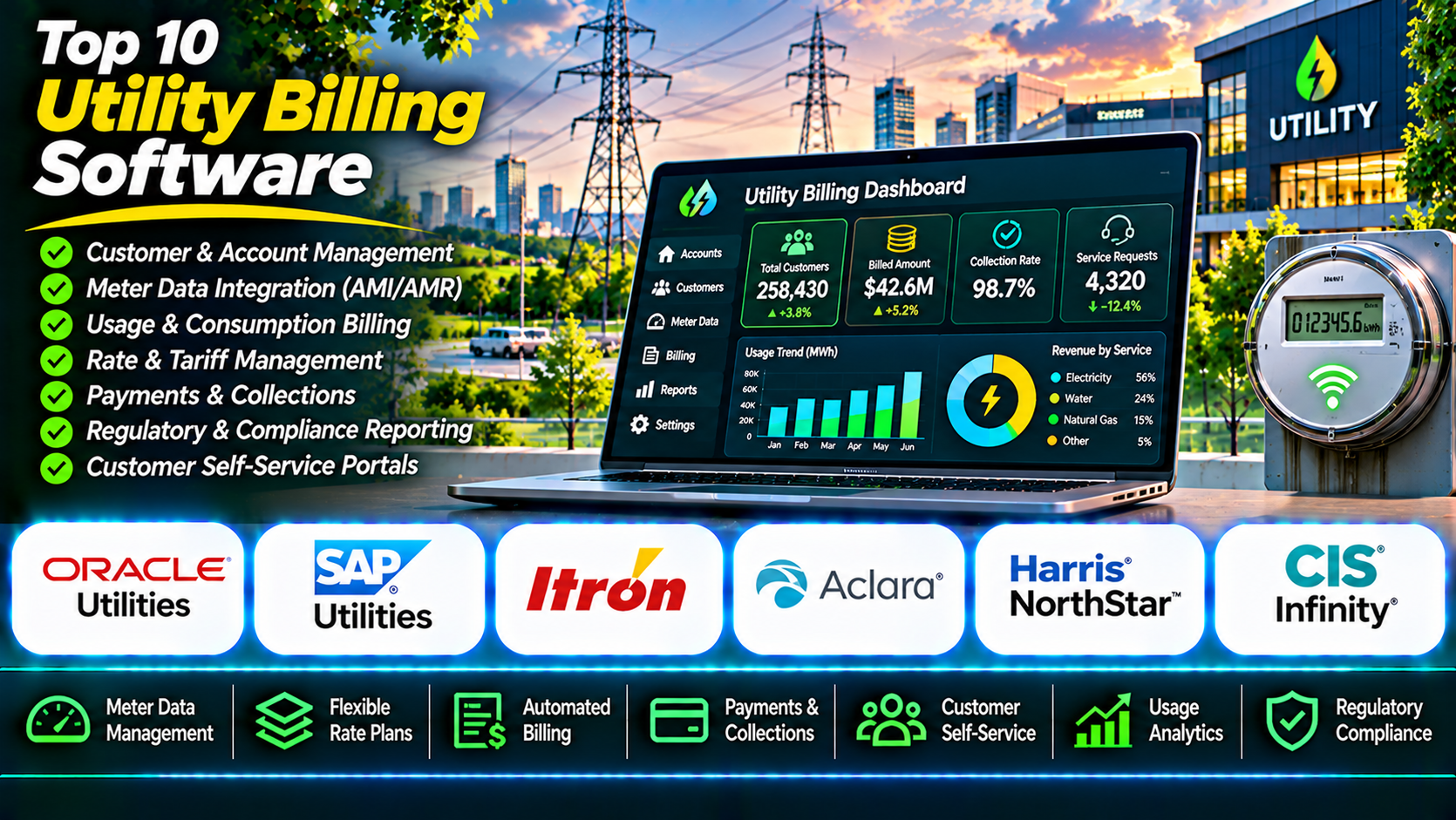
This guide examines ten utility billing software platforms, explaining their features, benefits, advantages, limitations, practical applications, and suitability for different utility service providers.
What Is Utility Billing Software?
Utility billing software is a digital application that helps organizations calculate, generate, distribute, collect, and manage charges associated with utility services.
The software processes relevant consumption information, customer account details, service agreements, applicable tariffs, taxes, adjustments, and payment records. It helps utility providers maintain consistent billing information throughout the customer account lifecycle.
Utility billing platforms can support electricity, water, natural gas, wastewater, solid waste, district heating, and other recurring or consumption-based services. Supported utility categories depend on the individual platform and its configuration.
Unlike basic invoicing software, dedicated utility billing systems address specialized requirements such as meter reading validation, tiered tariffs, estimated consumption, service connection management, billing cycles, account adjustments, and utility-specific reporting.
Understanding the Utility Billing Process
| Billing Stage | Primary Activity | Business Objective |
|---|---|---|
| Customer registration | Establish customer and service accounts | Maintain accurate customer records |
| Meter reading | Collect consumption information | Measure utility usage |
| Data validation | Review meter readings and exceptions | Improve billing accuracy |
| Tariff calculation | Apply approved rates and charges | Calculate customer obligations |
| Invoice generation | Prepare utility bills | Communicate payment requirements |
| Payment processing | Record and reconcile payments | Maintain financial records |
| Account management | Handle adjustments and inquiries | Improve customer service |
| Financial reporting | Analyze revenue and outstanding balances | Support financial oversight |
Common Types of Utility Billing Models
- Flat-Rate Billing: Charges customers a predetermined amount regardless of measured consumption.
- Consumption-Based Billing: Calculates charges according to measured utility usage.
- Tiered Billing: Applies different rates to specified consumption ranges.
- Time-of-Use Billing: Applies different rates according to defined consumption periods.
- Demand-Based Billing: Includes charges associated with measured or contractual demand.
- Prepaid Billing: Allows customers to purchase service credit before consumption.
- Fixed and Variable Billing: Combines recurring service charges with consumption-based charges.
- Multi-Service Billing: Consolidates charges for several utility services within a customer account or invoice.
Common Applications of Utility Billing Software
- Electricity Billing: Calculate electricity consumption charges, applicable demand charges, service fees, and other approved tariff components.
- Water Utility Billing: Process water meter readings and calculate consumption-based water charges.
- Natural Gas Billing: Manage gas consumption information, applicable conversion factors, and contractual billing rates.
- Wastewater Billing: Calculate wastewater service charges using approved consumption-based or fixed-rate methodologies.
- Municipal Utility Management: Consolidate water, sewer, sanitation, and other municipal service charges.
- Customer Account Administration: Maintain service addresses, customer information, account balances, deposits, and payment histories.
- Payment and Revenue Management: Process customer payments, reconcile transactions, and monitor outstanding balances.
- Utility Consumption Analysis: Examine historical consumption information to identify unusual usage patterns and support customer inquiries.
Top 10 Utility Billing Software
The following comparison includes enterprise customer information and billing systems, municipal utility billing applications, and specialized cloud-based utility management platforms.
The numbering organizes the comparison rather than representing independently tested rankings.
1. Oracle Utilities Customer Care and Billing
Short Description
Oracle Utilities Customer Care and Billing, commonly known as Oracle Utilities CC&B, is an enterprise customer information and billing application designed for utility service providers.
The platform helps organizations manage customer accounts, service agreements, billing calculations, payment processing, collections, and customer service activities. Its configurable architecture supports complex utility billing requirements.
Oracle Utilities CC&B is particularly relevant to large electricity, water, and natural gas providers managing substantial customer populations and sophisticated tariff structures.
Organizations should distinguish CC&B from complementary Oracle Utilities products, including meter data management and cloud-based customer service applications. Enterprise implementation may require specialized configuration and integration expertise.
Key Features
- Customer Information Management: Maintains customer records, service agreements, account relationships, and service locations.
- Configurable Tariff Management: Supports billing rules for applicable utility rates, service charges, and consumption categories.
- Automated Billing Cycles: Coordinates recurring billing activities according to configured schedules.
- Meter Information Integration: Receives relevant consumption information from compatible metering systems.
- Payment Processing: Records customer payments and supports applicable financial reconciliation workflows.
- Collections Management: Organizes overdue account information and configured collection activities.
- Customer Service Workflows: Supports account inquiries, billing adjustments, and service-related requests.
- Financial Integration: Connects billing information with compatible enterprise accounting applications.
- Enterprise Reporting: Provides relevant customer, billing, payment, and operational information.
Benefits
- Improves consistency across complex billing processes.
- Supports centralized customer information management.
- Reduces repetitive billing administration.
- Facilitates enterprise financial reconciliation.
- Supports complex utility tariff structures.
- Improves customer service information accessibility.
- Helps organizations manage large customer populations.
Pros
- Comprehensive enterprise utility billing functionality.
- Extensive configuration capabilities.
- Supports multiple utility service categories.
- Relevant customer service and collections workflows.
- Compatible Oracle Utilities applications.
- Suitable for complex enterprise environments.
Cons
- Implementation can require substantial resources.
- Specialized technical expertise may be necessary.
- Commercial licensing requires individual evaluation.
- Extensive customization can increase maintenance complexity.
- Smaller utility providers may not need its complete functionality.
Use Cases
- Electricity Distribution Billing: Manage customer accounts and complex electricity tariff calculations.
- Natural Gas Utility Billing: Calculate charges associated with gas consumption and service agreements.
- Water Utility Administration: Process consumption-based billing and customer account information.
- Multi-Service Utility Management: Coordinate billing across supported utility service categories.
- Enterprise Collections Management: Monitor overdue balances and approved collection workflows.
- Customer Service Operations: Provide authorized employees with relevant account and billing information.
Best For
- Large electricity utilities.
- Natural gas distribution companies.
- Enterprise water service providers.
- Multi-utility organizations.
- Utility customer service departments.
- Organizations managing complex billing requirements.
2. SAP S/4HANA Utilities
Short Description
SAP S/4HANA Utilities provides enterprise utility industry functionality supporting customer management, contract billing, device-related information, financial administration, and utility business processes.
The platform is particularly relevant to organizations using SAP enterprise resource planning and financial applications. Its integrated architecture helps connect utility billing activities with broader enterprise information management.
SAP utility solutions can support complex billing arrangements, customer contracts, consumption-based calculations, and contract accounting workflows. Complementary applications may provide additional customer engagement, metering, and operational capabilities.
Organizations should evaluate the specific SAP deployment architecture, supported utility functions, integration requirements, licensing arrangements, and migration considerations.
Key Features
- Utility Contract Management: Maintains relevant customer contracts and service-related commercial information.
- Consumption-Based Billing: Calculates charges using configured consumption information and billing rules.
- Tariff Configuration: Supports applicable rate structures, pricing conditions, and service charges.
- Device Management: Organizes relevant utility meter and device-related information.
- Contract Accounts Receivable and Payable: Supports utility-specific financial account administration through applicable SAP functionality.
- Billing and Invoicing: Coordinates calculation and generation of customer billing documents.
- Enterprise Financial Integration: Connects utility transactions with compatible SAP financial processes.
- Payment and Collections Workflows: Supports relevant payment administration and outstanding balance management.
- Operational Reporting: Presents relevant billing, customer, and financial information.
Benefits
- Connects utility billing with enterprise financial processes.
- Improves consistency across customer contracts.
- Supports sophisticated billing requirements.
- Reduces fragmented enterprise information.
- Facilitates financial reconciliation.
- Improves visibility into customer account balances.
- Supports large-scale utility business operations.
Pros
- Established enterprise technology ecosystem.
- Comprehensive utility industry functionality.
- Strong financial integration orientation.
- Supports complex contract accounting.
- Suitable for large customer populations.
- Relevant device and billing information management.
Cons
- Enterprise implementation may be complex.
- Commercial licensing arrangements require evaluation.
- Specialized SAP expertise is often necessary.
- Migration from legacy utility systems can be demanding.
- Smaller utilities may find implementation costs excessive.
Use Cases
- Enterprise Electricity Billing: Manage complex electricity customer contracts and billing calculations.
- Utility Financial Management: Connect billing information with enterprise accounting processes.
- Natural Gas Customer Administration: Maintain gas service agreements and applicable charges.
- Multi-Utility Billing: Coordinate supported utility service categories.
- Utility System Modernization: Replace fragmented legacy billing and financial applications.
- Customer Revenue Management: Monitor relevant payments, receivables, and account balances.
Best For
- SAP-oriented utility enterprises.
- Large electricity distribution companies.
- Integrated utility providers.
- Enterprise finance departments.
- Utility IT modernization teams.
- Organizations requiring integrated contract accounting.
3. Hansen CIS
Short Description
Hansen CIS is a customer information and billing solution from Hansen Technologies, a provider of software for energy, utilities, and other service industries.
The platform supports customer account administration, utility billing, payment management, service-related workflows, and associated operational information.
Hansen CIS is particularly relevant to utility providers seeking an integrated customer management environment that can accommodate changing service offerings and billing requirements.
Organizations should evaluate the specific Hansen product configuration, regional market requirements, tariff functionality, customer engagement capabilities, and available integrations.
Key Features
- Customer Account Management: Maintains customer records, service agreements, and account relationships.
- Utility Billing Management: Calculates applicable utility charges using configured billing rules.
- Tariff Administration: Supports relevant consumption-based and recurring charge structures.
- Meter Data Integration: Incorporates consumption information from compatible metering applications.
- Payment Administration: Records payments and supports relevant reconciliation processes.
- Service Management Workflows: Coordinates supported customer service and account activities.
- Collections Support: Organizes outstanding balances and configured collection processes.
- Customer Engagement Integration: Connects with compatible customer-facing applications.
- Business Reporting: Presents relevant billing, customer, and revenue information.
Benefits
- Improves centralized customer information management.
- Supports consistent utility billing processes.
- Facilitates customer service administration.
- Reduces repetitive account management activities.
- Supports configurable utility service offerings.
- Improves payment information visibility.
- Facilitates integration with compatible utility applications.
Pros
- Established utility industry specialization.
- Integrated customer information and billing capabilities.
- Supports multiple utility service requirements.
- Relevant enterprise customer management workflows.
- Suitable for evolving utility business models.
- Supports structured billing administration.
Cons
- Functionality varies by product configuration.
- Commercial pricing requires evaluation.
- Implementation may require professional services.
- Regional market requirements need confirmation.
- Complex integrations can increase project costs.
Use Cases
- Electricity Retail Billing: Manage electricity customer contracts and billing activities.
- Water Utility Management: Maintain customer accounts and consumption-based charges.
- Customer Service Administration: Coordinate account inquiries and service requests.
- Multi-Service Billing: Consolidate supported service charges.
- Revenue Management: Monitor payments and outstanding customer balances.
- Utility Digital Transformation: Modernize customer information and billing processes.
Best For
- Electricity retailers.
- Water service providers.
- Energy distribution companies.
- Multi-utility businesses.
- Utility customer service departments.
- Organizations modernizing customer information systems.
4. Gentrack
Short Description
Gentrack provides utility software solutions supporting customer management, billing, market operations, and related commercial activities.
Its utility technology is particularly relevant to electricity, gas, and water providers operating in markets where changing tariffs, customer expectations, and regulatory requirements create complex business processes.
Gentrack helps organizations connect customer account information with billing workflows, service management, and compatible market information systems. Its broader product portfolio addresses utility digital transformation and customer engagement.
Businesses should evaluate individual Gentrack applications and deployment options according to their market participation, service categories, customer volumes, and integration requirements.
Key Features
- Utility Customer Management: Organizes customer accounts and service-related information.
- Billing Automation: Supports configured utility billing calculations and recurring billing workflows.
- Tariff Management: Maintains applicable pricing structures and service charges.
- Market Process Integration: Connects with supported utility market information and operational processes.
- Consumption Information Management: Incorporates relevant meter and usage information.
- Payment Workflows: Supports customer payment administration and reconciliation.
- Customer Engagement: Connects with applicable digital customer service capabilities.
- Configurable Business Processes: Supports adaptation to relevant utility operating requirements.
- Performance Reporting: Presents selected billing, customer, and commercial indicators.
Benefits
- Supports modernization of utility billing operations.
- Improves customer account information accessibility.
- Facilitates adaptation to changing utility business requirements.
- Reduces fragmented commercial workflows.
- Supports customer engagement initiatives.
- Improves visibility into billing and payment information.
- Facilitates integration with compatible utility systems.
Pros
- Dedicated utility industry technology.
- Relevant electricity, gas, and water applications.
- Supports modern customer management workflows.
- Suitable for changing energy market requirements.
- Provides configurable billing capabilities.
- Supports enterprise utility transformation initiatives.
Cons
- Implementation requires detailed business process planning.
- Commercial pricing varies.
- Market-specific functionality requires confirmation.
- Integrations may require specialized technical support.
- Smaller providers may not need its enterprise capabilities.
Use Cases
- Electricity Retail Operations: Manage customer accounts, tariffs, and billing activities.
- Natural Gas Billing: Organize customer consumption and contractual charges.
- Water Utility Administration: Support customer and billing information management.
- Utility Market Participation: Coordinate applicable market-related information workflows.
- Customer Experience Improvement: Connect billing information with digital customer service applications.
- Legacy System Replacement: Modernize existing utility customer management environments.
Best For
- Competitive energy retailers.
- Electricity and gas utilities.
- Water service providers.
- Utility digital transformation teams.
- Customer experience departments.
- Organizations operating in evolving utility markets.
5. Itineris UMAX
Short Description
Itineris UMAX is a utility customer information and billing solution built around Microsoft enterprise technology.
The platform helps utility organizations manage customer accounts, billing processes, payment information, customer service activities, and related business workflows.
UMAX is particularly relevant to electricity, water, and natural gas providers seeking to connect utility-specific billing requirements with compatible Microsoft business applications.
Organizations should evaluate the selected UMAX deployment, supported utility categories, Microsoft integration requirements, tariff functionality, and implementation services.
Key Features
- Customer Information System: Maintains customer accounts, service locations, and relevant account relationships.
- Utility Billing: Supports configured consumption-based and recurring billing calculations.
- Tariff Administration: Organizes applicable utility pricing structures and billing rules.
- Microsoft Technology Integration: Connects with compatible Microsoft enterprise applications.
- Meter Information Processing: Incorporates relevant consumption data from supported sources.
- Payment Management: Records payments and supports applicable financial workflows.
- Customer Service Management: Coordinates supported inquiries, adjustments, and service activities.
- Collections Administration: Organizes overdue account information and configured collection workflows.
- Business Analytics: Presents relevant utility customer and financial performance information.
Benefits
- Connects utility billing with Microsoft enterprise technology.
- Improves customer account information consistency.
- Supports configurable utility billing processes.
- Facilitates customer service administration.
- Reduces disconnected business information.
- Supports financial reconciliation.
- Improves operational reporting capabilities.
Pros
- Utility-specific customer information functionality.
- Strong Microsoft technology orientation.
- Supports multiple utility service categories.
- Relevant enterprise billing workflows.
- Integrated customer service capabilities.
- Suitable for utility modernization projects.
Cons
- Implementation may require specialized expertise.
- Microsoft-related licensing requirements need evaluation.
- Commercial pricing varies.
- Complex utility requirements may require configuration.
- Integration costs depend on existing business systems.
Use Cases
- Water Utility Billing: Manage customer accounts and consumption-based charges.
- Electricity Customer Administration: Coordinate customer contracts and billing workflows.
- Natural Gas Utility Management: Maintain gas service accounts and relevant charges.
- Enterprise Application Integration: Connect utility processes with compatible Microsoft applications.
- Customer Service Modernization: Improve access to customer and billing information.
- Revenue Administration: Monitor payments, outstanding balances, and account adjustments.
Best For
- Microsoft-oriented utility organizations.
- Municipal and regional water utilities.
- Electricity service providers.
- Natural gas companies.
- Utility customer information teams.
- Organizations modernizing enterprise billing systems.
6. Harris NorthStar
Short Description
Harris NorthStar is a utility customer information and billing solution designed to support municipal and other utility service providers.
The platform helps organizations manage customer accounts, meter information, utility charges, payments, service-related activities, and financial administration.
NorthStar is particularly relevant to public utilities and municipal organizations that need to coordinate recurring service charges and consumption-based billing within structured operational environments.
Businesses should evaluate available NorthStar modules, supported service categories, deployment options, customer portal integrations, and financial system compatibility.
Key Features
- Utility Customer Accounts: Maintains customer information, service addresses, and account relationships.
- Meter Reading Management: Organizes relevant meter readings and consumption records.
- Billing Calculation: Applies configured rates, recurring charges, and approved adjustments.
- Multi-Service Billing: Supports applicable municipal and utility service categories.
- Payment Processing: Records customer payments and supports reconciliation activities.
- Customer Service Workflows: Organizes account inquiries and relevant service requests.
- Delinquency Management: Supports configured overdue balance and collection workflows.
- Financial System Integration: Connects with compatible municipal and enterprise accounting applications.
- Utility Reporting: Presents relevant customer, consumption, billing, and payment information.
Benefits
- Improves municipal utility billing administration.
- Supports centralized customer account management.
- Reduces repetitive billing calculations.
- Facilitates payment reconciliation.
- Supports multi-service utility operations.
- Improves customer service information accessibility.
- Helps organizations monitor outstanding utility balances.
Pros
- Established utility customer information specialization.
- Relevant municipal utility functionality.
- Supports consumption-based billing.
- Integrated customer account administration.
- Suitable for multiple utility service categories.
- Supports structured financial workflows.
Cons
- Commercial pricing requires evaluation.
- Implementation may require professional support.
- Customer-facing functionality may depend on additional modules.
- Integration complexity varies.
- Specialized tariff requirements should be tested.
Use Cases
- Municipal Water Billing: Calculate customer charges using validated water consumption information.
- Wastewater Service Billing: Apply approved wastewater service rates.
- Public Utility Customer Management: Maintain service accounts and payment histories.
- Multi-Service Municipal Billing: Consolidate supported utility service charges.
- Outstanding Balance Monitoring: Organize overdue customer account information.
- Municipal Financial Administration: Connect utility billing records with compatible accounting applications.
Best For
- Municipal utility departments.
- Public water utilities.
- Regional utility providers.
- Wastewater service organizations.
- Local government finance teams.
- Utilities requiring structured customer information systems.
7. Tyler Technologies Utility Billing
Short Description
Tyler Technologies provides utility billing functionality within its broader public sector enterprise software portfolio.
Its utility billing applications help municipalities and public service organizations manage customer accounts, service charges, meter information, payment processing, and related financial workflows.
Tyler is particularly relevant to local governments that need to connect utility billing activities with compatible municipal finance, revenue administration, and citizen service applications.
Organizations should evaluate the specific Tyler product family being considered because available functionality, integrations, and deployment options can differ across its enterprise and municipal software offerings.
Key Features
- Municipal Utility Account Management: Maintains customer records, service addresses, and billing account information.
- Meter Reading Administration: Organizes relevant utility consumption records.
- Configurable Billing Rates: Supports applicable municipal utility pricing structures.
- Multi-Service Billing: Coordinates supported water, sewer, sanitation, and other service charges.
- Invoice Generation: Produces customer billing records according to configured schedules.
- Payment Administration: Records payments and supports financial reconciliation.
- Municipal Finance Integration: Connects with compatible Tyler financial management applications.
- Customer Account Adjustments: Supports authorized billing corrections and account administration.
- Management Reporting: Presents relevant utility revenue and customer account information.
Benefits
- Connects utility billing with municipal financial administration.
- Improves consistency across public service accounts.
- Reduces repetitive billing activities.
- Facilitates payment and revenue reconciliation.
- Supports multiple municipal utility services.
- Improves accessibility of customer information.
- Supports local government reporting requirements.
Pros
- Established public sector software ecosystem.
- Relevant municipal utility billing capabilities.
- Supports multiple local government service categories.
- Compatible municipal financial applications.
- Suitable for public utility administration.
- Supports structured customer account workflows.
Cons
- Functionality varies across product families.
- Commercial licensing requires evaluation.
- Implementation may require municipal process changes.
- Integrations with non-Tyler systems require assessment.
- Highly specialized energy market billing may require alternatives.
Use Cases
- City Water Billing: Manage municipal water consumption charges.
- Sewer and Wastewater Billing: Calculate applicable wastewater service fees.
- Municipal Sanitation Billing: Organize recurring waste collection charges.
- Local Government Revenue Management: Monitor utility payments and outstanding balances.
- Municipal Customer Administration: Maintain customer and service account information.
- Public Sector Financial Integration: Connect utility billing with compatible municipal accounting workflows.
Best For
- Municipal governments.
- Local government finance departments.
- Public water and wastewater utilities.
- City revenue administration teams.
- Public sector technology departments.
- Organizations using Tyler enterprise applications.
8. BS&A Utility Billing
Short Description
BS&A Utility Billing is a municipal utility billing application within BS&A Software’s public sector technology portfolio.
The software helps local governments and utility departments manage customer accounts, meter readings, consumption charges, recurring service fees, payments, and billing-related financial records.
BS&A is particularly relevant to municipalities seeking utility billing functionality that connects with compatible local government financial management applications.
Organizations should evaluate supported service categories, billing configurations, customer payment integrations, deployment options, and compatibility with existing municipal systems.
Key Features
- Customer Account Administration: Maintains customer information, service addresses, and account records.
- Meter Reading Processing: Organizes relevant meter readings and calculated consumption.
- Utility Rate Configuration: Applies approved billing rates and recurring service charges.
- Billing Cycle Management: Coordinates recurring utility billing activities.
- Payment Recording: Maintains customer payment information and account balances.
- Billing Adjustments: Supports authorized corrections and applicable account adjustments.
- Municipal Accounting Integration: Connects with compatible BS&A financial applications.
- Delinquent Account Management: Organizes outstanding balances and relevant collection activities.
- Utility Reporting: Provides relevant billing, consumption, and financial information.
Benefits
- Simplifies municipal utility billing administration.
- Improves customer account information consistency.
- Reduces repetitive calculation activities.
- Supports municipal financial reconciliation.
- Facilitates management of recurring utility charges.
- Improves visibility into outstanding balances.
- Supports structured local government reporting.
Pros
- Dedicated municipal software orientation.
- Relevant water and sewer billing functionality.
- Compatible local government financial applications.
- Supports recurring billing workflows.
- Suitable for municipal administrative teams.
- Provides structured customer account management.
Cons
- Commercial pricing requires evaluation.
- Geographic suitability should be assessed.
- Complex enterprise energy tariffs may require alternative systems.
- Integration requirements depend on existing applications.
- Advanced customer engagement capabilities may require complementary services.
Use Cases
- Town Water Billing: Calculate consumption-based water service charges.
- Municipal Sewer Billing: Apply approved wastewater rates.
- Recurring Service Administration: Manage applicable fixed utility charges.
- Customer Payment Management: Record payments and reconcile customer balances.
- Municipal Accounting: Connect billing transactions with compatible financial records.
- Billing Inquiry Management: Provide authorized personnel with customer account information.
Best For
- Small and medium-sized municipalities.
- Municipal water departments.
- Local government finance teams.
- Public utility billing administrators.
- Organizations using BS&A financial applications.
- Utilities requiring municipal billing functionality.
9. Edmunds GovTech Utility Billing
Short Description
Edmunds GovTech provides utility billing functionality within its local government software portfolio.
Its utility billing applications support customer account administration, meter information management, consumption-based charges, recurring service fees, payments, and related municipal financial workflows.
The software is particularly relevant to municipalities and public service providers seeking to coordinate utility billing with broader local government administration.
Organizations should evaluate supported tariff structures, service categories, online payment capabilities, meter reading integrations, and the specific modules included in their commercial arrangement.
Key Features
- Utility Account Management: Maintains customer records, service locations, and account information.
- Meter Reading Administration: Organizes relevant utility consumption records.
- Rate and Charge Configuration: Applies approved utility pricing rules and service charges.
- Recurring Billing: Coordinates scheduled billing activities.
- Multi-Service Administration: Supports applicable municipal utility service categories.
- Payment Processing: Records customer payments and supports relevant reconciliation workflows.
- Financial Integration: Connects with compatible municipal accounting applications.
- Account Adjustment Workflows: Supports authorized billing corrections and account changes.
- Revenue Reporting: Presents relevant billing, payment, and outstanding balance information.
Benefits
- Improves municipal utility information management.
- Supports consistent billing calculations.
- Reduces repetitive administrative activities.
- Facilitates customer payment administration.
- Connects billing with compatible municipal financial workflows.
- Supports multiple local government services.
- Improves accessibility of customer account records.
Pros
- Established local government software specialization.
- Relevant municipal utility billing functionality.
- Supports recurring and consumption-based charges.
- Compatible public sector financial applications.
- Suitable for municipal administrative departments.
- Supports structured customer account workflows.
Cons
- Commercial pricing varies.
- Available capabilities depend on selected modules.
- Enterprise energy market requirements may need alternatives.
- Integrations require individual assessment.
- Specialized tariff structures should be tested before implementation.
Use Cases
- Municipal Water Billing: Process consumption information and calculate customer charges.
- Wastewater Billing: Administer approved wastewater service rates.
- Municipal Service Charges: Manage applicable recurring public utility fees.
- Customer Account Administration: Maintain account balances and service information.
- Payment Reconciliation: Coordinate utility payments with financial records.
- Local Government Reporting: Monitor utility revenue and outstanding balances.
Best For
- Municipal governments.
- Local water utilities.
- Public wastewater departments.
- Municipal finance administrators.
- Local government billing teams.
- Organizations using Edmunds GovTech applications.
10. Muni-Link
Short Description
Muni-Link is a cloud-based utility billing and customer management solution designed primarily for municipal and regional utility service providers.
The platform helps organizations manage customer accounts, meter readings, billing calculations, payments, and customer communication through a centralized software environment.
Muni-Link is particularly relevant to water, sewer, and other utility providers seeking to modernize billing administration without maintaining extensive local software infrastructure.
Organizations should evaluate supported utility categories, meter reading integrations, customer portal functionality, financial integrations, and commercial subscription arrangements.
Key Features
- Cloud-Based Utility Billing: Provides centrally managed access to supported billing workflows.
- Customer Account Management: Maintains customer records, service addresses, and billing information.
- Meter Reading Integration: Incorporates relevant consumption information from compatible sources.
- Configurable Billing Rates: Supports applicable consumption-based and recurring charge structures.
- Billing Cycle Automation: Coordinates scheduled customer billing activities.
- Customer Portal Capabilities: Supports applicable online account access and customer self-service.
- Payment Administration: Records payments and supports relevant financial reconciliation.
- Customer Communication: Supports applicable billing notices and account-related communications.
- Utility Analytics and Reporting: Presents relevant consumption, billing, and revenue information.
Benefits
- Reduces dependence on locally maintained billing infrastructure.
- Improves accessibility of customer account information.
- Supports recurring utility billing automation.
- Facilitates customer self-service.
- Reduces repetitive administrative work.
- Improves visibility into billing and payment records.
- Supports modernization of municipal utility operations.
Pros
- Cloud-based utility billing architecture.
- Relevant municipal water and sewer applications.
- Supports customer account management.
- Useful digital customer service capabilities.
- Suitable for smaller and regional utilities.
- Supports compatible meter reading integrations.
Cons
- Subscription pricing requires evaluation.
- Reliable connectivity is important for cloud-based workflows.
- Complex enterprise energy tariffs may require alternative systems.
- Integration compatibility should be confirmed.
- Organizations should evaluate data export and retention arrangements.
Use Cases
- Regional Water Utility Billing: Manage customer accounts and consumption-based water charges.
- Municipal Sewer Billing: Apply approved wastewater service charges.
- Cloud Billing Modernization: Replace outdated locally maintained billing applications.
- Customer Self-Service: Provide applicable online billing and account information.
- Meter Reading Integration: Incorporate supported consumption information into billing workflows.
- Utility Revenue Management: Monitor payments, outstanding balances, and billing records.
Best For
- Small and medium-sized utilities.
- Municipal water departments.
- Regional water authorities.
- Wastewater service providers.
- Utility billing administrators.
- Organizations seeking cloud-based utility billing software.
Comparison Table: Top 10 Utility Billing Software
| Software | Primary Function | Best For | Standout Capability | Pricing Model |
|---|---|---|---|---|
| Oracle Utilities CC&B | Enterprise customer care and billing | Large utility providers | Configurable enterprise billing | Enterprise quotation |
| SAP S/4HANA Utilities | Integrated utility business management | SAP-oriented enterprises | Utility contract accounting integration | Commercial licensing |
| Hansen CIS | Customer information and billing | Energy and multi-utility providers | Integrated customer lifecycle management | Commercial arrangements |
| Gentrack | Utility billing and customer management | Energy retailers | Utility market and customer workflows | Enterprise quotation |
| Itineris UMAX | Utility customer information system | Microsoft-oriented utilities | Microsoft enterprise integration | Commercial licensing |
| Harris NorthStar | Utility customer information and billing | Municipal and regional utilities | Multi-service customer administration | Commercial arrangements |
| Tyler Technologies | Municipal utility billing | Local governments | Municipal financial integration | Product-dependent licensing |
| BS&A Utility Billing | Municipal billing administration | Small and medium-sized municipalities | Local government accounting integration | Commercial arrangements |
| Edmunds GovTech | Municipal utility billing | Public service departments | Integrated municipal administration | Commercial arrangements |
| Muni-Link | Cloud utility billing | Water and sewer utilities | Cloud-based billing and customer access | Subscription-based arrangements |
Pricing, product availability, supported tariffs, regional market coverage, deployment models, integrations, and individual software capabilities should be confirmed with the respective providers.
Which Utility Billing Software Is Right for You?
For Large Electricity Distribution Companies
Oracle Utilities Customer Care and Billing and SAP S/4HANA Utilities are worth evaluating when organizations manage substantial customer populations, complex tariff structures, and extensive financial reporting requirements.
Evaluate billing performance, meter data integration, customer information management, and the resources required for enterprise implementation.
For SAP-Based Utility Enterprises
SAP S/4HANA Utilities is particularly relevant when customer billing activities need to connect with established SAP financial and enterprise resource planning processes.
Organizations should examine contract accounting functionality, migration requirements, complementary applications, and available implementation expertise.
For Microsoft-Based Utility Providers
Itineris UMAX is worth considering when organizations operate within Microsoft enterprise technology environments.
Evaluate the compatibility of existing Microsoft applications, utility billing requirements, integration architecture, and commercial licensing.
For Competitive Electricity and Gas Retailers
Gentrack and Hansen CIS provide relevant customer information and billing capabilities for energy providers managing changing service offerings and market requirements.
Organizations should validate market-specific processes, supported tariffs, customer switching requirements, and applicable regulatory workflows.
For Municipal Water and Wastewater Utilities
Harris NorthStar, BS&A Utility Billing, Edmunds GovTech, and Muni-Link provide relevant functionality for municipal and regional utility administration.
Evaluate consumption-based billing, sewer rate calculation, meter reading integration, payment processing, and municipal financial reporting.
For Integrated Local Government Administration
Tyler Technologies, BS&A Software, and Edmunds GovTech are worth evaluating when utility billing needs to connect with existing municipal finance and public administration applications.
Existing vendor relationships and compatible financial integrations may influence implementation costs.
For Smaller Utilities Seeking Cloud-Based Software
Muni-Link is particularly relevant to smaller and regional utility organizations seeking cloud-based billing administration.
Evaluate subscription costs, meter reading compatibility, customer portal functionality, data export capabilities, and ongoing support arrangements.
For Multi-Service Utility Providers
Oracle Utilities CC&B, Hansen CIS, Itineris UMAX, and Harris NorthStar provide relevant capabilities for organizations managing multiple utility service categories.
Test whether the platform can calculate separate service charges while maintaining consistent customer account information and consolidated financial records.
Best Utility Billing Software by User Type
| User Type | Platform to Evaluate | Primary Reason |
|---|---|---|
| Enterprise utility billing director | Oracle Utilities CC&B | Complex billing and customer management |
| SAP utility finance administrator | SAP S/4HANA Utilities | Integrated contract accounting |
| Energy customer information manager | Hansen CIS | Customer lifecycle administration |
| Competitive energy retailer | Gentrack | Utility market and billing workflows |
| Microsoft utility IT manager | Itineris UMAX | Microsoft technology integration |
| Regional public utility manager | Harris NorthStar | Multi-service utility administration |
| Municipal finance director | Tyler Technologies | Public sector financial integration |
| Small-town billing administrator | BS&A Utility Billing | Municipal billing workflows |
| Local government revenue manager | Edmunds GovTech | Integrated municipal administration |
| Cloud utility billing manager | Muni-Link | Cloud-based billing and customer access |
How to Choose the Best Utility Billing Software
1. Identify Utility Service Requirements
Begin by documenting the utility services provided by the organization.
An electricity provider may require consumption-based charges, demand billing, time-of-use rates, and specialized adjustments.
A water utility may require tiered consumption rates, minimum service charges, meter replacement adjustments, and wastewater calculations.
A municipality may need to consolidate water, sewer, sanitation, and other recurring service charges.
The selected platform should support actual service categories and approved billing methodologies rather than simply advertise general invoicing functionality.
2. Evaluate Tariff Management Capabilities
Utility tariffs can contain multiple pricing components.
Common examples include fixed service charges, consumption charges, tiered rates, seasonal pricing, demand charges, minimum charges, taxes, and approved discounts.
Evaluate whether the software supports effective dates, historical tariff versions, customer classifications, and documented rate changes.
Organizations should also test how the system handles billing periods that span a tariff change.
Accurate tariff configuration is essential because calculation errors can affect thousands of customer accounts.
3. Examine Meter Reading Integration
Utility billing accuracy depends heavily on reliable consumption information.
Organizations may collect meter readings through manual inspections, automated meter reading systems, advanced metering infrastructure, or dedicated meter data management platforms.
Evaluate whether the billing software supports compatible information formats, integration methods, meter identifiers, measurement units, and reading frequencies.
The platform should also help identify missing readings, unexpected consumption changes, duplicated records, and meter replacement events.
Estimated readings should be handled according to documented policies and applicable requirements.
4. Assess Customer Information Management
A utility customer information system should maintain consistent relationships between customers, accounts, service locations, meters, and service agreements.
These relationships can become complex when a customer manages multiple properties, changes address, or receives several utility services.
Evaluate whether the platform supports:
- Customer registration.
- Service account creation.
- Multiple service locations.
- Account transfers.
- Customer classifications.
- Deposits and credits.
- Billing history.
- Service-related requests.
- Authorized account adjustments.
Reliable customer information reduces administrative errors and improves customer service.
5. Review Payment Processing Capabilities
Utility providers may accept payments through online portals, bank transfers, direct debit, payment counters, mobile applications, or compatible payment service providers.
Evaluate available payment integrations, transaction reconciliation, partial payment handling, refunds, and account credit administration.
The organization should understand how payments are allocated when customers have multiple outstanding charges.
Payment security, applicable transaction fees, settlement arrangements, and financial reconciliation requirements should also be assessed.
6. Evaluate Customer Self-Service
Modern utility customers frequently expect convenient access to billing and consumption information.
Customer portals may provide bill viewing, payment history, online payments, consumption comparisons, account updates, and service request submission.
Evaluate accessibility, mobile compatibility, authentication, language support, and privacy protections.
Customer-facing information should clearly explain billing periods, consumption quantities, applicable rates, and significant adjustments.
A well-designed customer portal can reduce routine inquiries while improving transparency.
7. Examine Collections and Financial Controls
Utility providers need structured processes for managing overdue balances while respecting applicable consumer protection requirements.
Evaluate whether the software supports payment reminders, installment arrangements, authorized adjustments, account aging, and documented collection workflows.
The platform should allow organizations to configure appropriate approval responsibilities.
Any service restriction or disconnection processes must remain subject to applicable laws, customer protections, organizational policies, and authorized review.
Software automation should not replace necessary human oversight.
8. Assess Financial System Integration
Utility billing records should connect appropriately with financial management and accounting systems.
Evaluate how the platform handles revenue recognition, receivables, payment reconciliation, deposits, refunds, adjustments, and relevant financial postings.
Organizations should establish consistent account mappings and documented financial controls.
Representative transactions should be tested from initial billing through payment reconciliation and financial reporting.
Poor integration can create duplicate records and additional manual reconciliation work.
9. Evaluate Billing Performance and Scalability
Utility providers may need to generate thousands or millions of invoices within defined billing periods.
Evaluate system performance using realistic customer volumes, meter reading quantities, tariff complexity, and concurrent user activity.
The platform should accommodate anticipated growth in customers, services, and consumption information.
Organizations should also examine how billing exceptions are processed without unnecessarily delaying unaffected customer accounts.
10. Review Information Security and Privacy
Utility billing platforms contain sensitive customer information, service addresses, consumption histories, payment records, and financial information.
Evaluate authentication, role-based access, encryption arrangements, activity records, backup procedures, and information retention policies.
Access to customer information should be limited according to legitimate business responsibilities.
Organizations should also assess vendor security arrangements, incident response procedures, disaster recovery capabilities, and contractual data ownership provisions.
11. Calculate Total Cost of Ownership
Utility billing software costs extend beyond initial licensing or subscription fees.
Potential expenses include implementation services, historical information migration, meter reading integrations, financial system integrations, payment processing charges, customer portal functionality, employee training, infrastructure, and ongoing technical support.
Organizations should compare platforms using realistic customer volumes and operational requirements.
A lower initial subscription cost may provide limited savings if extensive manual billing and reconciliation activities remain necessary.
Practical Example: Implementing Utility Billing Software for a Municipal Water Department
Consider a municipal water department serving 25,000 residential and commercial customer accounts.
The organization provides drinking water and wastewater services. Its existing billing processes rely on manually imported meter readings, spreadsheets, separate accounting applications, and printed invoices.
Management wants to establish an integrated utility billing environment that improves billing accuracy, customer service, payment administration, and financial reporting.
Step 1: Establish Implementation Objectives
The municipality identifies the following objectives:
- Centralize customer and service account information.
- Automate approved water billing calculations.
- Improve meter reading validation.
- Consolidate water and wastewater charges.
- Reduce manual invoice preparation.
- Improve payment reconciliation.
- Provide convenient customer account access.
- Maintain supporting records for billing inquiries.
These objectives establish the foundation for software selection and implementation.
Step 2: Document Customer and Meter Information
The organization creates an inventory of customer accounts, service addresses, meter identifiers, customer classifications, and existing billing arrangements.
Each meter is associated with the appropriate service location and customer account.
The implementation team reviews duplicate records, inactive accounts, missing meter identifiers, and inconsistent service classifications.
Historical balances and payment records are reconciled before migration.
Step 3: Evaluate Candidate Platforms
The municipality evaluates Harris NorthStar, BS&A Utility Billing, Tyler Technologies, and Muni-Link.
Representative residential and commercial accounts are used during product demonstrations.
The evaluation examines tariff calculations, meter reading imports, billing adjustments, payment processing, customer portal functionality, and financial system integration.
Implementation costs, employee training, technical support, and data migration requirements are also considered.
Step 4: Configure Approved Water Tariffs
Suppose the municipality uses the following illustrative monthly residential water tariff:
| Charge Component | Illustrative Rate |
|---|---|
| Fixed monthly service charge | $12.00 |
| First 10 cubic meters | $1.20 per m³ |
| Next 10 cubic meters | $1.80 per m³ |
| Consumption above 20 cubic meters | $2.50 per m³ |
The municipality configures the billing system according to its approved tariff rules.
The rates in this example are hypothetical and do not represent actual municipal tariffs.
Step 5: Calculate Customer Water Consumption
Suppose a residential customer’s previous meter reading was 1,250 cubic meters.
The current validated reading is 1,275 cubic meters.
Monthly consumption:
1,275 − 1,250 = 25 cubic meters.
The utility billing system uses this consumption quantity to calculate applicable water charges.
If a meter has been replaced or its register has rolled over, additional documented calculation procedures may be required.
Step 6: Calculate Tiered Water Charges
The customer’s monthly consumption is 25 cubic meters.
First consumption tier:
10 × $1.20 = $12.00.
Second consumption tier:
10 × $1.80 = $18.00.
Third consumption tier:
5 × $2.50 = $12.50.
Total consumption charge:
$12.00 + $18.00 + $12.50 = $42.50.
Add the fixed service charge:
$42.50 + $12.00 = $54.50.
The illustrative monthly water bill is $54.50 before wastewater charges, taxes, credits, or other applicable adjustments.
Step 7: Calculate Wastewater Charges
Suppose the municipality calculates wastewater charges at an illustrative rate of $0.90 per cubic meter of billed water consumption.
Wastewater charge:
25 × $0.90 = $22.50.
Combined water and wastewater charges:
$54.50 + $22.50 = $77.00.
The customer receives an illustrative combined utility bill of $77.00 before other applicable charges or adjustments.
Actual wastewater billing methodologies may include fixed charges, seasonal averages, separate measurements, or approved exclusions.
Step 8: Establish Meter Reading Validation
The municipality configures validation procedures to identify unusual consumption information.
Suppose a customer normally consumes approximately 20 cubic meters of water per month.
A new meter reading indicates monthly consumption of 65 cubic meters.
Consumption increase:
65 − 20 = 45 cubic meters.
Percentage increase:
45 ÷ 20 × 100 = 225%.
The billing system identifies the record for review according to configured exception rules.
Utility personnel investigate possible causes, including legitimate consumption changes, meter reading errors, meter replacement issues, or potential leaks.
An unusual reading should not automatically be treated as proof of a leak or billing error.
Step 9: Generate and Distribute Customer Bills
After validating relevant consumption information, the municipality generates customer bills.
Each bill includes applicable information such as:
- Customer account number.
- Service address.
- Billing period.
- Previous and current meter readings.
- Measured or estimated consumption.
- Applicable rates and charges.
- Previous outstanding balance.
- Payments and adjustments.
- Total amount due.
- Payment due date.
Customers receive bills through approved delivery channels, which may include printed invoices and electronic billing.
Step 10: Monitor Payment Collection
Suppose the municipality generates $1,250,000 in utility charges for a particular billing cohort.
By the selected reporting date, it receives $1,175,000 in payments attributable to those charges.
Illustrative collection rate:
$1,175,000 ÷ $1,250,000 × 100 = 94%.
Remaining unpaid charges:
$1,250,000 − $1,175,000 = $75,000.
The finance department reviews outstanding balances and applies appropriate account management procedures.
Actual collection performance calculations should define the reporting period, payment allocation methodology, credits, write-offs, and relevant adjustments.
Step 11: Improve Billing Accuracy
Suppose the municipality previously identified 375 bills requiring correction out of 25,000 monthly bills.
Previous correction rate:
375 ÷ 25,000 × 100 = 1.5%.
After implementing improved information validation and billing workflows, 100 bills require correction.
New correction rate:
100 ÷ 25,000 × 100 = 0.4%.
The illustrative correction rate decreases by 1.1 percentage points.
This improvement may indicate more consistent billing administration, although the organization should examine the nature and financial significance of remaining errors.
Step 12: Evaluate Administrative Efficiency
Suppose municipal employees previously spent 240 hours each month preparing bills, reviewing records, and reconciling billing information.
After implementing centralized utility billing workflows, the same activities require 150 hours.
Monthly time saved:
240 − 150 = 90 hours.
Percentage reduction:
90 ÷ 240 × 100 = 37.5%.
The illustrative annual time savings are:
90 × 12 = 1,080 staff hours.
Actual results depend on implementation quality, information accuracy, integration effectiveness, billing complexity, and employee adoption.
Step 13: Establish Continuous Billing Oversight
The municipality introduces regular reviews of billing accuracy, payment reconciliation, customer complaints, meter reading exceptions, and outstanding account balances.
Authorized employees investigate significant discrepancies and document approved corrections.
Management reviews performance indicators and identifies opportunities for customer service and operational improvements.
The utility billing platform becomes part of the municipality’s ongoing financial and customer service management processes.
Common Mistakes to Avoid When Implementing Utility Billing Software
1. Selecting Software Without Defining Tariff Requirements
Organizations may purchase billing software that cannot adequately support their approved pricing structures.
Document service categories, customer classifications, consumption tiers, recurring charges, and applicable adjustments before evaluating platforms.
2. Migrating Inaccurate Customer Information
Incorrect customer records, service addresses, meter identifiers, and opening balances can create significant billing problems.
Validate and reconcile historical information before transferring it into the new system.
3. Ignoring Meter Reading Quality
Automated billing calculations cannot compensate for inaccurate consumption information.
Establish validation procedures for missing readings, duplicated records, unexpected consumption changes, and meter replacement events.
4. Failing to Test Tariff Calculations
A billing system may calculate incorrect charges when rates are configured improperly.
Test representative accounts covering different consumption levels, customer categories, tariff changes, and billing adjustments.
Compare calculated results with independently verified expected charges.
5. Neglecting Financial Reconciliation
Utility billing information should remain consistent with accounting records and payment transactions.
Establish documented reconciliation procedures and investigate significant discrepancies promptly.
6. Overlooking Customer Communication
Customers may experience confusion when invoice formats, payment channels, or account access procedures change.
Provide clear information about billing changes, payment options, customer support channels, and relevant account responsibilities.
7. Automating Collections Without Appropriate Safeguards
Automated collection workflows can create problems when accounts contain disputed charges, payment arrangements, or applicable consumer protections.
Establish appropriate review procedures and ensure that sensitive account actions comply with relevant requirements.
8. Underestimating Integration Complexity
Meter reading systems, payment providers, customer portals, and accounting applications may require substantial integration work.
Test representative information exchanges before committing to implementation schedules.
9. Neglecting Information Security
Utility billing systems contain sensitive customer and financial information.
Implement appropriate access permissions, authentication, information protection procedures, and ongoing security reviews.
10. Failing to Provide Role-Specific Training
Billing administrators, customer service personnel, finance professionals, and meter reading teams use different system capabilities.
Provide practical training using representative workflows and establish documented operating procedures before transitioning to the new system.
Frequently Asked Questions (FAQs)
1. What is utility billing software?
Utility billing software is an application that helps organizations manage customer accounts, calculate utility service charges, generate bills, process payments, and maintain related financial records.
2. Who uses utility billing software?
Electricity providers, water utilities, natural gas companies, wastewater service organizations, municipal governments, district heating providers, and multi-utility businesses use utility billing software.
3. What is Oracle Utilities Customer Care and Billing?
Oracle Utilities Customer Care and Billing is an enterprise customer information and billing application supporting customer accounts, service agreements, configurable billing calculations, payments, collections, and customer service workflows.
4. What is SAP S/4HANA Utilities?
SAP S/4HANA Utilities provides enterprise utility industry functionality supporting customer management, contract billing, device-related information, financial administration, and associated business processes.
5. What is Hansen CIS?
Hansen CIS is a utility customer information and billing solution supporting customer accounts, service-related information, billing activities, payments, and relevant customer management workflows.
6. What is Gentrack used for?
Gentrack provides utility software supporting customer management, billing, market operations, and related commercial activities for energy and water service providers.
7. What is Itineris UMAX?
Itineris UMAX is a utility customer information and billing solution built around Microsoft enterprise technology, supporting utility accounts, billing, payments, and customer service activities.
8. What is Harris NorthStar?
Harris NorthStar is a utility customer information and billing solution supporting customer accounts, meter information, utility charges, payments, and related administrative workflows.
9. What is Tyler Technologies Utility Billing?
Tyler Technologies provides utility billing functionality within its public sector software portfolio, supporting municipal customer accounts, utility charges, payments, and compatible financial management processes.
10. What is BS&A Utility Billing?
BS&A Utility Billing is a municipal software application supporting customer accounts, meter readings, utility billing calculations, payments, and compatible local government financial workflows.
11. What is Edmunds GovTech Utility Billing?
Edmunds GovTech provides municipal utility billing functionality supporting customer accounts, consumption information, recurring service charges, payments, and related financial administration.
12. What is Muni-Link?
Muni-Link is a cloud-based utility billing and customer management solution designed primarily for municipal and regional utility service providers.
13. What is a utility customer information system?
A utility customer information system, or CIS, manages customer records, service accounts, service agreements, billing information, payments, and related customer service activities.
14. What is the difference between utility billing software and accounting software?
Utility billing software calculates and administers specialized utility charges and customer accounts. Accounting software manages broader financial transactions, general ledger records, financial reporting, and other accounting activities.
15. What is consumption-based billing?
Consumption-based billing calculates customer charges according to the quantity of a utility service consumed during a specified billing period.
16. What is tiered utility billing?
Tiered billing applies different rates to specified consumption ranges. For example, the first ten cubic meters of water may have a different unit price from subsequent consumption.
17. What is time-of-use billing?
Time-of-use billing applies different electricity rates according to defined consumption periods, such as peak and off-peak hours.
18. What is demand-based electricity billing?
Demand-based billing includes charges associated with measured or contractual electricity demand, according to applicable tariff rules.
19. What is a utility service charge?
A utility service charge is a recurring or otherwise applicable fee associated with providing utility service, which may be separate from consumption-based charges.
20. What is estimated utility billing?
Estimated utility billing uses an approved estimation methodology when actual consumption information is unavailable or cannot be validated. Subsequent adjustments may be necessary according to applicable policies.
21. Can utility billing software integrate with smart meters?
Many utility billing platforms support integration with compatible smart metering or meter data management systems. Supported devices, protocols, and information exchange methods vary.
22. What is meter data management?
Meter data management involves collecting, validating, organizing, processing, and distributing meter information for billing, analytics, operational management, and other utility applications.
23. Can utility billing software support multiple utility services?
Some platforms support multiple utility services, allowing organizations to manage water, wastewater, electricity, gas, sanitation, and other applicable charges within structured billing environments.
24. Can customers pay utility bills online?
Many utility billing platforms provide online payment capabilities directly or through compatible payment service providers and customer portals.
25. What is utility payment reconciliation?
Utility payment reconciliation compares customer payment records with payment provider information, bank transactions, customer account balances, and relevant accounting records.
26. What is a utility billing adjustment?
A utility billing adjustment is an authorized correction or modification to a customer charge or account balance according to applicable billing policies and supporting information.
27. Can utility billing software identify unusual water consumption?
Some platforms provide consumption validation or analytical capabilities that can identify unusual usage patterns. Such patterns require investigation and do not independently establish the presence of a leak.
28. How much does utility billing software cost?
Costs vary according to customer volumes, service categories, selected modules, deployment models, integrations, implementation services, payment processing arrangements, and ongoing support.
29. What should organizations evaluate during a utility billing software trial?
Organizations should test representative customer accounts, tariff calculations, meter reading imports, billing adjustments, payment reconciliation, financial integration, customer portal functionality, security, and system performance.
30. What makes a utility billing software implementation successful?
Successful implementation requires accurate customer information, validated meter readings, correctly configured tariffs, reliable integrations, appropriate financial controls, employee training, transparent customer communication, and continuous operational oversight.
Final Thoughts
Utility billing software provides an essential foundation for organizations managing consumption-based charges, customer accounts, payments, and utility service revenues.
Oracle Utilities Customer Care and Billing and SAP S/4HANA Utilities provide comprehensive enterprise functionality for organizations managing complex utility operations. Hansen CIS, Gentrack, and Itineris UMAX offer relevant customer information and billing capabilities for modern utility service providers.
Harris NorthStar, Tyler Technologies, BS&A Utility Billing, and Edmunds GovTech address important municipal and public utility administration requirements. Muni-Link provides a cloud-based alternative for municipal and regional utility providers seeking modern billing workflows.
The most appropriate utility billing software depends on customer volumes, service categories, tariff complexity, meter reading infrastructure, financial integration requirements, customer service objectives, and implementation resources.
Successful utility billing management requires more than automated invoices and online payment portals. Accurate consumption information, transparent pricing methodologies, reliable customer records, appropriate financial controls, and accountable service administration remain essential to effective utility operations.
