Introduction
Solar energy has become an important component of modern electricity generation. From residential rooftop installations to utility-scale photovoltaic farms, solar infrastructure requires effective monitoring to maintain reliable performance and maximize long-term investment value.
Traditional solar monitoring methods often involve manual inspections, spreadsheets, and separate equipment monitoring applications. These approaches make it difficult to identify production losses, investigate equipment abnormalities, and manage geographically distributed solar installations.
Solar asset monitoring software helps organizations collect operational information, analyze electricity production, monitor equipment conditions, and coordinate maintenance activities. Centralized dashboards provide visibility into individual photovoltaic systems and complete solar energy portfolios.
Modern solar monitoring platforms combine inverter monitoring, weather information, performance analytics, equipment diagnostics, inspection management, and automated reporting. Advanced applications also help engineers investigate potential equipment failures and identify opportunities to improve energy production.
Selecting the right solar asset monitoring software requires careful consideration of installation capacity, equipment compatibility, analytical requirements, monitoring infrastructure, and maintenance responsibilities. Residential installers and utility-scale solar asset managers often require significantly different capabilities.
This comprehensive guide examines ten solar asset monitoring software solutions, explaining their features, benefits, advantages, limitations, practical applications, and suitability for different solar energy organizations.
What Is Solar Asset Monitoring Software?
Solar asset monitoring software is a specialized digital application that helps organizations track, analyze, and manage the operational performance of photovoltaic installations.
These platforms collect information from compatible solar inverters, energy meters, data loggers, weather stations, irradiance sensors, and other monitoring infrastructure. The information helps operators understand how effectively solar assets generate electricity under prevailing environmental conditions.
Solar monitoring extends beyond displaying daily electricity production. Comprehensive platforms support equipment performance assessment, availability analysis, energy loss investigation, fault identification, maintenance coordination, and portfolio reporting.
Different solutions address different operational requirements. Manufacturer-specific applications focus on compatible solar equipment, while independent platforms support broader multi-vendor portfolios. Specialized analytical applications provide additional capabilities for technical inspections, performance modeling, and equipment condition assessment.
Common Applications of Solar Asset Monitoring Software
- Real-Time Solar Production Monitoring: Track supported electricity generation measurements across residential, commercial, and utility-scale photovoltaic installations.
- Inverter Performance Monitoring: Examine inverter operating conditions, conversion performance, equipment status, and relevant operational notifications.
- Solar Panel Condition Assessment: Organize equipment inspection findings and identify potential photovoltaic module abnormalities requiring technical investigation.
- Performance Ratio Analysis: Compare actual photovoltaic production with available solar irradiation using consistent performance calculation methodologies.
- Predictive Maintenance: Analyze historical equipment behavior to identify emerging operational concerns and support maintenance planning.
- Portfolio Management: Consolidate operational information from geographically distributed solar installations into centralized management dashboards.
- Energy Loss Investigation: Examine potential production losses associated with equipment unavailability, soiling, shading, curtailment, and other contributing factors.
- Financial and Stakeholder Reporting: Organize production information for revenue assessment, investor reporting, contractual performance reviews, and operational planning.
Essential Solar Performance Indicators
| Performance Indicator | Primary Purpose |
|---|---|
| Energy Production | Measures electricity generated during a defined period |
| Performance Ratio | Evaluates photovoltaic production relative to available irradiation |
| Capacity Factor | Compares actual generation with theoretical maximum generation |
| Specific Yield | Measures electricity production per unit of installed DC capacity |
| Inverter Availability | Evaluates inverter availability using defined criteria |
| Plant Availability | Measures facility availability according to an established methodology |
| Energy Loss | Estimates production differences associated with defined causes |
| Irradiance | Measures incident solar power per unit area |
| Maintenance Cost per MWh | Compares maintenance expenses with electricity production |
| Data Completeness | Evaluates the availability of expected monitoring records |
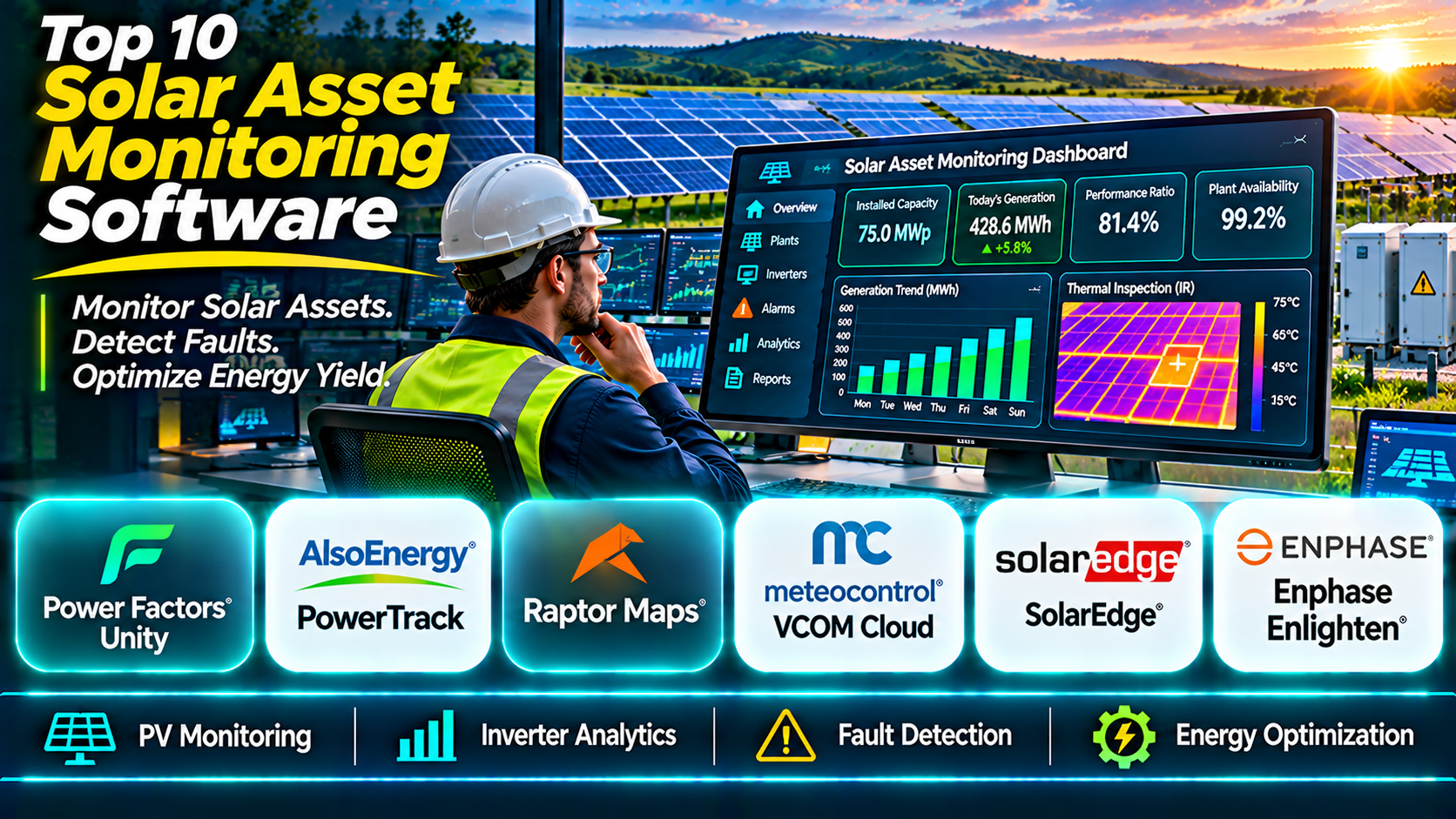
Top 10 Solar Asset Monitoring Software
The following comparison includes independent solar monitoring platforms, renewable asset performance management applications, specialized inspection software, and manufacturer-specific monitoring solutions.
The numbering organizes the comparison rather than representing independently tested rankings.
1. Power Factors Unity
Short Description
Power Factors Unity is a renewable energy software platform designed to support operational monitoring, asset performance management, and portfolio administration across renewable energy infrastructure.
For solar asset owners, the platform provides centralized visibility into compatible photovoltaic installations, equipment measurements, operational events, and performance indicators. Organizations managing multiple solar farms can consolidate information that would otherwise remain distributed across separate monitoring environments.
The platform is particularly relevant to independent power producers and renewable asset managers operating utility-scale solar portfolios alongside wind and battery storage assets.
Organizations should evaluate the specific Unity applications required for solar monitoring, maintenance coordination, commercial administration, and performance analytics.
Key Features
- Centralized Solar Monitoring: Consolidates supported photovoltaic production and operational information across multiple facilities.
- Multi-Vendor Integration: Connects with compatible inverters, meters, data acquisition systems, and monitoring infrastructure.
- Performance Analytics: Examines solar generation trends and relevant performance indicators.
- Energy Loss Investigation: Helps identify potential causes of production deviations.
- Operational Event Management: Organizes supported equipment notifications and operational exceptions.
- Availability Analysis: Supports evaluation of relevant equipment and facility availability measurements.
- Portfolio Benchmarking: Compares appropriately normalized performance indicators across renewable assets.
- Maintenance Workflow Support: Connects applicable operational findings with maintenance management activities.
- Stakeholder Reporting: Consolidates operational information into structured portfolio reports.
Benefits
- Improves centralized solar portfolio visibility.
- Reduces fragmented operational information.
- Supports consistent performance evaluation.
- Facilitates equipment issue investigation.
- Improves operational reporting efficiency.
- Supports renewable portfolio expansion.
- Helps identify avoidable production losses.
Pros
- Dedicated renewable energy software specialization.
- Relevant multi-technology portfolio capabilities.
- Supports compatible multi-vendor environments.
- Comprehensive asset performance management orientation.
- Suitable for utility-scale solar installations.
- Provides complementary renewable management applications.
Cons
- Enterprise pricing requires consultation.
- Integration may require substantial technical resources.
- Available capabilities depend on selected applications.
- Smaller installations may not require its full functionality.
- Historical information quality affects analytical results.
Use Cases
- Utility-Scale Solar Monitoring: Consolidate operational information across large photovoltaic facilities.
- Multi-Vendor Portfolio Management: Monitor compatible equipment from different manufacturers.
- Solar Performance Investigation: Examine significant production deviations.
- Availability Reporting: Prepare consistent facility availability information.
- Renewable Portfolio Administration: Monitor solar assets alongside other renewable technologies.
- Investor Reporting: Consolidate relevant solar performance indicators.
Best For
- Independent power producers.
- Utility-scale solar asset owners.
- Renewable energy investment portfolios.
- Multi-vendor solar operators.
- Solar performance engineering teams.
- Centralized renewable operations departments.
2. AlsoEnergy PowerTrack
Short Description
AlsoEnergy PowerTrack is a renewable energy monitoring and asset performance management solution associated with Stem’s software portfolio.
The platform helps solar organizations collect, visualize, and analyze information from compatible photovoltaic installations and monitoring infrastructure. Operators can review production measurements, inverter performance, equipment status, and relevant operational notifications.
PowerTrack is particularly relevant to commercial and utility-scale solar organizations requiring centralized operational visibility across multiple installations.
Its broader ecosystem also addresses applicable energy storage monitoring requirements. Organizations should confirm supported equipment, monitoring hardware, storage functionality, and current commercial arrangements.
Key Features
- Solar Production Monitoring: Displays supported electricity generation measurements across photovoltaic installations.
- Inverter Monitoring: Presents relevant inverter operating information and production indicators.
- Portfolio Dashboards: Consolidates operational information from compatible solar facilities.
- Performance Analytics: Examines historical production trends and performance deviations.
- Alarm Management: Organizes relevant equipment notifications.
- Monitoring Hardware Integration: Connects with compatible data acquisition infrastructure.
- Energy Storage Monitoring: Supports applicable storage-related monitoring workflows.
- Historical Data Management: Maintains accessible operational information histories.
- Operational Reporting: Supports preparation of solar performance reports.
Benefits
- Improves visibility into solar equipment performance.
- Reduces repetitive monitoring activities.
- Supports centralized portfolio management.
- Facilitates inverter performance investigation.
- Improves historical information accessibility.
- Supports compatible solar and storage environments.
- Helps identify production deviations.
Pros
- Established solar monitoring specialization.
- Relevant commercial and utility-scale applications.
- Supports compatible monitoring infrastructure.
- Useful equipment-level visualization.
- Centralized solar portfolio reporting.
- Relevant solar and storage software ecosystem.
Cons
- Commercial pricing requires evaluation.
- Equipment compatibility varies.
- Monitoring infrastructure may require additional investment.
- Comprehensive commercial administration may require other software.
- Storage functionality depends on deployment configuration.
Use Cases
- Commercial Solar Monitoring: Track electricity generation across commercial buildings.
- Utility-Scale Operations: Monitor compatible solar farm infrastructure.
- Inverter Performance Analysis: Investigate equipment-level production deviations.
- Solar and Storage Monitoring: Review supported hybrid energy asset information.
- Equipment Event Investigation: Organize relevant monitoring notifications.
- Portfolio Reporting: Consolidate production information for stakeholders.
Best For
- Commercial solar operators.
- Utility-scale solar asset owners.
- Solar operations providers.
- Photovoltaic performance engineers.
- Solar and storage portfolio managers.
- Organizations using compatible monitoring hardware.
3. Raptor Maps
Short Description
Raptor Maps is a solar asset management and analytics platform specializing in photovoltaic equipment information, inspection management, and technical asset condition assessment.
The software helps solar organizations organize equipment records and inspection findings within digital representations of photovoltaic facilities. Supported inspection information can include aerial imagery, thermal measurements, and documented equipment abnormalities.
Raptor Maps is particularly valuable when asset managers need to investigate equipment-level conditions rather than relying exclusively on facility-level electricity production dashboards.
The platform complements conventional solar monitoring and maintenance systems by providing detailed technical information about physical photovoltaic infrastructure.
Key Features
- Solar Digital Twins: Organizes photovoltaic equipment information within digital asset representations.
- Aerial Inspection Management: Maintains findings from compatible aerial inspection workflows.
- Thermal Analytics: Supports identification and review of relevant thermal abnormalities.
- Equipment-Level Mapping: Associates inspection findings with specific solar equipment.
- Anomaly Classification: Organizes documented equipment abnormalities into structured categories.
- Asset Condition Tracking: Maintains historical information about photovoltaic equipment conditions.
- Performance Loss Assessment: Supports investigation of potential losses associated with equipment defects.
- Remediation Workflows: Helps coordinate applicable activities for addressing inspection findings.
- Portfolio Condition Reporting: Consolidates technical inspection information across solar facilities.
Benefits
- Improves visibility into photovoltaic equipment conditions.
- Supports detailed solar inspection administration.
- Facilitates maintenance prioritization.
- Reduces fragmented technical documentation.
- Improves historical equipment condition tracking.
- Supports technical due diligence.
- Helps identify potential equipment-related production losses.
Pros
- Strong photovoltaic industry specialization.
- Relevant aerial inspection analytics.
- Detailed equipment-level asset visualization.
- Useful thermal anomaly management.
- Suitable for utility-scale solar installations.
- Supports structured technical reporting.
Cons
- Primarily focused on solar technical asset management.
- Inspection quality influences analytical findings.
- Commercial pricing requires consultation.
- Continuous inverter monitoring may require complementary software.
- Integration with maintenance applications should be evaluated.
Use Cases
- Thermal Solar Inspections: Review supported thermal inspection findings.
- Module Condition Assessment: Identify documented photovoltaic module abnormalities.
- Solar Equipment Mapping: Maintain structured facility equipment representations.
- Maintenance Prioritization: Organize technical findings requiring investigation.
- Solar Acquisition Assessment: Review available equipment condition histories.
- Remediation Tracking: Document progress on approved corrective activities.
Best For
- Utility-scale solar asset owners.
- Solar inspection companies.
- Photovoltaic reliability engineers.
- Solar maintenance departments.
- Technical asset managers.
- Renewable infrastructure investors.
4. meteocontrol VCOM Cloud
Short Description
meteocontrol VCOM Cloud is a photovoltaic monitoring and asset performance management platform designed to support commercial and utility-scale solar installations.
The platform helps operators consolidate operational information, analyze photovoltaic performance, review equipment notifications, and coordinate relevant maintenance activities.
Its monitoring ecosystem includes compatible data acquisition infrastructure and solar monitoring services. This makes it relevant to organizations managing installations containing different equipment manufacturers and monitoring configurations.
Organizations should evaluate equipment compatibility, available VCOM applications, monitoring hardware requirements, and integration with existing maintenance and reporting systems.
Key Features
- Centralized PV Monitoring: Consolidates supported photovoltaic installation information.
- Multi-Vendor Integration: Connects with compatible solar equipment and monitoring systems.
- Performance Ratio Analysis: Supports relevant photovoltaic performance calculations.
- Alarm Management: Organizes equipment notifications and operational exceptions.
- Expected Production Analysis: Supports comparison of measured and modeled generation where configured.
- Portfolio Visualization: Displays operational information across multiple installations.
- Maintenance Coordination: Supports applicable service and maintenance workflows.
- Historical Data Analysis: Maintains accessible solar production histories.
- Automated Reporting: Supports structured operational and performance reporting.
Benefits
- Improves visibility across solar portfolios.
- Supports standardized performance analysis.
- Reduces manual monitoring activities.
- Facilitates equipment fault investigation.
- Improves maintenance coordination.
- Supports multi-vendor solar environments.
- Helps identify underperforming installations.
Pros
- Dedicated photovoltaic monitoring specialization.
- Relevant multi-vendor integration capabilities.
- Suitable for commercial and utility-scale portfolios.
- Useful performance analytics.
- Supports compatible monitoring hardware.
- Relevant operational workflow capabilities.
Cons
- Commercial costs depend on deployment requirements.
- Equipment integration may require technical configuration.
- Monitoring accuracy depends on source measurements.
- Some functionality may require additional services.
- Enterprise financial administration may require complementary applications.
Use Cases
- Multi-Site Solar Monitoring: Consolidate information from distributed installations.
- Performance Ratio Reporting: Evaluate photovoltaic performance using consistent methodologies.
- Inverter Fault Investigation: Review relevant equipment notifications.
- Solar Maintenance Coordination: Organize applicable operational service activities.
- Expected Production Assessment: Investigate differences between measured and modeled production.
- Portfolio Benchmarking: Compare appropriately normalized solar performance indicators.
Best For
- Commercial solar operators.
- Utility-scale photovoltaic companies.
- Solar operations and maintenance providers.
- Multi-vendor solar portfolios.
- Renewable performance analysts.
- Solar asset management organizations.
5. Solar-Log WEB Enerest
Short Description
Solar-Log WEB Enerest is a photovoltaic monitoring platform associated with Solar-Log’s solar energy management and monitoring technology.
The platform helps installers, operators, and asset managers review electricity generation, equipment status, and relevant performance information from compatible photovoltaic installations.
Its integration with supported Solar-Log monitoring devices provides a practical approach for consolidating information across residential, commercial, and other compatible solar environments.
Organizations should evaluate current software packages, compatible data loggers, inverter support, and available energy management capabilities.
Key Features
- Photovoltaic Monitoring: Presents supported solar electricity generation information.
- Inverter Integration: Connects with compatible inverter manufacturers and models.
- Portfolio Management: Organizes information across multiple photovoltaic installations.
- Production Visualization: Displays historical and current generation measurements.
- Equipment Notifications: Supports relevant operational alerts.
- Consumption Monitoring: Presents compatible electricity consumption information.
- Performance Comparison: Supports evaluation of relevant production indicators.
- Monitoring Device Integration: Connects with applicable Solar-Log hardware.
- Operational Reporting: Provides structured solar monitoring information.
Benefits
- Improves solar installation visibility.
- Supports compatible multi-vendor environments.
- Reduces repetitive monitoring activities.
- Facilitates equipment issue investigation.
- Supports installer service workflows.
- Improves production history accessibility.
- Helps manage distributed photovoltaic installations.
Pros
- Established photovoltaic monitoring ecosystem.
- Relevant inverter compatibility.
- Suitable for distributed solar installations.
- Supports compatible energy monitoring hardware.
- Useful production visualization.
- Relevant installer-oriented workflows.
Cons
- Hardware requirements depend on installation configuration.
- Advanced utility-scale analytics may require complementary software.
- Commercial costs vary by package.
- Device compatibility requires confirmation.
- Comprehensive asset administration may require additional applications.
Use Cases
- Residential Solar Monitoring: Review supported rooftop photovoltaic generation.
- Commercial Installation Monitoring: Track production across commercial solar systems.
- Installer Portfolio Management: Consolidate monitoring information from customer installations.
- Inverter Event Review: Investigate relevant equipment notifications.
- Consumption Analysis: Review supported electricity consumption information.
- Historical Production Reporting: Examine solar generation trends.
Best For
- Solar installation companies.
- Residential photovoltaic operators.
- Commercial solar asset managers.
- Distributed solar portfolios.
- Solar maintenance providers.
- Organizations using compatible Solar-Log hardware.
6. SolarEdge Monitoring Platform
Short Description
SolarEdge Monitoring Platform provides photovoltaic monitoring capabilities for compatible SolarEdge installations.
The platform helps users review electricity generation, system performance, equipment status, and supported module-level information. Module-level visibility is particularly useful when compatible power optimizers provide detailed photovoltaic equipment measurements.
SolarEdge monitoring is relevant to residential homeowners, commercial solar operators, and installation companies managing compatible SolarEdge equipment.
The platform should primarily be evaluated within the SolarEdge equipment ecosystem. Independent multi-vendor portfolio management may require complementary monitoring applications.
Key Features
- Solar Production Monitoring: Displays supported photovoltaic electricity generation measurements.
- Module-Level Monitoring: Presents compatible power optimizer and module-level information.
- System Layout Visualization: Associates supported equipment information with configured installation layouts.
- Inverter Monitoring: Provides relevant SolarEdge inverter operational information.
- Equipment Notifications: Organizes supported system alerts.
- Energy Consumption Visualization: Displays consumption information where compatible metering is installed.
- Historical Performance Analysis: Maintains accessible production histories.
- Installer Portfolio Management: Supports applicable monitoring across customer installations.
- Storage Monitoring: Provides relevant information for compatible SolarEdge storage configurations.
Benefits
- Improves visibility into compatible photovoltaic equipment.
- Supports module-level performance investigation.
- Facilitates installer service activities.
- Improves access to historical production records.
- Helps identify equipment performance deviations.
- Supports compatible solar and storage monitoring.
- Reduces manual monitoring requirements.
Pros
- Established solar equipment ecosystem.
- Relevant module-level monitoring capabilities.
- Useful installation layout visualization.
- Suitable for residential and commercial applications.
- Supports compatible SolarEdge storage systems.
- Provides installer-oriented monitoring workflows.
Cons
- Primarily designed for compatible SolarEdge equipment.
- Module-level visibility depends on hardware configuration.
- Independent multi-vendor monitoring may require other software.
- Available functionality varies by installation.
- Enterprise maintenance administration may require complementary applications.
Use Cases
- Rooftop Solar Monitoring: Track compatible residential photovoltaic production.
- Module-Level Investigation: Examine supported optimizer and module measurements.
- Commercial Solar Monitoring: Review production across compatible commercial installations.
- Installer Service Management: Investigate customer system performance notifications.
- Solar and Battery Monitoring: Review supported hybrid installation information.
- Energy Consumption Analysis: Compare compatible generation and consumption measurements.
Best For
- SolarEdge equipment owners.
- Residential solar customers.
- Commercial photovoltaic operators.
- Solar installation companies.
- Distributed solar maintenance teams.
- Organizations using compatible SolarEdge storage equipment.
7. Enphase Enlighten
Short Description
Enphase Enlighten is a solar energy monitoring environment associated with compatible Enphase microinverter and energy management systems.
The platform helps homeowners and solar professionals review photovoltaic generation, system performance, equipment status, and supported energy consumption information.
Its module-level monitoring capabilities are particularly relevant to installations using compatible Enphase microinverters. Professional monitoring workflows help installers investigate equipment performance across customer installations.
Organizations should distinguish homeowner-facing monitoring applications from professional installer capabilities and confirm the functionality available for their equipment configuration.
Key Features
- Microinverter Monitoring: Presents supported individual microinverter performance information.
- Solar Production Visualization: Displays electricity generation measurements.
- Module-Level Analysis: Supports investigation of compatible module-level production information.
- Energy Consumption Monitoring: Displays consumption information where supported metering is installed.
- System Status Monitoring: Presents relevant equipment operating conditions.
- Installer Management: Supports applicable professional monitoring workflows.
- Historical Energy Reporting: Maintains accessible production histories.
- Battery Monitoring: Displays relevant information for compatible Enphase storage equipment.
- Mobile Monitoring: Provides applicable remote access through supported applications.
Benefits
- Improves visibility into compatible microinverter installations.
- Supports module-level performance investigation.
- Facilitates installer troubleshooting.
- Improves homeowner access to energy information.
- Supports compatible solar and battery environments.
- Reduces repetitive monitoring activities.
- Helps identify photovoltaic production deviations.
Pros
- Established microinverter technology ecosystem.
- Relevant module-level monitoring.
- Suitable for residential solar installations.
- Supports compatible energy storage equipment.
- Useful homeowner-facing visualization.
- Relevant professional installer capabilities.
Cons
- Primarily oriented toward compatible Enphase equipment.
- Comprehensive multi-vendor portfolio analytics require other software.
- Consumption monitoring depends on installed equipment.
- Utility-scale asset management may require specialist platforms.
- Available features vary by system configuration.
Use Cases
- Residential Solar Monitoring: Review daily and historical photovoltaic generation.
- Microinverter Performance Investigation: Examine supported individual equipment measurements.
- Home Energy Monitoring: Review compatible electricity consumption information.
- Solar Battery Monitoring: Track relevant Enphase storage indicators.
- Installer Portfolio Oversight: Monitor compatible customer installations.
- Equipment Issue Investigation: Review supported system notifications.
Best For
- Residential solar homeowners.
- Enphase microinverter owners.
- Solar installation companies.
- Distributed photovoltaic service providers.
- Small commercial solar operators.
- Compatible home energy storage users.
8. SMA Sunny Portal
Short Description
SMA Sunny Portal is a photovoltaic monitoring environment associated with SMA solar energy technology.
The platform helps users monitor compatible solar installations, review production information, examine system performance, and access relevant operational records.
SMA monitoring solutions address different installation sizes, from residential photovoltaic systems to larger commercial energy infrastructure. Applicable monitoring capabilities depend on equipment configuration and the selected Sunny Portal environment.
Organizations should confirm whether Sunny Portal powered by ennexOS or another supported SMA monitoring configuration is appropriate for their installation.
Key Features
- Solar Production Monitoring: Displays supported photovoltaic generation measurements.
- Inverter Performance Monitoring: Presents relevant compatible SMA inverter information.
- Portfolio Visualization: Supports applicable monitoring across multiple installations.
- System Status Monitoring: Displays supported equipment operating conditions.
- Historical Data Analysis: Maintains accessible solar production records.
- Energy Consumption Monitoring: Provides compatible consumption information.
- Operational Notifications: Organizes relevant equipment events.
- Energy Management Integration: Connects with applicable SMA energy management infrastructure.
- Performance Reporting: Supports structured photovoltaic monitoring information.
Benefits
- Improves visibility into compatible SMA installations.
- Supports centralized production monitoring.
- Facilitates inverter performance investigation.
- Improves historical information accessibility.
- Supports compatible energy management environments.
- Helps installers monitor customer systems.
- Reduces manual production reporting activities.
Pros
- Established photovoltaic equipment manufacturer.
- Relevant SMA inverter monitoring capabilities.
- Suitable for different compatible installation sizes.
- Supports applicable energy management integration.
- Useful production visualization.
- Provides structured historical information.
Cons
- Primarily focused on compatible SMA infrastructure.
- Features vary by monitoring configuration.
- Multi-vendor portfolio management may require other software.
- Some capabilities depend on additional hardware.
- Enterprise maintenance workflows may require complementary applications.
Use Cases
- Residential PV Monitoring: Track compatible rooftop solar production.
- Commercial Solar Monitoring: Review generation across supported commercial installations.
- Inverter Status Investigation: Examine relevant equipment operating information.
- Energy Management: Review compatible generation and consumption measurements.
- Installer Portfolio Management: Monitor supported customer systems.
- Historical Production Analysis: Compare solar generation across reporting periods.
Best For
- SMA inverter owners.
- Residential photovoltaic customers.
- Commercial solar operators.
- Solar installation companies.
- SMA energy management users.
- Organizations with compatible monitoring infrastructure.
9. Huawei FusionSolar
Short Description
Huawei FusionSolar provides solar energy monitoring and management capabilities associated with Huawei’s photovoltaic equipment and smart energy solutions.
The platform helps operators monitor compatible inverters, electricity generation, equipment conditions, and supported energy storage infrastructure.
Its monitoring ecosystem is relevant to residential, commercial, industrial, and utility-scale photovoltaic installations using compatible Huawei technology.
Organizations should evaluate regional availability, equipment compatibility, information access arrangements, cybersecurity requirements, and current product capabilities before implementation.
Key Features
- Photovoltaic Plant Monitoring: Presents supported solar generation and operational information.
- Inverter Monitoring: Displays relevant compatible Huawei inverter measurements.
- Portfolio Dashboards: Consolidates information across supported installations.
- Equipment Diagnostics: Supports applicable equipment diagnostic workflows.
- Alarm Management: Organizes relevant equipment notifications.
- Energy Storage Monitoring: Provides supported storage-related operational information.
- Historical Performance Analysis: Maintains accessible production histories.
- Remote Monitoring: Provides applicable access through supported interfaces.
- Operational Reporting: Supports structured photovoltaic performance reporting.
Benefits
- Improves visibility into compatible solar installations.
- Supports centralized portfolio monitoring.
- Facilitates equipment issue investigation.
- Improves historical production accessibility.
- Supports compatible solar and storage infrastructure.
- Reduces fragmented monitoring activities.
- Helps identify production deviations.
Pros
- Established photovoltaic technology ecosystem.
- Relevant residential and utility-scale applications.
- Supports compatible energy storage infrastructure.
- Useful equipment diagnostic capabilities.
- Centralized monitoring interfaces.
- Relevant installer and operator workflows.
Cons
- Primarily oriented toward compatible Huawei equipment.
- Regional availability and support arrangements vary.
- Independent multi-vendor monitoring may require other software.
- Cybersecurity and procurement requirements need evaluation.
- Advanced commercial asset management may require complementary applications.
Use Cases
- Residential Solar Monitoring: Track compatible rooftop photovoltaic generation.
- Commercial Solar Operations: Review supported commercial facility performance.
- Utility-Scale Solar Monitoring: Consolidate compatible photovoltaic plant information.
- Inverter Diagnostics: Investigate relevant equipment notifications.
- Solar and Storage Oversight: Review supported hybrid energy asset information.
- Portfolio Reporting: Consolidate generation information across installations.
Best For
- Huawei inverter owners.
- Commercial photovoltaic operators.
- Utility-scale solar companies.
- Solar installation providers.
- Compatible solar and storage operators.
- Organizations using Huawei monitoring infrastructure.
10. Solargis
Short Description
Solargis provides solar resource information, photovoltaic performance modeling, and analytical services for solar energy projects.
Its software and data services help organizations evaluate solar irradiation, estimate expected electricity production, analyze historical resource conditions, and investigate photovoltaic performance.
Unlike conventional inverter monitoring platforms, Solargis focuses on resource intelligence and performance modeling. It can complement operational monitoring by helping engineers compare measured generation with modeled expectations.
Organizations should evaluate the specific Solargis applications, resource datasets, modeling methodologies, and operational integrations required for their projects.
Key Features
- Solar Resource Data: Provides applicable solar irradiation and meteorological information.
- Photovoltaic Performance Modeling: Supports estimation of expected solar electricity production.
- Historical Resource Analysis: Examines available historical solar resource conditions.
- Production Benchmarking: Supports comparison of measured and modeled generation.
- Solar Site Assessment: Provides resource information for evaluating photovoltaic project locations.
- Weather Data Integration: Incorporates applicable meteorological information into analytical workflows.
- Performance Deviation Analysis: Helps investigate differences between expected and actual production.
- Solar Forecasting: Provides applicable solar resource and photovoltaic production forecasting services.
- Technical Reporting: Supports structured resource and performance assessment documentation.
Benefits
- Improves understanding of solar resource variability.
- Supports expected production assessment.
- Facilitates resource-adjusted performance analysis.
- Helps investigate photovoltaic production deviations.
- Supports solar project planning.
- Improves technical due diligence.
- Complements conventional solar monitoring applications.
Pros
- Dedicated solar resource intelligence specialization.
- Relevant photovoltaic modeling capabilities.
- Useful historical resource information.
- Supports solar project assessment.
- Provides complementary performance analytics.
- Relevant to technical and investment teams.
Cons
- Not a complete inverter monitoring platform.
- Model accuracy depends on assumptions and input information.
- Commercial costs vary by data and service requirements.
- Maintenance management requires complementary software.
- Modeled production requires appropriate technical interpretation.
Use Cases
- Expected Solar Production Modeling: Estimate generation using relevant resource and system assumptions.
- Performance Deviation Investigation: Compare measured production with modeled expectations.
- Solar Resource Assessment: Evaluate historical irradiation conditions.
- Technical Due Diligence: Support assessment of photovoltaic project performance.
- Solar Forecasting: Incorporate applicable resource forecasts into operational planning.
- Portfolio Performance Benchmarking: Compare resource-adjusted solar performance indicators.
Best For
- Solar performance engineers.
- Renewable infrastructure investors.
- Solar project developers.
- Technical due diligence specialists.
- Photovoltaic asset managers.
- Organizations requiring complementary solar resource analytics.
Comparison Table: Top 10 Solar Asset Monitoring Software
| Software | Primary Function | Best For | Standout Capability | Pricing Model |
|---|---|---|---|---|
| Power Factors Unity | Renewable asset monitoring | Utility-scale portfolios | Integrated renewable performance management | Enterprise quotation |
| AlsoEnergy PowerTrack | Solar and storage monitoring | Commercial and utility-scale operators | Centralized equipment monitoring | Commercial arrangements |
| Raptor Maps | Solar technical asset management | Inspection and reliability teams | Equipment-level inspection analytics | Commercial quotation |
| meteocontrol VCOM Cloud | Independent PV monitoring | Multi-vendor solar portfolios | Portfolio monitoring and performance analysis | Commercial licensing |
| Solar-Log WEB Enerest | Distributed PV monitoring | Installers and commercial operators | Compatible multi-vendor monitoring | Package-dependent |
| SolarEdge Monitoring Platform | Manufacturer-specific monitoring | SolarEdge installations | Module-level monitoring | Equipment and service-dependent |
| Enphase Enlighten | Microinverter monitoring | Residential and distributed solar | Individual microinverter visibility | Equipment and service-dependent |
| SMA Sunny Portal | Manufacturer-oriented monitoring | SMA installations | Compatible inverter and energy monitoring | Configuration-dependent |
| Huawei FusionSolar | Solar and storage monitoring | Compatible Huawei installations | Integrated equipment monitoring | Equipment and service-dependent |
| Solargis | Solar resource intelligence | Performance engineers and investors | Expected production modeling | Data and service licensing |
Pricing, product packaging, supported equipment, and available functionality should be confirmed directly with providers.
Specialized inspection and resource modeling applications are complementary solutions rather than direct replacements for comprehensive operational monitoring platforms.
Which Solar Asset Monitoring Software Is Right for You?
For Large Utility-Scale Solar Portfolios
Power Factors Unity, AlsoEnergy PowerTrack, and meteocontrol VCOM Cloud are worth evaluating for centralized operational monitoring.
Prioritize equipment compatibility, performance analytics, availability reporting, maintenance integration, and portfolio scalability.
For Solar Equipment Inspection Management
Raptor Maps provides relevant photovoltaic inspection and technical asset management capabilities.
Evaluate equipment mapping, thermal inspection workflows, anomaly classification, historical condition records, and remediation tracking.
For Distributed Commercial Solar Installations
Solar-Log WEB Enerest and meteocontrol VCOM Cloud provide relevant monitoring approaches for distributed photovoltaic installations.
Assess inverter compatibility, monitoring hardware, installer workflows, and centralized reporting.
For Residential SolarEdge Installations
SolarEdge Monitoring Platform provides relevant monitoring capabilities for compatible SolarEdge equipment.
Module-level monitoring is particularly useful where compatible power optimizers are installed and correctly configured.
For Residential Microinverter Installations
Enphase Enlighten is worth evaluating for compatible Enphase microinverter and energy storage systems.
Homeowners and installers should confirm available production, consumption, equipment status, and battery monitoring capabilities.
For SMA-Based Solar Installations
SMA Sunny Portal provides monitoring capabilities appropriate to supported SMA equipment.
Evaluate the current monitoring environment, compatible data acquisition devices, and available energy management functionality.
For Huawei Solar and Storage Systems
Huawei FusionSolar provides relevant monitoring capabilities for compatible photovoltaic and storage infrastructure.
Confirm regional availability, equipment compatibility, access arrangements, and applicable information governance requirements.
For Solar Resource and Expected Production Analysis
Solargis provides complementary solar resource information and photovoltaic modeling capabilities.
It is particularly relevant when organizations need to distinguish resource-related production variability from potential equipment underperformance.
Best Solar Asset Monitoring Software by User Type
| User Type | Platform to Evaluate | Primary Reason |
|---|---|---|
| Renewable portfolio director | Power Factors Unity | Integrated portfolio oversight |
| Utility-scale solar operations manager | AlsoEnergy PowerTrack | Centralized solar monitoring |
| Solar inspection manager | Raptor Maps | Equipment condition analytics |
| Multi-vendor solar asset manager | meteocontrol VCOM Cloud | Independent photovoltaic monitoring |
| Distributed solar installer | Solar-Log WEB Enerest | Compatible installation monitoring |
| SolarEdge system owner | SolarEdge Monitoring Platform | Compatible module-level monitoring |
| Enphase system owner | Enphase Enlighten | Microinverter monitoring |
| SMA solar operator | SMA Sunny Portal | Compatible equipment monitoring |
| Huawei solar operator | Huawei FusionSolar | Integrated solar and storage monitoring |
| Solar performance analyst | Solargis | Resource-adjusted production modeling |
How to Choose the Best Solar Asset Monitoring Software
1. Identify Installation Size and Portfolio Requirements
Begin by documenting the number, location, installed capacity, and technology configuration of photovoltaic installations.
Residential customers generally require accessible production and consumption dashboards. Commercial operators may need multi-site monitoring and maintenance notifications.
Utility-scale operators often require more comprehensive analytics, availability calculations, equipment integration, and portfolio reporting.
Choose a platform that addresses current requirements while accommodating realistic future expansion.
2. Evaluate Inverter and Equipment Compatibility
Solar installations frequently contain inverters, meters, sensors, data loggers, and communication infrastructure from different manufacturers.
Review supported equipment models, communication interfaces, measurement availability, and historical information access.
Manufacturer-specific monitoring platforms can provide detailed equipment information but may offer limited support for competing manufacturers.
Independent monitoring platforms should demonstrate compatibility with representative equipment before procurement.
3. Assess Solar Performance Analytics
Solar generation changes according to irradiation, temperature, equipment conditions, shading, and operational restrictions.
Effective performance analytics should help operators distinguish normal environmental variability from potential equipment underperformance.
Evaluate support for performance ratio calculations, specific yield, expected production modeling, availability analysis, and energy loss categorization.
Analytical assumptions should remain transparent and suitable for qualified engineering review.
4. Review Monitoring Granularity
Different monitoring environments provide different levels of equipment visibility.
Facility-level monitoring helps operators understand overall production. Inverter-level monitoring provides more detailed equipment information.
Module-level monitoring can support investigation of individual photovoltaic equipment where compatible hardware is installed.
Determine the level of detail necessary for operational decisions rather than assuming that greater measurement granularity always produces greater business value.
5. Examine Inspection and Maintenance Workflows
Solar asset monitoring becomes more useful when operational findings lead to appropriate maintenance activities.
Evaluate integration with inspection platforms, work order management applications, maintenance records, and service provider workflows.
Specialized inspection software can help identify physical equipment abnormalities that may not be apparent from conventional production measurements.
Establish clear responsibilities for reviewing findings, authorizing maintenance, and documenting completed work.
6. Evaluate Weather and Irradiance Information
Accurate solar performance assessment requires appropriate environmental information.
Review available irradiance measurements, weather station integration, satellite-derived resource information, temperature measurements, and expected production models.
Different analytical methodologies may use different measurement boundaries and assumptions.
Organizations should document the source and quality of environmental information used in performance calculations.
7. Assess Alarm Management Capabilities
Solar monitoring applications may generate numerous equipment notifications.
Effective alarm management should help operators distinguish significant operational concerns from repetitive or low-priority notifications.
Evaluate alarm categorization, notification routing, escalation workflows, historical event records, and configurable thresholds.
Excessive notifications can reduce operational efficiency if personnel cannot identify which events require attention.
8. Review Information Security and Ownership
Solar monitoring platforms may contain sensitive operational and commercial information.
Evaluate authentication, role-based permissions, encryption, audit records, backup procedures, and information retention policies.
Organizations should also review ownership of historical monitoring information, export capabilities, and access arrangements following contract termination.
Connections with operational technology infrastructure require appropriate authorization and security safeguards.
9. Evaluate Reporting and Integration Requirements
Solar asset managers frequently report to investors, lenders, maintenance providers, management teams, and commercial partners.
Evaluate configurable reports, information exports, application programming interfaces, historical comparisons, and consistent performance indicator definitions.
Integration with maintenance, accounting, commercial asset management, and energy settlement applications may be necessary.
Reports should clearly distinguish measured information, modeled production, and estimated losses.
10. Calculate Total Cost of Ownership
Solar asset monitoring costs extend beyond subscription fees.
Potential expenses include monitoring hardware, communication infrastructure, inverter integration, historical information migration, analytical services, inspection services, employee training, technical support, and future portfolio expansion.
Organizations should compare these costs with realistic operational objectives and documented maintenance requirements.
The most expensive platform is not necessarily the most appropriate solution for every solar installation.
Practical Example: Monitoring a 75 MWp Solar Farm
Consider a utility-scale photovoltaic facility with an installed DC capacity of 75 MWp and an AC export capacity of 60 MW.
The operator uses separate inverter monitoring interfaces, spreadsheets, weather station records, and maintenance documentation.
Management wants to introduce centralized solar asset monitoring to improve performance visibility, equipment reliability, maintenance coordination, and stakeholder reporting.
All figures in this example are hypothetical.
Step 1: Define Operational Objectives
The operator establishes objectives for centralized production monitoring, consistent performance calculations, equipment availability reporting, production loss investigation, maintenance coordination, and administrative efficiency.
These objectives provide measurable requirements for software evaluation.
The organization also identifies the responsibilities of performance engineers, maintenance personnel, commercial asset managers, and reporting teams.
Step 2: Establish a Centralized Asset Register
The engineering team creates structured records for photovoltaic modules, inverters, transformers, energy meters, weather stations, and monitoring infrastructure.
Each record includes an equipment identifier, technical characteristics, commissioning information, maintenance history, and relevant warranty documentation.
Accurate equipment relationships help ensure that monitoring findings are associated with the correct physical assets.
Step 3: Evaluate Candidate Platforms
The operator evaluates Power Factors Unity, AlsoEnergy PowerTrack, meteocontrol VCOM Cloud, Raptor Maps, and Solargis.
The evaluation distinguishes continuous operational monitoring from specialized inspection management and solar resource modeling.
Representative historical information is used to assess equipment compatibility, performance calculations, reporting, and integration requirements.
The operator selects an appropriate combination of applications rather than assuming that one platform must perform every function.
Step 4: Measure Monitoring Data Completeness
Suppose the facility has 50 monitored inverter channels, with one expected record every five minutes.
A 30-day reporting period contains:
30 × 24 × 12 = 8,640 expected records per channel.
Across 50 channels:
8,640 × 50 = 432,000 expected records.
Suppose 425,520 valid records are received.
Data completeness:
425,520 ÷ 432,000 × 100 = 98.5%.
The illustrative monitoring completeness rate is 98.5%.
The engineering team investigates missing records before relying on affected equipment performance calculations.
Step 5: Calculate Monthly Specific Yield
Suppose the facility generates 12,150 MWh during the reporting period.
Installed DC capacity is 75 MWp.
Specific yield:
12,150 ÷ 75 = 162 kWh/kWp.
The illustrative monthly specific yield is 162 kWh per installed kilowatt-peak.
Specific yield helps compare photovoltaic production across installations of different sizes, although environmental conditions must also be considered.
Step 6: Calculate Solar Performance Ratio
Suppose the facility records monthly plane-of-array irradiation of 200 kWh/m².
Using a reference irradiance of 1 kW/m²:
Reference yield = 200 hours.
Final yield = 162 hours.
Performance ratio:
162 ÷ 200 × 100 = 81%.
The illustrative photovoltaic performance ratio is 81%.
Actual calculations require consistent energy measurement boundaries, reliable irradiation information, and documented treatment of operational restrictions.
Step 7: Calculate AC Capacity Factor
The facility has an AC export capacity of 60 MW.
The 30-day reporting period contains:
30 × 24 = 720 hours.
Maximum theoretical AC production:
60 × 720 = 43,200 MWh.
Actual production is 12,150 MWh.
AC capacity factor:
12,150 ÷ 43,200 × 100 = 28.125%.
The illustrative AC capacity factor is approximately 28.1%.
The organization should explicitly identify whether capacity factor calculations use AC or DC capacity because the resulting values differ.
Step 8: Compare Expected and Actual Production
Suppose resource-adjusted expected production is 12,750 MWh.
Actual production is 12,150 MWh.
Production shortfall:
12,750 − 12,150 = 600 MWh.
Percentage shortfall:
600 ÷ 12,750 × 100 = 4.71%.
The facility produces approximately 4.7% less electricity than expected.
Engineers investigate potential causes rather than automatically attributing the entire difference to equipment failure.
Step 9: Categorize Estimated Production Losses
Suppose the technical investigation produces the following simplified estimates:
| Loss Category | Estimated Energy Loss |
|---|---|
| Equipment unavailability | 180 MWh |
| Excess soiling | 120 MWh |
| Curtailment | 150 MWh |
| Other identified performance losses | 90 MWh |
| Unexplained or model-related differences | 60 MWh |
| Total | 600 MWh |
These estimates help the organization prioritize further investigation.
Actual energy loss analysis requires consistent modeling boundaries and careful treatment of overlapping events.
Normal losses already incorporated into the expected production model should not be counted again.
Step 10: Coordinate Technical Inspections
Suppose monitoring information identifies persistent underperformance associated with selected inverter groups.
The engineering team reviews inverter measurements, environmental information, maintenance histories, and relevant equipment notifications.
Where appropriate, qualified personnel conduct approved field or aerial inspections.
Inspection findings are associated with relevant equipment records and transferred into maintenance workflows for further investigation.
Step 11: Estimate Monthly Electricity Revenue
Suppose all electricity is sold at an illustrative uniform price of $55 per MWh.
Monthly production is 12,150 MWh.
Illustrative gross electricity revenue:
12,150 × $55 = $668,250.
Actual revenue may depend on power purchase agreements, merchant electricity prices, settlement adjustments, and contractual conditions.
Step 12: Estimate the Value of Production Differences
The illustrative production shortfall is 600 MWh.
At the hypothetical electricity price of $55 per MWh:
600 × $55 = $33,000.
This represents an illustrative gross revenue difference rather than guaranteed recoverable revenue.
Some production losses may result from unavoidable operational restrictions or differences in modeling assumptions.
Step 13: Calculate Maintenance Cost per MWh
Suppose monthly maintenance expenditure totals $60,750.
Monthly production is 12,150 MWh.
Maintenance cost per MWh:
$60,750 ÷ 12,150 = $5 per MWh.
Management can compare this indicator across reporting periods while accounting for seasonal production changes, major maintenance activities, and warranty arrangements.
Step 14: Evaluate Administrative Efficiency
Suppose employees previously spent 140 hours monthly consolidating monitoring information and preparing reports.
After introducing centralized workflows, these activities require 85 hours monthly.
Monthly time saved:
140 − 85 = 55 hours.
Percentage reduction:
55 ÷ 140 × 100 = 39.29%.
Illustrative annual time savings:
55 × 12 = 660 staff hours.
Actual improvements depend on integration quality, employee adoption, information accuracy, and existing operational processes.
Step 15: Establish Continuous Performance Reviews
The operator introduces regular reviews of electricity production, performance ratio, equipment availability, estimated losses, maintenance expenditure, and equipment condition.
Performance engineers investigate significant deviations. Maintenance personnel coordinate approved corrective activities, while asset managers evaluate relevant commercial implications.
Management establishes realistic improvement objectives based on documented findings.
Solar asset monitoring becomes a continuous operational capability rather than a one-time software implementation.
Common Mistakes to Avoid When Implementing Solar Asset Monitoring Software
1. Ignoring Equipment Compatibility
Monitoring platforms do not automatically support every inverter, meter, or data acquisition device.
Test representative equipment integrations and confirm access to required measurements before selecting software.
2. Confusing Production With Performance
A solar installation may generate less electricity because of reduced sunlight rather than equipment failure.
Use appropriate resource-adjusted performance indicators to investigate production differences.
3. Using Inconsistent AC and DC Capacity Definitions
Solar installations frequently have different DC module capacities and AC inverter or export capacities.
Clearly identify the capacity basis used in specific yield, capacity factor, and other performance calculations.
4. Neglecting Irradiance Sensor Quality
Inaccurate or poorly maintained irradiation sensors can distort performance ratio calculations.
Establish appropriate measurement validation and sensor maintenance procedures.
5. Treating Every Thermal Anomaly as a Confirmed Failure
Thermal inspection findings can indicate potential equipment abnormalities, but environmental conditions and measurement limitations may influence results.
Qualified technical personnel should validate significant findings before maintenance decisions.
6. Overlooking Maintenance Integration
Identifying equipment abnormalities provides limited value when findings do not lead to appropriate investigation.
Establish documented responsibilities for reviewing notifications, authorizing maintenance, and recording completed activities.
7. Creating Excessive Equipment Notifications
Poorly configured alarm thresholds can generate unnecessary notifications and increase operational workload.
Review notification priorities and escalation workflows according to legitimate operational requirements.
8. Assuming All Production Losses Are Recoverable
Curtailment, weather conditions, equipment limitations, and contractual restrictions may contribute to production losses.
Distinguish potentially avoidable losses from unavoidable or externally imposed limitations.
9. Ignoring Information Ownership
Historical solar monitoring information is valuable for maintenance planning, warranty administration, technical due diligence, and asset valuation.
Review information ownership, export capabilities, retention policies, and access rights before procurement.
10. Selecting Software Solely on Subscription Price
A low-cost monitoring application may require additional hardware, integration services, or manual reporting activities.
Evaluate total cost of ownership alongside equipment compatibility, operational functionality, support arrangements, and long-term requirements.
Frequently Asked Questions (FAQs)
1. What is solar asset monitoring software?
Solar asset monitoring software collects, analyzes, and visualizes operational information from photovoltaic installations. It supports production monitoring, equipment performance analysis, maintenance coordination, and portfolio reporting.
2. Who uses solar asset monitoring software?
Solar asset owners, independent power producers, homeowners, commercial solar operators, installation companies, maintenance providers, performance engineers, and renewable infrastructure investors use these platforms.
3. What is Power Factors Unity?
Power Factors Unity is a renewable energy software platform supporting applicable asset monitoring, performance management, operational workflows, and portfolio administration.
4. What is AlsoEnergy PowerTrack?
AlsoEnergy PowerTrack is a renewable monitoring and asset performance management solution particularly relevant to commercial and utility-scale solar installations and compatible energy storage systems.
5. What is Raptor Maps?
Raptor Maps is a solar technical asset management platform specializing in photovoltaic equipment information, inspection analytics, digital asset representations, and condition assessment.
6. What is meteocontrol VCOM Cloud?
meteocontrol VCOM Cloud is a photovoltaic monitoring and performance management platform supporting compatible solar installations, operational analytics, portfolio reporting, and applicable maintenance workflows.
7. What is Solar-Log WEB Enerest?
Solar-Log WEB Enerest is a photovoltaic monitoring environment associated with compatible Solar-Log monitoring devices and solar energy management infrastructure.
8. What is SolarEdge Monitoring Platform?
SolarEdge Monitoring Platform provides production monitoring, equipment status information, and supported module-level monitoring for compatible SolarEdge photovoltaic installations.
9. What is Enphase Enlighten?
Enphase Enlighten is a solar monitoring environment associated with compatible Enphase microinverter and energy management systems.
10. What is SMA Sunny Portal?
SMA Sunny Portal provides photovoltaic monitoring capabilities for compatible SMA solar equipment and energy management infrastructure.
11. What is Huawei FusionSolar?
Huawei FusionSolar provides monitoring and energy management capabilities for compatible Huawei photovoltaic and energy storage infrastructure.
12. What is Solargis?
Solargis provides solar resource information, photovoltaic performance modeling, and analytical services supporting solar project assessment and performance investigation.
13. What is solar performance ratio?
Solar performance ratio compares photovoltaic system final yield with reference yield derived from available solar irradiation using consistent measurement boundaries.
14. What is solar specific yield?
Specific yield measures electricity production per unit of installed photovoltaic DC capacity during a defined period. It is commonly expressed in kWh/kWp.
15. What is solar capacity factor?
Capacity factor compares actual electricity generation with theoretical maximum generation at continuous rated capacity during the same period. The selected AC or DC capacity basis should be documented.
16. What is module-level solar monitoring?
Module-level monitoring provides information about individual photovoltaic modules or associated compatible power electronics rather than only displaying overall facility production.
17. What is inverter monitoring?
Inverter monitoring involves reviewing supported inverter production measurements, operating conditions, equipment status, and relevant notifications.
18. Can solar monitoring software detect panel defects?
Specialized monitoring and inspection applications can help identify potential photovoltaic equipment abnormalities. Qualified investigation is necessary to confirm specific defects.
19. What is solar panel soiling?
Soiling refers to the accumulation of dust, dirt, or other material on photovoltaic surfaces, potentially reducing the sunlight reaching solar cells.
20. What is solar curtailment?
Solar curtailment occurs when electricity production is restricted below the output otherwise available under prevailing resource and equipment conditions.
21. Can solar monitoring software manage multiple inverter brands?
Many independent solar monitoring platforms support compatible multi-vendor environments. Specific equipment models and information interfaces must be evaluated.
22. Can solar monitoring software support battery storage?
Some solar monitoring platforms support compatible energy storage equipment. Available battery measurements and functionality vary by installation configuration.
23. What is a solar digital twin?
A solar digital twin is a digital representation of photovoltaic infrastructure that can organize equipment information, asset relationships, inspection findings, and applicable operational records.
24. What is solar irradiance?
Solar irradiance measures incident solar power per unit area, commonly expressed in watts per square meter. Irradiation represents accumulated solar energy per unit area over time.
25. Can solar monitoring software improve electricity production?
Monitoring software can help identify production deviations and support appropriate corrective activities. Actual improvements depend on equipment conditions, maintenance effectiveness, environmental factors, and operational constraints.
26. Can solar monitoring software integrate with maintenance applications?
Many platforms support information exchange with compatible maintenance management applications. Integration capabilities depend on software architecture and deployment configuration.
27. Is manufacturer-specific solar monitoring better than independent monitoring?
Manufacturer-specific monitoring can provide detailed information about compatible equipment. Independent monitoring is often more appropriate for heterogeneous portfolios. The best approach depends on equipment and operational requirements.
28. How much does solar asset monitoring software cost?
Costs vary according to installed capacity, equipment count, monitoring hardware, software functionality, analytical services, integration requirements, and ongoing support.
29. What should organizations test before selecting solar monitoring software?
Organizations should test equipment compatibility, information completeness, performance calculations, alarm management, reporting, maintenance integration, cybersecurity, and scalability.
30. What makes solar asset monitoring successful?
Successful solar asset monitoring requires reliable operational information, accurate equipment records, appropriate performance methodologies, qualified technical personnel, effective maintenance coordination, and continuous operational improvement.
Final Thoughts
Solar asset monitoring software provides an essential foundation for managing modern photovoltaic infrastructure. These platforms help organizations understand electricity production, evaluate equipment performance, investigate operational abnormalities, and coordinate maintenance activities.
Power Factors Unity, AlsoEnergy PowerTrack, and meteocontrol VCOM Cloud provide relevant centralized monitoring capabilities for commercial and utility-scale solar portfolios. Raptor Maps provides specialized photovoltaic inspection and technical asset management capabilities, while Solargis complements operational monitoring with solar resource intelligence and performance modeling.
Solar-Log WEB Enerest supports compatible distributed photovoltaic monitoring environments. SolarEdge Monitoring Platform, Enphase Enlighten, SMA Sunny Portal, and Huawei FusionSolar provide relevant monitoring capabilities within their respective equipment ecosystems.
The most appropriate solar asset monitoring software depends on installation size, equipment compatibility, monitoring granularity, analytical requirements, maintenance responsibilities, and long-term operational objectives.
Successful solar asset management requires more than attractive dashboards and automated notifications. Reliable measurements, transparent analytical methodologies, qualified engineering practices, effective maintenance processes, and responsible information governance remain essential to maximizing the long-term value of photovoltaic investments.
