Introduction
As organizations grow, understanding who works where, who reports to whom, and how teams connect becomes increasingly difficult.
Small businesses may initially manage employee information through spreadsheets, shared documents, and manually created organizational charts. These methods can work when teams are small and reporting relationships rarely change.
However, larger organizations face more complex requirements. Employees join and leave, departments expand, managers change, and new positions are created. Maintaining accurate organizational information becomes a continuous administrative responsibility.
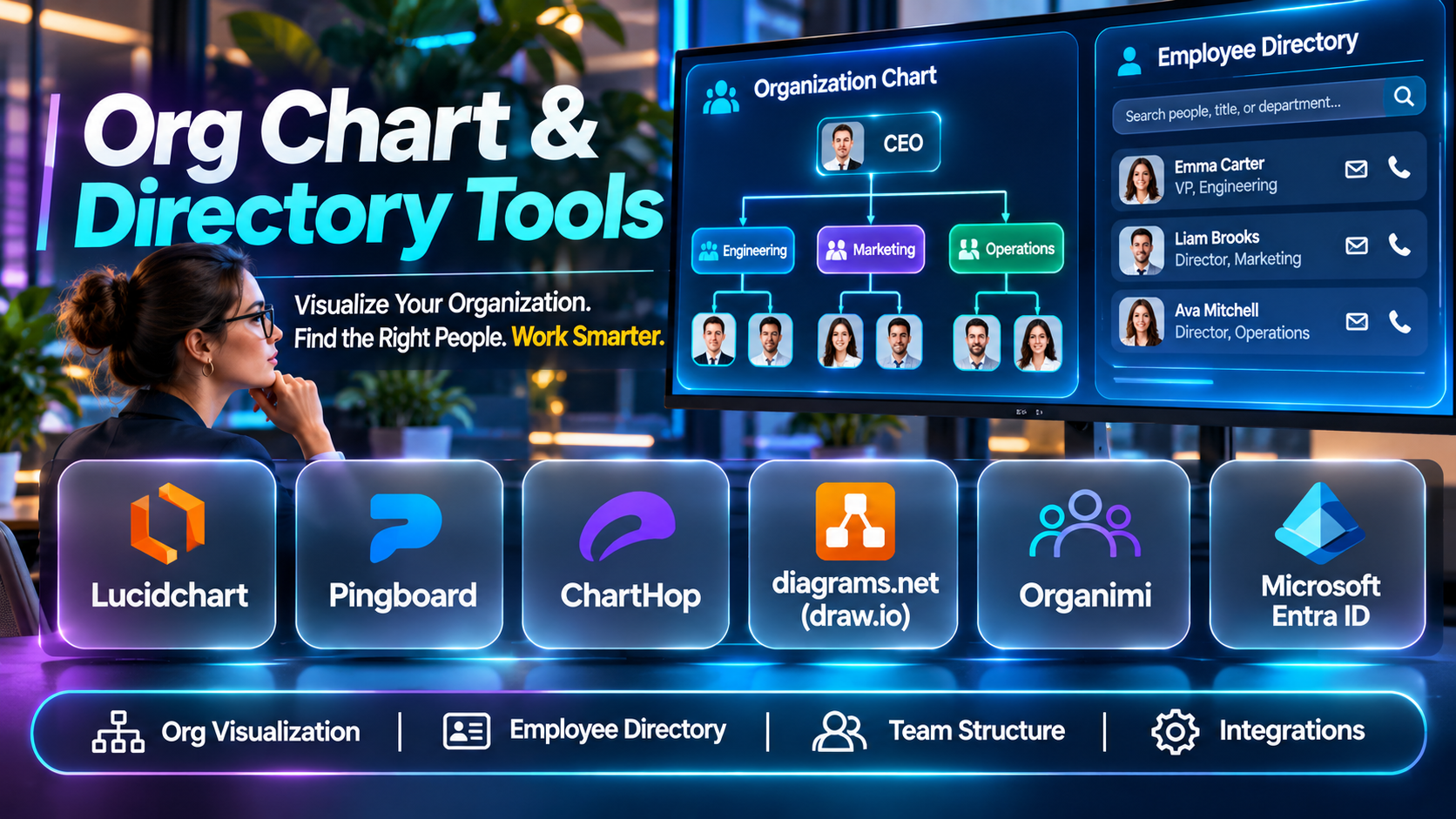
Org chart and directory tools help organizations visualize reporting structures, maintain employee profiles, and make workforce information accessible to authorized users.
For example, a technology company may use an organizational chart to understand engineering reporting relationships. A healthcare organization may maintain a searchable employee directory to help staff locate colleagues across departments.
A multinational enterprise may need to display organizational structures across countries, business units, and subsidiaries.
Modern org chart and directory platforms provide more than static diagrams. Many support HR system synchronization, employee search, reporting relationships, organizational planning, profile management, permissions, and collaboration integrations.
Some tools specialize in organizational visualization, while others combine employee directories with broader HR management or workforce planning capabilities.
Choosing the right platform requires evaluating organizational complexity, employee data accuracy, integrations, usability, privacy, and administrative requirements.
This guide compares ten org chart and directory tools, explains their capabilities, and provides practical guidance for selecting and implementing a suitable solution.
What Are Org Chart & Directory Tools?
Org chart and directory tools are software applications that help organizations document, visualize, and manage employee information and reporting relationships.
An organizational chart represents the formal structure of an organization.
It typically shows employees, job titles, departments, managers, and reporting lines.
An employee directory provides searchable information about employees, teams, roles, and contact details.
Some platforms combine both functions.
Others specialize in organizational visualization or provide directory capabilities within broader HR software.
How Org Chart & Directory Tools Work
1. Employee Data Collection
Organizations collect relevant information such as employee names, job titles, departments, reporting relationships, and approved contact details.
2. Data Integration
The platform imports information from HR systems, spreadsheets, directories, or supported applications.
3. Organizational Structure Creation
Reporting relationships are mapped to create a visual organizational hierarchy.
4. Employee Profile Management
Authorized administrators maintain employee profiles and relevant organizational attributes.
5. Search and Navigation
Employees locate colleagues through names, departments, roles, or other permitted search criteria.
6. Organizational Updates
Changes in employee positions, reporting relationships, or departments are reflected through manual updates or supported synchronization.
7. Access Management
Administrators control who can view or modify organizational information.
8. Workforce Planning
Some platforms support scenario modeling, organizational restructuring, and headcount planning.
Common Applications
- Employee directory management.
- Organizational chart creation.
- Reporting relationship visualization.
- Department structure management.
- Employee onboarding.
- Workforce planning.
- Organizational restructuring.
- Internal collaboration.
- Employee contact discovery.
- Manager hierarchy reporting.
- Headcount visualization.
- HR information management.
- Team discovery.
- Organizational change communication.
Benefits of Org Chart & Directory Tools
These tools can improve organizational transparency, reduce manual chart maintenance, and help employees identify appropriate contacts.
They also support HR planning and organizational reporting.
However, their usefulness depends on accurate data and appropriate access controls.
An outdated organizational chart can create confusion, while an overly detailed directory may expose information that employees do not need to access.
Organizations should establish clear ownership of employee data and maintain appropriate privacy safeguards.
Top 10 Org Chart & Directory Tools
1. ChartHop
Short Description
ChartHop is a people operations platform that combines organizational visualization with workforce planning and people analytics.
It is particularly relevant to growing organizations seeking a more comprehensive understanding of workforce structure.
ChartHop helps organizations visualize reporting relationships and examine relevant employee information.
For example, a technology company expanding into several business units may use ChartHop to understand current reporting structures and plan future staffing requirements.
HR leaders can review organizational information while managers explore relevant team structures.
The platform’s broader capabilities can support headcount planning and organizational analysis.
However, organizations seeking only a simple static chart may not need its full functionality.
Key Features
- Organizational Charts: Visualizes employee reporting relationships.
- Employee Profiles: Provides relevant workforce information.
- Headcount Planning: Supports staffing and organizational planning.
- People Analytics: Offers relevant workforce insights.
- HR Integrations: Connects with supported HR systems.
- Organizational Visualization: Displays team and department structures.
- Workforce Reporting: Supports relevant organizational metrics.
- Access Controls: Helps manage employee information visibility.
- Planning Workflows: Supports organizational change scenarios.
Benefits
- Improves organizational visibility.
- Supports workforce planning.
- Reduces manual chart maintenance.
- Helps leaders understand reporting structures.
- Connects employee information with organizational planning.
- Supports people operations.
- Provides relevant workforce insights.
Pros
- Organizational planning capabilities.
- People analytics integration.
- Workforce visualization.
- HR system connections.
- Headcount planning.
- Suitable for growing organizations.
Cons
- Broader functionality may be unnecessary for small teams.
- Commercial pricing requires evaluation.
- Implementation depends on HR data quality.
- Advanced planning requires training.
- Integration requirements vary.
Use Cases
Organizational Planning: Evaluate team structures and future staffing.
Headcount Management: Monitor departmental workforce changes.
Employee Directory: Explore relevant employee information.
Organizational Restructuring: Model reporting changes.
Best For
Growing and mid-sized organizations seeking organizational charts combined with workforce planning.
2. Pingboard
Short Description
Pingboard is an organizational chart and employee directory platform focused on helping employees understand organizational structures and discover colleagues.
It has been used by organizations seeking visual reporting hierarchies and searchable employee information.
Pingboard’s approach emphasizes employee connections and organizational transparency.
For example, a distributed company may use an employee directory to help new employees identify colleagues across departments.
Managers can use organizational charts to understand reporting relationships.
The platform’s directory-oriented approach can support onboarding and internal collaboration.
However, buyers should verify current product availability, ownership, integrations, and support arrangements before purchasing.
Key Features
- Organizational Charts: Displays reporting hierarchies.
- Employee Directory: Supports colleague discovery.
- Employee Profiles: Maintains relevant workforce details.
- Department Navigation: Helps users explore teams.
- Employee Search: Supports directory queries.
- Organizational Updates: Reflects relevant structure changes.
- HR Integrations: Supports applicable employee data connections.
- Directory Visualization: Presents employee relationships.
- Administrative Controls: Supports relevant access management.
Benefits
- Improves employee discovery.
- Supports organizational transparency.
- Helps new employees understand team structures.
- Reduces reliance on static charts.
- Supports internal collaboration.
- Makes reporting relationships accessible.
- Simplifies organizational navigation.
Pros
- Org chart specialization.
- Employee directory focus.
- Visual reporting relationships.
- Employee search.
- Onboarding relevance.
- Distributed team applicability.
Cons
- Current commercial status requires verification.
- Integration availability may vary.
- Advanced workforce planning may be limited.
- Directory accuracy depends on data maintenance.
- Privacy settings require evaluation.
Use Cases
Employee Onboarding: Help new hires identify colleagues.
Team Discovery: Explore organizational departments.
Reporting Visibility: Understand management hierarchies.
Distributed Workforce Directory: Locate employees across locations.
Best For
Organizations seeking visual employee directories and organizational charts, subject to verification of current product availability.
3. Organimi
Short Description
Organimi is an organizational chart software platform designed to help businesses create, manage, and share organizational structures.
It focuses on organizational visualization and related workforce information.
Organimi can be useful for organizations that need professional charts without implementing a comprehensive HR management platform.
For example, a consulting firm may use Organimi to create departmental charts for internal planning.
A nonprofit organization may use it to visualize leadership and reporting relationships.
The platform supports organizational chart creation and relevant employee information management.
However, organizations requiring advanced workforce analytics or complex HR workflows should evaluate whether additional software is necessary.
Key Features
- Org Chart Creation: Builds organizational hierarchy diagrams.
- Employee Profiles: Stores relevant employee details.
- Chart Templates: Supports structured chart creation.
- Organizational Visualization: Displays reporting relationships.
- Data Import: Supports relevant employee information imports.
- Chart Sharing: Enables organizational chart distribution.
- Custom Fields: Supports selected employee attributes.
- Administrative Management: Helps maintain organizational information.
- Chart Updates: Supports organizational changes.
Benefits
- Simplifies organizational chart creation.
- Improves reporting visibility.
- Supports employee information management.
- Reduces manual diagram work.
- Helps communicate organizational changes.
- Supports internal planning.
- Provides professional chart presentation.
Pros
- Dedicated org chart functionality.
- Visual chart creation.
- Employee profile support.
- Organizational templates.
- Chart sharing.
- Suitable for smaller organizations.
Cons
- Advanced analytics may be limited.
- Integration requirements need evaluation.
- Some organizations may need additional HR software.
- Data maintenance remains important.
- Commercial features vary by plan.
Use Cases
Organizational Visualization: Create reporting charts.
Department Planning: Document team structures.
Nonprofit Administration: Maintain organizational hierarchies.
Leadership Reporting: Present organizational structures.
Best For
Small and mid-sized organizations seeking dedicated organizational chart software.
4. Lucidchart
Short Description
Lucidchart is a visual diagramming platform that supports organizational chart creation alongside many other diagram types.
It is relevant to organizations seeking flexible visualization tools.
Lucidchart can help users create reporting diagrams using templates, shapes, and relevant data imports.
For example, an HR team may use Lucidchart to build an organizational chart for a department.
A business transformation team may use the platform to illustrate proposed reporting structures.
Its diagramming flexibility is useful for organizations requiring organizational charts alongside process maps, flowcharts, and technical diagrams.
However, Lucidchart is not primarily a full employee directory or HR information management platform.
Organizations requiring automatic workforce synchronization and employee search should evaluate its capabilities carefully.
Key Features
- Organizational Chart Templates: Supports structured hierarchy diagrams.
- Visual Diagramming: Provides flexible chart creation.
- Data Import: Supports relevant diagram data workflows.
- Collaborative Editing: Enables team diagram development.
- Chart Sharing: Supports distribution of diagrams.
- Custom Shapes: Enables visual customization.
- Presentation Features: Supports organizational communication.
- Diagram Integrations: Connects with supported business applications.
- Export Options: Supports relevant diagram formats.
Benefits
- Provides flexible chart creation.
- Supports collaboration.
- Enables professional organizational diagrams.
- Serves multiple diagramming needs.
- Helps communicate proposed structures.
- Reduces manual presentation work.
- Supports organizational planning discussions.
Pros
- Flexible diagramming.
- Organizational templates.
- Collaboration.
- Visual customization.
- Multiple business applications.
- Suitable for cross-functional teams.
Cons
- Not a dedicated employee directory.
- Workforce synchronization may require additional workflows.
- Advanced HR analytics are not its primary focus.
- Manual maintenance may be necessary.
- Features vary by plan.
Use Cases
Org Chart Creation: Build visual reporting diagrams.
Restructuring Presentations: Illustrate proposed hierarchies.
Department Documentation: Maintain team diagrams.
Business Process Visualization: Combine org charts with other diagrams.
Best For
Organizations seeking flexible diagramming software for organizational charts and other business visuals.
5. Microsoft Visio
Short Description
Microsoft Visio is a professional diagramming application that supports organizational chart creation.
It is particularly relevant to organizations using Microsoft productivity tools.
Visio allows users to develop reporting hierarchies and related business diagrams.
For example, a large enterprise may use Visio to document organizational structures for leadership presentations.
An HR administrator may create charts showing departments and management relationships.
Visio can be useful when organizational charts are primarily required for documentation and presentation.
However, it does not function as a comprehensive employee directory by itself.
Organizations requiring continuously synchronized employee information may need additional systems or integration workflows.
Key Features
- Organizational Charts: Supports hierarchy diagram creation.
- Diagram Templates: Provides structured chart layouts.
- Visual Editing: Enables chart customization.
- Data Import: Supports relevant diagram data.
- Microsoft Integration: Connects with supported Microsoft applications.
- Diagram Sharing: Supports organizational communication.
- Professional Layouts: Provides presentation-ready diagrams.
- Export Options: Supports relevant document formats.
- Business Diagramming: Supports additional diagram types.
Benefits
- Creates professional organizational charts.
- Supports Microsoft environments.
- Provides flexible visualization.
- Helps document reporting structures.
- Supports leadership presentations.
- Serves multiple diagramming requirements.
- Enables organizational communication.
Pros
- Professional diagramming.
- Microsoft ecosystem relevance.
- Org chart templates.
- Visual customization.
- Enterprise familiarity.
- Multiple diagram types.
Cons
- Not a dedicated employee directory.
- Chart updates may require manual work.
- Licensing depends on product selection.
- Advanced HR analytics are not included.
- Continuous workforce synchronization requires evaluation.
Use Cases
Enterprise Org Charts: Document reporting hierarchies.
Leadership Presentations: Present organizational structures.
Department Planning: Visualize teams.
Business Documentation: Maintain formal diagrams.
Best For
Microsoft-oriented organizations requiring professional organizational diagrams.
6. Sift
Short Description
Sift is an employee directory and people discovery platform designed to help employees find colleagues and understand organizational relationships.
It focuses on employee profiles, skills, and organizational connections.
Sift is relevant to organizations where employee discovery and internal collaboration are important.
For example, a large consulting company may use Sift to help employees identify colleagues with relevant expertise.
A new employee may use the directory to learn about team members and organizational relationships.
Its people discovery approach can complement formal organizational charts.
However, organizations should evaluate integrations, profile maintenance, search capabilities, and privacy controls.
Key Features
- Employee Directory: Supports colleague discovery.
- Employee Profiles: Displays relevant workforce information.
- People Search: Helps locate employees.
- Skills Discovery: Supports finding relevant expertise.
- Organizational Relationships: Provides team and reporting context.
- Profile Customization: Supports relevant employee details.
- HR Integrations: Connects with supported workforce systems.
- Directory Navigation: Helps explore organizational information.
- Access Controls: Supports appropriate information visibility.
Benefits
- Improves employee discovery.
- Supports internal collaboration.
- Helps locate organizational expertise.
- Supports onboarding.
- Reduces information silos.
- Makes employee information accessible.
- Encourages cross-team connections.
Pros
- Employee directory specialization.
- Skills discovery.
- People search.
- Organizational context.
- Onboarding relevance.
- Suitable for large distributed teams.
Cons
- Advanced workforce planning may be limited.
- Profile accuracy requires maintenance.
- Integration support needs evaluation.
- Commercial pricing requires consultation.
- Privacy configuration remains important.
Use Cases
Expertise Discovery: Find employees with relevant skills.
Employee Onboarding: Help new hires locate colleagues.
Internal Collaboration: Connect teams.
Employee Directory: Maintain searchable profiles.
Best For
Organizations prioritizing employee discovery and internal expertise search.
7. Deel
Short Description
Deel is a global HR and workforce management platform that includes employee information management and relevant organizational visibility capabilities.
Its broader focus includes international workforce administration.
Deel may be relevant to organizations seeking employee directory functionality within a comprehensive HR platform.
For example, a company employing workers across several countries may use Deel to maintain relevant employee records and organizational information.
HR teams can manage workforce information within the platform.
Its global workforce capabilities distinguish it from standalone org chart tools.
However, organizations seeking only organizational visualization may find the broader platform unnecessary.
Key Features
- Employee Information Management: Maintains relevant workforce records.
- Organizational Visibility: Supports employee and team information.
- Global HR Management: Supports international workforce administration.
- Employee Profiles: Provides relevant worker details.
- HR Workflows: Supports selected employee administration processes.
- Workforce Reporting: Provides relevant HR information.
- Integrations: Connects with supported business applications.
- Administrative Controls: Supports workforce information governance.
- Employee Lifecycle Management: Supports relevant HR activities.
Benefits
- Centralizes employee information.
- Supports international workforce management.
- Reduces fragmented HR administration.
- Provides organizational visibility.
- Supports employee lifecycle workflows.
- Helps HR teams maintain workforce records.
- Connects directory information with HR operations.
Pros
- Global HR focus.
- Employee information management.
- Workforce administration.
- HR integrations.
- Organizational visibility.
- Suitable for distributed businesses.
Cons
- Broader scope than standalone org chart tools.
- Product capabilities vary.
- Commercial pricing requires evaluation.
- Organizational visualization depth needs verification.
- Implementation depends on workforce requirements.
Use Cases
Global Employee Directory: Maintain workforce information.
International HR: Support distributed employee administration.
Employee Records: Centralize workforce details.
HR Operations: Connect organizational information with HR workflows.
Best For
Organizations seeking employee directory capabilities within a broader global HR platform.
8. BambooHR
Short Description
BambooHR is a human resources information system that provides employee records, directory functionality, and organizational information management.
It is particularly relevant to small and mid-sized businesses seeking integrated HR administration.
BambooHR helps organizations maintain employee profiles and reporting relationships.
For example, a growing professional services firm may use BambooHR to manage employee information and provide organizational visibility.
HR administrators can maintain employee records while authorized users access relevant directory information.
Its integration with broader HR workflows can reduce duplicate data maintenance.
However, organizations requiring advanced organizational scenario modeling should evaluate whether its capabilities meet their needs.
Key Features
- Employee Directory: Provides searchable employee information.
- Organizational Chart: Supports reporting structure visualization.
- Employee Records: Maintains relevant workforce details.
- HR Information Management: Centralizes employee data.
- Employee Self-Service: Supports selected profile activities.
- Reporting: Provides relevant HR reports.
- Administrative Permissions: Controls employee information access.
- HR Integrations: Connects with supported applications.
- Employee Lifecycle Workflows: Supports relevant HR administration.
Benefits
- Centralizes employee information.
- Supports organizational visibility.
- Reduces duplicate HR records.
- Helps employees locate colleagues.
- Supports onboarding.
- Provides integrated HR workflows.
- Simplifies workforce administration.
Pros
- Integrated HRIS.
- Employee directory.
- Organizational charts.
- Employee records.
- HR reporting.
- Suitable for small and mid-sized businesses.
Cons
- Advanced org planning may be limited.
- Product pricing requires evaluation.
- Complex enterprise requirements may need additional tools.
- Directory accuracy depends on HR data.
- Features vary by subscription.
Use Cases
Employee Directory: Maintain searchable workforce information.
Organizational Charts: Display reporting relationships.
HR Administration: Manage employee records.
Employee Onboarding: Help new hires understand the organization.
Best For
Small and mid-sized businesses seeking organizational charts within an integrated HR system.
9. Microsoft Entra ID
Short Description
Microsoft Entra ID is an identity and access management service that maintains organizational identities and supports employee information within Microsoft environments.
It is not a dedicated organizational chart platform, but it can serve as an important source of employee directory information.
Organizations using Microsoft 365 may rely on Entra ID attributes to support employee discovery and organizational relationships across supported applications.
For example, an enterprise may maintain employee identities, department information, and manager relationships within its Microsoft environment.
These attributes can support organizational directory experiences.
However, Entra ID primarily serves identity management purposes.
Organizations seeking sophisticated organizational charts or workforce planning may require additional applications.
Key Features
- Organizational Directory: Maintains relevant user identities.
- Employee Attributes: Supports selected organizational information.
- Manager Relationships: Maintains relevant reporting attributes.
- Identity Management: Supports workforce identity administration.
- Microsoft Integration: Connects with Microsoft applications.
- Directory Search: Supports relevant identity discovery.
- Access Management: Controls application and resource access.
- Administrative Controls: Supports directory governance.
- Synchronization: Supports applicable identity data workflows.
Benefits
- Centralizes workforce identities.
- Supports Microsoft directory experiences.
- Provides organizational attributes.
- Helps maintain employee identity information.
- Supports access governance.
- Reduces duplicate identity administration.
- Connects with Microsoft applications.
Pros
- Microsoft ecosystem integration.
- Identity directory functionality.
- Organizational attributes.
- Manager relationship support.
- Enterprise administration.
- Security capabilities.
Cons
- Not a dedicated org chart tool.
- Workforce planning is not its primary purpose.
- Employee profile functionality is limited compared with specialized directories.
- Configuration requires identity administration knowledge.
- Advanced visualization requires other applications.
Use Cases
Microsoft Employee Directory: Maintain organizational identities.
Reporting Relationships: Store manager attributes.
Identity Administration: Manage workforce access.
Directory Integration: Support employee discovery across Microsoft applications.
Best For
Microsoft-oriented organizations requiring identity-based directory infrastructure.
10. Creately
Short Description
Creately is a visual collaboration and diagramming platform that supports organizational charts, workforce diagrams, and related planning activities.
It provides flexible visual workspaces for documenting organizational structures.
Creately is relevant to teams seeking collaborative organizational visualization.
For example, an HR team may use Creately to build reporting diagrams and discuss proposed departmental changes.
Business leaders can collaborate on organizational structures within a shared visual workspace.
The platform also supports broader diagramming and planning applications.
However, organizations requiring comprehensive employee directory management or HR data synchronization should evaluate whether additional tools are necessary.
Key Features
- Organizational Chart Templates: Supports hierarchy visualization.
- Visual Collaboration: Enables shared diagram editing.
- Employee Structure Mapping: Displays reporting relationships.
- Diagram Customization: Supports visual formatting.
- Data-Linked Diagrams: Supports relevant structured information workflows.
- Team Workspaces: Enables collaborative planning.
- Chart Sharing: Supports organizational communication.
- Visual Planning: Helps model organizational changes.
- Business Diagramming: Supports additional diagram types.
Benefits
- Simplifies organizational visualization.
- Supports team collaboration.
- Helps document reporting relationships.
- Enables organizational planning discussions.
- Provides flexible diagrams.
- Supports cross-functional communication.
- Reduces manual presentation work.
Pros
- Collaborative diagramming.
- Org chart templates.
- Flexible visual workspaces.
- Organizational planning relevance.
- Diagram customization.
- Multiple business applications.
Cons
- Not a full employee directory.
- Advanced HR analytics are limited.
- Workforce synchronization requires evaluation.
- Data maintenance may be necessary.
- Commercial features vary.
Use Cases
Organizational Charts: Build reporting diagrams.
Department Planning: Visualize team structures.
Restructuring Workshops: Collaborate on proposed changes.
Business Documentation: Maintain organizational visuals.
Best For
Teams seeking collaborative organizational chart creation and visual planning.
Comparison Table: Top 10 Org Chart & Directory Tools
| Platform | Primary Strength | Best For | Main Consideration |
|---|---|---|---|
| ChartHop | Organizational planning | Growing organizations | Broader platform scope |
| Pingboard | Employee directory and org charts | Distributed teams | Current availability |
| Organimi | Dedicated org chart creation | Small and mid-sized businesses | Analytics limitations |
| Lucidchart | Flexible diagramming | Cross-functional teams | Not a full directory |
| Microsoft Visio | Professional organizational diagrams | Microsoft organizations | Manual maintenance |
| Sift | Employee and expertise discovery | Large distributed teams | Profile governance |
| Deel | Global workforce administration | International businesses | Broader HR scope |
| BambooHR | Integrated HR directory | Small and mid-sized businesses | Advanced planning limitations |
| Microsoft Entra ID | Identity-based directory | Microsoft enterprises | Not dedicated org chart software |
| Creately | Collaborative organizational diagrams | Planning teams | Directory limitations |
How to Choose the Best Org Chart & Directory Tool
1. Define the Primary Requirement
Determine whether the organization needs organizational charts, employee search, workforce planning, or a combination.
A visual diagramming application may be sufficient for occasional charts.
A large organization may require continuously synchronized employee directories.
2. Evaluate Organizational Complexity
Consider employee count, reporting levels, subsidiaries, departments, and locations.
Complex structures may require advanced visualization and filtering.
3. Review Employee Data Sources
Identify the authoritative system for employee information.
Avoid maintaining duplicate employee records unnecessarily.
4. Assess HR Integrations
Determine whether the platform connects with existing HR information systems.
Reliable synchronization can reduce manual updates.
5. Evaluate Search Capabilities
Employee directories should support relevant searches by name, role, department, and approved attributes.
6. Examine Organizational Visualization
Review chart readability, navigation, filtering, and reporting relationships.
7. Consider Workforce Planning
Determine whether the organization needs scenario modeling, headcount planning, or restructuring workflows.
8. Review Privacy and Permissions
Not all employee information should be visible to every user.
Establish appropriate access controls.
9. Evaluate Usability
Employees should be able to locate colleagues and understand reporting relationships without extensive training.
10. Consider Mobile Accessibility
Distributed and frontline employees may require mobile-friendly directory access.
11. Calculate Total Cost
Include subscriptions, integrations, implementation, administration, and training.
12. Run a Pilot
Test the tool with a representative department.
Evaluate chart accuracy, employee search, updates, and access permissions.
Best Org Chart & Directory Tools by User Type
| User Type | Recommended Platform | Main Reason |
|---|---|---|
| Growing enterprise | ChartHop | Workforce planning |
| Distributed team | Pingboard | Employee discovery |
| Small business | Organimi | Dedicated org charts |
| Diagramming team | Lucidchart | Flexible visualization |
| Microsoft documentation team | Visio | Professional diagrams |
| Expertise-driven enterprise | Sift | Employee search |
| Global HR team | Deel | International workforce information |
| Small HR department | BambooHR | Integrated employee directory |
| Microsoft identity team | Entra ID | Directory infrastructure |
| Collaborative planning team | Creately | Shared organizational diagrams |
Practical Example: Implementing an Employee Directory and Org Chart
Consider a company with 650 employees across four offices.
The organization currently maintains employee information in spreadsheets and manually updates reporting diagrams.
Employees frequently struggle to identify the correct contacts in other departments.
Step 1: Define the Objective
The organization wants a searchable employee directory and an accurate organizational chart.
Step 2: Identify Authoritative Data
HR confirms which system maintains official employee records.
Step 3: Review Data Quality
Administrators verify employee names, departments, roles, and reporting relationships.
Step 4: Establish Privacy Requirements
Determine which profile attributes should be visible.
Exclude unnecessary sensitive information.
Step 5: Compare Platforms
Evaluate ChartHop, Organimi, Sift, and BambooHR based on requirements.
Step 6: Test Integrations
Confirm whether employee information can be synchronized reliably.
Step 7: Build a Pilot Directory
Import a representative employee group.
Step 8: Generate Organizational Charts
Validate reporting relationships with department managers.
Step 9: Test Employee Search
Ask pilot users to locate colleagues and relevant expertise.
Step 10: Configure Permissions
Apply appropriate access rules for employees, managers, and administrators.
Step 11: Launch the Platform
Communicate how employees can access and use the directory.
Step 12: Establish Maintenance
Assign ownership for data accuracy and organizational updates.
Common Mistakes to Avoid
1. Maintaining Duplicate Employee Records
Multiple conflicting data sources can create inaccurate directories.
2. Failing to Update Reporting Relationships
Outdated charts can confuse employees.
3. Exposing Unnecessary Personal Information
Directories should contain only appropriate employee attributes.
4. Choosing Diagramming Software for Complex HR Requirements
A static diagram may not support continuous employee data synchronization.
5. Ignoring Employee Search
Directory usability is important when organizations have many departments.
6. Overcomplicating Organizational Charts
Excessive information can reduce readability.
7. Neglecting Access Permissions
Sensitive employee information requires appropriate controls.
8. Failing to Establish Data Ownership
Organizations need clear responsibility for directory accuracy.
Frequently Asked Questions
1. What is an org chart tool?
An org chart tool helps organizations visualize employee reporting relationships and organizational structures.
2. What is an employee directory tool?
An employee directory tool provides searchable information about employees, departments, roles, and approved contact details.
3. What is the difference between an org chart and an employee directory?
An org chart emphasizes reporting relationships, while a directory emphasizes employee information and search.
4. Can one platform provide both?
Yes. Several platforms combine organizational charts and employee directories.
5. What is the best org chart tool for growing organizations?
ChartHop is relevant when workforce planning is also important.
6. What is Organimi used for?
Organimi supports organizational chart creation and management.
7. Can Lucidchart create organizational charts?
Yes. Lucidchart supports organizational charts through its diagramming capabilities.
8. Can Microsoft Visio create org charts?
Yes. Visio provides organizational diagramming functionality.
9. What is Sift used for?
Sift supports employee discovery and expertise search.
10. Does BambooHR provide an employee directory?
Yes. BambooHR includes employee directory and organizational information capabilities.
11. Can Microsoft Entra ID serve as an employee directory?
It maintains organizational identities and attributes that can support directory experiences.
12. Can org charts update automatically?
Some platforms support synchronization with HR systems.
13. What information should employee profiles include?
Common fields include name, role, department, manager, and approved contact information.
14. Can org chart tools support remote teams?
Yes. They can help distributed employees understand organizational relationships.
15. What is organizational hierarchy visualization?
It is the graphical representation of reporting relationships.
16. Can these tools support workforce planning?
Some platforms provide headcount and organizational planning capabilities.
17. Are employee directories secure?
Security depends on platform controls, configuration, and organizational practices.
18. Can directories integrate with HR systems?
Many platforms support relevant integrations.
19. What is headcount planning?
It involves evaluating current and future staffing requirements.
20. Can org charts support organizational restructuring?
Yes. Relevant tools can help visualize proposed reporting changes.
21. What is employee expertise discovery?
It is the process of locating colleagues with relevant skills or knowledge.
22. Can small businesses use org chart tools?
Yes. Simple diagramming tools or dedicated chart applications may be sufficient.
23. How much do org chart tools cost?
Pricing varies by vendor, features, employee count, and licensing model.
24. How long does implementation take?
Implementation depends on data quality, integrations, and organizational complexity.
25. What should organizations test before purchasing?
They should test data synchronization, chart accuracy, employee search, permissions, and usability.
26. Can org chart tools replace HRIS software?
Most dedicated chart tools do not replace comprehensive HR information systems.
27. Can employee directories improve onboarding?
Yes. They can help new employees identify colleagues and understand organizational structures.
28. How often should organizational charts be updated?
They should reflect relevant employee and reporting changes as they occur.
29. Who should manage employee directory information?
HR or designated administrators typically maintain authoritative employee information.
30. Which org chart and directory tool is best?
The best choice depends on workforce size, existing HR systems, directory requirements, planning needs, and budget.
Final Thoughts
Org chart and directory tools help organizations maintain accurate reporting structures and make employee information accessible.
ChartHop is relevant to organizations seeking workforce planning alongside organizational visualization.
Pingboard and Sift emphasize employee discovery, while Organimi focuses on dedicated organizational chart creation.
Lucidchart, Microsoft Visio, and Creately provide flexible diagramming capabilities.
Deel and BambooHR offer organizational information within broader HR platforms, while Microsoft Entra ID provides identity-based directory infrastructure.
The best solution should match the organization’s requirements rather than simply provide the most features.
Businesses seeking continuously updated employee directories should prioritize reliable HR integration and data governance.
Organizations requiring occasional diagrams may prefer simpler visual tools.
With accurate employee information, clear permissions, and consistent maintenance, org chart and directory platforms can improve organizational transparency, employee onboarding, internal collaboration, and workforce planning.
