Introduction
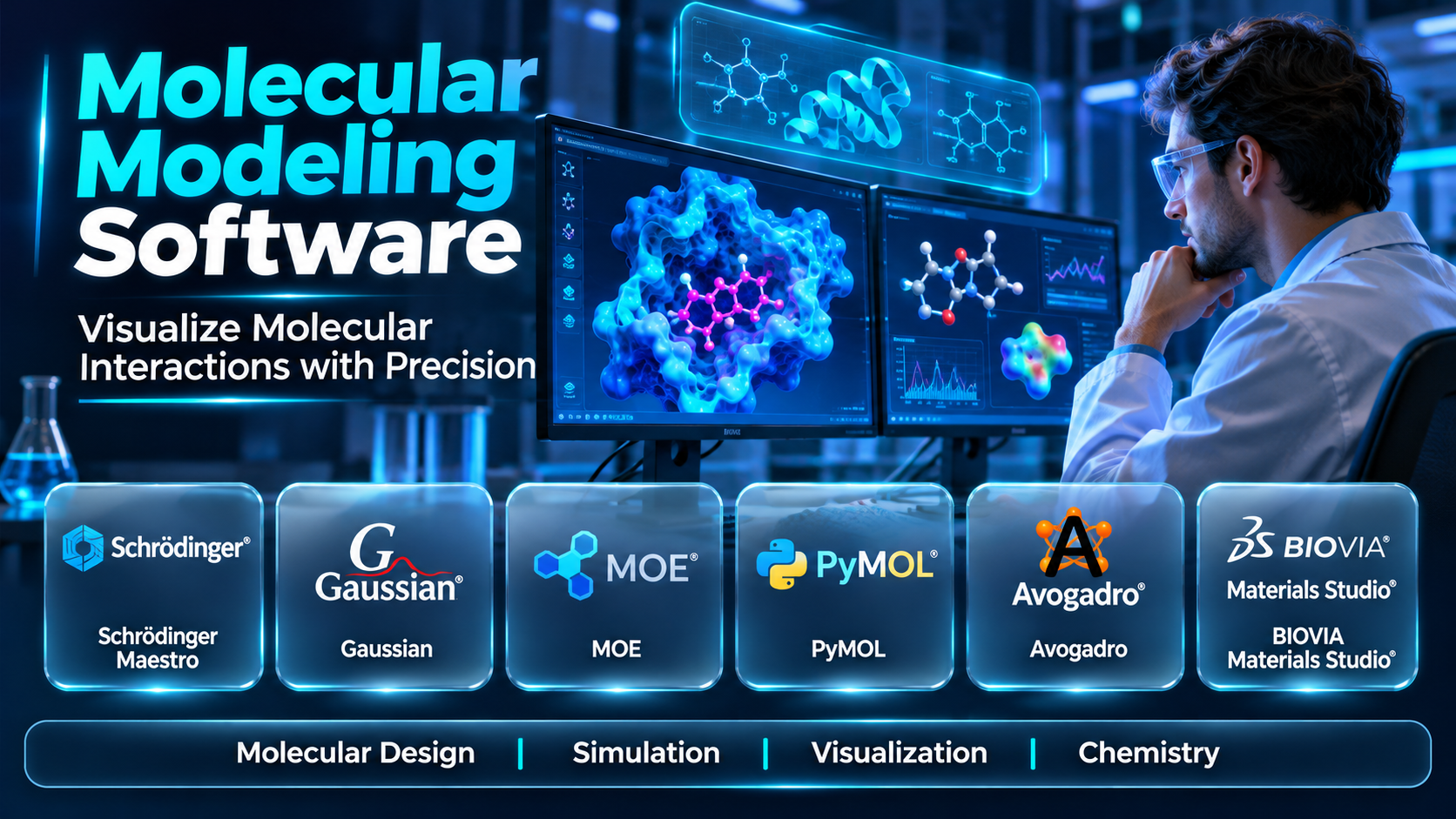
Molecular modeling helps scientists study the structure, behavior, and interactions of molecules. It is widely used in chemistry, materials science, structural biology, and pharmaceutical research.
Modern software can visualize molecular structures, calculate molecular properties, and simulate interactions under defined conditions. Different platforms specialize in quantum chemistry, molecular dynamics, docking, or graphical analysis.
Selecting suitable molecular modeling software requires an understanding of scientific methods and computational limitations. This guide compares ten tools, including commercial applications and open-source research software.
What Is Molecular Modeling Software?
Molecular modeling software uses computational methods to represent and investigate molecular systems. It helps researchers explore atomic arrangements, molecular energies, structural changes, and interactions.
Different applications use different theoretical approaches. Molecular mechanics, quantum chemistry, and molecular dynamics address related but distinct scientific questions.
Common Capabilities
- Molecular structure creation
- Three-dimensional visualization
- Molecular geometry optimization
- Molecular dynamics simulation
- Quantum chemistry calculations
- Protein and ligand analysis
- Molecular docking
- Energy calculations
- Trajectory analysis
- Scientific data export
Modeling results are approximations based on selected methods and assumptions. Experimental evidence remains important when interpreting scientific predictions.
Why Molecular Modeling Software Matters
Experimental investigations can require expensive equipment, specialized materials, and substantial time. Computational methods allow researchers to explore hypotheses before conducting selected experiments.
Molecular modeling also provides information that may be difficult to observe directly. Simulations can help researchers investigate molecular movement, structural stability, and possible interactions.
However, accuracy depends on force fields, calculation methods, input structures, and simulation conditions. Appropriate scientific validation is necessary before relying on results.
Top 10 Molecular Modeling Software Tools
1. Schrödinger Maestro
Short Description
Maestro is a graphical molecular modeling environment within Schrödinger’s computational chemistry software ecosystem. It supports molecular preparation, visualization, and access to related modeling applications.
Key Features
- Molecular structure visualization
- Protein preparation
- Ligand preparation
- Molecular docking workflows
- Molecular dynamics integration
- Molecular property analysis
- Structure-based design tools
- Scientific result visualization
- Project organization
Benefits
- Supports integrated modeling workflows
- Helps prepare molecular structures
- Improves interaction visualization
- Connects multiple computational methods
- Supports ligand evaluation
- Facilitates scientific result review
- Helps organize modeling projects
Pros
- Comprehensive molecular modeling environment
- Strong visualization capabilities
- Relevant to drug discovery
- Integration with specialized applications
- Suitable for advanced research
- Established computational chemistry ecosystem
Cons
- Commercial licensing requirements
- Specialized training may be necessary
- Some methods require additional products
- Advanced calculations can be resource-intensive
- Scientific interpretation requires expertise
Use Cases
- Structure-based drug design
- Protein-ligand analysis
- Molecular docking
- Ligand preparation
- Molecular simulation review
- Computational chemistry research
Best For
- Pharmaceutical modeling teams
- Computational chemists
- Structural biologists
- Medicinal chemistry groups
- Academic research centers
- Advanced molecular research organizations
2. BIOVIA Materials Studio
Short Description
BIOVIA Materials Studio provides modeling and simulation capabilities for materials science research. It supports investigations involving molecular structures, polymers, crystals, and material properties.
Key Features
- Atomic structure modeling
- Crystal structure analysis
- Molecular dynamics
- Materials property prediction
- Quantum-based calculations
- Polymer modeling
- Structure visualization
- Simulation workflow management
- Scientific data analysis
Benefits
- Supports materials research
- Helps investigate atomic structures
- Enables property estimation
- Supports simulation-based experiments
- Facilitates structural comparison
- Improves scientific visualization
- Supports computational materials design
Pros
- Materials science specialization
- Broad modeling capabilities
- Useful structural analysis
- Integrated graphical environment
- Relevant to industrial research
- Supports multiple computational approaches
Cons
- Commercial licensing
- Specialized methods require training
- Computational resource requirements vary
- Not primarily a clinical drug discovery platform
- Results depend on model assumptions
Use Cases
- Polymer modeling
- Crystal analysis
- Materials property research
- Molecular dynamics
- Surface investigations
- Industrial materials development
Best For
- Materials scientists
- Chemical engineers
- Polymer researchers
- Industrial R&D teams
- Academic materials laboratories
- Computational materials groups
3. Gaussian
Short Description
Gaussian is a quantum chemistry software package used for electronic structure calculations. It supports investigations of molecular energies, geometries, and related chemical properties.
Key Features
- Electronic structure calculations
- Molecular geometry optimization
- Vibrational frequency analysis
- Reaction energy calculations
- Molecular orbital analysis
- Density functional theory methods
- Excited-state calculations
- Solvation modeling
- Computational chemistry output
Benefits
- Supports quantum chemistry research
- Helps investigate molecular energies
- Enables reaction mechanism studies
- Supports electronic property analysis
- Provides computational spectroscopy methods
- Facilitates theoretical chemistry investigations
- Supports scientific publication workflows
Pros
- Established quantum chemistry software
- Extensive electronic structure methods
- Relevant to academic research
- Supports detailed molecular calculations
- Useful for reaction analysis
- Broad scientific applications
Cons
- Licensing restrictions
- Requires quantum chemistry expertise
- Calculations can be computationally expensive
- Not a general molecular dynamics environment
- Large systems may be challenging
Use Cases
- Quantum chemistry
- Reaction mechanism analysis
- Molecular orbital studies
- Vibrational spectroscopy
- Geometry optimization
- Electronic structure research
Best For
- Theoretical chemists
- Computational chemistry laboratories
- Academic researchers
- Spectroscopy researchers
- Reaction chemistry groups
- Quantum chemistry specialists
4. GROMACS
Short Description
GROMACS is an open-source molecular dynamics simulation package. It is widely used to study biomolecules and other molecular systems over simulated time.
Key Features
- Molecular dynamics simulation
- Energy minimization
- Force field support
- Trajectory generation
- Parallel computing
- GPU acceleration
- Molecular system preparation
- Simulation analysis
- Command-line automation
Benefits
- Supports molecular motion studies
- Enables large simulation workflows
- Helps investigate structural stability
- Supports reproducible computation
- Uses parallel computing resources
- Facilitates trajectory analysis
- Provides flexible research workflows
Pros
- Open-source availability
- Strong molecular dynamics focus
- Supports high-performance computing
- Active scientific community
- Flexible simulation workflows
- Widely used in biomolecular research
Cons
- Command-line learning requirements
- Requires understanding of force fields
- Simulation setup can be complex
- Not a complete graphical modeling suite
- Long simulations can be expensive
Use Cases
- Protein molecular dynamics
- Membrane simulations
- Biomolecular stability studies
- Solvent interaction analysis
- Molecular trajectory research
- Computational biophysics
Best For
- Computational biophysicists
- Molecular dynamics researchers
- Academic laboratories
- High-performance computing teams
- Protein simulation groups
- Open-source research programs
5. AMBER
Short Description
AMBER refers to a molecular simulation software ecosystem and associated force fields. It supports molecular dynamics and related computational investigations, particularly in biomolecular research.
Key Features
- Molecular dynamics
- Biomolecular force fields
- Energy minimization
- Molecular simulation preparation
- Free energy methods
- Solvation modeling
- Trajectory analysis
- Parallel computation
- Biomolecular system modeling
Benefits
- Supports biomolecular simulation
- Helps investigate molecular interactions
- Enables structural stability studies
- Provides established force field approaches
- Supports free energy research
- Facilitates detailed trajectory analysis
- Supports computational biophysics
Pros
- Established biomolecular simulation methods
- Broad academic use
- Strong force field ecosystem
- Suitable for protein simulations
- Supports advanced computational studies
- Extensive scientific applications
Cons
- Licensing varies by component
- Requires simulation expertise
- Setup can be complex
- Advanced calculations are resource-intensive
- Force field selection affects results
Use Cases
- Protein simulations
- Nucleic acid modeling
- Binding energy studies
- Biomolecular dynamics
- Solvation investigations
- Computational biophysics
Best For
- Biomolecular simulation groups
- Computational chemists
- Structural biology laboratories
- Academic research teams
- Protein research groups
- Advanced simulation specialists
6. NAMD
Short Description
NAMD is molecular dynamics software designed for high-performance biomolecular simulations. It supports parallel computation and large molecular systems.
Key Features
- Molecular dynamics simulation
- Parallel computing
- Large-system simulation
- Force field compatibility
- Energy calculations
- Molecular trajectory output
- Simulation configuration
- High-performance computing support
- Integration with visualization tools
Benefits
- Supports large biomolecular systems
- Uses parallel computing resources
- Enables detailed simulation studies
- Facilitates molecular trajectory generation
- Supports advanced research workflows
- Helps investigate molecular movement
- Complements structural analysis tools
Pros
- High-performance simulation focus
- Suitable for large systems
- Established academic applications
- Parallel processing capabilities
- Relevant to computational biophysics
- Compatible with related scientific tools
Cons
- Requires computational expertise
- Setup can be demanding
- Not a complete graphical environment
- Large simulations require substantial resources
- Scientific assumptions require validation
Use Cases
- Large protein simulations
- Membrane system research
- Biomolecular dynamics
- High-performance simulations
- Molecular interaction studies
- Computational structural biology
Best For
- High-performance computing laboratories
- Computational biophysicists
- Large-system simulation teams
- Academic research centers
- Structural biology groups
- Advanced molecular dynamics researchers
7. Avogadro
Short Description
Avogadro is an open-source molecular editor and visualization application. It helps users construct molecular structures and prepare inputs for computational chemistry workflows.
Key Features
- Molecular structure editing
- Three-dimensional visualization
- Geometry manipulation
- Molecular file conversion
- Structure optimization support
- Atom and bond editing
- Plugin architecture
- Computational input preparation
- Educational visualization
Benefits
- Simplifies molecular structure creation
- Supports teaching and learning
- Helps prepare computational inputs
- Enables molecular visualization
- Facilitates structure editing
- Supports open research workflows
- Provides an accessible graphical interface
Pros
- Open-source software
- Accessible interface
- Useful for education
- Supports multiple molecular formats
- Flexible editing capabilities
- Relevant to computational chemistry preparation
Cons
- Not a complete quantum chemistry engine
- Advanced simulation requires external tools
- Feature availability depends on version
- Large-system workflows may be limited
- Scientific calculations need separate validation
Use Cases
- Molecular structure creation
- Chemistry education
- Quantum chemistry input preparation
- Molecular visualization
- Chemical geometry editing
- Research demonstrations
Best For
- Chemistry students
- Educators
- Academic researchers
- Computational chemistry beginners
- Scientists preparing molecular inputs
- Open-source software users
8. UCSF ChimeraX
Short Description
UCSF ChimeraX is a molecular visualization and analysis application focused on biological structures. It supports detailed examination of proteins, complexes, and other structural biology data.
Key Features
- Molecular structure visualization
- Protein structure analysis
- Molecular surface rendering
- Structural comparison
- Molecular measurement tools
- Cryo-electron microscopy visualization
- Structural data integration
- Scriptable workflows
- Scientific image generation
Benefits
- Improves structural understanding
- Supports protein visualization
- Helps analyze molecular complexes
- Enables structural comparisons
- Supports scientific communication
- Facilitates structural biology workflows
- Provides detailed molecular rendering
Pros
- Strong structural visualization
- Relevant to modern structural biology
- Supports advanced molecular displays
- Useful scripting options
- Suitable for scientific figures
- Active research applications
Cons
- Not a full molecular dynamics engine
- Some advanced functions require expertise
- Licensing conditions depend on usage
- Large datasets can require strong hardware
- Modeling capabilities differ from simulation suites
Use Cases
- Protein visualization
- Structural comparison
- Molecular complex analysis
- Cryo-EM structure interpretation
- Scientific figure preparation
- Structural biology education
Best For
- Structural biologists
- Protein researchers
- Cryo-EM laboratories
- Academic scientists
- Molecular visualization specialists
- Research communication teams
9. PyMOL
Short Description
PyMOL is a molecular visualization system commonly used in structural biology and computational chemistry. It supports molecular rendering, structural analysis, and scientific figure creation.
Key Features
- Three-dimensional molecular visualization
- Protein structure rendering
- Molecular selections
- Structural measurements
- Molecular surface displays
- Scripting support
- Structure alignment
- Scientific image export
- Molecular presentation tools
Benefits
- Supports detailed molecular visualization
- Helps communicate structural findings
- Enables structure comparisons
- Supports reproducible visual workflows
- Facilitates molecular measurements
- Produces scientific figures
- Complements modeling software
Pros
- Widely recognized visualization application
- Strong molecular rendering
- Scriptable workflows
- Useful for publications
- Supports structural analysis
- Relevant to education and research
Cons
- Not primarily a simulation engine
- Advanced scripting requires expertise
- Licensing depends on distribution
- Large structures can affect performance
- Scientific calculations require other tools
Use Cases
- Protein structure visualization
- Molecular figure creation
- Ligand interaction displays
- Structural alignment
- Scientific presentations
- Structural biology research
Best For
- Structural biology teams
- Academic researchers
- Medicinal chemists
- Scientific visualization specialists
- Research educators
- Publication preparation teams
10. ORCA
Short Description
ORCA is a quantum chemistry software package used for electronic structure calculations. It supports research involving molecular properties, spectroscopy, and chemical reaction mechanisms.
Key Features
- Electronic structure calculations
- Density functional theory
- Molecular geometry optimization
- Spectroscopic property calculations
- Reaction energy analysis
- Molecular orbital investigation
- Excited-state methods
- Solvation modeling
- Quantum chemistry workflows
Benefits
- Supports theoretical chemistry research
- Helps investigate electronic properties
- Enables molecular energy calculations
- Supports spectroscopy interpretation
- Facilitates reaction mechanism studies
- Provides advanced quantum methods
- Complements experimental chemistry
Pros
- Extensive quantum chemistry functionality
- Strong academic research relevance
- Supports many theoretical methods
- Useful for spectroscopy research
- Suitable for advanced calculations
- Established scientific community
Cons
- Licensing conditions require review
- Command-line expertise is useful
- Computational demands can be high
- Not a molecular visualization suite
- Method selection requires scientific knowledge
Use Cases
- Quantum chemistry research
- Electronic structure calculations
- Spectroscopy modeling
- Reaction mechanism studies
- Molecular property calculations
- Theoretical chemistry
Best For
- Quantum chemists
- Theoretical chemistry laboratories
- Spectroscopy researchers
- Academic scientists
- Reaction modeling teams
- Advanced computational chemistry groups
Comparison of the Top 10 Molecular Modeling Tools
| Software | Primary Focus | Typical Users | Main Consideration |
|---|---|---|---|
| Schrödinger Maestro | Integrated molecular modeling | Drug discovery scientists | Commercial ecosystem |
| BIOVIA Materials Studio | Materials modeling | Materials scientists | Specialized methods |
| Gaussian | Quantum chemistry | Theoretical chemists | Computational demands |
| GROMACS | Molecular dynamics | Biophysicists | Command-line workflows |
| AMBER | Biomolecular simulation | Computational chemists | Force field selection |
| NAMD | Large molecular dynamics | HPC research teams | Infrastructure requirements |
| Avogadro | Molecular editing | Students and researchers | Limited native simulation |
| UCSF ChimeraX | Structural visualization | Structural biologists | Visualization focus |
| PyMOL | Molecular visualization | Protein researchers | Not a simulation engine |
| ORCA | Quantum chemistry | Academic chemists | Method expertise |
Key Evaluation Factors
Scientific methods: Confirm whether the application supports the theoretical approach required. Quantum chemistry and classical molecular dynamics address different problems.
Accuracy: Review force fields, algorithms, convergence criteria, and model assumptions. No modeling method is universally accurate for every molecular system.
System size: Estimate the number of atoms and expected simulation duration. Computational requirements can differ dramatically between small molecules and large biomolecular assemblies.
Hardware: Check CPU, GPU, memory, and storage requirements. Large simulations may require high-performance computing infrastructure.
Interoperability: Evaluate support for molecular file formats, trajectories, scripts, and external analysis tools. Compatible workflows can reduce manual conversion and data loss.
Licensing: Compare commercial, academic, and open-source usage conditions. Some tools offer different permissions for research and commercial use.
Which Molecular Modeling Software Is Right for You?
| User or Organization | Recommended Tools to Evaluate | Reason |
|---|---|---|
| Pharmaceutical modeling team | Schrödinger Maestro, PyMOL | Drug discovery structures |
| Materials research laboratory | BIOVIA Materials Studio | Materials simulation |
| Quantum chemistry department | Gaussian, ORCA | Electronic structure methods |
| Protein dynamics group | GROMACS, AMBER | Biomolecular simulation |
| High-performance computing team | NAMD, GROMACS | Parallel molecular dynamics |
| Chemistry educator | Avogadro, PyMOL | Structure visualization |
| Structural biology laboratory | ChimeraX, PyMOL | Molecular structure analysis |
| Academic computational chemist | ORCA, GROMACS | Specialized scientific calculations |
The best choice depends on the research question and available scientific expertise. Multiple tools may be necessary to complete a single molecular modeling workflow.
Practical Molecular Modeling Workflow
Step 1: Define the Scientific Question
Identify the molecular property or interaction under investigation. Select measurable outputs and establish appropriate scientific assumptions.
Action checklist:
- Define the molecular system.
- Identify the research objective.
- Select relevant properties.
- Document assumptions.
- Establish evaluation criteria.
Step 2: Prepare Molecular Structures
Obtain or construct suitable molecular structures. Check atom types, bonding, charges, and other parameters relevant to the selected method.
Action checklist:
- Import structures.
- Verify molecular geometry.
- Assign required parameters.
- Check missing atoms.
- Document structure sources.
Step 3: Choose the Modeling Method
Select quantum chemistry, molecular mechanics, molecular dynamics, or visualization methods as appropriate. Review their assumptions and computational requirements.
Action checklist:
- Compare available methods.
- Select force fields or functionals.
- Estimate resource requirements.
- Define calculation settings.
- Document method selection.
Step 4: Configure Calculations
Set simulation parameters and computing resources. Perform preliminary checks to identify obvious setup problems.
Action checklist:
- Configure input files.
- Set calculation parameters.
- Allocate computing resources.
- Test a small calculation.
- Review error messages.
Step 5: Execute Simulations
Run calculations under controlled conditions. Monitor convergence, numerical stability, and computational performance.
Action checklist:
- Launch calculations.
- Monitor progress.
- Check convergence.
- Record software versions.
- Preserve calculation logs.
Step 6: Analyze Results
Evaluate energies, structures, trajectories, and other outputs according to the scientific question. Identify uncertainty and potential methodological limitations.
Action checklist:
- Review calculated properties.
- Visualize structures.
- Compare reference results.
- Investigate anomalies.
- Document uncertainty.
Step 7: Validate and Report
Compare computational findings with experimental data or accepted benchmarks where available. Record methods and results sufficiently to support reproducibility.
Action checklist:
- Compare with experiments.
- Review sensitivity.
- Document limitations.
- Archive input and output files.
- Prepare scientific reports.
Frequently Asked Questions
1. What is molecular modeling software?
Molecular modeling software represents and analyzes molecular systems using computational methods. It supports structure visualization, property calculations, and simulation.
2. What is molecular dynamics?
Molecular dynamics simulates molecular movement over time using mathematical models. It helps researchers investigate structural behavior and interactions.
3. What is quantum chemistry software?
Quantum chemistry software uses quantum mechanical methods to study molecular electronic structure. It supports calculations involving energies, orbitals, and related properties.
4. What is the difference between GROMACS and Gaussian?
GROMACS primarily supports classical molecular dynamics simulations. Gaussian focuses on quantum chemistry calculations.
5. Is PyMOL a molecular dynamics simulator?
PyMOL primarily provides molecular visualization and structural analysis. Molecular dynamics calculations generally require separate simulation software.
6. Is Avogadro suitable for beginners?
Avogadro offers graphical tools useful for molecular structure creation and learning. Advanced scientific calculations still require appropriate computational methods.
7. What is a molecular force field?
A force field is a mathematical model describing interactions between atoms. Its suitability depends on the molecular system and intended simulation.
8. Can molecular modeling predict chemical reactions?
Some quantum chemistry methods can investigate reaction pathways and energy changes. Predictions depend on theoretical assumptions and require validation.
9. Do molecular modeling tools require GPUs?
Some workloads benefit substantially from GPUs, while others rely primarily on CPUs. Hardware requirements depend on the software and calculation method.
10. What is geometry optimization?
Geometry optimization searches for a molecular structure satisfying selected energy or force criteria. The result depends on the chosen computational method.
11. Can these tools model proteins?
Several applications support protein structures and simulations. Appropriate software depends on whether the goal is visualization, dynamics, or electronic structure analysis.
12. What is molecular docking?
Molecular docking predicts possible arrangements of interacting molecules. Docking scores are approximate and do not establish experimental binding affinity.
13. Is open-source molecular modeling reliable?
Open-source tools can support rigorous scientific research. Reliability depends on appropriate methods, validation, and correct use.
14. What is trajectory analysis?
Trajectory analysis examines molecular structures recorded during a simulation. It can reveal changes in conformation, motion, and interactions.
15. How do researchers validate molecular simulations?
Researchers compare results with suitable experiments, reference calculations, or established benchmarks. Sensitivity and uncertainty should also be evaluated.
16. How should molecular modeling software be selected?
Start with the scientific problem and required methods. Evaluate accuracy, computing resources, usability, interoperability, licensing, and research expertise.
Final Thoughts
Molecular modeling software supports research across chemistry, biology, materials science, and pharmaceutical development. Different applications provide different levels of detail and address distinct scientific questions.
Schrödinger Maestro and BIOVIA Materials Studio offer integrated environments for specialized modeling workflows. Their value depends on scientific fit and available computational resources.
GROMACS, AMBER, and NAMD support molecular dynamics investigations. Gaussian and ORCA address electronic structure questions through quantum chemistry methods.
Avogadro, PyMOL, and ChimeraX provide useful molecular editing and visualization capabilities. They complement rather than replace specialized simulation engines.
The most suitable molecular modeling software is one that matches the research objective and produces interpretable, reproducible results. Careful method selection and experimental validation remain essential.
