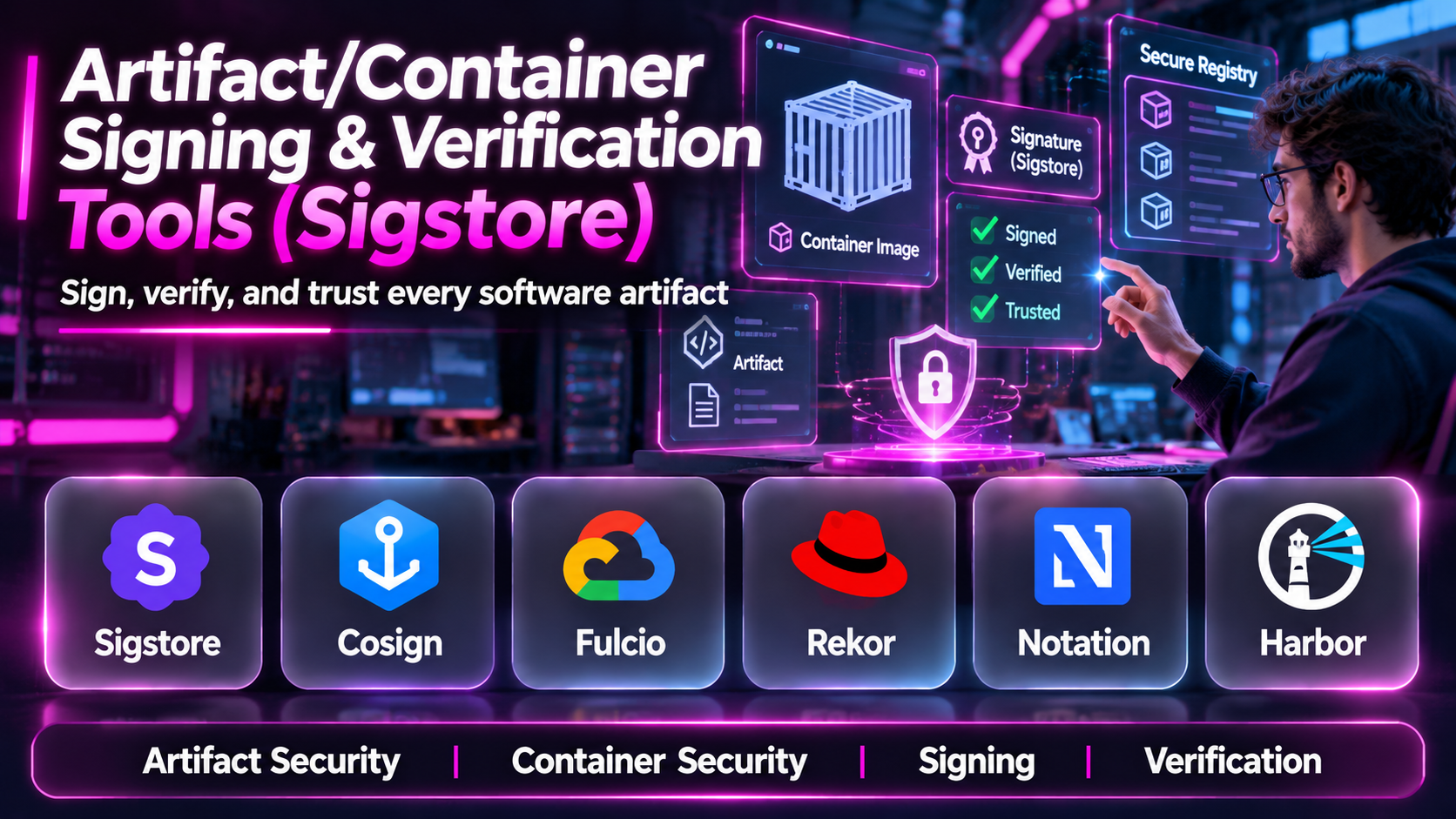
Introduction
Container images and software artifacts move through many systems before reaching production.
Developers create applications, automated pipelines build packages, registries store artifacts, and deployment systems distribute them across infrastructure.
This process creates an important security question: how can an organization verify that the software being deployed is the software it intended to trust?
Traditional checksums can identify changes in artifact contents, but they do not independently establish who authorized or produced an artifact.
Digital signatures help connect software artifacts with cryptographic identities.
Artifact and container signing tools allow organizations to sign software outputs, verify signatures, and apply policies before deployment.
Sigstore has become an important ecosystem for these workflows, particularly through Cosign, Fulcio, and Rekor.
Other technologies, including Notation, Notary Project, and Kubernetes admission controls, support related approaches.
However, these technologies serve different purposes. Some create signatures, others issue signing certificates, maintain transparency records, or enforce verification policies.
This guide compares ten tools and components that organizations can combine into a secure software signing and verification architecture.
What Are Artifact and Container Signing Tools?
Artifact signing tools use cryptography to associate software artifacts with a signing identity.
A verifier can then determine whether the signature is valid and whether the identity satisfies a defined trust policy.
For container images, signatures are commonly associated with image digests or related OCI artifacts.
What Is Sigstore?
Sigstore is an open-source ecosystem designed to make software signing and verification more accessible.
Its components support identity-based signing, short-lived certificates, transparency mechanisms, and verification workflows.
Sigstore is not simply one command-line utility.
It includes complementary technologies that address different parts of the signing lifecycle.
What Is Keyless Signing?
Traditional software signing often requires organizations to create, store, rotate, and protect long-lived private keys.
Keyless signing uses an identity-based workflow in which a short-lived signing certificate can connect a signature to an authenticated identity.
This approach can reduce some key-management burdens.
However, it does not remove the need for identity security, certificate validation, and carefully configured verification policies.
Signing vs. Verification vs. Attestation
These concepts should remain separate.
Signing creates cryptographic evidence associated with an artifact.
Verification checks the signature and associated trust requirements.
Attestation provides structured claims about an artifact, such as its build provenance or test results.
A valid signature does not establish that the signed software is safe.
It establishes that the signature validates under the applicable cryptographic and identity checks.
Top 10 Artifact and Container Signing & Verification Tools
1. Sigstore Cosign
Short Description
Cosign is an open-source command-line tool for signing and verifying container images and other software artifacts.
It is one of the most widely recognized tools in the Sigstore ecosystem.
Cosign supports signing workflows based on traditional keys as well as supported identity-based approaches.
This flexibility makes it relevant to organizations with different security requirements and operational constraints.
For example, a software company can sign a production container image after its release pipeline completes.
A downstream deployment process can then verify that the image was signed by an expected identity.
Cosign also supports attestation workflows, allowing organizations to associate signed claims with artifacts.
This can connect artifact verification with build provenance, software bills of materials, and other supply chain evidence.
However, organizations must define which identities they trust and which claims they require.
Simply checking that any valid signature exists is not a sufficient production security policy.
Key Features
- Container image signing: Signs compatible container artifacts.
- Signature verification: Validates signatures and expected signing identities.
- Keyless signing: Supports identity-based workflows using short-lived certificates.
- Key-based signing: Supports traditional cryptographic key arrangements.
- OCI integration: Works with compatible container registries and artifact distribution workflows.
- Attestation support: Associates signed statements with software artifacts.
- Transparency integration: Supports relevant Sigstore transparency mechanisms.
- CI/CD automation: Enables scripted signing and verification.
- Artifact flexibility: Supports additional software artifact types and blobs.
Benefits
Cosign helps organizations implement consistent artifact integrity and identity verification across software delivery workflows.
It also provides a foundation for integrating signed evidence into deployment security policies.
Pros
- Open-source.
- Strong cloud-native ecosystem.
- Supports keyless signing.
- Works with attestations.
- Automation-friendly.
- Broad community adoption.
Cons
- Requires policy configuration.
- Signing identity management remains important.
- Registry compatibility needs testing.
- Not a vulnerability scanner.
- Advanced verification workflows require expertise.
Use Cases
Container release signing, CI/CD integrity checks, software artifact verification, provenance attestation, and Kubernetes deployment security.
Best For: DevSecOps teams implementing cryptographic software verification.
2. Notation
Short Description
Notation is a signing and verification tool associated with the Notary Project.
It provides workflows for signing and verifying artifacts, particularly within OCI-compatible environments.
Notation is relevant to organizations that want standards-oriented artifact signing with configurable trust policies.
For example, an enterprise may sign container images using an approved certificate-based signing arrangement.
A downstream deployment workflow can verify the image according to the organization’s trust policy.
Notation can integrate with different signing key providers through supported plugins and configurations.
This makes it relevant to enterprises that already maintain formal certificate management or hardware-backed key infrastructure.
However, successful adoption requires careful planning around trust stores, certificate identities, registry compatibility, and signature lifecycle management.
Key Features
- OCI artifact signing.
- Signature verification.
- Certificate-based trust.
- Trust policy configuration.
- Signing plugin support.
- Registry integration.
- Automation capabilities.
- Standards-oriented workflows.
- Enterprise key management integration options.
Benefits
Notation helps organizations establish consistent artifact signing policies using compatible cryptographic infrastructure.
Pros
- Open-source.
- Enterprise-oriented trust policies.
- OCI relevance.
- Signing plugin architecture.
- Flexible key management.
Cons
- Certificate management can be complex.
- Requires trust configuration.
- Registry support varies.
- Integration effort.
- Not a complete supply chain security platform.
Use Cases
Enterprise container signing, OCI artifact verification, certificate-based release approval, and registry security.
Best For: Organizations requiring structured certificate-based artifact trust policies.
3. Sigstore Fulcio
Short Description
Fulcio is a certificate authority component within the Sigstore ecosystem.
Its primary role is to issue short-lived signing certificates associated with authenticated identities.
Fulcio is not a general-purpose artifact signing command-line application.
Instead, it provides an important service used by identity-based signing workflows.
For example, a supported signing process may authenticate a workload through an identity provider and obtain a short-lived certificate connecting the signing key to that identity.
This helps verifiers determine which identity was associated with a signature.
Fulcio is particularly relevant to organizations building or operating Sigstore-compatible signing infrastructure.
However, using Fulcio requires a clear understanding of identity providers, certificate validation, trust roots, and certificate lifecycle behavior.
Key Features
- Short-lived signing certificates.
- Identity-based certificate issuance.
- OIDC integration.
- Certificate identity information.
- Signing workflow support.
- Certificate authority infrastructure.
- Sigstore ecosystem integration.
- Trust-chain verification support.
Benefits
Fulcio helps reduce dependence on manually distributed long-lived signing certificates in supported workflows.
Pros
- Open-source.
- Important keyless signing component.
- Identity-based trust.
- Short-lived certificates.
- Sigstore integration.
Cons
- Not a standalone signing CLI.
- Requires identity infrastructure.
- Certificate trust configuration.
- Operational complexity for private deployments.
- Does not assess software security.
Use Cases
Private Sigstore infrastructure, identity-based signing, certificate issuance, and secure CI/CD identity integration.
Best For: Platform security teams operating signing infrastructure.
4. Sigstore Rekor
Short Description
Rekor is a transparency log component within the Sigstore ecosystem.
It provides an auditable record of supported signing-related events.
Transparency logs help make signing activity observable and support verification workflows that rely on log evidence.
For example, a security team may investigate whether a particular software artifact signature was recorded in a transparency system.
Rekor can provide evidence that a signing event was logged, depending on the relevant record and verification workflow.
This adds an important accountability mechanism to software signing.
However, transparency does not mean that every logged artifact is trustworthy.
A transparency log records information; it does not independently determine whether the underlying software is malicious.
Rekor is therefore a complementary infrastructure component rather than a replacement for signing or verification tools.
Key Features
- Transparency logging.
- Append-only log architecture.
- Signing event records.
- Log inclusion evidence.
- Auditability.
- Verification ecosystem integration.
- API-based interaction.
- Sigstore compatibility.
Benefits
Rekor supports accountability and investigation by making supported signing activity auditable.
Pros
- Open-source.
- Transparency-oriented architecture.
- Useful for audit workflows.
- Sigstore ecosystem integration.
- Supports signing accountability.
Cons
- Not a signing tool.
- Does not determine software safety.
- Operational requirements for private instances.
- Verification logic remains necessary.
- Log availability must be considered.
Use Cases
Software signing transparency, audit trails, supply chain investigations, and Sigstore infrastructure.
Best For: Security teams requiring auditable software signing records.
5. Notary Project
Short Description
Notary Project is an open-source initiative focused on securing software supply chains through signing and verification specifications and tooling.
It provides the broader ecosystem associated with Notation and related technologies.
The project is particularly relevant to organizations interested in standards-based trust for OCI artifacts.
For example, a platform engineering team may adopt Notary Project tooling to establish a consistent approach to signing container images across multiple registries.
The project also helps define interoperability expectations between signing tools and artifact distribution systems.
However, Notary Project should not be treated as a separate turnkey commercial product.
Organizations generally deploy or integrate particular tools from its ecosystem.
Its practical value depends on choosing the correct components and configuring them appropriately.
Key Features
- Artifact signing ecosystem.
- Verification specifications.
- OCI artifact relevance.
- Notation tooling.
- Trust policy concepts.
- Plugin architecture.
- Open-source development.
- Interoperability focus.
Benefits
Notary Project provides a standards-oriented foundation for consistent artifact signing and verification.
Pros
- Open-source.
- Standards focus.
- OCI ecosystem relevance.
- Enterprise applicability.
- Extensible tooling.
Cons
- Not a single packaged product.
- Requires implementation choices.
- Configuration complexity.
- Verification integration required.
- Some capabilities depend on specific tools.
Use Cases
OCI signing architectures, enterprise artifact trust frameworks, registry security, and signing standardization.
Best For: Platform architects designing standards-based artifact verification systems.
6. Kyverno
Short Description
Kyverno is a Kubernetes-native policy engine that supports validation, mutation, generation, and other policy-driven cluster workflows.
It can also support container image verification through compatible policy capabilities.
Kyverno is especially relevant to organizations that want signing verification to influence Kubernetes admission decisions.
For example, a cluster administrator may define a policy requiring production images to satisfy specified signature verification requirements.
When a deployment attempts to use an image that does not meet the policy, the admission process can reject the request.
This helps move artifact trust from a manual release checklist into an enforceable infrastructure control.
However, image verification must be configured carefully.
Poorly designed policies can either block legitimate workloads or permit untrusted images.
Kyverno is not primarily a signing tool; its role is policy enforcement and verification integration.
Key Features
- Kubernetes admission policies.
- Container image verification.
- Policy enforcement.
- Validation rules.
- Cluster governance.
- Policy reporting.
- GitOps-friendly workflows.
- Automation.
- Supply chain policy integration.
Benefits
Kyverno helps organizations enforce artifact trust requirements at the Kubernetes deployment boundary.
Pros
- Kubernetes-native.
- Policy-as-code.
- Image verification support.
- Open-source.
- Useful for DevSecOps.
Cons
- Kubernetes-specific.
- Requires careful policy design.
- Cluster operational overhead.
- Not an artifact signer.
- Misconfiguration can affect availability.
Use Cases
Kubernetes admission control, signed-image enforcement, deployment governance, and software supply chain security.
Best For: Kubernetes teams enforcing trusted image policies.
7. Connaisseur
Short Description
Connaisseur is an open-source Kubernetes admission controller designed to verify container image signatures before deployment.
It focuses on preventing workloads from using images that fail configured trust requirements.
This makes it relevant to organizations seeking a dedicated admission-control mechanism for signed container images.
For example, a security team can define approved signing authorities and configure verification before container images are admitted into a cluster.
Connaisseur can help establish a clear separation between the process that signs software and the system that authorizes its deployment.
However, the project is narrower than general-purpose Kubernetes policy platforms.
Organizations should review current maintenance activity, compatibility, and supported signature providers before adopting it.
Key Features
- Kubernetes admission control.
- Container signature verification.
- Trust configuration.
- Deployment blocking.
- Signing authority validation.
- Registry-related workflows.
- Policy enforcement.
- Open-source architecture.
Benefits
Connaisseur can provide a dedicated control for preventing unsigned or improperly signed images from reaching Kubernetes workloads.
Pros
- Focused verification purpose.
- Kubernetes integration.
- Open-source.
- Deployment enforcement.
- Useful trust boundary.
Cons
- Narrower functionality.
- Kubernetes-only use case.
- Maintenance status should be checked.
- Configuration effort.
- Not a signing service.
Use Cases
Signed-image admission, Kubernetes cluster protection, and container deployment governance.
Best For: Teams seeking dedicated Kubernetes image signature enforcement.
8. Ratify
Short Description
Ratify is an open-source verification framework for artifacts and associated security metadata.
It is designed to help organizations evaluate artifact trust through extensible verification mechanisms.
Ratify is particularly relevant to container deployment and policy enforcement workflows.
For example, a platform team may use Ratify to verify signatures or other supported artifact evidence before permitting a deployment.
Its architecture can help separate artifact verification logic from the broader policy system that consumes the results.
This is useful when organizations want consistent verification across different artifact metadata types.
However, Ratify requires integration with appropriate policy enforcement systems and supported verification plugins.
It does not independently replace the entire software signing lifecycle.
Key Features
- Artifact verification framework.
- Extensible verification plugins.
- OCI artifact relevance.
- Signature verification integrations.
- Policy ecosystem integration.
- Container security workflows.
- Verification result handling.
- Open-source development.
Benefits
Ratify helps organizations standardize how artifact trust evidence is checked.
Pros
- Extensible architecture.
- Artifact verification focus.
- Cloud-native relevance.
- Open-source.
- Policy integration potential.
Cons
- Requires supporting infrastructure.
- Plugin compatibility matters.
- Not a standalone signing solution.
- Operational setup.
- Trust policies must be defined.
Use Cases
Container image verification, admission policy integration, artifact trust evaluation, and cloud-native security.
Best For: Platform security teams building extensible verification systems.
9. Docker Content Trust
Short Description
Docker Content Trust is a legacy Docker image signing and verification mechanism associated with Docker’s earlier trust infrastructure.
It was designed to help users verify signed image content through supported Docker workflows.
Historically, it provided a way to establish trust in container image publishers and repository content.
For example, an organization could configure supported Docker workflows to require trusted image signatures.
However, Docker Content Trust is not equivalent to modern Sigstore or OCI signing architectures.
Its legacy status and ecosystem limitations make it a poor default choice for new deployments.
Organizations maintaining existing Docker Content Trust workflows should evaluate migration paths to actively supported signing and verification technologies.
Key Features
- Legacy Docker image signing.
- Signature verification.
- Repository trust.
- Publisher identity mechanisms.
- Docker client integration.
- Trusted image workflows.
- Historical Notary integration.
- Deployment trust concepts.
Benefits
Docker Content Trust illustrates the importance of signed image distribution and may remain relevant to legacy environments.
Pros
- Established historical approach.
- Docker ecosystem integration.
- Image trust enforcement concepts.
- Useful migration context.
- Familiar to some operations teams.
Cons
- Legacy technology.
- Not recommended for new architectures.
- Ecosystem limitations.
- Migration planning may be necessary.
- Different trust model from modern Sigstore workflows.
Use Cases
Legacy Docker environments, existing trust-policy maintenance, and migration assessments.
Best For: Organizations evaluating or retiring older Docker signing workflows.
10. Sigstore Policy Controller
Short Description
Sigstore Policy Controller is a Kubernetes admission controller designed to evaluate artifact signatures and related evidence against configured trust policies.
It connects the Sigstore verification ecosystem with Kubernetes deployment enforcement.
For example, an organization may require that images deployed to a production namespace be signed by an approved build identity.
The controller can evaluate compatible signature evidence during admission and help prevent untrusted images from entering the environment.
This is important because signatures provide limited practical protection when deployment systems do not enforce their use.
Policy Controller helps connect cryptographic evidence with operational decisions.
However, it requires careful management of trusted identities, policy scope, certificate expectations, and cluster availability.
Organizations should also verify current project support and compatibility with their Kubernetes and Sigstore versions.
Key Features
- Kubernetes admission integration.
- Sigstore signature verification.
- Trust policy enforcement.
- Signing identity checks.
- Namespace-oriented policy controls.
- Deployment admission decisions.
- Attestation-related verification capabilities.
- Open-source architecture.
- Cloud-native integration.
Benefits
Sigstore Policy Controller can turn artifact signatures into enforceable Kubernetes deployment requirements.
Pros
- Sigstore ecosystem integration.
- Kubernetes-native enforcement.
- Open-source.
- Identity-based policies.
- Supports secure deployment workflows.
Cons
- Kubernetes-specific.
- Requires policy expertise.
- Compatibility needs verification.
- Not a signing utility.
- Misconfiguration can block legitimate workloads.
Use Cases
Signed-image deployment enforcement, Kubernetes supply chain security, identity-based release policies, and production cluster governance.
Best For: Kubernetes organizations standardizing on Sigstore verification.
Artifact and Container Signing Tools Comparison Table
| Tool | Primary Function | Best For | Key Limitation |
|---|---|---|---|
| Cosign | Signing and verification | DevSecOps teams | Requires trust configuration |
| Notation | OCI signing and verification | Enterprise security | Certificate management |
| Fulcio | Certificate issuance | Keyless signing infrastructure | Not a signing CLI |
| Rekor | Transparency logging | Auditability | Not a signer |
| Notary Project | Standards and tooling ecosystem | Platform architects | Not a single product |
| Kyverno | Kubernetes policy enforcement | Cluster administrators | Kubernetes-focused |
| Connaisseur | Image admission verification | Dedicated image trust | Narrow scope |
| Ratify | Artifact verification framework | Platform security | Integration required |
| Docker Content Trust | Legacy image trust | Migration planning | Legacy technology |
| Sigstore Policy Controller | Kubernetes signature policy | Sigstore-based clusters | Cluster-specific |
How to Choose Artifact and Container Signing Tools
1. Identify the Artifact Types
Determine whether the organization needs to sign container images, binaries, packages, Helm charts, or other OCI artifacts.
Not every tool supports the same artifact formats.
2. Choose a Signing Identity Model
Decide whether to use traditional signing keys, managed certificate infrastructure, or identity-based keyless signing.
Consider operational security and existing identity systems.
3. Define Trusted Publishers
Verification should establish which repositories, workflows, teams, or signing identities are authorized.
A cryptographically valid signature from an unknown identity should not automatically authorize deployment.
4. Evaluate Registry Compatibility
Test how signatures and attestations are stored and retrieved through the organization’s registries.
5. Select a Verification Layer
CI/CD verification can detect problems before release.
Kubernetes admission policies can provide an additional enforcement boundary.
Organizations may need both.
6. Review Transparency Requirements
Transparency logs can improve accountability, but their use must fit the organization’s security and availability requirements.
7. Plan Key and Identity Rotation
Trust policies must accommodate legitimate identity changes without allowing unexpected signers.
8. Test Failure Behavior
Verify that missing signatures, invalid signatures, and unauthorized identities are rejected according to policy.
Best Artifact Signing Tools by User Type
| User Type | Recommended Tool | Reason |
|---|---|---|
| DevSecOps engineer | Cosign | Flexible signing and verification |
| Enterprise PKI team | Notation | Certificate-oriented trust |
| Sigstore infrastructure operator | Fulcio | Identity-based certificates |
| Security auditor | Rekor | Transparency records |
| OCI standards architect | Notary Project | Interoperability |
| Kubernetes administrator | Kyverno | Broad policy enforcement |
| Dedicated admission security team | Connaisseur | Image verification |
| Platform verification engineer | Ratify | Extensible artifact checks |
| Legacy Docker administrator | Docker Content Trust migration assessment | Legacy trust transition |
| Sigstore Kubernetes team | Sigstore Policy Controller | Identity-based admission policies |
Practical Example: Enforcing Signed Container Images in Kubernetes
Consider a company operating several production Kubernetes clusters.
The company wants to ensure that only approved container images reach production.
Step 1: Establish Trusted Build Workflows
Identify the repositories and automation identities authorized to produce production images.
Step 2: Choose a Signing Tool
Select Cosign or another appropriate tool according to the organization’s identity and certificate requirements.
Step 3: Sign Release Images
Configure the release pipeline to sign images using their immutable digests.
Step 4: Publish Signatures
Ensure that the registry and artifact distribution workflow support retrieval of the required signing evidence.
Step 5: Configure Verification
Define expected signing identities, certificate issuers, and other relevant conditions.
Step 6: Deploy a Policy Engine
Evaluate Kyverno, Sigstore Policy Controller, Ratify integrations, or another supported enforcement mechanism.
Step 7: Test Approved Images
Confirm that properly signed images from trusted workflows can deploy.
Step 8: Test Unauthorized Images
Attempt to deploy unsigned images and images signed by unexpected identities.
Confirm that the policy rejects them.
Step 9: Monitor Enforcement
Review verification failures, exceptions, and policy coverage.
Step 10: Expand the Trust Policy
Introduce provenance verification and other attestation requirements where appropriate.
Common Artifact Signing Challenges
Signature Without Identity Validation
A signature is insufficient if the verifier does not establish whether the signer is trusted.
Mutable Image Tags
A tag may point to different image contents over time.
Digest-based verification provides a more precise artifact reference.
Key Management Risks
Long-lived signing keys require secure storage, access control, and rotation.
Incomplete Registry Support
Some registry configurations may complicate signature or attestation storage.
Admission Policy Failures
Poorly configured admission controls can cause deployment outages.
False Confidence
Signed software can still contain vulnerabilities or malicious functionality.
Signing is an integrity and identity control, not a complete security assessment.
Frequently Asked Questions
1. What is container image signing?
It is the process of associating a container image with a cryptographic signature.
2. What is Sigstore?
Sigstore is an open-source ecosystem for software signing and verification.
3. What is Cosign?
Cosign is a tool for signing and verifying software artifacts.
4. What is keyless signing?
It is a signing approach that uses authenticated identities and short-lived certificates rather than relying solely on long-lived signing keys.
5. What is Fulcio?
Fulcio is a certificate authority component used in Sigstore workflows.
6. What is Rekor?
Rekor provides transparency logging for supported signing-related records.
7. What is Notation?
Notation is a tool for signing and verifying artifacts using Notary Project technologies.
8. Is Notation the same as Cosign?
No. They are different tools with different ecosystems and trust configuration models.
9. Can Kubernetes verify image signatures?
Yes, through compatible admission controllers and policy integrations.
10. What is Kyverno?
Kyverno is a Kubernetes policy engine that supports image verification capabilities.
11. What is Ratify?
Ratify is an extensible artifact verification framework.
12. Does signing detect malware?
No. Signing does not independently detect malicious software.
13. Can an artifact have multiple signatures?
Supported signing systems can associate multiple signatures with an artifact.
14. What is an OCI artifact?
It is an artifact represented and distributed through compatible OCI specifications and infrastructure.
15. Why use image digests?
They identify exact image contents rather than relying on mutable names.
16. What is signature verification?
It checks cryptographic evidence and applicable trust requirements.
17. What is a transparency log?
It is a system for recording events in a way that supports auditing and verification.
18. Can signing replace vulnerability scanning?
No. They address different security questions.
19. Should signing be mandatory for production?
Organizations with appropriate infrastructure and threat models can benefit from enforcing trusted artifact policies.
20. Which container signing tool is best?
Cosign is a strong option for Sigstore-oriented workflows, while Notation is relevant to certificate-based OCI signing. The best choice depends on the trust architecture and deployment environment.
Final Thoughts
Artifact signing and verification help organizations establish stronger confidence in software identity and integrity.
Cosign and Notation provide important signing and verification capabilities.
Fulcio and Rekor support complementary identity and transparency services within Sigstore.
Notary Project contributes standards and tooling for artifact trust.
Kyverno, Connaisseur, Ratify, and Sigstore Policy Controller help connect verification with deployment controls.
Docker Content Trust remains relevant mainly when evaluating legacy signing environments.
The strongest implementation combines trustworthy signing identities, immutable artifact references, explicit verification rules, and deployment enforcement.
Signing should not be treated as a final security guarantee. It should be one enforceable control within a broader secure software delivery process.
