Introduction
Cloud migration has become an important part of modern IT infrastructure planning.
Organizations move applications, databases, servers, and business workloads to cloud environments to improve flexibility, support growth, modernize operations, and reduce dependence on aging infrastructure.
However, moving workloads to the cloud is rarely as simple as copying files from one location to another.
Applications depend on databases, operating systems, networking configurations, identity systems, storage services, and external integrations.
A migration that overlooks these dependencies can result in downtime, performance problems, unexpected costs, or security gaps.
Cloud migration tools help organizations discover infrastructure, assess workload readiness, transfer data, replicate systems, and coordinate migration activities.
Some tools specialize in migrating virtual machines to a particular cloud provider.
Others focus on databases, application dependencies, hybrid environments, or large-scale migration orchestration.
The right solution depends on the source environment, destination cloud, workload architecture, recovery requirements, and modernization objectives.
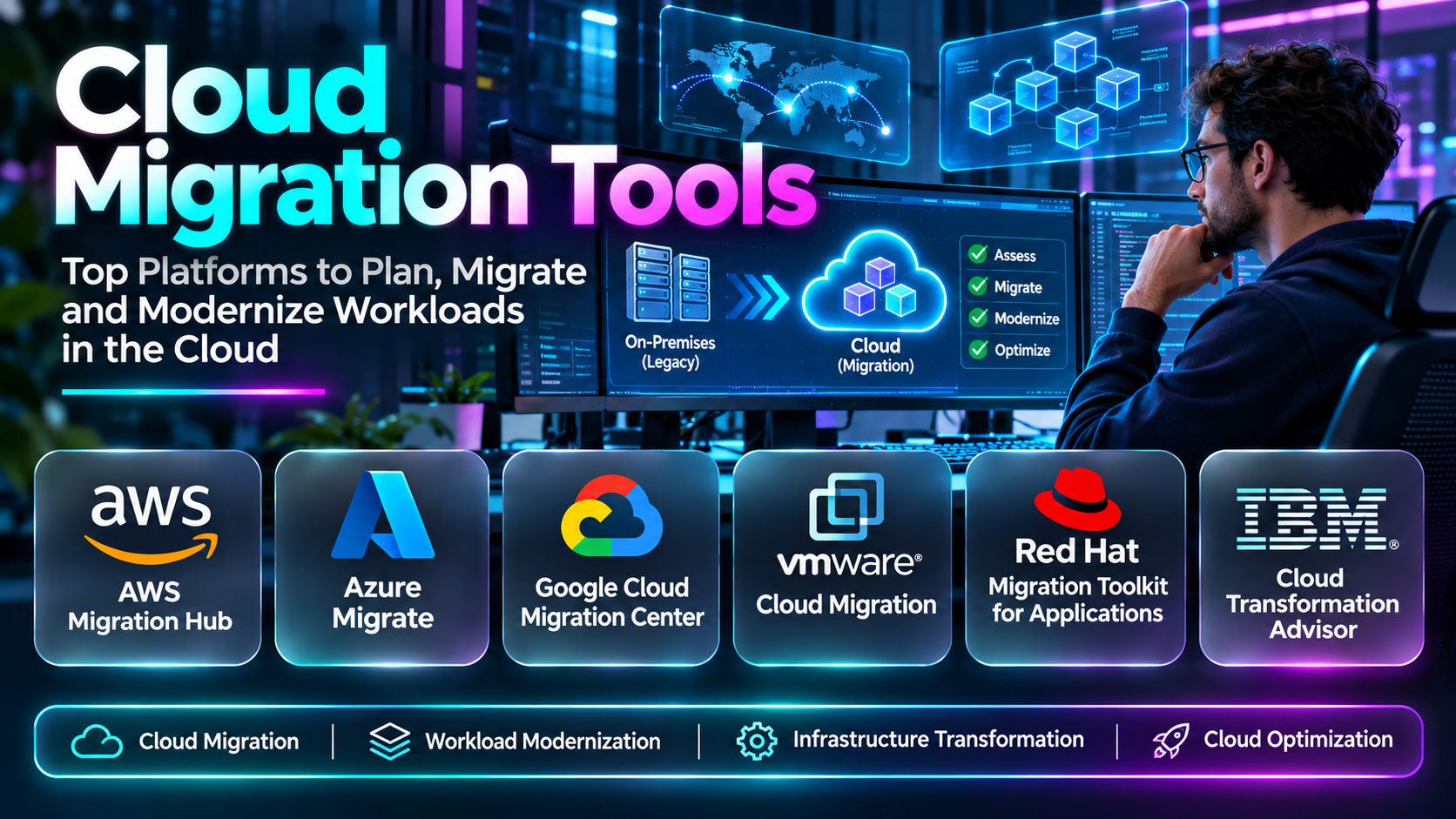
This guide compares ten cloud migration tools and platforms.
It explains their features, benefits, limitations, practical use cases, and the factors organizations should evaluate before selecting a migration approach.
What Are Cloud Migration Tools?
Cloud migration tools are software platforms, services, and utilities that help organizations move digital workloads from one environment to another.
The source environment may be an on-premises data center, a hosted infrastructure provider, or an existing cloud platform.
The destination may be a public cloud, private cloud, hybrid environment, or another cloud provider.
What Can Cloud Migration Tools Move?
Depending on the product, cloud migration tools can support:
- Physical servers.
- Virtual machines.
- Application servers.
- Databases.
- File systems.
- Object storage.
- Network configurations.
- Application dependencies.
- Containerized workloads.
- Selected enterprise applications.
- Operating system environments.
- Business data.
Not every tool supports all these workloads.
How Cloud Migration Works
A typical migration begins with discovery.
Administrators identify workloads, dependencies, resource consumption, and technical constraints.
The organization then evaluates destination options and selects an appropriate migration strategy.
Next, migration tools prepare the destination environment and transfer or replicate the required data.
After migration, teams validate application functionality, performance, security, and data integrity.
Finally, the organization completes cutover and decommissions or retains the original environment according to its migration plan.
Common Cloud Migration Strategies
Rehosting: Moves an application with relatively few architectural changes.
Replatforming: Makes selected changes to use compatible managed services or improve operational efficiency.
Refactoring: Modifies application architecture or code to use cloud-native capabilities.
Repurchasing: Replaces an existing application with a different product, often a SaaS offering.
Retaining: Keeps selected workloads in their current environment.
Retiring: Removes applications that are no longer needed.
The appropriate strategy depends on technical feasibility, cost, business value, and operational risk.
Cloud Migration vs. Cloud Modernization
Cloud migration focuses on moving workloads.
Cloud modernization focuses on improving applications and infrastructure to take advantage of modern architectures and services.
A company can migrate an application without substantially modernizing it.
Likewise, modernization may require additional development tools beyond the migration platform.
Benefits of Cloud Migration Tools
Cloud migration tools can help organizations:
- Reduce manual migration work.
- Discover application dependencies.
- Assess migration readiness.
- Replicate workloads.
- Minimize planned downtime.
- Coordinate migration waves.
- Improve migration visibility.
- Validate infrastructure requirements.
- Support data consistency.
- Reduce operational migration risks.
- Accelerate cloud adoption.
- Standardize migration procedures.
However, no migration tool eliminates the need for architecture planning, security review, testing, and business coordination.
Top 10 Cloud Migration Tools
1. AWS Application Migration Service
Short Description
AWS Application Migration Service, commonly called AWS MGN, is a managed service designed to help organizations migrate supported source servers to Amazon Web Services.
It uses replication-based migration techniques to prepare servers for launch in AWS.
AWS MGN is particularly relevant to organizations pursuing a rehosting strategy.
For example, a business operating Windows and Linux servers in an on-premises data center may use AWS MGN to replicate supported systems into AWS.
The organization can perform test launches before scheduling the final cutover.
This approach can reduce the need to rebuild every server manually.
AWS MGN is especially useful for large-scale server migration programs where administrators want repeatable replication and launch workflows.
However, it is not a complete application modernization platform.
Applications may still require changes to networking, licensing, identity integration, storage, and operational monitoring.
Organizations must also consider replication costs, destination infrastructure, and post-migration optimization.
Key Features
- Server replication: Replicates supported source servers to AWS.
- Continuous replication: Maintains replicated data during migration preparation.
- Test launches: Supports validation before final cutover.
- Cutover orchestration: Provides workflows for launching migrated servers.
- Windows and Linux support: Supports eligible server operating systems.
- Migration automation: Reduces repetitive manual operations.
- AWS integration: Works with relevant AWS infrastructure services.
- Migration monitoring: Provides replication and migration status.
- Large-scale migration support: Helps coordinate multiple server migrations.
Benefits
AWS MGN simplifies server rehosting to AWS by providing managed replication and cutover workflows.
It can reduce migration effort and improve consistency across supported workloads.
Pros
- AWS-native service.
- Replication-based migration.
- Test launch capabilities.
- Supports large server inventories.
- Reduces manual rehosting work.
- Migration status visibility.
- Suitable for phased cutovers.
Cons
- AWS destination focus.
- Not a complete refactoring solution.
- Application dependencies require separate planning.
- Replication infrastructure incurs costs.
- Licensing and network configuration remain important.
- Post-migration optimization is still necessary.
Use Cases
Data center exit, server rehosting, Windows and Linux migration, and large-scale AWS infrastructure migration.
Best For: Organizations moving supported servers from on-premises or other environments to AWS.
2. Azure Migrate
Short Description
Azure Migrate is Microsoft’s cloud migration and modernization service for assessing and moving supported workloads to Azure.
It provides discovery, assessment, and migration-related capabilities for infrastructure environments.
Azure Migrate is particularly relevant to organizations operating Microsoft-oriented infrastructure.
For example, an enterprise running VMware virtual machines may use Azure Migrate to discover its server inventory and assess Azure readiness.
The organization can review sizing recommendations, dependencies, and estimated infrastructure requirements before moving selected workloads.
Azure Migrate can also support migration workflows through relevant integrated capabilities.
This makes it useful for coordinating migration planning and execution within the Azure ecosystem.
However, the platform is not a universal solution for every application or database architecture.
Some workloads require specialized migration tools, architectural changes, or additional Azure services.
Organizations should also distinguish discovery and assessment capabilities from actual migration execution.
Key Features
- Infrastructure discovery: Identifies supported servers and workloads.
- Migration assessment: Evaluates readiness for Azure.
- Dependency analysis: Provides supported application dependency insights.
- Sizing recommendations: Helps estimate destination resource requirements.
- Cost estimation: Supports infrastructure planning.
- Server migration: Integrates relevant workload migration capabilities.
- Database assessment: Supports selected database migration planning.
- Migration tracking: Provides project-level visibility.
- Azure integration: Works with the Microsoft cloud ecosystem.
Benefits
Azure Migrate helps organizations evaluate infrastructure before moving workloads to Azure.
Its assessment capabilities can improve planning and reduce avoidable migration problems.
Pros
- Azure-native.
- Discovery and assessment tools.
- Migration planning capabilities.
- VMware relevance.
- Dependency insights.
- Cost estimation.
- Microsoft ecosystem integration.
Cons
- Azure-centered.
- Some workloads need separate migration tools.
- Assessments depend on collected data.
- Complex applications require manual analysis.
- Cloud cost estimates are not guarantees.
- Migration readiness does not prove application compatibility.
Use Cases
VMware-to-Azure migration, infrastructure assessment, data center modernization, and Azure migration planning.
Best For: Enterprises planning infrastructure migration to Microsoft Azure.
3. Google Cloud Migrate to Virtual Machines
Short Description
Google Cloud Migrate to Virtual Machines is a service for migrating supported virtual machine workloads to Google Cloud.
It helps organizations move existing infrastructure into Google Cloud’s compute environment.
The service is particularly relevant to businesses adopting Google Cloud while retaining existing virtual machine architectures.
For example, a company may operate supported virtual machines in an on-premises virtualization environment.
It can use Google Cloud’s migration capabilities to replicate and test those workloads before completing migration.
This approach is useful when organizations want to move infrastructure without immediately rewriting applications.
However, migration support depends on the source environment, operating system, and workload configuration.
Google Cloud also offers other migration services for databases, storage, and application modernization.
Migrate to Virtual Machines should therefore be evaluated as one component of a broader migration program.
Key Features
- VM migration: Moves supported virtual machines to Google Cloud.
- Replication workflows: Transfers workload data during preparation.
- Test migrations: Supports validation before production cutover.
- Cutover capabilities: Helps complete workload migration.
- Google Cloud integration: Works with relevant compute infrastructure.
- Migration monitoring: Provides status visibility.
- Source environment support: Handles selected virtualization and cloud sources.
- Migration planning: Supports workload preparation.
- Rehosting focus: Enables infrastructure migration with limited application changes.
Benefits
Google Cloud Migrate to Virtual Machines can simplify rehosting supported virtual machines into Google Cloud.
Pros
- Google Cloud integration.
- VM migration focus.
- Test migration workflows.
- Replication capabilities.
- Suitable for rehosting.
- Managed cloud service.
- Reduces manual migration steps.
Cons
- Google Cloud destination.
- Source compatibility restrictions.
- Not a complete database migration platform.
- Application dependencies need separate validation.
- Cloud infrastructure costs apply.
- Modernization requires additional work.
Use Cases
Virtual machine migration, data center exit, Google Cloud adoption, and infrastructure rehosting.
Best For: Organizations moving supported virtual machines to Google Cloud.
4. AWS Database Migration Service
Short Description
AWS Database Migration Service, commonly called AWS DMS, is a managed service designed to migrate and replicate data between supported database systems.
It is particularly relevant to organizations moving databases into AWS or between compatible database environments.
AWS DMS can support migrations between similar database engines and selected heterogeneous database combinations.
For example, an organization may migrate an on-premises relational database to a supported database service in AWS.
Depending on the source and destination, AWS DMS can perform an initial data load and capture ongoing changes.
This helps organizations reduce the period during which applications must stop writing data.
However, database migration involves more than transferring records.
Schema differences, stored procedures, application queries, data types, and database-specific behavior may require additional work.
AWS DMS is therefore often used alongside schema conversion and application testing tools.
Key Features
- Database migration: Transfers data between supported database systems.
- Continuous data replication: Supports change data capture for eligible sources.
- Homogeneous migration: Supports compatible database engine migrations.
- Heterogeneous migration: Supports selected migrations between different engines.
- AWS database integration: Works with relevant AWS database services.
- Migration monitoring: Provides replication status and metrics.
- Initial data loading: Copies existing records.
- Ongoing synchronization: Helps maintain changes during migration.
- Managed service operation: Reduces infrastructure administration.
Benefits
AWS DMS can reduce manual database transfer work and support lower-downtime migrations for compatible workloads.
Pros
- Managed database migration.
- Change data capture.
- Multiple database engines.
- AWS integration.
- Supports phased cutover.
- Replication monitoring.
- Useful for database modernization.
Cons
- Database-specific rather than full application migration.
- Schema conversion may require separate work.
- Not all database objects are supported.
- Data validation remains essential.
- Replication costs apply.
- Application compatibility is not guaranteed.
Use Cases
Database migration to AWS, database engine changes, data replication, and cloud database modernization.
Best For: Organizations migrating supported databases to AWS environments.
5. Azure Database Migration Service
Short Description
Azure Database Migration Service is a Microsoft service designed to support migration of selected database workloads to Azure.
It is relevant to organizations moving databases from on-premises or other environments into supported Azure database services.
For example, a company running SQL Server may use Azure migration tools to assess compatibility and move supported databases into Azure.
Depending on the migration scenario, organizations may use online or offline migration approaches.
The service fits naturally into Microsoft-oriented database modernization programs.
However, database migration capabilities vary by source, destination, and migration method.
Some workflows are delivered through Azure Database Migration Service, while others are integrated with Azure SQL migration tools and management experiences.
Organizations should confirm the currently supported migration path rather than assume every database engine can use the same workflow.
Key Features
- Azure database migration: Supports selected database migration scenarios.
- SQL Server relevance: Provides migration paths for supported SQL workloads.
- Migration assessment integration: Works with relevant compatibility evaluation tools.
- Online migration options: Supports selected lower-downtime workflows.
- Offline migration options: Supports planned migration windows.
- Azure integration: Connects with supported Azure database services.
- Migration status: Provides workflow visibility.
- Data transfer: Moves supported database content.
- Modernization support: Helps transition databases toward managed Azure services.
Benefits
Azure Database Migration Service supports database transitions into the Microsoft cloud ecosystem.
It can help reduce the operational complexity of supported database migration projects.
Pros
- Azure-native.
- SQL Server migration relevance.
- Managed migration workflows.
- Online and offline options for supported scenarios.
- Microsoft database ecosystem.
- Migration status visibility.
- Useful for managed database adoption.
Cons
- Azure destination focus.
- Supported scenarios vary.
- Compatibility assessment is necessary.
- Schema and application changes may be required.
- Migration downtime depends on method.
- Additional tools may be necessary.
Use Cases
SQL Server migration, Azure database adoption, database modernization, and managed database transitions.
Best For: Organizations migrating supported databases into Azure.
6. Google Cloud Database Migration Service
Short Description
Google Cloud Database Migration Service provides managed migration capabilities for selected database engines and Google Cloud destinations.
It is useful for organizations moving relational database workloads into compatible Google Cloud database services.
For example, a company may migrate a supported MySQL or PostgreSQL database from an existing environment into Google Cloud.
The service can use replication-based approaches for supported migration scenarios.
This helps organizations prepare destination databases while continuing to operate the source environment during part of the migration.
Google Cloud Database Migration Service is particularly relevant to organizations adopting managed cloud databases.
However, it does not replace comprehensive database compatibility analysis.
Stored procedures, extensions, data types, and application behavior may require changes.
Organizations should verify supported source and destination combinations and test database functionality before production cutover.
Key Features
- Managed database migration: Supports selected database transfers.
- Google Cloud integration: Works with supported cloud database destinations.
- Continuous replication: Supports applicable migration workflows.
- Database engine support: Handles selected relational database systems.
- Migration monitoring: Provides operational visibility.
- Data synchronization: Helps maintain changes during supported migrations.
- Cutover planning: Supports controlled transition workflows.
- Managed service architecture: Reduces migration infrastructure management.
- Cloud database adoption: Helps move toward Google Cloud database services.
Benefits
Google Cloud Database Migration Service can simplify supported database migrations and reduce manual replication work.
Pros
- Managed service.
- Google Cloud integration.
- Continuous replication options.
- Relevant relational database support.
- Reduced migration infrastructure burden.
- Migration monitoring.
- Useful for cloud database adoption.
Cons
- Supported engines and destinations are limited.
- Not a complete application migration tool.
- Schema compatibility needs review.
- Extensions may require special handling.
- Replication constraints can apply.
- Cloud destination costs remain.
Use Cases
PostgreSQL migration, MySQL migration, managed database adoption, and Google Cloud database modernization.
Best For: Organizations migrating supported relational databases into Google Cloud.
7. Carbonite Migrate
Short Description
Carbonite Migrate, associated with OpenText’s data protection portfolio, is a workload migration solution designed to help move supported systems between environments.
It is relevant to organizations that need replication-based migration across physical, virtual, and cloud infrastructure.
For example, a company may use a compatible migration solution to move an application server from an aging physical machine to a virtualized or cloud-hosted environment.
Replication can help keep destination data synchronized while the source remains operational.
This can reduce downtime compared with approaches that require a long offline copy process.
Carbonite Migrate is particularly useful when organizations must move workloads across infrastructure boundaries.
However, compatibility, product availability, and supported deployment scenarios should be verified with the vendor.
Organizations should also distinguish migration capabilities from disaster recovery products in the broader portfolio.
Key Features
- Workload migration: Moves supported server environments.
- Replication technology: Synchronizes workload data.
- Physical-to-virtual migration: Supports applicable infrastructure transitions.
- Virtual-to-cloud migration: Supports selected cloud migration scenarios.
- Cutover management: Helps coordinate workload transition.
- Downtime reduction: Uses replication to limit interruption where supported.
- Migration monitoring: Provides progress information.
- Cross-environment relevance: Addresses heterogeneous infrastructure.
- Server migration focus: Supports infrastructure-level transitions.
Benefits
Carbonite Migrate can help organizations move supported workloads while reducing the disruption associated with traditional offline migration.
Pros
- Replication-based approach.
- Cross-environment relevance.
- Server migration focus.
- Supports infrastructure transitions.
- Downtime reduction potential.
- Useful for legacy environments.
- Migration monitoring.
Cons
- Compatibility must be verified.
- Product packaging and availability may change.
- Licensing costs.
- Application testing remains necessary.
- Not a complete cloud modernization platform.
- Network capacity affects replication.
Use Cases
Legacy server migration, physical-to-virtual transitions, infrastructure consolidation, and cloud workload relocation.
Best For: Organizations moving supported server workloads across heterogeneous infrastructure.
8. RackWare RMM
Short Description
RackWare RMM is a migration and disaster recovery platform designed to support workload movement across physical, virtual, and cloud environments.
It is relevant to organizations with complex infrastructure migration requirements.
For example, an enterprise may need to move workloads from a private data center into a public cloud while preserving application availability.
RackWare provides capabilities for discovering, replicating, and migrating supported workloads.
Its cross-environment approach can be useful when a migration program includes different source infrastructure types.
The platform is also associated with disaster recovery workflows, which may complement migration planning.
However, migration and disaster recovery should be evaluated as separate operational objectives.
Organizations must confirm supported operating systems, cloud destinations, licensing, and workload limitations.
Key Features
- Workload discovery: Identifies supported infrastructure.
- Cross-cloud migration: Supports selected cloud-to-cloud transitions.
- Physical and virtual migration: Handles compatible server environments.
- Replication: Transfers workload changes.
- Migration orchestration: Coordinates supported migration tasks.
- Disaster recovery capabilities: Supports relevant resilience workflows.
- Cloud integration: Works with supported cloud platforms.
- Migration monitoring: Provides progress visibility.
- Infrastructure flexibility: Addresses mixed source environments.
Benefits
RackWare RMM can help organizations manage migrations across heterogeneous infrastructure.
It is particularly useful for complex environments where a single cloud-native migration tool is insufficient.
Pros
- Cross-environment capabilities.
- Physical and virtual workload relevance.
- Cloud migration support.
- Replication workflows.
- Disaster recovery alignment.
- Enterprise focus.
- Useful for heterogeneous infrastructure.
Cons
- Commercial licensing.
- Deployment expertise required.
- Compatibility varies.
- Complex applications still need testing.
- Infrastructure integration effort.
- Recovery and migration capabilities must be scoped separately.
Use Cases
Hybrid cloud migration, cloud-to-cloud workload movement, data center consolidation, and enterprise infrastructure transitions.
Best For: Enterprises migrating workloads across multiple infrastructure environments.
9. CloudEndure Migration
Short Description
CloudEndure Migration was a cloud migration product associated with AWS and used for replication-based server migration.
Its migration technology helped organizations move supported workloads into AWS.
Historically, CloudEndure was relevant to organizations seeking low-downtime infrastructure migration.
For example, a business could replicate server workloads into AWS and perform test launches before production cutover.
However, CloudEndure Migration is a legacy offering.
AWS Application Migration Service is the modern AWS-native service that organizations should evaluate for new server migration projects.
CloudEndure Migration is included here for historical and legacy-environment comparison rather than as a recommended new deployment.
Organizations encountering references to CloudEndure should verify the product’s lifecycle and migration path to current AWS services.
Key Features
- Historical server migration: Supported workload migration to AWS.
- Replication-based architecture: Maintained destination workload copies.
- Test launches: Supported migration validation.
- Cutover workflows: Helped transition replicated servers.
- AWS integration: Targeted AWS infrastructure.
- Low-downtime design: Reduced interruption in supported scenarios.
- Workload migration: Addressed server rehosting.
- Migration monitoring: Provided replication status.
- Legacy migration relevance: Remains important when reviewing older AWS migration documentation.
Benefits
CloudEndure Migration illustrates the replication-based approach that influenced modern AWS migration services.
Its main relevance today is understanding legacy implementations and their transition to supported services.
Pros
- Established historical migration approach.
- Replication-based architecture.
- AWS integration.
- Test migration concepts.
- Low-downtime focus.
- Useful historical reference.
- Relevant to legacy migration documentation.
Cons
- Legacy offering.
- Not appropriate for new deployments.
- Superseded by AWS Application Migration Service.
- Current support and availability limitations.
- AWS destination focus.
- No modernization capabilities.
Use Cases
Legacy AWS migration documentation review, historical infrastructure migration analysis, and migration planning for organizations transitioning away from older tooling.
Best For: Teams reviewing legacy CloudEndure environments; new AWS migrations should evaluate AWS MGN instead.
10. Zerto
Short Description
Zerto, part of HPE’s data protection and cyber resilience portfolio, provides replication, disaster recovery, and workload mobility capabilities.
It is particularly relevant to organizations operating virtualized infrastructure and hybrid cloud environments.
For example, an enterprise may need to relocate critical virtual machines from a private data center to a supported cloud environment.
Zerto’s replication architecture can help maintain workload copies and coordinate recovery or migration operations.
The platform is especially relevant when organizations want to combine workload mobility with business continuity planning.
However, migration is only one part of Zerto’s broader purpose.
Organizations should evaluate supported hypervisors, cloud destinations, workload types, and licensing.
A successful infrastructure replication does not automatically guarantee that an application will operate correctly in its new environment.
Key Features
- Continuous replication: Protects supported workloads through ongoing replication.
- Workload mobility: Supports selected infrastructure migration scenarios.
- Disaster recovery: Provides recovery capabilities for supported environments.
- Virtualization integration: Works with compatible virtual infrastructure.
- Recovery orchestration: Coordinates selected recovery workflows.
- Migration testing: Supports validation of relevant workload transitions.
- Hybrid cloud relevance: Addresses supported cross-environment scenarios.
- Recovery point management: Provides historical recovery capabilities.
- Operational visibility: Helps administrators monitor protected workloads.
Benefits
Zerto can support workload migration while strengthening disaster recovery and business continuity capabilities.
It is especially useful for organizations with critical virtualized workloads.
Pros
- Continuous replication.
- Disaster recovery integration.
- Workload mobility.
- Virtual infrastructure focus.
- Recovery orchestration.
- Enterprise relevance.
- Supports resilience planning.
Cons
- Commercial licensing.
- Compatibility restrictions.
- Not a universal application modernization platform.
- Requires infrastructure expertise.
- Cloud support varies.
- Migration validation remains necessary.
Use Cases
Virtual machine migration, hybrid cloud transitions, disaster recovery modernization, and critical workload relocation.
Best For: Enterprises combining workload mobility with disaster recovery requirements.
Cloud Migration Tools Comparison Table
| Tool | Primary Migration Focus | Destination | Main Strength | Best For | Key Limitation |
|---|---|---|---|---|---|
| AWS Application Migration Service | Servers and workloads | AWS | Replication-based rehosting | AWS server migration | AWS-focused |
| Azure Migrate | Infrastructure discovery and migration | Azure | Assessment and planning | Azure adoption | Additional tools may be needed |
| Google Cloud Migrate to Virtual Machines | Virtual machines | Google Cloud | VM rehosting | Google Cloud migration | Source compatibility |
| AWS Database Migration Service | Databases | AWS and supported targets | Change data capture | Database migration | Schema conversion |
| Azure Database Migration Service | Databases | Azure | Microsoft database integration | SQL migration | Scenario-specific support |
| Google Cloud Database Migration Service | Relational databases | Google Cloud | Managed replication | Cloud database adoption | Limited engine combinations |
| Carbonite Migrate | Servers and workloads | Supported environments | Cross-environment replication | Legacy infrastructure migration | Compatibility verification |
| RackWare RMM | Physical, virtual, and cloud workloads | Supported clouds | Heterogeneous migration | Complex enterprises | Deployment complexity |
| CloudEndure Migration | Legacy server migration | AWS | Historical replication approach | Legacy documentation | Superseded offering |
| Zerto | Virtualized workloads | Supported environments | Mobility and disaster recovery | Hybrid infrastructure | Licensing and compatibility |
How to Choose the Best Cloud Migration Tool
1. Define the Migration Objective
Determine whether the goal is data center exit, cloud adoption, database modernization, infrastructure consolidation, or disaster recovery improvement.
Different objectives require different tools.
2. Identify Source Environments
Inventory physical servers, virtual machines, databases, operating systems, storage, and application dependencies.
Migration feasibility depends heavily on source compatibility.
3. Select the Destination Cloud
AWS, Azure, and Google Cloud provide different migration services.
Choose tools compatible with the intended destination.
4. Determine the Migration Strategy
Rehosting often benefits from replication-based tools.
Replatforming and refactoring may require additional application and database modernization capabilities.
5. Evaluate Dependency Discovery
Applications may rely on databases, identity systems, file shares, network routes, and external services.
Missing dependencies can cause migration failures.
6. Define Downtime Requirements
Determine how long applications can remain unavailable during cutover.
Low-downtime migrations may require continuous replication or change data capture.
7. Review Data Consistency
For databases and transactional systems, verify that migrated data remains consistent.
Application-level coordination may be necessary.
8. Assess Security
Review encryption, network connectivity, identity permissions, secrets management, and administrative access.
9. Evaluate Testing Capabilities
Prefer solutions that support test migrations without immediately affecting production workloads.
10. Review Cost
Include migration tools, replication infrastructure, network transfer, cloud resources, licensing, and post-migration operations.
11. Plan Rollback
Establish a realistic rollback procedure before production cutover.
Not every migration supports easy reversal.
12. Consider Post-Migration Optimization
Migrated workloads may need resizing, monitoring, security improvements, and architectural modernization.
Best Cloud Migration Software by User Type
| User Type | Recommended Tool | Reason |
|---|---|---|
| AWS infrastructure team | AWS Application Migration Service | AWS server rehosting |
| Azure enterprise architect | Azure Migrate | Discovery and assessment |
| Google Cloud infrastructure team | Google Cloud Migrate to Virtual Machines | VM migration |
| AWS database administrator | AWS Database Migration Service | Database replication |
| Microsoft database team | Azure Database Migration Service | Azure database migration |
| Google Cloud database team | Google Cloud Database Migration Service | Managed relational migration |
| Legacy infrastructure administrator | Carbonite Migrate | Cross-environment server movement |
| Multi-cloud enterprise | RackWare RMM | Heterogeneous workload migration |
| Legacy CloudEndure user | AWS Application Migration Service | Supported replacement path |
| Disaster recovery architect | Zerto | Replication and workload mobility |
| Data center exit program | AWS MGN, Azure Migrate, or RackWare | Destination-dependent migration |
| Enterprise modernization team | Cloud-native migration tools plus modernization services | Migration and optimization |
Practical Example: Migrating an On-Premises Application to AWS
Consider a company operating an internal business application on three virtual machines.
The application includes a web server, an application server, and a relational database.
The organization wants to migrate the environment to AWS while minimizing downtime.
Step 1: Inventory the Environment
Document operating systems, virtual machine specifications, storage, database versions, and application dependencies.
Step 2: Assess Cloud Readiness
Identify unsupported software, licensing constraints, and required network changes.
Step 3: Define the Migration Strategy
Choose rehosting for the application servers and evaluate whether the database should remain on a virtual machine or move to a managed database service.
Step 4: Establish Recovery Objectives
Define acceptable downtime and data loss during cutover.
Step 5: Design AWS Networking
Create appropriate virtual networks, subnets, routing, security groups, and connectivity to the existing environment.
Step 6: Configure Identity and Security
Establish administrative roles, secrets management, encryption, and monitoring.
Step 7: Select Migration Tools
Use AWS Application Migration Service for supported servers.
If moving the database to a compatible managed service, evaluate AWS Database Migration Service.
Step 8: Start Replication
Configure replication and monitor synchronization progress.
Step 9: Prepare the Destination
Validate compute sizing, storage performance, operating system requirements, and network connectivity.
Step 10: Run a Test Migration
Launch test instances without disrupting production.
Step 11: Validate Application Functionality
Test authentication, database connectivity, business transactions, integrations, and scheduled jobs.
Step 12: Perform Performance Testing
Measure response times, throughput, database performance, and resource consumption.
Step 13: Prepare the Cutover Plan
Define a migration window, communication process, responsible personnel, and rollback criteria.
Step 14: Complete Final Synchronization
Coordinate database writes and application activity to preserve data consistency.
Step 15: Execute Cutover
Redirect application traffic to the migrated environment.
Step 16: Validate Production
Confirm that users can complete critical business workflows.
Step 17: Monitor Closely
Review errors, latency, security alerts, database activity, and infrastructure costs.
Step 18: Decommission Carefully
Retire source infrastructure only after validation, retention, and rollback requirements have been satisfied.
Common Cloud Migration Challenges
Hidden Application Dependencies
Applications may rely on services that are not documented.
Network Connectivity Problems
Incorrect routing, DNS, firewall rules, or private connectivity can interrupt application access.
Database Compatibility
Different database engines may use incompatible data types, functions, or stored procedures.
Unexpected Downtime
Replication delays and cutover errors can extend service interruptions.
Data Consistency Risks
Applications that continue writing during migration may produce inconsistent destination data.
Licensing Problems
Software licenses may not permit unrestricted movement between environments.
Cloud Cost Overruns
Oversized instances, storage, and data transfer can increase operating expenses.
Security Misconfiguration
Cloud migration introduces new identity, network, and storage security responsibilities.
Performance Differences
Applications may behave differently because of storage latency, network architecture, or compute characteristics.
Inadequate Rollback Planning
Without a tested rollback procedure, migration failures can become prolonged outages.
Frequently Asked Questions
1. What is cloud migration?
Cloud migration is the process of moving applications, infrastructure, databases, or data into a cloud environment.
2. What are cloud migration tools?
They are software products and services that help discover, assess, transfer, replicate, and validate workloads during migration.
3. What is rehosting?
Rehosting moves an application with relatively few architectural changes.
4. What is replatforming?
Replatforming makes selected changes to improve compatibility or use managed cloud capabilities.
5. What is refactoring?
Refactoring modifies application architecture or code to improve functionality or cloud suitability.
6. What is lift-and-shift migration?
Lift-and-shift is another term commonly used for rehosting.
7. What is AWS Application Migration Service?
It is an AWS service for replication-based migration of supported servers into AWS.
8. What is Azure Migrate?
Azure Migrate provides discovery, assessment, and migration-related capabilities for moving supported workloads to Azure.
9. What is Google Cloud Migrate to Virtual Machines?
It is a service for migrating supported virtual machines into Google Cloud.
10. What is AWS Database Migration Service?
AWS DMS is a managed service for migrating and replicating data between supported database systems.
11. What is Azure Database Migration Service?
It supports selected database migration scenarios into Azure.
12. What is Google Cloud Database Migration Service?
It provides managed migration workflows for supported databases and Google Cloud destinations.
13. What is Carbonite Migrate?
It is a workload migration solution associated with OpenText’s data protection portfolio.
14. What is RackWare RMM?
RackWare RMM is a platform supporting workload migration and disaster recovery across compatible infrastructure environments.
15. What is CloudEndure Migration?
CloudEndure Migration was a legacy AWS-associated server migration offering superseded by AWS Application Migration Service.
16. What is Zerto?
Zerto is a data protection and workload mobility platform with replication and disaster recovery capabilities.
17. Can cloud migration happen without downtime?
Some workloads can migrate with very limited downtime, but zero downtime cannot be assumed.
18. What is continuous replication?
Continuous replication transfers changes from a source system to a destination as part of an ongoing synchronization process.
19. What is change data capture?
Change data capture identifies and transfers changes made to data after an initial copy.
20. Can databases be migrated between different engines?
Yes, for supported combinations, but schema and application compatibility work may be necessary.
21. Can physical servers be migrated to the cloud?
Yes. Some migration tools support physical server sources.
22. Can virtual machines be migrated to the cloud?
Yes. VM migration is a common cloud adoption approach.
23. What is hybrid cloud migration?
It involves moving or coordinating workloads between on-premises and cloud environments.
24. What is cloud-to-cloud migration?
It moves workloads or data between cloud providers or cloud environments.
25. Is cloud migration expensive?
Costs vary according to workload size, complexity, network transfer, licensing, migration duration, and destination architecture.
26. Does cloud migration automatically reduce costs?
No. Poorly optimized cloud deployments can cost more than the original environment.
27. What is migration assessment?
It evaluates workload compatibility, dependencies, sizing, costs, and readiness before migration.
28. What is a migration wave?
A migration wave is a planned group of workloads moved during a defined phase.
29. What is a migration cutover?
Cutover is the transition from the source environment to the destination environment.
30. What is rollback?
Rollback is the process of returning to the original environment or another known working state after a migration problem.
31. How should migration success be measured?
Measure application functionality, data integrity, downtime, performance, security, and operating costs.
32. Can cloud migration tools modernize applications?
Some support modernization-related workflows, but architectural changes often require additional tools and development work.
33. Is database migration different from server migration?
Yes. Database migration requires special attention to schemas, transactions, consistency, and application compatibility.
34. What is the biggest cloud migration risk?
Incomplete understanding of application dependencies and recovery requirements is a major source of migration failure.
35. What is the best cloud migration tool?
The best tool depends on the workload, source environment, destination cloud, migration strategy, and operational requirements.
Final Thoughts
Cloud migration tools help organizations move infrastructure and data with greater consistency and control.
AWS Application Migration Service is relevant to server rehosting into AWS.
Azure Migrate provides discovery, assessment, and migration planning for Azure environments.
Google Cloud Migrate to Virtual Machines supports compatible VM migrations.
AWS Database Migration Service, Azure Database Migration Service, and Google Cloud Database Migration Service address database-specific migration requirements.
Carbonite Migrate and RackWare RMM are relevant to heterogeneous infrastructure transitions.
CloudEndure Migration remains a historical reference rather than a suitable choice for new projects.
Zerto combines workload mobility with disaster recovery capabilities.
These tools address different migration challenges and should not be treated as interchangeable.
Organizations should begin with accurate workload discovery, clear business objectives, compatibility assessment, and realistic recovery requirements.
They should also validate migrated applications before production cutover and monitor performance after migration.
Successful cloud migration is not simply the movement of workloads from one environment to another.
It is a controlled transition that preserves business functionality, protects data, and creates a reliable foundation for future infrastructure modernization.
