Introduction
Meetings are essential for collaboration, decision-making, project coordination, and communication. However, capturing everything discussed during a meeting can be difficult, especially when participants must actively contribute to the conversation.
Employees frequently divide their attention between listening, speaking, taking notes, and identifying follow-up responsibilities. Important decisions may be overlooked, action items may remain unclear, and valuable information can disappear after the meeting ends.
Manual meeting notes also require additional administrative work. Employees must organize their notes, prepare summaries, identify assigned tasks, and share the results with colleagues.
These activities become particularly demanding for organizations that conduct numerous meetings across departments, projects, and time zones.
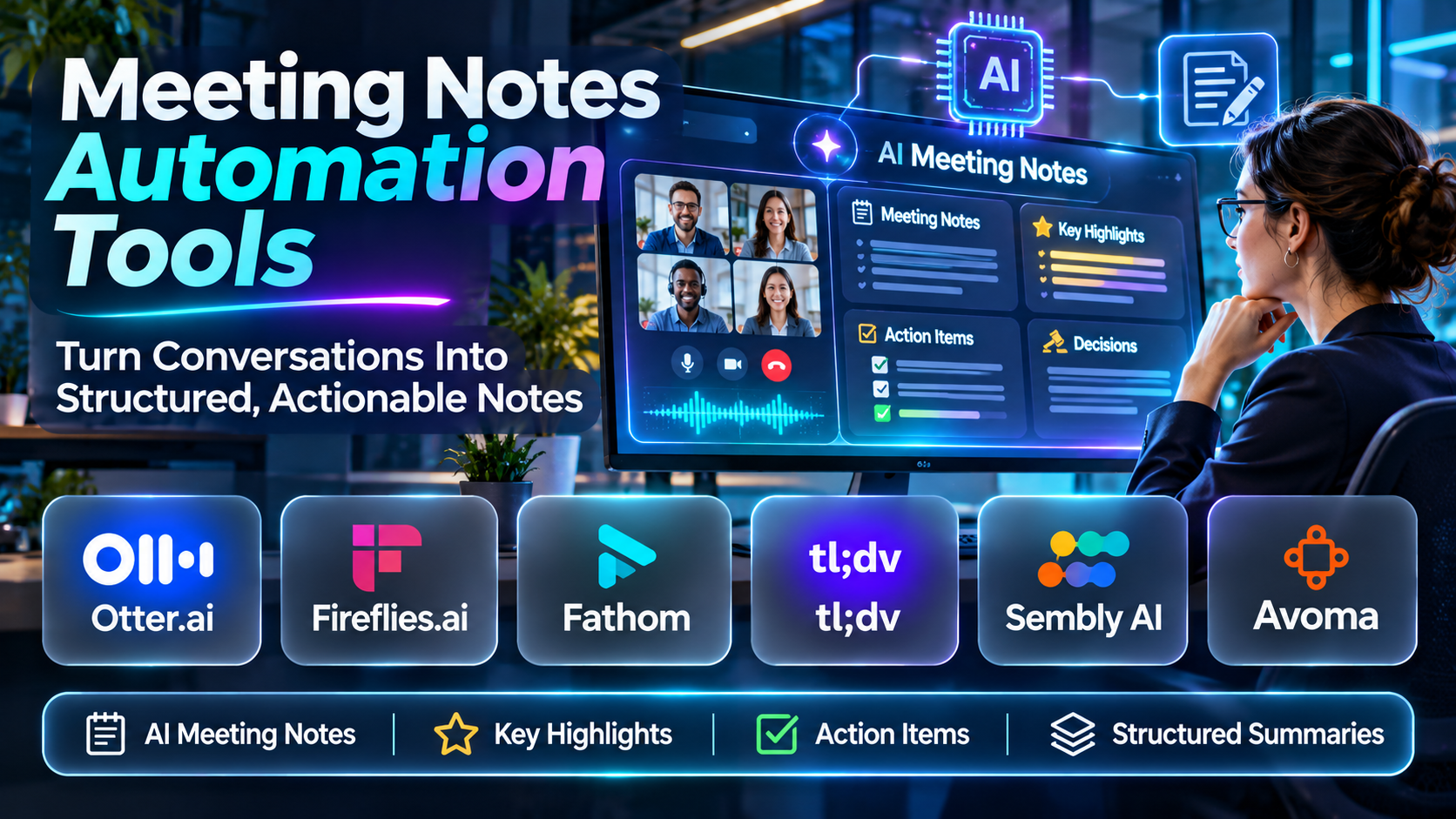
Meeting notes automation tools address these challenges by using artificial intelligence, speech recognition, transcription, and workflow automation to capture and organize meeting information.
Modern platforms can generate transcripts, summarize discussions, identify important topics, extract action items, and create searchable records of previous conversations.
For example, a project manager may use an AI meeting assistant to document project decisions and assign follow-up tasks. A sales representative may automatically capture customer requirements and update relevant CRM records.
Recruitment teams can use meeting notes automation to document interview discussions, while customer success teams may rely on automated summaries to maintain continuity across client interactions.
Some tools focus primarily on transcription and summarization. Others provide collaborative meeting workspaces, conversation intelligence, CRM integration, or automated task management.
The most suitable platform depends on the organization’s meeting volume, collaboration environment, information security requirements, and post-meeting workflows.
Meeting automation also introduces important responsibilities. Organizations must consider participant notification, recording consent, confidential information, retention policies, and the accuracy of AI-generated summaries.
An automated meeting summary can omit important context or incorrectly assign a statement to a participant. Therefore, AI-generated notes should be reviewed before being treated as authoritative records.
This guide examines ten meeting notes automation tools, compares their capabilities, and explains how organizations can implement automated meeting documentation effectively.
What Are Meeting Notes Automation Tools?
Meeting notes automation tools are software applications that capture, transcribe, summarize, and organize meeting information with limited manual effort.
They typically combine speech recognition, natural language processing, and artificial intelligence to convert spoken discussions into structured records.
Traditional meeting documentation requires someone to listen and manually write notes.
Automated meeting assistants can generate draft documentation during or after meetings, allowing participants to concentrate more fully on discussions.
Depending on the platform, automated meeting notes may include meeting summaries, key decisions, action items, discussion topics, timestamps, and searchable transcripts.
Some solutions integrate directly with video conferencing platforms. Others operate through meeting bots, desktop applications, uploaded recordings, or native conferencing features.
How Meeting Notes Automation Tools Work
1. Meeting Connection
The platform connects to a supported conferencing application or receives an authorized meeting recording.
2. Audio Capture
The system processes meeting audio according to its configuration and applicable participant permissions.
3. Speech Recognition
Speech-to-text technology converts spoken language into a written transcript.
4. Speaker Identification
Some platforms attempt to distinguish speakers and associate statements with participants.
5. AI Summarization
Natural language processing identifies relevant discussion topics and generates a concise summary.
6. Decision Extraction
The platform identifies potential decisions, agreements, and important outcomes.
7. Action Item Detection
AI analyzes the discussion for tasks, responsibilities, and deadlines.
8. Notes Organization
The platform structures information into searchable meeting records.
9. Workflow Integration
Meeting information may be transferred to supported collaboration, CRM, or project management applications.
10. Review and Distribution
Authorized users review the generated notes, correct inaccuracies, and share appropriate information.
Common Applications
- Internal team meeting documentation.
- Project status meeting summaries.
- Sales call notes.
- Customer discovery meetings.
- Recruitment interview documentation.
- Executive meeting summaries.
- Client consultation records.
- Product planning discussions.
- Customer success meetings.
- Training session notes.
- Remote team collaboration.
- Action item tracking.
- Decision documentation.
- Meeting knowledge management.
- Follow-up email preparation.
- CRM activity documentation.
Benefits of Meeting Notes Automation Tools
Meeting notes automation can reduce repetitive administrative work and improve access to information discussed during meetings.
It can also support clearer follow-up responsibilities and make previous discussions easier to search.
However, automated documentation should not eliminate human oversight.
Meeting participants may speak ambiguously, interrupt one another, use specialized terminology, or discuss confidential subjects.
These conditions can affect transcription accuracy and AI interpretation.
Organizations should treat automated notes as working records that require appropriate validation, especially when documenting contractual commitments, financial decisions, employment matters, or other sensitive information.
Top 10 Meeting Notes Automation Tools
1. Fireflies.ai
Short Description
Fireflies.ai is an AI-powered meeting assistant that helps users record, transcribe, summarize, and organize conversations.
It is designed for individuals and teams that want to reduce manual meeting documentation while maintaining searchable conversation records.
Fireflies.ai supports workflows involving virtual meetings and relevant collaboration applications.
For example, a customer success manager may use Fireflies.ai to capture a customer onboarding conversation. After the meeting, the manager can review the transcript, examine the summary, and identify follow-up responsibilities.
A project team may use the platform to maintain records of recurring planning meetings and revisit previous decisions.
The platform also provides meeting search and conversation analysis capabilities, making it useful for organizations that conduct many recurring discussions.
Fireflies.ai can connect meeting documentation with supported business applications, reducing the need to copy information manually between systems.
However, organizations should evaluate how meetings are captured, what participant notifications are provided, and which data retention settings are available.
AI-generated summaries and action items should be reviewed before being distributed or entered into authoritative systems.
Key Features
- Automatic Meeting Transcription: Converts supported meeting audio into searchable text.
- AI Meeting Summaries: Produces structured summaries of important discussion points.
- Action Item Extraction: Identifies potential follow-up tasks and responsibilities.
- Speaker Recognition: Helps distinguish participants within meeting transcripts.
- Conversation Search: Allows users to locate relevant information from previous meetings.
- Meeting Analytics: Provides selected insights into recorded conversations.
- Collaboration Integrations: Connects with supported conferencing and workplace applications.
- CRM and Workflow Integration: Supports transferring meeting information into relevant business systems.
- Meeting Knowledge Repository: Organizes historical conversations for later reference.
Benefits
- Reduces manual note-taking.
- Creates searchable meeting records.
- Helps identify follow-up tasks.
- Improves access to previous discussions.
- Supports meeting documentation consistency.
- Reduces repetitive CRM updates.
- Helps distributed teams share meeting information.
Pros
- Comprehensive meeting documentation.
- Searchable transcripts.
- AI-generated summaries.
- Action item detection.
- Business application integrations.
- Useful for recurring team meetings.
Cons
- Transcription accuracy varies with audio quality.
- AI summaries may omit context.
- Recording permissions require attention.
- Advanced features depend on subscription.
- Meeting data governance requires configuration.
Use Cases
Customer Success Meetings: Document customer requirements and follow-up actions.
Project Coordination: Maintain records of decisions and responsibilities.
Sales Conversations: Capture discovery discussions and customer needs.
Internal Knowledge Management: Search previous meeting discussions.
Best For
Teams seeking comprehensive meeting transcription, summaries, conversation search, and workflow integrations.
2. Otter.ai
Short Description
Otter.ai is an AI meeting assistant focused on transcription, meeting summaries, and collaborative conversation documentation.
It helps users capture spoken discussions and convert them into accessible written records.
Otter.ai is relevant to organizations that want real-time or post-meeting transcription alongside automated meeting notes.
For example, a product manager may use Otter.ai during a product planning meeting to document feature discussions and proposed priorities.
Participants can review the resulting notes and clarify important decisions.
The platform can also support meeting documentation for educational, business, and collaborative environments.
Its transcription-oriented approach is particularly useful when users need a detailed written record in addition to a concise summary.
However, the quality of results depends on recording conditions, speaker clarity, and supported language capabilities.
Organizations should verify meeting integrations, sharing permissions, and data handling requirements.
Key Features
- AI Transcription: Converts spoken meeting content into written text.
- Meeting Summaries: Generates concise overviews of discussions.
- Live Transcription: Supports relevant real-time transcription workflows.
- Speaker Identification: Helps distinguish meeting participants.
- Action Item Detection: Identifies potential follow-up responsibilities.
- Searchable Conversations: Allows users to find information within transcripts.
- Collaborative Notes: Supports relevant team documentation workflows.
- Meeting Integrations: Connects with supported conferencing services.
- Conversation Organization: Maintains accessible meeting records.
Benefits
- Reduces manual transcription.
- Improves access to meeting content.
- Supports collaborative documentation.
- Helps participants revisit discussions.
- Provides searchable meeting records.
- Supports follow-up planning.
- Reduces information loss after meetings.
Pros
- Strong transcription orientation.
- AI meeting summaries.
- Searchable conversations.
- Collaborative note workflows.
- Real-time transcription capabilities.
- Suitable for different meeting environments.
Cons
- Transcription accuracy depends on audio conditions.
- Some capabilities depend on subscription.
- Language support should be verified.
- Automated summaries require review.
- Confidential meeting information requires appropriate controls.
Use Cases
Project Meetings: Capture discussions and decisions.
Team Collaboration: Share meeting documentation.
Research Interviews: Maintain conversation records with appropriate consent.
Training Sessions: Preserve important instructional discussions.
Best For
Organizations and professionals prioritizing accurate, accessible meeting transcripts and AI summaries.
3. Fathom
Short Description
Fathom is an AI meeting assistant designed to capture meeting conversations and generate summaries, highlights, and follow-up information.
It is particularly relevant to professionals who conduct frequent customer, sales, and internal meetings.
Fathom helps users focus on conversations instead of manually documenting every discussion point.
For example, a sales representative may use Fathom during a product demonstration to capture customer requirements and important objections.
After the meeting, the representative can review the generated notes and prepare an appropriate follow-up.
Managers may also use meeting summaries to understand relevant customer conversations without requiring employees to recreate detailed reports.
Fathom’s emphasis on meeting highlights and structured summaries can simplify post-meeting workflows.
However, organizations should verify integration capabilities, supported meeting environments, and data handling policies.
AI-generated information should be checked before it becomes part of customer records.
Key Features
- AI Meeting Notes: Generates structured documentation.
- Meeting Recording: Supports authorized conversation capture.
- Automatic Transcription: Converts meeting audio into text.
- Meeting Highlights: Helps identify important discussion moments.
- AI Summaries: Produces concise conversation overviews.
- Action Item Identification: Extracts potential next steps.
- Meeting Search: Supports retrieval of previous discussions.
- CRM Integration: Connects meeting information with supported customer systems.
- Summary Sharing: Helps distribute relevant meeting outcomes.
Benefits
- Reduces manual sales note-taking.
- Helps capture customer requirements.
- Improves meeting follow-up.
- Supports consistent documentation.
- Makes conversations easier to review.
- Reduces repetitive reporting.
- Helps teams maintain meeting continuity.
Pros
- Meeting summary focus.
- Highlight capture.
- CRM workflow relevance.
- Automated transcription.
- Follow-up support.
- Suitable for customer-facing professionals.
Cons
- Integration availability varies.
- AI notes require validation.
- Meeting capture depends on supported environments.
- Advanced features may require paid plans.
- Privacy and recording permissions remain important.
Use Cases
Sales Discovery: Capture customer needs.
Product Demonstrations: Document objections and questions.
Customer Success: Record account discussions.
Internal Meetings: Summarize decisions and next steps.
Best For
Sales representatives, consultants, and customer-facing teams seeking automated meeting summaries.
4. tl;dv
Short Description
tl;dv is an AI meeting assistant that supports meeting recording, transcription, summaries, and collaboration around recorded conversations.
It is particularly relevant to organizations seeking reusable meeting knowledge and cross-team visibility.
The platform helps teams document discussions and revisit important moments.
For example, a product development team may use tl;dv to capture customer interviews and share relevant findings with designers and engineers.
A sales manager may review selected meeting highlights to understand recurring customer questions.
The platform’s meeting documentation approach can help teams avoid repeatedly asking colleagues for information already discussed.
It may also support workflows involving multiple meetings and conversation analysis.
However, organizations should evaluate recording permissions, sharing controls, and how AI-generated insights are produced.
Meeting summaries should not replace careful review of complex or sensitive conversations.
Key Features
- Meeting Recording: Captures authorized meetings.
- AI Transcription: Produces searchable written records.
- Meeting Summaries: Generates concise discussion overviews.
- Meeting Highlights: Identifies important conversation segments.
- Searchable Records: Supports retrieval of previous discussions.
- Multi-Meeting Insights: Helps examine information across conversations.
- Collaboration Tools: Supports sharing relevant meeting content.
- Meeting Integrations: Connects with supported conferencing platforms.
- Workflow Integration: Supports selected business application connections.
Benefits
- Improves meeting knowledge sharing.
- Reduces manual documentation.
- Supports customer research.
- Makes previous conversations accessible.
- Helps teams review relevant highlights.
- Supports cross-functional collaboration.
- Reduces repeated information gathering.
Pros
- Recording and transcription.
- AI summaries.
- Highlight sharing.
- Multi-meeting analysis.
- Team collaboration.
- Useful for customer research.
Cons
- Meeting data requires governance.
- AI summaries may miss nuances.
- Advanced capabilities vary by plan.
- Integration support requires verification.
- Large recording libraries need organization.
Use Cases
Customer Research: Capture interview findings.
Product Development: Share customer insights.
Sales Coaching: Review relevant conversations.
Cross-Team Collaboration: Distribute meeting knowledge.
Best For
Product, research, and sales teams seeking searchable meeting recordings and collaborative insights.
5. Fellow
Short Description
Fellow is a meeting management and AI note-taking platform designed to improve meeting preparation, documentation, and follow-up.
Unlike tools focused primarily on transcription, Fellow combines meeting notes with structured agendas and collaborative workflows.
This approach can help organizations manage the entire meeting process.
For example, a department manager may use Fellow to prepare an agenda for a weekly team meeting.
During or after the discussion, the platform can help capture relevant notes and follow-up responsibilities.
Employees can use shared meeting records to understand decisions and track outstanding actions.
Fellow is particularly relevant to organizations seeking consistent meeting practices rather than transcription alone.
However, teams should evaluate whether its broader meeting management features align with existing workflows.
Key Features
- AI Meeting Notes: Supports automated meeting documentation.
- Collaborative Agendas: Helps participants prepare discussions.
- Meeting Summaries: Generates relevant conversation overviews.
- Action Item Tracking: Supports follow-up responsibilities.
- Meeting Templates: Standardizes recurring meeting formats.
- Collaborative Notes: Enables shared documentation.
- Meeting History: Maintains previous meeting records.
- Calendar Integrations: Connects with supported scheduling systems.
- Meeting Workflow Management: Supports preparation and follow-up.
Benefits
- Improves meeting preparation.
- Reduces manual documentation.
- Encourages structured discussions.
- Supports action item accountability.
- Creates consistent meeting records.
- Improves team collaboration.
- Helps reduce unproductive meetings.
Pros
- Meeting management and AI notes.
- Collaborative agendas.
- Action item tracking.
- Meeting templates.
- Recurring meeting support.
- Team-oriented workflows.
Cons
- Broader functionality requires adoption.
- Some capabilities depend on plan.
- Teams may duplicate existing project workflows.
- AI summaries require review.
- Administrative configuration may be necessary.
Use Cases
Weekly Team Meetings: Maintain agendas and follow-ups.
One-on-One Meetings: Document discussion topics.
Project Reviews: Track decisions and responsibilities.
Leadership Meetings: Standardize meeting documentation.
Best For
Organizations seeking structured meeting management alongside automated notes.
6. Avoma
Short Description
Avoma is an AI meeting assistant and conversation intelligence platform designed for meeting documentation, analysis, and customer-facing workflows.
It combines automated note-taking with broader meeting intelligence capabilities.
Avoma is particularly relevant to sales, customer success, and revenue teams.
For example, a sales organization may use Avoma to capture discovery calls and analyze recurring customer questions.
Customer success teams may document account discussions and identify follow-up commitments.
Managers can use relevant conversation insights to support coaching and process improvement.
The platform’s broader functionality distinguishes it from basic transcription tools.
However, organizations seeking only simple meeting summaries may not require its full capabilities.
Buyers should evaluate integration requirements, reporting features, and the commercial scope of relevant products.
Key Features
- AI Meeting Notes: Generates structured conversation documentation.
- Meeting Transcription: Converts discussions into searchable text.
- Conversation Intelligence: Supports analysis of customer interactions.
- Meeting Summaries: Provides concise discussion overviews.
- Action Item Extraction: Identifies relevant next steps.
- CRM Integration: Connects with supported sales systems.
- Meeting Analytics: Provides selected conversation metrics.
- Coaching Workflows: Supports relevant team development activities.
- Meeting Search: Helps retrieve previous customer discussions.
Benefits
- Reduces manual sales documentation.
- Improves customer conversation visibility.
- Supports CRM workflows.
- Helps identify follow-up actions.
- Supports sales coaching.
- Provides meeting intelligence.
- Improves information sharing across revenue teams.
Pros
- Conversation intelligence.
- AI meeting notes.
- CRM integration.
- Customer-facing workflows.
- Meeting analytics.
- Sales coaching relevance.
Cons
- Broader functionality may increase cost.
- Implementation may require CRM configuration.
- Analytics need careful interpretation.
- AI notes require validation.
- Not every team needs revenue intelligence features.
Use Cases
Sales Discovery: Document prospect requirements.
Customer Success: Maintain account conversation history.
Sales Coaching: Review selected call insights.
Revenue Operations: Connect meeting information with CRM processes.
Best For
Sales and customer success organizations seeking meeting automation and conversation intelligence.
7. Sembly AI
Short Description
Sembly AI is an AI meeting assistant focused on automated meeting documentation, summaries, and task extraction.
It helps organizations convert conversations into structured information.
Sembly AI is relevant to teams seeking to reduce administrative work after meetings.
For example, a project manager may use the platform to document weekly project discussions.
The generated notes can help identify decisions, follow-up tasks, and unresolved issues.
The platform may also support meeting knowledge management and relevant workflow integrations.
Its emphasis on structured meeting outcomes can be useful for teams managing many recurring discussions.
However, organizations should verify supported conferencing environments, language capabilities, and data protection requirements.
AI-generated tasks and summaries should be reviewed before assignment.
Key Features
- AI Meeting Notes: Generates structured documentation.
- Meeting Transcription: Produces written conversation records.
- AI Summaries: Identifies relevant discussion topics.
- Task Extraction: Detects potential action items.
- Meeting Search: Supports retrieval of previous conversations.
- Speaker Identification: Helps distinguish participants.
- Meeting Integrations: Connects with supported conferencing services.
- Workflow Automation: Supports relevant post-meeting actions.
- Meeting Knowledge Management: Organizes historical discussions.
Benefits
- Reduces note-taking effort.
- Supports task identification.
- Improves meeting documentation.
- Helps maintain decision records.
- Makes discussions searchable.
- Supports recurring team workflows.
- Reduces administrative follow-up.
Pros
- Structured meeting summaries.
- Action item extraction.
- Automated transcription.
- Searchable meeting history.
- Workflow relevance.
- Suitable for project teams.
Cons
- Accuracy depends on meeting audio.
- AI task detection may be imperfect.
- Advanced features depend on subscription.
- Integration support requires evaluation.
- Sensitive meeting information requires governance.
Use Cases
Project Meetings: Capture decisions and tasks.
Operational Reviews: Document recurring discussions.
Team Coordination: Share meeting outcomes.
Meeting Knowledge Management: Maintain searchable records.
Best For
Project and operations teams seeking automated meeting summaries and action item extraction.
8. MeetGeek
Short Description
MeetGeek is an AI meeting assistant that supports meeting recording, transcription, summaries, and workflow automation.
It is designed to reduce repetitive meeting administration.
MeetGeek can help users document conversations and distribute relevant information after meetings.
For example, an operations manager may use MeetGeek to summarize recurring coordination meetings.
A customer success team may use it to capture client discussions and prepare follow-up information.
The platform’s automation capabilities can help connect meeting documentation with other workplace tools.
Its usefulness depends on the organization’s integration needs and meeting documentation requirements.
However, users should evaluate recording practices, privacy settings, and the accuracy of generated summaries.
Key Features
- Meeting Recording: Captures supported conversations.
- AI Transcription: Converts meeting audio into text.
- Meeting Summaries: Generates structured notes.
- Action Item Detection: Identifies potential follow-up tasks.
- Meeting Analytics: Provides selected conversation insights.
- Workflow Automation: Supports post-meeting processes.
- Meeting Search: Helps locate previous discussions.
- Collaboration Integrations: Connects with supported applications.
- Meeting Repository: Organizes historical records.
Benefits
- Reduces manual meeting administration.
- Supports consistent documentation.
- Improves follow-up visibility.
- Helps organize meeting knowledge.
- Supports workflow automation.
- Makes conversations easier to review.
- Reduces repetitive information sharing.
Pros
- AI meeting summaries.
- Automated transcription.
- Workflow integrations.
- Meeting analytics.
- Searchable records.
- Suitable for recurring meetings.
Cons
- Recording permissions require attention.
- Summary accuracy varies.
- Advanced capabilities may require paid plans.
- Integrations require configuration.
- Meeting archives need retention policies.
Use Cases
Operations Meetings: Automate recurring notes.
Customer Calls: Capture discussion outcomes.
Team Coordination: Share meeting summaries.
Workflow Automation: Transfer relevant meeting information.
Best For
Teams seeking meeting documentation combined with post-meeting workflow automation.
9. Notta
Short Description
Notta is an AI transcription and meeting note-taking platform that converts audio and video content into written records.
It supports meeting documentation and related transcription workflows.
Notta is relevant to users who need to process conversations from different sources.
For example, a researcher may use Notta to transcribe an authorized interview recording.
A business team may use it to document virtual meetings and prepare summaries.
Its transcription orientation makes it useful beyond traditional workplace meetings.
However, organizations should verify supported languages, recording methods, and integrations.
AI-generated summaries should be reviewed when accuracy is important.
Key Features
- Audio Transcription: Converts spoken content into text.
- Video Transcription: Supports relevant video-based workflows.
- AI Meeting Summaries: Generates conversation overviews.
- Speaker Identification: Helps distinguish participants.
- File Import: Supports applicable recorded content.
- Transcript Editing: Allows relevant corrections.
- Meeting Integrations: Connects with supported conferencing services.
- Searchable Records: Helps retrieve conversation information.
- Export Options: Supports relevant transcript formats.
Benefits
- Reduces manual transcription.
- Supports different recording sources.
- Improves access to spoken information.
- Helps organize meeting records.
- Supports research documentation.
- Reduces repetitive note preparation.
- Makes transcripts easier to share.
Pros
- Transcription specialization.
- Meeting summaries.
- Audio and video workflows.
- Transcript editing.
- Searchable records.
- Suitable for multiple use cases.
Cons
- Transcription accuracy varies.
- Language capabilities require verification.
- Advanced features depend on plan.
- Not a comprehensive meeting management platform.
- Confidential recordings require careful handling.
Use Cases
Research Interviews: Transcribe authorized discussions.
Business Meetings: Generate meeting records.
Training Sessions: Document instructional content.
Recorded Conversations: Convert audio into searchable text.
Best For
Professionals seeking flexible transcription and meeting note automation.
10. Read AI
Short Description
Read AI is an AI-powered meeting assistant that provides meeting summaries, transcription, and relevant conversation insights.
It is designed to help users understand meeting outcomes and reduce manual documentation.
Read AI can support meeting analysis across supported collaboration environments.
For example, a team leader may use the platform to review summaries of recurring project meetings.
A customer-facing professional may use it to identify discussion highlights and follow-up requirements.
The platform also provides selected meeting insights intended to help users understand collaboration patterns.
However, engagement-related metrics should be interpreted cautiously.
A participant’s speaking time or meeting activity does not necessarily indicate contribution quality.
Organizations should evaluate privacy settings, participant notification, and data governance before deployment.
Key Features
- AI Meeting Summaries: Generates discussion overviews.
- Meeting Transcription: Converts conversations into text.
- Action Item Identification: Detects potential next steps.
- Meeting Insights: Provides selected meeting-related indicators.
- Conversation Search: Supports retrieval of previous discussions.
- Meeting Highlights: Identifies relevant discussion moments.
- Collaboration Integrations: Connects with supported applications.
- Meeting Reporting: Presents relevant meeting information.
- Post-Meeting Documentation: Supports follow-up workflows.
Benefits
- Reduces manual note-taking.
- Improves meeting information access.
- Supports follow-up planning.
- Helps review previous discussions.
- Provides selected meeting insights.
- Supports team coordination.
- Reduces repetitive documentation.
Pros
- AI meeting summaries.
- Transcription.
- Meeting insights.
- Action item detection.
- Searchable records.
- Collaboration relevance.
Cons
- Engagement indicators require careful interpretation.
- AI summaries may omit context.
- Privacy settings require review.
- Features vary by plan.
- Not all organizations need meeting analytics.
Use Cases
Team Meetings: Summarize recurring discussions.
Project Coordination: Capture decisions and actions.
Meeting Review: Examine relevant conversation insights.
Knowledge Sharing: Distribute meeting outcomes.
Best For
Organizations seeking automated meeting notes with additional meeting insights.
Comparison Table: Top 10 Meeting Notes Automation Tools
| Platform | Primary Strength | Best For | Main Consideration |
|---|---|---|---|
| Fireflies.ai | Meeting notes and searchable conversations | General business teams | Recording governance |
| Otter.ai | AI transcription and summaries | Transcription-focused users | Audio accuracy |
| Fathom | Meeting highlights and follow-ups | Sales professionals | Integration requirements |
| tl;dv | Recorded meeting knowledge | Product and research teams | Recording management |
| Fellow | Structured meeting management | Team leaders | Workflow adoption |
| Avoma | Conversation intelligence | Revenue teams | Broader platform cost |
| Sembly AI | Action item extraction | Project teams | Task accuracy |
| MeetGeek | Meeting workflow automation | Operations teams | Integration configuration |
| Notta | Audio and video transcription | Researchers and professionals | Language support |
| Read AI | Meeting notes and insights | Collaborative teams | Metric interpretation |
How to Choose the Best Meeting Notes Automation Tool
Selecting a meeting notes automation platform requires more than comparing transcription features.
Organizations should evaluate how the tool captures information, generates useful documentation, and connects meeting outcomes with existing workflows.
1. Identify the Primary Meeting Requirement
Determine whether the organization needs transcription, summaries, action item tracking, conversation intelligence, or comprehensive meeting management.
A sales organization may prioritize CRM integration.
A project team may prioritize decisions and task assignments.
A research team may require detailed transcripts.
2. Evaluate Meeting Platform Compatibility
Verify integration with the organization’s conferencing applications.
Consider whether the tool joins meetings through a bot, operates through a desktop application, or processes recordings after meetings.
Each approach has different operational and privacy implications.
3. Assess Transcription Accuracy
Test the platform using realistic meetings.
Include participants with different accents, speaking styles, and technical vocabulary.
Evaluate how the system handles overlapping speech and background noise.
4. Review AI Summary Quality
Compare generated summaries with the actual discussion.
Check whether important decisions, qualifications, and unresolved questions are represented accurately.
5. Evaluate Action Item Extraction
Determine whether the platform can identify responsibilities and deadlines.
Review how uncertain assignments are handled.
6. Examine Search and Knowledge Management
Meeting archives should be searchable and organized.
Users should be able to locate relevant discussions without manually reviewing entire recordings.
7. Review Integrations
Evaluate connections with CRM systems, project management platforms, collaboration tools, and document repositories.
8. Assess Privacy and Consent
Determine how participants are informed about recording and transcription.
Review applicable consent requirements and organizational policies.
9. Evaluate Security and Data Retention
Review access permissions, encryption, retention settings, deletion procedures, and relevant vendor assurances.
10. Consider Multilingual Requirements
Organizations operating internationally should verify supported languages and transcription quality.
11. Calculate Total Cost
Include user subscriptions, recording limits, storage, integrations, implementation, and administrative overhead.
12. Conduct a Pilot
Test the platform with representative meeting types before organization-wide deployment.
Best Meeting Notes Automation Tools by User Type
1. General Business Teams
Fireflies.ai is a relevant option for organizations seeking automated notes, searchable conversations, and business application integrations.
Its capabilities can support recurring meetings and cross-team documentation.
2. Transcription-Focused Professionals
Otter.ai is suitable for users who prioritize written conversation records.
It is particularly relevant when transcripts need to be reviewed, searched, and shared.
3. Sales Representatives
Fathom can help customer-facing professionals capture meeting highlights and prepare follow-up information.
Its workflow is relevant to frequent sales conversations.
4. Product and Research Teams
tl;dv can support teams that want to preserve customer interviews and share relevant conversation moments.
Recorded discussions can provide useful context for product decisions.
5. Team Managers
Fellow is relevant to managers seeking agendas, meeting notes, and action item tracking in a coordinated workflow.
Its structured approach can support recurring team meetings.
6. Revenue Operations Teams
Avoma is relevant to organizations that need meeting documentation alongside conversation intelligence and CRM workflows.
7. Project Management Teams
Sembly AI can support project teams seeking structured summaries and automated task extraction.
8. Operations Teams
MeetGeek is relevant to teams seeking automated notes and post-meeting workflows.
9. Researchers and Interviewers
Notta can support transcription workflows involving authorized interviews and recorded conversations.
10. Meeting Analytics Teams
Read AI is relevant to organizations seeking meeting documentation alongside selected conversation insights.
| User Type | Recommended Platform | Primary Reason |
|---|---|---|
| General business team | Fireflies.ai | Meeting documentation and search |
| Transcription-focused professional | Otter.ai | Searchable transcripts |
| Sales representative | Fathom | Highlights and follow-ups |
| Product research team | tl;dv | Recorded meeting knowledge |
| Team manager | Fellow | Agendas and action tracking |
| Revenue operations team | Avoma | Conversation intelligence |
| Project manager | Sembly AI | Structured action items |
| Operations department | MeetGeek | Workflow automation |
| Research professional | Notta | Flexible transcription |
| Meeting analytics team | Read AI | Meeting insights |
Practical Example: Automating Project Meeting Notes
Consider a software development company with 120 employees.
The organization conducts daily coordination meetings, weekly project reviews, customer discussions, and monthly planning sessions.
Project managers currently document meetings manually.
As the company grows, important decisions are increasingly difficult to locate, and follow-up tasks are sometimes overlooked.
The company decides to implement meeting notes automation.
Step 1: Define the Business Problem
The organization identifies three objectives:
- Reduce manual note-taking.
- Improve decision documentation.
- Increase visibility into follow-up responsibilities.
These objectives provide a basis for evaluating software.
Step 2: Identify Relevant Meeting Types
The company reviews its meeting workflows.
It identifies project reviews and customer planning meetings as suitable initial use cases.
Sensitive HR discussions are excluded from the pilot.
Step 3: Establish Recording and Privacy Rules
HR, IT, legal, and department leaders define acceptable meeting capture practices.
Participants receive appropriate notice, and the organization establishes access and retention requirements.
Step 4: Compare Suitable Platforms
The project team evaluates Fireflies.ai, Fellow, Sembly AI, and MeetGeek.
Each platform is assessed against the same requirements.
Step 5: Connect Supported Meeting Applications
Administrators configure authorized integrations.
They verify calendar and conferencing permissions.
Step 6: Configure Meeting Documentation
The organization defines a standard summary structure containing:
- Meeting objective.
- Important discussion points.
- Decisions.
- Action items.
- Responsible individuals.
- Due dates.
- Unresolved questions.
Step 7: Conduct a Pilot
Three project teams use the selected platform for recurring meetings.
Employees continue reviewing generated notes during the trial.
Step 8: Validate AI Accuracy
Project managers compare generated summaries with actual meeting outcomes.
They correct missing decisions, incorrect task assignments, and ambiguous statements.
Step 9: Connect Project Management Workflows
Where supported, approved action items are transferred to the organization’s task management system.
The company avoids automatically creating unverified tasks.
Step 10: Establish a Review Process
Meeting owners review notes before sharing them with broader audiences.
This helps prevent inaccurate information from spreading.
Step 11: Evaluate Performance
The company measures administrative time saved, documentation completeness, employee satisfaction, and follow-up accuracy.
Step 12: Expand Carefully
After successful evaluation, the organization extends automation to additional meeting types.
It maintains separate rules for confidential and sensitive discussions.
Common Mistakes to Avoid
1. Assuming AI Notes Are Always Accurate
Automated summaries may contain errors or omit important qualifications.
Human review remains essential.
2. Recording Meetings Without Appropriate Notice
Organizations should establish clear participant notification and consent practices.
3. Selecting a Tool Based Only on Transcription
Accurate transcription is useful, but teams may also need summaries, decisions, action items, and integrations.
4. Automatically Creating Unverified Tasks
AI can misinterpret responsibilities.
Task assignments should be confirmed before becoming authoritative.
5. Ignoring Data Retention
Meeting recordings may contain sensitive business information.
Organizations should define appropriate retention and deletion policies.
6. Allowing Excessive Access
Not every employee should have access to every meeting record.
7. Overlooking Language and Audio Requirements
Technical terminology, accents, and poor audio can reduce transcription quality.
8. Creating an Unorganized Meeting Archive
Large collections of recordings become difficult to use without search and classification.
9. Duplicating Existing Workflows
Meeting automation should integrate with established systems instead of creating unnecessary administrative work.
10. Treating Meeting Analytics as Employee Performance Scores
Speaking time, meeting attendance, or conversation activity does not directly establish individual work quality.
Frequently Asked Questions
1. What are meeting notes automation tools?
They are software applications that automatically capture, transcribe, summarize, and organize meeting information.
2. How do AI meeting notes tools work?
They typically use speech recognition and natural language processing to convert conversations into structured notes.
3. What is the difference between transcription and meeting notes automation?
Transcription converts speech into text, while meeting notes automation also organizes discussions into summaries, decisions, and follow-up information.
4. What is Fireflies.ai used for?
Fireflies.ai supports meeting transcription, summaries, search, and workflow integrations.
5. What is Otter.ai used for?
Otter.ai provides AI transcription, meeting summaries, and searchable conversation records.
6. What is Fathom used for?
Fathom helps users capture meeting highlights, summaries, and follow-up information.
7. What is tl;dv used for?
tl;dv supports meeting recording, transcription, summaries, and collaborative conversation review.
8. What is Fellow used for?
Fellow combines meeting management, collaborative agendas, AI notes, and action item tracking.
9. What is Avoma used for?
Avoma provides meeting documentation and conversation intelligence for relevant business workflows.
10. What is Sembly AI used for?
Sembly AI supports automated meeting summaries, transcription, and task extraction.
11. What is MeetGeek used for?
MeetGeek automates meeting documentation and supports relevant post-meeting workflows.
12. What is Notta used for?
Notta provides audio and video transcription alongside AI meeting summaries.
13. What is Read AI used for?
Read AI supports meeting summaries, transcription, and selected meeting insights.
14. Can AI meeting tools identify action items?
Many platforms attempt to identify tasks, responsibilities, and deadlines.
These results should be reviewed for accuracy.
15. Can meeting notes automation tools identify speakers?
Some platforms provide speaker identification or diarization capabilities.
Accuracy depends on recording conditions and product functionality.
16. Can these tools work with Zoom?
Several platforms support Zoom integrations, although capabilities vary.
17. Can they work with Microsoft Teams?
Many meeting assistants support Teams, subject to integration and organizational policies.
18. Can they work with Google Meet?
Several tools provide Google Meet integrations or supported recording workflows.
19. Can AI meeting tools summarize previous recordings?
Some platforms support uploading or importing authorized recordings for transcription and summarization.
20. Are AI-generated meeting summaries accurate?
They can be useful, but accuracy varies with audio quality, language, context, and model performance.
21. Can meeting notes tools integrate with CRM software?
Some platforms provide integrations that support customer conversation documentation.
22. Can meeting notes tools create project tasks?
Some tools identify action items or connect with task management applications.
Organizations should verify assignments before creating tasks.
23. Can meeting notes automation improve productivity?
It can reduce administrative work and improve information access, but benefits depend on implementation and usage.
24. Are AI meeting assistants secure?
Security depends on the vendor, configuration, access controls, retention policies, and organizational practices.
25. Do participants need to consent to recording?
Requirements depend on applicable laws, organizational policies, and the circumstances of the meeting.
Organizations should establish appropriate notice and consent procedures.
26. Can meeting assistants support multiple languages?
Some platforms support multilingual transcription and summarization.
Language availability and accuracy should be verified.
27. Can these tools replace human note-takers completely?
They may reduce manual documentation, but human review remains important for sensitive or consequential discussions.
28. How much do meeting notes automation tools cost?
Pricing varies by vendor, users, recording limits, storage, integrations, and advanced capabilities.
29. What should organizations test before purchasing?
They should evaluate transcription accuracy, summary quality, action item extraction, integrations, security, and ease of use.
30. Which meeting notes automation tool is best?
The best platform depends on whether the organization prioritizes transcription, meeting management, customer conversation intelligence, action tracking, or workflow automation.
Final Thoughts
Meeting notes automation tools help organizations reduce administrative work, improve documentation, and make important conversations easier to revisit.
Fireflies.ai provides broad meeting documentation and searchable conversation records, while Otter.ai emphasizes transcription and collaborative notes.
Fathom is relevant to customer-facing professionals, and tl;dv supports recorded meeting knowledge and collaboration.
Fellow combines meeting preparation with automated notes and action tracking.
Avoma provides conversation intelligence for revenue teams, while Sembly AI emphasizes structured meeting outcomes.
MeetGeek supports post-meeting automation, Notta offers flexible transcription workflows, and Read AI combines meeting notes with selected conversation insights.
These platforms address different needs and should not be evaluated solely by the number of AI features they advertise.
Organizations should prioritize accurate documentation, reliable integrations, practical follow-up workflows, and appropriate information governance.
They should also establish clear recording policies and review processes.
When implemented responsibly, meeting notes automation can help employees focus on conversations, maintain better decision records, and turn meeting discussions into meaningful follow-up actions.
