Introduction
Taking medication as prescribed can be difficult when people manage several prescriptions, changing schedules, or busy daily routines. Missed doses, duplicate doses, and delayed refills can affect treatment.
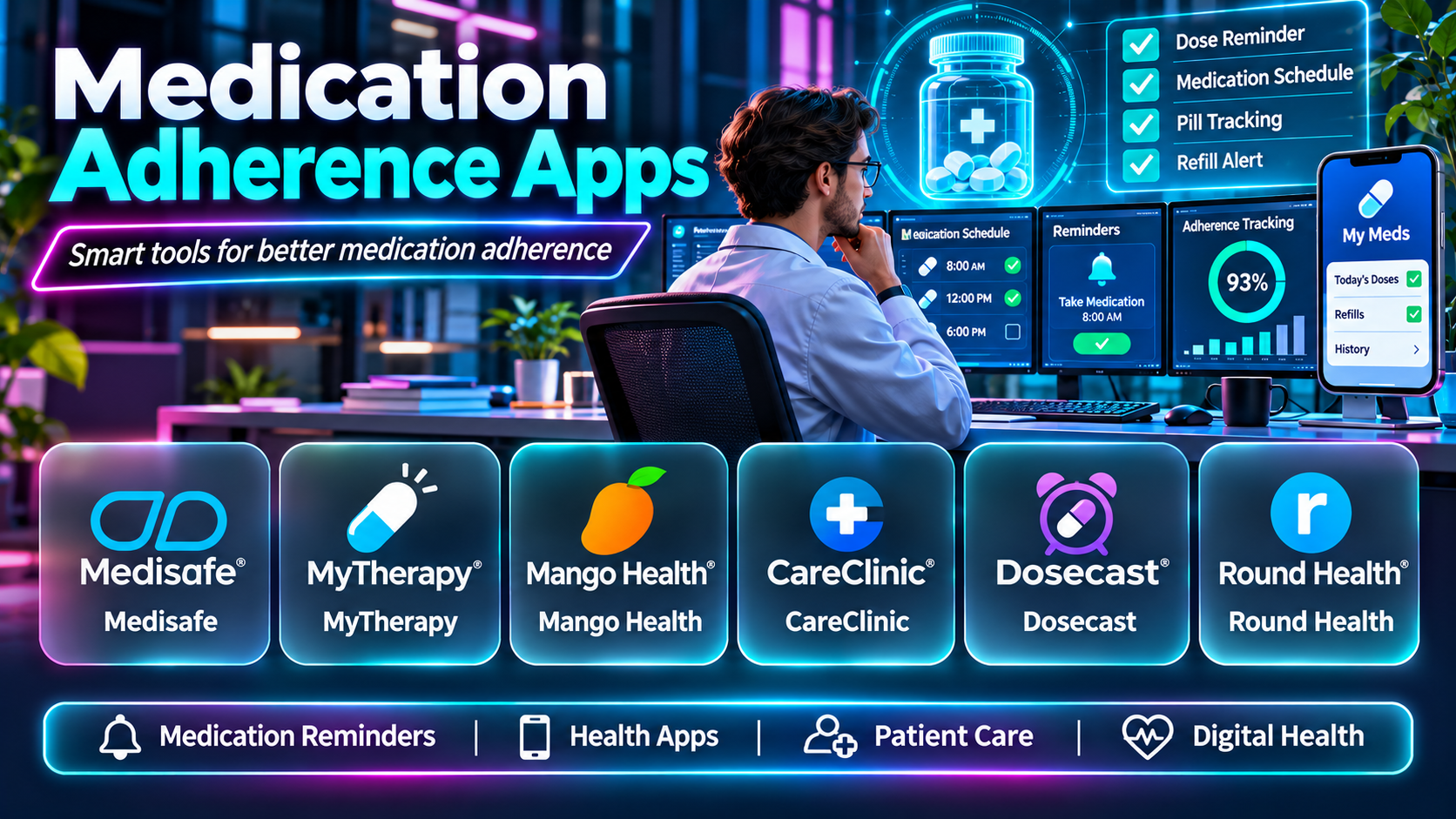
Medication adherence apps help people organize their medication schedules. Many provide reminders, dose histories, refill alerts, and tools for sharing information with caregivers.
However, medication apps differ considerably. Some are simple reminders, while others connect with pharmacies, health records, or connected pill dispensers.
This guide compares ten medication adherence apps, explains their capabilities and limitations, and provides practical advice for choosing a suitable option.
What Are Medication Adherence Apps?
Medication adherence apps are digital tools designed to help people follow prescribed medication schedules. They may record whether a dose was taken, remind users about refills, or maintain medication lists.
Some apps also support caregivers who help family members manage medications. Others provide medication education, symptom tracking, or adherence reports.
These applications support medication routines but cannot independently determine whether a prescription is appropriate. Users should follow instructions from qualified healthcare professionals.
Top 10 Medication Adherence Apps
1. Medisafe
Detailed Description
Medisafe is a medication management app built around reminders, medication schedules, and adherence tracking. Users can enter prescriptions, specify dose times, and receive notifications when medication is due.
The app is particularly relevant to people managing several daily medications. Instead of relying on memory or separate alarms, users can maintain a centralized schedule and record whether they have taken each dose.
Medisafe also provides features intended to support caregiver involvement and ongoing medication management. Depending on the current app version and service availability, users may access refill reminders, medication information, and adherence summaries.
A practical workflow begins with entering each medicine and its prescribed instructions. The user then checks off doses as they are taken, while the app maintains a record that can support discussions with healthcare professionals.
Its main limitation is that notifications depend on device settings and user participation. Recording a dose does not verify that the medicine was actually swallowed.
Key Features
- Scheduled medication reminders
- Dose logging
- Medication lists
- Refill reminders
- Caregiver support options
- Adherence history
Pros
- Designed specifically for medication routines
- Suitable for multiple prescriptions
- Helpful dose-history visibility
- Caregiver-oriented functionality
Cons
- Some capabilities may depend on subscription or region
- Manual dose confirmation is required
- Notifications can be affected by phone settings
Best For: People managing multiple prescriptions, older adults, and caregivers.
2. MyTherapy
Detailed Description
MyTherapy combines medication reminders with health tracking and personal treatment records. It is designed for people who need help maintaining medication routines while monitoring other health-related information.
Users can create medication schedules and record completed doses. Depending on the app’s current capabilities, they may also track measurements, symptoms, or other treatment activities.
This broader approach is useful when medication adherence forms part of ongoing care. For example, a person may want to record blood pressure readings alongside medication use, creating a more organized history for appointments.
MyTherapy can help users identify gaps in their routines and prepare information for healthcare discussions. However, it should not be interpreted as a diagnostic or treatment decision system.
The app is most valuable when users consistently record information. Extensive tracking may feel unnecessary for someone who only needs a single daily reminder.
Key Features
- Medication reminders
- Dose tracking
- Health measurements
- Symptom records
- Treatment history
- Progress reports
Pros
- Combines reminders and health logs
- Useful for long-term treatment routines
- Supports structured recordkeeping
- Relevant to chronic care
Cons
- Requires consistent data entry
- More complex than a basic alarm
- Some tracking functions may not be relevant to every user
Best For: People managing long-term treatment plans and multiple health routines.
3. CareClinic
Detailed Description
CareClinic is a personal health management app that combines medication tracking with symptom journals, health measurements, and routine management.
Its medication features can help users organize prescribed medicines and document when doses are taken. The wider platform is designed to capture information about daily health experiences.
This makes CareClinic relevant to users who want to understand their routines in context. Someone monitoring symptoms, sleep, and medication use may find it useful to keep those records together.
The app can support preparation for medical appointments by organizing observations that might otherwise be scattered across notes and calendars.
However, the breadth of features can create additional work. Users should focus on recording information that is clinically useful rather than tracking every available metric.
Key Features
- Medication scheduling
- Dose logs
- Symptom journaling
- Health measurements
- Routine tracking
- Personal reports
Pros
- Broad health tracking
- Combines multiple record types
- Supports personal health organization
- Useful for ongoing monitoring
Cons
- More setup than reminder-only apps
- Advanced capabilities may require payment
- Self-reported information can be incomplete
Best For: People who want medication tracking alongside a broader health journal.
4. EveryDose
Detailed Description
EveryDose is a medication management app focused on reminders, medication information, and helping users maintain their treatment schedules.
Users can organize medications and receive prompts at scheduled times. The app is designed to reduce the mental effort involved in remembering multiple daily doses.
Its approach can be useful for people who want a straightforward medication-focused experience without building a complex health tracking system.
Medication information and related features may help users stay organized, but the app should not replace advice from pharmacists or prescribers.
Buyers should evaluate its current availability, supported regions, reminder customization, and data export capabilities. These details are important when medication records need to be shared with caregivers.
Key Features
- Medication reminders
- Prescription lists
- Dose history
- Medication information
- Schedule management
- Refill-related tools
Pros
- Medication-centered design
- Straightforward daily workflows
- Useful prescription organization
- Suitable for recurring schedules
Cons
- Regional availability may vary
- Some features depend on the current version
- Requires manual confirmation
Best For: Users seeking a focused medication reminder and organization app.
5. Dosecast
Detailed Description
Dosecast is a medication reminder app designed to accommodate different dosing schedules. Its emphasis is on helping users manage when medications should be taken.
The app is relevant to people with schedules that are more complicated than a single daily dose. Depending on the available version, users can configure reminders and maintain a history of medication use.
A practical example involves someone who takes medicines at different times throughout the day. Dosecast can provide separate notifications and help organize the sequence of doses.
The app may be preferable to a general calendar when medication-specific scheduling is important. However, users must still confirm prescribed timing and missed-dose instructions with healthcare professionals.
Its interface and current platform support should be evaluated before adoption. Users should also check which advanced functions are available under the current pricing model.
Key Features
- Medication reminders
- Flexible scheduling
- Dose records
- Medication lists
- Notification customization
- Schedule management
Pros
- Focus on dose timing
- Supports recurring reminders
- Useful for complex schedules
- More specialized than standard alarms
Cons
- Current platform support should be checked
- Premium functions may vary
- Limited clinical integration
Best For: Users with varied medication schedules who prioritize reminder flexibility.
6. Round Health
Detailed Description
Round Health is known for its streamlined medication reminder approach. Rather than functioning as a broad medical record, it focuses on helping users maintain daily medication habits.
Its design has emphasized simple scheduling and a clear indication of whether medication has been taken. This can appeal to people who prefer a less complicated interface.
A user managing one or two recurring prescriptions may not need extensive symptom tracking, caregiver dashboards, or pharmacy integrations. A focused reminder tool may be easier to maintain consistently.
However, Round Health’s current availability, device compatibility, and maintenance status should be verified before recommending it for long-term use.
Users who require extensive caregiver oversight or complex medication management may need a more comprehensive platform.
Key Features
- Medication reminders
- Simple schedule management
- Dose tracking
- Daily medication overview
- Minimalist interface
Pros
- Straightforward design
- Limited administrative complexity
- Suitable for simple routines
- Focused reminder experience
Cons
- Current support requires verification
- Limited advanced care coordination
- May not fit complicated treatment schedules
Best For: Individuals who prefer a simple medication reminder experience.
7. Mango Health
Detailed Description
Mango Health has been associated with medication reminders and engagement features designed to encourage consistent medication use.
Its historical approach combined medication scheduling with motivational elements. Such features can make recurring routines feel more engaging for users who struggle with consistency.
The concept is useful because medication adherence involves behavior as well as information. Reminders are most effective when they fit daily habits and remain easy to acknowledge.
However, Mango Health’s current product availability and support status require confirmation. Historical app descriptions should not be treated as evidence of an actively maintained service.
Organizations evaluating medication engagement technology should assess current alternatives if the original product is no longer available.
Key Features
- Medication reminders
- Dose tracking
- Habit encouragement
- Medication organization
- Engagement-oriented workflows
Pros
- Behavioral engagement approach
- Medication-focused design
- Historically simple daily routines
- Useful example of motivational features
Cons
- Current availability is uncertain
- May not be suitable for new deployment
- Integration and support status require verification
Best For: Historical comparison and evaluation of engagement-based medication reminders.
8. Hero
Detailed Description
Hero combines a medication management service with a connected pill dispenser. It is different from app-only solutions because it uses dedicated hardware to help organize medication dispensing.
The system is intended for people who manage multiple medications and want a more structured home routine. Depending on the service configuration, reminders and caregiver visibility may accompany the dispensing process.
A typical workflow involves loading compatible medications into the dispenser, configuring the schedule, and receiving prompts when doses are due. The associated app helps manage information and monitor the routine.
This approach can reduce some organizational tasks, but it introduces hardware requirements. Users must confirm which medications and packaging formats the dispenser can accommodate.
Hero may be useful for households seeking additional support, although it does not replace professional medication reconciliation or supervision.
Key Features
- Connected pill dispenser
- Medication scheduling
- Dose reminders
- Caregiver visibility
- Medication management app
- Dispensing records
Pros
- Hardware-assisted routine
- Useful for multiple medications
- Caregiver-oriented features
- Structured dispensing workflow
Cons
- Requires compatible hardware
- Ongoing costs may apply
- Not suitable for every medication form
- Setup and maintenance are necessary
Best For: Households seeking connected dispensing and caregiver support.
9. MedMinder
Detailed Description
MedMinder provides medication management solutions centered on connected pill dispensers and adherence support. Its services are relevant to older adults, caregivers, and organizations coordinating medication routines.
The system is designed to make scheduled doses easier to identify and monitor. Connected devices may provide reminders and information that helps caregivers recognize missed medication events.
For example, a family caregiver supporting an older adult may benefit from knowing whether a scheduled compartment was accessed. This provides additional visibility compared with a phone alarm alone.
However, opening a compartment does not necessarily confirm ingestion. Medication safety still depends on correct loading, prescribed instructions, and appropriate supervision.
Users should evaluate dispenser compatibility, service availability, pricing, and the level of caregiver involvement required.
Key Features
- Connected medication dispenser
- Scheduled reminders
- Adherence monitoring
- Caregiver notifications
- Medication organization
- Remote support options
Pros
- Physical medication organization
- Caregiver visibility
- Useful for home support
- More structured than basic reminders
Cons
- Hardware and service costs
- Device setup requirements
- Not compatible with every medication
- Does not independently verify ingestion
Best For: Older adults and caregivers who need monitored medication routines.
10. Apple Health Medications
Detailed Description
Apple Health includes medication management features that allow compatible device users to record medicines, schedule reminders, and log doses.
The main advantage is integration with an existing personal health environment. Users who already rely on an iPhone may prefer not to install and manage a separate medication application.
A user can create a medication list, establish a schedule, and record whether doses were taken or skipped. This information can become part of a broader personal health record.
Apple Health Medications is most appropriate for individuals seeking basic medication organization within Apple’s ecosystem. Its functionality should not be confused with a complete pharmacy management or clinical monitoring platform.
Users should verify device compatibility, regional availability, and notification settings. They should also consider whether their caregivers need access through another workflow.
Key Features
- Medication lists
- Dose reminders
- Medication logging
- Schedule management
- Apple Health integration
- Personal medication history
Pros
- Integrated device experience
- No separate medication platform required
- Straightforward dose logging
- Connected personal health records
Cons
- Apple ecosystem dependency
- Limited professional care coordination
- Not a connected dispenser
- Reminder delivery depends on device settings
Best For: iPhone users seeking integrated medication reminders and logs.
Comparison of the Top 10 Medication Adherence Apps
| Tool | Primary Focus | Best For | Main Limitation |
|---|---|---|---|
| Medisafe | Medication schedules and adherence | Multiple prescriptions | Manual confirmation |
| MyTherapy | Medication and health tracking | Long-term treatment | More data entry |
| CareClinic | Comprehensive health journal | Multi-factor tracking | Setup complexity |
| EveryDose | Medication reminders | Daily organization | Feature availability |
| Dosecast | Flexible dose scheduling | Complex schedules | Platform support |
| Round Health | Simple reminders | Minimalist users | Current support |
| Mango Health | Engagement-based reminders | Historical comparison | Availability uncertain |
| Hero | Connected dispensing | Home medication support | Hardware costs |
| MedMinder | Monitored dispensing | Caregivers | Hardware requirements |
| Apple Health | Integrated medication logging | iPhone users | Ecosystem dependency |
How to Choose the Right Medication Adherence App
Start with the number of medications and the complexity of the schedule. A simple daily prescription may only require a basic reminder, while multiple medicines can benefit from a dedicated medication list.
Next, decide whether caregivers need visibility into missed doses. Connected dispensers may provide additional support, but they cost more and require setup.
Evaluate privacy, accessibility, notification reliability, and data portability. Users should also check whether the app remains actively maintained.
Practical example: A person taking three daily medications may choose Medisafe or MyTherapy for reminders and logs. Someone who already uses an iPhone and needs only simple tracking may prefer Apple Health. A caregiver supporting an older adult may evaluate Hero or MedMinder.
Seven Steps to Implement a Medication Adherence App
Step 1: Review the Medication List
- Confirm medication names with a pharmacist or prescriber.
- Verify strengths and prescribed doses.
- Identify special administration instructions.
Step 2: Choose the Right App
- Compare reminder features.
- Assess accessibility.
- Check current support and compatibility.
Step 3: Configure Schedules
- Enter prescribed timing.
- Test notifications.
- Check time-zone behavior when traveling.
Step 4: Set Up Refill Tracking
- Record refill dates where supported.
- Allow time for pharmacy processing.
- Verify prescription renewal requirements.
Step 5: Establish Caregiver Access
- Obtain the user’s permission.
- Configure supported sharing features.
- Define who responds to missed-dose alerts.
Step 6: Test the Daily Routine
- Confirm reminders arrive.
- Check that dose logs are understandable.
- Review accessibility settings.
Step 7: Review the System Regularly
- Update prescriptions after medication changes.
- Remove discontinued medicines.
- Review adherence information with healthcare professionals when useful.
Common Challenges
Notification failures: Battery optimization and notification permissions may interfere with reminders.
Incorrect medication lists: Outdated prescriptions can produce misleading schedules.
Reminder fatigue: Excessive notifications may encourage users to dismiss alerts without checking medication instructions.
Caregiver assumptions: A logged or dispensed dose does not prove ingestion.
Privacy: Medication records contain sensitive health information and should be shared carefully.
Frequently Asked Questions
1. What is a medication adherence app?
It helps users organize prescribed medication schedules and record doses.
2. Can medication apps prevent missed doses?
They may reduce missed doses, but no app guarantees adherence.
3. Do these apps replace pharmacists?
No. Pharmacists remain essential for medication guidance and safety.
4. Can medication apps track refills?
Many include refill reminders or related tools.
5. Can caregivers monitor medication routines?
Some apps and connected dispensers offer caregiver features.
6. Are medication apps free?
Some offer free features, while others require subscriptions or hardware purchases.
7. Can users track several prescriptions?
Yes, many support multiple medications and schedules.
8. Are connected pill dispensers better?
They provide additional structure but are not necessary for everyone.
9. Can apps confirm that a dose was swallowed?
Generally not. Most rely on user logging or dispenser activity.
10. Can medication apps handle changing schedules?
Some provide flexible reminders. Users must follow prescribed instructions.
11. Do apps work without internet access?
Capabilities vary by app and device.
12. Can users share medication lists with doctors?
Some offer exports or sharing features.
13. Are medication records private?
Privacy protections differ. Users should review policies and sharing controls.
14. Can an app tell users to double a missed dose?
Users should not rely on an app to make that decision. They should follow their medication instructions or contact a healthcare professional.
15. Which app is suitable for older adults?
The best choice depends on accessibility, medication complexity, and caregiver support.
16. What should users check before installing?
Review current availability, compatibility, privacy, reminder functions, and cost.
Final Thoughts
Medication adherence apps can help make prescription routines more organized. Their greatest value comes from clear reminders, accurate medication lists, and consistent use.
Medisafe and MyTherapy are relevant for ongoing medication tracking. Apple Health provides a convenient option for compatible device users.
Hero and MedMinder add connected dispensing for households that need more structured support. Simpler apps may be sufficient when medication schedules are straightforward.
The right solution should fit the user’s actual routine without creating unnecessary complexity. Medication changes and missed-dose decisions should always follow professional guidance.
