Introduction
Home health organizations coordinate care across patients’ homes, clinical teams, caregivers, and administrative departments. Their operations involve referrals, assessments, scheduling, care plans, documentation, billing, and regulatory requirements.
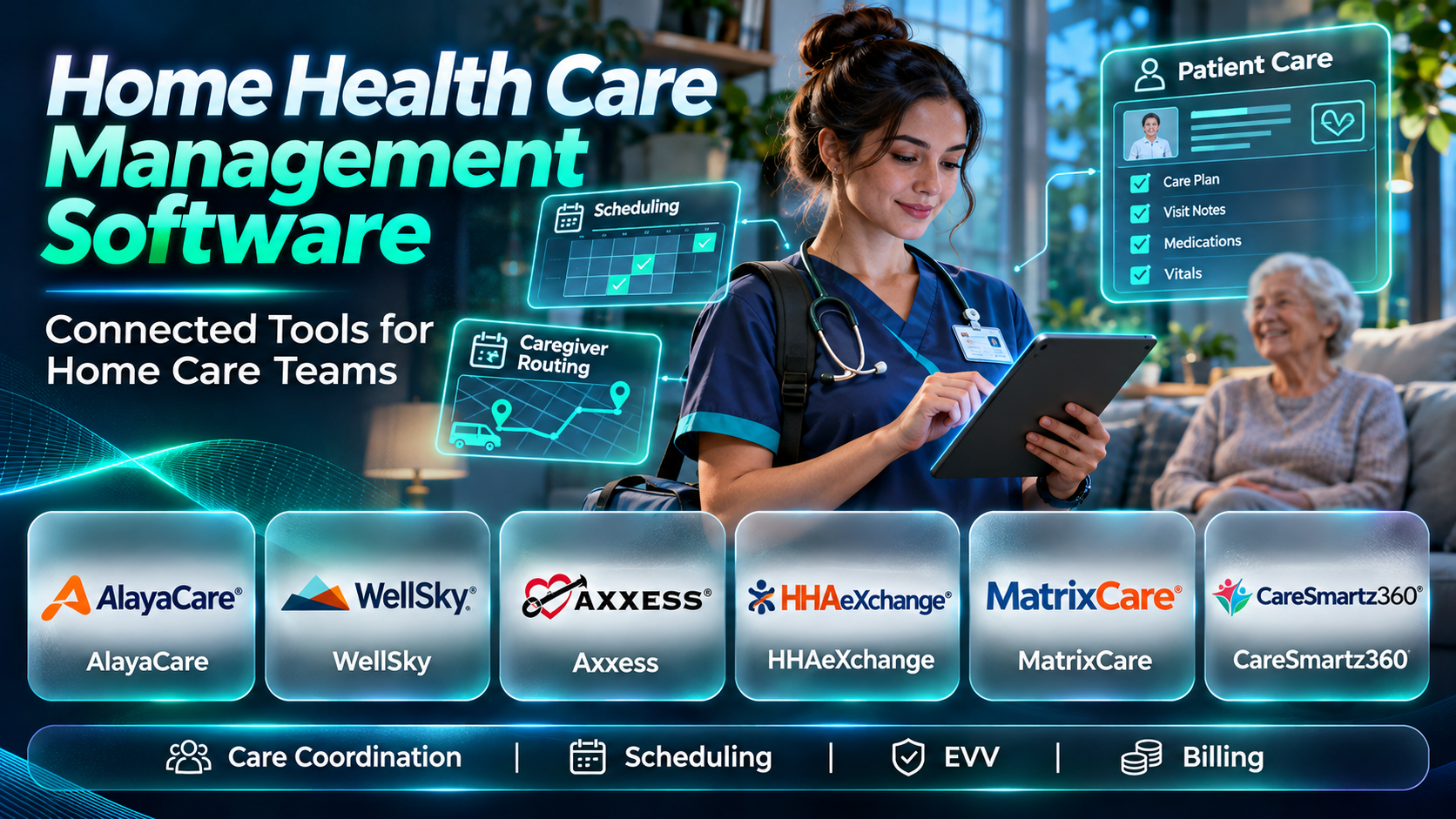
Home health care management software helps organize these activities within a connected operational environment. Some platforms focus on skilled home healthcare, while others serve nonmedical home care and personal assistance agencies.
This guide compares ten software platforms serving home-based care organizations. It explains their workflows, advantages, limitations, and suitability for different providers.
What Is Home Health Care Management Software?
Home health care management software supports the clinical and administrative processes involved in delivering services at home. It may include patient records, caregiver scheduling, care plans, visit verification, billing, and reporting.
Skilled home healthcare providers often need clinical documentation and payer-specific workflows. Nonmedical home care agencies may prioritize caregiver matching, shift scheduling, payroll, and client communication.
Why Home Health Software Matters
Home-based care involves employees working across different locations with limited direct supervision. Accurate scheduling, timely documentation, and reliable communication are essential.
Software can help coordinate these activities and improve operational visibility. However, safe care still depends on trained personnel, appropriate supervision, and compliant procedures.
Essential Features
- Referral and intake management
- Patient and client records
- Care plans
- Staff scheduling
- Mobile documentation
- Electronic visit verification
- Clinical assessments
- Billing and claims
- Payroll-related workflows
- Caregiver communication
- Quality and compliance reporting
Top 10 Home Health Care Management Software
1. WellSky Home Health
Detailed Description
WellSky Home Health is a healthcare software offering designed to support home health agencies. It addresses clinical documentation, care coordination, scheduling, and financial operations associated with home-based healthcare.
The platform helps agencies manage patient information from referral and admission through ongoing visits and discharge. Clinical staff can document care activities while administrative teams coordinate schedules and reimbursement processes.
WellSky is relevant to organizations operating within regulated home healthcare environments. Its broader healthcare software ecosystem can support connections with other care settings and operational services.
The platform may be particularly appropriate for agencies with substantial clinical and compliance requirements. Buyers should evaluate payer workflows, mobile documentation, reporting, and interoperability.
Implementation can involve complex migration and workflow configuration. Agencies should test realistic episodes of care and confirm current product modules before purchasing.
Key Features
- Referral management
- Patient records
- Clinical documentation
- Care planning
- Visit scheduling
- Mobile workflows
- Billing
- Quality reporting
- Care coordination
Benefits
- Connects clinical and administrative processes.
- Supports home health documentation.
- Improves scheduling visibility.
- Facilitates reimbursement workflows.
- Organizes patient information.
- Supports quality oversight.
- Reduces fragmented systems.
Pros
- Home health specialization.
- Broad clinical workflows.
- Billing capabilities.
- Healthcare integration ecosystem.
- Compliance-oriented functionality.
- Suitable for established agencies.
Cons
- Implementation can be extensive.
- Configuration requires expertise.
- Commercial costs vary.
- Staff training is necessary.
- Smaller agencies may need simpler alternatives.
Use Cases
- Skilled home healthcare
- Clinical documentation
- Patient scheduling
- Care plan management
- Billing administration
- Quality reporting
Best For
- Medicare-certified home health agencies
- Established home healthcare organizations
- Clinical operations teams
- Multi-branch providers
- Home health administrators
- Organizations with complex compliance needs
2. Axxess Home Health
Detailed Description
Axxess Home Health is a software platform designed for home health agencies managing clinical, administrative, and financial workflows. It supports patient care documentation, scheduling, billing, and related operations.
The platform connects office staff with clinicians delivering services in patients’ homes. Mobile-oriented workflows can help field personnel access assignments and document visits.
Axxess is relevant to agencies that want to standardize care delivery processes and reduce disconnected administrative work. Its broader portfolio also includes software serving other home-based care sectors.
Organizations should evaluate how the platform handles assessments, payer requirements, visit scheduling, and claims. Integration with existing payroll, accounting, and referral systems may also influence selection.
Implementation requires careful configuration of clinical templates and operational procedures. Agencies should validate documentation accuracy and reporting before deployment.
Key Features
- Home health EHR
- Clinical assessments
- Visit scheduling
- Care planning
- Mobile documentation
- Billing
- Claims management
- Quality reporting
- Agency administration
Benefits
- Supports home health operations.
- Connects field and office teams.
- Facilitates documentation.
- Improves scheduling coordination.
- Supports reimbursement processes.
- Provides operational visibility.
- Helps standardize workflows.
Pros
- Home health focus.
- Clinical documentation.
- Mobile capabilities.
- Billing workflows.
- Agency reporting.
- Broad home care ecosystem.
Cons
- Configuration takes planning.
- Training is necessary.
- Integrations vary.
- Costs depend on modules.
- Workflow changes may be substantial.
Use Cases
- Skilled home health visits
- Clinical assessments
- Care coordination
- Scheduling
- Claims processing
- Agency reporting
Best For
- Home health agencies
- Clinical care teams
- Multi-branch providers
- Home health billing departments
- Field clinicians
- Organizations standardizing documentation
3. MatrixCare Home Health & Hospice
Detailed Description
MatrixCare provides healthcare software for post-acute and long-term care organizations, including home health and hospice providers. Its home-based care offerings support clinical records, care coordination, and operational management.
The platform is relevant to organizations managing patient services across different stages of post-acute care. Connecting clinical documentation with scheduling and financial processes can improve continuity.
MatrixCare may be particularly useful to organizations operating several care services or locations. Its broader portfolio can support enterprise strategies that span home-based and institutional care settings.
Buyers should evaluate the exact home health modules available and their compatibility with existing applications. Reporting, billing, and referral workflows should be tested using representative patient scenarios.
Implementation may require substantial coordination between clinical, financial, and IT teams. Data migration and training should be planned before launch.
Key Features
- Patient records
- Clinical documentation
- Care coordination
- Scheduling
- Referral workflows
- Billing
- Operational reporting
- Healthcare interoperability
- Multi-service administration
Benefits
- Supports post-acute care operations.
- Connects clinical information.
- Facilitates care coordination.
- Organizes administrative workflows.
- Supports financial processes.
- Improves enterprise visibility.
- Connects multiple care settings.
Pros
- Post-acute care specialization.
- Enterprise healthcare relevance.
- Clinical workflows.
- Billing functionality.
- Multi-service applicability.
- Reporting capabilities.
Cons
- Product scope varies.
- Implementation can be complex.
- Integration requires planning.
- Commercial costs differ.
- Training needs may be substantial.
Use Cases
- Home health operations
- Hospice coordination
- Post-acute care management
- Clinical records
- Billing
- Enterprise reporting
Best For
- Post-acute care organizations
- Home health and hospice groups
- Multi-service providers
- Enterprise care administrators
- Clinical operations teams
- Organizations seeking connected care systems
4. HHAeXchange
Detailed Description
HHAeXchange is a home care management technology platform focused on connecting providers, caregivers, payers, and related stakeholders. Its capabilities are especially relevant to personal care services and Medicaid-oriented home care operations.
The platform supports scheduling, electronic visit verification, and operational workflows. These functions help agencies track scheduled services and document visits according to applicable requirements.
HHAeXchange is relevant to agencies operating in markets where electronic visit verification and payer connectivity are important. Its network-oriented approach can support communication between care providers and funding organizations.
However, the platform should not automatically be treated as a complete skilled home health clinical EHR. Agencies must verify whether their clinical documentation and billing requirements are fully supported.
Buyers should assess regional availability, payer integrations, and current product modules. Implementation should include caregiver training and careful validation of visit verification workflows.
Key Features
- Caregiver scheduling
- Electronic visit verification
- Visit management
- Payer connectivity
- Caregiver information
- Agency administration
- Service documentation
- Operational reporting
- Home care coordination
Benefits
- Supports visit verification.
- Improves caregiver scheduling.
- Facilitates payer coordination.
- Organizes service information.
- Reduces manual visit tracking.
- Improves operational visibility.
- Supports compliance workflows.
Pros
- Home care specialization.
- EVV capabilities.
- Payer connectivity.
- Scheduling tools.
- Caregiver workflow support.
- Relevant to personal care agencies.
Cons
- Skilled clinical EHR scope requires evaluation.
- Regional requirements differ.
- Integration needs vary.
- Caregiver training is necessary.
- Commercial arrangements depend on market.
Use Cases
- Medicaid personal care
- Electronic visit verification
- Caregiver scheduling
- Payer coordination
- Visit documentation
- Home care administration
Best For
- Personal care agencies
- Medicaid home care providers
- EVV-focused organizations
- Home care administrators
- Payer-connected agencies
- Large caregiver networks
5. AlayaCare
Detailed Description
AlayaCare is a cloud-based home and community care management platform. It supports scheduling, care plans, mobile workflows, billing, and administrative operations.
The platform is designed for organizations coordinating services across distributed caregivers and clients. Field staff can access assigned activities while office teams manage schedules and service delivery.
AlayaCare is relevant to home care organizations operating across multiple branches or service types. Its capabilities may support both clinical and nonclinical care workflows, depending on the implementation.
Organizations should evaluate localization, payer requirements, and integration with existing financial systems. Regional regulations and service models can materially affect suitability.
Buyers should test caregiver scheduling, visit documentation, care planning, and billing. Implementation also requires attention to staff adoption and mobile connectivity.
Key Features
- Client records
- Care plans
- Caregiver scheduling
- Mobile workflows
- Visit documentation
- Billing
- Workforce management
- Reporting
- Integration capabilities
Benefits
- Connects field and office operations.
- Supports distributed care teams.
- Improves scheduling visibility.
- Organizes client information.
- Facilitates billing.
- Supports multi-branch administration.
- Reduces manual coordination.
Pros
- Cloud architecture.
- Home care focus.
- Mobile functionality.
- Workforce scheduling.
- Multi-location relevance.
- Reporting capabilities.
Cons
- Regional availability varies.
- Implementation requires planning.
- Clinical scope depends on configuration.
- Integration costs differ.
- Training is necessary.
Use Cases
- Community care services
- Home care scheduling
- Caregiver coordination
- Mobile visit documentation
- Billing
- Multi-branch management
Best For
- Home care agencies
- Community care providers
- Multi-location organizations
- Distributed caregiver teams
- Care administrators
- Organizations modernizing operations
6. AxisCare
Detailed Description
AxisCare is home care management software designed primarily for nonmedical home care agencies. It supports scheduling, caregiver management, client information, billing, and operational reporting.
The platform helps agencies coordinate shifts and match caregivers with client service requirements. Administrative teams can use it to manage schedules and track completed visits.
AxisCare is particularly relevant to private-duty home care businesses where workforce coordination is a major operational challenge. Its capabilities can support growing agencies managing many caregivers and recurring shifts.
The platform also offers tools that connect scheduling with financial and workforce administration. Buyers should verify payroll integrations, EVV requirements, and available client communication functions.
Agencies providing skilled nursing services should separately evaluate clinical documentation needs. AxisCare’s suitability depends on the organization’s service model and regulatory obligations.
Key Features
- Caregiver scheduling
- Client management
- Staff management
- Electronic visit verification
- Billing
- Payroll-related workflows
- Caregiver communication
- Operational reporting
- Agency administration
Benefits
- Simplifies caregiver coordination.
- Reduces scheduling conflicts.
- Supports visit tracking.
- Connects billing and schedules.
- Improves workforce visibility.
- Facilitates agency growth.
- Reduces manual administration.
Pros
- Nonmedical home care focus.
- Scheduling capabilities.
- Caregiver management.
- EVV support.
- Financial workflows.
- Growing agency relevance.
Cons
- Skilled clinical EHR functionality is not its primary focus.
- Payroll integration requires verification.
- Configuration takes planning.
- Costs depend on agency needs.
- Regional EVV requirements vary.
Use Cases
- Private-duty home care
- Caregiver scheduling
- Client service coordination
- Visit verification
- Agency billing
- Workforce administration
Best For
- Nonmedical home care agencies
- Private-duty providers
- Growing caregiver businesses
- Home care schedulers
- Agency owners
- Workforce-focused organizations
7. CareSmartz360
Detailed Description
CareSmartz360 is a home care management platform designed for nonmedical and personal care agencies. It provides scheduling, caregiver management, client records, billing, and operational functions.
The platform helps agencies manage recurring services and coordinate caregivers across different client locations. Its administrative workflows can support the daily demands of a distributed workforce.
CareSmartz360 is relevant to agencies seeking a broad set of home care business tools. Scheduling, caregiver communication, and financial administration are central areas for evaluation.
The platform can also support agency growth by organizing information across staff and clients. However, organizations should verify current integrations and the specific electronic visit verification options available.
Buyers should test caregiver assignment, missed visits, billing, and payroll-related workflows. Skilled clinical care requirements may need a separate specialized system.
Key Features
- Client management
- Caregiver scheduling
- Staff records
- Visit verification
- Billing
- Payroll-related functions
- Care plans
- Communication
- Reporting
Benefits
- Organizes home care operations.
- Supports caregiver coordination.
- Reduces scheduling duplication.
- Facilitates billing.
- Improves visit visibility.
- Supports staff administration.
- Provides agency reporting.
Pros
- Home care specialization.
- Scheduling tools.
- Client and caregiver records.
- Financial workflows.
- EVV-related capabilities.
- Growing agency relevance.
Cons
- Clinical EHR depth needs evaluation.
- Integrations vary.
- Configuration requires planning.
- Training is necessary.
- Commercial costs differ.
Use Cases
- Nonmedical home care
- Caregiver scheduling
- Client management
- Visit verification
- Agency billing
- Workforce reporting
Best For
- Personal care agencies
- Private-duty providers
- Home care administrators
- Caregiver coordinators
- Growing home care businesses
- Agencies seeking connected administration
8. Aaniie
Detailed Description
Aaniie is a home care technology platform associated with workforce scheduling and care service management. It supports agencies coordinating caregivers, clients, and operational activities.
The platform is relevant to organizations where workforce availability and service continuity are central concerns. Scheduling and communication workflows can help administrators respond to changes in caregiver assignments.
Aaniie may support home care businesses seeking to connect client service information with staffing and operational processes. Its suitability depends on the care model and required integrations.
Agencies should evaluate caregiver mobile workflows, scheduling automation, and reporting capabilities. Clinical documentation and payer-specific requirements should be assessed separately.
Because home care software portfolios evolve, buyers should confirm the current product scope and supported markets. Realistic scheduling demonstrations are especially important.
Key Features
- Caregiver scheduling
- Workforce coordination
- Client information
- Visit management
- Mobile workflows
- Communication
- Administrative reporting
- Home care operations
- Integration options
Benefits
- Supports caregiver coordination.
- Improves schedule visibility.
- Organizes client services.
- Reduces manual communication.
- Facilitates operational management.
- Supports distributed teams.
- Helps manage service changes.
Pros
- Home care workforce focus.
- Scheduling functionality.
- Mobile workflow relevance.
- Caregiver coordination.
- Administrative tools.
- Suitable for service agencies.
Cons
- Current capabilities need verification.
- Clinical documentation scope varies.
- Integration options require review.
- Training is necessary.
- Commercial terms depend on deployment.
Use Cases
- Caregiver scheduling
- Home care coordination
- Workforce communication
- Client service management
- Visit administration
- Agency operations
Best For
- Home care agencies
- Caregiver networks
- Scheduling coordinators
- Nonmedical providers
- Workforce managers
- Organizations seeking scheduling improvements
9. ShiftCare
Detailed Description
ShiftCare is a care management platform designed for home care, disability support, and related community services. It supports scheduling, client information, progress notes, and financial administration.
The platform helps organizations coordinate services delivered by staff across multiple client locations. Mobile workflows can allow workers to review assignments and record service information.
ShiftCare is relevant to community-based care providers needing consistent scheduling and documentation. Its suitability is influenced by regional funding programs and service requirements.
The system can support administrative processes such as invoicing and staff coordination. Organizations should evaluate payroll, accounting, and care documentation integrations.
Buyers should confirm localization and compliance requirements before adoption. Skilled medical home health agencies may require additional clinical capabilities.
Key Features
- Client management
- Staff scheduling
- Shift management
- Progress notes
- Mobile access
- Invoicing
- Timesheets
- Care documentation
- Reporting
Benefits
- Supports community care operations.
- Organizes staff schedules.
- Facilitates progress notes.
- Improves shift visibility.
- Connects service delivery and billing.
- Supports mobile workers.
- Reduces administrative duplication.
Pros
- Community care focus.
- Scheduling capabilities.
- Mobile documentation.
- Timesheets.
- Invoicing.
- Distributed workforce relevance.
Cons
- Regional funding compatibility varies.
- Skilled clinical requirements need evaluation.
- Integrations may be necessary.
- Migration takes planning.
- Subscription costs differ.
Use Cases
- Community care services
- Disability support
- Home care scheduling
- Staff timesheets
- Progress notes
- Service invoicing
Best For
- Community care providers
- Disability support organizations
- Home care agencies
- Mobile support workers
- Care coordinators
- Regional service providers
10. KanTime
Detailed Description
KanTime is a home health and hospice software platform designed to support clinical and operational workflows. It provides tools for patient records, scheduling, documentation, billing, and agency management.
The platform helps home-based care organizations coordinate services across field clinicians and office staff. Its workflows can connect patient care information with reimbursement and administrative processes.
KanTime is relevant to agencies delivering skilled home health services and related care programs. Its broader operational functionality may appeal to organizations managing several service lines.
Buyers should evaluate clinical documentation, payer rules, mobile functionality, and reporting. The suitability of individual modules depends on the agency’s services and reimbursement requirements.
Implementation requires careful data migration and validation of clinical workflows. Agencies should test assessments, visits, claims, and exception handling before deployment.
Key Features
- Patient records
- Clinical documentation
- Visit scheduling
- Care plans
- Mobile workflows
- Billing
- Claims management
- Quality reporting
- Agency administration
Benefits
- Connects home health operations.
- Supports clinical documentation.
- Facilitates scheduling.
- Organizes reimbursement workflows.
- Improves field coordination.
- Supports quality oversight.
- Provides operational visibility.
Pros
- Home health specialization.
- Clinical workflow support.
- Billing functionality.
- Mobile relevance.
- Multi-service applicability.
- Agency reporting.
Cons
- Implementation may be complex.
- Configuration requires planning.
- Training is necessary.
- Integration costs vary.
- Product modules require evaluation.
Use Cases
- Skilled home health
- Hospice administration
- Clinical visits
- Care planning
- Billing
- Agency reporting
Best For
- Home health agencies
- Hospice providers
- Multi-service care organizations
- Clinical operations teams
- Home health administrators
- Organizations requiring integrated workflows
Comparison of the Top 10 Home Health Care Management Software
| Platform | Primary Focus | Typical Organization | Main Consideration |
|---|---|---|---|
| WellSky Home Health | Skilled home healthcare | Established agencies | Implementation |
| Axxess Home Health | Clinical home health operations | Home health agencies | Configuration |
| MatrixCare | Post-acute care | Multi-service providers | Product scope |
| HHAeXchange | Home care and EVV | Medicaid personal care agencies | Payer requirements |
| AlayaCare | Home and community care | Multi-branch providers | Regional localization |
| AxisCare | Nonmedical home care | Private-duty agencies | Clinical scope |
| CareSmartz360 | Home care administration | Personal care agencies | Integrations |
| Aaniie | Workforce coordination | Home care providers | Current capabilities |
| ShiftCare | Community support services | Community care agencies | Regional requirements |
| KanTime | Skilled home health and hospice | Clinical care agencies | Module configuration |
Which Home Health Care Management Software Is Right for You?
| Buyer Persona | Platforms to Evaluate | Main Reason |
|---|---|---|
| Skilled home health agency | WellSky, Axxess | Clinical documentation |
| Home health and hospice organization | MatrixCare, KanTime | Multi-service operations |
| Medicaid personal care provider | HHAeXchange | EVV and payer coordination |
| Multi-branch home care organization | AlayaCare | Distributed operations |
| Private-duty home care business | AxisCare, CareSmartz360 | Caregiver scheduling |
| Workforce-focused agency | Aaniie | Staffing coordination |
| Community support provider | ShiftCare | Scheduling and progress notes |
| Growing clinical home health provider | Axxess, KanTime | Connected care workflows |
How to Implement Home Health Care Management Software
Step 1: Identify the Care Model
Document whether the organization provides skilled nursing, therapy, personal care, or community support. Different service models have different documentation and billing requirements.
Action checklist:
- Define service lines.
- Review patient populations.
- Identify funding sources.
- Document care workflows.
- Establish operational goals.
Step 2: Review Compliance Requirements
Identify applicable care documentation, visit verification, privacy, and payer obligations. Confirm that the software supports the required workflows.
Action checklist:
- Review EVV rules.
- Assess clinical documentation.
- Define access controls.
- Review retention requirements.
- Document quality obligations.
Step 3: Evaluate Vendors
Test software using representative patient and caregiver scenarios. Include missed visits, schedule changes, and billing exceptions.
Action checklist:
- Demonstrate scheduling.
- Test mobile documentation.
- Review care plans.
- Evaluate billing.
- Compare costs.
Step 4: Prepare Data Migration
Review patient records, caregiver information, active schedules, and financial balances. Validate imported information before launch.
Action checklist:
- Clean client records.
- Review care plans.
- Verify staff credentials.
- Reconcile balances.
- Test migration.
Step 5: Configure Workflows
Set up service types, visit schedules, permissions, and billing rules. Test both routine and exceptional scenarios.
Action checklist:
- Configure visit types.
- Set caregiver permissions.
- Review EVV.
- Test documentation.
- Validate claims.
Step 6: Train and Deploy
Train field staff and office teams according to their responsibilities. Prepare procedures for connectivity problems and missed visits.
Action checklist:
- Train caregivers.
- Train clinicians.
- Test mobile access.
- Prepare downtime procedures.
- Monitor initial operations.
Step 7: Monitor Performance
Review visit completion, documentation quality, billing outcomes, and caregiver scheduling. Use findings to improve processes.
Action checklist:
- Track missed visits.
- Review documentation delays.
- Monitor claims.
- Assess staff utilization.
- Improve workflows.
Common Challenges
Distributed Workforce Coordination
Caregivers work across multiple locations and changing schedules. Reliable communication and shift management are essential.
Electronic Visit Verification
EVV requirements differ by payer and jurisdiction. Agencies must verify that the system supports their specific obligations.
Clinical Documentation
Skilled home healthcare requires appropriate assessments and care records. Nonmedical scheduling systems may not provide sufficient clinical functionality.
Billing Complexity
Home care reimbursement depends on service types, funding arrangements, and payer requirements. Incorrect configuration can create payment delays.
Frequently Asked Questions
1. What is home health care management software?
It helps agencies manage home-based care operations. Common functions include scheduling, records, documentation, and billing.
2. Is home health software different from home care software?
Skilled home health software often emphasizes clinical care. Nonmedical home care software may focus on caregiver scheduling and service administration.
3. What is electronic visit verification?
EVV is a method of documenting certain home care visits. Requirements vary by jurisdiction and funding program.
4. Can home health software manage caregiver schedules?
Yes, scheduling is a common capability. Advanced matching and shift management vary.
5. Does it include clinical records?
Skilled home health platforms generally provide clinical documentation. Nonmedical systems may offer simpler care notes.
6. Can staff use mobile applications?
Many products support mobile workflows. Offline capabilities should be verified.
7. Can agencies manage multiple branches?
Some platforms provide multi-branch administration. Reporting and permissions require evaluation.
8. Does software support billing?
Many platforms include billing functions. Payer-specific requirements differ.
9. Can home health software manage care plans?
Clinical platforms commonly support care planning. Functionality varies by service model.
10. Is home care data secure?
Security depends on platform controls and agency practices. Access management and device safeguards are important.
11. Can software help reduce missed visits?
Scheduling and alerts may improve visibility. Staffing procedures remain essential.
12. Does it integrate with payroll?
Some products provide payroll-related features or integrations. Compatibility should be tested.
13. Can agencies migrate existing patient records?
Migration is often possible. Historical data requires careful validation.
14. How much does home health software cost?
Costs depend on service lines, staff, patients, modules, and deployment. Implementation may add expenses.
15. What metrics should agencies monitor?
Useful measures include completed visits, documentation timeliness, staffing utilization, and claim outcomes. Quality measures should also reflect care requirements.
16. How should an agency choose software?
Start with its care model, payer requirements, and clinical needs. Test realistic workflows before purchasing.
Final Thoughts
Home health care management software supports the coordination of services delivered across patients’ homes. Its effectiveness depends on reliable documentation, scheduling, communication, and financial processes.
WellSky, Axxess, MatrixCare, and KanTime are relevant to organizations managing skilled home healthcare. Their suitability depends on clinical requirements and operational complexity.
AxisCare, CareSmartz360, and HHAeXchange address important nonmedical home care and visit management needs. Agencies should distinguish workforce administration from clinical EHR functionality.
AlayaCare, ShiftCare, and Aaniie offer additional approaches to distributed care coordination. Regional funding rules and service models can strongly influence selection.
The best platform fits the agency’s actual care responsibilities and regulatory obligations. Careful configuration, staff training, and ongoing quality monitoring support sustainable operations.
