Introduction
Chemical process simulation plays an essential role in designing, analyzing, optimizing, and operating industrial processing facilities. Chemical engineers use simulation software to investigate process behavior, evaluate equipment performance, estimate resource consumption, and improve production efficiency.
Traditional chemical process calculations often involve complex mathematical equations, thermodynamic relationships, material balances, and energy balances. Performing these calculations manually becomes increasingly difficult when industrial processes contain multiple interconnected equipment units, recycle streams, and chemical reactions.
Chemical process simulation software helps engineers develop digital representations of industrial processes. These applications allow technical teams to evaluate operating conditions, investigate process alternatives, estimate equipment requirements, and understand relationships between different process variables.
Modern simulation platforms support steady-state modeling, dynamic simulation, thermodynamic property calculations, chemical reaction modeling, equipment analysis, process optimization, and economic evaluation. Specialized applications also provide capabilities for pharmaceutical manufacturing, petrochemical processing, renewable energy production, and advanced process development.
Selecting the right chemical process simulation software requires consideration of process complexity, thermodynamic requirements, available equipment models, engineering objectives, computing infrastructure, and organizational expertise. Different industries may require substantially different modeling methodologies and simulation capabilities.
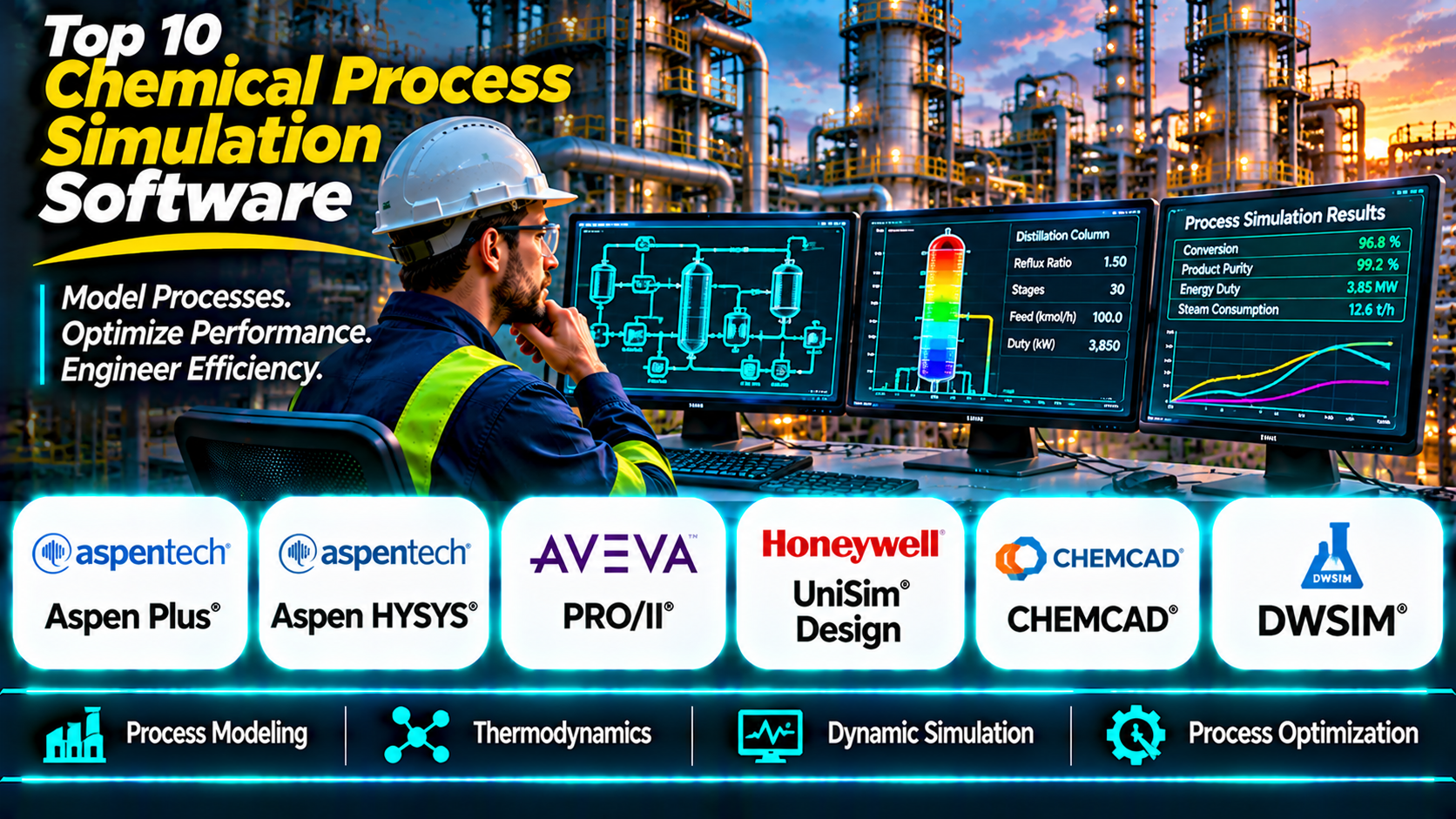
This comprehensive guide examines ten chemical process simulation software solutions, explaining their features, benefits, advantages, limitations, practical applications, and suitability for different engineering organizations.
What Is Chemical Process Simulation Software?
Chemical process simulation software refers to specialized engineering applications that use mathematical models to represent the behavior of chemical and industrial processes. These models help engineers investigate material flows, energy consumption, chemical reactions, phase behavior, and equipment performance.
Process simulation typically involves constructing a digital flowsheet containing equipment units and interconnected material or energy streams. Engineers specify relevant chemical components, thermodynamic models, operating conditions, and equipment parameters before performing calculations.
Simulation software may support steady-state or dynamic modeling. Steady-state simulation evaluates process conditions that remain constant over time, while dynamic simulation investigates how process variables change in response to disturbances, operating adjustments, and other time-dependent conditions.
Chemical process simulation supports process design, operational improvement, equipment evaluation, research, engineering education, and industrial decision-making. Simulation results remain dependent on appropriate modeling assumptions, reliable input information, validated thermodynamic methods, and qualified engineering judgment.
Common Applications of Chemical Process Simulation Software
- Chemical Plant Design: Develop and evaluate proposed industrial process configurations before detailed engineering and construction.
- Material and Energy Balances: Calculate relationships between process inputs, outputs, chemical reactions, and energy requirements.
- Equipment Performance Evaluation: Investigate the behavior of reactors, heat exchangers, separation columns, pumps, compressors, and other equipment.
- Process Optimization: Compare operating conditions and process configurations to identify potential improvements in efficiency and resource utilization.
- Petroleum Refining: Model applicable separation, conversion, treatment, and hydrocarbon processing operations.
- Pharmaceutical Manufacturing: Evaluate batch production processes, equipment utilization, production schedules, and manufacturing economics.
- Energy and Environmental Analysis: Investigate process energy requirements, utility consumption, waste generation, and potential environmental improvements.
- Engineering Research and Education: Develop computational models to investigate chemical engineering principles and evaluate alternative process technologies.
Essential Chemical Process Simulation Components
| Component | Primary Function |
|---|---|
| Process Flowsheet | Represents interconnected equipment and process streams |
| Thermodynamic Models | Estimate physical properties and phase equilibrium |
| Material Balance | Accounts for material entering and leaving a process |
| Energy Balance | Evaluates energy inputs, outputs, and transformations |
| Reactor Models | Represent chemical reaction behavior |
| Separation Models | Evaluate applicable separation processes |
| Equipment Models | Represent the behavior of industrial processing equipment |
| Dynamic Simulation | Investigates time-dependent process behavior |
| Sensitivity Analysis | Evaluates how changes in inputs influence outputs |
| Process Optimization | Investigates operating conditions against defined objectives |
| Economic Evaluation | Supports preliminary assessment of process costs |
| Model Validation | Compares simulation results with relevant reference information |
Top 10 Chemical Process Simulation Software
The following comparison includes comprehensive commercial process simulators, specialized engineering modeling platforms, batch manufacturing applications, and open-source simulation frameworks.
The numbering organizes the comparison rather than representing independently tested performance rankings. Some products belong to the same vendor ecosystem but address distinct engineering requirements.
1. Aspen Plus
Short Description
Aspen Plus is a chemical process simulation application developed by AspenTech. It supports process design, thermodynamic calculations, chemical reaction modeling, equipment analysis, and industrial process optimization.
The software is particularly relevant to chemical manufacturing processes involving complex mixtures, chemical reactions, nonideal thermodynamic behavior, and interconnected equipment units.
Engineers can construct detailed process flowsheets and investigate how operating conditions, material properties, equipment configurations, and process assumptions influence overall performance.
Aspen Plus is commonly evaluated for chemical manufacturing, specialty chemicals, petrochemicals, biomass processing, and emerging process technologies. Advanced functionality may require complementary AspenTech products or separately licensed capabilities.
Key Features
- Steady-State Process Simulation: Calculates process conditions for interconnected equipment and material streams under defined operating assumptions.
- Thermodynamic Property Methods: Provides multiple approaches for estimating physical properties and phase equilibrium in different chemical systems.
- Chemical Reaction Modeling: Supports applicable equilibrium, conversion-based, and kinetic reactor models.
- Separation Process Simulation: Represents supported distillation, absorption, extraction, and other separation operations.
- Solid Processing Capabilities: Supports selected processes involving solid materials, particle-related properties, and solid-fluid interactions.
- Sensitivity Analysis: Investigates how changes in operating variables affect selected process outputs.
- Design Specifications: Helps engineers solve for process variables required to satisfy defined performance objectives.
- Process Optimization: Supports applicable optimization workflows using mathematical objectives and constraints.
- Engineering Integration: Connects with compatible AspenTech applications for additional equipment analysis, economic evaluation, and dynamic simulation.
Benefits
- Reduces repetitive manual engineering calculations.
- Supports analysis of complex chemical mixtures.
- Improves consistency of material and energy balances.
- Facilitates evaluation of alternative process configurations.
- Helps identify potential energy efficiency improvements.
- Supports preliminary engineering design activities.
- Improves documentation of process assumptions and simulation results.
Pros
- Comprehensive chemical process modeling capabilities.
- Extensive thermodynamic modeling options.
- Strong chemical reaction and separation functionality.
- Suitable for complex industrial processes.
- Established chemical engineering software ecosystem.
- Supports multiple process development disciplines.
Cons
- Commercial licensing can require substantial investment.
- Advanced functionality may require additional products.
- Thermodynamic method selection requires specialist expertise.
- Complex flowsheets can experience convergence difficulties.
- Accurate simulation requires reliable engineering information.
Use Cases
- Chemical Manufacturing Design: Evaluate proposed production flowsheets and operating conditions.
- Distillation Analysis: Investigate separation performance and energy requirements.
- Reaction Process Development: Compare supported reactor configurations and modeling assumptions.
- Biomass Processing: Evaluate applicable conversion and separation technologies.
- Utility Optimization: Investigate potential reductions in process heating and cooling requirements.
- Process Feasibility Studies: Develop preliminary technical information for qualified engineering evaluation.
Best For
- Chemical process engineers.
- Specialty chemical manufacturers.
- Petrochemical companies.
- Engineering consultancies.
- Industrial research departments.
- Organizations modeling complex chemical processes.
2. Aspen HYSYS
Short Description
Aspen HYSYS is a process simulation application developed by AspenTech with a strong focus on hydrocarbon processing, petroleum refining, natural gas treatment, and energy industry operations.
The software helps engineers model interconnected processing equipment and investigate the behavior of hydrocarbon mixtures under different operating conditions.
Its capabilities are particularly relevant to gas processing facilities, oil and gas production systems, refineries, liquefied natural gas projects, and related energy infrastructure.
Although Aspen HYSYS and Aspen Plus belong to the same software ecosystem, they are distinct applications with different traditional industry orientations. Organizations should compare their available models and thermodynamic capabilities against specific project requirements.
Key Features
- Hydrocarbon Process Simulation: Models applicable petroleum and natural gas processing operations.
- Steady-State Modeling: Evaluates process conditions and equipment performance under defined operating assumptions.
- Dynamic Simulation: Supports time-dependent process modeling through applicable licensed capabilities.
- Thermodynamic Calculations: Provides property methods relevant to hydrocarbon mixtures and associated process fluids.
- Gas Processing Models: Supports applicable gas separation, treatment, and compression workflows.
- Equipment Performance Analysis: Represents supported compressors, pumps, heat exchangers, vessels, and separation columns.
- Refinery Modeling: Provides applicable capabilities for evaluating petroleum refining processes.
- Process Optimization: Supports investigation of operating conditions and process efficiency.
- Energy Analysis Integration: Connects with compatible applications for additional utility and energy evaluation.
Benefits
- Supports integrated hydrocarbon processing analysis.
- Improves understanding of process equipment interactions.
- Facilitates evaluation of gas processing configurations.
- Helps investigate potential operational improvements.
- Supports steady-state and applicable dynamic studies.
- Improves engineering communication.
- Provides complementary energy industry modeling capabilities.
Pros
- Established hydrocarbon process simulation application.
- Relevant petroleum and natural gas property methods.
- Interactive process flowsheet environment.
- Strong gas processing and refining orientation.
- Supports applicable dynamic modeling workflows.
- Extensive industrial engineering ecosystem.
Cons
- Commercial licensing requires evaluation.
- Specialized chemical manufacturing processes may favor other simulators.
- Dynamic modeling requires additional expertise and preparation.
- Advanced modules can increase implementation costs.
- Results depend on validated equipment and thermodynamic information.
Use Cases
- Natural Gas Processing: Evaluate applicable gas treatment and separation processes.
- Petroleum Refining: Investigate supported refinery process configurations.
- Compression System Analysis: Evaluate compressor performance and associated process conditions.
- LNG Process Studies: Investigate applicable liquefaction and refrigeration workflows.
- Hydrocarbon Separation: Model supported separation equipment and process streams.
- Dynamic Process Studies: Investigate time-dependent behavior using appropriately configured models.
Best For
- Oil and gas process engineers.
- Petroleum refining companies.
- Natural gas processing facilities.
- Energy engineering consultancies.
- LNG project development teams.
- Hydrocarbon process optimization specialists.
3. AVEVA PRO/II Simulation
Short Description
AVEVA PRO/II Simulation is a steady-state process simulation application designed for industrial process engineering, particularly in petroleum refining, petrochemical manufacturing, and chemical processing.
The software supports rigorous material and energy balance calculations, thermodynamic property estimation, equipment modeling, and process flowsheet analysis.
Engineers can use PRO/II to evaluate proposed processing configurations, investigate existing equipment performance, and compare alternative operating conditions.
Its capabilities are particularly relevant to organizations requiring established steady-state simulation methods for complex industrial separation and conversion processes.
Key Features
- Steady-State Process Modeling: Calculates process conditions across interconnected equipment units.
- Thermodynamic Property Methods: Supports applicable physical property and phase equilibrium calculations.
- Distillation Simulation: Models supported multistage separation columns and associated process streams.
- Reactor Modeling: Represents applicable chemical conversion and reaction processes.
- Heat Exchanger Analysis: Evaluates heat transfer relationships within supported equipment models.
- Recycle Stream Calculations: Supports iterative solution of interconnected process recycle streams.
- Process Sensitivity Studies: Investigates relationships between operating inputs and process outputs.
- Petroleum Processing Models: Provides relevant capabilities for refinery and hydrocarbon processing applications.
- Engineering Information Exchange: Supports compatible integration and reporting workflows.
Benefits
- Supports rigorous steady-state process calculations.
- Improves evaluation of industrial separation processes.
- Facilitates refinery and petrochemical engineering studies.
- Helps compare alternative process configurations.
- Reduces repetitive material balance calculations.
- Supports structured technical documentation.
- Improves understanding of process equipment relationships.
Pros
- Established industrial process simulation application.
- Strong steady-state modeling orientation.
- Relevant refinery and petrochemical functionality.
- Comprehensive separation process capabilities.
- Supports complex interconnected flowsheets.
- Suitable for professional engineering studies.
Cons
- Dynamic simulation generally requires complementary software.
- Commercial licensing requires consultation.
- Complex models require experienced process engineers.
- Integration with existing applications should be evaluated.
- Model convergence may require specialist troubleshooting.
Use Cases
- Refinery Process Evaluation: Analyze supported refining and separation operations.
- Petrochemical Plant Design: Investigate proposed process flowsheets.
- Distillation Column Studies: Evaluate separation conditions and utility requirements.
- Heat Recovery Analysis: Investigate applicable process heat exchange opportunities.
- Chemical Process Debottlenecking: Evaluate modeled equipment constraints.
- Engineering Feasibility Studies: Compare preliminary process alternatives.
Best For
- Petroleum refining engineers.
- Petrochemical manufacturers.
- Process design consultancies.
- Industrial separation specialists.
- Chemical engineering departments.
- Organizations requiring rigorous steady-state simulation.
4. Honeywell UniSim Design
Short Description
UniSim Design is a process simulation application offered by Honeywell for industrial process design, engineering analysis, and operational improvement.
The software supports steady-state process modeling and applicable dynamic simulation workflows across petroleum, natural gas, chemical, and other processing industries.
Engineers can use UniSim Design to investigate process behavior, equipment interactions, operating conditions, and potential efficiency improvements.
Its broader ecosystem includes complementary simulation technologies relevant to operator training and industrial operational applications. Organizations should distinguish the functionality of UniSim Design from separately licensed training or enterprise products.
Key Features
- Steady-State Process Simulation: Evaluates process conditions and equipment relationships.
- Dynamic Modeling: Supports applicable time-dependent simulation workflows.
- Thermodynamic Property Calculations: Estimates relevant physical properties and phase behavior.
- Equipment Modeling: Represents supported reactors, separators, compressors, pumps, and heat exchangers.
- Process Flowsheet Development: Provides an interactive environment for constructing process models.
- Sensitivity Analysis: Investigates the effects of changing selected process variables.
- Control System Modeling: Supports applicable dynamic studies involving process control relationships.
- Process Performance Evaluation: Helps analyze equipment behavior and operating constraints.
- Honeywell Ecosystem Integration: Connects with compatible engineering and operational applications.
Benefits
- Supports integrated process design and analysis.
- Improves understanding of time-dependent process behavior.
- Facilitates equipment performance evaluation.
- Helps investigate process operating alternatives.
- Supports engineering and operational collaboration.
- Provides a foundation for complementary training workflows.
- Improves consistency of process simulation documentation.
Pros
- Established industrial simulation technology.
- Supports steady-state and applicable dynamic modeling.
- Relevant hydrocarbon and chemical processing functionality.
- Interactive flowsheet development environment.
- Suitable for operational engineering studies.
- Provides complementary Honeywell ecosystem capabilities.
Cons
- Commercial licensing requires evaluation.
- Advanced dynamic models require specialist expertise.
- Operator training applications may require separate products.
- Integration arrangements depend on selected configurations.
- Accurate modeling requires validated process information.
Use Cases
- Industrial Process Design: Evaluate proposed processing configurations.
- Dynamic Process Analysis: Investigate modeled responses to operating changes.
- Gas Processing Studies: Evaluate applicable treatment and separation workflows.
- Equipment Performance Assessment: Analyze modeled equipment behavior.
- Process Control Evaluation: Investigate supported control system relationships.
- Operational Improvement Studies: Compare alternative operating scenarios.
Best For
- Industrial process engineers.
- Oil and gas organizations.
- Chemical manufacturing companies.
- Process control specialists.
- Engineering consultancies.
- Organizations using compatible Honeywell technologies.
5. CHEMCAD
Short Description
CHEMCAD is a chemical process simulation software suite developed by Chemstations. It supports chemical process modeling, equipment evaluation, thermodynamic calculations, and engineering design studies.
The application provides an interactive environment for constructing process flowsheets and evaluating relationships between material streams, energy streams, and equipment units.
CHEMCAD is particularly relevant to engineering consultancies, chemical manufacturers, specialty chemical companies, and technical teams requiring flexible process simulation capabilities.
Its available modules address different requirements, including steady-state simulation, dynamic modeling, batch processing, and specialized equipment analysis.
Key Features
- Process Flowsheet Modeling: Supports development of interconnected chemical process representations.
- Thermodynamic Property Calculations: Provides methods for evaluating physical properties and phase equilibrium.
- Chemical Reactor Models: Represents supported reaction and conversion processes.
- Separation Equipment Modeling: Supports applicable distillation, absorption, and other separation operations.
- Heat Transfer Analysis: Evaluates supported heat exchanger and thermal process relationships.
- Dynamic Simulation Modules: Provides applicable time-dependent modeling capabilities.
- Batch Process Modeling: Supports selected batch processing and batch separation workflows.
- Sensitivity Analysis: Evaluates how process input changes influence calculated outputs.
- Engineering Reporting: Supports preparation of process stream information and simulation documentation.
Benefits
- Facilitates chemical process design activities.
- Supports flexible engineering analysis.
- Reduces repetitive process calculations.
- Improves understanding of equipment interactions.
- Helps evaluate batch and continuous process alternatives.
- Supports technical reporting.
- Provides modular functionality for different engineering requirements.
Pros
- Broad chemical engineering simulation capabilities.
- Relevant thermodynamic modeling options.
- Modular product structure.
- Suitable for independent engineering consultancies.
- Supports multiple chemical processing industries.
- Provides complementary equipment analysis capabilities.
Cons
- Advanced modules may require additional licensing.
- Complex models require appropriate engineering expertise.
- Large enterprise integration requirements should be evaluated.
- Specialized industrial processes may require customized models.
- Model accuracy depends on input information and assumptions.
Use Cases
- Specialty Chemical Manufacturing: Evaluate reaction and separation process configurations.
- Engineering Consulting: Develop process models for client projects.
- Batch Distillation Studies: Investigate applicable batch separation workflows.
- Heat Exchanger Evaluation: Analyze supported thermal equipment relationships.
- Process Development: Compare alternative process configurations.
- Chemical Engineering Education: Demonstrate material balances, energy balances, and process behavior.
Best For
- Chemical engineering consultancies.
- Specialty chemical manufacturers.
- Small and medium-sized processing companies.
- Process development engineers.
- Academic engineering departments.
- Organizations requiring modular process simulation software.
6. DWSIM
Short Description
DWSIM is an open-source chemical process simulator supporting thermodynamic calculations, process flowsheet modeling, equipment analysis, and chemical engineering studies.
The software provides graphical process simulation capabilities that allow engineers and researchers to construct interconnected equipment models and investigate process behavior.
Its open-source architecture makes it particularly relevant to academic institutions, independent engineers, research organizations, and companies evaluating alternatives to proprietary simulation software.
DWSIM also supports applicable interoperability and customization capabilities. Organizations using it for professional engineering projects should establish suitable validation, technical support, and software governance procedures.
Key Features
- Graphical Process Flowsheets: Provides an interactive environment for constructing chemical process models.
- Thermodynamic Property Packages: Supports multiple methods for physical property and phase equilibrium calculations.
- Steady-State Simulation: Calculates interconnected process conditions under defined operating assumptions.
- Dynamic Simulation: Supports applicable time-dependent process modeling capabilities.
- Chemical Reactor Models: Represents supported chemical reaction and conversion processes.
- Separation Equipment Models: Provides applicable distillation, flash separation, and related equipment models.
- CAPE-OPEN Interoperability: Supports compatible engineering components where available.
- Programmable Workflows: Enables applicable scripting and customized simulation activities.
- Open-Source Extensibility: Allows technical specialists to examine and extend available software functionality.
Benefits
- Reduces initial software licensing barriers.
- Supports chemical engineering education.
- Facilitates transparent computational workflows.
- Provides flexible process modeling capabilities.
- Supports academic and industrial research.
- Enables customized engineering applications.
- Helps organizations evaluate open-source simulation technologies.
Pros
- Open-source process simulation platform.
- Graphical flowsheet modeling environment.
- Multiple thermodynamic property methods.
- Suitable for academic and research projects.
- Supports applicable dynamic simulation.
- Flexible customization opportunities.
Cons
- Enterprise support arrangements require evaluation.
- Specialized industrial models may require customization.
- Complex flowsheets require careful convergence management.
- Professional engineering validation remains necessary.
- Compatibility and functionality can vary by software version.
Use Cases
- Chemical Engineering Education: Demonstrate process simulation and engineering calculations.
- Preliminary Process Design: Evaluate proposed process configurations.
- Academic Research: Investigate alternative modeling methodologies.
- Thermodynamic Studies: Compare applicable property calculation methods.
- Open-Source Engineering Development: Create customized simulation workflows.
- Independent Engineering Projects: Perform appropriately validated process calculations.
Best For
- Chemical engineering students.
- Universities.
- Independent process engineers.
- Research organizations.
- Open-source engineering developers.
- Organizations seeking lower licensing costs.
7. Siemens gPROMS
Short Description
gPROMS is an advanced process modeling and simulation technology offered by Siemens. It supports mathematical process modeling, parameter estimation, optimization, and advanced engineering analysis.
Unlike conventional flowsheet simulators that primarily rely on predefined equipment models, gPROMS is particularly relevant to organizations requiring customized mathematical representations of complex industrial processes.
The technology helps specialists develop models that incorporate physical relationships, chemical kinetics, transport phenomena, experimental information, and process operating constraints.
Its capabilities are especially relevant to advanced process development, pharmaceutical manufacturing, specialty chemicals, and industrial research projects requiring detailed model-based engineering.
Key Features
- Equation-Oriented Modeling: Supports mathematical representations of interconnected physical and chemical relationships.
- Custom Process Models: Enables specialists to develop models for nonstandard equipment and processes.
- Dynamic Simulation: Investigates time-dependent process behavior.
- Parameter Estimation: Supports estimation of model parameters using appropriate experimental information.
- Process Optimization: Evaluates mathematical objectives and operating constraints.
- Model-Based Experimentation: Supports investigation of alternative process development scenarios.
- Advanced Reaction Modeling: Represents applicable kinetic and transport relationships.
- Model Validation Workflows: Helps specialists compare calculated behavior with relevant observations.
- Industrial Model Integration: Supports applicable deployment and integration of validated process models.
Benefits
- Supports advanced process development.
- Enables detailed customized mathematical modeling.
- Facilitates integration of experimental information.
- Helps investigate complex process relationships.
- Supports model-based optimization.
- Improves understanding of process behavior.
- Provides flexibility beyond conventional equipment libraries.
Pros
- Strong advanced mathematical modeling capabilities.
- Relevant parameter estimation functionality.
- Supports complex dynamic models.
- Suitable for specialized industrial research.
- Flexible equation-oriented modeling environment.
- Supports sophisticated optimization workflows.
Cons
- Requires advanced mathematical and engineering expertise.
- Commercial licensing requires consultation.
- Custom model development can be time-consuming.
- Reliable experimental information may be necessary.
- Implementation complexity can exceed conventional flowsheet simulation.
Use Cases
- Advanced Chemical Process Development: Investigate complex reaction and transport relationships.
- Pharmaceutical Process Modeling: Evaluate applicable manufacturing process behavior.
- Experimental Parameter Estimation: Estimate model parameters using suitable observations.
- Dynamic Process Optimization: Investigate time-dependent operating alternatives.
- Nonstandard Equipment Modeling: Develop customized mathematical equipment representations.
- Industrial Research: Evaluate emerging process technologies and engineering hypotheses.
Best For
- Advanced process modeling specialists.
- Industrial research departments.
- Pharmaceutical process developers.
- Specialty chemical companies.
- Mathematical optimization engineers.
- Organizations requiring customized process models.
8. ProSimPlus
Short Description
ProSimPlus is a steady-state process simulation application originating from ProSim’s engineering software portfolio, now associated with Fives ProSim.
The software supports chemical process modeling, thermodynamic calculations, material and energy balances, equipment analysis, and process optimization studies.
Its capabilities are relevant to chemical manufacturing, petrochemical processing, gas treatment, energy production, and other industrial processing applications.
ProSimPlus provides an environment for evaluating interconnected process configurations and investigating potential improvements in equipment performance and resource consumption.
Key Features
- Steady-State Process Simulation: Evaluates interconnected process equipment and streams.
- Thermodynamic Modeling: Provides applicable property calculation and phase equilibrium methods.
- Chemical Reaction Modeling: Supports relevant reaction and conversion equipment models.
- Separation Process Analysis: Represents applicable distillation, absorption, and other separation operations.
- Heat Exchanger Modeling: Evaluates supported thermal equipment relationships.
- Process Optimization: Investigates selected process objectives and operating constraints.
- Energy Consumption Analysis: Supports evaluation of process utility and energy requirements.
- Sensitivity Studies: Examines how changes in process variables influence calculated results.
- Complementary Engineering Integration: Connects with compatible thermodynamic and engineering applications.
Benefits
- Supports comprehensive steady-state process analysis.
- Improves understanding of industrial process behavior.
- Facilitates evaluation of energy consumption.
- Helps compare alternative process configurations.
- Supports chemical and separation process design.
- Improves engineering documentation.
- Provides complementary thermodynamic modeling capabilities.
Pros
- Established chemical process simulation technology.
- Relevant thermodynamic calculation capabilities.
- Supports multiple processing industries.
- Useful process optimization functionality.
- Suitable for professional engineering studies.
- Provides complementary engineering applications.
Cons
- Commercial licensing requires evaluation.
- Dynamic modeling may require complementary software.
- Specialist thermodynamic expertise remains necessary.
- Integration with existing systems should be tested.
- Current product packaging and support arrangements require confirmation.
Use Cases
- Chemical Plant Design: Evaluate proposed process configurations.
- Industrial Energy Studies: Investigate process utility requirements.
- Gas Treatment Analysis: Evaluate applicable treatment and separation workflows.
- Distillation Optimization: Compare supported separation operating conditions.
- Process Efficiency Evaluation: Investigate potential resource consumption improvements.
- Engineering Consulting: Develop process models for industrial clients.
Best For
- Chemical process engineers.
- Industrial energy specialists.
- Engineering consultancies.
- Chemical manufacturing companies.
- Petrochemical organizations.
- Teams requiring steady-state process optimization.
9. SuperPro Designer
Short Description
SuperPro Designer is a process simulation and evaluation application developed by Intelligen. It supports modeling of batch and continuous manufacturing processes, production scheduling, equipment utilization, material balances, and preliminary economic evaluation.
The software is particularly relevant to pharmaceutical manufacturing, biotechnology, food processing, specialty chemicals, and other industries where production involves multiple sequential operations.
Unlike simulators primarily focused on continuous refinery and petrochemical flowsheets, SuperPro Designer places considerable emphasis on manufacturing procedures, batch operations, resource requirements, and production economics.
Engineers can use it to investigate production capacity, equipment requirements, scheduling constraints, and potential manufacturing cost improvements.
Key Features
- Batch Process Modeling: Represents sequential manufacturing operations and batch procedures.
- Continuous Process Simulation: Supports applicable continuous manufacturing configurations.
- Material and Energy Balances: Calculates relevant material and energy relationships.
- Equipment Sizing: Supports preliminary equipment requirement evaluation.
- Production Scheduling: Investigates relationships between batch operations and manufacturing schedules.
- Resource Utilization Analysis: Evaluates applicable equipment, labor, and utility requirements.
- Economic Evaluation: Supports preliminary capital and operating cost estimation.
- Environmental Information Analysis: Helps evaluate applicable waste and resource consumption information.
- Manufacturing Process Documentation: Supports preparation of process flowsheets and engineering reports.
Benefits
- Supports detailed batch manufacturing analysis.
- Improves understanding of production scheduling constraints.
- Facilitates preliminary equipment evaluation.
- Helps investigate manufacturing costs.
- Supports pharmaceutical and biotechnology process development.
- Improves visibility into resource utilization.
- Connects process engineering with preliminary economic analysis.
Pros
- Strong batch manufacturing specialization.
- Relevant pharmaceutical and biotechnology functionality.
- Supports production scheduling and equipment utilization.
- Provides preliminary economic evaluation capabilities.
- Suitable for process development studies.
- Supports batch and continuous manufacturing workflows.
Cons
- Commercial licensing requires consultation.
- Specialized hydrocarbon thermodynamics may favor other simulators.
- Economic estimates depend on cost assumptions.
- Detailed equipment engineering may require complementary applications.
- Manufacturing models require reliable process and scheduling information.
Use Cases
- Pharmaceutical Manufacturing Design: Evaluate batch production configurations.
- Biotechnology Process Development: Investigate applicable upstream and downstream manufacturing operations.
- Production Capacity Analysis: Evaluate equipment utilization and scheduling constraints.
- Manufacturing Cost Evaluation: Develop preliminary operating cost estimates.
- Food Processing Studies: Model supported manufacturing operations.
- Batch Process Improvement: Compare production procedures and resource requirements.
Best For
- Pharmaceutical process engineers.
- Biotechnology companies.
- Food processing manufacturers.
- Batch manufacturing specialists.
- Industrial process development teams.
- Manufacturing economic evaluation professionals.
10. IDAES Integrated Platform
Short Description
The Institute for the Design of Advanced Energy Systems Integrated Platform, commonly known as IDAES, is an open-source computational framework for process modeling, simulation, and optimization.
Built around Python-based mathematical modeling technologies, IDAES supports development of customized process models and optimization workflows for advanced energy and industrial systems.
The framework is particularly relevant to research organizations, computational engineers, universities, and industrial teams investigating emerging process technologies.
Unlike conventional commercial graphical simulators, IDAES requires programming and mathematical modeling expertise. It is best evaluated as a flexible engineering development framework rather than a complete turnkey desktop simulation application.
Key Features
- Equation-Oriented Process Modeling: Supports mathematical representations of interconnected process systems.
- Python-Based Development: Enables programmable engineering workflows and customized analysis.
- Process Optimization: Supports investigation of mathematical objectives and process constraints.
- Thermodynamic Property Frameworks: Allows development and use of compatible physical property models.
- Unit Operation Models: Provides selected process equipment models and customization opportunities.
- Advanced Energy System Modeling: Supports research-oriented evaluation of applicable energy technologies.
- Parameter Estimation Workflows: Supports relevant mathematical model calibration approaches.
- Scientific Computing Integration: Connects with compatible optimization and computational tools.
- Reproducible Research: Facilitates documented, programmable engineering studies.
Benefits
- Reduces proprietary licensing dependence.
- Supports transparent mathematical modeling.
- Enables customized engineering research.
- Facilitates advanced process optimization.
- Supports investigation of emerging energy technologies.
- Improves reproducibility of computational studies.
- Provides flexible integration with scientific computing environments.
Pros
- Open-source process modeling framework.
- Highly customizable mathematical architecture.
- Strong research and optimization orientation.
- Suitable for advanced computational engineering.
- Supports reproducible scientific workflows.
- Provides flexible Python integration.
Cons
- Requires programming and mathematical modeling expertise.
- Not a turnkey graphical process simulator.
- Specialized equipment models may require development.
- Organizations must establish technical support arrangements.
- Solver configuration and model convergence can be challenging.
Use Cases
- Advanced Energy Research: Investigate emerging industrial energy technologies.
- Custom Process Optimization: Develop mathematical optimization models.
- Carbon Management Research: Evaluate applicable process system configurations.
- Computational Chemical Engineering: Develop reproducible process modeling workflows.
- Novel Equipment Modeling: Create mathematical representations of specialized equipment.
- Academic Research: Investigate process modeling and optimization methodologies.
Best For
- Computational chemical engineers.
- Academic researchers.
- Advanced energy research organizations.
- Python-based engineering developers.
- Mathematical optimization specialists.
- Organizations developing customized process technologies.
Comparison Table: Top 10 Chemical Process Simulation Software
| Software | Primary Function | Best For | Standout Capability | Pricing Model |
|---|---|---|---|---|
| Aspen Plus | Chemical process simulation | Chemical manufacturing | Complex thermodynamics and reaction modeling | Commercial licensing |
| Aspen HYSYS | Hydrocarbon process simulation | Oil and gas companies | Gas processing and refinery modeling | Commercial licensing |
| AVEVA PRO/II | Steady-state simulation | Refinery and petrochemical engineers | Industrial separation modeling | Commercial licensing |
| Honeywell UniSim Design | Process design and simulation | Industrial process engineers | Steady-state and dynamic modeling | Commercial licensing |
| CHEMCAD | Chemical process modeling | Engineering consultancies | Modular simulation capabilities | Commercial licensing |
| DWSIM | Open-source process simulation | Universities and independent engineers | Graphical open-source flowsheets | Open source |
| Siemens gPROMS | Advanced mathematical modeling | Industrial research teams | Custom equation-oriented models | Commercial licensing |
| ProSimPlus | Steady-state process simulation | Chemical and energy engineers | Thermodynamics and process optimization | Commercial licensing |
| SuperPro Designer | Manufacturing process simulation | Pharmaceutical and biotechnology companies | Batch scheduling and economic evaluation | Commercial licensing |
| IDAES | Computational process modeling | Advanced energy researchers | Programmable process optimization | Open source |
Product pricing, supported functionality, available modules, deployment arrangements, and licensing conditions should be confirmed directly with providers.
Open-source software may still involve costs associated with specialist development, computing infrastructure, commercial solvers, validation, implementation, and ongoing technical support.
Which Chemical Process Simulation Software Is Right for You?
For Chemical Manufacturing Companies
Aspen Plus provides comprehensive chemical process modeling capabilities, particularly for processes involving complex thermodynamics, chemical reactions, and industrial separation operations.
CHEMCAD and ProSimPlus are also worth evaluating when organizations require flexible chemical engineering simulation environments.
For Oil and Gas Companies
Aspen HYSYS and Honeywell UniSim Design provide relevant hydrocarbon processing capabilities.
Evaluate available thermodynamic methods, gas treatment models, equipment libraries, dynamic simulation functionality, and integration with existing engineering systems.
For Petroleum Refineries
AVEVA PRO/II and Aspen HYSYS provide relevant refinery process modeling capabilities.
Organizations should test representative separation and conversion processes before selecting software.
For Independent Engineering Consultancies
CHEMCAD provides modular process simulation capabilities suitable for diverse engineering projects.
DWSIM may provide an additional option when licensing budgets are limited and appropriate technical validation resources are available.
For Pharmaceutical and Biotechnology Manufacturing
SuperPro Designer provides relevant batch manufacturing, production scheduling, equipment utilization, and preliminary economic evaluation capabilities.
Siemens gPROMS may complement these workflows when detailed mathematical process development is required.
For Advanced Industrial Research
Siemens gPROMS provides customized mathematical modeling, parameter estimation, dynamic simulation, and optimization capabilities.
It is particularly relevant when predefined equipment models cannot adequately represent emerging process technologies.
For Universities and Engineering Education
DWSIM provides accessible graphical chemical process simulation capabilities.
IDAES offers a complementary programmable environment for advanced mathematical modeling and optimization research.
For Advanced Energy System Development
IDAES provides flexible computational process modeling and optimization capabilities.
Aspen Plus and Siemens gPROMS may also be evaluated depending on thermodynamic requirements, process complexity, and available engineering expertise.
Best Chemical Process Simulation Software by User Type
| User Type | Software to Evaluate | Primary Reason |
|---|---|---|
| Chemical process engineer | Aspen Plus | Comprehensive chemical process modeling |
| Natural gas processing engineer | Aspen HYSYS | Hydrocarbon processing specialization |
| Refinery process engineer | AVEVA PRO/II | Rigorous steady-state separation modeling |
| Process control engineer | Honeywell UniSim Design | Applicable dynamic simulation |
| Independent engineering consultant | CHEMCAD | Modular process simulation |
| Chemical engineering student | DWSIM | Accessible open-source flowsheets |
| Advanced process development specialist | Siemens gPROMS | Customized mathematical modeling |
| Industrial energy engineer | ProSimPlus | Process and energy optimization |
| Pharmaceutical manufacturing engineer | SuperPro Designer | Batch scheduling and manufacturing analysis |
| Computational engineering researcher | IDAES | Programmable process optimization |
How to Choose the Best Chemical Process Simulation Software
1. Define Your Process Engineering Objectives
Begin by documenting the engineering questions your organization needs to investigate.
Chemical manufacturing projects may prioritize reaction modeling, complex thermodynamics, and separation processes. Hydrocarbon processing facilities may require gas treatment, petroleum characterization, and compression models.
Pharmaceutical manufacturing projects may focus on batch scheduling, equipment utilization, and production costs.
Clearly defined objectives help distinguish essential software functionality from optional capabilities.
2. Evaluate Thermodynamic Modeling Capabilities
Thermodynamic models influence calculated physical properties, phase equilibrium, separation performance, and energy requirements.
Different chemical systems require different modeling approaches. Equations of state, activity coefficient models, electrolyte models, and other property methods address different physical relationships.
Evaluate whether the simulator supports appropriate methods for your chemical components, operating conditions, and process requirements.
Qualified engineers should validate selected property methods against relevant experimental information and established engineering references.
3. Assess Equipment Model Availability
Process simulators provide different equipment libraries and modeling approaches.
Review available reactor models, heat exchangers, pumps, compressors, separation columns, vessels, and specialized equipment.
Determine whether predefined models adequately represent your process or whether customized mathematical models are necessary.
A simulator containing numerous equipment models may still be unsuitable if it cannot represent a critical process operation accurately.
4. Compare Steady-State and Dynamic Simulation
Steady-state simulation supports analysis of process conditions that remain constant over time.
Dynamic simulation investigates time-dependent behavior, including changes in process inventories, temperatures, pressures, flow rates, and control relationships.
Organizations should determine whether dynamic modeling is necessary for their engineering objectives.
Dynamic simulation typically requires additional equipment information, control system representations, initial conditions, and validation.
5. Review Chemical Reaction Modeling
Chemical reaction models may use specified conversion, chemical equilibrium, kinetic expressions, or more detailed mathematical relationships.
Evaluate whether the software supports the reaction modeling methodologies appropriate to your process.
Kinetic models require reliable reaction parameters and appropriate treatment of relevant physical phenomena.
An unsuitable reaction model can produce misleading predictions even when the overall simulation converges successfully.
6. Evaluate Process Optimization Functionality
Process optimization investigates operating conditions or design variables against defined engineering objectives.
Potential objectives include reducing utility consumption, improving production capacity, minimizing operating costs, or achieving specified product quality.
Evaluate supported optimization methods, constraints, sensitivity analysis, and numerical solution capabilities.
Optimization results must remain within validated equipment limits, engineering constraints, and applicable safety requirements.
7. Examine Integration and Information Exchange
Chemical process simulation information frequently needs to connect with equipment design software, engineering databases, control system applications, economic evaluation tools, and enterprise information systems.
Evaluate supported file formats, application programming interfaces, interoperability standards, and information export capabilities.
CAPE-OPEN compatibility may be relevant when organizations require supported third-party thermodynamic or equipment modeling components.
Integration testing should use representative engineering information rather than relying exclusively on vendor demonstrations.
8. Assess Model Validation and Documentation
Reliable simulation requires structured validation procedures.
Evaluate whether the software supports comparison with experimental information, plant measurements, engineering references, and independent calculations.
Organizations should maintain documentation of property methods, equipment assumptions, model parameters, convergence settings, and relevant limitations.
Simulation results should be reviewed by qualified engineers before being used for significant industrial decisions.
9. Review Computing and Professional Expertise Requirements
Large process models, dynamic simulations, and advanced optimization studies can require substantial computing resources.
Evaluate workstation requirements, solver capabilities, available technical support, and specialist training needs.
Programmable frameworks may require expertise in Python, numerical methods, and mathematical optimization.
Commercial graphical applications may reduce development requirements but still require qualified chemical engineering judgment.
10. Calculate Total Cost of Ownership
Chemical process simulation costs extend beyond software licensing.
Potential expenses include additional modules, implementation services, computing infrastructure, specialist training, commercial optimization solvers, technical support, and model maintenance.
Open-source software may reduce licensing expenditure while increasing internal development and validation responsibilities.
Compare total ownership costs against realistic engineering objectives, available expertise, and long-term organizational requirements.
Practical Example: Evaluating Energy Efficiency in a Chemical Processing Plant
Consider a hypothetical chemical manufacturing company operating a continuous processing facility.
The organization wants to develop a process simulation model to investigate material consumption, production performance, utility requirements, and potential heat recovery improvements.
The following calculations are simplified educational examples. They do not represent validated equipment designs, plant operating instructions, or actual industrial performance.
Step 1: Establish Engineering Objectives
The engineering team defines the following objectives:
- Develop a structured representation of the existing process.
- Validate material and energy balances.
- Investigate production performance.
- Evaluate process heating and cooling requirements.
- Identify potential heat recovery opportunities.
- Compare alternative engineering scenarios.
- Estimate preliminary operating cost implications.
- Document modeling assumptions and limitations.
These objectives guide software selection and model development.
Step 2: Evaluate Candidate Software
The organization evaluates Aspen Plus, CHEMCAD, ProSimPlus, and DWSIM.
The engineering team tests representative chemical components, thermodynamic property methods, equipment models, and process configurations.
Advanced mathematical modeling requirements may justify evaluating Siemens gPROMS or IDAES.
The selected platform must support the relevant engineering methodologies rather than simply providing the largest number of available features.
Step 3: Consolidate Process Information
The team gathers available process flow diagrams, equipment specifications, stream compositions, operating measurements, utility information, and laboratory results.
Suppose the facility maintains 250 relevant engineering information records.
Of these, 230 satisfy the project’s initial administrative completeness requirements.
Record completeness:
230 ÷ 250 × 100 = 92%.
The illustrative information completeness rate is 92%.
The remaining 20 records require additional investigation. Administrative completeness does not independently establish technical accuracy.
Step 4: Select Appropriate Thermodynamic Methods
Qualified process engineers evaluate the chemical components, phase behavior, operating conditions, and relevant physical property requirements.
The team selects appropriate thermodynamic methods and compares calculated properties with suitable reference information.
Important limitations and assumptions are documented before completing the process flowsheet.
Step 5: Construct the Process Flowsheet
The engineering team develops a simplified digital representation containing material streams, processing equipment, separation operations, and heat exchange relationships.
Each equipment model incorporates appropriate engineering assumptions and available operating information.
The team establishes clear boundaries around the modeled process to support consistent material and energy balance calculations.
Step 6: Calculate Illustrative Material Balance
Suppose the process receives a total material input of 10,000 kilograms per hour.
The hypothetical output streams contain:
| Output Stream | Mass Flow |
|---|---|
| Main product | 7,200 kg/h |
| Secondary product | 1,500 kg/h |
| Waste and other outputs | 1,300 kg/h |
| Total | 10,000 kg/h |
Total output:
7,200 + 1,500 + 1,300 = 10,000 kg/h.
Under these simplified steady-state assumptions, total material input equals total material output.
Actual process validation may also require component balances, reaction stoichiometry, inventory considerations, and measurement uncertainty analysis.
Step 7: Calculate Illustrative Product Mass Yield
Using the hypothetical material balance:
Product mass yield = Main product mass flow ÷ Total feed mass flow × 100.
7,200 ÷ 10,000 × 100 = 72%.
The illustrative main product mass yield is 72%.
This overall mass-based indicator should not be confused with chemical reaction conversion, selectivity, or theoretical reaction yield.
Step 8: Estimate Process Heating Requirements
Suppose a nonreacting liquid stream flows at 10,000 kilograms per hour.
For this simplified example, assume a constant specific heat capacity of 3.5 kJ/kg·K and a required temperature increase of 40 K.
Illustrative sensible heating requirement:
10,000 × 3.5 × 40 = 1,400,000 kJ/h.
Convert to kilowatts:
1,400,000 ÷ 3,600 = approximately 388.89 kW.
The hypothetical sensible heating requirement is approximately 389 kW.
Actual equipment calculations must consider appropriate physical properties, phase changes, heat losses, process constraints, and validated operating conditions.
Step 9: Investigate Potential Heat Recovery
Suppose a preliminary engineering scenario identifies a potentially recoverable heat duty of 150 kW from another compatible process stream.
Simplified remaining external heating requirement:
388.89 − 150 = 238.89 kW.
Illustrative heating duty reduction:
150 ÷ 388.89 × 100 = approximately 38.57%.
The hypothetical scenario reduces external heating duty by approximately 38.6%.
Actual heat recovery feasibility depends on temperature driving forces, equipment design, fouling, process compatibility, operating variability, and engineering constraints.
Step 10: Estimate Annual Thermal Energy Savings
Suppose the facility operates for 8,000 hours annually and the modeled heat recovery opportunity remains available throughout those hours.
Illustrative annual thermal energy savings:
150 kW × 8,000 hours = 1,200,000 kWh.
This equals 1,200 MWh of thermal energy annually.
Actual annual savings may differ because of maintenance, operating schedules, production changes, and equipment performance.
Step 11: Calculate Illustrative Utility Cost Savings
Assume a hypothetical delivered thermal energy cost of $0.05 per kWh.
Annual utility cost savings:
1,200,000 × $0.05 = $60,000.
The illustrative annual gross utility savings are $60,000.
This calculation excludes additional operating costs, maintenance expenses, utility tariff variations, and capital investment.
Step 12: Compare Alternative Heat Recovery Scenarios
The engineering team investigates three hypothetical heat recovery scenarios.
| Scenario | Recoverable Heat | Annual Thermal Energy Savings | Annual Gross Savings |
|---|---|---|---|
| Conservative | 100 kW | 800 MWh | $40,000 |
| Reference | 150 kW | 1,200 MWh | $60,000 |
| Higher recovery | 200 kW | 1,600 MWh | $80,000 |
All scenarios assume 8,000 annual operating hours and a delivered thermal energy cost of $0.05 per kWh.
The scenarios illustrate the relationship between recovered heat and potential utility savings. They do not establish the technical feasibility of any particular heat recovery configuration.
Step 13: Estimate Preliminary Simple Payback
Suppose the reference scenario requires a hypothetical installed capital investment of $180,000.
Assume additional annual operating and maintenance expenses of $10,000.
Illustrative annual net savings:
$60,000 − $10,000 = $50,000.
Simple payback:
$180,000 ÷ $50,000 = 3.6 years.
The hypothetical simple payback period is 3.6 years.
A complete investment evaluation may also consider financing, taxation, equipment lifetime, discount rates, maintenance variability, and production impacts.
Step 14: Validate the Process Model
Qualified engineers compare calculated material flows, energy requirements, equipment performance, and physical properties with relevant plant information and independent calculations.
Unexpected differences are investigated rather than automatically attributed to equipment inefficiency.
The team documents information limitations, modeling assumptions, measurement uncertainty, and areas requiring additional technical evaluation.
Step 15: Establish Continuous Engineering Review
The organization introduces structured procedures for maintaining process simulation models.
Changes to equipment, production requirements, material properties, and operating conditions are incorporated through controlled engineering workflows.
Proposed modifications remain subject to appropriate engineering design, process safety review, management of change, and applicable regulatory requirements.
The simulation model becomes a continuously maintained engineering resource rather than a one-time calculation exercise.
Common Mistakes to Avoid When Using Chemical Process Simulation Software
1. Selecting Inappropriate Thermodynamic Models
Different chemical mixtures exhibit different physical and thermodynamic behavior.
An unsuitable property method can produce inaccurate phase equilibrium, energy balance, and separation calculations.
Validate selected methods against relevant physical property information.
2. Using Unverified Process Information
Incorrect flow rates, compositions, equipment specifications, and operating measurements can undermine simulation accuracy.
Establish appropriate information validation procedures before developing detailed process models.
3. Confusing Numerical Convergence with Physical Accuracy
A converged simulation satisfies its configured mathematical solution criteria.
It does not independently establish that the selected models, assumptions, and calculated results accurately represent the physical process.
Qualified engineering validation remains necessary.
4. Ignoring Equipment Operating Constraints
Simulation software may calculate operating conditions that are incompatible with actual equipment capabilities.
Evaluate relevant equipment limits, design specifications, material compatibility, and applicable engineering constraints.
5. Applying Oversimplified Reaction Models
Chemical reaction behavior may depend on kinetics, mass transfer, heat transfer, equilibrium, and other physical relationships.
Select reaction modeling approaches appropriate to the process and available information.
6. Overlooking Utility and Energy Losses
Simplified process models may exclude heat losses, utility distribution losses, auxiliary equipment, and other energy requirements.
Document model boundaries and investigate whether omitted energy flows materially affect engineering conclusions.
7. Treating Economic Estimates as Final Project Costs
Preliminary simulation-based cost estimates depend on assumptions about equipment, installation, utilities, maintenance, and production.
Detailed investment decisions require appropriately developed engineering and financial evaluations.
8. Neglecting Dynamic Process Behavior
Steady-state simulation cannot represent every time-dependent process condition.
Organizations should evaluate whether dynamic simulation is necessary for their engineering objectives.
9. Failing to Maintain Model Documentation
Undocumented property methods, equipment assumptions, model parameters, and configuration changes make simulation results difficult to reproduce.
Maintain structured model documentation and version records.
10. Replacing Process Safety Engineering with Simulation
Process simulation can support engineering analysis but does not replace formal hazard assessment, qualified equipment design, management of change, or regulatory compliance activities.
Industrial modifications require appropriate professional review and authorization.
Frequently Asked Questions (FAQs)
1. What is chemical process simulation software?
Chemical process simulation software helps engineers develop mathematical representations of chemical and industrial processes to evaluate material balances, energy requirements, equipment behavior, and process performance.
2. Who uses chemical process simulation software?
Chemical engineers, process engineers, petroleum refining specialists, pharmaceutical manufacturing engineers, energy researchers, engineering consultants, and academic institutions use these applications.
3. What is Aspen Plus?
Aspen Plus is a chemical process simulation application supporting thermodynamic calculations, chemical reaction modeling, separation processes, equipment analysis, and process optimization.
4. What is Aspen HYSYS?
Aspen HYSYS is a process simulation application particularly associated with petroleum refining, natural gas processing, hydrocarbon separation, and energy industry engineering.
5. What is AVEVA PRO/II Simulation?
AVEVA PRO/II is a steady-state process simulator supporting chemical processing, petroleum refining, material and energy balances, and industrial equipment analysis.
6. What is Honeywell UniSim Design?
UniSim Design is an industrial process simulation application supporting process design, steady-state analysis, applicable dynamic modeling, and equipment performance evaluation.
7. What is CHEMCAD?
CHEMCAD is a modular chemical process simulation software suite supporting process flowsheets, thermodynamic calculations, equipment modeling, and engineering analysis.
8. What is DWSIM?
DWSIM is an open-source chemical process simulator supporting graphical flowsheets, thermodynamic property calculations, equipment modeling, and applicable steady-state and dynamic simulation.
9. What is Siemens gPROMS?
gPROMS is an advanced process modeling technology supporting customized mathematical models, dynamic simulation, parameter estimation, and process optimization.
10. What is ProSimPlus?
ProSimPlus is a steady-state process simulation application supporting chemical process modeling, thermodynamic calculations, equipment analysis, and process optimization.
11. What is SuperPro Designer?
SuperPro Designer is a manufacturing process simulation application supporting batch and continuous process modeling, production scheduling, equipment utilization, and preliminary economic evaluation.
12. What is IDAES?
IDAES is an open-source computational framework supporting mathematical process modeling, simulation, and optimization, particularly for advanced energy and industrial research.
13. What is steady-state process simulation?
Steady-state process simulation evaluates modeled process conditions that remain constant over time under defined assumptions.
14. What is dynamic process simulation?
Dynamic process simulation investigates how modeled process variables change over time in response to operating changes, disturbances, and other time-dependent relationships.
15. What is a process flowsheet?
A process flowsheet is a structured representation of interconnected processing equipment, material streams, energy streams, and relevant process relationships.
16. What is a material balance?
A material balance accounts for material entering, leaving, accumulating within, or undergoing relevant transformations inside a defined process system.
17. What is an energy balance?
An energy balance accounts for energy entering, leaving, accumulating within, or changing form inside a defined process system.
18. What is a thermodynamic property package?
A thermodynamic property package provides mathematical methods and supporting information for calculating relevant physical properties, phase equilibrium, and thermodynamic relationships.
19. What is an equation of state?
An equation of state describes relationships between thermodynamic variables such as pressure, temperature, and volume. Suitable equations of state can support physical property and phase behavior calculations.
20. What is a unit operation model?
A unit operation model is a mathematical representation of a processing equipment unit or operation, such as a heat exchanger, separator, compressor, or distillation column.
21. What is process simulation convergence?
Convergence occurs when a numerical solution satisfies defined mathematical tolerances and solution criteria. Convergence does not independently establish physical accuracy.
22. What is sensitivity analysis in chemical process simulation?
Sensitivity analysis investigates how changes in selected input variables influence calculated process outputs under defined modeling assumptions.
23. What is chemical process optimization?
Chemical process optimization investigates process variables and configurations against defined objectives and constraints, such as energy consumption, production performance, or operating costs.
24. What is CAPE-OPEN?
CAPE-OPEN is a collection of interoperability specifications designed to support compatible information exchange and integration between process simulation components and engineering applications.
25. Can chemical process simulation reduce energy consumption?
Simulation can help engineers investigate potential energy efficiency improvements and heat recovery opportunities. Actual savings depend on technical feasibility, implementation, and operating conditions.
26. Can chemical process simulation software model batch manufacturing?
Yes. Applications such as SuperPro Designer and selected CHEMCAD modules support applicable batch manufacturing and batch processing workflows.
27. Is free chemical process simulation software available?
Yes. DWSIM and IDAES provide open-source capabilities. Implementation, specialist development, technical support, and computing resources may still involve costs.
28. Can chemical process simulation support digital twins?
Validated process models can contribute to industrial digital twin applications when appropriately integrated with operational information, monitoring systems, and model maintenance workflows.
29. How much does chemical process simulation software cost?
Costs vary according to software licensing, selected modules, implementation services, computing infrastructure, technical support, training, and specialist development requirements.
30. What makes chemical process simulation successful?
Successful simulation requires reliable engineering information, appropriate thermodynamic methods, validated equipment models, qualified professional judgment, transparent assumptions, technical documentation, and continuous model review.
Final Thoughts
Chemical process simulation software provides an important foundation for industrial process design, equipment evaluation, energy analysis, chemical engineering research, and operational improvement.
Aspen Plus, Aspen HYSYS, AVEVA PRO/II, and Honeywell UniSim Design provide established industrial simulation capabilities. CHEMCAD and ProSimPlus offer flexible chemical process modeling environments, while DWSIM provides an accessible open-source alternative.
Siemens gPROMS and IDAES address advanced mathematical modeling and optimization requirements. SuperPro Designer provides specialized capabilities for batch manufacturing, production scheduling, equipment utilization, and preliminary economic evaluation.
The most appropriate chemical process simulation software depends on process complexity, thermodynamic requirements, engineering objectives, available information, professional expertise, computing infrastructure, and organizational resources.
Successful chemical process simulation requires more than sophisticated mathematical models and automated engineering calculations. Reliable information, appropriate physical assumptions, qualified engineering judgment, structured validation, and continuous technical review remain essential.
