Introduction
Customers expect businesses to respect their communication choices, personal interests, and privacy preferences. They want control over the messages they receive, the channels businesses use, and the ways their information supports personalized experiences.
However, customer preferences often become fragmented across email marketing platforms, CRM systems, mobile applications, customer portals, and customer data platforms.
A customer might request weekly newsletters, disable promotional SMS messages, and select specific product interests. If these choices remain disconnected, the organization may continue delivering irrelevant or unwanted communications.
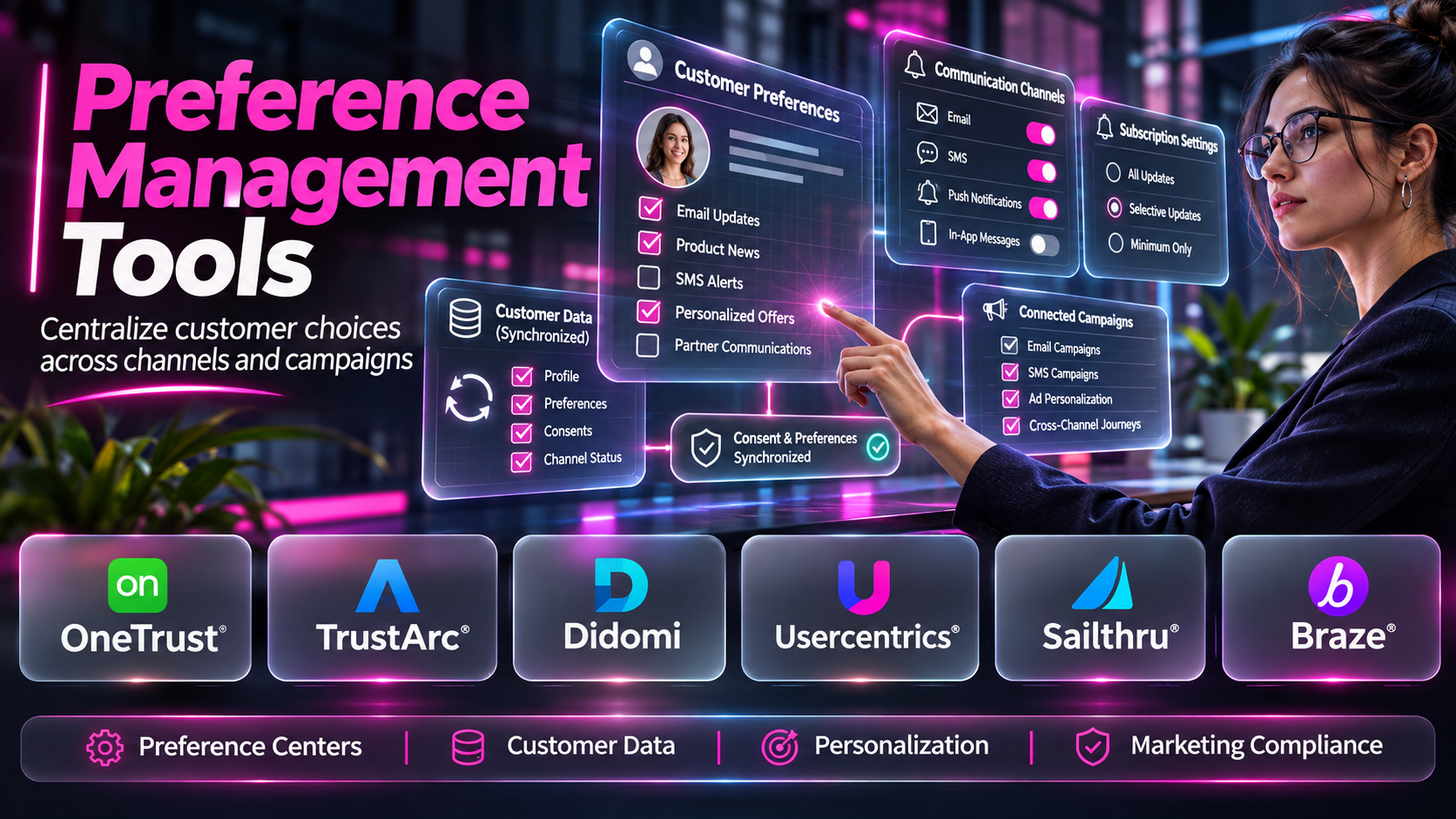
Preference management tools help businesses collect, organize, update, and apply customer choices across relevant systems.
These tools can support email subscription preferences, communication frequency settings, marketing channel selections, product interests, personalization choices, and related customer experience controls.
For example, an e-commerce company may allow customers to receive fashion updates while excluding electronics promotions. A financial services provider may offer preferences for educational content, promotional communications, and selected account notifications.
Preference management becomes particularly important when organizations operate several brands, communication channels, or customer engagement platforms.
A reliable preference management system should do more than display checkboxes. It should associate choices with the correct customer, communicate updates to connected applications, and prevent outdated records from overriding newer decisions.
Organizations must also distinguish preferences from legal consent. A customer’s interest in a particular product does not necessarily authorize marketing communications when applicable consent or other legal requirements are absent.
Modern preference management tools range from specialized privacy platforms to customer identity systems and marketing engagement solutions.
Some focus on enterprise consent and preference governance. Others specialize in email subscriptions, customer profiles, or communication personalization.
Selecting the right solution requires evaluating customer experience, data integration, synchronization reliability, privacy requirements, and ongoing administration.
This guide compares ten preference management tools, explains their capabilities, and provides practical guidance for implementing a consistent customer preference strategy.
What Are Preference Management Tools?
Preference management tools are software solutions that allow organizations to collect, store, maintain, and apply customer choices about communications, content, personalization, and related experiences.
They help customers control how they interact with a business while enabling authorized systems to use those choices consistently.
A preference management tool may provide a customer-facing interface, an administrative platform, APIs, synchronization workflows, or a combination of these capabilities.
Common Types of Customer Preferences
Communication channel preferences: Customers choose whether they want relevant messages through email, SMS, mobile notifications, or other channels.
Communication frequency preferences: Customers select how often they want particular updates.
Content preferences: Customers identify subjects, products, or services that interest them.
Subscription preferences: Customers subscribe to or unsubscribe from newsletters and other communication categories.
Personalization preferences: Customers choose whether certain experiences should reflect selected interests or settings.
Brand preferences: Customers select which brands or business units they want to hear from.
Account preferences: Customers manage relevant settings within authenticated customer portals.
Privacy-related preferences: Customers manage supported data-use choices, subject to applicable legal requirements.
How Preference Management Works
A typical preference management workflow includes several stages.
- Preference definition: The organization identifies the choices customers should be able to control.
- Interface configuration: Customers receive an accessible interface for reviewing and updating settings.
- Identity association: Choices are linked to an appropriate customer, account, or other authorized context.
- Preference storage: The system maintains current values and relevant update information.
- Integration: Changes are communicated to connected marketing, customer service, or product systems.
- Enforcement: Applications use current preferences within applicable permissions and business rules.
- Monitoring: Teams identify synchronization failures, inconsistent records, and outdated settings.
- Ongoing improvement: The organization updates the experience as customer needs and business requirements evolve.
Preference Management vs. Consent Management
Preference management and consent management overlap, but they are not identical.
Consent management addresses permission decisions for processing activities that rely on consent.
Preference management addresses customer choices about communication, content, frequency, and experiences.
For example, a customer may consent to promotional emails and then select a preference for monthly newsletters.
The preference determines the desired communication experience within the applicable permission.
If the customer withdraws the relevant consent, an earlier newsletter preference should not independently authorize continued promotional emails.
Major Applications
- Email subscription management.
- SMS marketing preferences.
- Newsletter topic selection.
- Communication frequency controls.
- Customer account settings.
- Personalized content preferences.
- Multi-brand subscription management.
- Customer portal preference centers.
- Cross-channel communication coordination.
- Privacy-conscious customer engagement.
Benefits of Preference Management Tools
Preference management tools can improve communication relevance, reduce unwanted messages, strengthen customer self-service, and support more consistent customer experiences.
They can also help organizations reduce manual preference administration and improve the reliability of customer data across connected systems.
However, successful implementation requires accurate identity association, clear governance, appropriate permissions, and reliable downstream synchronization.
Top 10 Preference Management Tools
1. OneTrust
Short Description
OneTrust provides consent and preference management capabilities within its broader privacy and data governance ecosystem.
Its offerings are relevant to organizations that need to coordinate customer choices across multiple channels, brands, and business systems.
OneTrust can support customer-facing preference experiences alongside relevant consent management workflows.
For example, a multinational retailer may allow customers to select preferred marketing channels, product categories, and communication settings.
The organization may also need to manage separate permission requirements across jurisdictions.
OneTrust’s broader privacy capabilities can help connect customer preferences with appropriate governance processes.
Its value is particularly relevant when preference management cannot be separated from consent administration and enterprise privacy operations.
However, organizations must configure the relevant products, purposes, integrations, and interfaces carefully.
The availability of specific preference management capabilities depends on the selected OneTrust offering.
Key Features
- Preference Center Capabilities: Supports relevant customer-facing preference experiences.
- Consent Management Integration: Connects preferences with applicable permission workflows.
- Customer Choice Collection: Supports selected communication and data-use settings.
- Centralized Management: Helps coordinate preferences across supported systems.
- Integration Capabilities: Connects with relevant marketing and customer technologies.
- Preference Updates: Supports changes to customer choices.
- Governance Controls: Fits broader privacy management processes.
- Administrative Configuration: Helps teams manage preference-related workflows.
- Enterprise Applications: Supports complex organizational requirements.
Benefits
- Centralizes customer preference operations.
- Supports consent-aware engagement.
- Improves customer self-service.
- Helps coordinate multiple channels.
- Reduces fragmented preference records.
- Supports enterprise privacy governance.
- Enables more consistent customer experiences.
Pros
- Comprehensive privacy ecosystem.
- Preference and consent capabilities.
- Enterprise integration relevance.
- Configurable customer experiences.
- Governance-oriented workflows.
- Suitable for multinational businesses.
Cons
- Implementation can be complex.
- Commercial pricing requires consultation.
- Integration effort varies.
- Configuration requires privacy expertise.
- May exceed the needs of smaller organizations.
Use Cases
Multi-Brand Preference Management: A retailer coordinates customer choices across brands.
Consent-Aware Marketing: A business connects relevant preferences with permission records.
Enterprise Privacy Operations: A company manages customer choices within a broader governance program.
Customer Self-Service: Customers update supported communication settings.
Best For
Large enterprises, multinational organizations, privacy teams, and businesses requiring integrated consent and preference management.
2. Didomi
Short Description
Didomi provides consent and preference management capabilities for organizations seeking to manage customer choices across digital environments.
Its offerings support relevant preference collection and consent-related workflows.
Didomi is particularly relevant to businesses that need to coordinate customer preferences with digital privacy requirements.
For example, a consumer brand may want customers to choose preferred communication channels and product interests.
The brand may also need to maintain separate consent decisions for particular marketing activities.
Didomi can support these related processes through applicable preference and consent management capabilities.
Its cross-channel relevance makes it suitable for organizations with several digital customer touchpoints.
However, businesses should evaluate the available integrations and confirm how preferences are synchronized with downstream applications.
Key Features
- Preference Management: Supports selected customer communication and experience choices.
- Consent Integration: Connects relevant preferences with permission workflows.
- Customer-Facing Interfaces: Provides configurable choice experiences.
- Cross-Channel Applications: Supports relevant digital customer environments.
- Preference Records: Maintains applicable customer selections.
- Integration Capabilities: Connects with supported marketing and customer systems.
- Preference Updates: Enables customers to revise relevant settings.
- Administrative Controls: Supports preference configuration.
- Privacy Operations: Fits broader consent and privacy management activities.
Benefits
- Supports consistent customer preferences.
- Connects preferences with consent operations.
- Improves customer control.
- Reduces fragmented records.
- Enables relevant personalization choices.
- Supports multi-channel applications.
- Simplifies preference administration.
Pros
- Preference management specialization.
- Consent management integration.
- Configurable interfaces.
- Cross-channel relevance.
- Enterprise applications.
- Privacy-oriented approach.
Cons
- Commercial pricing requires evaluation.
- Integration capabilities vary.
- Implementation may require technical resources.
- Configuration must reflect applicable requirements.
- Some advanced capabilities depend on product selection.
Use Cases
Customer Communication Preferences: A brand lets customers select relevant channels.
Content Interests: Subscribers choose preferred topics.
Consent-Aware Engagement: A company coordinates preferences with applicable permissions.
Digital Customer Experiences: Businesses maintain choices across supported touchpoints.
Best For
Consumer brands, digital businesses, marketing teams, and organizations requiring coordinated consent and preference management.
3. Ketch
Short Description
Ketch provides privacy and data permission management capabilities relevant to customer preference workflows.
Its approach emphasizes connecting customer decisions with operational data systems.
This distinction is important because collecting a preference does not automatically ensure that downstream applications use it correctly.
For example, a customer may disable personalized marketing in a preference center.
If an advertising or marketing system continues using an outdated setting, the customer experience remains inconsistent.
Ketch can support selected workflows intended to connect customer choices with relevant data operations.
Its capabilities are particularly relevant to organizations managing complex data environments.
However, businesses should examine the specific integration and enforcement capabilities available for their systems.
Successful implementation depends on correct configuration and ongoing monitoring.
Key Features
- Preference Management: Supports relevant customer choices.
- Consent Management: Connects with applicable permission workflows.
- Data Permission Controls: Supports selected data-use restrictions.
- Customer-Facing Interfaces: Provides relevant privacy choice experiences.
- System Integration: Connects with supported data environments.
- Preference Enforcement Workflows: Helps operationalize customer decisions.
- Choice Record Management: Maintains relevant information.
- Administrative Configuration: Supports permission and preference rules.
- Privacy Operations: Helps coordinate related organizational processes.
Benefits
- Helps operationalize customer preferences.
- Reduces disconnected privacy workflows.
- Supports relevant data-use controls.
- Improves consistency across supported systems.
- Connects customer choices with governance.
- Supports customer self-service.
- Helps reduce outdated preference usage.
Pros
- Permission enforcement orientation.
- Preference and consent capabilities.
- Data integration relevance.
- Privacy operations focus.
- Enterprise applications.
- Customer-facing controls.
Cons
- Implementation complexity varies.
- Integration coverage requires evaluation.
- Commercial pricing requires consultation.
- Enforcement depends on configuration.
- Not every downstream system may be supported.
Use Cases
Privacy Preferences: Customers manage relevant data-use choices.
Cross-System Enforcement: A company coordinates preferences across supported applications.
Marketing Permissions: A business applies customer decisions to relevant marketing workflows.
Enterprise Privacy Operations: Teams manage preference-related data processes.
Best For
Privacy engineering teams, data-driven enterprises, and organizations prioritizing operational application of customer preferences.
4. SAP Customer Data Cloud
Short Description
SAP Customer Data Cloud provides customer identity and access management capabilities alongside relevant consent and preference management functions.
It is particularly useful when customer preferences are associated with authenticated accounts.
For example, a retailer may allow registered customers to update communication settings, product interests, and relevant marketing permissions.
The retailer may also want those choices to remain associated with the correct customer across websites and applications.
SAP Customer Data Cloud can support relevant identity-linked preference workflows.
Its broader customer identity capabilities help organizations manage the relationship between customer accounts and stored choices.
However, businesses must distinguish between customer identity information, ordinary preferences, and legal consent records.
They should also evaluate how the platform integrates with downstream marketing and customer engagement systems.
Key Features
- Customer Identity Integration: Associates relevant preferences with customer accounts.
- Preference Management: Supports selected customer settings.
- Consent Management: Maintains applicable permission information.
- Customer Profiles: Organizes relevant customer data.
- Authenticated Self-Service: Supports account-based preference experiences.
- Enterprise Integration: Connects with supported business systems.
- Preference Updates: Enables relevant customer changes.
- Identity Governance: Supports applicable customer identity controls.
- Customer Data Workflows: Fits enterprise customer management environments.
Benefits
- Connects preferences with customer identities.
- Supports authenticated customer settings.
- Improves account-level consistency.
- Enables customer self-service.
- Supports consent-related workflows.
- Fits enterprise customer environments.
- Helps coordinate customer information.
Pros
- Customer identity integration.
- Enterprise applications.
- Authenticated preference management.
- Consent-related capabilities.
- Customer profile functionality.
- SAP ecosystem relevance.
Cons
- Implementation may be complex.
- Commercial costs require evaluation.
- Integration work can be substantial.
- Configuration requires identity expertise.
- Product scope varies by offering.
Use Cases
Customer Account Preferences: Registered users update communication settings.
Retail Marketing Preferences: Customers choose relevant product categories.
Identity-Linked Consent: A business associates permissions with appropriate accounts.
Enterprise Customer Portals: Organizations provide account-based self-service.
Best For
Large enterprises, SAP ecosystem organizations, consumer brands, and businesses requiring authenticated customer preference management.
5. Salesforce Marketing Cloud Engagement
Short Description
Salesforce Marketing Cloud Engagement supports marketing communication workflows, including relevant subscription and preference management capabilities.
It is particularly useful for organizations that already manage email marketing through Salesforce.
For example, a business may offer several newsletters covering products, industry updates, and educational content.
Subscribers may want to receive only selected categories.
Salesforce Marketing Cloud Engagement can support preference and subscription center experiences within applicable marketing workflows.
Its broader marketing capabilities can use relevant subscriber information to coordinate communications.
However, marketing preference management is not equivalent to comprehensive enterprise consent management.
Organizations requiring centralized legal consent records, website tracking permissions, or broader privacy governance may need additional solutions.
Key Features
- Subscription Management: Supports relevant email subscription choices.
- Preference Center Capabilities: Enables selected customer communication settings.
- Subscriber Data Management: Maintains relevant marketing contact information.
- Email Marketing Integration: Connects preferences with campaign workflows.
- Segmentation: Supports relevant audience grouping.
- Communication Personalization: Uses eligible customer information.
- Marketing Automation: Supports configured engagement workflows.
- Salesforce Integration: Connects with applicable Salesforce systems.
- Engagement Reporting: Provides selected communication performance insights.
Benefits
- Supports customer subscription control.
- Helps reduce irrelevant emails.
- Connects preferences with marketing operations.
- Enables subscriber self-service.
- Supports targeted communications.
- Improves marketing data consistency.
- Fits Salesforce engagement environments.
Pros
- Strong email marketing integration.
- Subscription management.
- Preference center workflows.
- Salesforce ecosystem alignment.
- Segmentation capabilities.
- Marketing automation applications.
Cons
- Not a dedicated enterprise privacy platform.
- Advanced preference centers may require customization.
- Broader consent governance may need additional systems.
- Commercial costs vary.
- Capabilities depend on product configuration.
Use Cases
Newsletter Management: Subscribers choose preferred publications.
Email Subscription Preferences: Customers update promotional communication settings.
Marketing Segmentation: Teams use authorized topic interests.
Salesforce Engagement: Businesses coordinate preferences with email campaigns.
Best For
Salesforce Marketing Cloud users, email marketing teams, and organizations requiring marketing subscription management.
6. HubSpot Marketing Hub
Short Description
HubSpot Marketing Hub provides marketing automation and contact management capabilities, including email subscription preference workflows.
It is particularly relevant to small and medium-sized businesses that use HubSpot for CRM and marketing operations.
For example, a professional services company may publish newsletters covering different industries.
Subscribers may want to receive updates about only the topics relevant to their work.
HubSpot can support subscription type management and related customer preference experiences.
Its integration with HubSpot CRM helps businesses maintain relevant contact information alongside marketing workflows.
However, HubSpot’s subscription settings should not automatically be treated as a comprehensive consent and preference management system for every channel.
Organizations should verify plan-specific functionality and determine whether additional privacy management tools are required.
Key Features
- Email Subscription Types: Supports relevant communication categories.
- Subscription Preference Pages: Enables selected subscriber choices.
- CRM Integration: Connects preferences with contact records.
- Email Marketing: Supports relevant campaign workflows.
- Contact Segmentation: Uses eligible contact information.
- Marketing Automation: Supports configured communication processes.
- Contact Properties: Stores relevant customer information.
- Reporting: Provides selected marketing engagement metrics.
- Integration Options: Connects with supported business applications.
Benefits
- Simplifies email subscription management.
- Connects preferences with CRM records.
- Supports customer self-service.
- Helps organize newsletter categories.
- Improves communication relevance.
- Reduces manual subscription updates.
- Fits integrated marketing workflows.
Pros
- CRM and marketing integration.
- Subscription preference functionality.
- Accessible marketing interface.
- Contact segmentation.
- Automation capabilities.
- Suitable for growing businesses.
Cons
- Primarily focused on marketing subscriptions.
- Advanced preference workflows may require customization.
- Features vary by subscription tier.
- Broader consent management may require additional tools.
- Cross-system synchronization depends on integrations.
Use Cases
B2B Newsletters: Subscribers select relevant content topics.
Small Business Email Marketing: Customers update promotional subscriptions.
CRM-Based Preferences: A company manages relevant choices with contact records.
Marketing Automation: Teams apply subscription settings to campaigns.
Best For
Small and medium-sized businesses, B2B marketing teams, and organizations using HubSpot CRM.
7. Braze
Short Description
Braze is a customer engagement platform that supports personalized messaging across relevant digital channels.
Its capabilities can support preference management through customer profiles, attributes, subscription-related settings, and configured engagement workflows.
Braze is particularly relevant to mobile-first businesses and organizations managing customer communications across applications and digital channels.
For example, a subscription application may allow users to choose which notifications they receive.
These choices can be represented through relevant customer attributes or messaging subscription controls.
Braze can then use appropriately configured information in supported engagement workflows.
However, organizations may need to build or integrate their own customer-facing preference center.
Braze should therefore be evaluated as an engagement platform capable of using customer preferences rather than as a universal standalone preference management system.
Key Features
- Customer Profile Attributes: Stores relevant customer information.
- Messaging Subscription Controls: Supports applicable communication settings.
- Cross-Channel Engagement: Coordinates supported digital messaging.
- Audience Segmentation: Groups customers using eligible attributes.
- Personalization: Uses relevant customer preferences in messages.
- Journey Orchestration: Supports configured customer engagement workflows.
- API and SDK Integration: Connects with supported applications.
- Real-Time Data Applications: Supports timely engagement updates.
- Engagement Analytics: Provides relevant messaging performance insights.
Benefits
- Supports personalized customer communications.
- Uses relevant preference attributes.
- Coordinates multiple digital channels.
- Enables audience segmentation.
- Supports mobile engagement.
- Helps reduce irrelevant messaging.
- Connects preferences with customer journeys.
Pros
- Cross-channel engagement capabilities.
- Mobile application relevance.
- Flexible customer attributes.
- Audience segmentation.
- Personalization workflows.
- Developer integration options.
Cons
- A customer-facing preference center may require custom development.
- Not a dedicated consent management platform.
- Configuration requires expertise.
- Commercial costs require evaluation.
- Preference enforcement depends on correct implementation.
Use Cases
Mobile Notification Preferences: Users choose relevant app notifications.
Subscription App Engagement: Customers select communication topics.
Cross-Channel Messaging: A business coordinates eligible email and push communications.
Personalized Customer Journeys: Teams use relevant preferences in engagement workflows.
Best For
Mobile-first businesses, subscription applications, digital product teams, and organizations using Braze for customer engagement.
8. Iterable
Short Description
Iterable is a cross-channel marketing and customer engagement platform that supports customer profile management, segmentation, and communication workflows.
Its capabilities can support preference-based marketing through relevant subscription settings, profile attributes, and integrations.
For example, an online education platform may offer course announcements, learning tips, and promotional updates.
Learners may want to receive some categories but not others.
Iterable can use relevant customer data and subscription-related settings to coordinate supported communications.
Its broader engagement capabilities make it useful for businesses seeking to apply customer preferences to marketing journeys.
However, the customer-facing preference interface and consent governance requirements must be evaluated separately.
Organizations should confirm how the selected Iterable implementation supports preference collection, updates, and synchronization.
Key Features
- Subscription Management: Supports relevant messaging subscription workflows.
- Customer Profile Data: Maintains applicable customer attributes.
- Cross-Channel Messaging: Supports relevant engagement channels.
- Audience Segmentation: Uses eligible customer information.
- Personalization: Applies relevant customer preferences.
- Journey Automation: Coordinates configured marketing workflows.
- Integration Capabilities: Connects with supported customer data systems.
- Preference-Related Data Updates: Supports relevant profile changes.
- Engagement Reporting: Provides selected campaign insights.
Benefits
- Supports preference-based engagement.
- Helps coordinate multiple channels.
- Improves message relevance.
- Enables audience segmentation.
- Connects customer attributes with campaigns.
- Supports automated communication workflows.
- Reduces fragmented marketing operations.
Pros
- Cross-channel marketing focus.
- Customer profile capabilities.
- Subscription-related workflows.
- Personalization.
- Marketing automation.
- Integration options.
Cons
- Dedicated preference interfaces may require additional development.
- Not a complete enterprise consent platform.
- Configuration complexity varies.
- Commercial pricing requires consultation.
- Downstream enforcement requires validation.
Use Cases
Education Marketing: Learners choose relevant communication topics.
E-commerce Engagement: Customers receive preferred product updates.
Subscription Services: Businesses coordinate communication categories.
Cross-Channel Campaigns: Teams apply eligible preferences to messaging.
Best For
Digital marketers, e-commerce companies, subscription businesses, and organizations using Iterable for customer engagement.
9. Klaviyo
Short Description
Klaviyo is a marketing automation platform focused on customer engagement, particularly for e-commerce businesses.
It provides capabilities for managing email and SMS marketing subscriptions and relevant customer profile information.
Klaviyo is particularly useful for online retailers seeking to coordinate marketing preferences with customer engagement.
For example, a clothing retailer may want subscribers to receive updates about specific product collections.
Customer preferences can be represented through relevant profile information and used in supported segmentation workflows.
Klaviyo also supports subscription-related management within its marketing environment.
However, organizations should distinguish between marketing subscription status and broader preference management.
A complex multi-brand preference center may require additional configuration, custom interfaces, or integrations.
Key Features
- Email Subscription Management: Supports relevant email marketing subscription workflows.
- SMS Subscription Management: Supports applicable SMS marketing settings.
- Customer Profiles: Maintains relevant customer information.
- Profile Properties: Supports selected preference-related attributes.
- Audience Segmentation: Groups customers using eligible information.
- Marketing Automation: Supports configured communication workflows.
- E-commerce Integration: Connects with supported commerce systems.
- Personalization: Uses relevant customer interests.
- Campaign Reporting: Provides selected marketing performance insights.
Benefits
- Supports e-commerce marketing preferences.
- Connects subscriptions with customer profiles.
- Enables relevant segmentation.
- Helps personalize communications.
- Coordinates email and SMS marketing.
- Reduces irrelevant promotional messages.
- Fits online retail workflows.
Pros
- E-commerce specialization.
- Email and SMS marketing capabilities.
- Customer profile management.
- Segmentation.
- Marketing automation.
- Commerce integrations.
Cons
- Not a comprehensive enterprise preference governance platform.
- Advanced preference centers may require customization.
- Subscription rules vary by channel.
- Costs depend on selected services and usage.
- Consent requirements need separate evaluation.
Use Cases
Online Retail Marketing: Customers receive relevant product updates.
Email Subscription Preferences: Subscribers manage applicable marketing choices.
SMS Marketing: A retailer manages supported SMS subscription settings.
Personalized Promotions: Teams use eligible product interests.
Best For
E-commerce businesses, online retailers, direct-to-consumer brands, and Klaviyo marketing teams.
10. Adobe Real-Time CDP
Short Description
Adobe Real-Time Customer Data Platform is an enterprise customer data platform that supports unified customer profiles, audience management, and relevant data governance capabilities.
It is included because customer preferences can form part of the information used to manage audiences and personalized experiences.
For example, an enterprise may maintain product interests, communication settings, and relevant permission-related attributes across customer systems.
Adobe Real-Time CDP can help organize eligible customer information within its broader profile and data management architecture.
This can support preference-aware segmentation and activation.
However, Adobe Real-Time CDP should not automatically be treated as a standalone customer-facing preference center.
Organizations may need additional interfaces, consent management systems, or integration components to collect and manage choices.
Its strongest relevance is as enterprise customer data infrastructure that can help apply appropriately governed preference information.
Key Features
- Unified Customer Profiles: Combines eligible customer information.
- Preference-Related Attributes: Supports relevant customer profile data.
- Audience Segmentation: Uses approved customer information.
- Identity Management Integration: Associates relevant customer records.
- Data Ingestion: Connects supported customer data sources.
- Governance Capabilities: Supports applicable data management controls.
- Marketing Activation: Connects approved audiences with destinations.
- Adobe Ecosystem Integration: Fits supported customer experience workflows.
- Enterprise Data Processing: Supports large-scale customer information management.
Benefits
- Supports preference-aware customer profiles.
- Connects relevant customer data.
- Enables segmentation.
- Supports personalized experiences.
- Fits enterprise marketing environments.
- Helps coordinate customer information.
- Supports governed data activation.
Pros
- Enterprise customer data capabilities.
- Unified customer profiles.
- Audience segmentation.
- Adobe ecosystem integration.
- Governance functionality.
- Cross-channel customer data applications.
Cons
- Not a standalone preference center.
- Customer-facing interfaces may require additional systems.
- Implementation can be complex.
- Commercial costs may be substantial.
- Preference synchronization requires careful design.
Use Cases
Enterprise Customer Profiles: A company organizes relevant preference attributes.
Preference-Aware Segmentation: Marketers create audiences using authorized interests.
Customer Experience Personalization: Teams apply eligible customer choices.
Enterprise Data Integration: Businesses coordinate preference information across systems.
Best For
Large enterprises, Adobe ecosystem users, customer data teams, and organizations requiring preference-aware customer data infrastructure.
Comparison Table: Top 10 Preference Management Tools
| Tool | Primary Focus | Best For | Main Differentiator |
|---|---|---|---|
| OneTrust | Enterprise consent and preferences | Multinational enterprises | Privacy governance integration |
| Didomi | Consent and preference management | Digital brands | Customer choice management |
| Ketch | Privacy permission operations | Data-driven enterprises | Operational permission controls |
| SAP Customer Data Cloud | Identity-linked preferences | Consumer enterprises | Authenticated customer management |
| Salesforce Marketing Cloud Engagement | Email subscriptions | Salesforce marketers | Marketing preference centers |
| HubSpot Marketing Hub | CRM-linked subscriptions | SMBs and B2B teams | Integrated CRM and email preferences |
| Braze | Cross-channel engagement | Mobile-first businesses | Preference-aware messaging |
| Iterable | Marketing orchestration | Digital marketing teams | Customer engagement workflows |
| Klaviyo | E-commerce subscriptions | Online retailers | Email and SMS marketing integration |
| Adobe Real-Time CDP | Customer data management | Large enterprises | Unified preference-related profiles |
Comparison note: OneTrust, Didomi, and Ketch are closer to dedicated privacy and preference management solutions. Salesforce, HubSpot, Braze, Iterable, and Klaviyo primarily apply preferences within marketing workflows. Adobe Real-Time CDP provides customer data infrastructure rather than a complete customer-facing preference center.
How to Choose the Best Preference Management Tool
1. Define the Preference Categories
Identify exactly what customers should control.
Examples include newsletter subscriptions, communication frequency, product interests, marketing channels, and personalization choices.
Avoid creating unnecessary settings that customers cannot understand.
2. Distinguish Preferences From Legal Consent
Document which activities require consent or another appropriate legal basis.
Ensure that ordinary preferences cannot override relevant permission restrictions.
3. Identify Customer Channels
List email, SMS, mobile applications, websites, customer portals, and other relevant channels.
Determine where each preference must be applied.
4. Evaluate Identity Management
Decide whether preferences belong to authenticated customer accounts, individual subscriptions, or another context.
Avoid combining unrelated customer records.
5. Review Customer-Facing Interfaces
A useful preference center should be understandable, accessible, and straightforward to navigate.
Customers should be able to update relevant settings without unnecessary friction.
6. Examine Integration Capabilities
Review connections with CRM systems, marketing platforms, customer data platforms, and other applications.
Determine whether updates can be synchronized reliably.
7. Evaluate Preference Enforcement
Confirm that downstream systems actually use current settings.
A preference center is ineffective when communications continue using outdated records.
8. Assess Reporting and Monitoring
Look for ways to identify failed updates, inconsistent preferences, and unusual changes.
9. Consider Scalability
Evaluate support for multiple brands, regions, languages, customer segments, and communication channels.
10. Calculate Total Cost
Include licensing, interface development, integrations, implementation, support, and ongoing administration.
Best Preference Management Tools by User Type
| User Type | Recommended Tool | Reason |
|---|---|---|
| Multinational enterprise | OneTrust | Broad preference and privacy capabilities |
| Digital consumer brand | Didomi | Customer choice management |
| Privacy engineering team | Ketch | Permission operations |
| Authenticated customer portal | SAP Customer Data Cloud | Customer identity integration |
| Salesforce marketing team | Salesforce Marketing Cloud Engagement | Subscription management |
| Small B2B business | HubSpot Marketing Hub | CRM-linked email preferences |
| Mobile application company | Braze | Preference-aware digital messaging |
| Cross-channel marketing team | Iterable | Engagement orchestration |
| E-commerce retailer | Klaviyo | Email and SMS marketing |
| Enterprise customer data team | Adobe Real-Time CDP | Unified customer profiles |
Practical Example: Implementing Preference Management for an E-commerce Business
Consider an online retailer that sells clothing, home products, and electronics.
The business communicates with customers through email, SMS, and its mobile application.
Customers complain about irrelevant promotions and excessive message frequency.
Step 1: Identify Customer Needs
The retailer reviews complaints, unsubscribe patterns, and customer feedback.
It identifies demand for better topic selection and communication controls.
Step 2: Define Preference Categories
The business establishes settings for product interests, email subscriptions, SMS marketing, and selected communication frequency options.
Step 3: Review Legal Permissions
The privacy team determines which communication activities require relevant consent or other authorization.
It ensures that preferences cannot bypass these requirements.
Step 4: Audit Existing Systems
The retailer reviews its e-commerce platform, CRM, email marketing system, SMS provider, and mobile application.
It identifies where preferences are currently stored.
Step 5: Select a Platform
The business evaluates Klaviyo, HubSpot, OneTrust, and other relevant solutions.
It prioritizes integrations, customer experience, and reliable synchronization.
Step 6: Design the Preference Center
Customers receive clear options for communication channels and product interests.
The interface explains each setting in simple language.
Step 7: Connect Customer Records
The retailer associates authenticated preferences with appropriate customer accounts.
It establishes safeguards against incorrect identity matching.
Step 8: Synchronize Marketing Systems
Relevant updates are communicated to supported email, SMS, and engagement platforms.
The team defines how conflicting records should be handled.
Step 9: Test Real Customer Scenarios
The retailer tests unsubscribes, topic changes, channel preferences, and account updates.
It verifies that withdrawn permissions are not unintentionally restored.
Step 10: Monitor and Improve
The team reviews customer feedback, synchronization errors, and communication complaints.
It updates the preference experience when necessary.
Common Mistakes to Avoid
1. Creating Too Many Preference Options
Excessive choices can confuse customers and increase maintenance requirements.
2. Mixing Consent With Ordinary Preferences
Different decisions may have different legal meanings.
3. Failing to Update Downstream Systems
A customer-facing interface is insufficient without reliable synchronization.
4. Ignoring Customer Identity Accuracy
Incorrect identity associations can apply one person’s choices to another.
5. Using Outdated Preference Records
Older records should not automatically override newer decisions.
6. Making Preference Changes Difficult
Customers should have appropriate, accessible ways to manage their choices.
7. Treating Marketing Platforms as Complete Privacy Systems
Marketing subscription capabilities may not satisfy broader consent governance needs.
8. Failing to Test Unsubscribe Workflows
Incorrect suppression behavior can create unwanted communications.
9. Ignoring Channel-Specific Rules
Email, SMS, and other communication channels may have different requirements.
10. Treating Preference Management as a One-Time Project
Customer expectations, communication channels, and integrations change over time.
Frequently Asked Questions
1. What is preference management software?
Preference management software helps organizations collect, store, update, and apply customer choices.
2. What is a customer preference center?
It is an interface where customers manage relevant communication and experience settings.
3. Why is preference management important?
It helps businesses respect customer choices and deliver more relevant experiences.
4. What types of preferences can customers manage?
Common options include communication channels, subscription categories, frequency, and product interests.
5. Is preference management the same as consent management?
No. Preferences and legal consent serve related but different purposes.
6. Can preference management improve customer experience?
Yes. It can reduce unwanted communications and make customer interactions more relevant.
7. Can customers choose communication frequency?
Yes, when the platform and connected systems support frequency settings.
8. Can preference centers manage email subscriptions?
Yes. Email subscription management is a common application.
9. Can preference management tools support SMS?
Some platforms support relevant SMS subscription and preference workflows.
10. What is cross-channel preference management?
It coordinates relevant customer choices across multiple communication channels.
11. What is preference synchronization?
It is the process of updating relevant preference information across connected systems.
12. What happens when preferences conflict?
Organizations need defined rules for resolving conflicting records while respecting applicable permissions.
13. Can preference management tools support personalization?
Yes. Relevant customer interests can help inform authorized personalized experiences.
14. Do preference management tools require customer accounts?
Not always. Some choices can be associated with subscriptions or other contexts.
15. What is an authenticated preference center?
It is a preference interface associated with a verified customer account or session.
16. Is OneTrust a preference management platform?
OneTrust provides relevant consent and preference management capabilities.
17. Does Didomi support preference management?
Yes. Didomi provides relevant consent and preference management offerings.
18. Can HubSpot manage email preferences?
Yes. HubSpot supports email subscription types and related preference workflows.
19. Can Salesforce Marketing Cloud manage subscriptions?
Yes. Salesforce Marketing Cloud Engagement supports relevant subscription management capabilities.
20. Is Klaviyo suitable for e-commerce preferences?
It is relevant to email and SMS marketing subscription management for online retailers.
21. Can Braze use customer preferences?
Yes. Braze can use relevant customer attributes and messaging settings in supported engagement workflows.
22. Can Iterable support preference-based marketing?
Yes. Iterable can use relevant customer information and subscription settings in marketing workflows.
23. Is Adobe Real-Time CDP a standalone preference center?
No. It primarily provides customer data infrastructure that can support preference-aware applications.
24. Can preference management reduce unsubscribes?
It may help by offering more relevant communication choices, but results depend on implementation and customer expectations.
25. Do preference management tools guarantee privacy compliance?
No. Compliance depends on applicable requirements and the organization’s complete practices.
26. How should businesses store customer preferences?
They should use appropriate data models, access controls, retention practices, and synchronization processes.
27. What should businesses test before launching a preference center?
They should test identity association, preference updates, synchronization, unsubscribe behavior, and relevant permission enforcement.
28. Can preference centers support multiple brands?
Some enterprise solutions support multi-brand workflows, but capabilities vary.
29. How much do preference management tools cost?
Costs vary by platform, customer volume, features, integrations, and commercial terms.
30. How should organizations choose the best preference management tool?
They should evaluate customer needs, preference categories, integrations, consent requirements, usability, governance, and total cost.
Final Thoughts
Preference management tools help organizations create more consistent, customer-controlled communication experiences.
OneTrust, Didomi, and Ketch are relevant to businesses requiring dedicated preference and privacy management capabilities.
SAP Customer Data Cloud supports preference management associated with authenticated customer identities.
Salesforce Marketing Cloud Engagement and HubSpot Marketing Hub are useful for email subscription and marketing preference workflows.
Braze and Iterable support preference-aware engagement across relevant digital channels.
Klaviyo is particularly relevant to e-commerce businesses managing email and SMS marketing.
Adobe Real-Time CDP supports enterprise customer profiles that can incorporate relevant preference information.
The best solution depends on whether an organization needs a dedicated preference center, marketing subscription management, customer identity integration, or broader customer data infrastructure.
Businesses should avoid treating these approaches as interchangeable.
A successful preference management strategy requires clear customer choices, accurate identity association, reliable synchronization, and appropriate consent handling.
It also requires continuous monitoring to ensure that customer decisions are respected across connected systems.
When implemented effectively, preference management can improve communication relevance, strengthen customer trust, and support more consistent customer experiences.
