Introduction
Organizations increasingly need to collaborate with partners using customer, advertising, and business data. However, sharing sensitive records directly can introduce privacy, security, and compliance risks.
Retailers may want to measure how advertising campaigns influence purchases. Publishers may need to demonstrate audience value to advertisers. Financial institutions may want to analyze overlapping customer populations without disclosing complete customer databases.
Traditional data-sharing approaches often require organizations to transfer records into another company’s environment. This can create unnecessary exposure, weaken control over information, and complicate regulatory obligations.
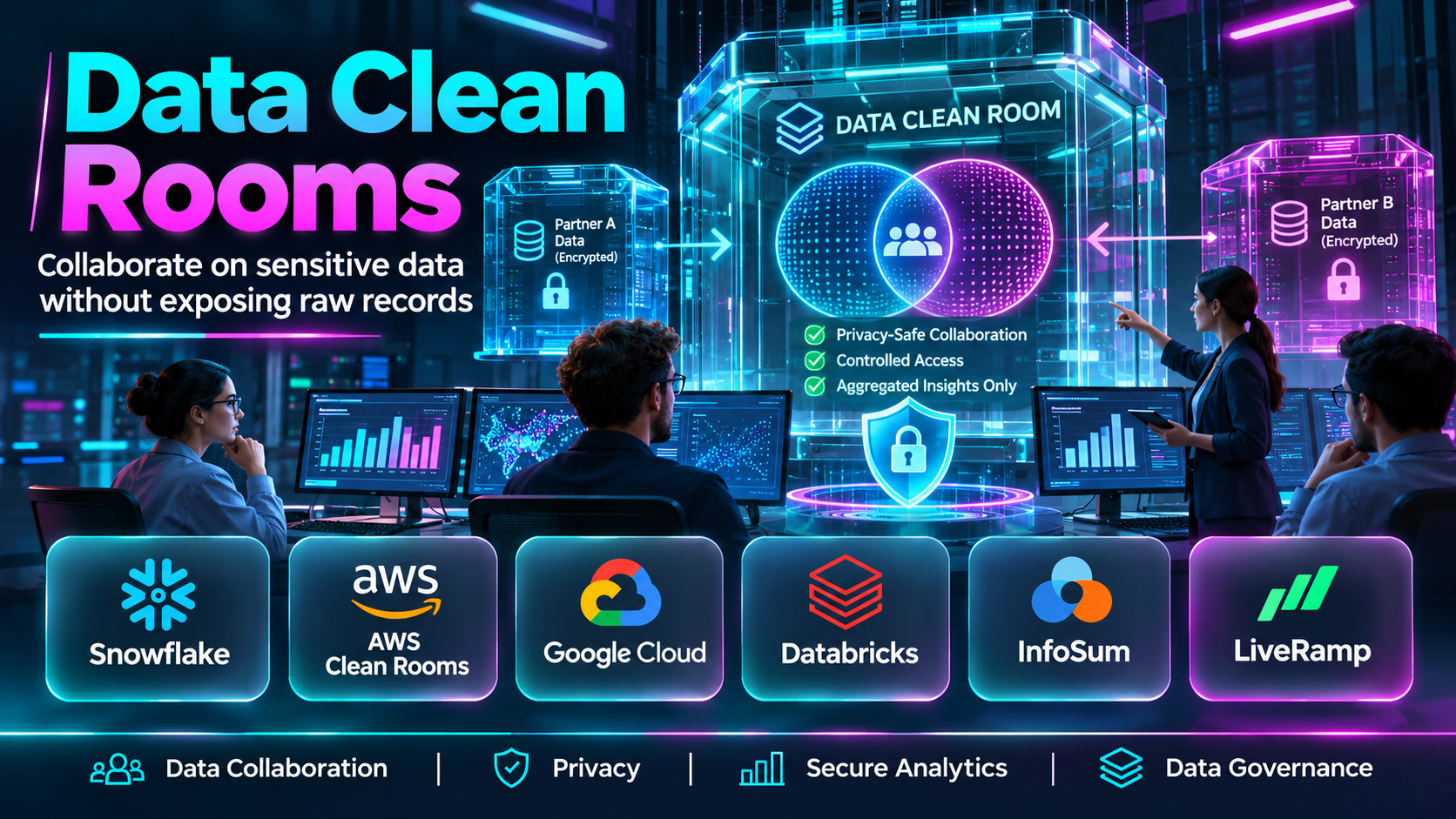
Data clean rooms provide an alternative approach. They create controlled environments where authorized participants can analyze approved datasets while restricting access to underlying records.
These environments can support audience overlap analysis, advertising measurement, customer insights, collaborative analytics, and other carefully governed use cases.
A data clean room is not automatically anonymous or compliant simply because it restricts access to raw data. Privacy depends on the implementation, data preparation, identity-matching methods, permitted queries, output controls, and applicable legal requirements.
Modern data clean rooms use different technical architectures. Some operate inside cloud data warehouses, while others rely on specialized collaboration platforms, distributed processing, or privacy-enhancing technologies.
This distinction matters because businesses have different needs. A company seeking advertising measurement within a specific media ecosystem may need a different solution from an enterprise coordinating secure analysis across several independent organizations.
The best data clean room should support the intended collaboration without introducing unnecessary data movement, excessive operational complexity, or unacceptable disclosure risks.
This guide examines ten data clean room solutions, explains their capabilities and limitations, and provides a practical framework for selecting and implementing one.
What Are Data Clean Rooms?
A data clean room is a controlled computing environment that allows approved parties to perform defined analyses using datasets contributed or made available by different organizations.
The purpose is to enable useful collaboration while limiting access to sensitive underlying information.
For example, a retailer and an advertising partner may want to determine whether customers exposed to a campaign subsequently purchased products.
The retailer holds purchase information. The advertising partner holds eligible campaign exposure information.
A clean room may allow the organizations to calculate approved aggregate results without providing either party unrestricted access to the other’s records.
How Data Clean Rooms Work
A typical implementation follows several stages.
Data preparation: Each participant identifies the information required for the collaboration and removes unnecessary fields.
Data onboarding: Datasets are made available through an approved ingestion, sharing, or in-place access method.
Identity matching: Where required, eligible records are matched using approved identifiers or privacy-enhancing techniques.
Access configuration: Participants define which datasets, fields, computations, and outputs are permitted.
Query execution: Authorized analyses run inside the controlled environment.
Disclosure protection: Output rules may restrict row-level results, small groups, repeated queries, or other potentially revealing outputs.
Result delivery: Approved findings are shared with authorized participants.
The exact process depends on the architecture and privacy controls of the selected platform.
Common Types of Data Clean Rooms
Advertising Data Clean Rooms
These environments help advertisers, publishers, agencies, and media platforms analyze eligible advertising and conversion data.
Common applications include audience overlap analysis and campaign measurement.
Enterprise Data Collaboration Clean Rooms
Enterprise clean rooms support controlled analysis between organizations such as retailers, suppliers, financial institutions, and research partners.
Cloud-Native Data Clean Rooms
These solutions operate within or alongside cloud data platforms.
They may reduce unnecessary data copying and use existing cloud security and governance capabilities.
Distributed or Decentralized Clean Rooms
Distributed architectures can support collaboration across separate data environments.
Depending on the design, computations may occur without centralizing all contributed datasets.
Privacy-Enhancing Clean Rooms
Some implementations incorporate technologies such as secure multiparty computation, differential privacy, or trusted execution environments.
These technologies address different risks and should not be treated as interchangeable.
Common Applications
- Advertising campaign measurement.
- Audience overlap analysis.
- Retail media collaboration.
- Customer segmentation.
- Publisher and advertiser analytics.
- Supplier and retailer insights.
- Cross-organization research.
- Financial data collaboration.
- Privacy-conscious audience activation.
- Collaborative business intelligence.
Benefits of Data Clean Rooms
Data clean rooms can help organizations reduce unnecessary data exposure, establish clearer collaboration boundaries, support controlled analytics, and improve accountability.
They can also make it easier to enforce approved analytical workflows and limit the release of sensitive results.
However, their effectiveness depends on governance, contractual restrictions, identity quality, access controls, and ongoing monitoring.
Top 10 Data Clean Rooms
1. AWS Clean Rooms
Short Description
AWS Clean Rooms is a data collaboration service within the Amazon Web Services ecosystem.
It helps organizations collaborate on datasets through controlled analytical workflows without simply granting partners unrestricted access to their underlying information.
The service is relevant to advertisers, publishers, retailers, and enterprises already using AWS.
For example, a retailer and a consumer goods company may want to examine the overlap between eligible customer populations and measure campaign-related outcomes.
AWS Clean Rooms can provide an environment for defining and executing approved analyses.
Its collaboration-oriented controls help participants establish what information can be used and how results may be produced.
The service is particularly attractive when organizations want to build data collaboration workflows around existing AWS infrastructure.
However, implementation still requires careful attention to permissions, analytical rules, data matching, output protection, and cost management.
Key Features
- Controlled Data Collaboration: Supports analytical workflows between authorized participants without general-purpose access to contributed datasets.
- Analysis Rules: Helps data owners define restrictions governing permitted queries and computations.
- SQL-Based Analysis: Supports relevant structured analytical workflows.
- Privacy-Enhancing Capabilities: Provides supported techniques and controls for selected collaboration scenarios.
- AWS Integration: Connects with applicable AWS data services and infrastructure.
- Collaboration Management: Supports the creation and administration of collaborative environments.
- Output Controls: Helps restrict which analytical results may be released.
- Permission Management: Uses relevant access and authorization mechanisms.
- Cloud-Native Operations: Supports collaboration without requiring organizations to build an entirely separate infrastructure stack.
Benefits
- Enables controlled cross-organization analysis.
- Supports AWS-centered data architectures.
- Reduces the need for unrestricted dataset sharing.
- Provides configurable analytical restrictions.
- Supports advertising and enterprise collaboration.
- Uses established cloud infrastructure.
- Helps standardize collaboration workflows.
Pros
- Strong AWS ecosystem alignment.
- Purpose-built collaboration capabilities.
- Configurable analysis restrictions.
- SQL-oriented analytical workflows.
- Relevant privacy-enhancing options.
- Suitable for multiple industries.
Cons
- Requires AWS expertise.
- Configuration mistakes can weaken protections.
- Data preparation remains necessary.
- Processing and infrastructure costs require monitoring.
- Partner readiness may affect adoption.
Use Cases
Retail Media Measurement: A retailer and advertiser analyze approved campaign-related outcomes using eligible datasets.
Audience Overlap: Two organizations calculate the intersection of approved customer populations.
Partner Analytics: Businesses collaborate on aggregate insights while restricting access to underlying records.
Advertising Effectiveness Research: Teams investigate permitted campaign and conversion relationships.
Best For
AWS customers, retail media networks, advertising partners, and enterprises requiring configurable cloud-native data collaboration.
2. Snowflake Data Clean Rooms
Short Description
Snowflake provides data clean room capabilities within its cloud data platform ecosystem.
These capabilities support controlled collaboration between organizations using Snowflake’s data infrastructure.
Snowflake is particularly relevant to enterprises that already store substantial analytical datasets in the platform.
Instead of building a completely separate collaboration environment, organizations may be able to use familiar Snowflake governance and data-sharing workflows.
For example, a retailer may want to collaborate with a supplier to analyze eligible purchasing patterns without exposing unrestricted customer records.
A clean room can provide approved analytical templates and access restrictions for the collaboration.
Snowflake’s broader data platform capabilities may also support the preparation, transformation, and governance of relevant information.
However, a successful implementation requires clearly defined permissions, safe query patterns, appropriate output restrictions, and careful data modeling.
The existence of a clean room does not eliminate the need for contractual and privacy review.
Key Features
- Cloud Data Collaboration: Supports approved analysis across participating organizations.
- Clean Room Workflows: Provides controlled environments for defined collaborative use cases.
- Data Governance Integration: Works with applicable Snowflake access and governance mechanisms.
- Analytical Templates: Supports structured, approved analysis patterns.
- SQL Analytics: Uses familiar analytical concepts and workflows.
- Data Sharing Capabilities: Connects with relevant Snowflake collaboration functionality.
- Access Restrictions: Helps limit how contributed information is used.
- Scalable Processing: Uses applicable cloud data platform resources.
- Enterprise Data Integration: Fits organizations maintaining analytics infrastructure in Snowflake.
Benefits
- Supports controlled partner collaboration.
- Fits existing Snowflake environments.
- Reduces separate infrastructure requirements.
- Supports structured analytical workflows.
- Uses enterprise data governance capabilities.
- Helps manage collaborative analysis.
- Provides flexibility for multiple business scenarios.
Pros
- Native data platform alignment.
- Familiar analytical workflows.
- Enterprise governance integration.
- Suitable for large datasets.
- Supports reusable collaboration patterns.
- Relevant to existing Snowflake customers.
Cons
- Requires Snowflake knowledge.
- Governance design can be complex.
- Usage costs require planning.
- Partner architecture may influence feasibility.
- Output protections must be configured carefully.
Use Cases
Retailer-Supplier Analytics: Partners examine aggregate purchasing patterns.
Customer Overlap Research: Businesses evaluate approved audience intersections.
Enterprise Collaboration: Organizations perform controlled cross-company analysis.
Marketing Measurement: Partners investigate eligible campaign-related outcomes.
Best For
Snowflake-centered enterprises, retail organizations, data engineering teams, and businesses requiring governed analytical collaboration.
3. Google Ads Data Hub
Short Description
Google Ads Data Hub is a privacy-focused advertising analytics environment that allows eligible users to analyze certain Google advertising data in combination with approved first-party information.
It is primarily designed for advertising measurement rather than unrestricted enterprise data collaboration.
The platform is relevant to advertisers seeking more detailed analytical insights within supported Google advertising environments.
For example, a brand may want to understand how eligible advertising exposure relates to conversion activity.
Ads Data Hub can support approved analyses while applying privacy-related restrictions to the available data and outputs.
Its capabilities are particularly relevant when an organization’s media strategy includes substantial Google advertising investment.
However, it should not be confused with a general-purpose clean room where arbitrary organizations can freely combine any datasets.
Available data, eligibility, permitted queries, and reporting restrictions depend on the service’s current rules.
Key Features
- Advertising Data Analysis: Supports approved analysis of eligible Google advertising information.
- Privacy Controls: Applies restrictions intended to protect sensitive user information.
- First-Party Data Collaboration: Supports eligible use of advertiser-provided information.
- SQL-Based Workflows: Enables structured analytical queries.
- Campaign Measurement: Supports relevant advertising performance analysis.
- Aggregate Reporting: Provides privacy-constrained analytical outputs.
- Google Cloud Integration: Uses relevant Google cloud infrastructure.
- Custom Analytical Queries: Supports approved measurement questions.
- Advertising Ecosystem Alignment: Fits selected Google media measurement workflows.
Benefits
- Supports privacy-conscious advertising analysis.
- Helps investigate campaign outcomes.
- Enables selected first-party data use cases.
- Provides structured query capabilities.
- Supports detailed media analysis.
- Reduces unrestricted access to underlying advertising records.
- Fits Google-focused measurement programs.
Pros
- Specialized advertising analytics.
- Privacy-related restrictions.
- SQL-based analysis.
- First-party data applications.
- Relevant to Google media buyers.
- Supports customized measurement.
Cons
- Focused on eligible Google advertising data.
- Not a general-purpose enterprise clean room.
- Query and output restrictions apply.
- Technical expertise is helpful.
- Access and available features depend on eligibility.
Use Cases
Campaign Measurement: An advertiser investigates eligible media performance.
Conversion Analysis: A team analyzes approved advertising and conversion relationships.
Audience Research: Marketers examine eligible audience patterns.
Custom Media Reporting: Analysts build permitted aggregate reports.
Best For
Advertisers, agencies, and analytics teams requiring approved measurement within Google’s advertising ecosystem.
4. Amazon Marketing Cloud
Short Description
Amazon Marketing Cloud, commonly called AMC, is a privacy-safe cloud-based analytics environment for eligible Amazon advertising data.
It helps advertisers perform custom analyses using available advertising signals and permitted first-party information.
AMC is particularly relevant to brands selling products through Amazon or advertising within the Amazon Ads ecosystem.
For example, a consumer goods brand may want to investigate how sponsored advertising and other eligible media interactions relate to purchases.
AMC can support structured analytical queries that examine these relationships.
Its capabilities can help organizations move beyond standard campaign dashboards.
However, AMC is an advertising-specific analytical environment, not a general-purpose data clean room for unrestricted partner collaboration.
Data availability, eligibility, aggregation requirements, and permitted use cases depend on Amazon’s applicable policies.
Key Features
- Amazon Advertising Analytics: Supports analysis of eligible Amazon Ads signals.
- Privacy-Safe Environment: Applies relevant restrictions to analytical workflows and outputs.
- Custom SQL Queries: Supports structured analysis.
- Campaign Journey Analysis: Examines eligible advertising interactions.
- Conversion Measurement: Supports approved analysis of purchase-related outcomes.
- Audience Insights: Enables relevant aggregate audience research.
- First-Party Data Applications: Supports permitted advertiser data use cases.
- Amazon Ads Integration: Fits the Amazon advertising ecosystem.
- Custom Reporting: Supports analytical questions beyond standard campaign dashboards.
Benefits
- Provides deeper Amazon advertising insights.
- Supports custom campaign analysis.
- Helps investigate customer journeys.
- Uses privacy-related controls.
- Supports aggregate audience insights.
- Enables selected first-party data applications.
- Helps inform Amazon media strategy.
Pros
- Specialized Amazon Ads analytics.
- Custom SQL analysis.
- Privacy-constrained reporting.
- Relevant customer journey insights.
- First-party data applications.
- Suitable for Amazon-focused advertisers.
Cons
- Limited to eligible Amazon advertising use cases.
- Not a universal enterprise clean room.
- Technical skills may be necessary.
- Query restrictions affect flexibility.
- Access and data availability vary.
Use Cases
Retail Advertising Measurement: A brand investigates campaign interactions associated with purchases.
Sponsored Ads Analysis: A team examines eligible Amazon advertising performance.
Audience Insights: Marketers study approved customer segments.
Media Journey Research: Analysts investigate combinations of eligible advertising touchpoints.
Best For
Amazon advertisers, retail brands, consumer goods companies, and agencies managing Amazon media investment.
5. InfoSum
Short Description
InfoSum is a data collaboration platform associated with privacy-focused analysis across organizations.
Its approach emphasizes collaboration without requiring participants to hand over unrestricted copies of their underlying customer datasets.
This makes it relevant to advertisers, publishers, retailers, and other organizations that want to work together while maintaining stronger control over their data.
For example, a publisher and advertiser may want to identify overlapping eligible audiences or evaluate campaign outcomes.
A controlled collaboration workflow can support these activities without granting each party unrestricted access to the other’s records.
InfoSum’s architecture and collaboration capabilities are particularly relevant to organizations that prioritize data control.
However, data protection still depends on identity methods, permitted analyses, output restrictions, and governance.
Businesses should examine how the platform handles matching, collaboration permissions, and activation before implementation.
Key Features
- Privacy-Focused Collaboration: Supports controlled analysis between organizations.
- Distributed Data Approach: Emphasizes collaboration while maintaining participant data control.
- Audience Overlap Analysis: Supports approved intersection research.
- Identity Matching: Provides relevant capabilities for eligible record association.
- Advertising Measurement: Supports selected media collaboration scenarios.
- Audience Activation: Enables applicable approved audience workflows.
- Collaboration Controls: Helps manage participant permissions.
- Partner Analytics: Supports aggregate cross-organization insights.
- Data Governance Support: Provides relevant controls for collaboration processes.
Benefits
- Supports controlled data partnerships.
- Reduces unnecessary unrestricted sharing.
- Helps analyze overlapping audiences.
- Supports publisher-advertiser collaboration.
- Enables selected advertising measurement.
- Maintains focus on participant data control.
- Supports privacy-conscious activation.
Pros
- Data collaboration specialization.
- Privacy-focused architecture.
- Audience overlap capabilities.
- Relevant advertising applications.
- Partner collaboration workflows.
- Supports controlled activation scenarios.
Cons
- Integration requirements vary.
- Matching quality depends on eligible identifiers.
- Governance remains necessary.
- Commercial pricing requires consultation.
- Not every analytical use case will be supported.
Use Cases
Publisher-Advertiser Collaboration: Partners examine eligible audience relationships.
Audience Overlap Research: Businesses calculate approved intersections.
Retail Media Partnerships: Retailers and advertisers collaborate on measurement.
Privacy-Conscious Activation: Organizations support approved audience workflows.
Best For
Publishers, advertisers, retail media networks, and organizations prioritizing distributed data collaboration.
6. LiveRamp Data Collaboration
Short Description
LiveRamp provides identity and data collaboration capabilities used in advertising and customer data environments.
Its offerings support selected clean room and privacy-conscious collaboration workflows.
LiveRamp is particularly relevant to organizations that need to connect eligible customer information across marketing and media partners.
For example, a retailer may want to work with advertising partners to evaluate campaign outcomes or activate approved customer segments.
LiveRamp’s identity and collaboration capabilities can help support these workflows.
The platform is especially relevant when collaboration requires consistent identity association across participating systems.
However, identity matching introduces important privacy and governance considerations.
Organizations must ensure that permitted uses, consent requirements, access controls, and data handling arrangements are clearly established.
The precise capabilities available depend on the current LiveRamp product configuration.
Key Features
- Data Collaboration: Supports approved partner analysis workflows.
- Identity Connectivity: Helps associate eligible customer information.
- Audience Collaboration: Supports relevant overlap and segmentation use cases.
- Advertising Measurement: Enables selected campaign analysis.
- Partner Integrations: Connects with supported marketing ecosystems.
- Privacy Controls: Supports applicable data governance requirements.
- Audience Activation: Enables permitted marketing applications.
- Data Connectivity: Supports relevant data onboarding and exchange workflows.
- Enterprise Collaboration: Fits multi-partner marketing environments.
Benefits
- Supports identity-enabled collaboration.
- Connects marketing partners.
- Helps analyze customer audiences.
- Enables relevant advertising measurement.
- Supports approved activation.
- Improves partner data coordination.
- Provides enterprise-oriented capabilities.
Pros
- Identity and collaboration expertise.
- Broad marketing applications.
- Audience matching capabilities.
- Partner ecosystem relevance.
- Measurement use cases.
- Enterprise-oriented workflows.
Cons
- Identity governance can be complex.
- Matching is not always complete.
- Commercial pricing requires evaluation.
- Partner integrations may require effort.
- Privacy obligations remain with participating organizations.
Use Cases
Retail Media Collaboration: A retailer works with brands on audience analysis.
Advertising Measurement: Partners examine eligible campaign outcomes.
Customer Audience Research: Organizations compare approved segments.
Partner Activation: Businesses coordinate permitted audience workflows.
Best For
Large advertisers, retailers, publishers, and enterprises requiring identity-enabled data collaboration.
7. Habu
Short Description
Habu is a data clean room technology provider whose capabilities have become associated with LiveRamp following its acquisition.
Its technology has focused on enabling organizations to collaborate on data using controlled analytical workflows.
Habu is relevant to understanding the development of interoperable clean room environments and enterprise collaboration architectures.
Historically, its approach emphasized helping businesses work across different data platforms rather than requiring every participant to adopt one identical infrastructure stack.
For example, a retailer and an advertising partner may maintain information in different cloud environments.
A flexible clean room approach can help coordinate approved analyses across those environments.
However, Habu should not be evaluated as though it necessarily remains an independently sold platform with unchanged branding and packaging.
Prospective buyers should examine the current LiveRamp offering and confirm which Habu-origin capabilities remain available.
Key Features
- Clean Room Collaboration: Supports controlled analytical use cases.
- Cross-Platform Architecture: Historically emphasized interoperability across data environments.
- Query Governance: Supports restrictions on permitted analysis.
- Audience Analytics: Enables selected overlap and segmentation workflows.
- Advertising Measurement: Supports relevant campaign research.
- Partner Collaboration: Helps coordinate authorized participants.
- Data Platform Connectivity: Supports relevant integration patterns.
- Privacy-Oriented Controls: Applies selected analytical restrictions.
- Enterprise Workflow Support: Addresses multi-party collaboration requirements.
Benefits
- Supports controlled analytical collaboration.
- Provides an interoperability-oriented approach.
- Helps coordinate partner datasets.
- Supports advertising measurement scenarios.
- Enables relevant audience analysis.
- Reduces unrestricted sharing.
- Offers a foundation for enterprise collaboration.
Pros
- Clean room technology specialization.
- Cross-platform design emphasis.
- Enterprise collaboration applications.
- Audience analytics use cases.
- Advertising measurement relevance.
- Privacy-oriented workflows.
Cons
- Acquired technology rather than a clearly independent current vendor option.
- Current packaging must be verified.
- Integration complexity can vary.
- Commercial terms require confirmation.
- Historical capabilities may differ from current offerings.
Use Cases
Cross-Cloud Collaboration: Organizations coordinate approved analysis across different data platforms.
Advertising Partnerships: Businesses examine campaign-related information.
Audience Research: Partners investigate eligible segment overlap.
Enterprise Data Collaboration: Teams establish controlled cross-company workflows.
Best For
Organizations evaluating LiveRamp’s current collaboration offerings and enterprises researching interoperable clean room architectures.
8. Decentriq
Short Description
Decentriq is a data collaboration platform focused on privacy-enhancing analytical environments.
It is relevant to organizations that need to analyze sensitive information across institutional boundaries.
The platform’s approach includes confidential computing concepts designed to provide additional protection during data processing.
This is particularly important in industries where organizations are reluctant to expose sensitive records to partners or infrastructure operators.
For example, healthcare research organizations may want to analyze eligible datasets from multiple institutions.
A controlled collaboration environment can help support approved aggregate research while restricting access to underlying records.
Decentriq is also relevant to advertising and enterprise collaboration scenarios.
However, confidential computing does not eliminate every privacy risk.
Organizations must still evaluate output disclosure, data quality, authorization, consent, and regulatory obligations.
Key Features
- Confidential Computing: Supports protected processing within applicable secure execution environments.
- Data Collaboration: Enables approved cross-organization analysis.
- Controlled Access: Restricts how contributed information can be used.
- Privacy-Enhancing Architecture: Supports selected protections during processing.
- Analytical Workflows: Enables relevant aggregate research.
- Collaboration Management: Helps coordinate authorized participants.
- Sensitive Data Applications: Supports selected regulated-industry scenarios.
- Output Governance: Helps control permitted analytical results.
- Enterprise Security Focus: Emphasizes protected collaboration workflows.
Benefits
- Supports sensitive data collaboration.
- Provides confidential computing capabilities.
- Helps reduce unnecessary exposure.
- Supports regulated-industry research.
- Enables controlled analytics.
- Strengthens processing protections.
- Facilitates cross-institution collaboration.
Pros
- Privacy-enhancing technology focus.
- Confidential computing approach.
- Relevant to sensitive datasets.
- Cross-organization analytics.
- Controlled processing environment.
- Enterprise security applications.
Cons
- Technical architecture requires evaluation.
- Regulatory obligations remain.
- Output disclosure risks still exist.
- Integration complexity varies.
- Commercial pricing requires consultation.
Use Cases
Healthcare Research: Institutions analyze approved datasets collaboratively.
Financial Collaboration: Organizations investigate eligible aggregate patterns.
Advertising Analytics: Partners perform controlled measurement.
Sensitive Enterprise Research: Businesses analyze confidential information under defined restrictions.
Best For
Privacy-sensitive enterprises, research organizations, financial institutions, and businesses requiring confidential computing.
9. Databricks Clean Rooms
Short Description
Databricks provides clean room capabilities within its broader data intelligence and analytics ecosystem.
These capabilities support controlled collaboration between organizations using relevant Databricks infrastructure.
Databricks is particularly relevant to enterprises that already rely on lakehouse architectures for analytics and machine learning.
For example, two business partners may want to analyze eligible customer overlap or aggregated purchasing behavior.
A clean room can help them perform approved computations without providing unrestricted access to each other’s datasets.
Databricks clean room workflows can also fit organizations that want collaboration to align with existing data governance and processing systems.
However, the platform’s flexibility requires disciplined implementation.
Organizations must define permissions, analytical restrictions, output controls, and appropriate governance processes.
They should also confirm the availability of required capabilities in their chosen cloud and Databricks configuration.
Key Features
- Lakehouse-Based Collaboration: Supports approved analysis within the Databricks ecosystem.
- Controlled Clean Room Workflows: Restricts access to contributed data.
- Data Governance Integration: Works with applicable platform governance capabilities.
- Analytical Processing: Supports relevant collaborative computations.
- Partner Data Collaboration: Enables approved cross-organization workflows.
- Cloud Data Integration: Fits supported Databricks infrastructure.
- Scalable Analytics: Uses relevant distributed processing capabilities.
- Access Management: Supports controlled participation.
- Enterprise Data Applications: Aligns with broader analytics environments.
Benefits
- Supports controlled data partnerships.
- Fits existing lakehouse environments.
- Reduces separate infrastructure requirements.
- Supports scalable analytical workloads.
- Uses relevant governance capabilities.
- Enables enterprise collaboration.
- Helps coordinate approved computations.
Pros
- Databricks ecosystem integration.
- Lakehouse architecture alignment.
- Scalable analytics.
- Enterprise data governance.
- Controlled collaboration.
- Relevant to data engineering teams.
Cons
- Requires Databricks expertise.
- Platform availability varies by configuration.
- Processing costs require management.
- Partner compatibility must be assessed.
- Privacy depends on correct implementation.
Use Cases
Enterprise Partner Analytics: Organizations analyze approved shared business questions.
Retail Data Collaboration: Partners examine eligible aggregate purchasing patterns.
Audience Overlap: Businesses compare approved customer segments.
Cross-Organization Research: Teams coordinate controlled analytical workflows.
Best For
Databricks customers, lakehouse-based enterprises, data engineering teams, and organizations requiring scalable governed collaboration.
10. Optable
Short Description
Optable is a data collaboration and identity-oriented platform associated with privacy-conscious advertising and audience workflows.
It is particularly relevant to publishers, media companies, and advertisers seeking controlled collaboration.
Publishers often hold valuable first-party audience information but need to protect that data when working with advertising partners.
Optable provides capabilities relevant to connecting eligible audiences and supporting approved collaboration use cases.
For example, a publisher may want to compare its audience with an advertiser’s customer population.
The goal may be to understand eligible overlap or support an approved campaign measurement workflow.
Optable’s clean room and identity-related capabilities are relevant to these situations.
However, organizations should evaluate how matching works, what information is shared, and which activation or measurement outputs are permitted.
Key Features
- Data Collaboration: Supports approved partner workflows.
- Audience Matching: Helps analyze eligible audience relationships.
- Identity Capabilities: Supports relevant privacy-conscious identity workflows.
- Publisher Applications: Addresses media audience collaboration needs.
- Advertising Measurement: Supports selected campaign-related analysis.
- Audience Activation: Enables permitted marketing workflows.
- Collaboration Controls: Helps manage partner access.
- First-Party Data Applications: Supports eligible customer information use cases.
- Privacy-Oriented Design: Emphasizes controlled information use.
Benefits
- Supports publisher-advertiser collaboration.
- Helps analyze audience overlap.
- Enables relevant first-party data use cases.
- Reduces unrestricted data sharing.
- Supports advertising measurement.
- Helps coordinate audience activation.
- Provides identity-oriented capabilities.
Pros
- Publisher and advertising focus.
- Clean room collaboration.
- Audience matching capabilities.
- First-party data applications.
- Identity-related workflows.
- Privacy-conscious design.
Cons
- Primarily relevant to media and advertising.
- Matching quality depends on available data.
- Commercial pricing requires evaluation.
- Partner integrations may require effort.
- Privacy controls still need governance.
Use Cases
Publisher Audience Collaboration: A media company works with an advertiser on eligible audience analysis.
Retail Media Measurement: Partners investigate approved campaign outcomes.
Audience Overlap Research: Businesses compare eligible customer populations.
First-Party Data Activation: Organizations support permitted marketing applications.
Best For
Publishers, media companies, advertisers, and retail media organizations requiring identity-enabled collaboration.
Comparison Table: Top 10 Data Clean Rooms
| Platform | Primary Focus | Best For | Main Differentiator |
|---|---|---|---|
| AWS Clean Rooms | Cloud-native collaboration | AWS enterprises | Configurable collaboration and analysis rules |
| Snowflake Data Clean Rooms | Warehouse-based collaboration | Snowflake customers | Data platform integration |
| Google Ads Data Hub | Advertising analytics | Google advertisers | Privacy-constrained Google media analysis |
| Amazon Marketing Cloud | Advertising analytics | Amazon advertisers | Amazon Ads measurement |
| InfoSum | Privacy-focused collaboration | Publishers and advertisers | Distributed data collaboration |
| LiveRamp Data Collaboration | Identity-enabled collaboration | Large marketing organizations | Identity connectivity |
| Habu | Interoperable clean room technology | LiveRamp evaluators | Cross-platform collaboration heritage |
| Decentriq | Confidential data collaboration | Privacy-sensitive industries | Confidential computing |
| Databricks Clean Rooms | Lakehouse collaboration | Databricks enterprises | Analytics platform integration |
| Optable | Audience collaboration | Publishers and media companies | Identity and audience workflows |
Important comparison note: Habu is included for its established clean room technology, but it is now associated with LiveRamp rather than being a clearly separate independent purchasing option. Google Ads Data Hub and Amazon Marketing Cloud are specialized advertising environments rather than general-purpose enterprise clean rooms.
How to Choose the Best Data Clean Room
1. Define the Collaboration Objective
Start by identifying the business question.
Is the organization measuring advertising outcomes, analyzing customer overlap, conducting research, or collaborating with suppliers?
The use case determines the required architecture.
2. Identify the Participants
List the organizations that will contribute data or receive analytical results.
Determine who controls each dataset and who may authorize computations.
3. Classify the Information
Identify personal information, confidential business records, regulated data, and other sensitive fields.
Collect and expose only what is necessary for the approved purpose.
4. Evaluate the Architecture
Compare centralized, cloud-native, distributed, and confidential computing approaches.
Consider where data resides and whether the collaboration requires unnecessary movement.
5. Examine Identity Matching
Determine whether records must be matched across organizations.
Review identifier quality, matching accuracy, permitted uses, and privacy implications.
6. Review Query and Output Controls
Assess whether the platform can restrict approved computations.
Look for protections against small-group disclosure, repeated queries, and reconstruction of sensitive information.
7. Verify Privacy and Legal Requirements
Review applicable consent, contractual, security, and regulatory obligations.
A clean room is a technical control, not a substitute for legal authorization.
8. Evaluate Integration Requirements
Determine whether participants can connect their data platforms and analytical systems.
Consider the technical work required from every organization.
9. Test Performance and Cost
Run representative analytical workloads.
Measure processing time, infrastructure consumption, operational complexity, and commercial charges.
10. Establish Ongoing Governance
Define responsibilities for access reviews, query approval, monitoring, incident response, and collaboration termination.
Best Data Clean Rooms by User Type
| User Type | Recommended Solution | Why It Fits |
|---|---|---|
| AWS-based enterprise | AWS Clean Rooms | Cloud-native collaboration controls |
| Snowflake data team | Snowflake Data Clean Rooms | Existing warehouse integration |
| Google advertising team | Google Ads Data Hub | Eligible Google media analysis |
| Amazon advertiser | Amazon Marketing Cloud | Amazon advertising measurement |
| Publisher collaboration team | InfoSum | Distributed data collaboration |
| Identity-focused marketing enterprise | LiveRamp | Identity-enabled partner workflows |
| Cross-platform clean room evaluator | LiveRamp’s Habu-origin capabilities | Interoperability-oriented technology |
| Privacy-sensitive research organization | Decentriq | Confidential computing |
| Databricks enterprise | Databricks Clean Rooms | Lakehouse-oriented collaboration |
| Publisher audience team | Optable | Audience and identity collaboration |
Practical Example: Building a Retail Media Data Clean Room
Consider a national retailer collaborating with a consumer goods manufacturer.
The manufacturer runs advertising campaigns promoting products sold by the retailer.
Both organizations want to investigate whether eligible advertising exposure is associated with subsequent purchases.
The manufacturer has campaign exposure information. The retailer holds transaction records.
Neither organization wants to grant unrestricted access to its customer-level datasets.
Step 1: Define the Business Question
The partners agree to measure approved aggregate relationships between advertising exposure and purchases.
They specify the reporting period, eligible campaigns, products, and intended outputs.
Step 2: Establish Legal and Governance Requirements
The organizations review data protection obligations, permitted purposes, contracts, and retention requirements.
They identify who may authorize analysis and receive results.
Step 3: Prepare the Datasets
The retailer prepares the minimum eligible purchase information.
The manufacturer prepares approved campaign exposure information.
Unnecessary fields are excluded.
Step 4: Select the Clean Room Architecture
The partners compare options based on their cloud environments, data residency requirements, and analytical needs.
They prioritize a solution that supports approved matching and restricted outputs.
Step 5: Configure Access and Analysis Rules
Administrators define which datasets and fields can be used.
They restrict permitted queries and establish minimum aggregation requirements where appropriate.
Step 6: Validate Identity Matching
The partners test eligible matching methods.
They assess match coverage, errors, and the limitations of available identifiers.
Step 7: Run Approved Analyses
Analysts execute permitted queries to calculate aggregate campaign-related outcomes.
They avoid unnecessary row-level disclosures.
Step 8: Review Output Protection
The organizations inspect results for potentially revealing small groups or other disclosure risks.
Only approved outputs are released.
Step 9: Interpret the Findings
Suppose the analysis shows that customers associated with campaign exposure purchased more frequently.
The partners recognize that this observed association does not prove the advertising caused the additional purchases.
Where feasible, they consider a controlled experiment or another incrementality method.
Step 10: Monitor and Close the Collaboration
Administrators review access, query logs, output handling, and retention requirements.
When the collaboration ends, they revoke permissions and follow agreed data-handling procedures.
Common Mistakes to Avoid
1. Assuming a Clean Room Guarantees Anonymity
A controlled environment does not automatically eliminate re-identification or disclosure risks.
2. Sharing More Data Than Necessary
Excessive fields increase risk without necessarily improving analytical value.
3. Ignoring Query Reconstruction Risks
Repeated or overlapping queries may reveal information even when individual outputs are aggregated.
4. Using Weak Identity Matching
Poor matching can produce misleading results and privacy concerns.
5. Treating Hashing as Complete Privacy Protection
Hashed identifiers may still be personal data or susceptible to matching and inference.
6. Overlooking Contractual Restrictions
Technical permissions must align with the authorized purposes of the collaboration.
7. Ignoring Partner Readiness
A clean room may fail operationally if participating organizations cannot prepare data or maintain integrations.
8. Confusing Attribution With Incrementality
Advertising measurement results may show associations without establishing causal impact.
Frequently Asked Questions
1. What is a data clean room?
A data clean room is a controlled environment for performing approved analyses using datasets from participating organizations.
2. Why do companies use data clean rooms?
Companies use them to collaborate on data while restricting access to sensitive underlying information.
3. Are data clean rooms secure?
They can provide strong protections when correctly designed and operated, but security depends on configuration, architecture, and governance.
4. Do data clean rooms guarantee privacy?
No. Privacy depends on data preparation, access restrictions, query controls, output protection, and applicable legal requirements.
5. What is an advertising data clean room?
It is a controlled analytical environment used for eligible advertising measurement and audience collaboration.
6. What is audience overlap analysis?
It is the process of measuring the intersection between eligible audience populations.
7. Can clean rooms use first-party data?
Yes, when the use is authorized and supported by the platform.
8. Do clean rooms require raw data sharing?
Not necessarily. Some architectures support controlled or distributed analysis without unrestricted exchange of underlying records.
9. What is a cloud-native clean room?
It is a clean room implemented within or alongside cloud infrastructure and data services.
10. What is a distributed clean room?
It is an architecture designed to support collaboration across separate data environments.
11. What is confidential computing?
Confidential computing uses protected execution environments to help safeguard information while it is being processed.
12. What is secure multiparty computation?
Secure multiparty computation is a family of cryptographic techniques that can allow parties to compute agreed functions without revealing their private inputs to one another.
13. What is differential privacy?
Differential privacy is a mathematical framework for limiting how much a released result reveals about an individual’s participation in a dataset.
14. Is hashing enough to protect customer information?
No. Hashing alone does not necessarily anonymize personal information or prevent matching and inference.
15. Can clean rooms support advertising measurement?
Yes. Many solutions support approved campaign and conversion analysis.
16. Can clean rooms measure incrementality?
Some may support workflows used in incrementality studies, but causal validity depends on the experimental or statistical design.
17. Can clean rooms support healthcare research?
Yes, provided the implementation and data use meet applicable privacy, security, and regulatory requirements.
18. What is the difference between a clean room and a data warehouse?
A data warehouse primarily stores and analyzes organizational data. A clean room emphasizes controlled collaboration and restrictions on how participating datasets can be used and disclosed.
19. What is the difference between a clean room and a customer data platform?
A customer data platform focuses on organizing and activating customer information. A clean room focuses on controlled collaborative analysis.
20. Can multiple companies participate in one clean room?
Some platforms support multi-party collaboration, subject to architecture and permissions.
21. What are clean room analysis rules?
They are restrictions defining which computations and outputs are permitted.
22. What is output disclosure control?
It is the use of restrictions intended to reduce the risk of sensitive information being revealed through analytical results.
23. Do clean rooms eliminate regulatory obligations?
No. Organizations remain responsible for applicable privacy, security, contractual, and regulatory requirements.
24. Are data clean rooms expensive?
Costs vary according to licensing, infrastructure, data processing, implementation, and ongoing operations.
25. Which clean room is best for AWS customers?
AWS Clean Rooms is a relevant option because of its integration with AWS infrastructure.
26. Which clean room is best for Snowflake customers?
Snowflake Data Clean Rooms is a relevant option for organizations already using Snowflake.
27. Which clean room is best for Amazon advertising?
Amazon Marketing Cloud is designed for eligible Amazon Ads analytical use cases.
28. Which clean room is best for Google advertising?
Google Ads Data Hub is relevant to supported Google advertising measurement scenarios.
29. How long does clean room implementation take?
Implementation time depends on integrations, governance requirements, data preparation, and analytical complexity.
30. How should organizations evaluate a clean room?
They should assess use cases, architecture, privacy protections, analytical controls, integrations, partner readiness, governance, and total cost.
Final Thoughts
Data clean rooms enable organizations to collaborate on valuable analytical questions while restricting access to sensitive underlying information.
AWS Clean Rooms, Snowflake Data Clean Rooms, and Databricks Clean Rooms are particularly relevant to enterprises using those cloud data platforms.
Google Ads Data Hub and Amazon Marketing Cloud serve specialized advertising measurement needs.
InfoSum, LiveRamp, Decentriq, and Optable address different aspects of privacy-conscious collaboration, identity, and controlled analysis.
Habu’s technology remains relevant to the category, although buyers should evaluate its capabilities through LiveRamp’s current offerings.
No platform automatically guarantees privacy, regulatory compliance, or accurate causal measurement.
The best implementation combines appropriate technology with data minimization, clear contractual permissions, safe analytical rules, output protections, and ongoing governance.
Organizations that approach clean rooms as controlled collaboration systems rather than unrestricted data-sharing shortcuts are better positioned to generate useful insights while managing privacy and security risks.
