Introduction
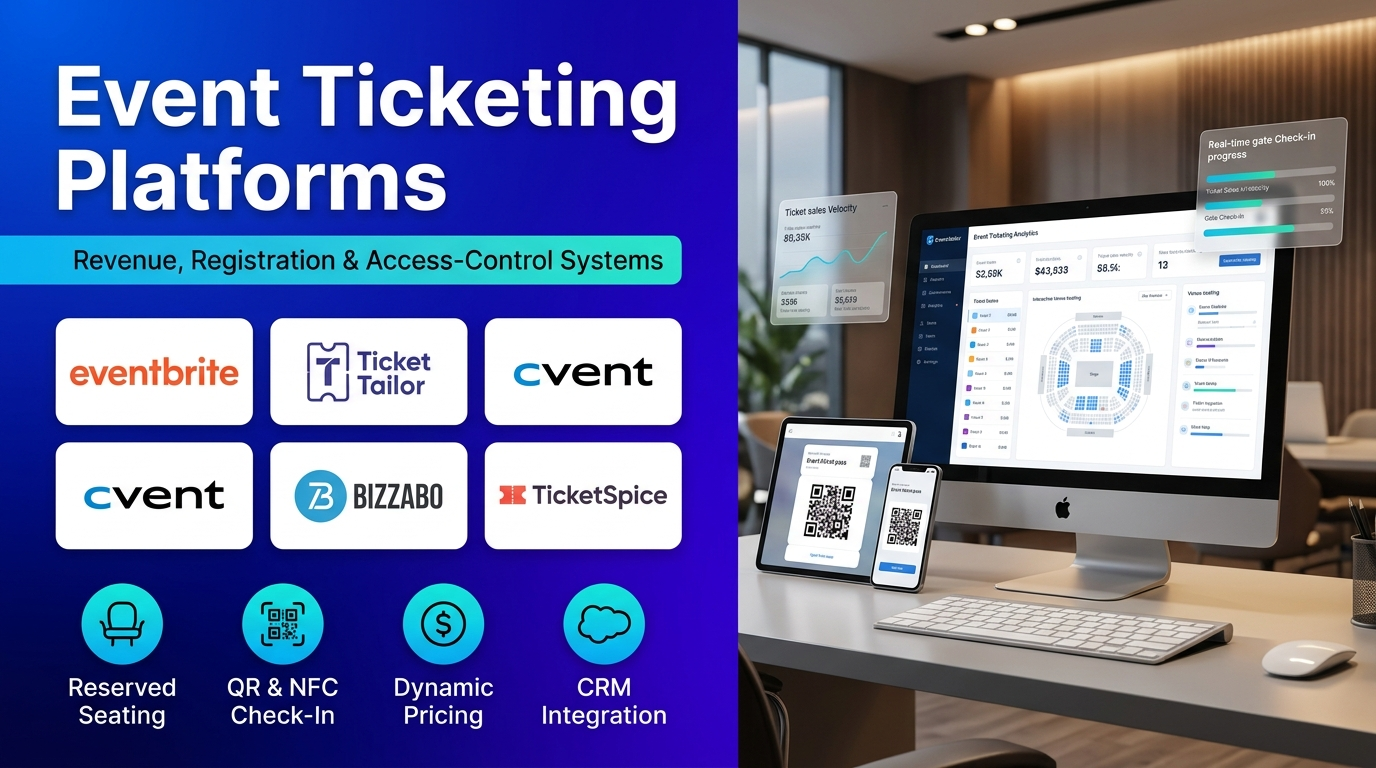
Event ticketing platforms serve as the primary revenue, registration, and access-control infrastructure across the live entertainment, corporate conference, performing arts, and community event sectors in 2026. These digital systems enable event organizers, venue operators, and marketing teams to sell passes online, manage complex seating charts, validate entries at the door, and analyze attendee behavior within one centralized workspace.
Traditional manual ticketing methods—such as physical paper stubs, manual bank transfers, and spreadsheet guest lists—often lead to oversold capacity, long entry queues, counterfeit passes, and delayed financial reconciliation. Relying on fragmented tools also creates blind spots in marketing attribution and increases administrative labor hours during peak registration windows.
Modern event ticketing platforms extend far beyond basic checkout links by offering dynamic pricing tiers, interactive reserved seating builders, mobile wallet pass delivery, Quick Response (QR) code scanning apps, and direct Customer Relationship Management (CRM) integrations. Many platforms also include built-in consumer discovery marketplaces, automated waitlist management, and real-time payout routing directly to organizer merchant accounts.
Selecting the right event ticketing platform is a critical operational decision for both first-time workshop hosts and enterprise festival producers. An appropriately matched platform protects ticket profit margins through transparent fee structures while providing reliable high-traffic checkout stability during major on-sale launches.
Key selection factors include event format (general admission versus reserved seating or multi-track conferences), fee model (per-ticket commission versus flat-fee or direct merchant payouts), brand customization needs, and hardware compatibility for on-site badge printing and mobile scanning. For example, a local community theater or independent workshop host benefits from low flat-fee ticketing with direct Stripe payouts, whereas a global enterprise conference organizer requires multi-track session registration, hotel block management, and deep Salesforce or HubSpot synchronization.
This guide examines the top 10 Event Ticketing Platforms in 2026, detailing key features, benefits, pros, cons, and ideal use cases. It also includes a side-by-side comparison table, a buyer selection framework, a step-by-step operational workflow, and answers to frequently asked questions.
What Is an Event Ticketing Platform?
An Event Ticketing Platform is specialized cloud software designed to create, distribute, sell, and validate digital or physical admission passes for in-person, virtual, and hybrid gatherings. It unifies public event landing pages, secure payment processing, attendee data collection, and on-site check-in tools in a single system.
Conceptually, the platform acts as an automated commerce and access-control engine connecting event promoters with attendees. When a buyer selects a General Admission (GA) pass or reserved seat online, the platform deducts inventory in real time, applies promo codes or tax rules, processes payment, and issues a unique encrypted QR code or Near Field Communication (NFC) mobile wallet pass.
In a typical event lifecycle, an organizer configures tiered ticket phases (such as Early Bird, Standard, and VIP), embeds the branded checkout widget onto their website, monitors real-time sales velocity through analytics dashboards, and uses smartphone scanning apps at venue doors to validate tickets and prevent duplicate entry.
By automating inventory tracking, tax calculations, ticket delivery, and gate validation, event ticketing platforms eliminate manual bookkeeping errors, accelerate cash flow, and create a smooth arrival experience for guests.
Common applications of event ticketing platforms include:
- Concerts, Music Festivals, and Nightlife: Promoters manage high-concurrency ticket drops, tiered release waves, Radio Frequency Identification (RFID) wristband pairing, and promoter tracking links. Rapid mobile barcode scanning keeps entrance lines moving during peak door times.
- Corporate Conferences and B2B Summits: Event teams configure conditional registration forms, multi-track workshop pass permissions, group ticket discounts, and on-site badge printing. Attendee registration data syncs automatically with CRM and marketing automation pipelines.
- Performing Arts, Theaters, and Sports Venues: Box-office managers build interactive, to-scale venue seating charts with tiered pricing zones, season subscription packages, and donor priority access. Walk-up box-office apps handle point-of-sale cash and card transactions alongside online sales.
- Workshops, Classes, and Community Gatherings: Independent educators and local organizers publish event pages quickly, cap class capacities, manage automated waitlists, and send calendar invites. Free events often run at zero platform cost while paid classes collect instant card payments.
- Nonprofits, Charity Galas, and Fundraisers: Fundraising teams sell individual gala tickets, sponsored VIP tables, and optional donation add-ons during checkout. Organizers keep more funds by passing processing fees optionally to donors or using low flat-fee ticketing models.
- Trade Shows, Expos, and Exhibitions: Exhibition managers issue tiered passes for general visitors, trade buyers, exhibitors, and media representatives. Booth lead-retrieval apps scan attendee badges to capture verified contact data for sponsors.
- Hybrid and Virtual Events: Organizers sell unified passes that grant either physical venue entry or authenticated access to live-streamed sessions, virtual networking lounges, and on-demand replays.
- Tours, Museums, and Timed-Entry Attractions: Cultural venues and pop-up exhibitions sell hourly timed-entry slots to control crowd flow and capacity limits throughout the day. Automated capacity caps prevent overcrowding while maximizing daily visitor throughput.
Top 10 Event Ticketing Platforms in 2026
1. Eventbrite
Short Description
Eventbrite is one of the most widely recognized self-service event ticketing and discovery platforms globally, designed to help organizers launch, promote, and manage public and private gatherings quickly. It combines an intuitive event page builder with a massive consumer marketplace visited by millions of active ticket buyers.
The platform serves independent event creators, music venues, workshop hosts, community organizers, and mid-sized public festivals. Its workflows prioritize rapid event setup, built-in promotional tools, and effortless mobile ticket delivery.
A standout technical advantage of Eventbrite is its consumer discovery marketplace and algorithmic recommendation engine. When organizers publish public events, Eventbrite automatically surfaces listings to local users searching for weekend activities, concerts, and classes, driving organic ticket sales without external ad spend.
Within its broader ecosystem, Eventbrite offers native mobile organizer apps for door scanning, built-in email and social ad tools, and integrations with Mailchimp, Salesforce, Zoom, and Meta Pixel for conversion tracking.
Key Features
– Built-In Consumer Discovery Marketplace: Publishes public events to Eventbrite’s high-traffic search directory and personalized email digests, helping organizers reach local audiences organically. – Fast Self-Service Event Builder: Enables organizers to configure ticket tiers, promo codes, early-bird deadlines, and event descriptions in minutes with zero coding required. – Eventbrite Organizer Mobile App: Provides real-time ticket sales monitoring, attendee list lookups, on-site card sales, and fast smartphone QR code check-in at event doors. – Interactive Reserved Seating Designer: Lets venues build custom floor plans with sections, rows, tables, and tiered pricing zones for seated concerts, theaters, and galas. – Automated Waitlists and Timed-Entry Slots: Captures interested buyers automatically once tickets sell out and supports recurring multi-date schedules for tours and classes.– Built-In Marketing and Tracking Tools: Includes promotional email campaigns, social media sharing tools, affiliate tracking links, and native Meta Pixel and Google Analytics integration.– Flexible Fee Pass-Through Options: Allows organizers to either absorb service fees into the ticket price or pass platform and payment processing fees directly to ticket buyers at checkout. – Broad Third-Party App Integrations: Connects natively with Mailchimp, Salesforce, HubSpot, Zoom, and WordPress websites for streamlined attendee syncing.
Benefits
- Drives organic ticket discovery through one of the world’s largest consumer event marketplaces.
- Launches public or private event pages in minutes with an intuitive, beginner-friendly interface.
- Costs nothing upfront for free events, making it accessible for community meetups and open workshops.
- Simplifies attendee arrival with native mobile wallet tickets and reliable smartphone barcode scanning.
- Supports recurring schedules and reserved seating charts without requiring separate venue software.
- Tracks marketing campaign ROI accurately via built-in affiliate links and ad-pixel integrations.
- Connects smoothly with popular CRM, email marketing, and virtual webinar platforms.
Pros
- Unmatched built-in consumer search traffic and organic event discovery engine.
- Exceptionally easy setup and familiar checkout experience trusted by millions of ticket buyers.
- Free to use for events that do not charge for tickets.
- Reliable mobile check-in app capable of scanning tickets across multiple entry gates simultaneously.
- Strong support for recurring events, timed entries, and basic reserved seating charts.
- Extensive library of native marketing and CRM integrations.
Cons
- Per-ticket service and payment processing fees become expensive on high-priced or high-volume paid tickets.
- Limited white-label branding—Eventbrite logos and marketplace cross-promotions remain visible during checkout.
- Default payouts typically process after the event concludes rather than depositing immediately into organizer bank accounts.
- Complex B2B conference features like multi-track session scheduling and conditional form logic are limited.
- Customer support access varies depending on ticket volume and account tier.
Use Cases
- Public Concert and Nightlife Promotion: Independent music promoters leverage Eventbrite’s local discovery feed to sell out club shows and DJ nights.
- Community Workshops and Networking Meetups: Local organizers host free or low-cost seminars with automated RSVP confirmations and QR check-in.
- Pop-Up Exhibitions and Timed Tours: Cultural spaces manage hourly timed-entry ticket slots across multi-week runs.
- Charity Fun Runs and Local Festivals: Community event planners track promo code performance across local sponsors and ambassadors.
- Hybrid Webinar and Live Workshop Series: Educators connect Eventbrite directly to Zoom to automate virtual meeting access links upon ticket purchase.
- First-Time Event Launch: New event creators publish a professional ticketed event page in under 15 minutes without building a standalone website.
Best For
- Small-to-mid-sized public events relying on organic marketplace discovery
- Concerts, nightlife promoters, festivals, and social gatherings
- Community workshops, classes, and local networking meetups
- Organizers hosting free events who want zero platform fees
- Teams needing fast setup without technical web development
- Creators prioritizing buyer familiarity and mobile wallet ticket delivery
2. Ticket Tailor
Short Description
Ticket Tailor is an independent, cloud-based event ticketing platform renowned for its low flat-fee pricing structure, white-label checkout customization, and direct-to-organizer payment payouts. Unlike marketplace platforms that hold funds and charge high percentage commissions, Ticket Tailor acts purely as a software engine powering the organizer’s own brand.
The platform serves independent venues, nonprofits, festivals, workshops, attractions, and businesses worldwide. Its workflows prioritize keeping ticket fees low, preserving complete organizer ownership of customer data, and delivering instant revenue payouts.
Ticket Tailor’s standout technical advantage is its direct merchant integration model paired with pre-paid credit pricing. Ticket buyers pay directly into the organizer’s connected Stripe, PayPal, or Square account—meaning revenue lands immediately in the organizer’s processor while Ticket Tailor charges a tiny flat per-ticket fee.
Within its broader ecosystem, Ticket Tailor offers customizable embeddable website widgets, reserved seating charts, recurring event schedules, free iOS/Android check-in apps, and integrations with Zapier, Mailchimp, and CRM platforms.
Key Features
– Ultra-Low Flat-Fee and Credit Pricing: Charges a small flat fee per ticket (with discounted pre-paid credits that never expire) and zero percentage commission on ticket prices.– Direct-to-Merchant Payment Payouts: Connects directly to Stripe, PayPal, or Square so ticket revenue deposits straight into the organizer’s merchant account immediately rather than being held until after the event. – Full White-Label Branding and Embeddable Widgets: Lets organizers customize box-office colors, fonts, domains, and checkout widgets so buyers stay entirely on the organizer’s website.– Free Tier for Zero-Price Events: Allows organizers to issue thousands of free tickets per year at zero platform cost.– Interactive Reserved Seating Chart Builder: Supports custom venue layouts with tiered seat pricing, accessible seating holds, and visual seat selection at checkout. – Ticket Tailor Check-In App: Provides free mobile barcode scanning for iOS and Android devices, supporting offline sync, multi-gate entry, and real-time attendance stats. – Recurring Events and Timed-Entry Management: Simplifies multi-date schedules, seasonal attractions, and hourly entry slots with bulk editing tools. – Complete Organizer Data Ownership and Integrations: Gives organizers full ownership of attendee emails and consent data, syncing seamlessly with Mailchimp, HubSpot, and 5,000+ apps via Zapier.
Benefits
- Saves thousands of dollars on high-priced or high-volume tickets compared to percentage-fee platforms.
- Delivers immediate cash flow by routing buyer payments straight into your Stripe, PayPal, or Square account.
- Protects brand identity with clean white-label checkout pages and zero competing event ads.
- Offers generous free ticket allowances for community events, free workshops, and member gatherings.
- Provides full control over refunds, customer data, and marketing opt-ins.
- Scales smoothly from single local workshops to multi-day festivals and year-round attractions.
- Includes responsive, human customer support across global time zones.
Pros
- Industry-leading low flat-fee pricing with zero percentage commission on ticket prices.
- Instant direct payouts via Stripe, PayPal, or Square improve organizer working capital.
- Clean white-label experience keeps your brand front and center without marketplace distractions.
- Generous free ticket allowance for zero-cost events.
- Intuitive, clutter-free interface that organizers can configure in minutes.
- Certified B Corp with transparent pricing and strong data privacy standards.
Cons
- Does not include a built-in consumer discovery marketplace to drive organic search traffic.
- Requires setting up and connecting your own Stripe, PayPal, or Square merchant account before selling paid tickets.
- Organizers handle attendee refund processing directly inside their connected payment processor.
- Enterprise B2B conference features like multi-track session agendas and hotel room blocks are outside its scope.
- Using reserved seating charts consumes extra ticket credits compared to general admission passes.
Use Cases
- High-Ticket Gala and Nonprofit Fundraising: Charities keep maximum funds from $250 gala tickets by paying a tiny flat fee instead of a 6% platform commission.
- Independent Music Festival Cash-Flow Management: Festival promoters receive ticket revenue directly into Stripe months before the event to fund artist deposits and production costs.
- Branded Website Ticket Checkout: Cultural institutions embed white-label checkout widgets directly on their own websites without redirecting visitors.
- Seasonal Attractions and Haunted Houses: Multi-week attractions manage hundreds of hourly timed-entry slots with bulk schedule tools.
- Community Theater Reserved Seating: Local theaters build custom seating maps with tiered balcony and orchestra pricing zones.
- Free Community Conferences and Meetups: Organizers issue up to 5,000 free passes annually with zero software charges.
Best For
- Cost-conscious organizers seeking the lowest flat per-ticket fees
- Nonprofits, charities, and fundraising gala planners
- Independent festivals, venues, and cultural attractions needing immediate Stripe payouts
- Brands prioritizing white-label website checkout over marketplace discovery
- Organizers hosting free events who want generous zero-cost ticket limits
- Teams already using Stripe, PayPal, or Square for payment processing
3. Cvent
Short Description
Cvent is an enterprise-grade event marketing, registration, and ticketing platform built to manage complex corporate conferences, trade shows, summits, and global event portfolios. It unifies multi-track registration, dynamic ticketing, hotel room block management, mobile event apps, and deep CRM analytics.
The platform serves Fortune 500 enterprises, professional associations, global event agencies, universities, and large-scale conference producers. Its workflows accommodate intricate attendee segments, approval-based registration paths, and high-volume on-site badge printing.
Cvent’s standout technical advantage is its conditional registration logic paired with end-to-end enterprise event lifecycle integration. Organizers can build dynamic registration flows where ticket pricing, session availability, travel booking, and hotel housing options adapt automatically based on attendee role, membership tier, or VIP status.
Within its broader ecosystem, Cvent connects natively with Salesforce, Marketo, HubSpot, Eloqua, and enterprise ERP systems, while offering Cvent OnArrival hardware kits for self-service kiosk check-in and on-demand badge printing.
Key Features
– Conditional Multi-Path Registration and Ticketing: Builds dynamic registration websites that tailor ticket types, early-bird tiers, session tracks, and custom questions based on attendee profile or invite list.– Integrated Hotel Room Block and Travel Management: Links event ticket registration directly with negotiated hotel room blocks and travel bookings inside one unified attendee checkout flow. – Cvent OnArrival Check-In and Badge Printing: Powers self-service lobby kiosks and tablet check-in stations that print custom full-color badges on demand in seconds. – Native Mobile Event App and Networking: Equips attendees with personalized session schedules, interactive venue maps, live polling, and 1-to-1 meeting schedulers synced to their ticket tier. – Exhibitor and Sponsor Lead Retrieval: Provides booth staff with mobile badge-scanning tools that score leads and export verified attendee data into sponsor portals. – Enterprise CRM and Marketing Automation Sync: Integrates bi-directionally with Salesforce, Marketo, HubSpot, and Dynamics 365 to attribute pipeline revenue to event attendance. – Multi-Currency, VAT, and Global Compliance Controls: Supports international tax rules, multi-currency payment processing, GDPR privacy governance, and SOC 2 enterprise security.– Cross-Event Portfolio Analytics and Budget Tracking: Consolidates registration pace, session attendance, hotel pickup, and budget ROI across hundreds of annual corporate events.
Benefits
- Manages highly complex multi-track conferences, trade shows, and global summits in one unified suite.
- Eliminates disjointed housing spreadsheets by combining ticket registration with hotel room block booking.
- Delivers rapid, executive-grade on-site badge printing and kiosk check-in for thousands of attendees.
- Proves event marketing ROI by syncing registration and session engagement data directly into Salesforce or Marketo.
- Enforces strict enterprise security, GDPR compliance, and approval workflows across global teams.
- Scales effortlessly for organizations running dozens or hundreds of events annually.
- Replaces separate point solutions for registration websites, mobile event apps, and lead retrieval.
Pros
- Unrivaled functional depth for large corporate conferences, trade shows, and association conventions.
- Industry-leading conditional registration paths and attendee segmentation capabilities.
- Seamless integration between event ticketing and hotel room-block housing management.
- Proven on-site check-in and badge-printing reliability for high-volume enterprise events.
- Deep native integrations with enterprise CRM and marketing automation stacks.
- Dedicated enterprise customer success teams and 24/7 global support.
Cons
- High enterprise annual contract pricing makes it cost-prohibitive for small events or occasional workshops.
- Steep learning curve and extensive configuration require dedicated onboarding and trained event ops staff.
- Overly complex for simple general admission concerts, community fundraisers, or casual meetups.
- Custom pricing requires formal sales consultations rather than transparent self-serve tiers.
- Checkout design templates can feel more corporate than modern consumer-facing festival platforms.
Use Cases
- Global Enterprise User Conference: A software company manages 8,000 attendees across 120 breakout sessions, VIP executive tracks, and four partner hotels in one system.
- Annual Association Trade Show and Expo: Industry associations sell tiered member/non-member passes alongside exhibitor booths and lead-retrieval scanners.
- Multi-City Corporate Roadshow Portfolio: Field marketing teams deploy standardized branded registration templates across 40 regional executive dinners and summits.
- Approval-Gated VIP Executive Summit: Organizers screen incoming registrations through automated approval workflows before issuing payment links and hotel booking codes.
- On-Site Kiosk Badge Printing Deployment: Conference operations teams check in 3,000 morning arrivals in under 45 minutes using Cvent OnArrival iPad kiosks.
- CRM Pipeline Attribution Reporting: Marketing operations teams track which ticketed event attendees convert into closed enterprise sales opportunities.
Best For
- Fortune 500 enterprises and large B2B organizations
- Professional associations and large-scale trade show organizers
- Global event agencies managing complex multi-day conferences
- Teams running 20 to 500+ corporate events per year with dedicated event ops staff
- Events requiring integrated hotel room-block management and on-demand badge printing
- Marketing organizations needing deep Salesforce, Marketo, or HubSpot attribution
4. Bizzabo
Short Description
Bizzabo is a modern, enterprise Event Experience Operating System designed to power B2B conferences, corporate summits, and high-engagement professional gatherings. It combines branded event ticketing and registration with audience engagement tools, speaker portals, and revenue attribution analytics.
The platform serves B2B SaaS companies, media brands, enterprise marketing teams, and conference producers focused on maximizing attendee networking and sponsor ROI. Its workflows emphasize sleek, conversion-optimized registration flows paired with rich attendee interaction data.
Bizzabo’s standout technical advantage is its Event Experience OS architecture paired with SmartBadge wearable technology and deep CRM pipeline integration. Organizers can track abandoned registrations, automate referral incentives, and measure real-time booth and session engagement through wearable smart badges.
Within its broader ecosystem, Bizzabo integrates natively with Salesforce, HubSpot, Marketo, Slack, and Stripe while providing a branded native mobile event app and speaker management workspace.
Key Features
– Conversion-Optimized Ticketing and Registration Builder: Creates modern, branded registration flows supporting group ticket discounts, promo codes, conditional logic, and dynamic pricing tiers.– Abandoned Registration Retargeting and Referrals: Captures incomplete ticket checkouts automatically to trigger follow-up reminders and equips buyers with shareable referral links.– Native Branded Mobile Event App: Provides attendees with interactive agendas, live Q&A, polling, push notifications, and AI-powered attendee matchmaking. – Klik SmartBadge Wearable Integration: Offers optional NFC-enabled smart badges that let attendees exchange contact details with a tap while capturing real-time session and booth heatmaps.– Dedicated Speaker and Sponsor Portals: Streamlines speaker bio collection, session slide uploads, and sponsor lead dashboards inside self-service portals.– Deep CRM and Demand-Generation Integrations: Syncs ticket purchases, session attendance, and engagement scores directly with Salesforce, HubSpot, and Marketo. – Hybrid and Virtual Event Streaming Suite: Supports simultaneous in-person check-in and high-definition virtual session broadcasting within one unified platform. – Executive Event ROI and Revenue Attribution Analytics: Tracks ticket revenue, marketing channel conversion, sponsor engagement, and influenced sales pipeline in real time.
Benefits
- Increases ticket conversion rates through modern checkout design, group discounts, and abandoned-cart recovery.
- Proves clear B2B conference ROI by linking registration and session engagement directly to CRM sales pipelines.
- Elevates attendee networking and sponsor value using interactive mobile apps and SmartBadge tap technology.
- Consolidates registration, speaker management, mobile apps, and virtual streaming under one vendor.
- Offers a more modern, approachable user interface compared to legacy enterprise event suites.
- Automates speaker onboarding and asset collection through self-service portals.
- Scales smoothly across flagship annual user conferences and regional B2B field events.
Pros
- Sleek, modern user interface that marketing and event teams adopt faster than legacy enterprise systems.
- Strong B2B conversion tools including abandoned-registration recovery and referral incentives.
- Innovative SmartBadge wearable hardware delivers rich attendee movement and booth analytics.
- Deep native integrations with HubSpot, Salesforce, and Marketo for demand-generation attribution.
- Includes native mobile event app and speaker portal in one cohesive platform.
- Strong customer support and strategic onboarding for corporate conference teams.
Cons
- Enterprise-level pricing requires custom quotes and is too costly for small events or casual gatherings.
- Lacks a public consumer discovery marketplace for selling general entertainment or concert tickets.
- Implementing custom CRM workflows and SmartBadge hardware requires structured pre-event planning.
- Less suited for performing arts venues needing complex multi-tier theater seating charts.
- Smaller local businesses running simple workshops will underutilize its B2B demand-generation depth.
Use Cases
- B2B SaaS Flagship User Conference: Marketing teams drive ticket sales via referral codes, sync leads to HubSpot, and engage 2,500 attendees via the branded mobile app.
- Sponsor ROI Demonstration at Industry Summits: Organizers deploy Klik SmartBadges to show sponsors exact booth foot traffic and tap-to-connect lead counts.
- Abandoned Ticket Checkout Recovery: Event marketers automatically re-engage executives who started registering for a summit pass without completing payment.
- Multi-Speaker Conference Coordination: Conference producers manage 80 speakers, session schedules, and slide decks inside Bizzabo’s speaker portal.
- Hybrid Global Leadership Forum: Enterprises host 600 in-person executives alongside 2,000 virtual attendees under unified registration reporting.
- Regional B2B Field Marketing Series: Growth teams run repeatable executive roundtables with automated CRM campaign attribution.
Best For
- B2B companies and enterprise marketing teams
- Flagship corporate conferences, industry summits, and executive forums
- Organizers focused on sponsor ROI, attendee networking, and pipeline attribution
- Teams seeking a modern alternative to legacy enterprise event suites
- Hybrid conference producers needing registration, mobile apps, and streaming in one system
- Organizations integrating event data with Salesforce, HubSpot, or Marketo
5. TicketSpice
Short Description
TicketSpice is a customizable, flat-fee event ticketing and box-office platform built to give organizers complete control over branding, checkout flows, and fee structures. Developed by Webconnex, it focuses on eliminating high percentage-based platform commissions while providing rich customization tools.
The platform serves festivals, fairs, haunted attractions, conferences, nonprofits, sports events, and independent venues. Its workflows prioritize flexible form building, transparent flat-rate pricing, and fast on-site box-office operations.
TicketSpice’s standout technical advantage is its visual drag-and-drop page builder paired with a flat 99-cent per-ticket fee model and optional convenience-fee revenue retention. Organizers can set their own custom service fee at checkout and keep 100% of that margin, turning ticketing from a cost center into a revenue stream.
Within its broader ecosystem, TicketSpice offers reserved seating charts, SMS text-message ticket delivery, a mobile box-office app for cash and card sales, webhooks, and API integrations with accounting and marketing tools.
Key Features
– Flat 99-Cent Per-Ticket Fee Model: Charges a predictable flat fee per paid ticket (dropping to 49 cents for tickets under $5 or box-office sales) regardless of ticket price.– Organizer-Controlled Convenience Fees: Allows organizers to add custom buyer convenience fees at checkout and retain 100% of the collected fee revenue. – Drag-and-Drop Custom Page and Form Builder: Enables deep visual customization of event pages, conditional logic fields, merchandise add-ons, and donation upsells with zero coding.– Interactive Reserved Seating Designer: Supports custom venue seating maps, table assignments, tiered pricing zones, and social-distancing or VIP holds.– SMS Text-Message Ticket Delivery: Delivers mobile tickets directly via SMS alongside email so attendees access QR codes instantly at venue gates without searching email inboxes.– Mobile Box-Office and Gate Scanning App: Supports on-site credit card, tap-to-pay, and cash ticket sales alongside rapid offline-capable barcode scanning. – Timed-Entry and Multi-Day Pass Management: Handles recurring attraction dates, hourly time slots, season passes, and multi-day festival wristbands effortlessly.– Open Webhooks, API, and Direct Integrations: Connects with Salesforce, Mailchimp, QuickBooks, Google Analytics, and Zapier for automated reporting and marketing workflows.
Benefits
- Protects profit margins on high-priced tickets through a flat 99-cent per-ticket fee structure.
- Generates extra event revenue by letting organizers set and keep their own buyer convenience fees.
- Accelerates gate entry using direct SMS text-message ticket delivery and fast mobile scanning.
- Boosts average order value with built-in merchandise upsells, parking passes, and donation prompts.
- Adapts to unique registration needs via conditional form logic and custom branding.
- Simplifies walk-up gate sales through a unified mobile box-office app handling both cash and cards.
- Provides dependable weekly bank payouts with clear fee breakdowns.
Pros
- Highly transparent flat-fee pricing saves substantial money on mid-to-high-priced tickets.
- Ability to keep 100% of custom buyer convenience fees maximizes event profitability.
- Strong customization capabilities including conditional logic, merchandise add-ons, and reserved seating.
- Direct SMS ticket delivery reduces gate bottlenecks caused by lost confirmation emails.
- Capable mobile box-office app for on-site cash and card ticket sales.
- High user satisfaction ratings across independent festivals, fairs, and attractions.
Cons
- Does not include a consumer discovery marketplace to bring organic search traffic.
- Free-only events incur a per-ticket charge unless paired with paid ticketed events.
- Payouts run on a scheduled weekly cadence rather than instant daily Stripe transfers.
- Reporting interface can feel slightly dense when filtering large multi-day attraction datasets.
- Enterprise B2B conference networking apps and hotel housing blocks are outside its focus.
Use Cases
- County Fairs, Rodeos, and Agricultural Festivals: Organizers sell tens of thousands of admission, parking, and concert passes while keeping custom convenience fees.
- Haunted Houses and Seasonal Timed Attractions: Attractions manage hundreds of hourly entry slots with automated SMS ticket delivery.
- High-Ticket Workshops and Seminars: Educators sell $500 seminar seats for just 99 cents per ticket instead of paying $30+ in percentage commissions.
- Performing Arts and Dinner Theaters: Venues build custom reserved table and seating maps with meal-choice conditional fields.
- Walk-Up Box-Office Gate Operations: Staff process cash and tap-to-pay card sales at the door synced directly with online inventory.
- Sports Tournaments and Youth Championships: Tournament directors sell weekend spectator passes and team merchandise add-ons in one checkout.
Best For
- Festivals, county fairs, rodeos, and seasonal attractions
- Organizers selling mid-to-high-priced tickets ($40+) wanting flat-fee savings
- Event producers who want to keep 100% of buyer convenience fees
- Venues needing reserved seating charts plus walk-up box-office hardware support
- Teams prioritizing SMS ticket delivery and custom checkout upsells
- Independent organizers wanting deep page and form customization without coding
6. Zoho Backstage
Short Description
Zoho Backstage is an all-in-one event management and commission-free ticketing platform designed to run in-person, virtual, and hybrid events from a single unified system. Part of the broader Zoho business software ecosystem, it connects ticket sales directly with event websites, session agendas, attendee apps, and CRM workflows.
The platform serves small-to-mid-sized businesses, corporate training teams, associations, universities, and event agencies. Its workflows prioritize seamless data flow—ensuring ticket purchases automatically update RSVPs, session capacity limits, tax calculations, and attendee communications.
Zoho Backstage’s standout technical advantage is its zero-commission ticketing model paired with native Zoho ecosystem integration. Organizers pay a predictable fixed subscription or pay-per-event license fee and keep 100% of their ticket revenue (minus standard payment gateway fees), while syncing attendee records directly into Zoho CRM and Zoho Campaigns.
Within its broader ecosystem, Zoho Backstage supports multi-language event websites, session-based access control, automated calendar invites, on-site badge printing, and enterprise compliance across ISO, SOC, HIPAA, and GDPR standards.
Key Features
– Zero-Commission Fixed-Fee Ticketing: Operates on a fixed monthly or pay-per-event license with 0% platform commission on ticket sales, letting organizers retain full revenue.– Connected Ticketing, RSVPs, and Session Access: Links ticket tiers directly to specific workshops, VIP tracks, or virtual streams, enforcing capacity limits automatically. – Drag-and-Drop Event Website Builder: Creates branded, multi-language event microsites with embedded ticket widgets, speaker profiles, and interactive schedules.– Automated Tax Handling and Invoicing: Calculates regional taxes (such as GST, VAT, or sales tax) during checkout and tracks revenue cleanly for post-event reconciliation.– Automated Event Emails and Calendar Invites: Dispatches branded ticket confirmations, QR passes, calendar invites, and session reminders automatically without external email tools. – On-Site Check-In and Badge Printing App: Provides mobile QR scanning, walk-in registration, and instant badge printing for smooth conference arrivals. – Native Zoho Ecosystem and Gateway Integrations: Connects natively with Zoho CRM, Zoho Campaigns, Stripe, PayPal, Razorpay, and Square for global payment processing.– Enterprise Security and Privacy Compliance: Operates under strict ISO, SOC, HIPAA, and GDPR compliance standards to safeguard attendee personal and payment data.
Benefits
- Eliminates per-ticket percentage commissions through predictable subscription or pay-per-event pricing.
- Unifies event websites, ticket sales, session agendas, and check-in apps in one cohesive platform.
- Automates session access control so VIP or workshop ticket buyers unlock specific agenda tracks automatically.
- Simplifies regional tax compliance and post-event financial reconciliation with built-in tax tracking.
- Syncs attendee registration data effortlessly into Zoho CRM and marketing automation workflows.
- Supports global payment gateways including Stripe, PayPal, and Razorpay for international events.
- Offers a free starter tier alongside flexible monthly and pay-per-event pricing plans.
Pros
- Zero commission fees on ticket sales allow organizers to keep 100% of ticket revenue.
- True all-in-one event suite combining website builder, ticketing, agenda, and check-in app.
- Flexible pricing options including a free plan, monthly subscriptions, and pay-per-event licenses.
- Strong native integration with Zoho CRM, Zoho Books, and Zoho Campaigns.
- Built-in regional tax calculation and multi-language website capabilities.
- High enterprise security and compliance standards (ISO, SOC, HIPAA, GDPR).
Cons
- Does not feature a consumer-facing public marketplace for organic event discovery.
- Interactive theater-style reserved seating chart builders are less specialized than dedicated venue tools.
- Organizations not using Zoho apps may need Zapier or API connectors for non-Zoho CRMs.
- Visual template customization offers slightly fewer artistic design tweaks than standalone web builders.
- Complex multi-property hotel housing block management is lighter than enterprise tools like Cvent.
Use Cases
- Small-to-Mid-Sized Business Conferences: Companies host annual customer summits with tiered workshop passes and zero ticket commission fees.
- Zoho CRM User Group Events: Businesses already running Zoho CRM sync event registrations and session attendance straight into sales lead records.
- Multi-Track Training Workshops: Educational organizations sell standard and VIP hands-on lab tickets that automatically enforce room capacity limits.
- International and Regional Corporate Events: Organizers collect localized GST/VAT taxes automatically and process payments via Stripe or Razorpay.
- Hybrid Product Launches: Marketing teams manage both physical venue check-in badges and virtual livestream access from one dashboard.
- Occasional Annual Symposia: Teams running one major event per year utilize the pay-per-event license instead of an ongoing annual contract.
Best For
- Small-to-mid-sized businesses and corporate event teams
- Organizers wanting zero-commission ticketing with predictable fixed pricing
- Businesses already using Zoho CRM, Zoho Campaigns, or Zoho Books
- Multi-track conferences and training workshops needing session-based access control
- International organizers requiring built-in GST/VAT tax handling and regional gateways
- Teams running both in-person and hybrid events under one roof
7. Accelevents
Short Description
Accelevents is an all-in-one event management and ticketing platform built for mid-market conferences, hybrid events, trade shows, and association gatherings. It combines customizable event ticketing and badge printing with native virtual event hosting, exhibitor booths, and networking tools.
The platform serves corporate event teams, associations, universities, and mid-sized conference organizers seeking enterprise-grade capabilities without the complexity or cost of legacy enterprise suites. Its workflows bridge online ticket registration directly with on-site check-in kiosks and mobile event apps.
Accelevents’ standout technical advantage is its seamless parity between in-person and virtual event execution inside a single platform. Whether an organizer sells an in-person VIP badge, a virtual livestream pass, or a hybrid bundle, the platform handles registration, mobile check-in, live streaming, and exhibitor lead capture natively.
Within its broader ecosystem, Accelevents integrates natively with Salesforce, HubSpot, Marketo, Stripe, and Zapier, while providing 24/7 live customer support throughout event setup and live show days.
Key Features
– Customizable Registration and Tiered Ticketing: Supports conditional registration paths, group discounts, promo codes, early-bird waves, and custom attendee badge fields. – On-Site Kiosk Check-In and On-Demand Badge Printing: Enables rapid self-service QR check-in and instant thermal or color badge printing via iPad kiosks at venue entrances.– Unified In-Person, Virtual, and Hybrid Hosting: Connects physical ticket tiers with built-in live streaming, breakout rooms, virtual exhibitor booths, and on-demand video libraries. – Branded Mobile Event App and Networking: Equips in-person and virtual attendees with personalized agendas, AI networking matchmaking, live polling, and 1-to-1 chat. – Exhibitor Portal and Lead-Retrieval App: Allows sponsors to manage booth profiles and scan attendee badges on smartphones to capture and score qualified leads. – Native CRM and Marketing Integrations: Syncs ticket purchases, session check-ins, and booth scans directly into HubSpot, Salesforce, and Marketo.– Automated Payouts and Transparent Pricing: Processes ticket payments securely via Stripe with clear, predictable platform pricing compared to opaque enterprise quotes. – 24/7 Live Human Support: Provides round-the-clock live chat support with rapid response times during event setup and live show hours.
Benefits
- Unifies ticketing, on-site badge printing, mobile apps, and virtual streaming in one mid-market platform.
- Deploys faster and at a significantly lower cost than heavy legacy enterprise systems like Cvent.
- Simplifies hybrid conference logistics by managing in-person and online ticket holders in one dashboard.
- Maximizes sponsor and exhibitor satisfaction with built-in mobile badge scanning and lead portals.
- Connects registration and session engagement data straight into Salesforce and HubSpot pipelines.
- Reduces on-site arrival queues through self-service kiosk check-in and instant badge printing.
- Provides reassuring 24/7 live support when teams are on-site running live events.
Pros
- Strong balance of enterprise conference features and mid-market usability and transparent pricing.
- True native support for in-person, virtual, and hybrid event formats without third-party plug-ins.
- Includes mobile event app, badge printing, and exhibitor lead retrieval in one cohesive suite.
- Fast onboarding without requiring weeks of paid implementation consulting.
- Responsive 24/7 live customer support praised by conference organizers.
- Reliable integrations with Salesforce, HubSpot, Marketo, and Stripe.
Cons
- Lacks a public consumer discovery marketplace for selling casual entertainment or concert tickets.
- Interactive theater-style reserved seating maps are less specialized than dedicated performing arts platforms.
- Complex multi-hotel room block housing workflows are lighter than Cvent’s enterprise housing module.
- Small local workshops running simple general admission events may find conference modules broader than needed.
- Customizing deeply bespoke CSS website layouts requires higher-tier plans.
Use Cases
- Mid-Market Hybrid Industry Conference: An association hosts 800 in-person attendees and 1,200 remote viewers with unified ticketing, mobile apps, and streaming.
- Corporate Summit with On-Site Badge Printing: Event managers deploy iPad check-in kiosks that print custom attendee badges upon QR scan.
- Trade Show and Expo Lead Capture: Exhibitors use the Accelevents mobile app to scan visitor badges and export leads straight to their CRM.
- Multi-Track Continuing Education Symposium: Organizers track session check-ins automatically to issue accredited certificates to ticket holders.
- B2B Demand-Generation Conference: Marketing teams sync ticket tiers and booth engagement scores into HubSpot for sales follow-up.
- Fast-Turnaround Association Annual Meeting: A lean three-person team launches a full conference site, mobile app, and registration flow in two weeks.
Best For
- Mid-market corporate conference and summit teams
- Hybrid and virtual event organizers needing unified ticketing and streaming
- Professional associations and trade show producers
- Teams seeking an approachable, cost-effective alternative to Cvent or Bizzabo
- Organizers needing on-site badge printing and exhibitor lead-retrieval apps
- Marketing teams integrating event data with HubSpot or Salesforce
8. Luma
Short Description
Luma is a modern, design-forward event ticketing, RSVP, and community calendar platform built for tech gatherings, startup meetups, workshops, creative communities, and curated social events. It prioritizes aesthetic simplicity, rapid mobile-first registration, and viral community growth.
The platform serves startup founders, developer communities, venture capital firms, creative collectives, and independent workshop hosts. Its workflows focus on frictionless one-click guest registration, curated attendee approvals, and automated calendar invites.
Luma’s standout technical advantage is its ultra-clean, high-converting event pages paired with host-approval workflows and community calendars. Organizers can require manual host approval before issuing tickets, build recurring community calendars that subscribers follow, and send automated SMS/email blasts with one click.
Within its broader ecosystem, Luma integrates natively with Stripe for paid tickets, Zoom for virtual events, Apple/Google Wallet for mobile passes, and Slack/Discord communities, offering a generous free tier alongside a zero-commission Luma Plus plan.
Key Features
– Design-Forward Mobile-First Event Pages: Generates sleek, minimalist event landing pages automatically that load instantaneously and convert mobile visitors effortlessly. – Curated Host Approval and Waitlist Workflows: Allows organizers to screen incoming registrations manually, approve VIP guests, and release payment links only to accepted attendees. – Community Calendars and Subscriber Feeds: Lets organizations host a branded hub of upcoming events that members subscribe to for automatic notifications. – Zero-Commission Luma Plus Option: Offers a free starter tier (with a modest 5% fee on paid tickets) alongside a flat-rate Luma Plus subscription featuring 0% platform commission. – Automated Calendar Invites and SMS/Email Reminders: Sends automatic Google/Apple Calendar invites upon registration along with timed SMS and email reminders to maximize show-up rates. – Apple Wallet and Google Wallet Pass Delivery: Issues sleek digital passes with embedded QR codes that attendees add to their smartphone wallets with one tap. – Instant Mobile QR Check-In and Walk-In App: Enables hosts to check guests in smoothly from any smartphone while seeing guest profile photos and approval tags. – Built-In Guest Directory and Networking: Optionally displays verified attendee profiles on the event page so guests see who else is attending and connect before arrival.
Benefits
- Launches stunning, modern event pages in under two minutes with zero design work required.
- Increases attendance rates dramatically via automatic calendar invites and smart SMS/email reminders.
- Protects curated events using host-approval registration queues and automated waitlists.
- Builds lasting community engagement through subscribable multi-event calendars.
- Eliminates platform commissions on paid tickets when upgrading to the flat-rate Luma Plus tier.
- Delivers effortless one-tap registration for returning Luma users across devices.
- Provides a generous free tier for community meetups, free workshops, and private gatherings.
Pros
- Unmatched modern aesthetic and frictionless mobile checkout experience.
- Built-in host approval queues ideal for curated VIP dinners, founder mixers, and invite-only summits.
- Automatic calendar invites and reminders boost actual event show-up rates significantly.
- Community calendar hubs help organizers grow recurring subscriber audiences.
- Free plan available for free events, plus 0% platform fee option on Luma Plus.
- Seamless Apple Wallet and Google Wallet digital ticket integration.
Cons
- Lacks interactive theater-style reserved seating chart builders for seated venues.
- Enterprise trade show features like on-demand physical badge printing kiosks and exhibitor lead scanners are limited.
- Complex multi-track conference agenda management is lighter than Cvent or Accelevents.
- Payment processing relies strictly on Stripe rather than multiple regional merchant gateways.
- High-volume box-office walk-up cash/terminal hardware workflows are outside its community focus.
Use Cases
- Tech Startup Demo Days and Founder Mixers: Venture firms host curated, approval-gated networking events with sleek mobile wallet passes.
- Creator Workshops and Masterclasses: Independent educators sell paid workshop seats with zero platform fees on Luma Plus.
- Recurring Community Meetup Series: Developer and design communities maintain a central Luma Calendar where members subscribe to monthly gatherings.
- Pop-Up Supper Clubs and Tasting Dinners: Culinary hosts screen guest requests, collect dietary notes, and send automated SMS address reveals 24 hours before dinner.
- Brand Launch Parties and VIP Previews: Lifestyle brands manage invite lists, plus-ones, and smartphone door check-in smoothly.
- Virtual Community Town Halls: Online communities connect Luma directly to Zoom for automated calendar invites and attendance tracking.
Best For
- Tech startups, venture capital firms, and developer communities
- Curated VIP dinners, invite-only salons, and approval-gated events
- Independent creators, coaches, and boutique workshop hosts
- Community builders managing recurring event calendars
- Organizers prioritizing modern design, mobile wallet passes, and high show-up rates
- Teams wanting a free tier or flat-rate zero-commission subscription
9. Spektrix
Short Description
Spektrix is a cloud-based ticketing, CRM, marketing, and fundraising platform built specifically for the performing arts, theaters, orchestras, museums, and cultural venues. It unifies box-office sales, complex reserved seating, season subscriptions, donor management, and audience analytics in one specialized system.
The platform serves regional theaters, symphony orchestras, dance companies, arts centers, cinemas, and cultural festivals across the UK, North America, and Europe. Its workflows accommodate multi-performance runs, flexible subscription packages, and integrated patron fundraising.
Spektrix’s standout technical advantage is its deep integration of reserved-seating box office operations with patron CRM and fundraising tools. When a patron buys theater tickets online, the system recognizes their donor tier, offers priority seat access, suggests subscription upgrades, and prompts for charitable donations in one seamless checkout.
Within its broader ecosystem, Spektrix offers white-label website checkout iframes, dynamic pricing tools, barcode access control, and open APIs connecting with accounting, email marketing, and digital signage platforms.
Key Features
– Advanced Performing Arts Reserved Seating Engine: Manages complex multi-tier auditoriums, sightline holds, accessible companion seats, and best-available seat selection algorithms. – Season Subscriptions and Flexible Multi-Show Packages: Automates fixed-seat season renewals, build-your-own multi-show bundles, and self-service ticket exchanges online. – Integrated Patron CRM and Fundraising Module: Tracks ticket purchase history alongside donor giving levels, Gift Aid/tax receipts, and membership benefits in one unified profile. – Checkout Donation Prompts and Upsells: Embeds targeted fundraising donation requests, pre-show dining vouchers, and program add-ons directly inside the ticket checkout flow. – White-Label Website Integration: Embeds fully branded seat selection and checkout flows directly onto venue websites so patrons never leave the arts organization’s domain. – Dynamic Pricing and Automated Yield Rules: Adjusts seat prices automatically based on performance demand, remaining inventory thresholds, and advance booking windows. – Omni-Channel Box Office and Barcode Scanning: Supports walk-up counter sales, phone bookings, print-at-home PDFs, mobile wallet tickets, and fast handheld venue scanners. – Deep Cultural Sector Reporting and Audience Segmentation: Builds behavioral segments (such as first-time attendees or lapsed subscribers) to trigger automated email journeys.
Benefits
- Unifies box-office ticketing, season subscriptions, and donor fundraising in one cultural-sector platform.
- Eliminates box-office phone bottlenecks by letting subscribers exchange seats and renew packages online.
- Increases philanthropic donations through integrated checkout prompts and donor-tier priority seating.
- Maximizes ticket revenue on popular performances using automated dynamic pricing rules.
- Protects institutional branding with white-label website seat maps and zero third-party marketplace fees.
- Empowers marketing teams with deep audience segmentation based on attendance and giving history.
- Delivers responsive customer support staffed by specialists with real performing arts box-office backgrounds.
Pros
- Purpose-built for performing arts venues, theaters, orchestras, and cultural institutions.
- Unmatched subscription package, seat exchange, and donor-priority seating capabilities.
- Combines ticketing CRM and fundraising without needing separate donor database software.
- Complete venue ownership of patron data and white-label checkout experience.
- Strong dynamic pricing and audience segmentation tools drive repeat attendance.
- Highly knowledgeable customer support team dedicated exclusively to arts organizations.
Cons
- Enterprise pricing model (typically percentage-of-sales with minimum commitments) is geared toward established venues rather than solo event hosts.
- Overly specialized for general admission corporate B2B conferences or casual networking meetups.
- Lacks a public consumer discovery marketplace like Eventbrite or Ticketmaster.
- Initial setup of complex auditorium seating maps, subscription rules, and donor tiers requires structured implementation.
- Virtual conference networking apps and B2B exhibitor lead retrieval are outside its performing arts focus.
Use Cases
- Regional Theater Season Subscriptions: A 600-seat theater automates annual subscriber seat renewals, flexible four-play packages, and online date exchanges.
- Symphony Orchestra Donor Priority Access: Performing arts organizations grant major donors 48-hour early access to premium orchestra seats before general public on-sale.
- Museum Timed-Entry and Membership Ticketing: Cultural museums verify active member passes automatically at checkout to apply free admission and member guest discounts.
- Dynamic Pricing for Hit Productions: Box-office managers configure automated rules that raise center-orchestra prices as performance occupancy passes 80%.
- Checkout Philanthropic Fundraising: Nonprofit arts venues collect thousands in micro-donations during online ticket checkout.
- Multi-Venue Arts Center Box Office: A municipal performing arts center manages three stages, festival passes, and walk-up counter sales from one system.
Best For
- Regional theaters, performing arts centers, and playhouses
- Symphony orchestras, opera houses, and dance companies
- Museums, galleries, and cultural heritage attractions
- Arts festivals managing multi-venue passes and reserved seating
- Nonprofit cultural organizations combining ticketing and donor fundraising
- Venues wanting 100% patron data ownership and white-label box-office integration
10. Checkout Page
Short Description
Checkout Page is a no-code, brand-first checkout and event ticketing builder designed for creators, businesses, and organizers who want to sell event tickets directly on their own websites with predictable flat pricing. Powered directly by Stripe, it eliminates per-ticket platform fees while supporting custom registration fields and upsells.
The platform serves independent businesses, coaches, boutique venues, membership communities, and online educators. Its workflows prioritize seamless brand integration, instant Stripe payouts, and flexible conversion optimization.
Checkout Page’s standout technical advantage is its no-code checkout builder with conditional logic, order bumps, and flat volume-based subscription pricing. Rather than charging a percentage or flat fee per ticket sold, Checkout Page charges a predictable monthly plan based on total sales volume while routing payments straight into the organizer’s Stripe account.
Within its broader ecosystem, Checkout Page includes QR code ticket generation, a mobile check-in app, Apple/Google Pay one-click checkout, discount codes, and integrations with Zapier, Webflow, WordPress, Framer, and Notion.
Key Features
– No-Code Branded Checkout Builder: Creates custom-styled ticket checkout forms that embed seamlessly onto WordPress, Webflow, Framer, or custom websites with full brand control.– Zero Per-Ticket Platform Fees: Operates on predictable monthly volume-based plans (including a free tier up to $3,000 in monthly sales) without charging per-ticket commissions.– Direct Stripe Account Integration: Processes payments via Apple Pay, Google Pay, credit cards, and local payment methods straight into your own Stripe account for instant payouts.– Conditional Form Fields and Custom Questions: Dynamically shows or hides registration fields (such as dietary restrictions, t-shirt sizes, or company names) based on ticket selection.– One-Click Order Bumps and Checkout Upsells: Increases average ticket order value by offering VIP dinner add-ons, workshop recordings, or merchandise directly inside checkout.– Automated QR Code Tickets and Mobile Check-In: Generates unique QR code passes automatically upon purchase and validates entries at the door using the mobile check-in interface. – Discount Codes, Early-Bird Tiers, and Capacity Limits: Supports time-bound promotional pricing, quantity caps per ticket type, and group ticket bundles. – Broad Website and Automation Connectivity: Connects effortlessly with Zapier, Make, Google Sheets, Mailchimp, and CRM tools to automate post-purchase workflows.
Benefits
- Eliminates per-ticket platform fees, saving substantial margin as ticket prices and sales volume grow.
- Embeds seamlessly onto modern websites (Webflow, Framer, WordPress) without jarring third-party redirects.
- Accelerates mobile conversions using one-tap Apple Pay and Google Pay via direct Stripe integration.
- Boosts revenue per attendee through built-in checkout order bumps and VIP upsells.
- Offers a free starter tier supporting up to $3,000 in monthly ticket sales.
- Delivers immediate cash flow straight to your Stripe bank account.
- Adapts to hybrid businesses selling event tickets alongside digital products, memberships, or merchandise.
Pros
- Predictable flat volume-based pricing with zero per-ticket fees.
- Exceptional visual customization blends seamlessly into modern brand websites.
- Built-in order bumps, upsells, and conditional fields maximize checkout conversion.
- Free plan available for smaller events up to $3,000 in monthly sales.
- Direct Stripe integration ensures immediate payouts and one-tap mobile wallet payments.
- Fast no-code setup ideal for creators, agencies, and boutique event hosts.
Cons
- No built-in consumer discovery marketplace for organic event search traffic.
- Requires an active Stripe account to accept online payments.
- Lacks interactive theater-style reserved seating chart builders.
- Large multi-track enterprise conferences with complex session agendas and badge printing kiosks exceed its scope.
- Free plan caps monthly sales at $3,000 before requiring a paid subscription tier.
Use Cases
- Boutique Workshop and Retreat Sales: Coaches sell $1,500 wellness or business retreat spots on their own website without losing 5% to ticketing commissions.
- Webflow and Framer Brand Events: Design-conscious startups embed native-looking ticket checkouts directly into custom event landing pages.
- Hybrid Membership and Event Communities: Paid communities sell event tickets alongside recurring memberships and merchandise in one unified checkout system.
- High-Converting VIP Order Bumps: Workshop organizers add a one-click “$49 VIP Recording & Workbook Bundle” right before payment completion.
- Small Local Pop-Ups and Dinners: Culinary creators utilize the free tier (under $3K/month) to sell supper-club seats with mobile QR check-in.
- Multi-Tiered Seminar Registration: Trainers use conditional fields to collect dietary and workshop track preferences dynamically during checkout.
Best For
- Creators, coaches, and independent educators selling workshops or retreats
- Brands using Webflow, Framer, WordPress, or custom websites prioritizing seamless checkout design
- Organizers selling high-priced tickets wanting flat monthly pricing with zero per-ticket fees
- Hybrid businesses selling tickets alongside memberships or digital products
- Small-to-mid-sized event hosts qualifying for the free tier (under $3,000/month sales)
- Teams already using Stripe who want instant payouts and one-tap Apple/Google Pay
Comparison Table: Top 10 Event Ticketing Platforms
| Tool Name | Best For | Platform(s) | Standout Feature | Pricing |
| Eventbrite | Public concerts, classes, and events needing discovery | Web, iOS, Android | High-traffic consumer discovery marketplace and fast self-service setup | Free and paid plans |
| Ticket Tailor | Cost-conscious organizers, nonprofits, and white-label sites | Web, iOS, Android | Ultra-low flat per-ticket fees with instant direct Stripe/PayPal payouts | Free and paid plans |
| Cvent | Enterprise conferences, trade shows, and global portfolios | Web, iOS, Android | Conditional registration paths with hotel blocks and badge printing kiosks | Paid subscription |
| Bizzabo | B2B conferences focused on engagement and sponsor ROI | Web, iOS, Android | Event Experience OS with SmartBadge wearables and CRM attribution | Paid subscription |
| TicketSpice | Festivals, fairs, attractions, and high-priced ticket events | Web, iOS, Android | Flat 99¢ ticket fee with 100% organizer retention of buyer convenience fees | Paid subscription |
| Zoho Backstage | Small-to-mid-sized businesses and Zoho ecosystem users | Web, iOS, Android | Zero-commission fixed-fee ticketing linked to agendas and Zoho CRM | Free and paid plans |
| Accelevents | Mid-market hybrid events, conferences, and trade shows | Web, iOS, Android | Unified in-person badge printing, mobile app, and virtual event hosting | Paid subscription |
| Luma | Tech meetups, curated VIP gatherings, and community hubs | Web, iOS, Android | Design-forward mobile pages with host approvals and community calendars | Free and paid plans |
| Spektrix | Performing arts venues, theaters, orchestras, and museums | Web, iOS, Android | Advanced reserved seating, season subscriptions, and donor fundraising CRM | Paid subscription |
| Checkout Page | Creators and brands embedding native checkouts on websites | Web, iOS, Android | No-code branded checkout builder with order bumps and zero per-ticket fees | Free and paid plans |
Note: Pricing, licensing, supported platforms, and available features can change. Check the official vendor websites for current plans, educational access, and regional availability.
Which Event Ticketing Platform Is Right for You?
No single event ticketing platform fits every organizer because technical and commercial priorities differ dramatically between a local community workshop, a 5,000-person enterprise conference, and a regional theater running season subscriptions. A platform optimized for organic public concert discovery often charges high percentage fees and lacks white-label control, while a flat-fee white-label tool relies on your own marketing channels to drive traffic.
Evaluating your event format, ticket price point, branding requirements, and internal marketing channels will quickly narrow your shortlist to the right two or three candidates. Below is a breakdown of the top event ticketing recommendations matched to eight distinct organizer profiles.
For Public Events Needing Organic Discovery: Eventbrite and Luma
When launching public concerts, local classes, or community meetups without a massive pre-existing email list, built-in audience discovery and effortless sharing drive early ticket velocity. Eventbrite and Luma excel at helping public events gain traction quickly.
Eventbrite provides the largest global consumer event marketplace, surfacing public listings to local buyers searching for weekend activities. Luma excels within tech, startup, creative, and urban communities through subscribable community calendars, viral guest directories, and frictionless one-tap registration.
Choose Eventbrite if you want broad mainstream consumer search traffic for concerts, classes, or local festivals. Choose Luma if you host startup, tech, creative, or community gatherings and want sleek mobile pages with subscribable community calendars.
For Lowest Fees, White-Label Branding, and Direct Payouts: Ticket Tailor and Checkout Page
Organizers who drive their own website traffic and sell mid-to-high-priced tickets lose substantial margin on percentage-based ticketing commissions. Ticket Tailor and Checkout Page eliminate high percentage cuts while routing payouts directly to your merchant account.
Ticket Tailor offers ultra-low flat per-ticket fees (or discounted pre-paid credits), generous free ticket allowances, and instant payouts via Stripe, PayPal, or Square. Checkout Page provides a no-code branded checkout builder with one-click order bumps and flat monthly volume pricing on top of Stripe.
Choose Ticket Tailor if you run established venues, nonprofits, or multi-date events needing low flat per-ticket fees and reserved seating. Choose Checkout Page if you are a creator, coach, or brand embedding custom-styled checkouts with order bumps onto Webflow, Framer, or WordPress.
For Festivals, Fairs, and High-Volume Attractions: TicketSpice and Ticket Tailor
Outdoor festivals, county fairs, haunted houses, and seasonal attractions process high volumes of general admission and timed-entry tickets alongside on-site walk-up gate sales. TicketSpice and Ticket Tailor handle high-throughput ticketing while protecting organizer margins.
TicketSpice stands out for its flat 99-cent fee model, ability to retain 100% of custom buyer convenience fees, SMS text-message ticket delivery, and walk-up mobile box-office hardware. Ticket Tailor delivers bulk recurring schedule management, instant Stripe payouts, and offline-capable mobile scanning apps.
Choose TicketSpice if you want to maximize margins by keeping custom buyer convenience fees and sending tickets directly via SMS. Choose Ticket Tailor if you prioritize immediate direct-to-Stripe cash flow and simple pre-paid credit pricing.
For Corporate Conferences and Trade Shows: Cvent and Bizzabo
Large B2B conferences, industry trade shows, and corporate summits require conditional registration paths, multi-track session controls, badge printing, and deep CRM revenue attribution. Cvent and Bizzabo are the premier enterprise platforms built for complex business events.
Cvent leads in enterprise scale, combining multi-path registration with negotiated hotel room block housing, Cvent OnArrival badge printing kiosks, and global compliance. Bizzabo excels for B2B marketing teams prioritizing conversion-optimized registration, abandoned-cart recovery, Klik SmartBadge wearables, and HubSpot/Salesforce pipeline attribution.
Choose Cvent if you run large enterprise conferences or trade shows requiring hotel room-block management, on-site badge kiosks, and strict global governance. Choose Bizzabo if you are a B2B marketing organization focused on modern attendee engagement, SmartBadge analytics, and demand-generation ROI.
For Mid-Market Hybrid Events and Conferences: Accelevents and Zoho Backstage
Mid-sized conference organizers and growing businesses need professional registration, session access control, and virtual streaming without multi-year enterprise contracts. Accelevents and Zoho Backstage deliver strong all-in-one conference functionality at accessible price points.
Accelevents unifies customizable registration, on-site badge printing, mobile event apps, exhibitor lead scanning, and native virtual event streaming in one transparent platform. Zoho Backstage offers fixed-fee zero-commission ticketing linked directly to multi-track agendas, regional tax handling, and Zoho CRM.
Choose Accelevents if you host hybrid conferences or trade shows needing built-in live streaming, mobile apps, and exhibitor lead retrieval. Choose Zoho Backstage if you want zero-commission fixed-license ticketing tightly integrated with Zoho CRM and automated tax tracking.
For Performing Arts, Theaters, and Cultural Venues: Spektrix and Ticket Tailor
Performing arts centers, regional theaters, symphony orchestras, and museums require specialized reserved seating charts, multi-show subscriptions, and patron fundraising tools. Spektrix and Ticket Tailor serve cultural venues at different operational scales.
Spektrix is purpose-built for established arts organizations, uniting complex auditorium seating, season subscription renewals, online seat exchanges, and donor CRM fundraising in one system. Ticket Tailor provides an approachable, low-fee alternative for community theaters and independent venues needing clean reserved seating maps without enterprise contracts.
Choose Spektrix if you operate an established theater, orchestra, or museum managing season subscriptions, donor priority seating, and checkout fundraising. Choose Ticket Tailor if you run a community theater or independent venue wanting straightforward reserved seating at a low flat fee.
For Curated VIP Gatherings and Community Calendars: Luma and Checkout Page
Startup founders, venture firms, private clubs, and independent creators hosting curated dinners, masterclasses, or invite-only summits prioritize brand elegance and guest screening over mass public ticketing. Luma and Checkout Page excel at boutique, high-touch registration experiences.
Luma offers sleek minimalist event pages, manual host-approval queues, Apple/Google Wallet passes, and subscribable community calendars with zero-commission options on Luma Plus. Checkout Page allows creators to embed custom-styled checkouts with conditional questions and VIP order bumps straight onto their own brand domains.
Choose Luma if you want built-in host approval workflows, community calendars, and viral mobile registration. Choose Checkout Page if you want total visual control embedded directly inside your own Webflow, Framer, or WordPress site.
For Small Businesses and Zoho Ecosystem Teams: Zoho Backstage and Ticket Tailor
Small businesses, training providers, and regional associations running regular workshops or customer events need reliable ticketing without high per-ticket commissions eating into margins. Zoho Backstage and Ticket Tailor provide predictable, transparent pricing tailored to growing businesses.
Zoho Backstage eliminates ticket commissions via a fixed subscription or pay-per-event license while connecting registrations directly to Zoho CRM, Zoho Campaigns, and automated tax reports. Ticket Tailor offers pay-as-you-go flat fees or discounted credits with instant payouts directly into Stripe, PayPal, or Square.
Choose Zoho Backstage if you already use Zoho business apps or want an all-in-one event website, agenda, and zero-commission ticketing suite. Choose Ticket Tailor if you want simple pay-as-you-go flat fees with immediate payouts into your existing Stripe or PayPal account.
Best Event Ticketing Platforms for Different Users
| User Type | Recommended Software | Why? |
| Public Concert / Local Workshop Host | Eventbrite | Built-in consumer discovery marketplace drives organic local ticket buyers with fast setup. |
| Nonprofit / Cost-Conscious Organizer | Ticket Tailor | Ultra-low flat per-ticket fees with instant direct Stripe/PayPal payouts and white-label checkout. |
| Enterprise Conference / Trade Show Team | Cvent | Conditional multi-path registration paired with hotel room blocks and on-demand badge kiosks. |
| B2B Marketing / SaaS Summit Organizer | Bizzabo | Conversion-focused registration with SmartBadge wearables and deep HubSpot/Salesforce attribution. |
| Festival / Fair / Seasonal Attraction | TicketSpice | Flat 99¢ fee with 100% organizer retention of buyer convenience fees and SMS ticket delivery. |
| Small Business / Zoho Ecosystem User | Zoho Backstage | Zero-commission fixed-fee ticketing integrated with multi-track agendas, tax rules, and Zoho CRM. |
| Mid-Market Hybrid Conference Producer | Accelevents | Combines registration, badge printing, mobile event app, and virtual streaming in one suite. |
| Tech Meetup / Curated VIP Event Host | Luma | Sleek mobile event pages with host approval queues, wallet passes, and community calendars. |
| Regional Theater / Symphony Orchestra | Spektrix | Specialized auditorium reserved seating, season subscriptions, and integrated donor fundraising. |
| Creator / Coach Selling on Own Website | Checkout Page | No-code branded checkout builder with order bumps and zero per-ticket fees on top of Stripe. |
Practical Example: Launching, Promoting, and Checking In a 500-Person Hybrid Summit Using an Event Ticketing Platform
To see how an event ticketing platform operates in real-world practice, consider a common scenario: a regional technology association is organizing a 500-person annual industry summit featuring 350 in-person venue passes (split across Early Bird, General Admission, and VIP Dinner tiers) alongside 150 virtual livestream passes. Managing this manually with spreadsheets and bank transfers would create chaotic capacity tracking, manual invoice chasing, and severe bottlenecks at the registration desk.
Using a modern event ticketing platform such as Zoho Backstage, Accelevents, or Ticket Tailor, an event coordinator can launch a branded ticket storefront, automate tiered pricing waves, sync attendee records to CRM tools, and validate QR passes smoothly at the door. Automated capacity caps and real-time reporting keep sales, marketing, and venue operations completely aligned.
Below is the seven-step operational workflow demonstrating how event teams manage a multi-tier ticketed gathering from launch through post-event reconciliation.
Step 1: Configure Event Details, Branding, and Merchant Payouts
The organizer begins by creating the event workspace, uploading brand logos, configuring custom domain settings, and connecting a payment gateway such as Stripe or PayPal for direct revenue deposits. Tax rules—such as regional GST, VAT, or local sales tax—are configured once so checkout totals calculate accurately for every buyer.
At the same time, the coordinator sets the overall venue fire-marshal capacity cap at 350 physical attendees to guarantee in-person tickets can never oversell across tiers.
Step 2: Set Up Tiered Ticket Types, Pricing Waves, and Promo Codes
Next, the coordinator builds distinct ticket tiers with automated activation dates, quantity limits, and access permissions:
- Early Bird In-Person Pass ($149): Capped at 100 tickets, automatically expiring 30 days before the event.
- Standard In-Person Pass ($199): Activates automatically the moment Early Bird sells out or expires.
- VIP Executive Pass ($349): Includes priority front-row seating and access to the evening networking dinner.
- Virtual Livestream Pass ($49): Grants authenticated access to online session streams and on-demand replays.
The coordinator also generates trackable 20% discount promo codes for event sponsors and speakers to share with their networks.
Step 3: Customize Registration Questions and Embed the Checkout Widget
To capture actionable attendee data without causing checkout abandonment, the coordinator adds conditional registration fields—asking in-person buyers for dietary restrictions and badge titles while skipping meal questions for virtual pass holders.
Once tested, the coordinator embeds the white-label ticket checkout widget directly onto the summit’s main website so attendees purchase passes seamlessly without leaving the organization’s domain.
Step 4: Launch Promotional Tracking and Monitor Real-Time Sales Pace
As marketing campaigns launch across email newsletters and social media, the organizer creates unique UTM and affiliate tracking links for each promotional channel. Inside the live analytics dashboard, the team monitors daily ticket velocity, promo code redemptions, and revenue totals in real time.
When standard ticket sales slow two weeks prior to the summit, the marketing team triggers an automated reminder email to incomplete registrations and releases a limited “Bring-a-Colleague” 2-for-1 group bundle.
Step 5: Automate Pre-Event Reminders and Mobile Wallet Ticket Delivery
Forty-eight hours before the summit opens, the platform automatically sends a pre-event logistics email and SMS reminder to all confirmed attendees. Each message contains venue parking maps, Wi-Fi credentials, session check-in times, and a one-tap link to add their unique encrypted QR code pass to Apple Wallet or Google Wallet.
Simultaneously, virtual pass holders receive their personalized authenticated stream links and calendar invites automatically.
Step 6: Execute Rapid Door Check-In and On-Site Walk-Up Sales
On the morning of the summit, four registration staff members open the organizer mobile check-in app on smartphones and tablets at the main entrance. As attendees approach, staff scan Apple Wallet or printed QR codes in under two seconds per guest—instantly flagging VIP dinner holders for gold lanyards while blocking any duplicate screenshots.
For last-minute walk-up guests arriving without a ticket, staff process tap-to-pay credit card transactions directly through the mobile box-office app, deducting remaining capacity in real time.
Step 7: Reconcile Financial Payouts and Export Post-Event Analytics
The day after the summit concludes, the coordinator exports finalized attendance logs, no-show rates, tax collection summaries, and net payout reports directly into accounting software. Verified attendee lists and VIP session check-in data sync cleanly into the association’s CRM to guide post-event sponsor reports and next year’s early-bird launch.
Frequently Asked Questions (FAQs)
1. What is an event ticketing platform?
An event ticketing platform is cloud software that enables organizers to create event pages, sell digital or physical tickets online, process payments, and validate entries at the venue door. It automates inventory tracking, promo codes, tax calculations, and QR code ticket delivery.
Modern platforms also offer reserved seating chart builders, mobile check-in apps, attendee analytics, and integrations with CRM and email marketing systems.
2. Which event ticketing platform is best for beginners?
Eventbrite and Luma are the easiest platforms for beginners launching their first event. Eventbrite features an intuitive step-by-step setup wizard and built-in consumer search discovery so new organizers can publish a public event in minutes without building a website.
Luma offers an ultra-clean, minimalist interface that launches mobile-friendly event pages in under two minutes with automatic calendar invites and reminders.
3. Are there free event ticketing platforms available?
Yes, several reputable platforms allow organizers to host free events at zero software cost. Eventbrite, Luma, and Zoho Backstage all offer free plans for zero-price events, while Ticket Tailor lets organizers issue thousands of free tickets annually at no charge.
Checkout Page also provides a free starter tier supporting up to $3,000 in monthly paid ticket sales before requiring a subscription upgrade.
4. What is the difference between an event ticketing platform and a consumer discovery marketplace?
A consumer discovery marketplace (such as Eventbrite or Ticketmaster) acts as a public search directory where consumers browse local concerts, classes, and events—helping organizers attract new buyers organically in exchange for higher per-ticket service fees and shared branding.
A white-label event ticketing platform (such as Ticket Tailor, TicketSpice, or Checkout Page) functions purely as your own branded box-office software embedded on your website, charging much lower flat fees while leaving event promotion to your own marketing channels.
5. Which event ticketing platform has the lowest fees for paid tickets?
Ticket Tailor, TicketSpice, Checkout Page, and Zoho Backstage offer the lowest fee structures for paid events. Ticket Tailor charges a tiny flat per-ticket fee (starting around $0.30 with pre-paid credits) with zero percentage commission, while TicketSpice charges a flat 99 cents per ticket and lets organizers keep 100% of custom buyer convenience fees.
Checkout Page and Zoho Backstage eliminate per-ticket platform commissions entirely in favor of predictable fixed monthly or per-event subscription plans.
6. Which event ticketing platform is best for corporate conferences and trade shows?
Cvent and Bizzabo are the leading enterprise choices for large corporate conferences, summits, and trade shows. Cvent provides conditional multi-path registration, negotiated hotel room-block management, and on-demand kiosk badge printing.
For mid-market conferences and hybrid events seeking faster onboarding and transparent pricing, Accelevents and Zoho Backstage offer strong all-in-one registration, agenda, and check-in capabilities.
7. Does event ticketing software integrate with CRM, email marketing, and payment gateways?
Yes, modern event ticketing platforms connect natively with payment processors like Stripe, PayPal, Square, and Razorpay. Direct-merchant platforms such as Ticket Tailor and Checkout Page deposit ticket revenue straight into your Stripe account immediately upon purchase.
Most platforms also integrate directly—or via Zapier—with CRM and email marketing systems including Salesforce, HubSpot, Marketo, Zoho CRM, and Mailchimp to automate attendee follow-ups.
8. What is the difference between GA, Reserved Seating, and Timed-Entry ticketing?
Event venues configure ticket inventory using three primary admission models:
- General Admission (GA): Unassigned entry passes where attendees choose open standing or seating spots upon arrival—ideal for concerts, festivals, and networking mixers.
- Reserved Seating: Interactive venue floor plans where buyers select specific section, row, and seat numbers during checkout—essential for theaters, symphonies, galas, and sports arenas.
- Timed-Entry Ticketing: Date- and hour-specific admission slots designed to regulate crowd flow and hourly capacity limits across museums, tours, and seasonal attractions.
9. How do mobile QR code check-in apps prevent ticket fraud and duplicate entries?
Every ticket issued by a modern platform contains a cryptographically unique QR code or barcode linked to a single database record. When door staff scan an attendee’s smartphone or printed pass using the organizer mobile app, the system marks that ticket ID as “Checked-In” across all connected devices in real time.
If someone attempts to enter later using a screenshot or duplicate printout of the same ticket, the scanner immediately flashes a red alert showing the exact timestamp and gate where the original pass was already redeemed.
10. Marketplace ticketing vs. white-label direct-payout ticketing: How do they compare?
Marketplace platforms like Eventbrite hold ticket funds until after the event concludes, display marketplace branding during checkout, and charge percentage-based service fees—but reward organizers with built-in search traffic from millions of active consumers.
White-label direct-payout platforms like Ticket Tailor and Checkout Page embed cleanly on your website, route funds immediately to your own Stripe or PayPal account, and charge minimal flat fees—making them far more profitable when you already have an audience or marketing channel.
11. Which event ticketing platform is best for performing arts venues and theaters?
Spektrix is the premier platform built specifically for regional theaters, symphony orchestras, arts centers, and museums. It unites complex multi-tier auditorium seating charts with season subscription renewals, self-service online seat exchanges, and integrated donor fundraising.
For smaller community theaters and independent venues wanting straightforward reserved seating without enterprise commitments, Ticket Tailor and TicketSpice offer accessible flat-fee seating chart builders.
12. Can event ticketing platforms handle virtual and hybrid events?
Yes, many platforms natively support virtual and hybrid gatherings alongside physical venues. Accelevents, Zoho Backstage, and Bizzabo include built-in live-streaming stages, virtual networking rooms, and authenticated stream access tied directly to virtual ticket tiers.
Simpler platforms like Eventbrite and Luma connect directly with Zoom and other webinar tools to generate and email unique meeting links automatically upon ticket purchase.
13. What hardware and system requirements are needed for on-site event check-in?
For most events under 1,000 attendees, no specialized hardware is required—organizers simply download the platform’s free iOS or Android check-in app onto existing staff smartphones or tablets to scan QR codes via the device camera.
For large enterprise conferences and trade shows requiring instant physical name badges, platforms like Cvent and Accelevents pair iPad check-in kiosks with dedicated thermal or inkjet badge printers.
14. How do I choose the right event ticketing platform for my event?
Follow a structured four-step evaluation process before launching ticket sales:
- Calculate total fee impact: Compare percentage-commission platforms against flat-fee tools using your exact average ticket price and expected attendance.
- Determine your discovery vs. branding priority: Choose a marketplace like Eventbrite if you need organic consumer search traffic, or a white-label tool like Ticket Tailor or Checkout Page if you drive your own traffic and want full brand control.
- Verify essential event features: Confirm support for reserved seating maps, conditional registration forms, recurring dates, or virtual streaming based on your exact format.
- Test the mobile buyer checkout and scanner app: Run a live test purchase on your smartphone to verify Apple/Google Pay speed and test door scanning reliability.
15. What is the difference between event ticketing software and event management software?
Event ticketing software focuses primarily on commerce, admission inventory, promo codes, payment processing, and door barcode validation. It is optimized to sell passes quickly and control venue entry.
Full-suite event management software (such as Cvent, Bizzabo, or Accelevents) encompasses ticketing while adding multi-track agenda builders, speaker portals, floor-plan diagramming, exhibitor booth management, mobile networking apps, and post-event pipeline analytics.
16. Which event ticketing platform is best for large enterprise conferences and multi-event portfolios?
Cvent and Bizzabo are the top enterprise choices for organizations managing large flagship summits or dozens of annual corporate events. Cvent excels in global governance, conditional registration logic, hotel room-block housing, and on-site kiosk badge printing.
Bizzabo stands out for B2B enterprises prioritizing modern attendee engagement, wearable SmartBadge analytics, and deep CRM revenue attribution.
Final Thoughts
Event ticketing platforms have evolved from basic online box offices into complete commerce, marketing, and access-control engines that power modern live and hybrid experiences. Selecting a platform aligned with your ticket price point, discovery needs, and event format protects profit margins while delivering a seamless arrival experience for attendees.
Across the top 10 platforms, Eventbrite leads for public consumer event discovery, Ticket Tailor excels with ultra-low flat fees and instant direct merchant payouts, and Cvent sets the enterprise standard for complex corporate conferences and trade shows. Bizzabo dominates B2B summit engagement and CRM attribution, TicketSpice maximizes festival margins with flat 99-cent fees and convenience-fee retention, and Zoho Backstage provides zero-commission fixed-fee ticketing integrated with Zoho CRM.
For specialized workflows, Accelevents unifies mid-market hybrid conferences and badge printing, Luma powers design-forward tech meetups and curated community calendars, Spektrix leads performing arts venues with season subscriptions and donor fundraising, and Checkout Page equips creators with no-code branded checkouts and order bumps on top of Stripe.
Before committing to a platform, run a fee comparison on your projected ticket volume, test the mobile checkout flow on your own smartphone, and verify compatibility with your accounting and CRM tools. Choosing the right ticketing foundation will streamline event operations and maximize net revenue for every gathering you host.
