Introduction
Mobile applications must operate across a wide range of devices, screen sizes, operating systems, and hardware configurations. A feature that works perfectly on a developer’s phone may fail on another model or operating system version.
Maintaining a large physical device laboratory is expensive. Devices require purchasing, maintenance, charging, operating system updates, secure storage, and replacement.
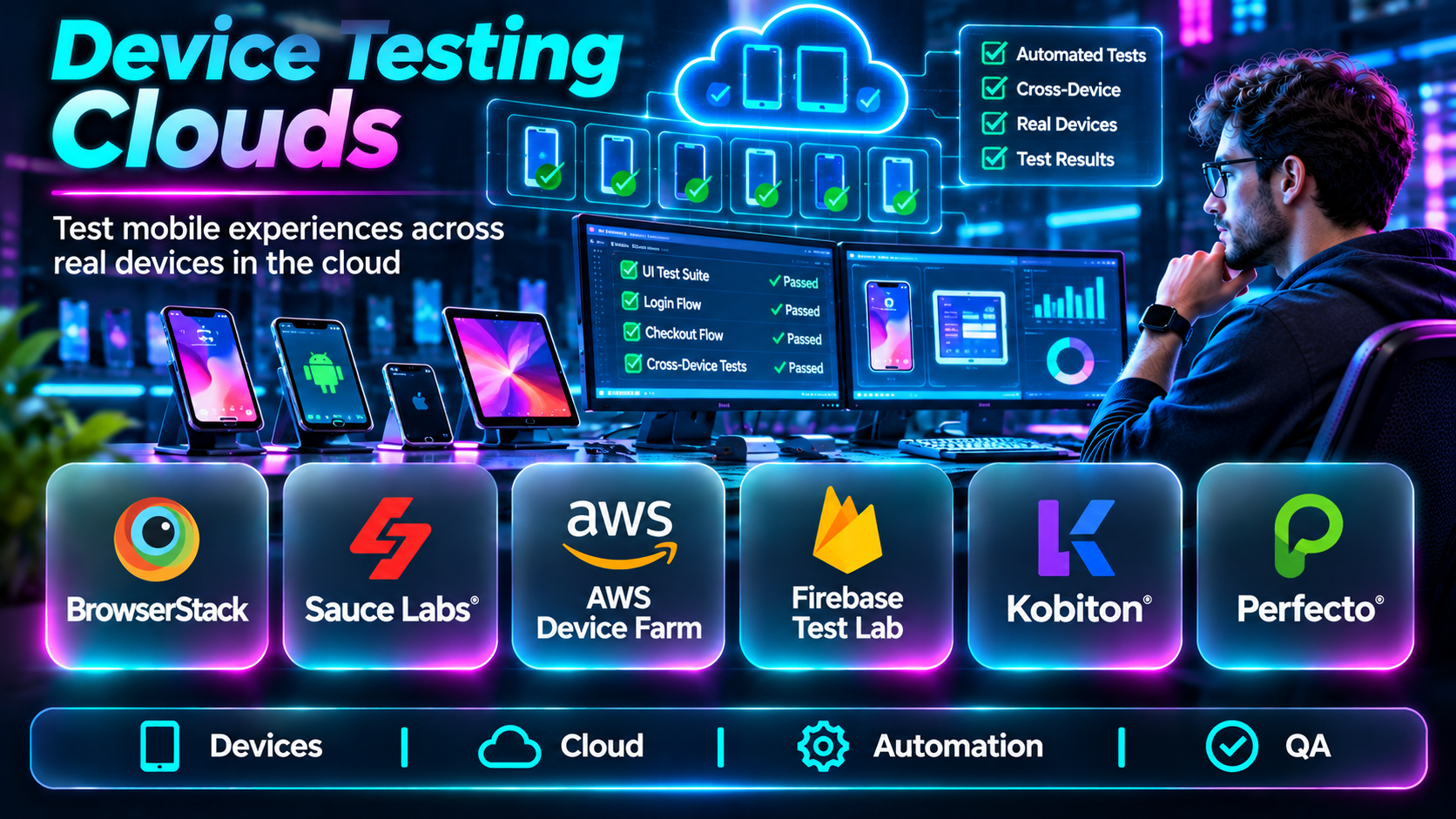
Device testing clouds solve part of this challenge by providing remote access to real devices and, in some cases, virtual devices. Engineering and QA teams can run manual tests, automate regression suites, and investigate compatibility issues without owning every device.
This guide compares ten device testing cloud solutions, explains their capabilities, and outlines practical selection criteria.
What Are Device Testing Clouds?
Device testing clouds are hosted environments that provide remote access to mobile devices for application testing.
Depending on the platform, they may support:
- Real Android and iOS devices.
- Virtual devices and emulators.
- Manual interactive testing.
- Automated test execution.
- Parallel test sessions.
- App installation and debugging.
- Screenshots, videos, and logs.
- Integration with continuous integration and delivery pipelines.
Device testing clouds help improve coverage, but they do not eliminate the need for carefully designed test cases and representative production monitoring.
Top 10 Device Testing Clouds
1. BrowserStack App Live and App Automate
Short Description
BrowserStack offers cloud-based mobile application testing through products such as App Live and App Automate.
App Live supports interactive testing on remote devices, while App Automate supports automated testing workflows. Together, they help teams validate applications across multiple device and operating system combinations.
BrowserStack is particularly attractive to organizations that need both exploratory testing and repeatable automated regression coverage.
Key Features
- Real-device access: Test applications on supported physical mobile devices.
- Manual testing: Interact with apps remotely.
- Automation support: Run supported mobile automation frameworks.
- Parallel execution: Reduce test-suite duration.
- Device selection: Choose devices and OS versions.
- Debugging artifacts: Review logs, screenshots, and recordings.
- CI/CD integration: Connect automated testing to build pipelines.
- Team collaboration: Share testing results and workflows.
Benefits
BrowserStack reduces the need to maintain an extensive in-house device inventory while supporting both manual and automated quality assurance.
Pros
- Broad real-device testing capabilities.
- Supports manual and automated workflows.
- Useful debugging artifacts.
- Suitable for distributed QA teams.
Cons
- Device availability can vary.
- High concurrency may increase costs.
- Remote testing may not reproduce every physical environment.
Use Cases
Mobile regression testing, device compatibility checks, and release validation.
Best For: Teams needing broad mobile testing coverage.
2. Sauce Labs
Short Description
Sauce Labs provides cloud-based testing infrastructure for mobile applications and browsers. Its mobile testing capabilities include access to supported real and virtual devices.
The platform is particularly relevant to organizations running automated quality assurance pipelines across web and mobile products.
Sauce Labs emphasizes scalable test execution, integration with automation frameworks, and centralized test results.
Key Features
- Real-device testing.
- Virtual-device testing options.
- Mobile automation support.
- Manual testing capabilities.
- Parallel execution.
- Test logs and recordings.
- CI/CD integrations.
- Centralized test reporting.
Benefits
Sauce Labs helps engineering teams standardize automated testing across multiple environments.
Pros
- Established testing infrastructure.
- Broad automation orientation.
- Mobile and browser testing capabilities.
- Useful enterprise workflows.
Cons
- Concurrency planning affects cost.
- Test infrastructure requires configuration.
- Some advanced capabilities depend on commercial packages.
Use Cases
Automated mobile regression, cross-platform testing, and enterprise release pipelines.
Best For: Organizations scaling automated testing.
3. AWS Device Farm
Short Description
AWS Device Farm is a cloud testing service for running applications against supported real mobile devices and testing environments.
It allows developers to upload application builds, execute supported tests, and inspect test results without maintaining a large physical device laboratory.
Device Farm is especially relevant to teams already using AWS infrastructure and automated delivery pipelines.
Key Features
- Real mobile device testing.
- Automated test execution.
- Remote device access options.
- Test scheduling.
- Device and OS selection.
- Test logs.
- Screenshots and recordings.
- AWS workflow integration.
Benefits
AWS Device Farm provides scalable device testing infrastructure within a familiar cloud ecosystem.
Pros
- AWS ecosystem integration.
- Real-device testing.
- Automated testing support.
- Useful diagnostic artifacts.
Cons
- Device selection depends on availability.
- Framework support should be verified.
- Costs depend on testing usage and access models.
Use Cases
Testing Android and iOS builds, validating releases, and running cloud-based mobile regression tests.
Best For: AWS-oriented development teams.
4. Kobiton
Short Description
Kobiton provides mobile device testing capabilities with an emphasis on real-device access and automation.
The platform helps teams execute manual tests, automate supported scenarios, and investigate mobile application behavior across devices.
Kobiton is particularly relevant to organizations that need deeper control over mobile device testing and want to connect testing with enterprise quality processes.
Key Features
- Real-device testing.
- Manual device sessions.
- Automated test execution.
- Device management options.
- Test session recordings.
- Diagnostic logs.
- Automation workflow support.
- Enterprise testing integrations.
Benefits
Kobiton helps teams validate application behavior on physical devices while reducing manual testing overhead.
Pros
- Mobile testing specialization.
- Real-device orientation.
- Useful automation capabilities.
- Enterprise deployment options.
Cons
- Implementation requires evaluation.
- Device availability varies.
- Commercial licensing needs review.
Use Cases
Mobile regression testing, device-specific debugging, and enterprise application validation.
Best For: Dedicated mobile QA organizations.
5. LambdaTest
Short Description
LambdaTest offers cloud-based browser and mobile application testing capabilities, including real-device testing through its mobile testing products.
Its broader testing ecosystem is useful for organizations maintaining both mobile applications and browser-based experiences.
The platform supports automated and manual testing workflows, helping teams centralize compatibility testing.
Key Features
- Real mobile device access.
- Interactive application testing.
- Mobile test automation.
- Parallel execution.
- Browser testing integration.
- Test logs and artifacts.
- CI/CD support.
- Team collaboration.
Benefits
LambdaTest provides a common testing environment for teams with web and mobile quality requirements.
Pros
- Mobile and browser testing.
- Supports automated workflows.
- Useful parallel execution.
- Relevant to distributed teams.
Cons
- Feature availability varies by plan.
- Concurrency limits need review.
- Test setup requires framework compatibility checks.
Use Cases
Testing mobile apps and responsive web experiences, validating releases, and automating regression tests.
Best For: Teams combining mobile and web testing.
6. Perfecto
Short Description
Perfecto is an enterprise-focused testing platform that provides mobile and web testing capabilities.
It is designed for organizations that require repeatable automated testing, device coverage, and reporting across complex application portfolios.
Perfecto is particularly relevant when testing must be integrated into formal quality assurance and release governance processes.
Key Features
- Real-device cloud testing.
- Mobile test automation.
- Manual testing.
- Parallel execution.
- Test reporting.
- Debugging artifacts.
- CI/CD integrations.
- Enterprise testing workflows.
Benefits
Perfecto helps organizations standardize testing across devices and teams.
Pros
- Enterprise testing focus.
- Mobile and web coverage.
- Automation support.
- Useful centralized reporting.
Cons
- Commercial evaluation is important.
- Setup may require dedicated expertise.
- Smaller teams may not need the full platform.
Use Cases
Enterprise mobile regression, regulated application testing, and large-scale release validation.
Best For: Enterprise QA teams.
7. HeadSpin
Short Description
HeadSpin provides digital experience testing and performance analysis capabilities using device infrastructure and diagnostic tooling.
Its focus extends beyond functional correctness. Teams can investigate performance and user-experience behavior under relevant device and network conditions.
This makes HeadSpin particularly useful when mobile application quality depends on network performance, responsiveness, and real-world experience.
Key Features
- Real-device testing.
- Mobile performance analysis.
- Network-related diagnostics.
- Test automation support.
- Device access.
- Session recordings.
- Performance investigation.
- Experience-focused reporting.
Benefits
HeadSpin helps connect functional testing with mobile experience and performance diagnostics.
Pros
- Performance-oriented testing.
- Real-device focus.
- Useful network diagnostics.
- Relevant to complex mobile applications.
Cons
- Specialized capabilities may exceed basic QA needs.
- Commercial cost requires assessment.
- Infrastructure availability should be verified.
Use Cases
Investigating network-sensitive mobile behavior and validating performance across device environments.
Best For: Performance-focused mobile QA teams.
8. BitBar
Short Description
BitBar, associated with SmartBear, provides cloud-based mobile device testing capabilities.
It supports testing on real devices and helps teams execute automated tests without owning the complete device infrastructure.
BitBar is relevant to organizations that want mobile test automation integrated with broader software quality workflows.
Key Features
- Real-device cloud testing.
- Automated mobile testing.
- Device selection.
- Parallel test execution.
- Test results.
- Logs and debugging artifacts.
- Automation framework support.
- Development pipeline integration.
Benefits
BitBar supports repeatable mobile testing across multiple device configurations.
Pros
- Mobile testing focus.
- Automation capabilities.
- Real-device access.
- Suitable for regression testing.
Cons
- Teams should verify current product packaging.
- Device coverage varies.
- Commercial access requirements apply.
Use Cases
Mobile compatibility testing and automated application regression.
Best For: Mobile automation teams.
9. TestingBot
Short Description
TestingBot provides cloud-based browser and mobile application testing services.
Its mobile testing capabilities allow teams to run supported manual and automated tests across remote device environments.
TestingBot can be an option for development teams seeking straightforward access to testing infrastructure without building a large internal lab.
Key Features
- Mobile application testing.
- Real-device access options.
- Automated testing.
- Manual sessions.
- Parallel execution.
- Test recordings.
- Logs and screenshots.
- CI/CD integrations.
Benefits
TestingBot helps teams execute device tests remotely and review results in a centralized environment.
Pros
- Browser and mobile testing.
- Automation support.
- Useful debugging artifacts.
- Suitable for distributed developers.
Cons
- Device coverage should be confirmed.
- Concurrency depends on plan.
- Enterprise requirements may need additional evaluation.
Use Cases
Regression testing, remote debugging, and compatibility validation.
Best For: Small and medium development teams.
10. Firebase Test Lab
Short Description
Firebase Test Lab provides cloud-based testing infrastructure for supported Android and Apple application testing workflows.
It helps developers run tests against hosted device environments and review results such as logs, screenshots, and execution outcomes.
Firebase Test Lab is especially attractive to teams already using Firebase services and seeking automated testing within their development pipeline.
Key Features
- Cloud-hosted application testing.
- Physical and virtual device options where supported.
- Android testing capabilities.
- Supported Apple platform testing workflows.
- Automated test execution.
- Test result artifacts.
- Firebase integration.
- CI/CD workflow support.
Benefits
Firebase Test Lab provides accessible device testing infrastructure for teams using the Firebase ecosystem.
Pros
- Firebase integration.
- Cloud-based test execution.
- Useful test artifacts.
- Suitable for automated workflows.
Cons
- Platform and framework support varies.
- Not a substitute for every manual testing scenario.
- Device availability and usage costs require review.
Use Cases
Automated app testing, compatibility checks, and release validation.
Best For: Firebase-based mobile development teams.
Device Testing Clouds Comparison Table
| Platform | Primary Strength | Best For | Consideration |
|---|---|---|---|
| BrowserStack | Broad real-device testing | Mobile QA teams | Concurrency cost |
| Sauce Labs | Automated testing infrastructure | Enterprise automation | Configuration |
| AWS Device Farm | AWS-integrated device testing | AWS teams | Device availability |
| Kobiton | Mobile-focused device testing | Dedicated mobile QA | Commercial evaluation |
| LambdaTest | Web and mobile testing | Cross-platform teams | Plan differences |
| Perfecto | Enterprise test workflows | Large QA organizations | Implementation effort |
| HeadSpin | Performance-oriented device testing | Experience testing | Specialized scope |
| BitBar | Mobile automation | Regression teams | Product packaging |
| TestingBot | Cloud test execution | Smaller development teams | Device coverage |
| Firebase Test Lab | Firebase-connected testing | Mobile developers | Platform limitations |
How to Choose the Right Device Testing Cloud
Device Coverage
Evaluate the actual device models, operating system versions, and hardware characteristics available.
Real Versus Virtual Devices
Real devices are useful for hardware-sensitive behavior. Virtual devices can be efficient for certain functional tests.
Automation Compatibility
Confirm support for your test frameworks, build artifacts, and CI/CD environment.
Parallel Execution
Estimate how many simultaneous tests are needed to meet release deadlines.
Debugging Capabilities
Look for screenshots, recordings, logs, crash information, and useful test failure diagnostics.
Security and Data Handling
Determine how test builds, credentials, test accounts, and customer-like data are stored and removed.
Total Cost
Compare subscription pricing, device minutes, concurrency, private device options, and maintenance requirements.
Best Device Testing Clouds by User Type
| User Type | Recommended Starting Point |
|---|---|
| General mobile QA team | BrowserStack |
| Large automation team | Sauce Labs |
| AWS development team | AWS Device Farm |
| Specialized mobile QA team | Kobiton |
| Web and mobile testing team | LambdaTest |
| Enterprise QA department | Perfecto |
| Mobile performance team | HeadSpin |
| Firebase development team | Firebase Test Lab |
Practical Example: Testing a Mobile Banking Application
A bank needs to validate its application before a major release.
Step 1: Identify important device models and OS versions from production analytics.
Step 2: Create a device coverage matrix.
Step 3: Select critical scenarios such as login, account balance, transfers, and authentication.
Step 4: Automate repeatable workflows using a supported framework.
Step 5: Run tests in parallel on representative devices.
Step 6: Perform manual exploratory testing for gestures, accessibility, and unexpected interactions.
Step 7: Collect screenshots, logs, and recordings for failures.
Step 8: Fix defects and rerun affected scenarios.
Step 9: Include test results in release approval.
Frequently Asked Questions
1. What is a device testing cloud?
A hosted service that provides remote access to devices for application testing.
2. Are cloud devices real?
Many platforms offer physical devices; some also provide virtual environments.
3. What is the difference between real devices and emulators?
Real devices use physical hardware, while emulators simulate supported device environments.
4. Can device clouds test iOS applications?
Yes, several providers support iOS testing.
5. Can device clouds test Android applications?
Yes, Android testing is widely supported.
6. Do they support automated tests?
Most major platforms support selected automation frameworks.
7. What is parallel testing?
Running multiple tests simultaneously.
8. Can testers interact with remote devices manually?
Yes, many platforms offer interactive sessions.
9. Can device clouds replace all physical testing?
No. Some hardware, accessory, and environmental scenarios still need local testing.
10. What are test artifacts?
Logs, screenshots, recordings, and other evidence produced during testing.
11. Why is device fragmentation important?
Different devices and OS versions can behave differently.
12. Can cloud testing integrate with CI/CD?
Yes, many providers support automated pipeline integration.
13. How should device coverage be selected?
Use production device analytics, risk, customer demographics, and platform requirements.
14. Is testing on more devices always better?
Not necessarily. Representative coverage and strong test design matter more than raw device counts.
15. What is the main selection factor?
The combination of device coverage, automation compatibility, debugging quality, and cost.
Final Thoughts
Device testing clouds make it practical to validate applications across a wider range of environments. BrowserStack and Sauce Labs offer broad testing capabilities, AWS Device Farm and Firebase Test Lab fit naturally into their respective cloud ecosystems, and platforms such as Kobiton, Perfecto, and HeadSpin address specialized mobile quality requirements.
The best choice depends on the devices your customers actually use, the tests your team needs to run, and how reliably results feed into release decisions.
