Introduction
Creative approval is one of the most challenging stages of content production.
Designers, marketers, video editors, clients, and compliance reviewers often need to evaluate the same files before publication. When feedback arrives through email, chat messages, screenshots, and disconnected documents, teams can lose track of comments and approved versions.
Digital proofing tools provide a structured environment for reviewing creative work.
Instead of sending files repeatedly, teams can upload proofs, invite reviewers, annotate specific areas, compare versions, and document approval decisions.
These platforms are especially valuable for marketing agencies, video production teams, packaging designers, and organizations with formal brand or regulatory requirements.
However, digital proofing products differ in supported file formats, annotation methods, approval controls, and integration capabilities.
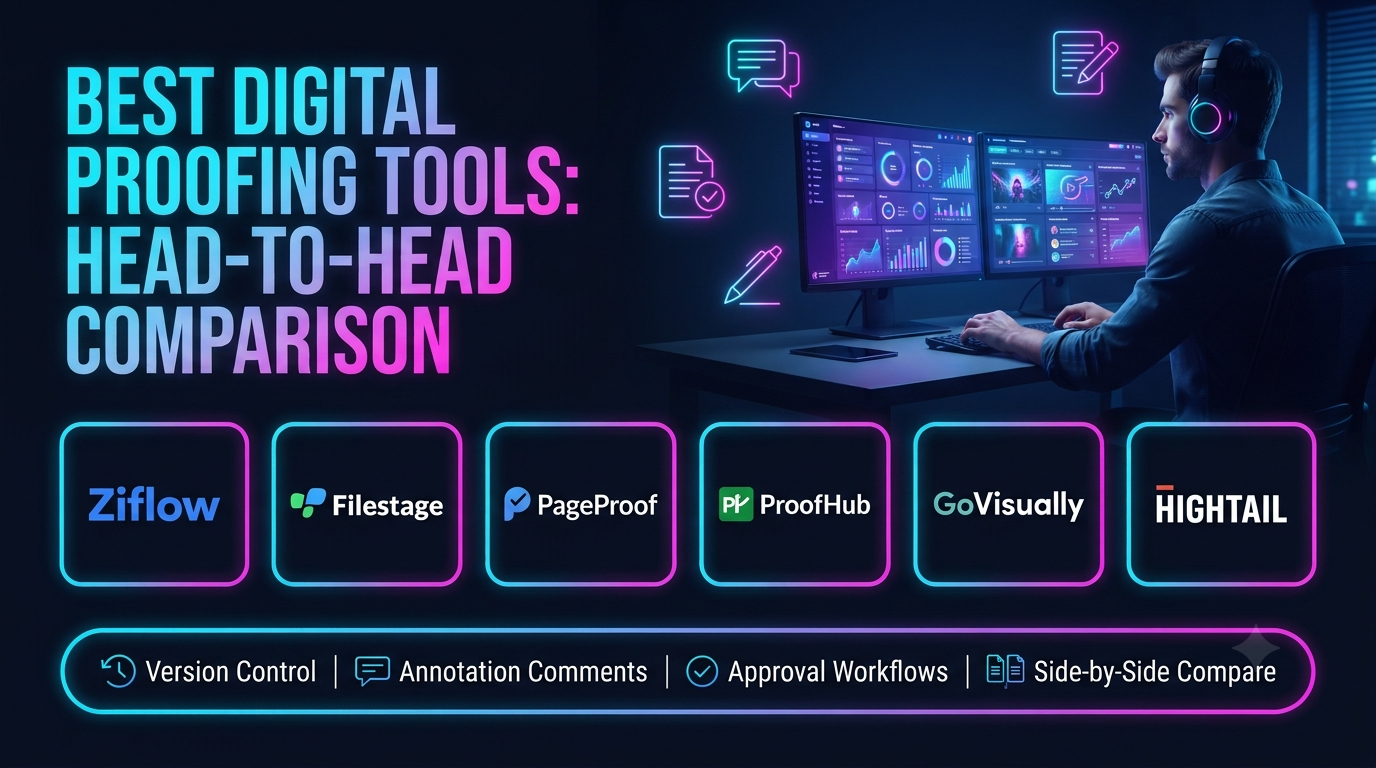
This guide compares ten digital proofing tools and explains how to choose software that improves review accuracy, collaboration, and production efficiency.
What Are Digital Proofing Tools?
Digital proofing tools are applications that help teams review, comment on, revise, and approve creative content.
They may support:
- Images and design files.
- PDFs and documents.
- Video and audio.
- Websites and digital experiences.
- Packaging artwork.
- Advertising materials.
- Marketing presentations.
Typical features include visual annotations, timestamped comments, version comparisons, approval workflows, reviewer permissions, and audit trails.
The objective is to ensure that feedback is attached to the correct content and that final approval is clearly documented.
Top 10 Digital Proofing Tools
1. Ziflow
Short Description
Ziflow is an online proofing platform designed for creative review and approval workflows.
It helps teams collect contextual feedback on supported creative files, coordinate revisions, and manage approval decisions.
Ziflow is particularly relevant to marketing organizations and agencies with multiple stakeholders and formal review requirements.
Key Features
- Visual annotations: Allows reviewers to comment on specific content areas.
- Video proofing: Supports feedback linked to media timelines.
- Version comparison: Helps reviewers identify changes.
- Approval workflows: Coordinates review stages.
- Reviewer permissions: Controls participation.
- Workflow automation: Reduces manual routing.
- Audit history: Records review activity.
- Integrations: Connects proofing with other work systems.
Benefits
Ziflow reduces fragmented feedback and improves clarity around approvals.
Pros
- Dedicated proofing capabilities.
- Multiple content formats.
- Structured approvals.
- Version management.
- Agency and enterprise relevance.
Cons
- Commercial subscription.
- Workflow configuration required.
- May exceed simple review needs.
- File support should be tested.
Use Cases
Campaign approvals, design reviews, and regulated marketing content.
Best For: Creative operations teams.
2. Filestage
Short Description
Filestage provides online proofing and approval software for creative teams.
It helps organizations share content with reviewers, collect comments, and track approval status.
Filestage is particularly useful for agencies and marketing teams that want a straightforward review experience for internal and external stakeholders.
Key Features
- Online file review.
- Visual annotations.
- Video feedback.
- Approval tracking.
- Version management.
- Reviewer collaboration.
- Notifications.
- Workflow organization.
Benefits
Filestage helps teams centralize creative feedback and reduce approval delays.
Pros
- Accessible review experience.
- External stakeholder collaboration.
- Version tracking.
- Approval workflows.
- Multiple media formats.
Cons
- Commercial cost.
- Advanced automation depends on plan.
- Not a full project management suite.
- Large workflows require governance.
Use Cases
Agency client approvals and marketing content reviews.
Best For: Marketing agencies.
3. Frame.io
Short Description
Frame.io is a video collaboration and review platform associated with Adobe.
It helps video production teams share footage, collect frame-specific feedback, and coordinate post-production.
Frame.io is especially relevant to editors, producers, and stakeholders reviewing video content.
Key Features
- Video review.
- Frame-specific comments.
- Media sharing.
- Version workflows.
- Collaboration.
- Review links.
- Adobe workflow integration.
- Production coordination.
Benefits
Frame.io helps video teams communicate precise feedback during editing.
Pros
- Video review specialization.
- Timestamped feedback.
- Production team relevance.
- Adobe ecosystem connectivity.
- Remote collaboration.
Cons
- Primarily media-production oriented.
- Broader document proofing needs may require other tools.
- Storage and plan limits.
- Workflow adoption required.
Use Cases
Video editing, commercial production, and post-production review.
Best For: Video production teams.
4. GoVisually
Short Description
GoVisually provides online proofing and collaboration capabilities for reviewing creative designs.
It helps teams gather visual feedback and manage revisions without relying on scattered email conversations.
GoVisually is particularly relevant to graphic designers, agencies, and marketing teams.
Key Features
- Image proofing.
- PDF review.
- Visual annotations.
- Client feedback.
- Version tracking.
- Approval workflows.
- Collaboration.
- Notifications.
Benefits
GoVisually simplifies feedback collection for visual creative work.
Pros
- Design review focus.
- Accessible client feedback.
- Visual comments.
- Revision management.
- Suitable for smaller teams.
Cons
- Less extensive enterprise governance.
- File format support should be checked.
- Commercial subscription.
- Limited broader project planning.
Use Cases
Graphic design approvals and client artwork review.
Best For: Small design agencies.
5. PageProof
Short Description
PageProof is an online proofing platform supporting creative review and approval processes.
It helps teams coordinate feedback across supported file types and maintain structured approval workflows.
PageProof is particularly useful when organizations need review stages, version history, and clear accountability.
Key Features
- Online proofing.
- Visual comments.
- Approval workflows.
- Version comparison.
- Reviewer management.
- File sharing.
- Workflow automation.
- Audit information.
Benefits
PageProof helps teams standardize reviews and document approvals.
Pros
- Structured proofing.
- Multiple reviewer workflows.
- Version management.
- Approval tracking.
- Creative operations relevance.
Cons
- Commercial cost.
- Configuration requirements.
- Not a complete DAM.
- Integration needs vary.
Use Cases
Marketing collateral and design approval.
Best For: Teams with formal review processes.
6. ProofHub
Short Description
ProofHub is a project management and collaboration platform with online proofing capabilities.
It allows teams to coordinate tasks and review supported files within a broader project environment.
ProofHub is particularly relevant to organizations that want project tracking and creative feedback in one system.
Key Features
- Project management.
- File proofing.
- Visual feedback.
- Task assignment.
- Collaboration.
- Project discussions.
- File organization.
- Progress tracking.
Benefits
ProofHub connects creative feedback with project execution.
Pros
- Project and proofing combination.
- Team collaboration.
- Task tracking.
- Centralized work.
- Agency relevance.
Cons
- Specialized proofing depth may differ from dedicated tools.
- Configuration required.
- Advanced media workflows should be tested.
- Commercial subscription.
Use Cases
Creative project reviews and agency collaboration.
Best For: Teams wanting integrated project management.
7. ReviewStudio
Short Description
ReviewStudio provides online proofing and creative review capabilities.
It supports visual feedback, version management, and approval workflows for creative assets.
ReviewStudio is relevant to agencies and production teams seeking a dedicated review environment.
Key Features
- Visual proofing.
- Video review.
- Annotation tools.
- Version comparison.
- Approval tracking.
- Collaboration.
- Review history.
- File sharing.
Benefits
ReviewStudio helps teams organize revisions and reduce ambiguous feedback.
Pros
- Creative review focus.
- Multiple media formats.
- Version comparison.
- Client collaboration.
- Approval support.
Cons
- Commercial pricing.
- Workflow setup.
- Not a complete project management system.
- Format support varies.
Use Cases
Agency proofs, video review, and design approvals.
Best For: Creative agencies.
8. Ashore
Short Description
Ashore provides proofing and approval workflow software for creative projects.
It helps teams distribute proofs, gather comments, and follow up with reviewers.
Ashore is especially relevant to organizations where approval delays and repeated follow-ups create operational bottlenecks.
Key Features
- Proof sharing.
- Approval workflows.
- Automated reminders.
- Visual annotations.
- Version management.
- Reviewer collaboration.
- Approval status tracking.
- Reporting.
Benefits
Ashore helps reduce manual follow-up and maintain approval visibility.
Pros
- Approval workflow focus.
- Automated reminders.
- Client review support.
- Practical collaboration.
- Revision tracking.
Cons
- Less extensive project management.
- Commercial subscription.
- Workflow design required.
- Specialized media requirements should be verified.
Use Cases
Client approvals and creative production.
Best For: Agencies managing frequent reviews.
9. Approval Studio
Short Description
Approval Studio is an online proofing platform focused on reviewing and approving creative assets.
It provides tools for comparing versions, annotating designs, and managing feedback.
Approval Studio is particularly relevant to packaging, graphic design, and visual production teams.
Key Features
- Artwork proofing.
- Visual annotations.
- Version comparison.
- Approval management.
- Collaboration.
- File review.
- Comment tracking.
- Workflow organization.
Benefits
Approval Studio helps design teams identify changes and document review decisions.
Pros
- Visual artwork focus.
- Comparison tools.
- Feedback organization.
- Approval workflows.
- Design team relevance.
Cons
- Specialized scope.
- Commercial cost.
- Advanced project planning may require another tool.
- Integration requirements vary.
Use Cases
Packaging design and graphic artwork approval.
Best For: Design and packaging teams.
10. Wrike
Short Description
Wrike is a work management platform that includes proofing and approval capabilities in supported offerings.
It helps teams connect creative reviews with project schedules, task assignments, and resource planning.
Wrike is particularly relevant when proofing is one component of a larger creative production workflow.
Key Features
- Creative proofing.
- Approval workflows.
- Project management.
- Task dependencies.
- Resource planning.
- Collaboration.
- Reporting.
- Workflow automation.
Benefits
Wrike helps teams manage approvals without separating them entirely from project delivery.
Pros
- Integrated project workflows.
- Creative review support.
- Resource management.
- Reporting.
- Enterprise applications.
Cons
- Proofing features depend on plan.
- Configuration complexity.
- Commercial investment.
- Dedicated proofing tools may offer different review depth.
Use Cases
Marketing production and agency creative workflows.
Best For: Teams combining proofing and project management.
Digital Proofing Tools Comparison Table
| Platform | Main Strength | Best For | Main Limitation |
|---|---|---|---|
| Ziflow | Structured proofing | Creative operations | Configuration |
| Filestage | Accessible approvals | Agencies | Advanced feature limits |
| Frame.io | Video review | Production teams | Media focus |
| GoVisually | Design feedback | Small agencies | Enterprise depth |
| PageProof | Approval workflows | Marketing teams | Setup |
| ProofHub | Projects and proofing | Collaborative teams | Specialized depth |
| ReviewStudio | Creative reviews | Agencies | Broader planning |
| Ashore | Approval automation | Client-service teams | Specialized scope |
| Approval Studio | Artwork comparison | Packaging teams | Project management |
| Wrike | Integrated work management | Creative departments | Complexity |
How to Choose the Right Digital Proofing Tool
Identify File Formats
Test the actual images, PDFs, videos, and design files your team reviews.
Evaluate Annotation Precision
Comments should clearly identify the relevant area, page, frame, or timestamp.
Review Version Comparison
The platform should make changes between versions easy to understand.
Assess Approval Workflows
Determine whether reviews require sequential stages, parallel reviewers, or formal sign-off.
Consider External Reviewers
Clients and external stakeholders should be able to participate without unnecessary technical barriers.
Examine Notifications
Reminders should reduce delays without overwhelming reviewers.
Review Audit History
Organizations with compliance requirements may need clear records of decisions.
Evaluate Integrations
Project management, storage, and creative applications may need to connect.
Assess Security
Review access controls, sharing restrictions, and retention policies.
Compare Total Cost
Consider reviewer seats, storage, supported formats, automation, and integrations.
Best Digital Proofing Software by User Type
| User Type | Recommended Platform |
|---|---|
| Enterprise creative operations | Ziflow |
| Marketing agency | Filestage |
| Video editor | Frame.io |
| Small graphic design studio | GoVisually |
| Structured marketing review team | PageProof |
| Project management team | ProofHub |
| Creative agency producer | ReviewStudio |
| Client approval coordinator | Ashore |
| Packaging designer | Approval Studio |
| Creative project manager | Wrike |
Practical Example: Approving a Product Advertising Video
A marketing agency produces a 45-second product advertisement.
Step 1: Upload the first edit to the proofing platform.
Step 2: Invite the creative director, client, brand manager, and legal reviewer.
Step 3: Assign appropriate review deadlines.
Step 4: Collect timestamped comments.
Step 5: Consolidate conflicting feedback.
Step 6: Assign revision responsibilities.
Step 7: Upload the revised version.
Step 8: Compare changes against the previous edit.
Step 9: Request formal approval from authorized stakeholders.
Step 10: Record the approved version.
Step 11: Transfer the final asset to the publishing team.
Step 12: Archive the review history for future reference.
Frequently Asked Questions
1. What is digital proofing?
Reviewing and approving digital content through a structured system.
2. What is online proofing software?
Software that enables collaborative feedback and approval of creative files.
3. What is a proof?
A version of content submitted for review.
4. What is a visual annotation?
A comment attached to a specific content location.
5. What is timestamped feedback?
A comment associated with a specific point in media.
6. What is version comparison?
Reviewing differences between successive versions.
7. Why is approval tracking important?
It identifies which content is authorized for use.
8. What is a review cycle?
A sequence of feedback and revisions.
9. Can clients review proofs?
Many platforms support external reviewers.
10. Can proofing tools handle PDFs?
Many support PDF review.
11. Can they handle video?
Several offer video-specific feedback.
12. Can they handle websites?
Some support website or web content review.
13. What is a reviewer permission?
A rule controlling a participant’s access or actions.
14. What is sequential approval?
A process where reviewers act in a defined order.
15. What is parallel approval?
Several reviewers evaluate content during the same stage.
16. What is an approval audit trail?
A record of review activity and decisions.
17. What is creative compliance?
Ensuring content follows relevant brand, legal, and regulatory requirements.
18. Can proofing software replace project management?
Usually not completely.
19. What is proofing automation?
Automated routing, reminders, or status updates.
20. Why are automated reminders useful?
They reduce manual follow-up on pending reviews.
21. What is final sign-off?
Formal authorization to use or publish content.
22. Can comments be resolved?
Many tools support comment status tracking.
23. What is a revision request?
Feedback requiring changes before approval.
24. What is an approved master file?
The final authorized version of an asset.
25. Can proofing integrate with DAM?
Some platforms offer integrations.
26. Are proofing tools useful for packaging?
Yes, especially for artwork and label reviews.
27. Can AI assist with proofing?
Some workflows use automation or AI assistance, but human review remains important.
28. How should proofing efficiency be measured?
Track review duration, revision cycles, and approval accuracy.
29. What is a common proofing mistake?
Collecting feedback from different versions without clear identification.
30. Which digital proofing tool is best?
Choose based on file formats, reviewers, approval complexity, integrations, and budget.
Final Thoughts
Digital proofing tools help creative teams organize feedback, reduce confusion, and maintain reliable approval records.
Ziflow, Filestage, PageProof, ReviewStudio, and Ashore support dedicated review workflows. Frame.io specializes in video collaboration, while Approval Studio and GoVisually address visual design needs.
ProofHub and Wrike connect review activity with broader project management.
The best platform makes feedback specific, revisions traceable, and final approval unambiguous.
