Introduction
A website that looks perfect in one browser may behave differently in another. Layouts can shift, interactive components may fail, fonts can render differently, and browser-specific behavior can interrupt important user journeys.
These problems become more complicated when teams must support different operating systems, browser versions, screen sizes, and mobile devices.
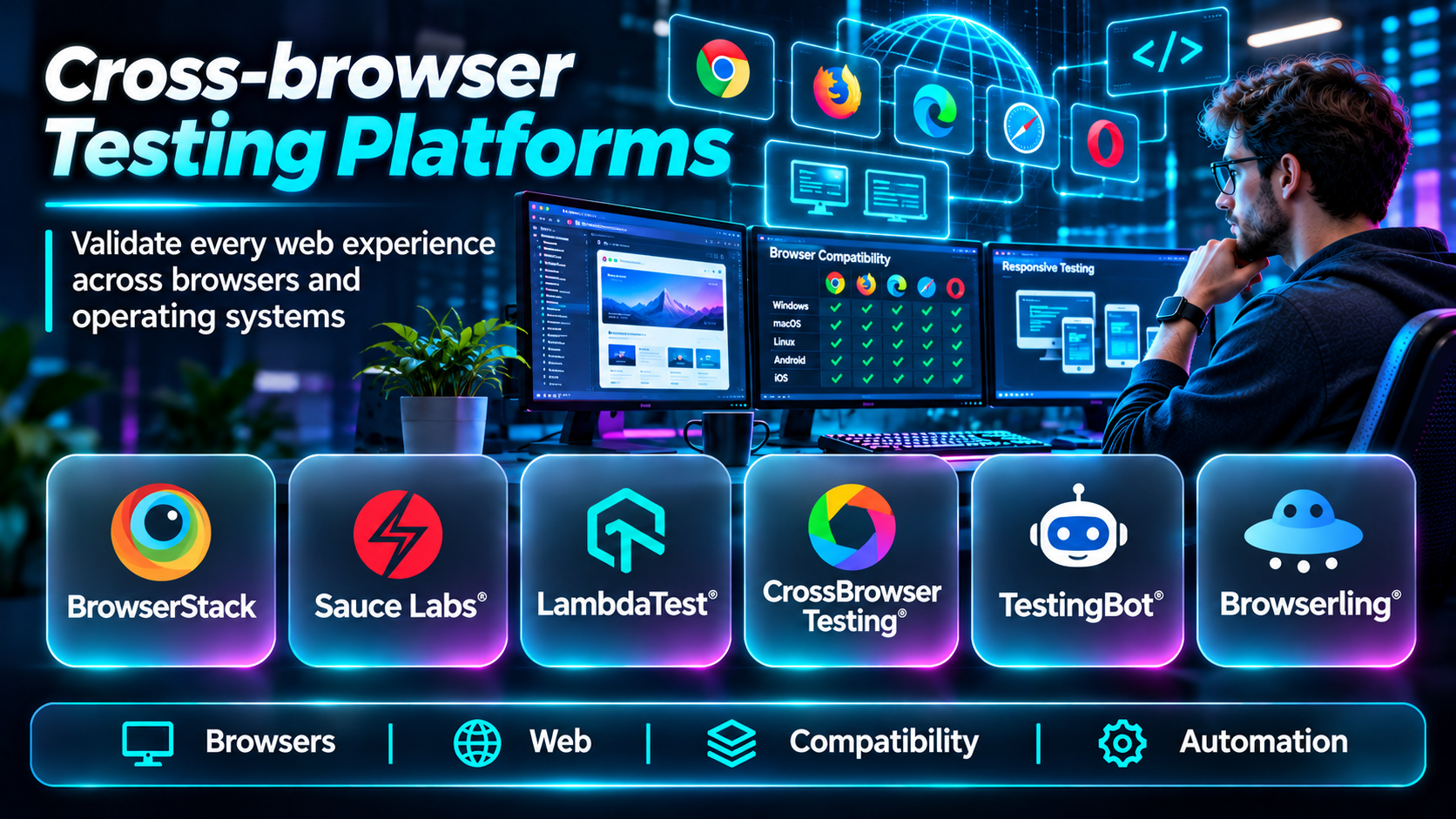
Cross-browser testing platforms help development and quality assurance teams identify compatibility problems before customers encounter them. They provide access to browser environments, automate repeatable tests, and collect diagnostic information when failures occur.
This guide compares ten cross-browser testing platforms, explains their advantages and limitations, and offers practical guidance for selecting the right solution.
What Are Cross-browser Testing Platforms?
Cross-browser testing platforms are tools or hosted services used to verify that websites and web applications work consistently across supported browsers and environments.
They may provide:
- Real desktop and mobile browsers.
- Different browser versions.
- Windows, macOS, Linux, Android, and iOS environments.
- Manual interactive testing.
- Automated browser testing.
- Screenshot and visual regression testing.
- Responsive design testing.
- Parallel test execution.
- Debugging logs and recordings.
- CI/CD pipeline integrations.
Cross-browser testing does not require every browser to produce pixel-identical results. The goal is to ensure that essential functionality, accessibility, usability, and visual presentation remain acceptable across supported environments.
Top 10 Cross-browser Testing Platforms
1. BrowserStack
Short Description
BrowserStack provides cloud-based browser and device testing services for web and mobile development teams.
Its Live product supports interactive browser testing, while Automate supports automated browser testing. BrowserStack also offers additional products for visual testing and broader quality assurance workflows.
The platform is useful when developers need to reproduce problems in browser environments they cannot easily maintain locally.
Key Features
- Real browser access: Test websites in supported browser environments.
- Cross-platform coverage: Validate behavior across operating systems.
- Interactive testing: Manually inspect web pages and workflows.
- Automated testing: Run supported browser automation frameworks.
- Parallel execution: Execute multiple tests concurrently.
- Responsive testing: Evaluate websites at different screen sizes.
- Debugging artifacts: Review screenshots, logs, and recordings.
- CI/CD integrations: Include browser tests in delivery pipelines.
Benefits
BrowserStack helps teams expand browser coverage without maintaining large local test environments.
Pros
- Broad browser and device coverage.
- Manual and automated testing.
- Useful debugging capabilities.
- Suitable for distributed development teams.
Cons
- Concurrency limits affect test speed.
- Commercial usage can become expensive.
- Remote browser behavior may differ from specialized local environments.
Use Cases
Testing responsive websites, validating checkout flows, and investigating browser-specific bugs.
Best For: Web development and QA teams needing broad coverage.
2. Sauce Labs
Short Description
Sauce Labs provides cloud testing infrastructure for browser and mobile application testing.
Its platform is designed to support automated testing at scale, making it particularly relevant to engineering teams with substantial regression suites.
Organizations can use Sauce Labs to run supported browser automation tests across different environments while collecting centralized results.
Key Features
- Cloud browser testing.
- Automated test execution.
- Selenium compatibility.
- Supported modern automation frameworks.
- Parallel execution.
- Test logs and recordings.
- CI/CD integrations.
- Enterprise test reporting.
Benefits
Sauce Labs supports standardized browser automation across distributed teams and release pipelines.
Pros
- Strong automation orientation.
- Enterprise testing capabilities.
- Broad browser environment support.
- Useful test execution reporting.
Cons
- Requires automation expertise.
- Concurrency planning affects cost.
- Test infrastructure setup can be involved.
Use Cases
Large regression suites, automated release validation, and enterprise web testing.
Best For: Organizations scaling browser automation.
3. LambdaTest
Short Description
LambdaTest provides cloud-based browser testing, mobile testing, and automated test execution capabilities.
Its platform supports manual browser sessions and automation workflows, helping teams verify compatibility across browsers and operating systems.
LambdaTest is particularly relevant to development organizations that need flexible browser coverage and parallel testing.
Key Features
- Interactive browser testing.
- Automated browser testing.
- Multiple browser environments.
- Responsive web testing.
- Parallel execution.
- Screenshot capture.
- Debugging artifacts.
- CI/CD integrations.
Benefits
LambdaTest helps teams run browser compatibility tests without maintaining every environment internally.
Pros
- Manual and automated workflows.
- Broad browser testing capabilities.
- Parallel execution options.
- Useful for web and mobile testing teams.
Cons
- Features vary by subscription.
- Concurrency affects cost.
- Framework and browser support should be checked.
Use Cases
Testing ecommerce websites, validating responsive interfaces, and running automated regression suites.
Best For: Cross-platform web QA teams.
4. TestingBot
Short Description
TestingBot offers cloud-based automated and manual testing across supported browsers and devices.
It is designed to help development teams run browser tests remotely, collect results, and integrate testing with automated delivery workflows.
TestingBot can be particularly useful for organizations that want hosted browser infrastructure without building and maintaining a large internal Selenium grid.
Key Features
- Cloud browser sessions.
- Selenium test execution.
- Manual browser testing.
- Browser and OS combinations.
- Parallel testing.
- Screenshots and videos.
- Test logs.
- CI/CD integration.
Benefits
TestingBot reduces the infrastructure work associated with browser compatibility testing.
Pros
- Hosted browser infrastructure.
- Automation support.
- Manual testing options.
- Useful test artifacts.
Cons
- Browser availability should be verified.
- Plan limits affect concurrency.
- Some advanced enterprise requirements need evaluation.
Use Cases
Automated web regression, browser-specific debugging, and compatibility testing.
Best For: Small and medium engineering teams.
5. Perfecto
Short Description
Perfecto is an enterprise testing platform supporting web and mobile quality assurance.
Its browser testing capabilities are relevant to organizations that need centralized execution, automation, and reporting across complex application portfolios.
Perfecto is especially useful where testing forms part of formal release management and quality governance.
Key Features
- Web browser testing.
- Test automation support.
- Mobile testing integration.
- Parallel execution.
- Test reporting.
- Diagnostic artifacts.
- CI/CD integration.
- Enterprise testing workflows.
Benefits
Perfecto helps organizations coordinate browser and mobile quality assurance in a common testing strategy.
Pros
- Enterprise-oriented workflows.
- Web and mobile testing.
- Automation support.
- Centralized reporting.
Cons
- Commercial investment requires review.
- Setup can be complex.
- May be excessive for small websites.
Use Cases
Enterprise web application testing, regulated workflows, and large release pipelines.
Best For: Enterprise QA departments.
6. Playwright
Short Description
Playwright is an open-source browser automation framework developed by Microsoft.
It supports automated testing across Chromium, Firefox, and WebKit browser engines, allowing teams to verify application behavior in different rendering environments.
Unlike hosted browser testing services, Playwright is primarily a testing framework. Teams can run it locally, in CI environments, or with compatible hosted infrastructure.
Its strongest advantage is developer-friendly automation with reliable browser control and modern testing features.
Key Features
- Multiple browser engines: Supports Chromium, Firefox, and WebKit.
- Automatic waiting: Helps reduce timing-related test failures.
- Browser contexts: Supports isolated test environments.
- Network interception: Enables controlled API and network testing.
- Screenshots: Captures visual output.
- Trace viewer: Supports investigation of test failures.
- Parallel execution: Speeds up automated suites.
- CI integration: Runs within automated build pipelines.
Benefits
Playwright provides strong control over automated browser testing without requiring a commercial cloud service.
Pros
- Open source.
- Modern automation capabilities.
- Strong debugging tools.
- Good developer experience.
Cons
- Teams manage execution infrastructure unless using a hosted service.
- Browser engine coverage does not equal every branded browser version.
- Requires programming and test maintenance.
Use Cases
End-to-end testing, UI regression, authentication testing, and automated browser validation.
Best For: Developer-led testing teams.
7. Selenium
Short Description
Selenium is an open-source browser automation ecosystem widely used for automated web application testing.
Its WebDriver standard allows tests to interact with supported browsers using browser automation drivers and compatible tooling.
Selenium is especially useful for organizations with existing automation frameworks, language-specific testing infrastructure, and requirements for flexible browser execution.
Key Features
- WebDriver browser automation.
- Multiple programming language bindings.
- Cross-browser execution.
- Selenium Grid.
- Parallel test infrastructure.
- Integration with testing frameworks.
- CI/CD compatibility.
- Open-source ecosystem.
Benefits
Selenium offers flexibility and broad integration possibilities for browser automation.
Pros
- Mature open-source ecosystem.
- Broad browser support.
- Multiple programming languages.
- Flexible infrastructure choices.
Cons
- Test stability depends on implementation quality.
- Grid infrastructure requires maintenance.
- Debugging can require additional tools.
Use Cases
Enterprise regression suites, browser automation frameworks, and custom testing infrastructure.
Best For: Teams needing flexible, established automation.
8. Cypress
Short Description
Cypress is a web application testing framework designed to make frontend and end-to-end testing approachable for JavaScript and TypeScript development teams.
It provides an interactive test runner and debugging features that help developers inspect application behavior during test execution.
Cypress supports browser testing in supported environments and offers a commercial cloud service for test orchestration and reporting.
Key Features
- End-to-end web testing.
- Component testing.
- Interactive test runner.
- Automatic waiting.
- Network request interception.
- Screenshots and videos.
- Test debugging tools.
- Cypress Cloud integration.
Benefits
Cypress helps frontend developers create and maintain automated tests close to their application code.
Pros
- Developer-friendly testing workflow.
- Strong debugging experience.
- Good JavaScript ecosystem integration.
- Supports component and end-to-end tests.
Cons
- Browser coverage and execution model have limitations.
- Primarily oriented toward web applications.
- Some cloud capabilities require paid services.
Use Cases
Testing frontend workflows, form validation, ecommerce checkout, and component behavior.
Best For: JavaScript and TypeScript frontend teams.
9. Browserling
Short Description
Browserling provides interactive cross-browser testing through remote browser sessions.
Its straightforward approach is useful for developers who need to quickly inspect how a website behaves in a particular supported browser environment.
Browserling is primarily suited to interactive compatibility investigation rather than serving as a comprehensive enterprise test automation platform.
Key Features
- Interactive browser access.
- Remote browser environments.
- Browser version selection.
- Operating system testing options.
- Screenshot capabilities.
- Browser compatibility inspection.
- Remote session access.
- Developer-focused testing workflows.
Benefits
Browserling makes it easier to investigate browser compatibility issues without installing multiple local browser environments.
Pros
- Straightforward interactive testing.
- Useful for quick compatibility checks.
- Remote browser access.
- Minimal local setup.
Cons
- Less comprehensive automation than dedicated frameworks.
- Environment availability depends on service offerings.
- Not intended as a complete enterprise QA suite.
Use Cases
Investigating layout problems, checking browser-specific rendering, and validating frontend fixes.
Best For: Developers needing quick manual browser checks.
10. Applitools
Short Description
Applitools specializes in visual testing and visual regression analysis for web and mobile interfaces.
It helps teams detect unintended changes in appearance by comparing visual results across application versions and supported environments.
Applitools is particularly valuable as a complement to functional cross-browser testing. A test may confirm that a button works while visual testing reveals that the button is obscured or incorrectly positioned.
Key Features
- Visual regression testing.
- Automated screenshot comparison.
- Visual difference detection.
- Cross-browser visual validation.
- Integration with automation frameworks.
- Baseline management.
- Visual test reporting.
- Team review workflows.
Benefits
Applitools helps teams catch interface defects that functional assertions may miss.
Pros
- Strong visual testing specialization.
- Useful for complex interfaces.
- Integrates with automation workflows.
- Supports visual regression review.
Cons
- Not a replacement for complete functional testing.
- Visual baselines require management.
- Commercial costs should be evaluated.
Use Cases
Detecting layout regressions, validating design systems, and testing responsive interfaces.
Best For: Teams prioritizing visual consistency.
Cross-browser Testing Platforms Comparison Table
| Platform | Type | Main Strength | Best For |
|---|---|---|---|
| BrowserStack | Hosted testing cloud | Broad browser coverage | General QA |
| Sauce Labs | Hosted testing cloud | Automation at scale | Enterprise teams |
| LambdaTest | Hosted testing cloud | Manual and automated testing | Web QA |
| TestingBot | Hosted testing cloud | Remote browser execution | Small and medium teams |
| Perfecto | Enterprise testing platform | Centralized QA workflows | Large organizations |
| Playwright | Open-source framework | Modern browser automation | Developers |
| Selenium | Open-source framework | Flexible WebDriver ecosystem | Automation teams |
| Cypress | Testing framework and cloud | Frontend testing experience | JavaScript teams |
| Browserling | Interactive browser service | Quick compatibility checks | Individual developers |
| Applitools | Visual testing platform | Visual regression detection | UI quality teams |
How to Choose the Right Cross-browser Testing Platform
1. Identify Supported Browsers
Use production analytics and customer requirements to determine which browsers and versions matter.
Avoid choosing a platform based only on the number of advertised environments.
2. Separate Functional and Visual Testing
Functional tests verify behavior. Visual tests detect unexpected interface changes. Many organizations benefit from using both.
3. Decide Between Cloud and Self-managed Execution
Hosted services reduce infrastructure management. Open-source frameworks provide flexibility but may require teams to maintain execution environments.
4. Evaluate Automation Compatibility
Check support for Playwright, Selenium, Cypress, or your existing automation approach.
5. Consider Parallel Testing
Parallel execution can reduce release delays, but excessive concurrency may increase costs or create infrastructure bottlenecks.
6. Examine Debugging Tools
Screenshots, videos, traces, network logs, and browser console output can significantly improve failure investigation.
7. Plan for Test Maintenance
Poorly designed tests become brittle. Use stable selectors, reusable fixtures, isolated test data, and consistent test environments.
8. Review Accessibility Requirements
Cross-browser compatibility should include keyboard navigation, screen-reader considerations, zoom behavior, and responsive layouts where relevant.
Best Cross-browser Testing Software by User Type
| User Type | Recommended Starting Point | Why |
|---|---|---|
| Small web development team | Playwright | Open-source automation |
| JavaScript frontend team | Cypress | Developer-friendly testing |
| Enterprise automation team | Selenium | Flexible ecosystem |
| QA team needing real browsers | BrowserStack | Hosted browser coverage |
| Large release engineering team | Sauce Labs | Scalable automation |
| Web and mobile QA team | LambdaTest | Cross-platform testing |
| Visual design team | Applitools | Visual regression |
| Developer investigating one browser bug | Browserling | Interactive browser access |
Practical Example: Testing an Ecommerce Checkout Across Browsers
An ecommerce company discovers that some customers cannot complete payment in a particular browser.
Step 1: Identify the Browser Matrix
Select supported Chrome, Safari, Firefox, and Edge environments based on actual customer usage.
Step 2: Define Critical User Journeys
Include product search, cart updates, account login, address entry, payment selection, and order confirmation.
Step 3: Automate Functional Tests
Use a suitable framework such as Playwright or Selenium to execute repeatable checkout scenarios.
Step 4: Run Tests Across Environments
Execute the suite on the required browser engines, versions, and operating systems.
Step 5: Capture Failures
Collect screenshots, console logs, traces, and recordings.
Step 6: Add Visual Validation
Check whether forms, buttons, modals, and responsive layouts remain usable.
Step 7: Fix Compatibility Problems
Investigate unsupported APIs, browser-specific CSS behavior, event handling, and third-party integrations.
Step 8: Retest and Release
Verify the correction across the supported browser matrix before deployment.
Step 9: Monitor Production
Track browser-specific errors and conversion problems to detect regressions after release.
Frequently Asked Questions
1. What is cross-browser testing?
Cross-browser testing verifies that websites function correctly across supported browser environments.
2. Why is cross-browser testing important?
Browsers can differ in rendering, API support, and behavior.
3. Which browsers should teams test?
Prioritize browsers used by customers and required by the organization.
4. Is cross-browser testing the same as responsive testing?
No. Responsive testing focuses on layouts across screen sizes.
5. What is browser automation?
It uses software to execute interactions and assertions in a browser.
6. What is Selenium?
Selenium is an open-source ecosystem for browser automation.
7. What is Playwright?
Playwright is a browser automation framework supporting multiple browser engines.
8. What is Cypress?
Cypress is a framework for testing web applications and components.
9. What is visual regression testing?
It identifies unintended changes in interface appearance.
10. Can cross-browser testing be automated?
Yes. Frameworks and hosted testing platforms support automation.
11. What is parallel browser testing?
It runs multiple browser tests at the same time.
12. Are real browsers better than simulated environments?
Real browsers are important for validating actual browser behavior, although simulated environments remain useful for selected tests.
13. Do all browsers need identical visual output?
No. Consistent usability and correct behavior matter more than perfect pixel equality.
14. Can cross-browser testing improve accessibility?
It can help identify compatibility issues, but dedicated accessibility testing is also necessary.
15. What causes browser-specific bugs?
Differences in rendering, API support, JavaScript behavior, CSS handling, and environment configuration.
16. Can testing clouds replace local browsers?
They can reduce local infrastructure requirements, but local debugging remains valuable.
17. How often should browser tests run?
Critical tests should run regularly, especially before releases and after major changes.
18. What is a browser compatibility matrix?
A list of supported browser, version, operating system, and device combinations.
19. Should old browser versions be tested?
Only when business requirements, customer usage, or contractual obligations justify support.
20. What makes browser tests unreliable?
Unstable selectors, shared test data, timing assumptions, and inconsistent environments.
21. Can visual testing replace functional testing?
No. Visual appearance and functional behavior require different checks.
22. What is a headless browser?
A browser that runs without displaying a conventional graphical window.
23. Does headless testing always match headed testing?
Not necessarily. Important workflows should be validated in representative environments.
24. Can cross-browser testing detect JavaScript errors?
Yes, when appropriate error collection and diagnostic tools are configured.
25. What is Selenium Grid?
A system for distributing browser automation sessions across execution environments.
26. Can Playwright test Safari?
Playwright supports WebKit, but that is not identical to testing every Safari release on actual Apple devices.
27. How should teams test mobile browsers?
Use representative mobile devices or suitable hosted testing environments.
28. Is cloud browser testing secure?
Security depends on provider controls, configuration, and how test data and credentials are handled.
29. How can teams reduce testing costs?
Prioritize important environments, optimize parallel execution, and remove redundant tests.
30. What is the best cross-browser testing platform?
The best option depends on browser coverage, automation needs, debugging capabilities, and budget.
Final Thoughts
Cross-browser testing is essential for delivering reliable web experiences across different environments. BrowserStack, Sauce Labs, and LambdaTest provide hosted browser infrastructure, while Playwright, Selenium, and Cypress support developer-controlled automation.
Applitools adds specialized visual regression testing, and Browserling offers a convenient option for targeted manual compatibility checks.
A strong testing strategy combines representative browser coverage, reliable automated tests, visual validation, and production monitoring. The goal is not simply to run more tests, but to catch the browser-specific problems that could disrupt real users.
