Introduction
Field service businesses face a difficult operational challenge: coordinating employees, customers, equipment, schedules, and service requests across multiple locations.
A customer may request an emergency repair while technicians are already completing scheduled appointments. Dispatchers must identify an available employee with the right skills, locate the necessary equipment, and communicate the updated schedule.
When these activities depend on spreadsheets, telephone calls, and disconnected applications, businesses often experience delays, missed appointments, duplicate work, and inaccurate service records.
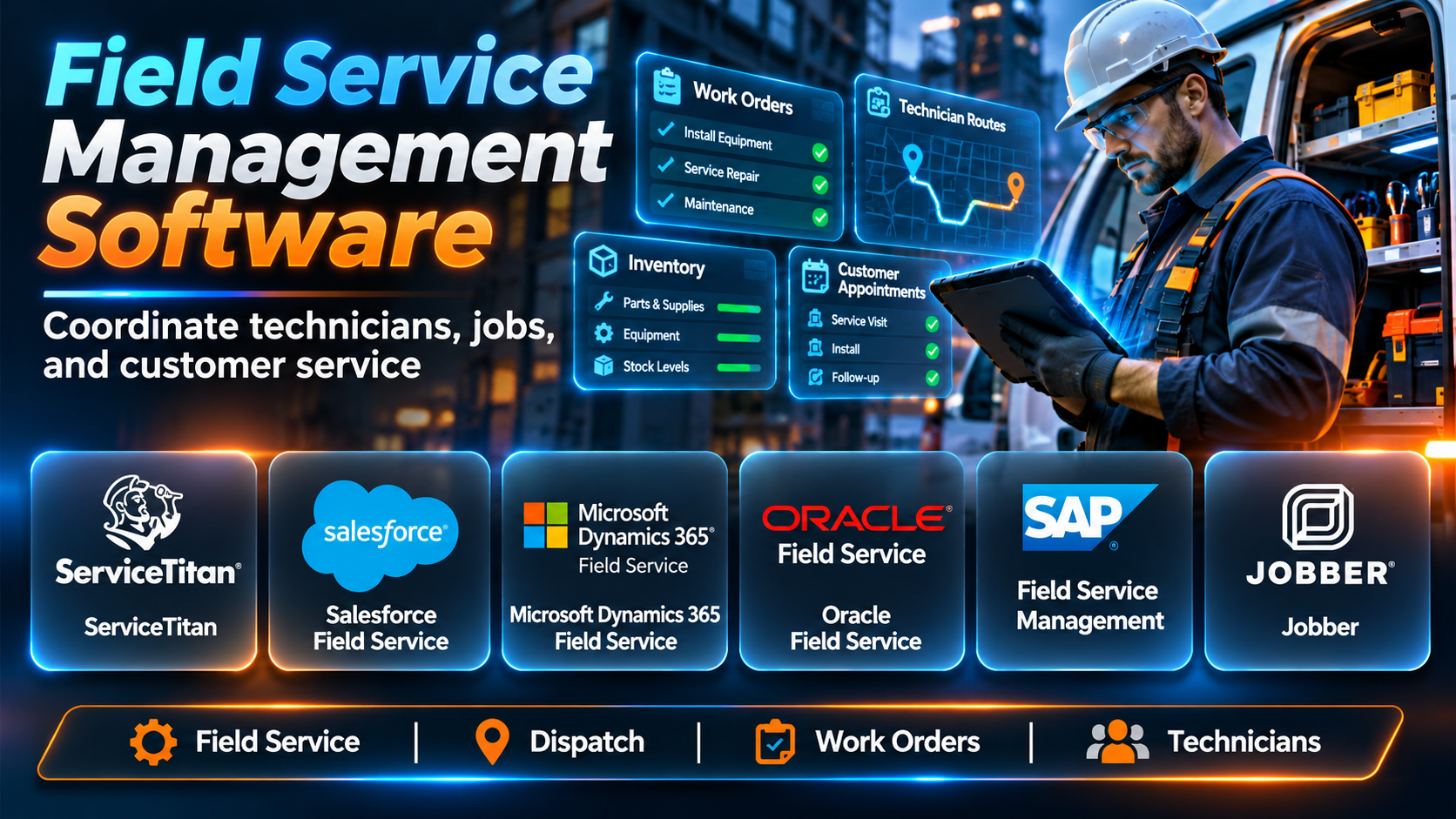
Field Service Management (FSM) software helps organizations coordinate these activities through a centralized digital platform. It connects office administrators, dispatchers, field technicians, managers, and customers.
Modern FSM platforms commonly provide work order management, scheduling, dispatching, mobile technician applications, customer information, inventory tracking, estimates, invoicing, and operational reporting.
For example, an HVAC company can use FSM software to receive a repair request, assign a qualified technician, provide appointment updates, document completed work, and generate an invoice.
Larger organizations may require additional capabilities, including asset lifecycle management, preventive maintenance, workforce optimization, service-level agreements, and enterprise resource planning integrations.
However, the best platform for a five-person plumbing business may not be appropriate for a utility company coordinating thousands of technicians.
Some FSM tools emphasize ease of use and customer communication. Others focus on complex scheduling, enterprise asset management, or integration with CRM and ERP systems.
This guide examines ten field service management platforms, compares their capabilities, and explains how organizations can select and implement software that improves field operations.
What Is Field Service Management (FSM) Software?
Field Service Management software helps organizations plan, assign, execute, document, and monitor work performed outside a central office.
Field service activities include installation, maintenance, inspection, repair, equipment servicing, and customer support delivered at physical locations.
FSM software connects these activities through a shared system.
For example, a service coordinator can create a work order, assign a technician, monitor progress, and review the completed service report without manually transferring information between applications.
Technicians can use mobile applications to view job details, record labor and materials, capture photographs, and update work order status.
Managers can analyze service performance, technician utilization, response times, and operational costs.
How FSM Software Works
- Service Request Creation: A customer or employee reports a service requirement.
- Work Order Generation: The system records the job, location, priority, and required tasks.
- Resource Assessment: Dispatchers review technician availability, skills, and equipment.
- Scheduling: The organization assigns an appropriate appointment.
- Dispatching: The technician receives job details through a supported mobile application.
- On-Site Execution: The technician performs the required service.
- Documentation: Labor, materials, photographs, and notes are recorded.
- Customer Confirmation: The customer receives relevant updates or completion documentation.
- Billing: Completed work may generate an estimate, invoice, or payment request.
- Performance Analysis: Managers review results and identify opportunities for improvement.
Common Applications
- HVAC installation and maintenance.
- Plumbing services.
- Electrical contracting.
- Appliance repair.
- Telecommunications maintenance.
- Utility infrastructure servicing.
- Industrial equipment repair.
- Facilities maintenance.
- Pest control.
- Commercial cleaning.
- Security system installation.
- Medical equipment servicing.
- Elevator maintenance.
- Property maintenance.
- Renewable energy servicing.
- IT field support.
Benefits of FSM Software
Improved Scheduling: Centralized calendars help coordinate appointments and technician availability.
Faster Dispatching: Dispatchers can identify suitable technicians without relying entirely on manual communication.
Better Technician Productivity: Mobile access reduces administrative work and improves access to job information.
Improved Customer Experience: Appointment notifications and service updates reduce uncertainty.
More Accurate Records: Digital work orders capture labor, materials, photographs, and completion details.
Inventory Visibility: Supported platforms help track parts and materials required for field jobs.
Faster Billing: Connected invoicing reduces delays between job completion and payment requests.
Operational Visibility: Dashboards help managers monitor workload, completion rates, and service performance.
Top 10 Field Service Management Software
1. ServiceTitan
Short Description
ServiceTitan is a field service management platform primarily associated with residential and commercial trade businesses.
It provides tools for managing customer requests, scheduling technicians, dispatching jobs, tracking service activities, and handling business operations.
For example, an HVAC contractor may use ServiceTitan to manage incoming service calls, assign technicians, prepare estimates, and generate invoices.
The platform connects customer service, dispatching, field execution, and financial workflows.
Its capabilities are particularly relevant to established service businesses seeking more operational control than basic scheduling applications provide.
ServiceTitan also offers reporting and business management functionality that can help organizations analyze revenue, technician performance, and service operations.
However, implementation and subscription costs require careful evaluation. Smaller companies with straightforward workflows may find the platform more extensive than necessary.
Key Features
- Call Booking: Helps customer service teams create service appointments.
- Scheduling: Organizes technician calendars and appointments.
- Dispatching: Assigns work according to operational requirements.
- Mobile Technician Tools: Provides job information in the field.
- Estimates: Supports preparation of service proposals.
- Invoicing: Connects completed work with billing.
- Customer Records: Maintains relevant service history.
- Reporting: Provides operational and financial visibility.
- Business Integrations: Connects with supported applications.
Benefits
- Centralizes trade service operations.
- Improves dispatch coordination.
- Supports technician productivity.
- Connects estimates with jobs.
- Reduces manual invoicing.
- Improves customer history visibility.
- Supports business performance analysis.
Pros
- Broad trade service functionality.
- Integrated scheduling and dispatching.
- Mobile technician workflows.
- Estimates and invoicing.
- Business reporting.
- Suitable for growing service companies.
Cons
- Pricing requires consultation.
- Implementation may be substantial.
- Training is necessary.
- Smaller teams may not need every capability.
- Advanced configurations require ongoing administration.
Use Cases
HVAC: Manage installation and repair appointments.
Plumbing: Coordinate emergency service calls.
Electrical Contracting: Track technician jobs.
Trade Businesses: Connect dispatching, service, and billing.
Best For
Established residential and commercial trade service businesses seeking an integrated operations platform.
2. Housecall Pro
Short Description
Housecall Pro is a field service management platform designed for home service businesses.
It helps contractors manage appointments, customer communication, job information, invoices, and payments.
For example, a plumbing company can use Housecall Pro to schedule a service appointment, notify the customer, assign a technician, and process payment after the job.
Its interface and workflow structure are particularly relevant to small and growing service businesses.
The platform emphasizes practical operations such as scheduling, customer management, estimates, and billing.
It can help organizations transition from paper calendars and disconnected accounting processes to a centralized system.
However, organizations with highly complex enterprise asset management or workforce optimization requirements may need a different category of FSM platform.
Key Features
- Job Scheduling: Organizes appointments.
- Dispatch Management: Coordinates assigned technicians.
- Customer Management: Stores service history and contact information.
- Estimates: Creates service quotations.
- Invoicing: Generates billing documents.
- Payment Processing: Supports applicable payment workflows.
- Customer Notifications: Communicates appointment information.
- Mobile Access: Supports field technician activities.
- Business Reporting: Provides relevant operational information.
Benefits
- Simplifies daily service operations.
- Reduces scheduling confusion.
- Improves customer communication.
- Accelerates invoicing.
- Supports mobile technicians.
- Centralizes customer records.
- Reduces administrative effort.
Pros
- Home service orientation.
- Accessible scheduling tools.
- Estimates and invoicing.
- Customer notifications.
- Mobile workflows.
- Suitable for smaller contractors.
Cons
- Enterprise asset management capabilities are limited.
- Advanced functionality may depend on plan.
- Integration requirements need review.
- Larger organizations may need more customization.
- Subscription costs increase with business needs.
Use Cases
Plumbing: Schedule service visits.
Cleaning: Coordinate recurring appointments.
Electrical Services: Manage customer jobs.
Home Maintenance: Track field work and billing.
Best For
Small and midsize home service businesses prioritizing ease of use.
3. Jobber
Short Description
Jobber is a business management platform for home service companies and field-based contractors.
It provides tools for scheduling, quoting, invoicing, customer management, and job tracking.
For example, a landscaping company may use Jobber to organize recurring maintenance appointments and track customer requests.
The platform helps teams coordinate field activities while maintaining customer and billing records.
Jobber is especially relevant to businesses that need an approachable system for recurring and appointment-based services.
Its workflow supports activities from customer inquiry through job completion and payment.
However, organizations requiring sophisticated enterprise dispatch optimization, complex asset management, or extensive ERP integration may need additional systems.
Key Features
- Scheduling: Organizes field appointments.
- Job Tracking: Records service progress.
- Client Management: Maintains customer information.
- Quotes: Prepares service estimates.
- Invoicing: Creates billing records.
- Online Payments: Supports relevant payment workflows.
- Client Communication: Sends appointment and service updates.
- Mobile Application: Supports field access.
- Reporting: Provides business activity visibility.
Benefits
- Organizes recurring services.
- Improves customer management.
- Reduces administrative work.
- Connects estimates and invoices.
- Supports mobile employees.
- Improves appointment coordination.
- Helps smaller companies scale operations.
Pros
- Accessible interface.
- Strong small-business fit.
- Scheduling and job tracking.
- Quotes and invoices.
- Customer communication.
- Mobile support.
Cons
- Complex enterprise requirements may exceed its scope.
- Advanced features vary by plan.
- Highly specialized workflows may require customization.
- Integration options should be evaluated.
- Workforce optimization is less extensive than enterprise platforms.
Use Cases
Landscaping: Schedule recurring maintenance.
Cleaning Services: Manage appointments.
Property Maintenance: Track customer work.
Small Contractors: Coordinate jobs and payments.
Best For
Small field service businesses requiring scheduling, customer management, and invoicing.
4. Salesforce Field Service
Short Description
Salesforce Field Service extends the Salesforce ecosystem into field service operations.
It helps organizations manage service appointments, work orders, dispatching, technician activities, and customer information.
For example, a telecommunications provider may use Salesforce Field Service to coordinate equipment installations and maintenance appointments.
Its integration with Salesforce customer and service data can provide technicians with relevant account history.
The platform supports sophisticated scheduling and resource management scenarios.
It is particularly relevant to organizations already using Salesforce for CRM and customer service.
However, successful deployment requires careful configuration, licensing review, and integration planning.
Key Features
- Work Order Management: Organizes service tasks.
- Service Appointments: Schedules field visits.
- Dispatch Console: Supports resource assignment.
- Scheduling Optimization: Helps match appointments with resources.
- Mobile Technician Application: Provides field access.
- Asset Information: Connects service with relevant equipment records.
- Salesforce Integration: Uses supported CRM and service data.
- Service Analytics: Provides operational reporting.
- Automation: Supports relevant workflow rules.
Benefits
- Connects field service with CRM.
- Improves customer context.
- Supports complex scheduling.
- Centralizes service records.
- Improves resource visibility.
- Supports enterprise workflows.
- Enables integrated service reporting.
Pros
- Strong Salesforce ecosystem integration.
- Advanced scheduling capabilities.
- Enterprise scalability.
- Mobile technician tools.
- Customer and asset context.
- Configurable workflows.
Cons
- Licensing can be complex.
- Implementation requires expertise.
- Administration can be demanding.
- Costs may be high for smaller teams.
- Customization requires governance.
Use Cases
Telecommunications: Manage installation appointments.
Manufacturing: Service customer equipment.
Utilities: Coordinate field technicians.
Enterprise Service: Connect CRM with field operations.
Best For
Salesforce-centric organizations with complex field service requirements.
5. Microsoft Dynamics 365 Field Service
Short Description
Microsoft Dynamics 365 Field Service is an enterprise FSM application designed to manage work orders, technicians, assets, and service activities.
It connects field operations with the broader Microsoft business application ecosystem.
For example, an industrial equipment manufacturer may use Dynamics 365 Field Service to coordinate preventive maintenance and emergency repairs.
Technicians can access work orders and relevant customer or asset information through supported mobile experiences.
The platform supports scheduling, resource management, and service documentation.
Its integration potential with Dynamics 365, Power Platform, and other Microsoft technologies is particularly valuable to Microsoft-oriented enterprises.
However, deployment requires attention to licensing, business process design, data integration, and ongoing administration.
Key Features
- Work Orders: Manages service requirements.
- Resource Scheduling: Coordinates technicians and appointments.
- Dispatching: Supports field resource assignment.
- Asset Management: Maintains relevant equipment information.
- Preventive Maintenance: Supports recurring service schedules.
- Mobile Application: Provides field technician access.
- Inventory Management: Tracks relevant service materials.
- Microsoft Integration: Connects with supported business applications.
- Analytics: Provides service performance information.
Benefits
- Connects service with enterprise operations.
- Supports asset-focused maintenance.
- Improves technician coordination.
- Standardizes work orders.
- Supports preventive service.
- Improves operational visibility.
- Extends Microsoft investments.
Pros
- Enterprise FSM functionality.
- Asset management capabilities.
- Microsoft ecosystem integration.
- Scheduling and dispatching.
- Mobile technician support.
- Configurable business processes.
Cons
- Implementation complexity.
- Licensing requires careful review.
- Training may be necessary.
- Integration work can be substantial.
- Ongoing administration is important.
Use Cases
Manufacturing: Service installed equipment.
Utilities: Manage field maintenance.
Industrial Services: Coordinate repair work.
Enterprise Operations: Integrate field service with business systems.
Best For
Microsoft-oriented enterprises requiring asset-centric field service management.
6. Oracle Field Service
Short Description
Oracle Field Service is an enterprise field service platform focused on workforce scheduling, routing, dispatching, and service execution.
It is particularly relevant to organizations managing large numbers of mobile workers and customer appointments.
For example, a utility provider may need to schedule thousands of service visits while accounting for technician skills, travel, availability, and changing priorities.
Oracle Field Service provides capabilities designed for complex field workforce operations.
Its optimization and operational management features can help organizations coordinate large service networks.
The platform is relevant to industries where appointment reliability and workforce utilization are critical.
However, implementation, integration, and process configuration may require significant resources.
Key Features
- Scheduling Optimization: Supports complex appointment allocation.
- Dispatch Management: Coordinates mobile workers.
- Routing: Considers travel and service requirements.
- Workforce Visibility: Tracks relevant field activities.
- Mobile Access: Supports technicians in the field.
- Customer Communication: Provides relevant appointment updates.
- Resource Management: Considers technician availability and skills.
- Operational Analytics: Measures service performance.
- Enterprise Integration: Connects with supported business systems.
Benefits
- Improves large-scale scheduling.
- Supports technician utilization.
- Reduces manual dispatch effort.
- Helps manage changing priorities.
- Improves appointment coordination.
- Supports complex service networks.
- Provides operational visibility.
Pros
- Advanced workforce optimization.
- Enterprise scheduling capabilities.
- Routing functionality.
- Mobile workforce support.
- Large-scale operations relevance.
- Operational analytics.
Cons
- Complex implementation.
- Enterprise pricing considerations.
- Integration requirements can be substantial.
- Training is necessary.
- May be excessive for small businesses.
Use Cases
Utilities: Coordinate service visits.
Telecommunications: Manage installation schedules.
Large Service Networks: Optimize dispatching.
Infrastructure Services: Coordinate mobile workforces.
Best For
Large organizations with demanding scheduling and workforce optimization requirements.
7. IFS Field Service Management
Short Description
IFS Field Service Management is an enterprise service management solution designed for organizations with complex service operations.
It supports work orders, scheduling, technician management, asset information, and service execution.
For example, an industrial machinery company may use IFS to manage maintenance contracts and service visits for equipment installed at customer sites.
The platform is relevant to asset-intensive organizations where field work must connect with equipment history, service agreements, and operational planning.
IFS provides enterprise-oriented capabilities that extend beyond simple appointment scheduling.
Its functionality can support complex service processes involving multiple resources and technical requirements.
However, implementation and integration planning are important, particularly for organizations connecting field service with ERP or asset management systems.
Key Features
- Work Order Management: Coordinates service activities.
- Scheduling: Assigns appropriate resources.
- Dispatching: Manages technician deployment.
- Asset Information: Connects work with equipment records.
- Service Contracts: Supports relevant contractual workflows.
- Mobile Field Tools: Provides technician access.
- Parts Management: Supports service material requirements.
- Enterprise Integration: Connects service with business systems.
- Service Analytics: Provides operational reporting.
Benefits
- Supports asset-intensive service.
- Connects equipment and work history.
- Improves service coordination.
- Supports complex contracts.
- Improves technician productivity.
- Standardizes enterprise processes.
- Strengthens operational visibility.
Pros
- Asset-centric capabilities.
- Enterprise service workflows.
- Scheduling and dispatching.
- Mobile support.
- Service contract relevance.
- Integration with enterprise operations.
Cons
- Implementation may be demanding.
- Enterprise costs require evaluation.
- Complex configuration needs expertise.
- Training requirements can be substantial.
- Smaller service businesses may not need its breadth.
Use Cases
Industrial Equipment: Manage maintenance contracts.
Manufacturing: Service installed machinery.
Energy: Coordinate technical field work.
Enterprise Services: Manage complex service operations.
Best For
Asset-intensive enterprises with complex maintenance and service requirements.
8. ServiceMax
Short Description
ServiceMax is an asset-centric field service management platform focused on organizations that service complex equipment.
It is particularly relevant to manufacturers and service providers managing installed assets across customer locations.
For example, a medical equipment manufacturer may use ServiceMax to track service history, technician activities, and equipment maintenance requirements.
The platform helps connect field service work with asset information and service processes.
Its asset-focused approach is valuable when service quality depends on understanding equipment history, configuration, and maintenance requirements.
ServiceMax supports relevant work order and technician workflows.
However, organizations should evaluate integration needs, implementation complexity, and the platform’s fit with their existing CRM and enterprise systems.
Key Features
- Asset-Centric Service: Connects service activity with equipment records.
- Work Order Management: Organizes field tasks.
- Scheduling: Coordinates service appointments.
- Technician Mobility: Provides field access.
- Service History: Maintains relevant equipment records.
- Maintenance Workflows: Supports recurring service.
- Parts Information: Helps manage relevant materials.
- Service Analytics: Provides performance visibility.
- Enterprise Integration: Connects with supported systems.
Benefits
- Improves asset service visibility.
- Supports equipment maintenance.
- Connects technicians with service history.
- Standardizes repair processes.
- Supports recurring maintenance.
- Improves service documentation.
- Helps asset-focused organizations.
Pros
- Strong asset-centric orientation.
- Enterprise service functionality.
- Mobile technician support.
- Equipment service history.
- Maintenance workflow relevance.
- Suitable for complex products.
Cons
- Enterprise implementation requirements.
- Integration planning is important.
- Costs may be unsuitable for small firms.
- Training is necessary.
- Specialized configuration may be required.
Use Cases
Medical Equipment: Manage device servicing.
Manufacturing: Maintain installed machinery.
Industrial Services: Track equipment repairs.
Technical Service: Coordinate asset-based maintenance.
Best For
Manufacturers and service organizations managing complex installed equipment.
9. simPRO
Short Description
simPRO is a field service and job management platform designed for trade contractors and service businesses.
It supports quoting, scheduling, job management, inventory, and financial workflows.
For example, an electrical contracting company may use simPRO to manage installation projects and ongoing maintenance jobs.
The platform is relevant to organizations that handle both field service and project-based work.
Its capabilities can help connect job costing, materials, labor, and operational planning.
simPRO is particularly useful when businesses need stronger financial and job management functionality than a basic appointment scheduler provides.
However, implementation requires careful setup of workflows, pricing structures, inventory, and business processes.
Key Features
- Job Management: Organizes service and project work.
- Scheduling: Coordinates technicians and resources.
- Quoting: Prepares job estimates.
- Inventory: Tracks relevant materials.
- Job Costing: Supports cost visibility.
- Mobile Access: Provides field workflows.
- Invoicing: Connects jobs with billing.
- Maintenance Management: Supports recurring service.
- Reporting: Provides business performance information.
Benefits
- Connects service and project operations.
- Improves job costing.
- Supports inventory visibility.
- Reduces manual administration.
- Improves scheduling.
- Supports trade contractors.
- Provides financial insight.
Pros
- Trade business orientation.
- Job costing capabilities.
- Inventory management.
- Scheduling and dispatching.
- Quotes and invoices.
- Service and project support.
Cons
- Setup can be substantial.
- Training is important.
- Pricing requires evaluation.
- Smaller teams may find it complex.
- Integration requirements need planning.
Use Cases
Electrical Contracting: Manage installation jobs.
HVAC: Coordinate service and projects.
Security Systems: Track installations.
Commercial Trades: Manage labor and materials.
Best For
Trade contractors combining service operations with project management and job costing.
10. FieldEdge
Short Description
FieldEdge is a field service management platform designed for service contractors, particularly in industries such as HVAC, plumbing, and electrical services.
It helps organizations manage dispatching, customer information, service history, invoicing, and technician activities.
For example, an HVAC service company may use FieldEdge to assign repair appointments and provide technicians with customer and equipment history.
The platform supports communication between office personnel and field employees.
Its operational focus is relevant to contractors seeking a centralized system for service coordination.
FieldEdge can also support billing and relevant accounting integrations.
However, organizations should review current pricing, implementation requirements, mobile capabilities, and integration compatibility.
Key Features
- Dispatch Board: Coordinates technician assignments.
- Scheduling: Organizes service appointments.
- Customer Management: Maintains customer records.
- Equipment History: Stores relevant service information.
- Mobile Technician Access: Supports field activities.
- Invoicing: Connects completed jobs with billing.
- Accounting Integration: Supports relevant financial workflows.
- Service Agreements: Helps manage recurring service relationships.
- Reporting: Provides operational visibility.
Benefits
- Improves dispatch coordination.
- Centralizes customer history.
- Supports technician productivity.
- Reduces administrative work.
- Connects service and billing.
- Supports recurring maintenance.
- Improves service record accuracy.
Pros
- Contractor-focused functionality.
- Dispatching tools.
- Customer and equipment history.
- Mobile access.
- Invoicing support.
- Relevant accounting integrations.
Cons
- Pricing requires consultation.
- Implementation and training may be necessary.
- Advanced features require evaluation.
- Enterprise asset management is not its primary focus.
- Integration compatibility should be confirmed.
Use Cases
HVAC: Manage maintenance appointments.
Plumbing: Coordinate repair calls.
Electrical Services: Track service history.
Contractors: Connect dispatching and invoicing.
Best For
HVAC, plumbing, and electrical contractors requiring integrated service operations.
Comparison Table: Top 10 Field Service Management Software
| Software | Primary Strength | Best For | Main Consideration |
|---|---|---|---|
| ServiceTitan | Trade business operations | Established contractors | Implementation and pricing |
| Housecall Pro | Home service management | Small service businesses | Enterprise limitations |
| Jobber | Scheduling and client management | Small contractors | Complex optimization limitations |
| Salesforce Field Service | CRM-connected service | Salesforce enterprises | Licensing complexity |
| Dynamics 365 Field Service | Enterprise asset service | Microsoft organizations | Implementation requirements |
| Oracle Field Service | Workforce optimization | Large field operations | Enterprise complexity |
| IFS Field Service Management | Asset-intensive service | Industrial enterprises | Deployment scope |
| ServiceMax | Installed asset servicing | Equipment manufacturers | Integration planning |
| simPRO | Trade job management | Project and service contractors | Setup complexity |
| FieldEdge | Contractor dispatching | HVAC and plumbing businesses | Pricing and training |
How to Choose the Best Field Service Management Software
1. Identify Your Service Business Model
Determine whether the organization primarily performs residential repairs, commercial maintenance, installations, inspections, or complex equipment servicing.
2. Evaluate Work Order Requirements
List the information needed to create, assign, execute, and close service jobs.
3. Review Scheduling Complexity
Small teams may need a shared calendar, while larger organizations require skills-based assignment and advanced optimization.
4. Examine Mobile Capabilities
Technicians should be able to access job details, update statuses, record labor, and capture evidence.
5. Consider Offline Access
Some field environments have unreliable connectivity.
Confirm which mobile features remain available offline.
6. Assess Customer Communication
Review appointment confirmations, notifications, service updates, and customer portals.
7. Evaluate Inventory Management
Organizations using replacement parts need appropriate stock and material tracking.
8. Review Asset Management
Equipment-intensive service organizations should assess asset histories, warranties, and maintenance requirements.
9. Examine Billing
Determine whether estimates, invoices, payments, and accounting integrations meet business requirements.
10. Review Integrations
Identify necessary connections with CRM, ERP, accounting, inventory, and customer support systems.
11. Evaluate Reporting
Important metrics may include first-time fix rate, technician utilization, response time, and service profitability.
12. Calculate Total Cost
Include software subscriptions, implementation, training, integrations, and ongoing administration.
13. Test Real Workflows
Run representative service scenarios before committing to a full deployment.
Best Field Service Management Software by User Type
Residential Trade Contractors
ServiceTitan is relevant to established HVAC, plumbing, and electrical service companies requiring integrated business management.
Small Home Service Businesses
Housecall Pro provides accessible scheduling, customer management, and billing workflows.
Small Field Service Teams
Jobber is useful for businesses managing recurring services and customer appointments.
Salesforce Enterprises
Salesforce Field Service connects technician operations with CRM and customer service data.
Microsoft Enterprises
Dynamics 365 Field Service supports work orders, assets, and service operations within Microsoft’s business application ecosystem.
Large Dispatch Operations
Oracle Field Service is relevant to organizations coordinating large mobile workforces.
Industrial Service Providers
IFS Field Service Management supports complex asset-intensive service operations.
Equipment Manufacturers
ServiceMax focuses on service workflows associated with installed equipment.
Trade Project Contractors
simPRO supports organizations managing both service work and project-based jobs.
HVAC and Plumbing Contractors
FieldEdge provides contractor-oriented dispatching, service history, and billing capabilities.
| User Type | Relevant Software | Primary Reason |
|---|---|---|
| Established trade contractor | ServiceTitan | Integrated operations |
| Small home service company | Housecall Pro | Scheduling and billing |
| Small service team | Jobber | Accessible job management |
| Salesforce organization | Salesforce Field Service | CRM integration |
| Microsoft enterprise | Dynamics 365 Field Service | Asset and service management |
| Large mobile workforce | Oracle Field Service | Scheduling optimization |
| Industrial service company | IFS | Complex service processes |
| Equipment manufacturer | ServiceMax | Asset-centric workflows |
| Trade project contractor | simPRO | Job costing and inventory |
| HVAC contractor | FieldEdge | Dispatch and service history |
Practical Example: Implementing FSM Software for an HVAC Company
Consider an HVAC service company employing 35 field technicians.
The business manages residential maintenance, emergency repairs, and commercial equipment servicing.
Dispatchers currently use spreadsheets, technicians receive assignments by telephone, and invoices are prepared manually.
The company wants to improve scheduling, technician productivity, and customer communication.
Step 1: Define Business Objectives
The company identifies scheduling delays, incomplete service records, and slow invoicing as its primary problems.
Step 2: Document Existing Workflows
Managers map the process from customer inquiry to completed service and payment.
Step 3: Identify User Roles
The organization defines permissions for dispatchers, technicians, customer service representatives, managers, and administrators.
Step 4: Establish Work Order Fields
Work orders include customer details, equipment information, service type, priority, assigned technician, and required materials.
Step 5: Evaluate FSM Platforms
The company compares ServiceTitan, Housecall Pro, Jobber, and FieldEdge against its operational requirements.
Step 6: Review Scheduling Capabilities
Dispatchers test technician assignment, emergency scheduling, and appointment changes.
Step 7: Test Mobile Workflows
Technicians evaluate access to job details, service notes, photographs, and completion records.
Step 8: Configure Customer Records
Existing customer information and equipment histories are prepared for migration.
Step 9: Set Up Service Categories
The organization defines maintenance, emergency repair, installation, and inspection job types.
Step 10: Configure Dispatching
Technician availability, territories, and relevant skills are entered into the system.
Step 11: Establish Inventory Procedures
Common replacement parts are associated with relevant jobs and stock records.
Step 12: Configure Estimates and Invoices
The company standardizes pricing and billing processes.
Step 13: Set Up Customer Notifications
Customers receive relevant appointment confirmations and updates.
Step 14: Connect Accounting
The company configures supported financial integrations and tests record synchronization.
Step 15: Train Office Employees
Dispatchers and administrators practice scheduling, work order updates, and exception handling.
Step 16: Train Technicians
Field employees practice recording labor, materials, photographs, and job completion.
Step 17: Run a Pilot
Five technicians use the platform for a limited group of appointments.
Step 18: Review Results
Managers compare job completion, invoicing delays, and scheduling problems.
Step 19: Expand Deployment
The company gradually introduces the platform to the remaining technicians.
Step 20: Monitor Performance
The organization tracks service response times, first-time fix rates, technician utilization, and customer satisfaction.
Common Mistakes to Avoid
1. Choosing Software Based Only on Features
A long feature list does not guarantee that the platform fits actual workflows.
2. Ignoring Technician Usability
Complicated mobile interfaces can reduce adoption.
3. Migrating Poor-Quality Customer Data
Duplicate or incomplete records can create problems in the new system.
4. Overlooking Scheduling Requirements
Basic calendars may not support complex workforce assignment.
5. Failing to Test Integrations
Billing and inventory records must synchronize reliably.
6. Neglecting Change Management
Employees need training and clear procedures.
7. Overcustomizing Workflows
Unnecessary customization increases maintenance.
8. Ignoring Offline Requirements
Technicians may work in areas with limited connectivity.
9. Failing to Define Performance Metrics
Without measurable objectives, improvement is difficult to evaluate.
10. Underestimating Implementation Costs
Training, migration, integrations, and administration contribute to total cost.
Frequently Asked Questions
1. What is field service management software?
FSM software helps organizations schedule, dispatch, execute, and monitor service work performed at customer or field locations.
2. What does FSM stand for?
FSM stands for Field Service Management.
3. What is ServiceTitan?
ServiceTitan is a service business management platform used by trade contractors.
4. What is Housecall Pro?
Housecall Pro is a field service platform for home service businesses.
5. What is Jobber?
Jobber is a business management platform for field service companies and contractors.
6. What is Salesforce Field Service?
Salesforce Field Service supports work orders, scheduling, dispatching, and technician activities within the Salesforce ecosystem.
7. What is Dynamics 365 Field Service?
It is Microsoft’s enterprise application for managing field service operations.
8. What is Oracle Field Service?
Oracle Field Service is an enterprise platform focused on scheduling, routing, and mobile workforce operations.
9. What is IFS Field Service Management?
IFS provides enterprise field service capabilities for complex service organizations.
10. What is ServiceMax?
ServiceMax is an asset-centric field service platform for organizations servicing installed equipment.
11. What is simPRO?
simPRO is a job and field service management platform for trade contractors.
12. What is FieldEdge?
FieldEdge is a field service management platform for contractors, including HVAC and plumbing businesses.
13. Can FSM software schedule technicians?
Yes. Scheduling and resource assignment are common FSM capabilities.
14. Can FSM software manage work orders?
Yes. Work order management is a core function of most FSM platforms.
15. Can technicians use FSM software on mobile devices?
Most modern platforms provide supported mobile applications or mobile interfaces.
16. Does FSM software support GPS tracking?
Some platforms provide location-related features, subject to configuration and permissions.
17. Can FSM software generate invoices?
Many platforms support invoicing directly or through integrations.
18. Can FSM software track inventory?
Several platforms provide inventory and parts management capabilities.
19. Is FSM software useful for HVAC companies?
Yes. HVAC companies use it for maintenance, repairs, installations, and scheduling.
20. Can plumbing businesses use FSM software?
Yes. Plumbing contractors use it to coordinate service calls and customer records.
21. Is FSM software suitable for large enterprises?
Yes. Enterprise platforms support complex scheduling, asset management, and integrations.
22. What is the difference between FSM and CRM?
CRM focuses on customer relationships, while FSM coordinates service execution and field operations.
23. What is the difference between FSM and CMMS?
CMMS primarily manages maintenance activities and assets, while FSM emphasizes service delivery and mobile workforce coordination.
24. Can FSM software support preventive maintenance?
Many platforms support recurring service schedules and maintenance workflows.
25. What is first-time fix rate?
It measures the proportion of service jobs resolved during the initial visit.
26. Can FSM software improve customer satisfaction?
It can improve scheduling, communication, and service consistency when implemented effectively.
27. How much does FSM software cost?
Pricing varies according to users, capabilities, implementation, integrations, and vendor licensing.
28. What integrations are important for FSM software?
Common integrations include accounting, CRM, ERP, inventory, payments, and customer communication systems.
29. How should organizations implement FSM software?
Begin with workflow mapping, platform evaluation, data preparation, pilot testing, training, and phased deployment.
30. Which field service management software is best?
The best choice depends on company size, service model, scheduling complexity, asset requirements, integrations, and budget.
Final Thoughts
Field Service Management software helps organizations coordinate service requests, technicians, schedules, equipment, customers, and billing.
ServiceTitan, Housecall Pro, Jobber, and FieldEdge are relevant to contractor and home service operations.
Salesforce Field Service and Microsoft Dynamics 365 Field Service support enterprise service workflows connected to their respective business ecosystems.
Oracle Field Service emphasizes complex scheduling and workforce optimization.
IFS Field Service Management and ServiceMax address asset-intensive service requirements.
simPRO is relevant to trade contractors managing both service activities and project-based work.
Organizations should evaluate software based on real operational requirements rather than selecting the platform with the longest feature list.
The most important considerations include technician usability, scheduling capabilities, work order management, integrations, reporting, and total cost.
A carefully planned pilot can reveal problems before organization-wide deployment.
With appropriate implementation and ongoing process improvement, FSM software can help reduce administrative work, improve service coordination, and provide a more consistent customer experience.
