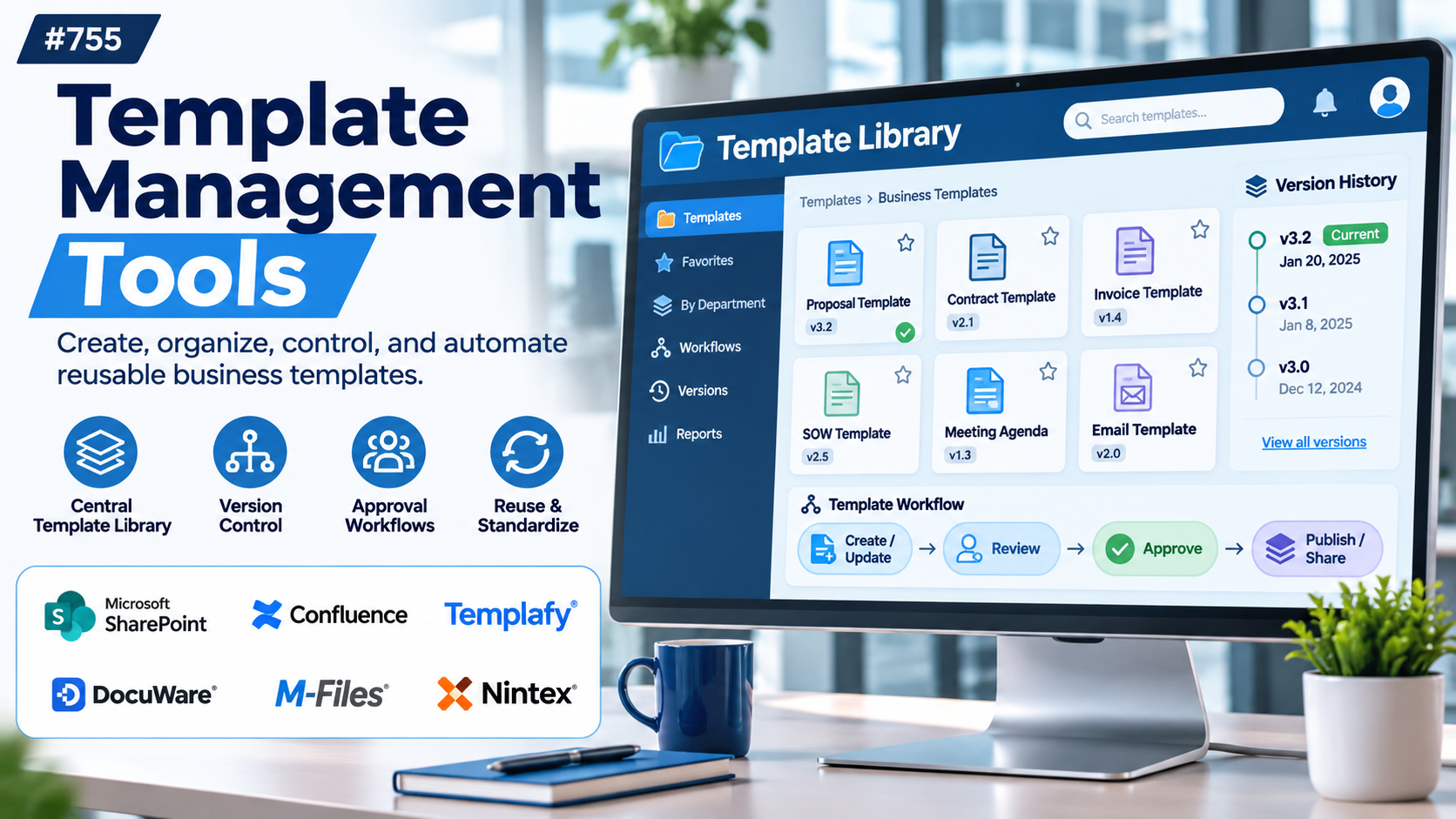
Introduction
Every organization creates documents, presentations, emails, proposals, reports, and customer communications. Many of these materials follow similar formats, even when the content changes from one project or recipient to another.
Without centralized template management, employees often create new files from older documents or save personal copies of approved templates. Over time, outdated logos, inconsistent formatting, incorrect legal language, and conflicting versions can spread across departments.
Template management tools help organizations organize, standardize, distribute, and maintain reusable content. They make it easier for employees to find approved templates and produce documents that follow established business requirements.
For example, a sales organization may need every proposal to include current product descriptions, pricing disclaimers, and approved branding. A template management platform can provide controlled layouts and reusable content that reduce the need for manual formatting.
A legal department may need standardized agreements containing approved clauses. Human resources teams may need offer letters, onboarding documents, and policy acknowledgments that follow consistent formats.
Marketing teams also benefit from reusable templates for presentations, brochures, social graphics, and campaign materials. Brand governance features help maintain visual consistency across different offices and teams.
Modern template management platforms may include centralized libraries, document automation, conditional content, version control, permissions, approval workflows, integrations, and analytics.
However, template management software covers several distinct categories. Some platforms specialize in Microsoft Office templates, others focus on brand-controlled creative assets, and others automate complex business documents using structured data.
Choosing the right solution requires understanding which content must be standardized, who creates it, how frequently templates change, and what systems employees already use.
This guide compares ten template management tools, explains their strengths and limitations, and provides a practical framework for selecting and implementing a reliable template management system.
What Are Template Management Tools?
Template management tools are software applications that help organizations create, store, distribute, update, and govern reusable templates.
Templates are predefined structures that contain approved formatting, content, placeholders, layouts, or business rules.
They may be used for Word documents, PowerPoint presentations, emails, proposals, contracts, marketing graphics, reports, and other business materials.
A template management platform provides a central location where employees can access current approved versions.
More advanced systems may control who can edit templates, automatically insert company information, synchronize approved content, and generate personalized documents.
How Template Management Software Works
- Template Creation: An authorized user creates a reusable document or design.
- Content Standardization: Approved branding, formatting, and language are added.
- Centralized Storage: The template is published to a managed library.
- Access Configuration: Permissions determine who can view, use, or modify it.
- Approval Workflow: Relevant stakeholders review and approve templates.
- Template Distribution: Employees access approved content through supported applications.
- Personalization: Users add permitted recipient or business information.
- Document Generation: The platform creates the required output.
- Version Management: Updates replace or supersede older versions.
- Monitoring: Administrators review usage, compliance, and maintenance needs.
Common Applications
- Corporate Word templates.
- PowerPoint presentation libraries.
- Sales proposal templates.
- Legal contract templates.
- HR offer letters.
- Employee onboarding documents.
- Marketing collateral.
- Email signature templates.
- Customer communication templates.
- Financial reports.
- Insurance documents.
- Branded social graphics.
- Business forms.
- Procurement documentation.
- Standard operating procedures.
- Automated document generation.
Benefits of Template Management Tools
Brand Consistency: Approved layouts, fonts, colors, and logos help maintain a recognizable organizational identity.
Reduced Repetitive Work: Employees reuse existing structures instead of creating documents from scratch.
Better Content Accuracy: Centralized approved content reduces reliance on outdated personal copies.
Improved Governance: Permissions and approval workflows help control changes to important templates.
Faster Document Creation: Users can generate standard documents with fewer manual steps.
Easier Collaboration: Departments can share approved materials through a common library.
Workflow Automation: Advanced systems connect templates with business data and applications.
Scalability: Organizations can distribute consistent templates across multiple teams, offices, and business units.
Top 10 Template Management Tools
1. Templafy
Short Description
Templafy is an enterprise document generation and template management platform designed to help organizations create consistent business documents.
It focuses on connecting approved templates, brand assets, and business content with everyday document creation workflows.
For example, a multinational consulting company may need thousands of employees to produce proposals and presentations using approved branding and standardized content.
Templafy can help employees access relevant templates and approved assets from supported productivity applications.
The platform is particularly relevant to organizations with complex brand governance, multiple departments, and frequent document creation.
Its document automation capabilities can also reduce manual insertion of business information.
However, implementation requires careful planning around template ownership, integrations, user permissions, and enterprise requirements.
Key Features
- Centralized Template Library: Maintains approved business templates in a managed environment.
- Microsoft Office Integration: Provides template and content access within supported Office applications.
- Brand Governance: Helps maintain consistent visual identity.
- Dynamic Document Creation: Supports templates populated with relevant business information.
- Content Libraries: Organizes reusable slides, text, and other approved materials.
- Template Updates: Helps distribute current approved versions.
- User Permissions: Controls access to relevant templates and assets.
- Business Integrations: Connects with supported enterprise applications.
- Document Automation: Reduces repetitive document assembly tasks.
Benefits
- Improves corporate document consistency.
- Reduces use of outdated templates.
- Supports large distributed teams.
- Helps standardize approved content.
- Reduces manual formatting.
- Integrates with productivity workflows.
- Supports enterprise governance.
Pros
- Enterprise template specialization.
- Microsoft Office integration.
- Brand consistency capabilities.
- Dynamic document generation.
- Centralized content libraries.
- Suitable for multinational organizations.
Cons
- Enterprise implementation can be complex.
- Pricing requires direct evaluation.
- Template migration takes planning.
- Governance processes need clear ownership.
- May be excessive for very small teams.
Use Cases
Consulting Firms: Standardize proposals and presentations.
Financial Services: Maintain approved client documents.
Corporate Marketing: Govern brand assets and templates.
Enterprise Operations: Automate recurring business documents.
Best For
Large organizations requiring centralized Microsoft Office template management and document governance.
2. Brandfolder
Short Description
Brandfolder is a digital asset management platform that helps organizations organize and distribute approved brand materials.
Although it is not exclusively a document template management system, its capabilities are relevant to managing reusable brand assets and creative content.
For example, a retail company may need regional marketing teams to access current logos, campaign graphics, and approved visual materials.
Brandfolder can provide a centralized environment for organizing and sharing those assets.
Its value lies in asset discoverability, distribution, and brand consistency.
Organizations may use it alongside design or document creation software to support template-based production.
However, teams requiring advanced Word document automation or conditional legal clauses may need complementary systems.
Key Features
- Digital Asset Library: Centralizes approved creative materials.
- Asset Organization: Categorizes content for easier discovery.
- Search: Helps users locate relevant assets.
- Brand Distribution: Supports sharing approved materials.
- Access Permissions: Controls asset availability.
- Asset Metadata: Maintains descriptive information.
- Version Management: Helps organize updated assets.
- Brand Portals: Supports controlled distribution experiences.
- Integration Options: Connects with supported creative workflows.
Benefits
- Improves brand asset accessibility.
- Reduces outdated asset usage.
- Supports distributed marketing teams.
- Helps maintain visual consistency.
- Reduces duplicate asset creation.
- Improves creative collaboration.
- Supports centralized brand management.
Pros
- Strong digital asset management.
- Search and organization.
- Brand distribution.
- Permission controls.
- Useful for marketing teams.
- Supports creative workflows.
Cons
- Not primarily a document automation platform.
- Advanced template logic may require other software.
- Implementation requires asset organization.
- Enterprise pricing needs evaluation.
- Complex document generation is outside its primary focus.
Use Cases
Marketing Teams: Distribute approved creative assets.
Retail Brands: Maintain consistent campaign materials.
Creative Agencies: Organize reusable brand resources.
Corporate Communications: Share approved logos and graphics.
Best For
Organizations seeking centralized brand asset governance that supports template-based creative workflows.
3. Canva for Teams
Short Description
Canva for Teams is a collaborative visual design platform that helps teams create branded graphics, presentations, and other creative materials using reusable templates.
It is particularly relevant to marketing, communications, education, and small business teams.
For example, a restaurant group may need each location to create promotional posters while following approved colors, logos, and typography.
Canva can provide reusable designs and brand-related controls that make content creation more consistent.
Its visual editing environment is accessible to employees without extensive professional design experience.
Teams can adapt approved templates for different campaigns while maintaining selected brand elements.
However, Canva is not a replacement for advanced enterprise document generation or specialized legal contract automation.
Key Features
- Design Templates: Provides reusable visual layouts.
- Brand Kits: Organizes approved logos, colors, and fonts.
- Team Collaboration: Supports shared design workflows.
- Template Sharing: Makes reusable designs available to teams.
- Brand Controls: Supports applicable restrictions on brand elements.
- Presentation Creation: Provides slide design tools.
- Marketing Content: Supports social graphics and promotional materials.
- Asset Libraries: Stores relevant design elements.
- Export Options: Produces supported visual file formats.
Benefits
- Simplifies branded content creation.
- Reduces dependence on specialist designers for routine tasks.
- Supports team collaboration.
- Provides reusable visual templates.
- Helps maintain brand consistency.
- Speeds up marketing production.
- Supports multiple content formats.
Pros
- Accessible design interface.
- Large template ecosystem.
- Brand kit capabilities.
- Collaborative editing.
- Presentation support.
- Suitable for non-designers.
Cons
- Not intended for complex document automation.
- Advanced brand controls depend on plan.
- Large organizations may require additional governance.
- Legal document workflows need specialized tools.
- Template flexibility can introduce inconsistency without controls.
Use Cases
Marketing: Create campaign graphics.
Education: Develop branded learning materials.
Small Businesses: Produce promotional content.
Corporate Communications: Standardize presentation designs.
Best For
Teams seeking accessible branded design templates and collaborative content creation.
4. PandaDoc
Short Description
PandaDoc is a document workflow platform focused on creating, managing, sending, and obtaining electronic signatures for business documents.
Its template management capabilities are particularly relevant to sales proposals, quotations, contracts, and customer agreements.
For example, a software company may need its sales representatives to prepare proposals using approved product descriptions and commercial terms.
PandaDoc templates can help standardize those documents while allowing relevant customer information to be inserted.
The platform also provides document workflow capabilities that extend beyond template storage.
Its strength lies in combining reusable documents with business processes such as approvals, sending, and signatures.
However, organizations seeking broad creative asset management or enterprise PowerPoint template governance may require other tools.
Key Features
- Document Templates: Creates reusable business documents.
- Content Library: Stores approved document components.
- Variables: Inserts recipient and business information.
- Electronic Signatures: Supports digital signing workflows.
- Document Tracking: Provides relevant document activity information.
- Approval Workflows: Supports applicable internal review.
- CRM Integration: Connects with supported customer systems.
- Proposal Creation: Supports sales document workflows.
- Document Automation: Reduces repetitive preparation.
Benefits
- Standardizes sales documents.
- Reduces proposal preparation time.
- Supports electronic signatures.
- Improves document workflow visibility.
- Reuses approved content.
- Connects with CRM processes.
- Helps reduce manual errors.
Pros
- Strong proposal templates.
- Electronic signatures.
- Content library.
- CRM integrations.
- Document tracking.
- Sales workflow relevance.
Cons
- Primarily focused on business documents.
- Advanced features depend on subscription.
- Not a full digital asset management system.
- Template governance requires administration.
- Complex legal document logic may need evaluation.
Use Cases
Sales Teams: Create proposals.
Consulting Firms: Prepare client agreements.
Revenue Operations: Standardize quotations.
Professional Services: Manage signed documents.
Best For
Sales and business teams seeking reusable proposal and contract templates with document workflows.
5. Qwilr
Short Description
Qwilr is a proposal and sales document platform that allows teams to create interactive, web-based business proposals.
It uses reusable content and templates to help sales teams produce consistent customer-facing materials.
For example, a digital agency may need to create customized service proposals for prospective clients.
Qwilr can provide reusable proposal structures that employees adapt with client-specific information.
Its interactive presentation format differs from traditional Word or PDF-based template management.
The platform can support pricing presentations, approvals, and other relevant sales workflows.
However, organizations requiring conventional office document templates or complex enterprise correspondence may need different software.
Key Features
- Proposal Templates: Provides reusable sales document layouts.
- Interactive Documents: Creates web-based proposals.
- Content Reuse: Supports standardized sections.
- Brand Customization: Maintains relevant visual consistency.
- Pricing Presentation: Supports structured commercial content.
- Electronic Acceptance: Provides applicable acceptance workflows.
- Document Analytics: Tracks relevant proposal activity.
- Sales Integrations: Connects with supported business tools.
- Collaboration: Supports team proposal creation.
Benefits
- Speeds up proposal preparation.
- Improves visual consistency.
- Supports interactive customer experiences.
- Reduces repetitive content writing.
- Provides proposal activity insights.
- Supports sales workflows.
- Helps standardize commercial presentations.
Pros
- Interactive proposal format.
- Reusable templates.
- Modern presentation.
- Sales-focused features.
- Document analytics.
- Brand customization.
Cons
- Primarily for sales proposals.
- Not a general enterprise template repository.
- Web-based format may not suit every workflow.
- Subscription costs apply.
- Complex document governance may require other systems.
Use Cases
Agencies: Create service proposals.
Consulting: Present project scopes.
Sales: Deliver customer quotations.
Professional Services: Standardize client presentations.
Best For
Sales teams and agencies seeking reusable interactive proposal templates.
6. Conga Composer
Short Description
Conga Composer is a document generation solution that helps organizations create personalized business documents from structured data.
It is particularly relevant to Salesforce-oriented workflows and other supported enterprise processes.
For example, a sales operations team may need to generate customer quotations using information already stored in CRM records.
Conga Composer can combine approved templates with relevant business data to produce documents.
This approach reduces manual copying and helps ensure that generated content reflects the selected source records.
Its value is strongest when document creation is closely connected to business applications.
Organizations should evaluate supported integrations, template complexity, licensing, and implementation requirements.
Key Features
- Document Templates: Maintains reusable business layouts.
- Data Merge: Populates templates with structured information.
- Salesforce Integration: Supports relevant CRM-driven workflows.
- Document Generation: Creates personalized outputs.
- PDF Production: Supports applicable PDF generation.
- Batch Processing: Generates multiple documents.
- Workflow Automation: Supports relevant automated processes.
- Conditional Content: Provides applicable document logic.
- Document Delivery: Supports relevant distribution options.
Benefits
- Reduces repetitive document preparation.
- Connects CRM data with templates.
- Improves document consistency.
- Supports personalized outputs.
- Helps automate sales operations.
- Reduces manual data transfer.
- Supports enterprise workflows.
Pros
- CRM-oriented document generation.
- Reusable templates.
- Data merging.
- Automation capabilities.
- Batch document creation.
- Suitable for structured business processes.
Cons
- Implementation may require specialist knowledge.
- Licensing costs require evaluation.
- Template maintenance needs governance.
- Complex configurations can be difficult to troubleshoot.
- Not designed primarily for creative asset management.
Use Cases
Salesforce Teams: Generate customer documents.
Sales Operations: Produce quotations.
Financial Services: Create standardized correspondence.
Enterprise Administration: Automate recurring documents.
Best For
Organizations seeking data-driven document generation connected to Salesforce and enterprise applications.
7. HotDocs
Short Description
HotDocs is a document automation platform known for generating complex documents using templates and structured information.
It is especially relevant to legal, financial, and professional service environments where document content depends on detailed rules.
For example, a law firm may need to prepare agreements containing different clauses based on jurisdiction, transaction type, and client circumstances.
HotDocs can support template logic that determines which sections appear in the final document.
Its capabilities go beyond simple text replacement and basic mail merge.
The platform can help organizations standardize sophisticated document creation processes while reducing repetitive drafting.
However, building and maintaining advanced templates requires careful planning and specialist expertise.
Key Features
- Document Automation: Generates documents from structured inputs.
- Conditional Logic: Includes or excludes content based on rules.
- Questionnaires: Collects information needed for document creation.
- Template Authoring: Supports complex reusable documents.
- Clause Management: Enables structured legal content workflows.
- Data Integration: Uses relevant information sources.
- Document Assembly: Combines approved sections.
- Business Rules: Supports sophisticated document conditions.
- Standardized Output: Produces consistent documents.
Benefits
- Reduces repetitive legal drafting.
- Supports complex document logic.
- Improves consistency.
- Helps standardize approved clauses.
- Reduces manual assembly.
- Supports professional document workflows.
- Makes complex templates reusable.
Pros
- Advanced document automation.
- Conditional content.
- Legal document relevance.
- Structured questionnaires.
- Reusable clause logic.
- Suitable for complex documents.
Cons
- Template development can be demanding.
- Specialist training may be required.
- Implementation costs need evaluation.
- Not intended for visual marketing design.
- Ongoing legal content maintenance is essential.
Use Cases
Law Firms: Generate agreements.
Financial Services: Create regulated documents.
Professional Services: Automate complex forms.
Corporate Legal Teams: Standardize legal drafting.
Best For
Legal and professional service organizations requiring sophisticated document automation and conditional templates.
8. XaitPorter
Short Description
XaitPorter is a collaborative document production platform designed for complex business documents such as proposals, reports, and tenders.
It is relevant to organizations where multiple contributors must work together on structured documents.
For example, an engineering company may need several departments to contribute technical, financial, and commercial sections to a large tender response.
XaitPorter can help coordinate document structure, content contribution, and production.
Its template and content management capabilities support consistency across complex deliverables.
The platform is especially useful when document collaboration and governance are as important as the final layout.
However, organizations seeking simple one-page templates may find its capabilities more extensive than necessary.
Key Features
- Structured Templates: Provides reusable document frameworks.
- Collaborative Authoring: Supports multiple contributors.
- Content Reuse: Enables standardized document sections.
- Document Structure: Organizes complex deliverables.
- Workflow Management: Coordinates relevant review processes.
- Access Controls: Manages contributor permissions.
- Document Production: Supports formatted output.
- Version Coordination: Helps manage document changes.
- Enterprise Collaboration: Supports large proposal teams.
Benefits
- Improves complex document collaboration.
- Reduces duplicated content.
- Standardizes proposals.
- Supports distributed contributors.
- Improves workflow visibility.
- Reduces formatting inconsistencies.
- Helps coordinate large deliverables.
Pros
- Collaborative document production.
- Structured templates.
- Content reuse.
- Enterprise proposal relevance.
- Workflow coordination.
- Suitable for complex reports.
Cons
- More complex than basic template libraries.
- Implementation requires planning.
- Training may be necessary.
- Enterprise pricing needs evaluation.
- Not primarily a visual design platform.
Use Cases
Engineering: Produce technical proposals.
Energy Companies: Prepare tenders.
Consulting: Coordinate large reports.
Enterprise Sales: Develop complex bid documents.
Best For
Organizations producing large, collaborative proposals and structured business documents.
9. Seismic
Short Description
Seismic is a sales enablement platform that helps organizations manage, distribute, and personalize approved sales content.
Its template-related capabilities are relevant to sales presentations, proposals, and customer-facing materials.
For example, a financial services company may need hundreds of advisors to use current product information and approved client presentation materials.
Seismic can help centralize relevant content and support controlled distribution.
Its content personalization and automation capabilities can reduce the time required to assemble customer-facing materials.
The platform is particularly useful where sales content governance and enablement are closely connected.
However, it is not intended to replace every type of enterprise document management or legal document automation software.
Key Features
- Sales Content Library: Organizes approved materials.
- Content Personalization: Supports relevant customer-specific content.
- Template-Based Creation: Helps generate standardized sales materials.
- Content Governance: Controls approved information.
- Version Management: Supports current content distribution.
- Sales Integrations: Connects with supported business systems.
- Content Analytics: Provides relevant usage insights.
- Access Controls: Manages content availability.
- Sales Enablement Workflows: Supports seller productivity.
Benefits
- Improves sales content consistency.
- Reduces outdated material usage.
- Supports customer personalization.
- Helps sales teams find approved content.
- Provides content usage visibility.
- Reduces repetitive presentation assembly.
- Supports governance.
Pros
- Sales enablement specialization.
- Content libraries.
- Personalization.
- Analytics.
- Enterprise governance.
- Sales workflow integration.
Cons
- Primarily focused on sales enablement.
- Not a universal document automation platform.
- Enterprise implementation may be complex.
- Pricing requires evaluation.
- Specialized legal templates may need another system.
Use Cases
Enterprise Sales: Distribute approved presentations.
Financial Advisors: Use controlled client materials.
Revenue Enablement: Maintain sales content.
Marketing Operations: Coordinate sales collateral.
Best For
Large sales organizations seeking governed, reusable customer-facing content.
10. Docupilot
Short Description
Docupilot is a document generation platform that uses reusable templates and structured data to create personalized documents.
It is relevant to organizations that want to automate recurring document production.
For example, an HR department may need to generate employee offer letters using approved templates and applicant information.
Docupilot can populate relevant fields and produce customized outputs.
Its automation capabilities make it useful when templates must be combined with business applications or workflow triggers.
The platform is generally more focused on document generation than enterprise brand asset governance.
Organizations should evaluate supported formats, integrations, template logic, security, and pricing.
Key Features
- Reusable Templates: Maintains standardized document structures.
- Data Merge: Inserts recipient and business information.
- Document Generation: Produces personalized files.
- PDF Output: Supports relevant PDF workflows.
- API Integration: Connects with applications.
- Workflow Automation: Supports event-driven document creation.
- Conditional Content: Provides applicable document variations.
- Batch Generation: Produces multiple documents.
- Delivery Options: Supports relevant distribution workflows.
Benefits
- Reduces repetitive document creation.
- Supports consistent templates.
- Automates personalized output.
- Integrates with business workflows.
- Reduces manual data entry.
- Supports scalable document generation.
- Helps standardize recurring correspondence.
Pros
- Document automation focus.
- Reusable templates.
- API capabilities.
- PDF generation.
- Workflow integration.
- Suitable for business operations.
Cons
- Not primarily a brand asset management platform.
- Advanced templates require testing.
- Integration may require technical resources.
- Usage-based costs need evaluation.
- Enterprise governance requirements may need additional tools.
Use Cases
HR: Generate offer letters.
Finance: Produce account documents.
Sales: Create quotations.
Operations: Automate recurring correspondence.
Best For
Businesses seeking template-driven document generation and automation.
Comparison Table: Top 10 Template Management Tools
The platforms below serve different template management requirements. Some emphasize enterprise Office documents, while others focus on creative design, sales content, or automated document assembly.
| Software | Primary Strength | Best For | Main Consideration |
|---|---|---|---|
| Templafy | Enterprise Office templates | Large organizations | Implementation complexity |
| Brandfolder | Brand asset management | Marketing teams | Limited document automation |
| Canva for Teams | Visual design templates | Creative teams | Limited complex document logic |
| PandaDoc | Proposal and contract templates | Sales teams | Business document focus |
| Qwilr | Interactive proposal templates | Agencies and sales | Web-based proposal focus |
| Conga Composer | Data-driven document generation | Salesforce organizations | Configuration requirements |
| HotDocs | Complex document automation | Legal teams | Specialist template development |
| XaitPorter | Collaborative structured documents | Enterprise proposal teams | Training and implementation |
| Seismic | Governed sales content | Large sales organizations | Sales enablement specialization |
| Docupilot | Automated document generation | Business operations | Integration planning |
How to Choose the Best Template Management Tool
1. Identify the Template Categories
Start by listing the types of templates the organization needs to manage.
These may include Word documents, PowerPoint presentations, proposals, contracts, marketing graphics, and business forms.
Different platforms support different content types.
2. Determine the Main Business Objective
Clarify whether the priority is brand consistency, document automation, content governance, collaboration, or faster document creation.
A platform should address the primary operational problem rather than simply provide the largest number of features.
3. Evaluate Existing Applications
Review how employees currently create documents.
Organizations heavily invested in Microsoft Office may benefit from tools that operate within Word and PowerPoint.
Creative teams may prefer platforms connected to visual design workflows.
4. Assess Centralized Storage
A useful template management system should provide a reliable location for approved content.
Employees should not need to search through disconnected folders to find current templates.
5. Examine Permissions
Determine who can create, edit, approve, publish, and use templates.
Sensitive documents may require stricter access controls.
6. Review Version Management
Organizations should be able to update templates and reduce continued use of outdated versions.
7. Evaluate Approval Workflows
Templates containing legal, financial, or regulated information may require formal approval before publication.
8. Assess Brand Controls
Check whether the platform can maintain approved fonts, colors, logos, layouts, and content.
9. Review Dynamic Content
Determine whether templates must insert customer information, business data, or conditional sections.
10. Examine Integrations
Consider productivity suites, CRM systems, document management platforms, and workflow automation tools.
11. Evaluate Reporting
Usage analytics can help administrators identify popular templates, unused materials, and governance issues.
12. Calculate Total Cost
Include subscriptions, implementation, integrations, template migration, training, and support.
13. Run a Pilot
Test the platform with representative templates and employees from different departments.
Best Template Management Tools by User Type
1. Large Enterprises
Templafy is relevant to organizations requiring centrally governed Microsoft Office templates.
2. Brand Management Teams
Brandfolder supports the organization and distribution of approved brand assets.
3. Small Business Marketing Teams
Canva for Teams provides accessible visual templates and collaborative design.
4. Sales Proposal Teams
PandaDoc supports reusable proposals, quotations, and document workflows.
5. Agencies
Qwilr is relevant to interactive proposals and customer presentations.
6. Salesforce Organizations
Conga Composer supports document generation using CRM data.
7. Legal Departments
HotDocs supports complex document assembly and conditional content.
8. Enterprise Proposal Teams
XaitPorter helps coordinate collaborative documents.
9. Revenue Enablement Teams
Seismic provides governed sales content and personalization.
10. Business Operations Teams
Docupilot supports automated document generation from structured information.
| User Type | Relevant Software | Primary Reason |
|---|---|---|
| Large enterprise | Templafy | Office template governance |
| Brand team | Brandfolder | Approved brand assets |
| Marketing team | Canva for Teams | Reusable visual designs |
| Sales proposal team | PandaDoc | Proposal templates |
| Agency | Qwilr | Interactive proposals |
| Salesforce team | Conga Composer | CRM document generation |
| Legal department | HotDocs | Conditional document assembly |
| Enterprise bid team | XaitPorter | Collaborative authoring |
| Sales enablement team | Seismic | Governed sales content |
| Operations team | Docupilot | Automated documents |
Practical Example: Implementing Enterprise Template Management
Consider a consulting organization with 2,000 employees across six offices.
Employees regularly prepare proposals, reports, presentations, and client agreements.
Different departments maintain their own templates, resulting in inconsistent formatting and outdated information.
Management decides to implement centralized template management.
Step 1: Audit Existing Templates
The project team collects templates from departments and shared drives.
Step 2: Identify Duplicate Content
Administrators compare templates and remove unnecessary duplicates.
Step 3: Classify Template Types
Documents are grouped into proposals, presentations, reports, agreements, and administrative forms.
Step 4: Establish Ownership
Each template category receives a responsible business owner.
Step 5: Define Brand Standards
Marketing approves typography, colors, logos, and visual layouts.
Step 6: Review Legal Content
Legal counsel verifies contractual clauses and other controlled language.
Step 7: Select a Platform
The organization evaluates Templafy, PandaDoc, and other suitable tools.
Step 8: Create a Central Library
Approved templates are organized by department, purpose, and user permissions.
Step 9: Configure Access Controls
Employees receive appropriate access to templates relevant to their roles.
Step 10: Set Up Approval Workflows
Changes to important templates require review before publication.
Step 11: Integrate Existing Applications
The platform connects with supported productivity and business systems.
Step 12: Test Dynamic Fields
The team verifies that company details, client information, and other variable content populate correctly.
Step 13: Launch a Pilot
A selected group of consultants uses the new templates.
Step 14: Collect Feedback
Administrators review usability, document quality, and missing template requirements.
Step 15: Expand Deployment
The organization introduces the system across additional departments.
Step 16: Monitor Adoption
Usage reports and employee feedback help identify areas requiring improvement.
Step 17: Establish Maintenance Reviews
Template owners periodically review content for accuracy, relevance, and compliance.
Common Mistakes to Avoid
1. Storing Templates Without Governance
A shared folder alone does not guarantee that employees use approved content.
2. Failing to Assign Template Owners
Without clear responsibility, templates can become outdated.
3. Migrating Every Existing Template
Importing duplicates and obsolete materials creates unnecessary complexity.
4. Ignoring Employee Workflows
Templates are less useful when employees must leave familiar applications to access them.
5. Overlooking Version Control
Outdated templates can create inconsistent or incorrect documents.
6. Allowing Unrestricted Editing
Important legal or brand elements may require protection.
7. Choosing the Wrong Platform Category
Creative design tools, document automation platforms, and sales enablement systems solve different problems.
8. Neglecting Training
Employees need to understand where templates are stored and how to use them.
9. Overcomplicating Template Design
Highly complex templates can be difficult to maintain and troubleshoot.
10. Failing to Review Content Regularly
Approved templates should be reassessed when business requirements change.
Frequently Asked Questions
1. What are template management tools?
Template management tools help organizations create, organize, distribute, update, and govern reusable templates.
2. Why is template management important?
It improves consistency, reduces repetitive work, and helps employees use approved content.
3. What is Templafy?
Templafy is an enterprise document generation and template management platform.
4. What is Brandfolder?
Brandfolder is a digital asset management platform used to organize and distribute approved brand materials.
5. What is Canva for Teams?
Canva for Teams is a collaborative visual design platform with reusable templates and brand management features.
6. What is PandaDoc?
PandaDoc is a document workflow platform supporting reusable proposals, contracts, and electronic signatures.
7. What is Qwilr?
Qwilr is a platform for creating interactive proposals and sales documents.
8. What is Conga Composer?
Conga Composer generates business documents from templates and structured data.
9. What is HotDocs?
HotDocs is a document automation platform known for complex conditional document assembly.
10. What is XaitPorter?
XaitPorter is a collaborative document production platform for complex proposals and reports.
11. What is Seismic?
Seismic is a sales enablement platform that helps manage and personalize approved sales content.
12. What is Docupilot?
Docupilot is a document generation platform using templates and structured information.
13. Can template management tools support Word documents?
Yes. Several platforms support Microsoft Word templates.
14. Can template management software support PowerPoint?
Some platforms provide PowerPoint templates and reusable slide libraries.
15. Can template management tools enforce brand guidelines?
Many systems provide features for approved logos, colors, typography, and content.
16. What is a centralized template library?
It is a managed repository containing approved reusable templates.
17. What is template version control?
It is the process of managing template updates and distinguishing current versions from older ones.
18. Can template management software automate document creation?
Yes. Some platforms generate documents using structured business data.
19. Can template management tools integrate with CRM systems?
Several products provide CRM integrations or related automation capabilities.
20. Are template management tools useful for legal teams?
Yes. Specialized document automation platforms support standardized legal documents and clauses.
21. Can template management software help sales teams?
Yes. Proposal and sales enablement platforms help standardize customer-facing materials.
22. Can small businesses use template management tools?
Yes. Accessible design and document platforms can support smaller teams.
23. What is the difference between template management and document management?
Template management focuses on reusable content structures, while document management focuses on storing and controlling documents throughout their lifecycle.
24. What is the difference between template management and document automation?
Template management governs reusable templates, while document automation generates outputs using templates and data.
25. Can templates contain conditional content?
Yes. Advanced document automation platforms can include or exclude sections based on configured rules.
26. Can organizations control who edits templates?
Many enterprise platforms provide permission and approval controls.
27. Can template management reduce document errors?
It can reduce certain formatting and content inconsistencies, although templates still require accurate data and maintenance.
28. How much does template management software cost?
Costs vary according to platform type, user count, integrations, automation capabilities, and enterprise requirements.
29. What should organizations test before implementation?
They should test template access, formatting, permissions, version updates, integrations, and document generation.
30. Which template management tool is best?
The best choice depends on content type, business workflows, governance requirements, integrations, and budget.
Final Thoughts
Template management tools help organizations create consistent, reusable, and controlled business content.
Templafy provides enterprise document and Office template governance.
Brandfolder supports centralized brand asset management, while Canva for Teams provides accessible visual design templates.
PandaDoc and Qwilr focus on sales proposals and customer-facing documents.
Conga Composer and Docupilot support data-driven document generation.
HotDocs is relevant to complex legal document automation, while XaitPorter supports collaborative proposals and reports.
Seismic provides governed sales content and enablement workflows.
Organizations should distinguish between template storage, brand management, document generation, and sales content governance.
They should evaluate existing applications, approval requirements, version control, integrations, security, and total cost.
A successful template management program requires more than software. It also needs clear ownership, accurate content, employee training, and regular maintenance.
With the right combination of tools and governance, organizations can reduce repetitive work, improve document quality, and maintain greater consistency across business communications.
